MTN call barring allows users to restrict or limit incoming and outgoing calls for personal reasons. Call barring is free of cost and also available on Android phones.
If you use MTN for your calls and want to activate the call barring service this guide will walk you through the process. By the end of this tutorial, you’ll have a clear understanding of call barring and how you can successfully operate it on your MTN SIM card and also your Android phone.
How to Activate MTN Call Barring
To start call barring on your MTN SIM card, you need to simply dial *31#. This will bar all calls on your device. You will receive feedback confirming that your line has been restricted for making and receiving calls. But what if you want to bar some specific contacts? Keep on reading to find out!
How to Deactivate MTN Call Barring
To deactivate call barring on your MTN SIM card, simply dial #31# to undo the earlier restriction on your line. Once the deactivation is done, you can receive and make calls on your phone again.
Using Smartphones for MTN Call Barring (Alternative Method)
If the short code fails to work for you, you can use your smartphone (Android) to activate call barring on your MTN SIM card. This is done by accessing the call menu feature on your phone. Follow these steps below on your phone:
Tap on the Phone app on your device.
Tap on settings, usually the three dots button.
Locate supplementary services.
Tap on Call barring.
A pop up will read “SIM card may use mobile data” tap OK.
Select ‘Voice Call’
Toggle on/off your preferred incoming and outgoing calls.
Enter 0000 if prompted to enter in a password or PIN. Once entered, you can now enable or disable your Call Barring settings.
How to Bar/Stop Incoming Calls only
If you wish to use call barring on incoming calls only, follow these steps to activate:
Open the Phone app.
Click on the three dots and locate settings.
Tap on Call barring.
Enable ‘All incoming calls’.
Enter password or PIN 0000.
After enabling this, all incoming call will stop coming on your MTN line. You can also dial *140# on your MTN line to access various call barring options to block all incoming calls too.
Do I see ‘Missed Calls’ on Call barring?
No, you do not see missed calls on call barring. Call barring blocks the entry of your incoming calls so no missed calls will be shown.
When do I use Call barring?
When you’re traveling internationally and want to avoid unexpected high bills, you can bar all incoming calls. You can also use call barring when you have a dual SIM phone, or for instance during a vacation, you can bar all calls (both incoming and outgoing) on your work number to avoid work-related interruptions.
Conclusion
Setting up call barring on your MTN SIM card is pretty is easy with our provided steps. Call barring can be useful in many circumstances especially avoid disturbances. Share this article after reading and don’t forget to live your comments in the section below.
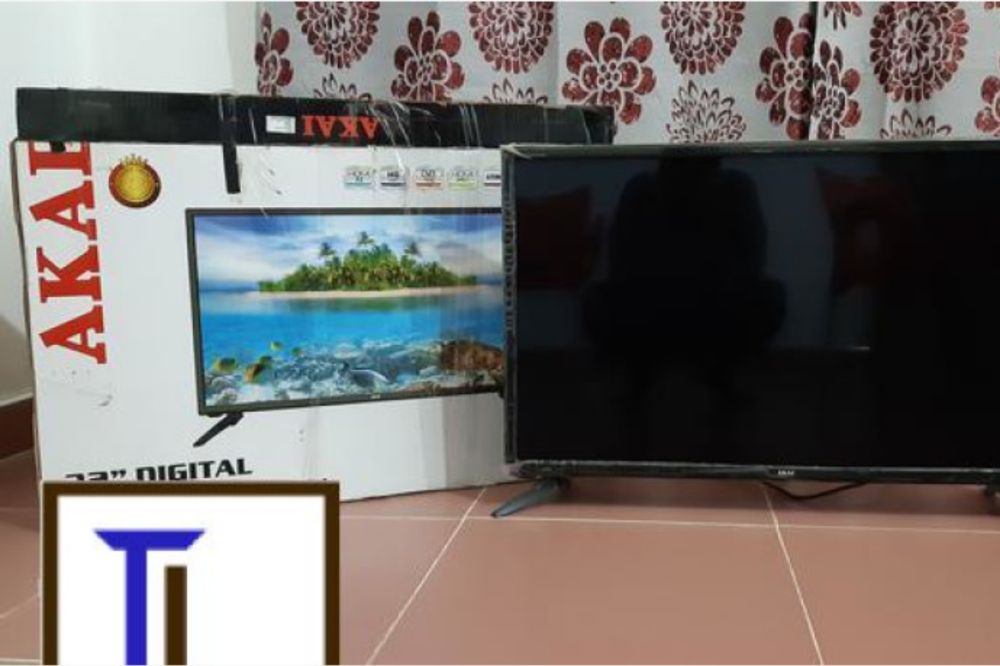
If you are looking for the best place in Ghana to purchase your dream home appliances, look no further than Kennedy Digital Satellite. Kennedy Digital Satellite offers some of the best quality products in the market with competitive prices and amazing discounts too.
Learn what you must know about Kennedy Digital Satellite from their latest products to hassle-free service ordering.
Why Shop with Kennedy Digital Satellite?
Kennedy Digital Satellite is among Ghana’s best satellite service providers, offering a wide selection of channels that provide users with high quality TV viewing experiences at an affordable price.
Kennedy Digital Satellite has all your favorite home electronics gadgets you can get such as refrigerators, washing machines, rice cookers, microwaves, and blenders.
Here are some key reasons why you must shop with Kennedy Digital Satellite:
Quality products.
Affordable prices.
Installation and Maintenance support.
Free delivery.
List of Kennedy Digital Satellite Products
Digital Decoders
Nasco TVs
Projectors
Midea devices
Samsung devices
Phillips devices
Chigo devices
Strong products
Quality products
Wisdom products DSTV
Canal decoder’s
Deep freezes
Double and single door fridges
Air condition
Standing fan
Ceiling fan
Blenders
Kettles
TVs from 24 inches to 75 inches
Electric iron, etc.
Kennedy Digital Satellite offers lot of quality and genuine home appliances you can think of. Keep on reading to find out how you can get their contact information.
Kennedy Digital Satellite Popular Products & Prices
Image source: KDS Facebook page
Products
Prices
Satellite Led TV “24 – 54” INCHES
GHS 549 – GHS 1799
65” LED TV Smart/4K Display
GHS 5099
Double Door Refrigerator “95 – 450” LTRS
GHS 849 – GHS 2599
Combo Refrigerator “90 – 398” LTRS
GHS 799 – GHS 2099
Table Top Double Door
GHS 749
Rice cooker 1.8 LTRS
GHS 159
Fufu Machine
GHS 349
Nasco Glass Blender
GHS 135
Zara Air Conditioner
GHS 1399
Sewing Machine
GHS 349
Washing Machine
GHS 1399
Kennedy Digital Satellite Shops Locations & Branches
Kennedy Digital Satellite main branches are located in Accra and Kumasi and has its various shop locations across the country. Find the nearest branch at your location from the list below:
Kumasi – Adum family plaza building.
Kumasi – Patasi police depo Adom house building.
Accra – Weija, Old Barrier Traffic Light.
Koforidua – Oteng House 1st Floor.
Nkawkaw – Apolo Building Agboboshi Market.
Sunyani – Opposite Universal Merchant Bank, Swedum, Odokaw And Sons Building.
Takoradi – Antaf Orbit Technology, Collins Avenue Davi Ama Chop.
Cape Coast.
Takwa.
Bogoso.
Asankragua.
Essiama.
Nzema.
Anyinasi.
Twifo Praso.
Kennedy Digital Satellite Contact Info
Contact any of the following branches for more information:
Don’t get caught before you rush to DVLA, you got your registration at your fingertips so register your vehicle before you run into any trouble.
You have heard there is a short code to check vehicle registration and insurance in Ghana, Yes, there is, and we will cover all in this article including what to do if your vehicle insurance isn’t active.
Let’s get started.
What does DVLA mean?
DVLA stands for Driver and Licensing Authority. The function of DVLA in Ghana is vehicle registration and its headquarters in located in Accra.
If your dream car is ready to be set on the road kindly go in for registration from DVLA. Also you will have to get an insurance for your vehicle, this can be done at an authorized agency like National Insurance Commission (NIC) whose headquarters is also located in Accra.
In Ghana these are the two main authorized agencies responsible for registration and insurance of vehicles respectively.
What you will get from Vehicle Registration in Ghana
When you register your vehicle in Ghana, you will get lot of benefits like receiving important documents and items that are essential for legally operating your vehicle. Here’s what you can expect:
Vehicle Registration Certificate (VRC): This document proves your vehicle is registered with the Driver and Vehicle Licensing Authority (DVLA) of Ghana.
Number Plate: This is a unique identification number for your vehicle, which must be displayed on the front and back of your vehicle.
Roadworthiness Certificate: This document certifies your vehicle is safe to drive on public roads.
How to Check Vehicle Registration And Insurance Details in Ghana
To check your vehicle registration and insurance details in Ghana, you can use the NIC Motor Insurance Database (MID) short code service. Here’s how to do it:
Simply dial *920*57# on your phone.
Enter your vehicle’s registration number when prompted.
Press send, and you’ll receive a notification with the particulars of the insurance.
This service allows you to verify the validity of your vehicle’s insurance very fast and easy.
You can also take advantage of this service to check if the commercial vehicles you may be boarding are properly insured.
What to do with inactive vehicle insurance in Ghana
If your car insurance in Ghana isn’t active, here’s what to do:
Talk to Your Insurer: Reach out to the company where you got your insurance. Ask them why it’s not active and what you can do about it.
Renew If Needed: If your insurance has run out, you’ll need to renew it. Make sure they have all your latest details.
Pay Up If You Owe: If you haven’t paid your insurance fees, you’ll need to clear that up.
Double-Check Everything’s Good: After sorting things out, use the MID service by dialing *920*57# on your phone to make sure your insurance is now active.
Keep Your Insurance Proof Handy: Always have your insurance papers in your car. You might need to show them to the police or after an accident.
Unregistered Vehicle Penalties in Ghana
In Ghana, if you’re caught driving an unregistered vehicle, you could face several penalties under the Road Traffic Act, 2004 (Act 683).
The law says you might have to pay a fine, the police could take your car, and you might even end up in court. So, it’s really important to make sure your car is registered.
Conclusion
With NIC Motor Insurance Database (MID) short code service (*920*57#) you can easily check your vehicle registration and insurance details in Ghana very quick. This guide has covered everything from understanding the DVLA’s role to the consequences of having an unregistered vehicle.
Share this article after reading to help everyone out there stay informed.
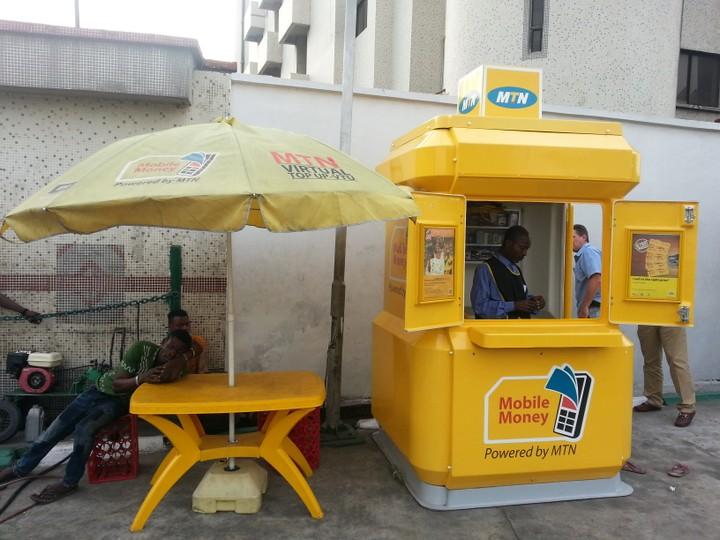
Want a loan in Ghana? MTN Qwikloan got you covered. In under 1 minute you can get up to GHS 1000 using your MTN Momo platform.
MTN Qwikloan provides fast and convenient lending services, aside that no collateral or lengthy approval processes is required.
Simply dial *170#, follow some few prompts and get your hands on your cash today. Follow this article to get your way with MTN Qwikloan now!
How to Qualify for MTN Qwikloan
If you want to qualify for MTN Qwikloan, there are certain requirements you should meet. Read below to find out if you qualify:
You must 18 years or older.
You must be an active MTN subscriber for more than 90 days.
Your MTN Mobile Money wallet must be actively used for transactions such as sending and receiving money, purchasing airtime, and paying bills.
You must not have any outstanding loan amounts to pay.
If your application is denied, it may be because you don’t fall under the stated requirements.
Apply for MTN Qwikloan Today
Simply dial *170# and follow the below steps to apply for MTN Qwikloan:
Choose option 5 “Financial services.”
Next, choose option 3 for ‘Loans’
Select Qwikloan.
Choose ‘Get a Loan’ from options labeled.
Enter your Momo PIN.
Choose your desired loan amount.
Finally, accept all term and conditions to get your loan.
That’s it, your loan amount will be deposited into your account instantly with an SMS notification.
How to Repay your MTN Qwikloan
If you are ready to repay your MTN Qwikloan, simply dial *170# and follow the below steps:
Choose option 5 “Financial services.”
Next, choose option 3 for ‘Loans’
Select Qwikloan.
Choose ‘Repay my loan’ from options labeled.
Enter your Momo PIN.
Finally, choose option 1 to “Repay own amount” or option 2 or “Repay full loan balance.”
Deductions will be made from your Momo account depending on the loan amount chosen. Remember there are interest rates to MTN Qwikloan and deductions will be made plus the actual loan amount. Keep reading to learn more about Qwikloan’s interest rates.
Tips to Increase your MTN Qwikloan Limit
To increase your MTN Qwikloan limit in Ghana, here are 3 top tips:
Repay loan on Time: Repaying your loan on time is a key tip to improve your credit score with MTN and potentially increase your loan limit. Did you know you can pay and borrow MTN Qwikloan on the same day? Repaying your loan on time shows that you are trustworthy to Qwikloan and with a high loan amount, you will always repay on time.
Actively use MTN Mobile Money: Always use your MTN Mobile Money for your transactions. One tip is to receive your monthly salary through your Momo account. This will provide assurance to the service provider and may lead to a higher loan limit.
Increase Your Network Usage: Always use MTN’s network services such as voice calls, data usage, and mobile money transactions. A higher level of engagement with MTN’s services will lead to an increased Qwikloan limit.
MTN Qwikloan Interest Rates Explained
As mentioned earlier in the article, there are interest rates to MTN Qwikloan. Is beneficial to familiarize yourself with the terms and conditions of the loan offer before you apply.
Here are key points to note about MTN Qwikloan interest rates:
Here are the points neatly rewritten:
The interest rate for MTN Qwikloan is 6.9%.
The interest is calculated based on the loan amount and is due along with the loan repayment.
The interest rate remains fixed throughout the loan tenure.
If the loan is not repaid on time, additional charges and penalties may be applied.
Now you know why considering the interest rates is important, so is advised to understand the total cost of the loan and have a clear plan for repayment to avoid any financial difficulties.
Conclusion
Now you have it! with these simple steps, you now have access to GHS 1000 MTN Qwikloan. No collateral or lengthy approval processes is required.
Simply dial *170#, see if you qualify for the loan, and have your day at ease.
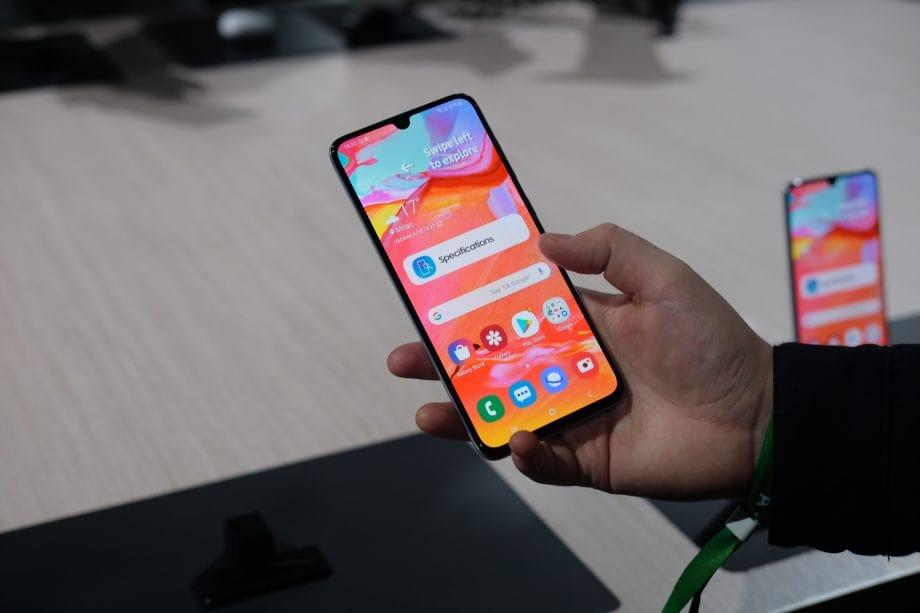
Worried about paying the full amount of your dream phone? MTN Pick and Pay Later got you covered. With the” Pick and Pay later” program, you will have the option to purchase the latest Samsung Galaxy phones and later pay them in installments.
Learn about what you must know about MTN Pick and Pay Later Program and get to know the latest prices of Samsung Galaxy phones with this article.
What is the MTN Pick and Pay Later Program
The MTN “Pick and Pay later” program is a collaboration with Samsung and Ecobank Ghana. The goal is to enable Ecobank customers own a Samsung phone of their choice and later pay in installments through Ecobank.
Samsung Ghana regulations state a person may buy any of Samsung’s phone of their choice and later pay them over a period of 6 to 12 months.
With this deal, you can pay in installments for as little as GHS 38.00 over a period of 6 to 12 months.
Latest Prices of MTN Pick and Pay Phones
Phone Name
Price
SAMSUNG A256E (A25) (256GB+8GB)
GHS 3,499.00
SAMSUNG A155 (A15) (256GB+8GB)
GHS 2,599.00
SAMSUNG A155 (A15) (128GB+4GB)
GHS 1,899.00
SAMSUNG A055F (A05) (64GB+4GB)
GHS 1,159.00
SAMSUNG A055F (A05) (128GB+4GB)
GHS 1,349.00
SAMSUNG A057F (A05S) (64GB+4GB)
GHS 1,699.00
SAMSUNG A24 (A245) (128GB+6GB)
GHS 2,999.00
SAMSUNG A24 (A245) (128GB+4GB)
GHS 2,799.00
SAMSUNG GALAXY S22 ULTRA
GHS 14,500.00
SAMSUNG S24 ULTRA (S928B) (256GB+12GB)
GHS 16,999.00
SAMSUNG S24 (S921B) (256GB+8GB)
GHS 11,299.00
SAMSUNG S24 (S921B) (128GB+8GB)
GHS 10,499.00
SAMSUNG S24+ (S926B) (512GB+12GB)
GHS 14,499.00
SAMSUNG S24 ULTRA (S928B) (1TB+12GB )
GHS 21,499.00
SAMSUNG S24+ (S926B) (256GB+12GB)
GHS 12,999.00
SAMSUNG S24 ULTRA (S928B) (512GB+12GB)
GHS 18,599.00
Steps to Get a Phone with MTN Pick and Pay
Dial *527# to determine if you qualify for the program.
If eligible, go to any of the specified MTN branches.
Fill out a Loan Application KYC form at the service center.
Make the required initial payment through MoMo (Mobile Money) before collecting your item.
Your monthly payments will be deducted from your mobile money wallet. You can also initiate installment payments by dialing *527# whenever you have funds in your wallet.
Wrapping Up
This is a straightforward process to get your dream phone with the MTN Pick and Pay Later program. Just follow the steps above to purchase your phone and kindly share this article after reading.
There goes the “No Signal” sign again, the most frustrating moment when you are watching your favorite TV show. Digital channels are always on and off with a bad installation and many Ghanaians face this issue.
Now don’t get too upset to sell or smash your TV, you may guess your TV is failing to catch digital channels due to an internal fault or a broken antenna or dish.
Don’t worry, we are going to cover a lot in this article, providing you with step-by-step guide to successfully scan for your digital channels in Ghana.
What You Need for Scanning Digital Channels in Ghana
You will need a TV with an inbuilt decoder like Hisense, Bruhm, Samsung etc. Also, the most important tool you will need is the TV or Digibox remote control.
That’s it, you won’t need any engineer toolkit for scanning digital channels. It is only advised to purchase a new remote to replace your faulty or missing one.
Steps to Scan Your TV for Digital Channels
You’ve got your TV and remote, now what u have to do is follow the below steps:
Press the ‘Menu’ button on your remote and go to the ‘Settings’ menu.
At the settings menu, search for ‘Channel Scan’ or similar option like ‘Rescan’ or ‘ Auto-tune’ in the options.
Select the ‘Auto Tuning’ option and choose Ghana as your country.
Finally, choose either ‘DVB-T’ or ‘DVB-T2’ and select ‘Start Scan’ to begin the scanning process.
The scan can take up to 5-8 minutes, so you can now wait with excitement to enjoy your newly scanned channels.
Troubleshooting Common Scanning Problems
Most cases there are common problems that will prevent you from having a successful channel scan. These problems can be solved fast by taken these steps:
Check Antenna Connection: If your antenna is not connected well to the coaxial port on the TV you won’t be able to scan any channels. In rare cases the antenna cable may be broken and you will have to replace it with a new one. So check to see if the antenna cable is connected properly to the TV.
Check Position of Antenna: If your antenna isn’t positioned in the right edge you won’t get a good signal strength. Is best to position your antenna outdoors to get a good signal strength.
Check Compatibility of Antenna: Not all TV’s support the same antenna. Most require a smart antenna for optimized performance. An example is the Go TV antenna. Just visit a TV shop and ask for Go TV antenna which is very affordable.
Understanding Digital TV Frequencies in Ghana
Now that you know how to scan for digital channels, is best to familiarize yourself with the concept of frequency bands as it will help you in any future digital channel installation.
In Ghana there are two main frequency bands, namely UHF (Ultra High Frequency) and VHF (Very High Frequency). UHF bands are typically used for digital TV broadcasting, while VHF bands are often reserved for FM radio and analog TV.
The UHF band ranges from 300 MHz to 3 GHz, and is used for modern digital television. The VHF band spans from 30 MHz to 300 MHz, suitable for FM radio and traditional analog television. Both bands are essential for broadcasting services in Ghana.
When you scan for digital channels in Ghana with your TV or decoder such as Multi TV, Strong TV or Nasco all available channels are within these two frequency range.
Tips to get more channels on your Digital TV
You can get more channels with proper configuration of scanning Digital channels, follow the tips outlined and get more channels:
Install Your Antenna Correctly: As discussed in the troubleshooting topic a good antenna position will add more channels to your Digital TV. Always ensure a good antenna position for a better signal strength.
Scan for Channels: Use your TV’s setup menu to search for new channels with the ‘Auto tune’ option often.
Adjust Your Satellite Dish: Align your satellite dish accurately to catch more channels.
Manual Tuning: If auto-tuning fails, manually adjust your dish and decoder to find channels.
Conclusion
Digital TV channels in Ghana are always stable with a good installation of your antenna or dish with good troubleshooting measures. By following our simple tips you can get more channels, stable signal connection and enhance your understanding of digital TV frequencies.
Affordable prices, quality phones, and best warranty services, this makes Franko Trading Enterprise stand out to be the nation’s best shop for mobile devices. If you are looking for your dream Android phone or Apple’s newest iPhone, you got no worries with Franko Phones.
By the end of reading this article, you will discover a lot more about Franko Phones. Like how you can discover Franko Phones branch locations, how you can order for a delivery of your shopping cart and also the complete up-to-date price list of Franko Phones.
Franko Trading Phones has proven to earn the best spot for providing high quality and affordable transmission gadgets in Ghana and the world at large. So, before you get excited purchase your phone, let’s quickly delve into the reasons why you should consider shopping with Franko Trading Enterprise.
Why You Should Shop with Franko Trading Enterprise
Extensive Product Range: Franko Trading Enterprise understands the Ghanaian technology market well and offers a wide selection of products. You can find everything you need without having to visit multiple shops.
Convenient Shopping Experience: Whether you prefer online or offline shopping, Franko Trading Enterprise caters to your convenience. Once you place an order, you can expect prompt delivery to your location in excellent condition. We will talk about placing of orders soon so keep reading!
Affordable Prices: Whatever item you wish to purchase, Franko Trading Enterprise ensures that their prices are budget friendly. You can trust that their pricing accommodates various budgets.
Genuine Products: Franko phones and other products offered by Franko Trading Enterprise are guaranteed to be authentic. You can shop with confidence, knowing that you won’t end up with counterfeit goods, especially when it comes to mobile phones.
Now that you trust Franko Trading Enterprise, let’s delve into our main topic starting the latest phone price list at Franko Phones.
Franko Phones Price List
From smart Samsung Z-Flips to the most affordable Itel keypads, Franko Phones will award you with free accessories like pen drives, air Pods, Smart Watches, TV’s and many more after your purchase.
We outlined the list with newest prices available , so keep reading!
Here’s the newest Franko Phones price list in their categories:
SAMSUNG
Phone Name
Price
SAMSUNG A256E (A25) (256GB+8GB)
GHS 3,499.00
SAMSUNG A155 (A15) (256GB+8GB)
GHS 2,599.00
SAMSUNG A155 (A15) (128GB+4GB)
GHS 1,899.00
SAMSUNG A055F (A05) (64GB+4GB)
GHS 1,159.00
SAMSUNG A055F (A05) (128GB+4GB)
GHS 1,349.00
SAMSUNG A057F (A05S) (64GB+4GB)
GHS 1,699.00
SAMSUNG A24 (A245) (128GB+6GB)
GHS 2,999.00
SAMSUNG A24 (A245) (128GB+4GB)
GHS 2,799.00
SAMSUNG GALAXY S22 ULTRA
GHS 14,500.00
SAMSUNG S24 ULTRA (S928B) (256GB+12GB)
GHS 16,999.00
SAMSUNG S24 (S921B) (256GB+8GB)
GHS 11,299.00
SAMSUNG S24 (S921B) (128GB+8GB)
GHS 10,499.00
SAMSUNG S24+ (S926B) (512GB+12GB)
GHS 14,499.00
SAMSUNG S24 ULTRA (S928B) (1TB+12GB )
GHS 21,499.00
SAMSUNG S24+ (S926B) (256GB+12GB)
GHS 12,999.00
SAMSUNG S24 ULTRA (S928B) (512GB+12GB)
GHS 18,599.00
APPLE
Phone Name
Price
IPHONE 15 PLUS (128GB)
GHS 11,800.00
IPHONE 15 (128GB)
GHS 10,250.00
IPHONE 15 PRO MAX (256GB)
GHS 17,250.00
IPHONE 14 PRO (256GB)
GHS 14,500.00
ITEL
Phone Name
Price
ITEL A70 (A665L) (128GB+3GB)
GHS 820.00
ITEL P55 (128+4GB) PLUS
GHS 1,110.00
ITEL P55+ (128GB+8GB)
GHS 1,480.00
ITEL A70 (A665L) (256GB+4GB)
GHS 1,000.00 – GHS 1,040.00
ITEL 2166
GHS 115.00 – GHS 120.00
ITEL A18S (32GB+2GB)
GHS 560.00 – GHS 590.00
ITEL S23+ (S681LN) (128GB+4GB)
GHS 1,744.00 – GHS 1,860.00
ITEL A05S (32GB+2GB) (A663L)
GHS 693.00 – GHS 735.00
TEL S23 (128GB+8GB)
GHS 1,116.00 – GHS 1,200.00
ITEL A60S (128GB+4GB)
GHS 810.00 – GHS 830.00
ITEL A04 (32GB+2GB)
GHS 671.00 – GHS 710.00
ITEL S23 (256+8) 4G
GHS 1,209.00 – GHS 1,300.00
ITEL S23 (128+4) 4G
GHS 819.00 – GHS 880.00
ITEL P40+ (128+4)
GHS 1,070.00 – GHS 1,150.00
ITEL A60S (64GB+4GB) 4G
GHS 733.00 – GHS 770.00
ITEL P40 (64GB+4GB) 4G
GHS 730.00 – GHS 780.00
ITEL 2163
GHS 95.00 – GHS 100.00
ITEL S18 PRO (64+4)
GHS 1,256.00 – GHS 1,300.00
ITEL P17 PRO (32GB+2GB) 4G
GHS 660.00
ITEL P17 PRO (32GB+2GB) 3G
GHS 550.00
ITEL A58 PRO (32GB+2GB)
GHS 660.00
ITEL 5081
GHS 150.00 – GHS 160.00
ITEL S17 (16gb+1gb)
GHS 865.00
ITEL 5626
GHS 222.00 – GHS 240.00
ITEL 5615
GHS 177.00 – GHS 190.00
TECNO
Phone Name
Price
TECNO SPARK 20 PRO+ (KJ7) (256GB+8GB)
GHS 2,820.00
TECNO SPARK 20 PRO (KJ6) (256GB+8GB) 4G
GHS 2,420.00
TECNO SPARK 20 (KJ5) (256GB+8GB)
GHS 1,940.00
TECNO POP 8 (BG6) (64GB+3GB) 4G
GHS 1,055.00
TECNO POP 8 (BG6) (128GB+4GB) 4G
GHS 1,265.00
TECNO PHANTOM V FLIP 5G (AD11) (256GB+8GB)
GHS 7,790.00
TECNO PHANTOM V FOLD (AD1O) (256GB+12GB)
GHS 13,050.00
TECNO CAMON 20 (CK6) (256GB+8GB)
GHS 2,160.00
TECNO POP 7 BF6 (64+2) 4G
GHS 950.00
TECNO SPARK 9 PRO (128GB + 4GB)
GHS 2,012.00
TECNO SPARK 8C (KG5K) (64+3)
GHS 1,512.00
TECNO T352
GHS 188.00
TECNO T467
GHS 241.00
TECNO T475
GHS 272.00
TECNO T101
GHS 130.00
TECNO SPARK 8P (128+4) 4G
GHS 2,048.00
TECNO POP 5P (32+2GB)
GHS 1,024.00
TECNO POP 5 (32GB/2GB)
GHS 1,067.00
TECNO T485
GHS 317.00
TECNO T313
GHS 180.00
NOKIA
Phone Name
Prices
NOKIA G22 (128GB+4GB)
GHS 1,620.00
NOKIA C32 (64GB+4GB)
GHS 1,260.00
NOKIA 105 DUAL
GHS 120.00
NOKIA C21 (32GB/2GB)
GHS 1,100.00
NOKIA G10 (32GB+3GB)
GHS 1,280.00
NOKIA 210
GHS 400.00
NOKIA 6310
GHS 500.00
NOKIA G10 (64GB+4GB)
GHS 1,400.00
NOKIA C20 (16GB/2GB)
GHS 930.00
NOKIA G20 (64GB/4GB)
GHS 1,400.00
NOKIA 150
GHS 350.00
NOKIA 5310
GHS 450.00
NOKIA 110
GHS 150.00
INFINIX
Phone Name
Price
INFINIX HOT 40I (128GB+8GB) 4G
GHS 1,595.00
INFINIX HOT 40 (X6836) (256GB+8GB) 4G
GHS 2,165.00
INFINIX HOT 40I (X6528) (256GB+8GB)
GHS 1,815.00
INFINIX HOT 40I (128GB+4GB)
GHS 1,325.00
INFINIX SMART 8 (X6525) (128GB+4GB)
GHS 1,215.00
INFINIX SMART 8 (X6525) (64GB+3GB)
GHS 995.00
INFINIX NOTE 30 (X6716B) (128GB+8GB)
GHS 1,975.00
INFINIX HOT 30I (X669) (128GB+4GB)
GHS 1,128.00
INFINIX SMART 7 HD (X6516) (64GB+2GB)
GHS 915.00
INFINIX HOT 12I (64/3)
GHS 800.00
XTIGI
Phone Name
Price
XIAOMI REDMI 9A (32/2GB)
GHS 780.0
SQ 777
GHS 320.00
SQ LS 200 (16+2)
GHS 1,680.00
SQ LS 100 (16+2)
GHS 1,350.00
Tablets & Other Phone Brands
Phone Name
Price
SAMSUNG GALAXY TAB A9+ 5G (128GB+8GB)
GHS 3,999.00
SAMSUNG GALAXY TAB A9+ 5G (64GB+4GB)
GHS 3,499.00
SAMSUNG GALAXY TAB A9(64GB+4GB)
GHS 2,459.00
SAMSUNG GALAXY TAB A9 (128GB+8GB)
GHS 3,999.00
TCL TAB 8 (32GB+3GB) (9132G)
GHS 1,020.00
SAMSUNG TAB S9+ (X816B) (256+12) (5G)
GHS 14,000.00
SAMSUNG TAB S9 ULTRA 256GB+12GB) (5G)
GHS 15,540.00
HUAWEI MATEPAD SE (64+4)
GHS 2,423.00 – GHS 2,500.00
TCL TKEE MID (32GB+2GB)
GHS 1,160.00
NOKIA T21 (64GB+4GB)
GHS 1,970.00
ITEL PAD 1 (4G) 64+2GB
GHS 1,279.00 – GHS 1,370.00
XTIGI KIDS 3
GHS 121.00
HOPE 7 PRO (32GB+2GB)
GHS 633.00
XTIGI TABLET HEROBOOK
GHS 440.00
XTIGI KIDS 1
GHS 123.00
XTIGI KIDS 2 TABLET (16GB+1GB)
GHS 440.00
HUAWEI NOVA Y61 (128GB+4GB)
GHS 2,201.00
ALCATEL 1T7 (4G) 9013T
GHS 660.00
TCL 40SE (256GB+6GB)
GHS 1,360.00
TCL 408 (T507U) (64GB+4GB)
GHS 1,050.00
TCL 30SE (128+4GB)
GHS 1,250.00
VIVO Y81 (128GB+6GB)
GHS 700.00
OALE A529
GHS 153.00
OALE A05
GHS 85.00
Franko Phones Shop Locations
With over 20 shops in Ghana, purchasing your dream phone at a Franko Trading Enterprise branch is much easier. We have listed each shops contact information in their respective regions, so you won’t get lost on your way.
Below, you will find the closest shop near you with its contact information.
Greater Accra Region – Accra
Adabraka Shop: 0302225651
Nkrumah Circle Shop 1: 0207631070
Nkrumah Circle Shop 2: 0261506861
Osu Oxford Street Shop: 0246663560
Tema Shop: 0246627204
Madina Shop: 0241184688
Haatso Shop: 0243628837
Accra Shop: 0561925889
LAPAZ SHOP: 0561944202
Volta Region – Ho
Ho Shop: 0266363323
Hohoe Shop: 0558106241
Eastern Region – Koforidua
Koforidua Shop: 0268313323
Ashanti Region – Kumasi
Kumasi Shop 1: 0245316969
Kumasi Shop 2: 0245232091
Kumasi Shop 3: 0501525698
Kumasi Shop 4: 0206310483
Kumasi Shop 5: 0322038894
Kumasi Shop 6: 0261586124
Central Region – Cape Coast
Cape Coast Shop: 0264212339
Kasoa Shop: 0264084686
Swedru Shop: 0557872937
Western Region – Sekondi
Takoradi Shop: 0249902589
Northern Region – Tamale
Tamale Shop: 0265462241
Oti Region – Dambai Not listed
Bono East Region – Techiman
Techiman Shop: 0275577500
Bono Region – Sunyani
Sunyani Shop: 0202765836
Berekum Shop: 0209835344
Western North Region- Sefwi Wiawso
Takoradi Shop: 0312032932
Tarkwa Shop: 0267207875
Upper West Region – Wa
Wa Shop: 039204472
Upper East Region – Bolgatanga
Wa Shop: 039204472
How to Place an Order on Frankotrading.com
Now that your shopping cart is happily full, you will have to place an order. Is very easy, simply follow the steps listed.
On the website, click or tap on the shopping cart icon.
After that, a pop up will show your subtotal, click on “Proceed to Checkout“.
Now fill all necessary information and add your payment method, either “Cash on Delivery” or “Momopay“
Now you are done with order, easy peasy.
What to know about your Franko Phones Order
Now we’ve learnt everything about placing of orders, is time to understand the delivery terms.
According to Franko trading Ent, when you place an order within Accra, delivery is done within 24hours and 48 hours outside Accra.
Also for Accra, payment can be done after delivery but for outside Accra payment is done before delivery.
These are the terms provided, so kindly note.
Conclusion
We’ve learnt a lot about Franko phones in this article, all available phone prices all along to placing an order. Franko Phones always care about their costumers that’s why they are available nationwide. Is always advised to buy genuine phones or any other devices in their brand new as they will last long and also, save you lot of cash.
Vodafone Ghana Mifi is a portable Wi-Fi device which allows up to 5 Wi-Fi devices eg: iPhones, iPad, mobile gaming devices, Pcs and android devices to use a secure mobile internet.
The Mifi charges using USB and can be placed anywhere for the best network coverage and then share this network with many devices through Wi-Fi.
Types Of Vodafone Mifi
There are two types of Vodafone Mifi available and they are
The 4G Mifi R18
The 3G Mifi R207
Prices Of Vodafone Mifi
The 4G Vodafone Mifi costs GHS 599 and it comes with free 6GB which will last for 1 month at initial purchase.
The 3G Vodafone Mifi costs GHS 375 and also comes with free 6 GB for one month at the initial purchase.
Benefits Of Using Vodafone Mifi
It helps you work for a longer period without internet interruption, Mifi gives you a stable connection, unlike your phone hotspot that a phone call can interrupt your internet connection.
Save phone battery life, getting a Mifi helps you connect more devices to the MiFi internet connection without using your phones internet connection, this will help save the battery of your phone because turning on Wi-Fi hotspot drains a lot of phone battery.
It doesn’t need any USB cable to connect before working but rather works using Wi-Fi and can be used anywhere. One benefit about this Mi-Fi is, you can also use USB tethering to connect the network with your laptop.
Things To Note When You First Buy Your Vodafone MiFi
The first you need to charge your device until the battery is full before using it
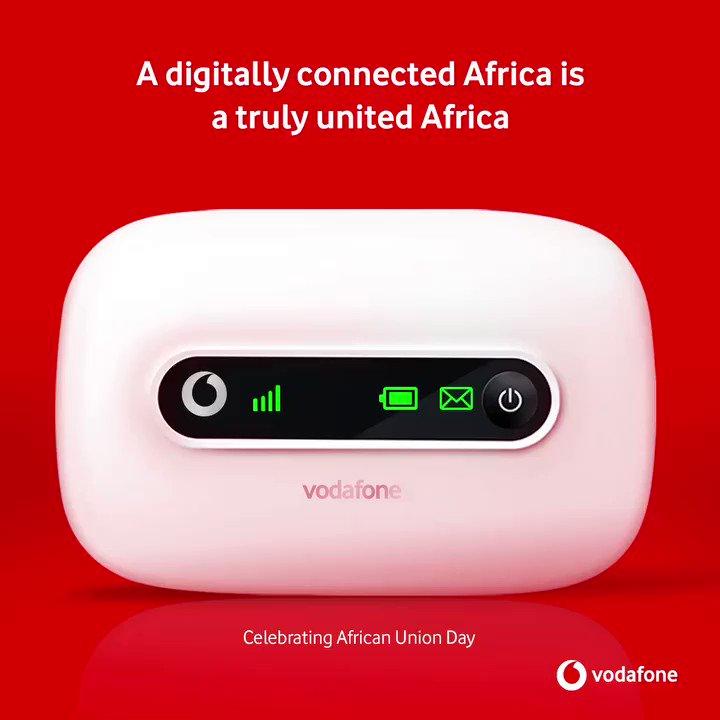
There are four indicators on the device and they are network indicator, the Wi-Fi indicator, SMS indicator and the battery indicator.
The signal turns blue when the MiFi is connected to the network, if it turns red it means your Mifi is trying to connect to a network.
The battery also turns blue when the battery is above 50% and it turns red when the battery is below 50%
How To Connect Your Vodafone MiFi To Your PC
Turn on the Mifi and then on your computer go to the network setting.
You will see your Mifi network available on the available networks.
You will find your network ID at the back of your Mifi when you finally find your network id in the available networks, select the network and you will be asked to type in your Security Key, the security key is also at the back of your Mifi.
Enter the security key and also take note that the security is case sensitive meaning if the key starts with a capital letter and you type in a small letter it will prompt you that you have typed a wrong password.
How To Connect Your Vodafone MiFi To Your Your Phone
On your phone go to Settings and then turn on your Wi-Fi connection
You will find your Mifi network select it and type in the security key which can be found at the back of the Mifi
How To Check Your Vodafone MiFi Balance
With Vodafone Mifi, you will need to remove the sim card inside the Mifi and then put it inside a different phone to check your Mifi however you can trace the amount of data you’ve used on the Mifi and can even use that to know the amount of data left on your device.
How To Bundle On Vodafone MiFi
The Vodafone Mifi comes with a sim card and as stated earlier you will be given free 6GB and when the free 6GB is exhausted, you will need to buy new data.
Here Is How To Buy Data on MiFi Using Vodafone Cash
Dial *110#
Select 3: Buy Airtime and Bundles
Now select your preferred bundle
Enter your PIN
Confirm payment to enjoy your bundle
Conclusion
A MiFi is one a must-have device which gives you so many benefits such as connecting all your devices all at ones, having an uninterrupted connection and many more.
In this article, we went through the Vodafone Ghana Mifi prices, how to set it up, how to load data and how to check our data balance.
MTN Data bundles can be exhausting, literally, especially when you want the right data bundle package to run your business or even carry on with your day-day social media activities. Getting the right data package wont only allow to be stress free but also you will save extra cash.
Every one wants to save some extra cash from MTN data bundles, that’s why we have provided the full list of all MTN data bundle and plans as a guide.
By the end of reading this article you will discover the best MTN data bundle packages for suits your business, most affordable MTN data bundles and also learn about cool short codes for accessing these bundles.
Understanding MTN Data Bundles and Plans
MTN Data bundles comes in many forms with each having its procedure and data package formats. MTN data bundles include the Basic Bundles, Zone Bundles, Midnight Bundle, Kokrokoo Bundles, Social Media Bundles, Video Bundles and Turbonet Broadband Bundle.
Let’s take for example the MTN Kokrokoo Bundles. The MTN Kokrokoo data package only provides data for people who are active at dawn and of course save some extra cash doing something big. Also, another example is the MTN Video Bundle, as the name suggests, it only provides huge amount of data for streaming videos like on YouTube.
We shall cover all the MTN data bundles packages listed each with its procedure and available plans.
Let’s get started!
MTN Basic Data Bundles
MTN basic data bundles comes with no expiration date, making it one of the best data packages on MTN. This MTN data bundle package is best for everyday internet consumers and also the best option for those who just want to go online to get something done ASAP!
Below is the plans and procedure to access the MTN Basic data bundle.
Prices
GHS 0.50 (17.79 MB)
GHS 1 (35.57MB)
GHS 3 (349.24MB)
GHS 10 (718.9 MB)
GHS 350 (92.88 GB)
Procedure
Dial *138#
Select option 1 “Proceed to buy bundle”
After the next pop up select “Buy Data Bundle”
Choose to buy for your self or for others in the next pop up.
Select your preferred bundle or enter any amount you wish to buy.
Finally select your mode of payment. (Mobile money or Airtime)
NOTE: As you can see the MTN Basic Bundle packages offer a flexible way of choosing your preferred bundle however it may seem to cost if you want a huge bundle package with no expiry.
MTN Midnight Bundle
If you are a night owl or even enjoy browsing at midnight for some reason, the MTN midnight package is perfect for you. With just a few coins, you can obtain a large amount of data, which is unimaginable with no expiry, of course. There is actually no limit if you can renew large data bundles with just a few coins, right? Below is the plans and the procedure to access the MTN midnight Bundle.
Prices
MTN Midnight bundles offers a flexible price starting as low as GHS 0.01 to GHS 2.99 from which will give you 17.67MB to 5.16GB. It also has a standard rate at GHS 3 which will provide you with 7.25 GB.
Procedure
Dial `*138#
Select option 1 “Proceed to buy bundle”
Select the second option, which is ‘Midnight Bundles’.
Choose to buy for yourself or for others in the next pop up.
Next, you’ll have to choose between two types of bundles:
The ‘Flexi‘ bundle (Option 1), which allows you to pay an amount ranging from GHS 0.1 to GHS 2.99.
The ‘Standard‘ offer (Option 2), which provides you with 7.25gb for a cost of GHS 3.00.
Finally select your mode of payment. (Mobile money or Airtime)
MTN Kokrokoo Bundle
From 5am to 8am, you can talk, browse and download a lot with the MTN Kokrokoo bundle. This bundle package is a great sub for the MTN midnight bundle. Imagine waking up early to get off to work or you are a student wanting to do some quick studies at dawn, this bundle could do lot of work with great timing.
Below is the plans and the procedure to access the MTN Kokrokoo Bundle.
Prices
The MTN Kokrokoo bundles only comes at GHS 1.24 for 400MB Data which does not expire.
Procedure
Dial `*138#
Select option 1 “Proceed to buy bundle”
Select the third option, which is ‘Kokrokoo Bundle’
Choose to buy for yourself or for others in the next pop up.
Finally select your mode of payment. (Mobile money or Airtime)
MTN Social Media Bundles
As data packages drain as a whole the MTN social media Bundles set aside for those who only want to browse on social media apps. The MTN social media data bundle will give users the best choices and plans to browse on their favourite social media platform at affordable and flexible prices too.
Below is the plans and the procedure to access the MTN Kokrokoo Bundle.
Prices
GHS 1 (70.87 MB)
354 MB – GHS 5 (354 MB)
GHS 10 (708.2 MB)
Procedure
Dial `*138#
Select option 1 “Proceed to buy bundle”
Select 99 for more.
Choose Social Media Bundles
Choose option one to make select a standard plan or a flexible plan.
Finally select your mode of payment. (Mobile money or Airtime)
MTN Video Bundles
If you love to watch YouTube videos, MTN offers this option with flexible data plans for streaming your favourite YouTube channel or reels. This bundle will also last pretty long since it will be only used for YouTube.
Below is the data plans and the procedure to access the MTN Video Bundles.
Prices
GHC 1 (136.69 MB)
GHC 5 (678.43 MB)
GHC 10 (1.33 GB)
Procedure
Dial `*138#
Select option 1 “Proceed to buy bundle”
Select 99 for more.
Choose Video Bundles.
Choose option one to make select a standard plan or a flexible plan.
Finally select your mode of payment. (Mobile money or Airtime)
MTN Zone Bundles
If you are a regular MTN data bundle user, you know MTN Zone Bundles rock. With saving your cash, you can access a data plan that will last you through the day. MTN Zone Bundles is available for daily use that is 24 hours. This bundle package suits those who want to get a lot than in a day mostly bloggers, influencers, and also gamers.
The MTN Zone Bundles will be only be available to you if you have an active bundle like the MTN basic bundle so kindly note. Also, data plans range from time to time.
Below is the plans and the procedure to access the MTN Zone Bundles
Prices
Mostly the MTN Zone Bundles starts at GHS 2.09 to GHS 4.99 however prices may range higher or even lower at times so b sure to be an active MTN Zone bundle user.
Procedure
Dial *135#
Choose option 2 “Zone Bundles”
Choose “Data Zone Bundles” in the next pop up, if you have an active bundle, your Zone bundle plans will show up.
Select the plan and pay with airtime only.
MTN Turbonet Broadband Bundles
Best for running businesses, the MTN Turbonet broadband bundles is best for those who want high volumes of data packages to run heavy duties. The MTN Turbonet broadband bundles is only accessible by users of MTN’s Turbonet broadband router.
Below is the plans and the procedure to access the MTN Turbonet broadband bundles.
Prices
GHS 43 (4.3GB)
GHS 87 (8.69GB)
GHS 253 (91.81GB)
GHS 516 (350 GB)
Procedure
Dial *5057# on the number linked to your Turbonet
Choose your preferred data package.
Finally, complete by making payment.
Conclusion
MTN offers a wide range of data bundle plans so choosing the one which will best suit your day will help you avoid losing any unnecessary data lose or cash. From non-expiry bundles to flawless night and day bundles, your choice of data bundles is always up to you. Always recheck this article for any new updates added to the data bundles.
Tecno Telecom Limited, established in July 2006 in Hong Kong, is a comprehensive mobile phone manufacturer specializing in Retail and Distribution, manufacturing, sales, and service.
With years of development, it has now become one of the major mobile phone suppliers in the world and one of the largest mobile phone manufacturers in China. It is therefore no surprise that the Tecno Camon and Spark Series are some of the most sought-after phones in the country.
Today, we bring you the location and contact details of all the Tecno Offices (Branches and Sales Offices) in Ghana. Hopefully, if you need them, you find one close to you.
Branches
Circle VIP Near Odo Rice, Tiptoe Lane 020 2698396, 024 7350549, 050 6193407
Odorkor Traffic Light 0202698378
Head Office Darkuman Near Accra Trotro Station 0202698395, 0244580095
Takoradi Market Circle Near Ecobank 020 2698388
Tamale Inside Quality 1st Bldg. Near Taxi Rank 0202698380
Kumasi Adum, near Topman Shoes 0202698375
Kumasi Adj. Old MELCOM 020 2698385
Koforidua Main 1st Floor Kama Bldg. Near the Market 026 6257776, 0249 221772
The Tecno Ghana Office at Circle, Odo Rise
Sales Centres (Tecno Offices to buy Phones)
The Junction Shopping Center Nungua Barrier 0244498936
Osu Near KFC 0246222980
Darkuman Darkuman Bus Stop 0244498936
Tema Comm. 1, Near Afriwaa 0245569151
Kumasi Near Topman Shoes Paul Sagoe Lane 0202698375
Circle Near Odo Rice Downstairs 0202698381
Circle Near Odo Rice Upstairs 0202698381
Circle Mall Near Ebony 0202698381
Kaneshie Behind the Police Station 0278485130
Osu Shopping Mall 3rd Flr, Osu Shopping Mall, Oxford Street 0246222980




![Tecno Ghana Branches, Offices and Sales Centres [2024]](https://cms.mfidie.com/wp-content/uploads/2017/06/tecno-offices-ghana-1.jpg)
