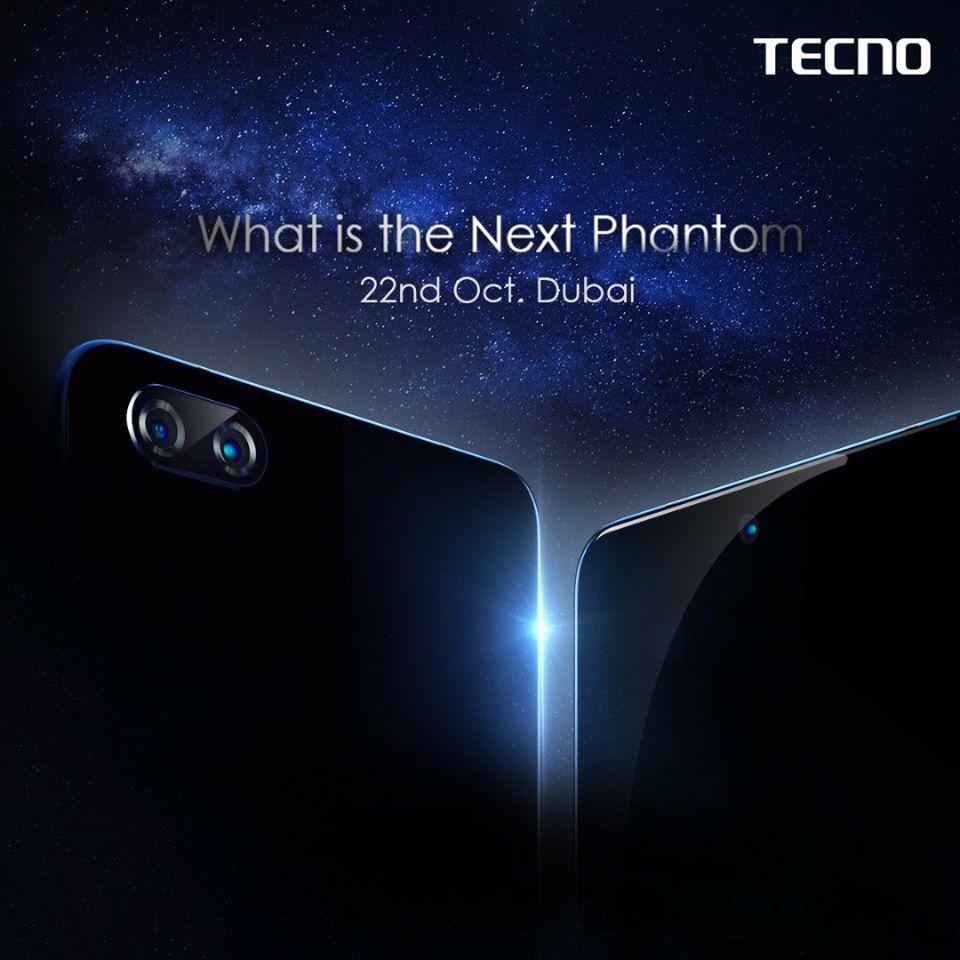
If you are a big Fan of TECNO mobile, then you should already know by now that they will launch their next flagship in Dubai on 22nd October 2017. Looking at Trends, it is expected that there will be a Phantom 8 and a Phantom 8 Plus. Yes, there will be no Tecno Phantom 7.
Tecno is probably jumping the “Phantom 7” because there has been a lot of 8’s this year, looking at the Samsung Galaxy S8, as well as the iPhone 8. It definitely makes sense to be at par with the big guys.
The Tecno Phantom 8 Plus will likely be Tecno’s Best Phone ever
With the launch of the Phantom and Phantom 8 Plus, let’s look at some of the specs we should be expecting on the two phones.
Tecno Phantom 8, Rumoured Specs
Primary Camera: 13MP + 5MP dual rear cameras
Secondary Camera: 8MP front camera
Display: 5.5 inches full HD display
RAM: 6GB
ROM: 32GB or 64GB
OS: Android 7 Nougat (Oreo update available OTA)
Processor: Helio P25 Octa-core 2.6GHz
Battery: 3500mAh battery
Tecno Phantom 8 Plus, Rumoured Specs
Primary Camera: 25MP + 15 2X Telephoto Lens
Secondary Camera: 20MP front camera
Display: 6.0 inches full HD display
RAM: 6GB
ROM: 64GB or 128GB
OS: Android 7 Nougat (Oreo update available OTA)
Processor: Helio X30 Octa-core
Battery: 4000mAh battery
The Tecno Phantom 8 Plus and the Phantom 8 will both be unveiled on the 22nd of October 2017 in Dubai.
Expected Price of Tecno Phantom 8 and Phantom 8 Plus in Ghana
The Tecno Phantom 8 is rumoured to be in the region of GHS 1,400 while the Phantom 8 Plus may trade for GHS 1,900.
Are you ready for the two phones? Well, Tecno will officially unveil them on 22nd October 2017. The wait may soon be over.
Kwese TV has been officially launched in several African countries, and decoders are now available in countries where the Digital Satellite TV network has been licensed to operate. These countries include Ghana, Zambia, Rwanda, Botswana, Kenya, Lesotho, Nigeria, Swaziland and Uganda.
When you want to install Kwese Satellite TV in your home, you have two options to choose from.
You can buy the Decoder (Set-Top TV Box) only or you can buy both the Decoder and the Satellite Dish including installation. It’s up to you to choose what you want
If you are not a fan of “Do It Yourself” services, the perfect solution for you is to get a Kwese Installer to do the dish installation for you.
Cost of KWESÉ TV Decoders and Subscription in Ghana
Hardware and Installation
Decoder Only: GHS 74
Decoder, Dish and Installation: GHS 145
Subscription
3 Days: GHS 15
7 Days: GHS 25
30 Days: GHS 110
Ways To Watch Kwese TV
There are currently 3 ways to watch your Kwese:
On Your TV
You can watch Kwese on your TV using the Kwese decoder. The Kwese decoder allows you to watch Live TV, record on a hard drive and catch up at your convenient time. Check the Kwese website for more info on how to get your Kwese decoder in Nigeria.
On The Go
Feel free to watch Kwese on the go by using its iOS or Android app, all you have to do is go to the app store and download the app to your smartphone or tablet and you will be able to stream live channels or catch up on other shows.
Online
Finally, you could simply connect to the internet using your preferred device and watch directly on the Kwese website.
List of KWESÉ TV Ghana Channels
KWESÉ FREE SPORTS AFRICA
KWESÉ FREE SPORTS
KWESÉ SPORTS 1
KWESÉ SPORTS 2
ESPN
NBA
E SPORTS TV
REVOLT
TRACE AFRICA
TRACE MZIKI
TRACE GOSPEL
THE BOX AFRICA
KWESÉ KNOW
VICELAND
DTX
IDX
ODISSEIA
DISCOVERY SCIENCE
CBS REALITY
TRAVEL CHANNEL
ANIMAL PLANET
FLN
DW
X2D
SKY NEWS
BLOOMBERG
BBC WORLD NEWS
CNN
CNBC AFRICA
AL JAZEERA
AFRICANEWS
TVC NEWS
FRANCE 24
CHANNELS TV
POP
TOONAMI
KWESÉ KIDS
CBEEBIES
DREAMWORKS
JIM JAM
CARTOON NETWORK
BOOMERANG
KWESÉ PRIME
KWESÉ STORIES
KWESÉ INC
KWESÉ MOVIES 1
KWESÉ MOVIES 2
KWESÉ MOVIES 3
AMC
AMC SERIES
TRUE MOVIES
AFRICAN MOVIE CHANNEL
FASHION TELEVISION
PASSION
ZEE BOLLYNOVA
ZEE BOLLYMOVIES
FLOW
EWTN
DOVE
WION
HILLSONG
ITV
SPURS TV
LFCTV
CITY TV
ARSENAL TV
Where to Buy Kwese TV Decoders in Ghana
You can find a dealer to buy your Kwese TV Decoders plus installation here: Kwese TV Dealers
Kwese TV Frequency Symbol rates, Positions, Polarisation and Biss Keys
Below are lists of Kwese TV Positions, Frequency Symbol rate, Polarisation, Biss Keys, etc.
Intelsat20 @68.5east ku band
Frequency: 12633
Symbol rate: 16170
Polarization: V
Encryption Biss: AA BB CC 31 11 22 33 66
Bilinterasat @51.5 east cband
Frequency: 3877
Polarization: L
Symbol Rate: 6420
Encryption Biss: AA BB CC 31 11 22 33 66
Eutelsat 7A @ 7east
Frequency: 10720
Polarization: H
Symbol Rate: 30000
encryption: free
Eutelsat 10east
Frequency: 3768
Polarization: H
Symbol Rate: 7706
Encryption Biss: AA BB CC 31 11 22 33 66
22w Kwese viasat
Frequency: 3726
Polarization: H
Symbol Rate: 1000
Encryption Biss: Free
Intelsat 22@ 72.1east
Frequency: 3742
Polarization: L
Symbol Rate: 13930
Tecno Mobile is one of the top smartphone manufactures in Ghana. Although a Chinese based company, they produce smartphones, tablets and feature phones that are not “Chinese Like”. Phones that are produced by this company are mostly standard or low-priced compared to their competitors.
In this post, I look at 3 Tecno phones released in 2017 you could consider purchasing. This ordering is solely based on my own point of view, and as such, you might have a different view (which you should let me know in the comments). I will, however, try to be as objective as possible.
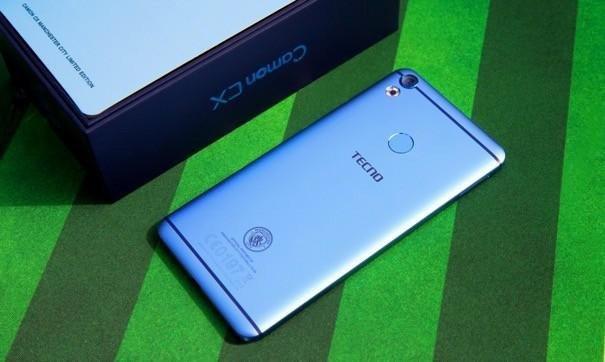
Tecno Camon CX
The Tecno Camon CX comes with a 16 megapixels front camera with dual flash and the 16 megapixels back camera with ring flash, the Camon CX runs on Android 7.0 and has a 1.5Ghz octa-core processor.
Tecno Camon CX Key Specifications
Body Build: Metal
Operating System: Android 7.0 Nougat with HiOS
Network: 2G/3G/4G
Screen Size: 5.5 inches
Resolution: 1920×1080 pixels Full HD
Display: 2.5D display with Gorilla Glass 3
Weight: 140g
SIM: Dual Micro SIM
Processor: 2.0 GHz Octa-core (Helio P10)
GPU: Mali 860 GPU
Front Camera: Front: 16MP with Flash
Back Camera: Dual back 16MP with LED flash
Memory: 16GBROM Expandable via MICRO SD up to 128GB
RAM: 2GB
Connectivity: GPS, WiFi, Bluetooth, USB 2.0
Battery Capacity: 3200mAh battery; 9V/2A fast charging
Sensors: Accelerometer, Proximity, and Compass Sensor, Temperature sensor, Hall sensor
Fingerprint: Yes
The Tecno Camon CX is for the Slay Kings and Slay Queens too
Tecno Camon CX Price in Ghana
The TECNO Camon CX is now available at retail outlets near you for the price of GHS 771.00 and you get 1 Gigabyte free Data each month for 6 months on MTN. You should go get this phone if you are big on selfies.
Tecno L9 Plus
The Tecno L9 Plus Air is only a competition for the Tecno Camon CX when it comes to battery life. It features slightly lower Camera capabilities and a downgrade in the processor as well. The 13 megapixels camera of the Tecno L9 Plus Air is a good way to look at the phone, coupled with an excellent processor, a 1.5GHz octa-core Cortex-A53 CPU, MediaTek MT6753 chipset, Mali-T760 MP4 GPU.
Tecno L9 plus Key Specification
Network: 2G Network / 3G Network
Dimensions: 151 x 75.8 x 6.8 mm
Display: IPS capacitive touchscreen with 16,000,000 colours, Size 6 inches, 1024 x 600 pixels, 401 pixels per inch (PPI)
Primary Camera: 13MP, up to 4128 x 3096-pixel pictures, HDR, face and smile detection camera with LED flash
Secondary Camera: 5MP, up to 3264 x 2448-pixel pictures
Battery Capacity: 5000mAh Li-Ion battery
The Tecno L9 plus promises a superb user experience
Price of the Tecno L9 Plus in Ghana
The Tecno L9 Plus Air is going for a cool of GHS 631.00 at any Tecno Office in Ghana.
Tecno Spark Plus
The all-new TECNO Spark: a series of smartphones that seem to be aimed at the price-cautious. If you want a Tecno phone this year, but on a budget, The Spark Plus is what you should be looking at.
Smartphones have become one of the commonest devices. Purchasing a new phone to replace an old one is not a big deal. Because of this, mobile users treat their phones with less care. We become ignorant to certain instructions that would keep the phone safe.
However, some, unfortunately, lose their data contained in the phone, most especially in the incidence of phone crash. Deliberately, users surf sites containing viruses that could damage their phones. But as I said earlier on, it’s now easily replaceable. Let’s be more cautious and discipline to instructions guiding proper ways of using the phone. Under listed, are some of the ways of damaging your phone and its dangers.
Ways your phone could be damaged
Temperature conditions
Phones have internal systems, which have been programmed to work under certain favourable temperature differences. When the temperature of an environment or an area seems to be higher or lower it goes a very long way of putting your phone’s internal operating system in tough dangers. During very hot temperatures, don’t leave your phone inside your car, with glasses all rolled up. The heat absorbed by the phone will be unable to escape and will end up destroying the phone. At cold temperatures, phones are critically exposed to dangers, this is because the internal systematic parts are made of some specific semimetals that cannot conduct electric process at certain lower temperatures.
Unprofessional rooting of phones
It is shocking people can sit in the comfort of their homes and “try” rooting their phones. As cost-effective as it is, there are chances of losing your phone entirely. Rooting of phones differ with regards to the specific phone, one is using. You can’t gamble over chances over chances of either getting your phone rooted or damaging it entirely. That’s a bad practice. Well, others are very smart to follow guidelines of rooting their devices by the help of their manual, care must still be taken. Pure technicalities may defeat you in the process. I will, therefore, advise that you get a phone repairer or a professional person to help you out.
Overloading your phone
People are normally unconscious of the amount of space they have on their phones before adding more videos, music or files. My brother, my sister, you’re doing your phone serious harm. If you are using an Android phone, you can preferably purchase an SD card, and load most of your data on it. If you’re using an iPhone, you can preferably load some files on your computer or tablet. Compounding files on your phone could corrupt or slow down your phone. Some videos may look relatively short but its quality could render its larger size, don’t be deceived. I’m saying this because normally one will say “I’m just adding additional 3 videos, it wouldn’t cause any harm” it will. You only need to make a periodic check on your storage space. You must also get rid of some videos and tracks, you don’t need anymore.
Over Usage
I know this will be very controversial. The ideally way, is to shut down your phone once in a week, but once attention is more on “what if I miss an important call in the process? That certainly shouldn’t be the matter, because you may still end up, spoiling the phone entirely. Offing your phone once in a week will cause the internal system to cool, and relax to continue its tasks. Using your phone for a very long time without offing can cause your phone to overheat, damaging internal system gradually. Now, people use phones everywhere, very busily. In vehicles, workplaces, schools and even in church. Can you imagine? If one person uses his or her throughout the day. Even humans breakdown at a point. We need to take proper care of our devices and also know, we must shut down our phones at least once in every week.
Accessing virus-infected websites
Sometimes in the attempt of reading news, you can be redirected to an unknown site, which could harbour a set of viruses. Most people download games, tracks, videos and pull viruses along unknowingly. This is very dangerous, as compared to other dangers. If along the line you’re redirected to a site unknown please exit that site. It could be a death trap for your phone. If you’re lucky you will be notified by your system manager that “this site contains certain viruses, that could harm your phone”.That’s in some cases, not in all cases. You need to be smart and knowledgeable about the particular site you are accessing.
How To Care For Your Phone
Read manuals: Don’t see manuals as mere formalities, please read them. Manuals always contain essential pieces of information, that you won’t know.
Use Appropriate Chargers: it’s funny how we feel comfortable with things that appear usual but dangerous. Every type of charger has it installed capacity for its phone. Let’s desist from using different chargers for our phones.
Don’t Fly Your Phone, Pass It On: Is it laziness? Gracious me, people throw phones for people to catch. Stay blessed with a safe goalkeeper then, even with a safe goalkeeper, you can still shift your mouthpiece in the process. What if it falls down. Just don’t allow that to happen, humbly walk to the person and deliver. For those, who throw phones right from their door unto the bed for fun, it may be sorrow at last.
Keep Phones In Your Front Pockets: Most phone screens get crack as a result of keeping it in the back pocket. What happens is, one forgets when sitting and may easily render it cracked.
NOTE: Treating your phone with care, is discipline and cost-effective.
It’s not uncommon to see “freezing” or lagging phones after a long time of use. You get a new high-end device like the Samsung S8 or even the budget-friendly Tecno Camon CX or Infinix S2 pro. That joy that comes with owning a new phone is usually associated with downloading all the “fancy apps you have always wanted to use. You start using them and everything is in place. Bingo! Your phone is fresh, neat and fast; what else is there to worry about?
Phone freezing? Well, it may not be your phone’s fault at all.
However, some months on, your phone starts to “freeze” or lag, apps fail to open fast and your camera does not seem to process images on time. It takes more than 15 seconds to launch “normal” applications like WhatsApp. Your once very fast phone seems like it has lost its touch. The phone you were proud of is now the cause of all your frustrations. To sum it all up, let’s just say your phone has become slow!
I’m sorry to tell you that it’s normal for your Android device to lag. Yes, it happens to all devices especially when you do not “maintain them well”. However, there is some good news. You can actually ebb the effects of your ageing phone and bring it back to the “glory speed” time. In this post, we look at how you can speed up your android phone.
How to fix a freezing Android Phone / How to Speed up your Android
Delete apps you don’t use anymore
You know those apps you do not use, right? Sometimes you see an app somewhere and you get so much interested in it that you quickly download it. Soon after that, they sit quietly on your phone, mostly without any use. But we still keep them. They use resources like your CPU cycles for background services, taking up memory blocks and fragmenting your storage, and generally cluttering the place up. You need to delete them.
To delete android apps from your device:
Open Settings
Tap Apps
Tap an app
Tap UNINSTALL
Tap OK
Finally, you can say bye-bye to all those download apps. you don’t use. This will be a good way to speed up your phone.
Too many apps can lead to your phone freezing.
Clear your Phone and SD Card Memory
It’s no secret that the lesser the space on your device, the higher the tendency that it will lag.
Clear the cache
Many Android apps use stored (cached) data to give you a better user experience. Cached data can save a little time (and mobile data), but the files stored in app caches are for convenience and are not strictly necessary. If you need to clear up space on your phone quickly, the app cache is the first place you should look.
To clear cached data from all apps, go to Settings > Storage and tap Cached data to clear the caches of all the apps on your phone.
Delete your Downloads (Including WhatsApp Files)
Delete your downloads
Your Android phone has a downloads folder where everything you download — photos, videos, documents and other files — is stored. Chances are most of the files in your downloads folder are not files you downloaded for a reason and you do not need them anymore. You should be able to free up some storage space by deleting these unnecessary files.
Also, check out your downloaded content from WhatsApp. Mostly, they use up a lot of space. Try to delete all of those you don’t need.
Delete files you have downloaded from WhatsApp to prevent phone freezing.
Factory Reset
If your phone is overloaded with apps and running slow, and you tried all of the above methods but they are not working for you, then you will need to factory reset your phone. This will clear all your data and make your phone “brand new” in a way. Remember that factory reset does not affect the SD card content.
How to Factory Reset your Android Device
Tap the Settings icon from your home screen or app drawer.
Swipe up to scroll down to the bottom of the settings menu.
Tap Backup & reset.
Tap the Settings icon from your home screen or app drawer.
Swipe up to scroll down to the bottom of the settings menu.
Tap Backup & reset.
Tap Factory data reset.
Tap Reset phone.
Tap Erase everything.
The instructions to reset your phone might be slightly different depending on your device.
No one wants a slow phone
Always keep apps you need and make sure your clear your cache periodically. Have a trick on keeping your android fast? Are you going to try any of these methods? Let us know in the comment section below and don’t forget to share this with your friends
The Allied exchange Africa, in collaboration with Global Tech Solutions, has launched a platform that allows customers to transfer money from one mobile money account to another on a different network, with or without internet access. Dubbed ‘ALEXpay’, the application seeks to integrate the already existing various mobile money platforms, the traditional banking platforms and other pay networks across the country.
Pay Smarter with ALEX
What is ALEXpay?
ALEXpay is an integrated and secure avenue that facilitates unified, reliable, affordable and easily accessible mobile money transactions in Ghana and across Africa. ALEXpay has got two components; the Unstructured Supplementary Service Data (USSD) and the app component. These components can be used on any mobile phone, either being a smartphone or a “yam” phone. The app can be downloaded free for all smartphone users.
Features of ALEXpay
Pay and Collect Bills
ALEXpay offers a simple and convenient way for businesses and individuals to make bill payments. One of such payments is the ever popular DSTV monthly subscription. From the comfort of your home, you can pay for this service.
Transfer Funds
A good quality of any payment platform or a platform that deals with payments and receipt is the ease of accessibility. In this regard, the service allows transfer of cash from one Mobile Money Network (say MTN) to another Mobile Money Network (like Airtel Cash) without any hustle. We have seen this before in other applications like MOVE which has been in existence for a while now.
Receive and Send money via ALEXpay on all networks in Ghana.
Top-Up Airtime
Need to top up your airtime? Well, ALEXpay is here for that too. No matter which network you register your service on, you can use the ALEX payment platform to buy any kind of credits for any network.
Integrate Bank Account
In Ghana, there is a great disconnect between Mobile Money accounts and Bank Accounts. As a result, a lot of people are unable to move money between their bank accounts and mobile money accounts. ALEXpay seems to have a workaround for this. At the time of writing this, I have not been able to test the feature.
Disburse Bulk Funds (Virtual Wallet)
Users on ALEXpay can create virtual mobile money accounts that permit inflows (deposits, transfers, credits, billings, etc.) and outflows (withdrawals, transfers, purchases, payments, etc.).
How to Subscribe to ALEXpay
To Subscribe to ALEXpay, you need to follow the following steps.
You will be then asked to enter your name, Enter your first name and tap confirm
After that, Enter your Last Name and tap confirm
You will be asked if you have an alternative number or not. If you do have an alternative number, Choose option 1 (Yes) and tap confirm
Now enter your Alternative Number
After this, you will be met with a screen confirming your subscription details; Choose option 1 (Yes) to confirm that the details are correct.
You will receive a message saying you have successfully subscribed to ALEXpay.
To join ALEXpay, dial *477*7# and follow the prompts.
After subscribing, when you dial the *447*7# shortcode, you will be met with the ALEXPay Interface. Choose “My Account” to change your password from the default 1234.
“iWallet” was originally launched in 2011 by DreamOval, one of Ghana’s biggest software developing companies, with the main aim of “making payments easier”. Later in 2015, it was rebranded to “Slydepay”, with exciting upgrades and features for Individuals and Businesses (both online and offline). This post looks at Slydepay for Individuals.
What is Slydepay?
Slydepay is an electronic and online funds transfer service by DreamOval that enable signed up users to make payments and receive money while enabling store owners to accept payments. Transactions via Slydepay happen online via a web browser or any of the Slydepay apps available for Android, iOS and Windows.
Send and receive money, pay anyone, pay for anything. All from your comfort zone anytime.
How does Slydepay work?
To the individual, Slydepay provides a convenient and easy method of making payments for products and services online. People in Ghana today are at times subjected to going through hours of traffic to purchase their goods and make household payments. No more. With the service, any Ghanaian will be able to sit in the comfort of their home and purchase household goods, food, clothing, etc. online and have them delivered at home as well as make payments without leaving their desk.
A user will have to sign up for the service, then follow prompts to register his/her account.
How to Register for Slydepay
Visit the Slydepay Sign Up page or download the app from your favourite app store.
Choose “Personal Account”
Fill in the details as requested. This includes your full name, phone number and chosen password.
Click on “Create Account”
You will receive both an SMS and an email to confirm your account.
Follow the process in the email first to successfully confirm your account.
After that, you will be required to enter the mobile verification code.
On the next screen, enter your six-digit secret code
You will then be required to enter a security question as well as your date of birth.
On the next screen, enter your notifications preferences and tap “Next”.
That’s it! Your Slydepay account is all set up
Registration
Email Confirmation
Completed
What can you do with Slydepay? (How to Use Slydepay)
Send and Receive Money Instantly
Send money to anyone in Ghana using any of the mobile money networks. Send directly from your linked Visa/Mastercard issued from any bank in the world. You can cash out your Slydepay money with any of the mobile money networks in Ghana.
Pay Anyone
Pay your mechanic, seamstress, mason, plumber, employees, etc. through our Mobile Money channels (MTN, Tigo, Airtel & Vodafone). You do not need to have a mobile money wallet to do so. Pay them directly from your credit/debit card and they will receive it in their mobile money wallet.
Pay Your Bills, Fees & Dues
Avoid traffic and save fuel by paying your bills, school fees and club/organisational dues with Slydepay. You can pay from our app or from our web portal.Info: You don’t need a Slydepay account to use the web portal.
The Tecno Spark has been available in Ghana for some time now. Although not as powerful as the Tecno Camon CX, the Spark is a great phone, especially for the price cautious consumers. With a 13 MP rear camera, a fingerprint sensor for added security, Android 7.0 and 2GB of Ram among others, the Spark is definitely one to get for anyone who wants quality at a good price.
What if you could win a brand New Tecno Spark? Well, you can according to Tecno Ghana’s official Facebook Page.
The Tecno Spark is one of the most sought after Tecno Phone in 2017
Tecno Spark Specifications
Let’s look at some of the main specifications of the Tecno Spark so you know exactly what you stand the chance of winning.
Cameras: Front — 5 MP (with flash) / Rear — 13 MP (autofocus, LED flash)
Battery: 3000 mAh
Other Features: Fingerprint sensor
How to win Tecno Spark in Ghana
#LightUpYourDream and win a brand new TECNO Spark Phone, get to showcase your talent to our millions of Social media online fans plus lots of amazing gifts and surprises. This is how to:
Follow TECNOMobileGh on Facebook, Twitter and Instagram
Take a photo image or 30 secs video of what your dream is about and tell us what/where that Dream will be in 5 years. This can either be a talent you’re building, a skill you’re working on, or anything you’re doing to change the game and make an impact. (E.g. Make-up Artistry, Fashion Design, Modeling, Photography, Bead Making, Choreography, etc.)
On Facebook, send your entry as a comment under the pinned competition post on our Facebook page and include the hashtag #LightUpYourDream
On Twitter and Instagram, Post the entry on your timeline using the hashtag #LightUpYourDream and tag @TECNOMobileGh
3 entries will be selected at random across our social media platforms for a short documentary on what sparks them to light up their dream and showcased to millions of online audience, and also win a SPARK device.
13MP Camera for all your Photography pleasures.
The activity will run from 6th To 26th September 2017. For your entries to be valid, you must carefully follow instructions and read T&Cs.
Terms and Conditions for the Tecno Spark Promotion
Must follow TECNO on all Social Media PlatformsMust use the Hashtag #LightUpYourDream
Must use the Hashtag #LightUpYourDreamMust Tag @tecnomobilegh on all posts made on your timeline
Must Tag @tecnomobilegh on all posts made on your timeline
By participating in any of TECNO’s competitions, entrants agree to be bound by the rules set out on this page (which may be amended or varied at any time without notice).
The spark also comes in Coral Blue, really cool!
All the best if you are engaging in this promo, but if you have the cash to purchase the phone, call the Mfidie Shop on 0546090871.
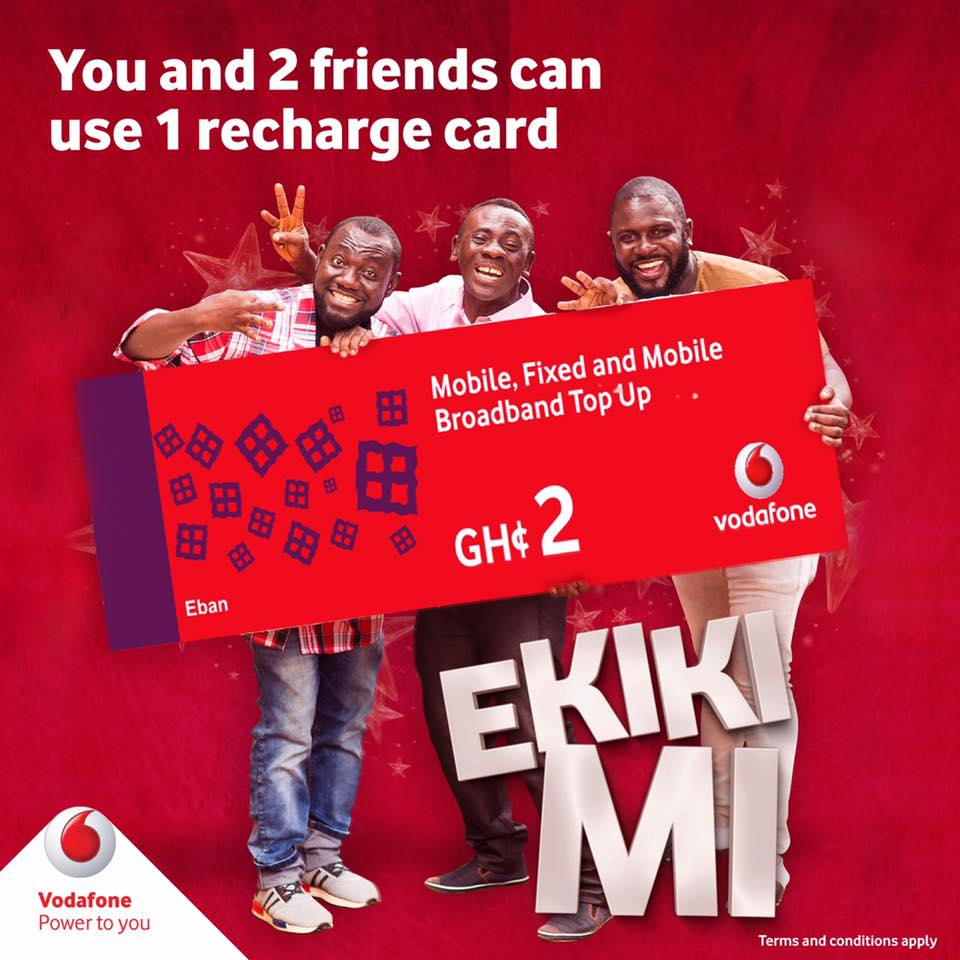
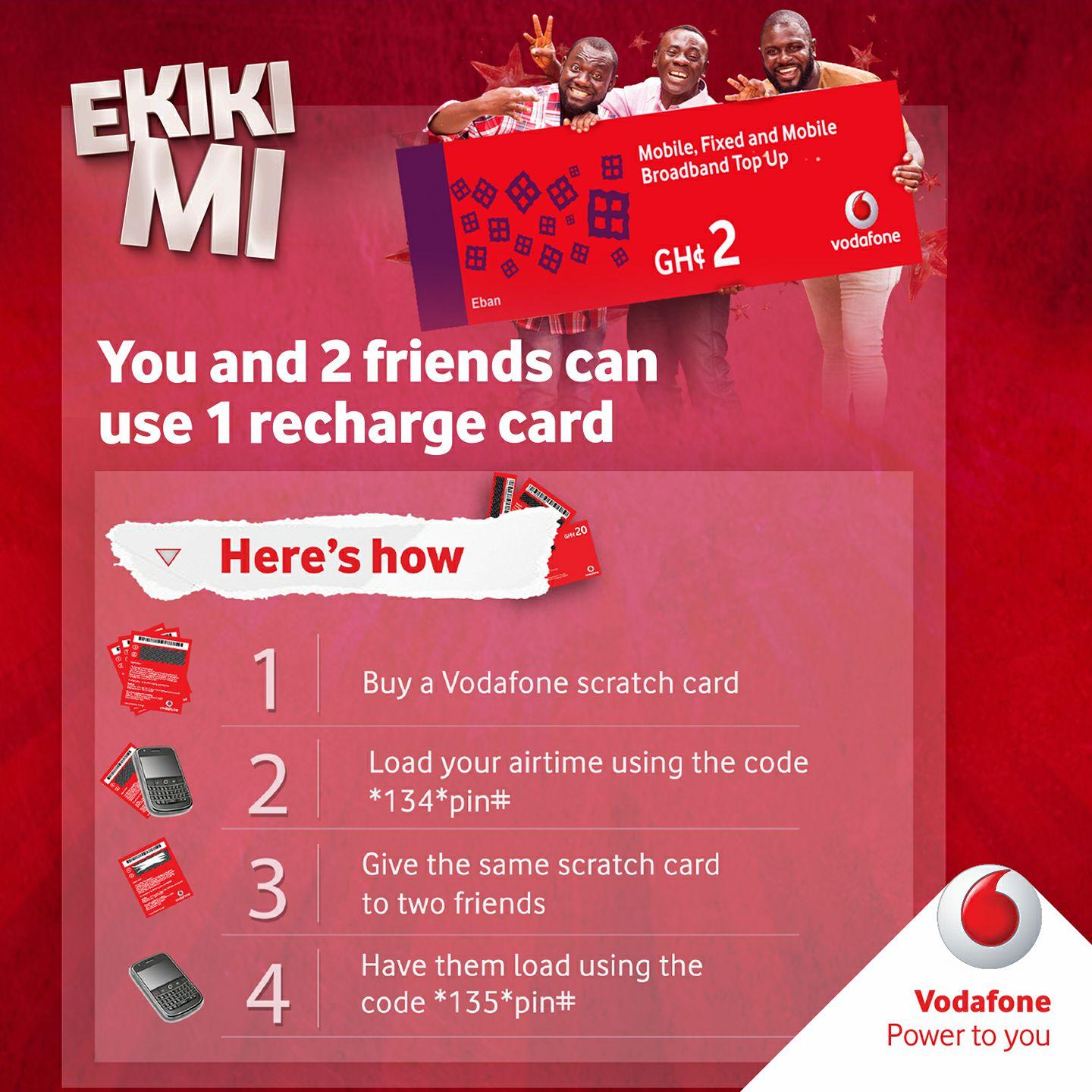
The Vodafone Ekiki mi Promotion, which was launched on 15th August 2017 is a credit multiplier service by Vodafone Ghana that allows 3 people to use one recharge card 3 times at the price of one. The first individual uses the credit by dialling *134# while the next two dial *135# to load.
For a lot of people on the Vodafone X Plan and Vodafone users in general, the Ekiki mi Promotion might not be particularly useful. This is because:
The Vodafone X Plan allows you to already make calls to all your friends on Vodafone X. This means, you can not use the Ekiki mi Promotion bonus to call them.
Vodafone X bundles will have to be totally exhausted before you can use your Ekikimi bonus.
The bonus lasts less than 48 hours. The day of activating and the day after that.
This is how to activate the Vodafone Ekiki Mi Promotion
Tips to make the best use of Vodafone Ekiki Mi Promotion
Load your Vodafone Ekiki Mi on a sim that does not have Vodafone X activated on it
When you do this, your Ekiki Mi bonus is not affected in any way. You can use your bonus to browse and make calls. For a lot of people that use Vodafone Ekiki Mi, this strategy works best. You use your Ekiki mi bonus freely without any restrictions to browser and call.
Load your Vodafone Ekiki Mi in daily intervals
This is a bit tricky. When Mr A loads a credit, Mr B should top up within three (3) days of Mr A’s topping up, failure to do so renders the card invalid. The Ekiki mi bonus also lasts less than 48 hours. However, it will be useless to completely waste the bonus so you should load the bonus in intervals. Supposing you have two “10 GHS” Ekiki Mi vouchers, you can load the first one on day 1 and the second on day 2 to extend your bonus time
The Vodafone Ekiki Mi promotion was supposed to end on 13th October 2017 at 23:59:59 GM but this was extended due to high patronage of the service. Make good use of it while it lasts.
Uber has been in Ghana for over a year now, operating just in Accra all the while. Kumasi, the countries second biggest city has now been added to the global network of Uber cities. Yes! Uber is in Kumasi.
UberX is in Kumasi and residents of the culture rich city can now request a ride beginning the noon of 31st August 2017. Uber’s competitors in Ghana now need to step up their game too.
UberX – This sends an everyday car to your location with seating for up to four people. This is Uber’s budget option.
Drivers in Kumasi can also take advantage of the opportunity to make some money by signing up as partner drivers for Uber
You can now request a safe, reliable and affordable ride at the tap of a button. Whether you’re heading to KNUST, the Kumasi Botanical Gardens, Kejetia Market or anywhere in between – simply request UberX from your smartphone and enjoy the ride!
Uber Kumasi: Current Pricing Plan
GHS 1.70 Base Fare + GHS 1.30 per kilometer + GHS 0.30 per minute
Minimum Fare: GHS 5
Cancellation Fee: GHS 5
Sample Pricing for UberX in Kumasi
Bara Yara Stadium to Vienna City: GHS 10
KNUST to Kumasi City Mall: GHS 16
Kumasi Airport to Golden Tulip Hotel: GHS 20
According to Uber’s official website, “Uber is still in testing mode so there may be limited availability from time to time as we get going in Kumasi. Please be patient with us in the first few weeks, we’ll be getting you connected to as many drivers-partners as fast as possible.”
Choose your pickup location, request a ride and track your car in real-time
Get free GHS 15 ride when you register Uber in Kumasi
Sign up here and enter the promo code MOVEKUMASI to enjoy GHS 15 on your first ride. Otherwise, when you register via the Uber app, swipe to the section where you enter promo codes and enter MOVEKUMASI to enjoy the free Uber GHS 15 ride. This should be done before your first ride.