Category: For Ghanaians

  • MTN Free After 1: New Rules, Shortcode, How to Subscribe

    MTN Free After 1: New Rules, Shortcode, How to Subscribe

    To make Ghanaians feel at ease when using MTN and to provide them with amazing deals that they can’t resist, MTN has always been the preferred network in Ghana. As part of their packages to make the life of their customers comforting, they introduced the MTN Nkomode (Free After 1 Service).

    A closer look at the MTN free after 1 promo

    MTN Free After 1 is one of the most exciting packages from MTN. It allows all customers to enjoy free calls and texts after the first minute into your call. The service was introduced in 2018.

    With this service, you will be charged for only the first minute and the remaining talk time for the next hour next 10 minutes will be free. You also get 50MB to browse after the call.

    The free after 1 new rules

    There are terms and conditions attached to the service and as time goes on, it gets altered. With the new rules introduced, customers can now enjoy the free after 1 with all networks unlike the initials when it was only allowed for only MTN to MTN customers.

    Also, you can use your bonus which you acquired from the airtime you purchase to make calls to all networks.

    The new rule makes the service more open and customers can now enjoy talktime with their loved ones on other networks and in addition gets free 50MB to browse.

    How to enjoy the MTN free after 1 service / nkomode

    You enjoy free talktime for 1 hour 10 minutes to all network and you will be deducted only GHS0.30 for the first minute of your call. You also get 50MB data to browse the Internet. Your bonus can also be used to make calls to all networks.

    What is the shortcode for MTN free after 1 service / nkomode

    The shortcode for MTN free after 1 service which is also know as MTN Nkomode is *550#

    How To activate MTN free after 1 service

    1. Dial *550#
    2. Then, Select Option 6 (Free After 1).
    3. After that, Select Option 1 (Activate) to activate the service.
    4. Finally, Select Option 1 once again to confirm.
    5. Congrats! You have now subscribed to the MTN free after 1 service.

    NB: For the first minute of every call, you will be charged GHS 0.30, but the rest of the call is free once you successfully register for the free after 1 service.

    Conclusion

    The MTN free after 1 service or Nkomode gives you some goodies for a quick need. Subscribing will be worth it if you are someone who makes longer calls.

  • How to withdraw your money from E-Zwich

    How to withdraw your money from E-Zwich

    The process of withdrawing your money from your E-Zwich account can be simple and easy with the right procedures. This steps will guide you on how to get an ezwich account as well as withdraw money from your ezwich account.

    What is E-Zwich?

    E-zwich stands for National Switch and Smart card payment system which is managed by Ghana Interbank Payment and Settlement in Ghana. The card is mostly used in Ghana by government workers and especially students in the tertiary system to access their loans and service salary.

    Why should I use this service instead of other services?

    The system is easy and simple. Unlike any other visa or master card, you don’t pay any monthly charges for card maintenance and the withdrawal charges are very low.

    How to create an E-zwich account

    Creating an Ezwich account is very simple. The E-zwich system is mostly runned on the rural banks in Ghana so to make it faster in acquiring one,

    1. its advisable to visit any rural bank around you.
    2. Talk to the customer agent on seat and make him or her aware to neneeds e-zwich card.
    3. You will be asked to provide some few details including your name, number and your ID card.
    4. In just some few minute, you will be issued a card which you can use to receive, save and transfer money from your ezwich account to another.

    Things needed to withdraw money from an E-zwich account

    To withdraw money from your ezwich account, all you need is,

    • your ezwich card,
    • your mobile number
    • your signature
    • your finger print.

    In recent times, some banks do require your ID card number as well but its rare in most cases.

    How to withdraw money from an E-zwich account

    Withdrawing money from an ezwich account is just as simple as withdrawing money from your mobile money account. There are two ways you can withdraw from an E-zwich. Using an E-zwich ATM or visiting the bank.

    Using an Ezwich ATM

    1. Visit any Ezwich ATM with your E-zwich card.
    2. Insert the card and request withdrawal
    3. Confirm with your fingerprint and load your wallet if you haven’t.
    4. If you have, just go straight and pin in the amount you want to wuthdraw.
    5. In just some few seconds, your money will be delivered to you, then you take out your card and receipt.

    Visiting the bank

    1. Visit any bank around you. Preferably a rural bank to make withdrawal faster.
    2. Get to any available teller at the time and made a request you want to withdraw from E-Zwich.
    3. A machine will be brought out for you to insert your card.
    4. After some few settings from the teller, you will be required to confirm your card with your fingerprint.
    5. You then mention the amount you want ti withdraw.
    6. In just some few seconds, your money will be given to you by the teller.
    7. You then receive your card and you sign and pen down your telephone number as well.
    8. Thats all for your ezwich withdrawal.

    Do I need to pay any money before i can get an Ezwich account?

    No. You pay nothing for an e-zwich account. Just vist any rural bank of your choice with your name, number and iD card and you will be issued an account.

    Also, you don’t pay any money to withdraw. You will be automatically deducted when you make withdrawal just like it does happen when you withdraw from your mobile money account.

    Conclusion

    Wwithdraing money from your E-zwich account is as easy as withdrawing money from your mobile money account. If you need any E-zwich withdrawal assistance, read the procedures above.

  • Which Banks in Ghana Support PayPal

    Which Banks in Ghana Support PayPal

    PayPal has been one of the most trusted and popular methods of online payment in Ghana, though not all banks in the country offer this as an option to their customers.

    This article provides information on which banks in Ghana support PayPal, how to set up and register with this payment method, and how you can make payments and withdraw money using it.

    About Paypal

    PayPal is the go-to payment system for many people around the world. It allows you to transfer money instantly and securely, without sharing your account or credit card information with the other party.

    In order to use PayPal, you need an account with a bank that supports it. Learn more about which banks in Ghana support Paypal and how you can open an account with them.

    Is PayPal available in Ghana?

    Ghana has been blacklisted by PayPal since 2004 and all means to remove us from blacklist has not been positive. Thus, PayPal is not available in Ghana. But you can create a PayPal account whiles in Ghana using a different country’s credentials.

    You will need to use the country’nemobile number wh8ch can be doctored as well us the country name. Luckily, you can verify your registration via email which makes it quite easier to register with less stress.

    Banks in Ghana that supports paypal

    There is no bank in Ghana that supports business with PayPal at the moment because the country is still on blacklist. But, that doesn’t mean you can’t use the system in the country so far as you have an account.

    Most Banks in Ghana after creating a bank account with them can give you visa or master card that can be used online and you can link that card to your PayPal account whiles in Ghana and then you use it for your transactions.

    Below are the banks in Ghana where you can get a debit or mastercard and link it to your account PayPal wallet;

    1. United Bank of Africa (Africard)
    2. GT Bank (Visa/Master Cards)
    3. United Bank for Africa (Debit Cards)
    4. Zenith Bank (Visa/Master Cards)
    5. Stanbic Bank (Platinum Debit Cards)
    6. Ecobank (MasterCard)
    7. Standard Chartered Bank (Visa/Master Cards)
    8. Fidelity Bank (Debit Cards)

    NB: The above mentioned are a few of the banks that issue visa or master card to their customers in Ghana. if you dont see your favorite Bank in them, kindly make further enquiries.

    How to send and receive money with PayPal in Ghana

    To transact with PayPal in Ghana, you need to obtain a visa or master card from any of the bank above. Even though none of them does business with PayPal, you can link their mastercard or visa card to your PayPal account and use it for withdrawal and deposit from and unto the card which can later reflect in your bank account.

    Another way is to buy PayPal funds from someone who already have a PayPal account with funds inside. You request funds purchase from such seller and then uses it for your online transactions.

    How to link your bank card to your PayPal Account

    To link your card to your PayPal account,

    1. Log in to your PayPal account
    2. Click on the gear icon at the top right corner
    3. Click on account settings
    4. Click on money, banks and cards
    5. Click on link a new card
    6. Enter visa, master or credit card number number
    7. Fill in details of the card including your name, Cvv and other details
    8. Click link card.
    9. Make sure you have at least $1 to $3 on your card before linking it to your paypal account.

    Conclusion

    With the above guide, I’m sure you now know how to go around the use of PayPal in Ghana with less stress.

  • SIM Registration App: Download now & Steps to Register

    SIM Registration App: Download now & Steps to Register

    The GH Self SIM Registration App is a new system rolled out by the National Communication Authority in Ghana to help make registration of SIM cards more simple and easier.

    With the app, you don’t need to be in a queue at your network providers office. All you need is to download the app and at the comfort of your zone, you register your SIM with ease.

    How to download the GH SIM Self registration app

    To download the GH SIM Self Registration App,

    1. Visit playstore on your android phone
    2. In the search bar section, type in GH SIM Self Reg App
    3. The app will show app after your search and you hit on download.
    4. In some few minutes, the app will be downloaded and installed on your phone.

    Things needed to register your SIM with the app

    1. Smart Phone.
    2. Ghana Card.
    3. Internet Connection.
    4. Email Address.
    5. Your Unique Code for your SIM after Stage 1 Registration.
    6. Ghana Digital Address.
    7. Mobile Money wallet.

    Steps to Register your SIM with the GH Self SIM Reg App

    1. Download the App from playstore with the steps above.
    2. Create an account by providing your phone number (note that the number does not necessarily have to be the SIM you are registering).
    3. Provide your email address, first name, last name and a 4-digit PIN.
    4. Now, you are done creating an account.
    5. Log in using the credentials you used in creating your account.
    6. Select the type of ID (Ghana card).
    7. Select your netvwork provider (MTN, Vodafone, AirtelTigo or Glo) from the list provided.
    8. Now, enter the number of the SIM you want to register.
    9. Enter the phone number you want to use for mobile payment.
    10. One you have selected the Ghana Card ID, enter your unique code (the number your network operator provided to you when you did the *404# registration).
    11. If you have forgotten the unique code, dial *400# to get it back.
    12. After inserting the unique code, you will be prompted to confirm your payment.
    13. Click on confirm to initiate the payment process.
    14. Confirm payment.
    15. After the payment is confirmed, you will need to scan your Ghana Card ID in the next step.
    16. The app will load your personal information and the document number on the screen.
    17. Kindly pay attention to the screen and follow the prompts on the screen to capture the front and back of your Ghana card.
    18. After scanning your Ghana Card, the app will ask you take a selfie for verification.
    19. If successful, the app will send you to the next step to scan your fingerprints.
    20. After reading the instructions, click to start scanning.
    21. If successful, you will get a notification.
    22. Now that’s it! You have successfully registered your SIM Card.

    Is the GH Sim RegistrationApp available on iOS?

    No. The app is currently on Google playstore only and thus, can be accessed by only android users. As to when it will be released on iOS has not been yet communicated.

    Is registration on the app free?

    Registering your SIM Card on the SIM Self Reg App is not free. Users need to have at least GHS5 in their mobile money wallet before they begin the registration process.

    Conclusion

    The GH SIM Self app has been introduced to make registration of SIM Cards more easier and thus, every Ghanaian who has not yet registered his/her SIM must do so to prevent any odd days.

  • How To Request For your MTN Mobile Money Statement

    How To Request For your MTN Mobile Money Statement

    MTN Mobile Money has obviously become a defining and leading power in the electronic cash ecosystem of Ghana.

    With MTN enjoying the biggest market share both in terms of users and transactional amounts, they are definitely leading that space of the Ghanaian economy.

    With the government projecting to digitize the whole economy, it is important for us to know the full functionality of electronic payment systems such as Mobile Money.

    One characteristic of a good payment system is the ability to track record of transactions by means of transaction statements.

    Fortunately, MTN Mobile Money provides this functionality on both USSD platform and its mobile application platform.

    In this article, we shall look at how to request your Statement of Account from your MTN Mobile Money Account using the USSD platform or the mobile application platform.

    How To Request Your MTN Mobile Money Statement via USSD Code

    The USSD Platform also known as the Shortcode platform is the first platform associated with MTN Mobile Money and hence can be used on all mobile phones – both smart phones and the simple ones we refer to as ‘Yam’.

    There are basically two types of statements you can get from your MTN Mobile Money account. They are:

    • Full statement covering a duration of upto 2 years.
    • A mini statement covering a week.

    In order to request for your full MTN Mobile Money statement of account via the USSD platform, follow the steps below:

    1. Dial *170#
    2. Select ‘6’ to enter your wallet
    3. Select ‘4’ for statements
    4. Select 1 for a full statement of account covering a certain period.
    5. If you want the full statement, select ‘2’ in the next step to ‘request statement’
    6. Enter your email address
    7. Confirm your email address
    8. Enter the date from which you wish your statement to commence. So if you want to have your statement to cover between January 2020 and 30th April 2020, you just have to type the start date in this format: 30 04 2020. Day, month and year, separated by a space.
    9. Enter the end date for your statement of account. So in the example used above, the end date should be 30 04 2020. Following the same format.
    10. You’ll receive a prompt asking you to authorize payment of 50 pesewas. Enter your password and authorize the transaction.
    11. The statement of account will be delivered to the provided email address in a couple of minutes.

    If you wish to get a mini statement of account which covers your transaction for the current week, follow the instructions below:

    1. Dial *170#
    2. Select option ‘6’ to enter your wallet
    3. Select option ‘4’ for your statement.
    4. Select Option 2 for mini-statement.
    5. Enter your password to see your statement.
    6. On the next screen, you’ll see your mini-statement.

    How To Request Your MTN Mobile Money Statement Via The Mobile App

    Requesting for your Statement of account using the MTN mobile app is very easy and convenient. Follow the steps below:

    1. Open your MTN Mobile Application.
    2. Select ‘Momo Services’
    3. Enter your PIN Code.
    4. Select ‘My Wallet’
    5. Click on ‘Mini statement’ to access your mini-statement
    6. or click on Statement request to have full access to your statement covering a duration of your choice.
    7. Enter your PIN again to confirm and have access to your statement of account.

    Note: Remember to always turn on your mobile data when using the application to access your mobile money account. When using a wifi, you cannot access your MOMO account.

    Conclusion

    Having access to your mobile money statement of account is one way of ensuring the safety of your account and tracking expenses. Whenever there is a dispute about a payment made through MTN Mobile money, you can always fall on your Statement to give you a proof. I hope this article was very helpful to you and that you may refer it to your friends and colleagues. If you have any comments or reservations regarding this post, kindly let us know in the comment box below.

  • How to Check Data Balance on MTN, Airteltigo, Vodafone and Glo

    How to Check Data Balance on MTN, Airteltigo, Vodafone and Glo

    If you have been wondering how to check your mobile data balance on MTN, AirtelTigo, Vodafone or Glo, then read on to find out more. Its sometimes necessary to check data balance when making an important download in order not to get stucked on the way.

    About MTN, Vodafone, AirtelTigo and Glo Ghana balance check

    They are methods provided by the various network providers for their customers which can be used to check data balance in order to know how much is available for use and if there is the need for a top up.

    How to check your data balance on MTN Ghana

    Follow these steps to check your MTN Ghana data balance, using the MTN Ghana USSD code format.

    • On your Android or iOS smartphone, open your call dialer.
    • Dial *124#, and send.
    • You will get a pop-up containing all your current active data bundles and other balances.

    You can also use another USSD code to check all your active data bundles on the go.

    1. Dial *138#
    2. Choose option 1 (proceed to buy bundle)
    3. Select 99 (more)
    4. Choose option 7 (more)
    5. Select option 3 (check bundle balance)
    6. You will get a pop-up and also a text message from MTN, containing all your current active data bundles.

    How to check your data balance on Vodafone Ghana

    Follow these steps to check your Vodafone Ghana data balance, using the Vodafone Ghana USSD code format.

    1. On your Android or iOS smartphone, open your call dialer.
    2. Dial *124#, and send.
    3. You will get a pop-up containing all your current active data bundles and other balances.

    You can also use another USSD code to check all your active data bundles on the go.

    1. On your dial pad, dial *126#
    2. A popup will show on your screen which contains all your available data bundles.
    3. You will also receive an SMS from Vodafone contains your data balance.

    How to check your data balance on AirtelTigo ghana

    Follow these steps to check your Airteltigo Ghana data balance, using the airteltigo USSD code format.

    1. On your Android or iOS smartphone, open your call dialer.
    2. Dial *124#, and send.
    3. You will get a pop-up containing all your current active data bundles and other balances.

    You can also use another USSD code to check all your active data bundles in separate.

    1. On your dial pad, dial *504#
    2. A popup will show on your screen which contains all your available data bundles.
    3. You will also receive an SMS from airteltigo which contains all your data balance.

    How to check your data balance on Glo Ghana

    Follow these steps to check your Glo Ghana data balance, using the Glo USSD code format.

    1. On your Android or iOS smartphone, open your call dialer.
    2. Dial *124#, and send.
    3. You will get a pop-up containing all your current active data bundles and other balances.

    You can also use another USSD code to check all your active data bundles in separate.

    1. Dial *555# on your mobile phone.
    2. Look through the menu that pops up and select option 8 (No. and Balance)
    3. In the next menu, select option 3 (Check your balance).
    4. Then select option 3 again and all your active data balance will be shown to you.

    Conclusion

    I can understand how confusing it can be for you in your search for how to can check your data balance in Ghana. The above process can be your guide now with less stress.

  • Vodafone Unlimited Weekend Data Offer: How to subscribe & Tips

    Vodafone Unlimited Weekend Data Offer: How to subscribe & Tips

    Vodafone has come up with an offer to provide Unlimited Weekend Data usage. Now you don’t have to compromise with your mobile data and can enjoy streaming, sharing or uploading your favorite contents on weekends.

    But how to subscribe? Don’t worry, we are here to help you in this regard. We will tell you how you can subscribe Vodafone Unlimited Weekend Data Offer and get the most out of it.

    About Vodafone unlimited weekend data offer

    Vodafone unlimited weekend bundle is a supplementary bundle for Vodafone customers which valid during the weekends, starting from Saturday 00:01am to Sunday 11:59pm.

    Why should I subscribe to this service

    The weekend bundle is different from the regular weekdays bundle. It has a bigger bundle offer with low fees compared to the regular bundles and can be used for your big downloads whiles your regular weekdays bundle stays put.

    What to know

    The weekend unlimited bundle is mostly designed for customers on the broadband who are eligible for browser, streamer, webmaster, downloader and office plans for a fee of GHS20 only.

    However, if a non broadband customer wants a weekend bundle for their regular activities, they can subscribe to the BOSSU weekend offer which gives you 5 gigabyte for GHC5.

    How to subscribe to Vodafone BOSSU weekend offer

    To subscribe to the BOSSU weekend offer,

    1. Dial *5588# to access the menu.
    2. Select option 3 (Buy BOSSU Weekend).
    3. These offer gives you 300 minutes to all networks and 5GB data for your weekend use.
    4. Confirm your subscription and make your payment either with your credit balance or with Vodafone cash balance.
    5. A notification will be sent to you for a successful registration.
    6. This offer is GHC10.

    How to subscribe to Vodafone unlimited weekend offer

    Customers on the broadband and eligible on browser, streamer, webmaster, downloader and office plans who wants to subscribe to the weekend unlimited must have an active package in order to subscribe for the unlimited weekend bundle.

    To subscribe,

    1. Dialing *900# on their Vodafone number.
    2. Select option 1 and then option 4 in the next pop up.
    3. After that, you follow the next prompt in choosing your offer and then you make your payment.
    4. Make payment either with your credit balance or Vodafone cash account.
    5. This offer is GHC30 and you will enjoy unlimited browsing throughout the weekend.

    Notable tips

    • Customer on the unlimited weekend bundle will enjoy a truly unlimited browsing experience within the validity period
    • After Sunday 11:59am, the customer will continue using from their standard bundle and continue with the unlimited during the weekends.
    • Unlimited data cannot be rolled-over or moved onto a Vodafone mobile number. When it finishes, you can then subscribe for a new one.
    • Customer can view the unlimited data usages via USSD code, My Vodafone App, Vodafone official website or can call retail centers.

    Conclusion

    The Vodafone weekend unlimited is great for your weekend streams and downloads. it doesn’t affect your regular bundles and therefore, its a great offer to subscribe for.

  • Vodafone Smart Surf: Price, Features, Speed, Bundles, Where to buy

    Vodafone Smart Surf: Price, Features, Speed, Bundles, Where to buy

    Vodafone Smart Surf is a new super fast broadband router brought to you by Vodafone that has been on the market since for a while now. In this article, we will tell you all about this new 4G network; its price, its features, its speed, its bundling and where you can buy it in Ghana.

    What is Vodafone Smart Surf?

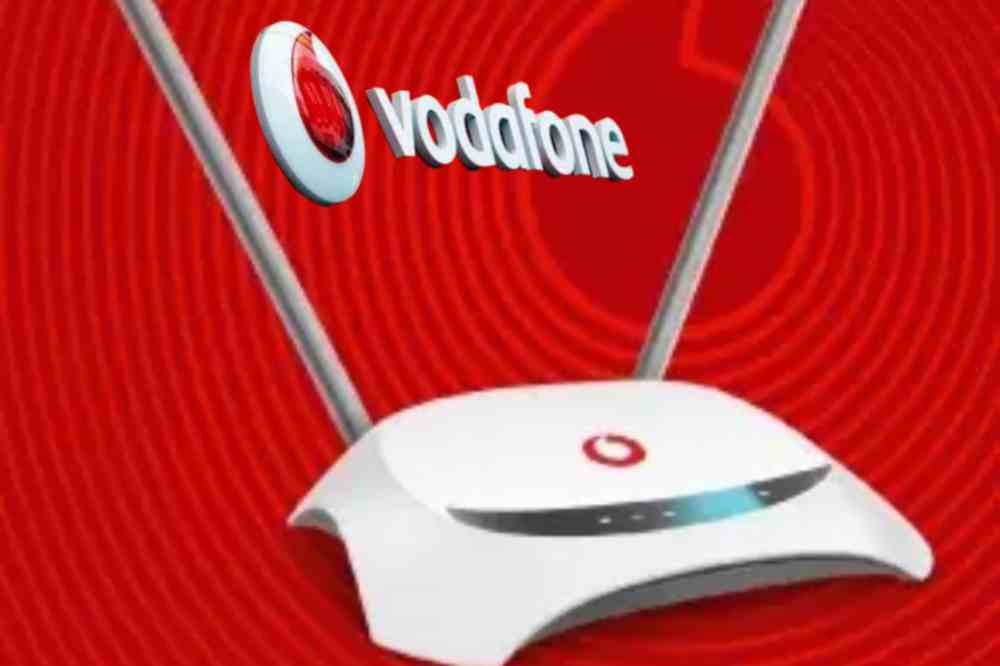
    Vodafone Smart Surf is a plug and play wireless broadband router that comes with a high-powered internal antenna to give you a super-fast browsing experience. Smart Surf is suitable for both the home and office.

    Features of Vodafone Smart Surf

    • Size: 150 mm x 150 mm x 56 mm
    • Data Speed: Download up to 100 Mbps, Upload up to 50 Mbps
    • Ports: 1 LAN ports (RJ45) , 1 USB port
    • Display : Led indicators.
    • Wi-Fi Speed: Up to 300Mbps.
    • LED Indication: WiFi / Power / Transmit Status across.
    • Wi-Fi : 802.11b/g
    • Can connect up to 32 devices

    Vodafone Smart surf price

    With an amount of GHS 399, you can get yourself a Vodafone smart surf for your home or office.

    Vodafone smart surf speed

    The Vodafone smart surf can boast of a download speed up to 100Mbps, an upload up to 50Mbps and a WiFi speed up to 300Mbps.

    Bundle offers available on Vodafone smart surf

    Vodafone smart surf has both unlimited and monthly offers.

    Customers can subscribe to the below packages for 30 days.

    PLANPRICE (GHS)GIGABYTE
    Mini Basic205
    Mini Pro4010
    Browser9025
    Streamer14050
    Webmaster200100
    Downloader290135
    Family400275
    Office500410

    Customers can subscribe to the unlimited/non-expiry packages below

    PLANPRICE (GHS)GIGABYTE
    Browser9517
    Streamer14533
    Webmaster21066

    Where to buy Vodafone Smart Surf

    Customers can purchase the device online via the Vodafone Ghana official website using their Vodafone cash, visa card, master card, or visit any Vodafone Ghana retail shops to make a purchase. Before making a purchase, it is advisable to visit fbb.Vodafone.com.gh to check the network coverage and strength in the area before purchasing the device.

    Why you should buy Vodafone smart surf

    If you have no idea on which router to buy for your internet services, then Vodafone smart surf should be a choice for you. The router has the preferred speed, moderate prize, convincing internet packages, and can connect up to 32 devices at a go.

    Conclusion

    Vodafone Smart surf is a good option to go for when you need a high speed internet connection your home or office.

  • The Best Unlimited Internet Plans in Ghana & Prices

    The Best Unlimited Internet Plans in Ghana & Prices

    With so many internet providers in the market, choosing the best internet plan in Ghana can be quite difficult. In this article, I’ll try to point out some good Internet plans to try out and their prices at the time of writing this article.

    Internet plans in Ghana

    In today’s day and age, internet is an essential part of life. Whether you’re working from home or just looking for a quick update on your favorite celebrity, high-speed internet is necessary.

    With the increased accessibility of smartphones, tablets and other smart devices, users are more connected than ever before. With that said, not all forms of internet are created equal.

    Today we’ll be looking at some of the best options for unlimited internet plans in Ghana and their prices to see which one suits your needs best.

    Ghana wifi

    Ghana wifi ensure you stay connected without worrying about running out of data by providing unlimited internet access to homes, small businesses and enterprises in Ghana.

    Ghana wifi prices

    Ghana wifi provides two unlimited data plans which is the Home Plan and Business Plan.

    Home Plan

    HOME PLANPRICE
    Residential UnlimitedGHS 200/month plus GHS 500 one-time setup fee.
    Residential ProGHS 1200/6months plus GHS 500 one-time setup fee
    Residential YearlyGHS 2400/12months plus GHS 500 one-time setup fee

    Business Plan

    BUSINESS PLANPRICE
    Business UnlimitedGHS 250/month plus GHC500 one-time setup fee
    Business ProGHS 300/month plus GHC500 one-time Setup Fee
    Dedicated PlansGHS 150 per mbps.
    setup fee varies

    Teledata ict

    Teledata ict is with the aim of providing internet connectivity across Ghana. The company is currently serving more than 2,000 business clients and 45,000 users in Ghana.

    Teledata prizes

    Teledata ict provides three unlimited data plans which is the Home Unlimited Internet, Business Unlimited Internet and Big Business Unlimited Internet.

    Home Unlimited

    HOME UNLIMITEDPRICE
    Internet PlusGHS 219/month for 10/50Mb (Basic speed Internet).
    Internet EssentialGHS 207/month for 12/60Mb (Basic-speed Internet).
    Internet PreferredGHS 395/month for 15/70Mb (Basic speed Internet).
    Internet PriorityGHS 439/month for 20/80Mb (High speed internet).
    Internet PremiumGHS 770/month for 30/100Mb (Ultimate speed internet).

    Business Unlimited

    BUSINESS UNLIMITEDPRICE
    Internet PlusGHS 219/month for 10/50Mb (Basic speed Internet)
    Internet EssentialGHS 307/month for 12/60Mb (Basic speed Internet).
    Internet PreferredGHS 395/month for 15/70Mb (Basic Internet speed)
    Internet PriorityGHS 439/month for 20/80Mb (High speed internet).
    Internet PremiumGHS 770/month for 30/100Mb (Ultimate speed internet).

    Big Business Unlimited

    This offer does not have a fixed fee but rather gives you the chance to discuss how big of data bundle want with the bandwidth calculator for a fee to be tabulated for you.

    Digital Arena

    Digital Arena Limited is an internet data and Solutions provider in Ghana. Their major aim and target is to provide easy and convenient internet solutions across Africa.

    Digital Arena prizes

    Below are internet services provided by digital arena when you make a choice and a call through them.

    • High Speed Internet for your business
    • Connect your business branches for smooth data transfer.
    • WIFI Installation
    • Home Internet
    • Data Co-Location

    Digital Arena does not have a fixed prize. To know their various prizes, you need to make a call to their customer service, describe how you want to be served, and your prize will be tabulated for you.

    Vodafone Unlimited

    Vodafone has various non expiry data offers for their customers but to get the best unlimited experience, you will get them on the Vodafone broadband, Vodafone Smart surf and Night King Bundles

    Vodafone Unlimited prizes

    Vodafone broadband

    VODAFONE BROADBANDPRICE
    SmallGHS 150 for 47GB
    BrowserGHS 100 for 26GB
    BrowserGHS 95 for 17GB

    The above listed are the small bundle offers you can enjoy on the broadband. However, if you want a bigger offer, you can purchase that directly from Vodafone after your wireless broadband has been fixed.

    Vodafone Smart Surf

    VODAFONE SMART SURFPRICES
    Mini BASICGHS 20 for 5GB
    BrowserGHS 95 for 17GB

    The above smart surf offers are all non expiry for 30 days until renewal if activated. However, if you want a bigger gigabyte, contact customer care directly and make your demands.

    Night King Bundles

    The night king bundles enables you to download your bigger files at a very low fee from 12am-5am. If time elapses and you are not able to finish it, don’t worry as it is non expiry and you can continue where it stopped when it reaches another 12am.

    NIGHT KING PRICE
    Night King1GHS 2.15 for 2GB
    Night King 2GHS 5.40 for 7.5GB

    MTN Unlimited

    MTN has various non expiry data offers for their customers but to get the best unlimited experience, you will get them on the MTN fibre broadband, MTN Turbonet and Midnight Bundles.

    MTN Unlimited prizes

    MTN fibre broadband

    MTN BROADBANDPRICEONE TIME INSTALLATION FEE
    High SpeedGHS 120 for 45GB150
    Super High SpeedGHS 175 for 90GB150
    Ultra High SpeedGHS 240 for 225GB150
    VIPGHS 395 for 550GB150

    MTN Turbonet

    MTN TURBONET PRICEGIGABYTE
    GHS 435.14GB
    GHS 8710.27GB
    GHS 253108.23
    GHS 516410.93

    MTN Midnight Bundle

    The midnight bundles enables you to download your bigger files at a very low fee from 12am-5am. If time elapses and you are not able to finish it, don’t worry as it is non expiry and you can continue where it stopped when it reaches another 12am.

    MTN Midnight prizes

    The midnight bundle does not have a fixed price to choose from, rather, you will have to insert the amount you want which start from GHS 0.01p to GHS 2.99 29. With GHS 0.01 for 25.15MB and GHS 2.99 for 8.51GB.

    Conclusion

    You wish to enjoy the best Internet connectivity in Ghana, then you can choose from any of the above offers and enjoy.

  • How to use the GH SIM Self Reg App to Register Your SIM Card

    How to use the GH SIM Self Reg App to Register Your SIM Card

    Did you know that you can register your SIM card using the Ghana SIM Registration App? This app allows you to register your SIM card from home, without the need to physically visit any mobile network operator outlet or any physical location. You can simply download the app, enter your details and go through the registration process in minutes.

    The Ghana SIM registration self service app

    The National Communication Authority (NCA) in a press release on August 26th, 2021 announced to Ghanaians the release of the “SIM Card Registration Self Service App”.

    The app is intended for SIM Card users in Ghana who has not yet finished registering their SIM Cards to do so.

    The NCA brought out this idea after majority of Ghanaians failed to complete their SIM card registration when they were given a deadline to do so with their Ghana cards.

    With the GH SIM Self Reg App, it is believed it will enable all Ghanaians to be able to register the SIM Cards at the comfort of their home with no stress.

    Who can use the app

    Subscribers who have gone through the first process of the SIM Card registration and have acquired their unique code can use the app. To verify your code, dial *404#.

    How do I get access to the SIM Card registration app?

    The GH SIM Self Reg App is an easy way to register your SIM card without having to go through the hassle of going to a physical store for SIM registration. To get the app,

    1. Visit playstore on your android phone and in the search bar section, type in GH SIM Self Reg App to download.
    2. In a short possible time, the app will be ready on your phone for use.

    Note that, the app is only available on Google playstore for now and thus, it can only be accessed by android users.

    What do you need to use the app?

    Make sure your have access to the details below in order to have ease in using the app.

    1. You first need to have a Smart Phone to be able to have the app.
    2. Ghana Card is the only accepted Identification Card to register the app.
    3. You need to have Internet Access to be able to complete your registration.
    4. You need to have an Email Address.
    5. Your Unique Code for your SIM after Stage 1 Registration must be available.
    6. Ghana Digital Address will be required during registration.
    7. Mobile Money Account for the GHS5 payment to complete the registration. The mobile money account does not have to be a Mobile Money account for the SIM that is being registered.

    What is the benefit of the SIM Self Reg App

    The benefit of the Ghana SIM registration app according to NCA is to provide convenience for subscribers for th to be able to register their SIMs from their homes, offices and any convenient locations.

    Is it free to register your SIM Card on the SIM Self Reg App?

    Registering your SIM Card on the SIM Self Reg App is not free. Users need to have at least GHS5 in their mobile wallet to make registration successful.

    How to use the SIM Card Reg App

    1. You first need to download the GH SIM Self Reg App App from Google Store.
    2. Once you download the App, you have to create an Account by providing your phone number (note that the number does not necessarily have to be the SIM you are registering),
    3. Provide your Email address, First name and Last name and a 4-digit PIN.
    4. Log in using the credentials you created in step 2 and 3 to start the SIM registration.
    5. Select the type of ID you will be using. Ghana card will be the only option in this section.
    6. Select your network provider (MTN, Vodafone, AirtelTigo and Glo) from the list provided.
    7. After network selection, enter the number of the SIM you want to register.
    8. Enter the phone number you want to use for mobile payment.  (If you are using the same number, you entered when you were creating the account, you can leave it blank).
    9. One you have selected the Ghana Card ID, enter your unique code (the number your network operator provided to you when you did the first registration). 
    10. If you forget the unique code number, you can dial *400 on your network.
    11. If you have not yet linked your Ghana card ID with your phone number, please do so by dialing *404 to do so.
    12. After validation of your subscriber unique code, you will be prompted to confirm your payment.
    13. Click on confirm to initiate the payment process. The mobile money provider will send you SMS to enter your PIN to confirm you are paying for SIM registration.
    14. After the payment is confirmed, you will receive notification on your mobile money account for payment to be authorized.
    15. You will need to scan your Ghana Card ID in the next step. The app will load your personal information and the document number on the screen. Please pay attention to the screen and follow the prompts on the screen to capture the front and back of your Ghana Card.
    16. After scanning your Ghana Card, the app will ask you take a selfie for a liveness and likeness check and also scan your face to confirm you as the real owner of the card. If successful, the app will send you to the next step to scan your fingerprints.
    17. You will see a screen with the instructions on how to scan your fingerprints.  After reading the instructions, click to start scanning. 
    18. If successful, you will get a notification that you are done with this for both your left and right fingerprints.
    19. Congratulations! You have successfully registered your SIM Card if you have successfully gone through all the above process.

    NCA Official Press Release on SIM Card self service registration app

    NCA press release

    You can contact the NCA via their official website, www.nca.org.gh. for more enquiries or contact their Operational Support Center via toll free on 0800 110 622.

    Conclusion

    It is the responsibility of every SIM Card user in Ghana to register their SIM Card before the give deadline date. With the SIM Card Reg App, it is now more easier and comfortable to register your SIM Card with ease. The information and procedures above is all you need to do so.