Category: Lists

  • 2020 Week 4: Top 5 Cryptocurrencies

    2020 Week 4: Top 5 Cryptocurrencies

    We’ve just finished the fourth week of 2020 and taking baby steps into the fifth week of the year 2020.

    Generally, it still seems to be a positive year for the crypto market. Majority of the top 100 cryptos in the world have made some positive gains in general.

    As we prepare to begin the fifth week, here we bring you a brief analysis of how the top 5 cryptos performed throughout the week.

    1. Bitcoin (BTC)

    Bitcoin undoubtedly still maintains its position as tops on the list of cryptocurrencies in the world.

    It made an entry into the just ended week on Sunday, 19th January 2020 at 8,707.63 USD, with a growth of 11.53 percent.

    It rose steadily and reached its peak on Wednesday morning at 8,789.49USD. As of press time on Sunday 26th January 2020, bitcoin is trading at 8,584.91USD.

    Compared with last week, bitcoin has dropped by a percentage of negative 1.4 percent.

    Despite the slight drop in percentage, it has a market capitalisation of 155.873 Billion Dollars, currently ranking it as the top cryptocurrency for the week.

    2. Ethereum (ETH)

    Ethereum, the second most popular cryptocurrency just behind bitcoin is still leading as the second biggest crypto asset in the fourth week of 2020. The week for Ethereum started quite badly compared to the previous week with an initial entry of 166.97 USD.

    Towards the end of the week, on Friday, 24th January, Ethereum reached its bottom price at 156.75 USD. It however peaked on Wednesday at 170.24 USD.

    As of press time on Sunday, Ethereum sells at 167.80 USD. Unlike Bitcoin, Ethereum saw a slight positive growth of 0.497 Percent. Ethereum currently has a market cap of 18.350 Billion USD and is ranked the second best cryptocurrency.

    3. RIPPLES (XRP)

    Still struggling at the top, Ripples started the week with 0.234USD and has been going on a very wavy drive throughout the week. Its peak was 0.238USD on Tuesday.

    Ripples reached its lowest price of the week on Friday, trading at 0.215 USD. As of press time on Sunday, 26th January, XRP is trading at 0.266USD.

    So in all, XRP concluded the week at 0.266USD with a gain of 13.68 percent and a market capitalisation of 10.069 Billion Dollars.

    4. Bitcoin Cash (BCH)

    Bitcoin cash has maintained its consistency of enjoying some major rise in price from the beginning of the year. However, this week seems to be a different one. BCH entered the week at 338.21USD. Its peak was on Wednesday morning when it earned a price of 347.81 USD. The lowest point however was its entry point on Sunday. As at press time, BCH is selling at 333.87 USD on Sunday. Per the mathematics, BCH has seen a depreciation of negative 1.28 Percent over the week. Its market capitalisation is pegged at 6.301 Billion Dollars.

    5. Bitcoin SV (BSV)

    BSV has shockingly maintained its position in our list right from the previous week.

    Booting off the USD tether from the list of our top 5 Cryptocurrencies, the Bitcoin SV has performed yet another magic. Of course, except that it was not a beautiful story in the end. BSV started the week with 257.32USD. Towards the end of Tuesday, BSH reached its peak price of the week which stands at 315.42USD.

    Its lowest pricing however was on Friday where it traded at 257.59 USD.

    So no much trouble for this coin in terms of performance. As of press time today, Sunday 26th January 2020, BSH is selling at 276.07 USD.

    Having clocked an increase of 7.28 percent and a market cap of 4.986 Billion Dollars, BSH is the final coin on our list for the week.

    Kindly check out our list of top 5 cryptocurrencies based on market capitalization and percentage gains Next week Sunday.

    NB: We do not give advice on crypto investments. Like any other investment program, cryptocurrencies are very risky ventures to invest in. Please do seek the views of an expert before making a decision to invest in cryptocurrencies.

  • 5 Ways To Use MTN Mobile Money Like a Boss

    5 Ways To Use MTN Mobile Money Like a Boss

    In today’s world where technology is taking over everything including finance and jobs, the least one could do is to show off their inclination to technology.

    Today, mobile money is the new cash in the Ghanaian economy. Almost everyone in Ghana has a mobile money account.

    However, most of such people don’t know of how best to utilize their mobile money wallets to solve some daily problems without having to move from place to place thus, doing things as a boss.

    In this article, we take you through some 5 transactions you can do on your MTN Mobile money wallet while you move about town, feeling like a Boss! You may already have had some knowledge about this but I’m sure you’ll certainly see something new here.

    1. Loan Services

    With MTN Mobile money, loan acquisition has become a lot easier and less stressful as you can acquire loans up to 1,000 GHS from the comfort of your home through your mobile money wallet.

    Recently, there has been the Ahomka Loan from MTN. You should check it out.

    Treasury Bills

    With MTN mobile money, your investment has been made a lot more easier and safer as you don’t have to carry your hard cash to the banking institutions and more for payment into your investment accounts. You can invest in Treasury Bills on Mobile Money that from your phone, in the comfort of your couch while sipping on some chilled sobolo.

    Pension and Investment Scheme

    The desire of everyone in the world is to be able to go on retirement and live the dream life they’ve always hoped for themselves. With your MTN mobile money, this could be a reality for anyone and everyone without so much hustle. You get one of the realest returns on investment for your pension benefits and also, there is a part of the money that you can withdraw yearly to cater for your everyday needs while the other part also grows in your investment account.

    Bill Payment

    The stressful wait in long queues and the hectic trudging through tight traffic to make payments to your service providers including NHIS, ECG, Water Company, Telecom networks and others has come to an end. All thanks to MTN Mobile money, you can make payments for all your subscriptions through your mobile phone without any much hustle. And you get to save yourself sometime to get some more cedis or perhaps, spend time with your loved ones.

    Bank Deposit

    One thing I’ve always dreaded is the pain of traveling all the way to my bank just to deposit money into my account.

    What even annoys me is the fact that everyone looks at you as if you’ve come to take billions of cedis. And you know how it feels when everyone thinks you have it, yet you don’t?

    Yes, thankfully, if you’re like me, you have been saved by MTN Mobile money. You can make deposits into your bank account so easily without any hustle and you get notified when the money hits your account. Isn’t it so interesting?

    Read: How To Deposit Money Into Bank Account Through MTN Mobile Money

    Conclusion

    MTN Mobile Money has indeed made life way easier for us all as we do not have to combine the stress of our workload with some daily activities including those listed above. Kindly explore your MTN Mobile Money portal for other beautiful offers and services.  

  • 5 Great Apps To Use For Graphic Designs On Your Smartphone

    5 Great Apps To Use For Graphic Designs On Your Smartphone

    Many people have wondered how they could get some graphic works done by themselves on their smartphones without paying someone else.

    Well, it’s not very difficult to do this. If you’re a writer, a marketer, a blogger or content creator, you probably know how important graphics are to your craft and you definitely need it every other day.

    There are many apps that can help you design your flyers, quotes, social media posts and more on your phone without so much of a hustle. But here, in this article, we shall look at just some 5 of those apps.

    Canva

    Canva

    So the first on our list here is Canva.

    Canva is a very good app which enables you to choose from over 1,000 free templates and designs for the free feature. And millions more for the premium feature. However, the app only operates online. Which means you need internet connectivity to be able to use this app. And also, after the free trial expires, you barely get to enjoy the app as you have to adopt other tricks to be able to save new designs offline on your phone. You can get this app on the google play store or Apple AppStore.

    Snappa

    Snappa

    Just like Canva, snappa is also an easy to use app which works fine for all types of people. Both pros and newbies in the design space can use this app with its drag and drop features which enables you to choose from a wide group of tools and designs to suit your taste.

    However, Snappa’s free plan is somewhat limited. You’ll get five free downloads or shares per month, which should give you a feel for whether you’d like to pay the $10 a month for unlimited downloads.

    Desygner

    Desygner

    Just as the name suggests, desygner is also a web-based application for designing graphics. It’s similar to Canva and Snappa.

    But in terms of looks and design choices, Desygner is similar to Canva. The only difference however is that Canva has more tools and customisation than Desygner does.

    On the other hand, this provides Desygner with a simpler outlook than Canva.

    For those who prefer simplicity, Desygner is your answer. And for those geeks who want to customise it all, you may consider Canva or any other app mentioned here.

    Desygner is free but offers a $6.95 monthly plan for access to more templates and features.

    Adobe Spark

    Adobe Spark

    We all know how powerful Adobe Inc. is in the design and info graphs space. So, aside from their professional graphics tools such as photoshop and the rest, Adobe has something for non-professionals who want to do their own graphics design without so much hustle.

    Basic features are free, while the full lineup is available for $9.99 per month.

    Visme

    Visme

    Visme is an infographic maker that’s basically the Canva of the infographic scene.

    Like Canva, it is as easy as dragging and dropping as well as clicking to get a design finished in Visme.

    It is the finest free software on mobile devices for anyone looking to create eye-catching information graphics for presentation, for their blogs or any other projects.

    Conclusion

    It’s not that difficult to do graphic works on your phone anymore. You can just do most of the work by yourself and save a few more bucks for the future vacation.

  • 10 Most Expensive Domain Names in The World

    10 Most Expensive Domain Names in The World

    I am just hoping that you read this post till the end and drop your views concerning what you also know about this or how this article has helped you in the understanding of the expensive domains in the world.

    But before we take a look at some of these expensive domains in the world, let us, first of all, take a look by knowing some key terms from here below:

    What is a domain and domain name?

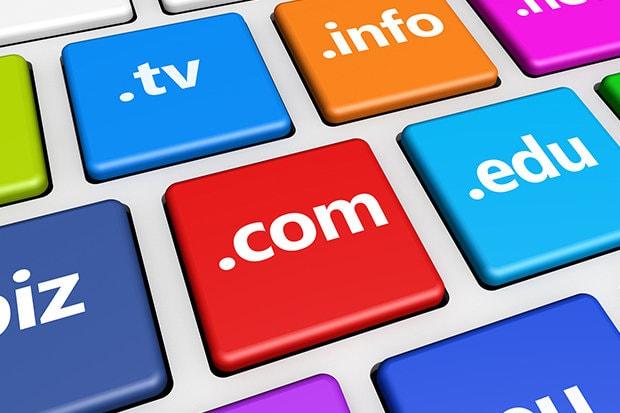
    Domain or domain name is the part of a network address which identifies it as belonging to a particular domain according to the dictionary. With a domain name, it is the name of your website address whereby internet users can type in a web browser to access your website over the internet. The basic idea of the domain name was to help find and identify computers over the internet.

    Is A Domain Name For Free?

    Getting a domain name for free isn’t as simple as ABCD or if possible, there’s no place like that to get a free domain like .com, .net or .org over the internet. You can only get a free domain name when purchasing a special hosting package and a domain name is added for free.

    Maybe you can check out on our next article coming soon on how to get a domain name for free. For example, Mfidie.com is a domain bought and used for the purpose of blogging on technology updates from a domain registrar.

    Who Are Domain Providers?

    In the era of domain and hosting, domain name providers are termed as domain name registrars. I guess someone might be wondering if there are best domain name providers on the internet. Yes, there are and we’re going to brief you on that with our next coming post on best web hosting companies in 2019.

    Domain name providers are companies that manage the reservation of Internet domain names. These companies must be accredited by a generic Top-Level Domain (gTLD) registry or a country code top-level domain (ccTLC) registry. With this, you pay any of these domain registrars to give you an available domain of your choice by purchasing with Debit or Credit Card, Paypal and any other payment gateway online.

    Why Are Domain Names For Sale?

    Domain names are for sale because Domain registrars enrol in ICANN to sell domain names and pays a price for them to sell the domain to customers like us since we cannot buy directly from ICANN. That is one of the reasons why we as customers, need domain registrars to register our domain name for us.

    What Causes Domain Names To Be Expensive?

    To brief about this, I may say, the average price of a domain name that is sold in the secondary market over the internet, thus buying a domain name from someone who is already owning is in the thousands of dollars.

    Imagine at a time when you look on someone’s face and they just tell you their domain name is worth much as ten of thousands, there might not be any challenge but there should value to make sure the domain is worth the weight of such amount. In knowing domain values, you can get the most accurate and comprehensive domain pricing estimate from domain name provider and one of such is the Godaddy Domain Appraisals.

    The world with this internet has encounter the most expensive domain name ever that was sold for $872 million with just four (4) characters as a domain name. Yes, believe it or not, Cars.com is that domain name and was perfectly sold for the value of $872 million. While other domain auctioneers might not like to report the sale of their domain publicly, top lists vary a lot. But as a whole, most people normally go into an agreement with most of the highest sales reported for the domain names. Below are some of these expensive domain names:

    Below are some listed expensive domain names over the web:

    • CarInsurance.com — $49.7 million
    • Insurance.com — $35.6 million
    • VacationRentals.com — $35 million
    • PrivateJet.com — $30.18 million
    • Internet.com — $18 million
    • 360.com — $17 million
    • Insure.com — $16 million
    • Fund.com — £9.99 million
    • Sex.com — $14 million*
    • Sex.com — $13 million

    How much Will Your Domain Name Worth?

    I hope now you have read and understood what makes domain name expensive, and you might be wondering how much yours is going to be. You can check out for this via NameBio by searching for a specific domain or keyword and filter it throughout.

    In summary, buying a domain name can be a confusing ever since selecting a domain name is not an easy task before getting an easy to remember the name to use for your domain and I only advise that you take your time in selecting the domain name for your brand.

  • 5 Best Google Chrome Extensions That Massively Increase Productivity

    5 Best Google Chrome Extensions That Massively Increase Productivity

    Google Chrome is one of the best browsers today and has always proven to be the most relevant browser among the rest.

    Chrome is own by the internet giant (Google) and for that matter, it has more advanced features which cannot be found in the other browsers. One feature of this browser is the web store. The chrome web store has over millions of extension you can install on your chrome browser.

    These extensions add some functionality to the browser which can help to increase productivity. The goal of this post is to list the five best chrome extensions one can use to increase productivity.

    Below are the five best extensions with the function they perform when installing on the browser.

    Google Docs and Google Voice

    A Google doc is a virtual word processor that you can use to type your entire project and virtually saved so you can access them anywhere anytime at any place. Just like the Microsoft word processor, Google docs have the same features with the normal Microsoft with even more advanced features which cannot be found in the normal word processor.

    When operating a virtual team, you can use Google docs to edit documents to come out with your final work without you being at the same place.

    What makes Google Docs my number one best chrome extension is the fact that I can easily type all my docs without having to touch the keyboard. The extension comes with the Google voice function that allows one to speak while the extension type.

    T hus, you only use your microphone and begin to speak then you get your work to be automatically typed. Isn’t that wonderful?

    If you can get your work type by the extension whiles you speak then this will help increase your production to a larger margin especially if you always write memos and letters in your daily business dealings. You can go and check the extension here for more details.

    Grammarly

    Grammar, punctuation and spellings are the first things people look for whenever they come in contact with a document.

    Most people take their time to go through your article or content looking for grammatical errors and other spelling mistakes.

    As a business owner, you always write proposals and these proposals are going to be read by top business partners and you will not want your proposal to be rejected because of your grammar or punctuations.

    The Grammarly Chrome extension is here to solve these entire problems for you. The extension is developed mainly for correcting grammar, spelling and suggested punctuations. When you install the extension, it auto checks all your document content to see whether there’re errors to be corrected.

    When it detects an error in your sentence, it gives you the suggested words and also suggests to the correct tenses and wording you should use. Grammarly is used by almost every internet marketer, blogger and every writer on the internet. Check the Grammarly extension here for more details.

    Loom

    Another great extension we can’t afford to miss mentioning is loom. As a video creator, I used this extension almost always. The loom extension helps Capture, narrate and instantly share videos to communicate faster, clearer and friendlier.

    With one click of a mouse, you can record and automatically share the URL to any of the platforms you want. A study shows that video increases information retention than text and because of that, most businesses today prefer to communicate to their customers or fellow workers using videos.

    This makes loom extension an efficient way to share information to everyone and we believe the extension can help increase your productivity. The extension is very flexible in use with Full Desktop Recording, Front Facing Camera, or Tab Only recordings.

    StayFocusd

    This extension helps you in time management by monitoring the amount of time one has spent on certain sites and gives you the option to block them. A popular platform like Facebook, Twitter, Instagram and Reddit are most of the sites that people spend much time on.

    With the StayFocused extension, you can set the time limit each employee is supposed to spend on these sites. You can choose to set a limit for the entire platform and once the time reaches employee will be blocked from accessing those sites.

    If you really want to increase productivity then is time to get serious about managing your time by using the StayFocusd Chrome extension.

    Google Calendar

    Google Calendar Chrome extension help displays a preview of your calendar in your chrome browser. The extension shows events from whatever calendars you are logged in within Chrome.

    It puts a small Calendar icon in the upper right of your browser window. You can set all your events and upcoming tasks for easy assessment. When you click on the icon you will see upcoming from Google Calendar, without ever leaving your page.

    Access any map locations or attached documents with just one click of a button. You can customize the calendar’s appearance to suit your likings. When you install this extension, you at least less assure you won’t miss any important meeting or event from your calendar.

    Wrapping up

    Chrome extensions are what make the chrome browser the best and most powerful browser in the world. Today many prefer to use chrome browser because it helps in handling many of their business activities since it comes with advanced features that cannot be found in the other browser.

    Like any other technologies, chrome browser has its shortcomings too. When you over install the extensions, they turn to slow down the browser which sometimes makes it annoying and time-consuming.

  • 5 Things To Look Out For When Buying A New Tv in Ghana

    5 Things To Look Out For When Buying A New Tv in Ghana

    Buying a new TV set can be confusing and time-wasting especially if you are someone who doesn’t know much about electronic gadgets. With the invention of smart TV and the introductions of the new TV brands in the system, a lot of people find it difficult to make the best choice when buying a new TV set.

    As an electronic device lover and a writer on this topic, a lot of our readership always wants to know what they should look for when buying new TV sets.

    Because of the rise in the demand for this topic, we then decide to write this article to educate our readers and everyone who is looking to buy a new TV set the 5 things they should always look for when buying a new TV set.

    In this post, we will be discussing the five features to look for when buying a new TV set. So without much, I do, let’s go straight and look at these five things.

    Screen Resolution

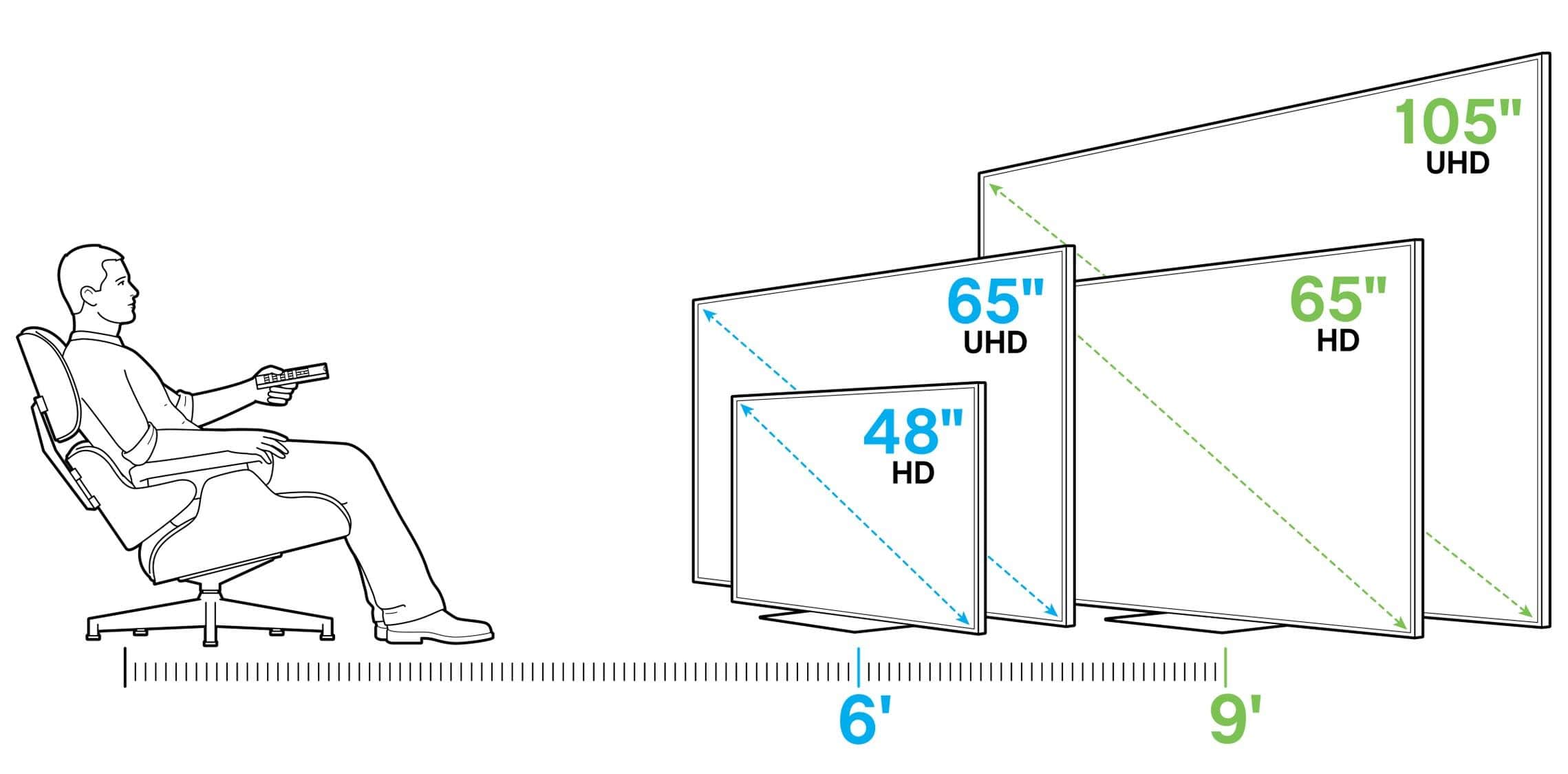
    The screen resolution of a TV set matters most these days especially if you are looking for better-looking pictures. Today a lot the TV sets are moving from HDTVs to Ultra HD sets also called 4K. TV’s with 4K models screen has four times the number of pixels the HDTV screens. The main advantage of 4K TVs is that small objects on the screen have more detail, including sharper text and images.

    When buying a new tv set one should try not to buy smart tv with less than 4K models screen. But this will also depend on the buyer’s budget. Of course, you should not expect the 4K ultra price to be the same as HDTVs price. More pixels transform into sharper pictures and better details, so higher resolution is (almost always) better.

    Refresh Rate

    The rate per seconds at which a TV set picture refreshed on the screen is what is term as refresh rate. This is measured in Hertz (Hz). The standard refresh rate is 60 times per second or 60 Hz. A low refresh rate can make things look blurry.

    To create a more solid picture, manufacturers doubled the refresh rate to 120 Hz (and in some cases up to 240 Hz). Tv sets with a higher refresh rate should e considered when buying a new set.

    HDMI and Connections

    Another feature that we can talk of is the HDMI and Connections a TV set has. If you wish to connect speakers, decoder and a game console then you should pay attention to the number of HDMI inputs a smart TV set has.

    Some smart TVs have a few HDMI inputs which make it difficult to connect more gadgets to the TV at a go. Also, make sure the set’s ports support HDMI 2.0 in other to accommodate future Ultra HD sources. Choose a television with at least 4 HDMI ports available.

    HDR

    HDR, which stands for High Dynamic Range is a new feature found in most 4K Ultra HD TV sets. It adds extra colours, contrast levels and increased brightness in the new set. Today it is advisable to buy an HDR TV set if available as that format seems to be gaining popularity.

    With a growing number of HDR shows, quite a number of new movies in the new 4K Blu-ray disc format are available via streaming services, like Amazon Prime and Netflix.

    Contrast Ratio

    Contrast ratio has to do with the range of brightness levels a set can display. TVs set with better contrast ratios display more hues and shadows when buying a new tv set, it is advisable to test this feature and see how a TV displays shadow detail using a dark scenes movie and seeing how well it reveals movie detail in the shadows.

    Also make sure to measure the TV’s brightness, sharpness and other picture settings before making a final decision to purchase the TV set.

    Conclusion

    Arriving at a decision to buy a new TV set is not all that easy but when you consider the above-listed features you can save yourself the confusion and the headache that most people go through before making a decision which sometimes still turned out to be a wrong one.

  • 3 Best Photo Editing Apps You Can Use For Free

    3 Best Photo Editing Apps You Can Use For Free

    With the advancement of the smartphone and the improvement in the camera quality, a lot of people have now come to love editing on their smartphone device than even editing photos on their pc. Social media influencers most especially Snapchat and Instagram influencers and celebrities use their smartphone for editing their photos before posting them on those platforms. Smartphones today can do virtually all what a pc or mac can do. But what makes people still love using pc and mac mostly is the ability to view their work on a wider screen. When it comes to editing apps, both pc and smartphones have the same apps that perform the same functions to its users. When a user searches for the best photo editing apps on the Play store or Appstore, millions of apps will show in from the search. Both paid and free versions of these apps will be displayed for you. But as a user which one to choose will become a problem especially now that almost all the apps have similar functions and features. If you clicked on this post and you are still reading up to this stage, it is a fact that you are looking for the best free apps that you can use for editing photos on your smartphone. If that’s the case then we are going to discuss these apps here in this post. So without wasting much time, let’s see some of these apps.

    Snapseed

    Snapseed by far is my number one best free photo editing app for smartphones. The app has awesome features and functions that anyone who is looking to edit photos using their smartphone will love. Packed with a range wide of tools such as crop, rotate, heal and vignette and including some features of such curves, DNG support, precision masking, perspective. The app makes professional looking edited pictures. What I like about this app are the double exposure, frames, text and grunge overlays. Adjust exposure and colour automatically or manually with fine, precise control. You can Position picture up to 8 points on the image and assign enhancements then the algorithm magically does the rest. This app is a must-have app if you really want a quality editor for your snaps.

    Adobe Photoshop Express

    Another great app that we can’t list best editing apps for android and ios is Adobe Photoshop Express. It has all the basic editing tools that one can expect in any professional photo editor. The ability to rotate, crop, red-eye correction and brightness adjustment is what makes this app stands tall among the other apps.  It has in it an excellent selection of smart filters designed to correct some issues with pictures, taken on with some camera. You can correct a picture colour temperature, fogging and exposure problems. A user of this app can also select from a wide variety of borders and artistic effects and can be adjusted using simple sliders. The app has a great option that allows you to make collage pictures to share memories on social media. Check the app on play store and see it for yourself.

    Canva

    Canva is one of the powerful online editing software that everyone including pro editors uses for editing their graphics online. It has premade templates that you can use and make some changes to suit your content. Most YouTubers including me used Canva to editor their thumbnails and this has made the software more popular in recent times. Canva used to be available only on the pc and mac and can be used online. But with the advancement in the smartphone and the higher demand of photo editing apps, the team Canva has also brought out their mobile version and this version is also one of the best you can think off. When I came across this mobile version of the app, I was so happy because it gives me the chance to edit all my graphics on my smartphone which does not require me being on the pc before doing so. It has all the great filters and effects that will really make your images shine. It has tons of templates to choose from and personalize with your own pictures and text. Even though some of the templates and sections are exclusively made for the paid version of this app, there are cools tools, graphics, templates and effects available free. Check the Canva app from this section and see the full details for yourself.
    Photo editing can be tedious work but with the invention of these apps, you can easily edit any photo like a professional and get the best outcome from your photos. If you are in need of best free apps for editing photos on smartphones then we hope these apps will be the best choice for you. Go ahead and give them a try. Believe me, you will enjoy them.
  • 3 Resources That You Can Use to Help You Find a Great WordPress Host

    3 Resources That You Can Use to Help You Find a Great WordPress Host

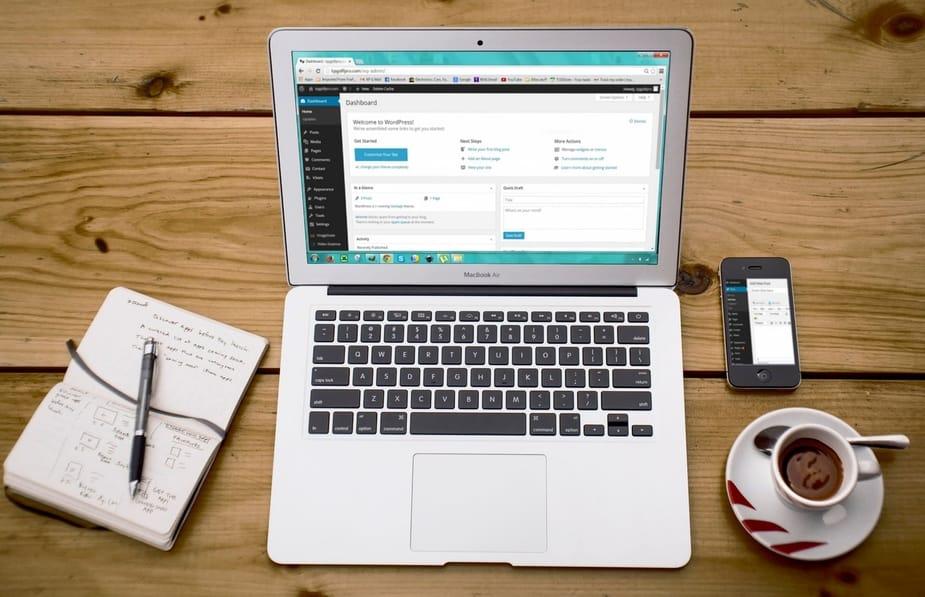
    Settling for the best WordPress host can be a demanding task, especially if you’re new to the world of WordPress, or you are starting a new blog and hence unfamiliar with the terminology and features.

    Thankfully, by conducting some research, you can be in a position to acquire the services of WP hosting best suited for you. WordPress has immense benefits since it frees you up and allows you the luxury of focusing on only the important aspects, leaving the technicalities entirely to a qualified professional.

    This gives you a great improvement in productivity as you don’t have to worry about downtimes, hackers, server issues, and any other malfunctions. For this reason, herein are three resources that you can utilize to find a great WP host:

    1. A thorough checklist

    When hunting for a WP host, use the same approach as when you go shopping for your household needs. Create a checklist that clearly outlines your needs.

    What speeds do you need? How vulnerable to hacking attempts would you wish for your website to be? Does the nature of your website demand high reliability, or can you manage with a few hours of downtime?

    Evaluating your needs before purchasing your WP host will ensure you only pay for what you need, hence avoid overpaying. Select the WP host using the checklist as your guide. Settle for the host that will cater for your needs best, so that you get the most out of your hard-earned dimes.

    2. Reviews

    Anyone starting up a website is most probably already familiar with the concept of reviews and their benefits. The better your performance in reviews, the more likely your website will get more visits.

    Use this powerful nature of reviews when seeking a WP host. Verify the content presented to you by different WP hosts by counterchecking with reviews other customers have made about them. Feel free to consult reviews made by review companies as well in order to get a more professional evaluation of the WP host you are considering.

    Reviews, such as this WP hosting review list, will ensure that the success stories of WP hosts do not leave you blindsided. Evidently, reviews are very important resources which you can’t fail to utilize as you seek a WordPress host to best suit your needs.

    3. Money

    This seems like an obvious resource, given that you will purchase the services of a WordPress host anyway.

    Nevertheless, most people go about their utilization of this resource the wrong way. Your finances should be considered last, after being convinced that the WP host is best suited to cater to the needs you have drafted in your checklist.

    That being said, you will need enough money to ascertain that you do not make any compromises on your needs and instead get what’s right for you. It is advisable to consider finances last. This helps you to focus entirely on your needs, getting the best out of your hunt for a WP host.

  • 3 Performance Keys to consider before buying a laptop (new or used) in Ghana

    3 Performance Keys to consider before buying a laptop (new or used) in Ghana

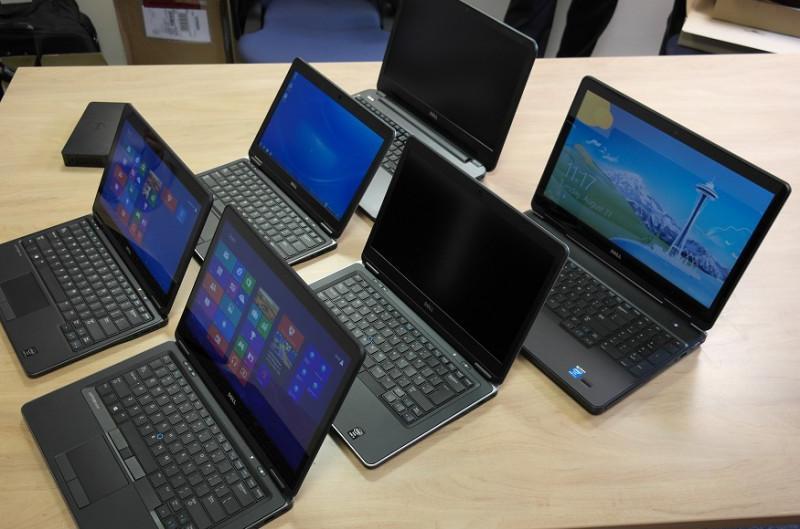
    At one point or the other, there will be the need to use a laptop, and like any other asset, the decision as to which one to get is not an easy one.

    Most often than not, when someone asks me which laptop is best them, I always do not know which answer to give them.

    There are too many different types of laptops, and different price categories to suit them. However, we do give people a checklist that they should consider before splurging on a new device.

    The truth is that there are too many different types of laptops (MacBooks are excluded in this discussion), coupled with different price categories to suit them.

    However, we do give people a checklist that they should consider before splurging on a new device. If you intend to buy from Tonaton or OLX, read this guide on how to remain safe in the process.

    However, I am of the view that your choice of a laptop should largely depend on your immediate and future needs.

    When you clearly know what your needs are (what you will be using the laptop for), you just have to check them against available choices and see which one works best for you.

    Let’s look at the 3 Key Performance Indices I always consider before buying a laptop for myself or someone else

    Performance is key! The RAM, CPU and Battery Power of your laptop will make you love or hate it.

    RAM

    You need at least 4GB of RAM or more to get the best out of your laptop. A lot of RAM means that your PC can run more applications without facing problems. For designers and photo editors and all other “heavy users”, at least 8 Gig of RAM is recommended.

    CPU

    CPUs are probably the first thing I would look out for. The least you should opt for, no matter what your needs are is a Core i3. There are Core i5, and Core i7 CPUs too. The higher the CPU, the better the performance when it comes to multitasking and multimedia tasks and processing your stuff.

    Battery Life

    Finally is the battery life of the laptop. A normal Laptop, under normal usage and 50% brightness level should be able to last for at least 3 hours. A low battery life is a compromise when dealing with a used laptop (I don’t believe in slightly used). Remember, a laptop is supposed to be portable. Without a good battery, you might as well refer to it as a lightweight desktop.

    Recommendations for buying a laptop in Ghana

    I make these recommendations based on needs. Let’s take four categories of people: a University Student, an Accountant, a Designer and a Gamer

    A University Student

    For a student at the University, who would be dealing with assignments, there is not the need for a much “monster” laptop. A Core-i3 processor laptop with 4GB Ram would be perfect. Don’t be tricked into buying anything less than an i3.

    An Accountant

    Accountants and other regular workers normally run customised software. A Core i5 with 4GB or 6GB ram is best for optimal performance.

    A Designer

    Photo and Video Editors, Animators, need an i7 and 16 GB of Ram. It’s non-negotiable!

  • 3 Free Mobile Apps for Job-seekers in Ghana

    3 Free Mobile Apps for Job-seekers in Ghana

    Since 2014, there have been more mobile users than desktop users in the internet space. The increasing number of smartphone users in the global market has led to a tremendous increase in the number of apps that consumers use on their phones.

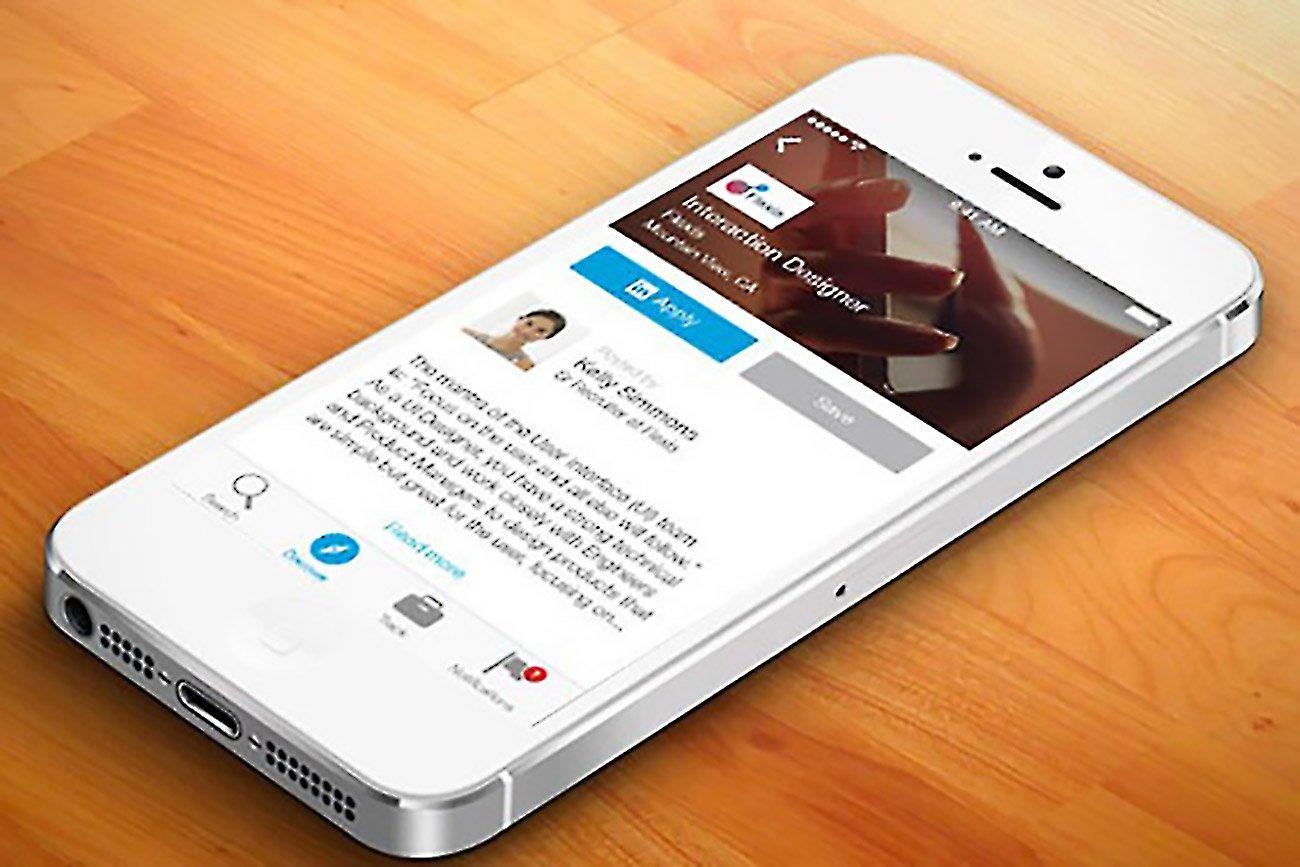
    Mobile Applications are now a part of our daily lives and it makes sense to use them for something as important as seeking for a job. In this post, I look at 3 Mobile Apps (Android and iOS) for Job Seekers in Ghana.

    3 Free Mobile Apps for Job Seekers in Ghana

    Glassdoor

    Glassdoor is my favourite off the list, no wonder it comes at number one. The first time I heard about Glassdoor was on KNUST campus in 2014. I installed the app (even though I was not seeking a job at the time) and realised it is one of the best online job search apps.
    Over time, Glassdoor has transformed from a simple fast and easy-to-use job search app. You can actually see the salaries that employing. companies pay currently, as well as reviews from other job seekers.

    The most recent version of Glassdoor also provides a “Know Your Worth” tool to reveal how your market value has trended over time, how your market value compares to typical workers in the same field, and also plot your current base pay. What’s more? You can follow companies to be notified about when they post new job offers.
    Download Glassdoor: Android or iOS

    LinkedIn Job Search

    We all have heard of LinkedIn, the professional social media site. Over the years, LinkedIn has been looking to more than just “network” professionals. LinkedIn has among other things become a hub for recruiters to directly post job offers. What’s nice about LinkedIn is that your profile most often than not is used as your CV for the application. LinkedIn has therefore expanded this capability of the platform.
    The LinkedIn Job Search App allows you to quickly find career opportunities wherever you want with location-based search. You also get automatic recommendations and notifications based on your job searches.

    With the app, you can apply to jobs at companies with your LinkedIn profile in just a few taps as well as save jobs you are interested in and resume searching on your schedule.
    Download LinkedIn Job Search: Android or iOS

    Tonaton and OLX Ghana Apps

    Relax! Tonaton and OLX Ghana are both classifieds websites within Ghana (obviously the biggest two). Among these classifieds, they have a plethora of jobs. It’s therefore fair to mention them at number 3. Before applying for jobs on any of these online classifieds, beware of scammers especially applications that usually ask for a down payment. Read our guide on how to stay safe on online classified sites.

    Download Tonaton: Android or iOS
    Download OLX Ghana: Android or iOS

    Do you know of any great job searching app for either iOS or Android that was not mentioned? Would you rely on an app to search for employment? Share with us below.