Category: Lists

  • List of all android versions and their names

    List of all android versions and their names

    Android is one of the most popular mobile operating systems around the world, and it’s been around for a while. With new versions of the operating system being released almost 7every year, it can be hard to keep track of all the different Android versions and their names. In this article, we will provide a comprehensive list of all the Android versions and their associated names, from the earliest version to the latest.

    What is android

    Android is an operating system developed by Google for mobile devices such as smartphones and tablets. It is based on the Linux kernel and its first version, Android 1.0, was released in 2008. Since then, Google has released numerous updates to the Android operating system, each with a different code name. These code names are used to identify the version of Android that is running on the device.

    List of all android versions and their names

    Android 1.0 – Petit Four

    Android 1.0, also known as Petit Four, was the first commercial version of the Android mobile operating system, released on September 23, 2008. This version of Android included a full-featured web browser, support for third-party applications, and Google Maps.

    At the time of its launch, Android 1.0 had the most advanced feature set of any smartphone OS, including the ability to upload photos to online services and access calendar events from multiple sources. Additionally, it featured an improved user interface, with on-screen keyboards and an icon-based home screen for organizing applications.

    Android 1.1 – Banoffee Pie

    Android 1.1, also known as Banoffee Pie, was the first major update to the original Android operating system. It was released in February 2009, and it included a number of improvements over the initial version. The main changes in Android 1.1 were a few bug fixes and minor feature enhancements, including the addition of an onscreen keyboard, improved camera support, and support for third-party applications.

    Additionally, the update introduced several new applications, such as an enhanced music player, a photo viewer, and a web browser.
    However, the most important improvement was that Android 1.1 allowed for the installation of third-party applications from outside sources. This opened up the platform to a much larger range of developers and made it much easier for users to customize their phones with useful applications.

    Android 1.5 – Cupcake

    Android 1.5, Cupcake, was an upgrade to the first update of the Operating System. This version of Android was released in April 2009 and brought a variety of new features, including on-screen keyboards, home screen folders, third-party application support, improved Bluetooth support, and voice search.

    The user interface of Android 1.5 was much more polished than earlier versions, making it easier to use. Additionally, new widgets were introduced, giving users the ability to customize their home screens. Other improvements included the ability to upload photos and videos to Picasa and YouTube directly from the phone.

    Android 1.6 – Donut

    Android 1.6, also known as Donut, was a major update to the Android operating system released in 2009. It included several new features and improved performance for users. The most notable new feature was the addition of support for CDMA networks, allowing phones to use multiple carriers at once.

    Other changes included the ability to access text-to-speech engines from the settings menu, an updated Google Maps experience with better search capabilities, and a new battery usage indicator. Donut also introduced quick search box, allowing users to quickly find contacts, applications, and bookmarks on their device.

    Android 2.0 – Eclair

    Android 2.0, code named Eclair, was a significant update to the Android platform, introducing many new features and improvements. The most notable changes included improved browser performance, improved responsiveness and speed of user interface elements, support for larger screen sizes and resolutions, and the addition of the Bluetooth 2.1 specification. Released on October 26, 2009.

    Additionally, Android 2.0 saw a major upgrade to the Android Market, which enabled automatic downloads of updates for installed applications, along with access to an expanding selection of free and paid applications.

    Android 2.2 – Froyo

    Android 2.2, code named Froyo, was released in May 2010. This version of Android was notable for its speed and performance improvements, including the introduction of the Just-in-Time (JIT) compiler which allowed apps to run up to five times faster than with earlier versions. It also introduced native support for Adobe Flash, allowing users to play Flash content directly on their device.

    Other features included an improved keyboard and text selection, support for Wi-Fi Direct, improved Bluetooth support, full HTML5 support, and many other new features. Froyo was the first version of Android to allow users to install apps on their SD cards, giving them more control over where their data was stored. Froyo also brought a number of security improvements, including better protection against malicious software.

    Android 2.3 – Gingerbread

    Android 2.3, code named Gingerbread, was released in December 2010 and was the second major version of the Android OS. Gingerbread brought a number of significant changes to the Android platform, including a redesigned user interface, improved text input, better gaming support, support for near field communication (NFC) technology, and improved power management.

    It also added a range of new features, such as support for extra-large screen sizes and resolutions, gyroscope and barometer sensors, multi-core processors, and improved speech recognition.

    Android 3.0 – Honeycomb

    Android 3.0 Honeycomb was the first version of Android designed specifically for tablets. It was released in February 2011 and brought several new features to the operating system, including a redesigned UI optimized for larger screens, an improved virtual keyboard, and the ability to run apps on multiple cores.

    The main feature of Android Honeycomb was the new interface, which featured a customizable app launcher, a holographic visual design, and an improved notifications system. The user could now interact with the OS using gestures, such as tapping and swiping.

    For developers, Honeycomb brought a number of improvements including a new NDK (Native Development Kit) for developing apps for multiple platforms, support for more device types, and better security.

    Android 4.0 – Ice Cream Sandwich

    Android 4.0, also known as Ice Cream Sandwich, was a major update to the Android platform. It was released in October of 2011 and brought with it a host of new features and improvements.

    Android 4.0 introduced several user interface changes including a refined look and feel, an improved home screen experience, new widgets and more powerful multitasking. The overall visual style of the system was given an overhaul, with a much more modern look.

    The lock screen was also enhanced, allowing users to quickly access their favorite apps and quickly launch the camera. In addition, a new font was added that made reading text on the device easier on the eyes.

    Android 4.1 – Jelly Bean

    Android 4.1, also known as Jelly Bean, was released in July 2012 and is one of the most popular versions of the Android operating system. It introduced several new features, including Project Butter, which improved the user experience by making animations smoother, expandable notifications, Google Now, and improved voice search.

    Jelly Bean also brought a host of bug fixes and stability improvements. Project Butter introduced triple buffering, which eliminated stuttering and lag when transitioning between screens. It also incorporated vsync to reduce screen tearing, and made the user interface more responsive.

    Android 4.4 – KitKat

    One of the most notable new features of Android 4.4 KitKat was the introduction of the OK Google voice search function. This allowed users to speak commands directly into their device in order to launch apps, search the web, or perform other actions. Released on September 3, 2013.

    In terms of performance improvements, Android 4.4 KitKat included several tweaks that made the operating system faster and smoother than ever before. The new Project Svelte initiative aimed to reduce memory usage, making it possible to run apps on devices with as little as 512MB of RAM.

    Android 5.0 – Lollipop

    Android 5.0 Lollipop was a major release of the Android operating system. It was first unveiled in June 2014, with an official release in November 2014. Android 5.0 Lollipop brought with it many new features and enhancements over its predecessor, Android 4.4 KitKat.

    Lollipop introduced several new features such as better control over app permissions, native support for multiple users on one device, and a redesigned Recent Apps menu.
    The new Material Design look and feel was also implemented across Google’s other products and services, such as Chrome OS and Google Now. This gave Android users a more consistent experience when using different Google services across devices.

    The last version of Lollipop, 5.1.1, was released in April 2015. In total, there were five versions of Lollipop (5.0, 5.0.1, 5.0.2, 5.1, and 5.1.1).

    Android 6.0 – Marshmallow

    Android 6.0 Marshmallow was released in October 2015 and marked the sixth major version of the Android operating system. Marshmallow included a variety of new features that focused on improving the overall user experience.

    This included Doze which helps to improve battery life by putting the device into a low-power state when not in use, as well as Now on Tap which provides contextual information based on what is on screen. It also introduced official support for fingerprint scanners and USB Type-C.

    Android 7.0 – Nougat

    Android 7.0 Nougat was the seventh major version of the Android operating system. It was first released as a developer preview in March 2016 and officially released in August 2016.

    Nougat introduced several new features, such as split-screen multitasking, improved notifications, enhanced Doze power management, and more. Additionally, it included support for Vulkan, a new 3D rendering API that would allow apps to better utilize modern graphics hardware.

    Android 8.0 – Oreo

    The main focus of Oreo is on improving battery life, allowing devices to last longer while still providing the same level of performance. In addition to this, Oreo also includes improved power management capabilities, helping to keep device temperatures low and reduce overall energy consumption. It was released on July 24, 2017.

    In terms of security, Oreo has added a number of measures designed to protect users from malicious apps and threats. Google Play Protect is a new feature that scans for potentially dangerous apps and removes them from your device, keeping you safe from malicious software.

    Android 9.0 – Pie

    Android 9.0 Pie is the latest version of Google’s mobile operating system. It was released on August 6, 2018 and has a number of new features, including adaptive battery and display, gesture navigation, improved security, better accessibility tools, and more.

    The most important feature of Android 9.0 Pie is its ability to learn from the user’s habits and preferences. Through machine learning, the operating system can adjust the settings according to the user’s usage patterns, such as making suggestions on how to extend battery life.

    Android 10

    Released on September 3, 2019. With its 10th version, Android stopped the trend of naming its OS after dessert items. Simply named Android 10. The OS offered improved touch gestures, a floating setting panel, and support for biometric authentication.

    Android 11

    Android 11 came with big privacy updates, which allowed users to grant permissions related to camera, microphone, and location to apps. It was released on September 8, 2020. You choose to grant access to apps only while they are in use, only once, or outright deny it. Android 11 also made it hard for apps to request location data while working in the background. Permissions were automatically removed from dormant apps.

    Android 12

    Released on October 4, 2021, Android 12 is the latest Android iteration and will be replaced by Android 13 later this year. Integrating ‘Material You’ into its UI, the Android 12 reimagined how the OS looks on the surface. With Material You, users can set the colour theme for their phone and design it according to their taste.

    Android 13

    Android 13 is the thirteenth major release of the Android mobile operating system, developed by Google, released for the public on August 15, 2022. Android 13 helps ensure your devices feel unique to you on your terms.

    It comes jam-packed with new capabilities for your phone and tablet, like extending app color theming to even more apps, language settings that can be set on an app level, improved privacy controls and even the ability to copy text and media from one Android device and paste it to another with just a click.

    Android 14

    Android 14 will be the fourteen major versions of the Android operating system. It will arrive as the successor to Android 13. Android 14 will be called Upside Down Cake. According to XDA Developers, the dessert name of Android 14 has been spotted in the Android Gerrit, and the new version is code-named Upside Down Cake.

    Conclusion

    Android is one of the most popular mobile operating systems in the world. It is a constantly evolving platform, with new versions and features being released regularly. In this post, we have compiled a list of all the Android versions and their names. This list provides a helpful overview of the different versions and helps you understand the evolution of the Android platform over the years.

  • Top 10 Live Music YouTube Channesl to follow

    Top 10 Live Music YouTube Channesl to follow

    For musicians from across the world who have filmed live sets or performances, we’ve gathered a few intriguing YouTube accounts to check out. It’s the ideal approach to discover a fresh side to songs you already know almost too well and experience that warm, unadulterated sensation that you won’t get from recorded studio versions.

    Top 10 Live Music YouTube Channesl to follow

    COLORS

    Berlin-based COLORS can point you in the direction of your next artistic interest if you’re seeking for new artists to follow. They include setups with plain backdrops and bring in new, deserving artists. You may see performances by well-known musicians like Billie Eilish, Tom Misch, HONNE, Daniel Caesar, and others on their channel. As an alternative, you may allow the algorithm guide you and help you find emerging musicians in their roster.

    Choir! Choir! Choir!

    Choir! Choir! Choir! is the station to tune into if you’re feeling sing-along-y, which is always. We realize that this one is a bit unusual, but we hope you’ll pardon us for it anyway: From your seat, you may join hundreds of others in unison singing for the ultimate karaoke experience.

    When Daveed Goldman and Nobu Adilman host their “drop-in” singing sessions in Toronto, Canada, anyone is welcome to drop by, learn a song, sing it, record it, and generally have a good time. They have arrangements for some of the finest karaoke songs, like Cher’s “Believe,” Toto’s “Africa,” and a 2000-person throng singing ABBA’s “Dancing Queen.” It is certain to make you joyful.

    KEXP

    On a regular basis, this radio station with a U.S. broadcasting license posts sets from its broadcasts on YouTube. Check out live performances by well-known musicians like London Grammar, Arctic Monkeys, Macklemore, Of Monsters and Men, and Of Monsters and Men, whether they’re just one song or a whole set. Alternative groups including Portugal, Alt-J, Mac DeMarco, Alabama Shakes, and others all perform as part of the diverse lineup. The Man Additionally, they possess unique treasures like Huun-Huur-Tu, the throat singers of Mongolia.

    Studios Paste

    Yet another treasure mine of live performances by musicians from around the globe is Paste Magazine. Your favorite performers may be seen at the comfortable, carpeted studio of Paste in New York, where they frequently perform while barefoot.

    They have hosted emerging musicians like Aurora and Boy Pablo as well as bands from your youth like Dashboard Confessional, Switchfoot, Wheatus, and even a live tune from The Bacon Brothers, which features Kevin Bacon (because if he can dance, he must be able to sing, right?).

    Triple J Like a Version

    Triple J, an Australian radio station, frequently posts new videos of musicians performing original songs to their YouTube page; nevertheless, we’re focusing on their playlists of covers because we can.

    The stripped-down rendition of Tamia’s “So Into You” by Childish Gambino, which will undoubtedly become your anthem at some time, is not to be missed. And none of the other incredible arrangements performed by the musicians on this program substantially altered the character of a song that was already excellent.

    To get you started, we suggest DMA’s heartfelt rendition of Cher’s “Believe,” Holy Holy’s hip cover of Beyoncé’s “Hold Up,” and Chet Faker’s choir-take on Sonia Dada’s “(Lover) You Don’t Treat Me No Good.”

    Sound of Sofar

    Thanks to Sofar Sounds, get work done while listening to some tender and charming acoustic music. This international group visits various locations and brings together performers for intimate settings. You can catch well-known performers like Hozier, Billie Eilish, and Ed Sheeran live in concert, but it can be even more fun to pick a place and check out undiscovered musicians instead! You can also check out the Manila set, which has performers like Bullet Dumas, She’s Only Sixteen, BP Valenzuela, and more.

    VEVO Live Lounge for BBC Radio 1

    The biggest musicians and celebrities perform on the radio channel of the BBC. At their Live Lounge series, you can catch performances from Demi Lovato, Dua Lipa, Khalid, Miley Cyrus, Ariana Grande, Paramore, Harry Styles, and more. Additionally, they frequently create interesting covers! At their studio, you may listen to some of the best sounds from today’s greatest musicians in a more raw and unprocessed form.

    Mahogany

    Check out Mahogany Sessions if you prefer the more relaxed and clean versions—the kind you can enjoy while drinking coffee and looking out into space.

    Since 2010, this London-based entertainment firm has been producing tasty renditions of well-known tunes. Live concerts by HONNE, Imogen Heap, Hozier, Bastille, and more artists are available.

    Their videos sometimes take place in unusual settings, such as big stadiums, gardens, or houses, which adds to the raw, genuine feeling of the music.

    Bus 107.5 Wish

    We were not going to forget to include our very own Wish Bus. You should check out this channel if you’re seeking for a new local musician to follow or live performances of your favorite artists.

    Take a trip down memory lane by attending performances by bands like Kjwan, Moonstar 88, Orange & Lemons, and more. Learn about the newest albums from the most popular musicians working today, including Ben&Ben, I Belong to the Zoo, and many others.

    A number of international artists, like Stephen Speaks, the singer-songwriter Lauv, and Dua Lipa, as well as hip cover versions like Al James’ rap rendition of Lola Amour’s “Pwede Ba?” are also readily available.

    Tiny Desk Concert for NPR Music

    Bob Boilen’s desk in his office at NPR’s All Things Considered in Washington, D.C., is arguably the spot in the world that has experienced the most musical activity.

    Since 2008, hundreds of performers have taken the stage in this pristine and small venue. Perhaps because of its somewhat carefree and raw vibe, it has gained quite a following.

    Since they’ve been around for a long, they take the top spot on this list thanks to their unrivaled YouTube library of incredible performances and unheard-of gems: From well-known contemporary artists like Harry Styles, Lizzo, Taylor Swift, and Aurora to timeless performers like The Cranberries, Sting, and Shaggy (yes, together! ).

    Conclusion

    Wanting to listen to some live music on YouTube, then the above channel names should be in your search priority as they will provide you nothing but the best.

  • List of Best E-reader for Manga

    List of Best E-reader for Manga

    Manga in English translation may be read in many different ways. Two common options include purchasing tankobon volumes from bookstores or online or reading manga on your phone or tablet using the Shonen Jump app.

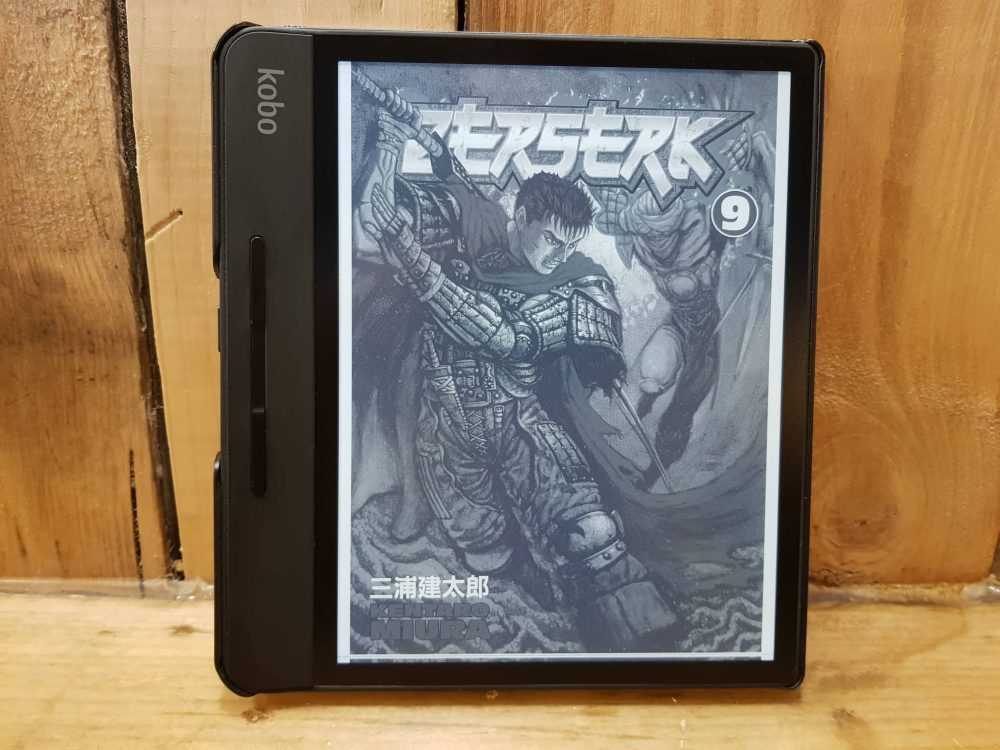
    Investing in and utilizing an eReader is a third option to read manga (a Kindle, Kobo, or Nook). It might take much longer than you might think to select the finest eReader for the manga, though (speaking from experience).

    The Kindle Oasis is the ideal e-reader for the manga, saving you time because it reads like a manga page and has the storage to carry the whole one-piece manga along with 30 additional fully finished comics. Additionally, it boasts a high PPI of 300, making it incredibly sharp.

    List of best e-reader for manga

    Oasis Kindle

    For any purpose, the Kindle Oasis is among the greatest e-readers. For reading books, comics, articles, and of course manga, it’s fantastic. It may be optimized for any usage, making it a great investment.

    You may switch the tone of the screen from chilly to warm thanks to its color-adjustable integrated light. This would make it easier on your eyes, particularly if you read for extended periods of time.

    The option to have the screen automatically update on its own is also available. After then, when it notices the dawn or sunset, it will change.

    You may read manga while traveling because it is completely waterproof. It’s possible that you worry about wetting physical tankobons while you read them. However, you may read the most recent chapters while lounging by the pool or on the beach with the Kindle Oasis.

    Manga files may now get large. This is particularly valid if you’re reading a lengthy series like One Piece. It’s important to know that the Kindle Oasis comes with memory options ranging from 8 GB to 32 GB. We advise getting 32 GB so you can read the manga. 

    It is around the size of a manga page because the screen is likewise around 7 inches. Reading becomes more convenient and realistic as a result. You can carry it anywhere you go because of how lightweight it is. Imagine having access to hundreds of manga volumes on a single computer.

    Kobo Forma

    The Kindle Oasis’ Kobo equivalent is the Kobo Forma. The brand’s top-tier e-reader is this one. Additionally, it offers a backlight tone adjustment feature, allowing you to read comfortably day or night.

    Nevertheless, it differs from the Kindle Oasis in a number of ways thanks to its features. Its 8-inch screen is only the beginning. As a result, your reading space is bigger than the Oasis’.

    Depending on your preference, this would be. Personally, I think that enjoying comics on a larger screen is more rewarding. However, because it is larger than the Oasis, it is a bit less portable.

    Because it is only 0.16 inches thin, it is also lighter than the Oasis. This could compensate for its larger bulk.

    It doesn’t necessarily feel more upscale though. Because of the soft-touch body, it is less rigid and opulent. Oasis features an aluminum body that is gunmetal gray in color. The Kobo Forma is more flexible and, maybe, more robust as a result of its plastic body. 

    HD Kobo Clara

    Thank the others and think about the Kobo Clara HD for less than half the cost. It is still good enough to read manga on despite having a 6-inch screen and 8 GB memory.

    As you read, you may also alter the backlight’s brightness. Therefore, even if you occasionally squint, it won’t strain your eyes too much.

    It can only be read in black and white, but unless you read colored manga, this shouldn’t be an issue. It is just as crisp as its more costly equivalents despite having a resolution of only 300 PPI. 

    Manga EPUB loading might be a challenge for the Kobo Clara HD. To assure compatibility, you can directly purchase manga from Kobo. However, be careful to submit your manga as CBZ files if you’re importing it onto the smartphone.

    Although it is simple, it serves its purpose. Because of this, it’s a fantastic option for readers on a budget!

    Kindle Paperwhite 5.

    On this list, is the quickest manga e-reader. Of course, Kindle also makes an inexpensive e-reader. For a long time, entry-level e-readers were measured against the Kindle Paperwhite. The most recent version, which was just produced in 2021, is the 11th generation.

    A brand-new E Ink Carta 1200 Display is used by the Kindle Paperwhite 5. This indicates that page flipping speed has increased by 20%, while total e-reader performance has increased by 50%.

    Its 6.8-inch display gives it a little bigger screen than the Kobo Clara HD. It’s near enough to a manga page, which is normally a little over 7 inches, to feel real when reading. 

    Additionally, the screen contains 17 white and amber LED lights. This creates the impression that you are reading by candlelight.

    The benefit of simply purchasing from Amazon on a tablet is convenience. This implies that you can buy digital manga from Amazon and quickly download a volume. However, as a basic e-reader, it only offers 8 GB of storage. Then, while you read, you must remove files and move them around.

    But you may also choose the recently introduced Amazon Paperwhite. It shares all of the characteristics of the Paperwhite 5. However, as an upgrade, it includes a 32 GB storage capacity and a sensor that can alter its lighting automatically.

    Portable Inkpad X

    Gaming add-ons provide you more versatility than other items on this list because they go beyond simply being readers thanks to their browser. Also, if the size of the screen bothers you, stop your search right here.

    This boasts the list’s largest screen. The most well-known e-reader on this list is the Pocketbook Inkpad X. Given that the screen is 10.3 inches, you can read manga in its entirety.

    If you like, you can even scale them up! To read the dialogue, there is no need to pinch and zoom.Its 227 PPI is a little lower than what the Kobo and Kindle e-readers provide. This results in a less sharp display. This can become clearer as you go along because the screen is bigger.

    The clever light technology is a plus. This recognizes your lighting conditions automatically and changes the screen tone as necessary.

    Additionally, it features a built-in note-taking tool that offers a selection of pens. You are free to use a stylus or not. This would be ideal for you if you’re the type of reader who needs to make note of quotes while thinking about what transpired. 

    But unlike Kobo and Kindle, Pocketbook lacks an integrated marketplace. This implies that everything must be sideloaded. On the plus side, unlike its rivals, it can load PDF files. This works best if you have a stock of manga that you have downloaded in PDF format.

    The potential of the Pocketbooks Inkpad X as an e-reader is unrelated to this upcoming capability. On its home screen, though, there are other games like Sudoku and Chess. If you take a short break from reading, that might be beneficial.

    If you wish to visit several websites, the browser feature is very beneficial. You can even visit forums to see what other manga readers have to say about the most recent chapter.

    Nova Onyx Boox Air

    With this tool, you may read and sketch manga. So, if you enjoy reading manga and are an inspirational manga creator, this reader is ideal for you.

    On this list, it has the highest screen resolution. An electronic reader called the Onyx Boox Nova Air utilizes Google Android 10. It now has full access to the Google Playstore, so to speak. You may buy many books and manga applications there.

    For instance, get the Shueisha manga app. You may immediately access your subscription from there. This facilitates for you an effortless reading experience.

    What we suggest (Time to Make a decision)

    Due to its sizable high-resolution screen and quick processing, the New Kindle Paperwhite is the recommended option if you’re seeking the finest Kindle tablet to read manga.

    The Kindle Oasis is the best option, though, if you want a gadget with a huge screen and page flip buttons.

    Conclusion

    The above are personal made research for you and have identified what I consider to be the top manga reader.

  • List of Best Filipino Movie Apps

    List of Best Filipino Movie Apps

    Even though there are a tons of foreign films you can watch online, there’s nothing like watching movies that Filipinos, have produced. Fortunately, there are tons of websites and streaming services that provide a huge selection of Filipino films.

    Many of the websites we will show you today have a lot of them, whether you’re interested in classic or contemporary titles, drama, comedy, or horror.

    A monthly membership is required for some of the websites and streaming services we’ll show you, which will also help the creators of your favorite movies profit from them. If you’re on a budget, don’t worry; we’ll also provide a few free options. Therefore, let’s get started.

    Best Filipino movie apps

    WeTV by iFlix (FREE)

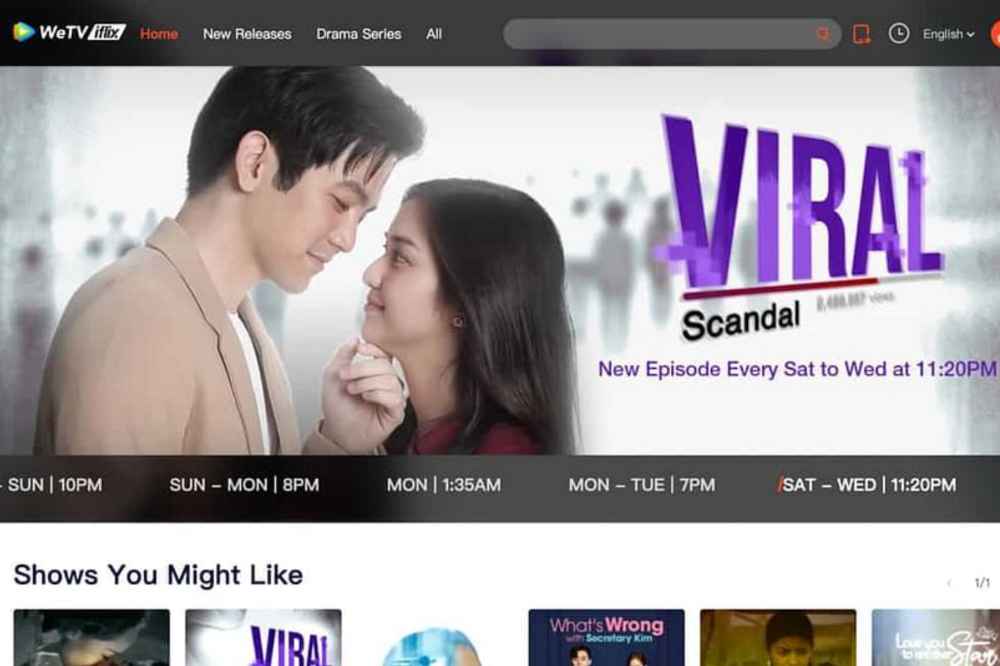
    There are both traditional and contemporary Filipino movies and TV series in the WeTV by iFlix collection. There are comedies like Ang Pangarap Kong Holdup, Miracle in Cell No. 7’s Filipino adaption, and films like Heneral Luna.

    There are other Filipino television programs like Ang Probinsyano and Viral Scandal, which regularly add new episodes. Additionally, the service has begun creating original material for the website.

    CignalPlay (FREE) with Cignal

    Play you can access a whole bunch of Filipino movies and TV shows. They also offer live streaming from channels like TV5, OneSports, PBA Rush, A2Z, IBC, DepED TV, and more.

    CignalPlay has a free tier that lets you watch free movies, live channels, and series. However, there is some content tagged as Premium, which you can only access by subscribing to Cignal Play.

    iWantTFC (FREE)

    Through the company’s own iWantTFC streaming service, many movies and TV series made by ABS-CBN and Star Cinema are still available.

    Several ABS-CBN channels that have gone off the air are also live-streamed through the service. The Kapamilya Channel, TeleRadyo, Myx, and others are available.

    Vivamax (Subscription)

    Vivamax has been actively making its own movies in addition to classic classics. The lack of a free tier is therefore not surprising.

    The starting price for a 7-day membership is $ 0.82 The top tier, which provides access to four accounts for a year, costs $ 8.38. There is also a monthly individual plan available for $ 2.55.

    Upstream (Pay-per-view)

    With the help of the Upstream service, you may watch movies, TV shows, and live events (such as boxing matches and concerts) by paying for each one separately.

    For $ 0.86 each, you may view any episode of the Mano Po series, for instance. The cost of newer Hollywood and Filipino movies may increase. For starters, the F9 chapter of the Fast Saga from 2021 costs $ 3.59.

    The movie Kun Maupay Man It Panahon, starring Charo Santos-Concio and Daniel Padilla, is also available for GHS V online.

    Netflix (Subscription)

    Here’s one that’s really popular. The largest streaming service in the world, Netflix, has added several Filipino films to its catalog over the past few years and has even started producing some of its own.

    It includes a few oldies like Four Sisters and a Wedding, brand-new movies like Love is Colorblind, and even Netflix-exclusive shows like My Amanda and Love the Way U Lie.

    Conclusion

    You can watch Pinoy movies on the following websites and streaming services. Do you know of any additional options? Let’s hear from them in the remarks section below.

  • List of Ghana Dating Sites With Phone Numbers

    List of Ghana Dating Sites With Phone Numbers

    As Ghana dating websites grow in popularity, more and more Ghanaian singles are able to find love online. While many Ghana dating sites offer singles the opportunity to make friends, chat, flirt and meet new people.

    If you’re single and looking for love in Ghana, there are lots of dating sites that can help you find your ideal match. Below, we will highlight on 5 top Ghana dating sites you can have a try on.

    Top Ghana Dating Sites With Phone Numbers

    • Meet24
    • Topface
    • Tinder
    • Waplog
    • Ghana Love

    Meet24

    If you are single and seeking the perfect girl, the man of your dreams, new friends or the love of your life, Meet24 is the perfect app for you. The app is free to register, fast and convenient. It automatically detect your location and gives you people nearby which makes it easy to get someone closer to you.

    You can easily chat anyone you want to chat on the app after getting interested in their profile. Most of them include their numbers in their profile description but even if the person did not, you can still chat him/her app and request.

    Topface

    If you’re looking for fun, friends or love in Ghana, try Topface today. With 100% free membership, chatting and flirting is just a click away. Topface comes with an app and a site so wherever makes you comfortable, you can register there and start finding your other half.

    Most profiles leaves their numbers on their descriptions but if not, you can still send them a direct message and request. Some cool features on topface include; Meeting new people nearby, private chat, sharing photos without worrying about your privacy, call anywhere in the world for free

    Tinder

    Tinder is regarded as an online hookup joint in Ghana as most ladies on tinder tend to be on the app for a direct cause. That shouldn’t raise an alarm for you because there are still beautiful and nice individuals who are on tinder looking for genuine love so giving yourself a shot, won’t be a bad idea.

    Users can scroll through profiles and anonymously like or pass on that person. If there’s a mutual interest, you’ll be able to chat one-on-one. If not, you’ll just keep scrolling and be looking for your interest.

    Waplog

    Similar to topface, waplog is also an interesting social network to meet new people if you’re seeking to build new friendships, relationships and to find love. It scans your location and gives you people nearby, making it easy to to chat and meet your soul mate as fast as possible.

    Ghana Love

    On Ghanalove, you meet thousands of like-minded singles and connect with them easily. You can post photos and also share your interests and dreams with everyone you come across on the website.

    NB: All the above listed has free version and a premium version. The free version has limits but its still worth using as the limit will still not limit you from finding your love. All you need is your username, email address, mobile number, password and you are set to find love, friends, or have fun.

  • List of Top Things You Can Do with YouTube Studio

    List of Top Things You Can Do with YouTube Studio

    YouTube has recently announced its new YouTube Studio, which makes it easier than ever to produce, publish and analyze videos on the platform.

    In this list of top things you can do with YouTube studio, we’ll explore its incredible potential for people who want to find new ways to reach their target audience and make their videos go viral.

    What is Youtube Studio?

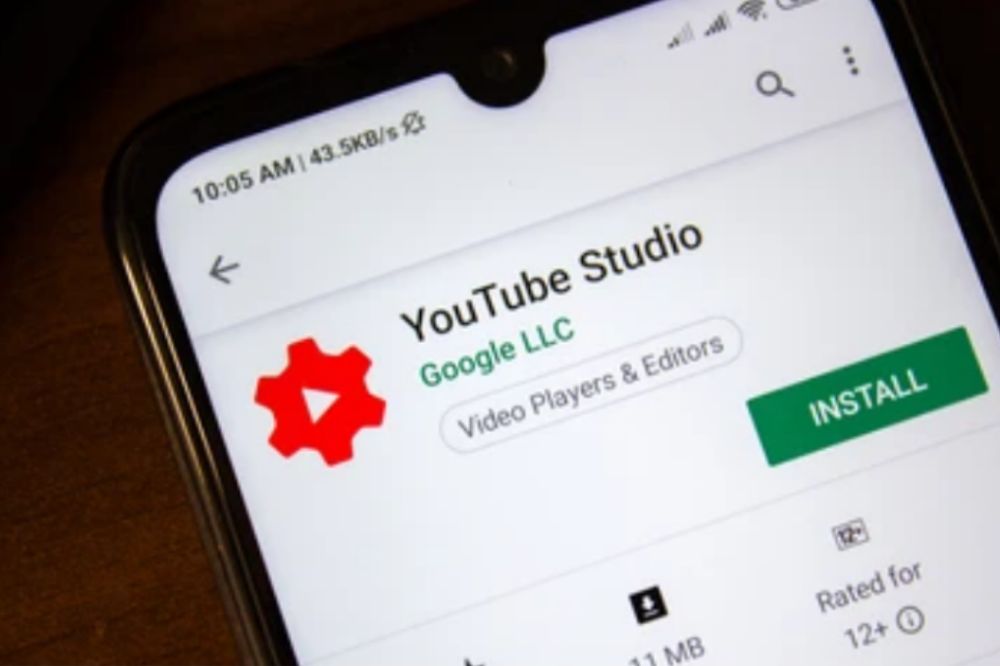
    YouTube Studio is a suite of editing tools in your Youtube app that allows users to create different types or effects on their videos. YouTube Studio features a simple editing interface with tools for trimming, adding titles and captions, and overlaying graphics.

    How important is YouTube studio

    YouTube has a broad reach and serves as a platform for many creatives to display their work, ideas, or content. YouTube has become the go-to destination for viewing all types of content on the internet, with 72 hours worth of video uploaded to the site every minute.

    How to access YouTube studio on your channel

    1. Click on the Creator Studio button in your YouTube navigation panel.
    2. The next page that opens will look like this:
    3. Once there, go to the upper right hand corner and click on the Switch to studio mode button.

    Things you can to with YouTube studio

    There are alot of things that can be done with the YouTube studio. Those familiar with its usage may have known more but those who are yet to involve must know a few.

    1. Video Editing and Enhancement

    There are so many ways to get creative on YouTube. The use of video editing and effects can greatly enhance your video production. In the past, this would require a lot of expensive equipment that only professionals could afford, but thanks to advances in technology anyone with a computer and a free online editing software such as Youtube Studio Pro is able to edit their own videos in order to make them more visually appealing.

    2. Schedule videos

    YouTube studio will save you the stress of having to pos studio one after the other at different plan times. You can just schedule all videos and their allocated time of release the the studio will do the rest.

    3. Drafting videos

    Youtube studio can be used to draft videos so when it’s ready to be published, you don’t need to upload them again.

    4. Uploading Video

    Unlike the initial times when you have to upload videos directly from the app or website, YouTube studio canso do same. It can be used to upload videos when ready for publishing.

    5. Viewing analytics

    Youtube studio has it all for you to follow hpw well your video is doing by showing you all the necessary analytics of your published videos on its dashboard.

    6. Creating playlist

    You can create playlist of your favourite uploads with YouTube studio which can help you keep memories and also help you to easily retrieve old videos that has gone down to the pecking order.

    7. Adding Annotations to a Video

    YouTube studio allows creators to add annotations and information to the video. There are two options: soundless or with a narration track. YouTube Studio offers tools to edit clips from your video, which helps reduce the need for post-production editing on programs like Adobe Premier. It also gives access to different formats for videos, including 360-degree videos and VR videos for viewers who want to explore more of what is happening in a scene.

    Conclusion

    YouTube has made being an entertainer more accessible than ever before. All it takes is a webcam and editing software to make your own videos. With the right tools, you can be up and running in less than five minutes! These are the best ways to use YouTube Studio to start your online entertainment career.

  • List of MTN Offices in Ghana

    List of MTN Offices in Ghana

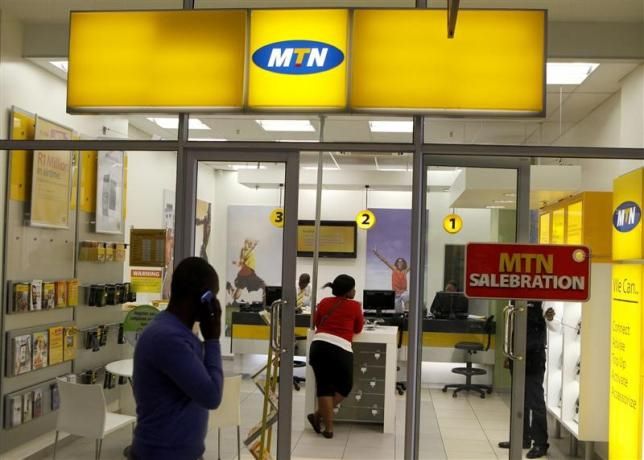
    MTN in Ghana has several branches and offices that serve different roles and different geographical locations.

    The following list of MTN offices in Ghana will give you an idea about the most convenient place to visit if you need to ask for assistance or if you want to purchase airtime and other MTN products and services.

    We’ve also included their address and contact numbers, so look out for them if you have any concerns with regards to your MTN subscription or contract.

    About MTN Ghana

    MTN Ghana is a leading telecommunications company in the country, with over 17 million customers. Their headquarters are located in Accra and they offer voice, data and converged services to our customers.

    MTN Ghana invest heavily in technological innovation and have launched high-speed 4G LTE network which can be found on most GSM networks today.

    Does MTN Ghana offices operates on holidays?

    MTN Ghana operates offices every day of the year with the exception of Saturdays and Sundays. MTN also works during holidays depending on the situations at hand.

    The timing and scheduling for their offices varies from place to place. For example, many MTN offices in Accra have different opening times on certain days of the week.

    List of MTN Offices in Ghana

    MTN Ghana has offices scattered across the country. Below, we will give you some of their notable offices near you so whenever you need to visit them, you will not need to travel along distance.

    1. Eastern Region Offices

    Location on Google MapContactWorking
    Hours
    Akim Oda0244300000Monday – Friday
    08:00am – 05:00pm.
    MTN Nanatel Office: XW86+RSV, high way
    Akropong
    0243067600Monday – Friday
    08:00am – 05:00pm.
    MTN Koforidua: Opposite NJSMA Head Office or near Jackson park.0244300000Monday – Friday.
    08:00am – 05:00pm
    Saturday
    10:00am – 02:00pm.
    MTN Connect Store: Somanya Opp. G.C.B at the ground floor of Jimmy Green building.0244300000Monday – Friday.
    08:00am – 04:00pm.
    Saturday & Sunday
    08:00am – 12:00pm.
    MTN Connect Store: Nsawam Central, Opposite Ghana Commercial Bank0244300000Monday – Friday.
    08:00am – 05:00pm.
    Saturday & Sunday
    08:00am – 12:00pm.
    MTN Customer Office: Accra – Kumasi Rd, Nsutem0244300000Monday – Friday.
    08:00am – 04:00am.
    Saturday & Sunday
    08:00am – 12:00pm.
    Atimpoku0244300000Monday – Friday
    08:00am – 05:00pm.

    2. Greater Accra Offices

    LocationContactWorking
    Hours
    MTN Ghana Head Office, Accra: Near British High Commission0244300000Monday – Friday
    08:00am- 05:00pm
    Saturday & Sunday
    08:00am – 12:00pm.
    North Industrial Area MTN Office0244300000Monday – Friday
    08:00am- 05:00pm
    Saturday & Sunday
    08:00am – 12:00pm
    MTN Achimota Retail Center Office0244300000Monday – Friday
    08:00am- 05:00pm
    Saturday & Sunday
    08:00am – 12:00pm
    Lashibi MTN Office0244300000Monday – Friday
    08:00am- 05:00pm
    Saturday & Sunday
    08:00am – 12:00pm
    Haatso MTN Office0244300000Monday – Friday
    08:00am- 05:00pm
    Saturday & Sunday
    08:00am – 12:00pm
    Madina MTN Office0244300000Monday – Friday
    08:00am- 05:00pm
    Saturday & Sunday
    08:00am – 12:00pm
    Osu Mall MTN Office0244300310Monday – Friday
    08:00am- 05:00pm
    Saturday & Sunday
    08:00am – 12:00pm
    Accra Mall MTN Office0244300317Monday – Friday
    08:00am- 05:00pm
    Saturday & Sunday
    08:00am – 12:00pm
    Graphic Road Mtn Office, Fadama0244300000Monday – Friday
    08:00am- 05:00pm
    Saturday & Sunday
    08:00am – 12:00pm

    3. Ashanti Region Offices

    LocationContact Working Hours
    KNUST branch, Commercial link0244300000Monday – Friday
    08:00am- 05:00pm
    Saturday & Sunday
    08:00am – 12:00pm
    Atonsu Branch, Lake Road0244300000Monday – Friday
    08:00am- 05:00pm
    Saturday & Sunday
    08:00am – 12:00pm
    Kejetia Office0244300000Monday – Friday
    08:00am- 05:00pm
    Saturday & Sunday
    08:00am – 12:00pm
    Abuakwa0244300000Monday – Friday
    08:00am- 05:00pm
    Saturday & Sunday
    08:00am – 12:00pm
    Nhyiaeso0244300000Monday – Friday
    08:00am- 05:00pm
    Saturday & Sunday
    08:00am – 12:00pm
    Suame Branch0244300000Monday – Friday
    08:00am- 05:00pm
    Saturday & Sunday
    08:00am – 12:00pm
    Adum0244300000Monday – Friday
    08:00am- 05:00pm
    Saturday & Sunday
    08:00am – 12:00pm

    4. Central Region Offices

    LocationContactWorking
    Hours
    Cape coast: Commercial St, opposite melcome0244300000Monday – Friday
    08:00am- 05:00pm
    Saturday & Sunday
    08:00am- 12:00pm
    Winneba0244300000Monday – Friday
    08:00am- 05:00pm
    Saturday & Sunday
    08:00am-12:00pm
    Kasoa0244300000Monday – Friday
    08:00am- 05:00pm
    Saturday & Sunday
    08:00am-12:00pm
    Agona Swedru: Chapel Square.0244300000Monday – Friday
    08:00am- 05:00pm
    Saturday & Sunday
    08:00am-12:00pm
    Assin Fosu: MTN Connect store, few metres away from Assin fosu police station0244300000Monday – Friday
    08:00am- 05:00pm
    Saturday & Sunday
    08:00am-12:00pm

    Above are few listed offices in some of the major regions. Incase you don’t find your preference, I will urge you to make a search using your Google map.

    Conclusion

    There are over twenty-five MTN offices in Ghana. You can find them located all over the country. They offer a variety of services from phone sales to technician support. Feel free to make an appointment with any office near you for any service you need.

  • List of Top WhatsApp Hacking Apps

    List of Top WhatsApp Hacking Apps

    Wondering how to hack WhatsApp messages? You’re not alone. With all the recent updates to WhatsApp, it can be hard to find hacking apps that actually work on this app and allow you to view both sent and received messages.

    If you want to know the best ways to hack into someone’s WhatsApp account, here are some of the top WhatsApp hacking apps to go for.

    What is a WhatsApp hacking app

    WhatsApp hacking is the process of gaining unauthorized access to the WhatsApp accounts of others in order to spy on conversations, take screenshots, read messages, and track location using GPS data, among other things.

    Why you should use a WhatsApp hacking app

    Simply put, a WhatsApp hacking app enables a user to remotely access a WhatsApp account. Unlike spoofing your number, hacking an account allows you to read messages that were never sent to you and send messages from the hacked phone.

    The other party will never know their account was hacked unless they notice strange activity on their end. Also unlike spoofing, hacking does not require use of a computer or phone.

    Simply go online and choose the option for whichever WhatsApp hacking app is relevant to your current needs.

    Where you can get a WhatsApp hacking app

    Most websites offer WhatsApp hacking apps that can be downloaded as an executable file and installed on a device. Conducting a surveillance can easily help you get access to the targets WhatsApp account by using the app, depending on the settings for installation.

    List of top WhatsApp hacking apps

    1. mySpy
    2. uMobix
    3. Hoverwatch
    4. eyeZy
    5. Kidguard
    6. CocoSpy
    7. FlexiSpy
    8. Highster Mobile
    9. Spyier
    10. Mobilespy.at

    1. mySpy

    mySpy is available for both android and iOs. It enables you to track the time and date of each conversation. It also enables you to access collected data remotely. It has a 7 day free trial for usage and after that, you have to purchase the premium.

    Download mySpy

    2. uMobix

    uMobix is available for both android and iOs. You can get access to all sent and received messages. You can also search names of people from the contact list. After using its 7 days free trial, you have to purchase premium if you sti want to continue using it.

    Download uMobix

    3. Hoverwatch

    Hoverwatch is available for windows, mac, android and iOS. A single account can monitor up to 5 android devices. You can record all calls, text messages, location data, and call logs of the targeted device.

    It has a 3 days free trial and after, you need to purchase the premium if you want to continue using it.

    Sign up for Hoverwatch

    4. eyeZy

    eyeZy is available for both android and iOs. It helps you easily track the exact location on a map using GPS location.

    It’s an ideal method to keep an eye on your children and their social media activities. There is no free trial as it comes with a direct purchase before you can have access to it.

    Download eyeZy

    5. Kidguard

    Kidguard is available on android, iOs and Windows. You don’t need a WhatsApp account or password. It runs in stealth mode and syncs data to you in real-time. It has no premium.

    Download Kidguard

    6. CocoSpy

    Cocospy is available on android and iOs. It is easy to install and can monitor WhatsApp activity in real-time.

    The app will allow you to read received and sent messages with the date and time stamps attached. You also get access to media files shared on WhatsApp. It comes with a premium offer.

    Download CocoSpy

    7. FlexiSPY

    FlexiSPY is available on android and iOs. This is also one of those rare applications that can record voice mails and calls made on WhatsApp. It comes with a premium subscription before it can be accessed.

    Download FlexiSPY

    8. Highster Mobile

    Highster Mobile is available on android and iOs. It is cheaper than most of its competitors. The attractive UI makes the app easy to navigate through and operate.

    Besides the UI, this is yet another user-friendly WhatsApp hacking application. You can check WhatsApp messages, calls, and access media files easily with the help of this application.  It comes with a premium offer.

    Download Highster Mobile

    9. Spyier

    Spyier is available on android and iOs. It comes with a monitoring dashboard, with a dedicated WhatsApp window that allows you to read messages with details like contact names, profile pictures, and phone numbers.

    The messages come with time stamps and dates attached to help you know when exactly a particular conversation took place.

    Download Spyier

    10. MobileSpy.at

    MobileSpy.at is available on android and iOs. Once installed and set up, you’ll have access to the targets Whatsapp account, monitoring everything transpiring on it in real-time.

    From group and individual messages to all multimedia files shared on the social app, you’ll be able to monitor it all.

    The app also features a very advanced stealth mode. So you can be rest assured that the target device’s owner wi hardly know that they are being spied upon.

    Download MobileSpy.at

    Conclusion

    Having to spy on someone’s WhatsApp is for the good cause and also for the bad cause. Everyone may have his or her reason but make sure you do such for the good cause. With the above mementioned I’m sure you know know which one to go for.

  • List of Top 10 Facebook Video Downloaders

    List of Top 10 Facebook Video Downloaders

    Facebook video downloaders allow you to download Facebook videos with ease, which means you can save them on your hard drive and watch them whenever you want, whether they’re saved in original format or converted into MP4 files.

    Without any additional configuration on your part, the downloaded videos can be played right away.

    Here are 10 of the best Facebook video downloaders to help you get started with this easy process.

    About Facebook

    Facebok is a social networking site with around 2 billion users worldwide, making it the most popular social media platform in the world. There are many reasons to join and stay on facebook.

    Whether you are trying to find old friends from your past or just keeping up with friends and family members, there are plenty of reasons to join facebook.

    Facebook video downloader

    Social media is evolving and a new way to share content is through Facebook videos. Videos are an excellent way to get the attention of your audience, generate more shares, and improve user engagement.

    There are many different ways you can use Facebook video downloader from sharing clips with friends and family to using Facebook Live as a business strategy.

    As these videos continue to be used for all sorts of purposes, you might want to download your favorite ones offline so that you can watch them at any time without having an internet connection available.

    Top 10 Facebook Video Downloaders

    1. iTubeGo

    With this tool, you can simply open a browser and navigate to iTubeGo and copy the YouTube URL from your browser address bar.

    You can then paste the copied URL in the search box and hit ‘enter’ to start downloading your video files in various formats like MP4, FLV, M4A etc. It has easy steps for free downloads and is a one-stop destination for all your video download needs.

    Download iTubeGo.

    2. 4k downloader

    4k Video Downloader is one of the best free ways to save and share your favorite videos from Facebook.

    After downloading the extension, you can capture any page on the social media platform with a single click. All content will be saved on your computer in high quality and ready to share.

    Download 4K Downloader.

    3. Snap video downloader

    Snap Video Downloader is one of the most downloaded and rated Facebook video downloaders with an average rating 4.5 stars out of 5 based on 7,827 user reviews.

    With a simple interface, you can use this app to convert videos on your hard drive to a format that plays in Windows Media Player and more. The free trial version lets you capture one minute of footage and has none of the other features.

    Download Snap Video Downloader.

    4. All video downloader

    The videos are automatically downloaded and transferred to your computer or Android device as soon as they’re finished.

    Along with being simple to use, it is also very fast in its downloading speed, whether you’re using your browser on a PC or the APK file on an Android device.

    Download All Video Downloader.

    5. YTD video downloader

    There are so many third-party applications out there, it is difficult to determine which is the best one.

    If you have an Android phone and want to use an app that makes your videos look their best, try YTD Video Downloader. It has a 4.5 star rating and appears to be the most popular on Google Play.

    6. Freemake video downloader

    Freemake is one of the best video downloaders for Facebook videos. It can be used on mobile and desktop, and it lets you pause, stop, and save downloads as often as you want.

    It also has a 1GB transfer limit which is plenty for social media needs. The only downside is that Freemake is an ad-supported program with intrusive ads that can interfere with the downloading process.

    Visit Freemake Video downloader to begin your downloads.

    7. Snaptube downloader

    Snaptube is a free online service that lets you download any and all videos from Facebook, YouTube, Vimeo, Vine, etc. It’s super easy to use: sign up with your email or log in with Facebook or just use your phone number and start downloading within seconds.

    You’ll be able to find any video you can think of. They have tons of categories available so it won’t take long to find what you’re looking for.

    Download Snaptube app.

    8. Internet Download manager

    You can get this award-winning, professional-grade software for free as long as you agree to test it out for a limited time. This system is a must-have for every student who has assignments due and every busy office worker with a hectic workload.

    It comes with an automatic scheduler and even allows custom scheduling if necessary. To take full advantage of this program’s powerful capabilities, do not be afraid to use it while running other programs.

    Download Internet Download Manager

    9. Media Clip Video Downloader

    Media Clip Video Downloader is a video downloader that can download videos, songs, and other multimedia files from any webpage. What sets it apart from the rest is its capability to stream and download at the same time.

    Users can even extract audio files as well. It has a wide variety of formats including 3GP, 3G2, MP4, AVI, FLV, SWF and MP3. It also supports batch downloading where you have more than one file to be downloaded in one session.

    You may also set up your preferences like resolution and codecs before the downloads start so you will not have to bother about those later on.

    Download Media Clip Downloader

    10. FB Video Saver

    FB Video Saver offers a simple and attractive tool to help you download videos from Facebook. Following a three-step simple download process, you can easily download any videos you like from Facebook, in any resolution you want.

    There are absolutely no restrictions on your download, and any ads or registration prompts interrupting your downloading endeavors. Plus, the tool also offers a Chrome extension to help you download videos directly from Facebook without any hassle.

    Visit FB Video Saver to start your downloads.

    Conclusion

    There are many tools on the market to help you download your favorite videos, but we tested the most popular and reliable apps. We narrowed our list down to ten.

    Some offer specific functionality such as extracting audio, downloading subtitles or converting file formats, while others are less particular about the types of videos they’ll allow you to save from the social media site.

  • List of Hisense Ghana Branches in Ghana

    List of Hisense Ghana Branches in Ghana

    Hisense Ghana, the Chinese multinational electronics company was founded in 1985 and since then it has been growing both worldwide and locally in Ghana.

    There are currently branches of Hisense available in Accra, Kumasi, Takoradi, Sunyani, Koforidua and many other regions in Ghana including all of the major cities as well as some more rural areas like Nkawkaw, Sefwi Wiawso, etc.

    Some of the popular Hisense products include refrigerators, TVs, mobile phones, washing machines and more.

    About Hisense Ghana

    Hisense Ghana Limited, formerly known as Magnavox Ghana Limited is a Chinese multinational appliance manufacturer in the world.

    The company began in the year 1949 in China, but it has been operating in Ghana since the year 1989 when it was officially registered with the Registrar General’s Department in Accra. It later changed to Hisense Ghana in 2010.

    The company started by making TVs, audio systems, home theater equipment and DVD players under the name Magnavox and later diversified into air conditioners, refrigerators and freezers under its own brand name Hisense.

    Hisense Ghana products

    Hisense Ghana Showroom

    Below is a list of product to expect from Hisense Ghana whenever you visit any of their showrooms:

    1. Televisions
    2. Refrigerators
    3. Air Conditioners
    4. Washing Machines
    5. Mobile Phones
    6. Sound Systems
    7. Kitchen Appliances
    8. Accessories

    How to find a Hisense store nearby

    If you’re looking for a Hisense store in Ghana, there are a few ways to find one. The easiest way is to use the company’s store locator on their website. Simply enter your location and it will provide you with a list of nearby stores.

    You can also try searching for Hisense Ghana on Google Maps. Lastly, you can ask around for recommendations from friends or family who might know of a good Hisense store in your area.

    List of Hisense Branches in Ghana

    The company has branches in almost every part of the country with amazing showrooms. Below is a list of Hisense Ghana braches in Ghana.

    Greater Accra Region

    1. Accra – Opposite the Opera Square.
    2. Achimota – Achimota Retail Centre.
    3. Batsona – Spintex Road.
    4. East Legon – Adjacent to GhanaLink.
    5. Nungua – Junction Mall.
    6. Lapaz – Nyamekye Junction.
    7. West Hills – SSNIT Road.
    8. North Industrial Area – Opposite Melcom Plus.
    9. Tema – Krakue Road.
    10. Tema – Comm 25.
    11. Kissieman – Adjacent Dome Road.
    12. Broadcasting – Goil Fuel Station.
    13. Dansoman – Closer to Vanguard Assurance.
    14. West Hills Showroom – West Hills Mall
    15. Tema C1 Showroom – Tema Community One, near the Tema Stadium (Robert Mensah Stadium), Accra
    16. Tema C25 Showroom – Next to Raiders Ltd. Accra-Aflao Rd. Tema, Tema (New)

    Eastern Region

    Koforidua Showroom – Adweso Junction, Mile 50 Road

    Central Region

    1. Kasoa – Opposite Pink FM.
    2. Mankessim – Mankessim-Accra Road.

    Ashanti Region

    1. Kumasi Adum – 26 Prempen II Avenue.
    2. Kumasi Mall – Kumasi City Mall.
    3. Obuasi – New Nsuta, Central Mosque.

    Bono Region

    1. Sunyani – Kumasi-Sunyani Road.
    2. Sunyani – Area 1 old GNTC Building, Adjacent Zenith Bank

    Western Region

    1. Takoradi – New John Sarbah Road.
    2. Tarkwa – Esiama Road.

    Northern Region

    1. Tamale – Central Market next to Bank of Africa.

    Eastern Region

    1. Koforidua – Around Jackson Park.

    Volta Region

    1. Hohoe – Tema-Jasikan Road.