Category: Lists

  • Wapsites You Can Use to Download Contents for Your Phone

    Wapsites You Can Use to Download Contents for Your Phone

    Are you looking for a Wapsite to download content for your phone? Do you like a Wapsite that is more easy and user-friendly? I guess your answer is YES! If not you probably wouldn’t have been here.

    To get the best contents for your phone, you need to visit a trusted and virus-free Wapsite. But, where can you find the best Wapsite?

    Don’t worry, because after you are done reading this article you will find answers to this question. In this article, I am going to recommend to you Wapsites you can use to download content for your phone.

    What are Wapsites?

    First of all, the question you might be asking is what are Wapsites? Well, Wapsites are mobile-friendly websites or portal that host content for your phone. Some of the contents on these Wapsites are apps, music, wallpapers, screensavers, games, etc.

    They are mostly known by some people as “mobile sites”. The WAP is an abbreviation for Wireless Application Protocol.

    Wapsites You Can Use to Download Contents for Your Phone

    There are many Wapsites available on the internet but below are my recommendations:

    Waptrick

    Waptrick is the best mobile source for free games, mp4 videos, photos, wallpapers, theme, screensavers and other mobile content.

    There are many categories that are available for you to choose from; therefore scan through the categories and select your preferred choice.

    Waptrendz

    Waptrendz, just as the name suggests is one of the best trending contents Wapsite on the internet. From here, you can find the latest blog news, music, wallpapers, ringtones, and videos.

    This is one of the best Wapsites that is generally suitable for all ages and contains all the latest stuff that your phone needs.

    Umnet

    Umnet is mainly known for its awesome collection of mobile applications as compared to the other Wapsites. Check Umnet for all the applications for your mobile device.

    One of the interesting features on this Wapsite is that it has an easy and user-friendly interface. Also, all the apps have small sizes thereby making it ideal for persons with smaller storage capacity on their devices.

    Wapkid

    Wapkid allows you easily download wallpapers, logos, themes, MP3 ringtones, java games, video clips, screensavers, photos, and other related contents.

    Just like other Wapsites, the user interface is very simple and all you need to do is to look for your favourite files and download.

    Zedge

    Zedge is productive and efficient and fits everyone no matter your age or preference. All you need to do is to search for your preferred content.

    Some of the contents that can be downloaded from this Wapsite include wallpapers, ringtones, notifications, photos, and other mobile contents.

    Toxicwap

    The last Wapsite on my list today is Toxicwap. This will be more beneficial to people who love watching movies and TV shows.

    You can download music, movies, TV series, Android apps and games, wallpapers, videos, etc. Toxicwap is one of the trusted Wapsite on the internet.

    Conclusion

    The Wapsites listed on this list are not the only ones available but they are the once that I’ve tried before and recommend for you.

    Are there other Wapsites that were not included in this list but were useful? Feel free to write it down in the comments section below and I will add it to the list.

  • 6 Best Resources To Learn Programming For Beginners

    6 Best Resources To Learn Programming For Beginners

    Simply put, programming is a way of instructing the computer to perform various tasks. Instructing the computer here means, providing the computer a set of instructions that are written in a language that the computer only understands.

    There are various types of instructions. For example:

    • adding 2 to 3 numbers
    • rounding of numbers, etc

    Synonymously, like humans, we are born to understand a few languages or more (English, Spanish, French, etc). But for the computer, it is made to understand specific syntactical form known as a programming language.

    Performing various tasks, the task could be:

    • Calculating simple interest, rate and time
    • calculating the average returns on stocks over a period of time.

    What Is Programming Language

    The programming language is the way a programmer expresses a task to a computer so that it could be understood and executed. Programming Language is the only way a computer can understand to process and perform a task. Examples of programming languages are:

    • Python – Python is an interpreted, high-level, general-purpose programming language. Python was created by Guido Van Russom and released in 1991. Python can be used for developing Graphical User Interface applications, websites and web applications, scientific and numeric applications, etc.
    • C – C was the basic language used in writing everything from Operating Systems like Windows and many others and also programs like the Oracle, Git, Python interpreter, etc. C is the most popular language worldwide. C was developed in 1972 by Dennis M. Richie. C is considered the mother language of all modern programming languages.
    • C++ – C++ was created by Bjarne Stroustrup as an extension to C programming language.
    • Java – Java is a powerful general-purpose programming language. Java is said to run on over 3 billion devices which makes it one of the popular programming languages. Java was created in 1995 and owned by Oracle.

    There are so many programming languages of which few are mentioned above. Programming is very fun to learn. In this article, I will share with you some best resources you can learn programming from.

    Turtle Academy

    Turtle Academy is a web-based tutorial teaching programming in a fun and simple way by helping you write code through moving a turtle around the screen.

    This practical way of learning programming is a great way to introduce yourself to programming and get familiar with basic programming languages as a beginner. You can visit their website on www.trustacademy.com

    Udacity

    Udacity is a web-based tutoring site that provides a huge online library of courses for all levels and all kinds of subjects. You can click on any programming course and begin to learn. All courses are beginner-level based. Visit their website on Udacity

    W3Schools

    W3Schools is basically a practical introduction to web development that anyone can follow. It’s practically full of examples and shows how different things work together. I love W3Schools personally because of the way it practically delivers and makes programming simple to learn.

    Code Academy

    There are over two dozen free courses on programming at Code Academy. All courses come with Exercises, Syllabus, lessons, and badges. All courses are free but for extra features, you need to upgrade to Code Academy Pro.

    Free Code Camp

    As the name starts with free, Free code camp offers hundreds of courses online for free on programming languages. At Free Code Camp, once you are logged in, 1200 hours of time is allocated to you to solve challenges. This makes one make good use of his free time. Visit https://www.freecodecamp.com/

    Khan Academy

    Khan Academy offers computer programming courses from scratch to advanced. All courses offered are free. With no coding skills, you can visit Khan Academy and start from the beginner level. Visit Khan Academy

    Conclusion

    Programming is important in our daily life to enhance and increase the power of computers and the internet as a whole. Big time programmers like Mark Zuckerberg, Bill Gates, Elon Musk and others, encourage others to learn to program because of it’s importance in our world today.

    If you have the interest to learn to program but don’t know where to start, this article has highlighted some of the best resources online you can learn programming from. I hope it helps your journey to programming.

  • 5 Mistakes That Can Destroy Your Phone’s Battery And Kill It Fast

    5 Mistakes That Can Destroy Your Phone’s Battery And Kill It Fast

    More than half of the world’s population uses mobile phones today.

    Over the years, mobile phones have evolved. From the days of the Big and heavy Nokia phones to LG, Motorolla and the likes then to Java and Symbian phones as well as Blackberry, then we gradually moved to the Java Touchscreen phones.

    Eventually, Android and IOS phones came with the generation of smartphones which we all enjoy today.

    As good as smartphones are and as interesting as their uses are if there is one big problem which all smartphone users face, it is the battery life of such a phone.

    For most people especially those who have used the previous generations of mobile phone, they expect their batteries to last for a few days or a week before they charge again.

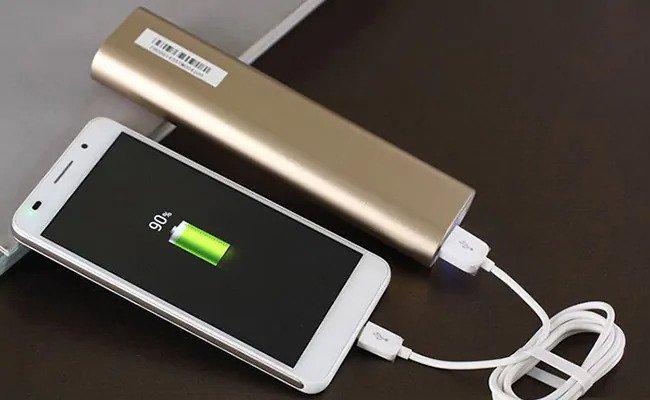
    However, this is not the case with most smartphones. After few hours of charging, you still have to put them back on charge. some people even charge their phones three to four times daily.

    Now, what is often unknown to most of these people is that some habits and some phone usage methods affect the longevity of the phone battery.

    In this article, I shall introduce you to 6 mistakes that can cause your battery life to decline significantly.

    Keeping Many Background Activities On

    Every process or software running on your smartphone uses part of the battery and part of the memory and if it’s an online process, it also uses part of your data.

    So, the more the number of apps you keep running in the background, the more battery you get to waste away.

    For most people, when using an app, they just minimize it to navigate to another app. This may be an easier way of handling apps on your phone but it definitely has a huge toll on your battery at the end of the day.

    Whenever you realize you are not using a certain application and you do not necessarily need it to keep running, just close it altogether.

    That way, you are saving yourself some memory space, some battery and some data as well.

    Your phone could eventually get heated up if there is too much information to process by the RAM – meaning there is pressure on the RAM.

    So yes, keeping too many background applications open can run down your battery so fast.

    Using Very Bright Screen lights

    Aside from the obvious risk of developing eye problems, using very bright scree lights on your smartphone can drastically reduce the battery life of your device.

    When you check the battery usage of almost every smartphone in the world, you’d realize that the display uses up a huge chunk of the battery.

    Clearly, the brighter your screen light, the more energy that phone needs to use in displaying that level of brightness. And, the main source of energy for your mobile device is the battery so all that energy would have to come from the battery.

    You don’t need to use up all the brightness on your phone in order for you to see.
    Try as much as possible to regulate the volume of brightness which you use on your smartphone if you are serious about saving your battery life.

    Using Mobile Data All The Time

    Today’s mobile phone is more useful and entertaining because of the internet.

    Most people use smartphones because of what they can do with it using the internet. Some people don’t even make a single voice call on their phones before a whole week ends.

    Now, for such people, the duration of their phone battery depends on their internet usage.

    Using direct Mobile Data on your phone requires the phone to strive extra hard to get the best connection available for us. This usually puts pressure on the phone especially in areas where the network is not very strong.

    This, in turn, becomes a big problem for the battery to handle, causing it to drain quickly.

    On the other hand, when connected to a Wi-fi, your mobile phone is free from the stress of searching for network connectivity and increasing the strength of the network since there is a third party – the router which is in charge of that.

    In most situations, you’d observe that when you connect your smartphone to a stable Wi-fi network, the phone lasts longer than when you connect it to direct mobile data.

    Connecting To Unstable Wifi Networks

    Wifi is a double-edged sword. Depending on which side you are connected to, you may either enjoy yourself or suffer the pain. In this case, your phone’s battery would suffer the pain.

    When you connect your phone to a Wifi network which is largely unstable, the phone forces to get the best network available. The phone is designed to work with the best network available.

    Therefore, when there is no other network available which is better than the unstable network you are connected to, the phone keeps searching and searching for a better network connection. This, in turn, puts pressure on the system and causes the battery to give out more energy which eventually drains it down.

    So, yes, connecting to a good wifi network can save your battery but once you connect to a terrible network, you are in trouble of draining your battery so badly.

    Using Outdated Software

    Most people are found of avoiding software updates. According to such people, it is a waste of time and data.

    Well, it is true that updates require lots of data and time most times but the importance of such updates can only be understated.

    When a software developer releases a software, it is the responsibility of that person to periodically release updates that tally with the ever-changing trend in the technology world.

    For most system updates, there is a component of the new software which causes the battery life of the device to increase slightly.

    Now, if you are someone who is fond of ignoring updates, it means you are denying your phone those improvements in battery life.

    So if each update causes a 2% increase in battery life and you keep skipping about 5 updates, it means you have decreased your battery life by about 10% when you could actually increase it by the same percentage with the upgrades.

    So, as annoying as updates are, they are important to the general good of the phone and its battery life as well.

    Conclusion

    There is nothing more annoying than getting that battery low sound every three or four hours of using your phone. It is usually very frustrating especially if you have so much to do with the phone at the time.

    Frankly, I don’t think anyone would enjoy having to charge their smartphone about 3 or 4 times in a single day!

    But yes, that is the situation most of us face in our various lives and we keep asking ourselves why we are always caught in that situation.

    Well, I believe this article has opened your eyes to some of the mistakes you commit which lead to the poor battery life you experience.

    If you liked the content of this article, kindly share with your friends and family.

    Kindly share with us your comments, questions and reservations regarding this article in the comment box below.
  • 5 Things You Didn’t Know You Can Do With Google Calendar

    5 Things You Didn’t Know You Can Do With Google Calendar

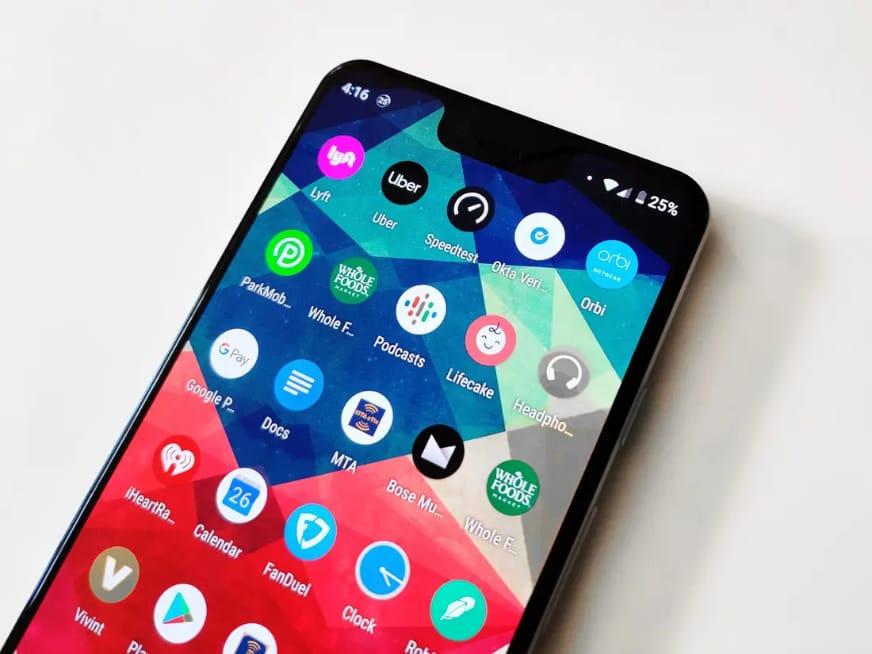
    Google calendar is a time management and scheduling calendar service developed by Google. It’s used for performing our day to day activities and also a reminder to our schedules.

    It comes in a web version and mobile version as an app. It helps you keep track of your events and also share your calendar with others.

    Once you have google account, you have access to google calendar.

    Just like a physical hard copy calendar pasted on walls to mark specific days and occasions, Google calendar likewise does the same.

    Many of us with smartphones have Google calendar installed as system app but yet do not make use of it.

    If I didn’t have google calendar I wouldn’t be able to write this article. Google calendar keeps me in tune, organized, and updated on everything going on with my day to day activities.

    Google calendar can make the most unorganized person very organized.

    I am going to share with you 5 things you didn’t know you can do with Google calendar.

    Offline Support

    Google calendar can be used offline. This is a cool feature because the calendar will not be limited if you don’t have an internet connection. Offline support here means it can be used without an internet connection or data.

    SMS Support

    Google calendar with the SMS support feature will send you events updates and occasions you have personally set to keep you in the know. Sometimes as humans we might forget setting things, with this SMS support there is no way an event will skip you.

    Search

    Sometimes our calendar might be filled with a lot of activities and scrolling by and by might be time-consuming. That’s when the Search becomes of use. You can use the search from the search bar to quickly find your set date for some events.

    Get Reminders

    Sometimes one may forget checking up their calendar regularly to avoid missing an important schedule or event. Setting reminders will keep you on the go. You don’t need to check, the calendar will send you reminders regularly.

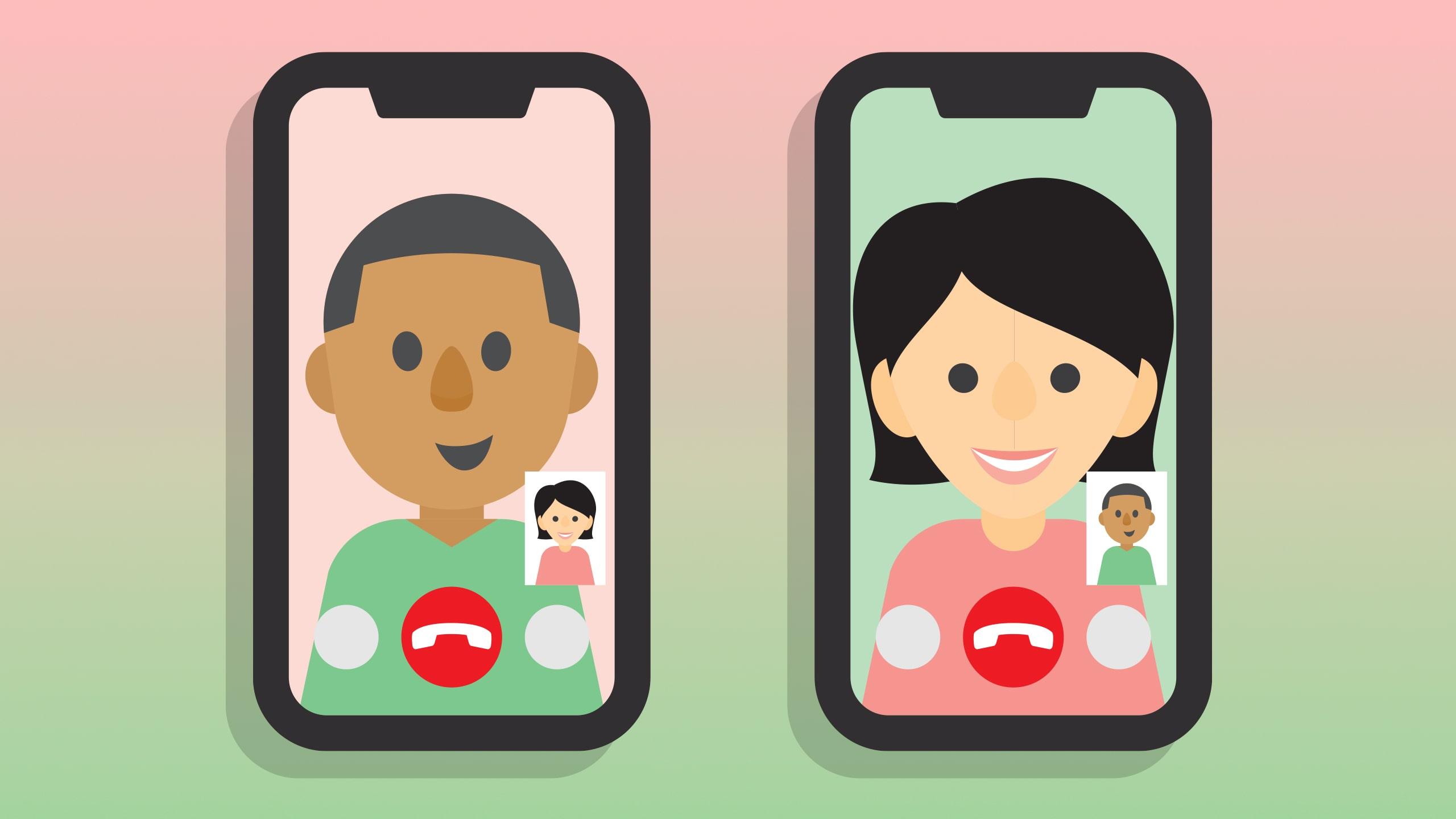
    Video Call

    The video call option is available to help you set an event/meeting if it’s going to be on a video call. This is very useful whether to contact the person in a quiet surrounding. It can be accessed via Add>Event>Video Call.

    To Add to, Website Embed. This is a bonus thing you didn’t know about google calendar. Google calendar can be embedded on your website so your clients can book some time with you.

    Conclusion

    Forgetfulness is part of humans. As long as we are humans, it is natural to forget things in our everyday life. Having and making use of a calendar (Google calendar) will keep us on schedule and never miss an event or a meeting.

  • 5 Ways To Protect Your Bank Account And Bank App From Thieves

    5 Ways To Protect Your Bank Account And Bank App From Thieves

    I remember last year on a certain day around 1:00 AM a best friend of mine called me and in that middle of the night I could hear her crying, I asked her why she is crying and all she could say was that she saw a message from her bank saying she has withdrawn a certain amount of money.

    And the truth is she hasn’t made any transaction, I was speechless at that time and didn’t know what to say next to console her, even though I was able to console her to try and get some sleep so that we see what we can do the next day.

    The next day we visited the bank and run through some check-ups only to find out someone got access to her account through phishing. It was a big blow to her and it was one of the heartbreaking stories I have ever witnessed in my entire life.

    Technology is moving forward, now we can easily do things thanks to technology, now you don’t always have to visit the bank to make the transaction as you can do it on your phone and its called mobile banking.

    Due to this, hackers too are learning new ways to steal money from people who don’t always secure themselves (like my best friend). so the question is, how do you secure yourself?

    Well, in this article, I am going to take you through Ways to protect your Bank Account and Bank App from thieves, so let’s get started.

    Have you checked out any of the aspiration online bank reviews yet?

    5 Ways to protect your Bank Account and Bank App from thieves

    Use your Bank’s ATM

    So you might travel and on the new place you find yourself, you might need cash, and will be searching for ATM to withdraw some money, one thing I will advise you to do is to look for your bank’s ATM and even if you can’t find your bank’s ATM make sure the ATM you are going to use is not a stand-alone ATM that is located In a weird or unusual location.

    Most banks and ATMs can be found on the roadsides, others too can be found at a mostly busy place, if you get to find an ATM that is located at a place that is hard to find, you better not put in your card.

    Some hackers can install these types of ATMs and then when you make a transaction, they get all your card details.

    Don’t Access Your Account Anywhere

    This is one of the easiest ways hackers use in stealing people’s accounts, some people are fond of connecting to any free Wi-Fi’s they come across – be it a park, restaurants or any place they will find themselves, and as soon as they get connected, they decide to make transactions, like paying for the food they ordered.

    Using that free Wi-Fi from these hackers, they can get access to your bank details.

    Use Strong Passwords

    I know I am not the first person to tell you this, this is what you have to know, as every day you are going outside to work, there is someone who is always inside learning new ways to crack people’s passwords and steal from them.

    This is your bank account and it contains all your life savings, so setting weak passwords like “123456789” is like telling someone to come and take your hard-earned money because you don’t know what to use it for.

    Always use strong passwords for your bank accounts, the ones that are hard to guess and involves characters, numbers and letters. (if possible make some of the characters capital eg: !!@MfiLie?2020^%).

    Never Disclose Your Pin To Anyone

    Hackers also try to call you and act like they are calling from the bank, they can bring up a story like your account has been compromised or something and it needs your attention, after getting your attention they will continue by saying provide your pic for them to resolve the issue and if you give it to them, that is going to be the end of your sweet loving life.

    Always Check Your Bank Accounts Regularly

    We often never bother to check our bank accounts when we are not doing any transactions, this is wrong, there might be something going on that you might not know, when a hacker gets access to your bank account, the first thing he does is to deactivate email and SMS notifications, in that way you will not be notified in anything that he will do.

    Conclusion

    Hackers have been wild these days and one of the painful things to ever experience is to find out your life savings has been withdrawn from your bank by a hacker, this is why you need to protect yourself s that you might not be a victim, in this article, we went through 5 Ways to protect your Bank Account and Bank App from thieves.

  • 9 Proven Ways to Make Your Android or iPhone’s Battery Last Longer

    9 Proven Ways to Make Your Android or iPhone’s Battery Last Longer

    Battery life has always been a problem for electronic devices, from the days of the Walkman, MP3 and now Smartphones.

    It is no surprise that nowadays, a lot of people look at the battery capacity of phones before making a purchasing decision. Battery life is limited, and however you look at it, you still need ways to save your battery.

    Here are a handful of tips and tricks you can use for your Apple or Android device that will make your phone battery last longer.

    How to Make Your Phone’s Battery Last Longer

    Check battery usage

    In your settings, you can see a breakdown of what apps are using your battery the most. Often, it’s only one or two apps that are taking up most of your battery, and everything else consumes just a small percentage.

    Some apps that you use every day are actually killing your battery faster than you know. The big one is Facebook. This app actually uses a surprising amount of energy merely by refreshing in the background.

    Turn down brightness

    Chances are your brightness is much higher than it needs to be. Try turning it way down until it’s at a dim setting that is still usable. When checking my own battery use, “Screen” is right there at the top of the list.

    Turn off Location Services

    Make sure you turn off your Location setting whenever you aren’t using it. Some apps to be aware of that use Location are Maps (of course), Pokemon Go (for such a fun game, it mercilessly kills your battery), Uber, and anything else that requires GPS navigation.

    Ease up on the camera

    If you’re taking pictures or videos all day, that’s likely where your battery is going. Using the camera on your phone kills your battery fast, and using the flash doesn’t help either. Beware of any image chatting apps like Skype and Hangouts, or social media like Instagram and Snapchat.

    Power Saving Mode

    Apple has Low Power Mode on its iPhones and iPads, and Android has Battery Saving Mode. These settings reduce the performance of your phone but will make your phone last significantly longer.

    Android even has Ultra Power Saving mode, which will make your phone last much, much longer. But it’s kind of a drastic measure.

    Turn off vibrations

    If you don’t need your phone to vibrate for messages just turn it off instead of letting notifications shake your battery to death.

    Use Battery saving apps

    Apps like Battery Doctor (iOS, Android) or DU Battery Saver (Android) help you pinpoint apps that are draining your battery.

    From within the app, you can adjust settings like Location, Bluetooth, and screen brightness in order to conserve battery.

    Turn off auto downloads

    On Apple, go to settings, select iTunes and App Store, scroll down to Automatic Downloads, and toggle all of the options off. On Android, go to the Play Store settings, and tap on Auto-update apps.

    You’ll be given the option to turn auto-updates on or off, or you can choose to only have auto-updates occur over Wi-Fi, which will also save battery.

    Uninstall unnecessary apps

    Routinely go through all of your apps and uninstall any that you don’t use. These apps could be using up a small amount of battery throughout the day, which can really add up over time.

    If you follow these tips, you can keep your phone’s battery life from perpetually living in the danger zone between a low battery and a dead phone. Hope they help.

    Conclusion

    Do you know of any other battery-saving techniques? Let us know in the comments section below. Want to buy a new phone? Check out our latest collection.

  • 5 Things iPhones Cannot Do But All Android Phones Can Do

    5 Things iPhones Cannot Do But All Android Phones Can Do

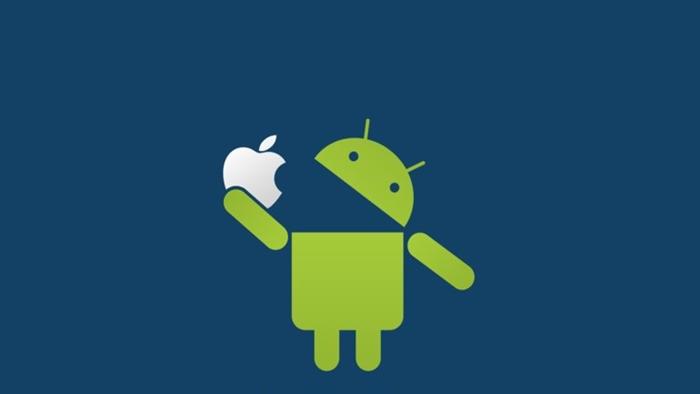
    The debate between Android users and iPhone users on which phone is the best is a never-ending debate.

    There always comes a debate on various social media platforms and Android users will be teasing iPhone users on things they can do that iPhone users can not do, iPhone users will be also throwing same shots and anytime you see those debates going on, it becomes very interesting to follow.

    This debate was almost becoming a thing of the past until twitter decided to show the devices that you used to make a tweet under your post.

    This also sparked another round of debates and then one of them which was funny to me was seeing one guy asking twitter to change the “Twitter For Android” to “Twitter For Samsung” because Twitter can’t show any Android phone like an Android because his phone is more expensive to be tagged as just an “Android ” phone.

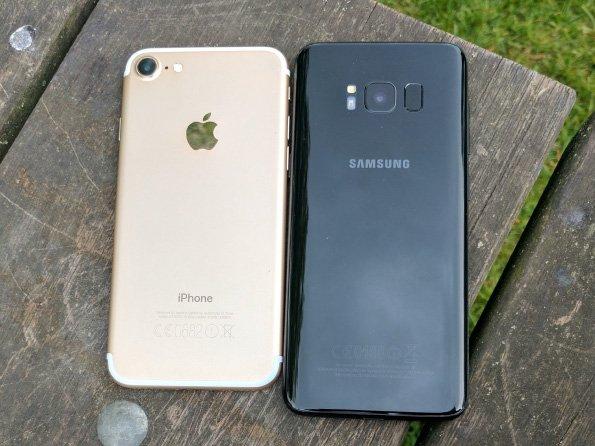
    In this article, I am not going to tell which one of them is the best because each phone has its own uniques features but I am going to talk on the things that iPhones can not do but Android can do.

    So without wasting much time let us dive right in.

    5 Things iPhones Cannot Do But Android Phones Can Do

    You Can Upgrade Your Storage

    As we keep on using phones, we tend to download new videos, pictures, documents and a whole lot. One thing I love about Android is that you can upgrade your storage by inserting an external SD card so that you can have more space to download and store more files.

    Use Any Apps You Want

    With Android you have control over your phone, you can choose which app to set as a default app. You can change your default browser app to be Opera browser or Brave browser, same as SMS default app to True caller app and many more. 

    Even though iPhone recently made it possible to delete its default apps, you can not change the default apps the way you want it. 

    On Android to see which apps have been set as your default apps, all you have to do is visit Settings > Apps & Notifications > Default Apps. There you can see all the apps that have been set as default, you can click on any of them to change the default app.

    Split Screen Mode 

    With Android phones, you can split the screen of your phone, maybe you might be sending email and then you need to copy the recipients address on another app, with Android you can split the screen to open another app and use both at the same time.

    I mostly split my phone’s screen when I am chatting with someone on Whatsapp and at the same time, I need to check what is trending on Twitter, with the help on-screen splitting I can access both apps at the same time.

    Although iPad OS 13 supports running multiple apps at the same time, iPhone and iOS 13 does not.

    Customize Your Phone With Launchers

    Launchers are what we use to customize our home screen, apps icons and many more. Launchers are used to design your Android phone to your satisfaction.

    Android allows you to install any launcher you want, you can then customize it by changing how you want your apps menu to look like, how you want your home screen to look like, how you want your apps icons to look like and many more. One of my favourite launchers is Evie launcher.

    Set Automatic Changing Wallpaper

    With Android, you can always make your phone look fresh to you by always having a new wallpaper.

    You can use Google Wallpapers app to change the lock screen wallpaper and lock screen wallpaper every day without you doing anything, phones like Infinix and TECNO has its default live wallpapers that always changes the lock screen and it makes your phone always looks new to you.

    Conclusion 

    The debate on which phone being the best is indeed never going to end as every day each operating system comes up with a new feature, in this article we went through 5 things Android phones can do but iPhones can not do.

    In case you want to start using an Android phone, then head over to Mfidie store as we have the best latest Android phones for sale and we also do nationwide delivery.

  • 10 Facebook Features You Probably Didn’t Know About

    10 Facebook Features You Probably Didn’t Know About

    At the moment, Facebook is the most popular social media on this planet and with over 1.56 billion people logging in every day.

    The platform has billions of users of which we all know me and you are among. you might be an active Facebook user like me or you are not always fond of using Facebook but what if I tell you there are many features that you probably didn’t know existed in the platform?

    What we mostly do every day is login, check our notifications, reply to messages, likes and share pictures, texts and article and then leave the platform.

    Well, you might be missing a lot and that is why I am writing this article to take you through 10 features that you can find on the Facebook platform.

    You Can Save Post And Check It Later

    You might be scrolling through your Facebook feeds and will once come across a post but you will be very busy doing something and will really want to check out that post when you are free, well Facebook has also thought of that and definitely know someone can be in such situation.

    So when you find a post that you want to read or watch later tap on the three dots on the top right of the post and then tap on save. To access your saved posts, on your app you will find saved posts on the main menu and on desktop, you can find saved posts on the left-hand side of your news feeds.

    Know The Data Facebook Has Stored About You

    There have been many allegations on Facebook on how they collect peoples data and use them, well Facebook has this option for people who will want to know the type of data Facebook has stored about them and you can check them out and you can also tell them the data you no longer want them to collect about you.

    Remove Friends Who ‘Post Too Much’ From Your Newsfeed

     We all have a Facebook friend who is always fond of posting pictures and status, sharing stuff which always ends up taking up all our newsfeeds, anytime you see a post from such friend, all you have to do is to click on the three dots on the top right corner of the post and select Unfollow. Facebook is not going to notify the person and you are still going to be friends with him or her.

    Create A Fundraising

    Maybe you will want to raise money for someone in need, maybe there for a kid who needs money for surgery or it can be anything that needs contribution, with Facebook you can set up a fundraising and ask your friends to donate the little that they have. To create a Facebook fundraiser, head over to your newsfeed menu and then select Raise Money, you will then need to fill in the details and then you are good to go.

    Strengthen Your Security

    Well with everyday hacking activities going on, setting up a strong password is recommended but there are people who are working day and night just to get access to your Facebook account and you might one day end up in their trap, you might never know-how.

    The best thing to do is to tighten your security on the Facebook platform, that is making Facebook asking you to confirm if its really you by entering a code.

    Choose Who To Be Your Legacy Contact

    Making someone be your legacy contact means making someone have access to your account in case you are not alive or in a critical condition. To set up a legacy contact what you have to do is to head over to Manage Your Account in the Settings tab.

    Get To Know The Time Spend On The Facebook Platform

    Maybe you have become addicted to Facebook like me and you will want to know the time you spend on the platform every day, to know this go to your Settings & Privacy on the app and select Time Spent On Facebook.

    You will then see the time you spent each day on the app and also if you are finding yourself to be getting too much addicted and will want to limit the way you use the app, you can set reminders and when you use the app and you reach your time limit, the app will notify you.

    Set Up Profile Video

    You can use a video that lasts for 7 seconds as your profile, this makes your profile page unique as anybody who visits your page doe not see a picture but a real video of you.

    Choose Who To See First

    Maybe there are some people you will not want to miss their post or a page that you are so connected the extend that missing a post from that particular page will be like missing something important.

    You can select that special page or person to see first so that anytime there is a post, it will be the first to appear on your newsfeed.

    Have A Watch Party

    Want to watch videos but want to watch your friends? Facebook has a feature called watch party that allows you to watch videos together with your friends.

    Conclusion

    Facebook has a lot of super cool features and in this article, we went through the best Facebook features that you need to know about.

  • 5 Video Conferencing Apps Similar To Zoom

    5 Video Conferencing Apps Similar To Zoom

    Once upon a bad time, the whole world comes to a standstill due to a pandemic that shook the very core of our lives.

    The whole world and indeed everything in it turns to an online space where there is little physical contact between people – a step towards easing the impact of the pandemic.

    One of the many online platforms that have seen a surge in users since the start of the pandemic is Zoom – a video-conferencing application.

    One question that has lingered on many minds is what other video conferencing apps are there aside Zoom – which has become a name associated with video conferencing worldwide.

    In this article, we shall look at five other applications that are suitable for video conferencing.

    Google Meet

    Google is a global brand known for top quality and simplicity when it comes to products for making communication effective.

    Google Meet is google’s competitive product for the video conferencing market.

    Google meet works as a platform for hosting scheduled meetings with a team of people.

    For those who are already acquainted with Google Hangouts, Google meets is an advanced form of Hangouts, specifically for businesses.

    Skype For Businesses

    Occupying the second spot on our list of five video conferencing apps that one can use aside Zoom is Skype For Businesses.

    Skype is the world’s first and most-used video conferencing platform before the prominence of Zoom.

    Skype, a product of Bill Gate’s Microsoft Inc, allows users to host video chats and conferences for people up to 250 at a time.

    Users are made to pay 2USD per month for the service provided by Skype For Businesses.

    Go To Meeting

    If the stress of having to write down major points while hosting a major video conference is a headache to you, then Go To Meeting may be the right application for you.

    GO TO Meeting is a video conferencing and audio conferencing platform which hosts conferences for up to 150 participants at once

    With cloud recording enabled on this application, meetings are automatically recorded for users to go back to watch and make notes for report preparation and any other purpose.

    For groups of up to 10 members, Go To Meeting charges about 14 USD per month while larger groups are required to pay 29USD per month to keep using the platform.

    Appear. In

    Appear In is one of the simplest yet fantastic video conferencing applications on the internet today.

    It comes with several features similar to Zoom and the other platforms listed above. It also comes with an anonymous feature which enables users to join video chats as anonymous people.

    Though this platform is generally free of charge, users may have to pay a one-time amount of 100 USD to host people up to 150 in a single conference.

    Blue Jeans

    Finally, we have Blue Jeans. A growing brand in online communications.

    BlueJeans video conferencing is a product of Verizon, a long-standing name in the technology world.

    Blue Jeans’ video conferencing platform provides users with the opportunity to hold mini-conferences over the internet or major conferences for up to 100 participants.

    Pricing for BlueJeans video conferencing ranges from 9.99 USD per month for group meetings of up to 50 people, 13.99 USD per month for group meetings of up to 75 participants and a custom price for group meetings of up to 100 participants.

    Conclusion

    If you find Zoom a bit too complicated to be used for your video conferencing works, then you may want to consider any of our five apps listed in this article.

    Video conferencing has come to stay with us and many people will be required to use it for interviews, auditions and online conferences from now on. So you need to acquaint yourself with these platforms.

    If you know of any other video conferencing platforms that have not been listed here, kindly let us know in the comment box.

  • 6 Cool Things You Can Do In Google Search

    6 Cool Things You Can Do In Google Search

    We all have been using Google in our lives, I must say there can’t be a week without you visiting google, Google is our number one stop to finding answers to our questions and many more.

    We all know Google to be the most popular search engine with billions of searches every day. But what if I tell you there are a lot more things you can do on Google aside all searching?

    Google is not just a search engine as we have all taken it but rather it has a lot more things that you can use or find on Google, so without wasting much time I am going to enlighten you on 6 cool things that you can do on Google Search

    Make Calculations Using Google

    You can make calculations on the Google home page and to do this all you have to do is to type in the digits in your chrome browser and Google will display the answer under your search. Eg: when you type in 6*300 the answer which is 1,800 will just appear below what you have typed and you just don’t need to hit enter for the answer. And when you hit the enter, Google will pull up a calculator widget that will allow you to use a full calculator like calculating exponential equations and many more.

    Convert Currencies

    Yes, that is one of my favourite things I always do on Google, you might be me who is has been doing forest trading or trading in cryptocurrencies, as the price is sometimes volatile which means your balance starts to rise when the price of the coin you hold increases.

    Or you might not be like me but you have been receiving money from abroad or exchanging money. Then you don’t need an app or any converter because Google got you covered.

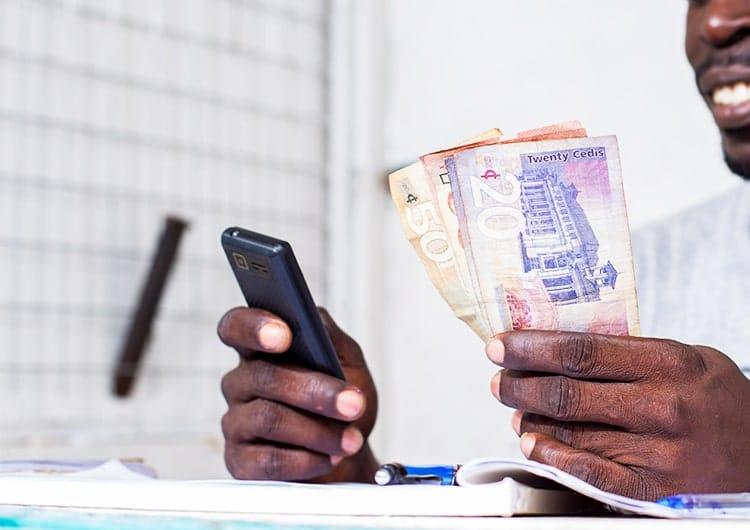
    You can convert money in Google by just typing it the amount and in the amount you want it to be converted, Eg: “$1000 in Cedis” and then the answer will be given to you which will be GHS 5,785.00.

    Make Translations

    Chatting with someone that you just received a message that is not in your native language? Well, you can translate it in Google, all you have to do is paste the text in the search bar and then add ‘in your native language’. so if you receive a message that goes like ‘Akwaaba’ and you want to understand what the person sent in English, you just have to type in the search bar ‘Akwaaba in English’. Google will display the meaning in English for you.

    Also when the text is many, maybe its a book or a long story and you want to read in English or your native language, you can search for ‘translate’ in the Google search bar and then it will open the Google translate page, there you can choose your language and the language you want the text to be translated to.

    Search By Handwriting (For Android Users)

    This feature will only work when you turn on Handwrite for Google search. To do this head over to Google.com on your android phone and go to ‘Settings’ and then turn on Handwriting options.

    Now from there visit the Google homepage and then write the word you want to search on the screen and then Google will try and parse that as a text.

    Set Timer

    You can use Google by specifying the minutes that the timer should last, eg: ‘set timer in 20 minutes’. It will automatically set a timer and then you can hit the button for the timer to start, it will play a sound when it reaches the end of the countdown.

    Play Games

    You can play some games on Google. One of them which is my favourite is Pacman.

    You can also play a game called ”zerg rush”. all you have to do is search for zerg rush and your screen will be taken over by small o’s and you have to click on each of them to destroy each of them before they take over your screen results.

    Conclusion

    Google search engine has a lot of features that you can do aside from searching. In this article, we went through some cool things you can do in Google search.