Category: Mobile Apps

87425

  • ECG Mobile App: How to Download ECG Power on Android & iPhone

    ECG Mobile App: How to Download ECG Power on Android & iPhone

    The Vice President of Ghana on 18th February 2020 launched the new ECG Mobile App which is called ECG Power.

    Although there is an ECG Web Portal that allows customers to check their bills, apply for a new service for their premises/home, make complaints etc prepaid customers were still unable to buy ECG credits online.

    Although there was an ECG App already, the new one seems to have added benefits.

    With the new app, which is available on both iOS and Android, one can check their meter balance, how much credit they have used within a period, etc.

    Currently, the ECG Mobile App supports the following prepaid meters:

    • Nuri (Kamstrup)
    • Holley
    • Alpha
    • MBH
    • CLOU

    Be sure to check your meter before proceeding.

    The app also supports all postpaid meters across Ghana. According to ECG, there are plans to roll out other prepaid meters in subsequent updates.

    With this new App, Ghanaians can avoid the inconvenience of joining queues or moving far from their homes to buy credits for their meter. In this digital era, there is no need to stress yourself for life must be very simple.

    Update (18th February 2020): If you experience errors with the server while adding your meter, wait for a few minutes and try again. If it persists, restart your mobile device and try again.

    Download the new ECG Mobile App

    If you are looking to download the new ECG Mobile App, called ECG Power, follow the links below:

    Android App – ECG Power on Android

    iOS App (iPhone) – ECG Power on iPhone

    How to use ECG Mobile App (ECG Power)

    If you want to buy ECG prepaid with ease or pay bills with the ECG mobile app, follow the steps below:

    1. Install the ECG App from Google Play Store or the App Store
    2. Create a new account on the ECG App with your Email, Phone number and Password
    3. Go to the right side bottom and add your meter details by clicking on the (+) sign
    4. You can then proceed to add the second metre (if you have more than one)
    5. Choose the Top-up module to top up your balance
    6. Choose the Pay Bills Module to pay bills for your postpaid metre
    7. Confirm the payment via your Mobile Money

    Mobile Shortcode for ECG Services

    The Electricity Company of Ghana has also launched a new shortcode for accessing ECG services. The shortcode for ECG services in Ghana is *226#.

    With the new ECG Shortcode, you can:

    1. Top up your ECG prepaid
    2. Pay your ECG Bills
    3. Update your customer information with ECG

    The shortcode is accessible on all the telecommunication networks in Ghana.

    If you have any issues with the ECG Mobile App (aka ECG Power), leave a comment below.

    Frequently Asked Questions about ECG Mobile App in Ghana

    How to get the ECG Mobile App APK

    Offloading Apps is generally not advisable but if you want the ECG Mobile App APK, you can download on apkpure.com

    How can I buy ECG with mobile money?

    To buy ECG with MoMo, download the ECG Mobile App, add your metre and select the amount (in GHS) that you want to top up with.

    How do I register my prepaid electricity meter?

    You can add your ECG Prepaid metre to the ECG Power App by creating a new account on the app and adding your metre number.

    How can I check my Electricity Prepaid Balance?

    To check the prepaid remaining on your ECG metre, open the app, choose the added metre and tap on “check balance”.

    How can I know the kind of metre I am using?

    You can find out the kind of Electricity Company of Ghana metre you use by checking the top or bottom of the metre. The name would be clearly printed there.

    What metres support the ECG Prepaid App?

    The new ECG Power app supports the Nuri (Kamstrup). Holley, Alpha, MBH and CLOU metres in Ghana.

  • How to Change Your Birthday on SnapChat

    How to Change Your Birthday on SnapChat

    SnapChat is one of the most popular social media apps on the market and users can set their birth date through their profile settings on the platform, but some users may prefer to change their birthday after initially setting it, and this article will show you how to do so quickly and easily.

    Does snapchat allow users to change their birthday?

    No matter how old you are, you will only be able to change your birthday a limited number of times, so make sure it looks right to you before you confirm it.

    If you are under 18 years old, you will not be able to change your birth year at all, and if you are over 18 years old, you will not be able to change your birth year to make yourself younger than 18.

    Why would you want to change your birthday on Snapchat?

    Wanting to change your birthday may be as a result of error you committed in your birthday whiles creating your account or you may want to later reduce your age or increase it for your personal reasons.

    How to change your birthday on Snapchat

    1. First of all, you will need to launch the Snapchat app on your phone.
    2. After, tap on the profile icon found at the upper left corner on your phone screen.
    3. After your profile opens, locate the settings logo at the upper right side of your account and tap on it.
    4. When you tap on it, you will then be taken to a page where you will find various options to choose from.
    5. Tap on My Account and then, choose Birthday.
    6. Your birthday tab will open and you will see your old birthday date inserted.
    7. Now, tap and edit them into your prefered satisfaction and press Okay to confirm the changes .
    8. Congrats, you are done changing your snapchat birthday details.

    NB: You can enable birthday party after you are done changing your birthday. In doing so, you will get some exciting surprises such as your zodiac sign in your profile when your birthday is due. This will also help friends find and celebrate your birthday, but will not reveal your age to other snapchatters.

    Also, you have a maximum number of times you can charge your birthday on snapchat and after that number reaches, you can’t change your snapchat birthday again for the rest of your life.

    If I change my birthday on Snapchat, how long will it take for the changes to appear

    When you are done changing your birthday using the steps above, wait for 24 hours for the Snapchat administrators to reflect the changes you have made to your birthday on your account.

    Conclusion

    Changing your snapchat birthday has several reasons and that will be best known to you the user but its worth and you must make sure it is not a regular habit. Following the steps above will help you change your snapchat birthday with ease.

  • How to Add Multiple Stops on the Uber App

    How to Add Multiple Stops on the Uber App

    Uber is great at whisking you from place to place, but sometimes you have to make multiple stops along the way or change your destination entirely. After all, the whole point of Uber is getting from point A to point B quickly and easily.

    In this post, we’ll go over how to add multiple stops on the Uber app so that you can get around town as quickly and conveniently as possible. All you have to do is follow these instructions, and before you know it, you’ll be at your final destination.

    Uber multiple stops

    If you need to make a few stops before reaching your final destination, you don’t have a problem. Uber makes it easy to add multiple stops.

    How to add multiple stops on the uber app

    1. Start by opening the Uber app and tapping on the menu icon in the top left corner.
    2. Next, select Settings from the menu.
    3. In the Settings menu, tap on Multi-destination trips.
    4. From here, you can toggle multi-destination trips on or off.
    5. If you want to add multiple stops, make sure it is turned on.
    6. When multi-destination trips are enabled, when you’re headed somewhere on your list of destinations, press and hold down anywhere on the map.
    7. After a few seconds, a blue dot will appear. Tap that blue dot to save that as one of your destinations.
    8. You’ll also see an Add Stop button below the map where you selected your destination for that stop.

    Conclusion

    Adding multiple stops to your Uber ride is a great way to make sure you get where you’re going, even if your plans change. It can save you money by preventing you from having to take multiple Uber rides.

  • List of Top WhatsApp Hacking Apps

    List of Top WhatsApp Hacking Apps

    Wondering how to hack WhatsApp messages? You’re not alone. With all the recent updates to WhatsApp, it can be hard to find hacking apps that actually work on this app and allow you to view both sent and received messages.

    If you want to know the best ways to hack into someone’s WhatsApp account, here are some of the top WhatsApp hacking apps to go for.

    What is a WhatsApp hacking app

    WhatsApp hacking is the process of gaining unauthorized access to the WhatsApp accounts of others in order to spy on conversations, take screenshots, read messages, and track location using GPS data, among other things.

    Why you should use a WhatsApp hacking app

    Simply put, a WhatsApp hacking app enables a user to remotely access a WhatsApp account. Unlike spoofing your number, hacking an account allows you to read messages that were never sent to you and send messages from the hacked phone.

    The other party will never know their account was hacked unless they notice strange activity on their end. Also unlike spoofing, hacking does not require use of a computer or phone.

    Simply go online and choose the option for whichever WhatsApp hacking app is relevant to your current needs.

    Where you can get a WhatsApp hacking app

    Most websites offer WhatsApp hacking apps that can be downloaded as an executable file and installed on a device. Conducting a surveillance can easily help you get access to the targets WhatsApp account by using the app, depending on the settings for installation.

    List of top WhatsApp hacking apps

    1. mySpy
    2. uMobix
    3. Hoverwatch
    4. eyeZy
    5. Kidguard
    6. CocoSpy
    7. FlexiSpy
    8. Highster Mobile
    9. Spyier
    10. Mobilespy.at

    1. mySpy

    mySpy is available for both android and iOs. It enables you to track the time and date of each conversation. It also enables you to access collected data remotely. It has a 7 day free trial for usage and after that, you have to purchase the premium.

    Download mySpy

    2. uMobix

    uMobix is available for both android and iOs. You can get access to all sent and received messages. You can also search names of people from the contact list. After using its 7 days free trial, you have to purchase premium if you sti want to continue using it.

    Download uMobix

    3. Hoverwatch

    Hoverwatch is available for windows, mac, android and iOS. A single account can monitor up to 5 android devices. You can record all calls, text messages, location data, and call logs of the targeted device.

    It has a 3 days free trial and after, you need to purchase the premium if you want to continue using it.

    Sign up for Hoverwatch

    4. eyeZy

    eyeZy is available for both android and iOs. It helps you easily track the exact location on a map using GPS location.

    It’s an ideal method to keep an eye on your children and their social media activities. There is no free trial as it comes with a direct purchase before you can have access to it.

    Download eyeZy

    5. Kidguard

    Kidguard is available on android, iOs and Windows. You don’t need a WhatsApp account or password. It runs in stealth mode and syncs data to you in real-time. It has no premium.

    Download Kidguard

    6. CocoSpy

    Cocospy is available on android and iOs. It is easy to install and can monitor WhatsApp activity in real-time.

    The app will allow you to read received and sent messages with the date and time stamps attached. You also get access to media files shared on WhatsApp. It comes with a premium offer.

    Download CocoSpy

    7. FlexiSPY

    FlexiSPY is available on android and iOs. This is also one of those rare applications that can record voice mails and calls made on WhatsApp. It comes with a premium subscription before it can be accessed.

    Download FlexiSPY

    8. Highster Mobile

    Highster Mobile is available on android and iOs. It is cheaper than most of its competitors. The attractive UI makes the app easy to navigate through and operate.

    Besides the UI, this is yet another user-friendly WhatsApp hacking application. You can check WhatsApp messages, calls, and access media files easily with the help of this application.  It comes with a premium offer.

    Download Highster Mobile

    9. Spyier

    Spyier is available on android and iOs. It comes with a monitoring dashboard, with a dedicated WhatsApp window that allows you to read messages with details like contact names, profile pictures, and phone numbers.

    The messages come with time stamps and dates attached to help you know when exactly a particular conversation took place.

    Download Spyier

    10. MobileSpy.at

    MobileSpy.at is available on android and iOs. Once installed and set up, you’ll have access to the targets Whatsapp account, monitoring everything transpiring on it in real-time.

    From group and individual messages to all multimedia files shared on the social app, you’ll be able to monitor it all.

    The app also features a very advanced stealth mode. So you can be rest assured that the target device’s owner wi hardly know that they are being spied upon.

    Download MobileSpy.at

    Conclusion

    Having to spy on someone’s WhatsApp is for the good cause and also for the bad cause. Everyone may have his or her reason but make sure you do such for the good cause. With the above mementioned I’m sure you know know which one to go for.

  • How to Detect fake Snapchat Accounts & Reasons for Location Not Available

    How to Detect fake Snapchat Accounts & Reasons for Location Not Available

    Snapchat has become one of the most popular social media platforms in the world, and there are plenty of people looking to take advantage of that fact.

    In an effort to gain access to users’ contact lists and expand their social media presence, many scammers have been creating fake Snapchat accounts on the platform, often pretending to be celebrities, models, and other public figures, who often have legitimate accounts with large followings.

    If you’re using Snapchat to keep in touch with friends or family, keep reading below to learn how to spot a fake account on Snapchat before it’s too late.

    About Snapchat

    Snapchat is a mobile application that allows you to send photos or videos from your phone and make them disappear after viewing them. While the self-destructing feature is one of the most compelling features of this social media app, it’s also making it hard for people to tell what’s real and what’s fake.

    What is a fake snachat account

    To know if you have come across a fake account, these things might be in the picture

    1. The content that is being posted from the account doesn’t reflect their real-life behavior, beliefs, and attitudes.
    2. The profile has very little if any, engagement.

    The above mention does not necessarily mean all account of such is fake but the possibility is high and does raise some red flags.

    What is a real snapchat account

    A real snapchat account starts with a username, the users name, and an underscore. Users can add photos and videos from their camera roll to their profile and take a photo or video from within the app.

    A real snapchat account also has its location set on the app. When you open your snapchat you should see which country you are in on top of your screen as well as what time it is there (as long as you have enabled that setting).

    Differences between a real snapchat account and a fake snapchat account

    A fake account will never have a blue or yellow snap chat ghost next to their username on the app’s screen.

    The real account owner always has a snapchat ghost next to their username when they take a picture and send it as an update.

    This can be used as an easy way of determining if an account is real or not.

    How to detect a fake snapchat account

    1. First, look at your contact list and see if there are any numbers that don’t appear in other areas of your phone’s contacts.
    2. Take a screenshot of the profile picture you’re trying to identify and use an app like PhotoScan or Pixlromatic. They can often give you clues about whether the account is real or not because they usually have higher-quality images.
    3. Check the account snap score. Fake accounts have less activities doing and will not conjure a high snapscore.
    4. Check their snapstories. A fake account can have a too good snap stories or too bad ones. However you detect from that depends on your sharp abilities.
    5. Check account followers. Go through the account followers and see how active their followers are. Fake accounts can also have bots followers to skyrocket their total followers. So going through the account followers to know if they are not bots can also be helpful.

    How to know who is behind a fake snapchat account

    You can immediately find out who is behind an account by utilizing the Snapchat username lookup feature.  The lookup feature is a search engine system built to help detect fake accounts.

    Through these search engine systems, you can easily find out someone’s name, location, phone number, and email address. This information will reveal to you whether an account is real or fake. 

    How to detect snaps location not available

    Snapchat is a photo-sharing app that lets you send photos and videos to your friends. When you get a snap from a friend, the sender can include their location so that you know where they took the photo or video.

    In some cases, hackers may be able to access these accounts and send snaps with bogus locations, which could lure people into visiting dangerous places.

    If the user has their locations on, its easy to detect their locations just by looking through their profile. However, fake accounts can also hack and show locations so the best option to stay safe is to know the user of the account before any conversation.

    Reasons why your friend may have disappeared from snapchat map

    If you’re wondering why your friend may have disappeared from the map, then it’s probably because:

    1. They Switched their location settings off in the app. The first time someone switches this on, they will see a popup explaining how to switch back if they change their mind.
    2. They are in Ghost Mode (turning this on will make them invisible and untraceable by tapping followers and viewing past activity)
    3. They have deleted their account.
    4. They have lost access to the phone or deleted all photos/videos
    5. They have left the social media platform
    6. They have blocked you.

    Conclusion

    Snapchat has a serious issue with fake accounts and snaps that do not exist. It is important for teens to look at the username, which can be found in the top left corner of the phone. If it does not have their friend’s name or their classmate’s in it, it is likely a fake account.

    The snap chat location that pops up in their left upper hand corner also needs to match the username; if there are any discrepancies this should be deemed as a fake account too.

  • Do Group Chats Increase Snap score?

    Do Group Chats Increase Snap score?

    When you’re developing an application, there are all sorts of metrics that you can monitor to see how your users are responding to the features you put into it.

    For Snapchat, the most important metric you can keep track of is your Snap Score. Snap Score measures how much time users spend looking at stories and chats each day and gives a general idea of how engaged they are with the app and how likely they are to stick around in the future.

    If your Snap Score seems lower than it should be, you’ll want to use any means necessary to improve it, including adding group chats as part of your app offering.

    What is snapchat score

    Snapchat score is based on how many likes and comments you get, as well as what type of content you post. The more popular your account, the higher your snap score will be.

    This number can fluctuate from day to day and if someone follows or unfollows you, which is why it’s not always a good idea to rely solely on this for validation of whether or not someone liked or cared about the content that was sent their way.

    Do group chats increase snapchat score?

    If you’re looking for an easy way to improve your snap score on Snapchat, participating in group chats is the perfect place to start. To get the most out of group chats, try these three simple tips:

    1. Talk about anything and everything. About how everyone is doing or what they did that day.
    2. Sometimes it’s best to play a game or watch some YouTube videos together.
    3. Share pictures. When in doubt, send photos back and forth.

    Either way, staying connected through group chats will help you increase your snap score.

    How do group chats increases snapchat score

    With the right group chat strategy in place, your snaps will be seen by way of multiple streams and maximize exposure on the app.

    All you need to do is find an active group that shares similar interests as you and make sure you’re contributing quality content on a consistent basis.

    How to increase your snapchat score

    There are a number of ways to increase your snapchat score, but you might be overlooking the best and easiest way. Group chats do not only help you connect with new people, but they also give your snapchat score a boost.

    To increase your snapchat score;

    1. Add more groups and participate in them regularly.
    2. Campaign for more followers.
    3. Visit the app regularly and watch snap videos of others.
    4. Post snap stories regular and make sure they are quality contents.

    What are the benefits of having a high snapchat score

    1. Increasing your snapchat score will let you have a more personal experience on the app.
    2. It will enable you to showcase what you’re interested in will help you grow your circle of friends.
    3. Additionally, high scores can allow you to advertise on the app.
    4. Having a high snap score can help you get noticed on the platform.
    5. A higher snap score will also make it easier for people to find your story by tagging your username in their posts, which can lead to a major following.
    6. Finally, you will be able to get access to special features that are only accessible for people with high snapchat scores.

    Conclusion
    The bottom line is that group chats are an excellent way to keep in touch with all of your friends. Keeping tabs on people is important for social media, and it could help you make sure you’re getting a good snap score.

  • Download GhanaPostGPS: Generate digital Address in 2 Minutes

    Download GhanaPostGPS: Generate digital Address in 2 Minutes

    GhanaPostGPS is Ghana’s official digital property addressing system which ensures that all locations in the country are addressed. With GhanaPostGPS, every location has a unique digital address.

    The digital address is a composite of the postcode (region, district & area code) plus a unique address. GhanaPostGPS translates your GPS location to a user-friendly digital address.

    With GhanaPostGPS, users can now precisely pinpoint any location in Ghana using the digital address of the place.

    GhanaPostGPS is integrated with Google maps to allow for easy navigation of a particular area, detailing major road networks and other landmarks.

    However, if you want quick and convenient navigation, you want to dodge traffic or just trying to avoid the police on the road, I recommend to you the Waze App, which you can download for free here: https://www.browsercam.com/waze-pc/

    How does Ghana’s Online Digital Address System (Ghana Post GPS) Work?

    Digital Addressing is a modern and revolutionary approach to allocating addresses within a defined space with the aid of the latest geocoding technology available. This type of addressing is very robust as it stands the test of time irrespective of changes in borders and environments.

    GhanaPostGPS is playing a major role in its collection of data that has been compiled and formatted into a virtual map and image.

    GhanaPostGPS embarks on an exercise that makes it possible to identify the location of a plot or dwelling on the ground by assigning an address using a system of maps and signs that gives the numbers or names of streets and buildings.

    GhanaPostGPS allows users to generate a 9 to 11 digit code to a point within a 5-meter square known as the digital address. It uses a grid of Ghana made up of approximately 16.1 billion addresses.

    Individuals and properties will now have a distinct and clear address to facilitate developmental planning and provision of services.

    Users have distinct addresses and can now pinpoint precisely and navigate through representations of a particular area, detailing major road arteries and other points of interest.

    Download GhanaPostGPS

    The app is available on iOS, Android, Windows and Web Platforms to all and sundry with the most basic knowledge of use.

    How to get your digital address in Ghana

    Here are the steps to take to generate/get your digital address in Ghana:

    1. Download the new updated GhanaPostGPS App for Android or iOS.
    2. Launch the GhanaPostGPS App on your device and accept the terms and conditions, then click on “continue”.
    3. On the next screen, you can register your phone number, or click on “Skip Registration” if you want to use it for just one time.
    4. Accept the permissions that appear on the screen (Location, Media. Record Video)
    5. on the next screen, wait for your location information to load
    6. Once the location information has loaded, you will be presented with a new screen where you will see your Digital Address in the format GX-XXX-XXXX
    7. You can then share on WhatsApp or write it down to use for your Ghana Card Registration or other purposes.

    How do I use the GhanaPostGPS to generate my unique address?

    Once you have the App downloaded on your phone, generating your address is easy.

    • Ensure your phone’s location button is turned on.
    • Open the GhanaPostGPS app and click on the button
    • Your unique address will appear next to the Digital address, for example, Digital Address: GA-543-0125

    Frequently Asked Questions about GhanaPost GPS

    How do I get Ghana Post GPS?

    You can get your GhanaPost GPS address by downloading the app from the Play Store or App Store and registering an account. Then you go to the front of your house and generate a new address.

    What is GPS digital address?

    The GhanaPost GPD digital address system is a system built on GPS to provide a unique address for all Ghanaians. It uses a 5-metre square system to generate a grid of Ghana made up of approximately 16.1 billion addresses.

    What is Ghana zip code?

    You can generate a zip code for your location in Ghana using the GhanaPost GPS app. Follow this tutorial on how to get the Ghana Zip Code.

    What is the GhanaPost GPS Digital Address made up of?

    The digital address is made of the postcode i.e. the region, district and area code plus a unique address. It is usually a 9 to 11 alpha numeric code.

  • Does Alarm Work on iPhone and Android When on Airplane Mode or Off?

    Does Alarm Work on iPhone and Android When on Airplane Mode or Off?

    Alarm is one of the most important features of your smartphone. Whether you’re an iPhone or Android user, you’re likely to use it in different scenarios throughout the day.

    One common question many users ask themselves is, does alarm work on iPhone and Android when on Airplane Mode or Off?

    This guide will provide some advice on answering this question to the best of your ability.

    How do I set an alarm on my iPhone

    To set an alarm on your iPhone,

    1. Open the Clock app and tap the Alarm tab.
    2. Then, tap the + button in the upper-right corner to create a new alarm.
    3. Next, set the time for the alarm, choose its sound, and decide whether you want it to repeat.
    4. Finally, tap Save in the upper-right corner.

    How do I set an alarm on my Android Phone

    There are a few different ways to set an alarm on your Android phone, depending on which version of the operating system you’re using. If you’re running Android Marshmallow or later, you can use the Clock app to set an alarm.

    1. Just open the app and tap the plus sign to add a new alarm.
    2. You can also set an alarm from the home screen by long-pressing on the clock widget and tapping the + icon.

    What Happens to my iPhone or Android When Airplane Mode is on?

    Your device will no longer be able to connect to the internet via a cellular connection. This means you won’t be able to make or receive phone calls, send or receive text messages, or use data services. Your device will still be able to connect to Wi-Fi networks for you to be able to connect to the Internet whiles on airplane mode.

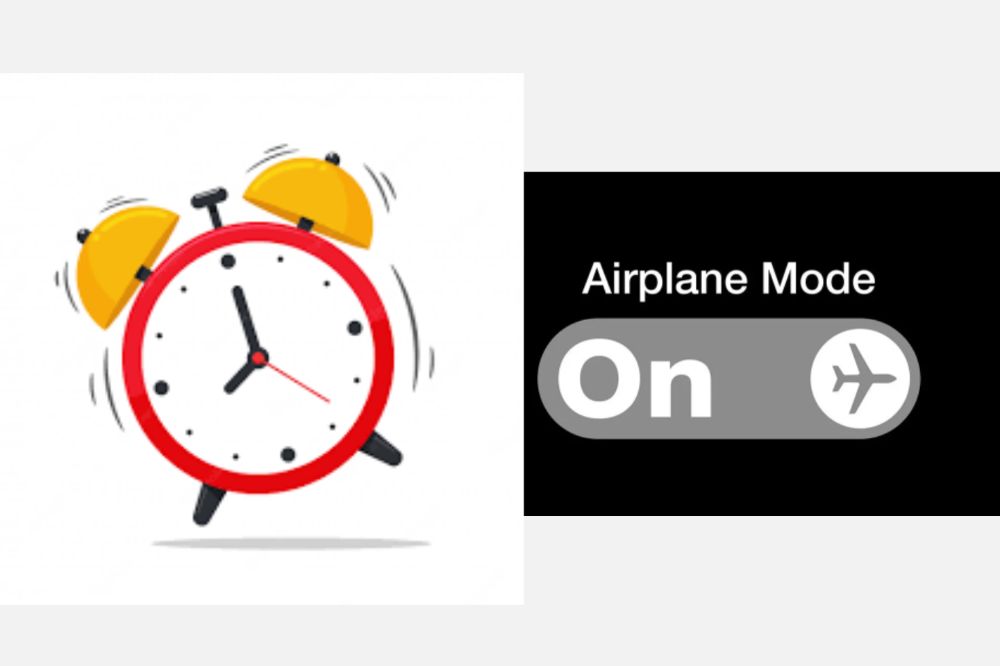
    Does Alarm work on iPhone or Android when on Airplane Mode or Off?

    If you’ve ever been in a situation where you need your phone to be on silent but still want to be able to be woken up by an alarm, you know how frustrating it can be when your alarm doesn’t go off.

    So, does Alarm work on iPhone and Android when on Airplane Mode or Off? Yes! The app detects if you’re on Airplane Mode or not, so even if the app is running in the background with sound disabled, your alarm will still sound.

    You won’t get any push notifications during this time either, which might be for the best if you don’t want to give anyone around you any idea that you’re using your phone while sitting quietly at the back of a meeting.

    Does Alarm work on iPhone or Android when in a silent mode?

    When your phone is in silent mode, your alarm will still sound. But if you have Do Not Disturb turned on, your alarm won’t go off.

    Can I set an iPhone or Android alarm to vibrate only?

    You can set an iPhone alarm to vibrate only by

    1. Opening the Clock app
    2. Tapping the Alarm tab
    3. Tapping the alarm you want to edit, and then turning off the Sound toggle.

    On Android, you can do this by

    1. Opening the Clock app
    2. Tapping the three dots in the top-right corner.
    3. Tapping Settings
    4. Tapping Alarms, and then turning off the Play sound toggle.

    Conclusion
    It seems that the consensus is that yes, the alarm will still go off even if your phone is in airplane mode or turned off. So if you’re worried about oversleeping or getting late for the meeting, you can rest assured that your alarm will still sound.

  • Best Alternatives to Zoom for Video Conferencing

    Best Alternatives to Zoom for Video Conferencing

    Zoom video conferencing is an easy-to-use platform that allows you to video conference with your colleagues and clients without leaving your browser.

    While it’s convenient, Zoom’s lack of security makes it risky to use in certain contexts, such as when you are showing your work to potential clients or meeting with people you don’t know well.

    There are many alternative platforms that offer more security and privacy than Zoom, so here are some of the best ones to consider using instead.

    Zoom conferencing

    Zoom is a cloud-based video conferencing service that offers both free and paid plans. It is one of the most popular video conferencing services available and has gained popularity due to its ease of use and reliability.

    Does video conferencing really matter?

    In today’s business world, video conferencing is an important tool for keeping in touch with clients, employees, and colleagues. It allows you to have face-to-face meetings without having to be in the same room, which can save time and money.

    There are many different video conferencing platforms available, each with its own set of features. Zoom is one of the most popular options, but it’s not the only one.

    Here are some of the best alternatives to Zoom for video conferencing.

    Best alternative to Zoom for video conferencing

    If you’re looking for a video conferencing tool that’s more affordable and private than Zoom, consider using one of these alternatives.

    1. Google hangout meet

    Google hangout/meet video call

    Google Hangouts Meet is a great alternative to Zoom for video conferencing. It’s easy to use and has a lot of the same features as Zoom, including screen sharing and recording. Plus, it’s free for up to 25 participants. If you’re looking for a more affordable option than Zoom, Google Hangouts Meet is a great choice.

    2. Skype

    Skype video call

    Skype is one of the most popular video conferencing platforms out there. It’s known for its reliability and crystal-clear audio and video quality. While Skype offers a great user experience, it’s not the only option out there. There are plenty of other great platforms that offer similar features and functionality.

    3. Facebook Messenger Rooms

    Facebook Messenger Rooms video call

    Facebook Messenger Rooms is a great alternative to Zoom for video conferencing. It’s easy to use and you can connect with up to 50 people at a time. There are no time limits on calls, so you can chat for as long as you want. Best of all, it’s free.

    4. Jitsi Meet

    Jitsi video conference

    If you’re looking for a free, open-source alternative to Zoom for video conferencing, Jitsi Meet is a great option. It’s easy to use and can be accessed directly from your web browser.

    There is no need to create an account. You can just join a meeting by clicking on a link. You’ll also find recording functionality and screen sharing if you want to show people what you’re working on or give them some guidance.

    There are other features that make it ideal for enterprise users too, such as mobile apps so staff can attend meetings remotely and the ability to host large conferences with up to 200 participants at the same time.

    5. Ring cental video

    Ring Central video call

    RingCentral Video is a great alternative to Zoom for video conferencing. It’s easy to use and has a ton of features, making it a great choice for businesses of all sizes. It’s affordable and has a free trial, so you can try it out before you commit.

    Ring Central also offers group chat and file sharing tools that make collaboration easier than ever. Click here to learn more about how you can cut the cord with your video conference software provider.

    6. Signal

    Signal video call

    Signal is a great alternative to Zoom for video conferencing. It’s free, open source, and end-to-end encrypted. Signal also has a desktop app, so you can use it on your computer or laptop. The only downside is that Signal isn’t as widely used as Zoom, so you may not be able to connect with everyone you want to.

    7. Microsoft Teams

    Microsoft Teams video call

    Microsoft Teams is a great alternative to Zoom for video conferencing. It’s easy to use and has a lot of features that make it a great choice for businesses. Some of the features include: file sharing, integration with Office 365, screen sharing, and more.

    8. Chanty

    Chanty video call

    If you’re looking for a great alternative to Zoom for video conferencing, Chanty is a great option. It’s user-friendly and has a lot of features, making it perfect for businesses of all sizes. It’s free for up to 10 users. So if you have just one or two people in your company who want to use video conferencing, this might be the best option for you.

    The only downside is that the free version only allows access on one device at a time; if more than one person wants to use it at once, they’ll need to upgrade their account or do some switching back and forth between devices (and meetings).

    9. GoToMeeting

    GoToMeeting video call

    GoToMeeting is a video conferencing solution that offers high-quality HD video and audio, screen sharing, and group chat features. It’s one of the most popular Zoom alternatives and has been around for many years. plans start at $1 per month per host.

    10. Brosix

    Brosix video call

    Brosix is a secure, enterprise-grade instant messaging and collaboration platform that offers a great alternative to Zoom for video conferencing. Brosix provides end-to-end encryption, meaning that your conversations are completely private and secure. Additionally, Brosix offers a variety of features and tools that make video conferencing easy and enjoyable, such as screen sharing, file sharing, and group chat.

    Conclusion
    In conclusion, there are many great alternatives to Zoom for video conferencing. There are free options as well as paid options. All comes with great user experience. Whichever option you choose, make sure to do your research so that it meets your needs.

  • How to Turn on and Use Snapchat in Dark Mode

    How to Turn on and Use Snapchat in Dark Mode

    Snapchat continues to be one of the most popular social media apps available, but it doesn’t come with an obvious dark mode feature like so many other apps. However, there are some ways you can use Snapchat in dark mode that you might not have thought of before and they aren’t even hard to set up.

    In this article, we’ll go over how to turn on and use Snapchat in dark mode.

    How to turn on Dark Mode in Snapchat on Your iPhone

    Turning on dark mode on your iPhone for your Snapchat should not be a big deal for you. With the steps below, you can easily do so and save yourself some hassle.

    • Open Snapchat on your iPhone and tap the Bitmoji icon at the top-left corner to open your Snapchat profile.
    • From the profile page, press the Settings gear icon at the top-right corner of the screen.
    • Under “My Account” settings, tap “App Appearance” to view the option to change the theme of Snapchat.
    • From the “App Appearance” settings, choose “Always dark” to enable dark mode on Snapchat from your iPhone.

    How to turn on Dark Mode in Snapchat on Android

    Just like the iPhone, enabling dark mode for snapchat on Android is also not difficult and if you are finding it so, the steps below will help you out.

    • Open your Android phone’s Settings.
    • Go to the Display & Brightness tab.
    • Tap on the Dark Mode settings option.
    • Click on Dark mode for third-party apps.
    • Select Snapchat and tap on the turn on option on the pop-up menu.
    • Dark mode is enabled on Snapchat.

    Why it is important to turn on dark mode in snapchat

    • Turning on dark mode on Snapchat is a good way of saving battery.

    The amount and speed of how your battery drains will decrease when you turn on dark mode.

    • It prevent you from straining your eyes.

    Your phone when on light mode has a bright light and that makes you strain your eyes in order to be able to use it and that is not helpful.

    • Its less destructive

    Having a dark mode does not destruct people in public especially when you are usiyouSnapchat in public but with the light mode, the brightness of your screen makes it visible for other to turn their necks to look on your phone.

    Conclusion