Whatever you wish to do now, you’ll definitely need money.
With how hard the system has become and how much people have lost trust in others, acquiring a loan could be the only reliable way of getting money for your projects.
However, banks and financial institutions have become more and more complicated as far as loan processes are concerned.
This creates market for the loan companies that operate via their mobile apps.
So, in this article, we shall take you through a list of 5 loan apps you can use to access loan facilities in Ghana.
Get Carbon (Previously Pay Later)
The first application or website on our list here is Get carbon. Previously known as Pay Later, Get carbon is a wholistic financial payment app. It is used for payments including bills, airtime, money transfers and above all; for seeking loans.
Individuals are entitled to loans from 80 cedis to 100 cedis on their first loan request. The chances of getting bigger loans depend on how soon and well you pay your previous loan.
You can download the app on playstore so you register and apply for your loans.
Fido Loans
Fido money lending is our second money lending app here. Fido loans is a licensed institution, specialised in giving short term loans.
Fido gives loans up to the sum of 200 cedis on first time applications.
Based on how soon and how well someone pays for their loans, they can qualify for loans up to the sum of 600 cedis.
You can download the Fido app from google play store and apply for your first ever Fido loan.
Loans are usually paid into the mobile money accounts of applicants.
Orbit Lending Gh
Orbit Lending is one of the fastest growing online loan companies in Ghana.
How To Apply For Loan With Orbit Lending
1. Visit the site
2. Click on forms/download tap
3. Click personal loans form
4. Click “Click here”
5. In the first column that comes up, fill the following boxes:
a. Surname
b. First name
c. Title
d. Marital status
e. Nationality
f. Date of birth
g. Your postal address
h. Your location
I. Your mobile number
j. Your email address
k. And your occupation
l. Click on next
In the second tab (Next of kin), fill the following spaces:
a. Surname of next of kin
b. First name of next of kin
c. Title of your next of kin
d. Nationality of your next of kin
e. Date of birth of your next of kin
f. The postal address of your next of kin
g. Location of your next of kin
h. The mobile phone number of your next of kin
I. The email address of your next of kin
The next tab is LOAN REQUEST DETAILS
Under this tab, fill the following information:
a. Enter the loan amount in Cedis in the loan amount column
b. Enter the amount in words in the next column
c. Enter the duration in months for your repayment
d. Enter the purpose of your loan in the loan purpose column
e. Enter the payment method (Cash or mobile money)
f.Tick the “I am not a robot” box to activate the captcha
g. Click on next
h. Click the next button again to confirm your details and send.
The request will be reviewed and when you qualify, you’ll be contacted via phone call to access your money.
Sika Master
Is an online-based financial institution which gives individuals, groups and companies loans and other credit facilities based on their credit reports and trustworthiness.
With very low interest rates and some interest-free loans, Sika master is one of the few online loan application companies you should look forward to seeking that loan from.
Loans from Sika Master range from between 1,000 cedis to 100,000 cedis.
You can visit their website to find out more about their over 15 loan types and their terms and conditions.
Conclusion: Loans are good for business and to help us out of certain unexpected situations. But, before you take a loan, you need to be sure of how soon you’ll be able to pay for it. It is therefore required that you go for loans only when you’re certain about the repayment plan and how best it fits into your budget. You are responsible for any result produced by a loan you acquired unplanned for.
Do you know what happens when you Report And Block someone on WhatsApp?
We often report and block people on WhatsApp but little do we know about what actually happens afterward. In this article, you are going to find all that happens when you report and block someone on WhatsApp.
Because WhatsApp is one of the most used social media platforms, most of the spammers use it to their advantage. This was the reason why Whatsapp introduced the ‘Report And Block’ feature about five (5) years ago.
Since the introduction of this feature, most WhatsApp accounts have been suspended and others have also been banned. But what exactly will cause an account to be banned?
Before an account will be banned/suspended, it needs to violate WhatsApp’s terms and policies, otherwise, the account cannot be banned.
Some of these include engaging in fraudulent activities, sharing pornographic contents, and sending threats to a WhatsApp user.
How To Report And Block Someone On WhatsApp
Open the WhatsApp app on your mobile phone.
Tap on the person you would like to ‘Report And Block’ to open a chat.
On the top of the screen, tap on the name of the person.
Scroll to the bottom of the page and tap on Report Contact.
Tap on Report And Block
A confirmation will be sent stating that a report has been sent and the contact has been blocked.
What Happens When You Report And Block Someone On WhatsApp
Your last seen will not be visible to the reported contact
Once you report and block someone on WhatsApp, automatically your last seen will no longer be visible to the person you blocked. Thus, the person will not be able to tell whether you are online at the moment or not.
Your WhatsApp status will be hidden from the reported contact
Similar to the last seen becoming hidden, the person you blocked will also not be able to see your WhatsApp status. The WhatsApp status is similar to Instagram and Facebook stories.
This is where you share media or text with your contacts and is visible to only your contacts by default. But, you can also change this in your WhatsApp settings.
Your profile photo will not be visible to the reported contact
After you report and block someone on WhatsApp, your profile photo will no longer be visible to him/her. The profile photo will become blank for the reported contact.
Calls and messages from the reported contact will not be delivered
This is one of the most obvious things that happens when you report and block someone on WhatsApp. All calls from the contact will not be delivered, it will just ring but it will not be delivered to you.
Also, messages sent by the reported contact will not be delivered. It will tick on once on the person’s phone but it will not be delivered to you.
Group chats will remain unaffected
If you are in the same group with the person you reported and blocked, all messages sent by him/her in the group will be delivered to you. Calls made by the group involving him/her will be visible and delivered to you.
WhatsApp will investigate the contact
Finally, once you report someone, WhatsApp will perform an internal investigation of the report. This is mostly done by monitoring the person’s chats to find out if they have violated any of WhatsApp’s terms and policies.
If they are found guilty, their WhatsApp accounts will be suspended or banned.
Conclusion
Now I believe you know what happens when you report and block someone on WhatsApp. These are not all the things that happen, but these are the most important things that happen.
I hope this article was helpful. If you have any suggestions and comments, please write it down in the comments section below and I would assist you.
Also, make sure to share this article with your friends and loved ones.
The ease of communication which the WhatsApp application has brought to the world is largely undisputed.
Today, nearly a quarter of the world’s population accesses the WhatsApp platform every single month. These are usually parents, children, business people, students, teachers and friends connecting to share information, transact business or have fun.
If there’s one thing people value most about the WhatsApp platform, it’s the fact that it has a lot of privacy protection tools. Which is why most people got agitated when the WhatsApp Privacy Policy was reviewed earlier.
Despite how much protection WhatsApp has over users’ privacy, one of the most-searched terms about the application is ‘How To Check Who Viewed My Profile’.
Obviously, the most-ideal question anyone should ask first is ‘Can you check who viewed your WhatsApp profile?’
If you’re here because you were searching for the answer to this question, then you can rest assured that you’re at the right place and at the right time too.
In this article, we shall look at how possible it is to check who viewed your profile and how true or false such claims are.
So, sit back and enjoy.
Can You See Who Viewed Your Profile Picture?
So, basically, there are two ways to answer this question. The simple way and a more detailed way. For the sake of this article, I shall attempt both ways.
So, the short answer is NO!
The other answer is that WhatsApp has a lot of protection on user private data. For this reason, WhatsApp only shares data you are willing to share with other WhatsApp users.
And the number of people who visit your profile, or view your profile picture is not part of this data. The only thing you can authentically see is the number of people who view your status and their names.
Apart from that, you can’t see any other details regarding who visits your account and who doesn’t.
In any case, you can actually set your account such that only those who are your contacts can view your WhatsApp profile photo. That’s if you are insecure about other people viewing your profile photo.
Are There External Apps Which Perform This Function?
If you’re asking this question, then there’s a possibility that you’ve heard somewhere or seen somewhere that there are certain external apps for viewing who watched your WhatsApp profile photo.
While we haven’t been able to check every single one of them to confirm how true they are, there is a high possibility that all these apps are fake. This is based on the few ones we’ve tried.
Majority of these apps randomly come up with names of people on your contact list when you check to see whoever is watching your WhatsApp profile.
To confirm this, use someone else’s phone to view your own profile photo after installing any of these apps (which we don’t recommend).
You’ll notice that a different name will be indicated in the app. This is a complete proof that these apps are not 100% efficient and are very likely to give you a wrong reflection.
Finally, note that most of these applications aren’t allowed on Google playstore or Apple Appstore. This should tell you something about their safety.
In fact, these apps are very dangerous to the health of your phone and your personal data. In the case of iPhones, you are expected to jailbreak your phone to use these apps. And once you do that, you are making your phone vulnerable to attacks and data leakages.
I believe you already know the implication of this on your personal data.
Conclusion
On the internet, privacy is one of the most potent asset anyone can have. And WhatsApp provides quite a good dose of that to its users. Even when people are disputing WhatsApp’s new Privacy Policies, it still much protects the user from any external data usage other than from other Facebook products.
There may be lots of applications on the internet claiming to give you access to the people viewing your WhatsApp profile photo.
But, the truth is that most of these apps are fake. Apart from offering you lots of ads and making money off you – without offering you real value-, they actually steal your data too.
Frankly, if you ask me, I’m not sure it’s that important for you to know who’s viewing your profile photo. If you think it’s important to you, then you should take off your photo altogether and keep yourself away from that stress.
Because, once you install such apps on your phone, it’s just as simple as giving your credit card and password to a seasoned criminal. What do you expect?
I hope this article was helpful to you. If you love the content of this article, kindly drop a nice message in the comment box for us. Also, share your questions, comments and reservations. We shall respond to them. You can also get in touch with us for any further enquiries.
Kindly do well to share the article with your friends and relatives too.
FaceTime is an Apple app that is a video call platform for iPhone users. The Facetime app can be only used by iOS meaning it’s not available to Android users.
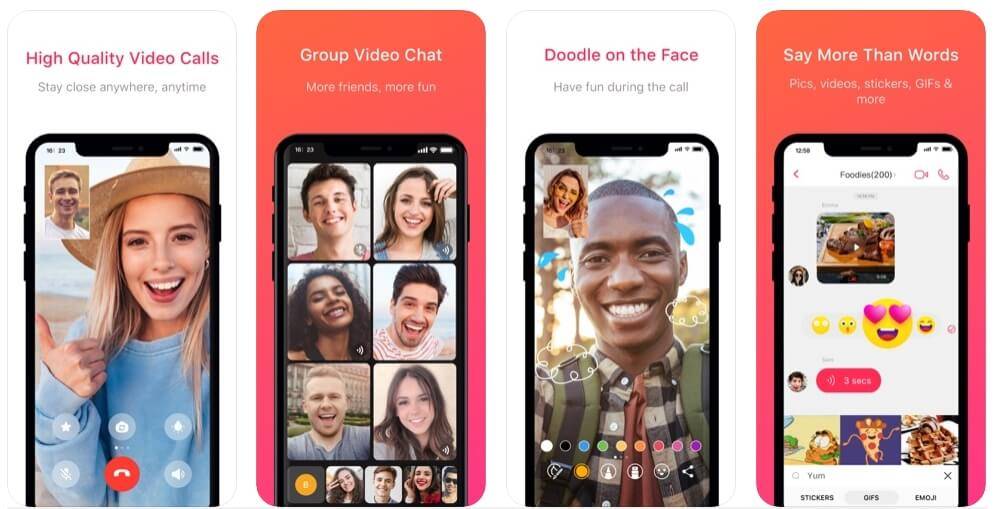
Facetime isn’t available to Android but there’re great alternative apps available on Android. Now on Android, you can get the same FaceTime experience and you can communicate with friends and family.
Well, the alternatives are great apps for video calling and these are the very best Alternative App For FaceTime with great positives Reviews.
WhatsApp
Available: iOS/ Android
WhatsApp is the most popular free messaging apps in Africa and mostly known for texting, chatting but also supports voice & video calls. It’s the perfect Alternative App For FaceTime because a lot of people make use of it. One important fact about WhatsApp is that sometimes it comes pre-installed on some Android phone OS and it’s so easy to use and navigate for anyone.
with over 3 Billion downloads on Play Store, most people you know already have WhatsApp. Apart from that Privacy and security, have been encrypted for call and text. It also has a feature to save data using video calls, you can activate it by activating the ‘Low Data Usage’ toggle
Settings. Data and storage usage.
Low Data Usage will reduce video quality to lower data use. To use the video call – just tap the video camera icon in any chat, also WhatsApp supports up to 5 participants in a single call (Depending on future upgrade). .
WhatsApp also features voice and text chat, groups chat, cloud backups, broadcast message, GIFs, Emoji, and more. The app is potentially for communication and business purposes.
To use WhatsApp, you need a phone number, it’s also available for computers and tablets.
Skype
Available: iOS/ Android
Skype, an app that has been available for a long time before FaceTime and WhatsApp. It’s pretty much older than every other video calling platform and had enough time to get perfect it. Being older than any other App it is trusted by a lot of people and a lot of people have it already.
Using Skype is easy, with just an email address and password you can log in or Sign Up, which is different from using a phone number like WhatsApp. Skype is also available on computers and tablets but works better on computers & tablets. In fact, it runs on almost all platforms from Android and iOS to Windows and Mac, Linux, Xbox One, and so on.
Once you’ve signed up and you can add friends and family using a phone number or username and can video call them at the press of a button, also Skype supports up to 24 participants in a single call.
Note: Whoever you’re calling will need to be using Duo as well.
Conclusion
FaceTime has always been an app android has to desire to have which is only available on iOS, but with Android being one of the best operating systems that develop every single day. There have been so many apps on the OS for Android Users to forget FaceTime exists because these apps have far improved to have all the features available on FaceTime.
These are apps you can use every day to help save and budget our money to the point where we don’t even have to think about it. If you don’t want to go with our choices for the apps by all means do your research and find whatever is comfortable for you but these are just our personal opinions.
Apps For Saving Money Internationally
Digit
Platform: Android, iOS, Web It is the simplest one, I have to say. Digit is an easy no-brainer way to store away cash. When you create an account, a rainy-day account is given then you have to link your Digit account to your checking account, credit card, or debit card. By linking your account, you give digit access to use algorithms to learn about your spending patterns and how much you can responsibly save. It saves money for you when you can’t afford to.
Digit is the quickest the easiest and probably the most effective for like beginners who are just trying to save money. You saving depend on several outcomes. Digit does offer you the ability to personalized goals e.g. like credit card debts or you want to buy a car or saving for a vacation, you can create the goal, and then it will also save money towards that goal. digit comes with overdraft protection, with overdraft protection you can set any minimum amount you want for your checking balance i.e. digit will be triggering any time your checking account falls below the stated amount you set (let’s say you set that number at $100, and your balance falls to $80. Digit will then send $20 to your checking account).
Chime Bank
Platform: Android, iOS, Web
Chime Bank is a branch-free mobile banking experience for people who need to manage their money on the go. Chime Bank has eliminated a lot of hidden charges or fees for its customers. With the chime bank app, you never have to worry about any of the following:
Monthly fees
Overdraft fees (up to $100)
Foreign transaction fees
No minimum balance requirement.
Chime offers two kinds of accounts:
The Basic Account.
The Savings Account.
The basic account is also called Spending Account which comes with a Visa debit card while the Savings Account currently pays 1.60% APY. Signing up with Chime is easy Then you’ll just need to enter the following info:
First and last name
Email
Home address
Phone number
Date of birth
Social Security number
One of the best reasons to use Chime Bank to save money is because they don’t care about your bad mark/score you had in the past, unlike your local or traditional bank even with a history of bad score or mark from your local bank you can still open an account with chime bank. Technically, it’s a second-option of banking and gives you easy access to withdraw your money through Money Pass and Visa Plus Alliance networks. Chime is not like your local or traditional banks where they own a physical branch to deposit money, but with the various option you can add money to your Chime Bank account:
Direct deposit from a payroll provider
Transfer from a linked external bank account
Mobile deposit of a paper check
A cash deposit (cash deposit at more than 90,000 retail locations through GreenDot.)
Managing accounts, bills and more are time-consuming. Inconsistent incomes and lumpy bills turn financial management turns into a nightmare.
Clarity Money
Platform: Android, iOS, Web
Many people are struggling with financial management and Clarity Money App wants to be the modernized source that streamlines your finances with big savings opportunities.
Clarity Money is an expense tracking and bill negotiating app which allows you to link all your accounts, so you can prioritize all your transactions in a single app. You can now manage all your accounts on The Go using just an app.
Clarity Money gives you an organized visual representation of your transactions graphically with insights into your spending habits which include daily spending trends and pie charts.
Clarity Money has so much to offer to its customers, one of the special benefits of clarity money is they can negotiate to decrease some of your bills on your behalf.
According to the clarity money, they have the most success in lowering your bills. They also offer you:
Cancel or negotiate with the click of a button
makes it easy to cancel bills through their app therefore you cancel Netflix, cable subscriptions, etc. you can do that through the app Within a week, the team at Clarity Money will cancel your subscription.
An automated savings platform, Users can set up automatic savings in an FDIC insured bank account.
Why You Should Use Clarity Money
Clarity Money is a saving masterpiece, connection to bank accounts is faster than other apps.
Clarity Money makes it easy to transfer funds between accounts and even to different banks.
They help identify subscriptions to cancel and bills to lower.
The automated savings feature will help you build a savings muscle with just a few taps of your finger.
No other personal finance app comes close to Clarity Money.
They charge you only for negotiating bills on your behalf apart from that it has a Zero commission rate.
Mint
Platform: Android, iOS, Web
Mint is a customized User-friendly budgeting tool that:
Syncs all of your financial accounts under an app
One-stop-centre for your money tracking needs.
access to different features including bill tracking, financial goal creation, and credit score monitoring.
Mint is free personal finance management that syncs all your credit cards, bank accounts, and investment accounts together in an app. Mint was created by Intuit.
This provides its user with:
Free and Customizable Budgeting Tool.
Compatible with iOS and Android.
Bill Tracking and management.
Credit Score Monitoring.
Savings Goal Setting.
Analyses Cash Flow Trends.
Set Email Alerts, notifications and Reminders.
Investment tracking.
Free and easy to use.
Key Features
Accounts Tracker
This feature all your linked “accounts” which are Bank Accounts and Credit Accounts.
Major Assets
There is where you state physical assets such as cars and homes which you own.
To set up your asset, you’ll need to answer some simple questions like the manufacturer of vehicle, model, year, and mileage, or address of your home, etc. to get the value. You can adjust an asset’s value manually as well.
Investment Tracker
This feature tracks your investment accounts:
Traditional brokerages.
IRAs
Employer-sponsored 401ks
All accounts are syncs with each other and you get updates of value every day at market close.
Transaction Tracker
It keeps track of every credit and debit for all your synced or linked accounts. The User Interface of the transaction tracker looks similar to an online bank statement.
Mint assigns your transaction in order of categories while the Uncategorized transaction can be categorized manually.
Bill Tracker/ Mint Bills
Can be called Mint Bills. Mint’s bill tracker is a free feature that organizes your bill systematically. It can only help you keep track of your bills but can’t help you pay them.
Goals
It helps you define and set financial goals that give purpose to your spending and to save money.
Budgets
A tool that helps you set budgets on a monthly, periodically, or targeted budget (like saving for a specific purpose).
Trends
where you get financial analysis of your account. It makes use of graphical representation like bar graphs or pie charts to track your spending, income, net income, assets, debts e.t.c for a certain period.
Dashboard
It offers an in-depth look at all the accounts and assets you have shared with Mint. It comes with the usual basic features like a snapshot of your spending and saving trends, monthly budget status, ongoing goals, and upcoming payment due dates.
Trim
Platform: Android, iOS, Web
The trim app is like other personal finance apps and budgeting tools. You sign up, link your account and you are good to go.
The Trim app is popular for helping users negotiate for lower rates on your bills and cut off unused subscriptions. The company claims to have already helped users save over $20 million.
Trim works is like a personal finance bot that searches for your transactions and finds recurring transactions like subscription services and cancel them for you while they also negotiate your bills. Here’s how it works:
They search for transactions from your linked accounts (checking & credit card account).
Analyzes your transactions for recurring subscriptions
After analyzes, Trim shows you how much you’re spending on the services.
Select the services.
Trim cancels them and update you during the process and progress.
Trim’s Bill negotiation:
Submit a bill.
Provide payment method.
Trim will contact the bill holder for negotiation.
You will be notified when negotiation is successful.
Before you proceed with the bill negotiation, Trim charges 33% of the total you save each year on the bill they successful negotiate and the charge start three days later.
What is Trim Premium?
A Trim new paid service, and it cost $10/month and has a 30-day money-back guarantee. Trim Premium offers
This is something that technically our generation and even the older generation have an issue with and they need to work on, thankfully because of technology they now make apps that’ll do it for you.
You don’t have to go into any budgeting and things like that. I’m not sponsored by any of these apps or getting paid to talk about all these apps. These apps are used daily over and over again because they just work so well.
I’m going to try to make it as easy as possible for you to start saving for the business.
Corpreneur
Platform: Android, iOS, Web
Is a financial app by Prime Nexus FTL Ltd which was created for seamless and easy digit zeal saving.
CORPRENEUR is an app for saving and investment that helps you with saving, allows you to invest, and empower entrepreneurs. To create an account is quick and easy to do via mobile app (android and iOS) and web.
Saving with CORPRENEUR starts with as low as NGN100 or up to NGN 100,000 daily, weekly, monthly, and earn up to 10% interest rate per annum.
With the seamless and easy ways of CORPRENEUR, entrepreneurs can create a business space to increase the visibility of their business online due to search engine optimization (SEO) for high rank by a search engine (google, bingo, etc.)
Features
Fixed Savings
Allow you to put away cash for a long period and earn a fixed interest rate between 10% – 12.5 % on saving. Fixed saving cash range from NGN25,000 – NGN10,000,000 for 6 months or more.
Target Saving
Allow users to save toward a goal or targeted amount at an interest rate of 10% per annum. There is no fixed withdrawal period but once you reach your goal or targeted amount and it’s above the minimum period, your savings can be withdrawn.
Periodic Saving
Allow users to save any amount between NGN100 – NGN10,000,000 daily, weekly, monthly with an interest rate of 10% per annum. Note: Periodic saving allows you to save money as long as you desire.
Corpreneur offer
Zero service fee
Flexible savings plan
High-level data encryption
Competitively interest rate
Transparency
Security of card
NB: the minimum amount you can withdraw from your savings is NGN3,000.
Cowrywise
Platform: Android, iOS, Web
Is a fintech start-up app founded 2017 by Edward Popoola and Razaq Ahmed, with over 100K download on Google Play Store and an approval rating of 4.5 stars.
Cowrywise is an app mainly build for those who are interested in saving and there is an option for those who want to invest. You can sign up with Cowrywise via mobile or web. The app educates you on saving, investing, and allow you to invest in mutual funds.
Cowrywise was created to help young Africans understand money, how to save, investing worthwhile, and also highly rewarding.
Cowrywise has a larger saving plan than other fintech apps I have reviewed. They include:
Periodic saving
Life goal-saving
Fixed saving
Halal saving
Saving circles
Save as you earn
Periodic Saving
allow users to save regularly from daily, weekly, or monthly and it’s meant for regular fixed earner, student, etc.
Life Goal Saving
allow you to save on long-term goals and it’s quite similar to target saving.
Fixed Saving
designed for those who want to save for a desired period e.g. 3 months, 6 months, or a year. Your saving will be locked for a fixed maturity date you set.
Halal Saving
Is a plan that goes with the Islamic banking system therefore Zero interest rate is the principle of Islam (Designed for the Islamic believers).
Saving Circles
Is meant for those who want to save together, a plan for those with common interest or goal to achieve (Designed for couples, loved ones, or business partners).
Save As You Earn
Was created for non-regular income earners, it allows you to deposit anytime you want with zero deposit commission (Designed for entrepreneurs, traders, and erratic income earners).
Cowrywise interest rate annually varies from 10% to 15% depending on how long the money is saved.
Sumotrust
Platform: Android, iOS, Web
SumoTrust is a savings and investment platform by Sumo Tech Global Limited registered as a finance company, they claim to help reshape the poor saving and investment culture of Africans. They claim to help Africans save and raise money for any of the following purposes:
To saving for business.
Pay for rent
Buy property
Buy a car
Do some shopping
Pay school fees etc.
You can create an account with SumoTrust with a mobile app (Android and iOS) and web.
Features
Main Savings
is an account designed for users to automatically save daily, weekly, or monthly as the case may be, you earn 10% interest per annum. You are allowed to make withdrawals on the stipulated withdraw-able dates.
Fixed Savings
is a category of savings in which you save your money for the desired period of about a year and earn a maximum of 15% interest annually. It’s sometimes called an investment account.
Mission Savings
An account type designed for the user who wants to save money for whatsoever project or target ahead. With this account type, you have the freedom to set your savings target, amount and then start saving until you hit the threshold.
Kick Account
This is an account that stores all interests earned in your above accounts, referral commissions, winnings, and bonuses, they are all paid into this account. This account doesn’t have any interest attached to it. They offer:
Help one raise finances to start saving for business, building projects, buy cars, pay school fees, rent, etc.
An opportunity to meet high-class businessmen and women who can help groom your business to an enviable height which is meant for entrepreneurs.
High-interest rates are more than what is obtainable from local banks.
Zero commission fee for using any of their services.
Your money is very safe with them, with high-security encryption security.
Despite Google’s best efforts in Android security, no code out there can bulletproof it which is why everyone can benefit from installing an anti-virus or security app to get themselves some peace of mind.
The popular apps from established brands with long years of experience in securing desktop & other operating systems. Here are five top-shelf Android security and antivirus apps that you can use to protect your device for free.
Andriod Security App Of 2020
CM Security
CM security prize itself on the antivirus engine that’s why repeatedly they ranked first in tests. Which is able to
Fix system vulnerabilities.
Scan apps file systems.
Scan websites to ensure your device’s safety and privacy in real-time.
Able to vault, block functionalities to let you lock your data from unwanted eyes.
Prevent your children from spending on apps and games.
has a Find My Phone tool that lets you locate your device on a map, make it yell to find it, or lock it to protect your privacy.
The app can scan external SD cards to detect and delete threats, scan new applications, update installations in real-time, carry out scheduled scans, block unwanted phone calls to prevent harassment, and block phishing websites.
Avast Security
Avast is an old-time reliable defender against infected files, unwanted privacy, phishing malware, spyware, and viruses. The latest version contains features previously reserved for subscribers that have now become completely free. Avast’s antivirus engine can:
Automatically scans for infected apps and new apps upon first use.
Includes web and file scanning for complete mobile protection.
Provides insights about installed apps.
Access rights ads network integrations.
Permissions blocks numbers.
Scans and blocks malware-infected sites.
Handles USSD numbers that are particularly dangerous.
It can also wipe your device memory.
No Root Firewall
No-root firewall isn’t as slick as the other android security solutions listed here but serves its purpose well unlike other apps that require root privileges to do the same things.
This firewall delivers hostname, domain name filtering, fine-grained access control, and requires no suspicious permissions such as location, phone number data all of that is combined in a simple interface.
Kaspersky Internet Security
Kaspersky Labs’ is an award-winning android security application that is available on mobile devices. It protects the private and sensitive information stored in your smartphones and tablets against any mobile threats viruses spyware triads and intrusions. Its focus on web protection but also featuring capable file scanning Kaspersky internet security to block malicious websites while you surf the web.
Kaspersky also contains tools for remotely controlling your device in the event it gets lost or stolen. The app is also able to filter unwanted calls and messages to hide personal communication.
Kaspersky is also present on Android wear smartwatches with the ability to display notifications, send commands, or listen for voice control.
Malwarebytes
Malwarebytes is a famous anti-malware app by Malwarebytes Corporation that is upon Android to taking care of Trojan, ends malicious code, potentially unwanted programs links to malicious websites and incoming text messages, apps tracking location without your consent, and other security vulnerabilities. It features:
Both real-time and on-demand protection.
Scans native storage and SD card.
Breaks down apps access privileges by category
Handles many other aspects of app-related mobile security.
WhatsApp is one of the most popular messaging apps nowadays in Ghana and across the world. We use WhatsApp to stay in touch with family, friends, colleagues, etc. Whatsapp also has a host of rich features that take conversations to a whole new level.
Although WhatsApp is here to help us communicate, sometimes, you just want to avoid talking to some people for this, WhatsApp has “the blocking feature”.
Why do some people Block?
Blocking is useful when you want to avoid chatting with a person on WhatsApp. Sometimes, some people also want to avoid chatting with you. But how do you know when somebody blocks you?
If you’re using WhatsApp, you can easily tell that someone has blocked you since there are several indicators you can look for.
One of these is that you won’t be able to see the person’s “last seen” or “online” status in the chat window. However, some people do disable this feature, so it’s possible to remain friends with someone without seeing their “last seen” status.
If someone has blocked you, you won’t be able to call him nor see any changes he has made to his profile picture. You can still send him messages but, instead of seeing two checkmarks (one for the message sent and another for the message delivered), you’ll only see one check mark to indicate that your message has been sent.
The Fool Proof way to check if you have been blocked on WhatsApp
In order to verify that the person has really blocked you, use a friend’s (whose contact your suspect does not have) device to send a WhatsApp message to the person. If that message gets delivered (two checkmarks), then you really have been blocked.
It is always advisable to use this Fool Proof way because
People can hide or not use a profile photo, so you may think they have blocked you.
Some people can block you and your friends as well as your family members, It is always best to use a number he/she doesn’t have to test for “blocking”
Update: Some modded versions of WhatsApp allow users to disable double ticks even though they receive messages.
Hopefully, next time you are blocked, you are able to notice early enough. However, be cautious. This is because anyone who does not have a profile photo, hidden his/her about and has failed to come online in a long time will exhibit “symptoms that he/she has blocked you”.
Being an entrepreneur comes with a lot of struggles; some of these ranges from preparing for meetings, schedules, making sales, and a whole lot of other stressful stuff. But the interesting thing is that, after you work hard you will enjoy the fruit of your labour.
In the olden days, if you had a reminder you needed to write it somewhere you will remember. Sometimes, you will forget and miss something important.
All these things are a thing of the past as technology is taking over the world. With the introduction of technology, being an entrepreneur in the 21st Century is very interesting and a little more fun compared to the 20th century and the past centuries.
This article is going to recommend to you some must have-have apps for entrepreneurs in 2021. All the apps listed below are the best on the market; in terms of everything.
Must-Have Apps For Entrepreneurs in 2021
The top must-have apps for entrepreneurs in 2021 are:
Asana
Wunderlist
LastPass
Medium
Accompany
Pocket
Let’s now have a brief look at each of the apps listed above.
ASANA
If you are an entrepreneur who is or wants to be productive this app is the best app for you. But since every entrepreneur is or wants to be productive, I think this is one of the best apps you need to download on your device. Asana makes task collaboration and management very easy and fast. The interface is very user-friendly and one of the best compared to some of the other apps.
WUNDERLIST
One of the The main problems entrepreneurs face every day are stress and when you are stressed you are like to forget things. This is why I am recommending Wunderlist for you as one of the must-have apps for entrepreneurs in 2020. Wunderlist syncs all your to-do lists, errands, and many other things you are likely to forget in one place. Some reminders can be set making you stay up-to-date on every meeting or activity.
LASTPASS
LastPass was designed for entrepreneurs like myself who easily forget their passwords. This application will store all your passwords in a safe place where you can always access it on any device. If you think you are likely to forget the password to your company’s email make sure to check this app out.
MEDIUM
If you are an entrepreneur who is always willing to learn something new then I recommend Medium to you. This app provides intuitive articles that are geared towards making enlightening you on what is up-to-date in the world of business and entrepreneurship. This app is the best place to go and learn from the experts in the business field you are operating.
POCKET
Pocket is simply an app meant to store information in your pocket. This is how it works; if you come across an article or news story you like but cannot read at the moment, you can save it in Pocket. Whenever you are ready to read you can go into the app and read your article.
ACCOMPANY
The last app on our list is Accompany. This app is my favourite among all the apps listed below. Accompany emails you briefing before your meeting including a summary of each person attending the meeting. It does so by going through your email, calendar, and social media to gather the information. This app is like having the virtual assistant you’ve always wished for.
Conclusion
In conclusion to the apps listed above, you can also make good use of the available social media platforms also.
Have you had a hard time finding the identity of a caller? Yeah, I know how that can be frustrating. But, I am here to show you how to use Truecaller to find the identity of people calling you.
Spam calls and calls from unknown numbers are one of the things that worry us in this modern technology age. Due to the easy guessing of numbers and easy access to mobile numbers, spammers make use of that and call strangers regularly.
Unlike emails where you can easily see the sender’s email address, it is very difficult to find the identity of unknown callers; and that is where the Truecaller app comes in to help you out with that.
What Is Truecaller?
Truecaller is the world’s best Caller ID
Truecaller app is the world’s largest mobile number community which comprises over 150 million registered contacts in its database. The contact is spread across the whole; meaning that Truecaller is in literally most parts of the world.
To make it more accessible and user-friendly, Truecaller has a simple User Interface that is easy to navigate no matter your tech background. It’s also available for free download for Android, Blackberry, iOS, Windows, Series 40, and a list of other operating systems.
How To Use Truecaller To Find The Identity Of People Calling You
There are several methods that can be used to find the identity of a caller using Truecaller. Some of these are automatic while others are manual.
In this article, I am going to show you some of the proven methods you can use to carry out this action. But before we begin, you need to download the free Truecaller app from the Google Play Store, Apple App Store, or any other source that fits your devices’ operating system.
How To Use Truecaller To Find The Identity Of People Calling You By Using Truecaler’s Dialer
This method is very simple and straightforward. But, with this method, you need to hang up the call before you can be able to find the identity of the caller.
To find the callers identity using the Truecaller dialer, all you need to do is to copy the number of the caller and paste it in the Truecaller dialer.
Once you are done, try calling the number and the name of the person you are calling will display on top of the mobile number. Also, the name will be in full, for example, Kofi A. Mfidie.
Please note that the dialer is only available for Android users. This is because Android’s Operating System is an open-source unlike Apple’s closed-source Operating System.
How To Use Truecaller To Find The Identity Of People Calling You By Using Truecaller Live ID
Using this method is only going to be possible for Android and Windows users. If you fall within this category, then you can follow the steps below. Also, you need to have a stable internet connection in addition to that.
To use the Truecaller Live ID option, you just need to type the number of the person and the name of the contact will automatically show up.
Conclusion
Depending on the device you are using and the version of Truecaller you are using; sometimes when a person is calling you the name of the caller will automatically show up. But it doesn’t show up, you can use any of the two methods stated above.
Also, you need to register once you create the account in order to enjoy some of the amazing features. If you want to enjoy more than what the free version offers, you can decide to buy the premium package.
So, follow the steps listed above and find the identity of that person who is calling you. If you run into any trouble, feel free to write it down in the comments section below.