Category: Reviews

0

  • Samsung A71: Review, Features, Price and where to buy

    Samsung A71: Review, Features, Price and where to buy

    Are you looking for a powerful and stylish phone? The Samsung A71 could be the perfect choice for you. This premium mid-range device comes packed with features, including a stunning 6.7-inch Super AMOLED Plus display, a powerful octa-core processor, and a long-lasting 4500 mAh battery.

    It looks stylish with a sleek design and eye-catching colors. In this blog post, we’ll be taking a look at the Samsung A71, reviewing its features, discussing its price, and telling you where to buy it in Ghana.

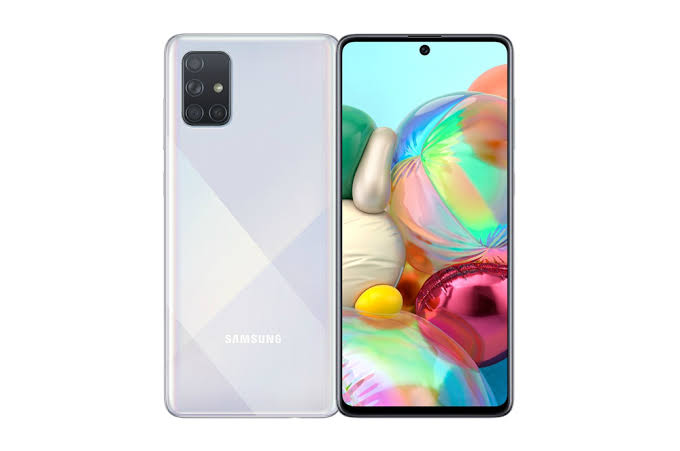
    Samsung A71

    Samsung A 71 mobile phone specifications

    NETWORK
    TechnologyGSM / HSPA / LTE
    LAUNCH
    Announced2019, December 12
    StatusAvailable. Released 2020, January 17
    BODY
    Dimensions163.6 x 76 x 7.7 mm (6.44 x 2.99 x 0.30 in)
    Weight179 g (6.31 oz)
    BuildGlass front (Gorilla Glass 3), plastic back, plastic frame
    SimSingle SIM (Nano-SIM) or Dual SIM (Nano-SIM, dual stand-by)
    DISPLAY
    TypeSuper AMOLED Plus
    Size6.7 inches, 108.4 cm2 (~87.2% screen-to-body ratio)
    Resolution1080 x 2400 pixels, 20:9 ratio (~393 ppi density)
    ProtectionCorning Gorilla Glass 3
    PLATFORM
    OsAndroid 10, upgradable to Android 11, One UI 3.1
    ChipsetQualcomm SDM730 Snapdragon 730 (8 nm) – GlobalQualcomm SDM730 Snapdragon 730G (8 nm) – Philippines
    CpuOcta-core (2×2.2 GHz Kryo 470 Gold & 6×1.8 GHz Kryo 470 Silver)
    GpuAdreno 618
    MEMORY
    Card SlotmicroSDXC (dedicated slot)
    Internal128GB 6GB RAM, 128GB 8GB RAM UFS 2.1
    MAIN CAMERA
    Quad64 MP, f/1.8, 26mm (wide), 1/1.72, 0.8u00b5m, PDAF12 MP, f/2.2, 123u02da (ultrawide)5 MP, f/2.4, (macro)5 MP, f/2.2, (depth)
    FeaturesLED flash, panorama, HDR
    Video4K@30fps, 1080p@30/240fps, 1080p@960fps; gyro-EIS
    SELFIE CAMERA
    Single32 MP, f/2.2, 26mm (wide), 1/2.8, 0.8u00b5m
    FeaturesHDR
    Video4K@30fps, 1080p@30fps
    SOUND
    LoudspeakerYes
    35mm JackYes
    COMMS
    WlanWi-Fi 802.11 a/b/g/n/ac, dual-band, Wi-Fi Direct, hotspot
    Bluetooth5.0, A2DP, LE
    GpsYes, with A-GPS, GLONASS, GALILEO, BDS
    NfcYes (market dependent)
    RadioFM radio
    UsbUSB Type-C 2.0, USB On-The-Go
    FEATURES
    SensorsFingerprint (under display, optical), accelerometer, gyro, proximity, compass ANT+
    BATTERY
    TypeLi-Ion 4500 mAh, non-removable
    ChargingFast charging 25W
    MISC
    ColorsPrism Crush Black, Prism Crush Silver, Prism Crush Blue, Prism Crush Pink
    ModelsSM-A715F, SM-A715F/DS, SM-A715F/DSN, SM-A715F/DSM, SM-A715W, SM-A715X
    Sar0.98 W/kg (head) & & 0.90 W/kg (body) & &
    Sar Eu0.51 W/kg (head) & & 1.56 W/kg (body) & &

    Review

    The Samsung A71 is one of the latest additions to the popular Galaxy A series from Samsung. It’s a mid-range device that boasts some powerful specs and features. The phone has a 6.7-inch Super AMOLED display, a powerful octa-core processor, and 8GB of RAM. It also features an impressive quad-camera setup on the back and a 4500mAh battery for long-lasting performance.

    The Samsung A71 comes with a sleek, modern design that has a comfortable, ergonomic feel. Its large 6.7-inch display is perfect for streaming movies or playing games, and it has an aspect ratio of 20:9 that offers plenty of space for multitasking. The phone is powered by a Qualcomm Snapdragon 730 processor and 8GB of RAM, which make it great for handling demanding tasks and multitasking.

    The Samsung A71 also has an impressive quad-camera setup on the back, featuring a 64MP main camera, 12MP ultrawide lens, 5MP depth sensor, and 5MP macro lens. On the front, you’ll find a 32MP selfie camera, which is great for taking selfies and recording videos. The Samsung A71 has a 4500mAh battery, which can last up to 24 hours of usage on a single charge. It also supports 25W fast charging, so you can quickly charge your phone when it’s running low.

    Features

    Design and Display

    The Samsung A71 is a premium mid-range smartphone that offers an impressive design and display. It features a large 6.7-inch Super AMOLED Infinity-O Display with a resolution of 1080 x 2400 pixels and a density of 393 PPI. The display has an aspect ratio of 20:9 and features an Infinity-O notch for the 32MP selfie camera. The bezels around the display are quite slim and it is protected by Corning Gorilla Glass 3.

    The back of the phone has a premium glossy finish and is home to a rectangular camera module with four cameras, flash and sensors. The Samsung A71 has an aluminum frame with chamfered edges, giving it a modern look and feel. It is available in Prism Crush Black, Prism Crush Silver, and Prism Crush Blue color options.

    Performance

    The Samsung A71 is a mid-range device that offers great performance and features. With an octa-core processor, 8GB RAM, and 128GB of internal storage, the A71 is sure to provide a smooth and responsive experience. The device also comes with a huge 6.7 Super AMOLED Plus Infinity-O display, delivering a vibrant and immersive visual experience.

    In terms of graphics performance, the A71 is powered by the Adreno 612 GPU, ensuring smooth gaming performance. Additionally, the device supports Dolby Atmos sound for a powerful audio experience. All of these components combine to deliver a high-performance experience no matter what task you’re doing.

    The Samsung A71 also runs on Android 10, which provides access to a range of features and apps for an even more tailored experience. With Google Assistant, Bixby Vision, and Samsung Pay, the A71 makes life easier than ever. Plus, with the long-lasting 4500 mAh battery, you won’t have to worry about running out of power throughout your day.

    Battery Life

    The Samsung A71 is equipped with a 4500 mAh battery that promises to keep you powered up throughout the day. With the 25W Super-Fast Charging capabilities of this device, you can quickly and easily recharge your phone without having to wait around. This device also has support for a wireless charger, which allows you to charge up without ever having to plug it in.

    The Samsung A71’s battery life is solid and provides plenty of power to get through an entire day’s worth of activities. Whether you’re playing games, watching videos, or simply checking emails, you won’t have to worry about running out of power. And when you do need to recharge, you can do so quickly and easily.

    Cameras

    The Samsung A71 is a smartphone designed to offer users an excellent photographic experience. Featuring a quad-camera setup, the A71 sports a 64MP main lens, 12MP ultrawide lens, 5MP depth sensor, and 5MP macro lens, allowing you to capture stunning images with plenty of detail and clarity. The A71 also offers a 32MP front camera for taking beautiful selfies or videos.

    In addition to its cameras, the A71 is powered by an octa-core processor and 8GB of RAM, making it a fast and responsive device. The device is equipped with 128GB of internal storage, which can be expanded up to 512GB via a microSD card slot. The A71 also comes with a large 6.7-inch FHD+ Super AMOLED Infinity-O Display with an in-display fingerprint scanner.

    The Samsung A71 runs on the Android 10 operating system and features an 4500mAh battery with 25W Super Fast Charging support. The device is available in various colors, such as Prism Crush Black, Silver, Blue and Pink.

    Audio

    The Samsung A71 comes equipped with an impressive audio experience. Its dual stereo speakers, combined with Dolby Atmos, provide users with a powerful and immersive listening experience. The dual-stereo system produces clear, crisp audio that can be heard in any environment, whether you’re listening to music, watching a movie, or playing games. The A71 also features a 3.5mm headphone jack for those who prefer to plug in their headphones.

    In addition to providing great sound quality, the A71 also has a few useful audio-enhancing features. For instance, Adapt Sound lets users personalize the sound settings to suit their individual listening preferences.

    The A71 also has Samsung’s Pro-Mode feature which allows users to adjust the sound settings based on the type of content they are viewing or listening to. This makes it easier to get the best possible audio experience no matter what type of content you’re consuming.

    Connectivity

    When it comes to staying connected, the Samsung A71 has you covered. It supports both Wi-Fi 802.11 a/b/g/n/ac and Bluetooth 5.0 for seamless connectivity. You can also connect to your TV with MirrorLink or use the Samsung DeX platform to use your phone as a computer. This makes it easy to transfer data, share documents, and keep up with your daily tasks. Plus, the Samsung A71 is dual-SIM compatible, allowing you to use two different SIM cards at the same time.

    Price and where to buy

    The phone can be purchased from various online retailers and physical stores in Ghana between GHS 1,450 and GHS 2,200 in Ghana. It can also be purchased on online storeslike Jumia, Jiji Ghana, OLX, Ghanabuysell, Tonaton, etc. Prices varies depending on situation, seasons and where you buy them.

    Conclusion

    The Samsung A71 is a fantastic mid-range smartphone that offers users an excellent combination of features, performance, and value. It packs in powerful hardware, great display, long battery life, and a stylish design that makes it stand out among other phones in its price range. With its affordable price tag, the Samsung A71 is the perfect device for anyone looking for a reliable and powerful smartphone in Ghana.
  • Samsung A12: Review, Features, Price and Where to buy

    Samsung A12: Review, Features, Price and Where to buy

    Are you looking for a new smartphone with great features and a competitive price? If so, you should definitely consider the Samsung A12. This phone offers a combination of amazing features, quality performance, and an attractive price tag, making it a great choice for anyone looking for a great new phone. Samsung is one of the world’s most well-known and trusted electronics companies.

    It is a South Korean multinational conglomerate, which produces many different products, from mobile phones and tablets to home appliances and televisions.
    The Samsung A12 is another addition to the company’s range of Android smartphones. It has been designed with both affordability and performance in mind, making it a great option for those who want a good quality device without spending too much money.

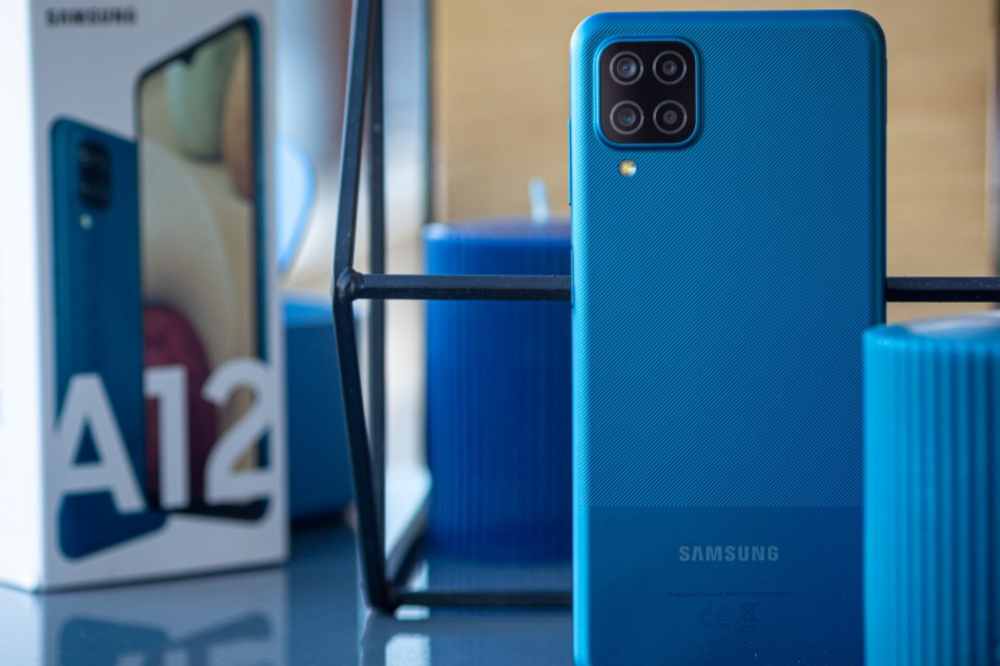
    Samsung A12

    Samsung A 12 mobile phone specification

    NETWORK
    TechnologyGSM / HSPA / LTE
    LAUNCH
    Announced2020, November 24
    StatusAvailable. Released 2020, December 21
    BODY
    Dimensions164 x 75.8 x 8.9 mm (6.46 x 2.98 x 0.35 in)
    Weight205 g (7.23 oz)
    BuildGlass front, plastic back, plastic frame
    SimSingle SIM (Nano-SIM) or Dual SIM (Nano-SIM, dual stand-by)
    DISPLAY
    TypePLS IPS
    Size6.5 inches, 102.0 cm2 (~82.1% screen-to-body ratio)
    Resolution720 x 1600 pixels, 20:9 ratio (~270 ppi density)
    PLATFORM
    OsAndroid 10, upgradable to Android 11, One UI 3.1
    ChipsetMediatek MT6765 Helio P35 (12nm)
    CpuOcta-core (4×2.35 GHz Cortex-A53 & 4×1.8 GHz Cortex-A53)
    GpuPowerVR GE8320
    MEMORY
    Card SlotmicroSDXC (dedicated slot)
    Internal32GB 2GB RAM, 32GB 3GB RAM, 64GB 4GB RAM, 128GB 3GB RAM, 128GB 4GB RAM, 128GB 6GB RAM eMMC 5.1
    MAIN CAMERA
    Quad48 MP, f/2.0, 26mm (wide), AF5 MP, f/2.2, 123u02da (ultrawide)2 MP, f/2.4, (macro)2 MP, f/2.4, (depth)
    FeaturesLED flash, panorama, HDR
    Video1080p@30fps
    SELFIE CAMERA
    Single8 MP, f/2.2
    Video1080p@30fps
    SOUND
    LoudspeakerYes
    35mm JackYes
    COMMS
    WlanWi-Fi 802.11 b/g/n, Wi-Fi Direct, hotspot
    Bluetooth5.0, A2DP, LE
    GpsYes, with A-GPS, GLONASS, GALILEO, BDS
    NfcYes (market/region dependent)
    RadioFM radio, RDS, recording
    UsbUSB Type-C 2.0
    FEATURES
    SensorsFingerprint (side-mounted), accelerometer Virtual proximity sensing
    BATTERY
    TypeLi-Po 5000 mAh, non-removable
    ChargingFast charging 15W
    MISC
    ColorsBlack, White, Blue, Red
    ModelsSM-A125F/DSN, SM-A125F/DS, SM-A125F, SM-A125M, SM-A125U
    Sar Eu0.67 W/kg (head) & & 1.38 W/kg (body) & &

    Review

    The Samsung A12 is a budget-friendly smartphone that offers great features at an affordable price. It boasts a 6.5-inch HD+ Infinity-V display with a 720 x 1560 resolution, providing sharp and clear visuals. The device is powered by an Octa-core processor with 2GB of RAM and 32GB of internal storage, which can be expanded up to 512GB with a microSD card.

    The A12 runs on the Android 10 operating system and comes equipped with a dual-camera setup, consisting of a 13MP primary camera and 5MP ultra-wide lens. For selfies and video calling, it has an 8MP front camera. Other features include an accelerometer, ambient light sensor, gyroscope, and proximity sensor.

    The Samsung A12 packs a 5,000 mAh battery that supports 15W fast charging and is available in four different colors – Black, White, Blue, and Red.

    Features

    Display

    The Samsung A12 is equipped with a large 6.5-inch HD+ Infinity-V display, allowing for an immersive viewing experience. The vibrant colors and crisp visuals make the A12 perfect for streaming movies, playing games, and browsing the web.

    Its 19.5:9 aspect ratio makes it great for multitasking, while its adjustable brightness settings allow you to adjust the screen depending on your environment. The display also features eye protection technology, so you can watch without worry of straining your eyes.

    Design

    The Samsung A12 is a stylish and sleek device that fits perfectly in your hand. It has a slim profile, making it easy to carry around and convenient for everyday use. The device has a 6.5-inch HD+ Infinity-V Display with a punch-hole cutout at the top for the 8MP selfie camera.

    The rear of the device is equally as stunning with its triple-camera setup that consists of a 13MP main camera, a 5MP ultra-wide-angle camera, and a 2MP depth sensor. The back also sports a fingerprint sensor, providing an extra layer of security and convenience.

    The Samsung A12 comes in a variety of colors including Midnight Blue, Red, and White. With its durable construction and striking design, the A12 is sure to turn heads.

    Battery life

    The battery life of the Samsung A12 is one of its best features. The phone is powered by a 5,000mAh battery, which provides excellent battery life for those who are constantly on the go. In fact, the Samsung A12 can last up to 16 hours of video playback and up to 26 hours of talk time on a single charge.
    This makes it a great choice for those who need a long-lasting phone that won’t leave them stranded without power. Additionally, the A12 supports fast charging, so you can top up your battery in no time.

    Software

    The Samsung A12 comes with the latest version of Android 10, giving users a smooth and intuitive experience. It is powered by the MediaTek Helio G35 octa-core processor and comes with 3GB of RAM and 32GB of storage.

    With this combination, you can expect excellent performance from the device, allowing you to run multiple apps simultaneously without any lag or slowdowns. Additionally, the Samsung A12 comes with a rear-mounted fingerprint scanner which makes it easy to unlock your phone in no time.

    Performance

    The Samsung A12 is a mid-range smartphone that packs a lot of punch for its price. It runs on a Mediatek MT6762D chipset, has 3GB of RAM and 32GB of onboard storage. The phone also features an 8MP rear camera, a 5MP front-facing camera, and a 5,000 mAh battery.

    As far as performance goes, the Samsung A12 offers good value for money. The Mediatek MT6762D chipset provides a decent level of performance when running basic tasks and the phone runs smoothly even when multitasking. Gaming performance is also quite good, and even relatively demanding games can be played with ease.

    Camera

    The Samsung A12 is one of the most impressive mid-range smartphones on the market, with an impressive array of features for an affordable price. It comes equipped with a triple camera setup, featuring a 48 MP primary sensor, 8 MP ultra-wide-angle lens and a 5 MP depth sensor. This means that you can take stunning pictures and videos, perfect for capturing your favorite moments.

    The A12’s camera also includes various features that enhance your photography experience. It has night mode for capturing great photos even in low light situations and a portrait mode that helps you capture sharp and detailed images. The AI scene detection feature helps you get the best shot by automatically adjusting the settings for different scenes. The front camera is a 16 MP unit, perfect for taking selfies. There are also several beauty modes to help you look your best in selfies.

    How much does Samsung Galaxy A12 cost in Ghana?

    The price of Samsung Galaxy A12 in Ghana starts from GHS 1,029.00 to GH₵1,550.00. When shopping for the Samsung A12 in Ghana, it’s important to pay attention to the price. Prices will vary depending on the store or online shop, as well as availability. Be sure to check out multiple sources to find the best deal.

    Where to buy in Ghana

    If you’re looking for the latest Samsung A12 in Ghana, then you have various options. There are various authorized Samsung retailers located in Accra and other major cities that carry the device. You can also find the phone online at trusted e-commerce sites like Jumia, Jiji Ghana, OLX, Tonaton, etc.

    Conclusion

    The Samsung A12 is an impressive smartphone with a great range of features and a competitive price tag. With its modern design, powerful hardware, long battery life, and great camera quality, it’s clear that the Samsung A12 is a great choice for those looking for a mid-range device that won’t break the bank.

  • BigDaddyBet, Review: A Dynamic Platform, Exceptional Joining, Multi-Fold Bonus, Unbeatable Odds, Fastest Pay-outs & Quickest CashOut Facility

    BigDaddyBet, Review: A Dynamic Platform, Exceptional Joining, Multi-Fold Bonus, Unbeatable Odds, Fastest Pay-outs & Quickest CashOut Facility

    Betting has become a quick way to make money online these days. In Ghana, a large percentage of the population are enjoying this fun of sports betting. With putting up a small stake the players choose Multiple Fold of bets and stand a credible chance to win big is the most popular way of betting among players. This also brings a lot of excitement watching a Soccer Match when you have a stake in your choice of team. 

    For such a huge market, there are numerous bookmarkers available to place bets with. There are many fake bookmakers in Ghana, and one must be beware of that.

    While some bookmarkers may have stayed true to their words and provided some quality platforms for punters to place their bets, some others have failed to live up to the expectation.

    In this article, we look at one of the best betting platforms available in Ghana and let us find out why majorly Ghanaians are now moving to this online gaming site that is, BigDaddyBet.com.

    Why BigDaddyBet?

    BigDaddy BigOffer (Limited Period)

    BigDaddyBet has a unique offer for its users. They are offering a Free Gift of up to GHS 50,000 under their Free Cash Away Promotion which is over and above their First Deposit Bonus which can go Up to GHS 300. Click and Sign-up to grab this bonus immediately. www.BigDaddyBet.com

    Multi-Fold Bonus

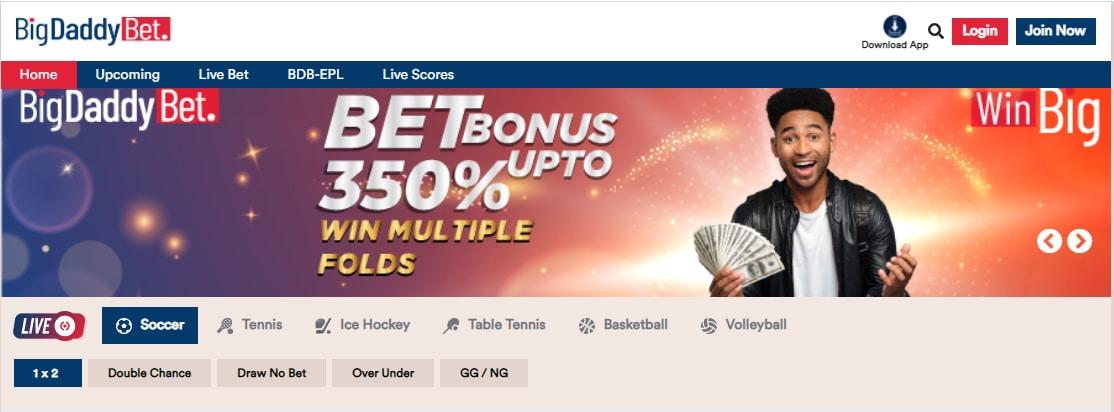
    BigDaddyBet offers a Multi-Fold bonus of up to 350% on the Multi-Fold selection which is exceptional in Ghana and inviting for users. In this promotion, users can win a bonus up to 350% bonus on their selection along with their odds. Click her and try now www.BigDaddyBet.com

    Exceptional User Experience and Unbeatable Odds 

    The BigDaddyBet platform is a brilliantly designed website with simplistic colours and an easy-to-browse interface with internationally accredited standards. 

    On the home page, First Section comprises all the Live Matches with the 5 most popular Markets which are listed on the face of the page and can go up to 150 markets after clicking the event. One of the sticking features which makes BigDaddyBet stand tall in the competitive space.

    Second Section comprises All the upcoming events which is the most popular section among users and sorted by the Top League by default. It has 6 extremely popular markets on the face and three dynamic filters which are Today, Top Leagues, and Countries for the easy user interface. For other features click on the Upcoming tab from the Top Menu Section. The filters are extremely user friendly and done to help the user optimize his experience basis his preferences be it league, time, tournament etc.

    The focused approach of having top 5 most popular sport helps the user in concentrating better. Besides soccer there are other sports available that is Tennis, Table Tennis, Basketball, Ice Hockey, and Volleyball. 

    BigDaddyBet Offers unbeatable odds compared to the market. It adds excitement when an additional Multi-Fold bonus of up to 350% is given extra.

    Betting Options for Soccer Events

    It gets boring when you visit a betting platform to realize that there are only a very few options for you to pick from when you select a particular match to bet on. BigDaddyBet seems to understand exactly how the average bet punter feels. So, for their soccer events, they offer more than 135 different betting options on each match.

    There are a few extremely popular markets such as Home, Away or Draw (3-way win), Double Chance, Draw No Bet (DNB), Over/Under (Total), and GG/NG (Both teams to score). Some games have about 148 different betting options to choose from.

    So, no matter what your favourite option is, you can always be assured that you will get to see it on BigDaddyBet.

    Payment Methods for Deposits and Withdrawals on BigDaddyBet

    One of the major problems most bettors face is the issues with deposits and withdrawals. Sometimes, you win a bet and then you realize that withdrawals are not going through and the betting company has limited withdrawal methods, so you must wait until the primary method begins to work again.

    Fortunately, BigDaddyBet is an exception to the norm. They have three main payment methods. There is the MTN Mobile Money, Vodafone Cash, and AirtelTigo Cash.

    You can use any of these three payment methods to deposit or withdraw money into your account, once you log in you can deposit a minimum of GHS 1 and a Maximum GHS 20,000 in one Go and that too free of charge. 

    Your deposit method is the same as your withdrawal method, however, in case you need to add a new payment method to make payment, you can contact their support for more information and help.

    How to Register for An Account on BigDaddyBet

    Registering for an account with BigDaddyBet is amazingly simple and does not require so many steps. However, you must make sure that you are above the age of 18 and you are qualified to make financial decisions on your own.

    Once you have this qualification, you can go ahead with the steps below to open your account with BigDaddyBet:

    1. Visit the homepage of BigDaddyBet
    2. Click on ‘Join now’ at the top of the homepage
    3. Enter your first name, last name, and phone number in the boxes provided
    4. When you get to the password column, make sure to choose a password that is between 6 to 14 characters long.
    5. Type the password in the text box to confirm it
    6. Click to tick the box beside the text ‘I confirm that I am at least 18 years of age, and accept the…’
    7. Now, click on ‘Create account’
    8. You will receive a one-time pin via your phone number.
    9. Enter the code on your next screen
    10. Once you successfully enter the PIN, you will get access to your new BigDaddyBet account and you can make your first deposit to start staking on your favourite teams.

    Frequently Asked Questions About BigDaddyBet Ghana

    How much does it cost to register on BigDaddyBet Ghana?

    It is free of charge. You do not need to pay anything to register on BigDaddyBet Ghana.

    Can my BigDaddyBet username be changed?

    The simple answer is no. Your username is the phone number that you verified during your registration period and this number cannot be changed.

    How do I retrieve my login details if I forget my password on BigDaddyBet?

    If you ever forget your password, just click on “forgot password?” from the login menu and follow the due processes listed there to regain your password.

    What is the maximum Pay-out on BigDaddyBet?

    The Max Pay-out per Bet is GHS 40,000. The Daily Max Winnings per User are GHS 100,000. The Daily Sportsbook Max Pay-out (the daily sum of all pay-outs for all users) is GHS 1,000,000.

    How many selections can I add to my BigDaddyBet bet slip?

    You can add up to 30 selections to your bet slip. 

    How long does withdrawal processing take on BigDaddyBet?

    For withdrawals below GHS 2,000, the process is instant. If you did not receive your withdrawals instantly, you will have to contact support for assistance.

    Can I apply for my BigDaddyBet account to be closed?

    No. You cannot apply for the closure of your account through your settings. However, if you like, you can self-suspend your account for 1 day, 7 days, or 30 days. There is also a self-exclusion feature for which you must go through the customer support department to place a request. This feature is for anyone who has a gambling problem and has decided to close their account temporarily. 

    Conclusion

    In Ghana, online sports betting is one of the most-patronized money-making ventures. People of all ages, sizes, and gender are actively engaged in sports betting. However, getting the right platform to place your bets is a big problem. Due to the number of bet bookmarkers available, it is becoming increasingly difficult for punters to get the platforms with the best odds and quick withdrawals.

    Bigdaddybet is one of the few betting companies that offer a wide range of sporting activities and betting options with high odds for bet punters. Their Exciting Bonuses, Easy Deposit, and Fastest Pay-outs along with quick CashOut policy and transparency make them one of the best platforms to place your bet on.

    When you sign up with them now, you get a chance to enjoy a 300% bonus on your first bet. They are the only Ghanaian betting company offering this much welcome bonus. Take advantage of this special promo. 

    Click here to register now. www.BigDaddyBet.com

  • iOS 14 Review: What’s The New Features

    iOS 14 Review: What’s The New Features

    Apple has released its new and upgraded OS. The iOS 14 has been released and is available for download if you have an iPhone 6s or later which is different from Android 11 currently available for Pixel devices and is yet to roll out to other Android phones.

    Apple having such tight control over its hardware and software allows them to offer an incredible level of software support to their users.

    What’re the new changes of iOS 14?

    iOS 14 Features

    Widgets

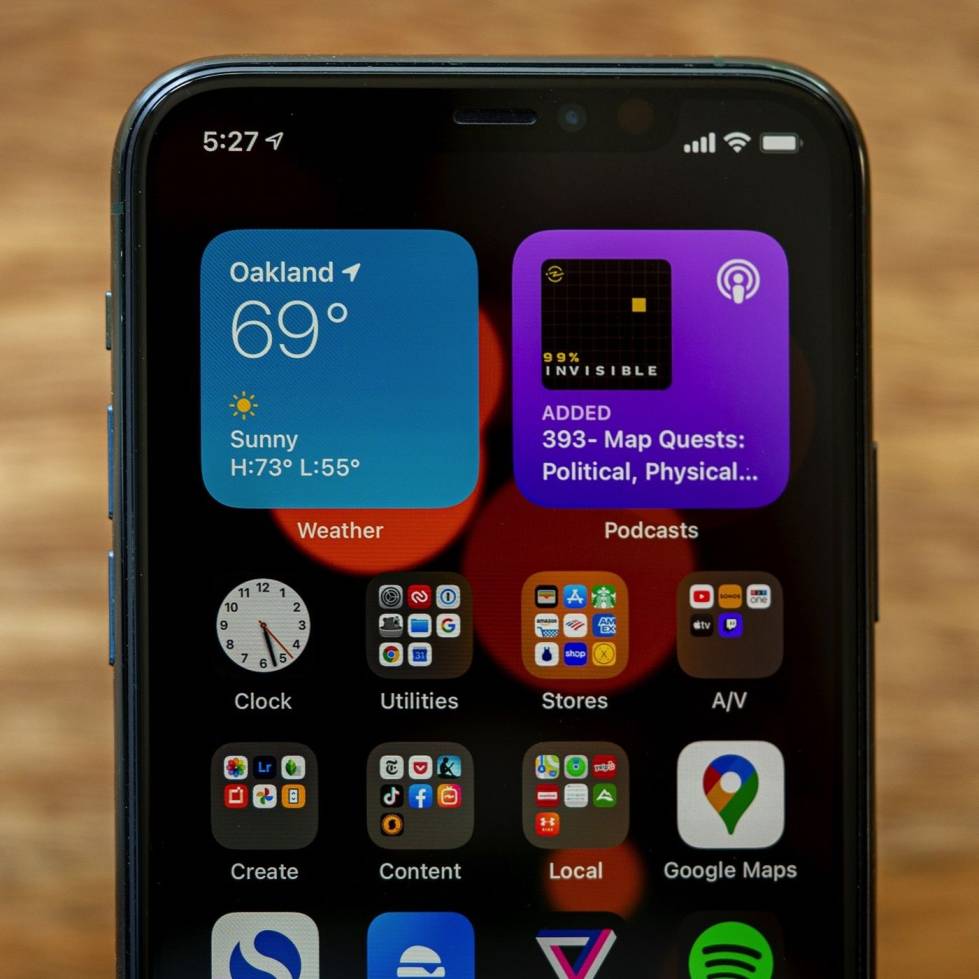
    The first time, iOS 14 allows you to add widgets to your home screen and have useful information available at a glance.

    The widgets can be set in one of three different sizes and also a neat way to automate your widgets called a ”smart stack”. with the smart stack, you can put multiple widgets on-top one another or in a stack and depending on the time, location or activity a different one will be displayed to you/simply swipe up and down on the stack of the widget to change widget.

    App Library

    A new option for organizing your apps is called the ”App library”. It’s apple’s version of an app drawer and the library will sort the apps into categories for you, making it very easy to locate your apps easily.

    Change Default App

    A new feature is the option to change the default web browser or mail app, unfortunately, the change in a default web browser only works for Chrome or Safari app.

    Incoming Calls

    Incoming calls also have been upgraded, for starters calls won’t take-up the whole display. For an incoming call, a bar up at the top of the phone will pop-up to accept or reject the call.

    Minimize Video Call

    Several apps support floating pictures in picture mode but now you can minimize your video call and do other things in the background. This feature works for most video apps like YouTube, Facetime.

    Messaging

    For text conversations, you can now pin your most important threads and keep them at the top of your list for easy access.

    In group chats, you can reply directly to someone’s message a feature called inline replies after this you can view that specific interaction as its thread if you want to you can also type someone’s name from the chat to directly message them.

    Translator

    With iOS 14, communicating in a foreign language is now easier with the new translate app which supports 11 different languages. You can use it for both text and audio translation in real-time.

    New SIRI Interface

    iOS 14

    Apple’s assistant ”SIRI” brings a brand-new streamlined look. The New Siri app won’t take up the whole display but appear down at the bottom of the display when activated.

    Gesture Shortcut

    A new gesture shortcut is available by tapping on the back of the phone and you can program it to activate a specific app or function.

    Software Improvement

    • Maps navigation can give you optimized routes using elevation data.
    • Health app features a sleep monitor to make sure that you get enough rest and it reminds you about headphone volume to help you preserve your hearing.
    • Camera performance has faster processing times for your shots and a new exposure compensation control.
    • Airpods now features spatial audio and automatic switching between devices.

    Privacy Update

    • An indicator appears at the top of the screen to alert you when an app is using the microphone or camera.
    • Apple store has a new privacy report button that lets you see an app’s privacy practices before you install it.
    • The web browser also shows a privacy report instantaneously to see who’s tracking your browsing behavior.
  • Android 11 Review: What’s The New Features

    Android 11 Review: What’s The New Features

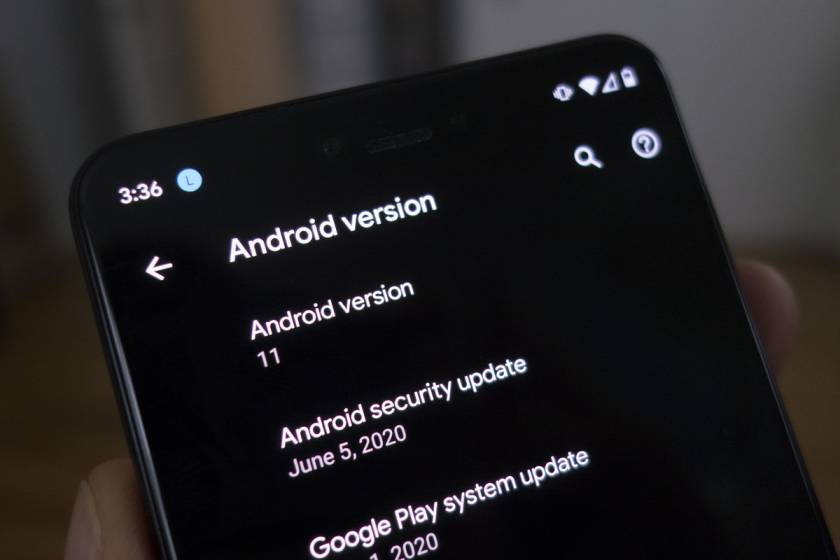
    The brand-new Android 11 has just come out for select devices and phones. As we’ve come to expect by now the new version of Android is rolling out first on Google’s Pixel phones, the beta is available across some other devices but the stable version is pixel only for now so what’s changed well for starters.

    Android 11 Features

    User Interface

    Android 11

    The UI has become more fluid and responsive because of tuning and optimization.

    A few of the visible changes in the UI has to do with messaging. Messaging notification is usually cluster together but now on the messaging apps, a dedicated space called ”conversations” makes it simple to see them at a glance.

    Additional to this, is system-wide support for floating bubbles for chat & conversations sort of like chat heads from the messenger app so no matter which service you use to communicate with multitasking is a breeze.

    Emoji

    Android 11 supports the New Emoji 13.0 set which includes things like ”Man-in-tuxedo and Beaver”.

    Screen Recording

    A handy feature that you can activate with a quick toggle which will let you capture what’s going on the screen and its available to all manufacturer UI

    Media

    The media playback on the notification has been refined to be much cleaner especially when you have multiple media apps opened at the same time, the playback controls are now located above notifications with a carousel that you can swipe through (rather than having a separate panel for each media app).

    Easy Smart Connection

    We use phones to control a lot of smart devices around the house. Android 11 ” long pressing the power button” opens a dedicated space for smart connections.

    Connectivity

    More developer tools have been added for developers to take better advantage of those faster network speeds and lower latency.

    Display

    with the recent phone having a high refresh rate display, Android 11 helps with that by supporting variable refresh rates.

    The Android OS can automatically adjust to individual apps and games set the preferred frame rate to save energy and also theirs more support for an app with displays with extremely curved edges.

    Foldable devices can track the hinge angle to enable extra app features and display modes.

    Security Update

    There are few changes to how privacy is handled on OS 11. These include:

    • One-time permission: You can choose to grant app access just once.
    • Auto-Reset Permission: If you haven’t used an app for a long period, the permissions will auto-reset.
    • location information now requires multiple levels of permission, so apps in the background won’t access or track your location unless you want them.
    • Increase the number of Google Play Store modules to give more security and privacy-related updates.

    Scope Storage

    A new feature that allows apps to have a separate folder for its data rather than using a shared one thus limiting the access that an app has to potentially private storage space.

  • Samsung Galaxy Watch 3 – Best Features

    Samsung Galaxy Watch 3 – Best Features

    Samsung is going for the smartwatch crown for Android with a few quirks it has the potential.

    Samsung has made many smartwatches and through all that experience the company has refined its Tizen software so much that it has completely ditched Google’s Wear OS.

    The Galaxy watch 3 is the latest effort to keep up with reigning smartwatch competitor Apple, introducing familiar features like fall detection and ECG. Samsung also improves their sleep tracking to perform faster than Apple. The hallmark physical rotating bezel is still a superior way to navigate a smartwatch. Watch 3 is priced at $400.

    Galaxy Watch 3

    Design

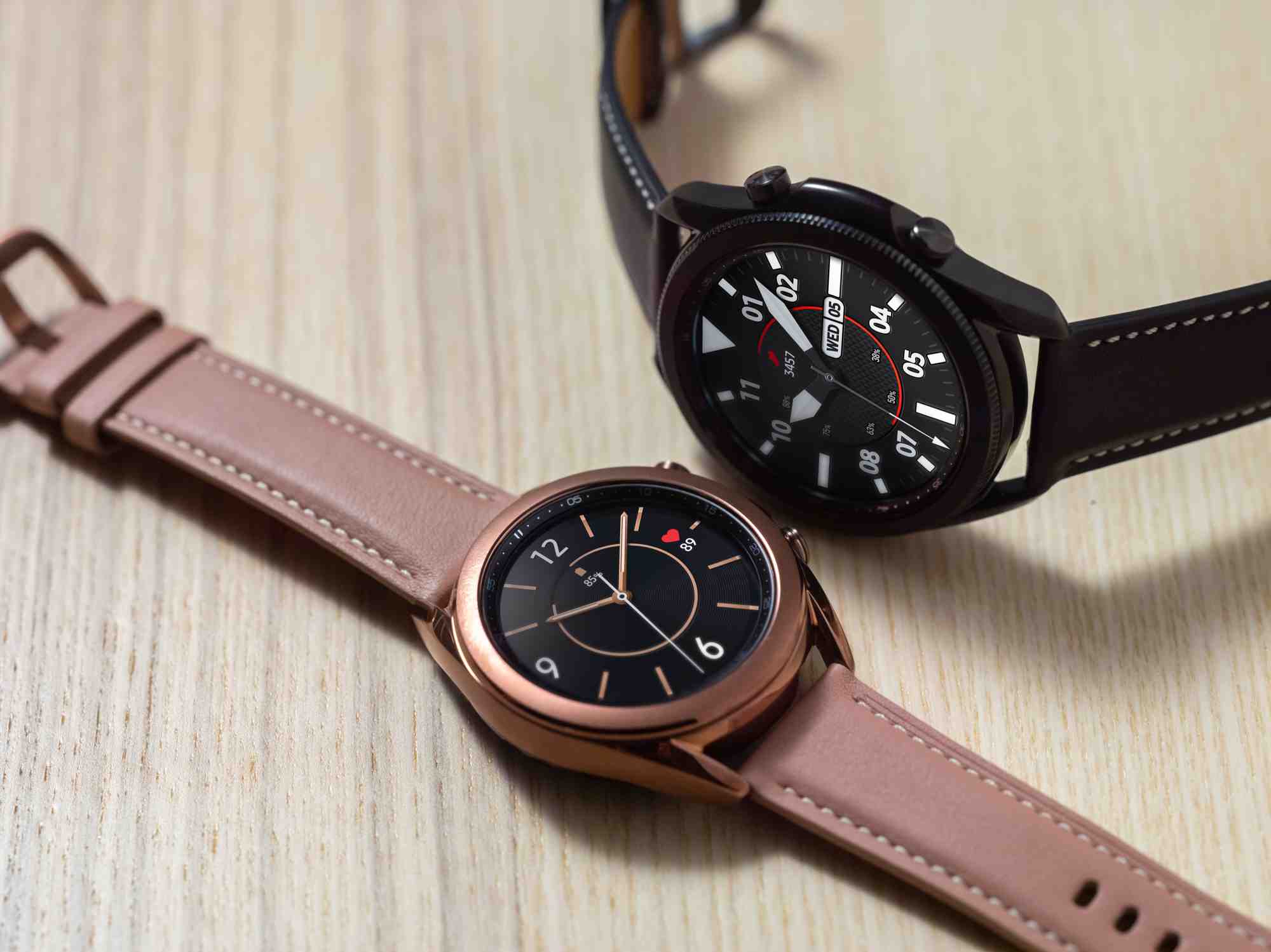
    The Galaxy Watch 3 is noticeably lighter and slimmer which doesn’t feel as overwhelming. Its stainless-steel case is shinier and classier than the Galaxy Watch active 2, although its underside is noticeably chunkier.

    There is also a bump in between the two buttons on the right side that prevents them from accidentally being pressed.

    Features

    The Galaxy Watch 3’s new features revolve around making it a better health and fitness companion, the upcoming ECG tool along with the new blood pressure readings helps provide more insight to your overall health but these are pending a software update and regulatory approval.

    Running Coach

    Samsung’s not the first company to provide real-time audio and visual feedback on your jog but the latest wearables from apple & Fitbit don’t offer this.

    Additionally, Samsung is doing it for free which is rare after selecting a goal from options like light running, calorie-burning, and speed endurance, you can start your running. The light mode guides you through four stages at gradually increasing speeds and the watch buzzes to tells you to either slow down or speed up to hit the targets.

    The watch would say things like great pace, keep up this pace or think positively you’re getting closer to your goal with every step which’s meant to be encouraging but delivered in its robotic voice.

    Galaxy Watch 3 shows a more comprehensive analysis for running than other workouts with average heart rate, session duration, and calories burned, you’ll see feedback on your symmetry, contact time, flight time, stiffness, and regularity with advice on what areas you need to improve.

    You get more guidance like suggested drills and charts showing your cadence and pace when you view your session in the Samsung Health app on your phone, A feature that will be appreciated by exacting athletes.

    galaxy watch 3

    Sleep Tracking

    Samsung updated the watch 3’s sleep tracking to use the heart rate monitor and accelerometer data which is a very similar approach to Fitbit and uses the info to estimate how much time you spend in zones like Rem, light sleep, deep sleep, or when you are awake.

    Samsung will count the time you spend to sleep and other factors like restlessness to assign you a score.

    Health Tracking

    Tizen OS health tracking outshines Wear OS and Fitbit OS,

    it offers a helpful widget for tracking your food and water intake, stress tracking with guided breathing to help you relax and prompt easy exercises when ideal for 1hrs.

    Heart rate monitor to check your heartbeat and Blood Oxygen reading to access your health using pores, temperature, blood pressure, and respiratory rate

    Fall Detection

    In life-threatening situations, Watch 3 can determine when you fall in to get help or you can push the home button on the right side three times to call your emergency contacts and share your location with them to.

    Sync

    One of Samsung’s smartwatch strengths at least against competitors like Fitbit and Garmin is how it syncs with your phone.

    Tizen is far better equipped at handling things like replying to messages, controlling your music, summoning an Uber, or controlling your smart home.

    When you receive a message, the watch will show some of the exchange before it so you can get some context for your conversation. Pictures and messages also show up in notifications which is something the Fitbit and Garmin’s don’t offer.

    If you want to, you can also use the Samsung watch to call your friends and the onboard mic will make you sound clear. The speakers are loud enough to hear over some light background noise too.

    Conclusion

    Watch 3 has a robust and well-rounded set of features. With the Galaxy Watch 3, Samsung easily holds onto the title of the best smartwatch for Android users.

    An honour held for the past two years.

  • Xbox Series X: Details, Price, and Where To Buy In Ghana

    Xbox Series X: Details, Price, and Where To Buy In Ghana

    Microsoft is leaving no space for competition in the Gaming industry. With the introduction of the Xbox Series X, Microsoft is looking to improve upon previous versions of their gaming console.

    If gaming is your hobby or something you do regularly, then you know very well of Microsoft’s Xbox and Sony’s PS. Every other year, these two companies develop newer software and hardware models for their respective gaming consoles.

    The latest Sony gaming console is the PS5. To counter this, Microsoft has also released its all-new Xbox Series X gaming console. The Series X was released on 10th November 2020.

    In this article, we shall talk about the Xbox Series X, its specifications, price and how to buy in Ghana.

    Xbox Series X Specifications

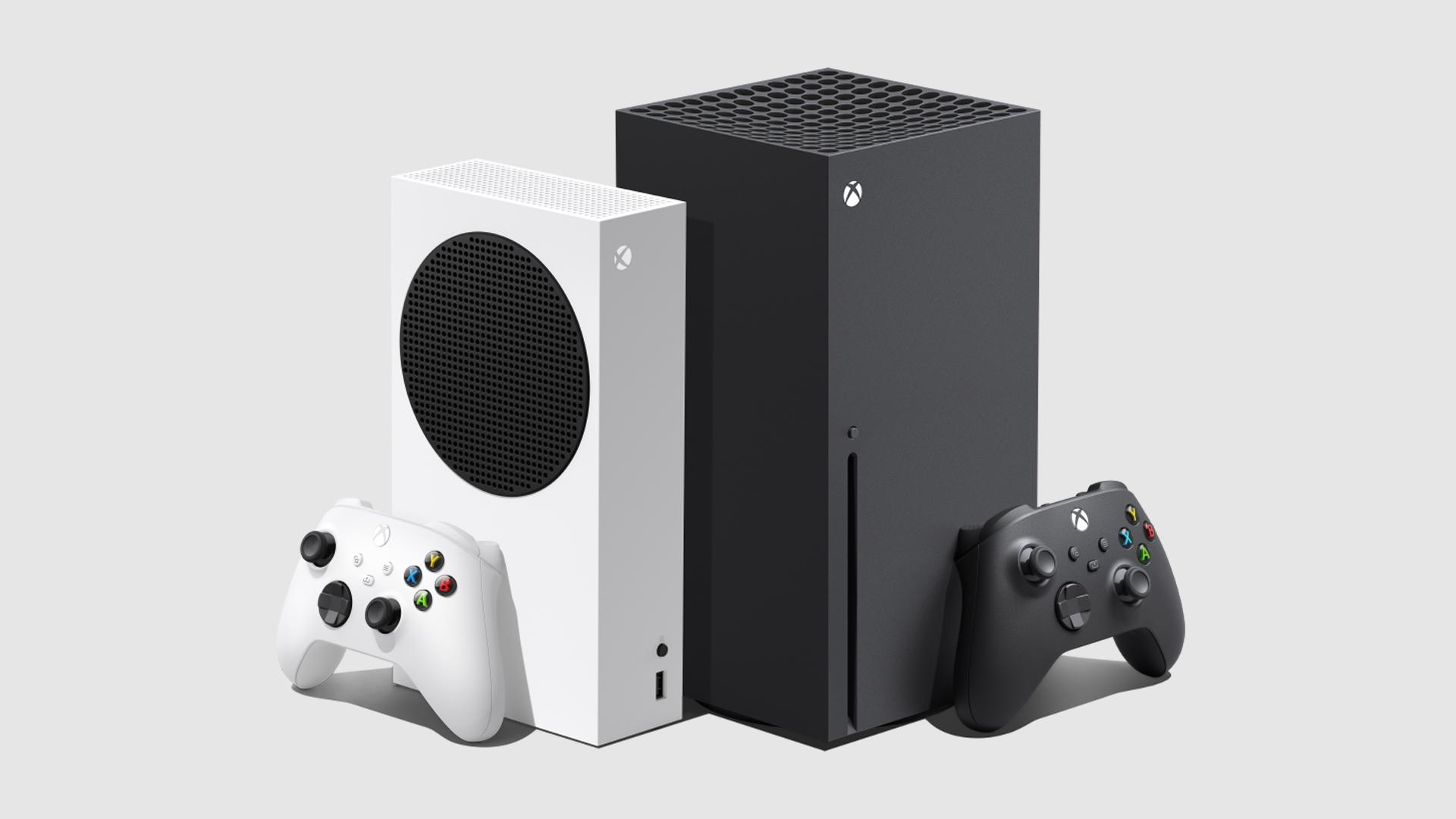
    The newest Xbox is a next-generation gaming console in the same category as the recently released Xbox Series S.

    Gaming consoles have never been any better for those who love to play older games. With the Xbox Series X, users can play older Xbox games since there are no exclusive games available for the Xbox Series X.

    The Xbox Series X is relatively bigger than other Xbox consoles with body dimensions of 5.9 × 5.9 × 11.9 inches and weighs around 4.45 KG.

    Unlike other gaming consoles, the Xbox Series X’s big architecture gives it the ability to pack in a huge fan which cools down the device perfectly and makes it nearly silent. No matter how much the intensity of your game is, the Xbox Series X can endure it without making so much noise.

    Talk of display quality, the new Xbox series X is a lion in the gaming jungle. With AMD’s Zen 2 and RDNA 2 architectures, the Series X produces high quality visual and near real-life experiences for the user. It also produces sensationally smooth frames at high rates of up to 120FPS with HDR quality. 4K gaming? Xbox Series X has got you covered.

    This gaming console has the world’s best next-generation sound with a 3D spatial audio technology which create a lifelike world of adventure and strategy for gamers.

    With an Octa-core processor of 3.8 GHz speed and a 12 Teraflops GPU operating at 1.825 GHz, the Xbox series X is designed to be a speed demon. To top it all, this device also has a 16GB GDDR6 RAM which gives it an even more advantage for performance.

    An internal storage capacity of 1TB means that you can install as many games as you would wish on your Xbox. Interestingly, you can also expand your storage space by an extra 1TB, using the Seagate Expansion Card for Xbox Series X|S.

    Gaming on a big screen with 4K quality is the best way to enjoy your Xbox Series X. So, the console comes with an HDMI 2.1 port to aid your screen connection. It also has 3 USB 3.1 Ports and wireless 802.11ac dual-band.

    Xbox Series X Price And How To Buy In Ghana

    For gamers in Ghana seeking to upgrade the Xbox to the latest Xbox Series X, you may have to wait a little longer to have access to it in Ghana.

    The Xbox Series x Standard version is expected to cost USD 499.00 while the digital version is expected to cost USD 399.00

    Converting to Ghana cedis, that would be around GHS 3,150 and GHS 2,500 respectively.

    Unfortunately, the Xbox Series X isn’t available in Ghana presently however in the subsequent months, it should be available in leading electronics and gaming stores in Ghana.

    If you would like to acquire one now, you can click here to buy it.

    Conclusion

    Gaming is best enjoyed with quality sound, near-perfect real-life experience, beautiful graphics and super-fast load times. All these and more are promised by Microsoft’s latest gaming console, the Xbox Series X. With Sony releasing its PS5 console, the Xbox Series X is a good alternative for those who can’t afford the PS5.

    In this article, we discussed the specifications of Xbox Series X, the price and where to buy it in Ghana.

    If you have any questions, comments or reservations regarding this article, kindly let us know in the comment box below or get in touch with us.

    Please do well to share this article with your friends and relatives. Meanwhile, you can also check out the Xbox Series S: Details, Price and Where To Buy In Ghana.

  • Best 5 Antivirus You Can Use On Your PC In 2020

    Best 5 Antivirus You Can Use On Your PC In 2020

    One of the most disappointing and infuriating things that any computer user has to deal with is a virus attack.

    Computer viruses tend to make computers very slow and inactive which makes work very difficult and annoying sometimes.

    It is therefore important for users to ensure that their computers are guarded against the claws of this creepy software called Viruses.

    While antiviruses are good for saving your computer and yourself from the troubles associated with virus attacks, getting the right antivirus software usually does the trick best.

    In this article, we shall look at the best five antivirus software you can use on your PC in 2020.

    Follow the list keenly.

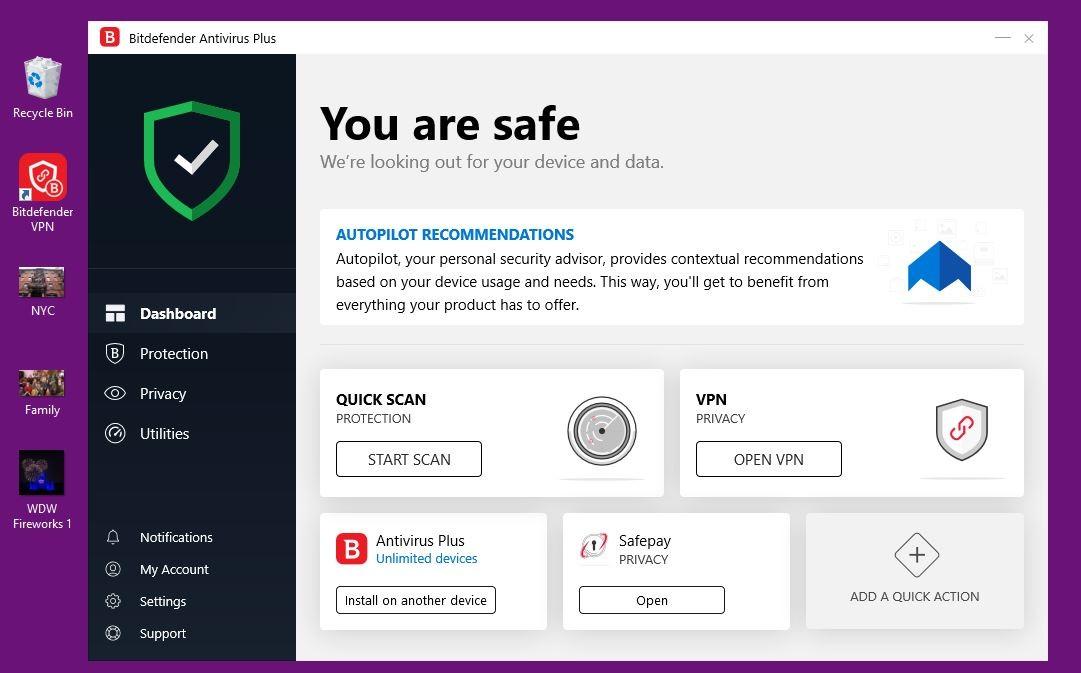
    1. Bitdefender Antivirus
    2. McAfee Internet Security
    3. Norton Security 360 Delux
    4. Kaspersky total security
    5. Avast Antivirus

    Bitdefender Antivirus

    Bitdefender is a long-standing antivirus brand that has established its presence in the niche over the years.

    The current edition of Bitdefender antivirus comes with a password manager which manages all your online account passwords.

    It has a very basic user interface which makes it easy to use for anyone including those who are just entering the world of computing.

    It also scans files very fast without causing the computer to lag.

    Bitdefender can be used on both Windows and Apple devices.

    Out of 10, our rating is 9.0.

    It, however, comes at a cost of 24.99 USD per year though you can get the cracked version for free online.

    McAfee Internet Security

    If you are an internet addict, then chances are that you have heard of McAfee and possibly seen it on many websites across the web.

    McAfee seems to be improving all the time with new features and even better virus definitions from time to time.

    McAfee provides one of the best password managers available online and also with an easy-to-use interface.

    McAfee, however, does not provide webcam protection or a secure browser.

    Also, Bitdefender has better malware protection than McAfee.

    With about 84.99 USD, you can get the full McAfee antivirus pack which protects up to 10 of your devices. And it works across multiple platforms; android, windows, IOS.

    Out of 10, the rating for this antivirus is 8.5.

    Norton Security 360 Deluxe

    Norton Security is an embodiment of almost everything someone would want in antivirus software.

    It comes with an endless list of VPN, in-built backup software, online storage, webcam protection, safe web browser and password manager.

    However, all these features mentioned above come with a very heavy pressure on the CPU, therefore, causing the machine to slow down.

    For this reason, this antivirus is rated 8.0.

    It costs 49.99 USD per year.

    Kapersky Total Security

    Kaspersky is fourth on our list of top antivirus software you can use on your PC in 2020.

    Kaspersky comes with an almost perfect malware protection ability which is almost better than all the other software listed above.

    It also comes with in-built backup software and an unlimited password manager.

    It also has a Two-Factors Authentication (2FA) option for online accounts.

    Its downsides include a very slow machine when you are running a full system scan as well as a limited VPN usage.

    For the sake of this list, we rated this software 7.0 out of 10.

    Avast Free Antivirus

    Of all the antivirus software listed above, this is the least. It offers less malware protection compared to the other antivirus software listed above.

    It comes with a Wifi-scanner, a more complex user interface, and a password manager.

    It slows than the computer annoyingly during scans.

    However, for free antivirus software, Avast offers the best protection you can expect from simple virus attacks as well as online threats.

    It comes with warning sounds that detect malware presence.

    Out of 10, this came out with a rating of 6.0.

    Conclusion

    Antivirus software is numerous with new ones coming out every day. For as much as it is necessary for you to get antivirus software for your computer, it is often better to leave your computer unprotected than installing an antivirus which does not function well or cannot be trusted.

    The list provided above contains some antivirus programs that have been tried and tested to be among the top-ranking antivirus in the world. While the list of good antivirus is not exhaustive, we sort to give you only the top 5. If you know of any other good antivirus that can be used on PC, kindly indicate them in the comment box.

    You may also share your comments and questions with us.

  • Pepapa.com App Review: Online Marketplace for Ghanaians on Android & iOS

    Pepapa.com App Review: Online Marketplace for Ghanaians on Android & iOS

    Ever wondered where to sell your gadgets or used cloths with ease and self-assured? What of you buying any electrical appliance from your peer without the fear of being ripped off? Yeah. I guess this sounds like you do if only you find yourself on this page.

    You see, in recent times, we have seen a rise in the peer to peer trading websites, apps and other social trading platform and these to me, as a tech lover and an eCommerce enthusiast I will say is a good sign that the Ghanaian citizens are beginning to match with their counterparts in the advanced world.

    With the likes of OLX, Tonatan and other online trading platforms, the online classified websites have turned to be evolving in the Ghanaian trading sphere. The recent one being the Pepapa.com. These new trading platforms have both the web-based presence and that of the mobile app to help its cherished users transact on a go.

    In one of our articles, we have made a full review of the Pepapa websites which has received a great welcome from our cherished readers and in this post, we are going to look at the release app by these platform providers and see if the app really serve the purpose of which it has been developed.

    What Is The Pepapa App?

    The Pepapa App is a mobile-based application developed by pepapa.com website owners to serve the growing mobile users of the website. The app is available for both iOS and Android smartphone users.

    Who can use the app?

    The pepapa.com mobile app is available for both Android and iOS users. This app according the Pepapa.com is purposely meant for you the users to easily transact your daily activities on your mobile devices without you having to visit the websites from the browser.

    What this means is that with the app one can independently connect directly with buyers and sellers online from anywhere at any time. Just like the other peer to peer trading apps, the Pepapa app is more dynamic in bringing buyers and sellers, closer to each other.

    How Does This App Works?

    If you have ever traded on the OLX or Tonaton, then this app should not be puzzling to you. The app works similar to that of these two platforms but with extra plus features which may not be available on the other platform.

    When you have something for sale either brand new or used you can easily sell it to the wide variety of buyers on this mobile app.

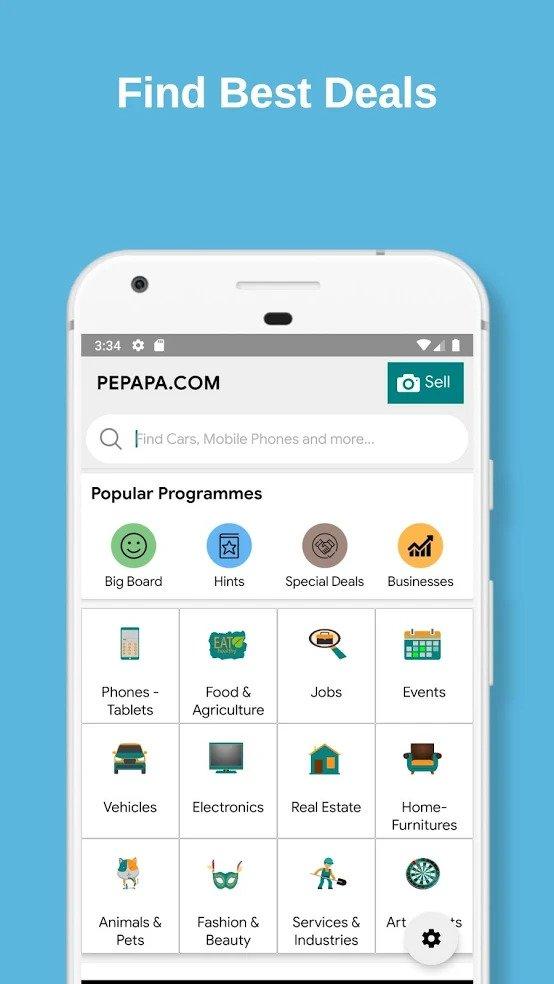
    All you need to do is to download the App on your iOS or Android device, and you are good to go. The best part of this app is the fact that you have the option to sell as an unregistered member on pepapa.com. All you’ve got to do is to take a clear photo of the product/s you want to sell and upload it on the app with your contact details.

    As a buyer, you just need to download the App on your Android or iPhone and have the opportunity to browse through thousands of Ads on pepapa.com with ease to find yourself the best deal from most trusted sellers.

    Once you see the product you are interested in from this mobile app, you can then click on the seller’s number to place a call, then you and the seller will make arrangement to meet each other at a safe place, like seller’s shop if he/she has any, the mall, police station or any safe meeting place you can think of. This will ensure that your transaction will end up with each party being happy with what he or she has gotten from the trade.

    Why Should One Trade On Pepapa App?

    The app as I said is designed to make the life of the thousand-plus users of the Pepapa platform simple and ease. Using this app as a buyer will give you the opportunity to always have a look at what’s new on the platform and also as a seller, you can use the Pepapa app to conduct your daily trade without you visiting your computer or laptop.

    Security-wise, according to Pepapa they do not think only about selling and buying but also about your security.

    They provide the almost-perfect platform for you to conduct your open trade. Once there is a mutual agreement between the buyer and the seller, Pepapa encourages each party to exercise due diligence by choosing a secure place to finalize the transaction. That, no party should send or receive the subject of trade prior to the meeting of the two parties.

    What are the flaws of the app?

    Every good thing has its downsides. Pepapa is not an exception. The app as seen is somehow still in the development stage and like any other app, there are some bugs which needs to be fixed.

    Most of the users of this app have lodged a complaint about their inability to register for an account on the app whiles others also said the app crashes most too often. However, in our test of the app, we didn’t face any of such issues.

    A quick chat with the providers of the apps shows that they have taken note of the feedback and will do their best to fix the challenges.

    My Final words concerning the app

    Being an infant platform which has just evolve to add up to the already existing platform, the Pepapa app, if properly manage and maintain will have a great impact in the Ghanaian peer to peer trading platform. The success of the app will also depend on the ability of the developers to constantly include the feedbacks they get from the users and into each update.

    Alright friends, there you have it. A quick review of the Pepapa app to give you some ideas of what the app is all about and what you can use the app to do.

    Now is your turn. Have you ever used the Pepapa app or website to trade? What was your experience with the app or website? Will you recommend the app to a friend or family? Let us know in the comment.


    App Name: Pepapa

    Developer: Aritech

    Price: Free

    Version: 1.0.0.097

    Reviewer: Debabs

    User Rating/Reviews: 4.0

    Requires Android: 4.2 and up

  • Pepapa.com Review – Ghanaian online marketplace | Buy & Sell

    Pepapa.com Review – Ghanaian online marketplace | Buy & Sell

    When was the last time you visited a classifieds site? As someone involved in tech, I tend to be very interested in online classifieds and I’m here to talk to you about Pepapa.com – A Ghanaian online marketplace where you can buy & sell.

    According to Pepapa’s about page, their aim is simple: To empower everyone to be able to buy and sell without any difficulties.

    This they do by giving both sellers and buyers a platform to post and search for goods and services. Currently, there are about 12 different categories of products and services ranging from electronics to real estate and jobs.

    I checked through some of the classifieds and although they were not as many as one would expect from a big classifieds site, they sure are quality.

    I didn’t find or flag any of the iPhones on sale as suspicious like I have seen on some other platforms over the past few months.

    Well, let’s dig deeper into the review and see all that Pepapa.com is about.

    Website Design

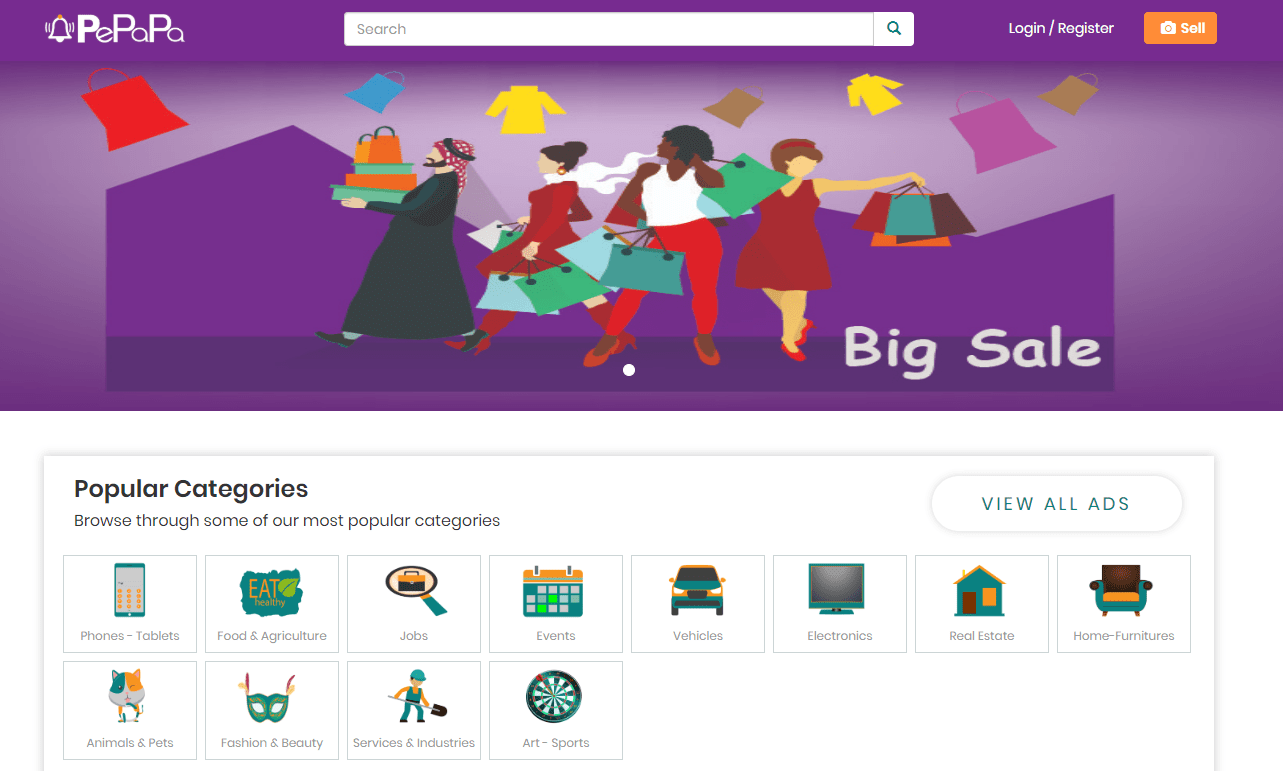
    Pepapa has both a website and a mobile app (for android and iOS). For the purposes of this review, I would be focusing primarily on the website, with a look at the mobile app later on.

    One thing I love about every service that I have used is that it took me zero time to get used to the interface and functionality and Pepapa does this very well. The website follows good intent practices by making sure there is a search bar on almost every page, unlike some others that we have seen in the past.

    What bugged my eyes were a few stretched images when I visited on my PC, however, it looked very organised on my phone.

    One other thing I liked about the design was how fast the website loads overall. On the average, I got a load time of 2 to 5 seconds and this was confirmed via a pingdom test I did.

    The harmonious purple, orange and white colour scheme is bright enough, sort of to keep you “alert” when on the site. As a fan of everything dark mode, I am looking at more websites giving that option although that is currently not a thing anywhere.

    Focus

    Pepapa is an online classifieds marketplace for Ghanaians and as such, people should be able to buy and sell there.

    However, everyday people do not need to sign up to view classifieds listing and it is good that the platform maintains this industry standard.

    For those that want to post their ads, they can do so as a single person (personal account) or as a Company/Brand Account.

    Signing up

    One of the things I hate is to sign up for new services. For a classifieds site, I would expect to just go straight to posting my ad without the need for long sign up forms.

    On Pepapa.com, that is possible. Once you click on the “sell” sign at the top right of the screen, you are ushered to a new page where you list your ad and add your seller information.

    What I like about it is that it is straightforward and simple. However, fraudsters may take advantage of it if there are no measures to combat that.

    For those who want to create a full account first, it’s calming to know that it was very simple to sign up for a personal account on Pepapa.com

    Note that you only need to sign up if you are looking to post ads. In my case, I wanted to explore the process and maybe list my Pixel 2 XL when I get a Pixel 4 😀

    There are a range of adverts that can be posted and/or viewed on Pepapa.com. See them below:

    Classifieds categories on Pepapa.com

    • Phones – Tablets
    • Food & Agriculture
    • Jobs
    • Events
    • Vehicles
    • Electronics
    • Real Estate
    • Home-Furnitures
    • Animals & Pets
    • Fashion & Beauty
    • Services & Industries
    • Art – Sports

    Resources

    A differentiator that Pepapa offers which I am yet to see on the other platforms is the access to information and other resources to both sellers and buyers.

    For example, I glanced through the hints page which can be found here and there were videos and articles on primarily tech advice and lots of how-tos that are very beneficial. It can be seen as the Pepapa blog.

    There is also an entertainment page with entertainment news, although there was only one entry on that page at the time of publication.

    Pepapa also has exclusive special deals and tips for businesses.

    Credibility

    When it comes to online services where cash is involved, it is important to know that it is run and managed by competent and credible people who are not just out to take your money.

    Pepapa.com in itself is credible and registered in Ghana. As they are running a 2 sided market place, the credibility of their sellers also matters to them. This is why according to the CEO, the conduct checks on all ads posted on the platform, flag suspicious ones and flag them for further action.

    This is to ensure that buyers are safe at all times. Don’t forget to check out these tips if you are transacting on an online classifieds site.

    Final Words

    If you are a seller looking to post your online Ads, you should definitely consider using Pepapa as it gives you more reach and you don’t have to pay to be on there, like other solutions on the market.

    For buyers, knowing that you will find credible ads saves you a lot of time and stress and Pepapa offers more than just classifieds, by also providing other online resources that you may need.