Category: Reviews

0

  • Review: EaseUS Data Recovery | The only data recovery software you need

    Review: EaseUS Data Recovery | The only data recovery software you need

    Have you ever been in a situation where you needed a file so badly but realised you had lost it due to accidental deletion or formatting of the storage device? Well, you don’t have to worry anymore. I have good news for you.

    I’m going to introduce you to the EaseUS data recovery software. The software specialises in hard drive recovery as well as the recovery of data on other media.

    There is a free version which allows up to two gigabytes of recovered data and the pro version with unlimited data recovery on one PC.

    EaseUS data recovery is an easy to use data recovery software that allows you to easily recover lost data from a wide range of storage media. It also has a straightforward user-friendly interface to ensure an efficient and smooth operation for the most novice user.

    You can recover your data caused by accidental deletion, reformatted discs, emptying the recycle bin, lost of partition, damaged hard disk due to windows crashes and viruses and even after windows have been restored with a 95% success rate.

    You cannot go wrong easy as EaseUS recovery wizard can detect over 200 file types, which include, but is not limited to videos, music, documents, emails, pictures and so forth.

    How to recover files with EaseUS Data Recovery

    Download the software

    The first step is to download the software. You can get it for free on the official site of EaseUS. The software is available for both Windows and Mac OS.

    In our tests, we used the windows version. A look at the MacOS version showed that they both versions of the software have the same look and feel.

    However, note that the free version of the software enables you to recover up to 500MB of Data. I recommend you go for the paid version as that gives you a lifetime license and you can use the software for as many times as you want.

    After successfully installing the software, you would be greeted with the screen above. Like I mentioned earlier, it is very easy to navigate around the software. Let’s now look at how to recover data.

    Using EaseUS to recover data

    The first thing I did was to upgrade the software with a lifetime license. There is a discount running so you get the lifetime license for $69.95 instead of the usual $89.95.

    After upgrading, the screen now looks like this:

    Also, notice the hard disks listed above. The software is able to recognise all the partitions on my laptop, even the Linux partitions (shown in orange).

    For the sake of testing, I would plug in another Flash Drive which I have been using for a while now.

    I recently formatted it to install Linux on a friend’s laptop. Right after I was done, I formatted it back and haven’t used it since.

    EaseUS instantly notices that a new device has been plugged in and displays it.

    To scan it, I select the hard disk and choose scan at the lower right corner of the screen.

    EaseUS instantly starts working on the drive. It’s not long before it starts listing some of the files it has already discovered.

    In the image below, you would see that some of the files from the Linux installation have already been listed.

    The screen also shows the time remaining which is quite accurate after scanning has been in progress for say 30 seconds.

    There is also a count of the number of files found. The scan completed in about 2 minutes and 30 seconds.

    Overall, the EaseUS Recovery found 50339 files on the flash drive. Next, we look at how to retrieve the found files.

    Recovering found files with EaseUS Data Recovery

    I remember I had some images of pets on the drive. So I clicked on the filter button and chose “Graphics”. Next, I navigated through the folders on the right and chose the files I wanted. I still remember the file names.

    Next, I select all the files I want to recover and just press the Recover button on the bottom right and it brings up a dialogue box for me to choose where to save the files.

    I choose the folder I want to save it in and wait for EaseUS to do its magic.

    It takes just a second to recover all of the files to the folder specified.

    Viewing your recovered files

    Once all of the files you specified have been recovered, you just need to navigate to the folder and check them out.

    Viola, there you have your recovered files.

    Conclusion

    EaseUS is undoubtedly among the best hard drive recovery software and definitely the only one you need and should look to for all of your data recovery needs.

    It has a quick scan time for you to quickly get access to your files and also recovers a lot of files, even files that have been deleted for a very long time.

    When it comes to the user interface,  EaseUs Data Recovery has a well thought out file management system which offers directories and partitions. Sorting and searching for files is much easier, very fluid and doesn’t feel like a chore.

    As advertised on their website, when it comes to data recovery software, EaseUS delivers on the promise. It’s definitely worth the money.
  • Wondershare Fotophire Photo Solutions Review: Photo Editing made simple for everyone

    Wondershare Fotophire Photo Solutions Review: Photo Editing made simple for everyone

    I have used a lot of Wondershare products, particularly in the areas of video works, yet I didn’t know much about their photo editing line until I came across the Fotophire Editing Toolkit.

    Nowadays, software continues to cost so much especially if it only provides you with no lifetime subscription. It has become expensive to have a decent photo editing software at a good price.

    Currently, Fotophire Editing Toolkit is available for PC and MAC at $49.99 yearly subscription and a lifetime subscription for $79.99. But is the software really worth the price?

    We’ll find out.

    Downloading Fotophire Editing Toolkit is pretty easy. You need to visit the main website and download. The good thing is there is a 7 days trial available if you just want to test the software.

    After successfully installing and launching the application, you would notice that Fotophire contains 3 different tools. They are:

    1. Photo Editor
    2. Photo Cutter and
    3. Photo Eraser.

    There are also the Photo Maximizer (a tool for enlarging photos) and Photo Focus (a tool for fixing and refocusing blurry photos) extension which can be downloaded to add new functionality.

    I tested all three “modules”.

    Let’s start with the Fotophire Photo Editor.

    Fotophire Photo Editor

    The photo editor puts all the tools you would need to edit your photos in your hands.

    There are over 100 effects and filters to choose from as well as the option to save your own personalised settings as a new effect. There are also colour adjustments, vignettes, frames, cropping and texture edits.

    Features

    • Drag & Drop Interface
    • Cut & Crop
    • Filters & Effects
    • 20+ Blend Modes
    • Wide Format Support
    • Before and After Views
    • Straighten Line
    • Texture
    • Save Presets
    • Tone Curve

    Fotophire Photo Cutter

    Whether you want a transparent background for an image, or just want a different background than your photo has by default, Photo Cutter makes it easy to get the results you want. The tool is one of the best background removers in the market today, to cut objects out in just a few clicks!

    The Photo Cutter can deduce the edges of objects for itself using its leading colour detection technology. There’s no need for you to edit pixel-by-pixel. You can import photos, edit and view the result instantly.

    So if you are looking for the best online photo editor to edit photos faster and easier than in Lightroom or Photoshop, you’d better choose Fotophire.

    Features

    • Customized Brush Sizes
    • Background Templates
    • Drag & Drop Interface
    • Straighten Line
    • Edge Blur
    • Built-In Tutorial
    • Cut & Crop
    • Wide Format Support

    Fotophire Photo Eraser

    The Photo Eraser is one of those priceless features from the Fotophire toolkit. It helps to remove unwanted objects and even people from photos. It’s hard to do this manually with the solutions that are available and Wondershare knows it, so they made things simpler.

    According to them, the Photo Cutter uses a specific algorithm that analyses the surroundings and automatically fills in the area with matched textures.

    Features

    • 4 Selection Methods
    • Customized Brush Size
    • Align Mode
    • Drag & Drop Interface
    • Formats Widely Supported
    • Lasso Tool
    • Clone Stamp
    • Built-In Tutorial
    • Straighten Line
  • Review: Movavi Video Editor

    Review: Movavi Video Editor

    As much as recording videos has become easier and more convenient with digital cameras, smartphones and other devices – editing videos remain complicated and somewhat technical. Many of the more powerful editors cater to the needs of professionals and have a steep learning curve for anyone without much experience.

    The one notable exception to this is Movavi Video Editor. It is a unique video editor that has built up quite a following due to the fact that it makes video editing easy and accessible.

    In short, if you were to use it to edit your videos you wouldn’t have to worry about your level of experience or expertise – because it requires none.

    Simple and Intuitive

    Essentially Movavi Video Editor is designed to make editing a video simple and intuitive. Rather than forcing users to learn about the software in advance, it enables them to jump right in and figure out how to use its features by actually applying them.

    Both the user interface as well as the features themselves help to enable this. The interface is clean and easy to navigate, while the features make editing more visual and involve basic actions like adjusting a slider, dragging an element into place, or resizing a frame.

    To further simplify certain areas, Movavi Video Editor has certain tools that are automated to some degree or other. In some cases, these tools will let you make the changes that you need to your video with nothing more than a single click.

    Powerful Features and Capabilities

    Despite the fact that its main focus is on making video editing easy and intuitive, Movavi Video Editor does not do that at the expense of its features. If anything you’ll probably be surprised by just how many powerful features are present in the editor, and what you can do with them.

    Using the features in Movavi Video Editor will let you:

    • Cut, trim, merge and arrange video segments to structure and compile videos.
    • Add audio tracks containing background music or a voiceover, and edit them to improve their quality, apply effects, remove background noise, and more.
    • Enhance the quality of videos either manually or automatically, and fix common issues that may affect them.
    • Record additional audio or video footage from external devices using the video capture module.
    • Apply visual effects including animated transitions, artistic filters, or unique special effects such as Chroma key, slow motion, or split screen.
    • Automatically compile impressive videos in a few simple steps using the ‘Montage Wizard’.
    • Insert simple or animated text fields that can be customized to create creative types of captions, titles, or subtitles.

    At the end of the day, you should have a good idea just how capable Movavi Video Editor truly is, and how you can use it to come up with impressive videos of your own.

    If you’d like to get a better idea of its capabilities or want to see how easy it is to use – the best way is to give it a try so that you can experience what it brings to the table firsthand.

  • A Flagship Comeback: 4 Reasons why I’m in love with the Nokia 8

    A Flagship Comeback: 4 Reasons why I’m in love with the Nokia 8

    It’s been a long while!

    What we’ve all been waiting for has finally come; what Nokia fans in Ghana and around the world have been clamouring for has come. Yes! A proper flagship from arguably the most iconic mobile phone brand – Nokia!

    My first phone was a Nokia, and among my friends, it’s difficult to find anyone who has not had a Nokia experience. For the past few weeks, I have had the Nokia 8 – a GHS 2,200 flagship from Nokia.

    In my last post, I went hands-on with the Nokia 8. The device features an aluminium unibody design with tapered edges, giving it the looks of a flagship. The polished look matches the device’s overall smooth feel.

    After 3 weeks of using the phone, here are 3 reasons why I’m totally in love with it.

    Nostalgia and the “Nokia Promise”

    For a Nokia phone, one would expect nothing less than durability and ease of use.

    The Nokia 8 delivers on both. during the time I’ve had it, it has dropped more than 5 times (I think it is a bit too slippery). Well, never once on those occasions did it restart, go off or hang. The screen is still intact and in very good condition.

    Also, it is very easy to adjust to this phone if you are coming from another android phone or from iOS. The back, home and menu keys are lined right below the screen respectively.

    Oh yeah, and did I forget to mention the startup tone? that good old Nokia tone. Still refreshing and satisfying.

    https://www.instagram.com/p/BgZRCWBlZQ1/?taken-by=mfidie

    Wonderful integration with the Google Assistant

    I have been using the Google Pixel 2 for a while before the Nokia 8. Before then, I’ve had other phones with the Google Assistant installed on them but none of them was as smooth as the Pixel 2.

    The Google Assistant is a virtual personal assistant developed by Google that is primarily available on mobile and smart home devices. It’s the equivalent of Siri on Apple Devices or Cortana on Windows Devices.

    Well with the Nokia 8, the integration with the Google Assistant is wonderful. On the same level with the Pixel 2. I have had a lot of fun using the Google Assistant on the Nokia 8.

    https://www.instagram.com/p/BgbDctjlirv/?taken-by=mfidie

    What’s more, some very great productivity too. With the Google Assistant, you can unlock your phone (although I prefer passwords).

    A Flagship-esque Performance

    When it comes to performance, you really see why the Nokia 8 is a flagship. The phone pulls off a 1440 x 2560 resolution on a 5.3-inch screen – a very sharp screen.

    The Nokia 8 is powered by a Snapdragon 835 and has 4GB of RAM, which provides enough power for even graphics and memory-intensive games and apps. Day to day use of the phone is no problem with the device opening and running all the numerous apps I had installed on it with ease.

    There is also the 64GB of storage and a microSD slot so you can add up to 256GB more storage if needed. Space, sorted!

    Battery. On paper, the battery of the Nokia 8 doesn’t seem interesting – a mere 3,090mAh. However, in use, it is a superpower.. With moderate use, the Nokia 8 easily lasted through until the next day (always connected to wifi). Heavy users needn’t worry about charging in the middle of the day, too, as the battery has proven that it can last throughout the day.

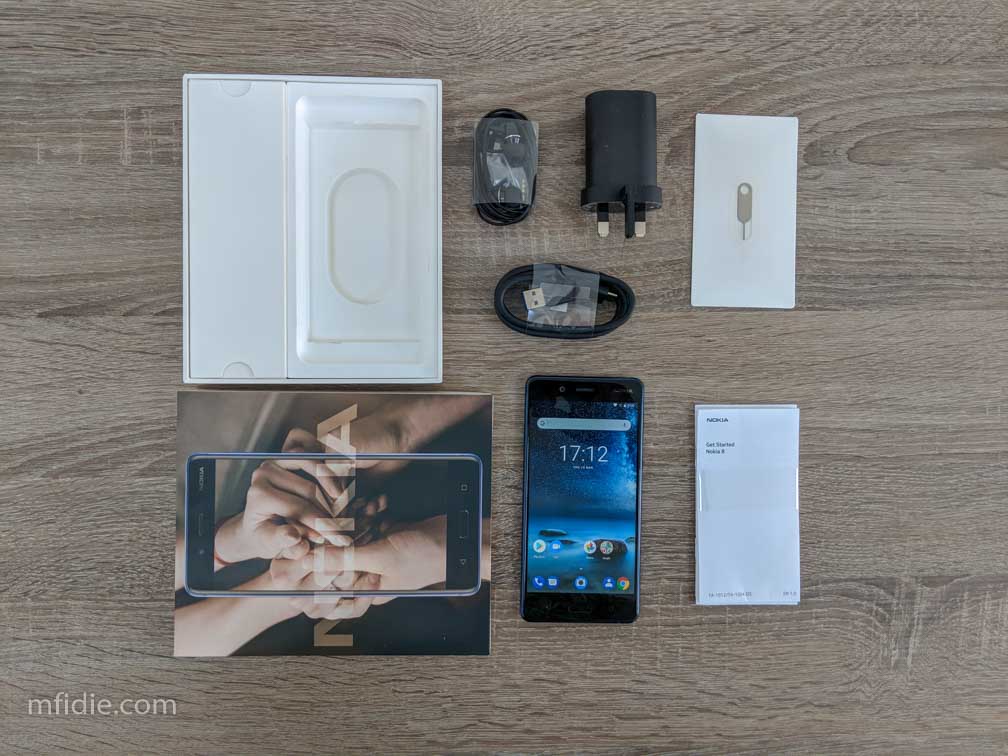
    The presence of the 3.5mm jack also meant that there were premium headsets in the box. I listened to couple of albums on Deezer and the audio was great.

    Pure Android, Latest Android versions, Latest Security Updates

    One thing that is taken for granted by some Android users and OEMs is security and latest software. Well, HMD Global’s Nokia 8 runs on Pure Android. No skins.

    This means that you will have the latest version of Android as and when Google Makes them available. When I had the phone, it was on Android 7.1.1. in just a few minutes, it seamlessly updated to Android 8.1.0 Oreo.

    https://www.instagram.com/p/Bg3VFm7n-k-/?taken-by=mfidie

    Considering the fact that big names like Samsung are just about now getting Android Oreo for the Galaxy 8, Nokia has done very well; an advantage pure android presents.


    To wrap it up, the Nokia 8 feels great and provides a sweet android experience. However, I would have wished it had the ability for fast charging and the back didn’t feel so slippery (I keep dropping it). Maybe soon, HMD Global will have some cases for it.

    Overall, it is good value for money, and a good comeback to begin with.

    The Nokia 8 is currently selling in Ghana for GHS 2,200. It’s truly a flagship

  • The technology behind Standard Chartered Ghana’s new secured credit cards

    The technology behind Standard Chartered Ghana’s new secured credit cards

    Standard Chartered Ghana launched their Credit Cards at the Kempinski Hotel, Gold Coast City, Accra on 5th July 2017.

    The launch was attended by professionals from the Banking and Finance Industry in Ghana as well as customers of the Bank.

    As security is one of prime concern to Ghanaians, Mfidie.com looks at the technology behind these Credit Cards that make as secure as possible.

    1. Chip and Pin Technology
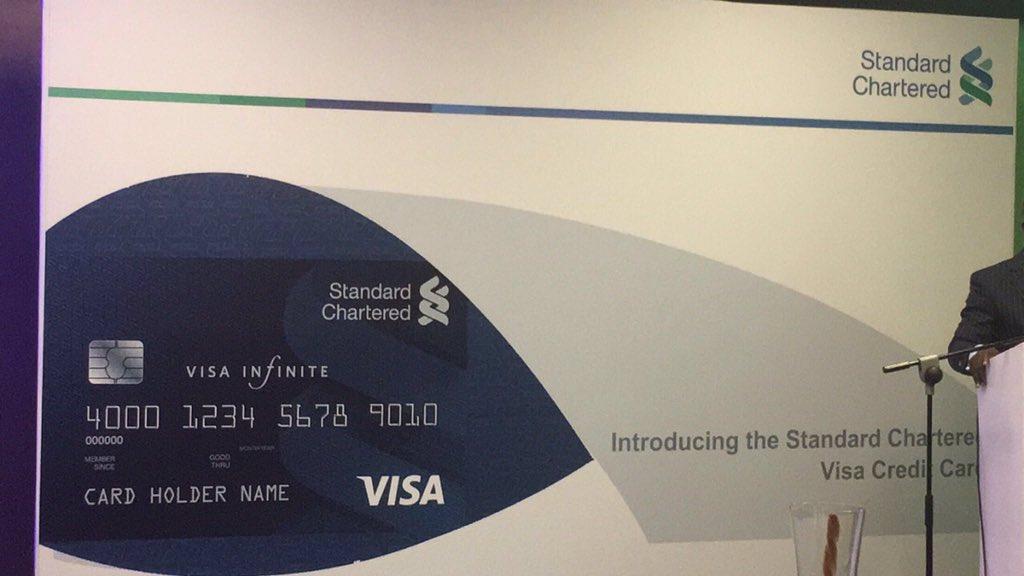
      The new Credit Cards by Standard Chartered Ghana have a Chip and Pin technology. What does this mean? Well, A chip and PIN card mitigates the risk of fraudulent activities on your card at ATMs and merchant outlets. This means you will be required to enter your PIN in order to complete your transactions – giving you increased security when paying for retail transactions.
    2. Self-Select Pin
      Credit Cards that will be issued by Standard Chartered Ghana will not come with a “pre-activated pin”. Customers will have to select the pin they would want to use themselves. This means that customers are more likely to remember their pins when they transact.
    3. Advanced Transaction Monitoring for Fraud Prevention (FALCON)
      Online fraud has got a lot of people worried especially as hackers try very hard to make their “fraudulent transactions look genuine to banking systems”. With the Advanced transaction monitoring activated on Standard Chartered Ghana’s Credit Cards, fraudulent activities on a card will be spotted and flagged/blocked in real time. For example, if customer A uses her Stanchart Credit Card in Osu at 10:50 am, and later at 11:12 her credit card is being used in say Washington, the system will notice the irregularities and flag the said transactions. The FALCON technology, one of the best in the world, lowers false positive rates, minimising unnecessary customer disruptions.

    In addition to all these, Standard Chartered Ghana’s Credit Cards also have two-factor authentication so someone cannot pretend to be the card holder. Transactions on the cards also send out instant and free SMS to customers, so they are always up to date.

    The Credit Cards by Stanchart have also been linked to customers’ secure online banking platform to allow for increased accessibility.

  • Review: Tuxler VPN

    Review: Tuxler VPN

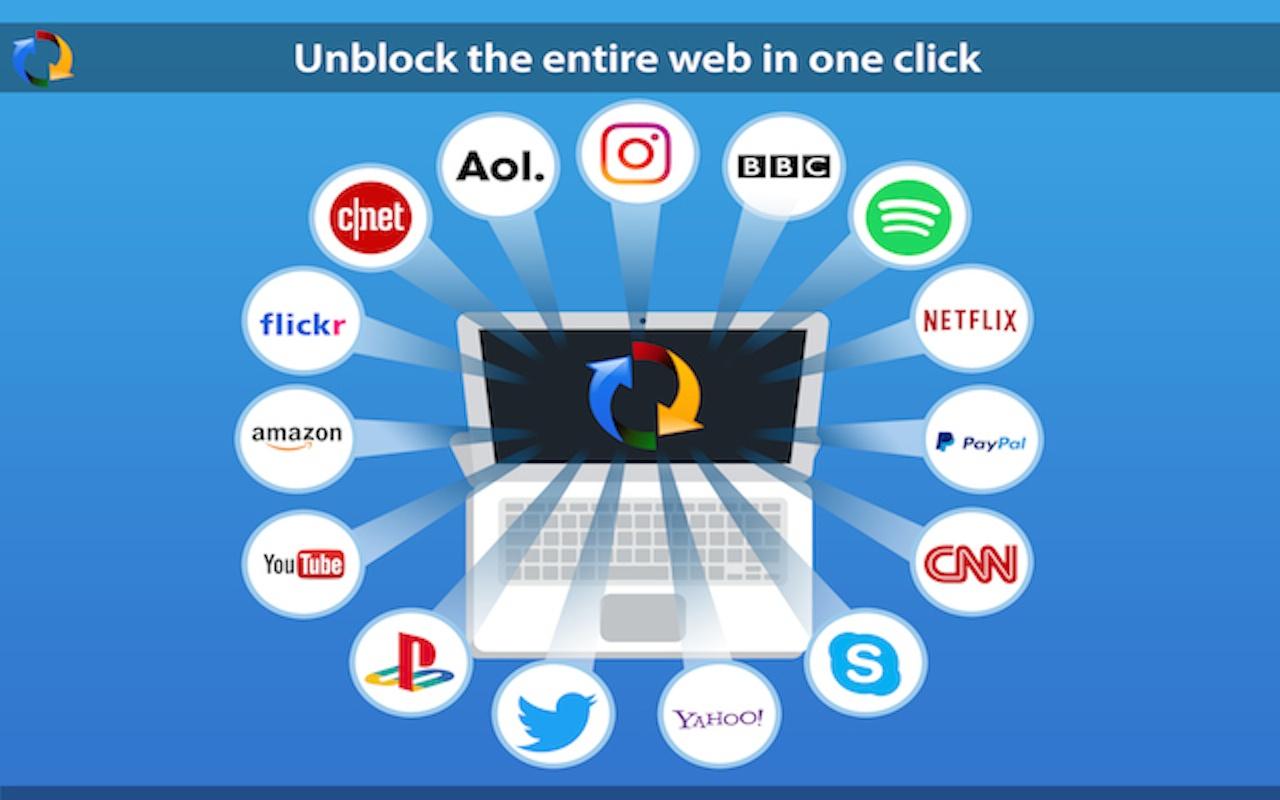
    Tuxler VPN is becoming increasingly popular in Ghana for some reasons I do not know. Today, we look at what VPN is and review Tuxler.

    What is a VPN?

    VPN is an acronym which stands for “Virtual Private Network”. A VPN connection, gives a network of internet devices the ability to securely connect with others on the Internet as if they were part of the same private network. It’s Virtual. There are no physical cables present in this type of connection.
    VPN was mostly used to access sensitive information across large corporate networks, This time, it is available to almost all internet users.

    Why would you need to use a VPN?

    1. Anonymity on the internet

      There are many reasons a person would want to stay anonymous on the internet. Mostly for the bad, but a few more people stay anonymous for all the good reason. You would not want someone tracking you everywhere you go, right? Internet stalking could be dangerous. A VPN helps you to stay anonymous but you should also watch your browsing habits.

    2. Privacy

      There are some things that are best done Privately – like sharing sensitive information or online banking. Even when you are shopping online, you would need a certain amount of Privacy. Believe it or not, everyone on the internet is a target of a hack. A VPN can help you gain a fair amount of privacy when you surf the internet.

    3. Freedom and Security

      Not a lot of people would have imagined the Internet would get this big in the 21st The internet seems to be a real world, coupled with real world problems – Freedom and Security. VPN provides security by “hiding” your actual location. This gives you the freedom to say and do things you couldn’t have done with your real identity. Heard of Edward Snowden?

    Tuxler VPN in Use
    Tuxler VPN in Use

    My experience with Tuxler

    1. Easy to Set Up

      It was very easy to set up Tuxler on a PC running Windows 8.1, with the Google Chrome Browser. I opened Chrome, Installed the Tuxler app and Installed the Extension. That was all and Tuxler was well set up.

    2. Slow Internet

      Using Tuxler slowed my internet by more than 80%. Maybe because it was free and a paid version would be much better. The slow nature of Tuxler got my spirits down.

    Should you use Tuxler? It’s a matter of what you need to do. Are you willing to sacrifice speed for Privacy and Security? The Choice is yours. However, there are various other ways to be secured on the Internet without a VPN. They shall be covered in the coming weeks.

    Download Tuxler VPN from the Chrome Store and Start using now

    Have you used a VPN before or would you try one? Let’s hear what you make of Tuxler. Leave a comment below.

  • Is an antivirus necessary for an android smartphone?

    Is an antivirus necessary for an android smartphone?

    Do you use an antivirus on your android phone?

    Sometime this year, a friend posted in a WhatsApp group that he had lost all of his contacts because his phone was attacked by a virus. Another friend quickly suggested that he installed a certain anti virus on his phone to prevent such loss.

    I couldn’t help but think of the many reasons that could lead to the loss of contacts. At a point, I imagined his contacts may just be “hidden” or his “contacts” app does not even have permission to access this “contacts’. Anyway, I later realized he was running Android version 5.1 Lollipop. Did he really need an antivirus on his phone? I doubt it.

    What is an anti-virus?

    In simple terms, an antivirus is any software (or app) that is used to detect and destroy computer viruses. Your smartphone is a computer too. The Android OS has been taunted over the years has been very vulnerable to viruses and with this “fear of viruses”

    Do you need an antivirus?

    You certainly don’t need an antivirus if you run Android version 4.2 and above. This is because Google includes automatic scanning as part of the Play Services to keep you and your device safe.

    Google’s security services for Android are designed to provide the best security for mobile devices — by default and free for all Android users. As a result, data about the Android ecosystem has shown that Android users face very low risk from potentially harmful applications and other threats. Users can, of course, use any solution they would like, either in addition to or as a replacement for the Google solution, but our goal is to make that purely a matter of choice, not a matter of protection.

    As an added step of protection, you should only install apps from the Google Play Store and avoid pirating or installing apps from other sources. Most often, these side-loaded apps (apps that have been installed) outside of the play store. Most of these “cracked” apps contain malicious software.

    Percentage of Android Version Users Worldwide
    Percentage of Android Version Users Worldwide

    What can you do to be safe?

    • Make sure Android Device Manager is on
      Be prepared if you ever lose your phone by confirming Android Device Manager is set up on your device. Make sure to sign in with your Google Account and turn on “Remotely locate this device” and “Allow remote lock and erase.”
    • Encrypt your device
      Encryption helps keep your data safe if you lose your device. If your Android device is running Jelly Bean (Android 4.1) or higher, you can encrypt the data on your device in Settings > Security > Encrypt phone.
    • Review Security Settings
      Go to Settings > Security and review all of the options there. Make sure they are satisfactory enough for you and you understand what all of those mean.

    If you are still interested in android antivirus and would want to check them out, there is a lot on the play store. My favourite of them is ESET Mobile Security & Antivirus. Most of these anti-viruses apps on the play store offer additional functionality you can explore. All the best!

    Have you ever used an antivirus on your android smartphone? Do you look forward to using one? Let us know in the comments.

  • Tonaton vs OLX Ghana, where should you buy from?

    Tonaton vs OLX Ghana, where should you buy from?

    It’s a battle. Tonaton vs OLX!

    Recently, I have been using Tonaton and OLX for a variety of purposes. Most importantly, in January alone, I have bought and sold more than 4 goods between these two services. I decided to write this for users of these sites or for those who would want to start buying from either Tonaton or OLX.
    If you have not tried online classifieds before, you should check out the last part of this post.

    History

    The name “Tonaton” means “Buy and Sell” and is by far the most popular online classifieds. Tonaton.com started somewhere in 2013 at a time where online business was not quite the thing. I heard about tonaton first time on Viasat 1 television. About two years later, Tonaton.com moved forward to enhance online security by becoming Ghana’s first online classifieds to require physical or electronic ID verification of posters on the platform.

    OLX is the world’s leading classifieds platform in growth markets and is available in more than 40 countries and over 50 languages. Here in Ghana, OLX.com.gh became Tonaton’s competitor and fierce rival with a lot of adverts coupled with the very good OLX app. “OLX” is said to have been derived from “OnLine eXchange”.

    Where should you buy from?

    Security

    When buying from online, one of the factors we all have to look at is security. How sure are you the person selling the goods actually has the good. How do you know he/she claims to be who they are? What about buying something and realizing it is totally different from what was advertised? Both Tonaton and OLX offer some level of security for their users.

    OLX verifies it’s sellers using three main parameters. These are phone, email and Facebook. A user can be verified once they complete the phone verification and can post ads straight away. OLX also displays clearly which verifications a user has passed. Therefore, the buyer knows and is able to make a sound decision. Personally, I would prefer to buy from someone who has at least a phone and facebook verification on OLX. Emails can always be created and dumped and there is nothing scammers would not do.

    Tonaton has more stringent verification procedures and when followed, these users become “Tonaton Members” with a blue badge to show. These users are verified by phone, a photo ID and their business or home locations if any. This means you can trust that these sellers are real people. According to Tonaton, verified members can easily be traced by them if they ever perpetuate evil or dupe buyers. Sounds easy, huh?

    Value Added Services

    VAS is very important to users. What else can we benefit from an online classifieds website? Well, I dare to say Tonaton is way ahead of OLX in this regard. Tonaton have their very own “delivery system” where you can choose for Tonaton to deliver what you have bought. How does this work? It’s simple! Tonaton goes to the seller, inspects the goods and brings it to you. You inspect the goods delivered by tonaton and only pay when you are satisfied it is what you want. I did not readily find any any VAS exclusive to OLX. There is the usual contact the seller via email directly on the website, and the option to view the locality of the seller.

    Customer Satisfaction and User Interface Friendliness

    It took a while to get this post together, as I did not want to it solely reflect my views only. I spoke to a few friends and sought out to understand why they would use either OLX or Tonaton. I realised when wanting to buy something, most people visit both classifieds site to check if there are any people selling the stuff they needed. One observation I made was people claimed the stuff on OLX were less expensive than those on Tonaton. A lot of the people I spoke to were happier to have bought from OLX rather than Tonaton. This was because of the unverifiable claim that prices on OLX were less. A friend also added that more ads on Tonaton had already been sold but were still lurking on the site. The storry was different for OLX.

    Moreover, I personally think OLX has a better User Interface (both website and mobile app) than Tonaton. The OLX site is somewhat kind of semi-minimal and allows you to focus on the most important thing: buying! Tonaton’s website is a bit more clumsy and sometimes annoying, coupled with adverts; makes it less user friendly.

    The Verdict

    Tonaton OLX
    Security 4 3
    VAS 4 2
    Customer Satisfaction 3 4
    UI Friendliness 2 4
    Total (Out of 20) 13 13

    The decision as to where you would buy from should be an informed one based on what is most important to you. Security, Value Added Services, Customer Satisfaction and User Interface Friendliness.

    A friend posted this ad on OLX and got 3 different buyers in just 2 hours

    What do you think? Does Tonaton beat OLX? Don’t forget to read our 6 tips on how to buy safely on Tonaton and OLX.

  • Download + Review: Omar Sterling – Victory Through Harmony

    Download + Review: Omar Sterling – Victory Through Harmony

    It is the mixtape that all fans of @Paedaezy have been waiting for. Victory through Harmony! The title alone is not enough as the mixtape captures the rapper’s theme of life and Music.

    Download all tracks from the mixtape here.

    Review of the mixtape soon.

  • Photo Story: Side Attractions of UCC Graduation Weekend

    Photo Story: Side Attractions of UCC Graduation Weekend

    This past weekend, the University of Cape Coast held it’s 2nd – 4th Sessions of the 49thCongregation for the 2016 graduands of the University. The Congregation brought a lot of people from far and near to the University as many were awarded for their hard work, and some used the opportunity to make some money.

    Celebration! Best Graduating Business Student, Isaac Sarfo jubilating with his Family. There were a host of other celebrations by other families and individuals

    Fashion! Style!! Vogue! Setting Trends was not meant for only Graduands.

    It’s time to look best. Fashion and Trend on Display.

    There is no fashion without Photography, right? Photogees seem to be the new cool and they make all the money. Forget Selfie Sticks, these photographers make memories last for a lifetime.

    Make Good Memories last forever, Make Big Money too.

    Lemme swag with the robe small. Let people admire my dress, afterall i earned it.

    Graduand swaging with her robe

    What attraction did I miss? Let me know in the comments below. Congratulations to the UCC class of 2016.