Category: Apple

  • The Best Data Recovery Software For iPhones

    The Best Data Recovery Software For iPhones

    Data loss is an unpleasant act in our digital world that is hurting many ICT users at one time or another. The most common reason for data loss is connected to our everyday lives, the way we save, store, and handle our data.

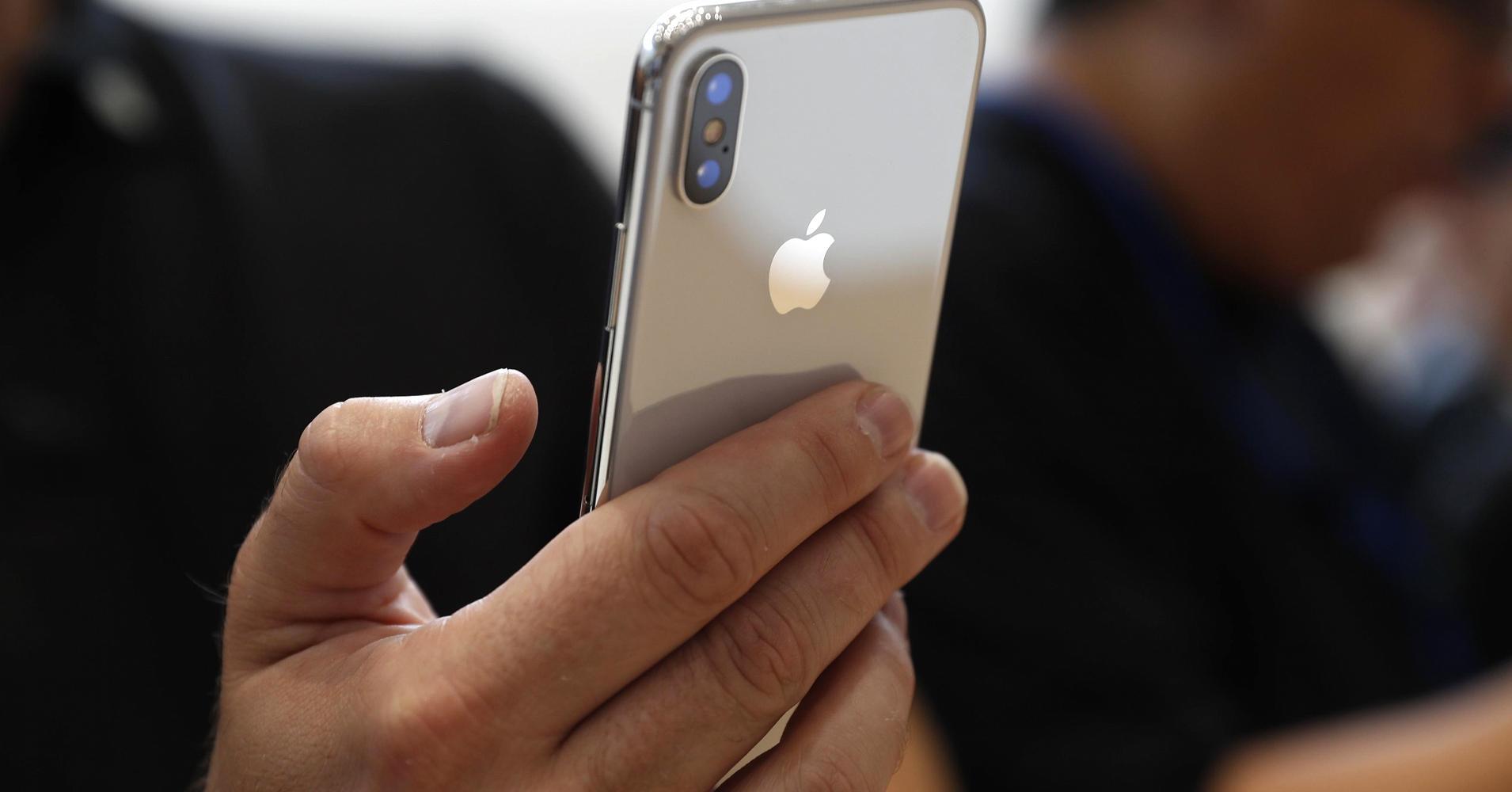
    iPhone data loss occurs when there is an accidental deletion or a failed software upgrade. Data loss can also be random. A lot of things can make your iPhone data inaccessible, in this post I will show you how you can recover your lost files.

    Below are some of the causes of data loss.

    • Human Error – Human error is a common cause of data loss. Accidental deletion of your IOS data is frequent among iPhone users. Sometimes you could accidentally delete a new iTunes backup or even restore data from a wrong backup file.
    • Software Upgrade Failure – Upgrade failure can make your iPhone unstable leading to Data Loss. Cable disconnection during an upgrade process can lead to instant data loss.
    • Physical Damage – Dropping your iPhone on the ground, mistakenly dropping your iPhone in water, and any other physical damage can cause data loss. It is advisable to always keep your device in a protected case.
    • Lost or Stolen iPhone – A lost or misplaced iPhone leads to instant data loss since you have no access to the device.
    • Factory Reset – Factory reset erases all your data from your iPhone which leads to instant data loss.
    • Virus and Malware Attacks – Security is a hallmark of Apple but installing or downloading files from unsecured sources may lead to virus disrupting your data.

    Losing data is not the end of your life. There are so many ways you can follow to recover your lost data from your IOS device. Follow below-highlighted software to use to recover files from your iPhone.

    Dr. Fone

    Dr. Fone is one of the oldest and popular recovery software in the system. You can install Dr. Fone on your computer or Mac. Connect your iPhone via lightning USB cable and Dr.Fone will start searching for your lost files.

    The software can recover files from IOS directly but can also scan iCloud or iTunes backups. For more features, you can upgrade the software at a cost.

    EaseUs Mobisaver

    EaseUs is synonymous with Dr. Fone. It can also recover dater from an iDevice or from an iCloud or iTunes Backup. Its capable of digging files we forget existed on the machine.

    Its free version is limited to 5 contacts recovery and 1 photo restore. Users can upgrade to Pro versions for full features.

    Stellar Data Recovery For iPhone

    Same as the above software, Stellar Data Recovery can recover files from iPhone or iPad. It’s also capable of recovering some iTunes and iCloud backups.

    The free version can help you know the files you can recover. For the recovery process, you will have to upgrade to the full version.

    This recovery software is the few highlighted once you can use to recover data from your iPhone device.

    Conclusion

    Data loss is a pain in the ass. Gone are the days when we lose data then we are left hanging up with no option of recovery but for now, there are numerous options available that can be used to restore our data.

    Share your experience in the use of these software’s in the comment section to help other readers. Thank you.
  • Free Data Recovery Software For MacOS you can use

    Free Data Recovery Software For MacOS you can use

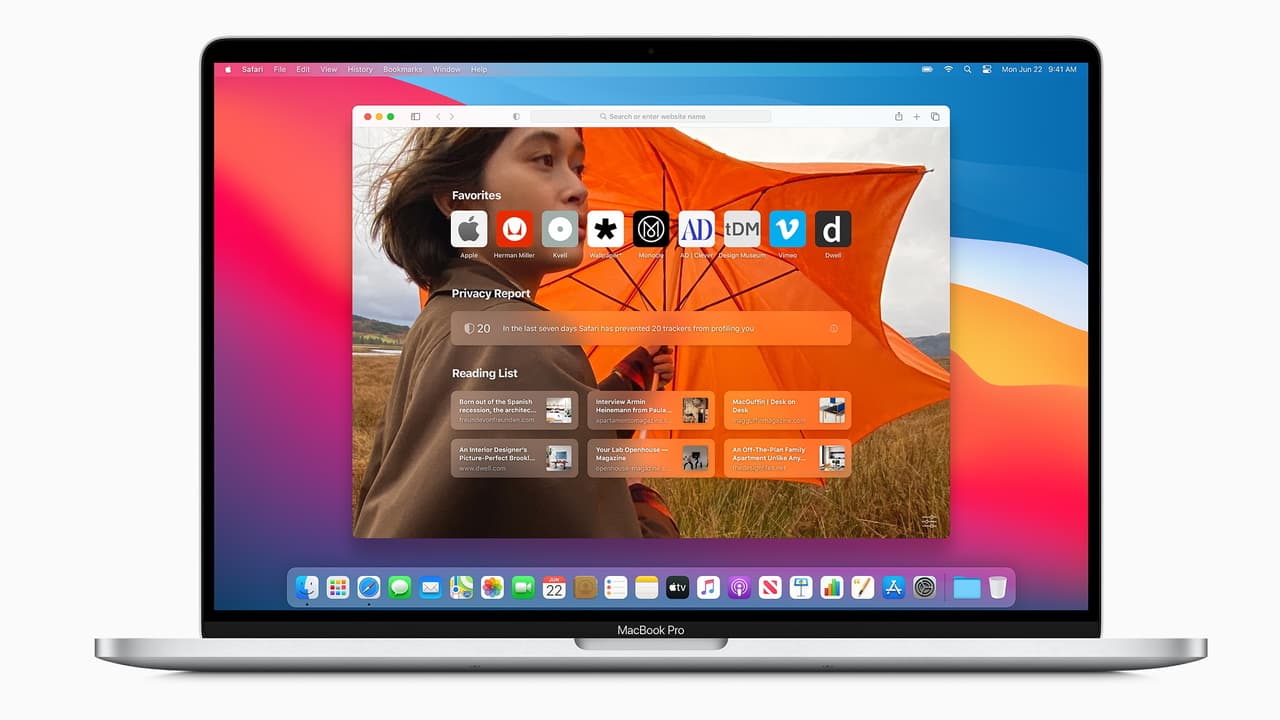
    MacOs is a Graphical User Interface Operating System developed and marketed by Apple Inc. MacOs is the second most widely used Operating System after Windows.

    It has been the primary Operating System for Apple’s Mac computers since 2001.

    Data loss is a serious problem for businesses of all sizes and individuals. Losing files means wasting time and money for data restoration. Files can be lost through:

    • Mistakenly deleting files –
    • Data Corruption
    • Hard disk or storage medium crash.
    • Power cuts
    • Virus and Malware
    • Liquid Damage
    • Hackers and Insiders
    • Disasters
    • Software Corruption.

    I will highlight some of the points above and explain much deeper for better understanding.

    Mistakenly Deleting Files

    So far as we are humans, we are bound to make mistakes sometimes. Humans are not Infallible. Sometimes we might mistakenly over-write data to our existing files which will result in data loss.

    Let me use my case as an example, Someone visited me and wanted some files from my computer to his drive. I placed the drive in my machine and automatically the drive was loaded to my existing drives.

    In haste to format his drive, I mistakenly formatted my drive containing all my files. That was the most painful moment in my life. A 1 terabyte drive formatted by mistake.

    These are some of the mistakes anyone can make, with the help of powerful recovery software, I was able to recover all my files back with no problem. Today I will show you some of the powerful apps you can use to restore your deleted files just keep on following.

    Data Corruption

    Most at times, downloading files from unsecured websites may result in downloading dangerous viruses and malware to our computer. When it happens so, these viruses have the power to corrupt if not all most of our data.

    Some viruses may even make all your Desktop shortcuts unresponsive leading to data corruption.

    Hard Disk Or Storage Medium Crush

    Majority of data loss is due to hard disk crush. Hard disk crush occur due to mechanical faults or human misuse. Human misuse in the form of dropping or jostling a laptop or computer. When a hard disk crush, the success rate of recovery is very low.

    Power Cuts

    Unexpected power outages may result to data loss. I remember, losing some important documents on my pen drive due to power outage. Even if you do not lose data, the improper shutdown of the computer may result in hard disk proper lasting impacts.

    In case you come across some of these data loss problems, below are some of the free data recovery software you can use on MacOs.

    1. EaseUS Data Recovery Wizard For Mac – EaseUs Data Recovery Wizard for Mac is one of the best free data recoveries to recover data from the empty trash bin. I personally have my own experience with EaseUs.
    2. Disk Drill – Disk Drill offers a free version but if you need more features you have to upgrade to pro. Its one of the popular data recoveries in the market developed to recover lost partitions or files from Mac internal and external drive.
    3. PhotoRec – As the name sounds, PhotoRec helps to recover most common files like, photos, audios, documents, ZIP archives and others from either internal or external drive.
    4. Test Disk – Test disk also allows for multiple file recovery. It helps in fixing partition table due to software crush, virus attack or mistaken formatting.

    These are but few free data recovery softwares for your MacOs.

    Conclusion

    As humans are not infallible, data lost will always occur by human mistake or mechanical mistake. This does not mean data lost can’t be retained. With the exception of broken storage medium or hard disk, data lost can easily be restored when you use one of the above listed softwares.

  • How To Use The Whatsapp Status Saver For iPhone

    How To Use The Whatsapp Status Saver For iPhone

    Today’s digital world has redefined the way we see and interact with each other.

    Some decades back, you either had to call someone on phone or text them via SMS in order to get to them or pass information to them.

    Today, things have changed. Thanks to Mark Zuckerberg and his team, there’s Whatsapp Messenger with which we can send and receive instant messages from around the globe.

    What’s more interesting about this beautiful instant messaging application is that you could share images and videos of daily happenings, as they happen. This is made possible by the Status feature.

    With Whatsapp Status, you can upload as many images and 30-seconds videos as possible and share with all your contacts. Once they click on your image in their status column, they get to see all the images and videos you’ve shared with them.

    Unfortunately, Whatsapp doesn’t have an option where people can actually download the videos and images they see on their Whatsapp status. So, you can only see the video and picture on Whatsapp without having them offline in your gallery.

    Well, this has been a headache to many people especially those using iPhones. For the android users, they could download the unofficial versions of Whatsapp which have such features for downloading status.

    In this article, I shall teach you how to install Whatsapp Status Saver on your iPhone and how to use it as well.

    And no, for those sceptic ones who think you need to Jailbreak your iPhone to have this kind of app on your iPhone, you should calm your nerves already. We don’t need that for the method I’m about to teach you. Interesting right?

    Using Buildstore To Install Whatsapp Status Saver On Iphone

    As indicated in the introductory paragraphs, it is very unlikely for you to get a software that allows you to save your Whatsapp status directly on your apple AppStore.

    However, there is a legitimate way to get past the apple store and still install any application you like on your iPhone without jailbreaking it.

    This platform is called Build store. So first of all, before you install and use the Whatsapp Status saver on your iPhone, you need to have an account with build store.

    Registering On Buildstore

    To register on Buildstore for an account, follow the steps below:

    1. Visit buildstore.io and click on ‘Signup’
    2. Enter your email address
    3. Enter your preferred password and retype it in the next box to confirm.
    4. Click on ‘sign up with email’.
    5. Open the new link in your iPhone’s safari browser and select your payment plan.

    The payment plan is 19.99 USD per year. So select it and make your payment with your credit card or apple pay account.

    How To Download The Whatsapp Status Saver

    Once you have your Build store account setup and your iPhone added to your Build store account, you are ready to install the application for saving Whatsapp status.

    However, before you begin the process, make sure that you delete any version of Whatsapp from your phone. That’s either the personal Whatsapp or Whatsapp business.

    After successfully uninstalling your Whatsapp, follow the steps below to finish setting up your new Status Saver:

    1. Visit your Build store account using your Safari browser on the same iPhone you wish to install the app on.
    2. Then search for Whatsapp ++ on the page.
    3. When you finally get to the Whatsapp++ page, click on download and install.
    4. It works just as you download apps from your Apple AppStore so you should see the app being installed on your phone.

    After downloading and installing the app on your phone, open it and register with your phone number just as you did on your normal Whatsapp application.

    Make sure that you have the Simcard in a phone close by since you’ll be required to enter a verification code which would be sent via text message.

    Once you’re done, voila, you have your new Whatsapp which comes with a status saver.

    Note: The 19.99 USD/Year you paid earlier isn’t for the Whatsapp Status saver. It is for Build store which provides a wide range of applications which you wouldn’t find on the Apple Appstore. So yes, after paying that amount, you have access to all the applications available there for a whole year. If you look at the value provided, that amount is nothing to worry about.

    Conclusion

    Whatsapp remains the world’s most-used mobile application with Billions of people using the instant messaging app monthly.

    Interestingly, many people watch Whatsapp status than they actually text and reply messages sent to them on the platform.

    This means Whatsapp status is the most-used feature of this wonderful messaging application. This is evident in the fact that other social media platforms and messaging apps are beginning to adopt the Status feature.

    Well, the sad part is that the status is meant to last for only 24 hours and you do not have the power to save anyone’s status except you take a screenshot or you use an external application.

    In this article, I was able to introduce iPhone users to a legitimate and beautiful application which enables them to save their Whatsapp status without struggling to screenshot or Screen record.

    I hope this article was helpful to you in your quest to find an application which helps you download Whatsapp status with no extra hustle.

    If you have any questions, reservations or comments about this article, kindly let us know in the comment box below.

    Please do well to share this with your family and friends.

  • 5 Reasons Why Using An iPhone is Good

    5 Reasons Why Using An iPhone is Good

    There has been this long-lasting debate between iPhone Users and Android phone users regarding which of the two sets of the smartphone is a better option.

    Honestly, this debate has never had a final conclusion since its birth in the early days of the first iPhones and Android phones made. One way or the other, both devices have come to be very useful to their respective users.

    However, this does not change the fact that there are certain benefits associated with using an iPhone which cannot be said in the case of android phones and vice versa.

    In this article, I shall introduce you to 5 things reasons why using an iPhone is a good thing and hence the need for you to acquire one.

    The Fastest Phone You Can Ever Use

    When ranking the top five fastest smartphones, I bet you’d see an iPhone occupying the first second, third, fourth and maybe not the fifth position.

    Using an iPhone makes apps run faster and even more efficiently with rare instances of lagging which only happen when your battery is fully drained or when your memory is fully used up.

    This is however not the case with Android phones which mostly come with bloated RAMs.

    The average iPhone can battle a high-end android phone when it comes to multitasking speed.

    So yes, if you are looking for a superfast smartphone which can handle all your multitasking without so much stress, then you know there’s only one option available.

    Regular and Prompt Operating System Updates

    The only way to have a fully functional system which keeps up with the current trend in technology is by frequently updating your software and system.

    If there’s any device which provides regular and right on-time software updates for its users, it is the flagship Apple iPhone smartphone series.

    Even the oldest Iphones still run on the latest IOS provided the users have connected to the internet always and have the required space to operate on such operating system.

    In the case of the other smartphones, you would have to go through a tedious process of manually upgrading your operating system to the latest one. And even at that, only some devices are allowed to run the present operating system which means you could spoil your phone in the process of upgrading your operating system.

    Iphones generally run system updates periodically and automatically too except in cases where the user isn’t connected to the right internet connection and so they have to reschedule the update.

    Family Sharing Option

    How about purchasing an app and having the option to share the same app with other relatives and friends?

    Well, the iPhone has a family and friends sharing option which allows users to share their Itunes account with up to 6 different people.

    The good thing is that even though you are sharing your account with these 6 people, they get to keep their personal accounts too.

    With this feature, you can share your apple music subscriptions and other apple subscriptions with your selected family members who get to benefit from this for as long as they use an iPhone and you keep them on your family sharing list.

    This is a unique feature which keeps the iPhone brand ahead of the android series.

    Continuity Feature For Smooth Work

    There are times you are working on your mobile phone and then there’s a need for you to do something else on your laptop at the same time. Just after moving away from your phone to your laptop, you realize that you have a call or text message on your phone. Ever been in this situation?

    Well, with your iPhone and a Macbook, you do not have a problem in this very situation.

    With the macOS continuity feature which is only compatible with iPhones, you can continue making that call or text message on your Macbook without even connecting your phone physically.

    Once you’ve set up the connection already, you can always continue a process on your Macbook away from your iPhone. The only condition is that your iPhone has to be close enough for this to work.

    The Best Help And Support Available On The Market

    There is virtually no better way to enjoy a product you have paid so much from apart from getting a solid and reliable support and help system from the manufacturer.

    This is exactly what Apple provides for the users of iPhones. With your iPhone, you have numerous resources on the Apple website from which you can get help to all your problems and get them resolved within the soonest possible time.

    When you are unable to get help via this method, you can book a live chat session with Apple’s support team and they’ll guide you through the process of resolving your problem.

    You also have the option to schedule a one-on-one meeting at an Apple Store nearby.

    What other support system is better than what Apple provides for its users?

    Conclusion

    Using a smartphone is a must in today’s times. However, using a good and perhaps a better smartphone gives you even more peace and more usage options.

    Google’s Android system comes with lots of benefits and other smartphone manufacturing systems have done well over the years to improve the performance of their devices to keep up with the demands of users.

    However, in a race, there’s always a winner. There are some reasons why an iPhone is a better choice in a tall list of smartphones.

    I hope that the list provided in this article was enough to inform you that an iPhone is a very good phone to use.

    The list, however, is not complete. If you know of any other reasons which you’d like to share with us, kindly do so in the comment box below.

    Do well to share this post with family and friends as well. If you have any questions or reservations, let us know below or contact us.

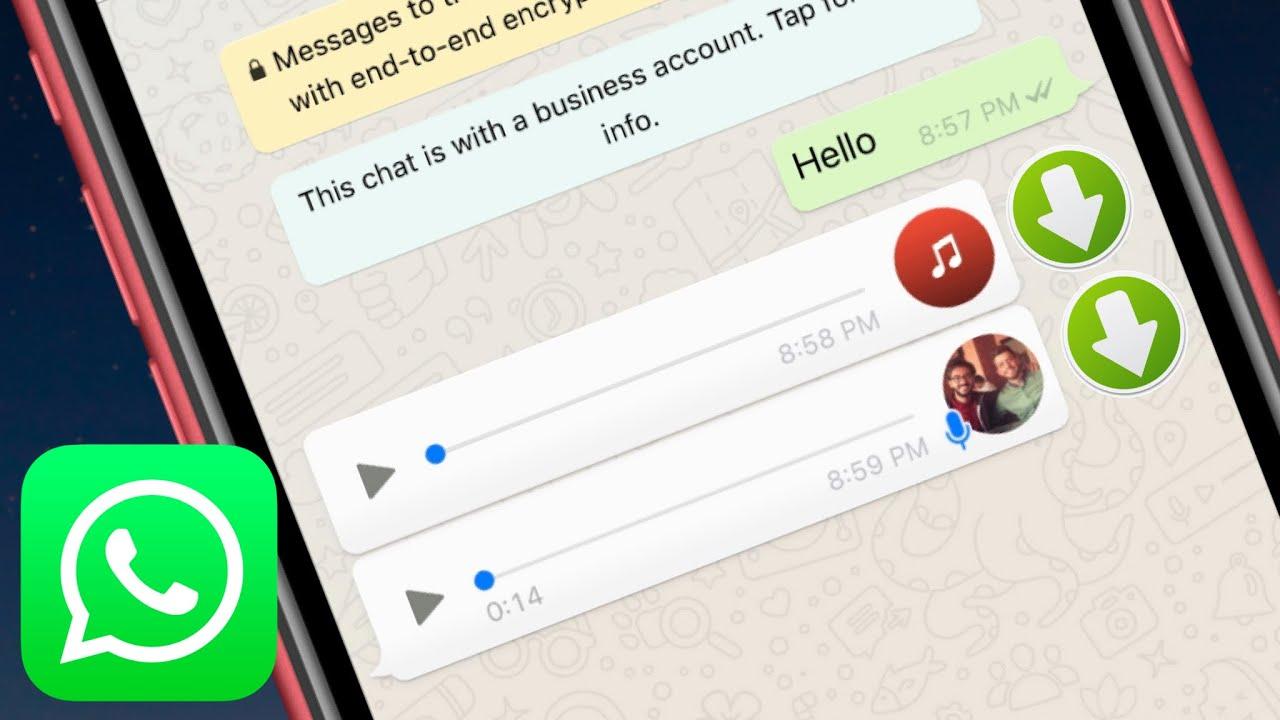
  • How To Send Music On WhatsApp From An iPhone

    How To Send Music On WhatsApp From An iPhone

    Have you ever wondered whether it will be possible to send music from your iPhone to someone else through WhatsApp?

    Unlike Android devices whose operating system (OS) allows you to send music from your phone to another through WhatsApp, iOS doesn’t permit that. Thus, sending music from your iPhone through WhatsApp is a little bit tricky.

    One of the reasons why Apple does not allow you to send music directly is due to its copyright laws and also, its close-source operating system (iOS). This is also one of the reasons why you are not permitted to download apps that are not on the Apple App Store.

    Enough of the plenty talk and let’s jump right into the reason why I wrote this article.

    How To Send Music On WhatsApp From An iPhone

    The sending of music from your iPhone through WhatsApp is a little bit difficult than that of Android devices. Therefore, before you can be able to do this, you need to download third-party applications from the Apple App Store.

    All the apps that I am going to show you have been tried and tested and does not cause any harm or damage to either you or the person you are sending the music to.

    How To Send Music On WhatsApp From An iPhone Using iZip

    The iZip – Zip Unzip Unrar Tool is an application that is available for free download on the Apple App Store. This app can be used to zip, unzip, and unrar files and at the same time function as a File Manager.

    To send music from your iPhone through WhatsApp using iZip, follow the steps below:

    1. Download the free iZip – Zip Unzip Unrar Tool app from the Apple App Store.
    2. Once the installation is done, select Music Library from the options.
    3. Open a folder. For, example Albums.
    4. Tap Select in the upper right of the screen and choose the song(s) you wish to send via WhatsApp.
    5. After selecting the song(s), click on Done at the upper right corner of the screen.
    6. Tap the Zip button at the bottom center of the screen. Once you do so, the app will compress the file.
    7. This will then open the folder labeled Local Files. From here, you can select the ZIP file you created.
    8. A pop-up indicating Would you like to extract all files will be shown on the screen. Tap OK.
    9. A new folder will be created in Local Files with the decompressed song in it. Select the music file you want to send.
    10. After that, tap on Open In and then select Open in WhatsApp.
    11. This will open WhatsApp automatically. Choose the person you wish to send the music to and when asked to Send to [name of contact], select Yes.
    12. The file will then load and then send to the person you choose.

    How To Send Music On WhatsApp From An iPhone Using Documents App

    To use this method, you need to have a download manager that allows you to download music from the internet. Therefore, even if you choose not to use the Documents app, you can use any download manager and file management app that has the Open In feature.

    1. Download the Documents app from the App Store.
    2. Download (using the built-in download manager) or import an audio file to the Documents local storage. You can import the music or the file using WiFi transfer or via iTunes.
    3. Browse to the location of the music file and tap on Edit in the upper right corner.
    4. Select the music you wish to send and then tap on More.
    5. Choose the Open In option and then choose WhatsApp from the menu.
    6. Choose the contact you are sending the music to and then wait for it to finish sending.
  • How to find your iPhone and your other Apple Products

    How to find your iPhone and your other Apple Products

    Losing your phone can be a devastating experience for anyone. I remember when my dad misplaced his phone at Korle Bu and we went everywhere just trying to retrace his steps. These days its even more common to leave your phone in a taxi or public transport but the good news is, it can easily be tracked nowadays. Apple devices are generally more expensive than the competition and the pain of losing one is almost unbearable. Here’s how to find anything should it get missing.

    The cloud storage of the iPhone actually has a Find My Device feature in it. To activate it, simply launch the settings app, tap on your Apple ID at the top, tap iCloud, scroll down and tap Find My iPhone, tap the switch to enable it. It is important to enable this as soon as you get your phone to prevent any issues when your phone gets missing.

    Due to Apple’s tight ecosystem, there is also a Find My Mac function. To enable Find My Mac feature you first need to have your location services turned on. To do this select the Apple menu button on the top left of your screen and click System Preferences. Look for Security & Privacy and then click the lock in the bottom left corner and type in the administrator’s password to make changes. Finally, make sure the checkbox next to Enable Location Services is checked and click the checkbox next to Find My Mac to enable it. A drawback to the Find My Mac feature is that it needs an internet connection which a computer might not always have unlike a phone which always has a mobile sim inside but the feature can help in knowing your last location.

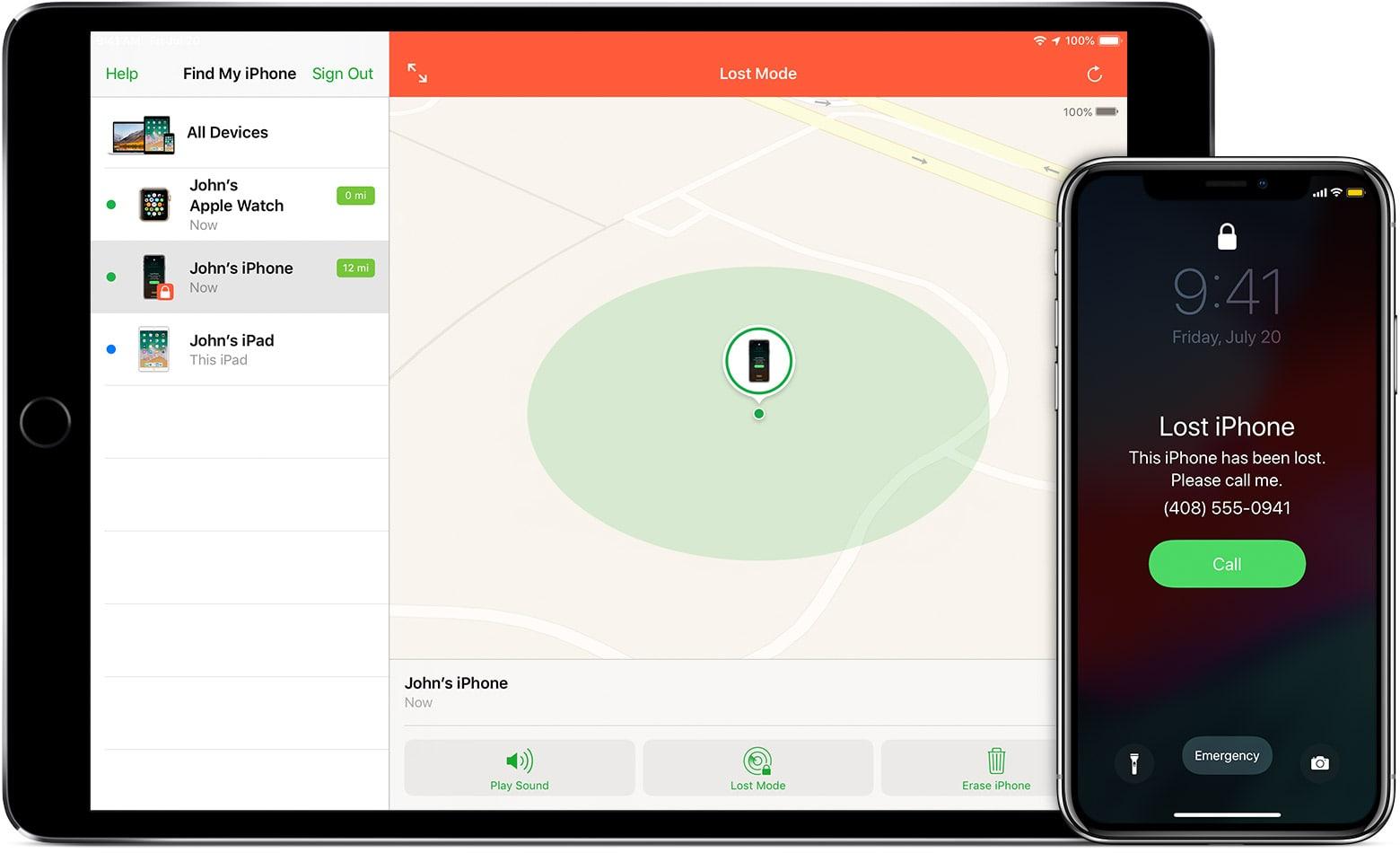
    To find your iPhone, launch the Find My iPhone app from any iPhone, iPad, or iPod Touch. Log in with your iCloud ID and tap on the name of the device you’d like to track If you suspect your iPhone or mac has been stolen or left somewhere you can remotely erase it, set it to lost mode or asks it to play a sound. The play a sound feature is mostly handy if you are very close to where it was misplaced or you can’t find your phone at home or in a small environment. The lost mode basically locks the phone with the lock screen showing your phone number in the scenario someone finds it. The erase option should only be used as the last option or when you know your phone is stolen for sure and you have sensitive information on it. All these modes can be found listed in the upper right of the app. The same mods can also be used for your lost mac.

    Apple’s new Airpods can fit any pocket size but than advantage can also be a disadvantage. Luckily for everyone, you can use the find my iPhone app to locate them. This feature is primarily to locate individual missing AirPods earbuds. Open your Find My iPhone app and tap on the entry for your AirPods.

    Select Actions and press Play Sound. Both earbuds will start making a triplicate chirp — quietly at first, then increasing in volume. If you’re trying to find just one of the buds, you can mute the left or right earbud to focus in on finding the other earbud. If it can’t be found, Apple sells one earbud for $69 (GHS 354).

    The Apple watch is another accessory of the Apple family and whiles its wild to think of how a wrist watch can get missing, anything can happen. To find your Apple watch, just open the Find My iPhone app, tap on the entry for your Apple Watch. Select Actions and if your Apple Watch is powered on, you can track it on a map as well as mark it lost, erase it, or play a sound.

    The best way to find your phone is not to lose it, but if the worst should happen these steps should guide you in finding your device.

  • Jumia Mobile Week 2019: Get the iPhone X 256 GB @ GHS 48

    Jumia Mobile Week 2019: Get the iPhone X 256 GB @ GHS 48

    Mobile Week 2019 is here again! It’s that time where you can get your favourite or fantasy phone at amazingly low prices for a period of just one week! This year, it runs between the April 8th and 14th, 2019.

    Phones have become a necessary part of day to day living for individuals all around the world. Therefore, it is now important to get a phone that not only allows you to make calls but also offers you a large range of interesting features.

    If you have been planning for a new phone or have been unable to get one because you have a low budget, the Jumia Mobile Week 2019 is your opportunity to get any phone at crazily discounted prices.

    Jumia Ghana is set to provide you with a mind-blowing selection of the most popular smartphones from a wide variety of brands like Samsung, Infinix, Tecno, Huawei, Apple and a whole lot more.

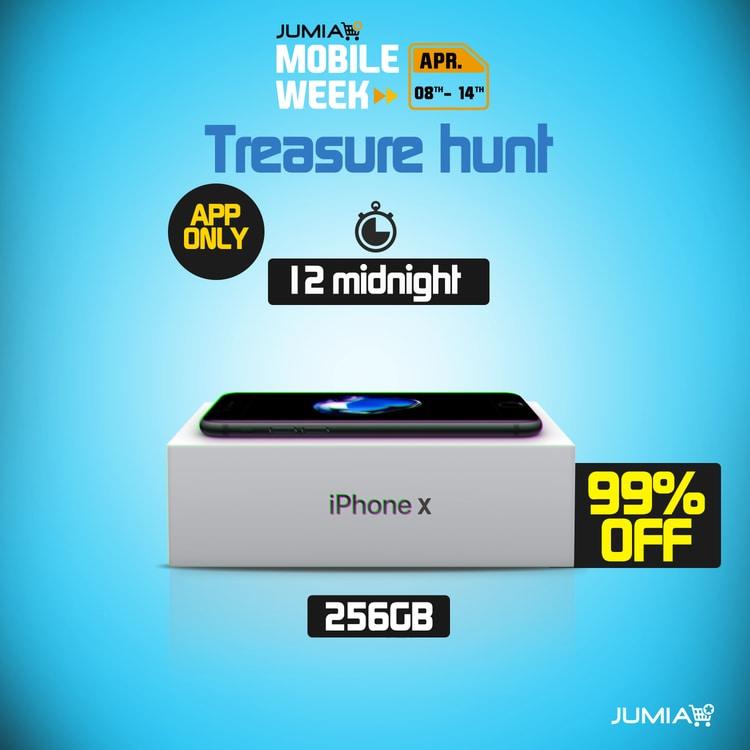
    iPhone X 256 GB @ GHS 48

    Jumia’s Mobile Week officially started today and as such, the usual treasure hunt is upon us.

    All Jumia users who have the app installed can search for the iPhone X in the different categories of the online shop.

    Tecno Camon 11 @ GHS 15

    There is also another Treasure hunt for the TECNO Camon 11, which starts at 1 pm today.

    Note that the devices in the treasure hunt may have different names than their original name.

    Tips on Winning this Treasure Hunt

    1. There is only one iPhone X you will be searching for today.
    2. The item will not be in its regular section; since it is a phone it might be hidden in the shoe category.
    3. Once you find the phone, will have to order and make payment for it immediately. The fastest fingers win.

    This Mobile Week, you can call Atapsa (Jumia Rep) on 0547204973 to make all your deliveries and Pay On Delivery.

  • Apple’s March in Review: iPads and Airpods

    Apple’s March in Review: iPads and Airpods

    The last two weeks of March have basically been about Apple, Apple and more Apple. They held their keynote and unveiled a couple of devices.

    From the announcement of subscription services in the keynote to the subtle announcement of the new Airpods, here’s the reason Apple was in the headlines.

    In the week leading up to Apple’s March event, there were announcements on the website that showed the new devices added to their lineup notably the long overdue iPad mini, the iPad Air and the much-awaited Air pods 2.

    The release of the new Airpods comes at a crucial time as Samsung recently released their own wireless earbuds, the Galaxy buds, into the market. When the Galaxy buds were released, everyone was comparing them with the Apple Airpods and an area where the Airpod was lacking was wireless charging.

    The new set of Airpods however, have this feature built into the new cases and Apple is even selling the wireless case on its own for $79(GHS 422). The new features of the Airpods are all based on changes inside the device so it looks exactly the same as the old ones(sorry for those looking for clout).

    There is a new H1 chip which increases the battery life as its more efficient and allows you to activate Siri hands-free. These improvements make the Airpods a worthy competitor to the Galaxy buds.

    The new iPad mini and the new iPad air are mid-range tablets with fewer features than the 12 inch iPad Pro but each of them have their own target market.

    The new iPad mini comes with the same form factor as the 2015 model which means huge bezels but a fingerprint sensor still remains. The only real difference between the mini 4 might be the A12 bionic and the better cameras. The new iPad also comes with the A12 bionic and liquid retina display with a 10.5” display.

    Both come with support for the 1st Generation pencil only which is kinda lame. The iPad mini starts at $399(2134 Ghana cedis) whiles the iPad Air starts at $499(GHS 2669).

    In the keynote , Apple announced their new subscription services; Apple news+, Apple TV, Apple Arcade and Apple Pay .

    The News+ subscription organizes magazines, journals and many others into one place according to your interests. Apple promises the service to be ad-free and that all recommendations would be done on your phone so Apple doesn’t know anything about your taste.

    Apple Pay is a credit card that offers more infographics than a regular credit card does and what’s more is that their offering 3% cash back on daily purchases which is huge. It does promise to be safer as it requests for biometrics (face, fingerprint) every time a purchase is being made. Like a credit card, however, I think they sought to make money in the Apple store by allowing you to buy on credit and pay later.

    Apple Arcade is a variant of Google Stadia but your phone does all the work. Your phone runs the games on its processor (the A12 bionic chip can handle the majority of the games) and can be streamed or downloaded. The service basically just gives you access to the over 150+ games and supports cross-platform playing (iPhone, iPad, Mac Book).

    Apple TV+ is an app which is kinda like Netflix, basically promising Apple exclusive series at an unnamed price. The service is expected to launch in the fall (September to December). They showed a lot of celebrities in the keynote which promises some exciting releases.

    Apple had a bad 2018 with the iPhone sales even to the point where they refused to publish sale numbers.

    The smartphone market is plateauing as a result of saturation so why not get into the emerging and booming subscription service?

  • Apple “disturbs” police and law enforcement by releasing iOS 11.4.1; Update Now

    Apple “disturbs” police and law enforcement by releasing iOS 11.4.1; Update Now

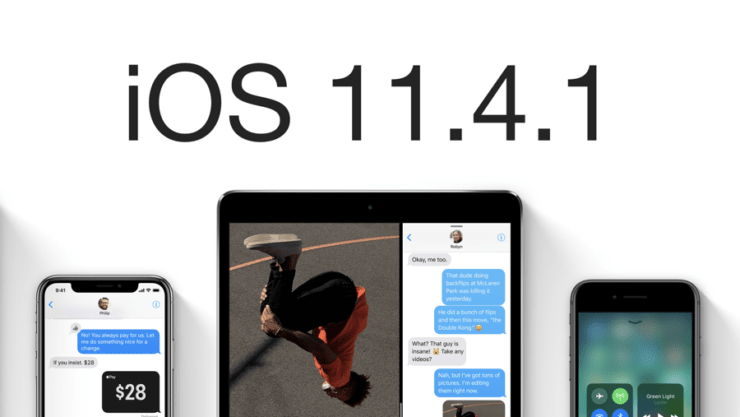
    The iOS 11.4.1 upgrade is small by Apple standards – coming in at around 200MB – but it represents a big headache for the law enforcement and other organizations that want to gain access to someone else’s phone because it kills off the most common route to bypass the device’s security.

    The update includes a new feature called “USB Restricted Mode” that will disable a data connection from the iPhone’s charging/data port at the bottom of the device after one hour of being locked by default. Originally, Apple planned to have the restricted mode kick in after a week but last month changed its mind to reduce the time limit to an hour.

    If you go to Settings and check under Face ID (or Touch ID) & Passcode, you’ll see a new toggle for USB Accessories. By default, the switch is off. This means that once your iPhone or iPad has been locked for over an hour straight, iOS will no longer allow USB accessories to connect to the device — shutting out cracking tools like GrayKey as a result. If you’ve got accessories that you want to continue working after your iPhone has been sitting locked for a while, you can toggle the option on to remove the hour limit.

    You should leave the toggle disabled if you want your iPhone to be most secure.

    How to Update to iOS 11.4.1

    The over the air method is extremely easy to get by. Simply connect to your home’s WiFi network and make sure you have more than 50% battery remaining on your iPhone or iPad. I highly recommend connecting your device to a charger during the update process.

    Once that is out of the way, navigate to Settings > General > Software Update. As soon as the iOS 11.4.1 update shows up, tap on Download and Install.

  • Apple announces iOS 12 with performance upgrades and new tools

    Apple announces iOS 12 with performance upgrades and new tools

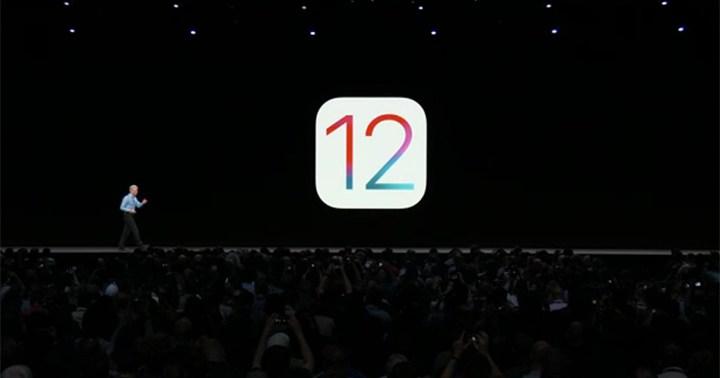
    Apple‘s annual Worldwide Developers Conference (WWDC) is currently kicking off the introduction of its next-generation iOS 12 mobile operating system.

    The Cupertino company touts that the new operating system version is molded better with their A-core chips, providing better overall performance than its predecessor. This performance upgrade is felt even at the older models as Apple touts 40% faster app loads, 50% faster keyboard slide, and 70% faster photo browsing on the iPhone 6S running iOS 12 as compared to iOS 11.

    Apple also expands augmented reality use with the introduction of ARKit 2, which now supports multi-user virtual reality through shared spaces.  There are also new features including photo search, suggestion, and key moments, a new measurement app that utilizes AR to accurately take calculations.

    Siri also gets a well-deserved update by learning more of your activities on the background. In turn, Siri suggests phone activities you might need through the day. There’s also a dedicated app called ‘Shortcuts’ to add pre-made or customize your own Siri custom phrases for one’s multi-action tasks such as ordering your usual items or ringing your accessories when you can’t locate them.

    iOS 12 also brings in a new set of tools that would give you more focus, productivity, and digital well-being: a Do Not Disturb App, notification controls right from the lock screen and support for group notifications, weekly activity summaries on how you use your Apple device, and App limits to help curb too much phone use. New family controls will also be in place such as downtime for limiting phone time.

    Apple also touts new-generation Memojis, customized versions of animojis that you can mold to your resemblance, and can be used in multiple apps.

    The new iOS 12 will arrive later this year, with the beta version released today, on the same devices that had iOS 11:

    • iPhone X
    • iPhone 8, iPhone 8 Plus
    • iPhone 7, iPhone 7 Plus
    • iPhone 6S, iPhone 6S Plus
    • iPhone 6, iPhone 6 Plus
    • iPhone SE, iPhone 5S
    • 2017 iPad Pro (12.9-inch), 2017 iPad Pro (10.5-inch), 2017 iPad (9.7-inch)
    • iPad Pro (9.7-inch), iPad Pro (12.9-inch)
    • iPad mini 4, iPad mini 3, iPad mini 2
    • iPad Air 2, iPad Air
    • iPod touch 6th generation

    The Apple iOS 12 will be released to the public as a free over-the-air update later this year. Developers, on the other hand, will be able to get the first version today at the Apple website, while public beta users will be able to download the software later this month.