Author: Guest Blogger

  • Google Pixel 5 Vs Pixel 4 Vs Pixel 4XL – Should You Upgrade?

    Google Pixel 5 Vs Pixel 4 Vs Pixel 4XL – Should You Upgrade?

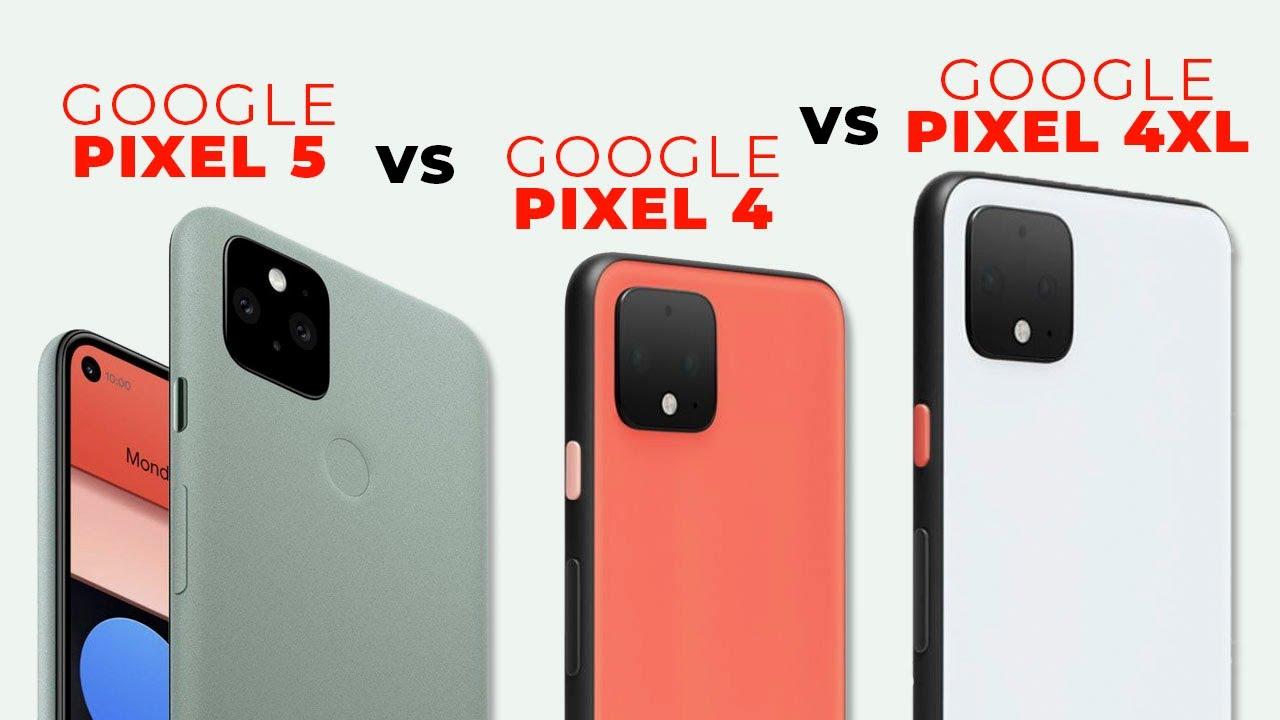
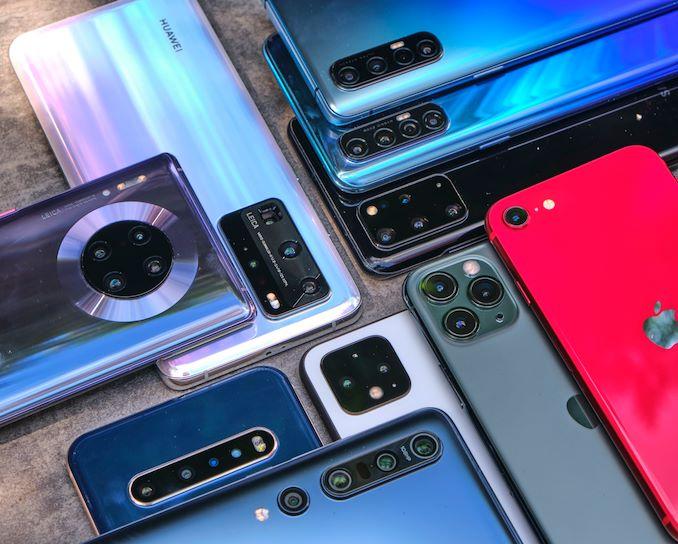
    Last Wednesday, Google launched the new Pixel 5 alongside the Pixel 4a 5G, with both being the first Pixel phones with 5G wireless capabilities. I’m sure some of you are already considering an upgrade either from the Pixel 3 to a 4 or from the 4 to a 5.

    No matter which of the Pixels you want to use next, this video will help make your decision easier as I compare this year’s Pixel 5 to the Pixel 4 and in some cases the 4xl which were released last year. I’ll be comparing specs, design, price and other features I believe will help you make the right decision. So without much ado, let’s dive in.

    Specs and Features

    In terms of specs, the Pixel 5 got an upgrade in some areas and a downgrade in other aspects of the phone. The Pixel 5 comes with a 6 inch OLED screen with 2340 by 1080 resolution while the Pixel 4 sports a smaller 5.7 inch pOled with 2280 by 1080 resolution. The Pixel 4xl on the other hand features a larger 6.3-inch pOled display with a resolution of 3040 by 1440.

    It might interest you to know that the Pixel 4xl has a QUAD HD+ panel whereas the Pixel 4 and 5 have full hd+ displays. All 3 phones however have a 90Hz refresh rate.

    When it comes to processor power and performance, the Pixel 5 is powered by the Snapdragon 765G which is a downgrade compared to the Pixel 4 and 4xl with both sporting the Snapdragon 855. The difference between these two processors is minimal as both can handle various simple tasks.

    The Pixel 5 got an upgrade in the memory department with 8GB of RAM and 128GB storage capacity. The Pixel 4 and 4xl came short with both offering 6gb of ram and 64gb storage with the option to upgrade to 128GB storage capacity – that’s if you want to pay more.

    Last year, the Pixel 4 came with just 2800mah battery which is not enough juice for a smart phone in this era. The 4xl got a 3700mah battery but still not a match to the 4080mah battery power the Pixel 5 has. So yes, we can say the Pixel 5 got an upgrade in the battery department.

    Pixel phones have never had a problem when it comes to camera quality because that’s the phone’s main selling point. All previous Pixel phones over the years have the best camera which is powered by Google’s awesome camera software. The story is not different from this year’s Pixel 5 which comes with a 12.2mp rear camera the same as the Pixel 4 and 4xl, with an f1.7 aperture to give you that sweet background blur in portrait mode. For selfies, the Pixel 5, 4, and 4xl all got an 8mp camera with an F2.8 aperture.

    The Pixel 4 and 4xl had an extra 16mp telephoto lens which has now been replaced with a 16mp ultra-wide-angle lens in the Pixel 5. You can still get your zoom shots on the Pixel 5 with Google’s Super Resolution zoom software.

    Other features on the Pixel 5 include Google’s Pixel imprint fingerprint sensor for unlocking the phone which denied the Pixel 5 motion sense feature. The Pixel 4 and 4xl have 3d face unlock for unlocking the phone and also motion sense that allows you to snooze alarm and silence calls without touching your phone.

    The Pixel 5 supports 5G whereas you only get 4G LTE on the Pixel 4 and 4xl.

    Design

    We all know Google is not big on design when it comes to their Pixel phones but I think they still try to give us something good. At first glance, Pixel 5 and 4 look very similar but a closer look reveals some differences such as the punch-hole display on the Pixel 5 which the Pixel 4 lacks. The Pixel 5 also has an aluminum back with the Pixel 4 sporting a glass back. Both are great if you asked me but you should know that aluminum is more durable.

    In terms of colors, Pixel 5 comes in just black which is my favorite and sorta sage. The sorta sage color is greenish though I doubt a lot of people will like it. Just black and clearly white are the main colors the Pixel 4s come in plus a limited edition color called Oh So Orange.

    Price

    The Pixel 5 was launched with a $699 price tag which I believe is the right price considering the specs it comes with. The Pixel 4s are however expensive with the 4 selling for $799 and the XL version going for $899. One good thing to note is that you might get the Pixel 4 or 4xl for less due to the fact that they’ve been on the market for about a year now.

    So, should you upgrade?

    I believe the answer to the question could be a yes or no. Yes, you can upgrade if you want a phone that supports 5G, has longer battery life with a modern design together with some new extra features.

    You don’t need to upgrade to Pixel 5 if you already own a Pixel 4 or 4xl. You can upgrade to Pixel 4 or 4xl if you own a Pixel 3 or 2. However, if having some new features, more RAM, and reverse wireless charging means a lot to you, then you can upgrade to the new Pixel 5.

    You can also upgrade to Pixel 5 if you want to enjoy new android updates from Android 12 to 14 because Google will end updates for the Pixel 4 with Android 13.

    The displays and processor power of the Pixel 5 and 4 should not really influence your decision because unless you’re superhuman, you won’t see much difference between an OLED display or a pOled display. And as for the processors, the Snapdragon 765G in the Pixel 5 can perform all the activities u undertake with ur phone the same as the Snapdragon 855 in the Pixel 4s. But then, if you plan on playing very high demanding 3d games on your phone, then you will need the Pixel 4.

    So, guys, that brings us to the end of my Pixel 5 and 4 comparisons. Do you plan on upgrading or do you even think an upgrade is necessary? Share your thoughts in the comments. Remember to subscribe and as always, catch you in the next video. Bye

  • Top 5 Photo Editing Apps For Android and iOS

    Top 5 Photo Editing Apps For Android and iOS

    What’s up guys and welcome to today’s new video on the top 5 photo editing apps for Android. There are lots of photo editing apps on Playstore and Appstore and instead of trying to figure out which one to use, I have put together the best 5 you should download and use. So without much ado, let’s get started.

    Lightroom mobile

    The first app on the list is Lightroom mobile. This I can boldly say is the most professional mobile photo editing app from Adobe. The app offers lots of tools to make editing of photos on your phone very simple.

    You can edit raw photos and easily change brightness, contrast, highlights, saturation, and other properties with simple sliders. These sliders give you full control over your editing process even on mobile.

    There are tools to help you crop your photo and give it a proper composition if need be. You can also view and compare different versions of your photo and select the look you want without losing the original photo.

    For people who do not really have the time or know which features to adjust to get the look they want, Lightroom offers good looking presets which you can apply for instant results. One of the features I like about this app is its smart organization feature.

    This feature uses Artificial intelligence to organize your photos by giving them tags based on the people or objects in them. This makes it easier to search for your photos with a single keyword. So if you’re looking for a professional photo editing app with all the features you can think of, then get Adobe Lightroom.

    Snapseed

    I found out about Snapseed a few years ago and I instantly fell in love with the app. It’s my go-to photo editing app for most of my photos. As soon as you import your photo into snapseed, the app gives you some looks or filters you can use to transform your photos instantly.

    You choose any of the looks and edit them to suit your photo or start your own custom editing with the variety of editing tools the app has to offer. There’s a tuning tool for editing the brightness, contrast, ambience, shadows, and even warmth of your photo.

    Other tools include the details tool to make details of photos pop. The crop tool for reducing your photos to standard sizes. You can fix skewed lines with the perspective tool. The white balance tool helps adjust the colors in your photo to give it a natural look. If there are unwanted objects or persons in your photo, you can remove them with the healing tool.

    You can also use the text tool to apply text to your photo. There are different types of text styles to choose from. The drama tool, vintage, lens blur, brush, face enhance and other editing tools make Google’s snapseed one of the best photo editing apps you can download.

    Afterlight

    Afterlight is the next app on the list. This photo editing app offers simple tools for quick and straightforward editing. It features basic photo editing tools to give you instant results. Just like any other editing app, Afterlight has vintage filters you can apply to your photo to give that old film look. Other textures and photo effects such as light leaks can be added to better enhance your photo.

    Afterlight also has a cropping tool that gives you 15 different presets to crop your photo to your liking. In all this app is a good photo editor for quick and easy edits.

    VSCO

    If you’ve just taken a photo and want to quickly edit and post it on social media, then VSCO is your go-to app. This app has a library of over 200 awesome filters that can drastically improve your photo instantly. You can even reduce the intensity of the filters to your preference.

    As if not enough, Vsco also has custom photo editing tools you can use to make your own changes to your photo. You can adjust exposure, contrast, clarity, white balance, skin tones, split toning, and more.

    After editing, you can share your photo directly to your Instagram feed or stories and even on WhatsApp and other social media platforms. There’s also the VSCO community where you can share your photos and also pick inspirations from other users in the community.

    Inshot photo editor

    Inshot photo editor is a decent photo editor that offers a new editing style with loads of filters, stickers, and other effects together with its traditional photo editing tools. With over 60 filters such as Lomo, pink, dew, dark and warm, you can change the look of your photo with a single tap.

    Filters can be adjusted to suit your photo. Other photo effects such as background blur, glitch, light leaks, splash, dust and scratches, fog, and others are all available to add even more dimension to your photo.

    You can create collages with your photos from over a hundred grids, frames, and filters. Inshot is a very good and simple photo editing app and I bet you’ll like it for all the many photo effects it has to offer.

    That brings us to the end of my top 5 professional photo editing apps for Android. If I missed any other awesome photo editing app, share it with us in the comments section. Remember to subscribe if you haven’t and see you in the next video.

  • Can Africa have one financial platform?

    Can Africa have one financial platform?

    Well, the answer to this question is not an easy one. With all progressive cutting-edge technology we have around, sending money across Africa is expensive, difficult and in some cases, impossible depending on the countries you choose to send and receive money from.

    There has been a recent growth in innovative fintech platforms and services utilizing new ways to bridge the gaps in the financial network in Africa. One of such fintech platforms is “Waya” or “Waya Money” as it is sometimes called. 

    Waya is an African-based fintech company founded by Africans, built by Africans from over four different countries with an aim of making money transfers and payments simpler and easier. 

    Waya allows a person to exchange money from one part of Africa to the other through the best possible cost-effective route that guarantees instant transfers and payments without the need of an intermediary major currency like the dollar. Dealing with regulations from several central banks is a huge task as the rules are different from country to country. They work with various trusted partners including other fintechs, banks, payment processors, KYC vendors and telcos to ensure secure delivery of funds. Essentially, they do all the hard work behind the scenes so you do not have to. 

    Waya is currently in Ghana, Kenya, Nigeria, and expanding to Rwanda, South Africa, Uganda soon. You can download Waya on Playstore at www.bit.ly/WayamoneyApp or sign-up online at www.wayamoney.com

  • Top 6 Professional and Best Video Editing Apps for Android [2020]

    Top 6 Professional and Best Video Editing Apps for Android [2020]

    What’s up guys and welcome to today’s video where I will be sharing with you 5 awesome apps you can use to edit videos on your phone professionally. without much ado, let’s get into it.

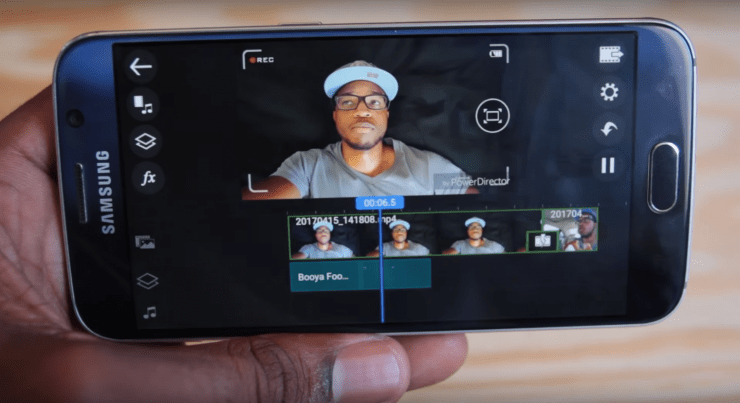
    Power Director

    The first app on the list is Power Director. this is one of the popular video editing apps and I can boldly say the best on Playstore. This app offers lots of features to make your video editing as seamless as possible’

    You can trim, rotate videos, control brightness, colour, saturation, and video temperature. Animated texts ad titles can also be added to give your video that professional look.

    You can choose from the numerous filters available to give your video a nice colour grade

    If your video is not stabilized, the app offers a feature to help with that. There are lots of transitions to also choose from and the good thing is, you get to preview them before applying them to your video. Once you’re done editing, you can export in 720p or upgrade to pro to be able to export in 1080p or 4k. The pro feature also comes with lots of stock videos and photos you can use in your videos

    Filmorago

    Filmorago is one of the simplest video editing apps because it features a very simple UI that makes the app easy and fun to use. You can easily trim or split your videos, add and control music volume, add titles and text, and more. The app also allows you to bring life to your video by adding stickers, filters, and other effects.

    Filmorago also offers some smooth transitions and also gives you full control over them by letting you decide its duration. the free version only supports exports in 360p, 480p, and 720p. you have to upgrade to be able to export in 1080p and also remove the filmorago watermark.

    KineMaster

    The next video editing app u should try is Kinemaster. Just like its predecessors, this app offers some simple features u can use in editing your videos. Some of its key features include the ability to combine different layers of photos, videos, text, and other effects. There are also tools you can use to adjust colour and enhance the overall look and feel of your video. the app also allows u to add music or even record a voice over for your project. Exports can be done in your preferred resolution, frame rate, and bitrate. higher resolutions come at a cost.

    Quik

    Just as the name implies, Quik is a video editing app for creating short and easy video montages for social media. It offers a variety of video styles to get you started. you can add transitions, graphics, and filters within minutes.

    There is the option to add custom text and even emojis to your video. The app also has a music library with lots of music you can use for your video and if you don’t like any, you can upload your own music. Once you are done editing, u can save the video on your phone and post it on social media.

    Pixel Flow

    When you’re done editing your video and want some cool titles to complete it, then get pixel flow. this app’s main purpose is to provide you with lots of title animations for your video. these animations can be previewed before adding them to your videos.

    You can choose titles based on the theme of your video. There are gaming titles for gaming videos, cooking titles for cooking videos, sports, tech, and more. u can stick with the free version and still get some cool titles to work with but if you want more options, then you can upgrade to pro.

    That’s all for today’s video guys. if you have any video editing apps you would like us to try, share them with us in the comments.

  • Top 8 Android 11 Features You Need To Look Out For

    Top 8 Android 11 Features You Need To Look Out For

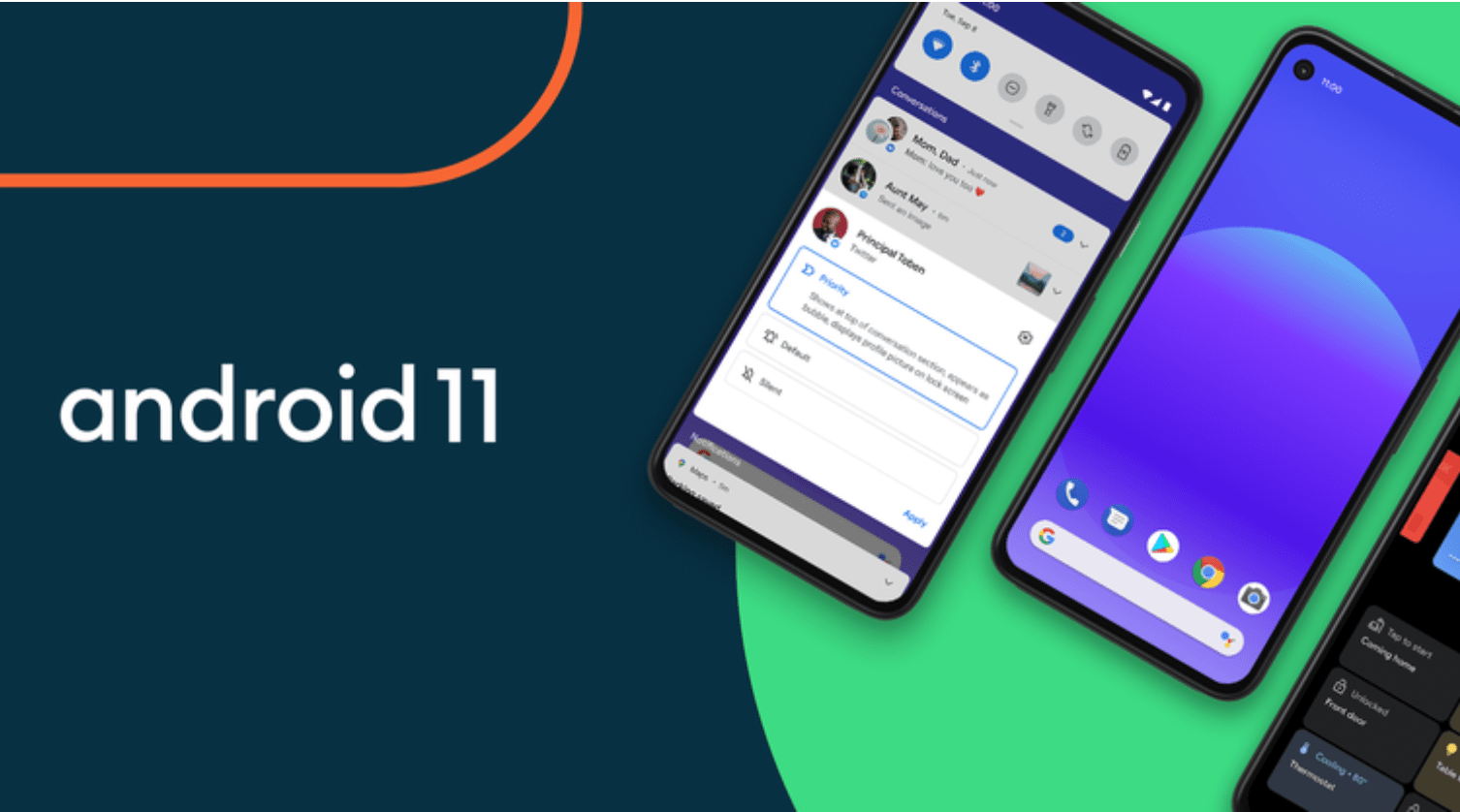
    Google has officially released Android 11 and it’s available for download on all Pixel phones from Pixel 2 to Pixel 4a. 

    Some other phones such as OnePlus, Xiaomi, Oppo, and Realme will also get the new update.

    The new Android 11 comes with lots of great features and I’ll be sharing some of them with you in this video. So without much ado, let’s dive in.

    One key feature is bubbles. Bubbles make it easier for you to reply messages from apps such as Facebook messenger, telegram and Google messages by displaying a floating circle or bubble of the app on your screen.

    You should be used to this if you use Facebook messenger app often. You can turn bubbles on or off for various apps. This feature is however not compatible with a lot of apps.

    One of the highly requested and talked about features is the built-in screen recorder. You can now record your screen with a single tap. You can choose which audio to record, be it from a microphone or your phone. There’s also an option to not record audio at all. This feature means You no longer need third-party apps to record your screen.

    The recent apps section has also received 2 new features namely screenshot and select. You can now take a screenshot of the recent app with just a tap and even share or edit the screenshot instantly. The select feature allows you to select text on the recent app. Lots of apps make it difficult to select text but that’s going to change with this new feature. 

    The dark theme can now be customized. You can turn it turn off and on automatically so it takes effects at specific times. If you’re a dark theme lover like myself, then you can leave it on as long as you want. 

    New icon shapes and styles have also been added. You can choose from the 4 styles available or create your own custom style by choosing your font, icons colour and icon shapes. 

    For added security, Google revamped the permissions feature. Previously, you could only allow apps permission when the app is in use or make the app request permission every time or even deny the app permissions altogether. Now, you have the ability to remove app permissions if the app has not been used for some months. 

    There’s now a notification history that keeps track of all your notifications in the past 24 hours. It’s turned off by default and to turn it on, go-to apps and notifications, tap on notifications and select notification history and turn it on. It’s that simple. 

    There’s also a sound menu which pops up when you tap the volume control button. It makes it easy for you to control the various sound settings for media, calls,, alarms and ring tones. U can tap see more for access to the complete sound settings for your device. 

    So, guys, these are the Android 11 features I’ll like to share with you today. If there are other cool features I didn’t touch on, share them with us in the comments.

  • The Waste Disposal Chain: Using Tech, Print Media To Make It Effective

    The Waste Disposal Chain: Using Tech, Print Media To Make It Effective

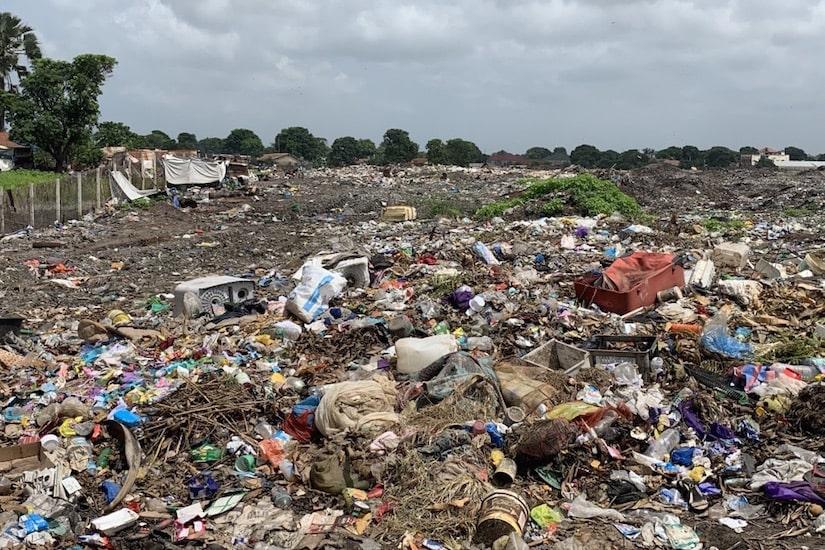
    For two years, Idealoyal GhaClean team have been researching on the pragmatic measures to eradicate filth caused by solid waste materials. In the root cause analysis with the help of analytical thinking, we realized that solid waste material can cause filth mostly if it drops on the ground. 

    Hence until the attention is focused on how to prevent waste materials from dropping or having the tendency to drop on the ground, we’ll continue to organize occasional “clean up exercises”. Unfortunately, “clean up exercises’ have proven to be ineffective to prevent filth or eradicate existing filth. Doesn’t this warrant the need to look for a better option?

    Brief Explanation of the Waste Disposal Chain

    Inasmuch as we wouldn’t want to criticize a system of waste management that has been in operation since time immemorial without giving an alternative solution, Idealoyal GhaClean has coined a phrase “Waste Disposal Chain” (WDC) to help eradicate filth without reoccurrence. 

    The WDC is a mechanism which involves the chronological activities and actions required to manage waste from its inception to its final disposal. It operates in such a way that no one deliberately puts any waste material of any kind – including a match stick, toffee wrapper or tip of a pencil – generated by human activities (individuals or institutions) on the ground with the aim to sweep later. 

    The process or the mechanism include Originator of Waste, Temporary Waste Storage Devices (Waste Bins/Bags), Waste Collectors, Waste Transfer Sites, Recycling Sites, Incineration Sites, and Landfill Sites. These processes have been thoroughly explained in the articles, “The Fight Against Filth: Waste Disposal Chain – Part 1, 2 & Final”.

    The Waste WDC has proven and continue to prove why it’s the most effective mechanism to eradicate filth. Technology has evolved our way of life and therefore, it’s about time we let all and sundry become aware of the WDC mechanism and practice it accordingly with the use of outputs or devices derived from technology. 

    Main Purpose of the Article

    This article focuses on the use of the various print media: newspapers, magazines, journals, flyers, newsletters, books, etcetera to help people to practice the waste disposal chain in order to eradicate filth. We shall lay emphasis on four (4) functions – inform, educate, entertain and report – of print media with respect to how they can be related to the WDC.

    Information

    Most of the print media seek to communicate knowledge to readers or followers. Hence, they serve as avenues through which people can get to know that the first site for dumping any waste generated is waste bin/bag. This vital information can appear at the front pages of newspapers, for instance, the Daily Graphic and Junior Graphic, so that everyone (whether a child or an adult) will be abreast with it. 

    Moreover, there can be textbooks and other learning materials at schools and other learning centers, like religious institutions, that have been designed to provide basic and adequate information on WDC to students as well as readers in general. In fact, knowledge about the WDC should be readily accessible and widely spread across all spheres of our endeavors. 

    Education 

    Some of the print media seek to develop readers or followers mentally, morally, or aesthetically by giving instructions. In this regard, the process of the WDC should be described with images and diagrams in various newspapers, magazines, textbooks, and etcetera. 

    Specifically, children should be given such training through reading or learning materials at various institutions: schools, colleges, churches, mosques, homes, and so forth. This will go a long way to change the attitude of the next generation towards waste management. It’s apparent that a child who gets training on the WDC today will grow to live with it. 

    Entertainment 

    The print media that are established to entertain readers or followers also fit the narrative of making the WDC known. There are newspapers, magazines, books or flyers that talk about the lifestyles, performances, achievements, opinions, and etcetera of celebrities. Because those celebrities have fan bases, their opinions on the WDC can be written or described in the print media for their supporters or fans to practice.

    For instance, Glitz Africa Magazine can publish that Sarkodie, arguably the biggest musician in Ghana, has advised Ghanaians to desist from indiscriminate littering by adopting the attitude of “unless I see a waste bin, I ain’t dropping waste material anywhere”. The fan base of Sarkodie called SarkNation and all music lovers will adhere to such advice to help eradicate filth.

    Reporting

    Some people will be much knowledgeable about the WDC, and even though adequate waste bins and all other mechanisms will be in place, recalcitrant individuals or institutions will litter indiscriminately. Such people might need mental health care or need to be punished to serve as a deterrent to others. 

    However, there are some people who will practice the WDC to achieve its objective of eradicating filth without reoccurrence. Obviously, such people need to be commended and rewarded to encourage others to emulate.

    Also, there can be tremendous initiatives like the manufacture of waste bins with different kinds of materials, purchase of recycling plant, and construction of community/municipal incineration sites by the government, firms or individuals. 

    In view of that, the print media can be used to give detailed accounts or reports of what happens on a periodic basis as far as the WDC is concerned. Those reports will be talking points for days, weeks or months. 

    Conclusion 

    Practising the Waste Disposal Chain (WDC) to achieve desired results is a collective responsibility. The contributions of the various print media are needed in the efforts to eradicate filth with WDC. 

    About The Author

    Harry Sarfo Diko, popularly known as Jamigy Harry, is the sole proprietor of Idealoyal Enterprise – a registered business (with GhaClean as one of its objects of business). He holds a Bachelor of Commerce (Accounting & Finance) Degree from the University of Cape. He’s much enthusiastic about Entrepreneurship and solving societal problems.

    Email: [email protected] 
    LinkedIn: https://www.linkedin.com/in/harry-sarfo-diko-1a392317b
    Facebook: https://www.facebook.com/sarfo.jamigyharry
    Twitter: @jamigyharry

  • How to buy Domain, Hosting, SSL & More in Ghana with Mobile Money

    How to buy Domain, Hosting, SSL & More in Ghana with Mobile Money

    For most of us nowadays, getting our business online is very important. One of the surest ways to make sure your business is visible online is by getting a website for yourself.

    WordPress and other content management systems have made it easy to create a website.

    Yet, in Ghana, it is difficult to buy hosting, domain, SSL and other website building alternatives online.

    UviTech Cloud Services is dedicated to providing cloud and internet security solutions.

    They have a variety of products which includes Shared Linux Hosting, VPS, Windows Hosting, Cloud Hosting, Reseller Hosting, SSL’s, Domains, Security products (CodeGuard Website Backup, SiteLock), Enterprise and Business Emails, Website Builders, WordPress Hosting, Managed and Dedicated servers.

    So whether you are looking at starting your blog in Ghana or creating a business website, this is a service you can look to for your hosting needs.

    With as little as GHS 8.50 a month ( the equivalent of $ 1.79) you can get a Domain, Hosting, SSL, and Custom emails.

    You can use any Mobile Money wallet / MasterCard / VISA to pay. Let’s walk you through how to do that

    How To Buy Hosting, Domains And SSL Using Mobile Money

    1. Log onto https://uvitechcloud.com
    2. Browse through all the products and add the one you prefer to your cart
    3. Click on the cart icon to check out
    4. Use 20 seconds to sign up for an account to manage your orders or login if you are already an existing customer
    5. In the payment section choose “MTN/VODAFONE/AIRTEL-TIGO MOMO + VISA/MASTERCARD”
    6. Click on checkout and wait for the payment window.
    7. Enter your number and network and follow prompts
    8. Click on “Click here to continue”
    9. You will be directed back to the uvitechcloud website with the status of your order
    10. You have succesfully bought your hosting, domain, etc with Mobile Money

    If you need to contact Uvitech Cloud directly, you can send an email to mail [email protected] or call directly on 0553597909 / 0543524033.

    Uvitech Cloud promises better pricing and has support all the time with their 99% uptime guarantee.

  • #GH4STEM TOP 100 Teacher: Linda Nana Korkor Kyeremanteng – St. Peter and Paul JHS

    #GH4STEM TOP 100 Teacher: Linda Nana Korkor Kyeremanteng – St. Peter and Paul JHS

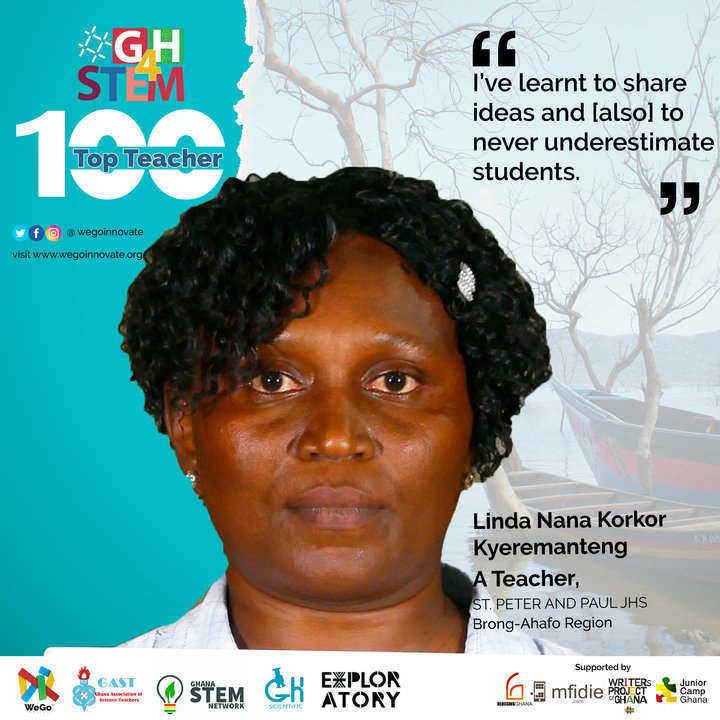
    Linda Nana Korkor Kyeremanteng came to teaching in a rather unusual and round-a-bout way. She had considered Town Planning and Nursing as prospective careers, and even wrote the entrance exam to start training to be a nurse at the Okomfo Anokye Teaching Hospital. But something bizarre happened. When the results were released, she took the overall second place, and was asked to come along with her parents for her prospectus. However, when they arrived, her name was nowhere to be found on the list. Being determined to be a nurse, she stayed at home for five years while trying to achieve this goal. Eventually, her mother, who was a single mother, baker, and owner of two businesses, prepared other plans for her.  Linda recalls the incident with some humour: “My mum one day asked for my passport picture, deceiving me that it was meant for a passport, not knowing that she was applying for me at the training college. And so, fortunately or unfortunately, I was called for an interview and my future dream of becoming a nurse changed to teaching.” Once on that track, Linda did not look back. She went on to acquire a Diploma in Education, and topped it up with a degree from the University of Education, Winneba.

    Linda has now been teaching for the past 17 years. Presently, she teaches one hundred and fifty-five students in Junior High School. When she was informed about the JUNEOS challenge, she was very excited and quickly began preparing her students, who were equally excited. They met to discuss the work and to practice their experiment once a week, on Fridays. The experiment that they chose for the JUNEOS Challenge was based on an experiment that her students had seen. After many improvements, their final experiment involved the use of baking soda, a balloon, and a plastic bottle to make a homemade fire extinguisher.

    Ms. Kyeremanteng has always loved science even though she studied Arts in senior high school. She has always enjoyed watching the National Math and Science Quiz. What she enjoys most  about teaching STEM is that it keeps her abreast with new developments in science. She explains that she enhances her knowledge by reading textbooks and conducting experiments.

    Linda feels that the opportunity and responsibility of training children especially young girls is a key motivating factor in her profession.  As a result of this, she is very happy with the JUNEOS Challenge. “It has made my teaching more practical” she says, adding, “And the fact that it’s practical gives the students the opportunity to learn new things.”  She has also learnt to share ideas with others and also to never underrate or underestimate her students. She encourages all teachers to never give and wants them to teach wholeheartedly. She says, “’For our reward is in Heaven not on this earth, so no matter how difficult it is, we should fight on; one day we will become winners.”


    Kofi Konadu Berko is passionate about education and youth development. He holds a B.A in Adult Education and Human Resource Studies from the University Of Ghana. His works have been  published in the historic Afroyoung Adult anthology titled Waterbirds On the Lakeshore, Adabraka: Stories From the Center Of the World, Tampered Press and the Kalahari Review. He blogs at obolokofi.wordpress.com

  • #GH4STEM TOP 100 Teacher: Josephine Enu Efua Kakra – St. Monica’s Basic A

    #GH4STEM TOP 100 Teacher: Josephine Enu Efua Kakra – St. Monica’s Basic A

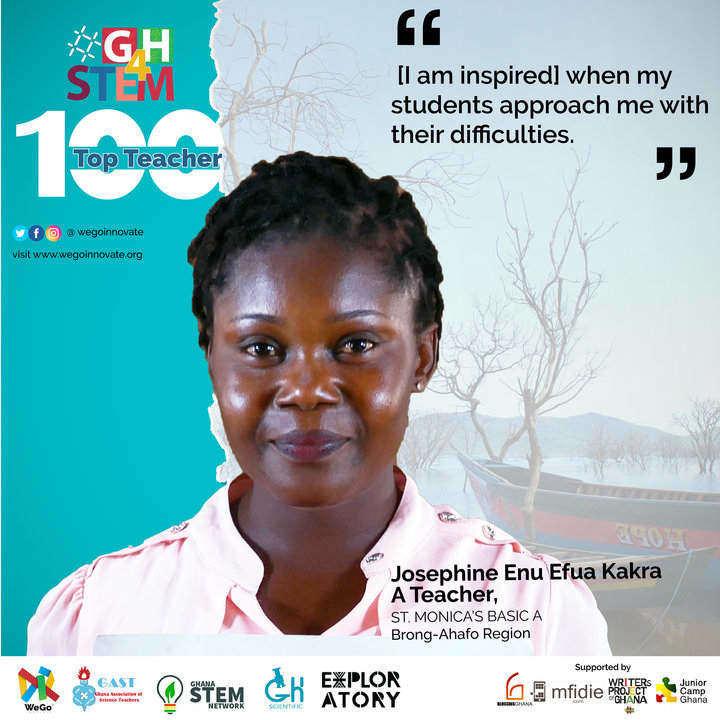
    Josephine Efua Kakra Enu comes from Saltpond, but she attended primary school in Berekum and received her diploma in Education from OLA Training School before finally obtaining a degree in Education at the University of Education, Winneba.

    When she was younger, Josephine wanted to be an accountant, following in the footsteps of Mr Sekyi, who was her accounting teacher in senior high school. She admired him due to his appearance and his good teaching skills. Being an enterprising and pragmatic person, she does not like being idle and has even engaged in petty trading, before settling on teaching as a profession. She figured that this profession would allow her to make an impact on others, perhaps, recollecting the impact that Mr Sekyi had on her life in senior high school.

    As of 2019, Josephine has been teaching for the past nine years and presently handles a combined class of 120 students. She loves teaching, especially the process of making learning real and interactive for her students. She explains that when her students understand what they have learned in class and are able to demonstrate their knowledge or skill, she is motivated and feels fulfilled as an educator. When her students approach her with questions about the things that challenge or baffle them, she feels that she is doing a good job in teaching because it shows her that they truly trust her guidance.

    Regarding STEM, Josephine says that she has acquired methods of teaching that help her build her students’ interest in science. She works to keep abreast with current happening in STEM  education and improves her knowledge by consistent research. She finds the internet a very good resource, especially the videos on YouTube.

    Josephine was introduced to the JUNEOS challenge by the headmistress of Bess MA school. In choosing an experiment for the challenge, she interacted with her students and other teachers before finally making a choice. The interesting thing is that, prior to the JUNEOS programme, she could not conduct experiments in class with her students, as they did not have the required materials. However this has changed. Because of the support and equipment from JUNEOS, Josephine is now able to conduct experiments during lessons. This has made her teaching and learning sessions practical and interesting.

    Josephine is grateful to the JUNEOS team for their assistance. She hopes that the JUNEOS initiative will help students to achieve much greater heights in STEM.

    When she is not teaching or researching for STEM, she enjoys watching TV. Her favourite celebrity is Wendy Laryea, a newscaster on TV3. As expected, she also enjoys watching the National Maths & Science Quiz.


    Kofi Konadu Berko is passionate about education and youth development. He holds a B.A in Adult Education and Human Resource Studies from the University Of Ghana. His works have been  published in the historic Afroyoung Adult anthology titled Waterbirds On the Lakeshore, Adabraka: Stories From the Center Of the World, Tampered Press and the Kalahari Review. He blogs at obolokofi.wordpress.com

  • #GH4STEM TOP 100 Teacher: Hene Kofi Adu – Bui Power Authority J.H.S.

    #GH4STEM TOP 100 Teacher: Hene Kofi Adu – Bui Power Authority J.H.S.

    Mr. Hene Kofi Adu comes from Kwasi Buokroma in the Brong-Ahafo region. He attended Jasikan College of Education and continued his education by taking Management Studies at the Institute of Chartered Management (ICM).  He has been teaching for the past 11 years and currently his students number about seventy-eight.

    When younger, Hene had various ideas about what he wanted to do as a profession. At a point, he wanted to become a pharmacist, and one teacher also asked him to consider law enforcement, so he then wanted to become a police officer. After getting his degree in Education he wanted to become a manager so he furthered his education with Management Studies. However he finally took to teaching. It was his consideration that if things got tough and he could not get a job in the banking sector, he could concentrate on education and still make it. It turns out to have been a good choice, and he has “made it”: Mr. Hene Kofi Adu is currently the headmaster of his school.

    Hene has always loved science, and he was encouraged by his colleague to study science. “I gave it a try and enjoyed it,” he says. He keeps abreast of his STEM knowledge by attending workshops, one of the most recent being the BSTEM workshop held in Kumasi.

    Mr. Adu explains that being an effective STEM educator means that he should make the learner feel involved in the learning process while making the teaching interesting and practical. This allows students to understand what is being taught.

    Hene also believes that STEM education provides future employment opportunities for students and also encourages entrepreneurship. “They will be able to create their own jobs even if they don’t get the chance to further their education,” he says.

    He recounts his most inspiring experience as an educator. It was when two of his students came to him after a lesson. They wanted to create a telescope. Intrigued, he provided them with the required lenses and other materials and challenged them to build it. And truly, they did!  He was impressed. He explains that incidents like this where students demonstrate what they’ve learnt are the high points of his work as an educator.

    For their experiment in the JUNEOS Challenge, he and his students worked on a device that could monitor the level of water in a polytank.

    Mr Hene Kofi Adu believes that he has benefited immensely from the JUNEOS Challenge. He has grown as a teacher and his students have also become eager to learn science and are serious with their studies. The greatest lesson he has learnt as an educator is that “practice, persistent learning and training makes perfect.”

    For leisure, Hene enjoys watching the TV programme Newsfile on Saturday mornings. Though he finds him controversial, his favorite celebrity is lawyer Maurice Ampaw.


    Kofi Konadu Berko is passionate about education and youth development. He holds a B.A in Adult Education and Human Resource Studies from the University Of Ghana. His works have been  published in the historic Afroyoung Adult anthology titled Waterbirds On the Lakeshore, Adabraka: Stories From the Center Of the World, Tampered Press and the Kalahari Review. He blogs at obolokofi.wordpress.com