Author: Kwaku Owusu

  • List of Electronic and Computer Shops in Ghana you can buy from

    List of Electronic and Computer Shops in Ghana you can buy from

    An electronic shop is one that you can go to and purchase electronic devices. In Ghana, there are not many establishments that deal in quality electronic products. A few non-branded shops sell electronic devices on the streets.

    Still, if you want to buy quality electronic devices from trusted and loyal shops, then there are a few I can suggest for you. These shops do not have the game because they are a big company. They have fame because they earned the trust of customers with their excellent services and quality products.

    They give you access to foreign products from the USA, Japan, China, UK, and other countries that produce quality electronic devices.

    Below is a list of various electronic shops around Ghana and their contacts to reach out to if you want to purchase the same quality and affordable electronic devices. 

    Danny computers

    Danny computers is a computer and electronics parts shop located in Accra. They sell computers and other electronic products at retail.

    Location: Ring Road West Road Accra, Ghana Telephone: 0244688853, 0302668098

    Atlantic computers

    Atlantic computers deal in electronics from phones to laptops to smart televisions and other items.

    If you need quality electronic products with good warranties, then Atlantic Computers is your choice. Telephone: 0302228214. Location: Hilla Limann Hwy, Accra

    Intact Ghana

    If you’re looking to put your brand on a product, Intact Ghana is your top option. They provide the same quality products and services to customers.

    Location: North Industrial Area, Accra. Telephone: 0543008475

    Kabfam Ghana Limited

    If you’re looking to buy quality televisions at affordable prices, then visit Kabfam Limited.

    At Kabfam, whatever electronic device you want is available and provided with outstanding warranties. They were established in Ghana in 2013.

    Location: Staten-Darkuman Junction, Off the Kaneshie-Odorkor Highway (Near MTN), Accra. 

    Telephone: +233 233 458 458

    Asfam Enterprises

    Electronic appliances ranging from televisions, air conditioners, mobile phones, laptops, sound systems, and many other devices are available at Assam enterprises.

    Location: Koforidua, Opp. Reo Cinema, Ghana. Telephone : 0243201888 , 0342022960

    Electroland Ghana

    It’s best known for distributing Samsung, Toshiba, Midea, and other electronics in Ghana. They’re also the owners of the NASCO brand in Ghana. Telephone: 0302211318.

    Location: Achimota mall

    Jaydee limited Appliances

    This is an Electronics and Home appliances store that deals in Television, Deep Freezer, Fridge, Air conditioner, Gas oven, Home theatres, Microwave, Ceiling Fans, Standing Fans, stabilizers, Step Down, Rice cooker, Blenders, and other miscellaneous other items.

    Location: Kumasi. Telephone: 032 202 6107

    Freddie’s corner

    This is one of the nation’s leading electronic shops known for quality services. At Freddie’s corner, you can buy products of whatever electronic brand you want. Samsung, Apple, LG, Sony, amongst other brands at affordable prices.

    They have locations in both Accra and Kumasi. In Accra, they’re located at Circle, Tiptoe Lane, Spintex Road near Kpogas furniture, Tema Community 1 behind the C1 police station. Telephone: 0302 211 318 or 0302 817 555

    Abbey Tech Hub

    At Abbey Tech Hub, their primary purpose is to provide you with good services, quality, and affordable electronic devices. Anything electronic can be bought at Abbey Tech Hub, be it mobile phones, laptops, sound systems, medical equipment, and many other items.

    Telephone: 024 111 9559. Location: Circle, Odo rice. 

    Compu Ghana Limited

    Compu Ghana limited offers you electronic products ranging from phones, laptops, televisions, fridges and deep freezers, and other electronic items.

    They’re also into the refurbishing of electronic devices. Location: Mark Cofie House, Oxford Street, Osu, Accra, Ghana.

    Telephone: +233 (0)307 070701

    Conclusion

    For quality and affordable products of any brand you want when buying electronic and computer devices in Ghana, look no further than these shops we’ve listed above for you.

    These shops provide you with affordable products and the best of services. You’re given warranties and assurance of the performance of the products. 
  • Is GES finally releasing BECE 2020 SHS Placement This Week? What should you do?

    Is GES finally releasing BECE 2020 SHS Placement This Week? What should you do?

    Breaking: Placements to be released on Sunday, February 21st. – https://mfidie.com/ges-shs-placement-released-sunday-feb-21-2021/


    A lot of students who wrote the 2020 Basic Education Certification Examination (BECE) have already checked their results.

    The results, which was released late, on 16th December 2020 have been fairly good and JHS graduates are now anticipating a new phase of their life — going to Senior High School (SHS).

    SHS are part of the schools that are reopening — after they were closed due to the Coronavirus — after major stakeholder consultations.

    SHS students going to SHS 1 are expected to report to school on the 10th of March 2021. However, no one knows for sure which school they are going to because placements have not been released yet.

    Due to the lack of information surrounding the release of the BECE CSSPS Placement into Senior High Schools, the rumour mill has been very engaged.

    Generally, the concession is that the SHS placements would come out in February 2021 with some even predicting that it will be tomorrow 16th February 2021. However, the Ghana Education Service (GES) has not released any statement to that effect.

    The SHS Placements is unlikely to be released tomorrow. However, we are optimistic that it is released this month so that parents can prepare.

    In fact, the GES in the statement has advised the general public to beware of fake news portals and rather follow the GES official social media handles on Facebook (ges.gov.gh) Twitter (@gheduservice), Instagram (@gheduservice), and the official website (ges.gov.gh) for credible information.

    Is BECE Placement Out?

    No. The 2020 BECE Placements are not yet out. The Director-General of the Ghana Education Service (GES) has however confirmed that School Placement will be out on Sunday, 21st February 2021.

    Statement from the Ghana Education Service on 4th February 2021.

    As of today, no new information regarding the release of SHS placement for the 2020/21 academic year has been made available yet.

    What should you do as you wait for CSSPS Placement for 2020 BECE Graduates?

    If you are a parent or graduate still waiting for placements to be available, you can take some steps now, so you don’t find yourself wanting when the placements are finally out.

    Here are some preparations you should start making as you wait for the school placements to be out.

    Get in touch with a Placements Card Seller so you can be among the first people to check

    When the placements are finally released, there will be mad rush and the CSSPS system might even go down.

    Some people might need to even do self-placement and might miss the schools they would have wanted.

    To prevent these issues, it is good to know right now, who you will buy your placement checker for. We recommend buying from Sir Ike.

    You can send them a WhatsApp message or Kindly call 0555475811 for inquiries.

    Start buying things for school

    First off, make sure you are enrolled on the National Health Insurance scheme with an active subscription, otherwise, renew your NHIS on your phone as soon as possible.

    You need to start buying all the things needed for Senior High School. You need to do this fast because once placements are out, all the prices are going to shoot up.

    Items that SHS students need to buy to school include a chop box, mattress, boarding shirts, some books and footwear.

    These are items that all SHS in Ghana take as part of their prospectus.

    Make a budget for first term/year at school

    As a parent, you need to make sure that your ward has all the financial support they can receive while they are in school. It will be useful to have savings set aside for each term for all their needs.

    This usually comes after you have bought everything needed for school.

    Follow GES and other credible sources of information on the 2020 SHS School Placement

    Also, remember to follow credible sources when the school placement comes out. You can send us a WhatsApp now and we will alert you when the placement drops.

    Also keep checking the official GES handles as they will announce once the placements are out.

  • Tips To Stay Cyber-Safe For Ghana’s General Elections 2020

    Tips To Stay Cyber-Safe For Ghana’s General Elections 2020

    The Ghana National Cyber Security Centre has through an official blog post on its website shared safety tips that all Ghanaians can use to stay safe during the upcoming elections.

    You can read the full copy below.

    Ghana’s General Election will be held on December 7, 2020. During the elections held in other countries, there have been reports of increased malicious cyber activities. This could happen in Ghana, too. These activities may be directed at the information and communications technology (ICT) systems of political parties and the Electoral Commission of Ghana,

    The ongoing COVID-19 pandemic and Work-From-Home arrangements have increased the opportunities and attack surfaces for cyber threat actors. Political parties will rely more heavily on online platforms such as social media, messaging apps and websites to reach out to voters.

    Cyber threat actors may use Election-themed phishing baits to lure voters into downloading malicious software on their devices or divert them to spoofed websites. Such baits could take the form of:

    • Invites to engage in web conferencing with political parties, or to participate in pre- or post- rally polls, or surveys
    • Applications (apps) that may require voters to follow through with instructions to download malicious software, such as plugins, to complete the installation
    • Spoofed emails or messages that may look similar to those sent by the government or the political parties, and which may purport to provide information such as the latest news on political parties or updates on polling results

    Cyber Hygiene Measures For Members Of The Public

    Cyber threat actors could also continue to leverage on COVID-themed lures or adapt quickly to create fresh baits based on the latest news and events of interest during this period. As a precautionary measure, members of the public and enterprises should be on heightened vigilance during this period.

    • Only use official sources; beware of websites masquerading as official websites
    • Only Download Apps from Official Play Store (Android) and App Store (iOS)
    • Be Vigilant about emails or texts asking for sensitive information or request financial payments
    • Use Anti-Virus, and Update your Software, Applications and Browsers Promptly

    Enhanced Cybersecurity Posture For Enterprises

    • Heighten Vigilance by monitoring their ICT systems and networks for any unauthorised connections or unusual activities
    • Use Anti-Virus; Update your Systems, Software and Applications Promptly
    • Encrypt all Data, and Keep an Offline Backup Control privileged access to authorised personnel
  • Huawei Y9s: Is it all beauty?

    Huawei Y9s: Is it all beauty?

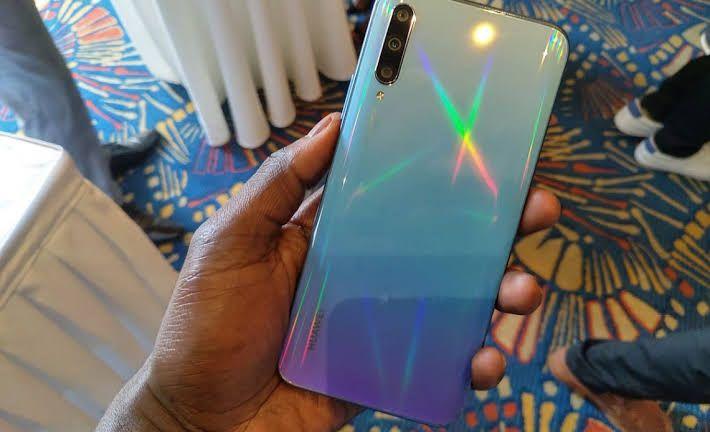
    At the end of 2019, Huawei announced the Huawei Y9s which was well received by the Ghanaian public and was sold out on launch day.

    The Huawei Y9 series of phones dates back to 2018 and was relaunched several times over the past year as the Y9 prime (2019), Y9(2019) and finally the Y9s. part of the reason they kept relaunching the phone was because of the US ban which prevented them from doing business with US companies including Google.

    In order to still have Google apps for its low and mid-range phones, they found a loophole in the ban and relaunched old phones.

    [product id=”16431″]

    I’ve been using the Y9s for a month now and I’ve been really impressed by how solid the phone feels. At six and a half inches, it isn’t the smallest phone on the market but the full-screen display makes gaming and media consumption so fulfilling.

    At 1500 cedis, it is a bit cheap which explains why it sold it on launch day. When I purchased the phone, I received a sports Bluetooth headset and a selfie stick. I don’t know where the stick is but the headset really cancels out the noise so well that I’m really grateful for it.

    I’ve had 1080p screens in all the phones I’ve used but the Y9s still managed to take my breath away. The full-screen display is immersive and makes videos look so much better. The colours are vibrant and the contrast is good too.

    Mobile games such as PUBG and Call of duty Mobile looked really good on the screen too. The full-screen display is achieved because of a pop-up camera. While it may be a worry for some, I barely use my front camera so it’s fine with me. Overall it’s a great viewing experience.

    One of the things that caught my attention when I bought the phone was the specifications. 128 gigabytes storage space with 6 gigabytes RAM was too much for that price point. The phone runs smoothly and switching between apps has never been easier.

    As a student, I usually juggle studies with social media and a hint of games but there’s nothing more annoying than going back to an app only for it to have closed. This doesn’t happen with the Y9s and I’m really glad.

    The Kirin 710 processor seems to work well for me as I don’t use too many demanding apps as I am a casual gamer. Both PUBG and Call of duty mobile run well on the phone albeit at medium settings.

    Pairing a medium-tier processor with a 4000 mAh battery is the recipe for great battery life. Without playing any game, I can easily get through a day and a half with a full battery. It takes just a little over an hour to charge the phone to the max so you never have to worry about any battery issues.

    There is a single speaker at the bottom of the phone which produces really good audio though the bass is lacking. The phone comes with a 48 MP main camera, an 8 MP ultra-wide camera and a 2X telephoto lens. The cameras take really good photos in daylight though colours appear a bit muted.

    There is a night mode on the phone though it feels kind of gimmicky. It’s nice that there is an ultra-wide camera for taking landscape photos. The 16 MP front camera is able to capture small details and video calls look great for the price. I was really content with the camera through the AI assistance sometimes got out of hand.

    If you are a hardcore mobile gamer, I can’t recommend this phone for you. The processor works well for 2 hours of gaming and then starts lagging. The camera quality is fine for social media but it can’t compare to many other phones. If you want a really good camera, please don’t pick this phone.

    In spite of all this, the Huawei Y9s really works well with its great features and anyone who picks one up would be content with it.

    [product id=”16431″]

  • Understanding Digital Health: How long do you spend on your phone?

    Understanding Digital Health: How long do you spend on your phone?

    It’s 5:30 am, my alarm just went off, I stop the alarm and use my phone for a good 30 minutes before getting out of bed or even praying. I spend a huge portion of my time on my phone doing research, playing video games and interacting with people. At times, I feel like I spend too much time on it and try to limit it.

    There are many other people who think in the same way and want to reduce the amount of time spent on their phones.  Thankfully there are many apps that can help us manage our time.

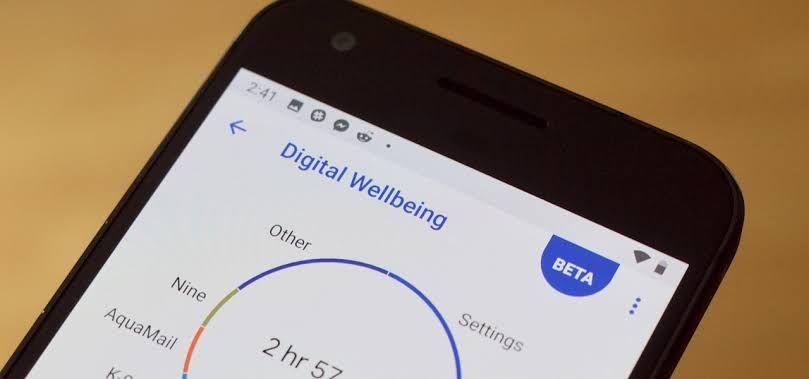
    Digital wellbeing is a system application built into android versions 9 and above. The fact that it is a system app means it has more control than a third party application. Upon booting up a new phone, there is the option to set the maximum number of hours to be spent on the phone.

    There’s also an option to set the preferred number of applications for each specific app as well so if it’s just social media, the maximum number of hours can be set for it. When the set time is reached, the phone goes into total lockdown but it also gives the option to get more time specifically 15 minutes more or unlimited use for the rest of the day.

    Doing this for every application used is really stressful and annoying so the goal is achieved. The number of hours spent on the phone each day is recorded for each application and then summed up in a weekly report.  Everyone concerned about their phone time should set it up and the results would amaze you.

    Flipd, a freemium app which locks down the phone entirely for a set time is. Unlike Digital wellbeing, Flipd blocks all non-essential apps for a set amount of time to help to focus on life but allows you to make calls, send messages, use Google maps and calculator.

    The time options include 30 minutes, 1 hour, 4 hours, 8 hours and 12 hours to allows maximum control. There’s a light option for those who believe in their self-control which creates a page on your phone. If another application is opened, the session is also closed.

    For 190 cedis a year, Flipd provides weekly reports about your stats and keeps the for further reference.  I find it useful to Flipd my phone when I’m about to study and it really helps. When I use Flipd with digital wellbeing, I realized I spent less time on my phone and it really helped.

    If a game or social media app is taking too much time, Freedom is here to help. It is available on the iPhone and it allows you to create blocklists of applications and even schedule the blocklists. The block lists and schedules can be shared among your iPad and Mac. Sadly, it isn’t free, all features are available for a monthly fee of 35-40 cedis a month.

    As our phones take a more central role in our lives, it is necessary to make sure they don’t end up controlling us and these apps do just that.

  • Best Innovations of CES 2020

    Best Innovations of CES 2020

    The Consumer Electronic Show is known for all kinds of bizarre concepts and 2020 was no different. Regardless of the fact that we won’t actually use all these devices, it is nice to see what companies have been up to and what life could be in an alternate universe. The main highlights of this year’s show were focused on smart home integration, cars and TV’s.

    Samsung’s selfie type is something of a cool feature or gimmick depending on how you look at it. It allows you to type on a flat surface by using the selfie camera to track movements of your hand and transfer it to a standard Qwerty keyboard.

    As at now, it works only in English with more languages promised if it’s a hit. Samsung also released Ballie robot shaped like a ball, which connects all the smart devices you have in your home, a potential fitness assistant, scheduler, and remote control for mobile devices. In addition, they released a number of 8K TV’s and a TV without a bezel and rotating smart TV called Sero. Sero can also show content for streaming apps like Youtube and social media sites like TikTok and Instagram by rotating into a phone like the design.

    Mercedes unveiled a concept car that looked like a sneak peek into the world of Avatar. The car has scales which are bionic flaps which can communicate information to the driver about the surrounding environment. The front and rear axles of the car can be driven in the same or opposite direction allowing the car to move sideways like a crab in addition to forward or backward motion.

    Sony also revealed an electric car which has no intentions of selling to the general public. They decided to furnish the car with all the different technology they have made so far and then contacted an automobile company to do the rest so instead of rearview mirrors it has cameras, radar systems for self-driving, computer systems with its own UI.

    Too bad it won’t be released, it had a really nice design. They also announced the PS5 which future proof techs such as 3D audio sound, haptic triggers, 8k support and ultra-high-speed SSD for quick loading times.

    LG also brought the heat to CES with their home use technology. Proactive Customer Care service which is an IA powered solution to connect all the smart devices. By using machine learning, it provides personalized solutions, learns habits and offers maintenance tips.

    They also showed a fridge which can show its contents when you knock, an oven which can show cooking status without opening the door and give you tips while you cook. They also displayed 8 new TV’s which have an 8k resolution and have an AI processor which can enhance particular scenes and faces to improve the viewing experience. The was a wine cellar on show which could adjust the temperature for every single wine bottle and also had the knock to see through feature. In my opinion it’s just a bragging right and a pretty good one at that.

    CES 2020 showed us a glimpse for the decade and it looks exciting to say the least.

  • A beginner’s introduction to Google Adsense

    A beginner’s introduction to Google Adsense

    Ever tried to watch a Youtube video but was shown an ad first, ever used a free app and an ad popped midway between or have you willingly watched an ad to get some free items in a game? That’s Adsense working.

    That’s why everyone who owns a website or has an app or runs a Youtube channel is always concerned about the number of views on his videos or website because the higher the number of viewers, the more likely they are to click the ad and the more your viewers click the ad the higher Google pays you.

    But have you wondered how Google Adsense worked? How they make a profit? Or how do I get approved especially if I just started my blog in Ghana?

    Google Adsense is a program run by Google through which website publishers in the Google Network of content sites serve text, images, video, or interactive media advertisements that are targeted to the site content and audience.

    These advertisements are administered, sorted, and maintained by Google. It thrives because Google can deliver advertisements to the target audience who will be more likely to purchase the product or service. One of the advantages of what Adsense is its huge number of publishers and advertisers.

    Google acts as an intermediary between them, so another good feature of Adsense is its high level of security and safety for both advertisers and publishers.

    One advantage of Adsense is its huge number of publishers and advertisers. I mean Google literally owns a chunk of the internet so publishers are assured they can get the right target audience and because Google Adsense is known for its relative ease to set up, more app developers and Youtubers would like to sign on to it.

    Also, because Google acts as an intermediary between them, there’s a high level of security and safety for both advertisers and publishers. Another advantage of Adsense targeting happens on its own. You don’t have to worry about explicit ads on your cooking blog or something.

    The disadvantages of Adsense are usually overlooked but its good to be aware of them before diving straight into blogging.

    First, it is very difficult to make good money because you need to generate lots of clicks even to make small amounts of money. Good money meaning: because they only pay in $100 rollouts so if you take 5 months to get there then you make $20 per month.

    Another disadvantage of Adsense is Google can penalize you and stop your Adsense revenue as and when it deems it fit so it’s best to keep it as a kind of side job. (Thousands of Adsense accounts get suspended each day)

    If you don’t want to use Adsense there are other alternatives such as income activator and. Income activator websites have a Pay Per Click program It operates exactly like Google’s Pay Per Click Program.

    The difference is you get to keep 100% of the Click Revenue although, you need to contact the Advertisers directly and come to an agreement for them to pay you. After all they are already paying you indirectly for being on your website, you’re just offering them a better rate. A good deal for you, and them too. If you’re looking for the most similar Adsense Alternative, here you have it: Media net.

    By Revenue, Media.net runs the #2 largest contextual ads program globally. They take 2 days on average to get your account approved and will give you an extra 10% over your earnings for the first 3 months! (way better than waiting weeks for an Adsense approval).

    With all this in mind, if you do want to get registered for Adsense, here’s what you have to do. First things first, Visit the Google Adsense Program Policies Web page. Review your website for violations of the policies and remove them.

    Then, you should have at least 10 well-written articles of 1000 words or more each on your site before applying. In addition, a great “About Page”, “Contact” page, and a “Privacy Policy” page would be needed. You should also have a premium looking theme to spice it all up. You can now apply to Adsense where you will supply your website URL, Individual name or Business Entity, contact name, mailing address, phone number, email address, and perhaps one other basic bit of information.

    Recently, Google just announced it will be killing its android and IOS apps. These apps have given users ease to check earnings and other data on the go. But now Google has decided to let it go.

    According to Google: “We will be focusing our investment on the Adsense mobile web interface and sunsetting the current iOS and Android apps. By investing in a common web application that supports all platforms, we will be able to deliver Adsense features optimized for mobile much faster than we can today.”

    It shouldn’t be that big of a deal but mobile apps are preferred to website versions.

    If you’ve read Robert Kiyosaki’s Rich Dad Poor Dad you’ll realise multiple streams of income is one of the ways to say financially sound.

    What better way to do this than to generate money from your blog whiles writing about the things you love?

  • Notch or Hole Punch: The race to a full screen phone is on

    Notch or Hole Punch: The race to a full screen phone is on

    In our bid to make it to a full bezel-less display we have pushed ourselves to the limit and now the only obstacle remaining is the front-facing camera. Many smartphones have come with their own method of clearing the hurdle.

    From the hole punch display of Samsung to the motorized camera of the new Huawei camera, here are the most innovative ways of the Smartphone industry.

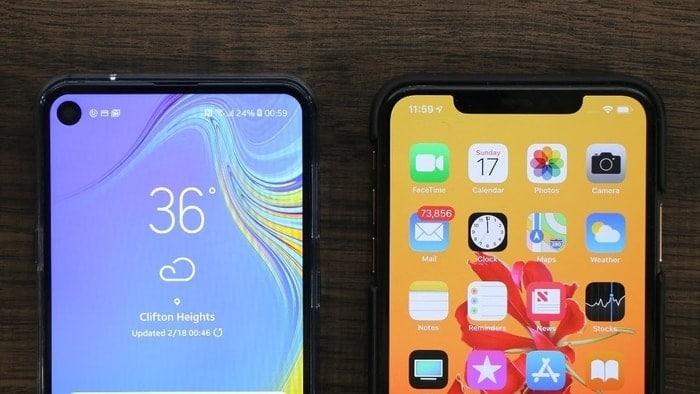
    Perhaps the most famous of all the adaptations have to be the notch. The notch was Apple’s response to the bezel-less future in iPhone X and as a pacesetter, all the other companies followed suit albeit in different styles. The iPhone had a big notch because the company added a much more secure 3D face unlock system. Other companies opted for a single camera cutout which is far less secure than the 3D system but if far faster (Oneplus 6T)and less intrusive than the 3D system. Almost all the smartphones in 2018 came with this setup and because the camera is stuck in place, the selfie addicts have no issues with the longevity of the product.

    The companies which didn’t want to follow Apple’s lead went for a Popup camera instead. The two most popular phones: Vivo Nex and the Oppo Find X that implemented this mechanism had two different ideas.

    The Vivo Nex had only the front smartphone camera elevating and retracting whiles the Oppo find X had the entire top of the screen elevating and retracting. When these phones were released everyone was so concerned about the shelf life but its been a year and there has been no case of the popup malfunctioning.

    In 2019, Oneplus introduced the Oneplus 7 Pro which had a Vivo Nex style popup mechanism. In order to assure customers about the durability of the front facing company, Oneplus posted a 12 hour Youtube video of the camera just elevating and retracting.

    The Popup mechanism offers the phone a future looking display and the new Oneplus 7 is a representation of that. I never thought that the feature would come to budget phones but then Huawei had other plans and released the Y9 Prime. This method works best with people who rarely use the front-facing camera but still need for video calls and other stuff. Other phones that have this are

    The sliding mechanism is an adaptation of the popup mechanism which requires manual effort to raise the slider which contains the front-facing camera and answers the question posed to the popup mechanism. Because the slider depends on effort, the is almost no case of it failing(unless you lose your thumb) but then wear and tear becomes an issue albeit less devastating.

    When everyone was doing the notch in 2018, Samsung assured its loyal fans that it wouldn’t follow suit. In 2019, Samsung introduced the Hole Punch design which had the camera cutout at the right where the battery is supposed to be. Many users have stated, that this format is far less intrusive than the notch due to the placement. Samsung also took the liberty to minimize the bezels on the sides of the phone by introducing curved edges giving the phone a futuristic look and feel.

    Perhaps the most daring of all attempts to reduce the bezels on the phones is the entire removal of the front-facing camera. Its common knowledge that the rear camera is much more capable than the front-facing camera.

    The Vivo Nex S 2 and the Nubia X have a second display at the back to allow you to use the rear camera as the selfie camera too. Having a second display is good if you wreck the first one and it also allows your girlfriend to see herself as she poses for the camera but then it can’t have a hardcover case because of the rear display.

    Another way to use the rear camera as the selfie camera is a rotating camera mechanism like the Galaxy A80 or the Zenfone 6.

    The way to a full-screen phone is an in display camera which was almost impossible in 2018 but thankfully the wait is over, Samsung claims to have finally cracked it and our fingers are crossed. As we wait for it, let me know down in the comments which alternative mechanism suits you.

  • Blue Light: How does the technology around us affect our everyday lives?

    Blue Light: How does the technology around us affect our everyday lives?

    Our phones have become a part of us accompanying us everywhere we go. You get to work everyone is on their phones, in your room everyone is on their phones, driving accidents because people were driving and texting and so much more. But have we stopped to think about what all this screen time is doing to us? Does it affect or sleep? What about our lives in general? I doubt we have.

    When we use our phones for extended periods of times in we tend to develop what is known as computer vision syndrome (CVS) due to an increased amount of blue light. Some symptoms of CVS include headaches, blurred vision, neck pain, fatigue, eye strain, dry eyes, irritated eyes, double vision, vertigo/dizziness, polyopia, and difficulty refocusing the eyes.

    Also, some of the research suggests that continued exposure to blue light over time could lead to damaged retinal cells and this can cause vision problems such as age-related macular degeneration. None of these symptoms is permanent and is alleviated when you take a break from the computer screen.

    One way to prevent this is the “20-20-20” rule: every 20 minutes, shift your eyes to look at an object at least 20 feet away for at least 20 seconds. Taking regular breaks is also important for resting the eyes, blinking, and limiting eye strain. Some apps such as less time and Flpd help to regulate screen time.

    Some helpful tips to reduce strain on your eyes include: avoiding using a computer outside or in brightly lit areas as the glare on the screen can create strain, adjusting the brightness and contrast of your computer screen so that it feels comfortable to you and using a good posture when using a computer and when. Remember to blink when watching a screen.

    Talking about the harmful effects of blue light, studies also show that it disturbs our circadian rhythm. Simply put it affects our sleep cycle and hampers our ability to go to bed. Ever wondered why you could use your phone on your bed and not fall asleep for a long while? It is because of the blue light.

    It also affects the quality of sleep. Ask anyone who wakes up tired and 3 out of 5 people looking at a digital screen right before sleep. To combat this, there are some apps such as Twilight for Android and Flux for iPhone which help reduce the amount of blue light your phone emits. You could also go for a blue light screen protector for computers. However, do yourself a favour and put down your tablet or phone at least 1 hour before bed to get a restful sleep.

    Perhaps the most damage smartphones do to us is to cause us to procrastinate important things we have to do in our lives. It is so easy to get lost in Twitter or Youtube or Instagram and get lost in all the videos. The reason it’s so easy is that your brain doesn’t get really have to do anything you basically just consuming the information much of which you won’t remember after a week as opposed to learning which requires active uptake of information.

    It takes really pressing matters to get out of that trap and people barely survive. We could manage procrastination by ensuring we start our day without our phones. Honestly, nothing beats waking in the morning and planning your day.

    Because you have already planned your day, even if you get caught in your phone you have a general idea of what you have today and can get more done relative to using your phone all morning and dashing out of bed 30 minutes to lectures without having a cue of what your day would look like. You can set your phone on aeroplane mode or turn your data off so even if you pick up your phone there would be zero notifications.

    As much us the advantages of technology far outweigh the disadvantages, let us remember to take care of our bodies too by controlling our use of these devices.

  • Let’s talk about Improving ICT in Basic Schools in Ghana

    Let’s talk about Improving ICT in Basic Schools in Ghana

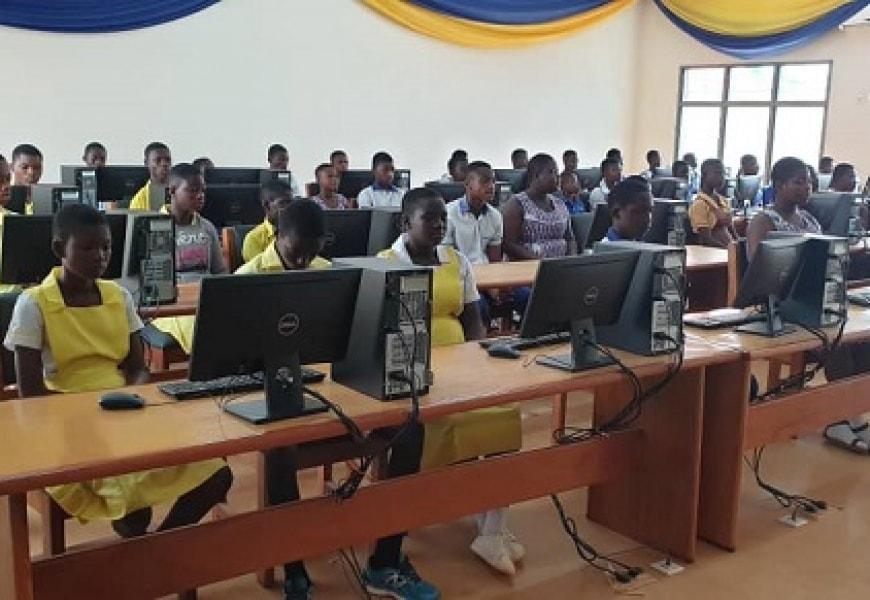
    As the world moves steadily in this data age, Ghana seems to be joining the train. The introduction of ICT into the basic schools is a step in the right direction but after its introduction has been long forgotten much like the other courses.

    The government seems to forget that the ICT world is evolving rapidly and now ICT is treated as a course needed to pass the Basic Education Certificate exam (BECE). However it shouldn’t be so, but considering the fact that some basic schools in other regions barely have an electricity supply, the Government has its hands tied.

    Private schools, on the other hand, have students who are computer savvy but often focus on the wrong stuff. But there’s a way for both types of schools to help the students gain computer literacy.

    The Government could increase our children’s interest in learning ICT by having more standardized exams for it. The first step in doing this is to restrict the studies of ICT to only basic schools that can fully utilize the experience after all how many students continue to study ICT in those schools.

    The restriction wouldn’t be permanent, however, the government could then embark on introducing it on a priority basis. A smaller number of students to teach and examine would result in a better-regulated curriculum and more standardized exams. This curriculum should be handled outside the GES so it can be regulated as to when it needs to instead of when GES decides to review all its subjects.

    The private schools are supposed to have an upper hand when it comes to ICT because their parents are wealthier than their counterparts from the public schools but the priority of the students is often elsewhere. Most children already have premium smartphones by the time they enter Junior High School(JHS) or even earlier but they usually use them for the wrong purposes mainly social media.

    You would think a child introduced to technology would know how to do basic things like using Microsoft Office correctly or even having a minimum typing speed of up 25 words per minute but it isn’t so. To ensure the children make the very best of the opportunity offered them in life, private schools need to have more intensive curricula.

    They have already taken the first step by early introduction into the syllabus but it’s still seen like as just a subject like maths or science which shouldn’t be so. The schools have to make the course as practical as possible whiles giving much self-practice homework to be done at home.

    Parents also need to make sure their wards prioritize ICT as a skill needed rather than as another subject. Unfortunately, in our part of the world, we seem to prioritize other subjects much more than ICT and that must change. Parents need to be sensitized about this and change their way of thinking after all the majority of them know its implication on their lives.

    Some parents seem to have the right idea by sending their wards to gain some form of ICT knowledge after they are done with BECE and WASSCE but it usually ends there and there’s usually no follow up on this and the student even sees it as a waste of time. Parents need to understand the use of ICT in this evolving world.

    Many students get to the university and are totally oblivious on how to appropriately harness the technology available to them and thus struggle to do assignments that need to be submitted online or even conduct proper research. It shouldn’t be so, we need to introduce these skills to them as young ones to equip them for the challenges on the global front.