Author: Emmanuel Boakye Yiadom

  • Vodafone Ghana Mifi: Price, Discount, How To Buy Data, Check Balance & More

    Vodafone Ghana Mifi: Price, Discount, How To Buy Data, Check Balance & More

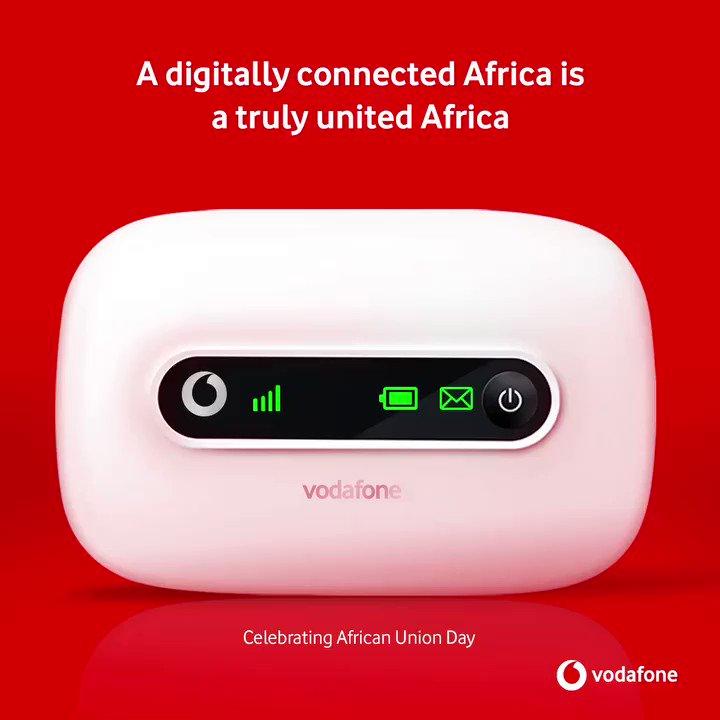
    Vodafone Ghana Mifi is a portable Wi-Fi device which allows up to 5 Wi-Fi devices eg: iPhones, iPad, mobile gaming devices, Pcs and android devices to use a secure mobile internet.

    The Mifi charges using USB and can be placed anywhere for the best network coverage and then share this network with many devices through Wi-Fi.

    Types Of Vodafone Mifi

    There are two types of Vodafone Mifi available and they are

    • The 4G Mifi R18
    • The 3G Mifi R207

     Prices Of Vodafone Mifi

    The 4G Vodafone Mifi costs GHS 599 and it comes with free 6GB which will last for 1 month at initial purchase.

    The 3G Vodafone Mifi costs GHS 375 and also comes with free 6 GB for one month at the initial purchase.

    Benefits Of Using Vodafone Mifi

    • It helps you work for a longer period without internet interruption, Mifi gives you a stable connection, unlike your phone hotspot that a phone call can interrupt your internet connection.
    • Save phone battery life, getting a Mifi helps you connect more devices to the MiFi internet connection without using your phones internet connection, this will help save the battery of your phone because turning on Wi-Fi hotspot drains a lot of phone battery.
    • It doesn’t need any USB cable to connect before working but rather works using Wi-Fi and can be used anywhere. One benefit about this Mi-Fi is, you can also use USB tethering to connect the network with your laptop.

    Things To Note When You First Buy Your Vodafone MiFi

    The first you need to charge your device until the battery is full before using it

    There are four indicators on the device and they are network indicator, the Wi-Fi indicator, SMS indicator and the battery indicator.

    The signal turns blue when the MiFi is connected to the network, if it turns red it means your Mifi is trying to connect to a network.

    The battery also turns blue when the battery is above 50% and it turns red when the battery is below 50%

    How To Connect Your Vodafone MiFi To Your PC

    Turn on the Mifi and then on your computer go to the network setting.

    You will see your Mifi network available on the available networks.

    You will find your network ID at the back of your Mifi when you finally find your network id in the available networks, select the network and you will be asked to type in your Security Key, the security key is also at the back of your Mifi.

    Enter the security key and also take note that the security is case sensitive meaning if the key starts with a capital letter and you type in a small letter it will prompt you that you have typed a wrong password.

    How To Connect Your Vodafone MiFi To Your Your Phone

    On your phone go to Settings and then turn on your Wi-Fi connection

    You will find your Mifi network select it and type in the security key which can be found at the back of the Mifi

    How To Check Your Vodafone MiFi Balance

    With Vodafone Mifi, you will need to remove the sim card inside the Mifi and then put it inside a different phone to check your Mifi however you can trace the amount of data you’ve used on the Mifi and can even use that to know the amount of data left on your device.

    How To Bundle On Vodafone MiFi

    The Vodafone Mifi comes with a sim card and as stated earlier you will be given free 6GB and when the free 6GB is exhausted, you will need to buy new data.

    Here Is How To Buy Data on MiFi Using Vodafone Cash

    1. Dial *110#
    2. Select 3: Buy Airtime and Bundles
    3. Now select your preferred bundle
    4. Enter your PIN
    5. Confirm payment to enjoy your bundle

    Conclusion

    A MiFi is one a must-have device which gives you so many benefits such as connecting all your devices all at ones, having an uninterrupted connection and many more.

    In this article, we went through the Vodafone Ghana Mifi prices, how to set it up, how to load data and how to check our data balance.
  • How To Make Free Calls On MTN Ghana For 6 Months

    How To Make Free Calls On MTN Ghana For 6 Months

    With over 18.83 million subscribers, MTN Ghana is one of the most popular telcos in Ghana.

    You will agree with me that when it comes to the best internet connection in Ghana MTN Ghana is the best.

    Ghanaians are in love with the telco because it provides affordable offers which any person whether rich or poor can afford.

    Starting with MTN free after one which allows you to pay for the first call and then the rest of the call will be free, besides, MTN also gives you free 50MB to be used for the day.

    When it comes to MTN mobile money, after making transactions using your mobile money, MTN also pays you interest every three months on the money you have spent yourself. Isn’t it mind-blowing?
    So now when I say MTN is the most used network in Ghana here I hope you now know why?

    Well, there are a lot of offers that this telco provides for its users but today we are going to talk about the one that is my favourite and makes me fall in love with this telco.

    Do you know you can make free calls on MTN for six good months?
    Yes, you heard me right, six good solid months. In this article, I am going to take you through how to make free calls for six months using an MTN sim card.

    Before teaching you the steps on how to make free calls on MTN Ghana…

    Who Is Eligible For This Offer?

    MTN purposely made this offer to welcome new sim card users. So the people who are eligible for this offer are people that have started using the MTN sim card and it is not more than three months old.

    How To Activate MTN Free 6 Months Call Offer

    1. On your MTN sim card dial *550#
    2. Select 1: MTN Free Call Offer
    3. Now type in your special MTN number
    4. Within minutes you will receive an SMS from MTN telling you that you have activated the 6 months call and then you will see the date it is going to expire.
    5. Call your special number to enjoy the offer

    Can You Call Any Number For Free After Activating The MTN Free Call Offer?

    No, you cant call any number for free. This offer allows you to use one MTN number that you can call for free for 6 months.

    How Many Minutes Or Hours Can You Call This Special Person After Activating This Offer?

    You can call this special person as many as you want (even if you can make a longer call with that person, you can call that person right after activating and start talking for six months, the call is not going to hang up if your battery or the person’s battery doesn’t die).

    Final Words

    I use a 2 sim phone so I always get an additional MTN sim every 6 months and keep enjoying the offer.

    Aside from all these offers, MTN is giving its customers, one of them which is my favourite is the MTN 6 months free call, in this article we went through how to activate this offer and answered all the questions about the MTN 6 months free call offer.

  • Why You Can’t Use GBWhatsApp On iPhones

    Why You Can’t Use GBWhatsApp On iPhones

    Security is a top priority for IOS. Considering their consumers first, security is top-notch when it comes to Apple Inc. GBWhatsApp is an unofficial mod of WhatsApp and thus there is no assurance of privacy hence it is not officially supported on iPhones.

    What Is GBWhatsApp?

    GBWhatsApp is a modified version of official WhatsApp that uses the same server. Getting familiar with GBWhatsApp, you will find many amazing features that aren’t available on the official WhatsApp.

    With the use of GBWhatsApp, you’ll find features like change themes, hide last seen, and far more.

    GBWhatsApp is developed for Android and iOS devices by Syrian developer – Omar. This app is often compatible with an iOS device running on iOS 9.0 or higher but isn’t official.

    Officially, you can not use GBWhatsApp on iPhones due to the security concerns but there are so many ways one can have the app on their iPhone.

    How To Download And Install GBWhatsApp on iPhones (Unofficially)

    • Firstly, open your web browser, by default Safari is iPhone’s browser.
    • Now, on the address bar, simply copy and paste the following link https://ipa.othman.cc/ipa/whats2.php on your safari browser.
    • Download the GBWhatsApp for iOS from the download link and wait a few seconds until the download completes.
    • Once the download process successfully completes, one has got to install the downloaded GBWhatsApp on your iPhone.
    • After the installation completes, you need to navigate to Settings > General > Profiles & Device Management on your device.
    • Now, find the profile and trust the developer of GBWhatsApp by tapping on the “Trust”.
    • After that, attend the home screen and tap on the GBWhatsApp icon.
    • When you launch the GBWhatsApp, you’ll see enter your mobile number field. Simply enter your number to proceed.
    • Complete the setup process and experience the amazing features of GBWhatsApp on your iOS device.

    Why You Can’t Use GBWhatsApp On iPhone

    As stated earlier, GBWhatsApp is a modded version of the official WhatsApp application and thus is unofficial. Unlike the official app that you can download from the iStore, GBWhatsApp cannot be downloaded from the same source.

    This is same with Android. Although you can get the app from the above steps since is unofficial you use it at your own risk. For more details, you may have to check some of the below FAQs to satisfy your queries.

    Frequently Asked Questions About GBWhatsApp

    • How can I download GBWhatsApp for IOS?
      Clearly, this question has been answered in this post. You can read the post to download GBWhatsApp for IOS.
    • Is GBWhatsApp available for IOS?
      Yes, GBWhatsApp is available for IOS. Although it is not official you can get it in so many ways. You can try the above-mentioned method to have it on your iPhone.
    • Is GBWhatsApp safe?
      Yes, it’s a completely safe application. You don’t need to jailbreak your device which will void your warranty.
    • How can I download Updates to GBWhatsApp?
      You can download updates to GBWhatsapp by following the same procedure listed in this post. The developer provides updates on his website.

    Conclusion

    Security is a major concern to Apple Inc. They frown on applications that may in one way or the other jeopardies the privacy of their users hence one cannot use GBWhatsApp officially on iPhone. All alternatives are unofficial so you use at your own risk.

  • How To Find & Watch Recently Watched Videos On Facebook

    How To Find & Watch Recently Watched Videos On Facebook

    Article Updated at: https://mfidie.com/how-to-search-find-recently-watched-videos-on-facebook/

    Just like any other video streaming services, Facebook also offers streaming of videos in their service. People can record live videos and even can share already recorded videos on Facebook. Videos in all genres like entertainment shows, music videos, movies, short clips and a lot more.

    Facebook specifically has a tab to display only videos. Have you bumped into a video you thought was not worth watching but later realized the importance of the video but could not find it on your timeline? It happens to all of us.

    If you are lucky, sometimes it appears when you log back to Facebook but the probability of it not appearing is very high. This is one of the most common issues in the Facebook community. However, in this article, I will show a quicker way to view the history of videos you have watched before on Facebook.

    It’s an option under the activity log in your Facebook profile. Below is a simple tutorial to find recently watched videos on Facebook desktop, App or mobile so that you can watch it over and over again.

    How To Find Recently Watched Videos On Facebook

    As long as the video is played, it doesn’t matter the seconds, it will be listed in your recently watched videos history on your Facebook account. Below are the steps to find your watched videos.

    1. Sign in to your Facebook account.
    2. Click on your profile picture to go to your Facebook Profile
    3. Click on the Activity Log button.
    4. From the left sidebar, under Filters, click on the More link usually right under comments.
    5. Then click on Videos You’ve Watched from the list of filters
    6. The list of videos you have watched will be displayed.

    The videos you have watched using your Facebook account will now be displayed. You can find the recently watched at the top of the list in order.

    Recently Watched Videos In Facebook App/Mobile

    If you are on your smartphone or tablet and you want to see the recently watched videos of your account, follow the below steps.

    1. Open the Facebook app on your mobile or tablet and sign in to your account.
    2. Click on the triplet bar at the far right of your menu, then click on View Profile.
    3. Click on the Activity Log.
    4. At the top of the screen, click on the Category drop-down menu.
    5. Scroll down to find the Videos You’ve Watched filter, and then tap on it.
    6. You should now be able to see your recently watched videos on Facebook app.

    Following these steps will allow you to view the videos you watched and skipped over but later needed it.

    Conclusion

    It’s always a pain when you realize the video you watched and paid little attention to later becomes an important video you need but can’t find it anywhere.

    Facebook in its own way new of this problem and decided to keep a log on it for everyone. Now you know where you can find your videos, let’s go get it!

  • Kabfam Ghana Limited: Price of TVs, Phones, Air Conditions & All Branches

    Kabfam Ghana Limited: Price of TVs, Phones, Air Conditions & All Branches

    Kabfam Ghana is an all-inclusive electrical appliance retailer in Ghana specializing in electronics gadgets such as televisions, home theatres, audio systems, refrigerators, deep freezers, air conditioners, gas cookers, washing machines, microwaves ovens, dishwashers, etc.

    When it comes to selling quality electronic products, Kabfam is the place to head to.

    Sometimes due to certain hindrances, going to the market to buy any gadget of your choice maybe delayed, in this scenario Kabfam also has a website to serve the needs of its consumers which offers delivery to your respective location.

    Payment mode on their website is by Mobile Money, hence you have full control of your payment. This somehow saves you a lot of time going to the market to get the items.

    KabFam Unique Services

    • Fast Shipping Delivery: At Kabfam, quick delivery of your product is assured right after payment confirmation. They make sure your item is delivered exactly the same after your purchase has been confirmed.
    • 24/7 Customer Support: Kabfam ensures that their customer service is always with you to assist on your order queries 24/7.
    • Customer Satisfaction: Kabfam ensures their customers are satisfied right from their order to delivery.
    • Secured Payment Method: Payments are secured and it’s not controlled by any third party.
    • Returns & Replacements: In situations where your product gets damage before reaching you, Kabfam offers a return policy for you to change the product.

    Let’s quickly take a look at some of the prices of the electronic gadgets including Tv, Freezer, Air condition, and phones they offer.

    Price Of TVs at Kabfam

    BrandSpecsPrice
    Samsung55″ UHD/4K Smart TVGHS 3,990.00
    Samsung40″ Smart TV  GHS 1,899.00  
    Nasco43″ Led Smart Satelite TVGHS 1,599.00  

    Price Of Freezer at Kabfam

    BrandSpecsPrice
    Midea411LTR Display FridgeGHS 2,390.00
    Midea145LTR Double Door FridgeGHS 1,249.00  
    Nasco330 LTR Bottom Freezer FridgeGHS 2,090.00
    MideaHS-546GHS 2,290.00
    MideaHS-384GHS 1,949.00

    Price of Air Condition at Kabfam

    BrandSpecsPrice
    Nasco12CR GoldenGHS 1,499.00
    Nasco AC-5001R/LG035EGHS 499.00
    Nasco2.5HP Floor Standing ACGHS 4,250.00

    Price of Phones at Kabfam

    BrandSpecsPrice
    Infinix  Hot 8 Lite X650  GHS 589.00  
    Samsung Galaxy S20+GHS 5,699.00
    SamsungGalaxy S20GHS 5,199.00
    SamsungGalaxy A71GHS 2,499.00
    Samsung Galaxy A2 Core 16GBGHS 479.00

    Kabfam Branches In Ghana

    • Accra Central – Behind UTC (Ground Floor of Menaba House)
    • Achimota Old Station, Traffic Light
    • Darkuman Junction Off the Kaneshie-Odorkor Highway, near MTN
    • Legon Opposite UPSA
    • Kasoa Brigade
    • Nungua Linaks House (Opp. Brigade Washing Bay)
    • Oyarefa Ghana UPSA.
    • Tema Comm. 4, Ground Floor of the Barcadis Building
    • Kumasi Krofrom, Opposite Krofrom Magazine (Mechanic Workshop), of the Airport Roundabout – Krofrom Road.
    • Takoradi Near Bank of Ghana.

    KabFam Ghana Official Contact Information.

    Contact: 050 000 0106 / 0500 000 105

    Email Address: [email protected]

    Working Hours:
    Mondays – Saturdays
    8:00 AM – 6:30 PM

    Facebook: facebook.com/kabfamghltd
    Twitter: @kabfamgh

    Website: http://www.kab-fam.com/

    Conclusion

    For quality and affordable electronic gadgets in Ghana, Kabfam is definitely the best to buy from.

    This article looked at the quality products, prices, branches and the official contact of Kabfam Ghana Limited.

  • How To Hide Your Phone Number When Making Calls On MTN

    How To Hide Your Phone Number When Making Calls On MTN

    MTN has a lot to offer its customers, talking of various low priced data bundles that do not expire and also low calling rates, one of them which is “MTN free after one”, allows you to make a call and only pay for the first minute — then the rest of the call will be free and aside from that MTN will dash you free 50MB to be used within that day.

    This makes MTN my favourite as they have the perfect bundles and call rate for each and everyone whether rich or poor.

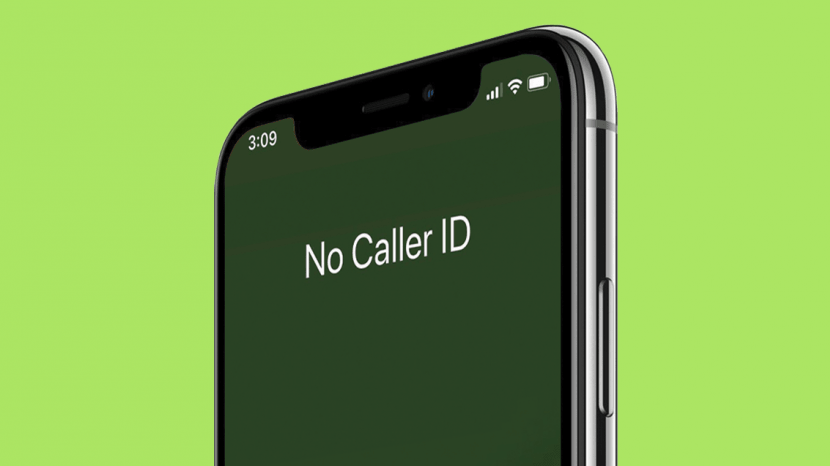
    Have you ever received a call that when you check to find out who is calling you all that you can see is an unknown number?

    How do you feel receiving such a call? And when you pick the call to find out who that person is, how do you feel afterwards?

    I remember the first time I received such call, it was a friend of mine who called me and this guy was bragging on not being in this country and is using his new country number to call me that is why it is showing unknown number.

    Well at the beginning I believed him until I found out he has not travelled anywhere and is actually in this country and even in my city.

    I don’t know about you maybe you have received such call you have been wondering if it is possible to call someone and hide your number, the answer to your question is yes, you can do that on MTN.

    If you also want to make a call and then hide your number to prank your friends and loved ones then this article is for you as in this article I am going to guide you on how to make a call and hide your number using MTN,

    So without wasting much time lets get started.

    How To Hide Your Phone Number When Making Calls On MTN

    Now it is easy to hide and unhide your number when making calls, this service from MTN allows you to call someone with a service called MTN CLIR/SO. This offer costs GHS2 every month.

    To activate the Caller Hide ID on your MTN line, follow the steps below:

    1. Dial 1333
    2. Set a new pin code
    3. Confirm the pin code
    4. Create a new SMS and type clir<Space>activate<space>pin
    5. Send the to 1333
    6. The Caller Hide feature will be activated

    So After Activating How Do You Hide Your Number Before Making A Call?

    To hide your number dial *67 before a number to call to hide your number. Eg: *67024419419

    MTN regularly updates the processes for a lot of their services. Be sure to check out a list of their most recent shortcodes if the above does not work for you, or call customer care on 100.

    Conclusion

    MTN has made it easy to call someone and hide your number, there are a lot of reasons you would want to do that, maybe to tell somebody something and you don’t want that person to know your number also to prank your friends as stated earlier and many more.

    In this article, we went through how to hide and unhide your number when making calls using MTN.

  • How to spot a fake TECNO, Infinix or itel Phone or check their originality

    How to spot a fake TECNO, Infinix or itel Phone or check their originality

    With everyday phone companies bringing in news phones for its users to buy, some phones have become popular because of its quality and the people love using it due to its features, taking Infinix, TECNO, Itel and Samsung for example, when you are in Ghana, these phones are the most used phones.

    There are also a lot of people or companies that instead of creating a new phone they will rather create a refurbish of the phone that is top-selling and then sell it to people making them think they are buying the original phones.

    There have been cases of people buying new phones and instead of them to use the phone to their satisfactory, they will start complaining about the phone lagging, battery dying early and also network not been so good.

    Even me, I mostly receive such reports from my friends when they decide to buy a new phone and end up buying a fake phone.

    It’s sad to save up money for a phone and then you finally go for that phone only later to find out you didn’t buy the original type and you cant also return it for a refund because you didn’t buy it from the original companies office.

    In this article I am going to enlighten you on how to check the originality of your phone.

    With these tests, you will know how spot fake phones, that is how to know when you have bought a proper Infinix, itel or TECNO phone.

    How To Spot A Fake TECNO Phone

    When you get yourself a new Tecno phone and you want to check the originality of this phone.

    Tecno has made it easy for people to check the originality of their device. To do this visit a website (http://gc.tecno-mobile.com/index) specially created by Tecno to check the originality of their product. On this website, you will be asked to input your IMEI and your VC number and then Tecno will let you know if your phone is genuine or it is fake. 

    You can also do the same by battery originality.

    How To Spot A Fake Infinix Phone

    Infinix has become very popular nowadays and what mostly sparked about Infinix popularity is when they made Shatta Wale their brand ambassador for the Infinix Hot 8 phones, they recorded the highest selling of phones within a period.

    Infinix also got their users at heart and has also created a platform to check whether the phone you are using is original or fake

    To check the originality of your Infinix phone, 

    Visit the Infinix Verification Tool website (http://gc.infinixmobility.com/)

    Now type in your IMEI number and your VC number 

    Now hit Submit and then wait for the results.

    How To Spot A Fake itel Phone

    Yes, you can also check if your Itel is original or fake, by logging in to the Itel Verification Tool website (https://www.itel-life.com/global/support/genuine-phone-check/) and inserting your IMEI and VC number.

    Now, wait for some seconds whiles the website pull up the results, after the results you will get to know if your phone is original or it is fake.

    Wondering how to find your IMEI and VC number?

    To find your IMEI number dial *#06#

    And to find your VC number you will have to check on your battery or the back of the phone.

    Conclusion

    Buying a new phone only to go home and find out it is a fake phone is one of the most painful things ever to happen to anybody, in this article we went through how to check if your new or old phone is original or fake and we believe this will help people anytime they are about to buy a new phone.

  • How To Get Approved For MTN QwikLoan And Other Online Loans Faster

    How To Get Approved For MTN QwikLoan And Other Online Loans Faster

    Traditionally, in Ghana, borrowing money has always been a hectic and bureaucratic process. The lending institutions, for instance, will request proof of collateral during the process.

    Fortunately, with the introduction of MTN Mobile Money and Qwik loan, it is easier, faster and convenient to borrow money. Before you can get money from MTN Qwikloan, you need to know the application procedure to access the loan, the requirements, and the borrowing terms.

    With these in mind, it will be easier and faster to get the loan. Knowing the requirements will also help you know the repayment terms to avoid listed as a defaulter leading to disqualification to re-apply.

    Since the service is virtual, it is easier to know whether you are eligible for the credit and if not, the steps you can take to qualify for the loan. You can access the Qwikloan and all other MTN services by using these MTN Shortcodes.

    How To Qualify For MTN QwikLoan

    The QwikLoan is a loan service offered by MTN and thus has it’s own guidelines regarding who qualifies for the loan and who doesn’t. The platform relies on your MTN registration details and therefore, to borrow money using the platform, your mobile number must be under your name.

    To qualify for the loan, you must follow below steps;

    • Be 18 years and above
    • Have an MTN Ghana sim card
    • You must have used the MTN services for more than three (3) months or 90 days.
    • Be an active user of MTN Mobile Money services and have an active e-wallet.
    • Must have a good credit score, if you used the QwikLoan services before.

    After submitting your application for the QwikLoan, MTN will take some time to evaluate your request. If your loan request is successful, you will get an SMS confirming the loan amount and the repayment period. A 6.9% interest rate will be included in your confirmation SMS.

    However, if your loan request was not successful, you should evaluate some few things. First, if you have a pending loan repayment, it is advisable to pay before requesting a new loan. Secondly, make sure your mobile money number is active.

    How Much You Can Borrow With MTN QwikLoan

    There is a set limit for MTN QwikLoan for first-time borrowers. In most cases, you can only borrow GHS 20 or GHS 50. However, if you are already a subsequent borrower of the service and your loan score is high, you have a chance of getting the GHS 1000 limit.

    If you fail to pay your loan on time, it affects your credit score, thus disqualification from the service. In order to regain your score and applying again, you need to consistently use the service for more than three months.

    This process applies to all other online loan lenders. All other loaners have their own requirements and procedures but all are similar.

    When you are able to pass through all their requirements, you will get your loan faster.

    To get more from online loans in Ghana, do the following:

    • Always keep money in your MoMo account balance. Don’t withdraw frequently. And accept all payments through Mobile money.
    • When you borrow the first time, pay before time and don’t borrow immediately after paying.
    • Make all your credit and bundle purchases via Mobile Money
    • Link a bank account to your Mobile Money account even if there is no money in it.

    How To Apply For MTN QwikLoan

    The process of applying for MTN Qwikloan is not hefty. Follow the procedures below to get a loan.

    1. Dial *170# on your mobile handset
    2. Select option 5 which is Financial services
    3. Choose option 3, Loans
    4. Select option 1, QwikLoan
    5. Choose option 1, Get Loan
    6. Enter your Mobile Money pin to advance to the next option
    7. Enter your Loan amount and press send

    At this moment, if you qualify for the Loan, you will receive an SMS shortly with your Loan amount sent to your MOMO account.

    https://mfidie.com/4-apps-you-can-use-to-access-loans-in-ghana/

    Conclusion

    MTN QwikLoan and other online loan services have redefined banking in a more innovative way. No need to get a guarantor and stand in long queues in banks passing through hefty procedures just to access soft loans.

    With MTN QwikLoans and other online loan services, all you need is your mobile device and passing through their requirements, you are a step ahead to access soft loans.

  • Tricks that MTN Mobile Money Fraudsters use to steal/hack your money

    Tricks that MTN Mobile Money Fraudsters use to steal/hack your money

    As mobile money becoming more popular and widely used by Ghanaians, fraudsters on the other hand, are finding new ways and ideas to steal money from mobile money subscribers.

    Ttricks that MTN mobile money fraudsters use

    Intentionally sending you a message that your mobile money account is locked

    This is what they do, you will first receive a text message from a random number telling you your account is blocked and then within a few minutes you will receive a call from them.

    Here is the trick, when this fraudster calls you, he will pretend to be a mobile money merchant and has mistakenly sent money to you which was supposed to be sent to someone.

    Then the fraudster will continue saying he was afraid you might withdraw the money and that’s why he reported your number for them to block so that you will not be able to withdraw the money.

    He will then ask you if you have seen a message like that, definitely you will confirm that you have received a message like that and after that this fraudster will tell you to hold on for him to call the mobile money customer care for them to unblock your number.

    Within minutes you will hear this fraudster acting like he is calling the mobile money customer care, someone will pick acting like working in the mobile money office.

    The fraudster will narrate the same story to his fraud partner on the phone pretending to be talking from the telco mobile money office.

    What he will do is that this man pretending to be talking from the mobile money office will tell you to follow some steps in other to unblock your account.

    If you follow the steps, you will later see your account drained as all the procedures they will take you through is not to unblock your account but for them to gain access to your mobile money account and drain it.

    Send you a spammy message

    This is another trick that these mobile money fraudsters use.

    You will receive a message telling you that you have won a mobile phone, television or cash prize and to confirm or claim your gift call this number.

    The fraudster will wait for you to call and if you do not call, he will call you and tell you before you can get what you won you need to follow some procedure.

    What he will do is that he will tell you to dial some shortcodes and if you don’t hang up the call and stop following him, he will withdraw all the money in your account.

    Calls you that your son or daughter has been admitted to the hospital and needs money for blood

    I remember receiving such, call here is how they do it, you will receive a call and when you answer it, this man will tell you that your son has been involved in an accident and he has taken your child to the hospital.

    He will continue saying your child is on the verge of dying and the doctor is saying your child needs blood urgently.

    If he sees that he has gotten your full attention, then he will tell you he is giving the phone to the doctor.

    When the supposed doctor collects the phone, he will tell you that you need to send a certain amount urgently for him to buy blood for your child or else your child might die.

    What should you do when you receive a fraud MTN Mobile Money Call?

    Maybe you might have a child and you might not be with him or her at that time, first tell the person on the phone that you will want to call him back.

    If your child is in school, call to confirm that he or she is safe, call home to ask if your child is safe and if you find out your child is safe, please call the mobile money customer care and report the number

    Conclusion

    Fraudsters in Ghana and elsewhere are every day finding new tricks just to steal money from people, the best thing to do in other to be safe is to stop paying attention to spammy messages and calls.

  • A look at Kantanka Cars In Ghana and Their Prices

    A look at Kantanka Cars In Ghana and Their Prices

    Emeritus Professor Apostle Dr Ing. Kwadwo Safo Kantanka founded Kantanka Automobile in 1994. He first started manufacturing automotive components.

    The company is specialized in manufacturing on-road and off-road vehicles. The company also works as an assembly company with the purpose to manufacture and also assemble cars in Ghana and the whole African continent.

    The first car that was manufactured by Katanka automobile was a CBU in 1998 and was using 75% of local components, it was also manufactured locally together with the engine block.

    Kantanka also manufactured the first made in Ghana Sport Utility Vehicle (SUV) and they named it Kantanka Onantefo.

    When you order for a Kantanka car, it takes less than 14 days for your new car to be delivered to you at your required destination.

    Also with Kantanka you can customize your car and request it to be manufactured for you but there will be terms and conditions and according to Katanka automobile, this service is going to be available soon.

    You might have been seeing Kantanka cars on your various roads and would be wondering, how much do these cars cost?

    That’s why you are reading this article as in this article I am going to take you through Kntanka cars in Ghana and their prices.

    Here are the prices of all the Kantanka Cars:

    Katanka Car ModelPrice
    Kantanka MensaGHS 120,000
    Kantanka K71GHS 85,000
    Kantanka AmoanimaaGHS 80,000
    Kantanka OnantefuoGHS 170,000

    The cars come with a 3 years warranty and also when you buy one of these cars, the price covers its DVLA registration and it will be delivered to you if you are inside Ghana.

    What Services Does Kantanka Automobiles Do in Addition To The Manufacturing Of Cars?

    Kantanka automobile does not only manufacture cars but also does a lot of services in addition to it and they are:

    Maintenance And Servicing

    The company also do the maintenance and servicing, and when you buy one of their cars and you want to do any maintenance or service on the car, then nobody knows your car better than the company that manufactured it.

    They work on :

    1. Engine Air Filter
    2. Engine Tune-Up
    3. Radiator And Cooling System
    4. Spare Parts Replacement
    5. Oil Changes
    6. Air Conditioning
    7. Auto Electric
    8. Transmission

    Conclusion

    Thanks to Kantanka automobiles Ghana can now boast of manufacturing their cars. Now you can buy a locally manufactured car and then get it delivered to you within 14 days and also get 3 years warranty.

    In this article, we went through Kantaka cars in Ghana and their prices, also we looked through how the company started and also the services the Kantanka automobile makes in addition to the car manufacturing.

    So what do you think about the cars manufactured by Kantanka automobile?

    Are you thinking of buying yourself one or you also have some money issues like me?