Author: Emmanuel Boakye Yiadom

  • How To Stop Facebook From Announcing Your Birthday To Friends

    How To Stop Facebook From Announcing Your Birthday To Friends

    For some of us, Facebook serves as a reminder to us. For example, when friends birth date approaches, Facebook serves a notice to alert us of it. The same way, when it’s our birthday, Facebook alerts our friends. Aside from this, when a friend writes something on their wall or post, Facebook notifies us.

    In this post, we are going to look at how you can stop Facebook from announcing your birthday to friends. This can be annoying to some, people prefer to keep some part of their private life personal and away from friends.

    If not about personal life, at times when Facebook announces our birthday we receive lots of messages on our wall and inbox. If you have a thousand friends, you are going to need to reply most of the messages in your inbox and wall which seems tedious if you are a busy person.

    This and many other reasons will be good enough to have Facebook not announce your birthday. Aside these, it’s somehow beneficial to some of us. Most at times, friends do forget our birthdays but when they see the notifications they quickly remember and wish us.

    How To Stop Facebook From Notifying Friends About Your Birthday (Facebook App)

    1. Navigate your profile and tap edit profile
    2. Scroll down and navigate to Basic info and tap edit
    3. Scroll down to Basic info and tap edit
    4. Tap the audience selector beside Birthday and set to Only Me
    5. In the Birth Year option, set to Only me.

    How To Stop Facebook From Notifying Friends About Your Birthday (Computer)

    1. Go to your timeline and click on About
    2. On the left panel, select Contact and Basic Info
    3. On your Birthday and Birth Year, set the audience selector to only me.

    After performing this, your birthday should no longer appear on your profile and all your friends will no longer receive notification from Facebook when it’s your Birthday.

    Turn Off Birthday Notifications

    If you are fed up with the daily dose of Facebook birthday notifications, you can easily turn them off. What you should note is, if you are the type that forgets things easily, you are going to miss many birthday reminders including your close friends.

    If you remember things easily and you can recall your close friends birthday at any time and you are ok with turning this feature off, then follow the below steps.

    1. Open Facebook on your computer then tap the Down arrow in the far right toolbar.
    2. From the sidebar, click on notifications. Then click on the Edit option next to the On Facebook option.
    3. Navigate to the Birthday option and from the drop-down box, choose the OFF option. Turning this off will disable the birthday push notifications.

    Conclusion

    Sometimes these notifications from Facebook floods our timeline. In this post, I have shown you how you can stop Facebook from announcing your birthdate to friends.

    Not only this but has also shown you how to turn off birthday notifications.

  • Best Vodafone Ghana Promotions: Made For Me, Special Data, Bossu & More

    Best Vodafone Ghana Promotions: Made For Me, Special Data, Bossu & More

    Vodafone has been with Ghanaians for quite a long time now, me myself I am a Vodafone user and I must say they are the best telco in Ghana here (I don’t know about you).

    Ghanaians love using Vodafone not because it is the best network but because when it comes to data bundles, Vodafone has a lot of data offers that Ghanaians love and it is very affordable.

    In this article, we are going to look through all Vodafone Ghana promotions, their shortcodes and how to subscribe to these offers. So without wasting much time lets get started…

    Made For Me Offer – *530#

    This is one offer you will always find me subscribing to, it is an offer given to Vodafone prepaid customers, this offers changes every day and with this offer, you get huge bundle whiles paying for less. With the made for me offer you can get 5GB for GHS5, 1GB for GHS1 and many more.

    To subscribe to the made for me offer all that you have to do is dial the shortcode *530#, now choose from the offer that is available to you and then proceeds on paying.

    Special Data – For Vodafone Cash Users

    This special offer is for those who have registered Vodafone Cash. To enjoy this Vodafone Cash offer all you have to do is dial the Vodafone Cah short code *110# and then choose Buy Airtime or Data and then select Special Offers.

    With this offer, you can get 500MB of data for as low as GHS1.60 and it will be valid for 1 day, GHS 2.15 gives you 550MB and with GHS 3.25, you will get 1.5GB which will also be valid for 1 day.

    Bossu Weekend

    Bossu weekend is for those who are mostly busy on weekdays and gets to browse during weekends.

    With the bossu weekend offer you will get 300 minutes airtime to call all network and also 5GB of data to be used during the weekend and it all cost GHS 5.40.

    To activate for the Vodafone Bossu weekend offer all you have to do is dial the shortcode *5588# and then follow the prompts.

    Vodafone 2Moorch Data

    This offer gives you 1.5GB plus 1.5GB for a night for GHS10 and it will last for 15 days, 4GB plus 4GB at night for GHS 20 for a month and also 10GB plus 10GB for the night for GHS 50 and it will last for a month.

    To subscribe to the Vodafone 2Moorch data offer dial *700#, proceed by selecting option 1 and then choose your preferred bundle.

    Vodafone Baako Pe

    Ever heard of MTN nkomode? This offer is similar to that offer, Vodafone baakope lets you make a call and only pay for the first minute and then the rest will be free.

    one good thing about this offer is that you can use it to call any number and it is not only restricted to Vodafone alone.

    To enjoy the Vodafone Baako Pe offer dial *135# and follow the prompt.

    Vodafone Double Ntosuo

    Now you can get double Ntosuo on Red bundles on GHS1, GHS2 and GHS5. To enjoy this from Vodafone you first need to subscribe to this offer and to subscribe you will have to dial *200#.

    Vodafone 2 Cedis Offer

    This offer gives you 400 minutes airtime to call only Vodafone numbers and 30 minutes to call all networks, also, you get 100MB and 20 SMSes to text Vodafone numbers which will be valid for three days for GHS2.

    Conclusion

    Vodafone has a lot of offers that anybody can opt-in for, in this article, we went through Vodafone promotions, their shortcodes and how to subscribe to each one of them.

  • Things To Look Out For When Buying A New TECNO, Infinix or itel Phone

    Things To Look Out For When Buying A New TECNO, Infinix or itel Phone

    Phones have become part of our everyday life. We use phones in talking to our relatives, chatting with friends, capturing memories, making transactions and many more.

    You might be using a phone that has been troubling you or you are currently planning on getting a new phone and wondering the best phone to buy

    In finding the best phone to use, it requires a lot of patience and comparisons. Well in this article I am not going to tell you the phone to buy as I don’t know your budget but I am going to take you through things to look out for when buying a new phone in Ghana.

    The Operating System

    When you are thinking of buying a new phone, what you first need to think of is the type of operating system to use, you can go for iPhone with an iOS or a smartphone with Android Operating System.

    There has been a lot of debates on which one of them being the best phone to use, the truth is it all depends on you the user and what you prefer.

    iPhone has made their phone super cool to use with its simple operating system with providing the best apps, software and system updates and the one thing that makes the phone popular is its tight security.

    Android on the other hand also has its own unique features such as you can customize and change everything you want on the app. With android, you can even choose where to place the battery icon and a whole lot. So choosing the best one depends on you as stated earlier.

    The Camera

    You might be a photo genetic and there can not be a single day or occasion that you will attend without taking pictures.

    Maybe you are also not that type but taking pictures is very necessary, you might be like me whose works involve taking pictures and showing it to customers for them to choose the one they love.

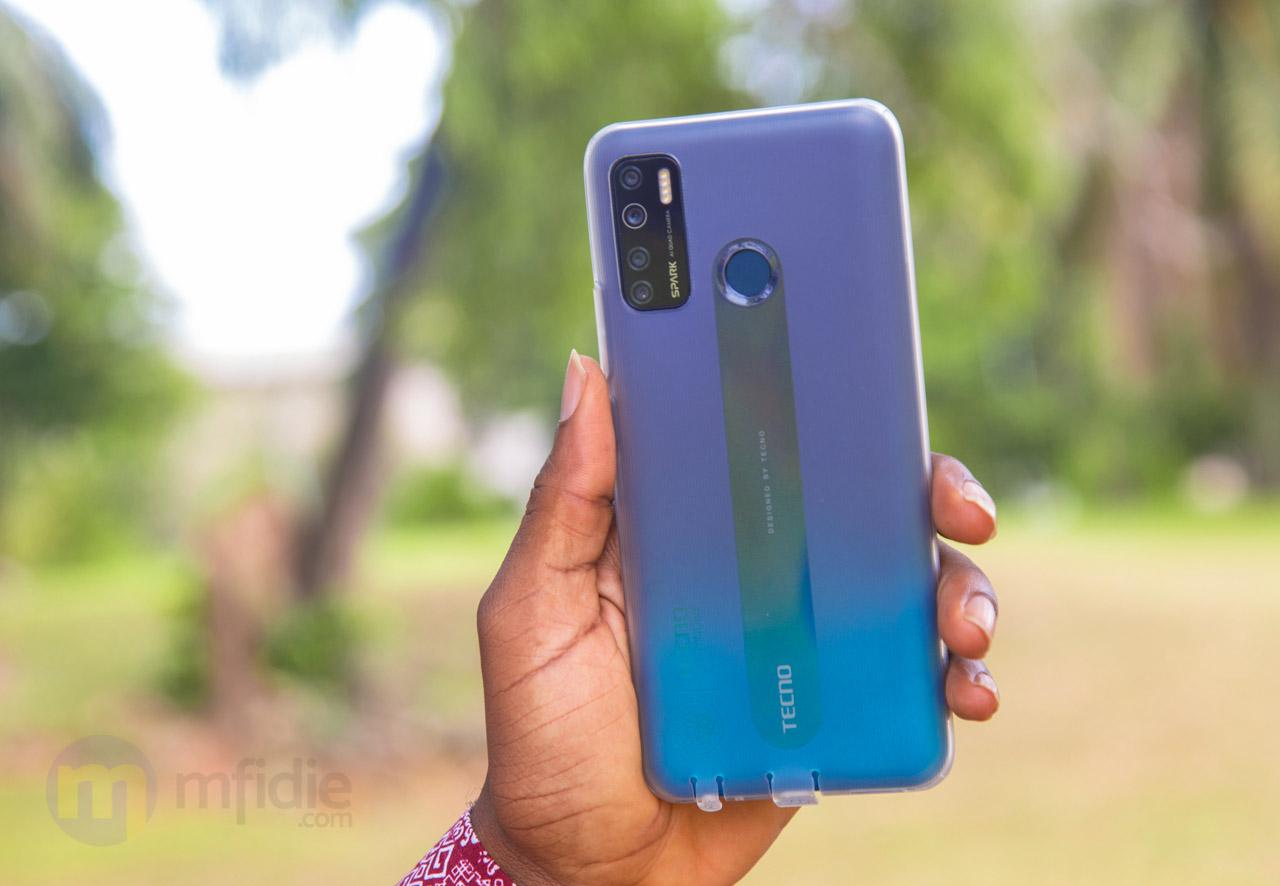
    Shot on TECNO Spark 5

    When buying a new phone you need to check the camera specs, which is the megapixels, the higher the mp, the better quality your pictures will be.

    The RAM

    RAM stands for Random Access Memory and your phone speed depends on your RAM, that is why it is important to check on the type of RAM.

    A phone with good RAM makes your phone super fast and also flexible to use. Phones with 2GB of RAM and above performs faster as compared to the ones that are below 2GB.

    But if your budget can not get you a phone with a RAM that is from 2GB above then what you need to do to your phone to make it run smoothly is to limit installing too many apps on your phone because apps installed on your phone runs on your phones RAM.

    Battery Life

    We can’t talk about the phone without talking about the battery, there are a lot of phones on the market, but what most people also look for in phones is how long the battery will last.

    When buying a new phone you need to go for phones with 3000 mAh battery and above. I will advise you not to go for the ones that are lower than 2000 mAh.

    Phone Storage

    Storage is also important as that is where you will store all your memories into, be it a picture, videos, music and many more.

    When buying a new phone what you need to check is the storage size, most phones nowadays comes with a 32GB memory capacity however there are phones that also comes with a 16GB and 8GB capacity.

    Depending on your budget you have to buy the one that suits your but its recommended to buy the ones that are above 16GB but If your budget is low, then you can buy the lower storage phone and later buy yourself a new SD card.

    Final Words

    When buying a new phone, you really need to look into somethings before making your choice, everyone has its own way of using a smartphone some use it for only calls, some use it for games, some use it to work and many more.

    So in this article, we went through the things to look out for before buying a new phone and why it is important to consider them before going for your next new phone.

    Need a new phone? You can call the Mfidie Shop on 0546090871 and we will help you make the right choice. We also offer nationwide delivery.

  • How To Reset Your Mobile Money Pin In Ghana

    How To Reset Your Mobile Money Pin In Ghana

    Mistakenly, have you blocked your mobile money pin, or have you forgot your MoMo pin? I know the panic involved when you forget your MoMo pin whereby there are a lot of funds on it. You start to lose hope and the stress involved is something else.

    The only option people are familiar with is to visit the network service center for assistance to regain back our pin. But do you know, you can reset your MoMo pin yourself?

    In this article, I will show you the steps to follow in order to reset your MoMo pin.

    How To Reset MTN Mobile Money Pin

    The steps that I will be listed here are highly focused on MTN MoMo, however, the steps are not restricted to MTN MoMo only.

    Before you can perform the MoMo reset, you need to set a recovery number first or else you cannot reset your MoMo pin when you lose it.

    Below are the steps to reset your MoMo pin.

    1. Dial *170# and select Option 6 (My Wallet)
    2. Select Option 5 (Change & Reset Pin)
    3. Select Option 2 (Reset Pin)
    4. Select Option 1 (Self Pin Reset)
    5. Select Option 1 (Add Recovery Contact)
    6. Select Option 4 (Reset Pin) A temporary password will be sent to your recovery number.
    7. Input the temporary password
    8. Now input four-digit new numbers you would like to use as your pin code and repeat

    Note that, you can’t use a code you have previously used for the MoMo service twice.

    How To Register Mobile Money Pin Recovery Number

    1. Dial *170# and select Option 6 (My Wallet)
    2. Select Option 5 (Change & Reset Pin)
    3. Select Option 2 (Reset Pin)
    4. Select Option 1 (Self Pin Reset)
    5. Now type any number that you own. It could be any other network but it should be an active number and not the same number you are resetting the pin code on.
    6. Enter your current Mobile Money pin code to confirm
    7. Enter OTP (One Time Password) which is a code that will be sent to the number you entered so you will have to check your other number to confirm the code.

    The above procedures help you to self reset your MoMo pin when you forget it. I always say, forgetfulness is part of everyone and so sometimes you have to know some of these tech tips in order to sort yourself out anytime you encounter any difficulty.

    The MTN Mobile Money service offers a lot of services just like using a bank. There are steps you need to take when you forget your Mtn Mobile Money pin.

    Conclusion

    Forgetting your Mobile Money Pin is nothing new. It happens to most of us and we become so frustrated that you have lost your pin. Most of the time, all you need to do is visit the nearest customer care service offices of the network provider in order for them to reset your pin for you.

    In this article, I have provided ways in which you can follow to self reset your pin.

  • MTN Nkomode – How To Activate MTN Free After 1 Service Now

    MTN Nkomode – How To Activate MTN Free After 1 Service Now

    Since MTN has become Ghanaians favourite telco network, the network has been always making Ghanaians feel comfortable using their network and always providing Ghanaians with insane offers that you just can’t resist using.

    Talking of the MTN Sunday Special which allows you to pay for as low as GHS 1 you get to talk and text the whole day.

    One offer is the special offer bundle which also does not expire, this special offer bundle gives you 460MB for GHS 3 and this bundle is never going to expire.

    Not forgetting MTN Akwaaba which allows you to call one number without paying a Pesewa (free) for six good months.

    There are a lot of offers that if we decide to talk about them, we are not going to finish anytime soon.

    In this article, I have decided to talk about one of my favourite MTN offers which are called Free After 1 and guide you through how to activate this offer.

    About MTN Nkomode (Free After 1)

    MTN free after one is an offer that was launched by MTN on Nov 2, 2018. This offer allows you to make a call and only pay for the first minute, meaning when you call someone, MTN only deducts the cost of the first minute and the rest of the minutes will be free.

    MTN Free After One Minute Code

    MTN Ghana has revised a lot of their shortcodes into a unified system in 2021. The code for MTN Free After 1 is now *550#. You can use it to subscribe/unsubscribe from the offer.

    How To Activate MTN Free After 1 Offer

    1. On your phone dial the new Free After 1 code — *550#
    2. Choose Option 6: “Free After 1”
    3. Select 1: Activate
    4. Select 1 again to confirm

    When you successfully register for the free after 1, you will be deducted GHS 0.30 for every call you will make, meaning MTN takes GHS 0.30 as the cost of the first minute and the rest of the call will be free.

    Bonus That Comes With Free After 1

    When you subscribe to the free after 1 offer, you don’t only get to get more minutes to talk for free after paying for the first minutes but you also get free 50MB in addition to any day you make your first free after 1 call.

    This is a bonus for people who don’t always buy bundles but always want to check up on what’s trending on the internet or have a little conversation on social media.

    With free after 1 you also get free 50MB and the good thing about this offer is that you can use this data to browse on any website or app.

    Conclusion

    MTN free after 1 has come for those of us who like making calls and do not have short calls duration. In this article, we talked about my favourite MTN offer which is called Free After 1, we dived into what this offer is all about and how to subscribe and benefit from this offer.

  • How To Stake Lotto With Your Phone Using NLA Shortcode & MoMo

    How To Stake Lotto With Your Phone Using NLA Shortcode & MoMo

    The history of the lotto in Ghana started way back in 1960 when the Lotto and Betting Act 94 was passed into law.

    The main aim of passing this law was to generate revenue for the development of the country.

    The National Lottery Authority (NLA) works 6 days of the week and each day has its name for this game in Ghana:

    • Lotto on Mondays are called Monday Special
    • Lotto on Tuesdays are called Lucky Tuesday
    • Lotto on Wednesdays are called Mid-Week
    • Thursdays are called Fortune Thursday
    • Lotto on Fridays are called Friday Bonanza
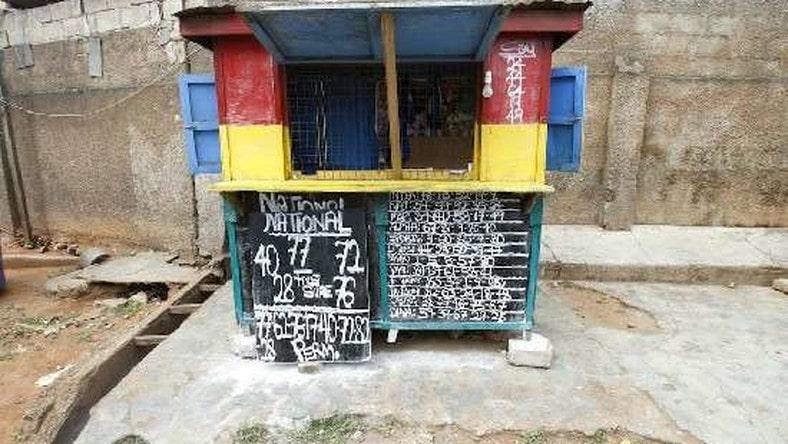
    • Lotto on Saturdays are called National lotto

    The numbers you can stake on start from 1 to 90 and at the end of the day 5 numbers will be picked, if the numbers are announced and your number happens to be among the numbers mentioned, then the next day you will go and collect your money.

    At first, before you can stake the lotto, you will have to walk to the nearest lotto agent to stake.

    Because of this, some people couldn’t go to the lotto agent and stake based on their religion or role they play or maybe they might be having a busy day.

    Now NLA has joined the modern world of digitization, now you can stake banker to banker using your mobile money account.

    Maybe you might want to stake lotto but sometimes find it difficult to visit the nearest lotto agent to stake, maybe you are shy like me, then this time around you can also stake your favourite numbers at the comfort of your home without visiting any lotto agent.

    Before we get started the shortcode to use in staking the national lottery using your phone is *959#. Also, you can stake only 5 numbers.

    You are going to pay using your mobile money so I believe you already registered for a mobile money account.

    What is the NLA Shortcode?

    *959# — The National Lottery Authority (NLA) has unveiled *959# as the only operational and functional official short code of the NLA. All is *959# players of NLA products/services, the general public and the media that are to use that code to stake Lotto in Ghana.

    Also, the only licensed online lotto marketing company responsible for the operation of the *959# shortcode on behalf of the NLA is KGL Technology Limited. This means that any other shortcode is illegal and should not be used to stake lotto with the NLA.

    How To Stake Lotto With Your Phone Using Mobile Money

    1. On your phone dial the NLA Shortcode *959#
    2. You will then have to choose 1: the current game, if its Monday you will see Monday special if its Saturday you will see National.
    3. Now select how you want to stake your numbers, they have Direct, 2-Sure, Direct-3, Direct-4, Direct-5, Perm-2 and Perm-3
    4. Enter the numbers you want to stake and separate each number with a space.
    5. Confirm by entering 1
    6. Within seconds you will receive a notification to approve your transaction, some people will not receive a mobile money prompt.

    How Do You Receive The Money when you win Lotto in Ghana

    I know you are not the only one asking about this question, the first time I staked using my phone I asked the same question.

    When you stake and you win, you will be paid directly into your mobile money account, the account that you used to pay for the staking, that’s the same number they will pay you your money when you win.

    NLA Games and Their Meanings in Ghana

    NLA’s 5/90 and VAG are NLA games that allow players to select at least one out of ninety balls numbered 1-90.

    A draw is held at the beginning (VAG) and the end of each day (NLA 5 90) except on Sundays to randomly select 5 out of the 90 balls. If the numbers on the 5 selected balls match any of the numbers selected by the player at the time of play, he is a winner.

    The daily draw games are VAG each morning, Monday Special, Lucky Tuesday, Midweek, Fortune Thursday, Friday Bonanza and National Weekly on Saturdays.

    The variations of games to play each day are below

    NLA Direct 1 Meaning

    The first number drawn is called the 1st Winning Number. (E.g. If a Player selects number 45, he wins if 45 is the first number drawn)

    NLA Direct 2 Meaning

    Any two numbers out of the 5 winning numbers to be drawn. (e.g. If a player selects 37 and 17, he’s a winner if 37 and 17 are among the 5 numbers drawn)

    NLA Direct 3 Meaning

    Any three numbers out of the 5 winning numbers to be drawn. (e.g. If a player selects 21, 48 and 83, he’s a winner if 21, 48 and 83 are among the 5 numbers drawn)

    NLA Direct 4 Meaning

    Any 4 numbers out of the 5 winning numbers to be drawn. (e.g. If a player selects 21, 48, 83 and 45, he’s a winner if they are among the 5 numbers drawn.)

    NLA Direct 5 Meaning

    All 5 numbers chosen must be winning numbers. (e.g. If a player selects any 5 numbers from 1 to 90, and all 5 numbers are drawn, then he is a winner.

    NLA Perm 2 Meaning

    This is basically selecting more than 2 Numbers and combining them in sets of 2. If a player selects numbers 10-20-30, Perm2 will give combinations of (i) 10-20, (ii) 10-30 and (iii) 20-30. Here, the winning pattern is the same as direct-2.

    NLA Perm 3 Meaning

    This is basically selecting more than 3 Numbers and combining them in sets of 3. If a player selects numbers 10-20-30-40, Perm3 will give combinations of (i) 10-20-30, (ii) 10-20-40, (iii) 10-30-40 (iv) 20-30-40. Here, the winning pattern is the same as direct-3.

    NLA Perm 4 Meaning

    This is basically selecting more than 4 Numbers and combining them in sets of 4. If a player selects numbers 10-20-30-40-50, Perm4 will give combinations of (i) 10-20-30-40, (ii) 10-20-40-50, (iii) 10-30-40-50 (iv) 10-20-30-50 and (v) 20-30-40-50. Here, the winning pattern is the same as direct-4.

    NLA Perm 5 Meaning

    This is basically selecting more than 5 Numbers and combining them in sets of 5. If a player selects numbers 10-20-30-40-50-60, Perm5 will give combinations of (i) 10-20-30-40-50, (ii) 10-30-40-50-60, (iii) 10-20-40- 50-60 (iv) 10-20-30-40-60 (v) 10- 20-30-50-60 and (vi) 20-30-40-50-60. Here, the winning pattern is the same as direct-5.

    NLA Banker 1 against all Meaning

    This is selecting one number and pairing it with the rest of 89 numbers. (e.g. if a player selects 45 against all, it Means 45 his banker.) This banker must be one of the 5 winning numbers.

    Players of the NLA 5 90 OFFICIAL USSD gamed must ensure that a particular game is selected and played before the draw of that particular game.

    Conclusion

    Now you can stake lotto at the comfort of your home without the need to visit any lotto agent, in this article we went through how the lottery system in Ghana started and how to stake lotto and pay with your mobile money using your phone.

  • List of Dating Sites in Ghana with Phone Numbers

    List of Dating Sites in Ghana with Phone Numbers

    You might be like me who finds it difficult to approach any lady I will meet, maybe you are not that shy type but you would want to meet new friends online or find a partner online.

    Approaching anybody you will meet in person to vibe and exchange numbers is a good feeling especially when you succeed in getting the number.

    But what if it is a difficult thing for you but at the same time you don’t want to stay single forever and needs a partner?.

    If you are that type of person then online dating must be your hope in finding a partner for an LTR (long term relationship).

    One will ask, what are the benefits of online dating?

    Anytime you are looking for a partner online, you don’t just see the picture of that person but you also get to know the preference of that person.

    Online dating does not just give you a chance to find a partner but also help you know about the person’s hobby, ambition and the type of partner the person wants before you message or crush on him or her.

    Here Are The Dating Sites In Ghana with Phone Numbers

    Vidamora.com

    Vidamora is one online dating site that you will find many Ghanaian singles to chat with. The main aim of the site is to let single men and women find their soul mates and meet new friends, the site is free for anyone to join.

    To join vidamora, all you need to do is to fill in your name, gender, specify your country and set your date of birth.

    Then you will then be asked to fill in some details about your personality such as hair, height, physical appearance, occupation (optional).

    You will then be asked to add a profile picture of yourself, the more you add more details about yourself, the more people get interested in you as they will see everything about you and if they are interested, they will message or reply to your messages.

    Ghanalove.com

    Ghanalove is a website dedicated to connecting Ghanian singles worldwide. The site has been in existence for more than 15 years and has been connecting over 4.5 million peoples.

    To join ghanalove simply sign up by specifying your gender and the opposite gender that you are looking for, your country and city, date of birth, email address, password and click on continue to be a member of this dating website.

    Mingle2.com

    Mingle2 is a free dating site for Ghanaians, it is safe and secure meaning all the profiles there are real users and you can also block or report anyone who will be disturbing you.

    The website was created 13 years ago and boast of over 600,000 new members per month meaning the site is a very active site and when you join, you are definitely going to get a new partner of a friend and the good thing about this website is that it is free to join, no credit card is required as compared to other popular dating sites we know. The website also has an app that you can install and use.

    To join this popular website, simply visit mingle2.com and then sign up by filling in your details such as name, location, gender and what you are looking for on their website be it friendship, relationship and intimate encounter.

    Topface.com

    Topface is also one of the best free dating sites in Ghana, the website was created in 14, August 2005 with over 133,000,000 active users.

    Joining topface is very fast and easy, all you have to do is sign up by visiting topface.com and filling in your name, date of birth, location and email, you will then be asked to add your profile picture for other people to know you more in terms of how you look like. After that then you can start chatting with your fellow singles.

    Adore.one

    Adore is a free online dating site for Ghanaians to meet new friends and partners, no credit card is required to join.

    To join this popular dating site you just need to fill in your details such as name, age, email and a password. After signing up, you will get to search for the type of partner you want and on adore website, you can specify the age and distance of the partner you want to search.

    Conclusion

    If you are the kind of person who finds it difficult to talk to the opposite sex in person, then online dating is the best for you, with online dating, anybody gets to know everything about you through your profile before replying or messaging you so it makes things more flexible for you.

  • Top MTN Ghana Short Codes That You Need

    Top MTN Ghana Short Codes That You Need

    When it comes to the best telecommunications in Ghana, MTN is the leading telecommunication network in Ghana with over 17 million subscribers.

    MTN has so many offers that have made Ghanaians fall in love with their service.

    You might have heard of a certain offer that this telecommunication will be offering and will want to subscribe to this offer but you might not know how exactly it works and also the shortcode for subscribing

    In this article, I am going to take you through the top MTN Ghana shortcodes and the offer or purpose behind it

    MTN Nkomode – *550#

    The MTN Nkomode also known as ‘free after one’ is an offer that was launched in 2, November 2018 and it has been active till now.

    This service allows you to make calls and only pay for the first minute of the call and then the rest of the call becomes free, you will be charged 30.4 pesewas and also get free 50MB, in addition, to be used before the next day.

    How to susbcribe to MTN Nkomode

    1. On your phone dial *550#
    2. Choose Option 6 (Free after 1)
    3. Select 1 to activate
    4. Select 1 again to confirm

    What users have to take note about this offer is that, when you activate it, you only pay for the first 1 minute and the rest is free so if you subscribe and make a phone call that does not last up to a minute, you will not be charged 30.4p, also when you make a phone call and it last for 2 minutes, you will be charged 30.4p.

    Although MTN has made it known to us that it is free after 1 and you only pay for the first minute, that does not mean you can make a phone call for 5 hours and still pay for 30.4p but rather each call will last for 1 hour and then the call will end and you will be charged only 30.4 pesewas.

    MTN Jaara – *5055#

    MTN Jaara is a free call service, this service allows you to make calls for 24 hours and pay 50p, you can choose to auto-renew the next day after it expires.

    This service is not available in all regions in the country but to some selected regions, these regions are :

    • Northern Region
    • Upper East Region
    • Brong Ahafo Region
    • Volta Region
    • Upper West Region

    To activate for this offer dial *5055# and then confirm, after that you will be charged 50 pesewas and then you can start making free calls the rest of the day.

    MTN Pay For Me – 154 Before The MTN Number

    There might a time that you might want to talk to somebody but you don’t have credit, or you were in the middle of a conversation and all of a sudden your credit got finished and you still want to continue the conversation.

    MTN has also thought of that, and because of this they introduced MTN Nkomode, with this service, users can make a call without even having a credit but request the receiver to accept the call and pay for the call.

    To make a ‘pay for me’ call first dial 154 before the receivers number so if you want to call 0244300000, you will dial 1540244300000 and the call will go through, when the person you called receives the call he or she will be prompted to either press 1 to accept the call and pay for it or press 2 to decline.

    If the receiver accepts it, then both of you can have a conversation but at the end of the call, the receiver will be charged.

    MTN Mobile Money Shortcode – *170#

    Gone were the days transferring money to someone was a difficult thing to do, someone has to walk miles just to bring you money.

    With the MTN of mobile money, everything has changed, now you can sit at the comfort of your room and pay someone, top-up airtime, pay your bills, shop online and many more.

    To use MTN mobile money service users should dial *170# and from there you can do all the things mentioned above.

    Reserve Your MTN Number – *1390#

    As we all know MTN reactivate numbers and sell them when your number becomes inactive for some years, aside from that, every sim card has a date it is valid for, the more you talk, buy airtime and use that sim card the more the expiration date extend.

    Maybe you are about to travel to another country and your number is going to be inactive, maybe that number is dear to your heart and that you don’t want to lose that special number.

    So to reserve your number what you have to do is to dial *1390# to reserve your number for the next two years if the number is not going to be active.

    Kindly note that this service comes at a fee of GHS 15 for 12 months and GHS 25 for 24 months.

    Here Is The Steps To Reserve Your MTN Number

    • Dial *1390#
    • Select 1 to reserve your own number or 2 to reserve someone number
    • Enter your MTN phone number and then confirm the number
    • Enter an alternative number, it can be another MTN number or a different network number, you can also provide your email
    • Select the months you want to reserve your number (either reserve it for 12 months or 24 months).

    MTN Just For You Offer – *141#

    MTN has a shortcode for cheap bundles but it’s not available every day, this service is called just for you when you dial this code, you will be able to buy an internet bundle and you will be given a 50% or 60% bonus.

    Conclusion

    MTN has many offers for its subscribers and in this article, we went through the top MTN  shortcodes and how to access and activate each of them.

    Is there any promotion or offer that is still ongoing that I didn’t add to it? Let me know in the comment section below.

  • Is It Possible To Backup And Restore GBWhatsApp Backup With Google Drive?

    Is It Possible To Backup And Restore GBWhatsApp Backup With Google Drive?

    Nothing is really impossible when it comes to Information Technology. Normally, it’s impossible for one to back up chats on GBWhatsApp to Google Drive but there is always light at the end of every tunnel.

    Am sure you are concerned about creating a backup of your GBWhatsaApp chats to your Google drive. In this article, I will shed light on how to backup chats from GbwhatsApp to Google Drive so keep following.

    To begin with, officially GBWhatsApp does not support Google drive back up but with the trick provided in this article, you will be able to backup GBWhatsapp to drive.

    How To Backup GBWhatsApp To Google Drive

    First of all, you need to create a backup by following the steps below;

    • Open GBWhatsApp and click on the menu icon. The menu icon is the 3 dot key that can be seen at the far right upper corner of your screen.
    • Select Settings and navigate to chats.
    • Scroll down and click on Chat backup.
    • A backup that is familiar with the official WhatsApp will be created and stored on your local drive.

    Now the backup is done, download and install the official WhatsApp from Play Store. Note that, you don’t need to uninstall the GBwhatsApp from your phone because it lets you have 2 or more WhatsApp on your phone.

    After the installation of the official WhatsApp on your phone, don’t open the app yet. Proceed to the next step.

    How To Move The GBWhatsApp Data To The Official WhatsApp data

    What we are going to do is move the backed up data from the GBWhatsApp directory to the WhatsApp directory. To do that;

    • Open any file manager on your phone and navigate to the GBWhatsApp directory.
    • Once in the GB folder, select database.
    • The backup you made will be in the database folder with file name ‘msgstore.db.crypt12’.
    • Copy the backup and move it to the official WhatsApp directory
    • Once in the WhatsApp directory, select Database and paste the copied backup.

    You have successfully moved the GBWhatsApp database to the official WhatsApp database.

    Now it’s time to open the official WhatsApp you installed from Play Store. Open WhatsApp and input the same number you activated with GBWhatsApp.

    Verify the number and proceed to restore chat from backup when asked. Now all your chats will be available on the official WhatsApp.

    Backup GBWhatsApp Chat To Google Drive Using WhatsApp

    • Open WhatsApp
    • Tap more options or the three dot menu. > settings > chats > chat backups > backup to Google drive.

    This will back up your chat to Google drive. Note that this is the GBWHatsApp chats we backed up that has been backed to drive. For restoring, you can use the same procedure to restore the chat backup.

    Conclusion

    As said earlier on, nothing is impossible when it comes to I.T. Backing up on GBWhatsApp to Google drive has been difficult and unsupportive but in this article, I have shed light in an alternative way you can back up your chats to Google drive.

  • How To Check If Someone Is Spying On Your WhatsApp or Calls

    How To Check If Someone Is Spying On Your WhatsApp or Calls

    There are several reasons why someone will hack into your WhatsApp or calls. Reasons like suspected cheating, parental control, fun, and many other reasons known to the hacker.

    Your friends, parents, or partner may want to spy on your chats to know whom you chat with and what you discuss most. Though WhatsApp chat is end-end encryption that doesn’t guarantee that your chats can’t be spied on.

    WhatsApp is the widest app used by many and has all types of messages including private ones you would not want anyone to have their eyes on.

    It is vital for you to understand that your WhatsApp chats can be spied on. However, developers of the app have implemented a high level of security to the extent that, for a hacker to break into your account, they will have to spend a huge amount of resources and time.

    This simply means that, for an intruder to get into your account, they have to get access to your device or any other device you use for WhatsApp. You can realize your account has been hacked if you notice the signs below.

    Signs Of A Hacked WhatsApp Account/Calls

    1. Temperature hikes. If there is a sudden hike in temperature and your smartphone gets warm frequently, you need to beware. Most at times, strong apps running on the background causing these hikes. Mostly, these are caused by Spywares.
    2. Sudden Battery Drain. Spy apps significantly use your battery power causing drastic battery drain. Once you notice you have to constantly charge your battery even when you rarely use the device, you have to be on alert. It’s possible there is a hidden spyware or app on your device. This spyware uses your device location and data to track your current location and device info which uses your battery at the highest level causing sudden battery drain.
    3. Increased Data Usage. Since Spywares uses your device data to relay information to the hacker, your data will reduce quicker than it supposes to last. Some Spyware even auto-download third-party apps to extend its services. If you realize increased data usage, be on the alert.
    4. Background Noise. One of the ways to note if your account has been hacked is hearing background noise in calls. These spy apps not only hack your device but also hack your call. Your calls will be recorded by these spy apps whenever you make or receive a call. If you notice unusual background noise in your calls, be on alert.

    Methods By Which Your WhatsApp/Calls Can Be Hacked

    1. WhatsApp Web. WhatsApp web is an extended feature of WhatsApp which allows a user to access his/her account on the computer. With WhatsApp web, you would have to scan a QR code from the mobile device, then you can easily access your WhatsApp account on your computer in real-time. Your WhatsApp account in another way can be accessed on different mobile devices with an app called WhatScan using the same scanning method.
    2. Your WhatsApp Backup File. The backup file can be accessed using your File Manager. Once the hacker has access to your phone, they would first find your Backup file and transfer it via Bluetooth or Xender then convert it to plain text and read all your chats.
    3. Spy Apps. There are some third-party apps available that are used to spy on your WhatsApp conversations. Once the hacker gets access to your device, they would install the spy app and hide it. This spy app will then spy on your chats and automatically send the chats to the hacker on the background.

    When you start to realize these instant changes to your device, then you have to be on the alert your device has been hacked.

    Tips To Secure Your Whatsapp/Calls From Being Hacked

    • Always lock your device
    • Always logout from the WhatsApp web.
    • Lock your WhatsApp
    • Don’t connect to any unknown Wifi Network
    • Don’t install apps from unknown sources.
    • Don’t let anyone get access to your phone
    • St-up two-step verification on WhatsApp

    Conclusion

    There are several reasons people will spy on your WhatsApp account or calls. In this article, we looked at ways you can follow to check if someone is spying on your WhatsApp or calls.