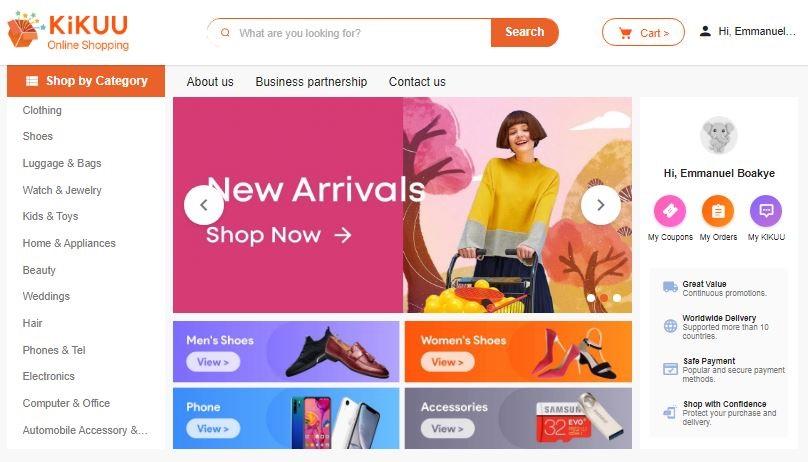
Kikuu is one of the best eCommerce trading platforms we have here in Ghana. The company was founded in 2015.
The company has a secure payment system called K-PAY making customers shop online without thinking of being duped or scammed.
Things you can buy on KiKUU
On KiKUU, you can order for products like:
Clothing
Shoes
Luggage and bags
Watch and jewellery
Kids & Toys
Home & Appliance
Beauty
Phones & Tel
Electronics
Computer & Office
Automobile Accessories And Many More
The company main aim is to connect Africa and China by making both countries trade easily.
KiKUU boast of offering affordable prices on their goods which you will agree with me if you have ever shop on their site before.
Low shipping fees, when you make an order on KiKUU, they make sure you either receive it without paying for the shipping fees or they make the fees very affordable for you to pay and receive your product.
They also have the best customer service by setting up both online and offline customer services team in all the countries that they are operating in which I am going to talk about later in this post.
KiKUU claims to offer quality products that’s they always choose suppliers with high-quality products and offer them for us to buy.
Countries KiKUU Operates in
KiKUU now operates in 12 African countries:
Ghana
Nigeria
Ethiopia
Tanzania
Uganda
Cameroon
R. Congo
Congo
Cote d Ivoire
Gabon
Senegal
Rwanda
How to shop online On Kikuu
Download KiKUU app from Google Play Store or the Appstore.
Select Register
Choose either to register with your email or phone number, enter your name, password and then your password.
Visit your mail to confirm or confirm the code sent to you through SMS if you used your number to sign up.
Now after a successful signing up, now search for the item that you want to buy. Select buy and you will be taken to fill your shipping address including your contact name, mobile, street address, city, way of tracking package (deliver door to door or self-pick,). now after filling all these space click on save and ship to this address.
You will be taken to the payment option, now choose your payment method and pay. Now relax and watch KiKUU deliver your item.
Address: 2nd Floor,1st Building, Village Committee The Industrial Plaza, Taicheng Village, Renhe Town, Baiyun District (Airport Baiyun), Guangzhou City, China.
Conclusion
Kikuu is one of my favourite shopping company, they mainly focus on connecting china with Africa and making sure Africa gets the best, affordable and quality goods.
Have you ever made an order on KiKUU before? If so what was your experience?
Talking in the middle of the night with someone important to you and later seeing the call hanged up just because your credit got finished is one of the most painful things to ever happen to you aside from getting a broken heart.
That day might be your lucky day for that the guy or girl you’ve been crushing on will tell you to call him or her and in the middle of the conversation, you see the call hanging up.
When this happens. what you will mostly hear when calling back is “you have no call credit in your MTN account please recharge”, “sorry your account balance is low please top up your account” and many more depending on the network you are using.
Now Telcos have made it possible for you to borrow airtime and then later pay it with a small fee, in this article, we are going to look on how to How to borrow airtime or credit on MTN, Vodafone, AirtelTigo and Glo in Ghana.
Before we get started kindly take note that this service is not available for new sim cards as this service requires you to use the sim card for some months before you will be eligible to borrow.
How To Borrow Credit Or Airtime On MTN Ghana
Dial *506#
Select the option available for you, starting from1Cedi to your limit.
If you don’t want the available amount they have given you, then select Request Advance Options to select lower amounts.
You can also request for data Advance that’s if you are browsing and all of sudden your bundle got finished and you really need to go back and continue browsing, MTN has made it possible for you to request a data loan.
After selecting the amount you want to borrow, you will be prompted with the fees attached to the amount you are borrowing, press 1 to confirm.
How To Borrow Credit Or Airtime On Vodafone Ghana
Vodafone makes it easy to borrow air airtime by making a call and they will tell you “your credit is low, please press1 to accept SOS credit” I will not recommend borrowing using this method as you don’t get to choose what you want.
To borrow airtime on Vodafone Dial *505#
And choose from the available options, also take note that with some sim cards, dialling *505# will automatically give you an airtime loan that you are eligible for and you will not get to choose the one you prefer.
How To Borrow Credit Or Airtime On AirtelTigo
Dial *558#
Select the amount you want to borrow.
Press 1 to confirm your transaction.
How To Borrow Credit Or Airtime On Glo Ghana
*5321#
Select the amount you want to loan, remember if your sim card is not more than 3 months old, you will not be eligible.
Press 1 to confirm your transaction.
Conclusion
Now telcos have made it possible to borrow airtime and pay later, now you don’t need to worry about your credit getting finished at midnight in the middle of a conversation or chat.
Although you can borrow airtime or bundle anytime kindly take note that each telco has a requirement to be eligible for this service.
On November 7, 2017, Ghana became the first west African country to begin issuing smart drivers licence throughout its country.
Cost Of Renewing Your Drivers License In Ghana
Renewing of License 1 costs GHS 45.00 whiles renewing of License 2 costs GHS 105.00
Types Of Driving License in Ghana
Ghana has 6 types of driving license and they are :
A – License A is for those who drive Motorcycles.
B – Is for those who can drive minibuses, pick up vehicles across the country and they must contain 1-15 passengers.
C – Is for drivers who can drive buses and moderate goods. Must contain 1-45 passengers.
D – Drives coaches and heavy vehicles, buses and must contain 1-65 passengers.
E – License E is for those who can drive industrial equipment like harvesters, bulldozers, forklifts and many more.
F – Drivers who are eligible for licence F are those who can drive heavy carrying vehicles like articulators and many more.
To be eligible in applying for driving licence in Ghana:
One must be above 18 years.
Must have basic education (BECE), adult education or must be able to read and write.
You must go through a 48-hour training with a DVLA authorized driving school before you will be eligible to get a driving license.
After going through the needed procedures you are going to have your driving licence processed in two weeks time.
When you finally get your driving license it becomes valid for two years starting from the date issued.
So after two years, you will have to renew your driving license, do you know you can renew your driver’s license online without the need to visit any Driver and vehicle licensing authority (DVLA) office?
In this article, I am going to take you through how to renew your driver’s licence online in Ghana.
How to Renew Your Driver’s License Online in Ghana through the DVLA Website
Visit dvla.gov.gh
Select “Driving Licence” and select Renewal of Driver’s License.
you will be briefed on the requirements and the procedure, now press on “APPLY ONLINE!”
You will then be redirected to the sign-in page, sign in or if it’s your first time sign up for free when done.
Now proceed with your renewing of licence by following the steps given by the website and providing the details correctly.
What Is The Benefits In Renewing Your Driver’s License Online?
Renewing your driver’s license online saves you more time as you get to get your driver’s license renewed sitting at the comfort of your home.
It saves you from losing money by paying middlemen also refereed as “Goro boys” to do the process for you.
Kindly note that before starting renewing your license online, you will need to have with you these documents to submit in the process:
Applicant must be present
Expired License
One coloured passport-sized photograph
Conclusion
Now the Driver and Vehicle Licensing Authority has made it easy for drivers to renew their driver’s license online without the need to waste much time in visiting their various office.
Instagram is a social networking service owned by Facebook Inc. The service was created by Kevin Systrom and Mike Kriegar and was launched in 2010.
Instagram is more of a video and photography sharing service but has the ability for messaging services where you can connect and chat with friends and families.
Highlighted Features Of Instagram
Photo Filters – This powerful feature can turn anyone into a professional photographer. This photo filter is central to Instagram’s success. Everyone with a picture can try out with the over 30 plus filters to have a stunning photograph.
Video Posts – In 2018 alone, 81% of businesses used video marketing to generate more leads and customers. Video engagements increase day by day, hence this Instagram feature helped a lot of marketers. Gone are the days when a high budget was needed for video advertisement, with Instagram’s video post, all you need is a good camera and you can become a marketer.
Instagram’s Story – This feature was added to Instagram in 2019. Just like WhatsApp’s status and Facebook’s story, Instagram’s stories appear as little circles on top of your followers’ feed and disappear after 24 hours.
Story Highlights – This is where your best stories are saved and kept on your account as long as you want.
IGTV – Instagrams’ standalone video platform. This service is basically for videos. Before you can create or upload a video, you need to create a channel.
This and many other interesting features on Instagram. You have probably heard stories of Instagrammers cashing in on the pictures shared every day. Just like YouTube and Bloggers, Instagram also pays people for the content they share.
Synonymous with YouTube followers, Instagram followers determine how your account can be monetized to generate passive income from Instagram.
I remember someone asking me if I can get him a 10k Instagram account for sale. If you get huge and engaged followers, you stand a chance of making money on Instagram. Luckily, there are proven ways to get Instagram followers.
Before I engage you in today’s article, I want to share with you some content creators, celebrities, and influencers who are earning millions of dollars on Instagram with just a post
Top Earners On Instagram Per Post.
Kylie Jenner – $ 1.2 million per post
Cristiano Ronaldo – $ 975,000 per post. Most followers on Instagram
Ariana Grande – $ 966,00 per post
Kim Kardashian – $858, 000 per post.
These are the few I will like to share. With the data above, you see how much people are earning on Instagram per post. To earn on Instagram keep following.
Earning On Instagram
If you have small but engaging customers, you can also start earning on Instagram. People think you need over 10K followers on Instagram before you can start earning.
Having many followers is a plus though but if you have even 1000 followers you can start to earn. Mind you, Instagram frowns on fake followers so do not use third-party apps to gain fake followers.
Depending on your unique brand or niche of Instagram content, audience, and commitment, you can make money on Instagram in the following ways.
Working With Brands On Sponsored Posts
If you are big enough, the chances of brands finding you are high. In the same way, you can also find brands in your niche to work with. It’s advisable to market or promote brands based on your niche so that your fans/followers do not think you are “selling out.”
For example, if your niche is about entertainment, you don’t have to market Real Estate, your marketing should be based on Entertainment.
You can reach them directly to strike a deal or also you can list yourself on one of the many influencers market places to increase your chances of being discovered. Some of these markets are:
Grapevine – If you have over 5,000 followers you can list yourself in the Grapevine market place to work with brands in your niche.
Crodtap – Small audience users can visit Crodtap to do small content creation tasks to earn rewards. This service is available in the U.S only.
Indahash – 700 and above followers can participate in brand post campaigns. All you do is post a picture with the specified hashtags and get paid.
Affiliate Marketing
Instagram stories allow adding links to posts. This has opened ways for affiliate marketers to earn more on Instagram. Affiliate marketing simply means earning a commission by promoting other people’s products.
In affiliate marketing, you will be given a trackable link or unique promo code to ensure clicks actually transforms into sales in exchange for a commission.
Popular marketplaces that offer affiliate marketing are:
ClickBank – Opened for everyone.
Amazon Associates – Pays out a 10 % commission to marketers
Opening Your Own Shop
Working with other brands and affiliates is not the only way you can earn from Instagram. You can earn from Instagram by selling your own products.
Digital, physical and services can all be marketed on Instagram. Building an audience related to what you sell will boost your sale on Instagram.
Conclusion
Many people do not make use of their services to gain or earn a passive income on social media. Social media has evolved so quickly and always keep up to consumers demands.
Stay informed and be abreast of new features added to your social handles and keep the focus on how you can benefit from these features as competition goes high.
All you need to do is keep your followers engaged so that the engagement will lead to buyers.
Gone are the days that the only way to make income was to wake up and go to work early in the morning.
Now with the invention of the internet, everything has changed, now you can work from home and get paid.
Recently with the new coronavirus (COVID-19) spreading across countries, people are advised to either stay at home or practice social distancing so that this virus can not spread soo fast as the virus is airborne and you can get infected when you come in contact with a person who already has the virus.
By now you might have heard about countries going on lockdown and closing of boarders so that other foreigners will not be able to enter the country and spread the virus.
This has led big companies like Amazon, Microsoft and Facebook instructed their employees to work from home if they can.
You might be the CEO of a company and since your country is on lockdown you are asked to close your work, or you might be an employer, this is definitely going to affect your monthly salary.
There is no need to be worried during this lockdown as you can work with your employees or teammates remotely.
Working Remotely Gives You These Benefits
When working remotely you decide on the time that you will want to start work as compared to the daily normal works which an employer has to be at work sometimes before 7, 8 or 9 AM.
Working remotely only requires a PC or laptop, you can do your normal routines or get a chance to visit various tourist places and at the same time continue working.
There are no restrictions in working remotely, your task is to finish what you are assigned to do for the day and you can do whatever you want afterwards, unlike our daily works which even when you don’t have anything to do, you still have to wait for the work to close before you can go home.
Tools that you can use to work remotely from home
Slack – For team collaboration
With slack you can create chatrooms/channels, send private messages and files, it will be searchable by anyone, as a CEO this will allow you to have a chat with all your employees and know what they are up to or what is being done. Aside from visiting slack.com for an account, slack also has an app and its available on both Google play store and Apple AppStore.
WeTransfer – For sending large files
WeTransfer.com was founded in 2009 and is a website for sharing large files such as videos, pictures and documents.
Google Drive – For cloud storage
Google Drive was launched on April 23, 2012, by Google, this service allows you to store large files on their servers and you can share and sync on any device.
SlideUpLift – For building impactful remote presentations
Presentations play a vital role in remote business communications today. SlideUpLift is an online library providing a vast collection of visually engaging PowerPoint templates to help you create highly impactful remote presentations. They are a great starting point for your presentations and save on time spent in making one from scratch.
Time Doctor – For managing time
With time doctor you can know the time your workers start work and the time they close, it also helps you track hours your workers spend doing a specific job, you get to know if they are working from their computer or somewhere else and it also provides you with a daily working summary of your workers.
Zoom – For video calls and screen sharing
Zoom is for remote video calling, sharing screens, meetings, presentations and sharing mobile phone screens.
when it comes to working remotely with your teammates then zoom is definitely for you.
Evernote – For notes keeping
As the name suggests, Evernote is for keeping notes and it can be stored and shared and at the same time synced on all devices, teammates can use Evernote to submit a summary of their to-do works for a specific day, week or month.
iDoneThis – For reporting
iDoneThis is used to keep an eye of what you have been able to do or what your employees have achieved within a day, week or month.
Conclusion
Now working from home has been made easy with many tools that are available online, even when due to some reasons you can not go to work, you can still work from home using these tools.
A computer virus is something that can literally cripple your computer, depending on the severity. They come in different levels of severity from mild to dangerous malware and everywhere in between.
What is a computer virus?
So, what is a computer virus, not only is it something that can damage your computer’s performance and life, but your mental well being as well.
Combating a virus, without the help of anti-virus software such as AVG internet security, can be extremely nerve-wracking and depressing because it can literally affect various parts of your computer.
How are computer viruses distributed?
Computer viruses are distributed in many different ways. One of the most common methods of distribution is via email. Some of the most widespread and destructive viruses are distributed via email.
Typically, they come in an email that looks completely legitimate and they can even come disguised with an email you might be familiar with. Some viruses are simply spread by opening the email or by downloading an attachment.
Many free emails such as Yahoo come with email virus scanners installed, which will not allow you to download the attachment if it detects a virus.
Another method of virus distribution is via internet downloads. These viruses are bundled in a download and typically come from websites with hacks or peer to peer programs.
When asking the question, what is a computer virus, you should also ask how you can combat or prevent the viruses from affecting your computer.
There are many programs available to help you detect, remove, and prevent viruses. One of the most popular and best programs to date is AVG Internet Security or any AVG products.
AVG, a product created by Grisoft, is an excellent software program that is perfect for detecting and removing computer viruses.
Their internet security program not only provides anti-virus protection for your computer from Trojans, worms and viruses, but it also includes anti-spyware and anti-spam protection against phishing, spam, malware, adware and spyware.
Additionally, AVG internet security protects with a firewall, preventing hackers from accessing your computer.
AVG is the best and easiest to use all in one program available for computer protection. You are constantly made aware of instant definition updates and program versions, as well as twenty-four hour a day technical support.
So if you want to find out just what is a computer virus and how computer viruses are distributed, AVG is a great place to start.
Not only can you get the best protection, but several resources are available to you as well. This enables you to learn about the latest virus threats and how you can eliminate the possibility of infection on your computer.
When you use computers and the Internet in your business, it’s all too easy to start feeling like you’re drowning in a sea of nonsense.
Computer-related things tend to have a language all their own, and while you don’t need to know all of it, there are many confusing words and phrases that you’re going to come across sooner or later. Here’s a quick primer.
Bandwidth
Bandwidth is the amount of data that your website can send each second, as well as the amount of data that the visitor to your website can receive.
If either one doesn’t have enough bandwidth, then the website will appear slowly. For this reason, you should choose a host with plenty of bandwidth, as well as testing that your site doesn’t take too long to download on slow connections.
Browser
A browser is the software (see below) that visitors to your site use to view it. The most popular browser is Microsoft’s Internet Explorer, which comes with Windows.
Cookie
Cookies are data files that your site can save on the computer of someone who visits that site, to allow it to remember who they are if they return.
You will find that problems people have in ordering from you will almost inevitably be related to cookies — they will need to have them turned on.
Download. Transferring data from a website to a computer.
Favorite
A favourite is a website that a user has stored to look at again, by choosing ‘Add to Favourites’ in their browser’s menu.
FTP
File Transfer Protocol. This is a common method of uploading files to your website.
JavaScript
A common language for writing ‘scripts’ on websites, which are small programs that make the site more interactive. Another common cause of problems for visitors.
JPEG
Joint Photographic Experts Group. This is the name of the most popular format for pictures on the web, named after the group that came up with it. If you want to put pictures on your website, you should save them as JPEGs.
Hardware
Hardware is computer equipment that physically exists. It is the opposite of software.
Hosting
If you’ve got a website out there on the Internet, then you’ll be paying someone for hosting. It is the service of making your site available for people to see.
HTML
HyperText Markup Language. A kind of code used to indicate how web pages should be displayed, using a system of small ‘tags’. The ‘b’ tag, for example, causes text to appear in bold, and the ‘img’ tag displays a picture.
Hyperlink
A hyperlink is when a piece of text on a website can be clicked to take you to another site, or another page on the same site. For example, if clicking your email address on your website allows someone to email you, then your email address is a hyperlink.
Programming
This is when the computer is given instructions to tell it what to do, using one of many ‘programming languages’. Programming languages for the web include PHP and Perl.
Server
The server is where your website is stored, and it is the server that people are connecting to when they visit the site. If someone tells you, for example, that your server is ‘down’, it means that your website is inaccessible. Note that server refers both to the hardware and software of this system.
Software
Programs that run on the computer, or that make your website work. Microsoft Word is software, for example, as is Apache (the most popular web server software). Opposite of hardware.
Spider
Don’t be scared if a spider visits your website! Spiders are simply programs used by search engines to scan your site and help them decide where it should appear when people search. It is good to be visited by spiders, as it means you should start appearing in search engines soon.
Upload
Uploading is when you transfer data from your own computer to your website. For example, you might upload your logo or an article you’ve written. Opposite of download.
URL
Uniform Resource Locator. This is just a short way of saying ‘web address’, meaning what you have to type in to get to your website. Sometimes pronounced as ‘Earl’.
Conclusion
Popular computer terms like cookies, bandwidth, FTP and the above terminologies are familiar with almost anybody using the internet. If you had no knowledge what they meant, this post sheds light on some of the popular terminologies about the internet.
Do you know what blogging is? Well, if you still don’t know yet, blogging has played a vital role in politics. And this is true to almost every country around the world.
If you’re looking for news and information, blogs are just the right source.
If you want to know more about blogging, you should look into its history.
Before blogs became popular online, digital communities had many forms such as Usenet, commercial online services like BiX, Genie, CompuServe, BBS, and email lists. By the 1990s, WebEx was able to create running conversations.
They used ‘threads’ which serve as topical connections. Some say that blogging is just like the 20th century’s project on Mass Observation.
Brian Redman managed mod. Ber, and it was created in 1983. He and some of his associates posted interesting summaries of threads and postings that took place somewhere on the internet.
It was strongly likened to blogs because of the style in journal publishing being used.
The posted summaries also contained links to cool places and other interesting places chosen by a certain blogger—however, mod. Ber no longer operated after about eight months.
Blogs are like online diaries because it tells about the personal lives of the bloggers.
The writers often call themselves journalers, journalists, or diarists, and exhibitionists. Journal communities are already present online, especially nowadays. One of the early bloggers known in history was Brad Fitzpatrick. Jerry Pournelle and Justin Hall were also early bloggers.
Way back in 1994, an early blog combined text, pictures, and video and it was transmitted live using an EyeTap device and wearable computer.
The first-ever hired blogger was Steve Gibson and his blogs and Stephen Heaslip, which evolved from John Carmack plans.
Carmack was a game programmer who published a popular journal through ‘finger protocol’. Ritual Entertainment hired Gibson last February 1997.
You can find both personal homepages and corporate sites that contain blogs. Oftentimes, these sites have news and ‘what’s new’ sections.
Drudge Report is a very good example of a weblog that focused on news.
Matt Drudge, a maverick reporter, founded it. In 1998 the Institute of Public Accuracy began posting news-pegged quotes, usually one-paragraphed, and it was released several times each week.
Tongue-in-cheek was also a noted blog precursor updated by Kibo, a Usenet legend.
The blogs recognized by people today are produced through a distinct class online publishing.
Thanks to the evolution of the tools used in the production, facilitation, and maintenance of all the web articles.
The feasible publishing process resulted in a larger and less technical populace. There are now many hosting services exclusively for blogs, and they are run through the use of blog software.
Some examples are Movable Type, WordPress, LiveJournal, Blogger, and many other regular hosting services on the web.
P. Merholz first used the term blog by breaking the word weblog to ‘weblog’. Later on, the blog was adopted as a verb and a noun. When you say ‘to blog’, it means to post or to edit a weblog.
At present, blogs play a very important role since many political candidates, political consultants, and new services are using them.
The blogs are opinion-forming, and it can effectively bond with a blogger’s desired constituents.
Conclusion
Blogging is already part of the web’s infinite services, and many people are using it for different purposes. How about you, do you want to become a blogger?
If you are in the market for a computer, there are several factors to consider. Will it be used for your home, your office or perhaps even your home office combo?
First off, you will need to set a budget for your new purchase before deciding whether to shop for notebook or desktop computers.
Many offices use desktop computers because they are not intended to be moved around a lot. Also, affordability often plays a large role in deciding whether to purchase a notebook or desktop computers.
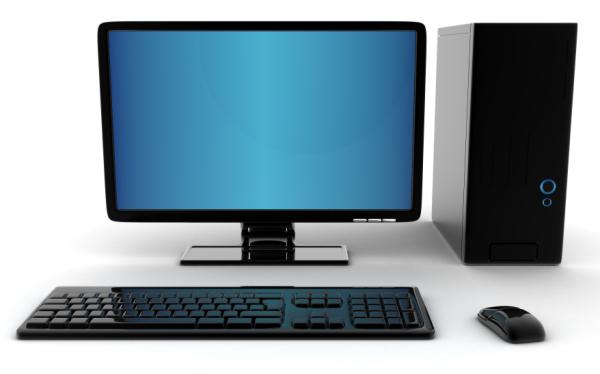
Why You Should Purchase A Desktop Computer
While you are shopping around, it’s important to keep in mind some of the benefits of owning different computers. To that end, this article provides five important reasons to purchase desktop computers.
Desktop computers are typically much more affordable than notebook computers. With notebooks, you are paying more for the convenience of portability. For as little as $299.00, desktop computers can be purchased from one of the leading manufacturers and a notebook computer for as little as $499.00.
Unlike notebook computers, replacing a keyboard, mouse, speakers, or even a monitor does not require having your computer serviced by a professional repair shop.
Because notebook computers have everything built-in, including the aforementioned features, it is more difficult to replace a keyboard or monitor than desktop computers, which operate on external connections.
In the event of an unlawful entry into your home, desktop computers are not as likely to be stolen because of their weight and bulk. Notebook computers, on the other hand, are small and portable.
This, alone, makes them more appealing to a thief than desktop computers.
Desktop computers are stationary by nature. Unlike a notebook computer, which can easily be moved from room to room, they are less likely to be dropped or broken because they are not moved as often.
The vents on desktop computers are located on the back of the tower, which allows for proper ventilation to prevent the computer from overheating.
On the other hand, notebook computers feature only one vent on the back with the remaining underneath the base. If placed on a table, the air vents can become blocked, and the computer may overheat.
If prolonged use leads to overheating, damage may result.
When choosing from the many desktop computers on the market, always make sure that you purchase from a manufacturer who has experience creating computers.
Even though they are more affordable than notebooks, desktop computers are not cheap. With an investment that involves several hundred dollars, you will want to consider the length of time the manufacturer has been in business, their reputation with customers and their warranty.
Additionally, when choosing any system, including desktop computers, always look at future upgrading potential. As you grow, you will want your computer to grow with you, and a part of that will include a slight upgrade from time to time.
This is the only way to get the best use of your desktop computers and make sure that your investment is one that lasts for years to come.
Conclusion
If you are contemplating if you should buy a Laptop or a Desktop computer, the reasons provided in this article will help you arrive on a decision.
This article will take you through the 7 great computer user tips and tricks for Windows users. Continue reading to know.
An Easy Performance Enhancement
If you’re using the NTFS filing protocol on your system, instead of FAT32, you can get a bit more speed by disabling Windows® Indexing. The downside to this is that searching your drive for a specific file might take a moment or two longer, but everything else should run faster.
To disable this feature open My Computer and then right-click on the drive you wish to reset – usually C-drive. Now click on Properties and then uncheck “Allow Indexing Service.”
It will take Windows a few moments to accomplish this task, based on your processor speed. If you have other hard drives, perform the same process for them.
After this is done, it’s a good idea to empty the Recycle Bin and then Defragment your hard drive(s).
Free Software
If you have a system and it does not have an office suite, such as Microsoft Office, and you don’t want to pay several hundred dollars to have one, try Open Office.
This is a great alternative to other suites, and it’s free! Simply direct your browser to www.openoffice.org and follow the instructions for downloading and installation.
Make no mistake; this free office suite is a compelling set of software tools – easily a match for any competitor.
Internet Explorer (Microsoft’s Internet browser) is unarguably the standard in computers. This is why hackers develop so many malware applications to invade it.
If you use a different browser, you have much less chance of an invasion by malicious software. There is a great alternative available, and it’s free. You can download a copy of Firefox at www.mozilla.org/products/firefox.
You can even move your Internet Explorer settings into Firefox automatically – so you don’t lose your Favorites, etc.
Laptop Printer Fix
If you’re using a laptop that is running Windows ME, and you’re having trouble printing through the USB, try this simple fix. Go to the website for the company that manufactures your printer.
If you use a Hewlett-Packard, for example, go to www.HP.com and download the appropriate drivers and install them.
ME has drivers that recognize the USB printer is present and attached, but not the drivers needed to make it print. Which drivers you download and install will be dependant on your printer.
After installing new drivers, update the printer as necessary in the Control Panel.
Save $$$ When Shopping On-line
If you’re making a purchase on-line, and you know the item you want to buy, you can easily compare pricing all across the Internet. This can amount to a very substantial savings.
At this writing, I went to www.mysimon.com and typed in that I wanted to buy a printer: a Canon PIXMA iP4000. The service instantly checked the Internet and returned prices ranging from $62.00 up to $286.00.
This kind of price spread is not at all unusual, especially for computers and electronics.
The My Simon website service only checks to price; it does not provide a platform for purchasing anything, though it does link to such places. It also gives a rating for the sellers and other users’ input regarding their experiences with the company.
You can order the search results for your product by price so that you can quickly find the lowest price from the highest rated dealer.
Windows XP Professional Only
A feature of Windows XP Professional that is not available in the Home Edition is the ability to encrypt files. This encryption prevents others from opening the files in the folder you encrypt.
To encrypt one or more a folders, follow these easy steps.
Click Start, then My Documents. Now locate the folder you wish to encrypt and right-click on it and choose Properties.
On the General tab, click on Advanced. Put a tick mark in the box for Encrypt Contents to Secure Data. Click okay two times and the confirmation dialogue box will appear allowing you to select the folder, the folder and all files, and/or the subfolders within it.
Now you’ll be able to place files in this folder (or folders) and since they’re encrypted, others will not be able to access them.
Internet Safety
It would help if you never reveal your username or password to anyone who e-mails you and asks for it. This information is frequently asked for by an Internet scheme called “phishing.”
In a common phishing scam, you receive an e-mail that looks quite official. It usually appears to come from a bank or credit card company.
A common title for these e-mails is “We need to verify your account information.” Another is “Please login to your account and verify your settings.”
If you click where instructed, you’ll end up on a site that appears to be the real one. If you fill in the username and password for your online banking account, you can expect serious problems within twenty-four hours.
If you believe that a company or business you do on-line business with really requires your information, then contact them. This way, you will know where you are sending your information, and what it will be used for.
CD Burning Error Fix
Burning music, video, and data CDs have become quite popular over the past few years, and the evolution of the supporting technology has yielded hardware and software that is better than ever – and very reasonably priced.
CDs offer a great place to store substantial amounts of data in a small, easily retained format. They also give us new control over aspects of our entertainment.
A relatively common error received during CD burning informs you that the CD cannot be burned or an error during burning. Of course, you could actually have a defective CD drive, but this is usually not the case.
If you receive a message indicating that your CD cannot be burned, go to the website of your CD drive manufacturer.
Look for the list of CD types (manufacturers/numbers) that are compatible with your device. Most often, you’ll find that your CDs are not listed.
The two types that seem to have the least difficulty being burned are manufactured by Sony and TDK. These cost a bit more, but they burn very reliably.
Along the same lines – H-P has introduced a new CD burner. This new burner requires the use of special CD blanks, but after you burn your data into the CD, you can flip it over and close the drive again.
Then you can use the laser to burn a title for the CD directly onto the CD itself. It’s a new technology, but perhaps it will catch on, and we’ll see newer, better such devices soon.
Conclusion
We all want to be that tech-savvy in our place of stay. There are some tips and tricks even if you are not a tech savvy it should be on your finger tips.