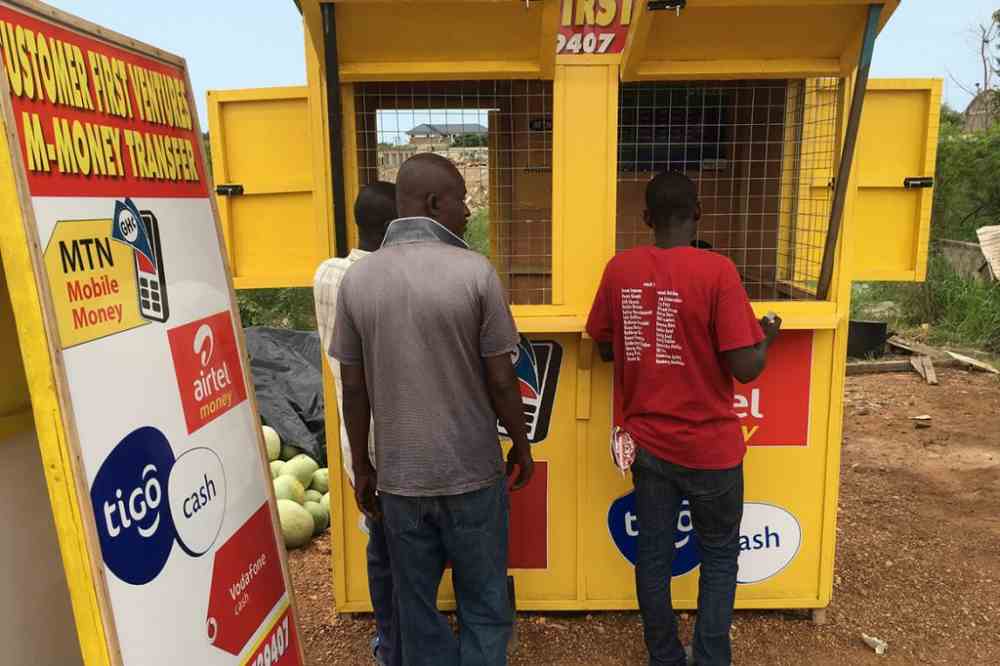
Category: MTN

2251

  • How to withdraw MTN Mobile Money with token

    How to withdraw MTN Mobile Money with token

    If you have an MTN mobile money account, then you know that you can deposit and withdraw cash from the comfort of your home, using your mobile phone and an MTN token.

    With this token, you caģ6Q0q of an MTN partner bank, anywhere in the country. It’s really convenient if you don’t have to drive far to get to the nearest branch.

    What is a token?

    A token is an electronic device that generates one-time passwords for users when they log into their account. They are used in two-factor authentication, which means you’ll need your password and the token to get into your account.

    What is mobile money token?

    Mobile money token is the PIN/password for your mobile money account. It is used to authenticate withdrawal of funds from an account and can only be used on the same network.

    How to withdraw MTN Mobile Money with token

    MTN Mobile money token can be used for withdrawal in two ways. One from any MoMo vendor and one from an ATM. A person sending you money from his MTN MoMo can convert the money into token mostly when you are sending money to someone who doesn’t have mobile money. This method is very rare.

    The other way is generating token at an ATM point in order to the able to make MoMo withdrawal using an ATM machine.

    How to withdraw MTN Mobile Money with token from a MoMo vendor

    To withdraw money from MTN MoMo using token,

    1. Receive a 4 digit PIN from the sender who has generated the money into a token from. The 4 digit PIN the sender will send you is what we call as token.
    2. Now that you have the PIN, walke to any available MoMo vendor and made it known that you are making MoMo withdrawal with a token.
    3. The vendor will then collect the token, which is the 4 digit PIN from you and use it to make the withdrawal.
    4. Within some short possible time, if your token PIN is correct, you will be given your money in cash.

    How to withdraw MTN Mobile Money with token from an ATM

    1. Visit the nearest bank that has an ATM Machine that supports Cashless withdrawal.
    2. On your mobile phone, dial *170#
    3. Select Financial Service
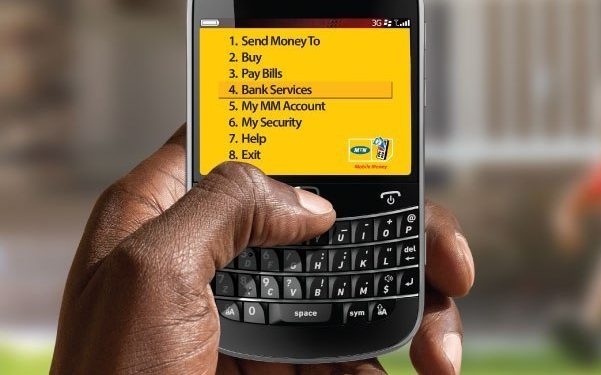
    4. Choose Bank Service
    5. Choose 3/ ATM CashOut
    6. Type 1 to generate Token
    7. Enter your Four Digit Secret Code
    8. Enter the Amount you want to withdraw
    9. You will receive a pop-up prompt asking you to confirm the transaction with your Mobile Money PIN.
    10. After confirming, you will receive a message with your Mobile money token.
    11. Now on the ATM, select Cardless Withdrawal
    12. Select MTN Mobile Money
    13. Type in the Token Code
    14. Now enter your Momo PIN
    15. Enter Amount to receive your money

    What can I use MTN Mobile Money for?

    Mobile Money can be used to send and receive money, top up MTN airtime, pay for bills (DStv, ECG, and MTN Post Paid Bills), buy life insurance, pay airline tickets, pay insurance premiums as well as pay for goods and services. 

    What can I use MTN Mobile Money for?

    Mobile Money can be used to send and receive money, top up MTN airtime, pay for bills (DStv, ECG, and MTN Post Paid Bills), buy life insurance, pay airline tickets, pay insurance premiums as well as pay for goods and services. 

    Who can use the Mobile Money Service?

    The Mobile Money service is available to all MTN customers. Non-MTN users can also use the service to receive money transfers from registered Mobile Money customers.

    Can I use my Mobile Money wallet outside of Ghana?

    Yes. The Mobile Money service works on roaming. However, you may be charged for the SMS traffic by the host network at International Roaming rates.       

    How to register for MTN Mobile Money

    1. Grab a valid photo ID (voter ID, Driver’s License, Passport, NHIS, National
    2. Go to the nearest MTN Mobile Money Merchant.
    3. Complete registration booklet and ask for a copy.
    4. You will receive a prompt or SMS after the Merchant has successfully capture your details.   
    5. Go to “My MTN” on your mobile phone and Select “Mobile Money”
    6. Select “register” and enter your Photo ID type and number
    7. Select and repeat your Mobile Money PIN (4digits)
    8. You will receive a welcome message on your phone keep this Mobile Money PIN confidential

    Conclusion

    Don’t get confused when you are sent a 4 digit PIN as money. Following the steps above, you will be able to successfully receive your money with ease.

  • Code for MTN Mashup and how to enjoy

    Code for MTN Mashup and how to enjoy

    The MTN deals available on mobile phones are some of the best deals around and makes it possible for you to get some good deals without spending your entire life savings on it.

    If you are willing to spend less money on credit but do longer calls, text and browse the internet, then you have to take advantage of the MTN Mashup.

    What is MTN Mashup

    MTN Mashup is a service from MTN Ghana that allows their customers to enjoy low-cost calls, free SMS and also browse the internet for less.

    What is the code for MTN Mashup

    To enjoy the MTN mashup, you need to be a customer of the mobile telecom and you must also know the code for the mashup service. The code for MTN Mashup is *567#.

    What are the packages for MTN Mashup

    1. With the daily plan which cost GHS 1 for the least, you get to choose between 25 minutes talk time and 25MB of data, 20 minutes talk time and 30MB of data, 15 minutes talk time and 35MB of data or 50MB of data only. You also get to browse WhatsApp for free and also access Wikipedia for free.
    2. With the weekly plan which cost GHS 5 for the least, you get to choose between 125 minutes talk time and 125MB of data, 100 minutes talk time and 150MB of data, 50 minutes talk time and 200MB of data or 250MB of data only. You also get to browse WhatsApp, Facebook and twitter for free and also access Wikipedia for free.
    3. With the monthly plan which cost GHS 10 for the least, you get to choose between 250 minutes talk time and 250MB of data, 200minutes talk time and 300MB of data, 150 minutes talk time and 350MB of data or 500MB of data only. You also get to browse WhatsApp, Facebook and Twitter for free and also access Wikipedia for free.

    How to subscribe to MTN Mashup

    1. Dial *567#
    2. Select option 1 (proceed to buy bundle)
    3. You will be asked to choose whether you are doing the bundle for yourself or for others.
    4. If you are doing it for yourself, choose option 1
    5. Now, all the available Mashup will be provided to you to choose from.
    6. Choose the best option you want to subscribe to.
    7. Activate and make payment with your airtime or MoMo and enjoy.
    8. If you want to do it for others, you choose option 2 and insert the recipient phone number when you get to STEP 4.

    How to check your MTN Mashup balance

    1. Dial *567#
    2. Select option 99
    3. Select option 6
    4. MTN Ghana will send you an SMS containing your Mashup balance.

    How to deactivate MTN Mashup

    You might be no longer interested in the MTN Mashup service and you want to deactivate it so you move to a different service. To deactivate the MTN Mashup, send “STOP” through SMS to 567.

    Does MTN Mashup expire?

    Before activating, you will be asked to choose between days, weeks, or months. If the said time reaches and you are not done with your talk time or data, the service will expire and you will have to do a new one so it is advisable to choose a service you can be able to use before the said time reaches.

    Conclusion

    MTN Mashup is a great offer from MTN Ghana to their customers to enjoy talk time and data in diverse ways. Follow the procedures above to subscribe if you want to enjoy any of the mashup offers.

  • How to Claim MTN Ayo Insurance

    How to Claim MTN Ayo Insurance

    MTN Ayo is an insurance service which has been launched in Ghana by MTN Ghana. It is one of the many insurance services being offered in Ghana by the telecom company.

    It gives customers the opportunity to purchase affordable insurance that protects their loved ones from unexpected happenings such as injury, death or accident that would render them incapable of working thus adding financial stress to their families.

    With MTN Ayo, you can be sure that you have the security of knowing that even if your mobile phone gets stolen, you can claim for it to be replaced with another brand-new mobile phone at no extra cost.

    However, many people are still unaware of how the process works, who is eligible and how they can be able to take advantage of this service.

    This article explains how to claim MTN Ayo insurance in Ghana without experiencing any difficulty or stress in the process.

    Overview of MTN Ayo

    MTN is a telecommunication company that has partnered with the National Insurance Board to offer a new health and wellness program called MTN Ayo.

    The program is aimed at helping people live healthier and more productive lives by providing various services such as medical insurance, hospital care, life insurance, and other healthcare services.

    Eligibility

    To be eligible for the MTN Ayo insurance program, you must be a citizen of Ghana with an active MTN phone number.

    How Ayo insurance is deducted

    If you subscribe to Ayo insurance, you will be charged 5% whenever you are sending money to your loved ones from you MoMO balance. It will not be an automatic deduction but rather, you will choose the Send with care method for the deduction.

    How to claim your MTN Ayo insurance

    MTN Ayo can be claimed in different ways depending on the claim that was submitted. Using the USSD method or making your claim online.

    How to make a claim using the USSD method

    1. On your phone, dial *296#
    2. Provide the necessary details in the next popup.
    3. Now, provide the evidence of the claim you are making (death, hospital, property loss, etc.)
    4. The document must be sent via WhatsApp since it can’t be sent through USSD.
    5. The number to send your document is 0555948648.
    6. After providing everything, you wait for your application to be reviewed and if you qualify for a claim, the money will be sent to your MTN MoMo.

    How to make a claim online

    1. Visit ayo.com.gh
    2. On the homepage, locate the three horizontal lines at the left top corner and click on it
    3. Select initiate a claim
    4. Now, select the type of initiate you want. Either for yourself or for a loved one.
    5. After selecting, you then login using your MTN number.
    6. If you don’t have a login detail yet, then you click on no username and pin.
    7. Provide your name and all the needed information to complete your process.
    8. Submit the evidence of the claim you are making (death, hospital, property loss, etc.) in a PDF or image form.
    9. Your application will be reviewed after submission and if you qualify for a claim, the needed money will be disbursed int your MoMo.

    Is MTN Ayo real?

    Yes. MTN Ayo is real. MTN Ayo is a line of life and non-life insurance products that was established with the aim of giving affordable, quality and tailored protection for individual and families.

    Conclusion

    At the end of the day, it is important that you have some form of life insurance. This will help your loved ones with finances if you were to pass away unexpectedly.

    We all want the comfort of knowing that our family will be taken care of if anything were to happen. So make sure you take advantage of this opportunity and get yourself insured.

  • MTN Pick & Pay Later Phones and Prices in Ghana

    MTN Pick & Pay Later Phones and Prices in Ghana

    To enable every Ghanaian to utilize the most recent Samsung Galaxy phones, MTN Ghana launched the “Pick and Pay Later” service in collaboration with Samsung Ghana and Ecobank Ghana Limited.

    With M-Pick KOPA’s Pay Later program, users have the option of purchasing cell phones and paying for them over time in installments. To purchase an M-KOPA gadget, a consumer must have an active mobile money account.

    According to Samsung Ghana regulations, a customer may buy any of the Samsung Galaxy phones and then pay in installments over a period of 6 or 12 months.

    With this deal, a typical Ghanaian may buy the Samsung smartphone of their choice and pay in installments for as little as GHS 38.00 over a period of 6 to 12 months, along with a complimentary MTN Data Bundle for a duration of 6 months.

    Samsung MTN collaboration

    The “Pick and Pay Later” service was introduced by MTN Ghana in collaboration with Samsung and Ecobank Ghana with the goal of enabling MTN and Ecobank customers to own the Samsung phone of their choice and pay in installments through Ecobank.

     The “Pick and Pay Later” program, to put it briefly, enables users of MTN Ghana and Ecobank to buy specific Samsung gadgets and pay over time.

    MTN picks and pay later phones and prices in Ghana

    PhonePrice
    Samsung S20GHS 4999
    Samsung S20+GHS 5499
    Samsung S20 UltraGHS 6999
    Samsung A20GHS 899
    Samsung A2 CoreGHS 380
    Samsung A10GHS 699
    Samsung Galaxy Note 10+GHS 6199
    Infinix S4GHS 699
    Ipro Amber 5SGHS 275

    How to buy a phone and pay later with MTN Pick and Pay

    To be onboarded, the customer goes to certain MTN service facilities or designated M-KOPA outlets.

    Customer information (customer name, ID, phone number, and alternate number) is collected and validated during the onboarding process.

    Following successful verification, the sales professional assists the customer in launching the M-KOPA App on the designated device and logging in to their account.

    The initial deposit made by the customer varies depending on the type of gadget and the initial installment.

    According to the customer’s selected payment schedule, further payments can be made via MoMo on a daily, weekly, or monthly basis by dialing USSD *718*287#.

    In the event of default, the user will have the opportunity to pay using mobile money to unlock the device temporarily.

    Conclusion

    That is it! We hope this piece aid you to purchase the right phone. Thanks for reading and please share this post.

  • All MTN Short codes for Free Calls in Ghana

    All MTN Short codes for Free Calls in Ghana

    Overtaking rivals including Vodafone Ghana, Airteltigo, and Glo Ghana, MTN Ghana has been the country’s top telecom network.

    Because of their numerous offers and promotions that draw users in, they have grown to be the most popular network in Ghana for a variety of factors.

    These promotions include Pay 4 Me, No Expiry Data Bundles, MTN Jaara, MTN Free After One, and many others.

    Ghana’s telecom sector, like that in many other nations, is always striving to provide top-notch services to its customers. Among the greatest network providers in the nation is MTN Ghana.

    The company’s success is linked to its ongoing attempts to satisfy customers needs. Customers have access to a wide range of options that have been tailored to their needs. So there are many shortcodes.

    It is common to forget some of the services that MTN Ghana provides because there are so many of them. To access MTN shortcodes whenever you want, you can bookmark this page.

    MTN Short codes for Free Calls in Ghana

    MTN Magic number

    As a new MTN subscriber you enabled to subscribe to the MTN magic with a special number where you will be allowed to make free calls for as long as you want for 6 months. If your new sim has been used for nore than 6 months, then you are no more eligible. To activate,

    1. Dial *550#
    2. Select option 8(more)
    3. Choose option 2 (magic number)
    4. Enter 1 (MTN free call offer)
    5. Enter the phone number you want to use for subscription
    6. Press send the number will be activated.

    MTN free after 1

    MTN Free After 1, popularly known as MTN Nkomode allows MTN users to pay for only the first minute of their call and the rest is free for the next hour. To activate,

    1. Dial  *550#
    2. Select Option 6: (Free After 1)
    3. After that, Select Option 1: (Activate)
    4. Finally, Select Option 1 once again to confirm.

    MTN Mashup

    With MTN Mashup, you are given minutes to talk whenever you subscribe to a package. You will also be given data bundle to browse the Internet without any hassle. To subscribe,

    1. Dial *567#
    2. Choose option 1 (Mashup for self)
    3. Choose from the prices based on package you want.
    4. Enter amount.
    5. Click Send to continue.

    Other MTN Shortcodes

    ShortcodesDescription
    *124#Balance Inquiry. Check your credit balance
    *134*PIN#Reloading Airtime   
    *138#Internet Bundles and SMS bundles
    *1390#Reserve your number
    *144*airtime receiver number*voucher number#Recharge airtime for someone
    *156#Check your MTN mobile number
    *170#MTN mobile money code
    *175#Code to See and deactivate all MTN subscriptions
    *198#  MTN Me2 u
    *198>Transfer>receiver number>Amount>Decimal>PinShare Credit
    *296#MTN aYo recharge with care
    *300*20#Get jokes from MTN
    *315#  MTN Free After 1 (MTN Nkomode)
    *400#Know your sim card details
    *5050#  MTN Sunday Special
    *5055#MTN Jaara
    *506#  To borrow Some Credit
    *511#Generate Mobile Money ATM token
    *545#Check data usage
    *550#MTN Free Call 6 months(MTN Akwaaba)
    *567#  MTN Pulse
    *585#MTN internet settings shortcode
    *595# 
    *138#Internet Bundles, SMS bundles
    *138*1*1#Internet daily bundle. From 20MB – 350MB
    *138*1*3#Internet monthly bundle. From 300MB – 10GB
    *138*1*5#Internet social bundle. For Accessing Twitter, Facebook, and WhatsApp only.
    *138*1*4#Internet unlimited bundle
    *138*1*2#Internet weekly bundle. From 25MB – 500MB
    30037MTN Farm Direct. Access the best farming tips.
    *5055#MTN Jara
    *567*4#MTN Mashup Balance
    *170#MTN mobile money access code and portal
    154[0244000000]MTN pay for me. Dial 154 followed by a number without space. This will make the recipient of the call pay for the call.
    *567#MTN Pulse
    1303MTN Radio

    Conclusion

    Call MTN directly at their customer service number, 100, if you have any more questions. Please let us know in the comment area if there are any shortcodes that are missing from the list above.

  • How To Make Free Calls On MTN Ghana For 6 Months

    How To Make Free Calls On MTN Ghana For 6 Months

    With over 18.83 million subscribers, MTN Ghana is one of the most popular telcos in Ghana.

    You will agree with me that when it comes to the best internet connection in Ghana MTN Ghana is the best.

    Ghanaians are in love with the telco because it provides affordable offers which any person whether rich or poor can afford.

    Starting with MTN free after one which allows you to pay for the first call and then the rest of the call will be free, besides, MTN also gives you free 50MB to be used for the day.

    When it comes to MTN mobile money, after making transactions using your mobile money, MTN also pays you interest every three months on the money you have spent yourself. Isn’t it mind-blowing?
    So now when I say MTN is the most used network in Ghana here I hope you now know why?

    Well, there are a lot of offers that this telco provides for its users but today we are going to talk about the one that is my favourite and makes me fall in love with this telco.

    Do you know you can make free calls on MTN for six good months?
    Yes, you heard me right, six good solid months. In this article, I am going to take you through how to make free calls for six months using an MTN sim card.

    Before teaching you the steps on how to make free calls on MTN Ghana…

    Who Is Eligible For This Offer?

    MTN purposely made this offer to welcome new sim card users. So the people who are eligible for this offer are people that have started using the MTN sim card and it is not more than three months old.

    How To Activate MTN Free 6 Months Call Offer

    1. On your MTN sim card dial *550#
    2. Select 1: MTN Free Call Offer
    3. Now type in your special MTN number
    4. Within minutes you will receive an SMS from MTN telling you that you have activated the 6 months call and then you will see the date it is going to expire.
    5. Call your special number to enjoy the offer

    Can You Call Any Number For Free After Activating The MTN Free Call Offer?

    No, you cant call any number for free. This offer allows you to use one MTN number that you can call for free for 6 months.

    How Many Minutes Or Hours Can You Call This Special Person After Activating This Offer?

    You can call this special person as many as you want (even if you can make a longer call with that person, you can call that person right after activating and start talking for six months, the call is not going to hang up if your battery or the person’s battery doesn’t die).

    Final Words

    I use a 2 sim phone so I always get an additional MTN sim every 6 months and keep enjoying the offer.

    Aside from all these offers, MTN is giving its customers, one of them which is my favourite is the MTN 6 months free call, in this article we went through how to activate this offer and answered all the questions about the MTN 6 months free call offer.

  • How to Backup and Restore Your Contacts on MTN SIM Card

    How to Backup and Restore Your Contacts on MTN SIM Card

    On the MTN Backup Service platform, customers may save (backup) and recover their phone and SIM contacts. These services provided by MTN enable each user to randomly back-up and restore their contact anytime they want.

    Once you sign up for the MTN Backup service, all of your contacts saved on your SIM and phone will be transferred to your MTN online account.

    These contacts remain safe, so the excuse “I’m sorry, I lost your contact” will no longer be an acceptable defense.

    You can retrieve all the contacts and SMS backup on the MTN backup service, which is amazing since anything might go wrong with your phone or SIM, including theft or damage, and you receive a new mobile device.

    The MTN service provider also bi-weekly (every two weeks) automatically backs up all of its subscribers’ contacts in the belief that a person should update his or her contact list at least once every two weeks.

    This, in my opinion, is a great technology. All MTN subscribers can backup up to 200 SIM cards and up to 5000 mobile phone contacts, respectively. 

    Methods for signing up for MTN backup service

    If you have been ignoring the SMS from MTN that asks you if you want to back up your contacts, no problem. However, if you decide that you now want to back up your SIM and phone contacts, I will give you two ways to achieve so. There are essentially two methods for signing up for the service.

    1. Access your SMS menu.
    2. compose a text message with Start in it.
    3. submit it to 307
    4. patiently await an answer from the MTN online account service
    5. On your phone
    6. Access your menu
    7. Decide on MTN Service.
    8. Decide on MTN Backup

    Then watch for a reply message. If you’re still having trouble, call the MTN online customer assistance center at (181) or (18O).

    NOTE: It is important to keep in mind that any type of mobile device may be registered with the MTN backup service, including SMS and Contacts, with the exception of Windows OS users, who can only back up their contacts.

    Restoring a backup contact

    Typically, after you register, you’ll receive an SMS with a piece of login information that includes your username and password, allowing you to access your backup contact.

    You’ll need to enter your login information to log in. You can utilize the Don’t have an account yet or the Forgot your Password options if you accidentally did not get them or are likely to have forgotten them.

    What is the cost of MTN’s backup service?

    The MTN backup service has a fee; at the time of registration, you will be charged GHS 5, and then GHS 2 every two weeks. This price is charged regardless of how many contacts you back up, that is, each time MTN updates the backup service.

    Can I ask MTN to stop providing backups for my contact?

    You can stop using the MTN backup service at any time you choose by sending an SMS with the word STOP or UNSUB to 307. The service is not required.

    Conclusion

    That is all about How to back up and restore your contacts on MTN SIM Card. We hope this post helps you to back up and restore your contact.

  • How to Stop Auto Renewal of Data on MTN, Vodafone, Airteltigo and Glo

    How to Stop Auto Renewal of Data on MTN, Vodafone, Airteltigo and Glo

    In this tutorial, I will be discussing how to stop auto renewal of data in your MTN, Vodafone, Airteltigo and Glo lines so that you can continue using the services without having to renew the data every time it finishes. This process will work on all platforms; iOS and Android.

    Data auto renewal

    Some phone networks offer auto-renewal for data packages. This means that when you purchase a data package for your phone, it will automatically renew at the end of your billing cycle if you don’t make any changes to your plan.

    This might be useful for some people who are very busy and forget about their data plans. For others, this can be an expensive mistake as they fail to turn off auto-renewal before their original package expires.

    Why you want to stop data auto renewal

    Data is expensive in Ghana and it’s easy for the auto renewal system for data plans to rack up costs. You may not want auto renewal your data because its not everyday you will have money for that.

    But the problem is that, most people don’t know how to stop this from happening.

    How to stop data auto renewal on MTN Ghana

    You may have activated auto renewal data for a certain subscription and you now want to stop but finding it difficult to do so. Well, that’s not easy.

    To stop auto renewal data on MTN Ghana through SMS,

    1. Open your phone menu and tap on the messaging app.
    2. Now, on the message app, send STOP to 138.
    3. All your data auto renewal subscriptions will be cancelled.
    4. You can now buy your airtime without worrying about getting deducted when your data finishes.

    To stop auto renewal data on MTN Ghana through USSD code,

    1. On your dial pad, dial *175#.
    2. Select option one (My subscriptions).
    3. All services you have subscribed to will appear.
    4. Select all the MTN services you want to unsubscribe.
    5. Follow the prompts to cancel your MTN Subscriptions.

    How to stop data auto renewal on Vodafone Ghana

    There are two USSD code you can use to unsubscribe for Vodafone data auto renewal. One for direct data unsubscription and the other for all subscriptions on your phone.

    To directly unsubscribe from data auto renewal,

    1. On your keypad, dial *700*3#
    2. All your data subscriptions will unsubscribe.
    3. You can now buy your airtime and not worry about auto subscription.

    To unsubscribe from all subscriptions,

    1. Dial *463# and press send.
    2. Select option one (My subscriptions).
    3. Choose option one again (View subscriptions)
    4. All your Vodafone subscriptions will appear here. Now, you choose from the pop up the ones you want to unsubscribe.
    5. Follow the prompts to cancel your Vodafone subscriptions.

    How to stop data auto renewal on AirtelTigo Ghana

    To stop data auto renewal subscription on airteltigo Ghana,

    1. Dial *100# and press send.
    2. Select option four (Content Services)
    3. Select Deactivate subscriptions.
    4. A list of all your Airteltigo Subscriptions will appear. Now, select from the list the ones your want to unsubscribe.
    5. Follow the prompts to cancel your Airteltigo Subscriptions.

    How to stop data auto renewal on Glo Ghana

    To stop auto renewal data on Glo Ghana,

    1. Open your phone menu and tap on the messaging app.
    2. Now, on the message app, send CANCEL to 555 OR 127 and your data auto renewal subscriptions will be cancelled.
    3. You can now buy your airtime without worrying about getting deducted when your data finishes.

    Conclusion

    Auto renewal can be quite annoying especially when you are not ready to subscribe for it anymore. Its best to follow the steps above and stop all data auto renewal subscriptions on your phone.

  • 3 Ways To Report MTN Mobile Money Fraud Cases In Ghana

    3 Ways To Report MTN Mobile Money Fraud Cases In Ghana

    With MTN mobile money fraud counts speedily on the rise, the need to report such cases has become rather compulsory than a choice.

    As such, it is prudent for members of the general public to understand and know the various ways to report such cases without faltering.

    In this post, we take a good look at some 3 reliable ways of reporting an MTN Mobile Money Fraud case.

    Send an SMS To 1515

    Like any other emergency code you know, 1515 is MTN Mobile money’s emergency shortcode.

    For this option, kindly type all that happened, plus the phone number involved in the heist as well as the date and time of the incident. If there is some monetary harm caused to you in the process, state the amount involved and send this message to the shortcode 1515.

    Remember to send the message as soon as possible. The earlier, the better.

    Call MTN Call Centre

    The second way to report an MTN Mobile Money Fraud case is by calling the MTN call centre via 100. Like any other call to the call centre, you’ll have to choose your language, choose the service you wish to focus on.

    In this case, MTN Mobile Money. Then follow the prompt till you’re connected to an agent.

    When you’re finally connected to an agent, the following information may be required from you, so try and write them down:

    1. Your mobile money number
    2. Your name
    3. The number responsible for the Fraud
    4. The time of the incident

    And any other little detail.

    Be sure to say everything, as you know it about the incident as this would make MTN Ghana decide on how to deal with your case.

    Visit Any MTN Customer Care Office

    Finally, if you do not find any of the above two methods helpful, you should give this third and final method a try.

    A visit to any nearby MTN Ghana offices would give you the opportunity to meet a customer care representative in person.

    You could also show them the messages you received and all other transactions that have been done between yourself and the suspect.

    In addition to this, all other pieces of information in the first two methods still hold here as you shall be requested to provide that same information.

    Conclusion

    While it is important for us to not avail ourselves of some unscrupulous people to enrich themselves while we suffer in anguish, we should as well try as much as possible to report any suspected case of fraud. We cannot be responsible for any criminal’s riches. Stay safe and read our article on How To Identify Fake MTN Mobile Money Calls Or SMS.

  • MTN Free After 1: New Rules, Shortcode, How to Subscribe

    MTN Free After 1: New Rules, Shortcode, How to Subscribe

    To make Ghanaians feel at ease when using MTN and to provide them with amazing deals that they can’t resist, MTN has always been the preferred network in Ghana. As part of their packages to make the life of their customers comforting, they introduced the MTN Nkomode (Free After 1 Service).

    A closer look at the MTN free after 1 promo

    MTN Free After 1 is one of the most exciting packages from MTN. It allows all customers to enjoy free calls and texts after the first minute into your call. The service was introduced in 2018.

    With this service, you will be charged for only the first minute and the remaining talk time for the next hour next 10 minutes will be free. You also get 50MB to browse after the call.

    The free after 1 new rules

    There are terms and conditions attached to the service and as time goes on, it gets altered. With the new rules introduced, customers can now enjoy the free after 1 with all networks unlike the initials when it was only allowed for only MTN to MTN customers.

    Also, you can use your bonus which you acquired from the airtime you purchase to make calls to all networks.

    The new rule makes the service more open and customers can now enjoy talktime with their loved ones on other networks and in addition gets free 50MB to browse.

    How to enjoy the MTN free after 1 service / nkomode

    You enjoy free talktime for 1 hour 10 minutes to all network and you will be deducted only GHS0.30 for the first minute of your call. You also get 50MB data to browse the Internet. Your bonus can also be used to make calls to all networks.

    What is the shortcode for MTN free after 1 service / nkomode

    The shortcode for MTN free after 1 service which is also know as MTN Nkomode is *550#

    How To activate MTN free after 1 service

    1. Dial *550#
    2. Then, Select Option 6 (Free After 1).
    3. After that, Select Option 1 (Activate) to activate the service.
    4. Finally, Select Option 1 once again to confirm.
    5. Congrats! You have now subscribed to the MTN free after 1 service.

    NB: For the first minute of every call, you will be charged GHS 0.30, but the rest of the call is free once you successfully register for the free after 1 service.

    Conclusion

    The MTN free after 1 service or Nkomode gives you some goodies for a quick need. Subscribing will be worth it if you are someone who makes longer calls.