Category: MTN

2251

  • How to subscribe to all MTN Ghana Call Plans

    How to subscribe to all MTN Ghana Call Plans

    Subscribed to various MTN Ghana call plans and it always ends up being expensive or the plan doesn’t work as expected, there are so many options out there and its hard to know which one to go for.

    I have created this guide so you can subscribe to all MTN call plans at once with ease and not worry about anything else because I have done all the hard work for you.

    About MTN Ghana Call plans

    If you are living in Ghana and have an MTN Sim card, then there is a variety of call plans for you. From affordable options that enable you to call several countries on the continent for a minimal fee, to more expensive packages that offer discounts for international calls as well as unlimited calls to any network operator in Ghana.

    Why Should I subscribe to MTN Ghana Call plans?

    The best thing about subscribing to MTN Ghana’s call plans is that it gives you more value for your money.

    This can be good for those who do not always have time on their hands and need something quick, easy and simple without sacrificing functionality. It has been created with this idea in mind and will give you the best possible way of calling Ghana and other countries without any time wasted.

    MTN Ghana call plans and how to subscribe

    To subscribe for any MTN call plan, you just need the details of your chosen plan and the number you wish to associate with the plan.

    1.Mtn Just4U

    MTN customers can now get our entire selection of call plans from the comfort of their mobile phone with just one touch.

    With Just4U, you can pick and choose how you want your month’s talk time to be spent. Simply select any combination of voice and data bundles that suits your needs or combine them with global call bundles for increased value.

    1. Dial *141# now send
    2. Select the any of the offers you are willing to purchase (Price of packages ranges from Ghc 1.50p to 20.00
    3. Dial *5050# and send
    4. Once is successful, you will receive an SMS right away like always.

    2. MTN akwaaba

    1. Dial *550# and send
    2. Select Option 1
    3. Enter the preferred number you will be using and confirm it once again.
    4. Your application will be receive and you will receive an SMS shortly if its successful

    3. MTN Nkomode

    1. Dial *550# and send
    2. Select Option 6 (Free After 1)
    3. Select Option 1 to activate
    4. Confirm activation.
    5. After this process, you will receive an SMS indicating the status of your proposal.

    4. MTN Mashup

    1. Dial *567# and send
    2. Select Option 1 (Mashup for self)
    3. Select your preferred amount (from Ghc1.00 to 30.00)
    4. Proceed and complete the payment with Airtime or Momo

    5. MTN Pulse

    1. *567# and send
    2. Select Option 4 (Pulse Loyalty)
    3. Select your Preferred offer
    4. You will receive an SMS message that contains your discount voucher as well as days in which it is valid.

    6. MTN Jara

    MTN Jara is available to only prepaid customers in Volta, Oti, Upper East, Upper West, Bono, Bono East, Ahafo, Northern East and Savannah regions. You cannot access it if you are not in any of the above regions.

    1. Dial *550#
    2. Select option 3 (Jara).
    3. Select your preference and follow the remaining prompts till you are done

    7. IDD call bundles

    The IDD bundle is a call bundle that allows local MTN subscribers to make calls with individuals outside the country at reasonable and cost-saving prices. 

    1. Dial *138#
    2. Select option 1 (Proceed to buy bundle).
    3. Choose option 99 (More)
    4. Select option 6 (IDD Bundles)
    5. Now, choose option 1 (buy for self) or option 2 (buy for other number) depending on you.
    6. In the next popup, choose the type of offer you want and pay with airtime or MoMo.

    8. MTN Sunday special

    1. Dial *5050#.
    2. Select your Preferred option.
    3. i. Ghc 1.06p – 20MB,50mins and 10 SMS to all networks
    4. ii. Ghc 0.52p – 25mins & 10 SMS to all networks
    5. iii. Ghc 2.12p – 50MB, 120mins & 10 SMS to all networks
    6. Enter 9 to accept and proceed with payment.
    7. Once it’s successful, you will receive an SMS right away like always.

    Conclusion

    So there you have it. If you’re looking for cheaper phone plans, or one that fits your lifestyle needs.

    Even if you just want something new, MTN has what you need. All of the above options will give you exactly what you’re looking for.

  • MTN Midnight Data Bundles: Bundle Prices & How to subscribe

    MTN Midnight Data Bundles: Bundle Prices & How to subscribe

    We look at MTN Ghana’s Data Bundles, their prices and how to subscribe for yourself or a friend, either via airtime or Mobile Money.

    If you love working or staying online while midnight and if you need to stay connected with your family members who are far from you, MTN Midnight data bundles are the best way to go.

    With it, you can browse, chat, tweet and watch what you want at any time of the day at a very affordable price. In this article, we will be talking about MTN Midnight data bundle prices, how to subscribe and best available deals.

    About MTN Midnight data bundle

    An MTN midnight data bundle is an affordable monthly data bundle designed for the late-night browsing sessions. It’s priced affordably so you don’t feel guilty about reading your social media updates or catching up on emails.

    With a cheap option available, this data bundle is perfect for when you need internet access at night but don’t want to spend too much.

    How to subscribe to MTN Midnight data bundle using airtime

    1. Dial *138#
    2. Select Midnight Bundles (Option 2).
    3. Select Buy For Self (Option 1).
    4. Select Flexi (Option 1).
    5. Enter the preferred amount you want to purchase.
    6. Choose 1.
    7. Select Option 1 with Airtime.
    8. Confirm purchase.

    How to subscribe to MTN Midnight data bundle using MoMo

    You may want to subscribe for the midnight bundle at some point but may not be having airtime. You can save that stress of having to buy airtime before activating the bundle.

    You can directly pay for your midnight bundle directly from MTN mobile money wallet.

    1. Dial *138#
    2. Select Option 2 (Midnight Bundles).
    3. Select Option 1 (Buy For Self).
    4. Select Option 1 (Flexi).
    5. Enter the Preferred amount you want to purchase.
    6. Select Option 1.
    7. Choose Payment  (Select Option 2 with Mobile Money).
    8. Enter your Mobile Money Pin.
    9. Confirm Purchase.

    MTN Midnight data bundle prices

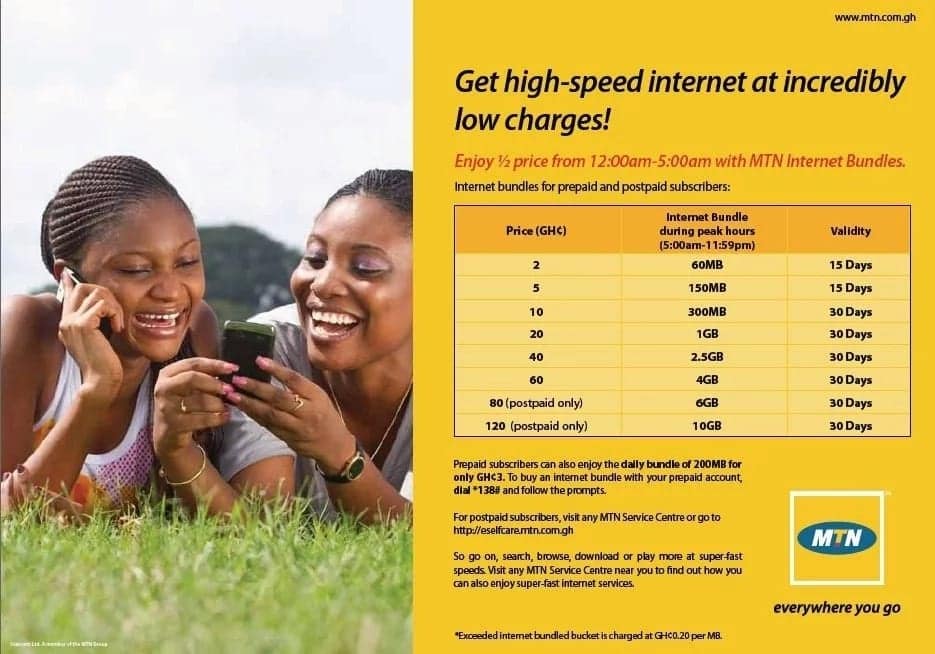
    MTN Midnight bundle prices ranges from as low as GHS0.01 to GHS2.99. Data bundle within this range can be purchased. However, if you want more than the said amount, you can purchase double within the amount range until you’ve gotten the gigabyte you want.

    Data bundle range starts from 29.15MB to 8.51GB, with 29.15MB for GHS0.01 and 8.51GB for GHS2.99. Any amount you buy has its designated bundle which will be allocated to you.

    How to purchase MTN Midnight data bundle for another MTN number

    1. Dial *138#
    2. Select Buy For Others (Option 2).
    3. Enter the receiver’s phone number
    4. Repeat Phone Number.
    5. Select Flexi (Option 1).
    6. Enter the amount you want to purchase.
    7. Select Buy (Option 1)
    8. Select Mode Of Payment (Airtime or Mobile Money).

    What time does MTN Midnight data bundle starts

    The name midnight means it starts from 12:00am.

    What time does MTN Midnight data bundle ends

    The MTN midnight data bundle ends at 5:00am.

    Can you use MTN Midnight data bundle during day time?

    No. MTN midnight data bundle cannot be used during day time and that is why the name midnight. Meaning, it is specially made for midnight when everyone is asleep and you have this big gigabyte file you want to download.

    Does MTN Midnight data bundle expires?

    MTN Midnight data bundle does not expire. It can be used every midnight so far as you have it purchased. During day time, it switches for you to use your normal data bundle and during midnight, you can then use your midnight bundle.

    Conclusion

    MTN Midnight data bundle is a great offer for mtn users who want to enjoy surfing the Internet without worrying about spending huge amount for it. With a less amount of money in your account, you can purchase a huge midnight bundle for your dealings.

  • How To Activate MTN Unlimited Data Plan Via FBB

    How To Activate MTN Unlimited Data Plan Via FBB

    The internet has perpetually become part of our lives. If not for work, then for entertainment, studies or business. There’s absolutely a reason for you to access the internet every single day.

    The only language which the internet understands is data. Data in the form of things you read, view and see on the internet and ultimately, the currency you use to access this information on the internet.

    There are well of a few tens of internet service providers in Ghana. It’s no doubt that internet cost seems to be on the high here. The service providers even make it worse by adding expiry dates to their data packages.

    This means that even when you struggle to buy their expensive data packages and you are unable to finish it within the given time frame, you tend to lose the remaining data altogether.

    In this article, we introduce you to how you can activate the unlimited MTN Data Package using the Fibre Broadband (FBB) service.

    What’s MTN FBB?

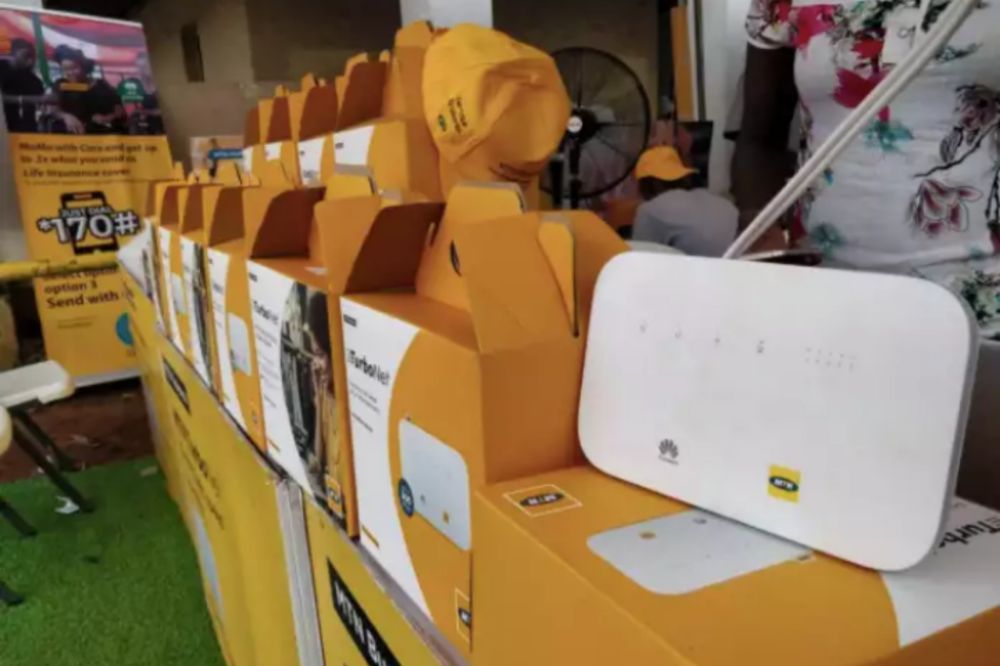
    MTN Fibre broadband is a fixed high-speed internet service provided for homes and offices.

    The FBB service enables users to stream videos, watch live shows, play games online and surf the internet at high speed of up to 60Mbs.

    The service is however available only in some parts of the country. You can check the coverage areas here.

    How It Works

    In order to have access to the MTN Fibre broadband service, you need to contact MTN to set you up through the following processes:

    1. MTN will extend a fibre optic cable from the nearest location to your office or home.
    2. They’ll then connect a router at your office or home (whichever you are installing the service at). Then they’ll link the device to the fibre optics.
    3. Next, they’ll configure your router for internet access.
    4. Finally, you can access the internet via Wifi or the cable.

    Fibre Broadband Data Packages

    The Fibre Broadband service provides two types of data packages for users. There’s the capped data packages and unlimited data packages.

    Unlimited data packages allow users to use as much data as they want within a specific time frame. This is mostly a monthly data package.

    The unlimited data package is however further sub-categorized based on speed. It starts from 2Mbs up to 60Mbs.

    The Capped data packages are normal data packages that come with a specific volume at a specific cost and last for as long as the user manages without an expiry.

    See below the data packages and their prices.

    CAPPED DATA PACKAGES
    VolumePrice
    6.22GB25
    10.36GB40
    46.64GB125 
    233.18GB250 
      

    Note: These are the special data packages. You can buy higher amounts by putting in your preferred amount to get its related data volume.

    UNLIMITED DATA PACKAGES
    VolumePrice (GHS)Speed
    Unlimited5932MBPS
    Unlimited9904 MBPS
    Unlimited1,4906MBPS
    Unlimited1,8338MBPS
    Unlimited1,98010MBPS
    Unlimited2,18012MBPS
    Unlimited2,58016 MBPS
    Unlimited3,07320 MBPS
    Unlimited6,44045 MBPS
    Unlimited8,27460 MBPS

    Conclusion

    MTN Fibre broadband is one of the fastest internet connectivity available in Ghana. It provides a speed of up to 60 MBPS.

    If you’re looking for a high-speed internet service which offers unlimited data packages, then you have MTN Fibre broadband to turn to.

    However, if your area is not covered by the Fibre broadband service, then you may want to consider the MTN Turbonet. It also provides a similar service except that it doesn’t have unlimited packages.

    If you have any questions, suggestions or comments regarding this article, kindly let us know in the comment box below or get in touch with us.

    Please, do well to also share this article with your friends and relatives.

  • How To Send Airtime From One MTN Number To Another

    How To Send Airtime From One MTN Number To Another

    Once upon a time, we either become so generous so as to want to share our airtime with other friends.

    At other times, we may have won the heart of someone who might have sent us some volume of airtime.

    The problem, however, lies in how to send airtime from our phones to that other number directly without the use of mobile money.

    Well, that shouldn’t be a problem anymore. This article has a solution to that problem.

    Just like the numerous MTN Shortcodes that are available for different services, we will guide you on the shortcode to send credit on MTN and the whole process.

    With MTN Me2U service in Ghana, sending airtime to your family and friends directly from your phone has just been made a lot easier.

    First, you need to register for the MTN Me2U service:

    How to Register For The MTN Me2U Service

    To be able to send airtime to anyone, using the Me2U service, you’ll need to register first. Follow these steps to register for MTN Me2U:

    1. Dial *198#
    2. Enter ‘1’ to activate
    3. Enter a new 4-digits pin
    4. Re-enter the 4-digits pin
    5. You’ll get feedback indicating that you’ve successfully registered for the service

    How to Transfer MTN Credit from MTN to MTN in Ghana

    After successfully registering for the MTN Me2U service, you can now transfer airtime to any number at all.

    Here is how to transfer airtime or send credit on MTN Ghana:

    1. Dial *198# again
    2. Select ‘2’ to transfer
    3. Enter the receiver’s number (The phone number of the one you’re sending to) and press enter.
    4. Enter the whole amount you wish to send to the person. (If you wish to send 15.50 cedis, only type 15 here).
    5. Enter the decimal value of the airtime you wish to send to the person. (As explained I’m the previous step, type the decimal value without the dot. I.e (50). If you write it with the dot, you’ll get an error notice).
    6. Enter your Me2U pin code.
    7. Press 1 to confirm the transaction.
    8. You should receive a message indicating the success of the transaction.

    Conclusion

    This service can only be used to share airtime from MTN number to MTN number and cannot be used to transfer airtime to any other network. Also, this service cannot be used to share data.

    This is definitely one of the kindest services MTN Ghana has provided for its customers and we should all be appreciative of this. We hope this article helps you resolve your challenge of sharing airtime with friends and family. Do not forget to share your thoughts.

  • MTN Call Barring: How To Activate And Deactivate | *31#

    MTN Call Barring: How To Activate And Deactivate | *31#

    The call barring service is one of the least used features of mobile SIM Cards.

    However, many people still rely on this feature for convenience, their security and privacy in general.

    Call barring is a feature of mobile telecommunications which enable users to restrict or limit some or all incoming calls or outgoing calls within certain jurisdictions or in totality.

    Call barring may be used by individuals seeking to only make outgoing calls on their phones without receiving calls or people looking to prevent some individuals from ever reaching them via calls.

    The service is available on all SIM Cards but require activation before it could work.

    In this article, we shall look at how to activate and deactivate the call barring service on your MTN Simcard.

    How To Activate Call Barring On Your MTN Simcard

    To barr all calls on your device, it is very easy.

    Dial *31# and instantly you’ll receive feedback confirming that your line has been restricted for making and receiving calls.

    How To Deactivate Call Barring On Your MTN SimCard

    If you wish to undo the restriction on your line, you can dial #31# to undo the earlier restriction.

    Once you undo the restrictions, you can make and receive all forms of calls on your device again.

    How To Activate Call Barring On Your Phone

    Aside from using the shortcode to activate call barring on your MTN Simcard, you can also activate the feature by browsing through various menus on your phone. This is usually used when the shortcode fails to work for you.

    1. Go to your dialed calls
    2. Go to call settings
    3. Select the simcard
    4. Go to Call Barring
    5. Select the kind of calls you want to barr
    6. If asked for code, Dial 0000
    7. You’ll get notified that your calls have been barred.

    How To Bar/Stop Incoming Calls Only

    If you wish to prevent people from calling you and make sure that only you can call other people, then you may be considering Barring your incoming calls.

    If that is what you’re looking at, then this heading is for you. Do well to read everything here.

    1. Go to your call logs.
    2. Go to call settings.
    3. Select your simcard
    4. Go to call divert
    5. Select ‘Divert All Voice Calls’
    6. Select ‘Activate’
    7. Select ‘To New Number’
    8. Enter a non-existing phone number. example: 054000002000
    9. Select ‘Okay’

    All your incoming calls would stop coming through right after activating the step.

    Conclusion

    Call barring services are okay for individuals hoping to use their devices without any distractions from voice calls. Especially those seeking to use their phones and sim cards for browsing and internet-related activities only.

    Once activated, your calls stop coming through or going out except you deactivate the option again.

    It is important that you are sure of what you want before you try to activate the call barring feature on your device.

    If you have any comments or questions regarding this, do not hesitate to get in touch.

  • MTN MoMo Airtime Reversal: How to Convert your Credit to Cash

    MTN MoMo Airtime Reversal: How to Convert your Credit to Cash

    Have we not all been there before? That moment when you mistakenly send airtime to someone as money. It has happened to me a couple of times, through which I have learnt my hard lessons.

    However, with the new set of rules that MTN has put in place on their popular Mobile Money Platform, such mistakes of sending money as airtime (credit) can easily be reversed.

    MTN recently announced that mobile money subscribers in Ghana can now reverse money transfers that are mistakenly sent as airtime. The minimum airtime that can be reversed is GHS 10.00. Any transactions below this amount cannot be reversed.

    The MTN Mobile money reversal allows you to convert airtime wrongly sent back into cash.
    The MTN Mobile money reversal allows you to convert airtime wrongly sent back into cash.

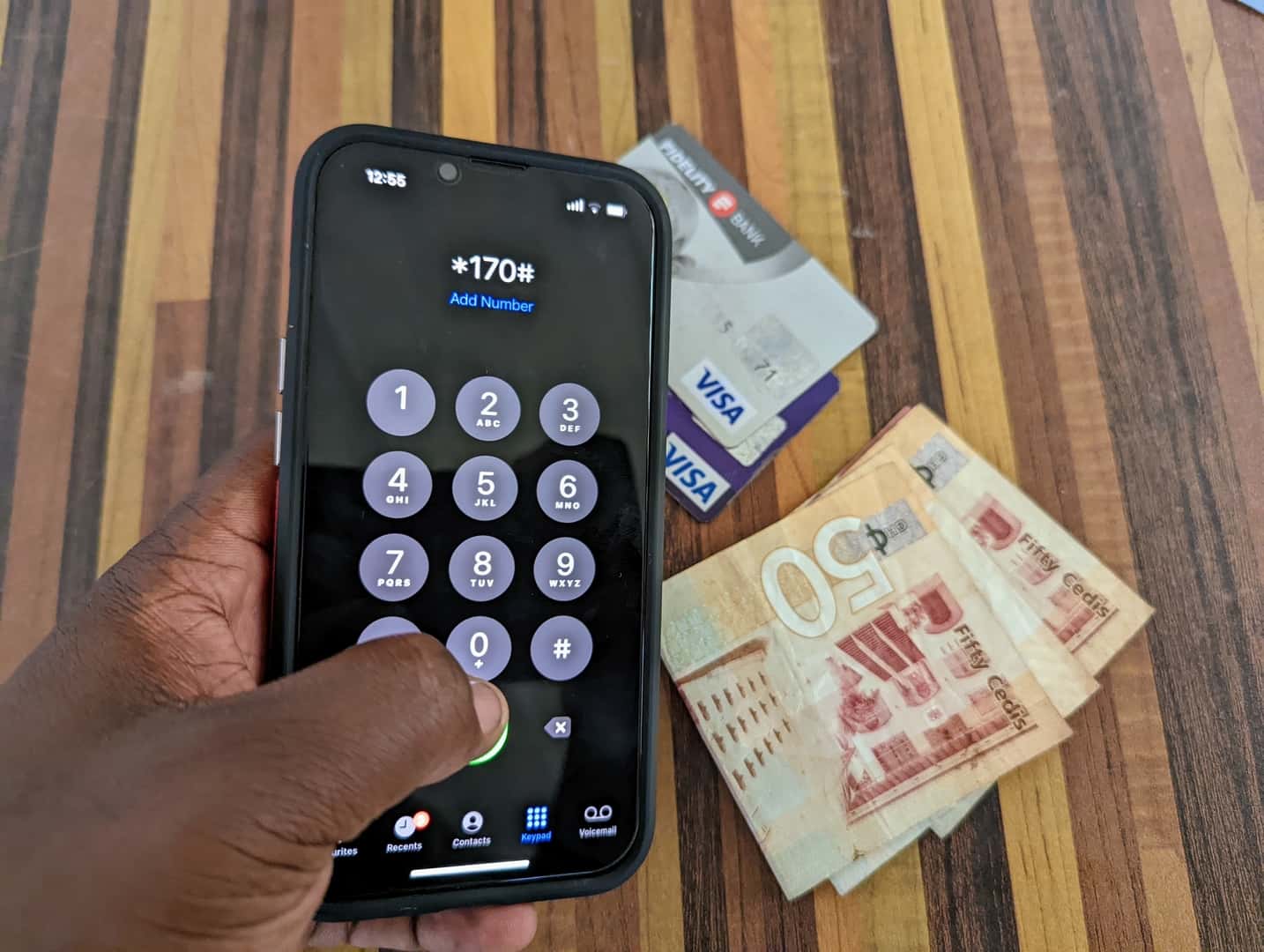
    The airtime reversal is currently available for only MoMo subscribers on the USSD menu – *170#.

    How to reverse MTN Mobile Money Transactions (Change Airtime back into cash)

    1. Dial *170#
    2. Enter 7 for Wallet
    3. Enter 5 for Airtime Reversal
    4. Enter 1 to confirm the reversal.

    A pop-up message will be sent to the receiver to approve reversal. You will receive an SMS to confirm the reversal after the receiver approves.

    However, to avoid abuse of the reversal system, MTN has put some terms and conditions in place. This will help prevent people from taking advantage of the system. Hopefully, it does. Read them below.

    The Credit reversal from MTN comes as a relief to millions of subscribers on Mobile Money

    Terms and Conditions for Reversing Airtime Transactions on MTN Mobile Money

    1. Reversals cover only airtime purchased from a MoMo subscriber’s wallet
    2. Reversals are initiated by the subscriber from their own wallets.
    3. Reversals from Merchant / Agent airtime purchase is not allowed.
    4. Minimum airtime to be reversed is GHS 10. Transactions below GHS 10 cannot be reversed.
    5. No partial reversal is allowed. The subscriber needs to ensure that the full value of airtime purchased and the bonus amount received is available before the reversal can be effected.
    6. In case some part of the bonus or main airtime has been used by the customer, the transaction cannot be reversed. The customer has the opportunity to top-up to ensure that the full amount is available to be able to reverse.
    7. The sender of the Airtime needs to contact the receiver to approve the reversal after initiating the reversal.
    8. Airtime reversal can only be done within 72 hours of performing the transaction.
    9. No reversal can be processed after 72 hours of purchase.
    10. Notification will be sent to both the sender and receiver upon completion of the reversal.

    Conclusion

    We hope that this is useful for when you mistakenly buy credit instead of transferring airtime. Remember never to use the bonus should you find yourself in such a situation.

    Always call the MTN Call centre number if you have issues.

  • How To Hide Your Phone Number When Making Calls On MTN

    How To Hide Your Phone Number When Making Calls On MTN

    MTN has a lot to offer its customers, talking of various low priced data bundles that do not expire and also low calling rates, one of them which is “MTN free after one”, allows you to make a call and only pay for the first minute — then the rest of the call will be free and aside from that MTN will dash you free 50MB to be used within that day.

    This makes MTN my favourite as they have the perfect bundles and call rate for each and everyone whether rich or poor.

    Have you ever received a call that when you check to find out who is calling you all that you can see is an unknown number?

    How do you feel receiving such a call? And when you pick the call to find out who that person is, how do you feel afterwards?

    I remember the first time I received such call, it was a friend of mine who called me and this guy was bragging on not being in this country and is using his new country number to call me that is why it is showing unknown number.

    Well at the beginning I believed him until I found out he has not travelled anywhere and is actually in this country and even in my city.

    I don’t know about you maybe you have received such call you have been wondering if it is possible to call someone and hide your number, the answer to your question is yes, you can do that on MTN.

    If you also want to make a call and then hide your number to prank your friends and loved ones then this article is for you as in this article I am going to guide you on how to make a call and hide your number using MTN,

    So without wasting much time lets get started.

    How To Hide Your Phone Number When Making Calls On MTN

    Now it is easy to hide and unhide your number when making calls, this service from MTN allows you to call someone with a service called MTN CLIR/SO. This offer costs GHS2 every month.

    To activate the Caller Hide ID on your MTN line, follow the steps below:

    1. Dial 1333
    2. Set a new pin code
    3. Confirm the pin code
    4. Create a new SMS and type clir<Space>activate<space>pin
    5. Send the to 1333
    6. The Caller Hide feature will be activated

    So After Activating How Do You Hide Your Number Before Making A Call?

    To hide your number dial *67 before a number to call to hide your number. Eg: *67024419419

    MTN regularly updates the processes for a lot of their services. Be sure to check out a list of their most recent shortcodes if the above does not work for you, or call customer care on 100.

    Conclusion

    MTN has made it easy to call someone and hide your number, there are a lot of reasons you would want to do that, maybe to tell somebody something and you don’t want that person to know your number also to prank your friends as stated earlier and many more.

    In this article, we went through how to hide and unhide your number when making calls using MTN.

  • How to add your Ghana Card to your MTN SIM/Number online

    How to add your Ghana Card to your MTN SIM/Number online

    A lot of MTN Customers have still not linked their SIM Cards with their Ghana Cards. With this tutorial, we will teach you the simplest method to add your Ghana Card details to your Voice and Data SIM as well as to your Turbonet SIM.

    MTN Ghana has already warned severally that they will block all unregistered SIM Cards by the end of this month. It is therefore important that we all add the cards to our number so we can continue to stay in touch with family and friends.

    First of all, you need to have a valid Ghana Card for this process to work for you. If you still have not applied or received your card, do well to follow up promptly.

    Ghanaians who have never applied can pay GHS 250 at the Premium Office to have the card done for them on the same day.

    The good thing about this method is that MTN Ghana has been encouraging subscribers to do it, hence we know that those who go through the method will not have their SIM Cards blocked.

    How to add your Ghana Card Details to your MTN Number

    Follow the steps below to link your Ghana Card and MTN SIM online:

    1. Visit the MTN Ghana SIM Registration Update portal – https://simregistrationportal.mtn.com.gh
    2. Agree to MTN’s Terms of Service and Privacy Policy
    3. Enter your MTN Number and press proceed. Eg: 055XXXXXXX or 024XXXXXXXXX
    4. Wait for MTN Ghana to send you the OTP Code (For a data SIM, eg Turbonet, provide an alternative number for OTP)
    5. Enter the OTP Code (6 digits numeric code sent via SMS)
    6. Check and update your first name(s), last, and Ghana Card number in the right format
    7. Click next and upload the front and back of your Ghana Card
    8. You’ll be presented with a summary of the information provided. Click confirm.
    9. Success. Your information is successfully received to link your Ghana Card and MTN SIM. You will receive an SMS after validation.

    Please keep in mind that the information provided on this portal will still need to be validated. It is only after that validation that your SIM will be considered “registered”.

    This means that you need to use the correct details to enable the SIM to be successfully registered.

    If you have any issues with this process, feel free to contact MTN Customer care on 100. We also have a list of beneficial MTN Ghana shortcodes you should definitely check out.

  • How to withdraw from MTN Mobile Money without Ghana Card

    How to withdraw from MTN Mobile Money without Ghana Card

    With the introduction of friction by way of presentation of ID Cards before MoMo transactions – withdrawals are especially affected, a lot of individuals have asked whether there are any workarounds for this.

    Especially now that the only ID card you can use to withdraw is the Ghana Card, you’ll need a workaround to withdraw your money if you don’t have the card.

    As with any change that heavily relies on human adherence rather than the tech side of things, hacks are possible.

    Today, I would like to talk about some ways that you can technically withdraw your MTN Mobile Money from your wallet if you don’t have a valid ID Card.

    Yes, there could be situations when you don’t have an ID Card at all for transactions, like me, when I misplaced my National Passport and my Ghana Card was not yet ready.

    First of all, it is important that the new presentation of ID cards directive has been put in place by MTN Ghana, in what they claim as a good way to fight the prevalence of MTN Mobile Money Fraud. Therefore, it is in your best interest to adhere to them.

    Again, this article is not to rubbish the efforts of MTN Ghana, but to lend a helping hand to those who might need it.

    Now, let’s look at how you can withdraw your cash via MTN Mobile Money if you have no valid ID Card.

    Withdraw your MoMo at an ATM

    Not a lot of people know that you can actually withdraw your Mobile Money at an Automated Teller Machine (ATM) here in Ghana once it supports cardless transactions and MTN MoMo.

    Some years back, only a few ATMs supported the feature. However, now, a lot more ATMs will allow you to withdraw your money in just a few steps.

    You simply need to generate a token from your Mobile Money account and use it for the withdrawal. Be sure to withdraw in multiples of GHS 10 since some ATMs are unable to dispense lower denominations.

    https://mfidie.com/withdraw-mobile-money-atm-ghana/

    Send the Money to a friend who has a Ghana Card

    Sometimes, the old ways are the best ways. If you want to withdraw but don’t have an ID Card, it makes sense to send it to a friend who has an ID card to use for the withdrawal.

    Your friend can then cash out by themselves and give you the cash or simply give you the cash and keep the e-cash on their wallet.

    The problem with this method is that you might end up paying double charges and e-levy if the amount is above your threshold. However, if you really need the money and can’t afford to wait, then this is a good way to get your money even with no valid ID Card.

    Send directly to the Merchant

    I don’t even know if this method is exactly legal. If it is, then the fight against fraud has a long way to go.

    Yesterday, while at the MoMo merchant with a friend who was there to withdraw, the merchant suggested he had a “sim we can send the money to” and once he confirms receipt, he gives us the cash. We didn’t use that route though and went by MTN’s approved means of cashing out.

    This method is similar to the method described above. The difference however is that this time, the Mobile Money Merchant is your “friend” and you still get to pay e-levy. It was not clear if the charges will be added to the money sent.

    Use your Other Mobile Money Accounts on other Networks

    If you have registered for AirtelTigo Cash or Vodafone Cash, you can simply transfer money from your MTN Mobile Money account to the account on the other network. When that is done, you simply go and withdraw from that network’s merchant. You still pay e-levy with this method.

    Currently, this method is being used by a lot of individuals. However, the method will soon be obsolete and useless should other Mobile Money networks also demand an ID Card.

    Using 3rd Party Services to make payments and transfers

    3rd Party services like SlydePay and ExpressPay can help you transfer money from your MTN MoMo account to your bank account or other accounts.

    By doing this, you can use the ATM of your bank to make a withdrawal. This method, although effective is unattractive to me due to the huge charges that these 3rd Party services charge.

    Conclusion

    Hopefully, you don’t find yourself in a situation where you will need to hack your way around withdrawing money from your own wallet because you don’t have your ID Card present.

    Remember MTN accepts only the Ghana Card for mobile money transactions.

    The following ID cards are no longer supported:

    • NHIS Card
    • National ID
    • Voter’s ID
    • SSNIT ID
    • Driver’s License and
    • Passport

    Fraudsters who may want to use these methods for their own grim motives should know that MTN is on the lookout for them and they will be caught and prosecuted.

    Know any MTN Mobile Money tricks? Share them with us in the comments below.

  • MTN Sim Update online: How to update Info before going to the Office

    MTN Sim Update online: How to update Info before going to the Office

    The latest Sim Re-Registration with a deadline of March 2022 has caused lots of queues at MTN offices nationwide. Since MTN is the biggest Telco operating in Ghana, they seem to have been burdened with a lot of pressure in registering all their users.

    The system is reportedly slow and has made it difficult to register more people daily.

    Luckily, there is a new online way to fill your data for MTN Ghana’s KYC (Know Your Customer) database.

    In this article, we will walk you through how to update your details with MTN Ghana without having to step foot at the MTN office. Remember you still need to visit the office for the SIM re-registration.

    What you need to do online re-registration of MTN Ghana SIM

    To successfully complete the SIM update with your details, you need to have the following details available on your phone/PC:

    • Date of Birth
    • ID Card (Ghana Card)
    • Residential address (Ghana Post GPS code) – Here is how to get it
    • Soft copy of Ghana Card (Take a photo with your phone)
    • Soft copy of you holding the Ghana CARD (Clearly showing your face and the ID Card)

    Once you have these, you are ready to complete the process.

    Link your SIM Card with Ghana Card via USSD

    This is the first part. Follow the steps below if you want to do the SIM Card re-registration in Ghana so that you update your details and keep your number safe.

    1. Dial *404# on the SIM Card you want to register
    2. Enter Ghana Card PIN (Enter letters and figures without the hyphens)
    3. Confirm Ghana card PIN
    4. Enter your Surname, First Name and other names
    5. Enter your Date of Birth in the format DDMMYY
    6. Select your Sex
    7. Confirm details
    8. Submit the details provided after confirmation

    You are ready for Part 2

    Update MTN Sim Details Online

    When you are done with the first part, follow the steps below to update your details with the MTN Portal online:

    1. Visit https://simregistrationupdate.mtn.com.gh/ on your phone/PC
    2. Enter your phone number
    3. Wait for OTP, enter the OTP and press enter
    4. Fill in the details required on the page
    5. Upload your Ghana Card soft copy
    6. Upload a photo of you holding the Ghana Card
    7. Check the agreement to data collection box
    8. Click on Submit

    Conclusion

    Once you are done with these steps, you can visit the MTN Office for the final part of the SIM registration. Deadline is currently the last day of March 2022.

    It is expected that the NCA together with the Telcos will come up with a more efficient way to go through the whole sim re-registration process, especially for corporate entities and businesses who have hundreds of SIM cards they use.

    Don’t forget to share this tutorial with your family and friends.