Category: MTN

2251

  • MTN MashUp: How To Activate, Bundles & Offers in Ghana

    MTN MashUp: How To Activate, Bundles & Offers in Ghana

    MTN Ghana is known to be one of the telecommunication networks with the worst data bundle packages. But one of the special internet and voice bundle packages that make MTN stand out from the rest is the MTN Mashup Bundle.

    The MTN MashUp bundle was born out of the MTN Pulse lifestyle package that was launched mainly for the youth of Ghana.

    In this article, I am going to show you everything you need to know about MTN Mashup, the bundle packages, offers, and how you can activate this package in Ghana.

    What is MTN Pulse?

    MTN Pulse is a community, lifestyle that gives subscribers experiences that money cannot buy on their MTN SIM cards. This type of bundle package was developed to suit mainly the youth in the country who needed it the most.

    This subscription enables you to purchase your MTN Mashup data, voice, or both data and voice plan based on your preference. If you love making calls, you can choose more voice and if you like using the internet then you will choose more data.

    MTN MashUp Code

    The MTN MashUp Code is *567#. You can use the MashUp code to subscribe to any of the bundles and offers listed.

    MTN MashUp Bundles & Offers

    Basically, there are four (4) main MTN Mashup bundles and offers available for all MTN subscribers. These are the GHS 1 (Daily Mashup), GHS 5 (Weekly Mashup), and GHS 10 (Monthly Mashup), and the GHS 30 (Data only Mashup).

    The interesting thing about the fourth offer is that it does not expire. So until you are done with your bundle you can always use it without any time limitation.

    GHS 1 (Daily MashUp)

    If you chose this type of bundle, you can choose between any of the following:

    • 25.91MB and 25.9Mins
    • 31.09MB and 20.73Mins
    • 36.27MB and 15.55Mins
    • 51.8MB only

    GHS 5 (Weekly MashUp)

    If you chose this type of bundle, you can choose between any of the following:

    • 146.20MB and 146.20Mins
    • 175.44MB and 116.97Mins
    • 204.68MB and 87.72Mins
    • 292.40MB only

    GHS 10 (Monthly MashUp)

    If you chose this type of bundle, you can choose between any of the following:

    • 306.75MB and 306.75Mins
    • 368.10MB and 245.40Mins
    • 429.45MB and 184.05Mins
    • 613.5MB only

    GHS 30 (Data only MashUp)

    Unlike any of the bundles above, this type of bundle does not expire and also you can’t choose between voice and internet data. The GHS 30 MashUp bundle gives you 3191.49 MB.

    How To Activate MTN MashUp

    1. Dial *567#
    2. Choose option 1 (MashUp for Self)
    3. Choose your preferred MTN MashUp bundle (GHS 1, GHS 5, GHS 10, or GHS 30)
    4. Select the exact amount you want to purchase
    5. Choose the package you want to buy (whether more voice and less data, or vice versa, equal voice and data, or only data)
    6. Choose your payment method (Airtime or Mobile Money)
    7. If you choose MTN Mobile Money, wait to enter your PIN to confirm your purchase

    How To Buy MTN MashUp For Someone

    1. Dial *567#
    2. Choose option 2 (MashUp for Others)
    3. Enter the phone number of the person you are buying the MashUp for
    4. Confirm the phone number of the person you are buying the MashUp for
    5. Choose your preferred MTN MashUp bundle (GHS 1, GHS 5, GHS 10, or GHS 30)
    6. Select the exact amount you want to purchase
    7. Choose the package you want to buy (whether more voice and less data, or vice versa, equal voice and data, or only data)
    8. Choose your payment method (Airtime or Mobile Money)
    9. If you choose MTN Mobile Money, wait to enter your PIN to confirm your purchase

    What Are The Available MTN Pulse Promos?

    If you are someone who often uses the MTN MashUp bundle, then there are some promos available for you. These promos are discount codes that are given to you to visit any of their partner shops on specific days.

    The partners are as follows:

    • Cinemas (Mondays)
    • Potbelly Shack (Mondays – Thursdays)
    • UKBrand Store (Wednesdays)
    • KFC (Fridays)

    Conclusion

    MTN MashUp is one of the MTN Ghana bundle packages that every customer can afford. If you can’t afford the GHS 5 package, you can afford the GHS 1.

    Also, this bundle is available for all MTN subscribers to activate. There is no requirement before you can subscribe to this bundle. All you need is a registered MTN SIM and you are good to go.

    I hope this article was helpful, make sure to share it with all the MTN users on your contact list, and let’s all enjoy this bundle from MTN.

  • MTN Pocket MiFi: Price, Discount, How To Buy Data, Check Balance, and More

    MTN Pocket MiFi: Price, Discount, How To Buy Data, Check Balance, and More

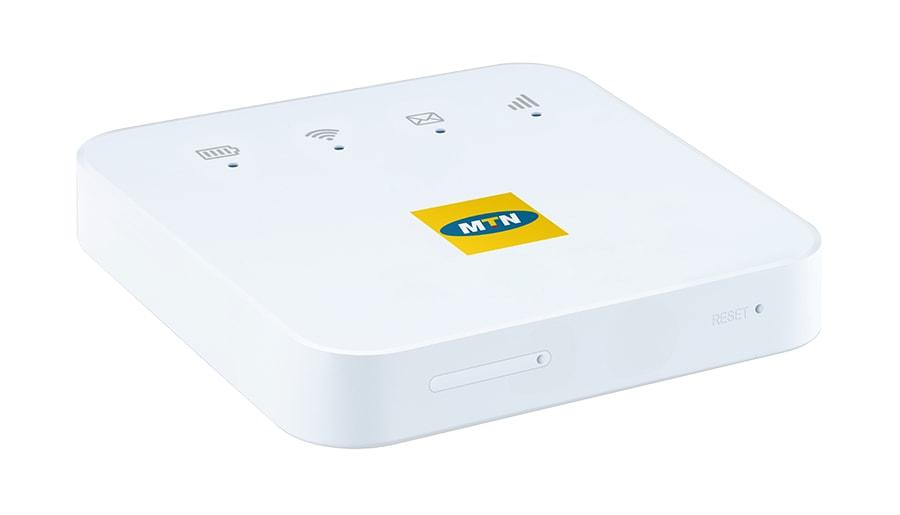
    The MTN Pocket MiFi is a portable internet device that allows you to connect a maximum of ten (10) devices at a time. There are no limitations on the type of device you can connect to your MTN pocket MiFi, whether it is your mobile phone, tablet, laptop, game console, Smart TV, etc.

    Unlike fibre broadband and other Wi-Fi devices, the MTN Pocket MiFi just as the name sounds is meant for the pocket and can be placed in your pocket and taken everywhere. Also, you don’t need a power supply to be able to use your MTN pocket MiFi, once you charge your battery to its maximum capacity, your MiFi can serve you for some time.

    Apart from the advantages the MiFi has over WiFi that has been explained above, the MTN Pocket MiFi is also relatively cheaper than the normal WiFi and fixed broadbands offered by MTN. Thus, making it a good option for people with a small budget plan like students and small companies.

    In this article, we are going to discuss everything you need to know about the MTN pocket MiFi; from the price, discount packages, how to buy data, how to check your internet balance, and many more.

    Types/Models of MTN Pocket MiFi

    In Ghana, there are two main types/models of the MTN pocket MiFi. These are the:

    • 3G Pocket MiFi
    • 4G Pocket MiFi

    Each of these two devices can connect a maximum of ten (10) devices to the internet at a time. In this COVID-19 era where many people are either schooling or working from home, the MTN pocket MiFi will be a good investment to make.

    MTN Pocket MiFi Price and Which One To Buy

    The 4G MTN pocket MiFi costs GHS 350 and the 3G pocket MiFi sells at GHS 130. Each of them comes with free data for either a month or three (3) months depending on when you buy it.

    Ideally, you should buy the 4G MTN pocket MiFi instead of the 3G MTN pocket MiFi if you can afford it. Besides, the price difference between the two is not that big. The reason why I prefer the 4G MiFi to the 3G MiFi is that it is faster and therefore connects to the internet faster. One annoying thing is when the internet on your device is very slow.

    When having meetings on Zoom, Google Meet, or Microsoft Teams faster internet will result in faster connection and clear audio and video throughout your meeting.

    MTN Pocket MiFi Discount and Promotions and Where To Buy From

    On special occasions, MTN Ghana offers promotions to their customers. During such occasions, you will be able to get the pocket MiFi at a cheaper price than the original.

    Also, you can always check Jumia Ghana to see if there is a discount on the MTN pocket MiFi and then buy from them.

    You can buy the MTN pocket MiFi from any of the MTN Ghana offices located across the country. You can also purchase it from any of the MTN accredited distributors in the country at the same price as the one sold at the office.

    How To Buy Data on Your MTN Pocket MiFi

    You can buy data on your MTN pocket MiFi using either airtime or mobile money.

    How To Buy Data On Your MTN Pocket MiFi Using Airtime

    1. Dial *138#
    2. Select option 1 (Buy Data Bundle)
    3. Choose option 2 (Buy for others)
    4. Enter the number of the SIM in your MTN pocket MiFi
    5. Repeat the number to confirm
    6. Select the data bundle you wish to purchase
    7. Enter the amount
    8. Press 1 to confirm your transaction

    How To Buy Data On Your MTN Pocket MiFi Using Mobile Money

    1. Dial *170#
    2. Select Buy Airtime and Data Bundle and select Buy for others
    3. Select the type of data bundle
    4. Enter the number of the SIM in your MTN pocket MiFi
    5. Enter your MTN Mobile Money PIN
    6. Press 1 to confirm your payment

    How To Check The Data Balance on Your MTN Pocket MiFi

    1. Remove the SIM from the MiFi and insert it into a mobile phone
    2. Dial *124# and the remaining internet bundle will be shown

    Similarly, you can download the MyMTN app and connect your phone number to it. This way, you will be able to see the data balance you have left without removing the SIM card from the MiFi.

    Conclusion

    MTN Ghana is known by many as the biggest telecommunications network in Ghana due to the availability of network poles in almost every part of the country. The pocket MiFi is a great addition to the products and services offered by MTN Ghana to their customers.

    Instead of wasting time buying data for the two (2) or more devices you have at home, you can easily use the MTN pocket MiFi to connect all of them at the same time to the internet. This article has explained everything you need to know about the MTN pocket MiFi, make sure to read and understand it well.

    How do I check my bundle on MTN MiFi?

    Remove the SIM from the MiFi and insert it into a mobile phone. Next, dial *124#, and the remaining internet bundle will be shown. Similarly, you can download the MyMTN app and connect your phone number to it. This way, you will be able to see the data balance you have left without removing the SIM card from the MiFi.

    Is MiFi faster than Wi-Fi?

    The answer to this question is both no and yes. Some MiFi is very fast as compared to some Wi-Fi. Likewise, some MiFi is very slow as compared to some Wi-Fi devices.

    What is MiFi in full?

    There is no accepted full meaning for MiFi, but the most common name most people use is Mobile Wi-Fi.

    How do I save my MiFi data?

    There are several ways you can save the data on your MiFi. Always put your MiFi off when it’s not in use, change your password frequently to prevent other people from using it, disable automatic download on all your devices, avoid streaming HD videos and downloading large files. Once you do this, your MiFi data will be preserved for you.

  • How to Make a Claim on MTN aYo Insurance

    How to Make a Claim on MTN aYo Insurance

    In a world full of uncertainties and unforeseen circumstances, there is always the need to have an insurance package that keeps you in mind for your needs. There are over a dozen insurance packages in Ghana but not all of them are able to meet the needs of their policyholders.

    Among these insurance policies, one of the most popular packages is the MTN aYo Insurance. MTN aYo Insurance provides its users with fast, convenient, and easy insurance right on their mobile phones. With this insurance policy, users enjoy hospital and life insurance cover through airtime deduction (Recharge with care) or when you send Mobile Money (MoMo) to your family or loved ones (Send with care).

    Apart from the aYo Insurance being fast and convenient, it also allows its policyholders to make claims on their mobile phones without having to visit any MTN office. In this article, I am going to guide you through all the steps on how to make a claim in MTN aYo insurance.

    Things You Need To Know About MTN aYo Insurance

    MTN aYo Insurance is one of the fewer mobile insurance policies in Ghana. But before we jump into the details on how to make your claim on MTN aYo, there are some things must know.

    • With the aYo Send with Care, you get up to GHS 30,000 as hospital and life insurance cover for yourself, and up to GHS 3,000 life cover for the family member. The term or duration of this policy is 120 days.
    • With the aYo Recharge with Care, you get up to GHS 120 per night as hospital cover upon admission due to illness or accident and up to GHS 6,000 life cover for yourself plus one family member upon demise.
    • Subscribers between the ages of 18 years and 65 years can sign up to Recharge with Care and the term or duration of the policy is 30 days renewable. Once any life assured turns 70 years, the policy terminates.
    • Only active MTN users can register for the MTN aYo insurance policy.

    How To Make A Claim on MTN aYo Insurance

    There are two (2) main ways you can file for a claim on MTN aYo Insurance. You can make a claim online or via USSD.

    How To Make a Claim on MTN aYo Insurance via Online

    1. Visit ayo.com.gh on your browser
    2. Click on the three (3) horizontal lines in the left upper corner
    3. Select Initiate a claim
    4. Choose whether you want to initiate the claim for yourself by selecting MySelf or initiate the claim for another person by selecting Another Person
    5. Log in with your mobile number and PIN or click on No username and PIN (if you don’t have any)
    6. Enter your name and the required information
    7. Provide the required documents. (Evidence of death when making a death claim or evidence of hospitalization when making a hospitalization claim) and submit
    8. Your documents will be reviewed and if you meet the requirements, your claim will be sent to you via mobile money (MoMo).

    How To Make a Claim on MTN aYo Insurance via USSD

    1. Dial *296# on your phone
    2. Follow the onscreen prompts and enter the required details
    3. Provide the required documents. (Evidence of death when making a death claim or evidence of hospitalization when making a hospitalization claim)
    4. You can provide the documents by sending them on WhatsApp to 0555948648
    5. Your documents will be reviewed and if you meet the requirements, your claim will be sent to you via mobile money (MoMo).

    Conclusion

    As the saying goes, “no one knows tomorrow” therefore, having a trusted insurance policy is very necessary and important. But not all the insurance policies are the same, as some of them require you to make a claim in-person, MTN aYo allows users to file for a claim on their phones without having to visit any MTN office.

    Unfortunately, non-MTN users cannot use the MTN aYo insurance therefore if you wish to use aYo, then you must buy and register an MTN SIM card today and enjoy all the benefits that come with it. MTN is one of the biggest telecommunication networks in Ghana and as a result, by registering for insurance with them you can rest assured that your money is safe and sound.

    How do I get my aYo money?

    Before you can get your money, you must file or make a claim to aYo. Through this process, you will be asked to add the required documents. Once your documents are accurate, your money will be sent to you via SMS.

    Is MTN aYo real?

    Yes, MTN aYo insurance is real and many people have benefited from it. To verify, you can visit the MTN Ghana website to read more.

    What is aYo policy?

    The policy is what you or your beneficiary will get in case of an unforeseen circumstances.

  • How To Increase Your Mobile Money Transaction Limit

    How To Increase Your Mobile Money Transaction Limit

    Mobile Money transactions have significantly hijacked the payment ecosystem in Ghana. Almost everyone sees the need to use Mobile Money for transactions before the end of every day.

    However, what most people don’t know is that there are limitations on the amount of money that can be transacted using your mobile money account. These figures are compartmentalized into daily, monthly and total account balance limits.

    The Daily limit is how much money can be sent and received within a day while the monthly is the total amount that can be received and sent through your mobile money account in a single month.

    On the other hand, the account limit is the highest amount of money you can have in your account at every given time.

    Fortunately, these amounts are quite considerable and okay depending on the volume of transactions you do. For fairness sake, the limits are further grouped into tiers.

    Presently, MTN Mobile Money has 2 tiers. So, if you are on the first tier and you hope to increase your limit to a higher amount, you can request to be moved to the second tier.

    In the ensuing paragraphs, we look at the various tiers, their limits and how to apply to be moved to the next tier.

    Mobile Money Tiers and Their Limits

    As indicated previously, there are two tiers for MTN Mobile money accounts. They are the tier 1 and tier 2.

    So, here we look at the various tiers and what their limits are.

    Tier One Limits

    Daily limits: GHS 2,000. You can only send and receive up to GHS 2,000 every 24 hours if you are on this tier.

    Monthly Limits: GHS 20,000. For an entire month, you are expected to send and receive a cumulative sum of not more than GHS 20,000 under this Mobile Money tier.

    Total Account Limit: GHS 10,000. At any given time or day, your account cannot hold money or balance exceeding GHS 10,000. The highest amount you can have in your account is exactly GHS 10,000.

    Tier 2 Limits

    Daily Limit: GHS 5,000.

    Monthly Limit: GHS 50,000.

    Total Account Limit: GHS 20,000.

    How To Increase Your Limit

    Given that you are not pleased with the total volume of daily or monthly transactions you can easily request an upgrade on your account.

    So the big question is, how do you request an account upgrade and what do you need for that?

    Just follow the steps below and you’ll have nothing to worry about.

    1. Visit any MTN office near you and request for an upgrade on your Mobile money account.
    2. They’ll ask you for some documents and the ID card you used in registering your MOMO account.
    3. The process usually takes 24 hours to reflect after submitting the required documents.

    Some of the documents required include a Bank Statement from not more than 3 months ago, a Utility Bill with your name on it, Employer’s reference letter or a Registered Tenancy Agreement which has your name on it.

    Any of these documents together with the ID card you used in registering your account will pass for this process.

    Why There Are Limits On Transactions

    Limits placed on Mobile money transactions are beyond the control of the various service providers.

    The Bank of Ghana – the regulatory body of financial institutions in Ghana gives quotas to every deposit-taking and withdrawal-giving institution operating in the country.

    As such, Mobile Money services are also given a quota. That quota results in the limits given by the various operators – further divided into tiers.

    So, in effect, apart from the two tiers of Mobile Money accounts, you cannot seek an upward review of your Mobile Money wallet under any circumstance.

    This is mostly for security reasons.

    Conclusion

    Mobile money is the saviour of the Ghanaian payment ecosystem. With its introduction, many financial transactions have become easier and more flexible.

    However, pre-defined limits placed on accounts make life difficult for account owners sometimes.

    This is mostly true for individuals who transact very huge sums of money on a weekly or monthly basis. But that doesn’t have to be the end.

    You can still expand your Mobile Money account limits a notch further to contain your transactions.

    Hopefully, in the near future, the limits will be reviewed again to ensure that account holders can trade larger amounts of money.

    If you have any questions, comments or reservations regarding this article, kindly let us know in the comment box below.

    Please do well to share this article with your friends and family as well.

  • How To Check Your MTN SIM Registration Status

    How To Check Your MTN SIM Registration Status

    In today’s digital world, the use of the Mobile phone is practically impossible to do away with.

    It has formed part of our lives one way or the other and we have had to understand and live with this for so many years.

    https://mfidie.com/how-to-register-your-sim-card-and-link-to-ghana-card/

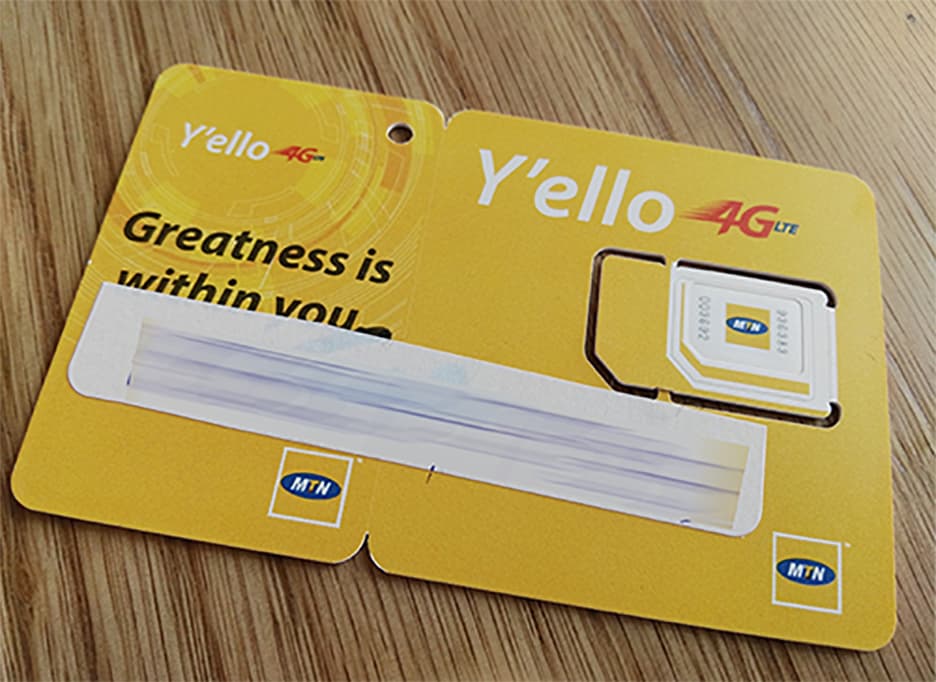
    One thing that for sure drives the usage of mobile phones in most parts of the world is the Simcard.

    While Wifi connectivity may be enough for running your phone especially the smartphones, Simcard is largely the driver for mobile phones, especially in Ghana.

    At such, it is important that we discuss the use of the Simcard in our mobile devices and how to ensure that they are registered properly.

    When we talk of mobile telecommunications network operators in Ghana, there’s one name which stands out presently and that’s MTN.

    With the possibility of your Simcard being involved in any situation where you need to identify ownership of it, how do you verify your Simcard Registration status and details on MTN?

    Well, I have all the answers you need to that question in this very article. Sit tight and find the answers you want and more below.

    How To Check Your Sim Card Registration Details

    To check whether your SIM card is registered and also find out the SIM card registration details of your MTN line, kindly follow the steps below:

    1. Using the Simcard you want to verify, dial *400#
    2. Wait for some few seconds for the result to load.
    3. If registered properly, you’d see your name in full appear on the next page with other information about how to correct wrong registration details.

    So, for example, in my case, when I dial that code on my MTN number, I get this feedback: GODWIN GABLA.

    However, if the SIM card is not registered, you’ll be informed in the feedback that the SIM card isn’t registered.

    What To Do If Your Registration Details Are Inaccurate

    For some strange or coincidental reasons, you may have some parts of your registration details inaccurately entered. When you confirm this by dialling *400#, what are the options available for you?

    Here, under this subheading, I shall run you through the necessary steps you need to take to handle such a situation.

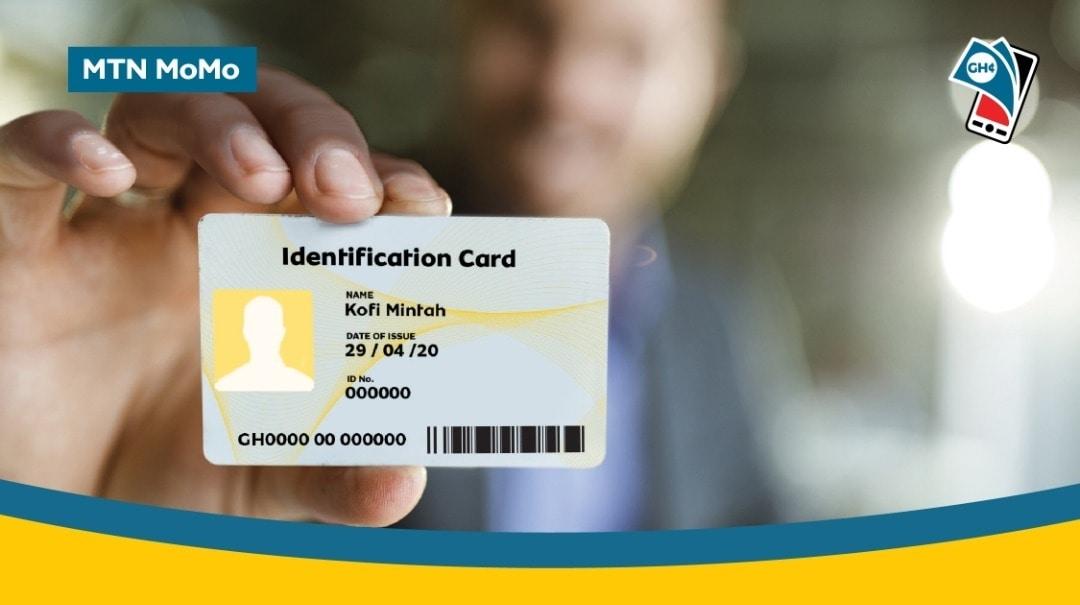
    • Visit any nearby any MTN Ghana branch with your ID card, images of your ID card and other relevant information to personally change your registration details.
    • You can also call the customer care line ‘100’ and follow the prompts to talk to an agent about your problem. Make sure to have all details about your sim card and your ID card available before making this call.
    • You may also Whatsapp MTN customer care line via 0555300000.
    • If you prioritize emails, you can as well send your ID card, your details, Simcard details and other vital information via emails to [email protected].

    Why Do You Need To Get Your Simcard Properly Registered?

    Simcard registration is a very important part of the Telecommunication process, especially in Ghana.

    With the spate of mobile technology fraud activities going on, you need to ensure that your Simcard is properly registered so that in case of any Simcard problems or Mobile payment issues, you can always lay claims of ownership.

    You can’t claim a Simcard which bears a different registration detail aside from the one available on your ID card. It would be very difficult for you to do, even if you succeed.

    Conclusion

    In Ghana, the majority of us use sim cards on our mobile phones since mobile data is the largest form of internet access in the country.

    Aside from that, calls and text messages are usually done with our Simcards hence the proliferation of Simcard usage in the country.

    But, using your Simcard on a phone is not enough. You need to register your Simcard and make sure that it is properly registered in order to avert any future challenges which are likely to come your way by way of using your Simcard.

    In this article, I was able to take you through the steps involved in verifying your MTN Simcard registration details plus how to correct any errors associated with your registration.

    I hope this article was helpful to you. If you have any questions, comments or reservations regarding this article, kindly let us know in the comment box below.

  • How to extend MTN bonus with just 1 pesewa (GHS 0.01) before it expires

    How to extend MTN bonus with just 1 pesewa (GHS 0.01) before it expires

    MTN Ghana is the biggest telecommunications network in Ghana, momentarily. Their Mobile Money service is also the biggest mobile payment and transact solution in Ghana right now.

    A lot of us use Mobile Money for a lot of stuff, among which is to buy credit for ourselves or family and friends. On MTN Mobile Money, you can only buy credit for MTN lines. If you look at buying credit for other networks with mobile money via USSD, check out MOVE or ALEXpay.

    MTN gives a 100% bonus on credit purchased with Mobile Money. This is a very good move, except for one annoying restriction – the bonus credit only lasts for 3 days.

    Take this scenario: You purchase GHS 50 worth of credit via MTN Mobile Money to activate one of MTN’s bundle plans. You are instantly given GHS 50 worth of bonus credit for MTN Calls and SMS. But this credit is for just 3 days. What are you going to do? Start calling everyone just to waste the credit? Well, you don’t have to.

    This little trick leverages MTN’s own 3-day limit to help you extend your bonus credit if you have not used it up. What’s more? it only costs you 1 pesewa (GHS 0.01) to execute the trick each time.

    How to extend your MTN Bonus Credit

    1. Dial the MTN Mobile Money shortcode on your phone – *170#
    2. Select option 3 – Buy Airtime
    3. Enter Amount, type 0.01 (this represents 1 pesewa or GHS 0.01)
    4. Enter your mobile number
    5. Confirm your mobile number
    6. Enter your pin number to confirm the transaction

    Once confirmed, you will receive GHS 0.01 worth of credit and your bonus credit will also be extended by 3 days. You can repeat the process every two or three days if you have a lot of bonus credit, to keep your bonus alive.

    Remember, you can only extend your bonus by up to 3 days. this means that doing the trick twice in one day does not mean you will get 6 days of bonus usage.

  • How To Reset Your Mobile Money Pin In Ghana

    How To Reset Your Mobile Money Pin In Ghana

    Mistakenly, have you blocked your mobile money pin, or have you forgot your MoMo pin? I know the panic involved when you forget your MoMo pin whereby there are a lot of funds on it. You start to lose hope and the stress involved is something else.

    The only option people are familiar with is to visit the network service center for assistance to regain back our pin. But do you know, you can reset your MoMo pin yourself?

    In this article, I will show you the steps to follow in order to reset your MoMo pin.

    How To Reset MTN Mobile Money Pin

    The steps that I will be listed here are highly focused on MTN MoMo, however, the steps are not restricted to MTN MoMo only.

    Before you can perform the MoMo reset, you need to set a recovery number first or else you cannot reset your MoMo pin when you lose it.

    Below are the steps to reset your MoMo pin.

    1. Dial *170# and select Option 6 (My Wallet)
    2. Select Option 5 (Change & Reset Pin)
    3. Select Option 2 (Reset Pin)
    4. Select Option 1 (Self Pin Reset)
    5. Select Option 1 (Add Recovery Contact)
    6. Select Option 4 (Reset Pin) A temporary password will be sent to your recovery number.
    7. Input the temporary password
    8. Now input four-digit new numbers you would like to use as your pin code and repeat

    Note that, you can’t use a code you have previously used for the MoMo service twice.

    How To Register Mobile Money Pin Recovery Number

    1. Dial *170# and select Option 6 (My Wallet)
    2. Select Option 5 (Change & Reset Pin)
    3. Select Option 2 (Reset Pin)
    4. Select Option 1 (Self Pin Reset)
    5. Now type any number that you own. It could be any other network but it should be an active number and not the same number you are resetting the pin code on.
    6. Enter your current Mobile Money pin code to confirm
    7. Enter OTP (One Time Password) which is a code that will be sent to the number you entered so you will have to check your other number to confirm the code.

    The above procedures help you to self reset your MoMo pin when you forget it. I always say, forgetfulness is part of everyone and so sometimes you have to know some of these tech tips in order to sort yourself out anytime you encounter any difficulty.

    The MTN Mobile Money service offers a lot of services just like using a bank. There are steps you need to take when you forget your Mtn Mobile Money pin.

    Conclusion

    Forgetting your Mobile Money Pin is nothing new. It happens to most of us and we become so frustrated that you have lost your pin. Most of the time, all you need to do is visit the nearest customer care service offices of the network provider in order for them to reset your pin for you.

    In this article, I have provided ways in which you can follow to self reset your pin.

  • How to Withdraw Mobile Money from any Bank’s ATM in Ghana

    How to Withdraw Mobile Money from any Bank’s ATM in Ghana

    MTN Mobile Money remains the biggest mobile banking platform for many Ghanaians. For a long time, withdrawing from your MTN Mobile Money wallet was solely facilitated by Mobile Money Merchants.

    For a lot of MTN Mobile Money Users, the inability to withdraw their money when there is no Mobile Money merchant around caused a lot of pain. There is no doubt that Mobile Money will remain the easiest and the most convenient way to have access to your money 24/7.

    To really make MTN Mobile Money a real 24/7 service, MTN Ghana introduced the ability to withdraw Mobile Money Funds from Automatic Teller Machines (ATMs) nationwide.

    MTN Ghana has led the mobile banking sector when it comes to innovation.
    MTN Ghana has led the mobile banking sector when it comes to innovation.

    As at the time of writing, these are banks whose ATMs nationwide support the withdrawal of funds via MTN Mobile Money:

    • Access bank
    • Zenith Bank
    • EcoBank
    • Fidelity Bank
    • GTBank
    • Barclays Bank

    How to Withdraw MTN Mobile Money from ATM

    1. Dial *170#
    2. Select Option 5 for Financial Services
    3. Select option 1 for bank services
    4. Choose option 3 for ATM cash-out
    5. Choose option 1 to generate the token. Continue next steps on the ATM
    6. On the ATM, Choose Cardless Transactions
    7. Choose MTN Mobile Money
    8. Enter your generated code
    9. Enter your four-digit secret code (your PIN)
    10. Enter the amount of between GHS 5 to GHS 400
    11. Enter your PIN to authorize the transaction
    12. Wait to receive your money from the ATM

    This is really simple. However, be careful when withdrawing as some ATMs do not dispense 1 GHS and 2 GHS notes.

    To be on the safest side, always withdraw in multiples of GHS 10. For instance, instead of withdrawing GHS 223, opt to withdraw GHS 220.

    Don’t have a Mobile Money Account? Read all about the MTN Mobile Money Registration.

  • MTN Holiday Bundle: Get 2.5GB for just GHS 10 every Holiday

    MTN Holiday Bundle: Get 2.5GB for just GHS 10 every Holiday

    MTN Ghana has a lot of Data options available for almost every need. Although many people might say that their bundles are costly (and yes, they are), choosing some particular offers is usually beneficial over the others.

    I dread the GHS 3 bundle so much, especially now that you won’t get a bonus on it if you do not subscribe via the MyMTN App.

    For all those looking forward to tomorrow’s Kwame Nkrumah Memorial Day holiday, MTN is giving you a good offer for browsing and streaking with all your family and friends.

    If you are going to be on the road, you can use this data to stream music on Spotify or YouTube. The mobile data has no restrictions at all. It’s the MTN Holiday/Special Day Bundle, and we will walk through how you can subscribe to it.

    How to subscribe to the MTN Holiday Bundle

    Before you subscribe to the MTN Holiday Bundle, make sure you have at least GHS 10 airtime, then follow the instructions below:

    1. Download the myMTN Ghana App from the Google Play Store or the Apple App Store
    2. Verify your MTN Phone number to sign in
    3. Enter the OTP to access the App
    4. Tap on the Buy/Send Tab
    5. On the Buy/Send tab, choose “Data.”
    6. Under subscriptions, tap on “Get 2.5GB of Data on Special Days.”
    7. Choose “Subscribe”
    8. You will receive a message showing that you have successfully subscribed to the Holiday/Special Days Bundle

    Kindly note that the data costs GHS 10, and you can not subscribe to another subscriber. Also, the data is valid for 24 hours (only the holiday) and can not be carried forward to another holiday.

    Conclusion

    This data bundle from MTN Ghana is worth it if you are primarily on your office’s wifi and will need a higher bundle pack for this holiday. Hopefully, there are more holidays/special days so we can get to enjoy this bundle more.

    Do well to check out all the other data deals and tricks we have for all networks in Ghana. Leave a comment if you have any tricks you would like to share.

  • MTN Nkomode – How To Activate MTN Free After 1 Service Now

    MTN Nkomode – How To Activate MTN Free After 1 Service Now

    Since MTN has become Ghanaians favourite telco network, the network has been always making Ghanaians feel comfortable using their network and always providing Ghanaians with insane offers that you just can’t resist using.

    Talking of the MTN Sunday Special which allows you to pay for as low as GHS 1 you get to talk and text the whole day.

    One offer is the special offer bundle which also does not expire, this special offer bundle gives you 460MB for GHS 3 and this bundle is never going to expire.

    Not forgetting MTN Akwaaba which allows you to call one number without paying a Pesewa (free) for six good months.

    There are a lot of offers that if we decide to talk about them, we are not going to finish anytime soon.

    In this article, I have decided to talk about one of my favourite MTN offers which are called Free After 1 and guide you through how to activate this offer.

    About MTN Nkomode (Free After 1)

    MTN free after one is an offer that was launched by MTN on Nov 2, 2018. This offer allows you to make a call and only pay for the first minute, meaning when you call someone, MTN only deducts the cost of the first minute and the rest of the minutes will be free.

    MTN Free After One Minute Code

    MTN Ghana has revised a lot of their shortcodes into a unified system in 2021. The code for MTN Free After 1 is now *550#. You can use it to subscribe/unsubscribe from the offer.

    How To Activate MTN Free After 1 Offer

    1. On your phone dial the new Free After 1 code — *550#
    2. Choose Option 6: “Free After 1”
    3. Select 1: Activate
    4. Select 1 again to confirm

    When you successfully register for the free after 1, you will be deducted GHS 0.30 for every call you will make, meaning MTN takes GHS 0.30 as the cost of the first minute and the rest of the call will be free.

    Bonus That Comes With Free After 1

    When you subscribe to the free after 1 offer, you don’t only get to get more minutes to talk for free after paying for the first minutes but you also get free 50MB in addition to any day you make your first free after 1 call.

    This is a bonus for people who don’t always buy bundles but always want to check up on what’s trending on the internet or have a little conversation on social media.

    With free after 1 you also get free 50MB and the good thing about this offer is that you can use this data to browse on any website or app.

    Conclusion

    MTN free after 1 has come for those of us who like making calls and do not have short calls duration. In this article, we talked about my favourite MTN offer which is called Free After 1, we dived into what this offer is all about and how to subscribe and benefit from this offer.