Not everyone wants to show their birthday in public, most of all on Facebook. Birthdays are special that’s why we celebrate with our close friends, not “Facebook Friends”, and well that’s not the case, your birthday showing publicly on Facebook could pose some security risks.
So, if you want to know how you can stop Facebook from announcing your birthday to friends, this step-by-step guide got you covered.
How To Stop Facebook from Announcing Your Birthday
If you are a mobile or desktop user, you can follow the below steps to prevent Facebook from announcing your birthday to your friends.
Mobile Users
On your Facebook homepage locate ‘Menu’ and tap on ‘Setting & Privacy.’
Tap on ‘Settings’ and scroll down to locate ‘Audience and visibility.’
Now tap on ‘Profile details’ from the list of options.
Scroll down and locate ‘Basic info.’
Finally, tap ‘Edit’ and change your date of birth to ‘Only me.’
Desktop Users
On your Facebook homepage, click on your ‘Account’ on the top right (your Account is displayed with your profile picture)
Click on ‘Settings and Privacy’ from the list of options.
Click on ‘Settings’ and scroll down to locate ‘Audience and visibility.’
Now click on ‘Profile details’ from the list of options.
Scroll down and locate ‘Basic info.’
Now a pop up will show, click on ‘Who can see your birthday on Facebook.’
Finally, click on ‘Change visibility on Facebook’ and choose ‘Only me.’
Is it risky to show Birthday on Facebook?
It is generally considered risky to display your birthday on Facebook, though it might set as a reminder to some friends, it may pose some potential privacy and security concerns.
Here are a few reasons why:
Targeted Advertising: Facebook collects user data, including birthdates, to personalize advertisements. By revealing your birthday, you may receive targeted ads.
Identity Theft: Your birthdate is a key piece of personal information that can be used by identity thieves to gain access to your accounts or commit fraud. Cybercriminals can use this information in combination with other details to impersonate you or gain unauthorized access to your accounts.
Job-Related issues: Employers may inspect your online presence, and certain information like your birthday could impact your current or future employment.
Summing Up
This guide is proven effective, and by following you can stop Facebook from announcing your birthday to friends. Share this article after reading and always remember to recheck for any future updates.
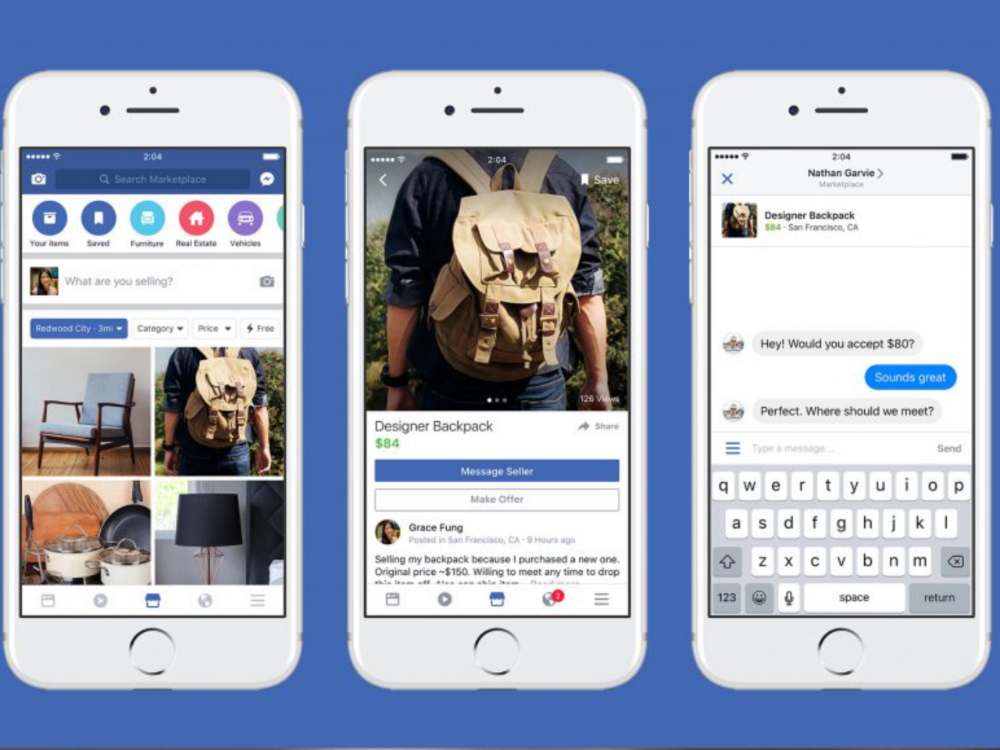
Users may organize to purchase, sell, and trade goods with other individuals using Facebook Marketplace, a digital marketplace. The fact that all transactions take place outside of the app means that Facebook is not legally liable for them.
Facebook Marketplace is classified-ad section of the social network that specializes in helping individuals and businesses sell items locally. Using Facebook Marketplace, you can:
Look for products to purchase
View things up for sale by category and/or location.
Make product listings. Using the app’s camera feature or adding photographs from your device’s camera roll, you may take the images for the item. Items are organized by category and location.
View communications and prior and present transactions in the “Your Items” area.
Create unique bids on goods.
Send messages to buyers and sellers to set up trades
What is SSTC?
When an item is listed as Sold Subject to Contract (SSTC or Sold STC), a seller has accepted an offer on it. It is still only a verbal agreement at this point, making it “subject to contract” and not yet legally enforceable. Similar meanings can also be derived from other frequently used phrases like “sell agreed” or “under offer.”
What does the term “SSTC” mean to a seller?
It is now sold STC when you get and accept a bid from a potential buyer on Facebook. For instance. The “For Sale” sign outside a house will be replaced with a “Sold” or “Sold STC” sign, and your offer listing will be deleted from or updated as sold STC on your estate agents and other property websites. I hope you get the logic.
What does “SSTC” mean to the buyer?
It’s time to finalize your offer after the seller has accepted it after you made it on Facebook. The seller will then give you the go-ahead to organize the searches and surveys and learn anything you don’t already know about the offer.
Before the transaction is finalized and becomes legally binding, you have the opportunity to make sure you are aware of all the details and are satisfied with them.
What happens after SSTC?
The real sale is completed at the time after Sold Subject To Contract. Contracts between the buyer and seller have been exchanged, and every aspect of the agreement has been outlined. All parties to the sale are then legally required to complete the acquisition. We DO NOT recommend canceling a home sale after contracts have been exchanged since doing so might be expensive.
Can I make an offer on an SSTC product?
If a thing is sold STC, anybody may put an offer on it, so if you’re SSTC on your subsequent buy, don’t jump the gun. It is not yet yours. And even after a property is marked as sold, a buyer could decide to back out. Only until both the buyer and the seller have completed everything is a sale truly “locked in.”
Conclusion
SSTC is not popular in west Africa because most sellers here do not follow or know anything about SSTC and so they intend to do it the traditional way.
When you first begin advertising, planning your Facebook ad budget may seem a little intimidating. What budget should you set aside for your initial advertisement?
How can you tell whether your Facebook advertising costs have skyrocketed? How can you lower your advertising costs? Those are some of the questions that pops in mind.
In this article, we are going to talk about Facebook ads, and how much it cost to use it as well as other useful things surrounding Facebook ads.
What is Facebook Ads
Facebook ads are a great way to reach a specific target audience and give your business more exposure. The more you know about your target audience, the better you’ll be able to craft an ad that speaks to them.
You can do this by using Facebook’s targeting tools, like location and age, or by creating custom audiences based on interests and behaviors.
With Facebook Ads, you set your budget and a time limit for the campaign; once it’s over, Facebook will let you know how many people saw your ad.
How do Facebook ads work?
Facebook advertising is similar to bidding at an auction. Like many other brands in your niche, you arrive fully prepared and ready to attract your ideal client.
Facebook manages how many advertisements are displayed to users across all of the Facebook family of applications. The platform forces marketers to bid against one another for a certain amount of ad space.
How much do Facebook ads cost?
According to a recent Wordstream survey, the typical cost per click (CPC) for Facebook advertisements across all sectors is $1.72.
The industry, the location of your ad, your target market, and numerous other factors can all have a significant impact on the price of your Facebook advertising.
Your adverts should typically cost you between $0.50 and $2.00 for each click. Your Facebook advertising prices might increase to $3.77 per click if you work in the financial and insurance industries. Conversely, businesses in the clothing area only charge about $0.45 per click.
4 things to note before using Facebook ads
Facebook ads can be a great way to promote your business and they’re also relatively inexpensive. However, there are some things to know before deciding if they’re right for you.
1. Do your research
There are lots of different types of ads on Facebook and it’s important to know what each one does in order to make the best use of your time and money.
2. Understand your goals
You may want to use a specific ad for one of two main reasons: to drive traffic to a website or app, or to get people to purchase something. Either way, it’s important that you know what those goals are going into using ads on Facebook.
3. Consider your audience
Before you set up an ad, it’s important to know who your target audience is. If you’re a local business, for example, it makes sense to target people within a certain geographic area.
4. Pick an objective
You can choose to run ads with a specific objective. This means that if, for example, your goal is to drive traffic to your website and generate leads, then you would select Website Conversions as an objective. If instead, you wanted to get people to make purchases from your e-commerce site or app, then you’d select Lead Generation.
Positive and Negative side of Facebook Ads
Positive
1. Target your audience
Your medical or dental office might benefit from Facebook advertising to reach a new clientele.
You may use the information on Facebook to target your advertisement to possible patients who could be interested in your clinic based on their hobbies, gender, or even region. You may use this method to recruit the patients you need.
2. Broader scope of audience
Facebook has so many users that you may reach more people and increase your following all in one place.
Negative
1. Costs may go up
Digital marketing has gotten better, but it has also started to get more expensive. Regularly using Facebook advertising for your clinic might be challenging if you have a small marketing budget.
2. You majorly reaches facebook users
Facebook advertising cannot, however, provide a way to target consumers who are not on this particular social media network.
Is Facebook ads worth the use?
Facebook ads are worth the use, but only if you know how to use them. You will have to spend a lot of time learning how to effectively market your product or service through this medium, but it is worth it in the end. Facebook ads can get you a ton of new followers and customers if you use it well.
Conclusion
Facebook ads are a great way to reach an even wider audience than before. It’s important to understand, though, that these ads can get expensive quickly.
The costs for advertising on Facebook will vary based on the type of ad and your target audience. One of the best ways to start is by taking advantage of the free trial period and then deciding if it makes sense for your business or not.
The easiest way to store your progress in games is definitely through Facebook integration. Additionally, playing with friends is made possible by linking your account to Facebook.
How are Facebook and Subway Surfers connected? You may learn more by reading the manual.
You must go the settings page and choose the option for connected accounts in order to link your account.
Choose Facebook and confirm the login process after that. The game is now ready for you to play.
How to Link Subway Surfers On iPhone to Facebook
Follow the instructions below to link Facebook to Subway Surfers if you are using iOS, which includes an iPhone or iPad.
Following the Subway Surfers app installation on your iPhone and Android.
Choose Facebook as your login option by tapping to open.
Simply adhere to the next directions to finish procedures.
Fix iPhone won’t connect to Facebook in Subway Surfers
If your iPhone is having any connection issues with Subway Surfers. Logging out of Facebook and uninstalling it is the simplest way to solve this. Numerous people concur that in most cases, this provided a solution.
Benefits of Linking Subway Surfers and Facebook
Facebook connections may be made informally as well as formally. You also get a number of useful advantages from it. The advantages of connecting to Facebook are listed below.
Having Fun with Friends
You’ll be able to interact with your Facebook pals in-game. They can compare records with you, giving you a new objective for the game. The linking of Facebook and Subway Surfers ends there. I sincerely hope you find my advice useful.
Specialized Skin
You may obtain a unique Dino skin by logging onto Facebook while playing the game. Not only this, though. You also receive 25 hoverboards, 10 keys, and 5000 money. The finest beginning bundle available for Subway Surfers is this one.
Protecting the progress
The game Subway Surfers doesn’t need wifi. Your gaming account is not stored in the cloud of the server. As a result, your account is deleted when you uninstall the game. Consequently, Facebook connection is required.
Additionally, you may use any device, even a PC, to play the game by connecting to Facebook.
If you wish to switch to a different account, connect Subway Surfers to Facebook.
Go to settings if you’re using an iPhone.
Access Facebook.
Disability Subway Riders.
Restart your device and activate Subway Surfers again.
You may now select another account upon login.
NB: (Android phones can also be used with this technique.
Conclusion
You can correct the approach to enable you to access your Facebook contact list once again. I hope this aids you in solving the problem. Please share this page if you have any further queries and don’t forget to use the comment section.
The virtual world has dominated tech headlines since since Mark Zuckerberg said in October 2021 that Meta (formerly known as Facebook) was investing substantially in the metaverse.
“Beyond the universe” is the meaning of the terms “meta” and “verse,” which are combined to form the term “metaverse.” Although you may have recently seen this expression used in the media, Neal Stephenson originally used it in his science fiction book Snow Crash in 1992.
The concept Stephenson discussed in the book was about building a parallel universe with technological consequences or an entirely digital world. It enables users to escape their physical reality by giving them access to an avatar that can access the internet world.
How the metaverse will affect customers has been covered in countless articles, films, podcasts, and other media. Some informed assumptions are more likely to be accurate than others, even if we are unsure of all that will be available in the metaverse.
10 things You Can Do on Facebook Metaverse
Gaming
The metaverse was finally made possible by virtual reality and video games. So it should come as no surprise that gaming will play a significant role in the virtual world. The metaverse raises the bar for gaming immersion.
Instead of viewing a 2-D screen, the environment is brought to the players. Think about the virtual reality environment that Oculus and Vive headsets now provide, but on a far greater scale.
Shopping
The metaverse creates novel e-commerce options. Consumers may access goods and services in novel ways through 3-D, interactive shopping experiences.
Customers might browse the virtual store, interact with the newest iPhone, and attend Genius Bar classes instead of a static website duplicating a real-world Apple store, for instance.
Another option is for customers to try on apparel at a store before making a purchase and having the actual clothing transported to their homes. Additionally, the addition of cryptocurrencies to the metaverse allows for a faster and more secure method of payment for items.
Socializing
Social networking in the virtual world will surely undergo a significant transition with Mark Zuckerberg and Meta at the vanguard of the metaverse. In as far as it can, the metaverse attempts to mimic interpersonal interaction.
Users will be able to pick whoever they want to meet up with in any situation thanks to endless personalization options. Individuals will therefore be less affected by their physical distance from one another.
In a designated place, it also offers the possibility for historically marginalized populations to live in peace, mix, and be themselves.
Real Estate
Since ancient times, people have invested their money in real estate as a means of securing a place to live. Virtual land is now a new possibility for investors thanks to the metaverse.
In the metaverse, land is already being snatched up and sold for millions of dollars. The location has a major role in deciding price, much like in the real world.
Therefore, both land in desirable places and land next to a busy intersection will cost more. One user even just spent $450,000 to live next to Snoop Dogg in the metaverse.
Entertainment
Virtual concerts, like games, are nothing new. Roblox and Fortnite have already held sizable concerts. By building virtual venues and allowing concert goers to join friends in 3-D form, the metaverse seeks to take this one step further.
The concert experience is given a new dimension and is made more immersive through virtual reality. The setting and location of the performance may also be altered by fans to suit their preferences.
Work
The difficulty of staff involvement presented by everyone’s geographic dispersion is a prevalent disadvantage of these setups, too. Work is once more immersive and collaborative in the metaverse, nevertheless.
The place, method, and people with whom employees interact are all their decisions. Using the ideas of the metaverse to hire staff is already being done by businesses like Hyundai and Siemens.
A virtual reality-based, interactive hiring procedure took the place of the notoriously boring interview process.
What types of work will be present in the metaverse?
Most of us are interested in learning about the business prospects we might be able to enter. There are countless opportunities that will affect numerous industries including:
Shopping at physical stores
Online gatherings, performances and concerts.
A cooperative venture that uses digitally enhanced workplaces to foster employee collaboration.
Institutions that provide customers with a learning experience, such as higher education, healthcare, the military, and other fields.
Workplaces and social media sites where people may communicate using 3D avatars.
Travel
Traveling the world will take only a few seconds in the metaverse. Customers may travel to any destination on their bucket list without having to deal with the stress of making travel arrangements, navigating airports, or spending hours in a crammed airplane.
Have you ever wondered what Paris seems like from the top of the Eiffel Tower at the dawn? or taking a trip to the Taj Mahal while the moon is full? The metaverse is your best option.
Education
Because of the COVID-19 outbreak, education has already moved online. But the gamification and deeper immersion offered by the metaverse improve learning. Students will interact with and see objects in action as they study.
Students acquire information more readily through hands-only learning when there is interaction and immersion in the subject matter. For instance, prospective doctors can practice virtual surgery, and architects can create the settings they want.
The metaverse contains all the bells and whistles necessary to guarantee that students using it for education retain more information.
Advertising
The metaverse will help advertisers as well, allowing them to use virtual reality to contact customers in fresh ways. Traditional strategies will continue to be used, such as banner ads, frequent in-app promotions, and websites supported by analytics.
But other, more engaging approaches will develop, such virtual reality billboards, in-game sponsored content (like the current Louis Vuitton x Fortnite partnership), and virtual influencers.
With increasing direct-to-consumer marketing that is more interactive, immersive, and engaging, the metaverse will also seek to advance customer involvement.
Exercise
For at-home workout routines, industry leaders include Peloton and Apple. Recently, VR-based fitness applications have begun to take off, which will boost demand for VR headsets like the Oculus Quest over the Christmas season of 2021.
The pleasurable, engaging, and gamified features of virtual reality may be combined with physical exercise to make working out more appealing and fun for some people.
Additionally, instead of being intimidated by traveling to a physical gym, people may exercise in the comfort of their own homes.
Conclusion
The metaverse has evolved from a popular term in science fiction to a conceivable reality. Others are already being generated and built, despite the fact that some things being mentioned about the metaverse seem overly ambitious (and very well may be).
The metaverse was made feasible by the current trend toward blockchain, cryptocurrencies, and a decentralized, virtual universe. The metaverse promises to digitally duplicate our real environment while enhancing immersion, options, and personalisation.
Updates for Meta’s Messenger app are often released. There is no denying that Messenger is the best instant messaging tool available, and it is used by billions of people.
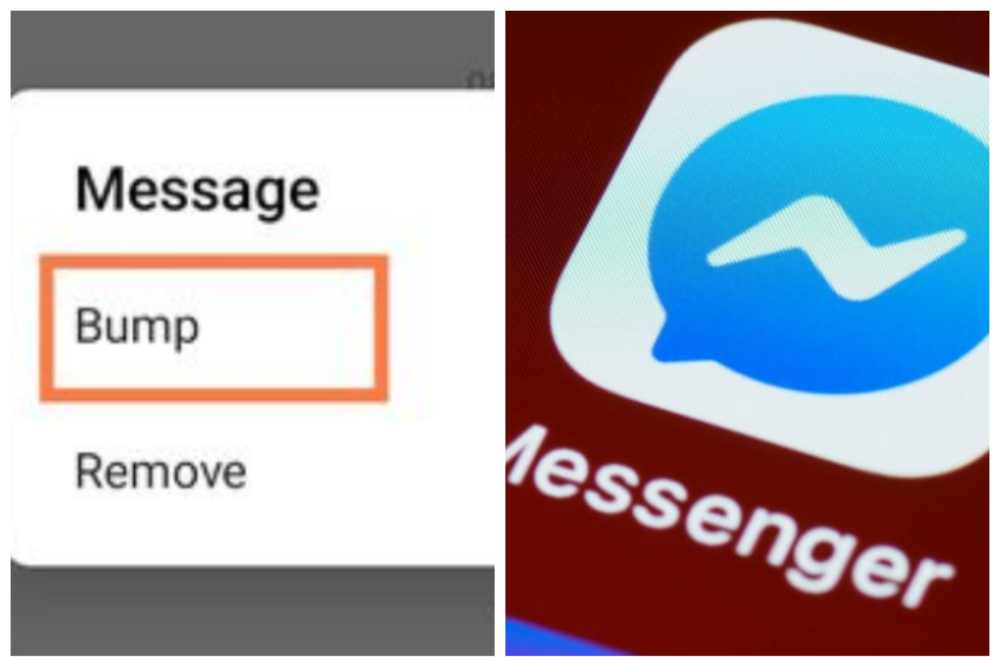
With the most recent new features, Meta is attempting to improve it even further. We now have a new feature called “Bump Message” available.
The newest conversation feature is exclusive to the most recent Messenger version. In order to take use of this, you must upgrade Messenger to the most recent version.
I have signup for beta tester for the facebook Messenger app. This means I get to use new features, give reviews before it get release to the public to use.
I am saying this because you will receive the bump message option in the upcoming feature releases, I’m informing you this in case you don’t see it in your app.
Be patient and don’t panic as a result. Let’s investigate the nifty Messenger app’s new Bump function right now.
What is Bump Message in Messenger app?
Without reacting or copying and pasting the message, the Bump function enables instant mention and resending of a message. In order to make a point of mentioning a message, photo, or video that you have sent, utilize the Bump feature in the Messenger app.
There is no need for you to copy-paste it or utilize the reply option. This fantastic function will help you save valuable time.
How to Use Bump in Messenger?
Launch Messenger, choose conversation to activate the bump feature.
To bump a message, tap it and hold it.
Select More, followed by Bump.
You can now notice that message’s top has the phrase “You bumped this message.”
To bump fresh and outdated messages in a chat, simply repeat the same methods.
You may also do this with individual chat messages, images, and videos.
Additionally, you may bump both sent and received messages using Messenger.
How To Fix Bump option not showing in Messenger
If the option to “bump” isn’t there or isn’t visible in your Messenger app. The only option left is “Update” in that case.
Update Messenger to the most recent version now that it is accessible through the iOS App Store and Play Store. On the device, and then restart it.
The bump option will be shown as soon as you launch the app. The bump option is still not present or visible in Messenger. Clear Messenger’s cache files and restart your mobile since even after an update, you can still be using a cached version of the software.
Here is how to do it if you don’t know how to:
On your smartphone, navigate to the settings.
From the list, choose the Apps category.
Select Messenger from the list of applications, then tap Manage Apps.
Then select clear data from the bottom menu.
When prompted to confirm removing the cache data for the Messenger app, select OK to proceed.
Open Messenger after restarting your Android smartphone; you should now see the Bump option.
Is everyone eligible to use the Bump feature?
You will have the Bump function as soon as you receive an update from the Play Store or App Store. If not, you will need to wait a few days before you can use the bump function after you have the most recent update.
However, not every Messenger user in the globe has access to it. Updates will be sent by Meta to devices and locations. No one is aware of the exact day and time when an update will be pushed to your device and location.
Perhaps your name will be called next. All users, however, may receive it during the month. Please make sure that the Play Store has automatic updates enabled.
Conclusion
Please let me know if this post was helpful by leaving a comment below. Ask any further queries in the comments section. To encourage more people to use the Bump messaging function, share this post.
Everyone is familiar with Facebook as a platform for socializing, sharing images, and joining interest groups. You may open an online store and sell goods there, too, did you know that?
Facebook launched the Marketplace in 2016, and it has since gained popularity as a platform where people can sell their possessions to nearby purchasers. Facebook Platform is a safer and more user-friendly marketplace to utilize when selling locally compared to Craigslist.
If you’re thinking about launching an e-commerce business, we’ll teach you a few tried-and-true methods for creating a marketplace listing and how to sell on Facebook Marketplace in this comprehensive tutorial.
What is Facebook Marketplace?
Selling locally on Facebook Marketplace is safer and easier than using other marketplaces. Facebook distinguishes itself from Craigslist even further by enabling qualified vendors to provide nationwide delivery for goods falling under specified categories, giving them access to a considerably bigger market than local-only merchants.
On the Facebook Marketplace, who is authorized to sell?
Anybody, I mean anyone can sell on Facebook marketplace. The Facebook Marketplace isn’t only for folks who have spare items they want to sell; it’s also for company owners, e-commerce companies, Amazon sellers, woodworkers, handcrafted artists, brick-and-mortar establishments, you get the idea.
What are the requirements to begin selling on Facebook?
An active Facebook account is all that is required to begin selling on Facebook Marketplace. It truly is that easy! You must go through the extra effort of adding your payment and shipping details if you want to provide shipping on your listings.
How to Market Your Products On Facebook
On a desktop
Log in to Facebook by opening the app.
Click the Marketplace link on the left column.
Make the choice “Create New Listing.”
Decide on “Item for Sale.”
Upload up to 10 images of the item using the Add Photos button.
Give as much information as possible about your item while filling out the required fields. Set the price to 0 if you wish to list it as a free item. Next, press.
Select a delivery method if necessary, then click Next.
To publish the listing, click Publish.
On Mobile
Log into your account after launching the Facebook app.
Choosing the Marketplace tab.
Pick Sell.
Select Items from the pop-Create up’s New Listing menu.
Hit Next after adding the necessary details and at least one photo for your item.
f necessary, decide on a delivery mechanism.
To post your ad, click Publish.
Facebook Marketplace Payments Methods
The merchant determines the payment method on Facebook Marketplace. However, it is urged that Etransfer and PayPal never, ever accept checks. Which payment option is most convenient for both parties should be discussed on messenger. For instance, the buyer doesn’t like PayPal or local bank transfers, whereas you do. If they are local, arrange a monetary transaction for pick-up or delivery.
How to sell on Facebook Marketplace
1. Submit A Complete Item Description
Use imaginative language in your descriptions to convey the unique qualities of your product. Include it as well if you have any further pertinent information, such as the item’s condition.
The purchasing and selling process will go more smoothly for everyone involved if precise information is provided, as it will assist prevent any misunderstandings between buyer and seller.
2. Set competitive prices for your products
When pricing your goods, you want to strike a balance between a cheap price that draws customers in and a high price that ensures a profit. It requires balance.
Investigate what others are charging for comparable things being sold by others to get an idea of how much to charge for your own. You may start out well with that and then change your prices from there.
If you have products that are well-made or unusual, it’s OK to charge a little bit more for them. People are frequently prepared to pay more for things they believe to be of greater quality.
3. Take Excellent Photos of products
When selling products like apparel, furniture, or pricey commodities like cars, it’s crucial to include high-quality images in your listing. Include images from different angles since prospective customers will want to see how the item appears on a person or in a space. Include a remark in the image’s caption if there are any imperfections or damage.
4. Quickly respond to inquiries
It’s understandable that there will be occasions when you are unable to respond straight immediately. A little politeness goes a long way, but in general, try to answer to questions on Facebook Marketplace as quickly as you can.
5. Always Be Willing To Bargain
Keep in mind that while negotiating, it’s not just about what you want; it’s also about what the other party wants.
Respectful etiquette is required. Consider making a counteroffer if the initial offer seems too low. Inform the other party and try to come to a mutually agreeable solution.
Do your best to find a medium ground. Always keep in mind that negotiations include giving and taking.
Plan for leaving the deal if necessary. It’s OK to walk away from a deal if it’s unfair or if the other party is acting inexplicably.
What products cannot be sold on Facebook Marketplace?
Remember that not all things are permitted on the property. Sellers who violate these community guidelines and rules will have their things removed and face penalties, such as Facebook warning letters or bans from the marketplaces. Some of these products are;
Subscriptions, digital products, or digital media
Supplements, medications, alcohol, and tobacco products for use on animals and wildlife
Guns and other weapons
Items that are not tangible
something that is racial
Currency/Crypto
advertisement for casinos (i.e., gaming, lotteries, casinos)
Product theft
Services for Adults
How to Buy on Facebook Marketplace
Pay close attention to the pictures and listings.
If you see anything you desire, reach out to the sellers.
If necessary, negotiate the order for pickup and provide a half-payment deposit.
courtesy and deference
The Advantages of Using Facebook Marketplace for Sales
Extensive reach
Consumer experience that is personalized.
Does Facebook impose fees for Marketplace sellers?
You won’t be charged a listing fee by Facebook if you sell products on Facebook Marketplace.
There are, however, selling costs associated. For shipments of $8 or less, there is a flat price of $.40 instead of the selling fee of 5% per shipment.
Conclusion
When seeking excellent prices on used goods, internet consumers now frequently visit Facebook Marketplace. These pointers can assist you in selling more successfully and simplify the process for both you and your consumers, whether you’re new to Facebook Marketplace or have been selling there for some time.
Spend some time learning about Facebook Marketplace’s features. Knowing how to list an item, add images, establish a price, and write a description is part of this.
Use precise and comprehensive information when listing an item. This will lessen the chance of miscommunication or misunderstandings in the future. When selling on Facebook Marketplace, using high-quality photographs is crucial.
You’ll have no trouble ranking among the top sellers on Facebook Marketplace if you keep these suggestions in mind. Enjoy your sales!
The most well-known social networking site where you may establish an account and add contacts is Facebook. When you add someone you know, you can view the photos, videos, status updates, posts they’ve liked and commented on, as well as posts they’ve shared.
If you’ve had Facebook for a while, you’ve definitely added a ton of friends throughout the years. You may view your friendship with someone since you added them on Facebook by looking at your history with them. You may view all of the posts you’ve shared with them, tagged them in, etc., taking you on a trip down memory lane.
How to check when you became someone’s facebook friend
You may use the activity log and the friendship function on a friend’s Facebook page to check when you became friends with someone on Facebook. This will enable you to be able to view the day, month, and year that you each accepted the friend request.
You may find out how long you’ve been a Facebook friend with someone by using certain methods. The question “remember the date you promised to be their friend?” is one such example of such an approach.
To find your most recent anniversary with a friend, use the other option, which uses the Activity Log feature. If you use the Friendship feature on your own Facebook page, you can find out when you first became friends, as well as other details like the posts you’ve shared, the friends you’ve connected with, and the pictures you’ve both been tagged in. You can also find out these details by using the Friendship feature on a friend’s page on Facebook.
How to find out when and in what month you become friends with someone
Search for the person you wish to view on Facebook using a web browser.
Select See Friendship by clicking the three dotted lines next to Message.
Your friend-making month and year will be listed on the left.
How to Determine the Exact Date You Became Friends
The month and year you previously located may be used to traverse a calendar and utilize it to identify the precise day, even though this approach is much more time-consuming because you’ll have to scroll through one.
Select Activity Log under your profile.
Choose More from the left column.
Friends can be found in the left column.
On the calendar on the right, choose a year.
You may view the precise day that someone becomes your buddy.
By using the social engineering Method to find out how long you became friends with someone
By enquiring about their opinion of your friendship with them.
You may always ask them if you can’t recall when you became friends with them on Facebook. To keep track of how long they’ve been friends on Facebook, some users set up friend anniversaries on their pages.
If a friend recalls when you first became friends, you should also create a friend anniversary so you never forget.
Set up your anniversary as soon as the friend informs you of the date because it will depend on whether or not you can remember accepting their friend request. Facebook will let you know when that date is getting closer by sending you an alert.
A message will show on your Timeline to remind you that you have been friends for a year once it has been a year since you accepted that specific person’s friend request. On that particular post, you can also see the year that you two became friends.
Take a look at your initial Messenger message to them.
You may always check the date you sent someone a Facebook Messenger message to discover when you two became friends.
Facebook Messenger should now be visible on your smartphone. The home icon may be seen in the bottom left corner; click it to get back to the home screen.
You may see a list of every user you’ve ever communicated with, arranged by the time you first interacted with them, on the home screen (most recent ones first).
On this list, look for the name of the person whose earlier messages you want to read, then tap on their name to access their messages.
The most recent discussion they had with you will be forwarded to you. Moving forward, you will need to scroll down to find the messages you were searching for.
Downloading your Facebook data is an option if you don’t enjoy scrolling. Here is how;
Access Facebook.
At the bottom of the page, you may download a copy of your data.
After entering your password, wait for Facebook to give you a link to the file’s download.
After entering it once more, wait until the download is finished.
Please extract/unzip the file you downloaded before opening it and entering your login information in the corresponding area. After that, an “index.html” HTML file will appear, which you should open.
When it opens, select the Messages tab to access everything. Hopefully, your PC has the processing power to access every Facebook message you have!
Take a look at the times you have tagged them in things.
When a person is specifically mentioned in a Facebook post, a link to their profile is established, allowing everyone to learn more about them. This is known as a tag.
When posting a text message or leaving a remark, you can add someone by using the @ symbol and their name. If you want to get a general notion of when you first became friends with someone, look through the photographs you’ve tagged them in.
You must go to their page if you are unsure if you have ever tagged someone. Click on the profile after typing the name of a Facebook friend into the search bar.
Select “Photographs” to view the photos. This section will display all of the images and videos that this user has been tagged in.
Since the quantity of information you can see is controlled by the person’s privacy settings, which you have no control over, you might not be able to see all of the photographs.
You will be able to determine the date, which will show when your Facebook relationship started if you see a familiar photo that you tagged the person in.
Conclusion
There are several techniques on Facebook to discover how you met someone. enabling you to remember each year when you first befriended someone There is an anniversary function on Facebook. We hope that these choices will be helpful.
Facebook and its many applications are undoubtedly well-known to you. It used to be quite easy to stand out on Facebook since the social networking site’s user base was so small and distinct, but now that it has expanded, it is more challenging.
But there are a few easy methods to customize your Facebook profile. One approach to stand out is to list your name with all lowercase letters.
How to make a Facebook name all lowercase
Enter your Facebook login information. Select “Account” from the drop-down amenu in the top right position. Please choose “Account Settings.”
To the right of “Name,” click the option that says “Change.” The data already present on the form should be highlighted and removed.
Your name will display precisely as you wrote it if you enter your first and last names again in lowercase. Select “Save Changes” from the menu.
To the right of “Name,” click the option that says “Change.”
Your name will display precisely as you wrote it if you enter your first and last names again in lowercase.
Go over the instructions on the new page. Verify your name is shown precisely as you want it to be. Select “Confirm Change” from the menu. Your new name may not become effective for a few days.
How to make a Facebook Page name all lowercase
Perhaps you wanted to establish a Facebook page with a name that started with a little letter, but this is against Facebook regulation. If the name of your business or brand begins with a little letter, you can find yourself in this scenario.
Steeps to make a Facebook page name all lowercase
Establish a page in compliance with Facebook rules.
Switch your Facebook account from English to a different language.
Access your Facebook settings.
Select Language and Region from the Settings menu.
Select a language other than English as your Facebook default language.
Modify the name of your Facebook page and submit it for approval.
Modify the name on your Facebook profile. Send it in for review.
If you’re using Google Chrome and have trouble understanding the material, utilize the translate to English option from the context menu.
In about a minute, the page name will be changed. With this technique, the page name will appear as you type it, with the initial letter in lowercase and all other characters in uppercase.
Make English your default language on Facebook
Go to your Facebook account settings right away and set your default language as the Facebook language.
Facebook Naming Requirement
To convey a certain attitude or style, you could choose to create your Facebook profile or page name in full capital letters or lowercase. Facebook forbids the use of all caps in profile or page names and instead encourages users to use their actual names. The process of creating or modifying your Facebook profile or page is made simpler by being aware of Facebook’s name requirements in advance.
Profile Names
In your account settings, you may modify your Facebook profile name. When you click the “Save Changes” button after trying to update your name so that it is all capital letters, Facebook quickly changes your first and last name back to ordinary capitalization.
Requirements for a profile name
Facebook has additional specifications for profile names. Facebook profile names are limited to a maximum of 15 characters, which excludes punctuation, symbols, numerals, repeated characters, characters from several languages, and repetitive characters.
Titles, words, or phrases used in place of middle names, as well as any material that is provocative or insulting, are not permitted in names.
Conclusion
Follow these instructions to successfully change your Facebook name to lowercase in order to stand out from the crowd
Just like any other video streaming services, Facebook also offers streaming of videos in their service. People can record live videos and even can share already recorded videos on Facebook. Videos in all genres like entertainment shows, music videos, movies, short clips and a lot more.
Facebook specifically has a tab to display only videos. Have you bumped into a video you thought was not worth watching but later realized the importance of the video but could not find it on your timeline? It happens to all of us.
If you are lucky, sometimes it appears when you log back to Facebook but the probability of it not appearing is very high. This is one of the most common issues in the Facebook community. However, in this article, I will show a quicker way to view the history of videos you have watched before on Facebook.
It’s an option under the activity log in your Facebook profile. Below is a simple tutorial to find recently watched videos on Facebook desktop, App or mobile so that you can watch it over and over again.
How To Find Recently Watched Videos On Facebook
As long as the video is played, it doesn’t matter the seconds, it will be listed in your recently watched videos history on your Facebook account. Below are the steps to find your watched videos.
Sign in to your Facebook account.
Click on your profile picture to go to your Facebook Profile
Click on the Activity Log button.
From the left sidebar, under Filters, click on the More link usually right under comments.
Then click on Videos You’ve Watched from the list of filters
The list of videos you have watched will be displayed.
The videos you have watched using your Facebook account will now be displayed. You can find the recently watched at the top of the list in order.
Recently Watched Videos In Facebook App/Mobile
If you are on your smartphone or tablet and you want to see the recently watched videos of your account, follow the below steps.
Open the Facebook app on your mobile or tablet and sign in to your account.
Click on the triplet bar at the far right of your menu, then click on View Profile.
Click on the Activity Log.
At the top of the screen, click on the Category drop-down menu.
Scroll down to find the Videos You’ve Watched filter, and then tap on it.
You should now be able to see your recently watched videos on Facebook app.
Following these steps will allow you to view the videos you watched and skipped over but later needed it.
Conclusion
It’s always a pain when you realize the video you watched and paid little attention to later becomes an important video you need but can’t find it anywhere.
Facebook in its own way new of this problem and decided to keep a log on it for everyone. Now you know where you can find your videos, let’s go get it!