Snapchat streaks are just one way to keep in touch with your friends on Snapchat, but they’re also the only way to see the total number of days you and your friend have been snapping each other. However, if your score and your streak has disappeared and you want to restore it, then this guide is for you.
About snapchat streak score
Snapchat streak score is the measure of how many consecutive days you have chatted with a friend on Snapchat. Keep in mind that Snapchatters can only be added as friends for 7 days before being dropped from the list if they have not been chatted with. As the name suggests, keeping a streak alive for longer will increase its value up to 10 pointpoints.
How does snapchat streak works
Snapchat users engage in a streak when they go more than two days without snapping each other. Streaks are scored on the number of consecutive days that two people have snapped each other and can be seen by anyone who sends them messages.
If you send somebody a message, but they don’t respond, you will still be able to see that you have a one-day or two-day streak with them on the app.
How do you loose your snapchat streak score
Snapchat streaks are the way that you can tell how much someone cares about you. If you don’t talk to them for a while, they’ll end the streak by flipping over their name and drawing a line through it, which indicates that they’re no longer interested in talking to you.
How to restore your snapchat streak score
It turns out that Snapchat’s score can be easily fixed. All you need to do is make a quick change on your account settings.
Open Snapchat and sign in to your account.
Tap Settings.
Towards the bottom, go to the Supports section.
Tap I Need Help, then Snapstreaks.
From the What if my Snapstreak has gone? option, choose Let us know.
Select My Snapstreaks disappeared.
Fill in the form; include as much information as possible.
Hit Send to submit your form.
How to keep your snapstreak going
Send a snap to your friend at least one time in 24 hours – A message, picture, or video from Memories will not count.
Receive and open a snap from that same friend within that same 24-hour timeframe.
Send and receive Snaps from the same individual – A group message won’t count.
Conclusion
It can be hard to keep up with how many people you are chatting with on Snapchat, and losing a connection in the chat can also make it difficult. Luckily, if you know what happened and what caused your streak to break, it is relatively easy to get it back going again.
Snapchat users love to send and receive Snaps with their friends, but they all want to make sure they keep their streaks going as long as possible. Luckily, it’s not hard to get creative and find new ways to maintain your streaks.
These are some of the hottest tips out there right now that will help you keep those streaks alive.
What is a snapchat streak
A snap streak is when two people send a snap to each other every day for at least three consecutive days.
You and the other person will then have a rainbow-coloured number in between both of your names that indicates how many consecutive days you’ve been sending snaps to each other.
Once you break this streak, it won’t show up anymore unless the other person sends another snap in order to re-add their streak.
Is snapchat streak important
Snapchat streaks may seem insignificant to some, but for other people, keeping up their streak with someone can become a huge point of pride.
If you’re a regular user of the social media app and are aiming to maintain the longest streak possible, there are a few tips and tricks you can use to make it happen. It’s all about what works best for you.
How to set up a snapchat streak
If you’re unfamiliar with what a snap streak is, it’s essentially when two people send consecutive snaps to one another. In other words, if you and a friend send each other snaps on the same day for over three days in a row, then congratulations, you’ve created a streak.
Tips to maintain snapchat streaks
Here are some ideas on how to maintain snap streakstreaks. These tips can also help with creating new streaks and are a good idea to use all the time in general.
1. Include family and friends in your story, no one wants to be left out
Family always want to create memories. You can use such opportunity to always create something wite family online and that can prolong your streaks lifespan.
2. Use polls or questions in the texts you send. Remember those text barcodes
Keep your chat as much active as it should be. You can be adding new formats in your text to make it more lively such as polls for the other partner to answer questions and feel active.
3. Send new content that’s unique and original. People want to see something fresh.
Be an explorer. Surf the Internet as much as you can. Fetch out new trends and find new contents everydays.
4. Schedule your stories so it doesn’t get boring
People have busy lives and they will appreciate that you’ve taken time to schedule things out.
5. Find the right group of people to easily connect to
Some people are boring. No matter how active you will be with them, it still gets boring on their end. Its best you find the right talkative crop of people that won’t just be listeners but will also engage in everything on board.
6. Send something everyday
Even if there is nothing to talk about, just send mething for the sake of your streak. You can even send a blank sheet and thats ok to maintain your score.
Conclusion
Overall, it’s really quite simple to maintain your Snap streaks. Like any new commitment, it may take a while to get used to. But in the end, you’ll find that the effort is worth it and by building deeper connections with others on Snapchat, you’ll be able to expand upon those connections in a way you otherwise would not have been able to.
Facebook video downloaders allow you to download Facebook videos with ease, which means you can save them on your hard drive and watch them whenever you want, whether they’re saved in original format or converted into MP4 files.
Without any additional configuration on your part, the downloaded videos can be played right away.
Here are 10 of the best Facebook video downloaders to help you get started with this easy process.
About Facebook
Facebok is a social networking site with around 2 billion users worldwide, making it the most popular social media platform in the world. There are many reasons to join and stay on facebook.
Whether you are trying to find old friends from your past or just keeping up with friends and family members, there are plenty of reasons to join facebook.
Facebook video downloader
Social media is evolving and a new way to share content is through Facebook videos. Videos are an excellent way to get the attention of your audience, generate more shares, and improve user engagement.
There are many different ways you can use Facebook video downloader from sharing clips with friends and family to using Facebook Live as a business strategy.
As these videos continue to be used for all sorts of purposes, you might want to download your favorite ones offline so that you can watch them at any time without having an internet connection available.
Top 10 Facebook Video Downloaders
1. iTubeGo
With this tool, you can simply open a browser and navigate to iTubeGo and copy the YouTube URL from your browser address bar.
You can then paste the copied URL in the search box and hit ‘enter’ to start downloading your video files in various formats like MP4, FLV, M4A etc. It has easy steps for free downloads and is a one-stop destination for all your video download needs.
4k Video Downloader is one of the best free ways to save and share your favorite videos from Facebook.
After downloading the extension, you can capture any page on the social media platform with a single click. All content will be saved on your computer in high quality and ready to share.
Snap Video Downloader is one of the most downloaded and rated Facebook video downloaders with an average rating 4.5 stars out of 5 based on 7,827 user reviews.
With a simple interface, you can use this app to convert videos on your hard drive to a format that plays in Windows Media Player and more. The free trial version lets you capture one minute of footage and has none of the other features.
The videos are automatically downloaded and transferred to your computer or Android device as soon as they’re finished.
Along with being simple to use, it is also very fast in its downloading speed, whether you’re using your browser on a PC or the APK file on an Android device.
There are so many third-party applications out there, it is difficult to determine which is the best one.
If you have an Android phone and want to use an app that makes your videos look their best, try YTD Video Downloader. It has a 4.5 star rating and appears to be the most popular on Google Play.
6. Freemake video downloader
Freemake is one of the best video downloaders for Facebook videos. It can be used on mobile and desktop, and it lets you pause, stop, and save downloads as often as you want.
It also has a 1GB transfer limit which is plenty for social media needs. The only downside is that Freemake is an ad-supported program with intrusive ads that can interfere with the downloading process.
Snaptube is a free online service that lets you download any and all videos from Facebook, YouTube, Vimeo, Vine, etc. It’s super easy to use: sign up with your email or log in with Facebook or just use your phone number and start downloading within seconds.
You’ll be able to find any video you can think of. They have tons of categories available so it won’t take long to find what you’re looking for.
You can get this award-winning, professional-grade software for free as long as you agree to test it out for a limited time. This system is a must-have for every student who has assignments due and every busy office worker with a hectic workload.
It comes with an automatic scheduler and even allows custom scheduling if necessary. To take full advantage of this program’s powerful capabilities, do not be afraid to use it while running other programs.
Media Clip Video Downloader is a video downloader that can download videos, songs, and other multimedia files from any webpage. What sets it apart from the rest is its capability to stream and download at the same time.
Users can even extract audio files as well. It has a wide variety of formats including 3GP, 3G2, MP4, AVI, FLV, SWF and MP3. It also supports batch downloading where you have more than one file to be downloaded in one session.
You may also set up your preferences like resolution and codecs before the downloads start so you will not have to bother about those later on.
FB Video Saver offers a simple and attractive tool to help you download videos from Facebook. Following a three-step simple download process, you can easily download any videos you like from Facebook, in any resolution you want.
There are absolutely no restrictions on your download, and any ads or registration prompts interrupting your downloading endeavors. Plus, the tool also offers a Chrome extension to help you download videos directly from Facebook without any hassle.
There are many tools on the market to help you download your favorite videos, but we tested the most popular and reliable apps. We narrowed our list down to ten.
Some offer specific functionality such as extracting audio, downloading subtitles or converting file formats, while others are less particular about the types of videos they’ll allow you to save from the social media site.
Snapchat has become one of the most popular social media applications in recent years, and it’s no surprise why. It allows you to send pictures and videos that only your friends can see, with some clever added features like stories and stickers.
So how do you know if someone has added you to their Snapchat private story?
What is Snapchat private story
Snapchat private story is a semi-public way of capturing moments in your life and sharing them with a select few. If you have been added to someone’s private story, then they probably like you. The person will see that you are watching the story so it’s not rude.
Can someone join my snachat private story without adding them?
If someone adds you on Snapchat and sends a message, they will automatically be able to see your story. However, if they just add your account without sending a message, they won’t be able to see it unless you are also following them.
The best way to find out is to look at the Add Friends page of the app where they’ll have an option to See My Story.
To join someone’s private story without adding them, just open up the Snapchat app and click on their name in the recent stories section. Clicking on the person’s name will take you to that person’s story and allow you to view their story as a guest.
How to know if someone has added you to their Snapchat private story
There are a few ways to find out if you were added to someone’s snapchat private story. The easiest way is to go on snapchat and open up their snap story, and see the full names of all people who have added you that day.
You can also go through your own contacts list and see how many new names popped up today. Also, you can ask the person in question about it in a text message or other type of chat.
How to know if someone has left your snapchat private story
Method 1
If you’re currently viewing the private story, look for a ghost next to the name of whoever you added.
If you can’t see it, swipe left or right to find them and see the ghost next to their name.
If they’ve already left the private story, there will be no ghost by their name.
Method 2
Open snapchat.
Click on the small circular avatar at the top right corner and tap on stories.
Find the private story you want to see if the person has joined in and select “More” button next to the story title (this option is for iphone users only).
Click on see viewers.
The new window will display everyone who can view this private story. Scroll through and find the person you are looking for.
If you see the person in the list, it means he/she has joined.
How to create a snapchat private story
Press the camera button to take a snap. You can take up to 10 pictures with one video and send them to your story or videos.
You can also hold down on the screen for up to 30 seconds for a photo slide show.
Press Done when you’re finished with your story.
How to remove someone from your Snapchat private story
Open the private chat with the person that you want to remove
Scroll to the right until you find a Delete Chat button.
Press and hold on that button, or tap it if your phone is locked.
Select Delete on the pop-up menu and confirm by pressing it again.
You’ll now notice that they have been removed from your private story.
How to know if someone has joined your snapchat private story
Open snapchat.
Click on the small circular avatar at the top right corner and tap on stories.
Find the private story you want to see of the person has joined in and select “More” button next to the story title on iphone. On Android, just go straight to the next option (4).
Click on “see viewers”.
The new window will display everyone who can view this private story.
Scroll through and find the person you are looking for. If you see the person in the list, it means he/she has joined.
Private stories also show up on notifications and as small circular avatars next to your friends name under Who’s Online. They disappear after 24 hours of being uploaded and cannot be seen again once deleted or after viewing them for the first time.
How to leave a snapchat private story
Open snapchat
Tap on the my friend tab.
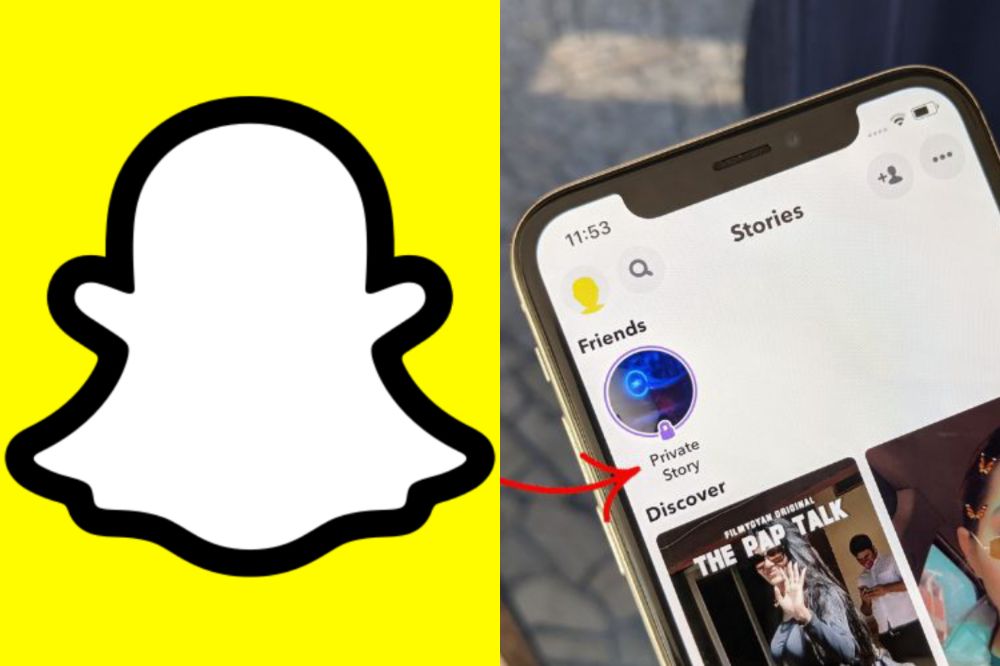
Tap on the story you want to remove yourself from. The story will have a padlock icon if it’s set as private.
Press the screen of the phone and hold on until a menu pops up.
Tap on leave story and ta leave again in the next popup.
Conclusion
Just remember that one of the perks of being friends with someone on social media is getting to see glimpses into their life. If they want you to be a part of that experience, they will make sure they include you. But in case they forget or don’t realize you are even following them, go ahead and send them a message asking them to add you.
Snapchat has become one of the most popular social media platforms in the world, and there are plenty of people looking to take advantage of that fact.
In an effort to gain access to users’ contact lists and expand their social media presence, many scammers have been creating fake Snapchat accounts on the platform, often pretending to be celebrities, models, and other public figures, who often have legitimate accounts with large followings.
If you’re using Snapchat to keep in touch with friends or family, keep reading below to learn how to spot a fake account on Snapchat before it’s too late.
About Snapchat
Snapchat is a mobile application that allows you to send photos or videos from your phone and make them disappear after viewing them. While the self-destructing feature is one of the most compelling features of this social media app, it’s also making it hard for people to tell what’s real and what’s fake.
What is a fake snachat account
To know if you have come across a fake account, these things might be in the picture
The content that is being posted from the account doesn’t reflect their real-life behavior, beliefs, and attitudes.
The profile has very little if any, engagement.
The above mention does not necessarily mean all account of such is fake but the possibility is high and does raise some red flags.
What is a real snapchat account
A real snapchat account starts with a username, the users name, and an underscore. Users can add photos and videos from their camera roll to their profile and take a photo or video from within the app.
A real snapchat account also has its location set on the app. When you open your snapchat you should see which country you are in on top of your screen as well as what time it is there (as long as you have enabled that setting).
Differences between a real snapchat account and a fake snapchat account
A fake account will never have a blue or yellow snap chat ghost next to their username on the app’s screen.
The real account owner always has a snapchat ghost next to their username when they take a picture and send it as an update.
This can be used as an easy way of determining if an account is real or not.
How to detect a fake snapchat account
First, look at your contact list and see if there are any numbers that don’t appear in other areas of your phone’s contacts.
Take a screenshot of the profile picture you’re trying to identify and use an app like PhotoScan or Pixlromatic. They can often give you clues about whether the account is real or not because they usually have higher-quality images.
Check the account snap score. Fake accounts have less activities doing and will not conjure a high snapscore.
Check their snapstories. A fake account can have a too good snap stories or too bad ones. However you detect from that depends on your sharp abilities.
Check account followers. Go through the account followers and see how active their followers are. Fake accounts can also have bots followers to skyrocket their total followers. So going through the account followers to know if they are not bots can also be helpful.
How to know who is behind a fake snapchat account
You can immediately find out who is behind an account by utilizing the Snapchat username lookup feature. The lookup feature is a search engine system built to help detect fake accounts.
Through these search engine systems, you can easily find out someone’s name, location, phone number, and email address. This information will reveal to you whether an account is real or fake.
How to detect snaps location not available
Snapchat is a photo-sharing app that lets you send photos and videos to your friends. When you get a snap from a friend, the sender can include their location so that you know where they took the photo or video.
In some cases, hackers may be able to access these accounts and send snaps with bogus locations, which could lure people into visiting dangerous places.
If the user has their locations on, its easy to detect their locations just by looking through their profile. However, fake accounts can also hack and show locations so the best option to stay safe is to know the user of the account before any conversation.
Reasons why your friend may have disappeared from snapchat map
If you’re wondering why your friend may have disappeared from the map, then it’s probably because:
They Switched their location settings off in the app. The first time someone switches this on, they will see a popup explaining how to switch back if they change their mind.
They are in Ghost Mode (turning this on will make them invisible and untraceable by tapping followers and viewing past activity)
They have deleted their account.
They have lost access to the phone or deleted all photos/videos
They have left the social media platform
They have blocked you.
Conclusion
Snapchat has a serious issue with fake accounts and snaps that do not exist. It is important for teens to look at the username, which can be found in the top left corner of the phone. If it does not have their friend’s name or their classmate’s in it, it is likely a fake account.
The snap chat location that pops up in their left upper hand corner also needs to match the username; if there are any discrepancies this should be deemed as a fake account too.
When you’re developing an application, there are all sorts of metrics that you can monitor to see how your users are responding to the features you put into it.
For Snapchat, the most important metric you can keep track of is your Snap Score. Snap Score measures how much time users spend looking at stories and chats each day and gives a general idea of how engaged they are with the app and how likely they are to stick around in the future.
If your Snap Score seems lower than it should be, you’ll want to use any means necessary to improve it, including adding group chats as part of your app offering.
What is snapchat score
Snapchat score is based on how many likes and comments you get, as well as what type of content you post. The more popular your account, the higher your snap score will be.
This number can fluctuate from day to day and if someone follows or unfollows you, which is why it’s not always a good idea to rely solely on this for validation of whether or not someone liked or cared about the content that was sent their way.
Do group chats increase snapchat score?
If you’re looking for an easy way to improve your snap score on Snapchat, participating in group chats is the perfect place to start. To get the most out of group chats, try these three simple tips:
Talk about anything and everything. About how everyone is doing or what they did that day.
Sometimes it’s best to play a game or watch some YouTube videos together.
Share pictures. When in doubt, send photos back and forth.
Either way, staying connected through group chats will help you increase your snap score.
How do group chats increases snapchat score
With the right group chat strategy in place, your snaps will be seen by way of multiple streams and maximize exposure on the app.
All you need to do is find an active group that shares similar interests as you and make sure you’re contributing quality content on a consistent basis.
How to increase your snapchat score
There are a number of ways to increase your snapchat score, but you might be overlooking the best and easiest way. Group chats do not only help you connect with new people, but they also give your snapchat score a boost.
To increase your snapchat score;
Add more groups and participate in them regularly.
Campaign for more followers.
Visit the app regularly and watch snap videos of others.
Post snap stories regular and make sure they are quality contents.
What are the benefits of having a high snapchat score
Increasing your snapchat score will let you have a more personal experience on the app.
It will enable you to showcase what you’re interested in will help you grow your circle of friends.
Additionally, high scores can allow you to advertise on the app.
Having a high snap score can help you get noticed on the platform.
A higher snap score will also make it easier for people to find your story by tagging your username in their posts, which can lead to a major following.
Finally, you will be able to get access to special features that are only accessible for people with high snapchat scores.
Conclusion The bottom line is that group chats are an excellent way to keep in touch with all of your friends. Keeping tabs on people is important for social media, and it could help you make sure you’re getting a good snap score.
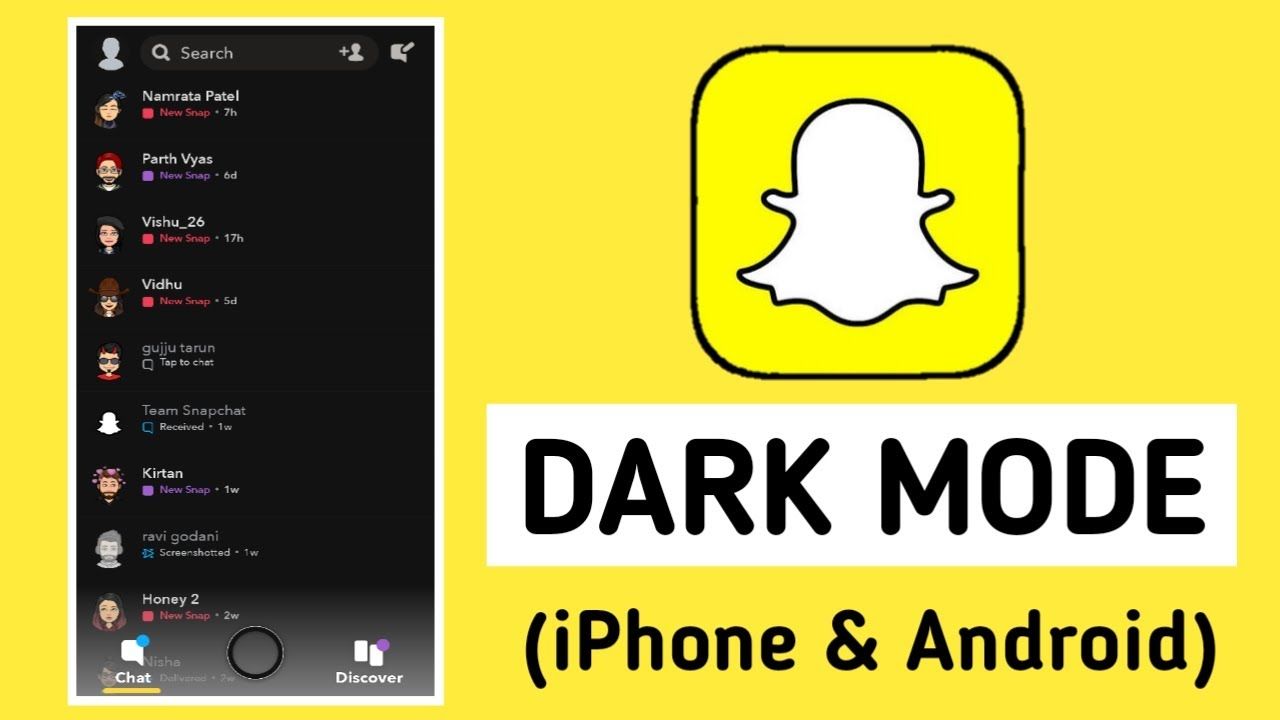
Snapchat continues to be one of the most popular social media apps available, but it doesn’t come with an obvious dark mode feature like so many other apps. However, there are some ways you can use Snapchat in dark mode that you might not have thought of before and they aren’t even hard to set up.
In this article, we’ll go over how to turn on and use Snapchat in dark mode.
How to turn on Dark Mode in Snapchat on Your iPhone
Turning on dark mode on your iPhone for your Snapchat should not be a big deal for you. With the steps below, you can easily do so and save yourself some hassle.
Open Snapchat on your iPhone and tap the Bitmoji icon at the top-left corner to open your Snapchat profile.
From the profile page, press the Settings gear icon at the top-right corner of the screen.
Under “My Account” settings, tap “App Appearance” to view the option to change the theme of Snapchat.
From the “App Appearance” settings, choose “Always dark” to enable dark mode on Snapchat from your iPhone.
How to turn on Dark Mode in Snapchat on Android
Just like the iPhone, enabling dark mode for snapchat on Android is also not difficult and if you are finding it so, the steps below will help you out.
Open your Android phone’s Settings.
Go to the Display & Brightness tab.
Tap on the Dark Mode settings option.
Click on Dark mode for third-party apps.
Select Snapchat and tap on the turn on option on the pop-up menu.
Dark mode is enabled on Snapchat.
Why it is important to turn on dark mode in snapchat
Turning on dark mode on Snapchat is a good way of saving battery.
The amount and speed of how your battery drains will decrease when you turn on dark mode.
It prevent you from straining your eyes.
Your phone when on light mode has a bright light and that makes you strain your eyes in order to be able to use it and that is not helpful.
Its less destructive
Having a dark mode does not destruct people in public especially when you are usiyouSnapchat in public but with the light mode, the brightness of your screen makes it visible for other to turn their necks to look on your phone.
Facebook Reels are growing rapidly in popularity, and as they become more popular, they also become easier to monetize.
This guide will go over everything you need to know about Facebook Reels and how to make money from them.
What are Facebook Reels
Facebook Reels is a new feature on the social media platform that allows users to create and share short video clips.
Facebook Reels can be up to 15 seconds long and can be edited with filters, music, and other creative effects. While the feature is still fairly new, there are already a few ways that users can make money from their Reels.
Why Use Facebook Reels?
If you’re a creative type who’s always looking for new ways to make money, you may be wondering if you can make money from Facebook Reels.
The answer is yes! Here are five reasons why you should give it a try
You don’t need any previous experience or special skills.
You can do it on your own time and at your own pace.
You don’t need any financial investment.
You get to post the ads yourself instead of having to go through an agency or other third party.
You have the potential to make more than $5 per day.
Aside the monetary aspect in Facebook rereels, it can also serve as a platform to showcase your video talent, sell your business out and others.
How to create a Facebook Reel
Creating a Facebook reel is easy. Just follow these simple steps:
Download the Facebook app on your phone.
Open the app and sign into your account.
Tap on the Create button at the top of the screen.
Select Reels.
Choose a video or photo from your camera roll, or capture something new using the in-app camera.
Select a soundtrack for your video and add text captions if you like.
Add an intro animation that matches the theme of your reel to create some eye-catching visuals for viewers before they watch your content.
Preview what you’ve created so far then publish it!
How to make money with Facebook Reels
1. Personal Ads
If you’re looking to make money with Facebook Reels, one option is to run ads. You can create an ad that targets people who are interested in your Reel content, and then send them to your website or online store.
You can also use Facebook’s new Sponsored Reels feature to promote your Reels content directly to people who are most likely to be interested in it. With a little creativity, you can make money from Facebook Reels without having to put up any of your own money.
2. Facebook Ads
If you are a video content creator with more than 10,000 followers, five videos or more, and 600,000 minutes of views in the past 60 days, then you are eligible to run facebook ads in their Reels.
However, these new advertising options are currently available in the U.S., Canada, Mexico, and 50 other countries. Just like any other ad service will be, the creator at the end will take a higher portion of the earnings which will possibly be 55% whiles the Meta takes 45%.
3. Stars
The reel is a new addition to the metaverse and thus, there are new ideas coming everyday. Meta as part of their plan of making the reel successful will be allowing viewers to send stars to a content creator while watching their Reels. For every star received, the creator gets one cent from Meta and the more they receive, the more their earning increases.
4. Reels Bonus Program
The Reels Play Bonus will be an invite system where every invitee earns a bonus on top of his earnings per 1000 views on his/her video published on reel over a period of a specific time which will be given.
For some of us, Facebook serves as a reminder to us. For example, when friends birth date approaches, Facebook serves a notice to alert us of it. The same way, when it’s our birthday, Facebook alerts our friends. Aside from this, when a friend writes something on their wall or post, Facebook notifies us.
In this post, we are going to look at how you can stop Facebook from announcing your birthday to friends. This can be annoying to some, people prefer to keep some part of their private life personal and away from friends.
If not about personal life, at times when Facebook announces our birthday we receive lots of messages on our wall and inbox. If you have a thousand friends, you are going to need to reply most of the messages in your inbox and wall which seems tedious if you are a busy person.
This and many other reasons will be good enough to have Facebook not announce your birthday. Aside these, it’s somehow beneficial to some of us. Most at times, friends do forget our birthdays but when they see the notifications they quickly remember and wish us.
How To Stop Facebook From Notifying Friends About Your Birthday (Facebook App)
Navigate your profile and tap edit profile
Scroll down and navigate to Basic info and tap edit
Scroll down to Basic info and tap edit
Tap the audience selector beside Birthday and set to Only Me
In the Birth Year option, set to Only me.
How To Stop Facebook From Notifying Friends About Your Birthday (Computer)
Go to your timeline and click on About
On the left panel, select Contact and Basic Info
On your Birthday and Birth Year, set the audience selector to only me.
After performing this, your birthday should no longer appear on your profile and all your friends will no longer receive notification from Facebook when it’s your Birthday.
Turn Off Birthday Notifications
If you are fed up with the daily dose of Facebook birthday notifications, you can easily turn them off. What you should note is, if you are the type that forgets things easily, you are going to miss many birthday reminders including your close friends.
If you remember things easily and you can recall your close friends birthday at any time and you are ok with turning this feature off, then follow the below steps.
Open Facebook on your computer then tap the Down arrow in the far right toolbar.
From the sidebar, click on notifications. Then click on the Edit option next to the On Facebook option.
Navigate to the Birthday option and from the drop-down box, choose the OFF option. Turning this off will disable the birthday push notifications.
Conclusion
Sometimes these notifications from Facebook floods our timeline. In this post, I have shown you how you can stop Facebook from announcing your birthdate to friends.
Not only this but has also shown you how to turn off birthday notifications.
Facebook is known as one of the biggest social media platforms in the world. According to Statista, there are over 2.89 billion active users on Facebook as of November 1, 2021, therefore making it an ideal platform to sell or buy your items from at a very affordable price.
Selling or buying something in this modern technological era is mainly online. Gone were the days where people had to join long queues to buy something from the shop or the market. Especially in festive seasons like this, there would be traffic in all the major parts of the country since many people will be going to the market to buy their Christmas items.
Thanks to Meta and Facebook for introducing Facebook Marketplace, consumers can now sit in the comfort of their homes and buy or sell their Christmas products without joining any long traffic. But the fact that you can sell on Facebook Marketplace does not mean there are no restrictions. Indeed, there are some restrictions on the products that can be sold on the platform.
In this guide, however, I am going to show you everything you need to know about how to sell and buy on Facebook Marketplace. Before we jump into it, currently, there are some countries that are supported by the Facebook Marketplace. Hence, you have to find out if your country is supported first before you get into it.
How to Sell on Facebook Marketplace
Since Facebook is supported on both mobile phones and desktops, I am going to show you how you can do this in both ways.
How to Sell on Facebook Marketplace on Desktop
Open Facebook on your desktop and log in with your username/email/phone number and password
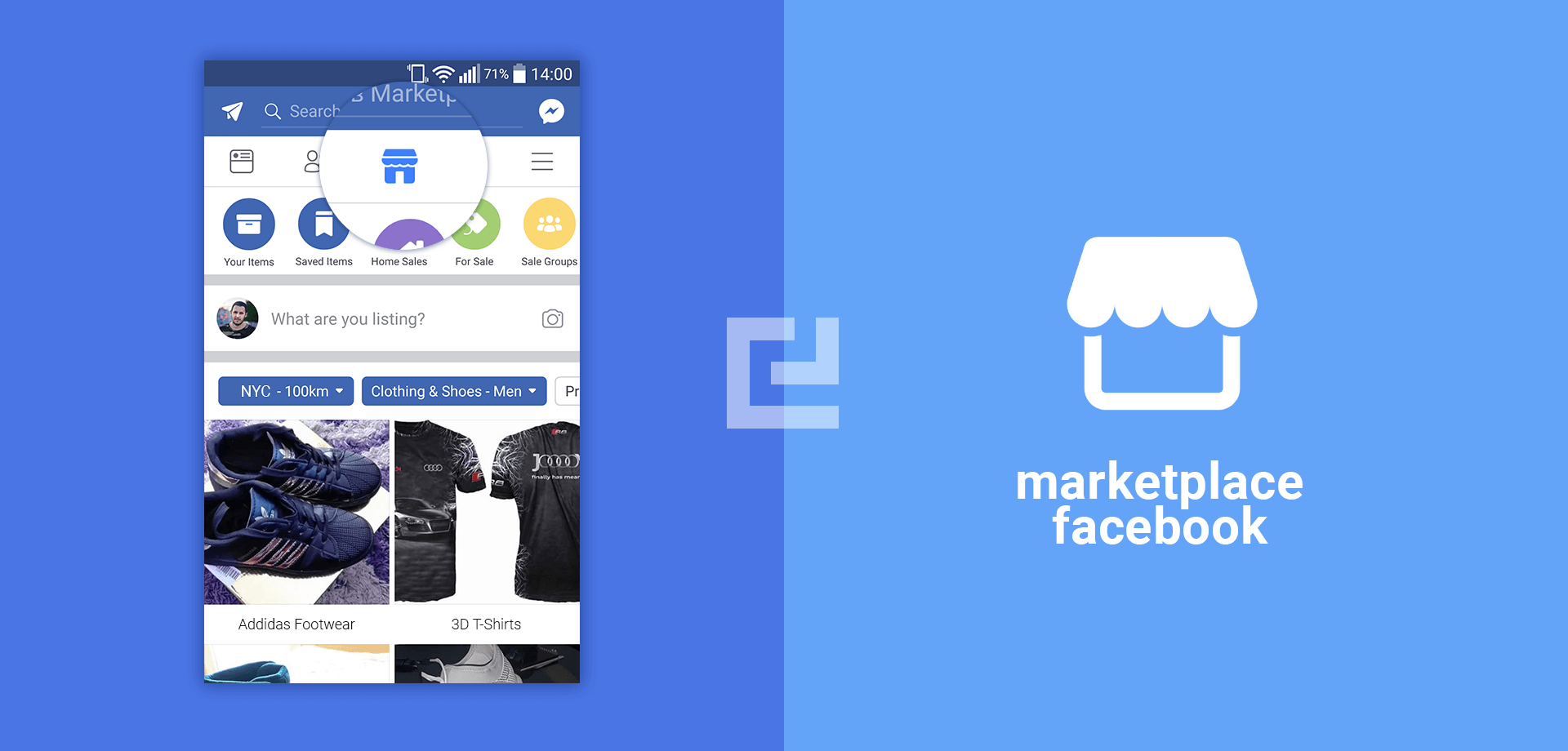
Select Marketplace in the left sidebar on the screen
Click on Create New Listing
Select Item for Sale from the listing types (Items, Vehicles, Properties for sale or rent, Jobs)
Click on Add Photos to upload a photo of the item you want to sell
Type in the information about the item in the space provided
Enter the price of the item and then select Next
Next, choose the method of delivery (if applicable) and then click Next
Click on Publish to post the listing
How to Sell on Facebook Marketplace on Mobile
Open the Facebook app on your phone and log in with your username/email/phone number and password (if applicable)
Tap on the three (3) lines at the upper or lower part of the screen (depending on your device)
Select Marketplace from the available options
Tap on Sell in the top left corner
Select Item for Sale from the listing types (Items, Vehicles, Properties for sale or rent, Jobs)
Click on Add Photos to upload a photo of the item you want to sell
Type in the information about the item in the spaces provided
Enter the price of the item and then select Next
Next, choose the method of delivery (if applicable) and then click Next
Click on Publish to post the listing
How To Buy on Facebook Marketplace
Open the Facebook app on your phone or your desktop and log in with your username/email/phone number and password (if applicable)
Click on the Marketplace icon and browse through the available items for sale
Search and filter through the available listed items and select what item you wish to buy
View through the rest of the images for the product
Once you are interested, send a message to request the availability of the item from the seller
Work out the rest of the process with the seller. Facebook does not facilitate any payment or delivery between the buyer and the seller.
Conclusion
With the introduction of Facebook Marketplace, entrepreneurs and e-marketers are going to get a relatively good Return on Investment (ROI) from it at no extra cost, since Facebook has a very big number of active users. This way, you don’t have to pay any amount to market your goods.
Also, since the entire payment and delivery process is going to be between the buyer and the seller, I would advise that they both meet at a very safe place, the buyer inspects the product, and then pay for the product. In situations where the buyer and the seller live at different places, it would be good for both of them to come to a consensus in order to prevent either of them from being duped.
How much does it cost to sell on Facebook Marketplace?
Selling on Facebook Marketplace is completely free.
How does purchasing work on Facebook Marketplace?
Once you see the product you want to buy, you request its availability from the seller then you work on how to pay and get the product delivered.
How do you get paid on Facebook Marketplace?
Facebook doesn’t pay you for your products. Therefore, you get paid from what the buyer of your product pays you.