Author: Emmanuel Boakye Yiadom

  • Ways To Take Care Of Your Laptop’s Battery For A Longer Lifespan

    Ways To Take Care Of Your Laptop’s Battery For A Longer Lifespan

    A laptop is one gadget that is a must-have for everyone, as a student, you need this laptop for school, as a worker for work and so on. When it comes to we the gamers too same.

    One thing that makes people prefer a laptop over a desktop is the ability to charge its battery and still be able to use it when there is no electricity, and also the ability to move it to anywhere you want to go.

    Many people complain of their laptop battery not lasting long, this makes using a laptop boring as you will want to visit a place and then do a certain task on your laptop only to reach there and start working and then find out your battery cant last for you to finish your work.

    If you have already bought a new laptop or you already have a laptop then I have some tips to give you so that you will not have problem with your battery draining fast and also expand your battery lifespan.

    So without wasting much time let us get started.

    How To Take Care Of Your Laptop’s Battery For A Longer Lifespan

    Turn Off Brightness

    Before even going on with the effects of brightness on your battery, first of all, turning on your screen brightness causes harm to your eye.
    Also, brightness is one factor that drains the battery, so lowering screen brightness does not only helps your battery last long but also it saves you from getting any eye problem.

    Don’t Always Keep Your Battery Plugged In

    This is one mistake most of us do, we always tend to keep our laptop plugged in always.

    Laptops that are always plugged tends to have lesser number of cycles (a cycle is when your battery drain and then you charge – that’s is one cycle) than those who always keep their batteries between 20% and 80%.

    So you don’t always have to be charging your battery fully always.

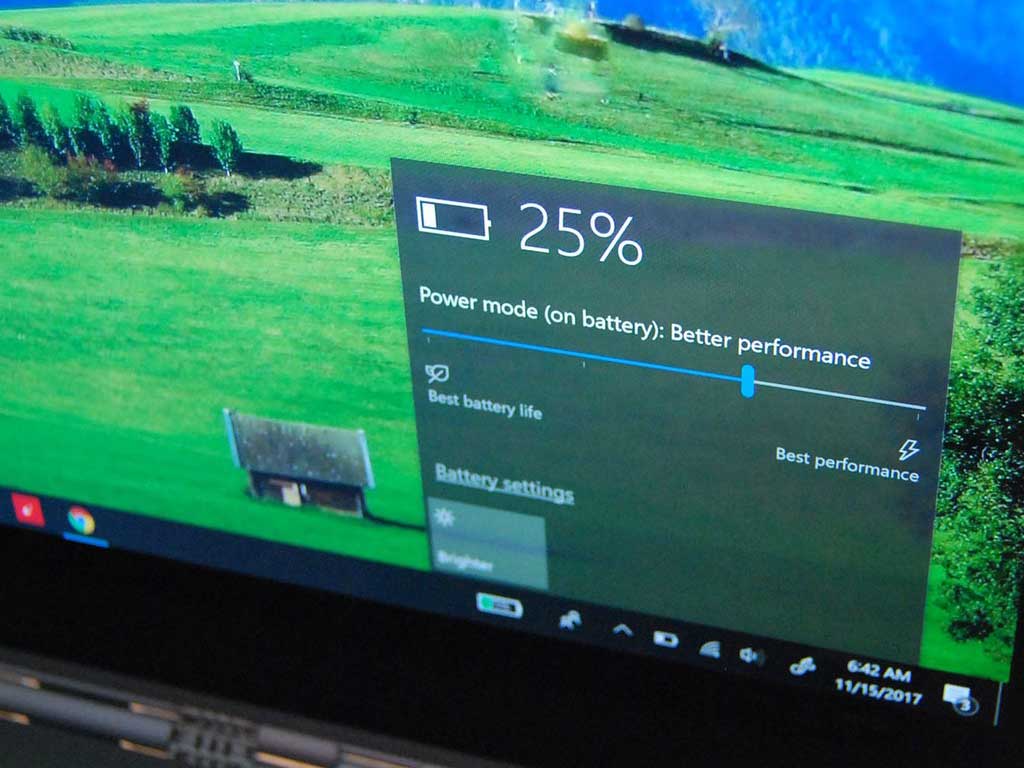
    Always Activate Battery Saver Mode

    What benefits does activating battery saver mode gives to your battery life? Anytime your laptop is on battery saver mode, it limits the works that the computer has to do if you are not using your laptop for gaming, editing videos or making many tasks, then activating battery saver mode will help your battery and on the performance, since you are not doing any hard task, you won’t see any changes you will not see any changes.

    So if you are not doing any task that requires a lot of power then always try as much as possible to activate battery saver.

    Don’t Always Wait For The Battery To Die Before Charging

    Always making your laptop battery die before charging is one thing that affects the battery life, it is recommended to charge your battery when it is on 20% column as this extends your battery lifespan.

    Keep Your Laptop Out Of Hot And Cold Environment

    Your laptop needs to be kept in a neutral environment, exposing it to an environment that has excessive hotter or colder temperature causes your laptop battery to work harder which makes the battery drain faster and also shortens your battery lifespan.

    Unplug Peripherals When Not In Use

    External hard disks and webcams also drain battery life when even not in use, they get connected and ready to work using the battery power when plugged in.

    So to avoid your battery draining fast, always make sure no cables are connected to your laptop when they are not In use.

    Conclusion

    Having a laptop with a healthy battery is one of the best feelings, it increase productivity, if you are a gamer, it always helps you play for a long time without light. To avoid destroying or shortening your batteries life span, in this article we went through how to take care of your laptop battery to extend its lifespan.
  • All 4G Networks in Ghana: Data Plans, Bundle and Router Prices

    All 4G Networks in Ghana: Data Plans, Bundle and Router Prices

    The 4G network has been with us for quite some time now. Although 5G has been rolled out it will take a long time to be available in Ghana as in the country where it even started, they are now expanding it.

    Ghanaians are already in love with the 4G network as it gives you the super-fast internet connection, making working, streaming and downloading an easy thing to do.

    In this article, I am going to take you through all the 4G networks in Ghana and after that, we will dive in their data plans and bundles.

    Currently, the following networks in Ghana provide 4G services:

    1. Surfline
    2. MTN Ghana
    3. Vodafone Ghana
    4. Busy Ghana
    5. Telesol 4G

    Let’s look at the pricing of their data plans.

    Surfline Data Plans

    Surfline is known to be the first network to be serving Ghanais 4G network. When it comes to the best 4G networks in Ghana here then Surfline name wouldn’t be left out.

    But one thing about this service is that it is not available in all the regions in Ghana as they are expanding gradually.

    Surfline All Weather Bundles

    PriceDataDuration
    GHS 101.5 GB24 Hours
    GHS 203 GB3 Days
    GHS 354.5 GB7 Days
    GHS 406 GB30 Days
    GHS 10015 GB30 Days
    GHS 18530 GB30 Days
    GHS 25545 GB30 Days
    GHS 32575 GB45 Days
    GHS 410100 GB60 Days

    Surfline Unlimited Plans

    PriceDataDuration
    360 GHSUnlimited30 Days – 24/7
    110 GHSUnlimited Night Bundle30 Days – 12AM To 6AM

    Surfline Router Price

    The Surfline router cost GHS 499 and also comes with a free sim with 15GB promotional valid for 30 days.

    MTN Ghana Data Plans

    Yes, everywhere you go as their name suggests, MTN is also among the 4G internet providers in Ghana, the company claim to be having a 4G+ which is seemed to be faster than the 4G network.

    And the good thing about this network is that it covers many places as compared to all the 4G network providers In Ghana.

    MTN Turbonet Bundle

    PriceData
    GHS 255GB
    GHS 5010GB
    GHS 14545GB
    GHS 295225GB

    Vodafone Ghana Data Plans

    Vodafone Ghana also joined the 4G bus and then started serving its customers with the super blazing 4G internet.

    Vodafone 2 Moorch Data

    PriceDataDuration
    GHS 101.5GB and 1.5GB Night Data1 Week
    GHS 204GB and 4GB Night Data1 Month
    GHS 5010GB and 10GB Night Data1 Month

    Vodafone Knight Bundles

    PriceData
    GHS 2.152GB
    GHS 5.407.5GB

    Vodafone Jumbo Packages

    PriceDataDuration
    GHS 21540GB30 Days
    GHS 322100GB30 Days
    GHS 430200GB30 Days

    Vodafone Monthly Packages

    PriceDataDuration
    GHS 10820GB1 Month

    Vodafone Weekly Packages

    PriceData
    GHS 2.1580MB
    GHS 5.40600MB and 600MB for Night Data
    GHS 21.504GB

    Busy Ghana Data Plans

    busy Is also known as one of the best 4G internet service providers in the country. They also have a pocket router that can be used anywhere.

    Busy Prepaid Bundles

    PriceDataDuration
    GHS 305GB5 Days
    GHS 302GB30 Days
    GHS 407GB7 Days
    GHS 405GB30 Days
    GHS 7510GB30 Days
    GHS 15525GB30 Days
    GHS 24050GB30 Days
    GHS 27575GB30 Days
    GHS 325100GB60 Days
    GHS 425200GB60 Days

    Conclusion

    In this article we went through the various 4G networks we have here in Ghana, their data plans and prices.

  • 5 Things iPhones Cannot Do But All Android Phones Can Do

    5 Things iPhones Cannot Do But All Android Phones Can Do

    The debate between Android users and iPhone users on which phone is the best is a never-ending debate.

    There always comes a debate on various social media platforms and Android users will be teasing iPhone users on things they can do that iPhone users can not do, iPhone users will be also throwing same shots and anytime you see those debates going on, it becomes very interesting to follow.

    This debate was almost becoming a thing of the past until twitter decided to show the devices that you used to make a tweet under your post.

    This also sparked another round of debates and then one of them which was funny to me was seeing one guy asking twitter to change the “Twitter For Android” to “Twitter For Samsung” because Twitter can’t show any Android phone like an Android because his phone is more expensive to be tagged as just an “Android ” phone.

    In this article, I am not going to tell which one of them is the best because each phone has its own uniques features but I am going to talk on the things that iPhones can not do but Android can do.

    So without wasting much time let us dive right in.

    5 Things iPhones Cannot Do But Android Phones Can Do

    You Can Upgrade Your Storage

    As we keep on using phones, we tend to download new videos, pictures, documents and a whole lot. One thing I love about Android is that you can upgrade your storage by inserting an external SD card so that you can have more space to download and store more files.

    Use Any Apps You Want

    With Android you have control over your phone, you can choose which app to set as a default app. You can change your default browser app to be Opera browser or Brave browser, same as SMS default app to True caller app and many more. 

    Even though iPhone recently made it possible to delete its default apps, you can not change the default apps the way you want it. 

    On Android to see which apps have been set as your default apps, all you have to do is visit Settings > Apps & Notifications > Default Apps. There you can see all the apps that have been set as default, you can click on any of them to change the default app.

    Split Screen Mode 

    With Android phones, you can split the screen of your phone, maybe you might be sending email and then you need to copy the recipients address on another app, with Android you can split the screen to open another app and use both at the same time.

    I mostly split my phone’s screen when I am chatting with someone on Whatsapp and at the same time, I need to check what is trending on Twitter, with the help on-screen splitting I can access both apps at the same time.

    Although iPad OS 13 supports running multiple apps at the same time, iPhone and iOS 13 does not.

    Customize Your Phone With Launchers

    Launchers are what we use to customize our home screen, apps icons and many more. Launchers are used to design your Android phone to your satisfaction.

    Android allows you to install any launcher you want, you can then customize it by changing how you want your apps menu to look like, how you want your home screen to look like, how you want your apps icons to look like and many more. One of my favourite launchers is Evie launcher.

    Set Automatic Changing Wallpaper

    With Android, you can always make your phone look fresh to you by always having a new wallpaper.

    You can use Google Wallpapers app to change the lock screen wallpaper and lock screen wallpaper every day without you doing anything, phones like Infinix and TECNO has its default live wallpapers that always changes the lock screen and it makes your phone always looks new to you.

    Conclusion 

    The debate on which phone being the best is indeed never going to end as every day each operating system comes up with a new feature, in this article we went through 5 things Android phones can do but iPhones can not do.

    In case you want to start using an Android phone, then head over to Mfidie store as we have the best latest Android phones for sale and we also do nationwide delivery.

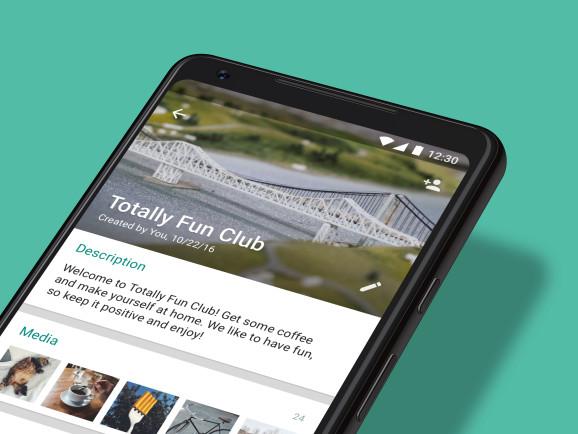
  • How To Generate Your Personal Or Business WhatsApp Link to get more customers

    How To Generate Your Personal Or Business WhatsApp Link to get more customers

    Every day in and day out we use WhatsApp this popular messaging app has made it known to us that there are over 65 billion messages sent on the app each day meaning this app is more than popular.

    The app was released in May 2009 and it allows users to send and receive messages, make voice notes and video calls and conference calls share locations, images and documents.

    Google decided to buy WhatsApp for $10 billion but WhatsApp rejected the offer and then Facebook joined the race and on February 19, 2014, Facebook bought the popular messaging app for $19 billion.

    The reason why many people fell in love with this mobile app is how you can use to send and receive messages fast and also this app does not take too much data as compared to the other social media apps we know.

    Also for people who hate seeing ads, this app does not make ads on the app, the app started as a paid app and later rolled it out for free for people to use because the main aim of the developers was to make people send and receive messages without paying for it using the internet.

    Not forgetting about your messages on if it can be hacked or not, the good news is that WhatsApp messages are encrypted and there is no way someone or hackers can get access to your messages if you don’t give your phone to that person.

    WhatsApp didn’t end that there, they continued adding more features to make the app very appealing to use, features like status and group videos were added and also sharing of location was also added.

    One thing about WhatsApp is that to chat with somebody, you must first have the person’s number to chat with. 

    But what if you have a business and many people want to chat with you and you cant give your number or add their number one by one? As an individual, many people will want to chat with you maybe for help or guidance and you cant give your number to each one of them one by one.

    That is why in this article I am going to guide you on how to generate your personal or business WhatsApp link 

    How To Generate Your Business Whatsapp Link Using Whatsapp Business App

    Maybe you have installed WhatsApp business and has been using it to chat with your customers and also you want to share your chat link to your customers so that anybody can have a direct chat with you without having to store your number then follow these steps.

    1. On your WhatsApp business app, tap on the three vertical lines and click on Settings
    2. Select Business Settings
    3. Tap on Short Link
    4. You will see your WhatsApp link, now copy it and share it to anybody, when someone clicks on that link, he or she can directly chat with you without having to store your number. You can also set a default message, anybody who will click on the link to chat with you, that message will appear for the person to continue writing or send that message to start chatting with you.

    How To Generate Your Personal Whatsapp Link

    To generate your WhatsApp link all that you have to do is to type the web address https://wa.me/number/ so if your number is +233244419419, then your WhatsApp link will be https://wa.me/233244419419.

    Final Words

    Now its easier to chat with someone without the need to store the person’s number. In this article, we went through how to generate your WhatsApp chat link and also WhatsApp business link for people to chat with you easily. 

  • Best Glo Data Plans in Ghana: Price, Bundle Code and Duration

    Best Glo Data Plans in Ghana: Price, Bundle Code and Duration

    Internet is one thing humans can’t live without, infact nowadays internet has become part of our daily lives.

    We use the internet to work, connect with family and friends, and many more.

    Not forgeting about the technology and the AI’s that is making human beings have a smooth live like Alexa, Google Assistant and many more mostly rely on the internet.

    To use the internet too you need data and phone without data is like a humans without air, what happens to humans when they does not get air to breathe? They die. Same as phone without internet, they become limited.

    Thats is why we need to talk about data plans and on this article I am going to take you through Glo internet packages.

    Glo started operating in Ghana since 2008 and has been providing Ghanaians with best and cheapest data bundles.

    The company got Ghanaians at heart and because of that has made their data plans very affordable to buy and also with a blazing internet speeds.

    Before getting started the short code to  buy Glo data bundle is *555#

    Glo Ghana Yakata Plus

    This is one of my favourite internet package that I always purchase,with Glo Yakata you can purchase and get more data for cheap prices, below are the prices with its data

    AmountDataDuration
    GHS 1400MB2 Days
    GHS 2800MB4 Days
    GHS 52GB10 Days
    GHS 104GB20 Days
    GHS 208GB40 Days
    GHS 5020GB100 Days

    One thing I also love about the Glo Yakata Plus is that, anytime you purchase this bundle, let’s say when you purchase the GHS 5 Bundle, you can send 500MB to another number, so if you have a friend who also uses Glo, then anytime you purchase the Yakata plan you can forward him or her the 500MB for that person to also use.

    Aside that you also get Unlimited Glo-Glo calls.

    How To Activate The Glo Yakata Plus

    • Dial *555#
    • Select 5: Yakata Plus
    • Now choose 1: Buy Yakata Plus
    • Now enter your preferred bundle according to your amount and the days you want your data to last.
    • Press 1 to confirm.

    How To Gift Somebody Your Bonus Bundle From Yakata Plus?

    To gift somebody your bundle, dial *127*Glo Number#.

    Glo Ghana Weekly Bundles

    AmountDataDurationCode
    GHS 5700MB7 Days*127*2#
    GHS 3350MB7 Days*127*13#

    Glo Ghana Daily Bundles

    AmountDataDurationCode
    GHS 103.75GB3 Days*127*24#
    GHS 3300MB3 Days*127*17#
    GHS 3750MB1 Day*127*18#
    GHS 2300MB1 Day*127*12#
    GHS 1100MB1 Day*127*1#

    Glo Ghana Jumbo Data Desktop Bundles

    AmountDataDurationCode
    GHS 15075GB90 Days*127*7#
    GHS 10040GB90 Days*127*19#
    GHS 8030GB60 Days*127*33#

    Glo Monthly Data Bundles

    AmountDataDurationCode
    GHS 255.5GB30 Days*127*15#
    GHS 204.2GB30 Days*127*22#
    GHS 153GB30 Days*127*4#
    GHS 101.7GB30 Days*127*14#

    Conclusion

    When it comes to the cheapest internet prices in Ghana here then Glo is the number one, as you can see from the tables shown they have the cheapest data bundles as compared to all the telcos we have here in Ghana.

  • Vodafone Night King Bundles: Shortcode, How To Subscribe, Benefits & More

    Vodafone Night King Bundles: Shortcode, How To Subscribe, Benefits & More

    Many people love browsing at night, not because they can not sleep but browsing at nights is one of the best feelings you will ever get if you have a lot of videos and files to download.

    Browsing at night has a different internet speed when making downloads as compared to making these downloads at day time.

    You will also agree with me that when it comes to midnight packages in telcos, Vodafone Ghana has one of the most affordable night packages for its customers.

    Vodafone has a night bundle offer called Vodafone Night King Bundle that subscribers can purchase to browse from 12:00 am to 4:00 am at a lower cost.

    Meaning you can purchase it anyway but it will only start to work from 12:00 am and when it is 4:00 am it will be exhausted.

    What Are The Prices Of Vodafone Night King Offer?

    Vodafone has two kinds of night bundles

    • Night King 1
    • Night King 2

    The Night King 1 cost GHS 2.15 and you will be given 2GB to be used from 12:00 am to 4:00 am.

    The Night King 2 also cost GHS 5.40 and then you will be given 7.5GB to be used from 12:00 am to 4:00 am.

    How To Activate The Vodafone Night King Bundle

    As stated earlier there are two types of night bundle so to activate for the Night King 1 bundle simply dial the USSD code *700*71#.

    Also to activate the Vodafone Night King 2 simply dial *700*72#.

    When you are done, you will receive a message telling you that you have successfully activated the Vodafone Night King bundle.

    Things To Note When Purchasing The Vodafone Night King Bundle

    • You can purchase the bundle any time of the day but it can only be used from 12:00 am to 4:00 am and when it is 4:00 am, the bundle will not work again until the next day when it is 12:00 am again.
    • When you purchase a midnight bundle and you exhaust all of them whiles still making downloads or surfing, then you can continue doing whatever you are doing using your data balance or if you don’t have any bundle, it will be deducted from your balance at a fee of 12.5p/MB.

    How To Unsubscribe To Vodafone Night Bundle?

    Maybe you have subscribed to the auto-renewing of the bundle because you are always found browsing at night and right now you do not want to browse at night again, you can choose to unsubscribe. To do this all you have to do is to dial 9090 and then follow the voice prompt to unsubscribe.

    Conclusion

    Vodafone night bundle is the best for people who make movie downloads or download huge files at night because, with Vodafone night bundle, you can get a huge amount of data and then pay less for it to be used from 12:00 am to 4:00 am.

  • How To Access WAEC Pasco (Past Questions And Answers) On Your Phone

    How To Access WAEC Pasco (Past Questions And Answers) On Your Phone

    I remember back in Senior High School (SHS) times when it was time for us to write our West African Examination exams. What you would find me doing was gathering all the past questions on each of the subjects that I am about to write about and solving them.

    I will be walking and visiting people asking them to give me their past questions books so that I can bring it to “prep” and solve some on the subjects that I don’t have its past questions.

    If you are about to write your final exams then definitely you are going to learn and solve past questions because many people believe WAEC doesn’t bring new questions, they re-edit the old past questions and then set it up for us to write.

    So when the date for exams to commence is approaching, those who have WAEC past questions are the bosses and if you don’t have these past questions books, no matter what the person who has these books will tell you to do for him or her, you will definitely do it because you need it to learn and solve some of the questions so that you can pass the exams.

    Worry no more because now with the help of uLesson app you can access WAEC past questions and answers on your phone.

    First Of All What Is uLesson App?

    uLesson is a mobile application created for students to access educational materials and studies.
    The platform has a lot of material, including videos tutorials, quizzes, and past questions for people who are about to write their final exams like O Level, NECO, UTME and WASSCE.

    How To Access WAEC Pasco (Past Questions And Answers) On Your Phone

    1. Download the uLesson app from Google Play Store or the Apple App Store.
    2. Type in your phone number and within minutes a 6 pin code will be sent to you. Type in the code to log in.
    3. Now set up your account by creating a new user by typing in details about you such as your name, School location, Date of Birth, guardian’s detail and Class and when you are done filling the forms, press Continue.
    4. You will be successfully logged in and you will be taken to your dashboard, on your dashboard you can find many lessons but since we want to practice WAEC past questions, look through and tap on “Practice WAEC Exams”.
    5. Now select the subject and the year you want to practice it’s past questions and then tap on Continue.
    6. The questions will pop up and then the timer will start.

    Conclusion

    Now it’s easier to access WAEC past questions without the need to look for books, now on your phone you can have all the past questions on all the subjects using the uLesson app.
    In this article, we went through what the uLesson app is and how to access WAEC past questions on this awesome app.

  • CompuGhana: Laptop Prices, Phone Prices, Branches, Promotions & More

    CompuGhana: Laptop Prices, Phone Prices, Branches, Promotions & More

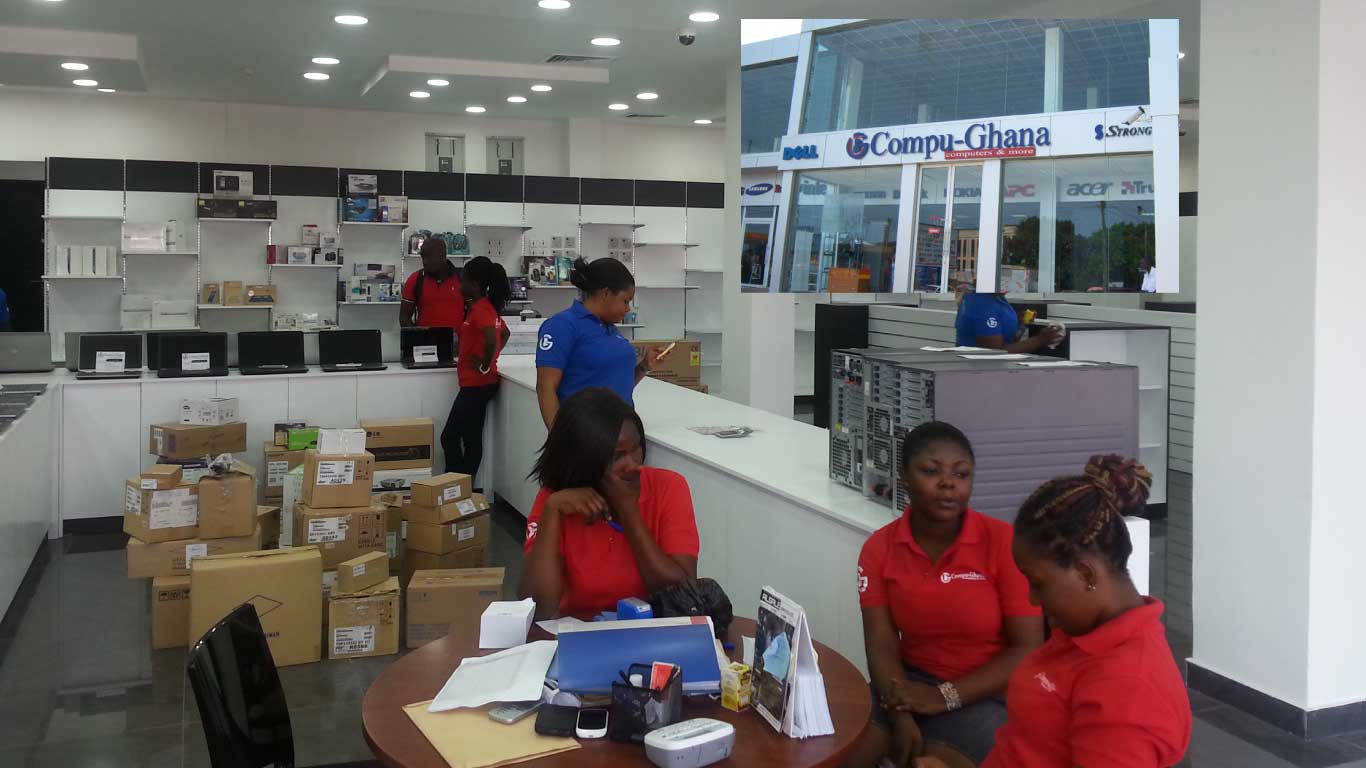
    CompuGhana is an eCommerce website that sells information technology products. The company has been serving Ghanaians with quality products and there hasn’t been a single complain from anyone that has ever done business with them.

    When it comes to selling quality products, there Is no way we are going to end the conversation without mentioning CompuGhana.

    The company sells gadgets like laptops, phones and tablets, TVs and many more.

    Maybe you need a laptop, tv or phone but due to some reasons, you cant go to the market to buy one.

    Or maybe you are like me who prefers ordering things online without the needs to waste much time going around the market.

    What Makes CompuGhana Unique?

    • Free Shipping: When you buy any product that is above GHS 99 from CompuGhana because they care about their customers, they will deliver your product to you for free without you paying for delivering fee.
    • Money-Back Guarantee: Maybe you ordered for something and you didn’t get what you expected (which I doubt it will ever happen), CompuGhana will collect their product back and then give you your number (full money paid).
    • 24/7 Support: well they are available anytime you need them, not like the websites and shops that you will buy a product from them and later you will want to ask them about the product you just bought and you will be finding it difficult to reach them.

    Now without wasting much time, let me take you through the prices of the laptops and phones they sell on their website.

    Price Of Laptops On CompuGhana

    BrandSpecsPrice
    Dell Inspiron-3582 15.6″Intel Dual Core-4GB RAM-500GB HDD-Windows 10GHS 1,729.00
    Lenovo Flex 5-1570 I78GB 256GB SSD 15.6 Inch Touch Win10GHS 6,309.00
    Lenovo V130 – 15.6″Intel Dual Core – 1TB HDD – 4GB RAMGHS 1,399.00
    Dell 17.3″ AlienWare 17 R5 LaptopGHS 20,189.00
    HP Notebook 15BS151NIA Laptop (I3, 4GB, 500GB)GHS 2,099.00
    Notebook 15-RA011Nia Intel CELERON N30504GB RAM 500GB Free Dos LaptopGHS 1,549.00
    Dell Inspiron I3585-A831Blk-Pus 15.6″ TOUCH-SCREEN LAPTOP(AMD Ryzen 3, 8GB RAM, 128GB SSD)GHS 3,249.00
    Lenovo Thinkpad X1 Carbon I716GB 512GB SSD 14 INCH WIN10P – BlackGHS 14,539.00
    Microsoft Surface I716GB 1TB SSD 13.5Inch Touch WIN10 – Platinum GHS 9,359.00
    Microsoft Surface I716GB 512GB SSD 13.5INCH Touch WIN10 – Cobalt BlueGHS 8,289.00
    HP Probook 450 G6 Laptop – Intel Core I58GB RAM – 1TB HDD – 15.6-Inch HD – Free DOS – SilverGHS 4,779.00
    HP 250 G7 – 15.6″ – Core i51TB HDD – 4GB RAM – Free Dos – GrayGHS 3,659.00
    HP 250 G7 – 15.6″ – Core i31TB HDD – 4GB RAM – Free Dos – GrayGHS 2,389.00
    Apple MV932LL/A 15.4″ Macbook Pro – Intel Core I9512GB HDD – 16GB RAM – Mac OS – Space GrayGHS 17,719.00
    Dell Inspiron3581-15.6″-Core I31TB-4GBRAM-Windows10-BlackGHS 2,549.00

    Price Of Phones at CompuGhana

    Phone ModelPrice
    Tecno B1F Pop 2F 16GB HDD -1GB RAMGHS 350.00
    Samsung Galaxy A2 Core 16GB HDD 1GB RAM + Free Remax Wired Music In-Ear EarphoneGHS 459.00
    Infinix X653 Smart 4 16GB -1GB RAM 4GGHS 489.00
    Tecno Bb4 Pop 3 Plus 16GB 1GB RAMGHS 499.00
    Huawei Y5 2019 Edition – 32GB HDD – 2GB RAM + Free Huawei Pen + Remax Rm 550GHS 569.00
    Samsung Galaxy A01 16GB HDD 2GB RAM + Free Remax RM-588 Wired HeadphonesGHS 619.00
    Huawei Y6 2019 32GB HDD 2GB RAM + Free Remax Wired Music In-Ear EarphoneGHS 659.00
    Infinix X680 HOT 9 Play 32GB HDD 2GB RAM 6.82″GHS 659.00
    Tecno KD6 Spark 5 Air 32GB 2GB RAM – Vacation BlueGHS 685.00
    Tecno Camon 12 Air CC6 DUAL SIM 4G LTE – 32GB HDD – 3GB RAMGHS 735.00
    Huawei Y7 Prime 2019 + Free Rock ES01GHS 755.00
    Samsung Galaxy A11 32GB HDD 2GB RAM + Free REMAX RM-550GHS 819.00
    Infinix S5 Lite + Free Rock ES01 EarphoneGHS 819.00
    Tecno Camon 12 Dual Sim Smartphone – 64GB HDD – 4GB RAMGHS 835.00
    Infinix Note 7 Lite 64GB 4GB RAM – 6.95″ + Free Rock EarphoneGHS 869.00
    Tecno Camon 15 Air 64GB HDD 3GB RAM 6.6″ – Malachite BlueGHS 895.00
    Infinix Hot 9GHS 689.00

    CompuGhana Contact Address

    Mac Coffie House, Oxford Street, Osu, Accra, Ghana

    Phone: +233 030 7070701 /2/3/4/5

    Email: [email protected]

    CompuGhana Branches

    BranchTelephone
    Osu Main0243143143
    Spintex0249999988
    Accra Mall0553747400
    A&C Mall0546977277
    Achimota Mall0556322688
    Marina Mall0544630630
    Junction Mall0244244454
    West Hills Mall0544111181
    Osu Mall0244909809
    Tema0200029799
    Kumasi Main0246000001
    Kumasi Mall0549199990
    Takoradi0246646666

    Conclusion

    When it comes to quality and affordable laptops and phones in Ghana, then CompuGhana is one name we can’t leave without mentioning, in this article we went through CompuGhana laptops and phones prices.

  • 10 Facebook Features You Probably Didn’t Know About

    10 Facebook Features You Probably Didn’t Know About

    At the moment, Facebook is the most popular social media on this planet and with over 1.56 billion people logging in every day.

    The platform has billions of users of which we all know me and you are among. you might be an active Facebook user like me or you are not always fond of using Facebook but what if I tell you there are many features that you probably didn’t know existed in the platform?

    What we mostly do every day is login, check our notifications, reply to messages, likes and share pictures, texts and article and then leave the platform.

    Well, you might be missing a lot and that is why I am writing this article to take you through 10 features that you can find on the Facebook platform.

    You Can Save Post And Check It Later

    You might be scrolling through your Facebook feeds and will once come across a post but you will be very busy doing something and will really want to check out that post when you are free, well Facebook has also thought of that and definitely know someone can be in such situation.

    So when you find a post that you want to read or watch later tap on the three dots on the top right of the post and then tap on save. To access your saved posts, on your app you will find saved posts on the main menu and on desktop, you can find saved posts on the left-hand side of your news feeds.

    Know The Data Facebook Has Stored About You

    There have been many allegations on Facebook on how they collect peoples data and use them, well Facebook has this option for people who will want to know the type of data Facebook has stored about them and you can check them out and you can also tell them the data you no longer want them to collect about you.

    Remove Friends Who ‘Post Too Much’ From Your Newsfeed

     We all have a Facebook friend who is always fond of posting pictures and status, sharing stuff which always ends up taking up all our newsfeeds, anytime you see a post from such friend, all you have to do is to click on the three dots on the top right corner of the post and select Unfollow. Facebook is not going to notify the person and you are still going to be friends with him or her.

    Create A Fundraising

    Maybe you will want to raise money for someone in need, maybe there for a kid who needs money for surgery or it can be anything that needs contribution, with Facebook you can set up a fundraising and ask your friends to donate the little that they have. To create a Facebook fundraiser, head over to your newsfeed menu and then select Raise Money, you will then need to fill in the details and then you are good to go.

    Strengthen Your Security

    Well with everyday hacking activities going on, setting up a strong password is recommended but there are people who are working day and night just to get access to your Facebook account and you might one day end up in their trap, you might never know-how.

    The best thing to do is to tighten your security on the Facebook platform, that is making Facebook asking you to confirm if its really you by entering a code.

    Choose Who To Be Your Legacy Contact

    Making someone be your legacy contact means making someone have access to your account in case you are not alive or in a critical condition. To set up a legacy contact what you have to do is to head over to Manage Your Account in the Settings tab.

    Get To Know The Time Spend On The Facebook Platform

    Maybe you have become addicted to Facebook like me and you will want to know the time you spend on the platform every day, to know this go to your Settings & Privacy on the app and select Time Spent On Facebook.

    You will then see the time you spent each day on the app and also if you are finding yourself to be getting too much addicted and will want to limit the way you use the app, you can set reminders and when you use the app and you reach your time limit, the app will notify you.

    Set Up Profile Video

    You can use a video that lasts for 7 seconds as your profile, this makes your profile page unique as anybody who visits your page doe not see a picture but a real video of you.

    Choose Who To See First

    Maybe there are some people you will not want to miss their post or a page that you are so connected the extend that missing a post from that particular page will be like missing something important.

    You can select that special page or person to see first so that anytime there is a post, it will be the first to appear on your newsfeed.

    Have A Watch Party

    Want to watch videos but want to watch your friends? Facebook has a feature called watch party that allows you to watch videos together with your friends.

    Conclusion

    Facebook has a lot of super cool features and in this article, we went through the best Facebook features that you need to know about.

  • 6 Cool Things You Can Do In Google Search

    6 Cool Things You Can Do In Google Search

    We all have been using Google in our lives, I must say there can’t be a week without you visiting google, Google is our number one stop to finding answers to our questions and many more.

    We all know Google to be the most popular search engine with billions of searches every day. But what if I tell you there are a lot more things you can do on Google aside all searching?

    Google is not just a search engine as we have all taken it but rather it has a lot more things that you can use or find on Google, so without wasting much time I am going to enlighten you on 6 cool things that you can do on Google Search

    Make Calculations Using Google

    You can make calculations on the Google home page and to do this all you have to do is to type in the digits in your chrome browser and Google will display the answer under your search. Eg: when you type in 6*300 the answer which is 1,800 will just appear below what you have typed and you just don’t need to hit enter for the answer. And when you hit the enter, Google will pull up a calculator widget that will allow you to use a full calculator like calculating exponential equations and many more.

    Convert Currencies

    Yes, that is one of my favourite things I always do on Google, you might be me who is has been doing forest trading or trading in cryptocurrencies, as the price is sometimes volatile which means your balance starts to rise when the price of the coin you hold increases.

    Or you might not be like me but you have been receiving money from abroad or exchanging money. Then you don’t need an app or any converter because Google got you covered.

    You can convert money in Google by just typing it the amount and in the amount you want it to be converted, Eg: “$1000 in Cedis” and then the answer will be given to you which will be GHS 5,785.00.

    Make Translations

    Chatting with someone that you just received a message that is not in your native language? Well, you can translate it in Google, all you have to do is paste the text in the search bar and then add ‘in your native language’. so if you receive a message that goes like ‘Akwaaba’ and you want to understand what the person sent in English, you just have to type in the search bar ‘Akwaaba in English’. Google will display the meaning in English for you.

    Also when the text is many, maybe its a book or a long story and you want to read in English or your native language, you can search for ‘translate’ in the Google search bar and then it will open the Google translate page, there you can choose your language and the language you want the text to be translated to.

    Search By Handwriting (For Android Users)

    This feature will only work when you turn on Handwrite for Google search. To do this head over to Google.com on your android phone and go to ‘Settings’ and then turn on Handwriting options.

    Now from there visit the Google homepage and then write the word you want to search on the screen and then Google will try and parse that as a text.

    Set Timer

    You can use Google by specifying the minutes that the timer should last, eg: ‘set timer in 20 minutes’. It will automatically set a timer and then you can hit the button for the timer to start, it will play a sound when it reaches the end of the countdown.

    Play Games

    You can play some games on Google. One of them which is my favourite is Pacman.

    You can also play a game called ”zerg rush”. all you have to do is search for zerg rush and your screen will be taken over by small o’s and you have to click on each of them to destroy each of them before they take over your screen results.

    Conclusion

    Google search engine has a lot of features that you can do aside from searching. In this article, we went through some cool things you can do in Google search.