Author: Emmanuel Boakye Yiadom

  • 5 Interesting Things You Can Do In Gmail

    5 Interesting Things You Can Do In Gmail

    Gmail is one of the most popular email services we have in the whole world with over 900 million accounts. 

    What made Gmail popular was when it was launched, it offered 1GB free storage and at that time one of the popular email services. Hotmail was offering its users 2MB of storage.

    Since then Google has maintained its lead and people have also fallen in love with the email service because its fast, secure and also easy to use at the same time. 

    We all have been using Gmail but do you know there are a lot more interesting things you can do on Gmail?

    Well if you in this article I am going to take you through 6 interesting things you can do on Gmail so that you can try your hands on and enjoy the full benefits on using the mail service.

    Schedule Emails

    Having many emails to send of specific dates? 

    Maybe you might be working and on some days you need to send the final work or you are a student and you need to submit your assignment on a certain day.

    Maybe you are done with the assignment and the day that you have been asked to submit will be a busy day for you, well I am glad to tell you that Gmail got you covered.

    With Gmail, you can schedule email by using Boomerang’s chrome extension. All you have to do is to install the extension on your chrome browser, and then after setting it up using the extension to set up the date and time you want your emails to be delivered.

    Have Unlimited Alia Email Address

    With Gmail, your email can be tweaked and you will still receive the mail that will be sent to that tweaked email. 

    This is because Gmail does not recognize capitalization or symbols in email addresses. So if your email is [email protected], anybody can send you’re a mail by sending through these emails and you can still receive it:

    [email protected]

    [email protected]

    [email protected]

    M. [email protected]

    Chat Directly In Your Gmail Account

    Gmail has a feature called Label chat that let you have a chat within the Gmail with your contact addresses. No accounts needed you just need to log in into your Gmail and your chats are also securely stored in your Gmail account.

    Send A Disappearing Mail

    Yes just like Snapchat disappearing message feature, you can also send disappearing messages by putting an expiration date on the mail you are about to send and it will expire within the time specified and it will disappear. You can also password-protect the mail and before the receiver can read the message, he or she will have to type in a password.

    Translate Emails Received To Other Language

    Well, there are a lot of languages that are spoken on this planet, you might be doing business with someone who doesn’t speak your native language, or someone can send you a message in a different language that you don’t understand. 

    On Gmail you can translate the mail received, to do this all you have to do is open the mail and on the top right, click on the three dots and select “View Translated Message”.

    Canned Responses

    As a worker you might be receiving a lot of mails and mostly requires a short reply like “Okay I will work on it”, “Done”, “Got It” and a lot more short replies. 

    Using canned messages in Gmail will save you a lot of stress in having to always type in these replies. With canned responses, you can save a lot of email templates and use it in replying to your mails and not always having to type them.

    Do use this feature you must first enable it in your Gmail settings and then create “canned responses”.

    Conclusion 

    Gmail has a lot of features for its users that will make using their service a lot more enjoyable, in this article we went through some interesting things you can do in Gmail.

    Which one is your favourite and which are are you trying your hand on?
  • How To Transfer Vodafone Credit And Data To Another Vodafone Number

    How To Transfer Vodafone Credit And Data To Another Vodafone Number

    Vodafone has been one of the best networks we have here in Ghana when it comes to data connectivity and also voice call rates, they are among the best.

    There might be a time that someone might need credit or data and will be asking you for help, luckily for you the person might be using Vodafone and you are also using Vodafone and having a lot of data or airtime on your phone and will want to help in sharing with him or her.

    But the problem is how to go about it? Well, this article got you covered as in this article, I am going to take you through how to transfer credit and also how to transfer data to another Vodafone user. So without wasting much time, let’s get started.

    Before proceeding on how to transfer credit to another Vodafone user, the first thing you need to keep in mind is that you can only send airtime to another Vodafone prepaid subscriber.
    Also, we first have to know the code for sending Vodafone airtime.

    And the short for transferring Vodafone credit is *516#

    So How Do You Send Credit To Another Vodafone User?

    To send credit to another Vodafone user you have to dial* 516*the recipient number*the amount you want to transfer*your password#.

    Eg: if I am going to send GHS 1 to 0201206620 and my password is 1234, I will then dial *516*02012066261*1234# and then hit send to send the airtime.

    Also take note that the transaction fee is GHS 0.05 so if you are sending credit, always make sure you have enough credit to cover the transaction fee.

    The above steps were for sending Vodafone credit in the Cedis value, but what if you want to small credit that is in Pesewas? Let’s say you want to send 50 Pesewas to someone? To send Vodafone credit in Pesewas follow these steps.

    Dial *516*recipient number*amount in Pesewas*password#

    So sending 0.50 Pesewas Vodafone credit will be like this: *516*0201206626*0*50*1234#.

    How To Send Send Vodafone Data To Another Vodafone User

    1. Dial *700#
    2. Type in 4: Bundle For Someone.
    3. Now select the type of data you want to bundle for that special person.
    4. Select the type of data you want to buy according to your credit balance.
    5. Now choose what to pay with, either to pay with your airtime or pay with Vodafone Cash.
    6. Enter the recipients’ number (which we all know it must be a Vodafone number).
    7. You will then be prompt to type in your Pin (please note that if you have never sent credit to someone before or you have never changed your pin before, then your default pin is 1234).
    8. Now press 1 to confirm the transaction.

    Conclusion

    Now you can share your airtime and data with your loved one, in this article we went through how to send Vodafone credit to another Vodafone user and also how to send data to another Vodafone user.

  • 5 Ways To Order Food Online Anywhere In Ghana

    5 Ways To Order Food Online Anywhere In Ghana

    We all as humans eat every day in other to survive, but at the same time we need to work in other to also make a living, these two things can’t be ignored in our lives.

    Maybe you travelled and arrived late and there are no foodstuffs to prepare yourself some food and eat or as a worker, you might be busy at work and at the same time will be feeling hungry and there might be nobody around to send, you cannot also stop your work and go and buy food.

    What most people tend to do is to buy any food that comes around their workplace to eat even if they like the food or not because that’s the only option they have to get the energy and continue working.

    What if your work does not allow visitors or food sellers to enter like my work?

    What most people tend to do is to wait for someone to go out and then they will send the person, but what if you are hungry and the person too is not going out anytime soon?

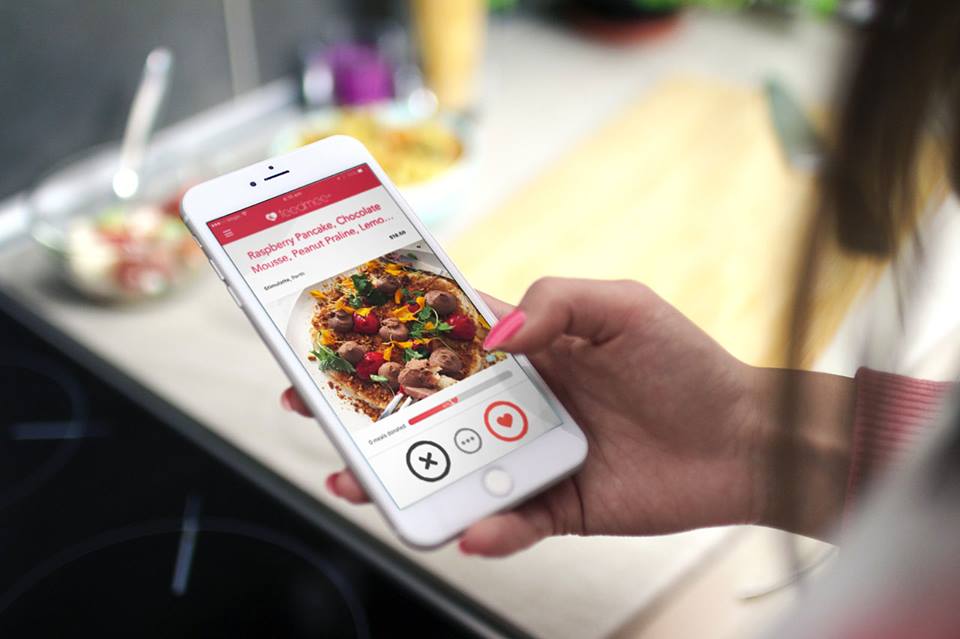
    Thanks to the internet a lot has changed now, now you can order food at any place you find yourself and your food will be delivered to you at your doorstep.

    In this article, I am going to take you through the best ways to order food in Ghana online and get your food delivered to you

    Pizarea 

    Pizarea is currently only available in Accra and Tema, this service allows you to go through the menus of well-known restaurants and make orders and then within minutes it will be delivered to you.

    Some of the popular restaurants that can be found on the pizarea are Gold Cost restaurant, Imperial Peking Chinese Restaurant, Eddy’s Pizza, Papa’s Piza and many more.

    How To Order Food From Pizarea

    1. Download the Pizarea app or on your web browser visit www.pizarea.com
    2. Enter your location so that you will be presented with the restaurants that are near you.
    3. Now select the restaurants you want to order from by selecting “View Menu”.
    4. Select the food you will want to eat and click on Order.
    5. Now provide your details that they will use to locate you with the food.
    6. Now go to Check Out and then make the payment, you can pay with mobile money or Voucher/coupon or you can choose to pay in cash.
    7. You will be given your order code, now sit back and relax and see your food getting delivered to you.

    Homechow App

    Homechow has been in the system for some time now. When they started, the used to have their own restaurant.

    Nowadays though, their model has greatly changed..

    They are starting to have many customers and probably in a switch to mee the demand, they added more restaurants. Currently, you can order from over 5,000 restaurants using the Homechow app. Definitely you are going to find your favourite restaurant from among their catalogue.

    How To Order Food On HomeChow

    1. Download the Homechow app
    2. Sign in as a customer 
    3. Browse through the menus
    4. Order for the food you want to eat.
    5. Choose either to pick it up yourself or to have it delivered to you.

    Jumia Food

    Jumia is not only an eCommerce website but they also have a food delivery service. With Jumia food, one can order food and also get it delivered to him or her at home, what makes Jumia different from pizarea is that Jumia food also allows you to order for pharmacy products from licensed pharmacies. 

    The service is currently running in Accra and Tema and we are hoping it will be rolled to the other regions

    Restaurants that you can order food from on Jumia food are KFC Ghana, Mama Mia, Papa’s Piza, Coco Lounge, Frankies, Second Cup, Burger & Relish, Honeysucle and many more.

    How To Order Food Online On Jumia Food

    1. Visit www.food.jumia.com.gh
    2. Sign up and then choose your location.
    3. Now browse through the food categories and choose the one you want to order.
    4. Now make payment and then your food will be delivered to you.

    Conclusion 

    Now you can order for food online and get it delivered to you at your doorsteps, this service is going to help people who find themselves to be busy at work or home and due to some reasons they can’t prepare food. 

    In this article, we went through 5 ways to order food online in Ghana and get it delivered to you. 

    Which one have you used before and how was their service?

  • How To Make Unlimited Calls On Vodafone

    How To Make Unlimited Calls On Vodafone

    Vodafone is by far one of the best networks we have here in Ghana. They also have one of the best internet connections and also when it comes to affordable data bundles, to me, Vodafone is the best.

    You might be a Vodafone user, and as a loyal customer you have been calling and texting every day and has been wondering if there is a way of making unlimited calls on Vodafone, the answer is yes, there is.

    That’s why in this article, I am going to take you through all the Vodafone unlimited call offers that you can subscribe to.

    Vodafone Deewa Offer

    This offer allows any Vodafone user to make unlimited calls and unlimited SMS to his or her family and friends for 24 hours.

    You can only use this offer to call only Vodafone numbers but Vodafone will tip you 2 minutes to call other networks.

    It cost GHS 0.50 to activate this offer and it lasts for 24 hours.

    How To Subscribe To Vodafone Deewa Offer

    1. Dial *5050#
    2. Enter 1: Buy Deewa Offer
    3. Buy by pressing 1
    4. Now select how you want to make the payment, you can choose pay using airtime or pay using Vodafone Cash.

    Vodafone Supreme Monthly Offer

    The Vodafone Supreme Monthly offers you free calls to Vodafone numbers and also gives you double bonus anytime you top up any amount from GHS 2 and above.

    How To Register For Vodafone Supreme Monthly Offer

    To register for the Vodafone Supreme Monthly offer dial 7070 you will then be briefed about the minutes you will get and then ask you to press 1 to activate or 2 to cancel.

    This offer gives you 1000 minutes to be used within a month on on-net calls.

    The price for this offer is GHS 11 and in case you exhaust all your minutes, you can again reactivate the 30- days offer again.

    Vodafone Baako Pe! Offer

    This offer is similar to MTN Free After 1 as this offer too allows you to make a call and only pay for the first minute.

    You will be charged GHS 0.30 and after that, you can make calls to any network and still pay for that amount.

    How To Subscribe To Vodafone Baako Pe!

    1. Dial *135#
    2. Select 1: Activate Baako Pe
    3. Confirm by pressing 1.

    Vodafone Bossu Weekend Offer

    Maybe you are busy in weekdays and only becomes free at weekends and you are wondering if you can make unlimited calls on Vodafone and pay less, then the answer is yes, you can.

    Vodafone has an offer that gives you 300 minutes to call all networks and 5GB of data for as low as GHS 5.40.

    How To Subscribe To Vodafone Bossu Weekend Offer

    1. Dial *5588#
    2. Select 3: Bossu Weekend
    3. Type in 1 to activate
    4. Now select how you want to make the payment either using Vodafone cash or airtime.
    5. Now select 1 to confirm.

    Conclusion

    If you are always fond of making calls every day, maybe you are a businessman or woman and your work involves always making a call, then it is time to look through the Vodafone calls offers we’ve just gone through as it will help you save a lot of money.

  • How To Send and Track Parcels Through Ghana Post

    How To Send and Track Parcels Through Ghana Post

    Ghana Post has been in existence since 1854 and has been helping people send and receive parcels from their loved ones.

    I must say they have been doing incredible work, I am one person who likes doing online shopping and I will say Ghana post services work in a super awesome way.

    In this article, I am going to take you through how to track parcel sent through Ghana Post but before that let’s talk about how to send a parcel using Ghana Post.

    How To Send Parcel Using Ghana Post

    1. Wrap up your parcel and then visit the nearest Ghana Post Office with your identification card (voters ID card or Ghana Card).
    2. At the back of the parcel write down the receivers full name, address, country and phone number.
    3. At the front of the parcel write down your details which is your full name, country, city and your telephone number.
    4. Now you will be directed to take your parcel to the customs officer, the officer will look through/scan your parcel to see if it doesn’t contain something illegal to be sent through Ghana post, like drugs and many more.
    5. After scanning and seeing that everything is clean he or she will then give you the go-ahead and you will take your parcel to the staff in charge of sending your parcel.

    This staff will then ask you if the parcel has glass in it or not, and then he or she will weigh it and then tell you the price involved for you to pay.

    After paying the amount, the person will print a paper containing the details of the receiver and the sender with the tracking number and then place one on your parcel and also give you one.

    In some countries when it reaches, the post company will take the parcel to the receiver using the address given on the parcel, I once I sent a parcel to someone inside UK and they took the parcel to the person’s house.

    The person receiving the parcel at home or coming for it depends on the country you are sending to.

    How To Track Parcel Sent Through Ghana Post

    Maybe you have sent a parcel to someone using Ghana post or someone has sent you a parcel and you will want to track the parcel and see the current status of the parcel.

    You will need your tracking number to do this, there are many websites that you can use to track your parcels and we are going to go through some of them

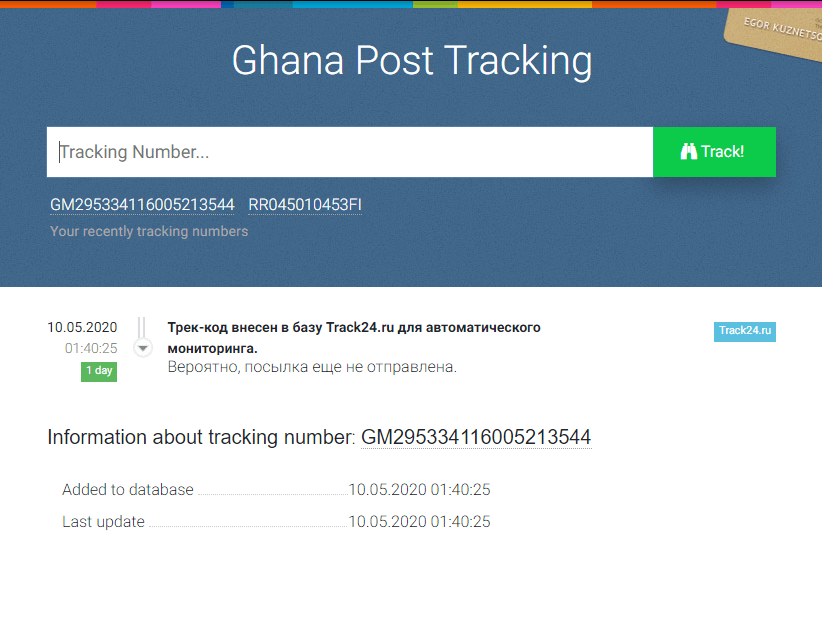
    Tracking Your Parcel Sent Through Ghana Post Using Track24.net

    1. Visit track24.com
    2. Enter your tracking number and hit on Track
    3. You will then see the status of your parcel, if it is in transit or it has reached the destination country or if you have sent the parcel you will get to know if the receiver has got it.

    Tracking Your Parcel Sent Through Ghana Post Using Parcelmonitor.com

    Parcel monitor is another good website to keep track of your parcels sent through Ghana Post

    1. Visit parcelmonitor.com
    2. Enter your parcel tracking number and wait for a few seconds.
    3. You will get to know the status of your parcel and if it’s available for pick up or the receiver has received it.

    Conclusion

    Ghana post has been helping us send and receive parcels in the country, in this article we went through how to send a parcel and also how to track a parcel sent through Ghana Post.

  • How To Link A Bank Account To Your MTN Mobile Money Wallet

    How To Link A Bank Account To Your MTN Mobile Money Wallet

    MTN mobile money has been in existence since 2009 and it’s changing how Ghanaians send, manage and receive money.

    This service has made our lives easy in such a way that, nowadays sending and receiving of money, paying bills and school fees, topping up airtime and a whole lot has been easy with the help of mobile money.

    When mobile money was launched, it started with sending and receiving of money and then they made it available to transact from your wallet to bank and also from bank to your wallet.

    (more…)
  • Uber Alternatives In Ghana You May Not Have Known About

    Uber Alternatives In Ghana You May Not Have Known About

    Uber has been of help ever it was invented, it came to transform the taxi industry by making the ordering of cars and taking rides easy.

    The company started in 2009 and has been of help to many people, without Uber, people would have to wake up and join a queue just to get a taxi or the car to his or her destination, with the invention of uber, you can sit at the comfort of your home and order for a ride and the driver will come to your doorstep and take you to wherever you are going for a fee.

    On June 9, 2016, uber launched its service and taxi app in Ghana starting at Accra and now it has been spreading on many regions in Ghana.

    Ever since this service was launched, many people have ditched taking taxis because when they compare the uber fares to the normal taxis fares, there’s is a lot of difference which is the fares paid using uber is cheap as compared to taking the normal taxis.

    I know you might have heard of Uber and might have even ordered one before if you haven’t then I believe I have enlightened you on what Uber is and how it works.

    Maybe you might also be using Uber and you are like me who always want to try out other alternatives on everything we will come across.

    Well in this article, I am going to take you through some Uber alternatives that you may not have known.

    Bolt

    Bolt is also a taxi service app that was launched in 2013 and has been operating in over 150 cities and over 35 countries in Europe, Africa, North America, West Asia and North Africa.

    Bolt was launched in Ghana in 2017 and started operating in 2017 and currently operating in 4 regions in Ghana namely Accra, Cape Coast, Kumasi and Takoradi.

    Yango

    Yango is one of the taxi riding app that is more popular in Europe and operating in over 300 cities and in over 15 countries in Asia, Europe and the Middle East.

    Yango has also been launched in Ghana and one thing I love about using Yango is that orders start from as low as GHS 2 as compared to other taxi riding companies we know in Ghana.

    Dropyn

    Dropyn is also one uber alternative, the company is completely owned by Ghanaians.

    The company started working in Ghana by giving qualified drivers salon cars to pick up rides, unlike the Uber service which let the driver use his own car.

    Dropyn does not only allows you to order for rides but also you can request for a mini truck to move heavy items.

    Conclusion

    Uber has been helping people take rides at the comfort of their homes but there are other Uber alternatives that work like Uber and are operating in Ghana.

    In this article, we went through Uber alternatives that you can use in Ghana and the difference in each of them.

  • Step By Step Guide On How To Change Your YouTube Email Address

    Step By Step Guide On How To Change Your YouTube Email Address

    YouTube is a video sharing platform that has a lot of tutorials on any category you can think of. YouTube to me is like a university because you can find a lot more tutorials on this platform and you can master it by following the tutorials carefully.

    The platform was created by 3 formal Paypal employees namely Chad Hurley, Jawed Karim and Steve Chen in February 2005 and in November 2006 Google bought the platform for $1.65 billion.

    YouTube allows users to create a channel on their platform, upload videos, view videos and also subscribe to other users channels.

    The type of videos that can be found there is video clips, TV shows, music videos, audio music movies trailers short and documentary films, live videos, video blogging and many more.

    According to Alexa Rank, YouTube ranks number 2 on the most popular websites worldwide, and there are over 1,000,000,000 videos views per day on the platform with more than 1.9 billion unique visitors to YouTube each month.

    Aside from watching funny videos or educational videos and many more categories all for free, you can also make money with YouTube.

    If you already have a Gmail account, then you already have a YouTube account as with YouTube when you have a Gmail account there is no sign up required.

    You might want to change your email address due to some reasons like maybe your Gmail account has been compromised or you want to have a new Gmail account that you can use only for some specific apps and websites.

    Maybe you might be using your YouTube account for a while and will want to change your YouTube email address and wondering if it can be possible to do that because you are interested in the kinds of videos YouTube suggests to you every day and will not want to lose these kinds of new videos

    YouTube is quite good on those suggestions, eg: you might one day watch a video on how to prepare Jollof Rice and the next time you visit YouTube again, the platform will suggest to you another cooking video tutorials which are related to the previous video you watched and that is one thing I love about this platform.

    How To Change Your YouTube Account Email Address

    1. Open your web browser and visit youtube.com
    2. If you have already signed in your Gmail account on that browser you will see your YouTube account page opened, if you are not, then sign in to your Gmail account and you will be taken to your YouTube account.
    3. Now click on your profile on the top right corner.
    4. From the drop-down menu select Settings.
    5. On your Account section click on View Or Change Your Account Settings.
    6. You will be directed to a new Google Account page, on the top left click on Personal Info.
    7. On your Contact Info section, click on your email.
    8. You will be directed to a new page, select Advance.
    9. Click on Contact Email and select Add Other Email, proceed by typing In the new email address you want to use on your YouTube account and after that click on Add.
    10. You will receive a confirmation on your newly added email address, confirm it and this will help you to unlink your previous YouTube account, you will be directed to the confirmation page where you can remove your previous Google Account.
    11. You will then be asked to add your new email ID and password to update the changing of the email address, within minutes you will then receive a mail on all the info on your newly linked YouTube Account.

    Conclusion

    Many reasons can lead to someone changing his or her YouTube email address, in this article we went through a step by step guide on how to change your email address.

  • 10 Websites To Download Music From  Legally

    10 Websites To Download Music From Legally

    If you are a music lover like me, then you might definitely want to have some kinds of music on your phone.

    You will agree with me that your current mood determines the music you listen and also music becomes sweet to you when it is talking about your mood or the lyrics match with what you are going through.

    Eg: you will begin to like listening to Celine Deon’s music when you are in love or you will begin to listen to Arash music when your heart is broken or on the verge of breaking up.

    There are many sites on the internet that provide kinds of music for you to download but most of them distribute copyrighted content illegally, that does not mean all sites provide illegal kinds of music, some do, that’s why in this article I am going to take you through the top sites that you can download music from legally

    Mp3 Music Download Hunter

    This is an android app that gives you the chance to search for free mp3 songs for downloads, its free to use and there is no need to create an account before using also.

    The music you will get on this app is the ones that are available through the Creative Commons license for noncommercial use.

    When you are done searching for your favourite music on this app, you can now download it to your phone and listen to it without the internet.

    SoundCloud.com

    Soundcloud is one music distribution platform that allows artists to upload their music and then fans can access this music for free, users on SoundCloud can create playlist, stream and then give their comments on the tracks they listen to, the platform has a variety of music categories from pop, hip-hop, genres and many more.

    Soundcloud is a freemium platform meaning they have free membership and premium membership, premium versions have access to listening to the music offline without ads whiles free versions does the opposite. Also, you can download music to your phone from SoundCloud when the artist allowed his or her tracks for downloads.

    Audiomack

    One good thing about Audiomack is that there is no premium version, artists can upload their music on the platform and fans can stream and download it for free.

    Audiomack allows uploaders to see the analytics of their music and can also monetize it.

    Follow our link to download the audiomack app on your device.

    Free Music Archive

    You can download free MP3 music on their platform without creating an account or registering, all the music that can be found on this platform are available with various commons licenses.

    Most of the music that is on this platform is more of background songs and music that are used for making videos and are free to use, there are many songs that you can listen to through their sites and you can also download the tracks to your phone or computer.

    Bandcamp

    What I love about this platform is that it let artist upload music and then you get to decide what you will pay to stream or download. You can type in 0 and still get the song which basically means you are streaming or downloading for free.

    You can download songs and full albums and have a variety of music that you can download which won’t be available for free on many music download sites. Also, you don’t need an account to stream or download.

    Soundclick

    Soundclick provides free music right from the artist’s sites. The music available is the ones that the artists themselves have decided to let people download them for free.

    There are various categories that you can browse from be it genres and a whole lot. You can choose to either download or listen to music online.

    Last.fm

    Many categories are all available for free download, they also have coming soon section, latest release or you can look through their library for a lot of music.

    You can stream your favourite music and download all of them for free.

    BeatStars

    BeatStars also offers free music downloads, you can sort the music by latest and trending and they also have many categories be it genres and many other moods like inspiring songs, beats, beats with chorus and many more.

    One thing about this platform is that, if you want to download music for free, you will first have to subscribe to the artist’s Youtube channel or profile before you can have access to the download button.

    PureVolume

    Pure volume is a community for music lovers. Artist has to sign up and then upload his or her song and then listeners can download or stream the music and can also upvote after listening.

    On this platform it is up to the artist to either allow his or her music for download or not, most of the artist allows listeners to download their music on their phones and computers, there are a variety of songs that can be found on this platform.

    Google Play Music

    Google play store does not only offer apps downloads but also provides a collection of free music that you can stream, download and also youse them for your videos

    Conclusion

    Many sites offer free music but some sites provide music that is copyrighted and illegal to use, maybe you would want to download free music or use them for your videos without having any copyright issues.

    That’s why in this article I went through the top 10 sites that you can download music from legally.

  • Apps to install to help find your Android device if you lose it

    Apps to install to help find your Android device if you lose it

    Phones have become part of our lives, according to research, people spend an average of 3 hours and 15 minutes using their phones each day.

    The phone is what we use to do everything today like checking up on our friends, visiting various social media channels to find what’s trending and making calls.

    Well, you can make some of them with your pc or laptop but phone as we call it is a mobile, meaning you can take it anywhere and that’s why the phone is nowadays used in making everything, even nowadays phones perform many tasks that were only meant for pc or laptops, so many people don’t even prefer using computers again unless it’s something critical that needs a desktop screen.

    Losing your phone is one of the painful things that will ever happen to you, if you are like me who have lost his phone before, you will agree with me after finding out your phone is lost, your mood and everything changes, sometimes you won’t even feel like you are hungry even when you have not eaten the whole day (this happened to me when I lost my phone).

    What makes losing your phone one painful thing to ever feel is not only about the price of the phone but also the data that you have on that phone.

    You might be like me who mostly work using phone or you might have some pictures or files that are more sensitive or important to you in a way that nobody should have access to it.

    Losing a phone can happen to anyone so it is better to have some sort of anti-theft apps, so if you don’t want to go through what I went through then this article is for you as in this article, I am going to take you through Apps you can install on your Android Phone to find it when someone steals it or it goes missing.

    Google already has a built-in app that you can use to track your phone, we are also going to go through other best third-party apps that perform the same task after a briefing about the Google inbuilt app.

    Google Find My Phone

    As stated earlier, this is an inbuilt app for android devices, this app does not only let you track your stolen or misplaced phone but it can also let you remotely lock your phone, wipe all your data in your phone, sign out all your accounts on that phone remotely.

    How To Activate Find My Phone?

    This app is activated by default on all android phones, but to be sure its activated visit Settings > Google > Security you will see Find My Phone there, tap on it and you will see it activated, if it’s not, then turn it on.

    How To Find Your Phone When It Gets Stolen Or You Misplaced It Using Find My Device

    There are two ways to find your phone using find my device and they are using the web by visiting www.android.com/find or downloading the find my phone app on Google Play Store.

    Anti-Theft Alarm

    The anti-Theft alarm is one of my favourite apps used in tracking your phone or letting you get your stolen phone back, this app has so many features but before telling you the other feature let me tell you the feature I use most on this app.

    This app has a feature called Charger Detection Mode, what it does is that when you put your phone on charge then you activate this feature and when someone unplugs your phone, it will start making noise.

    Maybe you will be at a crowded place and your phone will be on the verge of dying, you might want to charge your phone but will be afraid that someone might unplug it and steal it, this is when this feature comes into use, as soon as someone unplugs your phone the phone will start to make a siren noise and to deactivate this noise, the person will have to type in your password or verify your fingerprint which we all know he can’t do that.

    Another feature is called Motion Detection Mode, when you place your phone somewhere and you don’t want anybody to touch it, then you activate this feature when someone touches your phone and your phone moves, it will start making noise until the password or fingerprint is verified.

    The app has a Sim Detection Mode, which will alert you when you change your sim card, and also a feature called Proximity Detection Mode, which also start ringing when your phone is removed from your pocket, I mostly activate this feature when I am going to a crowded place, when someone tries to steal your phone from your pocket, then this app will start ringing and there is no way the thief can steal your phone.

    The app works even when your phone is on silent, I must say this app is a must-have app.

    Avast Mobile Security

    This app has so many features such as scanning your apps for threats, app locking, hiding your sensitive media files, however, we are only interested in the anti-theft feature and that’s what we are going to talk about.

    The app has an anti-theft feature that has so many features in it, you can lock your phone as soon as it detects a sim change, also remotely lock your device until your pin is entered, and also you can take pictures of the environment that your phone is located without the thief finding out.

     You can also remotely let it ring and to deactivate the sound, the thief will have to type in your password.

    This app is free but to benefit from the anti-theft features you will need to subscribe.

    Conclusion

    Losing your phone out of the blue is one of the painful experience that will ever happen to you, in this article we went through third-party apps that you can install to avoid getting your phone stolen and apps that you can use to get your misplaced or stolen phone back.

    Which one are you trying installing first and why that one?

    Let me know in the comment section below.