Author: Emmanuel Boakye Yiadom

  • How to send Bulk SMS in Ghana with different providers, Prices and More

    How to send Bulk SMS in Ghana with different providers, Prices and More

    You might own a company that you would want to send a bulk SMS to your customers briefing them on a new product, discount or promotions.

    If you have been wondering how your school was able to send SMS to all of its students including you all at ones, then now you know it was made using bulk SMS.

    Or as an individual, you want to send a message to 4 to 50 people and sending it one by one will be one of the most difficult jobs to do. This is when you can use bulk messaging.

    Bulk messaging is the spreading of large numbers of SMS to your targeted cell phones be it customers, employees, students, organization and many more.

    In Ghana there are a lot of bulk SMS services that you can use, each has its pricing system, in this article, I am going to take you through the best Bulk SMS Service Providers in Ghana and their pricing

    Mnotify.com

    Mnotify is the leading SMS bulk service provider with over 5 million monthly transactions, cheapest cost and real-time monitoring on your bulk SMS sent.

    Their website boasts of popular institutions clients such as Kwame Nkrumah university of science and technology, pension trust, Utrust savings and loans, latex foam and many more using their service.

    How To Send Bulk SMS Using Mnotify

    1. Visit mnotify.com and click on sign up.
    2. Fill in your details such as first and last name, phone number, sender ID, email address, country, password and then hit on Create Account.
    3. Type in the code sent to your mobile number to activate your account, you will be asked to select your category. Eg: Education, NGO, church service and many more.
    4. On your dashboard select Send Messages and then select group messaging.
    5. Type in your message, message ID, import and select contacts and then click on send or schedule.

    Mnotify Pricing

    Amount Price Per SMS Total SMS
    GHS 10 0.035 286
    GHS 20 0.033 606
    GHS 50 0.031 1613
    GHS 100 0.031 3226
    GHS 200 0.029 6897
    GHS 500 0.028 17857
    GHS 1000 0.027 37037
    GHS 2000 0.027 74074

    SMSonlinegh.com

    Smsonlinegh is one of the most popular messaging services in Ghana right now they are one of the fastest and reliable bulk SMS service ever discovered in Ghana.

    How To Send Bulk SMS Using SMSonlinegh

    1. Visit smsonlinegh.com
    2. Create an account with your full name, phone number, email address region, account type and your password and hit sign up, a confirmation code will be sent to you, use it to activate your account.
    3. Now to send bulk SMS you first need to go to My Contacts to either add contacts or upload the contacts.
    4. Select send SMS and type in your Sender ID and personalize your message.
    5. Choose to add receipts and then add or select contacts to send the bulk SMS to.
    6. Now click on SEND or you can SCHEDULE the SMS.

    SMSonlinegh Pricing

    No. Quantity Range Unit Price
    1 143 – 999 GHS 0.0348
    2 1,000 – 4,999 GHS 0.0332
    3 5,000 – 9,999 GHS 0.0316
    4 10,000 – 99,999 GHS 0.0298
    5 100,000 – 499,999 GHS 0.0278
    6 500,000 – 1,000,000 GHS 0.0268

    Wigalsolutions.com

    Wigalsolutions runs the unbeatable and lowest bulk SMS in Ghana, one thing I like about Wigal solutions is that you can also send voice SMS to your loved one and they have easy to use shortcodes service to make broadcasts.

    How To Send Bulk SMS Using Wigal Solutions

    1. Visit wigalsolutions.com and click on sign up
    2. Fill in your details such as full name, username, email mobile number and your password and then click on sign up.
    3. Confirm the code sent to your phone or email to activate your account
    4. Select bulk messaging – send bulk SMS.
    5. Choose or import your contacts and then type in your sender ID and the message type and then choose to send immediately or send instant.

    Wigal solutions Pricing

    Basic Plan

    Amount Validity Period No. of SMS
    GHS 5 20 Days, 180 SMS
    GHS 10 30 Days 372 SMS
    GHS 20 30 Days 771 SMS
    GHS 50 45 Days 1,950 SMS

    Premium Plan

    Amount Validity Period No. of SMS
    GHS 100 45 Days 4,104 SMS
    GHS 100 15 Days 4,587 SMS
    GHS 200 45 Days 8,208 SMS
    GHS 200 15 Days 9,174 SMS
    GHS 300 45 Days 12,312 SMS
    GHS 300 15 Days 13,760 SMS
    GHS 500 45 Days 20,519 SMS
    GHS 500 15 Days 22,933 SMS


    Platinum Plan

    Amount Validity Period No. of SMS
    GHS 1,000 30 Days 47,620 SMS
    GHS 1,000 15 Days 55,961 SMS
    GHS 2,000 30 Days 95,239 SMS
    GHS 2,000 15 Days 101,922 SMS
    GHS 3,000 30 Days 150,000 SMS
    GHS 3,000 15 Days 152,882 SMS

    Hubtel.com

    Hubtel is not just an SMS bulk service provider but also with Hubtel you can send money to the bank, buy airtime, internet data, do mobile money and many more.

    The company claims to be the first to deployed Ghana’s first bulk SMS gateway for commercial use and working with all networks in Ghana with superior pricing.

    How to send bulk SMS using Hubtel

    1. Visit Hubtel.com
    2. On their website click on Send Bulk SMS
    3. Enter your telephone number and confirm the code that will be sent to your number.
    4. Now you will be taken to your Hubtel dashboard, to send bulk SMS click on Messaging and click on Activate to activate bulk SMS service.
    5. Type in your campaign name, sender ID and then your message body.
    6. Now add receipts phone numbers and then choose to send now or send later.

    Hubtel Pricing

    Bundle Price No. of SMS Validity Cost Rate
    GHS 10 380 30 days 10.00 0.02603
    GHS 50 2,020 30 days 50.00 0.02479
    GHS 100 4,235 30 days 100.00 0.02361
    GHS 500 22,230 30 days 500.00 0.02249
    GHS 1,000 46,700 30 days 1,000.00 0.02142
    GHS 3,000 147,000 30 days 3,000.00 0.02040
    GHS 3,000 130,000 90 days 3,000.00 0.02318
    GHS 5,000 257,400 30 days 5,000.00 0.01943
    GHS 5,000 226,500 90 days 5,000.00 0.02208
    GHS 10,000 540,500 30 days 10,000.00 0.01850
    GHS 10,000 475,584 90 days 10,000.00 0.02103

    Conclusion

    There are many bulk SMS providers in Ghana here, in this article, we went through the best SMS bulk providers, in terms or rates and the pricing.

  • How To Prevent Your Android Phone From Overheating

    How To Prevent Your Android Phone From Overheating

    Imagine getting yourself a new phone and after using it for some days/weeks you will start to feel your phone heating after using it for some time.

    This will lead you to wonder if you have bought a fake phone. Maybe your phone is not new but you have seen it heating nowadays.

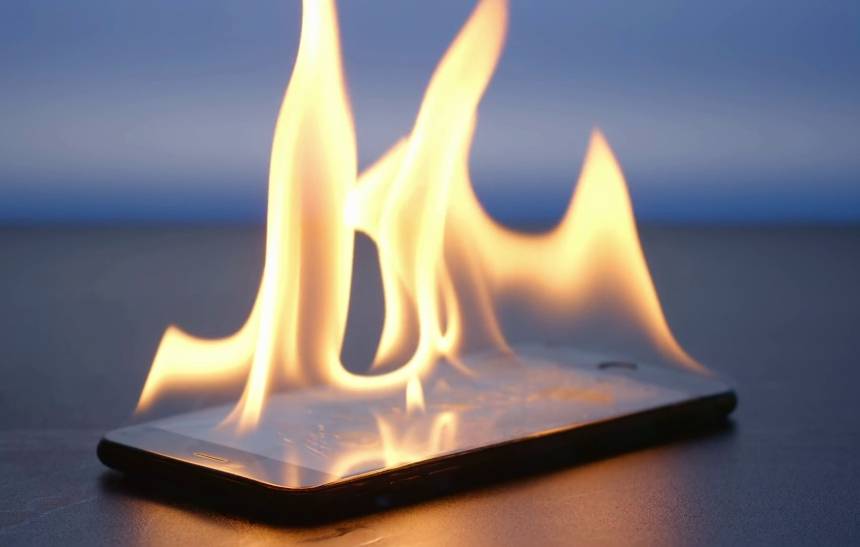
    This can damage your phone battery by making it drain fast or melt your phone processing unit when your phone heats at a certain high temperature.

    Many people find themselves putting their phones inside refrigerators as they believe putting their phone inside refrigerator cools down the phone, on this note what I am going to tell you is that putting your phone inside a refrigerator is not a recommended idea as an extreme change in temperature is bad for your phone.

    What Causes Your Android Phone To Overheat?

    • Faulty charger cable
    • Phone having direct contact with sunlight
    • Android bug issue
    • Having many background apps running
    • Malware
    • Using your camera for a longer time

    Now let me break it down for you

    Faulty Charger Cable

    Using a faulty charging cable can make your phone heat up as the battery will not be able to charge well leading it to heat.

    Phone Having Direct Contact With The Sun

    Anything that gets in direct contact with heat gets hot, so your phone getting exposed to the direct sun heat is going to make your phone heat.

    Android  Bug Issues

    Sometimes seeing your phone getting hot can not be as a result of how you’ve used your phone but a bug that has been running on your phone which needs to be updated.

    Having Many Backgrounds Apps Runnin

    You will all agree with me that when we open too many apps that is when we see our phones slowing down, running many apps at the same time does not only slow down your phone but also it heats your phone.

    Malware

    Malicious apps can slow down your phone since it has been installed to cause harm to your phone OS by taking over your CPU and memory.

    Using Your Phone Camera For A Long Time

    Some phones mostly heat when you are taking longer videos as it uses your brightness and flashlight at the same time.

    How To Prevent Your Android Phone From Overheating

    Replace Your Charging Cable

    Anytime you find your phone to be heating when charging your phone, its either the fault is from your cable or battery, so changing your cable will either solve the problem or let you see if the heating is because of your battery that is about to be damaged.

    Avoid Exposing Your Phone To The Sun

    Sun itself produces heat, so anytime you expose your phone to the sun, then your phone is going to heat, also make sure to put your phone in a cool place as your phone adjusts itself with the temperature of the environment it finds itself in.

    Update Your Phone OS

    Sometimes bugs are the cause of phones heating, most phones make an update when its users complain or they find out some bugs.

    Close Unused Apps Running Background

    You might not be using an app but do you know it will be running at the background? This drains your phone battery and some apps lead your phone to overheat.

    If you still find your phone to be heating after following the above steps mentioned, then its time to try these methods:

    • Reduce phone brightness
    • Set up a battery saver as it manages how your apps should perform on your phone
    • Clean your phone junk files
    • Avoid turning on Bluetooth, GPS and Wi-Fi when it is not in use.

    Conclusion

    There are so many factors that can lead to phone overheating, in this article we went through what causes android phones to overheat and how to prevent the android phone from heating.

  • How To Save Things Online So You Can Check Them Out Later

    How To Save Things Online So You Can Check Them Out Later

    You might be busy maybe working or doing something important and then you will come across a very interesting video or article that caught your attention but you can not stop what you are doing to watch or read. What most people do is find a way to save it so that they can watch later (click here to avail best usave broadband deals).

    We will all attest to the fact that we have come across a very interesting video or article that we wanted to read but was busy at that time and scrolled off only later to come and search for it and find out that it’s not there again.

    I remember there was a time that it was few days to my best friend birthday, I saw a very interesting birthday video that I thought sending to him on his special day would be great, as I was about to save it my hands accidentally scrolled and refreshed the feeds and this video was nowhere to be found again, I search and searched and I couldn’t find this interesting video.

    Maybe it has also happened to you before, in this article, I am going to enlighten you on How to save things online so you can check them out later

    DM It To Yourself

    Create a group on WhatsApp and then take it as your personal notes, WhatsApp won’t let you create a group without adding anybody so what you need to do is to create by adding one number and after successfully creating this group then you remove the person, this will make you the only person in the group and then start using this group to store moments that you will want to read later.

    So when you come across a very interesting article or video, then you share to WhatsApp and select your personal group to access it later.

    Save To Read Later Using Chrome

    You can save a video or a website when you are reading or watching it on your chrome browser. Simply open the link of that article and then tap on the three dots on the top right behind the address bar and select the download icon to save the page for offline viewing.

    After saving a page for offline viewing, you can come and read later even without internet.

    Screenshot

    Taking a screenshot of a funny photo or a quote is one of the common things you will always find me doing, screenshotting it saves your time and make you continue with what you were doing, when you are finally free then you can visit your gallery to see what you captured.

    Conclusion

    After going through this article I believe you are never going to miss a link or funny video or photo because you will know how to save it and later watch or view it.

  • How To Register For Vodafone Cash In Ghana

    How To Register For Vodafone Cash In Ghana

    In Ghana, Vodafone cash comes in mind when we are talking about the best mobile money networks in Ghana with fewer fraud issues.

    A Brief Introduction About Vodafone Ghana

    Vodafone Ghana came into existence on 17 August 2008 when they acquired 70% of Ghana Telecom from the Ghana government at a cost of $900 million.

    After the deal was made, Vodafone took over and the network name was changed from Ghana Telecom to Vodafone Ghana making the company own 70% whiles the government of Ghana owned 30% and in 2016, the company became the second-largest telecommunication operator in Ghana.

    On March 2015, Vodafone Ghana launched its mobile money platform naming it Vodafone Cash, this service was launched for customers to safely make transactions without the need to always carry cash and join the queue at the bank.

    When this feature became available it has indeed helped a lot of customers, evaluating the need to walk miles to make payment.

    What can you do using Vodafone Cash?

    • For transferring money
    • For topping up airtime and bundles
    • For requesting for loans

    If you are a Vodafone user and you want to do any of these then you first need to register your sim card for Vodafone Cash, in this article, I am going to take you through how to register your Vodafone Cash

    How To Register For Vodafone Cash In Ghana

    Before getting started, you need to have a valid national ID. It could be the Ghana card, voters ID card, drivers license or travelling passport.

    You also need to have your registered Vodafone sim card ready (obviously) because you are about to register for Vodafone Cash.

    You can then follow the steps below to register for Vodafone Cash in Ghana:

    1. Visit the nearest Vodafone cash agent with your identification card to register or call the Vodafone customer care line 100 and tell them you want to register Vodafone Cash.
    2. An authorized agent will take all the information needed from you and then set it up for you.
    3. Within short minutes you will receive a confirmation message that your account has been activated.
    4. Press 0 to activate your account and then you will be prompted to enter your PIN. Type in your secret PIN and never share it with anyone not even the Vodafone customer care agent.

    How To Register Your Vodafone Cash Account Online

    1. Visit https://vodafone.com.gh/personal/vodafone-cash/user-application/
    2. You will then be asked to fill the Vodafone Cash Customer Application Form. Fill in your first and last name, date of birth, gender, residential address, ID type, number and email, after that hit  Register.
    3. Wait for a confirmation message and email and after that follow the procedure by selecting 0 to confirm your account.
    4. Set up a PIN and then confirm it.

    Conclusion

    If you have ever been wondering if you can register for Vodafone cash without visiting their office, then the answer is yes you can.

    To do so dial 100 which is their customer service line or filling the Vodafone Cash Customer Application form on the official website.

  • How To Use DHL To Send And Receive Parcels In Ghana And Their Shipping Rates

    How To Use DHL To Send And Receive Parcels In Ghana And Their Shipping Rates

    DHL is a service used in sending and receiving of courier, Parcel and express mail. It was founded in 1969 and has since become the worlds largest logistics company currently operating in over 220 countries. (more…)

  • How To Download Netflix Videos And Watch Them Offline

    How To Download Netflix Videos And Watch Them Offline

    So I wrote an article on best movies to watch in Ghana on Netflix while stuck at home and on second thought I have decided to guide you guys on how to download your favourite movies on Netflix and watch them offline.

    There are so many reasons that will make one want to download movies on Netflix and watch later.

    Maybe you are about to travel and you know you are not going to get a good internet connection there to stream your favourite movies and tv show.

    Or you are about to board a plane to a different country and you want to have movies that you can watch whiles on the plane as you are going to have a long journey.

    One will also want to download movies on Netflix and watch offline due to his or her internet bundle which is about to finish or get wiped off.

    Netflix has made it possible for its users to be able to download movies and watch offline on its android, iOS and Windows apps.

    Here Is A Step By Step Guide On How To Download Netflix Movies And Watch Them Offline On Netflix

    1. The first thing you need to do is to update your app.
    2. Choose your prefered video quality, Netflix offers two download qualities which are Standard and High. Downloading movies in standard mode takes lesser space whiles High mode uses more space and it takes much time as it downloads in HD. To choose your prefered download mode head over to App Settings, under download click on video quality and select your preferred quality.
    3. To download a movie go to the Available For Downloads section to find all the movies that you can download and watch offline.
    4. Now click on your favourite movie that you want to download and under the watching screen click on the arrow icon to start downloading the movie for offline viewing. If you are using the android app, the app will ask you to choose the destination for the video you are about to download for offline viewing, you can insert a micro SD card and download the movies to that storage.
    5. When you finish downloading, your downloaded videos will appear in the ”My Downloads” section which can be found under the Home Section.

    Kindly take note that not all videos are available for download on Netflix.

    So how do you get to download movies that are not available for download?

    Well, there are some methods you can work around to get all these movies you want, to do this you have to begin watching the movie you would like to watch offline and do a screen recording.

    On the phone, you can use various screen recording apps like Creen recorder, HD screen recorder, AZ screen recorder and many more

    And on your computer, you can use tools like Camtasia, Bandicam, Icecream screen recorder and many more (some free and paid).

    Conclusion

    To download videos for offline viewing, you need to first update your Netflix app, choose the download quality and then head to the movies that are available for download, select your favourite and then when watching click on the arrow button to start downloading for offline viewing.

  • Online Tools To Help You Write The Perfect CV/Resume

    Online Tools To Help You Write The Perfect CV/Resume

    A CV/resume is needed anytime you want to apply for a job, it is what speaks about your personal life, your work history and your qualification.

    Having a perfect CV/resume increases your chance of been employed as the company gets to know about your previous work history.

    Writing a perfect resume/CV doesn’t have to be a difficult thing to the extent that some people have to pay before someone will write a CV for him or her to apply for a job.

    What Is The Difference Between CV and Resume?

    In a brief explanation, CV is a broad document which talks about your achievements in life, awards, positions in universities and high schools, honours and many more whiles resume talks about working experience, history and a brief overview of your skills and education.

    When Do You Need CV And When Do You Need A Resume?

    It all depends on the work you are going to apply for, some companies ask for your CV while others ask for your resume depending on the position you are applying for.

    If you are that kind of person who always finds it difficult to write a perfect CV/resume, then in this article I am going to enlighten you on the perfect tools that will help you write a perfect CV/resume for yourself.

    Myperfectresume.com

    My perfect resume is a free online tool used to write a perfect resume, it makes writing resume much more flexible as you get to choose from pre maid beautifully designed templates without having to start everything afresh.

    Aside all these, this tool also has a resume builder which helps you pick which skill and experience to focus on by providing you with pre-written examples. After you are done then you can download for free, print and then send it.

    Visualcv.com

    Visual cv makes you create a CV/resume within minutes, the website boast of 3 million users using their service.

    With this tool, you can create multiple CV/resumes, get review feedback from the website and you are able to also share to your friends for feedback.

    Your cv is not shared with anybody by the website so your data is safe with them and when you are done creating, you can then download it.

    Resumup.com

    One thing I love about resumup is that you just don’t create a resume but a resume with infographics, making your resume more lively and attractive.

    You can import your data from LinkedIn and Facebook and resumup will do the magic for you by creating a perfect resume using the details that will be obtained.

    After you are done and satisfied with the outcome, you can then download it in a pdf or png form and then share it.

    They have a basic version which is free but if you want a paid version which gives you access to broad infographics and more options to choose from, then you can pay $4 for a month.

    Resumegenius.com

    Resume genius makes you create a perfect resume in 15 minutes, all that it does is this builder asks you simple questions for you to answer, some questions include your education, skills and then it will create a perfect resume for you.

    it also has a feature called “Add Pre – Written Points” which you can choose to make your resume stand out.

    Conclusion

    There are tons of resume builders on the internet, but some of them stand out as it makes it flexible for you to create a resume within minutes.

    In this article, I compiled the best tools for writing a perfect CV/resume, don’t forget to let me know your favourite one and if you have one you have been using that I didn’t mention, then kindly tell me in the comment section below.

  • How To Protect Your Facebook Profile Photo From Theft

    How To Protect Your Facebook Profile Photo From Theft

    Adding a profile picture to your Facebook account helps in people identifying you easily, it helps in making new friends and also increases the trust of your new friends knowing that the account is not fake and they are chatting with the person that they know.

    However, fraudsters are always found copying or downloading peoples profile pictures and creating an account with the same info of that person and using it for their scam activities.

    These fraudsters mostly create a fake profile of you just to scam your close friends, some fraudsters also use it to do bad online activities.

    Majority of peoples who suffer in these Facebook profile thefts are females, most fraudsters create fake profiles of a female, copy her images and every info and then start using it to chat her mutual friends who are men.

    There has been a lot of reports and my sister has even been a victim before, she was out of the blue receiving calls from her male friends and all that these guys were asking her was why she has started asking for money in their inboxes and telling them she will send nudes in return?

    My sister was shocked, all she was saying was that is not her real account, some believed but some were not convinced that it was not her, one even said he has sent the money thinking my sister needed help.

    After telling me about what has been happening to her, I managed to report that fraudster to Facebook and within some few days, Facebook deleted that fake account.

    Maybe you have been a victim before, or maybe you have never encountered any situation like this before but let me tell you that these fraudsters are always doing that and it is not only females that they use their profile pictures, they also use males pictures for same activities.

    So How Do You Protect Your Profile Picture From Theft?

    Turning On Profile Picture Guard

    By turning on this feature, users can not download your profile picture or take a screenshot. To turn on profile picture guard, tap to view your profile, select options and click on “Turn on profile guard”.

    When this feature is enabled, you will see a badge indication your profile picture is protected. now your friends and family will still be able to see your profile picture but none of them will be able to download it.

    This feature is currently not available for all countries but some selected countries, we hope it becomes available for everyone.

    Changing Your Picture Privacy Settings

    One thing that one needs to take more serious about when uploading a picture is about the privacy options of that picture when you are uploading a picture, Facebook gives you the option to choose who you want the picture to appear to, you can choose public, friends, or you can choose all your friends except some peoples.

    So changing your profile picture privacy to only friends makes only your friends see your profile and not anyone can see to steal, although, with this feature your friends can still download, it is better than putting it in public for anybody including someone who is not even your friend to download and use it for scam activities, doing this also does not let your picture show to people that your profile has been suggested to them until you guys become friends, nobody aside your friends will be able to see your picture.

    Conclusion

    With the recent stealing of profile pictures on Facebook for scam activities, it is advised to protect your Facebook profile picture by turning on profile guard or making changes to the privacy of your photos by not setting it to public.

    Let me hear in the comment section below if you have been a victim or if I missed something that you would love to share with me.

  • How To Promote Any Kind Of Ghanaian Business Online

    How To Promote Any Kind Of Ghanaian Business Online

    So assuming you have been able to successfully set up a business what next?
    How do you get people to buy your products?

    How do people get to know your business and the kinds of products you sell?

    Your answer to all these questions is to market your products on the internet.

    There are traditional ways of marketing business and I am not saying doing it that way is not effective but you will agree with me that the internet has become part of our daily lives and most of the information’s are gotten through the internet, me eg: I don’t remember the last time I listened to a radio station but with the internet, I always know what’s happening in my country and around the world.

    How To Promote Any Kind Of Ghanaian Business Online

    Create A Website For Your Business

    After setting up a business the first thing you need to do is to set up a website and monetize it so that when people search for the products you sell, then it will appear on the search results, also optimize your website with your keywords, keywords are the terms that you will be ranked for. So assuming you sell sanitizers, then optimizing for the keyword “sanitizer” will make your website or product appear on the search results for people searching for that specific keyword.

    Set Up Google My Business

    Google my business is a free tool which shows your business on search results and Google maps, people searching on the map for some products will get to see your business if you offer the same products.
    Customers get to know the direction to your business place and also your contacts, website and can also message you directly, Google my business is your number one tool for gaining popularity on the web and attracting more customers for free.

    Start Email Marketing

    Email marketing according to Wikipedia is the act of sending a commercial message to a group of people using email.

    So setting up email marketing helps in telling your customers the new products you have, why they should come and buy from you and a lot more ways that will make them want to do business with you.

    There are many email marketing services like AWeber, Get Response, Mailchimp (which is my favourite) and many more.

    Make Good Use Of Social Media

    Create a page for your business on various social media channels, make your page name and description relate to the products you sell and then make sure to join popular groups and sometimes talk to the people about your products.

    Build Trust With Your Customers

    When I talk about building trust with your customers I mean providing quality products to your customers, delivering it on time and also interacting with them on how they enjoyed or used your products. They are the source of your income so you will have to make them feel special when they buy products from you.

    Advertise Your Products

    There are many advertising companies such as Google ads, Facebook ads, banner adverts on popular websites and many more advertising companies, advertising with these top companies will help boost your business.

    Conclusion

    For your business to succeed and make more sales, you need to promote it online, with the above tools one can use to promote his or her business online.

  • How to check Mobile Money Balance on MTN, Vodafone and AirtelTigo

    How to check Mobile Money Balance on MTN, Vodafone and AirtelTigo

    We all have been using mobile money in our daily to-do activities, either sending, receiving, withdrawing, paying bills and shopping.

    Some subscribers sometimes find it difficult in checking their account balances and due to this they always depend on messages they will receive anytime they transact money to check their account balance as that message comes with your balance left.

    This is not the right way as it will be very difficult to keep track of your account balance.

    Someone close to you knowing your password can use this to steal your money or make a transaction and then delete the message that comes afterwards, and if you don’t check your actual balance more often, you won’t find out that someone has stolen your money.

    This is the reason why you need to check your mobile money balance rather than depending on your transactions messages history to know your balance.

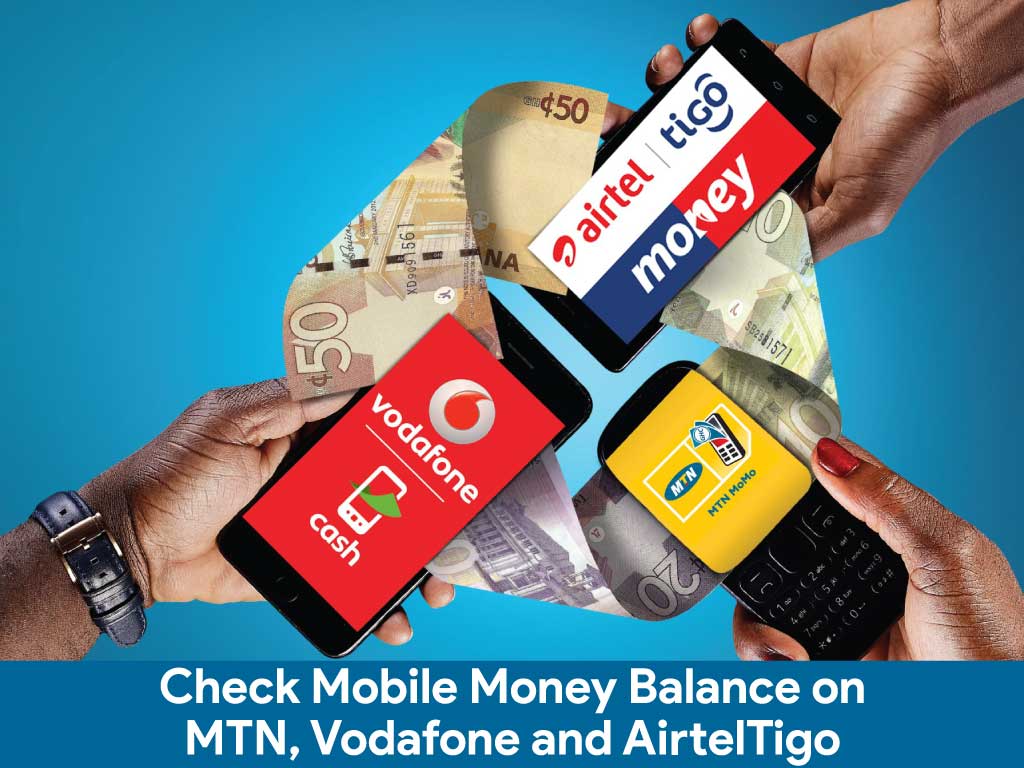
    In this article, I am going to take you through how to check MTN mobile money balance via USSD and app, how to check Vodafone cash balance and how to check AirtelTigo money balance.

    How To Check MTN Mobile Money Balance Via USSD

    1. On your phone dial *170#.
    2. Select 6: My Wallet.
    3. Enter 1: Check Balance.
    4. Type in your PIN  code to check your current balance.

    How To Check MTN Mobile Money Balance Via App

    1. Install MYMTN app from Google play store.
    2. The app will take you to your dashboard if you are connected to the internet using your MTN sim card.
    3. To check your mobile money balance select MoMo Service.
    4. Enter your MoMo PIN to continue,  the app will send you a code to type in, type in and you will be taken to your mobile money dashboard.
    5. On your dashboard select Wallet to see your account balance, on the app you can see all the mini statements of your transactions you have made.

    You can also request for account statement, that’s the last 50 transactions which includes the amount spent and total received on the app, you can also change your PIN on the app.

    How To Check Vodafone Cash

    1. Dial *110#.
    2. Select 7: My Account.
    3. Select 1: Main Balance.
    4. Type in your PIN to know your account balance.

    How To Check AirtelTigo Money Balance

    1. Dial *110#
    2. Select My Account.
    3. Select Check Balance
    4. Enter your PIN to see your account balance.

    Conclusion

    Depending on what wallet you use, there are various ways to check your mobile money balance. Follow the steps above and let us know if you have any questions.