Author: Emmanuel Boakye Yiadom

  • How to join the Covid-19 Citizens Coalition and contribute through Mobile Money

    How to join the Covid-19 Citizens Coalition and contribute through Mobile Money

    As the coronavirus (COVID-19) keeps on spreading across the globe, Ghana as a country has recorded 137 cases with 4 death and luckily two peoples have recovered.

    The government of Ghana led by the president H.E. Nana Akuffo Addo on 11 March 2020 announced that the government of Ghana has allocated $1,000,000 should incase the virus gets to Ghana.

    Unfortunately the next day Ghana recorded its first two coronavirus confirmed cases, one was from Norway and the other was from Turkey, these two peoples visited Ghana and later showed symptoms of coronavirus, their blood samples were taken for test and it came out positive.

    This coronavirus has been declared a pandemic by the world health organization (WHO), the virus keeps on spreading as the person infected will not notice it within 14 days.

    Which means if one has this virus and it is not up to 14 days, there won’t be any signs of sickness, imagine if this person infects at least 5 peoples a day,  just guess how many people will be infected with this virus within the next 14 days and those people too will not notice it after 14 days and will be spreading it with anybody they will come in contact with, so you see why this virus was declared pandemic?

    Now back to Ghana case on the coronavirus, it all started with two cases and then it has continued to 137 cases with 4 deaths and 2 recovered.

    The government is really doing their part with the president giving us updates together with the information minister and also sending tips on how to be safe to every Ghanian through SMS and also fumigating various regional markets.

    As the virus keeps on spreading, parliamentarians, celebrities and musicians have started donating gloves, hand sanitizer and cash prizes to various individuals and hospitals to help fight the coronavirus.

    There were some individuals who would also want to make a small contribution in the effort to fight this coronavirus, finally, the telcos have come up with this idea.

    Now anyone can be a COVID-19 coalition member by donating the little that he or she has, remember a little drop of water makes a mighty ocean.

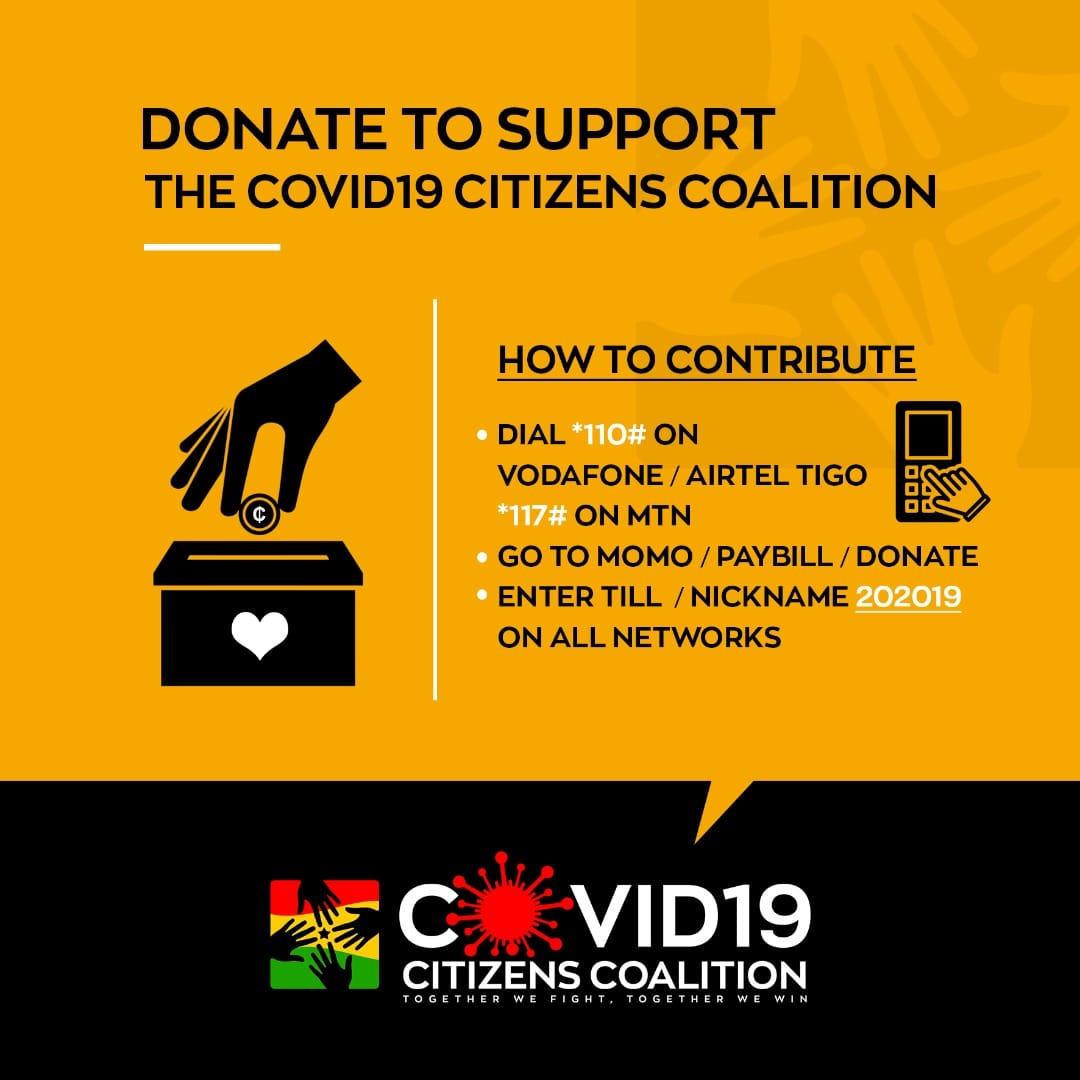
    How to contribute to the COVID-19 Citizens Coalition

    1. Dial *110# on Vodafone or Airtel Tigo and *117# on MTN.
    2. Select pay bill or donate
    3. Enter TILL/NICKNAME 201019 on all networks.
    4. Enter your pin to confirm the transaction

    How to donate using Vodafone only

    1. Dial *110.
    2. Select make payments.
    3. Select 7 or donations, under donations, select 2 for COVID-19.
    4. Enter the amount you want to contribute.
    5. Type in your pin to confirm the transaction.

    Conclusion

    Coronavirus is spreading in Ghana day by day and it is not up to the government alone to support, celebrities and many popular figures are donating gloves, sanitizers and cash prizes to help fight coronavirus.

    Luckily all Ghanaians can participate in the donations by contributing to the COVID-19 Citizens coalition set up to help fight the coronavirus.
  • 0244300000 is the only secure number from MTN Ghana; Don’t fall for scammers

    0244300000 is the only secure number from MTN Ghana; Don’t fall for scammers

    Fraudsters nowadays have been finding new ways of stealing from MTN subscribers, what they mostly tell you is that they are calling from MTN office and then will continue with their usual tricks.

    There have been cases on which subscribers have been complaining about how MTN staff will be calling them asking them to turn off their phone for some time because there is ongoing maintenance.

    Some fraudsters will also call to tell you that you have won a prize on their ongoing promotion and he or she is calling you to guide you on steps to follow in order to receive your gift.

    What you need to be aware of is that MTN Ghana will only call you with 0244300000 to either give information or to discuss an issue with you.

    When does MTN make such calls?

    They mostly call you when you win a promotion or you have reported a problem and they are calling to help you out or ask you to give them feedback of the problem you are facing using their network.

    I remember asking MTN customer care on Twitter on how I can change the name on my sim card as my sim card was already registered when I bought it, I then received a reply from them and the person was asking for my number to further assist me.

    Within minutes I received a call from MTN office number 0244300000 and he first asked me some questions and then later discussed with me the documents I need to make available before visiting any of their branches to do the change of name.

    What time will you receive such calls from MTN customer service number 0244300000?

    MTN starts work from 9 AM to 5 PM from Monday to Friday and on Saturday closes at 12 PM. So you will mostly receive a call from them on working days, but if it is a critical situation or maybe you reported a problem to them and they need to call you to assist you, then they will call anytime but with this number (0244300000) and not any random number.

    Here are the things to take note of:

    • Anytime you win a promotion, MTN will only call you with their official line 0244300000.
    • MTN will never ask you to type in some code, install any third-party app to redeem your gift or visit a website aside their official website.
    • All MTN promotions together with its winners’ numbers can be found on their official website mtn.com.gh

    Conclusion

    MTN  will only call you with their customer service number 0244300000 and not any other number. If you receive any call from someone claiming to be calling from MTN without calling using this number, then please don’t pay attention to him or her and kindly report that number by either dialling 100 or 0244300000.

  • How MTN Mobile Money Fraudsters get your name and number to steal from you

    How MTN Mobile Money Fraudsters get your name and number to steal from you

    There has been a lot of mobile money scam activities that fraudsters use in extorting money from mobile money users.

    It all started with the “sister niee oo” scam but it didn’t end there, fraudsters are every day advancing in stealing money from mobile money users.

    These fraudsters will call you and the first thing they will do is to mention your name and some details about you in order to gain your full attention.

    This will lead you to wonder how they got your number and are able to tell details about you without you even giving those details out to anybody.

    Here Are How MTN Mobile Money Fraudsters Get Your Name And Number To Steal From You

    Taking your numbers and names from merchants records book

    Anytime you go to any mobile merchant either to send money or withdraw money, the merchant will have to write your number, amount and sometimes some even write down your name. Most fraudsters collect these books and use them for their scam activities.

    What can you do to be safe?

    Unfortunately, there is nothing you can do as no merchant will want to do transactions without keeping the records. But the best thing you can do is to stop paying attention to such calls and SMS, report any fraud activities you will suspect to MTN mobile money customer care.

    The guessing method

    Most fraudsters guess the numbers and just send the messages or make the calls ,when they call you, they will first ask to see if you have registered your mobile money account and when you confirm, they will then continue with their tricks to steal your money.

    What can you do?

    Just don’t pay attention to any call you will receive asking you if you have registered your mobile money account, kindly hang up the call and report the number to MTN mobile money customer care.

    Transferring money method

    You might be wondering how are they able to mention your name as soon as they call you? well, this is the trick, they will first write down random numbers and then decide to send money to those numbers.

    When your sim card is not registered, they will know you are not a mobile money registered user, when your sim card is registered, before they confirm the transaction with their pin they will see your name that you have registered your mobile money account with.

    What can you do to be safe?

    The best thing to do is to be careful anytime you receive a message or call claiming to be working with MTN or calling from MTN office.

    Conclusion

    Fraudsters are always working hard to steal money from mobile money users and what they mostly do is to first get your contacts and names.

    Here are what they do to get your numbers and names

    • Taking your numbers and names from merchants records book
    • The guessing method
    • Transferring money method
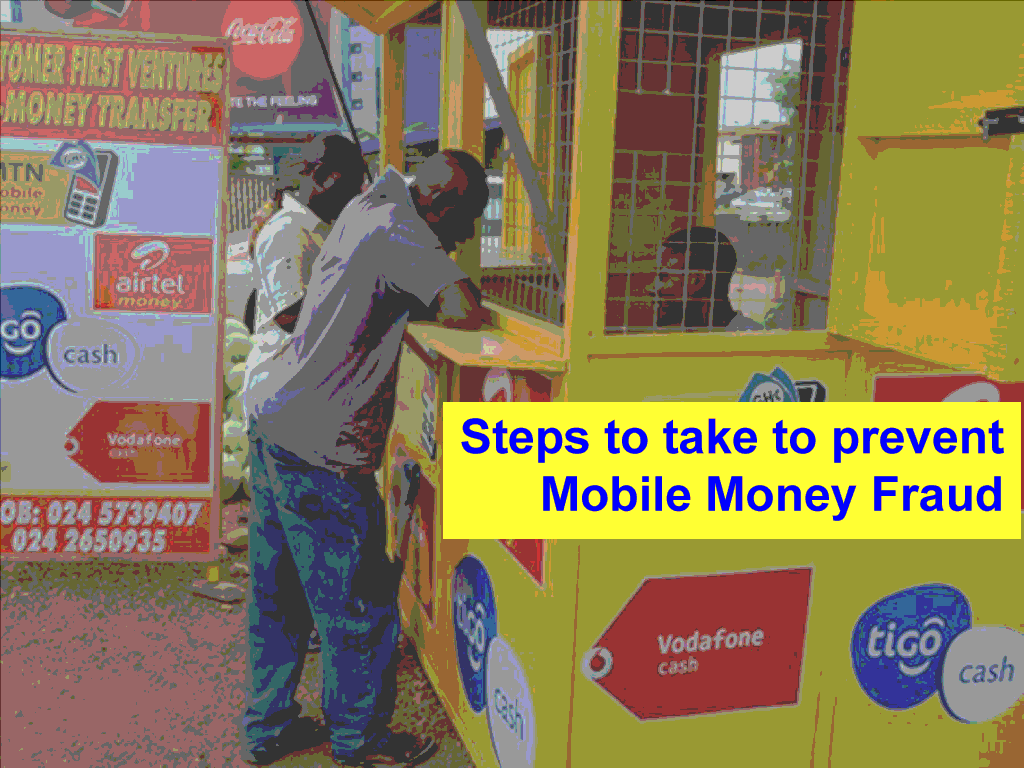
  • More steps to take to prevent Mobile Money fraud apart from keeping your MoMo PIN Secure

    More steps to take to prevent Mobile Money fraud apart from keeping your MoMo PIN Secure

    Mobile money has solved the burden of having to walk miles just to make payments or deposit money to the bank.

    You will agree with me that ever since mobile money was introduced, it has benefited me and you and Ghana as a whole.

    With the invention of mobile money, one can pay bills, top-up airtime, make savings, buy treasury bills and a whole lot.

    If you are in Ghana you might have heard of a lot of mobile money scam activities that fraudsters have been using to steal money from peoples mobile money wallets.

    Telcos will tell you to keep your account safe by not disclosing your MoMo pin to anyone, of course, that is one step of keeping your wallet safe but the world is moving forward with every day new ideas and technology, hackers are also learning new ways to steal money from peoples accounts.

    In this article, I am going to enlighten you on steps to take in order to prevent mobile money fraud apart from keeping your momo pin secure.

    Stop Paying Attention To Spammy Calls

    Fraudsters can not take money from your mobile money wallet without your contribution, so what they will do is that they will make sure they come up with a fake story or promotion just to lure you in contributing.

    So if you pay attention to them, then they can drain your account, so the best way to keep your account safe is to ignore such calls and messages.

    Don’t Just Register Your Mobile Money Account Anywhere

    One mistake many subscribers do is that they register their mobile money account anywhere they will see someone doing mobile money, you might not know the person is a fraudster or not. Register your account at your nearest telco office and only trusted agents.

    Connect Your Mobile Money Account To Only Trusted Third-Party Apps

    Recently there has been a lot of apps that claim to give you 20%, 30% and even 50% bonus when you connect your mobile money account and make transactions using that app.

    If you are fond of doing that, then the best time to stop doing this is now.

    Don’t just link your mobile money account to any app without making a lot of research on that app, you might never know the developers behind that app and what they are up to.

    Stop Telling Merchants Your Pin

    If you are going to withdraw money from any mobile money merchant, make sure you do everything yourself (allowing cashout and confirming the transaction by typing your pin).

    Stop giving your phone to the merchant and telling him or her your pin, after doing this, the merchant now knows your number, name and mobile money pin and if the merchant is a fraudster just imagine what he or she can do knowing all these information.

    Use Hard To Guess Pins

    Using pins like your birth year, last four digits of your phone number, repetition of one number eg: 1111,2222,0000 and the rest make it easy for any fraudster who wants to steal money from your account.

    To make it difficult for fraudsters to steal money from your account, you need to set a pin that will be difficult to guess.

    Conclusion

    Mobile money is now the most popular means of transferring money in Ghana, hackers, on the other hand, are also finding new tricks just to steal money from innocent peoples.

    To save yourself from being a victim of MoMo fraud make sure you stop doing these:

    1. Stop paying attention to spammy calls and messages
    2. Don’t just register your mobile money account anywhere
    3. Connect your mobile money account to only trusted third-party apps
    4. Stop telling merchants your pin
    5. Use hard to guess pins


  • How to send money with MTN Mobile Money in Ghana using shortcode or Mobile App

    How to send money with MTN Mobile Money in Ghana using shortcode or Mobile App

    Mobile telephone network (MTN) is the leading telecommunication network in Ghana with over 18.8 million active subscribers.

    On July 2009, MTN introduced mobile money which became the first mobile financial transactions platform in Ghana.

    Ever since mobile money was introduced, it has helped Ghanaians a lot. Today customers can send money to anybody in Ghana at ease, customers can request for a loan, buy treasury bills, pay salaries, airline tickets, shop on some marts and can also transfer mobile money from banks to their wallets.

    How To Send Money Using MTN Mobile Money Shortcode

    1. Dial *170#.
    2. Select transfer money.
    3. Select MoMo user (that is if the person is registered on Mobile Money).
    4. Enter the mobile money number and repeat again.
    5. Enter the amount you want to send.
    6. Type in your reference
    7. Confirm and send money

    What is MTN Mobile Money Reference?

    Reference is what you type in to identify certain transactions, eg: you might want to pay your employees who will be receiving different monthly salaries, this is when the reference comes to use, you can use reference to differentiate or keep records of the amount sent.

    There has been a time that you would want to subscribe to a certain MTN offer but you will be struggling to remember the shortcode for that offer, I remember there was a time that I wanted to subscribe to the MTN made for me offer and I was finding it difficult to remember the shortcode for that offer.

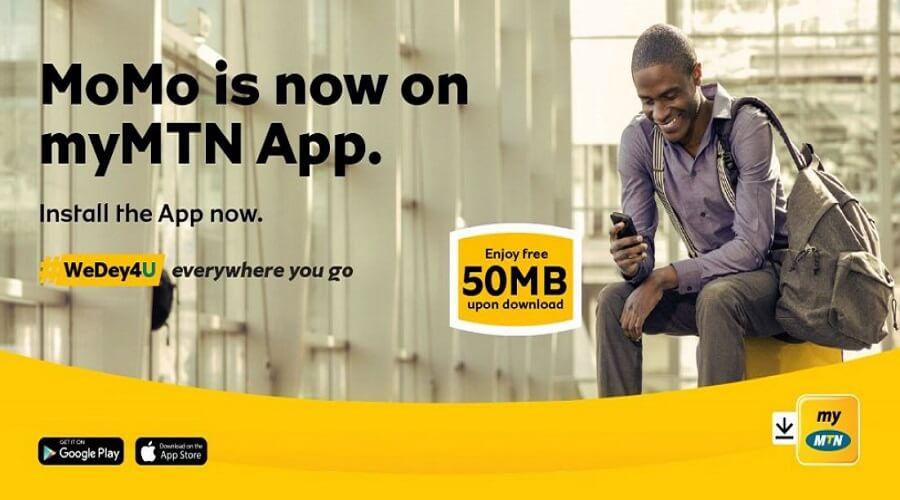
    MTN has introduced an app that you can do a lot of things such as topping up and checking your bundle usage, topping up airtime, buying data without the need to type in the shortcode, sending airtime and using it to transact mobile money.

    How To Set Up myMTN Ghana App

    1. Download myMTN Ghana app from play store or apple store.
    2. If you are connected to the internet using the MTN sim, the app will automatically take you to the dashboard but if you are connected to the wifi or using a different network then you will be asked to verify your number. Type in your number and press on verify.
    3. You will receive a confirmation code, type in the code to confirm. After that, you will be taken to your dashboard where you will see your airtime and bundle left.

    How To Send MTN Mobile Money In Ghana Using the Mobile App

    After setting up your account, to use the app for mobile money transactions you will need to connect your mobile money account to the app, to do this follow these steps:

    Please keep in mind that you will need to switch your phone internet connection to your sim card before you can proceed, if you are using a different network then the app will deny you access. So switch to your MTN sim card to continue the process

    1. On your dashboard select MoMO Service
    2. Now enter your MoMo pin to continue.
    3. You will receive a code to fill in, type in the exact code and also remember never to share the code with anyone.
    4. Now on your mobile dashboard, if you want to send money to someone using the app, select transfer money.
    5. Select if the user is a Mobile user or a non-mobile user, type in the number, amount to send, reference and then select transfer.

    You will be prompted with a confirmation on mobile money number, the amount you are sending and the reference number, select confirm to send the money.

    Also take note that you can also schedule payment,(that is you will type in the number, amount and time you want the money to be sent).

    Conclusion

    Now you can buy airtime, pay bills, buy data without the need to remember shortcodes, send and do more with the new MTN Ghana app.

  • How to buy things on Melcom Online Shopping site in Ghana

    How to buy things on Melcom Online Shopping site in Ghana

    Melcom is one of the best shopping malls we have here in Ghana. It started operating in Ghana in 1989 and it is still one of the best we know.

    They have a variety of goods in all of their branches be it electronics & appliances, mobiles & computers, furniture, home & kitchen appliances and many more.

    But what if you need one of these but due to some reasons you can’t go outside to buy? Maybe you want some appliances but you are very busy to visit any of their branches to get it.

    Do you know you can shop at Melcom online at the comfort of your home and get it delivered to you at your doorstep?

    How to shop on Melcom Online Shopping site in Ghana

    1. Visit melcomonline.com and sign up.
    2. Fill in your personal information that’s your first name, last name, working email and your password. You can also sign up using your Facebook account as this process does not require you to fill any information.
    3. After signing up you will be redirected to the Account Information section where you will fill in your default billing address, default shipping address and subscribe to their newsletter (optional).

    When you are done in setting up your account then you are ready to go, search for any product you want to buy then check-out. Now relax and watch Melcom deliver your item to you at your home.

    Also take note that currently, they are offering free shipping to orders above GHS 50.

    Conclusion

    Melcom has made it easy for everybody to order at the comfort of their home and get it delivered to their doorstep, the good news about ordering something from Melcom is that they offer free shipping to orders above GHS 50.

    To order for things online, visit melcomonline.com and sign up, fill in your personal information as that is what they will use to deliver your items to you, and then proceed on buying the item, relax at home and watch Melcom deliver it to you.

  • 5 Online Shopping Sites you can use in Ghana

    5 Online Shopping Sites you can use in Ghana

    Gone were the days we will have to go to the central market to buy the things we need, you might be busy but still needs some goods and there is absolutely no one to send.

    It is either you skip what you are doing and go outside and buy or send someone to get it for you, sometimes at a fee.

    With the help of the internet, things have changed, now you can buy anything you want online from these online shopping websites and get it delivered to you at your doorstep.

    I must say online shopping in Ghana has been of help, ever since I started buying things online, you get to order all the things you need and get it delivered to you.

    Online shopping is indeed helping us and making us save time but one needs to be careful because there are a lot of fake websites that claim to be online shopping sites but are not, some will also not bring you the same item you ordered.

    Here are 5 online shopping websites you can use in Ghana to buy things online:

    1. MelcomOnline.com
    2. Alibaba.com
    3. Kikuu.com.gh
    4. Jumia.com.gh
    5. eShopAfrica.com

    Now let’s break them down for you so you understand more.

    MelcomOnline.com

    Melcom is one of the best shopping malls in Ghana, Melcom has made it easy for those who might not be able to get time to visit their various branches due to some reasons, they have a website that you can visit to shop online and get it delivered to you at the comfort of your home.

    You can order for mobiles and computers, various electronics & appliances, home &funiture, clothing & fashion online.

    The good news is that they provide free delivery for all shoppings that is 50 Cedis and above.

    Alibaba.com

    Alibaba is one of the popular e-commerce websites in the world and right now they have a branch here in Ghana, one reason I love Alibaba is that they protect the buyer.

    what do I mean by they protect the buyer?

    Anytime you make a payment on Alibaba, payment is not released to the seller unless you receive the item you ordered and then confirm before the seller can get the money.

    If the item sent to you is not what you ordered for, you can notify the website and you will get a refund.

    Kikuu.com.gh

    kikuu is one of the most popular shopping websites in Africa, most of their products are cheaper and after making payments, your items will take 10 business days to be delivered to you.

    You can order for shoes and clothes, electronics, home appliances, automobiles, accessories and many more.

    Jumia.com.gh

    Jumia was established in Lagos in 2012 and is currently working on 14 African countries and still counting. On their website, you can order for phones & tablets, compers, electronics and many more.

    They also have jumia Global which is focused on travelling and bookings of hotels, they also have jumia food, which allows you to order food online and it will be brought to you at home.

    eShopAfrica.com

    eShopAfrica is one of the best sites to get traditional products, the site started working since 2001 and they are based in Accra.

    Conclusion

    Shopping in Ghana has become more online friendly with the introduction of varying forms of payments.

    Ghanaians especially love payment on delivery and although only a few online shopping sites offer this, the ones that don’t have proven to deliver on time.

  • How To Read Major Ghanaian Newspapers Online

    How To Read Major Ghanaian Newspapers Online

    We all watch and listen to the news so that we will get to know what is happening in our society and around the world.

    I must say that there is no single day without hearing any news and you will agree with me on that.

    You might be a fan of a certain local football team and there is not a single day you will not want to a miss single news from that team. Same applies to politics, as every day the government is always up to something.

    We are not always sitting in front of our televisions same as radio, also it is not every day that the newspaper seller will be able to bring you the new newspaper for you to buy and read through, but we are always with our phones.

    In this article, I am going to take you through how to read major Ghanaian newspapers online be it politics, sports, techs news and the rest.

    Dailyguidenetwork.com

    This website is owned by the daily guide newspapers, the daily guide started operating in 1984 and the good news is that they have this website which covers all the stories they publish on their newspapers, on their website you will get general news, entertainment news, sports, business and many more.

    Graphic.com.gh

    This website is owned by graphic online newspapers, the graphic online newspaper was launched in 1950, their website publishes up to date news on general news, business graphic sports, lifestyle and many more.

    Ghanaweb.com

    Ghana web is one of the popular websites in Ghana, it was launched in 1999, this website covers general news, sports, opinion on trending issues and it is ranked 3rd on Alexa rank.

    Ghanaiantimes.com.gh

    Ghanian times is among the popular newspapers we know, it was launched in1957, Ghanaian times have a website for its customers who might not be able to sometimes buy their newspaper, the website covers articles on news, education, politics and business.

    Peacefmonline.com

    Peace FM online is also one of the popular news websites with monthly traffic of around 58,000 they publish articles on local news, showbiz, politics, sports and many more, you can visit their website to read all these kinds of stories.

    Myjoyonline.com

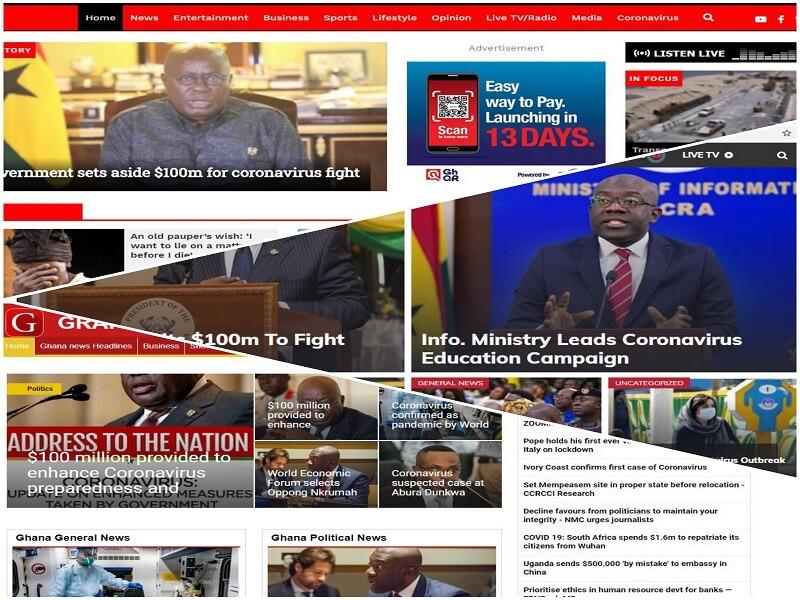
    Myjoyonline gets over 96,000 visitors a month, they publish articles on trending issues, politics, sports, lifestyle, business and they even have a category for the new virus outbreak coronavirus.

    Conclusion

    You can read all the major news online, some of the top newspapers have websites that they publish most of their news on that website, you can get all the latest news to read on these websites:

    1. Dailyguidenetwork.com
    2. Graphic.com.gh
    3. Ghanaweb.com
    4. Peacefmonline.com
    5. Myjoyonline.com
  • How To Add Your Favourite Music/Song To Your Instagram Stories

    How To Add Your Favourite Music/Song To Your Instagram Stories

    We all have been using Instagram to check on family and friends, favourite celebrities pictures and videos and also have a chat and watch their stories.

    Anytime you decide to surf through peoples stories on Instagram you will sometimes come across a story that has a song at the background sometimes you will see the artist and the title, sometimes too you will see the lyrics of that song on that story you are watching.

    Instagram introduced stories feature in August 2016, and then later on rolled out a feature that will let you add music to your story in June 2018.

    On this article I am going to take you through:

    • How to add your favourite songs to your Instagram stories
    • How to enable lyrics on your Instagram stories
    • How to add your favourite song to your video using a third-party app: Inshot

    How To Add Your Favourite Song To Your Instagram Story

    1. Download/update your Instagram app to the latest version and then launch it.
    2. On your homepage, tap on the top left cameral roll icon to select a video or picture.
    3. Record your video or choose from your galley.
    4. To add your favourite music to your story tap on the sticker button and then select music.
    5. Instagram will give you options to select from, you will have popular kinds of music to choose from, also you can browse and choose from pop, love, sentimental, genres, and a whole lot. You can also search for your favourite music if you can’t find it under any of the categories.
    6. Select the music you want and then choose where you want to start the music from.

    After you are done preview it to see how it will look like when you share it on your story. kindly take note that the maximum limit for music on the Instagram story is 15 seconds.
    adding music to your instagram story step by step

    How To Enable Lyrics On Your Instagram Story

    1. On your Instagram homepage, select the camera roll icon on the top left.
    2. Select the music or video you want to post. On the Edit menu, select the AA icon to enable the lyrics on your picture or video.

    How To Add Your Favourite Song To Your Video Using A Third-Party App

    Maybe you’ve searched through all the music and you can’t find your favourite music, you might be having your favourite music on your phone, or it can be a local song that Instagram can’t find or let me say it is not on their music library, but you want to add it to your video and then share it on your Instagram story.

    How To Add Your Favourite Music To Your Video Using Inshot

    Inshot is one of my favourite apps when it comes to video editing, it is free to use, the little downside is that it will add “Inshot” watermark at the end of the video, that is not even a problem as you can choose to watch ads so that it will be removed for you, that’s what I always do.

    To add music to your video using Inshot follow these steps:

    1. Download the Inshot app from play store or apple store
    2. Inside the Inshot app select the video you want to attach your music to.
    3. Select the music icon, and then choose from tracks, effects or you can record. Inshot got featured tracks you can choose from. But if you want music from your phone storage then swipe to my music and then select the music from storage, select use.
    4. Now move the music to where you want it to start on the video, you can trim the music to the part you want.

    Conclusion

    To add music to your Instagram story,

    • Open the Instagram app
    • On the homepage, tap on the cameral roll on the top left
    • Select the video or picture you want to use for your story and then click on the emoji icon and then tap on the music
    • Browse through the music and select the one you want.

    To make the lyrics appear on your story then select the AA icon to enable lyrics of that song on your story if there are any lyrics for that song.

    Remember that not all songs may have lyrics and due to copyright issues, you may not be able to download the video with the song.

  • How To Know If Someone Has Blocked You On Instagram

    How To Know If Someone Has Blocked You On Instagram

    There might be a misunderstanding between you and your partner, friend or family member. This can make one don’t want to hear or see anything about the other again.

    So after a quarrel, you went to Instagram to watch the persons status or posts but you are not seeing any of them.

    This may lead you to wonder if that person has blocked you on Instagram or something like because you just had a little misunderstanding. Maybe you are not that kind of person that will want to block someone just because of a little misunderstanding, but what if the other person is that type of person?

    Instagram, on the other hand, does not notify you when someone blocks you as we all know it will be awkward to get a notification that “ABC has blocked you”, so how do you find out if someone has blocked you?.

    Here Are The Steps To Find Out If Someone Has Blocked You

    Following Their Account Again

    If you are suspecting someone has blocked you on Instagram then go to the search tab then search for the person again, you cant see the person’s page on the search results if you are blocked.

    Your Chat Thread Will Disappear

    When someone blocks you, the chat thread between you and that person will disappear, so when you go to your DM and find out a chat between you and that person is not there anymore, then definitely you’ve been blocked, but if you find out the messages are still showing then it means that person has not blocked you.

    Checking Through Their Profile Picture

    When someone blocks you, their tags and comments don’t disappear so if you can’t find their account when searching for them then visit any of your picture or friends pictures that has their name or tags under it, tap on it to go to their page, try following their account again, you will see the follow button not working.

    Also, take note that all these steps given above can also happen when someone deactivates their account so be sure not to conclude that someone has blocked you not knowing they might have deactivated their account.

    So How Do You Know If Someone Has Deactivated Their Account?

    You can get to know by visiting www.instagram.com/username if they have deactivated their account you will see Instagram saying “sorry, this page isn’t available”.

    But if the person hasn’t deactivated his or her account, then you can see all the posts made by that person and when the account is private, you will see Instagram saying “this account is private”.

    Conclusion

    You can find out if someone has blocked you on Instagram by searching for their username again, if you are blocked their page won’t appear in the search results, also the chat thread will disappear.