Author: Shepherd Yaw Morttey

  • Ghana Card: Registration, Benefits and All You Should Know

    Ghana Card: Registration, Benefits and All You Should Know

    The National Identification Authority (NIA) will start issuing instant smart National ID cards under a very strict multi-level verification process.

    The ID card, dubbed Ghana Card, is meant to be the primary ID card that citizens will use to access all services in the country, including even travelling within the West African sub-region.

    It will be the only valid ID for application for a bank account, passport, telephone number, property acquisition, drivers license and much more.

    The registration exercise will begin in the Greater Accra region and move to other regions in the country. The presence of Ghana card will eliminate the usefulness of all other cards possessed as Ghanaians.

    What is Ghana Card?

    The Ghana Card is a national identity card that is issued by the Ghanaian authorities to Ghanaian citizens – both resident and non-resident, and legally and permanently resident foreign nationals. It is proof of identity, citizenship, and residence of the holder. The current version is in ID1 format and biometric.

    What you need to Register for the Ghana Card

    The pre-requisite for the Ghana Card is the Biometric Birth Certificate/Valid Ghanaian Passport

    How to Register for the Ghana Card

    With your Biometric Birth Certificate or Valid Ghanaian Passport, visit any of the registration centres when they are in your district and you will be walked through the process.

    Types of the Ghana Card

    There are two types of the Ghana Card. They are the Barcode Card and the Dual interface Chip Card. These two cards will be issued differently and the one an individual gets depends on his/her age. The Barcode Card is for Ghanaians between the ages of 0+ to 14, while the Dual Interface Chip Card will be issued to those 15 years and above.

    Features and Details on the Ghana Card (Dual Interface Chip Card)

    Front View

    1. “REPUBLIC OF GHANA”
    2. “National Identity Card”
    3. Surname
    4. First name
    5. Middle Name(s)
    6. Sex
    7. Date of Birth
    8. Height
    9. Randomly generated Personal ID Number (PIN)
    10. Date of Expiry (normally 10 years after the date of issue)

    Back View

    1. THIS CARD IS THE PROPERTY OF THE GOVERNMENT OF THE REPUBLIC OF GHANA. IF FOUND PLEASE CONTACT THE NEAREST NIA OFFICE OR POLICE STATION
    2. Holder’s signature
    3. Serial Number
    4. Flying eagle to the right of the card.
    5. Holder’s biometric and personal information stored in a 2-D barcode which can only be read with a card reader.

    NB: The Ghana Card contains second and third level security features by the NIA (National Identification Authority): On the photo a micro-holographic reflecting stamp is placed. The back contains the machine-readable zone.

    The microchip, inside the card, contains biometric data such as fingerprints of the holder, the image, signature, etc. The data can be extracted from the chip with wireless RFID technology. The ID card serves as a travel document for national travel. The validity of the card is 10 years and is compulsory for citizens over 16.

    Visible Images on the Card

    1. Ghana Flag to the left top corner
    2. Ghana’s Coat of Arms to the right top corner
    3. Ghost portrait of cardholder
    4. Main portrait of image of cardholder
    5. Map of Ghana

    Issuing Procedure

    The identity card is requested at the districts (and is issued for free to all Ghanaians ) where a digital picture of the bearer’s face and fingerprints are taken. The card should be picked up in person after 15 days, where the bearer identifies himself/herself with his/her fingerprints.

    Benefits, Importance, and Usefulness of the Ghana Card

    1. Health Delivery: The personal identification number (PIN) and biometrics/personal information is cross-checked with the existing data in the National Identification System during a Ghana Card holder’s National Health Insurance Scheme (NHIS) registration.
    2. Passport Acquisition: Any time a Ghana Card holder applies for a passport, their personal identification number (PIN) is captured on the passport and their personal information cross-checked with the data in the National Identification System. A “Ghana Card” holder may not be able to acquire a passport if they do not possess the Ghana Card. This is because only people who qualify to hold Ghanaian passports will be issued with one since the individual’s nationality can be properly checked from the National Identification System.
    3. Acquisition of Driver’s License: The personal identification number (PIN) is one of the required information the Driver and Vehicle Licensing Authority (DVLA) demands as soon as the Ghana Card is issued to applicants. The PIN is captured on a Ghana Card holder’s driver’s license and vehicle registration documents. The personal information is also verified from the NIA to determine a person’s true identity for license acquisition and establish the true identities of vehicle owners. A time will come when a person may not be able to make new registration or renewal at the DVLA without their Ghana Card.
    4. Shipping and Clearing of Goods from the Port: All goods a Ghana Card holder exports out of Ghana or imports into Ghana is directly linked to their personal identification number (PIN) to eliminate fraud and theft in the shipping and clearing of goods at the ports and harbours of Ghana.
    5. Receipt of Banking Services: A Ghana Cardholder can use the card as identity verification document when opening bank account, withdrawing money from the bank or receiving money transfers in Ghana. It is easier for a Ghana Card holder to take a loan from the bank whether they work in an identifiable institution or not. This is because their identity can be easily verified and the banks are confident that they can be traced in the event of loan default based on their PIN or biometric information stored on the Ghana Card.
    6.  Credit Information: The use of the Ghana Card can enable the banks in Ghana to easily establish person credit-worthiness from the Credit Referencing Agencies any time they apply for a loan. This may lead drastically to the reduction in bank rates on loans since the banks can establish whether they are already servicing a loan from another bank which will result in a reduction in the incidents of bad debts.
    7. Registration of Business: Business registration is linked to a Ghana Card holder’s PIN to help identify them as the true owner of their business. The Registrar General’s Department makes it a requirement for all business owners to provide their PIN on the Ghana Card during business registration. This eliminates business registration fraud through the exposure of false identities and prevents multiple registrations of businesses for fraudulent purposes.
    8. Education: The PIN of a Ghana Card holder’s child is captured during enrollment into primary school and the number is used for admission into every school level until the child completes tertiary education. This helps in tracking the progress of a Ghana Card holder’s child in the educational sector for necessary policy interventions. It prevents a person’s Ghana Card from by a replaced, and unqualified ones by some school authorities during admission. Students who qualify for student’s loan are able to use the Ghana Card to establish their identities to eliminate fraud. Data from the NIA database enables the Ministry of Education to plan effectively for the provision of targeted educational infrastructure and other resources for their community.
    9. Job Search: The Ghana Card is used to establish a personal identity during a job search. This bolsters their chances of getting the job as employers will be sure they are dealing with the rightful owner of the certificates a person provides in support of their qualifications.
    10. Disaster Management: Identification of true victims of disasters is often problematic because there are infiltrators who take advantage of the absence of credible identification system to benefit at the expense of the affected ones. Data on a person’s Ghana Card is used to establish whether they live in an area affected by a disaster to enable them to receive relief items.
    11. Access to Social Services: The Ghana Card authenticates a persons entitlement to government services. Services such as LEAP payments and free National Health Insurance Scheme (NHIS) registration for persons below 18 years or above 70 years is made dependent on the presentation of the Ghana Card.
    12. Protecting the Rights of Children: Child trafficking, especially for forced labour, is on the increase in Ghana and children get lost daily. It has been very difficult to establish the identities of children rescued from human traffickers or those found in the streets to reunite them with their parents. Since a Ghana Card holder’s child’s fingerprints and parents’ information are stored in the national database, it is easier to return a Ghana Card holder’s lost child to them when their live fingerprints are taken and matched into the NIS.
    13.  Electoral Registration: During voter registration, a Ghana Card holder’s PIN is captured for the authentication of their citizenship, name, age and residence to determine whether they qualify to vote or not.
    14. Travelling: The Ghana Card is used to validate a person identity at airports, borders, police check posts and while booking tickets. The emerging Ghana railway travel may require a person to carry their Ghana Card especially if e-tickets are introduced.
    15.  E-Commerce & Payment Industry: The Ghana Card is used in a multiplicity of situations – to register for offline services such as a loan or an insurance plan while buying a car. There have been past issues raised about Know Your Customer norms for Cash Cards like E-zwich and ATM Cards. The Ghana Card is likely to be made mandatory for the validation of all payments. Ghanaian companies currently offering m-commerce transactions such as Tigo Cash and the Airtel Zap service used for sending and receiving money, topping up airtime, transferring credit to others, paying utility bills as well as goods and services using the mobile phone opt for the Ghana Card as a verification document.
    16.  Pension Claims: As identity theft occurs when someone uses a person’s personal information, such as Social Security number without their permission to commit fraud by claiming their benefits or that of a relation. The Ghana Card identifies a Ghana Card holder as the rightful and only person authorized to receive their pension benefits. In the event of the Ghana Card holder’s death, only their children or spouse named on their Ghana Card will benefit from their pension claim.
    17. SIM Card Registration: With previous generations of ID Cards one of the key issues with the directive by the National Communications Authority for registration of all SIM cards for getting a mobile connection has been the verification of the individual getting the connection. Particularly in urban areas, and with a migrant population in Ghana, authentication of individuals has been an issue; as a few people did not possess any ID at all. So the Ghana Card has become the acceptable verification document for mobile connection.
    18. Hire Purchase: The Ghana Card is used in establishing a person identity when making hire purchase arrangements as it contains their digital picture and biometric information that conclusively establishes their identity in addition to their personal and residential information.
    19. Insurance Claims: As a person needs to prove their identity in the event of any disaster for which they have to make insurance claims. The Ghana Card provides them with the necessary information they need to conclusively establish their identity.
    20. Remittances from Abroad: Identity theft happens in many ways: a thief obtains credit card receipts or bank statements from your wallet or trash; personal information is inadvertently provided over the phone or Internet, or other confidential information. Before a person even realizes their personal information has been compromised, their credit and goods are claimed by fraudulent persons. The use of the Ghana Card and PIN in claiming goods and monies sent from abroad has been designed to prevent unauthorized persons from claiming what is due to the Ghana Card holder.
  • How to link your SSNIT Number to your NIA (Ghana Card) Number

    How to link your SSNIT Number to your NIA (Ghana Card) Number

    The Social Security and National Insurance Trust (SSNIT) is merging the social security numbers of members with their NIA (Ghana Card) numbers.

    The new NIA Numbers (Ghana Card Numbers) will replace the unique scheme identification numbers that SSNIT is currently using.

    The merger is in compliance with Regulation 7 (1) of the National Identity Register Regulations, 2012, LI 2111, and a directive from the National Pensions Regulatory Authority (NPRA).

    Sample confirmation message after linking SSNIT and NIA/Ghana Card Numbers

    Also, starting next month, new subscribers to the national pension scheme (SSNIT) would be required to have Ghana cards before they would be taken on board.

    There are three ways you can do the merger. These are:

    1. By walking into any SSNIT office near you
    2. By using the shortcode – *711*9#
    3. by using the SSNIT website

    Why you should merge/link your SSNIT and NIA (Ghana Card) Numbers

    1. You only have to carry your Ghana Card for all transactions
    2. Easy identification of nominated dependants
    3. You save money because you don’t need to pay for a SSNIT card
    4. It’s a legal requirement

    What you need to merge your SSNIT and Ghana Card Numbers

    To link your SSNIT and Ghana Card Number, you need to have the following:

    • Your NIA number
    • SSNIT number
    • Mobile phone number
    • Active email address

    How to find your NIA/Ghana Card Number

    To find your NIA or Ghana Card number, all you need is your Ghana Card. Once you have the Ghana Card, look at the section that says “Personal ID Number”. You will find an alphanumeric code in the format “GNXXXXXXXXXX”.

    The alphanumeric code is your NIA Number or your Ghana Card number. It is this code that you will use to merge your SSNIT and NIA Numbers.

    How to merge your SSNIT and Ghana Card on your Phone

    1. Dial *711*9# on your mobile phone
    2. Select option 1
    3. Enter your SSNIT Number
    4. Enter your email address (if the phone number you are using is different from your phone number registered in our database)
    5. Enter the Personal ID Number on your Ghana Card
    6. Select option 1 to complete the merging of your SSNIT and the NIA numbers (Personal ID Number on your Ghana Card)
    7. Wait for the confirmation message

    How to merge your SSNIT and NIA (Ghana Card) Number online

    Follow these steps to merge your SSNIT and NIA Number very fast:

    1. Visit the official SSNIT Members Website – https://www.ssnit.org.gh/member/
    2. Log in with your current SSNIT number and Password
    3. Request for a new Password here if you don’t have one and use it to login
    4. At the top bar, click on the “Merge My NIA” button
    5. Read the terms and conditions and check the box to continue
    6. Enter your NIA Number to continue
    7. Confirm your email and phone number
    8. Click submit to successfully link your SSNIT Number and NIA Number.
  • Steps to apply for Ghana Card right now if you missed the mass registration

    Steps to apply for Ghana Card right now if you missed the mass registration

    The Ghana card registration was held in 2019 across the country and resumed in 2020 August. Despite the exercise being held twice in the country, many people still have not undergone their registration for the card.

    Due to the importance of this card, one can’t decide to register for it. It is a national identity card issued by the Ghana National identification authority(NIA) to citizens of the country, both residents and non-residents. The card can also be issued to foreigners who are legal and permanent residents.

    People of the age 15 and above are eligible to register for the Ghana card. Refusal to register for the Ghana card will get your name removed from the country’s economy and lose several social, economic, and political benefits.

    As of now, you can register for the ghana card online or go to the NIA office at Shiashi to get registered. First, you need to know the requirements for the Ghana card. The requirements are most necessary. During the mass registration, some of the requirements were really a problem for some people.

    If you happen to be a Ghanaian by birth, registration, or naturalisation and you reside in Ghana currently, you require a Ghana card. The card is also necessary for Ghanaians living abroad and foreign nationals who are legal or permanent residents in Ghana. 

    Necessary documents required to get a Ghana Card

    • Name, date, and place of birth, residential address, and digital address code.
    • Parent, partner, and next of kin information. Prepare to have addresses, names and nationality, hometown, and other personal data.
    • Parental information, including their Names, Address dates, and places of birth.
    • Biometrics, including your fingerprints, iris, and photograph). The NIA will take data at the registration centre.
    • Primary verification documents. These include your birth certificate, valid password, certificate of acquired citizenship, or naturalisation certificate.

    Once you have all these details ready, you’re eligible to register for a Ghana card. And you were not able to register for the Ghana card during the mass registration, so you want to register for it before it’s getting too late for you. You can go to the NIA office at Shiashi to register or simply open the NIA online portal to register online. 

    How to register for the Ghana card online 

    Not very long ago, the National Identification Authority(NIA) launched an online Ghana card registration procedure. This was done to reduce the workload on the NIA agents working on getting everyone registered. Also, due to the covid 19. So now, from the comfort of your homes, you can simply log in to the NIA portal and follow the procedures to get registered. 

    Procedures To Register For The Ghana Card

    1. Go to the official website of the NIA and open the online registration portal at https://register.nia.gov.gh/register.
    2. Click on the “start new application” to be taken to the page where you’ll register. 
    3. On this page, an automatic registration ID will be generated for you. Write it down to be used later. 
    4. Enter a password of your choice in the “password box and re-enter it again. 
    5. Click on the “start registration button” to begin the process. 
    6. Now, you’ll be given a form to fill. First, write your names and then click on “yes, this is the name I want to use.” 
    7. This is the aspect where questions about your nationality will be asked. Do you have an existing National ID? are you a dual citizen? You’re required to choose yes/no in this step.
    8. Proof of nationality. You’re required to provide either your birth certificate or national passport.
    9. In this next step, you’ll be asked to select your means of identification to choose between an NHIS card, driver’s license, passport, SSNIT card, tax identification number, or national voters ID. 
    10. Click on the “save and continue” button. 
    11. You’ll receive a message prompt asking if you want to continue; click yes. 
    12. You’ll be directed to the next section of the application.
    13. You’ll fill in details of your gender, height, marital status, hair color, and education. Save and continue once you’re done filling in the correct information. 
    14. Fill inaccurate details of your date of birth, hometown, occupation, and place of birth. 
    15. You’ll be directed to the declaration page now.
    16. click yes to accept the declaration 
    17. You’ll receive an email confirming your application for the Ghana card. An option to download the document will be in your email. 
    18. Visit any NIA office with your printed Ghana card application forms to be finalized and your card to be handed to you. 

    Suppose you go to the National Identification Authority (here is a list of the NIA offices in Ghana, use the one nearest to you) for the registration of the Ghana card. In that case, you’ll be asked to download and fill out the Registration Application Form (Household) and submit it to the NIA Head Office or via [email protected].

    The Form can be found on the NIA website (www.nia.gov.gh).

    Compulsory requirements: The applicant’s Birth Certificate or valid Passport. Your registration will be finalized at the NIA office. Your card will be processed and given to you after a few minutes. This process is free. 

    Conclusion

    The Ghana Card is a crucial National identification. 

    In fact, it will be our primary identification in the country from next year, so if you must register for yours as early as possible while it’s still free. Other than that, in a few years, you’ll find yourself paying a lot of money for the card. 

  • Ghana Card: List of All Registration Centres & NIA Offices you can Apply at

    Ghana Card: List of All Registration Centres & NIA Offices you can Apply at

    The National Identification Authority has opened up offices for all those who don’t have the Ghana Card yet and wish to apply.

    Ghanaians who wish to register for the Ghana card may do so at selected offices of the Ghana Revenue Authority (GRA) and the Registrar General Department (RGD) where NIA provides registration services.

    https://mfidie.com/full-list-location-275-nia-district-offices-in-ghana/

    The GRA offices are also being used since the Ghana Card is now merged with TIN.

    Ghanaians who registered for the card within the Metropolitan, Municipal and District Assemblies (MMDA) where the above GRA and RGD offices are located may visit the offices for their cards.

    Ghanaians whose cards are damaged or missing may have them replaced when NIA’s Regional and District offices are reopened for business.

    NIA will duly notify the public when the offices are reopened. Persons whose cards are missing are required to report the loss to the nearest Police Station and obtain police extract to that effect which they must present to the NIA for their cards to be replaced. Replacement of a card attracts a statutory fee of GHS 30.

    Also, starting from Monday, 9th August 2021, applicants who registered for the Ghana card within the Ayawaso West Wuogon during the mass registration exercise but have not yet received their cards may visit the NIA
    Headquarters in Accra for their cards. The cards will be issued from Monday to Friday, 8:30 am to 4:30 pm.

    In this article, we will give you the locations of all the offices of the NIA where you can go to apply for the Ghana Card. The list is arranged by region.

    Here is the list of NIA offices where you can apply or register for a Ghana Card.

    Ashanti Region

    GRA/RGD OFFICE FOR GHANA CARDLOCATIONDIGITAL ADDRESS
    MANHYIA SOUTH (ADUM STO)GRA ADUM OPPOSITE SPEEDOF PARCEL SERVICEAK-037-6041
    OBUASI MUNICIPAL (GRA STO)OBUASI MUNICIPALAO-017-9991
    SUBIN (RGD SUBIN)REGISTRAR GENERAL’S
    DEPARTMENT(RGD)
    AK-037-0633
    ASOKWA TSC 1OLD AREA COUNCIL BLOCK (ASOKWA) KUMASIA2-0273-1539

    Bono Region

    GRA/RGD OFFICE FOR GHANA CARDLOCATIONDIGITAL ADDRESS
    BEREKUM EAST (BEREKUM STO)URBAN COUNCIL (OLD DISTRICT ASSEMBLY)BB-0022-5707
    SUNYANI WEST (RGD
    SUNYANI)
    ADJACENT THE DISTRICT
    ASSEMBLY
    BY-0007-9136
    SUNYANI TSC 1GRABS-0006-3004

    Central Region

    GRA/RGD OFFICE FOR GHANA CARDLOCATIONDIGITAL ADDRESS
    AGONA WEST (AGONA SWEDRU STO)GRA SWEDRUCO-0037-3995
    AWUTU SENYA EAST
    (KASOA STO)
    GRA KASOACG-1580-0850
    CAPE COST TSC 1GRA OFFICE TSC1 ABURACC-095-0046

    Eastern Region

    GRA/RGD OFFICE FOR GHANA CARDLOCATIONDIGITAL ADDRESS
    KWAHU WEST (NKAWKAW STO)OLD MUNICIPAL HEALTH
    DIRECTORATE NEAR MTTD OFFICE ON NKWAKAW-ATIBIE ROAD
    EJ-0025-7499
    KOFORIDUA TSC 1GRA PREMISES KOFORIDUAEN-009-9141

    Greater Accra Region

    GRA/RGD OFFICE FOR GHANA CARDLOCATIONDIGITAL ADDRESS
    GA EAST (ACHIMOTA
    GRA-STO)
    DOME ZONAL COUNCIL (CLOSE TO DOME GCB)GE-307-0311
    ASHIAMAN (ASHAIMAN GRA-STO)ASHAIMAN GRA OFFICE
    (OPPOSITE ASHAIMAN
    SECONDARY SCHOOL AROUND THE ASHAIMAN MUNICIPAL ASSEMBLY)
    GB-002-6849
    LA
    NKWANTANANG/MADINA (MADINA GRA-STO)
    NIA/GRA OFFICE MADINA
    ZONGO JUNCTION (WITHIN THE PREMISES OF KENCITY BUILDING CLOSE TO THE SHELL FILLING STATION)
    GM-016-4638
    ABLEKUMA CENTRAL
    (MATAHEKO STO)
    GRA STO, METAHEKO (KANESHIE OPPOSITE ACCRA ACADEMY)GA-400-4185
    ASHIEDU-KETEKE
    ODODODIODIOO
    (AGBOGBLOSHIE STO)
    AGBOGBLOSHIE TSC *GRA
    OFFICE (OPPOSITE THE ONION OR YAM MARKEK ON THE SAME PREMISES WITH ECOBANK AND UMB BANK)
    GA-177-00742
    AYAWASO EAST (OSU
    MTO)
    NIA/GRA OFFICE (OSU
    DANQUAH CIRLE BESIDES THE PRESBY CHURCH
    GL-029-4880
    ABLEKUMA SOUTH (LTO – LARGE TAX PAYER OFFICE – HIGHSTREET)LTO,GRA LARGE TAX PAYERS OFFICE LOCATED IN THE
    STANDARD CHARTED BANK. HIGH STREET ACCRA (OPPOSITE HOTCASS SCHOOL)
    GA-226-1347
    ADABRAKA TSC 1NIA/GRA ADABRAKA TSC1
    OFFICE (ADJACENT PAPA’S PIZZA, OPPOSITE SOCIETE GENERAL BANK RINGROAD)
    GA-048-6809
    OSU KLOTEY TIN CENTER, RGDRGD (TIN OFFICE) (AROUND THE TEMA STATION OPPOSITE THE GHANA NEWS AGENCY)GA-110-5263
    TEMA EAST TIN CENTER, CUSTOMS LONGROOMGRA/CUSTOMS OFFICE
    LONGROOM (CLOSE TO GAPOHA HEIGHTS OFFICE)
    GT-057-4101
    TEMA CENTRAL TIN
    CENTRE TSC-2
    NIA/GRA OFFICE COMMUNITY 1 (NICHOLAS PLAZZA CLOSE TO MELCOM)GT-021-9202
    TEMA WEST SPINTEX TSC 1GRA OFFICE COMM. 18
    JUNCTION AT THE BACK OF KFC
    GT-341-7438
    AYAWASO NORTH (KINBU LTO)GRA OFFICE KINBU (OPPOSITE MINISTRY OF EDUCATION
    ACCRA CENTRAL)
    GA-144-3422

    Northern Region

    GRA/RGD OFFICE FOR GHANA CARDLOCATIONDIGITAL ADDRESS
    TAMALE NORTH (RGD TAMALE)REGISTER GENERAL’S
    DEPARTMENT (N/R CO
    ORDINATING COUNCIL
    NT-0066-0976
    TAMALE TSC1GRA OFFICENT-0024-3166

    Upper East Region

    GRA/RGD OFFICE FOR GHANA CARDLOCATIONDIGITAL ADDRESS
    BAWKU CENTRAL (BAWKU STO)GRA BAWKU (ENROLLMENT)UA-0017-1506
    BOLGACOMMUNITY ICT CENTER AT YARIGABIISIUB-0225-0932

    Upper West Region

    GRA/RGD OFFICE FOR GHANA CARDLOCATIONDIGITAL ADDRESS
    WAGRA OFFICEXW-0023-8152

    Volta Region

    GRA/RGD OFFICE FOR GHANA CARDLOCATIONDIGITAL ADDRESS
    HO TSC 1GRA OFFICEVH-0003-7697

    Western Region

    GRA/RGD OFFICE FOR GHANA CARDLOCATIONDIGITAL ADDRESS
    TARKWA (TARKWA STO)GRA OFFICE NEAR TNA PARKWT-0006-4205
    SEKONDI (RGD SEKONDI TAKORADI)SEKONDI SUBMETRO OFFICEWS-006-5605
    TAKORADI TSC 1GRA-TSC1WS-350-1152

    Frequently Asked Questions about Ghana Card

    Where can I get Ghana card?

    If you have not applied for the Ghana Card already, you can go to the nearest NIA office to apply for a new Ghana Card. However, if you misplaced/lost your Ghana Card, you need to follow the steps outlined by the NIA to replace it.

    How much does the Ghana card cost?

    A new Ghana Card application is free. However, any individual who wishes to use the premium service to apply for their Ghana Card will pay GHS 250. Also, it costs GHS 30 to make changes to your Ghana Card at any of the application centers.

    How do I check my Ghana card status?

    If you want to check the status of your Ghana Card (whether it is ready or not), you’ll have to visit the NIA Centre you applied to on the date you were given to report for the Card. You could wait a week more, so you are sure it is printed.

    Can you do Ghana Card online?

    Yes. You can start the application process for the Ghana Card online by completing the online application form on the NIA website.

    How do I check if my Ghana Card is valid?

    You can check the authenticity of your Ghana Card by using specialized apps with Near Field Communication (NFC) feature. Here is a full article on how to check if your Ghana Card is valid.

    Can I use my Ghana Card number as a TIN number?

    Yes, you can use your Ghana Card as your TIN. Starting from 1st April 2021, the Ghana Card Personal Identification Number (Ghana Card PIN) is used as a form of Taxpayer Identification Number (TIN) for Individual Taxpayers in Ghana. The Ghana Card PIN has replaced the TIN issued by GRA to Individual Taxpayers from April 1, 2021.

    What is the ID number on the Ghana card?

    Your Ghana Card ID Number is represented by the Personal ID Number on the Ghana Card. It is in the format GHS-XXXXXXXXX-X. Usually, when entering the ID Number on the Ghana Card, you have to enter letters and figures without the hyphens in the format: GHSXXXXXXXXX.

  • How to extend MTN bonus with just 1 pesewa (GHS 0.01) before it expires

    How to extend MTN bonus with just 1 pesewa (GHS 0.01) before it expires

    MTN Ghana is the biggest telecommunications network in Ghana, momentarily. Their Mobile Money service is also the biggest mobile payment and transact solution in Ghana right now.

    A lot of us use Mobile Money for a lot of stuff, among which is to buy credit for ourselves or family and friends. On MTN Mobile Money, you can only buy credit for MTN lines. If you look at buying credit for other networks with mobile money via USSD, check out MOVE or ALEXpay.

    MTN gives a 100% bonus on credit purchased with Mobile Money. This is a very good move, except for one annoying restriction – the bonus credit only lasts for 3 days.

    Take this scenario: You purchase GHS 50 worth of credit via MTN Mobile Money to activate one of MTN’s bundle plans. You are instantly given GHS 50 worth of bonus credit for MTN Calls and SMS. But this credit is for just 3 days. What are you going to do? Start calling everyone just to waste the credit? Well, you don’t have to.

    This little trick leverages MTN’s own 3-day limit to help you extend your bonus credit if you have not used it up. What’s more? it only costs you 1 pesewa (GHS 0.01) to execute the trick each time.

    How to extend your MTN Bonus Credit

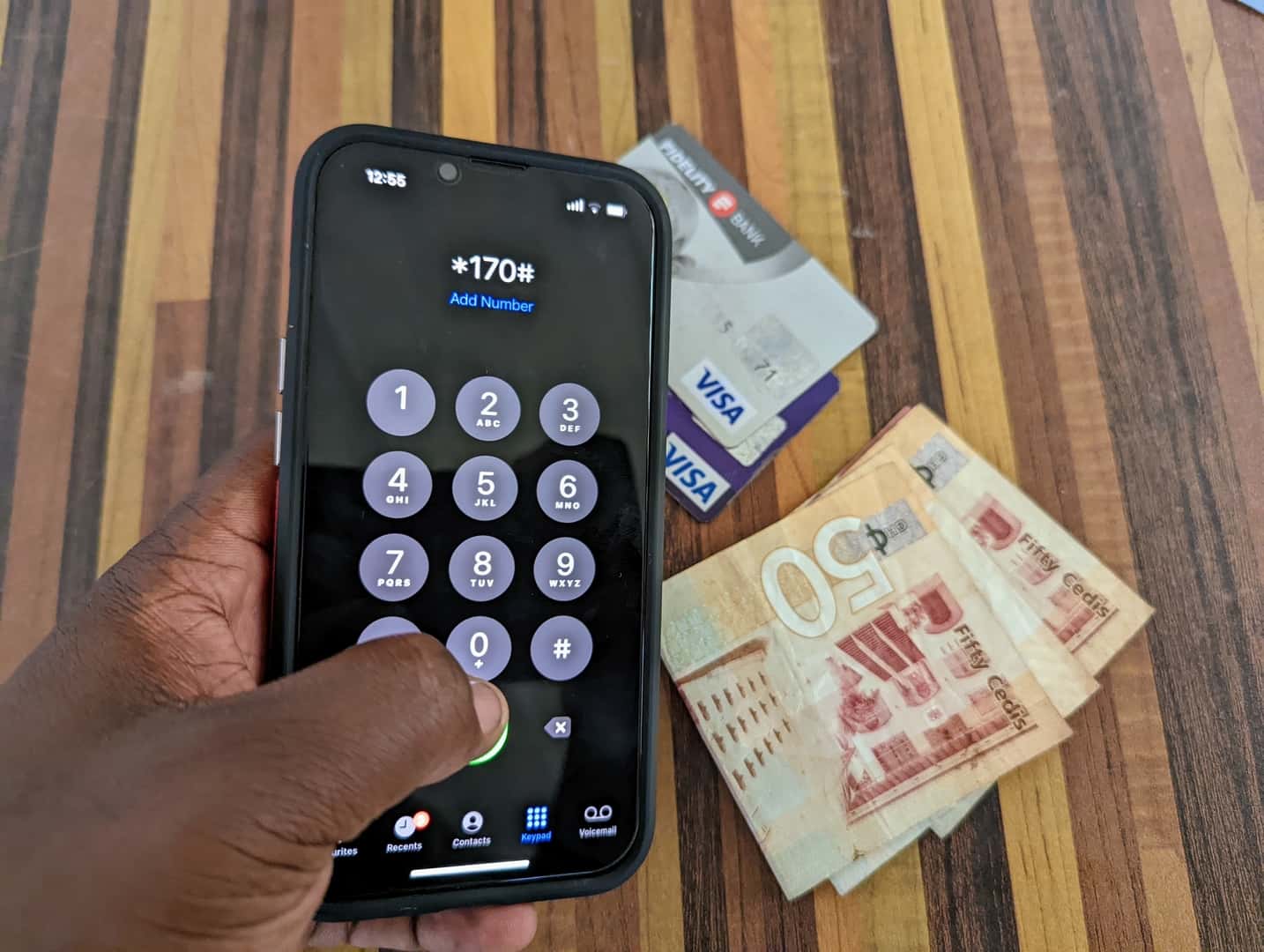
    1. Dial the MTN Mobile Money shortcode on your phone – *170#
    2. Select option 3 – Buy Airtime
    3. Enter Amount, type 0.01 (this represents 1 pesewa or GHS 0.01)
    4. Enter your mobile number
    5. Confirm your mobile number
    6. Enter your pin number to confirm the transaction

    Once confirmed, you will receive GHS 0.01 worth of credit and your bonus credit will also be extended by 3 days. You can repeat the process every two or three days if you have a lot of bonus credit, to keep your bonus alive.

    Remember, you can only extend your bonus by up to 3 days. this means that doing the trick twice in one day does not mean you will get 6 days of bonus usage.

  • Here are settings and features every Smartphone user should have “on”.

    Here are settings and features every Smartphone user should have “on”.

    Who doesn’t use a smartphone? Well, not me. We all got one of those fancy gadgets and every now and then, we realise our phones are giving us one problem or the other.

    However that may seem, it’s also very possible to use your smartphone over a long period of time without having much of a problem.

    Well, there are some things that are likely to happen once you own a smartphone. This includes theft, hardware damage, wear and tear, etc. No matter how careful you are, you can’t prevent some of these things from happening.

    Sad, yet true.

    So what if you are struck by any of the above-mentioned issues? What are you going to do? What if you lose your phone at a party or you have a software issue and you need to reset your phone? Would you lose everything?

    Well, over the years, I’ve lost and switched phones, but I have never lost any of my data – contacts, photos, even text messages. This has been largely due to some settings and feature I always keep active on my devices.

    GPS Location

    Although some articles advise you to keep your location disabled to extend battery life, it’s not always in your best interest to do this. No matter how careful you are, losing a smartphone is easier than you assume.

    Keeping your GPS location disabled eliminates whatever chance you have of recovering your phone. Whether you have an iOS device that uses iCloud’s Find My iPhone or you own an Android device that relies on Google’s Find My Device, you need to keep location enabled on your device at all times.

    If you’re worried about applications always tracking your location, you can selectively adjust app permissions to control location access.

    Contacts Sync

    It’s sad when you see people complaining that they have lost “all their contacts”. To me, that sounds like they’re saying they’ve lost access to their email or unless they lost their contacts using a feature that could not sync contacts.

    If you are on the Internet, you probably have a Google Account. On Android and iOS, Google lets you add your account to your phone and you can sync all your contacts under settings.

    Even if you lose your phone or it gets stolen, you only need to enter this same Google account and password on your new phone and your old contacts automatically appear.

    For iPhone users, there is also the additional option to sync your contacts to your iCloud account.

    You need to ensure contacts synchronization is enabled. Do not disable it for whatever reason. For a comprehensive guide on this, read this previous article.

    Google Photos

    Unlike the other two features earlier mentioned, this is actually an app.

    Google Photos is so great and I enjoy using it daily. It takes your entire photo library — every photo you’ve ever taken on your phone, as well as screenshots and photos taken within Instagram and whatever else — and uploads it to the internet.

    The photos remain private, hidden behind your Google account information, but now you can access them anywhere. On your laptop? Yep. On a new phone? Yep. On your tablet? Yep, there too.

    I really cannot think of a reason why anyone would not use Google Photos. It offers free unlimited storage for your photos. Yes, unlimited. And yes, free.

    And when you lose your phone, you can always get all of your photos back.

  • My Digital Address: How to Generate your GhanaPostGPS  in Ghana

    My Digital Address: How to Generate your GhanaPostGPS in Ghana

    The GhanaPostGPS App is here to stay after it is now being used in almost all official applications by the Government of Ghana. This includes the Ghana Card, Land Registration, Passport Application and even new business registration.

    A lot of people still don’t know how to generate/create their digital addresses and we are here to explain and make the process easy.

    What is GhanaPostGPS?

    GhanaPostGPS is a global addressing system that uses the Global Positioning System (GPS) technology to divide Ghana into grids of 5 metres x 5 metres squares and assigns each one a unique address.

    It has an application that now allows all Ghanaians and people living in Ghana to validate their home and business addresses in order to create a national address registry for easy direction and identification purposes.

    How to generate your digital address with GhanaPostGPS App in Ghana

    Here are the steps to take to generate/get your digital address in Ghana:

    1. Download the new updated GhanaPostGPS App for Android or iOS.
    2. Launch the GhanaPostGPS App on your device and accept the terms and conditions, then click on “continue”.
    3. On the next screen, you can register your phone number, or click on “Skip Registration” if you want to use it for just one time.
    4. Accept the permissions that appear on the screen (Location, Media. Record Video)
    5. on the next screen, wait for your location information to load
    6. Once the location information has loaded, you will be presented with a new screen where you will see your Digital Address in the format GX-XXX-XXXX
    7. You can then share on WhatsApp or write it down to use for your Ghana Card Registration or other purposes.

    Watch the video below for the whole process:

    Things to note when generating your digital address

    Once you have the App downloaded on your phone, generating your address is easy.

    • Ensure your phone’s location button is turned on.
    • Open the GhanaPostGPS app and click on the button
    • Your unique address will appear next to the Digital address, for example, Digital Address: GA-543-0125
    • Remain outdoors to have a very correct digital address
    • Make sure you wait for 5 to 20 seconds to make sure the address is valid
    • Enable all permissions on your phone necessary for the app to run before generating an address
  • How to watch YouTube Videos without an Active Internet Connection

    How to watch YouTube Videos without an Active Internet Connection

    YouTube. Apart from being regarded as the second largest search engine (very debatable), YouTube has become a platform where you can find just about any video to watch as well as enjoy some great music.

    One reason why a lot of people “fear” YouTube is its high data usage. And it becomes particularly annoying if you are the kind of person that goes on YouTube to watch just about the same kinds of things all the time.

    Today, I’m sharing a very legal and useful way you can use to watch YouTube videos offline, without having to worry about data charges.

    The feature I will like to speak about is YouTube’s Offline Feature.

    It’s actually very simple. If you so much like a video on YouTube and you would want to watch it while there is no internet, YouTube will allow you to download the video onto your phone/tablet and then watch it later.

    Once the video has been downloaded, you can watch it as many times as you want without using up your mobile data or WiFi. You should, however, note that not all videos can be downloaded. If the Publisher made the settings so that the video can be downloaded (most publishers enable this), then you can go ahead and download it.

    If you have internet problems and that is the reason you want to watch youtube videos offline, you should check out the wonderful usave broadband deals. There is a deal for everyone.

    How to Watch YouTube Videos Offline

    1. Go to the YouTube app and tap on the video of your choice. Below the video, you will see the option of Download, touch on it.
    2. After downloading the video, the video will start downloading. Here Youtube will ask you about the quality of Download Video, which you can set according to your liking.
    3. After scrolling down the notification bar, you will be able to see the size and download status of the video.
    4. As soon as the video gets downloaded, you will see a notification for the video being downloaded in the Notification bar.
    5. You will see the Downloaded option of blue colour below the video of your choice, which means that your video has been downloaded.
    6. Now to watch this video without internet, you have to go to YouTube’s Library. There you will see the option of available offline, tap on it – you will find the downloaded video there.

    You will see the downloaded video. You can now watch the video without the internet for a month. If you have internet within the period of one month, you can still continue to watch the video without any interruptions.

    Are there any ways you watch YouTube videos offline? You can share with us in the comments section below.

  • 2 new online scams you can find on Tonaton and Jiji

    2 new online scams you can find on Tonaton and Jiji

    When it comes to online classified sites in Ghana, Tonaton and Jiji stand out as the two prominent ones. As with every good thing, there are always bad people looking to take advantage – fraudsters.

    The two platforms – Tonaton and Jiji, are not new to fraudsters, and a lot of buyers have been on the lookout on signs to avoid these fraudsters. However, the fraudsters and con artists are getting smarter too.

    In recent times, they have come up with new tricks and schemes which unsuspecting buyers might not know of.

    Here at Mfidie.com, we have had reports about some of these schemes of the fraudsters. Some have used old methods to fraud people. However, there are some new trends we have noticed recently.

    We have therefore decided to bring to you two of the new scams you can find on Tonaton and Jiji in Ghana.

    Let’s get right into it.

    VIP Parcel Fraud

    This fraud is becoming very popular on the online classified sites Tonaton and Jiji. We even have the story of a reader who was scammed with this elaborate method.

    This scam targets individuals who are interested in buying electronic gadgets, particularly laptops, chromebooks and sometimes gaming consoles like the Xbox and Playstation.

    The fraudsters place multiple ads on either Tonaton or Jiji and make unsuspecting ads think that the price of a particular product is generally low on the market.

    For example, one can see about 6 HP Envy, 8GB RAM i7, all selling between GHS 1200 and GHS 1500. Since there are multiple listings for the same kind of laptop, the unsuspecting buyer things these are real enough.

    He then proceeds to contact the seller who says they will send the product via the VIP parcel service. The fraudsters would typically tell the buyer to only send the money after he (the fraudster) has processed the item at the VIP Parcel centre.

    The fraudster then goes ahead to share fake images that they are at the VIP station and are about to send the non-existent goods. They even send an SMS, purporting to be coming from the VIP service that the parcel is being sent to the buyer and give a fake driver’s number. The driver is also part of the scam.

    The fraudsters keep the fraud going even after the buyer has sent the money. After some hours, when the buyer goes to the VIP office to claim his goods, he will then realise he has been scammed.

    I would advise that if you want to buy something from another region, get a friend or a trusted person to check the goods first and send it by himself/herself.

    Fuel the Vehicle Scam

    This scam is an example of “little drops of money make a mighty ocean”. Unlike the VIP Parcel service scam, the cash involved in this ranges from GHS 50 to GHS 500.

    Fraudsters would put up nice photos of Cars on either Tonaton or Jiji at very competitive prices.

    Once interested buyers contact them, they would say that they moved the vehicle outside the city they advertised that the vehicle is in. They would then tell the buyer they will be back in a month or 2 weeks at the least.

    Buyers who are not patient will proceed to ask if the process of returning can be sped up. This is where the fraudster asks the buyer to send some money for fuel so that the car will be driven back to the city it was advertised in.

    As expected, the fraud is in the money for the fuel. Once the fraudster receives the money for the fuel, they would just block the buyer while they wait for another unsuspecting buyer to contact them so they run the scam again.

    Like always, never be too impatient for goods you are buying. It is always good to see the goods before you buy them especially on classifieds site. Most sellers who try to put psychological pressure on you will most likely try to scam you.

    Conclusion

    You should always be alert when you are buying online. We have guides on how to protect yourself online when buying from classified sites.

    Are there any new scamming methods you have seen/experienced that you will want to share? Send us an email or drop a comment below.

  • How to Withdraw Mobile Money from any Bank’s ATM in Ghana

    How to Withdraw Mobile Money from any Bank’s ATM in Ghana

    MTN Mobile Money remains the biggest mobile banking platform for many Ghanaians. For a long time, withdrawing from your MTN Mobile Money wallet was solely facilitated by Mobile Money Merchants.

    For a lot of MTN Mobile Money Users, the inability to withdraw their money when there is no Mobile Money merchant around caused a lot of pain. There is no doubt that Mobile Money will remain the easiest and the most convenient way to have access to your money 24/7.

    To really make MTN Mobile Money a real 24/7 service, MTN Ghana introduced the ability to withdraw Mobile Money Funds from Automatic Teller Machines (ATMs) nationwide.

    MTN Ghana has led the mobile banking sector when it comes to innovation.
    MTN Ghana has led the mobile banking sector when it comes to innovation.

    As at the time of writing, these are banks whose ATMs nationwide support the withdrawal of funds via MTN Mobile Money:

    • Access bank
    • Zenith Bank
    • EcoBank
    • Fidelity Bank
    • GTBank
    • Barclays Bank

    How to Withdraw MTN Mobile Money from ATM

    1. Dial *170#
    2. Select Option 5 for Financial Services
    3. Select option 1 for bank services
    4. Choose option 3 for ATM cash-out
    5. Choose option 1 to generate the token. Continue next steps on the ATM
    6. On the ATM, Choose Cardless Transactions
    7. Choose MTN Mobile Money
    8. Enter your generated code
    9. Enter your four-digit secret code (your PIN)
    10. Enter the amount of between GHS 5 to GHS 400
    11. Enter your PIN to authorize the transaction
    12. Wait to receive your money from the ATM

    This is really simple. However, be careful when withdrawing as some ATMs do not dispense 1 GHS and 2 GHS notes.

    To be on the safest side, always withdraw in multiples of GHS 10. For instance, instead of withdrawing GHS 223, opt to withdraw GHS 220.

    Don’t have a Mobile Money Account? Read all about the MTN Mobile Money Registration.