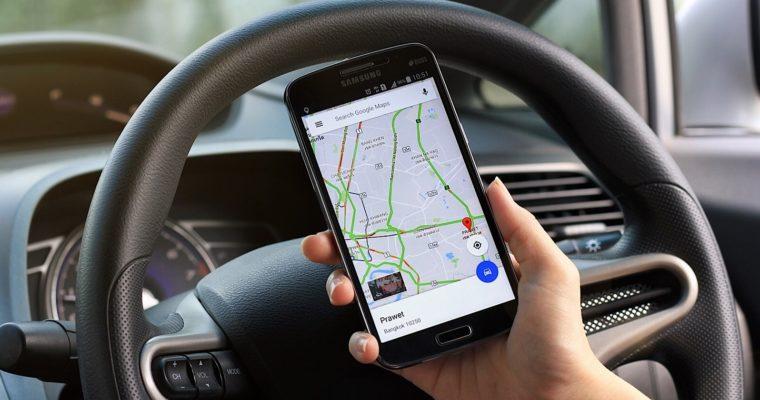
Author: Shepherd Yaw Morttey

  • How to track a missing Android Device or iPhone

    How to track a missing Android Device or iPhone

    Losing your mobile phone is a painful experience considering the amount of data people put on their phones and the prices of such phones.

    But luckily, softwares have been developed to help find missing phones very quickly these days.

    For iPhones, it’s even a bit simpler as there’s an inbuilt default that’s used to help track lost phones. The find “My iPhone” app comes in very handy. Most devices these days have inbuilt features that can help you locate your phone with ease.

    Most users also don’t know how to go about such functions on their phones, so this article is to help users who don’t know how to go about the features on their phones to find their phones. And also for android users who want to learn how to locate iPhones if they ever use one. 

    How to track your iPhone, Mac, or iPad when it goes missing

    Despite the complex nature of IOS devices, their creators have put things to make sure their users’ phones are found. This feature can find your device, whether it’s offline or online. If you’ve enabled the Find My iPhone feature in the Settings app on your iPhone or iPad, you can use Find My to locate the missing device, even if it’s powered down or the battery’s dead. To enable “find my iPhone” on your phone, locate the app and tap on turn on “find my iPhone “. Below are steps on how to set up the Find my iPhone feature. 

    Step 1: Open the settings 

    Step 2: Tap on your profile at the top

    Step 3: Select “find my”

    Step 4: Toggle on Share My Location if you want certain friends or family members to be able to see your iPhone’s location.

     Step 5: Select Find My iPhone.

    Step 6: Toggle on “Find my iPhone” 

    Step 7: Tap ok

    Making sure your Find my iPhone feature is always turned on is very important. Without the feature turned, you can’t find your iPhone when it gets missing.

    You’ll be unable to find your iPhone because this is the feature that Apple will use to find your phone when it gets lost. You can use another iOS device to locate your phone, but your phone will be found only if the Find my iPhone feature is turned on.

    Your iPhone can be found even if it’s turned off, although you won’t be able to see a real-time location. If it’s off, you’ll be directed to where last your phone was before it went off. But it’s offline, that is; if the data is off, you’ll be directed to the phone’s current location.

    How to find your iPhone using the “Find My iPhone” feature on a different iOS device like an iPad. 

    Step 1: Open the Find My app on your friend’s iPhone.

    Step 2: select “Me” 

    Step 3: Tap “help a friend”

    Step 4: You will be asked to log into iCloud. Suppose prompted to log in using Touch or Face ID, select Use Different Apple ID.

    Step 5: Log in using your iCloud ID and password.

    Step 6: When prompted to save your password, select Not Now.

    Step 7: You can now follow the steps in the previous section to locate your missing iPhone.

    Step 8: When you’re finished, tap your name on the top right of your friend’s iPhone in their Find My app.

    Step 9: select sign-out. 

    How to track your Android Phone when it gets missing

    For android phones, there are also tools built into every Android phone that make it possible to lock and track down a lost phone without difficulty. 

    How to use Google Find my device to find your Android phone.

    With android phones, anytime you create a google account and sign in, find my device is automatically turned on.

    Find My Device is what you’ll use if your phone ever goes missing to track, remotely lock and remotely erase data on it. To check and make sure “find my device is enabled on your android phone, Open “settings”, go to “security and location”, and choose to find my device and make sure it’s turned on. With Samsung phones, find my device.

    The service is separate from Google’s Find My Device offering and is something you can. It gives you a backup service you can use to track down a lost phone, but it also gives you tools that Find My Device doesn’t have.

    However, you’ll need to track the device remotely once it gets missing. And below are ways to find your Android device remotely using “find my device”. 

    Step One

    You can use another Android device and the Find My Device app, which you’ll have to download separately from the Play store. Immediately after you sign in to the site or app, Google will attempt to locate your phone.

    Step Two

    An alert will be sent to your phone to tell whoever has it that it’s being tracked. Use the menu on the left-hand side of the Find My Device site to play a sound (this helps if you lost your phone in your home), lock down your device or erase the device altogether.

    Step Three

    Your phone will be locked if you select “secure device”. Display any message you want on the lock screen and sign out of your Google account. Not to worry, you can still locate the phone after it’s locked. 

    Do not erase the device. Else you won’t be able to track the phone anymore. 

    Google will send you an email once it locates the device. 

    Step Four 

    Once you find your phone, you’ll need to enter your PIN to gain access. This would also get rid of the lock screen message.

    You would also need to log in to your Google account to verify if you’re the one accessing the phone — you don’t need to turn anything off in the Find My Device app. 

    Conclusion

    Our mobile phone devices are crucial as it’s what we use in our daily activities in life. Without mobile phones, you can’t reach out to friends and family or do simple tasks.

    Mobile phones give us news updates more than our televisions these days.

    This is why it’s imperative that you set things in place to make sure you get your phone back if you ever misplace it or it gets stolen from you, irrespective of the brand of device you’re using. 

  • How to save a video from Twitter, Facebook and Instagram

    How to save a video from Twitter, Facebook and Instagram

    Social media provides a platform for a variety of content. Many users share. A lot of craft on these various platforms.

    Video contents like funny comedy skits, football video compilations. Most users like to save these videos on their devices and watch them later or share them on other platforms. But none of these platforms has a save or download video feature.

    This is why software developers have come up with various apps and bots to help download videos on social. Downloading videos on Twitter or Instagram using these apps are very easy and convenient.

    I’ll be discussing a few of these apps and bots and how to download videos on Twitter, Facebook and Instagram using these apps. 

    Use saveFrom.net

    This downloading service is provided by saveFrom.net.

    It’s a tool that helps download videos and photos from Instagram, which works perfectly with any browser, either on a PC or mobile phone. It’s a web service that helps you download videos on YouTube. Below are the steps to take download Instagram videos and photos using SaveFrom.net.

    (a) Copy the URL of the video or photo

    – Open the IG page of the video, reels, IGTV or photo you want to save, copy its URL, and go back to SaveFrom.net.

    (b) paste the URL of the video and run the downloading process. Ensure the URL was pasted on saveFrom.net 

    (c), choose a quality you want to download and click on the download button. 

    Your video will be successfully downloaded. 

    You can also get the saveFrom.net app on the google play store. 

    Friendly for Facebook

    It’s the same as Instagram; with Facebook, you can’t download videos using the normal Facebook app. And this is why the friendly Facebook app was developed to help users download videos easily on Facebook.

    It combines the features of Facebook and Messenger into a single app but mainly downloads videos from Facebook to your gallery.

    Here are steps to help use friendly for Facebook to download videos to your gallery.

    Step 1: Download the Friendly for Facebook App on google play store or App Store. 

    Step 2: Launch the app and add an account. 

    Step 3: It will ask what service you want to connect to. Choose Facebook. 

    Step 4: Sign in to Facebook using your Facebook account details. 

    Step 5: After signing in, you can use this app as the normal Facebook app and browse through your Facebook account. 

    Step 6: As you scroll through your Facebook on the friendly app, if you see a video you want to download, you just simply tap on the cloud-shaped download button in the lower right corner to save it to your phone’s photo and video library. 

    Save video bots on Twitter.

    On Twitter, several bots use web browsers to help download videos to your gallery.

    Examples of these bots are saveMyVideo, get videobot, Sendvideobot, savevidbot, thisvideobot and the list keeps going. They give you a variety of bots to choose from to save your video.

    With these bots, you tag the bot on a video you want to download, and you’ll be sent a link. Tap on the link, and you’ll be directed to a browser. Tap on download, and your video will be saved while you watch it.

    Downloadtwittervideo.com

    This helps you download Twitter videos on any device like your android phone and iPhones, including your MacBook Microsoft PCs.

    This process is very on both PCs and mobile phones. Below are the steps to download videos from Twitter on your android phones, iPhones and PCs using Downloadtwitter.com.

    How to download Twitter videos on your android 

    Step 1: Download the free +Download app on your Android device. This app is required for saving Twitter videos to your device for offline play. 

    Step 2: Open the official Twitter app on your Android device and search for the tweet containing the video you want to share.

    Step 3: Once you find it, tap the share button below the video, and then choose Share Tweet.

    Step 4: The +Download app will appear in the list of apps you can share the video too. Tap +download from the list of apps you can share the link to. The video will download automatically.

    If the video doesn’t start downloading automatically, tap the download button. You might also have to give it permission to store videos on your device; select Allow if you’re asked.

    How to download Twitter videos on iPhones.

    Step 1: Download the free MyMedia app onto your iPhone or iPad.

    Step 2: Open the official Twitter app and search for the tweet containing the video you want to save.

    Step 3: Tap the tweet, so its text and video fill the entire screen. Be careful not to tap any links or hashtags in the tweet.

    Step 4: Under the tweet, next to the heart icon will be another icon that looks like an arrow shooting out of a box. Tap it.

    Step 5: Tap Share Tweet via.

    Step 6: Tap Copy Link. The URL of the tweet will now be saved to your device’s clipboard.

    Step 7: Close the Twitter app and open the MyMedia app.

    Step 8: Tap Browser from the bottom menu

    Step 9: In the field at the top of the app, type www.TWDown.net and tap Go. This essentially loads a website within the MyMedia app.

    Step 10: Scroll down the web page until you see a field that reads Enter Video. Tap this field, so the cursor appears, then tap and briefly hold your finger on it and release to bring up the Paste option.

    Step 11: Tap Paste to paste the tweet’s web address into the field.

    Step 12: Tap the Download button next to the field.

    Step 13: The web page will now reload and provide you with several download links for your video in various sizes and resolutions. Tap the one you want to download.

    Step 14: As soon as you tap a download link, a menu will pop up. Tap Download the File, then type in a name for your saved video.

    Step 15: On the bottom menu, tap Media. You should see your saved video on this screen.

    Step 16: Tap your video’s filename.

    Step 17: A new menu will pop up with a list of options. Tap Save to Camera Roll to save a copy of your Twitter video to your iOS device’s Camera Roll folder. You can now open it in other apps just as you would if you had made the video yourself.

    How to download Twitter videos on PCs

    Step 1: Open a web browser of your choice and go to Twitter.com. You don’t need to log in.

    Step 2: Find the tweet with the video you want to save.

    Step 3: Right-click on the date of the tweet; that’s the permalink.

    Step 4: A menu will appear. Select Copy link address. The web address of the tweet will now be saved to your computer’s clipboard.

    Step 5: Go to DownloadTwitterVideo.com.

    Step 6: In the field on the website, paste the tweet’s web address by right-clicking it with your mouse, selecting Paste, or pressuring Ctrl+V on Windows, Command+V on the Mac.

    Step 7: press enter 

    Step 8: Two buttons will appear with options for your video download. Choose MP4 for a low-resolution version of the video; MP4 HD for a high-resolution version.

    Step 9: Right-click the new button that showed up after selecting the download type. It will say Right-click here and choose ‘Save link as’

    Many of these apps and browsers have been made simple to understand. You can get whatever video on these platforms irrespective of the size and type of format the video is in. So instead of screen recording the videos, which iPhone users do a lot that affects the video quality, you can simply use any of these bots or apps or web browsers to download the video. 

  • Best Offline Android Games to try right now

    Best Offline Android Games to try right now

    Android mobile phone games have come a long way in our lives these past few years. These days, many people can’t afford a console, so mobile phone games come in handy.

    Most people play it when they run out of internet data. Funny as that sounds, that’s how it is with a lot of people. But that’s where the problem comes in. Most of the games on the play store require internet data to run.

    But still doesn’t mean there aren’t amazing games out there that you can play without internet data offline. In this article, I’ve compiled a list of games that you can play offline. 

    Red Bull Air Race 2

    Size: 112.9MB

    This game is different from every racing game, you know. Most racing games are about cars and motorcycles, but this one’s about airplanes.

    How amazing is that? It features a lot of events that players can compete in without getting bored. It also has fantastic graphics. Above all, it’s a free in-app product.

    Asphalt Nitro

    Size:3GB

    Most racing games have large sizes or are not free, so many users don’t even consider venturing. Well, that’s why Asphalt Nitro was introduced. It has 35MB and gives you a similar gaming experience as the online and in-app purchase games.

    Rush Rally 3

    Size: 221.7MB

    This game gives you the experience of racing on your phone. You can race through all seasons and through any road conditions. There are gravel road races, tarred road races, and bumpy road races. Your vehicle’s going to suffer damages as in real life when you drive through such roads. You can upgrade your car and choose any want when you race in the career mode and earn money. It has very good and modern graphics.

    Nobleman 1896

    Size: 42.6MB

    This game’s graphics and storyline are set in the year 1896. In this game, you play as a nobleman with an army of soldiers, steam tanks, and cannons to lead your army to victory. It gives you a real-world battlefield experience where you plan attacks with your army. You can also enable auto-battle to sit back and watch while the attack you planned with your army is carried out.

    Blazing sniper

    Size: 159.9MB

    This is a game about protecting your people from external forces. There are over levels for gamers in this game. It’s simple and cool for offline playing without any complex nature to it. The difficulty level is easy and hardcore. In the hardcore mode, you fight against zombies. Every weapon is provided at your disposal to use to fight off the enemies. This game has no ads that disrupt your play like other games.

    Shadow Fight 2

    Size: 401MB

    This game has been designed like Mortal Kombat. It provides your fight character with a chosen weaponry to fight with. It contains a storyline where you can journey through a different world with your character.

    Ninja Arashi

    Size: 474.3MB

    This adventure game challenges you and takes you to a new world where you overcome your enemies and complete the level. It does not require any data connection, so you can play anytime you want. The only problem is it’s a short game that’ll leave you wanting for more once you complete the levels.

    Sky dancer

    Size: 325.8MB

    This is a running game, just like subway way surfers and temple run.

    This game is distinct in its own way as it takes you above mountains, large borders, and jumping over cliffs. You maneuver in the air like a bird, perform a few acrobatic skills and go through new adventures and explore the game in your own way.

    Death City: Zombie invasion

    Size: 154MB

    In this game, a virus has struck the world. In this adventure, you’re a survivor, and you’re to lead your troop to safety.

    With your gun and other weaponry, you’ll defeat the zombies and lead them to safety. It has vivid modern-day graphics, which makes playing the game more interesting.

    Badland

    Size: 212.9MB

    This game is one of the top-rated free adventure games. It consists of modern-day graphics and music in the background.

    It has a concept where you have to consider various variables like liquids, flamethrowers, frost, magma, and water to survive. Every Android gaming enthusiast should check this game out and won’t be disappointed.

    Oxenfree

    Size: 1.6GB

    This is an in-app purchase game.

    This is an offline supernatural game filled with a lot of thrillers and mystery. It begins with a group of friends who open a ghostly rift by mistake and follows with events that test how you and your friends can defeat the boding evil creatures unleashed onto you.

    Legend Of Darkness

    Size: 45.2MB

    In this game, you have to kill monsters to rise up the ladder. You can create weapons by enhancing, forging, and enchanting your equipment.

    You can have wings, abysses, special weapons, and many other things in this game to defeat your enemies. The higher levels you attain, the more rewards you get for destroying monsters. The game levels are normal, elite, and mutated.

    You can customize your character with the rewards you win as you defeat monsters.

    Conclusion

    Many mobile phone users love playing games on their phones.

    Most of the time, people remember they have games on their phones when their internet data gets finished. Funny as it sounds, but that’s the truth.

    This is why they need games they can play offline when they don’t have a data bundle. These games come in different types, all exciting and intriguing to play. 

  • Best language learning apps you can try right now

    Best language learning apps you can try right now

    Gone are the days when you had to go to school to learn a different language. These days, just sitting at home, you can learn any language you want on your PCs or mobile phones.

    In Ghana, students learn French as a compulsory subject in primary schools but are considered in senior high schools and tertiary institutions. What happens if you want to be a doctor but would like to speak French too. That’s why programmers have developed amazing language learning apps you can access on the google play store or App Store to use.

    These apps are not limited to just French. You can learn languages like Spanish, Chinese and Russian simply on these apps. These apps come in all different styles to fit what you need to learn to your full capacity. Some users prefer to read and understand, while others too prefer audio in learning. Irrespective of the style you want, there’s an app to suit your style.

    Most of these apps are free to download but subscription-based. You subscribe to an offer when you want to learn. In this article, I’m going to discuss the seven best language learning apps. Read through and find the ones that suit your style and learn. 

    Duolingo

    Duolingo is one of the best free language learning apps out there. It has 37 different language options going into the local languages too.

    You can enroll to learn as many languages as you want at a time. In each language, there are lessons and inbuilt games that help you in practicing the language.

    Duolingo is a free app, which is a lot considering its features, but to keep the app free, users are asked to pay $7 monthly to remove ads to make the learning simpler without any interruption from ads.

    Mondly

    Mondly is not a free app. It’s an in-app purchase app that offers you a lifetime subscription at $40. This language learning app is used to focus on a specific language and learn it to your full capacity.

    It’s best known for its main focus on accurate pronunciations. It focuses on phrases and how to pronounce them. It does aid you in conversations. You get to practice having real conversations with AI chatbots that use speech recognition to assess and coach your speech.

    Pricing is $10 per month or a year for $48.

    Speakly

    Are you preparing for a trip to a country where a different language is spoken or awaiting your partner from a different country you met online and want to impress her by learning how to converse in her language? Then “Speaking” is the right choice for you.

    This app focuses on teaching you the 4,000 most statistically relevant words for common conversations in the language of your choice. After practicing enough words, the app challenges you to interact with a pre-recorded native speaker and coaches you on your performance.

    Lirica

    This is an app that helps you learn languages through music. This is a new and exciting way of learning. You tend to get more understanding in great music, no matter what language it’s in.

    On this app, you use popular music to learn vocabulary in your target language. It takes hit songs from popular musicians and drills you through exercises to learn grammar and culture in other languages.

    Beelinguapp

    It focuses on learning how to read different languages. It helps you learn how to read compressions and longer texts in other languages.

    You can read a text in French and also have its meaning written in English for you. You can also have it in audio form as you learn the comprehension.

    Babbel

    Babbel is the overall best language app available. There are many language learning apps out there, but Babbel has stood out to be the overall best language learning app.

    It gives you 13 languages to choose from. It breaks lessons into short, easily understandable, with interactive, quiz-like elements that keep you on course.

    Busuu

    With Busuu, the app establishes knowledge on the level you are on the specific language you’ve chosen to learn. You set a study goal as to what you want to do at the end of the course.

    This free app comes with paid premium packages that can help you cover your study throughout your subscription. The Premium plan costs $6 per month for a year.

    Conclusion

    Language has no barrier whatsoever in the world. So you can learn as many languages as you want for whatever reasons, whether for business purposes, social purposes or just for fun.

    This language learning can help you build a vocabulary and have a simple conversation in other languages. They come in different types. As I’ve spoken about in this chapter, choose the app that fits the way you want to learn and have a good time learning a new language. 

  • Things to look out for before buying a used iPhone 

    Things to look out for before buying a used iPhone 

    iPhones are the most popular phones in the world. They have arguably been the best brand of mobile phones since they launched in 2007.

    They have provided users with amazing features every year with each product they release. Their amazing features and functions are what make them very popular.

    And this is the reason why for anyone looking to buy an iPhone, you need to make sure you check every part of the phone to make you get all the features for which you’re buying the phone.

    Using an iPhone without these features like the Face or Touch ID, good battery health, their very large memory size, amongst other amazing the iPhone provides, is just like using a normal phone. 

    Battery health

    iPhones batteries are known to be very strong.

    They perform very well when taken gold care of and charged fully. However, a used iPhone cannot have 100% battery health as the owner may have used it for months or years unless they bought a new battery into the phone before they placed it on the market. When buying a used iPhone, one of the most important parts is checking how strong the battery is.

    There’s a battery health feature in the settings that determines the battery state. It tells you how strong the battery is according to the percentage of the battery.

    As I said earlier, A used iPhone cannot have a 100% battery unless a new battery was bought. So checking the battery of the used phone, you might see 90% or around 80% and above.

    That’s not so bad for a used iPhone. Normally people prefer buying used phones at 87% to 96% battery health.

    The battery’s performance is very good within such ranges but below 80%, and your battery is nothing but just an existence in your phone.

    Check whether it’s locked or unlocked

    The creators of iPhones built the phone so that it’ll be impossible for whoever stole it or found to use it when you lose it.

    They have factory unlocked phones, temporarily unlocked phones and locked phones. All these types can be used. Software developers also came up with ways to use iPhones even if they are locked.

    When buying the phone, you can decide if you want to buy the locked, factory unlocked or temporary unlocked ones. But if you decide to buy the factory unlocked ones, you need to check to be very certain you’re buying the factory unlocked phone.

    This is because iPhones are very complex phones designed to help the users from any theft. To check if the phone is factory unlocked or not, you need to reset the phone, and when you still have access to every feature on the phone after resetting it, then you’re good to go.

    Memory size

    The memory die of iPhones is best around the world. iPhones have a memory size of 16GB to 512GB. So buying, you specify which memory size you want and make sure you get exactly that.

    Normally you’re asked to make sure you get what you asked for because that might be your first time using an iPhone. So you make sure you ask the seller to open the phone settings and show you what the memory of the phone is to be sure.

    Check if some features are working or not

    There are features in an iPhone that make using the phone fun and simple that you need to make sure you are functioning when buying the phone. Features like the Face ID feature, which was introduced for the iPhones without the home button like iPhone X, XR, XsMax, iPhone 11 Pro, 11 Pro Max, 12 Pro, 12 pro max and 12 pro mini.

    Touch ID also for phones with home buttons like iPhone 5,5s, 6,6s,6s Plus,7, 7plus,8, and 8 plus and the functioning of the home button.

    These features are very important in the usage of an iPhone. To check if the Touch ID and Face ID are working, open your settings and go to passwords, and tap adds a Face or a fingerprint each for phones with Face ID and Touch ID, respectively.

    You also need to check the mouthpiece of the phone. Make a call to make sure everything is intact, both at your end and the person you called. Also, check the charging port and make sure it works. The speaker, too, plays some music or a tune to test the speaker.

    Check to see if the phone is an original

    Many sellers sell refurbished phones to users out there. It would help if you made sure you don’t fall victim. Luckily for iPhones, there’s a way you can check to make sure you’re buying an original iPhone.

    Open Settings on your iPhone and choose “general. “Tap on “about” after you choose “general.” In this section, you’ll see everything about the phone you’re buying. You’ll see the model of the phone, that is, iPhone 12 Pro Max or whichever one you’re buying. Also, the serial number and model number of the phone. You copy the serial number and model number and check them on google to make sure it’s an original phone. After checking, your phone is ready for you.

    Conclusion

    Because of the complex nature and how expensive these phones are, one needs to take absolute caution when buying such phones.

    Check for the battery health, make sure it’s the one you prefer, and check to make sure it’s an unlocked phone, check the memory size, and make sure all phone features are working perfectly. Above all, check to make sure it’s an original phone.

    If you don’t have enough knowledge of iPhones, you can ask a friend you think knows much about iPhones to accompany you to avoid wasting your money. 

  • Are specs king? Does brand matter when buying a gadget?

    Are specs king? Does brand matter when buying a gadget?

    When it comes to gadgetry and devices, it’s obvious some brands are higher than others.

    So, of course, yes, a customer checks the specs and brand of the gadget they want to buy. iPhones get sold out when a new product is released because they’ve built a solid brand.

    The device’s performance matters the most to buyers, so the price doesn’t matter when it comes to some brands when buying gadgets. You know they’ll perform well, so you buy them anyway. 

    When you want to buy a phone for long, brand matters a lot

    Some phones have made a name for their durability.

    I’m not sure any customer would love to buy a phone that doesn’t last long. Phones like Tecno and iPhone are best known for their durability properties.

    So when a customer enters a shop with a budgeted amount to buy a phone, he’s already planned on the specs and brand he’s coming in for. 

    The memory size of a phone

    When it comes to large memory sizes in phones, not all phones have that kind of spec.

    We’re in a time where most people keep all their data on their phones, so they require a lot of memory space on their phones to store data. When it comes to such features, the iPhone and Samsung brands are best known to possess such specs.

    An iPhone can have up to 512GB memory size. That’s half a terabyte in a phone. You can store every data you want, and beyond I’m such a phone and wouldn’t be worried about your memory space getting full. 

    Sometimes brand doesn’t matter, but if you’re going in for specific features of a gadget, you should choose a recognized brand that’s made a name for good performances.

    For example, going to buy an air conditioner. Some brands are known to be very durable, less power consuming and perform well. Talk about durability, and the first brand that comes to mind is LG air conditioners. They’ve been recognized and identified to be the best since 1968. 

    Televisions

    When it comes to televisions, specs matter the most. This is because some televisions brands do not have the same features as the others. There are intelligent televisions these days and other regular televisions, I will say. 

    Samsung and LG are two of the most popular TV brands in the world.

    Samsung TVs are typically well-designed, with a slew of high-end features and excellent build quality, which cost a bit more because of the quality they come with. Many television users will go for Samsung first because of its popularity and second because of its quality.

    Some users also want to buy a TV they can watch YouTube videos on, browse the web, access Netflix, Disney plus and Amazon prime videos and play fun TV games, so they go in for smart TVs. Not many television brands have smart TVs, so they can’t meet the specs of such customers. 

    RAM

    This is the “random access memory” found in mobile phones, tablets, iPods, PCs and laptops. This device determines how fast your devices are going to be.

    The larger the size of your RAM, the faster your devices are going to be. If you’re buying a device and you’re into computer performance, then the size and type of RAM in the device you’re purchasing. As a computer expert who wants to assemble a PC, you can look into different types of RAM.

    As you check, RAM modules get faster at transferring data, more stable, and more expensive.

    The files and applications on the device you use tend to be very slow in the actions you want to perform with them if your RAM size is small and needs to be updated. That’s why the specs and type of RAM matter when buying a device. 

    Conclusion

    Brands in every gadget worldwide matter relating to customers. It’s because of customers these companies build a solid brand in the first place.

    This is also because most customers go in for specs and popularity in a product they’re purchasing. This is also because most of these brands give you every reason to trust their work.

    Consider an iPhone; for instance, users go in for iPhones no matter the price because they never give problems in their performance.

    Their RAM, memory size and battery health always perform to the expectations. 

  • Amazing things you can do with the Google Photos App

    Amazing things you can do with the Google Photos App

    Pictures are a significant part of our memories, like people. Recording those memories is what keeps them green in our lives.

    Typically our default photos app on our devices is not enough to help make out picture moments memorable.

    Different functions like creating slideshow movies, animations, building photo books, undelete deleted photos and label pictures by names, amongst other notable features, cannot be performed by your default photo app. That’s why Google Photos was created to make sure our memories are beautiful.

    Locate Photos using Dates

    This feature is used to locate photos and record the date the photo was taken.

    You can type in the month the pics were taken, and different pictures, including the pictures you’re looking for, will be displayed for you, providing you searched the correct month. You can use this feature to navigate a specific date and check out pictures from an event on that date.

    To do this, when you open Photos on your web browser, look for the timeline of dates along the side and type in a month, a year or a specific date to search for pictures.

    Undelete photos

    Do you have some pictures you’ve deleted that you wish you hadn’t deleted?

    Google photos are there to help you get everything back. Sometimes people delete pictures because they want to download something else, and their memory informs them to free some space, so they delete some photos to make space. Or you had a small fight with your boyfriend, so you deleted all his pictures and your pictures together in a time of anger.

    But you reconciled with him, and you wish you hadn’t deleted them. You can get all your deleted photos from google photos. The deleted photos remain in the google photos trash for 60 days before getting deleted. So after deleting them, you have 60 days to decide to change your mind or not.

    To restore your deleted photos on google photos, open the main google photos menu, select trash, and select the photo or photos you want to restore.

    Build a photo book

    It’s fun watching and enjoying photos on your screen, but do you sometimes feel like you want to keep a physical copy of your photos just like how they did in the old times?

    If yes, then google photos can help you with that. With the “photo book” feature on google photos, you can select many pictures and create a photo book.

    You can create the soft copy of the photo book yourself and how you want the pictures to be arranged in your book and then order it online for your physical book containing your amazing pictures will be delivered to you.

    Create a slideshow movie

    Sometimes you want to sit down with some juice and enjoy old memories just watching your photos. Or there was an event just the past week, and a lot of pictures were taken, but you’ve not had the chance to watch them yet.

    Well, you can do that in style with google photos. You can create a slideshow movie of all the photos from the event or old photos on your phone and sit back and enjoy them smiling as you sip some juice. To create a slideshow movie, look below the “assistant” feature in your google photos app for the “movie” option; tap on it to select and create your slideshow movie.

    You can select up to 50 pictures and videos to put in the movie. You can select a variety of filters to customize your movie and also select a soundtrack for background play as the photos are sliding. Google offers some beautiful tunes which you can use as your soundtrack.

    After watching the slideshow movie, you can share them with your friends who’re also in the pictures or on your social media with your friends.

    Label people’s pictures by their names

    This is an exciting feature. You think of creating a particular folder for everyone whose pictures you have on your phone or creating a particular folder for your girlfriend and family.

    You can create a photo folder with each person’s name. In that way, you don’t have to scroll through many pictures when you’re looking for a particular person’s pictures. In this case, you search the person’s name, and the person’s photo collage will appear to choose the pictures of your choice.

    To do this, click on the search bar and look for the row of faces that appear in smaller circles. Click on the face you want to add a name to by typing the name in or choose from your contacts if you want. This feature is also applied to your pets if you have amazing pictures of your pets that you want to label their name to.

    Conclusion

    Google Photos is a free app that can be used on IOS phones as well as android phones. It can help you store, edit and manage your media in a safe app. Creating beautiful memories is what pictures for. Google Photos is designed to make sure such memories are made special. 

  • How to use Telegram on your Laptop & how to delete your account forever

    How to use Telegram on your Laptop & how to delete your account forever

    Telegram has become one of the most popular messaging platforms over the years.

    It’s mostly used on smartphones, tablets and iPads. But just like other social media platforms like WhatsApp, Twitter, Facebook, Instagram and other platforms, you can use it on your PCs on laptops.

    The desktop version also has very useful features to offer. Downloading Telegram on your Android and iOS phones is as simple and known by everybody.

    But with downloading and launching the app on your PCs and laptops, not everyone has that knowledge. In this article, I’ll take you through how to use a Telegram account on your laptops and PCs. 

    How to use Telegram on your PC/Mac/Linux

    Step 1: Visit the official Telegram website. You can click on this link or type www.telegram.org.

    Step 2: Scroll down on the page, and you’ll see Telegram for PC/Mac/Linux and click on that. 

    Step 3: After you click on that tab, it will take you to another page where you can select the version of the OS on which your laptop runs. And download it. 

    Step 4: Once the setup I downloaded, you’ll install it on your PC.

    Step 5: You need to add your registered mobile phone number, and you will get an OTP code on your smartphone.

    Step 6: Enter the code you received on your smartphone into the PC/ laptop app, and your app is ready to be used. 

    Even though Telegram has some amazing and useful features, one can have a few reasons to delete the app permanently. It might be personal reasons, or maybe that person wants to get off the because he feels his life is in danger due to a business deal he had on the platform.

    To permanently delete your telegram account, I’ll take you through a few steps. But first, you should there is no delete button on Telegram, so they give you two ways to delete your account.

    elegram gives you an option to come and rescind your decision if you decide to come back, so they offer you the deleting by adjusting (self-destruction setting) and the manual delete option.

    How to self-destruct your Telegram Account

    Self-destruction is one of Telegram’s security features, which sees the account deleted after a certain period of inactivity. The default self-destructs period is six months of inactivity, but you can change this to a shorter period. The steps are as follows. 

    Step 1: tap on your settings in your telegram account. 

    Step 2: select privacy and security 

    Step 3: Scroll down and select “delete my account If I’m away for” and choose one month. 

    Step 4: if you don’t launch or open your telegram account for one month, your account will automatically be deleted along with every data it contains. 

    Automatically deleting your account gives you a chance to come back and rescind your decision if you want to come back and do so. If you come back before the period, you set for your account to delete, if you’re away will be reset.

    How to Manually Delete your Telegram account

    There’s no delete button on Telegram, so if you can’t wait for a month to delete it and you want to do it immediately, you have to do it on a webpage, either on your phone or a PC. Below are the steps to permanently delete your telegram account. 

    Step 1: Visit the telegram deactivation page and enter your number in the space provided for you in the correct international format. 

    Step 2: A confirmation code will be sent to the number you added.

    Step 3: Next, you’ll be asked a reason for deciding to leave the app. Provide the reason and click “done.” 

    Step 4: A pop-up will appear asking if you’re sure? Click “yes delete my account. “ 

    Step 5: Your account is successfully deleted. 

    Telegram has become a popular messaging app over the years, which many users have taken to be their alternative to WhatsApp.

    Like WhatsApp, Telegram can also be used on desktops and laptops.

    In this article, I’ve discussed steps on installing and using a telegram account on your laptops and how to delete your Telegram account from your devices permanently. 

  • 5 cheap smart home devices every Ghanaian can try

    5 cheap smart home devices every Ghanaian can try

    Comfortability in our homes becomes one of the main reasons why we need smart devices. Everything in this world has been made smart to simplify things, so why can’t our homes also have devices that can make things simpler?

    Well, we think of the cost of these smart devices most Ghanaians are going to get discouraged as to even think of ever using these devices, the internet data consumption that’s going to be required and the average Ghanaian man’s fear of the smart technology not going to perform very well to its functions is what hinders many Ghanaians from buying smart home devices. Let’s talk about smart home devices. 

    Google defines smart devices as electronic devices, generally connected to other devices or networks via different wireless protocols such as Bluetooth, Zigbee, NFC, Wi-Fi, LiFi, 5G, etc., that can operate to some extent interactively and autonomously. Smart home devices are connected to our phones or other devices via wireless protocols to make things easier in our homes.

    Most Ghanaian major technology shops sell very cheap and affordable smart home devices that the average Ghanaian can buy and manage at home without any problems. Below, I’ll be discussing some of these cheap smart home devices that every Ghanaian can try in their homes.

    Smart doorbell

    A smart doorbell has been made things easier and safer in our homes. A smart doorbell doesn’t just call the owner’s attention; with the smart doorbell, you get to see who’s “knocking” and decide whether to let them in or not. Some even offer motion detection and facial recognition for robust security.

    Back in the years when we were kids, we used to ring strangers doorbells to see how they’ll respond to it because we were fascinated by it.

    Well, with these smart doorbells, it gives you a modern and different kind of fascination. It’s been designed like “Siri” in iPhones which can announce callers and their names. 

    Surveillance cameras

    Security Is very important in your homes. But you can’t see or be everywhere in your house at the same time to ensure security, but you can be able to see every part of the house you want to see with surveillance cameras.

    With a few surveillance cameras in your home at the right spots you want to see, you’re assured of visibility in and around your home, which goes a long way to bump your home security up.

    Some of the best surveillance cameras. You can configure the security cameras in your house so you can view everything on your phone too. 

    Smart door lock

    It makes life very easy, not because you’re lazy but because you can. What’s the use of coming from upstairs to open the door for your wife or kids downstairs when you can open it for them on your phone.

    Also, in this covid-19 period, imagine you order something online, and a delivery guy brings it. You can open the door for him to place it down in your room without any physical touch.

    Some of the best smart door locks connect to some of the best virtual assistants like Google Assistant and Siri. 

    Android TV box

    An Android TV box is simply a TV box running the Android operating system. This is the same operating system as running on your smartphone, tablet, and millions of other devices throughout the world.

    But pretty much all of the apps you can run on your Android smartphone, you can run on your Android TV box.

    The TV box is a device that gets content from your home network or the Internet to your television. It makes everything easier. You can even project your phone to your TV screen. 

    Philips Hue smart bulb

    It’s one of the smartest bulbs in the world. Once you have the Hue Bridge, you’ll be able to add single Philips Hue Bulbs to different areas of your home.

    Some Philips Hue bulbs also work via Bluetooth, so while the Hue Bridge is not required, you’ll need it to unlock all of the smart features available with Hue lights.

    Philips Hue bulbs are available in white or color and can be found in standard light bulb sizes, vintage-style light, or smaller E12 sizes.

    Conclusion

    These smart home devices are very easy to buy in any smart device shop around your city. Vodafone offices in offer very generous prices for these devices around their shops in Accra. Here is a list of companies that sell cheap and affordable smart home devices in ghana. Kings reality Ltd, Osu, and Elite audio, Video Automation, Kumasi. 

  • Why it is important not to use the same Password/Pin more than once

    Why it is important not to use the same Password/Pin more than once

    If you have intentions of your data being hacked by cyber fraudsters and hackers, then by any means, use the same password for multiple websites. This is it leaves your device vulnerable and prone to hackers. I’ll be explaining why having more than one password is a cybersecurity benefit.

    It limits breaches to multiple accounts

    Reusing the same password, you use for your PayPal account for your Facebook account puts you at risk of your PayPal being hacked if your Facebook is hacked. You might ask how hackers will know that I’ve got the same password for both accounts.

    They won’t, but they’re going to guess so far as they know the password for one of the accounts. They’re going to try and error with your other accounts with the details they have till they gain access to as many as possible vulnerable accounts.

    This is one of the worst ideas one can ever have, using the same password for multiple accounts. Even laziness should never make you do that because it causes grave consequences.

    It can cost you a very sensitive account

    Sensitive accounts like your email accounts, bank accounts, and social media business pages.

    Maybe you’ve not thought of the consequences of losing such accounts to cybercriminals, but you should know that once they gain access to the account, they can perform whatever function you used to perform on it. A recent bulk password reset by WordPress tells us the story.

    Early in September 2014, crooks uploaded nearly 5,000,000 Gmail account names and passwords to a Russian Bitcoin forum.

    There hadn’t been a huge security failure at Google. In the same way, many women’s iCloud is hacked, and nude photos are either leaked or used to blackmail them.

    Women love to explore their body as they call them. They take nude photos of themselves, sometimes send them to their partners, or keep them in their storage. There are different types of hackers.

    There are ones who hack into your system for monetary purposes only and nothing else, and some who’re perverts so hack into women, especially famous women’s accounts, purposely to invade their privacy for nude photos of them.

    Risk of being blackmailed

    You might have very sensitive personal information in your email account or iCloud or business account that you think no one should see.

    With the repetition of passwords for different accounts, you risk getting hacked by hackers to access the personal information you have stored in your accounts. Most hackers these days will blackmail with said information and ask you to pay an amount if you need their discretion.

    In the case of females, sometimes these hackers blackmail you to sleep with them or risk the world seeing whatever they’re blackmailing you with, which is most times nude photos of them.

    These blackmailers don’t stop after their first successful attempt. Once they get what they came for, they begin to manipulate you to get more from you.

    You might lose your business

    What has business got to do with passwords and repetition of them? Well, it has a lot with them. Most people in business keep details of their businesses on their iCloud google drive accounts.

    Such business details might include plans of the business and the next innovative ideas you’ve planned to introduce into your business. The public doesn’t need sight of details unless the business owner decides.

    But in most cases, these hackers don’t hack into your account to steal these details for the public. No, they steal them and sell them to your competitors at a price.

    For example, you’re in the business of producing energy drinks. And you’ve drawn a plan of introducing sachet energy drinks, which will be the first of its kind, and then a hacker gains access to your account and steals such information, and sells them to your competitor in the market. It’s going to be a huge blow to you and your business.

    Conclusion

    Memorizing multiple passwords, of course, is going to be a problem, but it doesn’t mean you should be reckless enough to use multiple passwords for one account.

    There are a few password managers that you can use to store your passwords to avoid forgetfulness. Password managers can help keep track of, generate and retrieve your credentials when needed, so it will be safe to use one password for one account, which should be changed promptly from time to time.