Author: Shepherd Yaw Morttey

  • How To Register SIM Card And Link To Ghana Card right now

    How To Register SIM Card And Link To Ghana Card right now

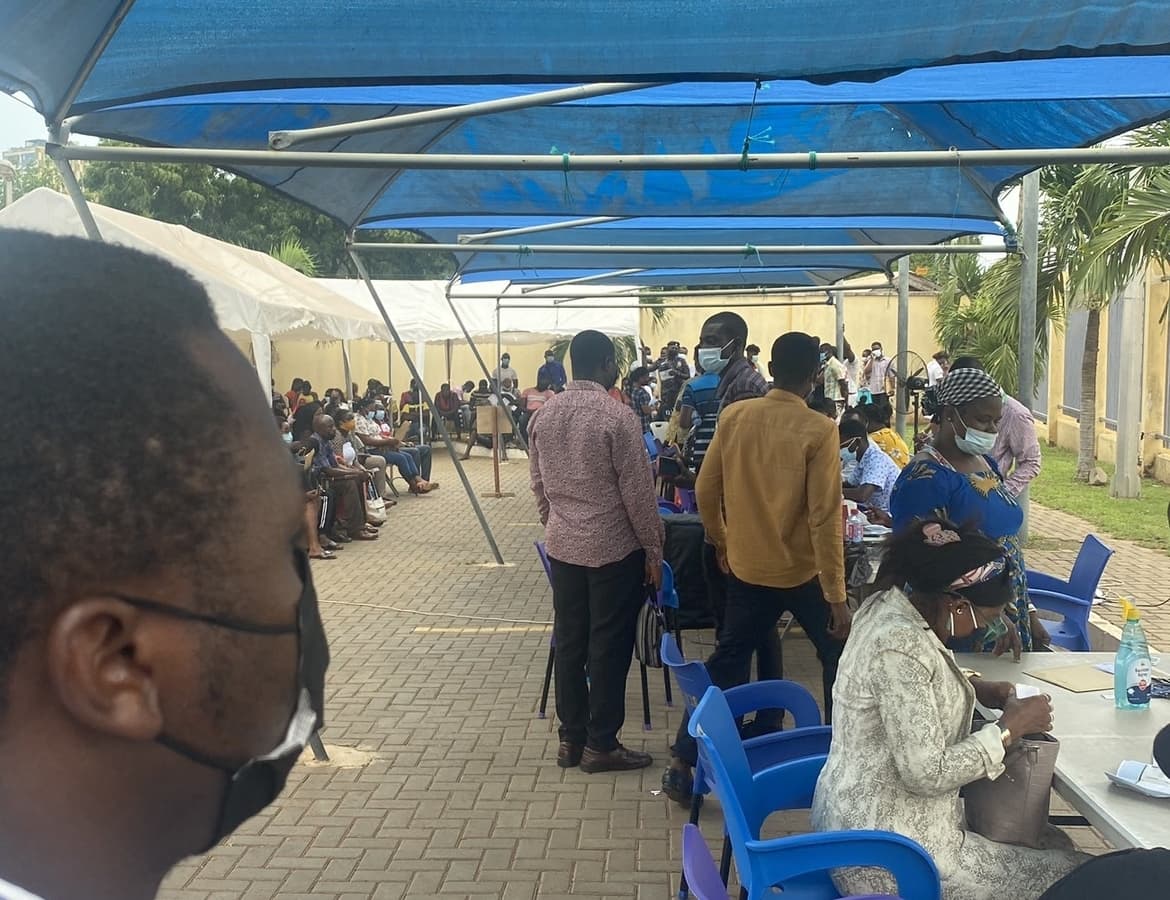
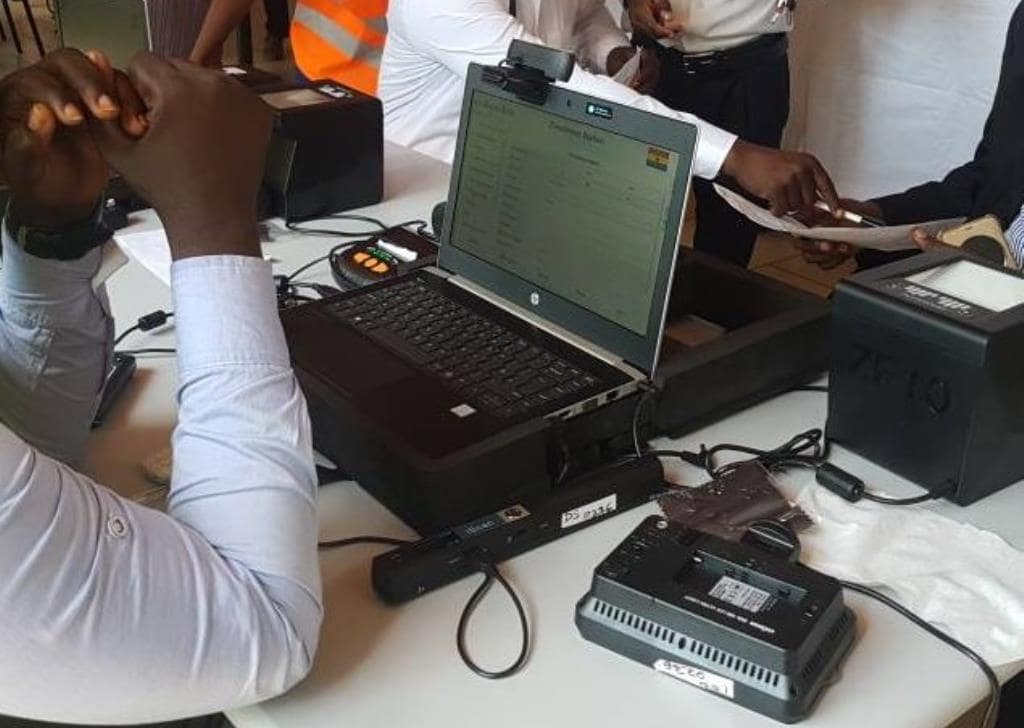
    The Ministry of Communications and Digitalisation (MoCD) has launched the National SIM Card Registration Exercise across Ghana.

    Starting today, to be able to register a SIM Card in Ghana, every mobile subscriber is required to provide the name and residential or occupational address, date of birth; and Certificate of Incorporation, in the case of a body corporate; or registration, in the case of a partnership or an unincorporated body of persons; and an identification document.

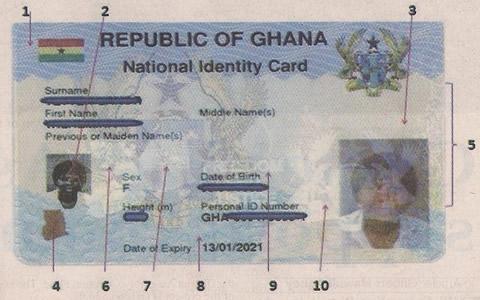
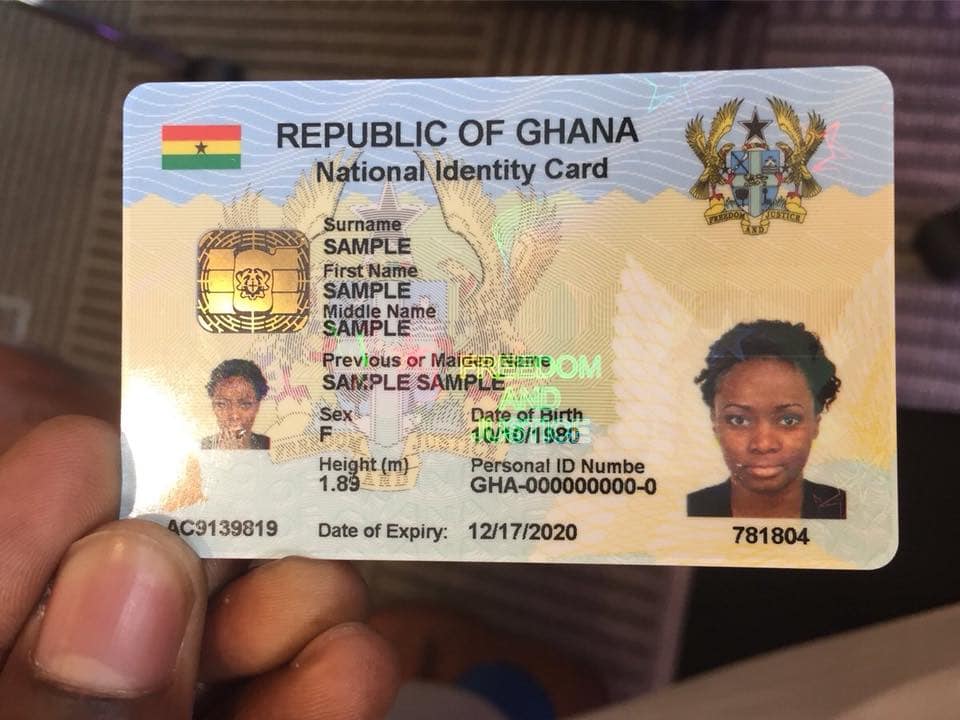
    Only the National Identity Card (Ghana Card) issued to an individual can be used for the registration of SIM cards of Citizens. Also, foreign Residents and foreigners staying in Ghana for more than 90 days are to use the Ghana Card for their sim registration.

    For those foreigners visiting Ghana for a short period, they can acquire a SIM Card using their Passports or Travel Card but they can only use the SIM Card for 30 days after which it will be deactivated. Foreigners intending to use a SIM Card for more than 30 days will have to obtain the Non-Citizen Ghana Card to do so.

    All existing subscribers to mobile networks can register their SIMS via USSD and a SIM registration App (which is yet to be provided).

    You can now register (or re-register) your Ghana SIM card (MTN, Glo, Vodafone, AirtelTigo)  to your Ghana Card by using the official shortcode (USSD) *404#.

    How to register your SIM Card with Ghana Card

    Follow the steps below if you want to do the SIM Card re-registration in Ghana so that you update your details and keep your number safe.

    1. Dial *404# on the SIM Card you want to register
    2. Enter Ghana Card PIN (Enter letters and figures without the hyphens)
    3. Confirm Ghana card PIN
    4. Enter your Surname, First Name and other names
    5. Enter your Date of Birth in the format DDMMYY
    6. Select your Sex
    7. Confirm details
    8. Submit the details provided after confirmation
    9. Visit your Service provider (Agent Customer Care) to complete the registration.
    If the shortcode is not working, it is because there is a lot of pressure on it. You have up to the end of March 2022 to complete the registration. You can also check early in the morning or late at night to do the update.

    Note:

    • The shortcode for SIM Card registration in Ghana is *404#
    • If successful you get a confirmation message with a unique code
    • Due to wrong details, you have 3 attempts to answer security questions
    • If Unsuccessful due to verification failure at the National Identification Authority (NIA), you will be informed to contact the NIA.

    Why it is important to re-register/Update your SIM Card

    Here are some reasons why you should register your SIM Card with the Ghana Card right now:

    All unregistered SIM Cards will be de-activated/blocked by the end of March 2022. Therefore, you need to do this exercise to keep your number safe.

    It helps keep everyone else secure from scammers since the registration database will be up to date The new SIM Update will help reduce phone related crimes like prank calls, cyber-crime, mobile money fraud, and its related issues and general security

    It enables subscribers to be properly identified for the use of value-added services such as mobile banking, mobile money, and electronic payment services.

    The new SIM Registration update will help the law enforcement agencies to identify the SIM card owners, track criminals who use phones for illegal activities, curb incidents such as phone theft, hate text messages, mobile fraud activities, inciting violence, and combat crime such as SIM Box fraud.

    Conclusion

    Follow the steps outlined in this article to link your Ghana Card and your SIM no matter the network you are on. If you don’t have a Ghana Card, you can apply for one here.

  • How to instantly request your NSS Certificate and have it delivered to you

    How to instantly request your NSS Certificate and have it delivered to you

    Most Ghanaian Graduates who have successfully completed their National Service will look forward to receiving their certificates. When done right, you can use the tutorial below to print your NSS certificate, you can request for it to be delivered to your home.

    In this article, we will walk you through how you can apply/request for your NSS certificate and then have it delivered to your doorstep wherever you are in Ghana.

    As with all processes of the National Service Scheme (NSS), there are some prerequisites in order for you to apply and receive your NSS Certificate via a delivery courier.

    Prerequisites to print your NSS Certificate & Have it Delivered

    To have your NSS Certificate sent to you/printed, you should have completed the following before, during and after your time as an NSS Personnel as applicable

    • Completed all 12 months of the mandatory national service.
    • Filled and Submitted all assessment forms (including the annual assessment) and have been assessed fairly by your immediate supervisor or Head of the User Agency where you served.
    • Have a valid NSS Number
    • Have a working email address and phone number
    • Have a valid National ID
    • Be available to pick up NSS Certificate upon delivery.

    Steps to request for your National Service (NSS) Certificate to be delivered to you

    1. Visit the NSS Certificate request website at https://www.nsscertificate.com/
    2. Enter your NSS Number in the box click on “verify” to verify it
    3. On the next page, you will see your personal details as well as details of your NSS; check to be sure they are correct and click on “continue”
    4. Next, choose from your preferred means of identification, enter the ID Number and click “Proceed”. Options available are: Voter’s ID, Passport, Drivers’ License, New Drivers’ License and SSNIT
    5. You will be presented with a photo of your ID. Check if it is correct and click on “proceed”
    6. Next, choose your country (Ghana) and the GhanaPostGPS address you want the NSS certificate to be delivered to. You can get your Ghana Post GPS address by following this tutorial.
    7. Next, fill in your email address and phone number and click “next”
    8. On the next page, sign the “Consent to Release Information from Education Records” form
    9. Agree to the Terms Of Use & Privacy Policy of Ghana National Service Scheme
    10. Next, allow cash out on your phone then enter your MoMo number and make your payment. You can also pay via ExpressPay

    How to Print your NSS Certificate Online

    1. Visit the National Service Document verification portal at verifydocument.nss.gov.gh
    2. Enter your NSS Number
    3. Click on Preview or scan the QR Code on the page
    4. When the certificate is loaded, click on print and either print or save as a PDF for later.

    Please note that this method only works if you have requested a certificate delivery prior.

    Conclusion

    Whether you did your National Service in the private sector or with any of the statutory agencies, you can use the method above to request your NSS Certificate with ease. If you have any questions, be sure to leave them in the comments section below and we will answer them.

  • Untitled post 3630

    Hisense phones, released by Hisense are a lot of very good android smartphones this year. Find the list of all released phones below.

    Visit a Hisense Showroom to get Dustproof, Waterproof and Shockproof smart Hisense phones whilst stocks last. With unbelievable features and specs, and limited stock, hurry to avoid disappointment. Alternatively, you can request for your Hisense phones on Mfidie.com

    If you are looking for the 2021 Hisense Promo on phones, click below.

    https://mfidie.com/hisense-phone-prices-ghana-2021-promotion/
    Hisense phones range from the King Kong Model to more generic models like the J5
    Hisense phones range from the King Kong Model to more generic models like the J5 in the photo above.

    The Prices of a Hisense phone ranges from GHS 500 to somewhere around GHS 1600. This depends on the model of the phone. Most of their phones are however heavily resistant to shock and have an IP67 certificate.

    These phones produced by Hisense also run on Android Versions 5.0 and above. They are great budget phones for the everyday person. They have very good designs that are easy to impress people.

  • Best 7 Android Apps 2021 in Australia

    Best 7 Android Apps 2021 in Australia

    Every day, leaving home, residents of Australia and the whole world take mobile phones with them. These devices are indispensable today for us in work matters, quick solutions to issues, or just communication with close ones. In addition, they can bring joy and fun, allowing you to make money in the best casino app. In 2021, the gambling business has become quite successful and widespread. Every user wants to have fun with fun slot machine heroes or classic games without visiting Las Vegas. Fortunately, players have a good alternative in the form of a slot machine based on proven software. To help players choose the best software, we have collected the best android apps.

    Features of the game on mobile

    Today the mobile sphere is constantly and rapidly developing, bringing new technologies. Gaming software developers are already creating online slots for the best apps for android. It allows you to always be in touch with your favourite entertainment, played by 60% of Australians. Leading gambling sites offer users a seamless gaming experience. We are talking about the best free apps for your smartphone or pads, which do not block the device, do not make it warm up, and do not require a lot of memory to install.

    Thanks to HTML5 technologies, each slot available on the online casino website from a computer works equally well on gadget displays. You just need to find a suitable establishment for which our top apps rating for Android gadgets was created. It will open access to the full functionality of the casino, including the general collection of slot machines and other profitable games. But it is important to choose an establishment from the list of the best apps to download because the popularity of mobile casinos has made scammers increasingly fake customers of gambling establishments.

    Remember! Gambling can be addictive. If you or your family members have such problems, you can get help here.

    How do applications work?

    Today, the Android mobile operating system is still considered the most popular. About 96% of the world’s portable gadgets run this OS. It forced the developers of slots to devote time to adapting their gambling machines to work on Android phones.

    The principle of operation of the mobile version after downloading to the device doesn’t make any difference from ordinary applications. Personal settings of visual parameters and interface are available for you. It makes the casino client easy to use with their fingers on the touchpad. To save space, the appearance of the online casino from a PC and on the phone may differ, where you will see only the most important elements and keys.

    To use the functionality of the applications, follow these steps:

    1. Go to the official website of the online casino or the Play Market.
    2. Find the Mobile version tab or write a name in the store search bar.
    3. Select an application for Android OS or click on the casino name in the Google Play Market.
    4. Download .apk to your phone and open the file through a special manager.
    5. Wait until the installation of the casino application is complete and open it from the shortcut on the home screen.
    6. Register or log in using your username and password (thanks to the Omni Channel technology) with which you entered the web version from your computer.

    7 best apps Australia

    To help players at the stage of choosing an online casino mobile application, our experts have formed a rating:

    1. True Blue Casino App – is a gambling establishment with the opportunity to get 55 free spins for registration. It has been operating since 2006 and meets the gambling needs of players around the world. The online casino site has a collection of 510 slots, where 400 of them are slot machines. And if you want to take a break from the spin of the reels, go to the bookmaker’s office on the same site and place a bet on any sporting event or play poker.
    2. Roo Casino App has a good reputation in Australia, where thousands of customers praise the club for its large selection of 1,000 slot machines via the program. The site also gives out a profitable welcome bonus that will increase the initial deposit by 100%. Gifts for online casino deposits and cash-back are nice. The establishment has existed since 2016 and has received awards more than once, for example, the Gaming Intelligence Award.
    3. Spin Casino is a reputable gambling platform that players came to know in 2001. Here the gaming collection includes top developments from giants Microgaming, NetEnt live dealer games manufacturer -Evolution Gaming. The site with slot machines for mobile has licensed MGA resolution and eCOGRA RNG certificates, confirming an average return of slots of 95.56%. It also encourages newbies to register and give out bonuses.
    4. PaddyPower Casino is a well-known online casino in Australia that has been making money for players since 1988. At first, the service accepted bets on sports events and then decided to add slot machines to the list of services. The casinos licensed in the UK and Malta offer Australians a welcome bonus of up to $50 and free spins. There is a large collection of slot machines with 1,500 titles. The application contains the entire list of games available in a browser from a PC.
    5. Royal Vegas is a popular Android casino with an attractive starting bonus of 120 free spins. It is part of the well-known operator Fortune Lounge Casino Group, which is licensed in Malta. The establishment offers a comfortable application with games from Micro gaming, as well as profitable bonuses for regulars from a mobile phone. The set of games from a smartphone includes 500 slot machines, and classic table games and slots with a progressive jackpot.
    6. Jackpot City – attracts the attention of users from Australia with the opportunity to get 50 free spins for registration. The casino has been operating since 1998 and is very popular in gambling circles. The operator of the online club is licensed by the Malta Gaming Commission, as well as a verified RNG by the eCOGRA laboratory. Connoisseurs of slots will find 630 game models. To increase the probability of winning, bonuses for 4 deposits are used, which will bring you $1,600.
    7. Royal Panda Casino is an establishment that pleases players with 10 starting free spins and the opportunity to play at minimum bets. The gambling site appeared in 2014 and offered players the best software from such giants as NetEnt, ELK, 1×2 Gaming, Microgaming, Thunderkick. The casino licensed by Malta rewards players with a 100% first deposit bonus up to $ 100 and weekend bonuses. It allows you to earn a lot on the 3600 slots of the gaming hall.

    Benefits of a mobile app

    As we have already said, online casino clients offer their fans a full-fledged functionality and gameplay of slots without changing the picture quality. The casino client is installed even on the old version of Android phones and works easily on budget models. 

    Having a downloaded application on your smartphone or pad will allow you not to miss out on profitable bonuses. Players will keep in touch and continue participating in tournaments and lotteries just like they did in a standard PC casino. 

    Other benefits of a mobile app include:

    • Simplified navigation due to the stripped-down interface, where only slot machines and important buttons for managing the service are stored.
    • Bypassing blocking by automatically searching for up-to-date mirrors, which is especially necessary when the establishment is frequently updated, new games are added, or there are problems with the server.
    • Availability of bonus and promotional offers for installing a casino client app on the phone.
    • Comfortable control using the touchpad and fingers on the couch, no keyboard, mouse in an uncomfortable office chair.
    • Availability of a demo mode of slot machines, as it was available in a casino from a PC.
    • Complete selection of HTML5 slots, card games, table games or live games with live dealers.
    • Safe play due to the use of the same protective services ensures fairness and transparency of the game from the computer.
    • Minimum requirements for a smartphone or pad, as well as the launch of slots on low-speed Internet.
    • Round-the-clock support for players right on the screen of mobile phones.

    The most important advantage remains mobility, that is, the ability to take your favourite slots with you.

    Which is better: app VS playing in a browser?

    Some players prefer to launch slot machines without downloading and installing a casino application for playing for money. But according to statistics, most gambling connoisseurs prefer to install the application. It allows you to use bonuses on time and receive gifts for playing on new slots. Updating the assortment of the establishment from the browser will take time, and access will be temporarily unavailable.

    Some fans of the browser version of slots hint at clogging up the phone with various casino applications. However, we want to inform you that they take up a maximum of 20-50 MB of free space. Considering the average mobile phone size of 4-16 GB, this is just a little. Moreover, applications do not strain the phone and do not make it warm up, they require a minimum of RAM, which cannot be said about the running browser Google Chrome or Opera.

    Remember, you need to look for casino apps from our list. It features verified and licensed clubs that guarantee the safety of gambling.

  • Important Short Codes for MTN, Tigo, Vodafone, Airtel and Glo in Ghana

    Important Short Codes for MTN, Tigo, Vodafone, Airtel and Glo in Ghana

    At any point in time, you may need a shortcode for services on MTN, Tigo, Vodafone, Airtel, or Glo. Today, Mfidie.com brings you the most important and most requested USSD shortcodes for all the networks in Ghana.

    Airtel Ghana Shortcodes

    Airtel GhanaShortcode
    Check your airtel mobile number*703#
    Customer Care100
    Borrow Data *554#
    Instant Data Recharge *126 *Scratch Card PIN#
    Call Me Back *701*NUMBER#
    Caller Tunes Send START To 6060
    Blackberry Plans *440#
    Airtel Money *500#
    Check Your Number *703#
    Check Number Registration *400#
    Number Portability send PORT To 600

    Glo Ghana Shortcodes

    Glo GhanaShortcode
    Know your Glo mobile number1244
    Customer Care 121 or 100
    Service Information *124*2#
    Bonus Balance Enquiry *124*1#
    Tariff Information *124*3#
    Data Bundle Activation *127#
    Borrow Airtime *5321#
    Family & Friends*125*1#
    Check Number Registration*400#
    Number PortabilitySend PORT To 600

    MTN Ghana Shortcodes

    MTN GhanaShortcode
    Check MTN network mobile number*156#
    Customer Care100
    MTN Pulse *567#
    Internet/SMS Bundles *138#
    To Borrow Credit *506#
    MTN Nkomode (Free After 1 Minute) *550# (Option 6)
    Caller Tunez Dial 1355
    Unsubscribe Caller Tunez Send STOP to 1355
    Mobile Money Acces Code *170#
    Check Number Registration *400#
    Blackberry Plans *140#
    Reserve Your Number For 2 Years *1390#
    Share Credit With Friends *198#
    Number Portability Send PORT to 600

    Tigo Ghana Shortcodes

    Tigo GhanaShortcode
    Check your Tigo Network Mobile Number*505*4*2#
    Customer Care100
    Manage All Tigo Products *828#
    Borrow Airtime *188#
    Tigo Products & Services *505#
    Internet Packages & Unlimited Music *500#
    Blackberry Plans *360#
    Send Data To Friends *123#
    Tigo Free Bonto *555 *1#
    Tigo My Way *477#
    Check Number Registration *400#
    Number PortabilitySend PORT To 600

    Vodafone Ghana Shortcodes

    Vodafone GhanaShortcode
    Check Vodafone mobile number*127#
    Customer Care100
    Browser Packages *125#
    Caller Tunez Dial 585
    Data Bundle Menu *700#
    Credit Transfer to Another Number *516#
    Borrow Credit *505#
    Vodafone Red Offers *200#
    Blackberry Plans *500#
    Check Number Registration *400#
    Number PortabilitySend PORT To 600

    Have any questions? Leave them in the comments below and we will respond shortly.

  • Choosing your email/username: Clever email addresses to try

    Choosing your email/username: Clever email addresses to try

    Having a unique and straightforward username is an excellent flex. There are millions of people on the internet creating emails every day. Your email needs to be very distinctive.

    An email address is what people will reach out to you as either a business or an average person. For an email to be excellent and straightforward, you can use your pet name. When creating an email, you need to make sure that people can easily remember it. It shouldn’t be so complex. Have you ever just mentioned someone’s email without having to check first? I’m not sure you’ve ever, except yours.

    And that’s the problem. People make their emails so complex and not relatable so much that it becomes so difficult to think of memorizing just in case. With some emails, others make it so simple that you wouldn’t even need to remember it. You’ll say it because you recall how simple it was when the person first mentioned it to you.

    Creating a perfect email address is very necessary to and make a good impression. In this time of digitization getting your desired email address is a bit tough because sometimes some sites suggest emails for you, and you’re not given a chance to create yours. A lot of people use emails in the world.

    Some even have multiple emails for business purposes. According to statista.com, it was calculated that there were almost 4.1 billion active email users in the world (in 2014), and this number is expected to rise to 5.1 billion by the end of 2020. Getting a unique email is almost impossible, but one can try.

    It’s essential to create a unique email. We often try to make emails, and we get told that email is already in use by someone else. But with that being said, you can still work around it to get very clever unique emails for yourself. In this article, I’ll be suggesting innovative ways to come up with special emails. Let’s begin.

    Clever Tips On How To Create Unique Emails

    The three parts of an email are the 

    1. name (business or personal)
    2. The @ symbol
    3. The service provider is also called the domain. Example Gmail, Yahoo Mail, AOL, and Outlook.com.

    Service Providers

    Choosing your preferred service provider should be your first step. Service providers like Gmail, Yahoo Mail, Outlook, AOL, and Mail.com are widely used worldwide and free.

    Those days people used to use Yahoo Mail because it was accessible, but due to google being a default browser on many phones, they automatically provide their service to clients. You can choose between any of these providers.

    You can choose to be a bit more stylish, so you’ll decide to go for AOL because there’s not much hype around it like Gmail and Yahoo. Let’s say you want to create an email, and you use “[email protected],” but you’re told it’s already in use by someone else.

    Trust me, the possibility that If you use “[email protected]” will not be in use by someone is very high. 

    Creative tips on how to choose an email

    In this step, you’ll be shown the best formats to use in creating emails. Gmail does not allow the use of underscore(_) and hyphens(-) but only dots(.) and numbers. Whereas Yahoo and AOL enable the use of only underscores while Outlook allows both underscores and hyphens. So the service provider you’ll choose depends on how you want your email.

    Such an email like “abdul24.gemi@…” can be used with all the service providers, but abdul24_gemi@… can only be used with Yahoo and AOL. You can start creating an email by using the first name and last name format or last name and first name.

    For example, “AbdulAli@….”. You can now consider adding any punctuations or numbers. For instance, [email protected] or [email protected]. You can also use your name initials to create it. For example, the first letter of your first name followed by your last name or the initial of your last name followed by your last name. For instance, [email protected] or [email protected].

    If it’s a business email, you can also use your profession or the name of your business. 

    Below are clever email address formats and suggestions one can try. Your emails need to have a unique touch. 

    1. A person with the name “Vanessa Morgan” can have an email like [email protected] or [email protected]. I suggest this format for people with many letters in their words to make the email short and simple.
    2. Also, a name like “Morttey Shepherd Yaw” can have an email in this format.. [email protected] or [email protected].
    3. If you don’t want to use numbers too, sometimes numbers make your emails clumsy. So to keep it simple without any numerics, you can create an email from “Morttey Shepherd Yaw” as [email protected] or [email protected].

    Such emails are straightforward to remember if someone wants to send you an email, and there’s nothing to refer to be sure. They can remember [email protected]

    These days, everything on the internet is out of stock, whatever idea you got, don’t be surprised if someone else has got a similar or same one. We live in a big but tiny world where everything is so relatable. 

  • Hacking and Cybercrime in Ghana: what does the law say?

    Hacking and Cybercrime in Ghana: what does the law say?

    Cybercrime is said to be using computers to do illegal activities or unlawfully entering computer systems to cause harm and profit off it.

    Cybercrime is an enemy of the law worldwide as in America. The FBI keeps updating its list of most-wanted cyber criminals. Ghana is known to have one of the highest cybercrime activities and ranked 2nd some years back.

    The government was forced to implement policies to curb this menace, including a cybersecurity maturity study executed by the Ministry of Communications.

    Leading Causes of Cybercrime in Ghana

    Cybercriminals look for easy ways to make big money. They target rich people or wealthy organizations like banks, casinos, financial firms, and business owners where a considerable amount of cash flows daily and hack sensitive and vulnerable information.

    Catching such criminals is difficult because they work behind their PCs, and you won’t see them in person.

    They work with VPNs so people won’t track their locations, hence increasing the number of cyber-crimes across the country. Computers are vulnerable, so laws are required to protect and safeguard them against cybercriminals.

    For this reason, many hackers’ works are made less stressful. Below are some of the reasons for the vulnerability of computers.

    Negligence

    Humans can’t help but be negligent sometimes; it’s part of our human conduct. However, this slight negligence on our side allows the hackers to hack into your system. 

    Storing data in a comparatively small area

    Because the computer has a unique feature of storing many data in a very small space, hackers find it very easy to access this data because they’ve all been compressed in a single space. 

    The unavailability of evidence

    Due to how these hackers do their work, the law finds it hard to gather evidence to arrest them. They use VPNs so their locations can’t be tracked and use other individuals’ identities, thereby covering their tracks very well. 

    Types of Cybercrime in Ghana

    There are different types of Cybercrime in the world. Below I’ll list and discuss the different types of Cybercrime in Ghana. 

    Identity theft

    Identity theft occurs when someone uses another person’s personal identifying information, like their name, identifying number, or credit card number, without their permission to commit fraud or other crimes.

    A criminal accesses data about a person’s bank account, credit cards and other personal credentials. It has become a major problem with people using the internet for cash transactions and banking services. 

    Online illegal selling

    Illegal products in the country cannot be traded in the outer environment like other products, so these traders do it on the black market. These products include weapons, drugs and human organs in extreme cases. 

    Fraud calls

    Fraud calls are the most common ones in Ghana. I’m sure you must have heard situations like this. Individuals call you claiming they’ve mistakenly sent money to your mobile money account, and whilst talking to you, they process the details of your account and steal money from your mobile money account. This type of criminal activity is called “phishing”. 

    What the authorities are doing about Cybercrime in Ghana

    The government has come together and implemented policies to curb the criminal activities of hackers in the country; 

    Policies have been implemented

    Section 66D of the IT Act prescribes punishment for ‘cheating by personation by using computer resource’ and provides that any person who by means of any communication device or computer resource cheats by personation, shall be punished with imprisonment of either description for a term which may extend to 3 (three).

    A national security centre was launched to monitor activities of Cybercrime. 

    The internet has become a critical infrastructure and facilitator of engagements for individual users, businesses, and governments across the globe.

    In Ghana, the increasing reliance on the internet and Information Communication Technology has led to increased cybersecurity incidents such as ransomware, cyber theft, banking fraud, cyber espionage and other cyber-attacks targeted at critical information infrastructure.

    These cybersecurity incidents have affected critical sectors of the country, including energy, telecommunications, banking and finance, and have caused disruptions in the delivery of essential services. If unchecked, it can undermine the security and economy of the country.

    The government has implemented some initiatives through the Ministry of Communications to improve Ghana’s cybersecurity development.

    These include the revision of Ghana’s National Cybersecurity Policy and Strategy, the establishment of the National Cyber Security Centre, the launch of the Safer Digital Ghana campaign, the launch of Cybercrime and Cybersecurity Incident Reporting Points of Contact.

    Others include the establishment of the Computer Emergency Response Teams (CERT) at the National Communications Authority (NCA) and the Security Operations Centre’s at both the Bank of Ghana and the National Information Technology Agency (NITA), as well as capacity building on Cybercrime for the criminal justice sector.

    Conclusion

    Many people have lost money from these cybercriminals; some have still not even spoken about it. It’s a big menace to society and industry, and we all need to take cybersecurity seriously.

  • How to find someone on Facebook using their photo 

    How to find someone on Facebook using their photo 

    Facebook is a social media platform where you connect with your friends all over the world. You can also make new friends from Facebook across the world.

    On Facebook, you can see and interact with friends you’ve not seen physically in a long time. Suppose there’s a friend you’ve not heard from in a while and a Facebook profile you don’t remember, but you want to find that person. There can be just two ways to find that person.

    It’s either you ask other friends to help you out, or you use the person’s picture to find them on Facebook if only you have their picture. Maybe this pic was taken some years back when you were still in contact with him. But if you ask mutual friends around and none of them knows that particular person’s Facebook, then you’d have to search for the profile using their picture on Facebook.

    Currently, there are two known methods to find a person’s Facebook profile using their picture. You can find a person’s profile using the “Google image search,” or sometimes the picture was already downloaded from Facebook some time ago, and every Facebook picture has a numerical ID assigned to it when it’s posted on the media.

    Any image downloaded from Facebook will have that number, so if you know this numerical ID, you can use it to find the source of the picture on Facebook.

    Maybe you’ve seen a really pretty girl’s picture on your friend’s phone, and the gallery folder was “Facebook” you can use this method to find the person’s profile very easily. 

    This is a question that has been asked countless times, so brace yourself as I discuss ways you can find a person’s Facebook profile using their picture in this article. 

    Facebook picture search using “Google image search.”

    With this method, google can scan any image and show you the profile using the image. It can also show you profiles of people using your image without your permission.

    It’s an easy three method step. With this method, you can use a Facebook picture you have downloaded on your device. It’s a simple drag and search method.

    This method can also only be used with a google chrome browser or a Mozilla Firefox browser. Below are steps to follow to search for an image using the “google search image” method. 

    1. Open the google images website.
    2. Locate the picture you want to use on your device.
    3. Tap on the picture and drag it to the google images search page. You’ll see a change in the search box as you drop the image in it.
    4. Google will begin the search after you drop the picture.
    5. Your results of profile or profiles using that image and the websites these profiles are on will appear, and you’ll select. You might see different profiles because, in some cases, some people’s pictures are used without their permission.

    Search With A URL

    You can use the URL method to find a profile using an image on Facebook.

    With this method, you’ll be taking the image from Facebook directly to the google image search page. You can copy its URL and paste it in the google image search box.

    This method is called the “Google reverse image search.”

    1. Open your Facebook app and locate the picture you want to search.
    2. Copy the URL of the image on Facebook
    3. Go to the Google image search page.
    4. Tap on the search by image button
    5. Tap paste image URL
    6. Tap on search by image.
    7. Your results will be displayed by google with the sites and profiles the picture is from.

    Using the “Tineye” method. 

    There’s also another method we can use, which is the “TinEye” method. With the TinEye method, it’s almost like the “google reverse image search.”

    You can copy the URL of the picture and paste it in the TinEye search box, and the list of sites and profiles using that picture will be displayed for you, or upload the picture from your gallery, and search results will be displayed for you. 

    1. First, launch the “TinEye” website.
    2. Upload an image or paste the URL of the image in the search box
    3. Tap enter
    4. You’ll be shown the user of that photo, showing the complete list of the websites using that pic. You’ll be provided links to these websites and sources of the image, which is Facebook. 

    These are among the best and trusted methods to find a Facebook profile using the person’s image. This methods also give you a chance to find people using your pictures on Facebook or any site without your permission. If these methods help you find a person’s profile on Facebook, don’t forget to share this article with your friends. 

  • How to register for AirtelTigo money through WhatsApp

    How to register for AirtelTigo money through WhatsApp

    Mobile money has been made things more convenient and more accessible. You can do everything from your phone in the comfort of your home, and you don’t have to go to the bank to make small transactions. Imagine going to the bank because you want to send GHS 20 to someone.

    You would’ve exhausted the time if the money was to be used for an emergency. That’s why mobile banking and mobile money have been introduced, with technology advancing a lot in this century.

    Because of mobile money, you don’t need to carry physical cash on you when you deposit it into your mobile money account and use it for purchases and transactions anytime you want.

    AirtelTigo ‘Explor’ internship programme participants

    AirtelTigo is a telecommunication network that was founded in 1990 and has been providing exemplary services since. AirtelTigo introduced their mobile money service in 2011 when one-half was still Tigo. Airtel Ghana and Tigo Ghana became a joint telco in 2017 to become the second-largest mobile operator. This service is one of the most convenient in the country.

    On “AirtelTigo Money,” you can send and receive money, make purchases, pay bills and fees and buy airtime all on your phone. Registration for AirtelTigo Money is also effortless to buy as a few options have been provided for customers who wish to open mobile money accounts with AirtelTigo.

    You can go to any AirtelTigo office with your credentials and get registered or register at home on your phone or through WhatsApp.

    Many people know about going to the office to register and register on your phone, but registration via WhatsApp has just introduced not long ago, and so many people are still in the dark.

    I’m here to show them the light in my new article, where I’ll discuss how registration on WhatsApp works and the necessary steps on how to go about the registration via WhatsApp. 

    Steps On How To Register For AirtelTigo Money Via WhatsApp

    If you have an AirtelTigo sim that you use but haven’t registered for their mobile money service and you’d like to register for it now, it’s either you go to the office or do it at home.

    Maybe because of covid-19 so you wouldn’t like to go out and be in the midst of people, so you’ll love to do it at home, it’s straightforward. You can register it yourself on your phone, USSD, by dialing *110# and following the prompts.

    With this too, one might argue that he doesn’t want to make any mistakes and this is money related so he’d like the telecom service to do it for him themselves. Money-related issues are very damaging, especially if you created them yourself, but if it’s someone else’s fault, you’ll at least be less stressed.

    That’s why AirtelTigo introduced registration via WhatsApp, where you send them a text and follow the steps to get registered. Below are the steps to get your SIM/Phone Number registered for “AirtelTigo Money” via WhatsApp. 

    1. Send a WhatsApp Message to the official AirtelTigo Number – 0577000084
    2. After you text them, you’ll be asked to provide a picture of the ID card you used to register your SIM card. 
    3. The AirtelTigo WhatsApp attendant will record your credentials such as your date of birth, location, and age 
    4. Your details will be processed with your AirtelTigo number to create a mobile money account for you. 
    5. You’ll then receive a prompt on your phone to create a password. 
    6. Your AirtelTigo Money account has been successfully registered without any charges. 

    You can now enjoy AirtelTigo Money services on your phone and make whatever transactions you want at very excellent rates. 

    Conclusion

    The Covid-19 precautions brought many beautiful ideas to everyone around the world. Many companies have digitized everything and made it simple for their customers to do everything from the comfort of their homes.

    This service can only work if you have a smartphone. To find the AirtelTigo WhatsApp number on any official pages and text them to begin the process. It’s a short and stress-free process. 

  • How to retrieve your lost WASSCE or BECE Certificate Online

    How to retrieve your lost WASSCE or BECE Certificate Online

    Every Ghanaian that went through the Basic and Secondary school system here in Ghana has written the BECE and WASSCE (or SSCE) respectively. These examinations are what determines where next in the education ladder an individual would climb to.

    However, as it is with most documents, certificates from WAEC covering these examinations might get missing. Some people even never had the chance to receive their certificates from their schools.

    It must be very disturbing when you want to apply for a job or to further your education only to realise you can’t because you lost your BECE or WASSCE Certificate or you don’t have it at all.

    Take for instance the issue of Rakiya, a 21-year-old Ghanaian who needed her BECE Certificate to add to documentation to aid her travel outside the country. She travelled from Accra to the Ahafo region of Ghana only to realise that the school she attended in 2009 had collapsed, and hence there was no way to get her certificate.

    Well, there is a way for everyone who wrote the BECE, WASSCE or SSCE to retrieve their certificates online via a means referred to as the attestation of results.

    This attestation of results, according to WAEC, is to replace damaged or missing certificates and can be used as a substitute. Let’s walk you through the process.

    Collection Centres for replacement of Missing/Damaged WASSCE, SSCE & BECE Results and Certificates

    When you are filling the form to replace your certificate, you have to choose a physical location to receive the result when it is ready. Here is the approved list of WAEC offices to receive a new certificate according:

    • Accra (Head Office)
    • Bolgatanga, Branch Office
    • Cape Coast, Branch Office
    • Ho, Branch Office
    • Koforidua, Branch Office
    • Kumasi, Branch Office
    • Sekondi, Branch Office
    • Sunyani, Branch Office
    • Tamale, Branch Office
    • Wa, Branch Office

    Steps to retrieve your Lost WASSCE, SSCE & BECE Certificate or Results

    If you damaged or misplaced your WASSCE, SSCE or BECE results, follow the instructions below to retrieve them:

    1. Visit the WAEC Online Attestation of Results online request form at https://resultattestation.waecgh.org/form.aspx
    2. On that page, fill in your details and address
    3. Next upload a passport photo of yourself
    4. Then, enter the examination details for which you need the attestation of results (Index Number, Collection Centre, Examination Type and Examination Year)
    5. Next, upload a valid photo ID (about 50KB)
    6. Click on “Submit and Proceed to Payment”
    7. On the next screen, you will be asked to pay through Visa, MasterCard or AirtelTigo Money. Make your payment of GHS 350.00
    8. Click on Submit after payment
    9. You will be given a date to collect your new BECE/WASSCE/SSCE Certificate from your chosen Collection Centre.

    Conclusion

    The West African Examinations Council (WAEC) has made it possible to retrieve certificates and results. All you need to do is remember your particulars and then you would be able to retrieve either your SSCE, WASSCE or BECE Results.