Author: Shepherd Yaw Morttey

  • Ghana Card: List of All Registration Centres & NIA Offices you can Apply at

    Ghana Card: List of All Registration Centres & NIA Offices you can Apply at

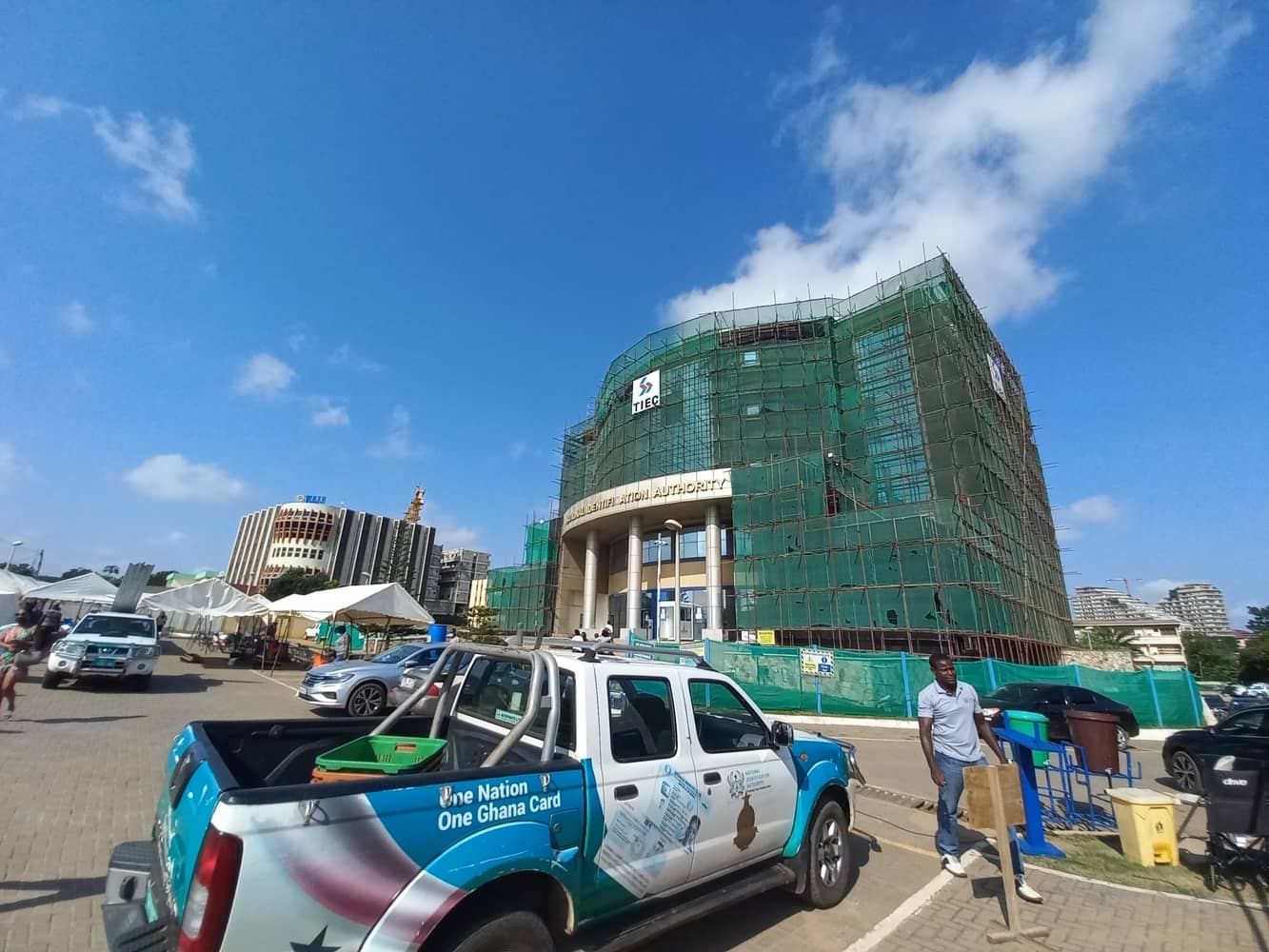
    The National Identification Authority has opened up offices for all those who don’t have the Ghana Card yet and wish to apply.

    Ghanaians who wish to register for the Ghana card may do so at selected offices of the Ghana Revenue Authority (GRA) and the Registrar General Department (RGD) where NIA provides registration services.

    https://mfidie.com/full-list-location-275-nia-district-offices-in-ghana/

    The GRA offices are also being used since the Ghana Card is now merged with TIN.

    Ghanaians who registered for the card within the Metropolitan, Municipal and District Assemblies (MMDA) where the above GRA and RGD offices are located may visit the offices for their cards.

    Ghanaians whose cards are damaged or missing may have them replaced when NIA’s Regional and District offices are reopened for business.

    NIA will duly notify the public when the offices are reopened. Persons whose cards are missing are required to report the loss to the nearest Police Station and obtain police extract to that effect which they must present to the NIA for their cards to be replaced. Replacement of a card attracts a statutory fee of GHS 30.

    Also, starting from Monday, 9th August 2021, applicants who registered for the Ghana card within the Ayawaso West Wuogon during the mass registration exercise but have not yet received their cards may visit the NIA
    Headquarters in Accra for their cards. The cards will be issued from Monday to Friday, 8:30 am to 4:30 pm.

    In this article, we will give you the locations of all the offices of the NIA where you can go to apply for the Ghana Card. The list is arranged by region.

    Here is the list of NIA offices where you can apply or register for a Ghana Card.

    Ashanti Region

    GRA/RGD OFFICE FOR GHANA CARDLOCATIONDIGITAL ADDRESS
    MANHYIA SOUTH (ADUM STO)GRA ADUM OPPOSITE SPEEDOF PARCEL SERVICEAK-037-6041
    OBUASI MUNICIPAL (GRA STO)OBUASI MUNICIPALAO-017-9991
    SUBIN (RGD SUBIN)REGISTRAR GENERAL’S
    DEPARTMENT(RGD)
    AK-037-0633
    ASOKWA TSC 1OLD AREA COUNCIL BLOCK (ASOKWA) KUMASIA2-0273-1539

    Bono Region

    GRA/RGD OFFICE FOR GHANA CARDLOCATIONDIGITAL ADDRESS
    BEREKUM EAST (BEREKUM STO)URBAN COUNCIL (OLD DISTRICT ASSEMBLY)BB-0022-5707
    SUNYANI WEST (RGD
    SUNYANI)
    ADJACENT THE DISTRICT
    ASSEMBLY
    BY-0007-9136
    SUNYANI TSC 1GRABS-0006-3004

    Central Region

    GRA/RGD OFFICE FOR GHANA CARDLOCATIONDIGITAL ADDRESS
    AGONA WEST (AGONA SWEDRU STO)GRA SWEDRUCO-0037-3995
    AWUTU SENYA EAST
    (KASOA STO)
    GRA KASOACG-1580-0850
    CAPE COST TSC 1GRA OFFICE TSC1 ABURACC-095-0046

    Eastern Region

    GRA/RGD OFFICE FOR GHANA CARDLOCATIONDIGITAL ADDRESS
    KWAHU WEST (NKAWKAW STO)OLD MUNICIPAL HEALTH
    DIRECTORATE NEAR MTTD OFFICE ON NKWAKAW-ATIBIE ROAD
    EJ-0025-7499
    KOFORIDUA TSC 1GRA PREMISES KOFORIDUAEN-009-9141

    Greater Accra Region

    GRA/RGD OFFICE FOR GHANA CARDLOCATIONDIGITAL ADDRESS
    GA EAST (ACHIMOTA
    GRA-STO)
    DOME ZONAL COUNCIL (CLOSE TO DOME GCB)GE-307-0311
    ASHIAMAN (ASHAIMAN GRA-STO)ASHAIMAN GRA OFFICE
    (OPPOSITE ASHAIMAN
    SECONDARY SCHOOL AROUND THE ASHAIMAN MUNICIPAL ASSEMBLY)
    GB-002-6849
    LA
    NKWANTANANG/MADINA (MADINA GRA-STO)
    NIA/GRA OFFICE MADINA
    ZONGO JUNCTION (WITHIN THE PREMISES OF KENCITY BUILDING CLOSE TO THE SHELL FILLING STATION)
    GM-016-4638
    ABLEKUMA CENTRAL
    (MATAHEKO STO)
    GRA STO, METAHEKO (KANESHIE OPPOSITE ACCRA ACADEMY)GA-400-4185
    ASHIEDU-KETEKE
    ODODODIODIOO
    (AGBOGBLOSHIE STO)
    AGBOGBLOSHIE TSC *GRA
    OFFICE (OPPOSITE THE ONION OR YAM MARKEK ON THE SAME PREMISES WITH ECOBANK AND UMB BANK)
    GA-177-00742
    AYAWASO EAST (OSU
    MTO)
    NIA/GRA OFFICE (OSU
    DANQUAH CIRLE BESIDES THE PRESBY CHURCH
    GL-029-4880
    ABLEKUMA SOUTH (LTO – LARGE TAX PAYER OFFICE – HIGHSTREET)LTO,GRA LARGE TAX PAYERS OFFICE LOCATED IN THE
    STANDARD CHARTED BANK. HIGH STREET ACCRA (OPPOSITE HOTCASS SCHOOL)
    GA-226-1347
    ADABRAKA TSC 1NIA/GRA ADABRAKA TSC1
    OFFICE (ADJACENT PAPA’S PIZZA, OPPOSITE SOCIETE GENERAL BANK RINGROAD)
    GA-048-6809
    OSU KLOTEY TIN CENTER, RGDRGD (TIN OFFICE) (AROUND THE TEMA STATION OPPOSITE THE GHANA NEWS AGENCY)GA-110-5263
    TEMA EAST TIN CENTER, CUSTOMS LONGROOMGRA/CUSTOMS OFFICE
    LONGROOM (CLOSE TO GAPOHA HEIGHTS OFFICE)
    GT-057-4101
    TEMA CENTRAL TIN
    CENTRE TSC-2
    NIA/GRA OFFICE COMMUNITY 1 (NICHOLAS PLAZZA CLOSE TO MELCOM)GT-021-9202
    TEMA WEST SPINTEX TSC 1GRA OFFICE COMM. 18
    JUNCTION AT THE BACK OF KFC
    GT-341-7438
    AYAWASO NORTH (KINBU LTO)GRA OFFICE KINBU (OPPOSITE MINISTRY OF EDUCATION
    ACCRA CENTRAL)
    GA-144-3422

    Northern Region

    GRA/RGD OFFICE FOR GHANA CARDLOCATIONDIGITAL ADDRESS
    TAMALE NORTH (RGD TAMALE)REGISTER GENERAL’S
    DEPARTMENT (N/R CO
    ORDINATING COUNCIL
    NT-0066-0976
    TAMALE TSC1GRA OFFICENT-0024-3166

    Upper East Region

    GRA/RGD OFFICE FOR GHANA CARDLOCATIONDIGITAL ADDRESS
    BAWKU CENTRAL (BAWKU STO)GRA BAWKU (ENROLLMENT)UA-0017-1506
    BOLGACOMMUNITY ICT CENTER AT YARIGABIISIUB-0225-0932

    Upper West Region

    GRA/RGD OFFICE FOR GHANA CARDLOCATIONDIGITAL ADDRESS
    WAGRA OFFICEXW-0023-8152

    Volta Region

    GRA/RGD OFFICE FOR GHANA CARDLOCATIONDIGITAL ADDRESS
    HO TSC 1GRA OFFICEVH-0003-7697

    Western Region

    GRA/RGD OFFICE FOR GHANA CARDLOCATIONDIGITAL ADDRESS
    TARKWA (TARKWA STO)GRA OFFICE NEAR TNA PARKWT-0006-4205
    SEKONDI (RGD SEKONDI TAKORADI)SEKONDI SUBMETRO OFFICEWS-006-5605
    TAKORADI TSC 1GRA-TSC1WS-350-1152

    Frequently Asked Questions about Ghana Card

    Where can I get Ghana card?

    If you have not applied for the Ghana Card already, you can go to the nearest NIA office to apply for a new Ghana Card. However, if you misplaced/lost your Ghana Card, you need to follow the steps outlined by the NIA to replace it.

    How much does the Ghana card cost?

    A new Ghana Card application is free. However, any individual who wishes to use the premium service to apply for their Ghana Card will pay GHS 250. Also, it costs GHS 30 to make changes to your Ghana Card at any of the application centers.

    How do I check my Ghana card status?

    If you want to check the status of your Ghana Card (whether it is ready or not), you’ll have to visit the NIA Centre you applied to on the date you were given to report for the Card. You could wait a week more, so you are sure it is printed.

    Can you do Ghana Card online?

    Yes. You can start the application process for the Ghana Card online by completing the online application form on the NIA website.

    How do I check if my Ghana Card is valid?

    You can check the authenticity of your Ghana Card by using specialized apps with Near Field Communication (NFC) feature. Here is a full article on how to check if your Ghana Card is valid.

    Can I use my Ghana Card number as a TIN number?

    Yes, you can use your Ghana Card as your TIN. Starting from 1st April 2021, the Ghana Card Personal Identification Number (Ghana Card PIN) is used as a form of Taxpayer Identification Number (TIN) for Individual Taxpayers in Ghana. The Ghana Card PIN has replaced the TIN issued by GRA to Individual Taxpayers from April 1, 2021.

    What is the ID number on the Ghana card?

    Your Ghana Card ID Number is represented by the Personal ID Number on the Ghana Card. It is in the format GHS-XXXXXXXXX-X. Usually, when entering the ID Number on the Ghana Card, you have to enter letters and figures without the hyphens in the format: GHSXXXXXXXXX.

  • How to extend MTN bonus with just 1 pesewa (GHS 0.01) before it expires

    How to extend MTN bonus with just 1 pesewa (GHS 0.01) before it expires

    MTN Ghana is the biggest telecommunications network in Ghana, momentarily. Their Mobile Money service is also the biggest mobile payment and transact solution in Ghana right now.

    A lot of us use Mobile Money for a lot of stuff, among which is to buy credit for ourselves or family and friends. On MTN Mobile Money, you can only buy credit for MTN lines. If you look at buying credit for other networks with mobile money via USSD, check out MOVE or ALEXpay.

    MTN gives a 100% bonus on credit purchased with Mobile Money. This is a very good move, except for one annoying restriction – the bonus credit only lasts for 3 days.

    Take this scenario: You purchase GHS 50 worth of credit via MTN Mobile Money to activate one of MTN’s bundle plans. You are instantly given GHS 50 worth of bonus credit for MTN Calls and SMS. But this credit is for just 3 days. What are you going to do? Start calling everyone just to waste the credit? Well, you don’t have to.

    This little trick leverages MTN’s own 3-day limit to help you extend your bonus credit if you have not used it up. What’s more? it only costs you 1 pesewa (GHS 0.01) to execute the trick each time.

    How to extend your MTN Bonus Credit

    1. Dial the MTN Mobile Money shortcode on your phone – *170#
    2. Select option 3 – Buy Airtime
    3. Enter Amount, type 0.01 (this represents 1 pesewa or GHS 0.01)
    4. Enter your mobile number
    5. Confirm your mobile number
    6. Enter your pin number to confirm the transaction

    Once confirmed, you will receive GHS 0.01 worth of credit and your bonus credit will also be extended by 3 days. You can repeat the process every two or three days if you have a lot of bonus credit, to keep your bonus alive.

    Remember, you can only extend your bonus by up to 3 days. this means that doing the trick twice in one day does not mean you will get 6 days of bonus usage.

  • Here are settings and features every Smartphone user should have “on”.

    Here are settings and features every Smartphone user should have “on”.

    Who doesn’t use a smartphone? Well, not me. We all got one of those fancy gadgets and every now and then, we realise our phones are giving us one problem or the other.

    However that may seem, it’s also very possible to use your smartphone over a long period of time without having much of a problem.

    Well, there are some things that are likely to happen once you own a smartphone. This includes theft, hardware damage, wear and tear, etc. No matter how careful you are, you can’t prevent some of these things from happening.

    Sad, yet true.

    So what if you are struck by any of the above-mentioned issues? What are you going to do? What if you lose your phone at a party or you have a software issue and you need to reset your phone? Would you lose everything?

    Well, over the years, I’ve lost and switched phones, but I have never lost any of my data – contacts, photos, even text messages. This has been largely due to some settings and feature I always keep active on my devices.

    GPS Location

    Although some articles advise you to keep your location disabled to extend battery life, it’s not always in your best interest to do this. No matter how careful you are, losing a smartphone is easier than you assume.

    Keeping your GPS location disabled eliminates whatever chance you have of recovering your phone. Whether you have an iOS device that uses iCloud’s Find My iPhone or you own an Android device that relies on Google’s Find My Device, you need to keep location enabled on your device at all times.

    If you’re worried about applications always tracking your location, you can selectively adjust app permissions to control location access.

    Contacts Sync

    It’s sad when you see people complaining that they have lost “all their contacts”. To me, that sounds like they’re saying they’ve lost access to their email or unless they lost their contacts using a feature that could not sync contacts.

    If you are on the Internet, you probably have a Google Account. On Android and iOS, Google lets you add your account to your phone and you can sync all your contacts under settings.

    Even if you lose your phone or it gets stolen, you only need to enter this same Google account and password on your new phone and your old contacts automatically appear.

    For iPhone users, there is also the additional option to sync your contacts to your iCloud account.

    You need to ensure contacts synchronization is enabled. Do not disable it for whatever reason. For a comprehensive guide on this, read this previous article.

    Google Photos

    Unlike the other two features earlier mentioned, this is actually an app.

    Google Photos is so great and I enjoy using it daily. It takes your entire photo library — every photo you’ve ever taken on your phone, as well as screenshots and photos taken within Instagram and whatever else — and uploads it to the internet.

    The photos remain private, hidden behind your Google account information, but now you can access them anywhere. On your laptop? Yep. On a new phone? Yep. On your tablet? Yep, there too.

    I really cannot think of a reason why anyone would not use Google Photos. It offers free unlimited storage for your photos. Yes, unlimited. And yes, free.

    And when you lose your phone, you can always get all of your photos back.

  • My Digital Address: How to Generate your GhanaPostGPS  in Ghana

    My Digital Address: How to Generate your GhanaPostGPS in Ghana

    The GhanaPostGPS App is here to stay after it is now being used in almost all official applications by the Government of Ghana. This includes the Ghana Card, Land Registration, Passport Application and even new business registration.

    A lot of people still don’t know how to generate/create their digital addresses and we are here to explain and make the process easy.

    What is GhanaPostGPS?

    GhanaPostGPS is a global addressing system that uses the Global Positioning System (GPS) technology to divide Ghana into grids of 5 metres x 5 metres squares and assigns each one a unique address.

    It has an application that now allows all Ghanaians and people living in Ghana to validate their home and business addresses in order to create a national address registry for easy direction and identification purposes.

    How to generate your digital address with GhanaPostGPS App in Ghana

    Here are the steps to take to generate/get your digital address in Ghana:

    1. Download the new updated GhanaPostGPS App for Android or iOS.
    2. Launch the GhanaPostGPS App on your device and accept the terms and conditions, then click on “continue”.
    3. On the next screen, you can register your phone number, or click on “Skip Registration” if you want to use it for just one time.
    4. Accept the permissions that appear on the screen (Location, Media. Record Video)
    5. on the next screen, wait for your location information to load
    6. Once the location information has loaded, you will be presented with a new screen where you will see your Digital Address in the format GX-XXX-XXXX
    7. You can then share on WhatsApp or write it down to use for your Ghana Card Registration or other purposes.

    Watch the video below for the whole process:

    Things to note when generating your digital address

    Once you have the App downloaded on your phone, generating your address is easy.

    • Ensure your phone’s location button is turned on.
    • Open the GhanaPostGPS app and click on the button
    • Your unique address will appear next to the Digital address, for example, Digital Address: GA-543-0125
    • Remain outdoors to have a very correct digital address
    • Make sure you wait for 5 to 20 seconds to make sure the address is valid
    • Enable all permissions on your phone necessary for the app to run before generating an address
  • How to watch YouTube Videos without an Active Internet Connection

    How to watch YouTube Videos without an Active Internet Connection

    YouTube. Apart from being regarded as the second largest search engine (very debatable), YouTube has become a platform where you can find just about any video to watch as well as enjoy some great music.

    One reason why a lot of people “fear” YouTube is its high data usage. And it becomes particularly annoying if you are the kind of person that goes on YouTube to watch just about the same kinds of things all the time.

    Today, I’m sharing a very legal and useful way you can use to watch YouTube videos offline, without having to worry about data charges.

    The feature I will like to speak about is YouTube’s Offline Feature.

    It’s actually very simple. If you so much like a video on YouTube and you would want to watch it while there is no internet, YouTube will allow you to download the video onto your phone/tablet and then watch it later.

    Once the video has been downloaded, you can watch it as many times as you want without using up your mobile data or WiFi. You should, however, note that not all videos can be downloaded. If the Publisher made the settings so that the video can be downloaded (most publishers enable this), then you can go ahead and download it.

    If you have internet problems and that is the reason you want to watch youtube videos offline, you should check out the wonderful usave broadband deals. There is a deal for everyone.

    How to Watch YouTube Videos Offline

    1. Go to the YouTube app and tap on the video of your choice. Below the video, you will see the option of Download, touch on it.
    2. After downloading the video, the video will start downloading. Here Youtube will ask you about the quality of Download Video, which you can set according to your liking.
    3. After scrolling down the notification bar, you will be able to see the size and download status of the video.
    4. As soon as the video gets downloaded, you will see a notification for the video being downloaded in the Notification bar.
    5. You will see the Downloaded option of blue colour below the video of your choice, which means that your video has been downloaded.
    6. Now to watch this video without internet, you have to go to YouTube’s Library. There you will see the option of available offline, tap on it – you will find the downloaded video there.

    You will see the downloaded video. You can now watch the video without the internet for a month. If you have internet within the period of one month, you can still continue to watch the video without any interruptions.

    Are there any ways you watch YouTube videos offline? You can share with us in the comments section below.

  • 2 new online scams you can find on Tonaton and Jiji

    2 new online scams you can find on Tonaton and Jiji

    When it comes to online classified sites in Ghana, Tonaton and Jiji stand out as the two prominent ones. As with every good thing, there are always bad people looking to take advantage – fraudsters.

    The two platforms – Tonaton and Jiji, are not new to fraudsters, and a lot of buyers have been on the lookout on signs to avoid these fraudsters. However, the fraudsters and con artists are getting smarter too.

    In recent times, they have come up with new tricks and schemes which unsuspecting buyers might not know of.

    Here at Mfidie.com, we have had reports about some of these schemes of the fraudsters. Some have used old methods to fraud people. However, there are some new trends we have noticed recently.

    We have therefore decided to bring to you two of the new scams you can find on Tonaton and Jiji in Ghana.

    Let’s get right into it.

    VIP Parcel Fraud

    This fraud is becoming very popular on the online classified sites Tonaton and Jiji. We even have the story of a reader who was scammed with this elaborate method.

    This scam targets individuals who are interested in buying electronic gadgets, particularly laptops, chromebooks and sometimes gaming consoles like the Xbox and Playstation.

    The fraudsters place multiple ads on either Tonaton or Jiji and make unsuspecting ads think that the price of a particular product is generally low on the market.

    For example, one can see about 6 HP Envy, 8GB RAM i7, all selling between GHS 1200 and GHS 1500. Since there are multiple listings for the same kind of laptop, the unsuspecting buyer things these are real enough.

    He then proceeds to contact the seller who says they will send the product via the VIP parcel service. The fraudsters would typically tell the buyer to only send the money after he (the fraudster) has processed the item at the VIP Parcel centre.

    The fraudster then goes ahead to share fake images that they are at the VIP station and are about to send the non-existent goods. They even send an SMS, purporting to be coming from the VIP service that the parcel is being sent to the buyer and give a fake driver’s number. The driver is also part of the scam.

    The fraudsters keep the fraud going even after the buyer has sent the money. After some hours, when the buyer goes to the VIP office to claim his goods, he will then realise he has been scammed.

    I would advise that if you want to buy something from another region, get a friend or a trusted person to check the goods first and send it by himself/herself.

    Fuel the Vehicle Scam

    This scam is an example of “little drops of money make a mighty ocean”. Unlike the VIP Parcel service scam, the cash involved in this ranges from GHS 50 to GHS 500.

    Fraudsters would put up nice photos of Cars on either Tonaton or Jiji at very competitive prices.

    Once interested buyers contact them, they would say that they moved the vehicle outside the city they advertised that the vehicle is in. They would then tell the buyer they will be back in a month or 2 weeks at the least.

    Buyers who are not patient will proceed to ask if the process of returning can be sped up. This is where the fraudster asks the buyer to send some money for fuel so that the car will be driven back to the city it was advertised in.

    As expected, the fraud is in the money for the fuel. Once the fraudster receives the money for the fuel, they would just block the buyer while they wait for another unsuspecting buyer to contact them so they run the scam again.

    Like always, never be too impatient for goods you are buying. It is always good to see the goods before you buy them especially on classifieds site. Most sellers who try to put psychological pressure on you will most likely try to scam you.

    Conclusion

    You should always be alert when you are buying online. We have guides on how to protect yourself online when buying from classified sites.

    Are there any new scamming methods you have seen/experienced that you will want to share? Send us an email or drop a comment below.

  • How to Withdraw Mobile Money from any Bank’s ATM in Ghana

    How to Withdraw Mobile Money from any Bank’s ATM in Ghana

    MTN Mobile Money remains the biggest mobile banking platform for many Ghanaians. For a long time, withdrawing from your MTN Mobile Money wallet was solely facilitated by Mobile Money Merchants.

    For a lot of MTN Mobile Money Users, the inability to withdraw their money when there is no Mobile Money merchant around caused a lot of pain. There is no doubt that Mobile Money will remain the easiest and the most convenient way to have access to your money 24/7.

    To really make MTN Mobile Money a real 24/7 service, MTN Ghana introduced the ability to withdraw Mobile Money Funds from Automatic Teller Machines (ATMs) nationwide.

    MTN Ghana has led the mobile banking sector when it comes to innovation.
    MTN Ghana has led the mobile banking sector when it comes to innovation.

    As at the time of writing, these are banks whose ATMs nationwide support the withdrawal of funds via MTN Mobile Money:

    • Access bank
    • Zenith Bank
    • EcoBank
    • Fidelity Bank
    • GTBank
    • Barclays Bank

    How to Withdraw MTN Mobile Money from ATM

    1. Dial *170#
    2. Select Option 5 for Financial Services
    3. Select option 1 for bank services
    4. Choose option 3 for ATM cash-out
    5. Choose option 1 to generate the token. Continue next steps on the ATM
    6. On the ATM, Choose Cardless Transactions
    7. Choose MTN Mobile Money
    8. Enter your generated code
    9. Enter your four-digit secret code (your PIN)
    10. Enter the amount of between GHS 5 to GHS 400
    11. Enter your PIN to authorize the transaction
    12. Wait to receive your money from the ATM

    This is really simple. However, be careful when withdrawing as some ATMs do not dispense 1 GHS and 2 GHS notes.

    To be on the safest side, always withdraw in multiples of GHS 10. For instance, instead of withdrawing GHS 223, opt to withdraw GHS 220.

    Don’t have a Mobile Money Account? Read all about the MTN Mobile Money Registration.

  • MTN Holiday Bundle: Get 2.5GB for just GHS 10 every Holiday

    MTN Holiday Bundle: Get 2.5GB for just GHS 10 every Holiday

    MTN Ghana has a lot of Data options available for almost every need. Although many people might say that their bundles are costly (and yes, they are), choosing some particular offers is usually beneficial over the others.

    I dread the GHS 3 bundle so much, especially now that you won’t get a bonus on it if you do not subscribe via the MyMTN App.

    For all those looking forward to tomorrow’s Kwame Nkrumah Memorial Day holiday, MTN is giving you a good offer for browsing and streaking with all your family and friends.

    If you are going to be on the road, you can use this data to stream music on Spotify or YouTube. The mobile data has no restrictions at all. It’s the MTN Holiday/Special Day Bundle, and we will walk through how you can subscribe to it.

    How to subscribe to the MTN Holiday Bundle

    Before you subscribe to the MTN Holiday Bundle, make sure you have at least GHS 10 airtime, then follow the instructions below:

    1. Download the myMTN Ghana App from the Google Play Store or the Apple App Store
    2. Verify your MTN Phone number to sign in
    3. Enter the OTP to access the App
    4. Tap on the Buy/Send Tab
    5. On the Buy/Send tab, choose “Data.”
    6. Under subscriptions, tap on “Get 2.5GB of Data on Special Days.”
    7. Choose “Subscribe”
    8. You will receive a message showing that you have successfully subscribed to the Holiday/Special Days Bundle

    Kindly note that the data costs GHS 10, and you can not subscribe to another subscriber. Also, the data is valid for 24 hours (only the holiday) and can not be carried forward to another holiday.

    Conclusion

    This data bundle from MTN Ghana is worth it if you are primarily on your office’s wifi and will need a higher bundle pack for this holiday. Hopefully, there are more holidays/special days so we can get to enjoy this bundle more.

    Do well to check out all the other data deals and tricks we have for all networks in Ghana. Leave a comment if you have any tricks you would like to share.

  • 8 Ways to recharge DStv online or via Mobile Phone Services

    8 Ways to recharge DStv online or via Mobile Phone Services

    Nowadays, everyone is interested in satellite television and DStv is one of the popular options. For many who use DSTV, one monthly hurdle is how to recharge their DStv online or on their mobile phones.

    Today, we will walk you through how to successfully recharge your DStv account and enjoy uninterrupted service without the need to go to any of the MultiChoice offices in Ghana.

    Here are the current DStv packages available in Ghana. Keep in mind that, you can upgrade or downgrade your subscription depending on your needs.

    DSTV Packages in Ghana

    There are Six (6) DStv Ghana packages. See them below with their price per month and the number of channels on each package.

    • DStv Ghana Premium Package costs GHS 330/month with 185 Channels.
    • DStv Ghana Compact Plus Package costs GHS 205/month with 172 Channels.
    • DStv Ghana Compact Package costs GHS 135/month with 165 Channels.
    • DStv Ghana Family Package costs GHS 70/month with 139 Channels.
    • DStv Ghana Access Package costs GHS 40/month with 124 Channels.
    • DStv Ghana Great Wall Africa Bouquet GHS 50/month with 12 Channels.

    Now that we have looked at the various packages available, let’s turn our attention to how to recharge our DStv subscription online or via mobile in the different options listed below:

    How to Recharge DStv with MTN Mobile Money

    To recharge your DStv with MTN Mobile Money, you will need to register for Mobile Money. In the process, you will be asked to choose a four-digit secret code which you will always use to make Moblie Money Transactions.

    1. Dial *170# on your MTN Device
    2. Select option 2 (pay bill).
    3. Select DStv.
    4. Enter the Smartcard number.
    5. Input reference number (eg June 2019 Subscription).
    6. Enter Amount.
    7. Enter the secret code.
    8. You will receive a confirmation message from MTN.

    How to Recharge With DStv Eazy Self Service

    The DStv Eazy Self Service is a self-care service my MultiChoice to help with paying, upgrading and downgrading DStv subscription as well as troubleshooting some issues that may come up with the decoder as well.

    Here are the detailed steps on how to recharge with DStv Eazy Self Service:

    1. Visit the DStv Self Care portal here:https://eazy.dstv.com/en/gh/pay
    2. Enter your DStv smart card number
    3. Verify the captcha
    4. Enter the appropriate amount as per your subscription/the subscription you want to change to
    5. Click “Make Payment” and enter your card details

    You will receive a message and prompt that you have successfully recharged your DStv account.

    How to Recharge DStv with eTranzact

    eTranzact enables you to pay your DStv subscription directly from your bank account by using your bank’s mobile banking service. If you have an account with the following listed banks, then register your phone for your mobile banking service.

    You will be given specific instructions to make DStv payments. (GCB, ACCESS, FIRST ATLANTIC, BOA, WOMEN’S WORLD BANKING, MIDLAND, ENERGY, UBA, Zenith)

    Follow the steps below to complete a successful account payment on the E-tranzact platform:

    1. Visit etranzact.com
    2. Click on “PAY DStv”, on top of the main menu. You will be redirected to the payment page.
    3. Then click on DStv
    4. Enter the payment details and submit.

    You will receive a confirmation message once this is done.

    How to Recharge DStv with Airtel Money

    By default, every Airtel Sim Card has Airtel Money. If you don’t already have the AirtelMoney feature, you need to activate it first. To activate and recharge your DStv, follow the steps below

    1. Go to Airtel Money.
    2. Go to my account, Choose change Pin.
    3. Enter old Pin which is a default number 1234
    4. Enter new, Then your SimCard will be activated for Airtel Money.
    5. Select the Airtel Money icon on your phone. Select “pay bill”.
    6. Choose other and Type “DStv”.
    7. Type amount in GHS.
    8. Enter Pin Code.
    9. You will be asked for reference Type your IUC number there.

    You will receive a confirmation message on completion. This same procedure works for Tigo Cash and AirtelTigo Money.

    How to Subscribe DStv Ghana with Slydepay

    1. Visit the SlydePay Payment Platform
    2. Scroll down to TV section and click on DStv
    3. Enter your DSTV Smartcard number
    4. A pop-up with your details will show up, click on “Confirm”
    5. Select your preferred subscription package
    6. Select your preferred payment option (MTN Mobile Money, Airtel Money, Visa/Mastercard, SlydePay, Tigo Cash, Vodafone Cash)
    7. Enter your wallet number and click on “Pay”
    8. Wait to confirm the transaction

    How to Recharge DStv with Express Pay

    You can pay for your DStv subscription or put money in your Box Office account using the ExpressPay app.

    To download; go to your phone’s app store and search ExpressPay or visit expresspaygh.com

    Apart from the methods discussed above, there are also traditional methods to pay your DStv subscription. Check them out below

    How to Recharge DStv at UBA

    You can pay for your subscription at your nearest United Bank for Africa (UBA) branch or you can pay using U-Bills. Follow these simple steps to pay using U-Bills:

    1. Visit the U-Bills website and click the register button www.ubills.com.gh.
    2. Fill in your details, agree to terms and conditions and register.
    3. Go to their email and confirm your account by clicking on the verify account link.
    4. Go back to the UBills website, login, settle the service you want to pay fo.
    5. Input amount.
    6. Select payment mode (visa or master card).
    7. Input your card details
    8. Click pay.

    The amount will be debited and you will receive a confirmation message.

    How to Recharge DStv at Multichoice Offices

    You may pay for your subscription at any of our MultiChoice offices:

    • Accra – No. 8 Basko Lane, Abelenkpe
    • Tema – Ground floor, Giann Towers, Community 11, Tema
    • Kumasi City Mall
    • Takoradi – Tigo Building, Axim Road

    Please call 0302740540 for more information on the DStv/MultiChoice offices.

  • 2 Google Search Operators to help you search and get the right results

    2 Google Search Operators to help you search and get the right results

    Google search operators are some of the basic, yet often overlooked features of the search engine. As defined by Moz, “Google search operators are special characters and commands (sometimes called “advanced operators”) that extend the capabilities of regular text searches.”

    Knowing a couple of these operators can greatly impact the quality of your search results positively.

    Why Google Search?

    Google is the world’s biggest search engine, and mastering it, with these google search operators will help you gain control of your search results. Achieve more in less time.

    In this post, we look at 4 of these search operators you should be using every day to get the results you need. About two years ago, while on a volunteer programme, I taught a woman 4 of these search operators and she remarked it changed the way she searched on Google.

    First, let us do a generic search (a search without any operator) so we look at the results without any operator. I would go with the term: Teenage pregnancy in Ghana (don’t ask me why!).

    The various Operators

    Results for generic search: teenage pregnancy in Ghana

    Without the use of any Google Search Operators, the "normal" results just come out
    Without the use of any Google Search Operators, the “normal” results just come out

    The results that are displayed are general results relating to teenage pregnancy, searched and displayed according to Google’s algorithm. Let’s now take a look at our first Google Search Operator.

    “Search Term”

    This operator searches for the exact phrase within speech marks only. This is ideal when the phrase you are using to search is ambiguous and could be easily confused with something else, or when you’re not quite getting relevant enough results back. For example: Let’s now search for “Teenage pregnancy in Ghana”

    If you want to be 100% sure that only results with a specific key phrase are shown, you need to put them in quotation marks.
    If you want to be 100% sure that only results with a specific key phrase are shown, you need to put them in quotation marks.

    The difference between this and the first result is that it searches for the exact phrase “teenage pregnancy in Ghana” in the exact same order you typed it. The quotation marks or “search terms” helps you remove any irrelevant results from the search engines.

    Search deep into a website by using “site:”

    This one is very easy to use.  Just put the domain name immediately after the colon. It is especially useful if you want articles on a subject from a particular site. Let’s say I want to search for articles relating to teenage pregnancy on Ghanaweb.com

    The "site:" operator searches only within a given domain – delectable when you want to only search within the confines of a particular site, this time Ghanaweb.com
    The “site:” operator searches only within a given domain – delectable when you want to only search within the confines of a particular site, this time Ghanaweb.com

    Combine Google Search Operators

    You can use these search operators together for more refined results. Let’s make a search with the “site:” and “search term” operators.
    We type exactly this in Google Search: site:ghanaweb.com teenage pregnancy “western region”. What this tells Google Search is to search only on the website ghanaweb.com for articles that contain teenage pregnancy, but the term “western region” should be present in the result in the same order.
    This means that if there was an article and “western region” was written as “West of Ghana”, that result would not show up.

    Getting a grip on the Google Search Operators? There are a lot more of them you should look out for. However, experiment with these two and see if they make any difference in your search life.

    Got a question? Drop it in the comment section below.