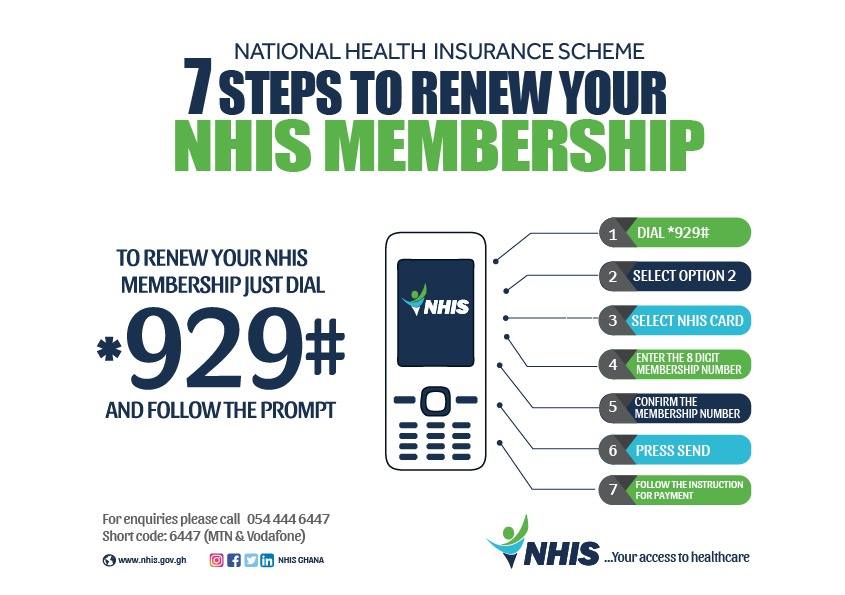
The NHIS Mobile Renewal Service has been successfully rolled out in all districts in Ghana by dialling *929# from any phone network.
The Mobile Renewal Service has come as a huge relief to NHIS members by eliminating in most cases time-wasting at NHIS District Offices, transportation cost and other inconveniences.
Whilst this new innovative service has huge benefits to NHIS members, Management wishes to notify the general public to be wary of imposters purporting to be ‘NHIS Agents’ who may try to take advantage of the new Mobile Renewal Service to defraud unsuspecting members.
We wish to remind the general public that NHIS has NO AGENTS working on its behalf and any such services are unsolicited. Whilst the mobile renewal service is very simple and easy to use from any mobile phone, you must only allow trusted people to assist you if necessary.
Steps to renew your NHIS Membership
Dial *929#
Select Option 2
Select NHIS Card
Enter the 8 Digit Membership Number
Press Send
Follow the instruction for payment
Never give your mobile PIN out nor display it in public. If unsure of anything, kindly call the NHIS Call Center on 054-444-6447 OR 030-274-6447 or shortcode 6447 on the MTN and Vodafone networks respectively.
NHIS Renewal Charges
Here are the charges for renewing your National Health Insurance Scheme in Ghana:
Google Maps is one of the most popular applications on the Android platform. It’s not surprising that Google (who literally “own” android) will push the app to users, especially as Google feels it is an important component of every smartphone.
Well, I think maps are important and I use them frequently. Over the years, Google Maps has seen tremendous change and improvements, making it continually useful.
One advantage of adding a place to Google Maps is that it can be found on all services that utilise Google Maps’ API. These services include Uber, Taxify and even the GhanaPostGPS.
Generally, maps are very incomplete if they are not able to tell what can be found at the specific places and Google – in the quest to make maps reliable, gives users the option to add places to their maps (with verification).
Here in Ghana, a lot of places cannot be found on the map but with this feature of Google Maps, you can add all your favourite public places to help others.
For the best results, set the GPS settings to high accuracy. This can be done by going to your android Phone’s Settings > Location and Security. When this is done, open the Google Maps application (it should be the updated version), then tap on the menu button (three horizontal lines)
You should be near the place you want to add to the maps.
Zoom in to the blue dot. That represents your current location. As in step one, click the menu button and then Click on “Add a missing place”.
A new menu comes up where you fill the details of the place. In this Tutorial, I add Access Bank, Airport Branch to Google Maps. In order to get the street address, tap the “current location” sign.
It should automatically update to where you are. Alternatively, tap on “Mark Location on Map” and map the appropriate location.
You should be near the place you want to add to the maps. Zoom in to the blue dot. That represents your current location. As in step one, click the menu button and then Click on “Add a missing place”. A new menu comes up where you fill the details of the place. In this Tutorial, I add Access Bank, Airport Branch to Google Maps. In order to get the street address, tap the “current location” sign. It should automatically update to where you are. Alternatively, tap on “Mark Location on Map” and map the appropriate location.
Fill all details including category and the hours open.
To get the place you are adding verified, it is always best to add a photo, which you can capture straight from Google Maps or by selecting a photo from your gallery.
Adding a photo helps Google prove that the location being added is a real one.
Fill all details including category and the hours open. To get the place you are adding verified, it is always best to add a photo, which you can capture straight from Google Maps or by selecting a photo from your gallery.
When you are done, submit by tapping the submit button.
If you did everything right, you should receive a notification on-screen saying “Thank you for Improving Google Maps”.
You should also receive an email when Google verifies that you have actually added a genuine place.
Sometimes, Google may run its own verification so the email you receive will only state that your entry is under review.
When you are done, submit by tapping the submit button. If you did everything right, you should receive a notification on-screen saying “Thank you for Improving Google Maps”. You should also receive an email when Google verifies that you have actually added a genuine place.
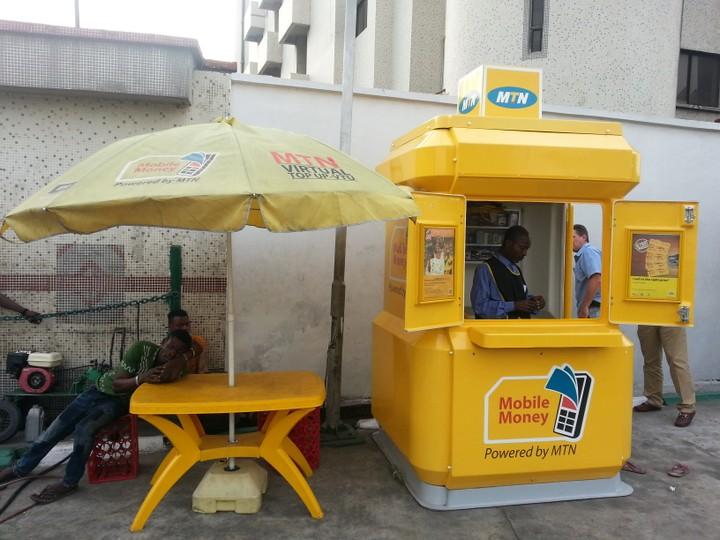
MTN Mobile Money is undoubtedly the biggest mobile payment solution available in Ghana today.
What started as a small convenient way of conducting business transactions has rapidly changed into a platform capable of doing a bit more. Every new day, people are registering on the MTN Mobile Money platform.
As it is with any service, with the benefits, come the bad guys, who are looking for ways to make money the easiest way.
A lot of people have shared experiences with people who have been frauded on MTN Mobile Money to the extent that some believe it is an inside job at MTN.
However, we are not here to go into those details. Today, we look at safety tips to guide us so that we are not caught up in the den of the fraudsters.
Here are safety tips on how to guard yourself against MTN Mobile Money Fraud:
Keep your MTN Mobile Money PIN Private
Yes, this is the number one tip. Your Mobile Money PIN is for just you and you are not obliged to share it with anyone. Most people have claimed that personnel from MTN called to ask for their Mobile Money PIN.
Never give out your MTN Mobile Money Fraud
From statements that MTN has released over the years, it is clear that Mobile Money agents and MTN workers are not to ask you for your PIN to initiate any transaction on your behalf.
As a matter of security, you are not to share your PIN with your Family and Friends. Even if you do, you are to change it immediately.
Keeping your PIN private will help to safeguard you against many of the fraud stories we hear concerning MTN MoMo.
Choose a strong PIN for your Mobile Money account
I believe hackers have not gotten way smarter over the years, it’s just people becoming more foolish and relaxed over security issues.
When it comes to Mobile Money PINS, the situation is no different.
You find people using their year of birth or the current year or a sequence. Researchers at the data analysis firm Data Genetics have advised people to avoid birthdate, 1234 and 8068. However, you should also avoid a sequence like 2345, 6699, 2244, 9876 etc.
You should use a PIN that would be difficult for people to guess, but easy to remember. If you currently have a weak PIN, you can change it.
How to Change MTN Mobile Money Pin
Dial the MTN Mobile Money short code *170#
Select Wallet
Choose Change MM PIN
Enter your old PIN
Enter your new PIN to set and confirm
Verify Phone Calls and Messages purportedly from MTN
Almost all of the Mobile Money fraud stories that I have heard usually stem from either a phone call or a text message or both.
Keep in mind that MTN will send Mobile Money SMS via the nameMobileMoney. Any message from suspicious phone numbers regarding your mobile money account is probably fake. They mostly follow up with instructions, which you should never pay heed to.
Beware of scam calls asking you to send MTN mobile money to their accounts to receive cash prizes or asking for your account details.
Whenever in doubt, don’t hesitate to call MTN customer service number 100. Most importantly, why do you think you have won a promo when you never participated in one?
Confirm transactions and don’t hand your phone over to Mobile Money agents
About confirmations, when you make a deposit at any MTN mobile money merchant shop or agent, make sure you receive a confirmation text before you leave.
Check to be sure the text received is from MobileMoney and has the correct amount stated.
Also, when withdrawing money, confirm that the name of the MoMo Merchant is what is actually displayed before you enter your pin to confirm the transaction.
Confirm all transactions before approving them.
You shouldn’t give your mobile phone to agents to do a transaction on your behalf. If you give your phone to an agent to initiate a transaction on your behalf, you expose yourself to being defrauded.
However, for those who don’t know how to read or write, this may not be possible. Such people should try to go to the agent with someone they trust or work with only “trusted Mobile Money agents”, although this is not entirely fool-proof.
Finally, if you suspect any fraudulent activity on your wallet, the best thing is to Call MTN on 100 or visit their nearest Customer Service Centre to make the report or use the online portal. Like MTN Ghana has said in their numerous ” Anti Mobile Money Fraud” campaigns, “Don’t be a MUGU.”
Have you ever fallen victim to mobile money fraud or do you know someone who has been frauded via MTN Mobile Money? Share your experience.
Ever since the outbreak of COVID-19 in Ghana, numerous health and tech individuals and organisations have been looking at the best way to help with the situation.
Ghana’s Nyaho Medical Centre has collaborated with ClearSpace labs, an AI Research & Development company to launch a COVID-19 assessment tool called Serenity Health.
Serenity Health was developed to help the Ghanaians assess their COVID-19 risk, connect with health teams and testing locations as well as give access to daily follow-ups on the coronavirus pandemic.
When you use the assessment tool, you will be able to make decisions about seeking appropriate medical care at certified locations in Ghana.
There have been other apps relating to the coronavirus in Ghana like tracing app by the Ghana Institute of Surveyors.
Let’s look at how you can use the Serenity Health COVID-19 assessment tool to check your risk level of having the coronavirus.
How to check your Coronavirus (COVID-19) Risk Status in Ghana
Click on the “Click Here to Start Assessment” button
A pop up comes to ask for location access. You can disable location as this does not affect the results
Agree to the terms and conditions of the website
Answer the questions that the Chatbot pops up as correctly as you can
You will then receive an assessment response which could be either high risk or low risk
Apart from the assessment that the website provides, it also gives you the chance to schedule an appointment or have a health professional call you (which is very useful).
Don’t forget to share with your friends so they can all test too.
And remember to stay home and practice social distancing. Let’s fight COVID-19 together.
Battery life has always been a problem for electronic devices, from the days of the Walkman, MP3 and now Smartphones.
It is no surprise that nowadays, a lot of people look at the battery capacity of phones before making a purchasing decision. Battery life is limited, and however you look at it, you still need ways to save your battery.
Here are a handful of tips and tricks you can use for your Apple or Android device that will make your phone battery last longer.
How to Make Your Phone’s Battery Last Longer
Check battery usage
In your settings, you can see a breakdown of what apps are using your battery the most. Often, it’s only one or two apps that are taking up most of your battery, and everything else consumes just a small percentage.
Some apps that you use every day are actually killing your battery faster than you know. The big one is Facebook. This app actually uses a surprising amount of energy merely by refreshing in the background.
Turn down brightness
Chances are your brightness is much higher than it needs to be. Try turning it way down until it’s at a dim setting that is still usable. When checking my own battery use, “Screen” is right there at the top of the list.
Turn off Location Services
Make sure you turn off your Location setting whenever you aren’t using it. Some apps to be aware of that use Location are Maps (of course), Pokemon Go (for such a fun game, it mercilessly kills your battery), Uber, and anything else that requires GPS navigation.
Ease up on the camera
If you’re taking pictures or videos all day, that’s likely where your battery is going. Using the camera on your phone kills your battery fast, and using the flash doesn’t help either. Beware of any image chatting apps like Skype and Hangouts, or social media like Instagram and Snapchat.
Power Saving Mode
Apple has Low Power Mode on its iPhones and iPads, and Android has Battery Saving Mode. These settings reduce the performance of your phone but will make your phone last significantly longer.
Android even has Ultra Power Saving mode, which will make your phone last much, much longer. But it’s kind of a drastic measure.
Turn off vibrations
If you don’t need your phone to vibrate for messages just turn it off instead of letting notifications shake your battery to death.
Use Battery saving apps
Apps like Battery Doctor (iOS, Android) or DU Battery Saver (Android) help you pinpoint apps that are draining your battery.
From within the app, you can adjust settings like Location, Bluetooth, and screen brightness in order to conserve battery.
Turn off auto downloads
On Apple, go to settings, select iTunes and App Store, scroll down to Automatic Downloads, and toggle all of the options off. On Android, go to the Play Store settings, and tap on Auto-update apps.
You’ll be given the option to turn auto-updates on or off, or you can choose to only have auto-updates occur over Wi-Fi, which will also save battery.
Uninstall unnecessary apps
Routinely go through all of your apps and uninstall any that you don’t use. These apps could be using up a small amount of battery throughout the day, which can really add up over time.
If you follow these tips, you can keep your phone’s battery life from perpetually living in the danger zone between a low battery and a dead phone. Hope they help.
Conclusion
Do you know of any other battery-saving techniques? Let us know in the comments section below. Want to buy a new phone? Check out our latest collection.
Way back in 2009, when I had just acquired my first “true” mobile phone – the Nokia Xpress Music 5130c-2 – I was among the happiest people on earth.
I was using MTN then and internet bundle was much of an issue as it was pretty much expensive.
That Nokia phone, and those of it’s kind, are what we now refer to as “feature phones”. Yes, It lacked a mind to be smart.
The phone also runs on Java and any application that had to be installed had to be a java application.
We used to browse through the then-popular waptrick.com just to find some useful applications or games to download and play.
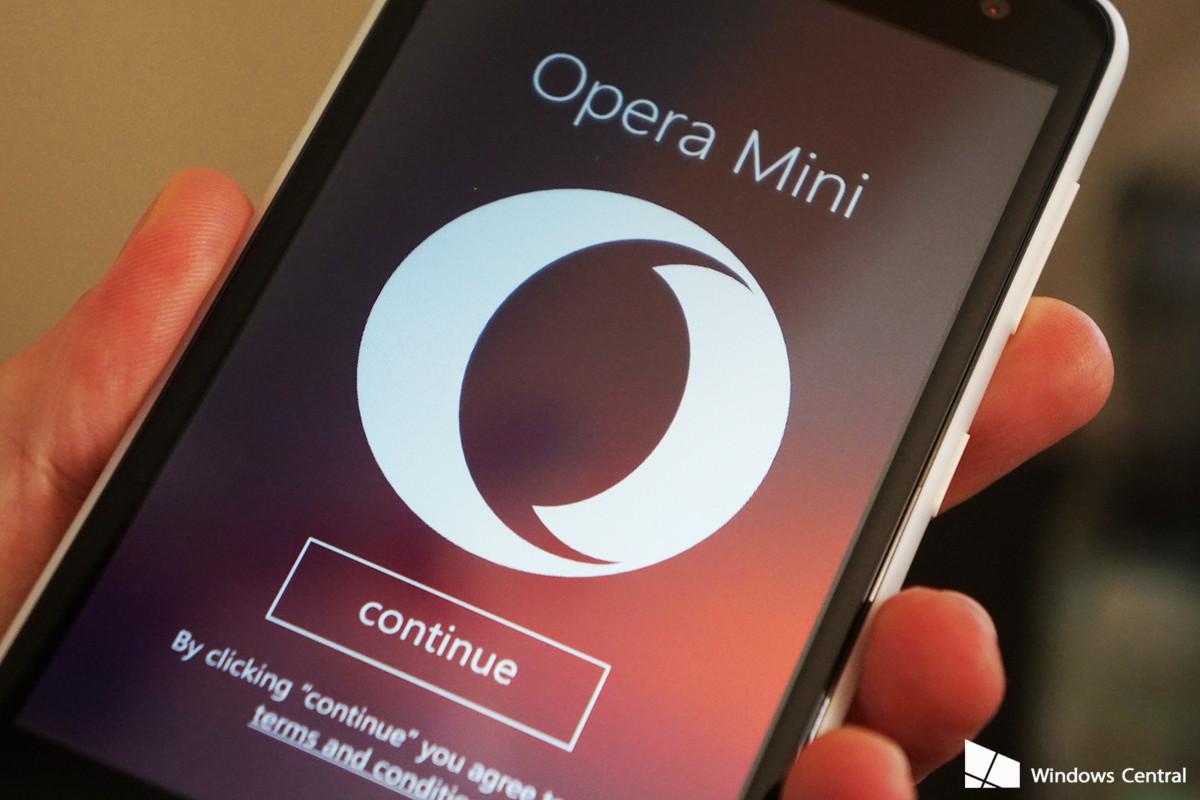
Opera Mini browser during those days was my best browser and I remember personally installing and recommending it for a lot of people.
We used Opera mini for basically everything – News, Facebook, wallpaper search and the likes.
On a feature phone like the Xpress Music, Opera Mini was the best because it loaded pages very fast in a city where 3G access was very limited even on MTN at the time.
Opera mini also did not use a lot of data bundle and this made it a browser favourite for a lot of people. Honestly, I can’t think of any other browser around the time that posed any threat to Opera Mini – maybe UC Browser.
Fast Forward to 2020, where the standard is a smartphone with at least 4G internet access and huge data plans.
Is Opera Mini really useful now? My answer – NO!
When I had my first true smartphone – the Samsung Galaxy S4, Opera Mini browser was one of the first applications I downloaded from the then Android Store.
Still got love for feature phones and even “yams”.
After all, I had a relationship with the browser that has had my back for all these years. However, with each passing day, I became more and more disappointed in the application – it had not changed much.
All Opera Mini knew was speed, sacrificing other very relevant functionalities.
It’s very surprising that a lot of Ghanaians still use the Opera Mini Browser
Opera Mini remains one of the most popular browsers in Ghana. In fact, just last month, over 30% of the visits to Mfidie.com came from the browser.
But why don’t I like it anymore?
Firstly, Opera Mini works very badly with JavaScript and I doubt you will be able to comment on this post if you use the browser.
Opera mini also makes copying text from a website a nasty experience. The text is not wrapped effectively and if you do copy from within the browser and paste elsewhere, you would spend a lot of time “editing” the text to look just right.
Opera mini essentially limits the functionalities of websites and may even make a perfectly good looking website look so dumb.
Not a browser you can enjoy right now – Even on the Galaxy S4, released in 2013.
Personally, as a publisher, Opera Mini is fast becoming a nemesis. I rely heavily on Google Ads and Opera Mini by default blocks every kind of Google Ad.
The browser is so aggressive at blocking ads that even image ads are sometimes caught. If 30% of my visitors are not seeing my ads, that’s huge. I take solace in the fact that all these people reading on Mfidie.com still get all the information they need.
Mfidie.com currently has a publishing agreement with Opera Mini’s sister app – Opera News, where our own Ads are blocked by default, and Opera places their ads, but revenue is shared. Maybe Opera can look at implementing that inside of Opera Mini.
And for everyday internet surfers, if you are using Opera Mini, you are definitely using it because of one or both of these reasons – speed and data savings.
I stopped using Opera Mini because a fast browser that does not deliver quality does not quite make the cut for me.
I discovered an old acquaintance – UC Browser. This browser delivered almost the same speed as Opera Mini as well as better functionality. I was able to do almost all that I wanted to do on any website of my choice.
Again, I think Opera Mini is not for your smartphone – we’ve moved past that level.
There’s a reason why there is a real Opera Browser on the Play Store (without the mini).
Maybe look at your browser choices. After all, if you have been able to stay in a relationship with Opera Mini, then you can love almost any other browser.
What do you think of Opera Mini? Do you still use it? Leave a comment below.
The first version of this article was published in 2017.
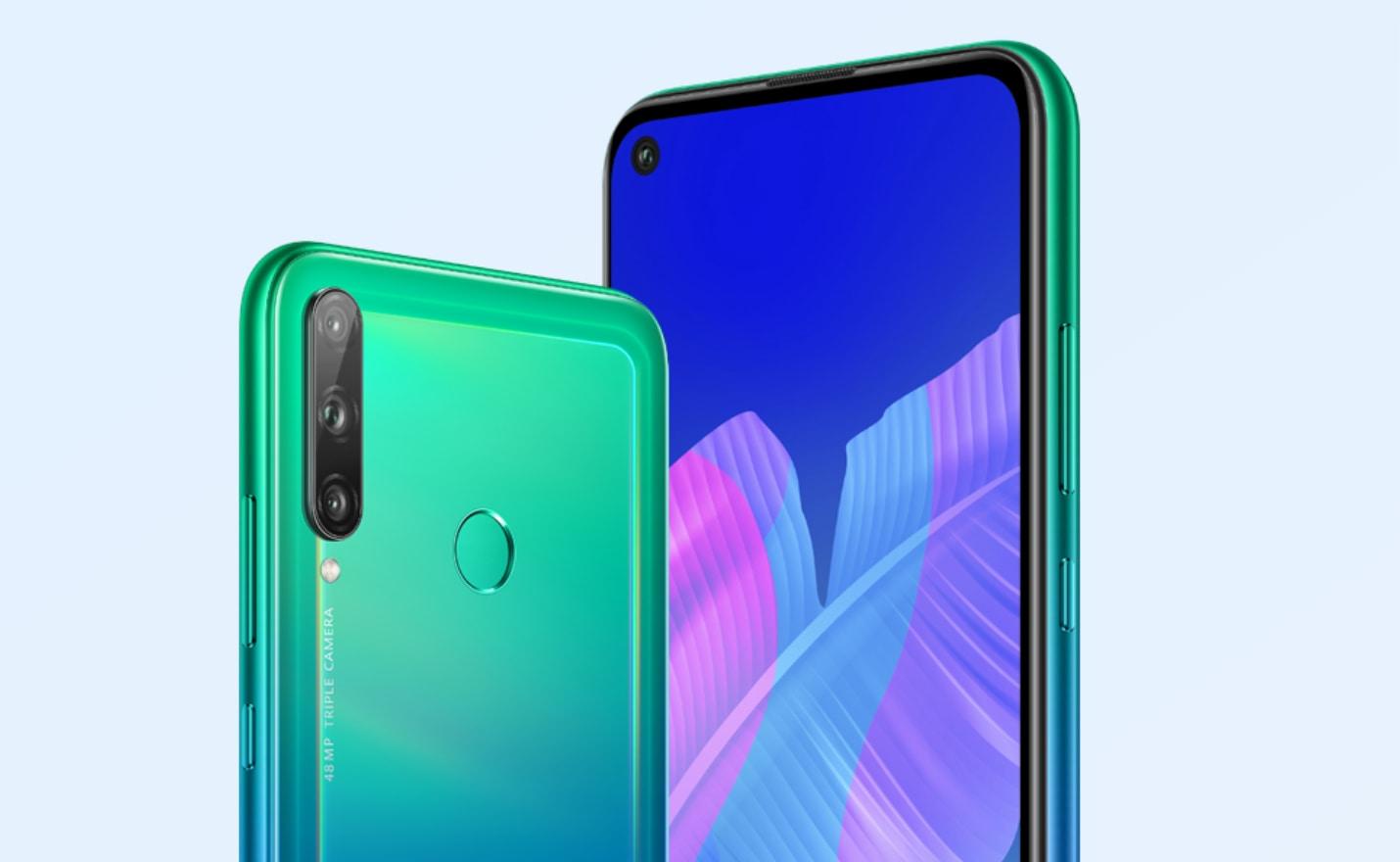
Huawei Ghana has introduced the Huawei Y7p to its Y-series phones in the country. The Y7p smartphone from Huawei comes in at the midrange level, well equipped with a 48MP AI Triple Camera at the rear.
It comes as the same price range (although slightly cheaper) as the Infinix Note 7, which will most likely be its immediate competitor.
If you are a big fan of the Huawei brand and will want an upgrade of device or you are just looking for a 2020 Huawei Phone, this might be your choice in the under GHS 1,000 range.
Huawei Y7p Specs
Here are the specifications of the Huawei Y7p:
Huawei Y7p
Specs
Operating System
Android 9.0 (Pie), EMUI 9.1
Display
6.39 inches IPS LCD Display, 720 x 1560 pixels (~269 ppi density)
Chipset
Octa-core Hisilicon Kirin 710F SOC
Memory
4GB RAM
Storage
64GB ROM
Main Camera
48 MP + 8 MP + 2 MP Triple Rear Camera
Selfie Camera
8MP
Battery
4000 mAh battery, non-removable Li-Po
Connectivity
Dual SIM with VoLTE support SIM1: Supports 4G, 3G SIM2: Supports 4G, 3G
Special Features
Fingerprint Sensor (rear-mounted) Accelerometer Proximity Compass 3.5 mm headphone jack present
Colours
Midnight Black, Aurora Blue
Price
$172
Huawei Y7p Features
The HUAWEI Y7p offers a rear AI triple-camera setup that includes a 48MP main camera with an f/1.8 wide-aperture lens for capturing frame-worthy moments in true, native high resolution, and an 8MP ultra-wide-angle camera supporting the 120-degree field of view for scenic landscape shots.
Others are group photos and wide-angle video capture, and a 2MP depth assists camera for simulating realistic shallow depth-of-field effects that are a staple of any breath-taking portraits.
Equipped with a large 1/2-inch sensor, the HUAWEI Y7p also excels in low light scenarios, producing clear, low noise images that are rich with colours and details whether the user is shooting in broad daylight or at night. Night Mode also makes a return, supporting stabilization for handheld shots taken with up to a six-second exposure for easy detail-packed low-light shots.
Upon detecting that the user is shooting with backlight, the camera will turn on HDR Mode, which can combine three frames taken in quick succession to create a stunning photo that has a higher dynamic range.
Like many other Huawei smartphones, HUAWEI Y7p also features AI Scene Recognition, enabling the rear cameras to recognise over 500 scenes and apply the real-time custom enhancement to turn works of novices into masterpieces. Additionally, 480fps video capture enables users to capture slow-motion videos that playback at 1/16 normal speed.
Embedded underneath the Punch FullView display, is a powerful 8MP front camera that supports Huawei’s camera AI algorithms. Portrait Mode1 produces gorgeous photos and selfies by applying custom optimisations based on a subject’s face while retaining the details on their faces.
Additionally, the front camera supports HDR Mode for stunning selfies in a high dynamic range. The front camera uses AI Scene Recognition which enables it to recognise up to eight scenes including blue sky, plants, night scene, and more, optimizing the settings required for the perfect shot.
Also, the front camera supports Face Unlock 2.0 for speedy device unlock.
Trendy Design with a 6.39’’ Punch Fullview Display
Designed to be a showstopper, the HUAWEI Y7p is equipped with a gorgeous Punch FullView Display. Measuring at 6.39 inches diagonally and with thin bezels, the 19.5:9 display supports an HD resolution of 1560×720 for displaying fine details with vivid clarity.
At the top left corner is one of the industry’s smallest blind holes measuring at just 4.5mm wide providing an opening for the front camera with minimal compromise in the viewing experience. With a 90 percent screen-to-body ratio2, the display makes watching any video and gaming an absolute joy. Additionally, HUAWEI Y7p has a fingerprint scanner at the back to provide another convenient and secure means for device unlock.
The back of HUAWEI Y7p is layered on top of a reflective layer to produce a futuristic glare effect. The mid-frame seamlessly connects the two sides, producing a streamlined, uni-body look that is both aesthetically pleasing and makes for a more comfortable grip.
The smartphone comes in classic Midnight Black and unique Aurora Blue colours. The Aurora Blue variant uses blue and green gradients to create a distinguishable and fashionable look. HUAWEI Y7p offers a triple-card tray that includes two slots for Dual SIM support and one for storage expansion via MicroSD card of up to 512GB3.
Running easy-to-use intelligent EMUI9.1 on Kirin 710F with an integrated octa-core processor, the HUAWEI Y7p delivers a smooth experience across productivity and entertainment apps. The latest HUAWEI Y Series device also includes system-level optimisations such as the Extendable Read-Only File System (EROFS) and Full Scene Acceleration technology for a better system, storage, and app performances.
The HUAWEI Y7p also comes with 4GB of RAM and 64GB of storage which can be expanded to 512GB with a micro SD card (sold separately).
With a large 4000mAh (typical value) battery and Huawei’s AI power-saving technology, the smartphone offers a reliable long battery life, ideal for those that are always on the go.
Smart features for a Smart Experience
Built for gamers, the GPU Turbo 3.0 feature on the HUAWEI Y7p boosts performance by enhancing graphics for a more immersive gaming experience.
Additional smart features also include video reminding for incoming calls, which lets you add a unique video ringtone for your friends. Meanwhile, the HUAWEI 9.1 SKY stereo sound, optimizes the audio experience
Pre-installed with HUAWEI AppGallery
At the core of HUAWEI Y7p are Huawei Mobile Services (HMS), which include a range of essential smartphone features including the Huawei AppGallery, an app marketplace from which users can easily download apps.
Pricing and Availability of the Huawei Y7p
Price of Huawei Y7p in Ghana
The new Huawei Y7p is selling at retail shops in Ghana for GHS 959.
There was also a pre-order phase for the phone which has since elapsed..
Below is a list of shops in Ghana you can buy the Huawei Y7p from:
A lot of our readers have already demonstrated their love for the TECNO Spark 5, which is currently priced around GHS 719. The phone itself is beautiful as we have shown in our unboxing post.
https://mfidie.com/unboxing-tecno-spark-5/
Well, for those who can not afford the price attached to the phone but still want to enjoy it, TECNO Ghana, is giving away free TECNO Spark 5 Smartphones every weekend.
The first phone was given out on 24th May 2020 and more phones are expected to be given out every Sunday till 14th June 2020.
Apart from the TECNO Spark 5 smartphone, there are other goodies also up for grabs, like Earphones, T-shirts and Footballs.
How to win a free TECNO Spark 5 from TECNO Ghana
To get the phone, you need to download and use the Boomplay App from the Play Store on Android or the iOS App Store.
Creating an account and using the Boomplay App gives you points which you can redeem to get the phone.
Here are the steps to follow to get the TECNO Spark 5 Smartphone and other goodies
Open the Boomplay App on 31st May, 7th June or 14th June and click on reward points, starting from 9 am.
You will be prompted to sign up or sign in if you have already not done so.
Once done, you will see all the points you have accumulated.
Check the redeem gifts section of the page
Once you have enough points, click on the Spark 5 and fill in your pick up information in the order: House Number, Street Name, City/Local Government Area, State. Eg: 3 Palarangra Street, Teshie Tsuibleo, Greater Accra Region, Ghana.
Wait to be contacted to receive your redeemed phone.
Please note that the gifts are available on a first come first served basis.
If you don’t see the rewards point feature, you might have to update your Boomplay App.
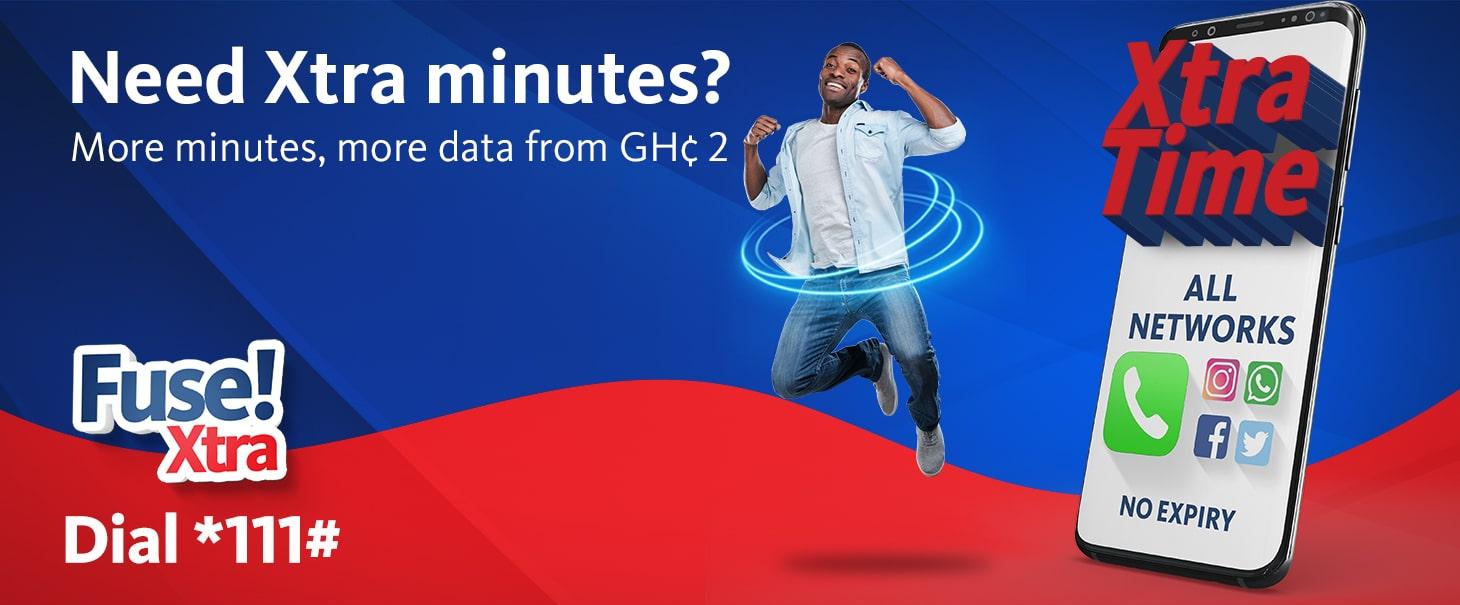
AirtelTigo is seeking to capture the hearts and minds of data and talk lovers by introducing the Fuse Bundles.
AirtelTigo Fuse Bundles is a set of voice and data bundles vith varying prices released in the Ghanaian market for subscribers of the AirtelTigo Network.
The bundles start at GHS 2 and due to the recent revamp by AirtelTigo, they have become increasingly useful to subscribers.
How to Subscribe to AirtelTigo Fuse Bundle
Dial *567# on your AirtelTigo phone
Select your preferred Fuse Xtra Bundle with no expiry
Choose Option 1 or Option 2 to pay with Airtime or AirtelTigo Money respectively
Confirm your subscription payment
You will successfully be credited with the voice and data allowance from the AirtelTigo Fuse bundle.
AirtelTigo subscribers can also dial either *111# or *533# to subscribe to the available Fuse Bundles.
AirtelTigo Fuse Bundles
Here are the prices for the various bundle for AirtelTigo fuse. Remember that all of the bundles have no expiry.
Price (GHS)
Voice Minutes
Day Data Volume (MB)
Night Data Volume (MB)
2
50
50
50
5
145
145
145
10
300
300
300
15
400
400
400
How to check your AirtelTigo Fuse Bundle Balance
The code to check the remaining AirtelTigo Fuse bundle is *504#.
Please remember that once your bundle is exhausted, AirtelTigo will switch you to the default class. Also, when you use the AirtelTigo Fuse bundle with other bundles such as Unlimited onnet calls, Sika Kooko and other expiry bundles, you will be deducted from your Fuse Bundle first.
The Fuse Bundle is for all those people who are looking to spend a specified amount for a data plan that offers good balance in calls and day and night browsing.
How to unsubscribe from the AirtelTigo Fuse Bundle
To stop your subscription from the AirtelTigo Fuse bundle, all you need to do is finish using your current bundle pack. You will not be auto subscribed to the service.
If you are looking for a browsing only data plan, this might not be the best option.
What do you think? What other data plans from AirtelTigo are you excited about? Let’s hear you.
Mobile Money transactions in Ghana keep on growsing, and with a growing concern over Coronavirus and the threat, it posses via cash transactions, a lot more people have now switched to Mobile Money payments.
In Ghana MTN Mobile Money, AirtelTigo Money and Vodafone Cash are the most used phone number susbscriber based Mobile Money Service.
However, the charges associated with Mobile Money is something that discourages people from using it.
Recently, daily transactions of up to GHS 100 were made free. Although Mobile Money providers are looking for ways to end that since they claim it is hurting their revenue.
We have found a new way for you to send multiples of GHS 400 via your Mobile Money to other people without paying for any charges.
This tutorial is very short and works. You will have to use an App called Waya App.
Select your Fund Source and choose “Add Mobile Money”
Send up to GHS 400
Confirm to make payment
Kindly note that you only need to register your account once on the app. Once that is done, you can always open the app and send money to other Mobile Money users.
Waya Money also makes it easy to send money from your Mobile Money account straight to another Mobile Money or Bank in Nigeria and Kenya.
Have any other Mobile Money hacks to share with us? Send them to [email protected] and we will be in touch.