Author: Shepherd Yaw Morttey

  • TECNO Camon 15 & Camon 15 Premier: Price, Specs, Features and Best deals

    TECNO Camon 15 & Camon 15 Premier: Price, Specs, Features and Best deals

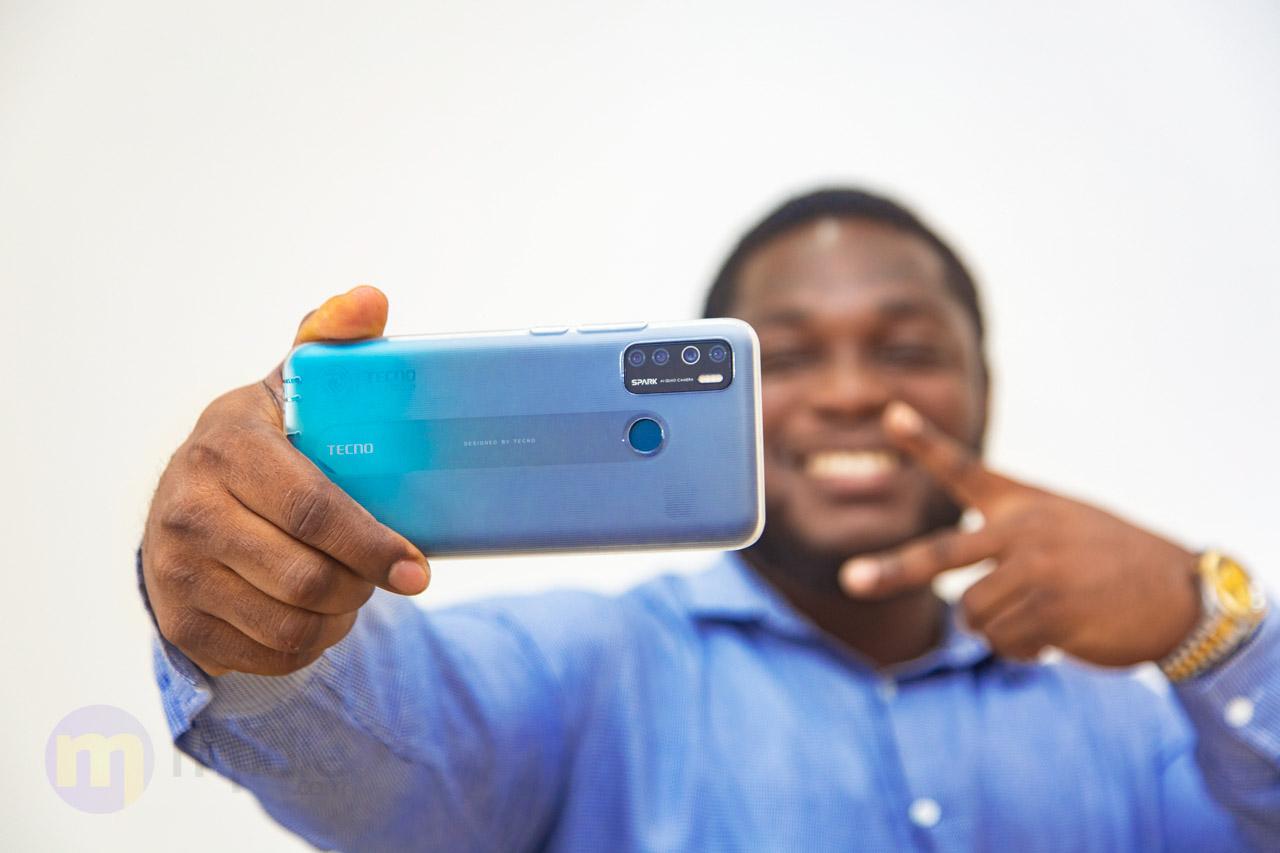
    It’s another year and TECNO Fans, in particular, are looking forward to what the Camon series has to offer.

    TECNO’s Camon series has been heavy on picture quality and with two phones this year, it appears that zeal for better photos is still very much alive.

    TECNO made the jump from Camon 12 to now Camon 15 and Camon 15 Premier.

    We look at these latest phones from TECNO in this article. Check out the specs, price and where you can buy them from.

    Tecno Camon 15 Specs

    SpecificationsTecno Camon 15
    BuildGlass front, plastic back, plastic frame
    SIMDual SIM (Nano-SIM, dual stand-by)
    Display TypeIPS LCD capacitive touchscreen, 16M colours
    Display Size6.55 inches, 103.6 cm2
    Screen Resolution720 x 1600 pixels, 20:9 ratio (~268 PPI density)
    Operating SystemAndroid 10.0; HIOS 6.0
    Card slotmicroSD available
    Storage (ROM)64 GB
    Memory (RAM)4 GB
    Rear Camera48 MP, PDAF + 3 other Cameras
    FeaturesQuad-LED flash, panorama, HDR
    Rear Camera Video1080p@30fps
    Selfie Camera16 MP
    Selfie Camera Video1080p@30fps
    SensorsFingerprint (rear-mounted), accelerometer, proximity
    Battery Capacity5000 mAh
    ColoursShoal Gold, Fascinating Purple, Jade
    Price$150
    https://mfidie.com/shop/tecno-camon-15-64gb-4gb-ram/

    Tecno Camon 15 Premier Specs

    SpecificationsTecno Camon 15 Premier
    BuildGlass front, plastic back, plastic frame
    SIMDual SIM (Nano-SIM, dual stand-by)
    Display TypeIPS LCD capacitive touchscreen, 16M colours
    Display Size6.53 inches, 104.7 cm2
    Screen Resolution1080 x 2340 pixels, 19.5:9 ratio (~395 PPI density)
    Operating SystemAndroid 10.0; HIOS 6.0
    Card slotmicroSD available
    Storage (ROM)128 GB
    Memory (RAM)6 GB
    Rear Camera48 MP, PDAF + 3 other Cameras
    FeaturesDual-LED flash, panorama, HDR
    Rear Camera Video1080p@30fps
    Selfie CameraMotorized pop-up 32 MP
    Selfie Camera Video1080p@30fps
    SensorsFingerprint (rear-mounted), accelerometer, proximity
    Battery Capacity4000 mAh
    ColoursIce Jadeite, Opal White
    Price$200

    Features of Tecno Camon 15

    The Camon 15 has been seen in stores outside Ghana since February 2020.

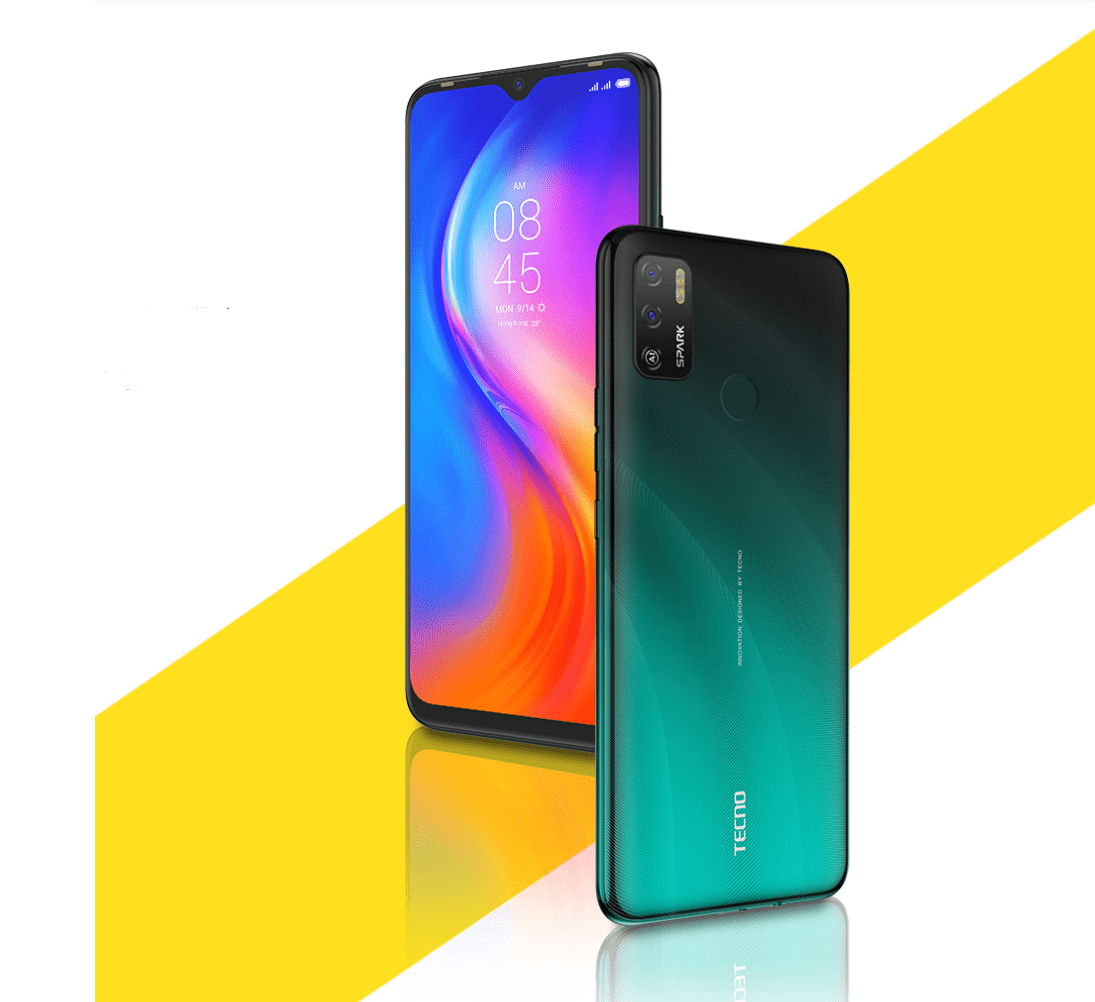
    The build of the phone is a plastic body (back and frame) and the usual glass front. The display size is 6.55 inches IPS LCD capacitive touchscreen which gives a 720 x 1600 pixels resolution.

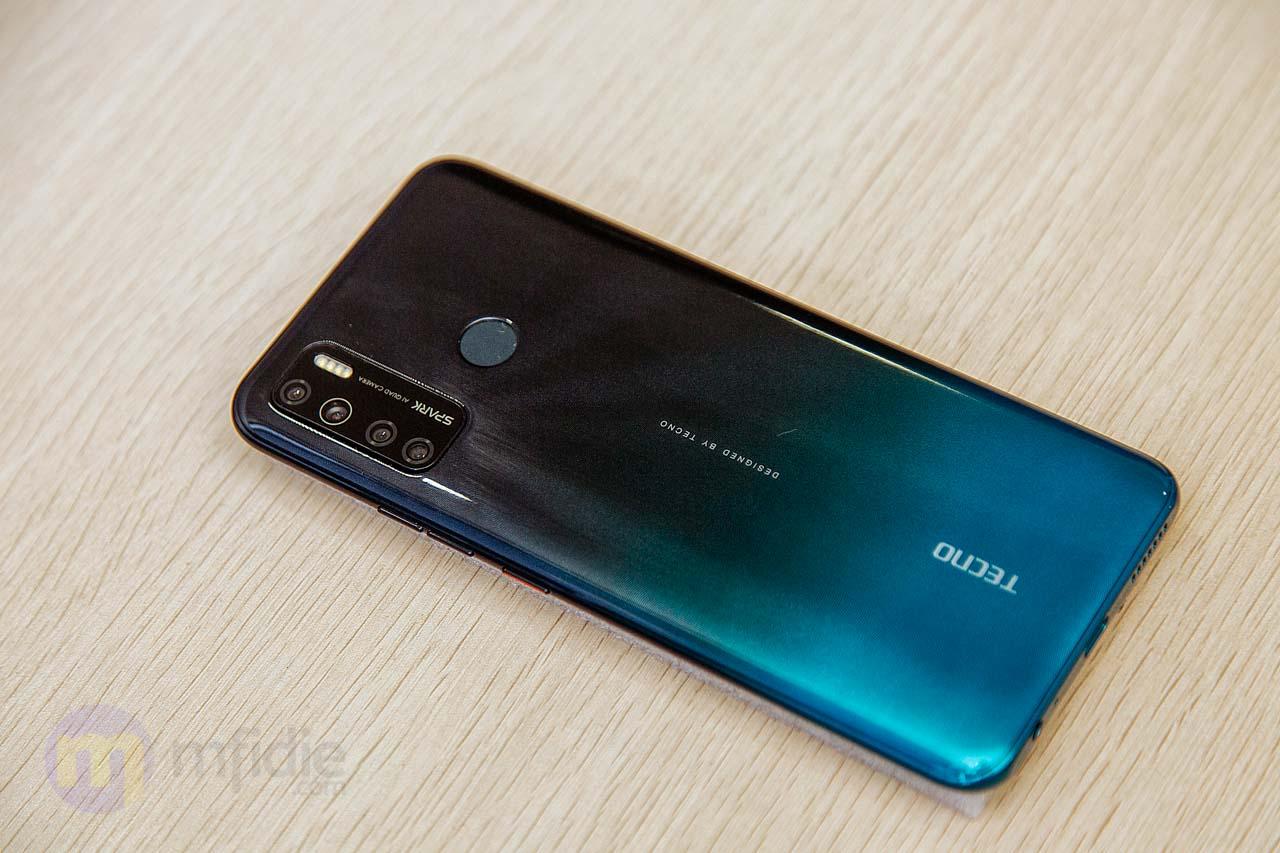
    Mfidie.com can confirm that the smartphone comes with 4 cameras which includes a 48MP main shooter.

    The front of the phone is a 16MP selfie camera which should be more than enough to capture everyday shots.

    Back to the main camera, it features main a Quad-LED flash and has both panorama and HDR functionality.

    Some of the sensors on the TECNO Camon 15 are Fingerprint (rear-mounted), accelerometer, and proximity.

    When it comes to battery juice, the phone is kept alive by a Non-removable Li-Po 5000 mAh battery.

    With 4GB of RAM and 64GB of internal storage, performance on the Camon 15 should be okay. However, the internal storage can be further extended by a microSD card.

    The TECNO Camon 15 is available in the following colours:

    • Shoal Gold
    • Fascinating Purple
    • Jade.

    The phone runs on the Android 10.0 with TECNO’s HIOS 6.0 skin.

    Features of Tecno Camon 15 Premier

    Unlike the Camon 15, the TECNO Camon 15 Permier’s back is made of glass, which is quite receptive to fingerprints but there is a free phone case in the box so that shouldn’t be an issue.

    Interestingly, Tecno Camon 15 Premier will be the first Phone from TECNO in Ghana to feature a pop-up selfie camera mechanism. The phone comes with a 32-megapixel pop-up AI Selfie camera which supports beauty, AI shot, super night, and wide selfie.

    The rear of the phone is also packed with 4 cameras. These are a 48-megapixel sensor, 5-megapixel ultra-wide-angle, 2-megapixel macro sensor, and a low light lens.

    The rear camera features an AI cam, beauty, Super Night, Bokeh, panorama, AR shot and portrait mode.

    The Tecno Camon 15 Premier is powered by a 4000mAh battery with a 10W charger to facilitate fast charging.

    The Tecno Camon 15 Premier is available in the following colours:

    • Ice Jadeite
    • Opal White

    The Camon 15 Premier runs on the Android 10.0 with TECNO’s HIOS 6.0.1 skin.

    Pricing and Availability

    The TECNO Camon 15 is now available in Ghana to buy.

    By paying an initial deposit of GHS 100 before 5th April 2020, you qualify for the pre-order.

    Pre-ordering the Camon 15 in Ghana will also give you a free TECNO Wireless Earphone and other gifts worth GHS 499.

    Price of TECNO Camon 15 in Ghana

    StorePriceContact
    Mfidie Shop (Nationwide Delivery)GHS 9690546090871
    Franko Phones (No Delivery)GHS 969Contact Store

    Price of TECNO Camon 15 Premier in Ghana

    StorePriceContact
    Mfidie Shop (Nationwide Delivery)GHS 13990546090871
    Franko Phones (No Delivery)GHS 1399Contact Store
  • Samsung A10s (2019): Price, Specs, Features, Best Deals & Where to buy

    Samsung A10s (2019): Price, Specs, Features, Best Deals & Where to buy

    The Samsung A10s was released in Ghana, Nigeria and other African countries as an upgrade over the very popular Samsung A10 in 2019.

    In a direct comparison with the A10, the A10s offers an upgraded camera, fingerprint sensor, an upgraded processor and more battery capacity for users.

    Samsung A10s Specs

    Samsung Galaxy A10sSpecs
    Display6.2 inch Infinity-V IPS Display, 720 x 1520 pixels (271 ppi)
    Operating SystemAndroid 9.0 Pie, One UI
    ProcessorOcta-core MT6762 Helio P22 CPU
    Storage32GB built-in storage, up to 512GB memory card
    Memory2GB RAM
    Rear Camera13MP + 2MP Dual Camera
    Selfie Camera8MP Camera
    Security SensorFingerprint (rear-mounted)
    Network4G LTE (up to 150 Mbps)
    Battery Capacity4,000mAh Non-removable Li-Po Battery
    https://mfidie.com/shop/samsung-galaxy-a10s-dual-sim-32gb-hdd-2gb-ram/

    Features of Samsung A10s

    Design and Display

    Samsung’s Galaxy A10s has a big screen size of 6.2 inch infinity-V display with a 720 x 1560 display resolution. The Samsung Galaxy A10s is a TFT (IPS) technology display, a capacitive touchscreen with a multi-touch feature.

    Still on the screen, there is a V-cutout that houses the 8 megapixels camera and the screen is scratch resistant according to Samsung.

    The phone itself comes in a plastic body and has dimensions of 75.8 x 156.9 x 7.8 mm.

    The Samsung A10s not waterproof like many will expect but that’s not so surprising considering the price tag of GHS 729 attached to the phone.

    The phone is available in the following colours:

    • Black
    • Blue
    • Red and
    • Green

    Hardware and Software

    Samsung’s Galaxy A10s is powered by a mediaTek Helio P22 (MT6762) chipset with two quad-core processors clocked at 2.0 GHz and 1.5GHz respectively.

    This means you can run and resume most apps on the device without any or very minimal lag.

    When it comes to gaming, the phone’s graphics are processed by a PowerVR GE8320 dual-core GPU.

    With this combination, you should be able to do a lot of multitasking and with the 2GB of RAM, good normal usage of the phone should not give you any issues.

    There is also 32GB of space which does not seem like much nowadays, but if you backup most of your photos to Google Photos, you shouldn’t have issues at all.

    However, if you want to keep things offline, you can take advantage of the microSD memory card slot which can take up to 512 GB.

    The A10s also features sensors for proximity, light, fingerprint, and accelerometer.

    Camera

    The Samsung Galaxy A10s has a total of three cameras, a slight improvement over the A10 that it has come to replace.

    The front of the phone houses a single 8MP selfie camera while there are two cameras at the back of the smartphone.

    There is both a 13MP camera and a new 2MP depth sensor camera. The cameras on the rear of the phone support autofocus, HDR, Panorama, and 1080p resolution video recording.

    You can expect to take very beautiful photos on this camera and have a nice bokeh (blurred background) effect when you select the portrait mode.

    The dual-LED flash at the rear of the Camera also provides enough illumination when you want to take pictures in dark environments.

    Battery

    The Samsung Galaxy A10S comes out of the box with a non-removable Li-Po 4,000 mAh battery.

    This should be enough to carry through the day on moderate use. However, if you are a heavy gamer, you will need to add a few extra charges during the day.

    The phone does not support wireless charging but it compensates for that with it’s fast-charging capability..

    Network and Connectivity

    If you are looking to browser faster, the the Samsung Galaxy A10s is what you need. The smartphone is a 4G phone, and can function on the 2G, and 3G networks too for all those who don’t have 4G access..

    Other networks connectivity mechanisms are Wi-Fi, hotspot, Bluetooth 5.0, GPS, A-GPS, GLONASS, FM radio, micro USB 2.0, and the headphone jack and other components.

    Pricing of the Samsung A10s in Ghana

    You can buy directly from the Mfidie shop or check out other retailers in the county.

    Here are the prices of the Samsung A10s in the various shops in Ghana:

    StorePriceContact
    Mfidie Shop (Nationwide Delivery)GHS 7290546090871
    Atapsa Jumia Sales AgentGHS 7350547204973
    Franko Phones (No Delivery)GHS 729Contact Store
  • The African Impact Challenge Launches in Ghana

    The African Impact Challenge Launches in Ghana

    The African Impact Initiative is a non-profit organization with a mission of developing the African community through its youth. Formed and supported at the University of Toronto since 2016, their projects have helped to provide African youth in Canada with better career opportunities and core skills.

    They also provide a platform for them to learn from experienced professionals, through their workshops and conferences.

    Speakers at the last African Impact conference at the University of Toronto (January 2020). Right to left: Wisdom Tettey (Vice President, University of Toronto), Efosa Obano (Founder, AII), Olutoyin Oyelade (Founder, CASA foundation), Sandra Chuma (Founder, Ndini Media), Ehi Ademabo (Mindset Surgeon), Obidimma Ezezika (Assistant prof, University of Toronto)

    As the organization grew, they began to tackle challenges back home as well through community development projects. Their first project in Southern Nigeria was focused on improving healthcare outcomes for the Ikot Eko Ebon rural community. In partnership with Cottage Hospital and the Akwa Ibom government, they were able to increase the number of people in that village who received quality care by revamping their community hospital with equipment to address their pressing health issues. They also held a campaign, to educate the community members on what was now available in their local dialect.

    Members of the African Impact Initiative Healthcare team at the Cottage Hospital in Akwa Ibom (December 2018)

    While successful, this project revealed some of the challenges organizations face when trying to bring in solutions from outside. Sustainability was proving hard, due to travel costs and communication gaps.

    It was clear that they couldn’t replicate this model in different African communities as easily as they had thought. This was what motivated their team to come up with the African Impact Challenge.

    The goal of the African Impact Challenge is to enable sustainable development locally across the continent, by investing in youth and empowering them to solve identified problems through technology-driven impact entrepreneurship. They are essentially trying to empower African youth to tackle their own challenges locally with technology. Guided by The Prosperity Paradox, it will be run in different African countries over the next 5 years.

    The target is to successfully kick-start 10 innovations aligned with the selection criteria by 2025. African Impact Initiative will be doing this by providing capital, resources and mentorship necessary to begin from scratch with a $100,000 CAD fund.

    The first version is taking place in Ghana, and they have partnered with Ashesi University, Ghana Technology University & University of Development Studies to rollout the applications. It is open to students in other universities as well. They have also partnered with BaseCamp Initiative to provide the co-creation space. Selected teams will participate in a paid summer incubator, which will bring their ideas to life and make them market-ready;  with funding of up to 20000 GHS available per team.

    All Ghanaian youth are welcome to apply! This year’s challenge application is open until April 10th at 11:59 PM GMT. Please check out the criteria and apply here: https://www.africanimpact.ca/the-african-impact-challenge

    Pictures from the visit to Ghana in December 2019

    The founder of African Impact Initiative (Efosa Obano) with the founder of BaseCamp Initiative (Sunita Kragbe)

    The founder of African Impact Initiative (Efosa Obano) with the GTUC office of research services and innovation faculty (Prince Loko and Mabel Amachie)

  • New WhatsApp Dark Mode: How to Enable on all Android devices and iOS 13

    New WhatsApp Dark Mode: How to Enable on all Android devices and iOS 13

    WhatsApp messenger has finally rolled out it’s long-awaited Dark Mode feature for Android and iOS users across the world.

    The Dark Mode feature, which is WhatsApp’s biggest feature update this year has been in testing for well over a year now.

    With the new update, everyone can update their apps from the Google Play Store and Apple App Store to enjoy the new feature.

    Before the update, most WhatsApp users on Android were using a black-themed modded WhatsApp to mimic what a true dark mode will look like

    The new WhatsApp dark mode has more of a dark grey tone rather than a black background that many had anticipated.

    WhatsApp users on Android 10 and iOS 13 can get the new WhatsApp Dark Mode by enabling the Dark Mode in their system settings.

    Apart from looking nice to most people, Dark Mode gives users the option to change the theme of the app to something that minimises eye fatigue, as opposed to a brighter background.

    This change will be most appreciated in low light areas and in the evenings especially.

    How to enable WhatsApp Dark Mode on Android

    1. Go to the Google Play Store on your phone and install the latest version of WhatsApp
    2. Once the updated WhatsApp version is installed, tap on the three-dot menu icon on the top right and select Settings.
    3. Tap on Chats to go into the chat settings.
    4. Tap on Theme and it will give you an option to choose the theme for the app.
    5. Tap on Dark and you are all set to use WhatsApp Dark Mode.
    6. You will also find a System default option when you tap on Theme which will automatically switch between light and dark mode according to the default system settings.

    This manual method is not available for iOS 13 users.

    WhatsApp Dark Mode is now available for all iOS 13 users.

    Bad news for all iPhone users who do not have iOS 13 as they will not be able to experience WhatsApp’s Dark Mode.

    How to enable WhatsApp Dark Mode on iOS

    • Visit App Store on your iPhone and download the latest version of WhatsApp
    • Go to Settings on the phone and find the Display & Brightness option.
    • Tap on Dark to enable system-wide Dark Mode.
    • Alternatively, you can go to the Control Centre and tap on Dark Mode.

    Conclusion

    WhatsApp’s Dark Mode update is slowly rolling out to all users and will take a few days to reach everyone

    Remember to share with your friends and enjoy the new Dark Mode. If you have any issues, just restart your phone and make sure you don’t have any pending system updates.

  • MTN Increases Turbonet device price by 65% while increasing FBB Bundle Prices too

    MTN Increases Turbonet device price by 65% while increasing FBB Bundle Prices too

    Over the last few weeks, MTN Ghana has been communicating with owners of Fixed Broadband Lines, particularly Turbonet customers about an upcoming increase in tariffs.

    What most customers, especially those who would want to get themselves the new Turbonet, didn’t anticipate was the increase in the price of the router itself.

    The Turbonet router which used to be GHS 300 is now GHS 500; an increase slightly higher than 65%.

    Turbonet bundles have also seen various degrees of price increases with a higher cost for the same GB of the internet bundle.

    Customers have been complaining both about the increase in tariff as well as the increase in the price of the device itself.

    New Prices for MTN Turbonet (March 2020 Update)

    Here are the new prices for Turbonet bundles:

    Data Volume Old Price New Price
    5GB GHS 20.00 GHS 25.00
    10GB GHS 40.00 GHS 50.00
    20GB GHS 75.00
    45GB GHS 120.00 GHS 145.00
    90GB GHS 175.00
    225GB GHS 240.00 GHS 295.00
    550GB GHS 395.00

    The 20GB at GHS 75. 90GB at GHS 175 and 550GB at GHS 395 plans have all been taken off. However, there is now the option to buy any amount you want (Flexible Turbonet Data Plans).

    A nice quick hack was shared by Twitter user @Qwe_djo on getting an extra 100 GB:

    If you’re buying Turbonet data, instead of paying GHS 295 for 225 GB, Choose the “enter any amount” option and buy GHS 300 for 325 GB. That’s 100 gig extra for just GHS 5.

  • Why I Love ESET; How to get Antivirus Protection in Ghana [Giveaway]

    Why I Love ESET; How to get Antivirus Protection in Ghana [Giveaway]

    When it comes to the internet, personal data and electronic devices, especially those that communicate over the internet, security is a major concern.

    It’s not surprising to know someone that has been a victim of virus attack on their Personal Computers, mobile phones or Macbook. In fact, most people have devices that have been affected by one form of malware or the other and they don’t even know it.

    For a long time, I have used solutions from ESET to protect my devices, especially my work computer which I use to access the internet every day.

    My first encounter with ESET

    Way back in 2011, I was working in an Internet Cafe at Teshie, a suburb of Accra. The Cafe owner had installed ESET Nod 32 Antivirus on all the 12 computers that were there at the time including the server that was used for the internet cafe’s administration.

    At that time, I was used to a lot of “free antivirus” solutions and wondered why we had to use a solution that was not free.

    That was made clear to me soon enough.

    According to a customer of the internet cafe, the reason he loved to visit us was that anytime he brought his USB Drive to the cafe, there were no viruses on it when he went back home. Other cafes in the vicinity would usually infect his flash drive.

    It’s important to note from this story that a good security solution, like the one ESET, provides gives you or your business the peace of mind you deserve.

    Why I love ESET

    I currently use ESET Internet Security on my work Windows laptop and I’m loving it. Let me walk you through why I love that my laptop is protected by ESET.
    Ease of Use

    When it comes to downloading and installing ESET, the process is fast and fluid. The initial download file is less than 5MB. All you need to do is go to the official website, choose the product you want and download it.

    Once you have installed and chosen a trial or used a license (we are giving away some licenses below), ESET starts to scan your files and protect your device.

    With ESET, you simply install it and never have to go back to tweak lots of settings.

    Performance

    A lot of antiviruses and other security software end up slowing your computer and sometimes making it unusable.

    ESET doesn’t do that.

    ESET requires just about a 100 MB of Ram to operate efficiently and uses less than 700MB of disk space. It adds at most 3 processes to the list of tasks running on your machine.

    Due to this, after installing ESET, your machine will be secured, while continuing to run fast.

    Reliable Malware Protection

    ESET will find the latest worldwide threats and upgrade your protection automatically. Even if it is a threat that has never been seen before, ESET uses DNA scanning to automatically alert you of the threat.

    ESET is built on trust, standards, and transparency, the reason why they have an A+ rating with the Better Business Bureau.

    This means ESET will not steal your data or leave your device to be compromised in any way.

    Who can use ESET Security Products

    ESET has crafted out a number of solutions for almost everyone. Ranging from Individuals in Ghana to startups, small businesses, banks and other corporations, there is a solution for everyone.

    The fact that solutions have been tailored for almost every reasonable use case makes it even more fulfilling.

    Here is a list of some of ESET Security Products in Ghana and who it is tailored for.

    ESET Product Who Should Use it
    ESET Cyber Security Home devices running macOS
    ESET Cyber Security Pro Home devices running macOS and surfing the internet regularly
    ESET Internet Security Home devices running Windows and surfing the internet regularly
    ESET Multi-Device Security Total solution for home, office and businesses who have 3 or more devices to protect.
    ESET Nod 32 Antivirus Home devices running Windows
    ESET Parental Control Parents who want to keep their kids safe online
    ESET Small Office Security Pack SMEs and Startups who need to keep a wide range of devices safe on and off the internet
    ESET Smart Security Premium Home devices running either macOS, Windows, Android and Linux that are regularly surfing the internet.

    CITSYS Store, ESET Partners in Ghana

    Over the years, it has been very difficult to get ESET license keys here in Ghana as people didn’t know of any ESET Ghana Store.

    ESET has however been the security solution I have personally recommended to hundreds of my friends and acquaintances.

    However, a lot of people had complained that after the trial period, they couldn’t get any license keys.

    Well, I have good news.

    Recently, I came by a store in Accra, Ghana that sells all ESET keys, as well as provides other IT services.

    You can get all your ESET License keys at Citsys Store at very great prices. Just give them a call on +233302924323 or send them a WhatsApp message now.

    ESET Solutions and Price of License Keys

    These are the different ESET Products available and how much a license for the cost per year as sold at Citsys Store.

    ESET Product OS Supported Number of Devices Price per year
    ESET Cyber Security macOS 1 GHS 148.00
    ESET Cyber Security macOS 3 GHS 260.00
    ESET Cyber Security macOS 5 GHS 426.00
    ESET Cyber Security Pro macOS 1 GHS 233.00
    ESET Cyber Security Pro macOS 3 GHS 330.00
    ESET Cyber Security Pro macOS 5 GHS 543.00
    ESET Internet Security Windows 1 GHS 85.00
    ESET Internet Security Windows 3 GHS 330.00
    ESET Internet Security Windows 5 GHS 543.00
    ESET Mobile Security Windows 1 GHS 97.00
    ESET Multi-Device Security macOS, Windows, Linux 3 GHS 300.00
    ESET Multi-Device Security macOS, Windows, Linux 5 GHS 480.00
    ESET Multi-Device Security macOS, Windows, Linux 10 GHS 1,162.00
    ESET Nod 32 Antivirus Windows, Linux 1 GHS 75.00
    ESET Nod 32 Antivirus Windows, Linux 3 GHS 262.00
    ESET Nod 32 Antivirus Windows, Linux 5 GHS 426.00
    ESET Parental Control macOS, Windows, Linux GHS 180.00
    ESET Small Office Security Pack macOS, Windows, Linux 5 GHS 736.00
    ESET Small Office Security Pack macOS, Windows, Linux 10 GHS 1,472.00
    ESET Small Office Security Pack macOS, Windows, Linux 15 GHS 1,874.00
    ESET Small Office Security Pack macOS, Windows, Linux 20 GHS 2,498.00
    ESET Small Office Security Pack macOS, Windows, Linux 25 GHS 2,663.00
    ESET Smart Security Premium Windows 1 GHS 388.00
    ESET Smart Security Premium Windows 3 GHS 451.00

    ESET Two Months License Giveaway

    Mfidie.com is giving some of our readers a free two months license for ESET.

    All you need to do is follow the following steps:

    1. Install ESET Internet Security on your PC (Make sure you remove any other antivirus installed to avoid conflicts)
    2. Take a screenshot of the Software running on your PC
    3. Post the Screenshot on Twitter and tag @mfidieHQ and @Citsysltd with a nice caption
    4. We will contact you via DM to give you your License key (So be sure to follow both accounts)

    Terms: The keys for the promo have been provided by Citsys Limited. Promo is valid while stocks last.

  • itel A56 (2020): Price, Specs, Features and Where to buy

    itel A56 (2020): Price, Specs, Features and Where to buy

    We can confirm that itel Mobile has launched a new phone this March 2020. The new A-series itel phone is the itel A56.

    The itel A56 is the successor to the very popular A55. The A56 comes with improved battery performance and an updated Operating System (Android 9 Pie, Go Edition).

    As like previous A-series from itel Mobile, the A56 comes with just decent specs and is targeted at entry-level smartphone users, a reason why the price in Ghana is GHS 338.

    It features a 6.0″ FW+ IPS FullScreen (480 x 960 pixels) display. itel A56 also has a meagre 1GB of Ram and 16GB of storage which can be increased with an SD Card.

    itel A56 Specs

    itel A56Specs
    OSAndroid 9 Pie (Go Edition)
    Display6.0″ FW+ IPS FullScreen (480 x 960 pixels)
    ProcessorSC7731E Quad-core 1.3GHz
    Memory1GB of RAM with 12GB of expandable internal memory
    BatteryNon-removable Li-ion 4,000mAh
    Connectivity2G/3G
    Front camera5.0MP with Flash
    Rear cameras8.0MP AF + VGA
    ColoursGradation Blue, Black, Gold

    itel A56 Features

    Camera

    By trying to stay in touch with modern camera trends, there is an 8.0MP AF + VGA dual camera setup on the itel A56. The rear has a LED flash for added visibility in dark areas.

    The selfie camera is also a 5.0MP camera with Flash.

    Sources say the Camera can shoot a wide variety of modes including portrait mode, HDR, AI beauty mode, and automatic scene recognition

    Software, Performance and Security

    The itel A56 comes out of the box with Android 9 Pie Go edition due to the 1GB RAM. By using Android Go and a combination of lite apps, you should have a well-performing phone.

    With this budget phone, you should be able to run all your popular apps like WhatsApp, Youtube Go and Facebook lite.

    When it comes to the area of security, there is an available fingerprint sensor at the rear of the device. You can also set up the added face unlock security itel provides with the A56.

    Battery

    itel A56 is equipped with a non-removable Li-ion 4000mAh battery which is even higher than on the recently launched Huawei Nova 5T.

    With normal usage, the phone should be able to last a day on a full morning charge.

    itel A56 Price in Ghana

    The itel A56 is available at the following shops with Nationwide Delivery.

    StorePriceContact
    Mfidie Store (Nationwide Delivery)GHS 3380546090871
    Franko PhonesGHS 338Contact Shop
  • Huawei Nova 5T: Price, Specs, Features and Best deals

    Huawei Nova 5T: Price, Specs, Features and Best deals

    It’s the second month of 2020 and a time to forget about all the phones of the past and look at what’s new. For Huawei lovers in Ghana, that would be the Huawei Nova 5T smartphone.

    The Nova 5T, which was recently launched in Ghana comes with 5 cameras!; the highlight of this beautiful device. Yes, you read right.

    The 5 Cameras consist of a 32 Megapixel punch-hole selfie camera and a quad (4) rear camera setup.

    The 4 cameras at the rear of the Huawei Nova 5T are made up of the following:

    • a 48 Megapixel main camera
    • a 16 Megapixel ultra-wide camera
    • a 2 Megapixel macro camera and
    • a 2 Megapixel depth camera

    The new device from Huawei also has a 6.26 HD+ display and runs on the flagship Kirin 980 chipset. With 8 GB of Ram, it’s a bit disappointing to see it run on Android 9; but that doesn’t take away from the phone’s amazing capabilities.

    And yes, the Huawei Nova 5T has the Google Play Store and all of Google’s Play services.

    [product id=”19046″]

    Huawei Nova 5T Specs

    SpecsHuawei Nova 5T
    Screen6.26-inch FHD+ IPS LCD Display (1080 x 2340 Pixels, 412 ppi) with 19.5:9 Aspect Ratio and Punch-hole Camera
    Operating SystemAndroid 9.0 Pie with EMUI 9.1
    ChipsetHiSilicon Kirin 980
    CPUOcta-Core CPU (2.6GHz Dual-Core Cortex-A76 + 1.92GHz Dual Core Cortex-A76 + 1.8GHz Quad Core Cortex-A55)
    GPUMali-G76
    RAM8 GB
    Rear CameraQuad Cameras:
    -48 MP Main Camera (f/1.8 Aperture, PDAF)
    -16 MP Ultra-wide (f/2.2 Aperture)
    -2 MP Macro (f/2.4 Aperture)
    -2 MP Depth SensorFeatures:
    -LED Flash
    -AI Scene Recognition
    Front Camera32 Megapixels (f/2.0 Aperture) with Screen Flash
    Storage128GB
    SIM CardDual SIM (Nano-SIM)
    Networks4G LTE, 3G HSPA+, 2G EDGE & GPRS Networks
    Wi-fiWi-Fi 802.11 b/g/n/ac (Dual Band)
    NFCYes
    BluetoothBluetooth 5.0
    PositioningA-GPS, GLONASS, Galileo, QZSS & BeiDou
    USB OTGYes
    USB PortUSB Type-C
    SoundUSB Type-C Audio Output
    BiometricsFace Recognition & Fingerprint Sensor (Side)
    SensorsGyroscope, Compass, Ambient Light Sensor, Proximity Sensor and Accelerometer
    Battery3750 mAh Li-Po Battery (Non-removable) with 22.5W Fast Charging (Huawei SuperCharge)
    MaterialGlass Front & Back with Metal Frame
    – Scratch Resistant Glass
    Dimensions154.25 x 73.97 x 7.87 mm
    Weight174 g
    ColoursBlack, Midsummer Purple and Crush Blue
    Launch Date19th February 2020
    PriceGHS 1,888

    Features of the Huawei Nova 5T

    Design and Display

    When it comes to the design of the Huawei Nova 5T the device comes with glass on both the front and the back and has metal sides.

    For most of the design, it follows on the path of the Huawei P30 Pro especially when it comes to the arrangement of the four rear cameras (vertically placed).

    One very unusual design we see in the 5T is the placement of the fingerprint sensor. The sensor, which is used to unlock the phone (when enabled) is conveniently embedded in the power button on the right side of the phone.

    Due to this design change, unlocking the phone is more natural and works faster than if you had the sensor behind the phone or in the display.

    The display of the phone, as we said earlier is a solid 6.26-inch full HD+ with a punch-hole selfie camera placement.

    As with most punch hole camera’s a total full screen could mean some UI elements may not show. However, there is an option to disable the punch-hole in the phone’s settings.

    The Huawei Nova 5T has a 6.26-inch full HD+ display with a punch-hole for the selfie camera.

    Out of the box, the is a screen protector installed on the device. For added security though, you could purchase a tempered glass specifically for the Huawei Nova 5T due to the cutout at the top that contains sensors.

    Battery

    The Huawei Nova 5T comes with a 3,750mAh battery. For most people, this might seem very small but due to software optimisations, this should be able to last you for a day for average users.

    For gaming and other heavy users, you should keep the charger that came with the phone with you to take advantage of the phone’s 22.5W fast charging technology called Huawei SuperCharge.

    Camera

    You can’t talk about the Huawei Nova 5T without talking about the five cameras it backs. There are 4 cameras at the back and another one at the front.

    The main camera among the quad setup at the back is a 48 Megapixel camera that brings out a 12 Megapixel although there is an option to change it to shoot an AI-assisted 48MP photo.

    You can achieve very beautiful photos when you have the AI module of the Huawei 5T cameras turned on.

    The second camera is a 16 Megapixels camera specifically for wide shots. This camera can help you shoot more of the scene in a single photo without the need to move around. The quality of this camera resembles that of the 48MP main camera.

    The other cameras are a 2 Megapixel camera that enables you to shoot photos as close as 4 centimetres to the subject when you choose the Super Macro shooting mode in the camera.

    Lastly, there is another 2 Megapixel Camera that helps in portrait mode to take photos with nicely blurred backgrounds.

    The Nova 5T camera is capable of recording videos at 4K resolution and 30 frames per second.

    Performance and Storage

    The Nova 5T is powered by Huawei’s own Kirin 980 chipset. This same chip is what is found on the flagship Huawei P30 and P30 pro.

    It’s no surprise that the 5T is expected to perform like a flagship. You should experience close to no lag on the phone and launching and switching between apps should be very seamless.

    There is no micro SD port or any form of additional storage on the Huawei 5T but that’s understandable considering the 128 gigabytes of storage the phone comes with.

    Huawei Nova 5T Price in Ghana

    The Huawei Nove 5T is selling for GHS 1888 in Ghana.

    You can buy the Huawei Nova 5T here on Mfidie.com Shop and have it delivered or by contacting any of the retail shops listed below or in the country.

    [product id=”19046″]

    While stocks last, when you buy the phone, you get a free HUAWEI Band4, HUAWEI Bluetooth Headset, Huawei Nova 5T Gift Box and 6 months Extended Warranty.

    The Huawei Nova 5T is available at the following shops:

    StorePrice (GHS)Contact
    Atapsa (Nationwide Delivery)18880547204973
    Mfidie Shop (Nationwide Delivery)18880546090871
  • How to stop Snapchat and Instagram from using all your data bundle

    How to stop Snapchat and Instagram from using all your data bundle

    Let’s stop Snapchat and Instagram from using all of our mobile data.
    Snapchat and Instagram are among the most used apps on most people’s phone.

    On the Play Store alone, there have been at least one billion and one hundred million (1,100,000,000) downloads among these apps. Not to talk about ioS and Windows (Snapchat is still not on the Windows OS).

    We use these apps every day to tell stories in various forms. I am not a big fan of Snapchat, but I do love to watch great stuff on Instagram.

    I have realised a lot of people complain these apps take a lot of their data plan, especially if you are on VodafoneX (and feel you can explore with your “free data”). These two apps are constantly updating their content in the background — whether you are using them or not. You just have to tell them to only be active when you open them up.

    Last time I met my friend Obed, I realised why Snapchat was taking up all of his data. I shared the trick with him and he was highly elated. I thought to share it with all of my readers here too.

    Snapchat

    1. Open Snapchat and tap on your Snapchat profile icon in the middle top of the screen, or swipe down
    2. Tap on the Settings cog in the upper right corner. Under Additional Services, tap on Manage Preferences
    3. Change the Travel Mode to On by making sure it is checked green

    What this does is that it prevents snaps from automatically loading, saving your data.

    If you want to view a friends’ story, you would first need to click on their name to get the snap to load. Some people have also claimed this trick helps to save battery life. I am yet to confirm that though.

    Check images below if you are confused.


    Instagram

    1. Open Instagram and go to your profile by tapping your profile photo on the lower right of the screen
    2. Tap the options in the upper right of your screen to go to the options screen
    3. Scroll down, under settings, tap Cellular Data Use
    4. Choose Use Less Data.

    Check images below if you are getting lost


    Well, let me know in the comments which apps have been using up your data and whether you plan on using these methods. I always love to hear from you.

  • Vodafone Red: Bundles, How to Activate and All you need to know

    Vodafone Red: Bundles, How to Activate and All you need to know

    When it comes to voice and data plans, Vodafone Ghana has been doing quite a lot to ensure that their consumers enjoy the best always. One of such experiences that have been around for quite a while is Vodafone Red.

    In this post, we look at the Vodafone Red Bundles available as well as if it is worth activating or subscribing. Don’t forget Vodafone also has the very popular Vodafone X, which has been around for over 3 years now.

    What is Vodafone Red?

    Vodafone Red is a complete voice and data plan by Vodafone Ghana that gives on-net and off-net voice allowance, data, international calls and SMS. The Vodafone Red experience ensures that subscribers do not have different sim cards for different purposes.

    Vodafone red gives weekly and monthly integrated bundles, giving you matchless value to take care of all your communication needs in one plan.

    Vodafone Red Bundles

    There are currently 6 Vodafone Red Bundles which you can activate. Out of these 6, 5 are for pre-paid subscribers on Vodafone while there is one exclusively for Postpaid Subscribers. Let’s now take a detailed look at all the Vodafone Red Pre-paid Bundles available.

    Here are the different Vodafone Red Bundles for prepaid customers:

    1. Red Life Weekly
    2. Red Rush
    3. Red Hott
    4. Red Classic
    5. Red Super

    Red Life Weekly

    What you Enjoy on this offer: 300 free minutes to call any Vodafone number, 30 minutes for calls to other local networks, 5 minutes for calls to USA, Canada and UK landlines, 150 MB Internet allowance, and 100 free SMS to any local network

    Offer Duration: The Red Life Weekly offer lasts for 7 days

    Offer Cost: GHS 5

    Red Rush

    Red Rush Voice

    What you Enjoy on this offer: 1000 mins to call all Vodafone numbers, 165 mins to call other local networks, 15 mins to call the USA, Canada and UK fixed lines, 800 MB data to browse the internet and 100 SMS to local networks

    Offer Duration: The Red Rush Voice offer lasts for 30 days

    Offer Cost: GHS 25

    Red Rush Data

    What you Enjoy on this offer: 1000 mins to call Vodafone numbers, 130 mins to call other local networks, 15 mins to the USA, Canada and UK fixed lines, 1.5 GB data to browse the internet, 100 SMS to local networks

    Offer Duration: The Red Rush Data offer lasts for 30 days

    Offer Cost: GHS 25

    Red Hott

    Red Hott Voice

    What you Enjoy on this offer: 2000 mins to call Vodafone numbers, 380 mins to call other local networks, 30 mins to call the USA, Canada and UK fixed lines, 2 GB data to browse the internet, 200 SMS to local networks

    Offer Duration: The Red Hott Voice offer lasts for 30 days

    Offer Cost: GHS 60

    Red Hott Data

    What you Enjoy on this offer: 2000 mins to call Vodafone numbers, 280 mins to call other local networks, 30 mins to call the USA, Canada and UK fixed lines, 4.5 GB data to browse the internet, 200 SMS to local networks

    Offer Duration: The Red Hott Data offer lasts for 30 days

    Offer Cost: GHS 60

    Red Classic

    Red Classic Voice

    What you Enjoy on this offer: 5000 mins to call Vodafone numbers, 800 mins to call other local networks, 100 mins to call the USA, Canada and UK fixed lines, 4 GB data to browse the internet, 200 SMS to local networks

    Offer Duration: The Red Classic Voice offer lasts for 30 days

    Offer Cost: GHS 120

    Red Classic Data

    What you Enjoy on this offer: 5000 mins to call Vodafone numbers, 600 mins to call other local networks, 100 mins to call USA, Canada and UK fixed lines, 10 GB data to browse the internet, 200 SMS to local networks

    Offer Duration: The Red Classic Data offer lasts for 30 days

    Offer Cost: GHS 120

    Red Super

    Red Super Voice

    What you Enjoy on this offer: 1000 mins to call Vodafone numbers, 250 mins to call other local networks, 20 mins to call the USA, Canada and UK fixed lines, 1.5 GB data to browse the internet, 100 SMS to local networks

    Offer Duration: The Red Super Voice offer lasts for 30 days

    Offer Cost: GHS 35

    Red Super Data

    What you Enjoy on this offer: 1000 mins to call Vodafone numbers, 185 mins to call other local networks, 20 mins to call the USA, Canada and UK fixed lines, 3 GB data to browse the internet, 100 SMS to local networks

    Offer Duration: The Red Super Data offer lasts for 30 days

    Offer Cost: GHS 35

    How to activate Vodafone Red in Ghana

    To activate any of the Vodafone Red Offers available follow the following steps:

    1. Make sure you have airtime to the tune of or above the cost of the subscription
    2. Dial 5353 on your Vodafone Mobile phone
    3. Select your preferred Vodafone Red Bundle
    4. Confirm to activate

    When all is done, the subscription cost is automatically deducted from your primary credit balance on your Vodafone account and you will immediately have access to whichever offer you chose.

    Vodafone Red Bundle Code

    For all those who don’t want to go through the call method to subscribe, the bundle code for Vodafone Red in Ghana is *200#. To subscribe, simply dial *200# and select from the list of Vodafone Red offers