Author: Shepherd Yaw Morttey

  • MTN Increases Turbonet device price by 65% while increasing FBB Bundle Prices too

    MTN Increases Turbonet device price by 65% while increasing FBB Bundle Prices too

    Over the last few weeks, MTN Ghana has been communicating with owners of Fixed Broadband Lines, particularly Turbonet customers about an upcoming increase in tariffs.

    What most customers, especially those who would want to get themselves the new Turbonet, didn’t anticipate was the increase in the price of the router itself.

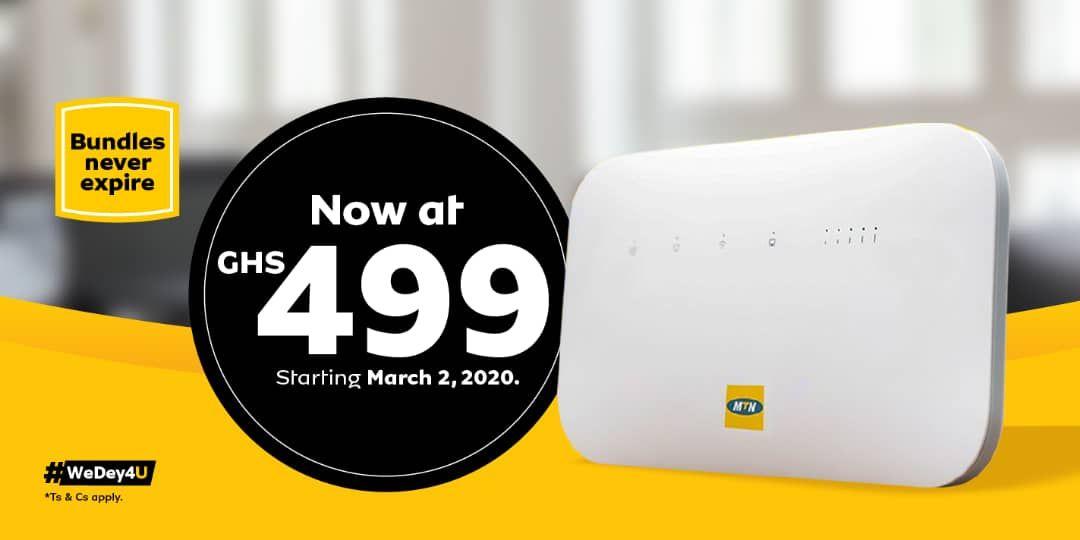
    The Turbonet router which used to be GHS 300 is now GHS 500; an increase slightly higher than 65%.

    Turbonet bundles have also seen various degrees of price increases with a higher cost for the same GB of the internet bundle.

    Customers have been complaining both about the increase in tariff as well as the increase in the price of the device itself.

    New Prices for MTN Turbonet (March 2020 Update)

    Here are the new prices for Turbonet bundles:

    Data Volume Old Price New Price
    5GB GHS 20.00 GHS 25.00
    10GB GHS 40.00 GHS 50.00
    20GB GHS 75.00 –
    45GB GHS 120.00 GHS 145.00
    90GB GHS 175.00 –
    225GB GHS 240.00 GHS 295.00
    550GB GHS 395.00 –

    The 20GB at GHS 75. 90GB at GHS 175 and 550GB at GHS 395 plans have all been taken off. However, there is now the option to buy any amount you want (Flexible Turbonet Data Plans).

    A nice quick hack was shared by Twitter user @Qwe_djo on getting an extra 100 GB:

    If you’re buying Turbonet data, instead of paying GHS 295 for 225 GB, Choose the “enter any amount” option and buy GHS 300 for 325 GB. That’s 100 gig extra for just GHS 5.

  • Why I Love ESET; How to get Antivirus Protection in Ghana [Giveaway]

    Why I Love ESET; How to get Antivirus Protection in Ghana [Giveaway]

    When it comes to the internet, personal data and electronic devices, especially those that communicate over the internet, security is a major concern.

    It’s not surprising to know someone that has been a victim of virus attack on their Personal Computers, mobile phones or Macbook. In fact, most people have devices that have been affected by one form of malware or the other and they don’t even know it.

    For a long time, I have used solutions from ESET to protect my devices, especially my work computer which I use to access the internet every day.

    My first encounter with ESET

    Way back in 2011, I was working in an Internet Cafe at Teshie, a suburb of Accra. The Cafe owner had installed ESET Nod 32 Antivirus on all the 12 computers that were there at the time including the server that was used for the internet cafe’s administration.

    At that time, I was used to a lot of “free antivirus” solutions and wondered why we had to use a solution that was not free.

    That was made clear to me soon enough.

    According to a customer of the internet cafe, the reason he loved to visit us was that anytime he brought his USB Drive to the cafe, there were no viruses on it when he went back home. Other cafes in the vicinity would usually infect his flash drive.

    It’s important to note from this story that a good security solution, like the one ESET, provides gives you or your business the peace of mind you deserve.

    Why I love ESET

    I currently use ESET Internet Security on my work Windows laptop and I’m loving it. Let me walk you through why I love that my laptop is protected by ESET.

    Ease of Use

    When it comes to downloading and installing ESET, the process is fast and fluid. The initial download file is less than 5MB. All you need to do is go to the official website, choose the product you want and download it.

    Once you have installed and chosen a trial or used a license (we are giving away some licenses below), ESET starts to scan your files and protect your device.

    With ESET, you simply install it and never have to go back to tweak lots of settings.

    Performance

    A lot of antiviruses and other security software end up slowing your computer and sometimes making it unusable.

    ESET doesn’t do that.

    ESET requires just about a 100 MB of Ram to operate efficiently and uses less than 700MB of disk space. It adds at most 3 processes to the list of tasks running on your machine.

    Due to this, after installing ESET, your machine will be secured, while continuing to run fast.

    Reliable Malware Protection

    ESET will find the latest worldwide threats and upgrade your protection automatically. Even if it is a threat that has never been seen before, ESET uses DNA scanning to automatically alert you of the threat.

    ESET is built on trust, standards, and transparency, the reason why they have an A+ rating with the Better Business Bureau.

    This means ESET will not steal your data or leave your device to be compromised in any way.

    Who can use ESET Security Products

    ESET has crafted out a number of solutions for almost everyone. Ranging from Individuals in Ghana to startups, small businesses, banks and other corporations, there is a solution for everyone.

    The fact that solutions have been tailored for almost every reasonable use case makes it even more fulfilling.

    Here is a list of some of ESET Security Products in Ghana and who it is tailored for.

    ESET Product Who Should Use it
    ESET Cyber Security Home devices running macOS
    ESET Cyber Security Pro Home devices running macOS and surfing the internet regularly
    ESET Internet Security Home devices running Windows and surfing the internet regularly
    ESET Multi-Device Security Total solution for home, office and businesses who have 3 or more devices to protect.
    ESET Nod 32 Antivirus Home devices running Windows
    ESET Parental Control Parents who want to keep their kids safe online
    ESET Small Office Security Pack SMEs and Startups who need to keep a wide range of devices safe on and off the internet
    ESET Smart Security Premium Home devices running either macOS, Windows, Android and Linux that are regularly surfing the internet.

    CITSYS Store, ESET Partners in Ghana

    Over the years, it has been very difficult to get ESET license keys here in Ghana as people didn’t know of any ESET Ghana Store.

    ESET has however been the security solution I have personally recommended to hundreds of my friends and acquaintances.

    However, a lot of people had complained that after the trial period, they couldn’t get any license keys.

    Well, I have good news.

    Recently, I came by a store in Accra, Ghana that sells all ESET keys, as well as provides other IT services.

    You can get all your ESET License keys at Citsys Store at very great prices. Just give them a call on +233302924323 or send them a WhatsApp message now.

    ESET Solutions and Price of License Keys

    These are the different ESET Products available and how much a license for the cost per year as sold at Citsys Store.

    ESET Product OS Supported Number of Devices Price per year
    ESET Cyber Security macOS 1 GHS 148.00
    ESET Cyber Security macOS 3 GHS 260.00
    ESET Cyber Security macOS 5 GHS 426.00
    ESET Cyber Security Pro macOS 1 GHS 233.00
    ESET Cyber Security Pro macOS 3 GHS 330.00
    ESET Cyber Security Pro macOS 5 GHS 543.00
    ESET Internet Security Windows 1 GHS 85.00
    ESET Internet Security Windows 3 GHS 330.00
    ESET Internet Security Windows 5 GHS 543.00
    ESET Mobile Security Windows 1 GHS 97.00
    ESET Multi-Device Security macOS, Windows, Linux 3 GHS 300.00
    ESET Multi-Device Security macOS, Windows, Linux 5 GHS 480.00
    ESET Multi-Device Security macOS, Windows, Linux 10 GHS 1,162.00
    ESET Nod 32 Antivirus Windows, Linux 1 GHS 75.00
    ESET Nod 32 Antivirus Windows, Linux 3 GHS 262.00
    ESET Nod 32 Antivirus Windows, Linux 5 GHS 426.00
    ESET Parental Control macOS, Windows, Linux – GHS 180.00
    ESET Small Office Security Pack macOS, Windows, Linux 5 GHS 736.00
    ESET Small Office Security Pack macOS, Windows, Linux 10 GHS 1,472.00
    ESET Small Office Security Pack macOS, Windows, Linux 15 GHS 1,874.00
    ESET Small Office Security Pack macOS, Windows, Linux 20 GHS 2,498.00
    ESET Small Office Security Pack macOS, Windows, Linux 25 GHS 2,663.00
    ESET Smart Security Premium Windows 1 GHS 388.00
    ESET Smart Security Premium Windows 3 GHS 451.00

    ESET Two Months License Giveaway

    Mfidie.com is giving some of our readers a free two months license for ESET.

    All you need to do is follow the following steps:

    1. Install ESET Internet Security on your PC (Make sure you remove any other antivirus installed to avoid conflicts)
    2. Take a screenshot of the Software running on your PC
    3. Post the Screenshot on Twitter and tag @mfidieHQ and @Citsysltd with a nice caption
    4. We will contact you via DM to give you your License key (So be sure to follow both accounts)

    Terms: The keys for the promo have been provided by Citsys Limited. Promo is valid while stocks last.

  • itel A56 (2020): Price, Specs, Features and Where to buy

    itel A56 (2020): Price, Specs, Features and Where to buy

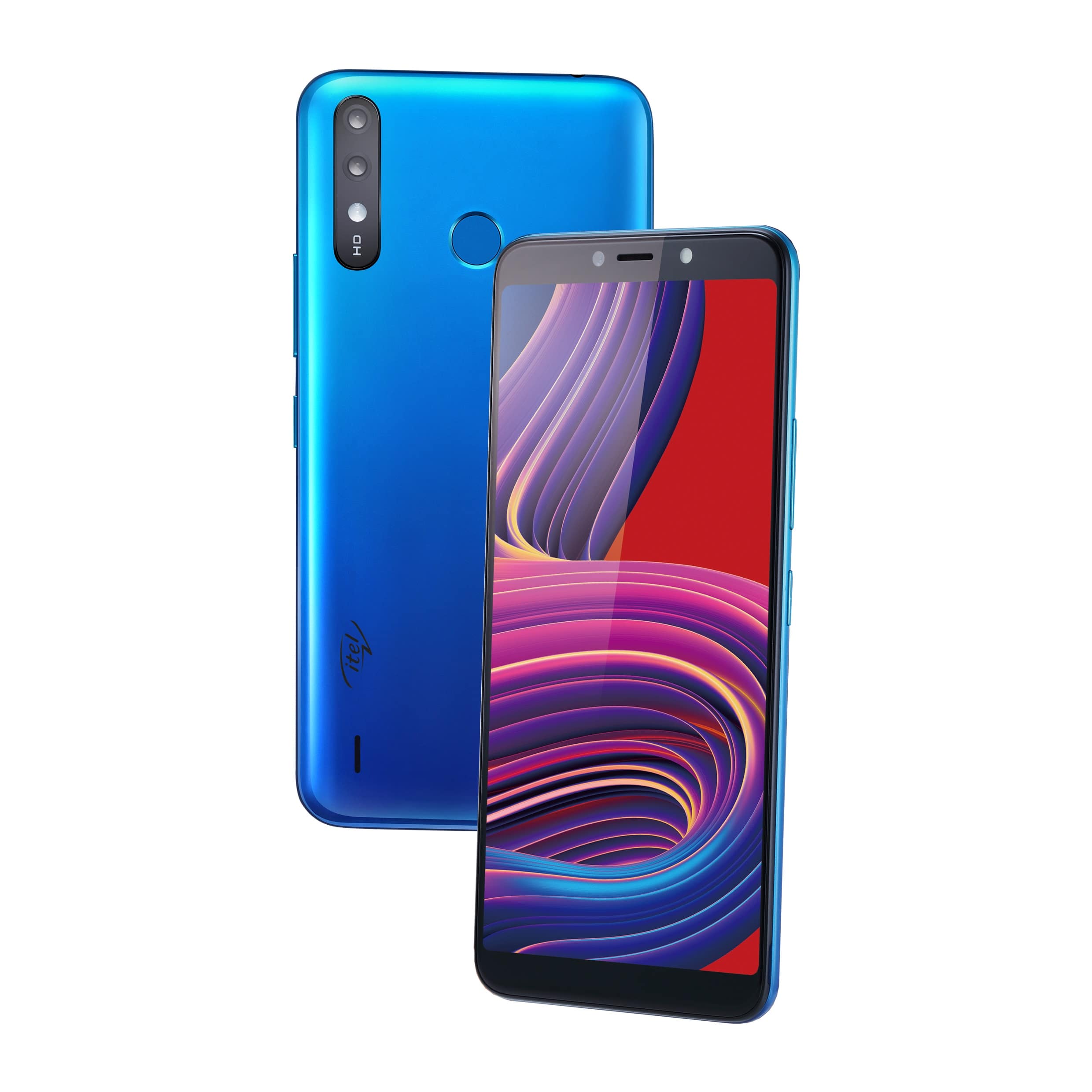
    We can confirm that itel Mobile has launched a new phone this March 2020. The new A-series itel phone is the itel A56.

    The itel A56 is the successor to the very popular A55. The A56 comes with improved battery performance and an updated Operating System (Android 9 Pie, Go Edition).

    As like previous A-series from itel Mobile, the A56 comes with just decent specs and is targeted at entry-level smartphone users, a reason why the price in Ghana is GHS 338.

    It features a 6.0″ FW+ IPS FullScreen (480 x 960 pixels) display. itel A56 also has a meagre 1GB of Ram and 16GB of storage which can be increased with an SD Card.

    itel A56 Specs

    itel A56Specs
    OSAndroid 9 Pie (Go Edition)
    Display6.0″ FW+ IPS FullScreen (480 x 960 pixels)
    ProcessorSC7731E Quad-core 1.3GHz
    Memory1GB of RAM with 12GB of expandable internal memory
    BatteryNon-removable Li-ion 4,000mAh
    Connectivity2G/3G
    Front camera5.0MP with Flash
    Rear cameras8.0MP AF + VGA
    ColoursGradation Blue, Black, Gold

    itel A56 Features

    Camera

    By trying to stay in touch with modern camera trends, there is an 8.0MP AF + VGA dual camera setup on the itel A56. The rear has a LED flash for added visibility in dark areas.

    The selfie camera is also a 5.0MP camera with Flash.

    Sources say the Camera can shoot a wide variety of modes including portrait mode, HDR, AI beauty mode, and automatic scene recognition

    Software, Performance and Security

    The itel A56 comes out of the box with Android 9 Pie Go edition due to the 1GB RAM. By using Android Go and a combination of lite apps, you should have a well-performing phone.

    With this budget phone, you should be able to run all your popular apps like WhatsApp, Youtube Go and Facebook lite.

    When it comes to the area of security, there is an available fingerprint sensor at the rear of the device. You can also set up the added face unlock security itel provides with the A56.

    Battery

    itel A56 is equipped with a non-removable Li-ion 4000mAh battery which is even higher than on the recently launched Huawei Nova 5T.

    With normal usage, the phone should be able to last a day on a full morning charge.

    itel A56 Price in Ghana

    The itel A56 is available at the following shops with Nationwide Delivery.

    StorePriceContact
    Mfidie Store (Nationwide Delivery)GHS 3380546090871
    Franko PhonesGHS 338Contact Shop
  • Huawei Nova 5T: Price, Specs, Features and Best deals

    Huawei Nova 5T: Price, Specs, Features and Best deals

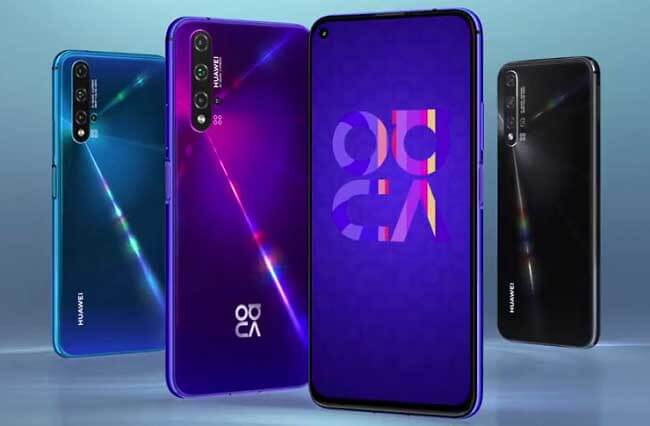
    It’s the second month of 2020 and a time to forget about all the phones of the past and look at what’s new. For Huawei lovers in Ghana, that would be the Huawei Nova 5T smartphone.

    The Nova 5T, which was recently launched in Ghana comes with 5 cameras!; the highlight of this beautiful device. Yes, you read right.

    The 5 Cameras consist of a 32 Megapixel punch-hole selfie camera and a quad (4) rear camera setup.

    The 4 cameras at the rear of the Huawei Nova 5T are made up of the following:

    • a 48 Megapixel main camera
    • a 16 Megapixel ultra-wide camera
    • a 2 Megapixel macro camera and
    • a 2 Megapixel depth camera

    The new device from Huawei also has a 6.26 HD+ display and runs on the flagship Kirin 980 chipset. With 8 GB of Ram, it’s a bit disappointing to see it run on Android 9; but that doesn’t take away from the phone’s amazing capabilities.

    And yes, the Huawei Nova 5T has the Google Play Store and all of Google’s Play services.

    [product id=”19046″]

    Huawei Nova 5T Specs

    SpecsHuawei Nova 5T
    Screen6.26-inch FHD+ IPS LCD Display (1080 x 2340 Pixels, 412 ppi) with 19.5:9 Aspect Ratio and Punch-hole Camera
    Operating SystemAndroid 9.0 Pie with EMUI 9.1
    ChipsetHiSilicon Kirin 980
    CPUOcta-Core CPU (2.6GHz Dual-Core Cortex-A76 + 1.92GHz Dual Core Cortex-A76 + 1.8GHz Quad Core Cortex-A55)
    GPUMali-G76
    RAM8 GB
    Rear CameraQuad Cameras:
    -48 MP Main Camera (f/1.8 Aperture, PDAF)
    -16 MP Ultra-wide (f/2.2 Aperture)
    -2 MP Macro (f/2.4 Aperture)
    -2 MP Depth SensorFeatures:
    -LED Flash
    -AI Scene Recognition
    Front Camera32 Megapixels (f/2.0 Aperture) with Screen Flash
    Storage128GB
    SIM CardDual SIM (Nano-SIM)
    Networks4G LTE, 3G HSPA+, 2G EDGE & GPRS Networks
    Wi-fiWi-Fi 802.11 b/g/n/ac (Dual Band)
    NFCYes
    BluetoothBluetooth 5.0
    PositioningA-GPS, GLONASS, Galileo, QZSS & BeiDou
    USB OTGYes
    USB PortUSB Type-C
    SoundUSB Type-C Audio Output
    BiometricsFace Recognition & Fingerprint Sensor (Side)
    SensorsGyroscope, Compass, Ambient Light Sensor, Proximity Sensor and Accelerometer
    Battery3750 mAh Li-Po Battery (Non-removable) with 22.5W Fast Charging (Huawei SuperCharge)
    MaterialGlass Front & Back with Metal Frame
    – Scratch Resistant Glass
    Dimensions154.25 x 73.97 x 7.87 mm
    Weight174 g
    ColoursBlack, Midsummer Purple and Crush Blue
    Launch Date19th February 2020
    PriceGHS 1,888

    Features of the Huawei Nova 5T

    Design and Display

    When it comes to the design of the Huawei Nova 5T the device comes with glass on both the front and the back and has metal sides.

    For most of the design, it follows on the path of the Huawei P30 Pro especially when it comes to the arrangement of the four rear cameras (vertically placed).

    One very unusual design we see in the 5T is the placement of the fingerprint sensor. The sensor, which is used to unlock the phone (when enabled) is conveniently embedded in the power button on the right side of the phone.

    Due to this design change, unlocking the phone is more natural and works faster than if you had the sensor behind the phone or in the display.

    The display of the phone, as we said earlier is a solid 6.26-inch full HD+ with a punch-hole selfie camera placement.

    As with most punch hole camera’s a total full screen could mean some UI elements may not show. However, there is an option to disable the punch-hole in the phone’s settings.

    The Huawei Nova 5T has a 6.26-inch full HD+ display with a punch-hole for the selfie camera.

    Out of the box, the is a screen protector installed on the device. For added security though, you could purchase a tempered glass specifically for the Huawei Nova 5T due to the cutout at the top that contains sensors.

    Battery

    The Huawei Nova 5T comes with a 3,750mAh battery. For most people, this might seem very small but due to software optimisations, this should be able to last you for a day for average users.

    For gaming and other heavy users, you should keep the charger that came with the phone with you to take advantage of the phone’s 22.5W fast charging technology called Huawei SuperCharge.

    Camera

    You can’t talk about the Huawei Nova 5T without talking about the five cameras it backs. There are 4 cameras at the back and another one at the front.

    The main camera among the quad setup at the back is a 48 Megapixel camera that brings out a 12 Megapixel although there is an option to change it to shoot an AI-assisted 48MP photo.

    You can achieve very beautiful photos when you have the AI module of the Huawei 5T cameras turned on.

    The second camera is a 16 Megapixels camera specifically for wide shots. This camera can help you shoot more of the scene in a single photo without the need to move around. The quality of this camera resembles that of the 48MP main camera.

    The other cameras are a 2 Megapixel camera that enables you to shoot photos as close as 4 centimetres to the subject when you choose the Super Macro shooting mode in the camera.

    Lastly, there is another 2 Megapixel Camera that helps in portrait mode to take photos with nicely blurred backgrounds.

    The Nova 5T camera is capable of recording videos at 4K resolution and 30 frames per second.

    Performance and Storage

    The Nova 5T is powered by Huawei’s own Kirin 980 chipset. This same chip is what is found on the flagship Huawei P30 and P30 pro.

    It’s no surprise that the 5T is expected to perform like a flagship. You should experience close to no lag on the phone and launching and switching between apps should be very seamless.

    There is no micro SD port or any form of additional storage on the Huawei 5T but that’s understandable considering the 128 gigabytes of storage the phone comes with.

    Huawei Nova 5T Price in Ghana

    The Huawei Nove 5T is selling for GHS 1888 in Ghana.

    You can buy the Huawei Nova 5T here on Mfidie.com Shop and have it delivered or by contacting any of the retail shops listed below or in the country.

    [product id=”19046″]

    While stocks last, when you buy the phone, you get a free HUAWEI Band4, HUAWEI Bluetooth Headset, Huawei Nova 5T Gift Box and 6 months Extended Warranty.

    The Huawei Nova 5T is available at the following shops:

    StorePrice (GHS)Contact
    Atapsa (Nationwide Delivery)18880547204973
    Mfidie Shop (Nationwide Delivery)18880546090871
  • How to stop Snapchat and Instagram from using all your data bundle

    How to stop Snapchat and Instagram from using all your data bundle

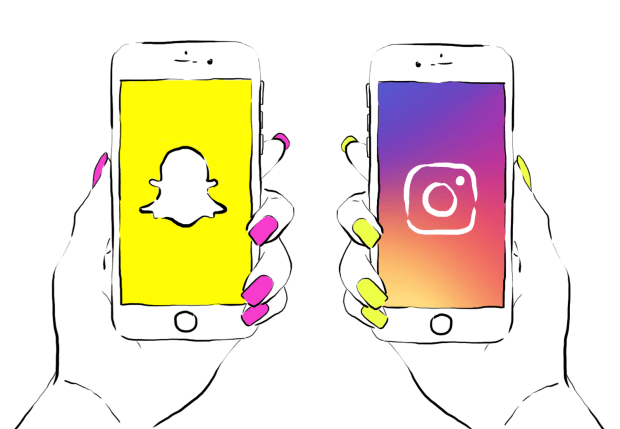
    Let’s stop Snapchat and Instagram from using all of our mobile data.
    Snapchat and Instagram are among the most used apps on most people’s phone.

    On the Play Store alone, there have been at least one billion and one hundred million (1,100,000,000) downloads among these apps. Not to talk about ioS and Windows (Snapchat is still not on the Windows OS).

    We use these apps every day to tell stories in various forms. I am not a big fan of Snapchat, but I do love to watch great stuff on Instagram.

    I have realised a lot of people complain these apps take a lot of their data plan, especially if you are on VodafoneX (and feel you can explore with your “free data”). These two apps are constantly updating their content in the background — whether you are using them or not. You just have to tell them to only be active when you open them up.

    Last time I met my friend Obed, I realised why Snapchat was taking up all of his data. I shared the trick with him and he was highly elated. I thought to share it with all of my readers here too.

    Snapchat

    1. Open Snapchat and tap on your Snapchat profile icon in the middle top of the screen, or swipe down
    2. Tap on the Settings cog in the upper right corner. Under Additional Services, tap on Manage Preferences
    3. Change the Travel Mode to On by making sure it is checked green

    What this does is that it prevents snaps from automatically loading, saving your data.

    If you want to view a friends’ story, you would first need to click on their name to get the snap to load. Some people have also claimed this trick helps to save battery life. I am yet to confirm that though.

    Check images below if you are confused.


    Instagram

    1. Open Instagram and go to your profile by tapping your profile photo on the lower right of the screen
    2. Tap the options in the upper right of your screen to go to the options screen
    3. Scroll down, under settings, tap Cellular Data Use
    4. Choose Use Less Data.

    Check images below if you are getting lost


    Well, let me know in the comments which apps have been using up your data and whether you plan on using these methods. I always love to hear from you.

  • Vodafone Red: Bundles, How to Activate and All you need to know

    Vodafone Red: Bundles, How to Activate and All you need to know

    When it comes to voice and data plans, Vodafone Ghana has been doing quite a lot to ensure that their consumers enjoy the best always. One of such experiences that have been around for quite a while is Vodafone Red.

    In this post, we look at the Vodafone Red Bundles available as well as if it is worth activating or subscribing. Don’t forget Vodafone also has the very popular Vodafone X, which has been around for over 3 years now.

    What is Vodafone Red?

    Vodafone Red is a complete voice and data plan by Vodafone Ghana that gives on-net and off-net voice allowance, data, international calls and SMS. The Vodafone Red experience ensures that subscribers do not have different sim cards for different purposes.

    Vodafone red gives weekly and monthly integrated bundles, giving you matchless value to take care of all your communication needs in one plan.

    Vodafone Red Bundles

    There are currently 6 Vodafone Red Bundles which you can activate. Out of these 6, 5 are for pre-paid subscribers on Vodafone while there is one exclusively for Postpaid Subscribers. Let’s now take a detailed look at all the Vodafone Red Pre-paid Bundles available.

    Here are the different Vodafone Red Bundles for prepaid customers:

    1. Red Life Weekly
    2. Red Rush
    3. Red Hott
    4. Red Classic
    5. Red Super

    Red Life Weekly

    What you Enjoy on this offer: 300 free minutes to call any Vodafone number, 30 minutes for calls to other local networks, 5 minutes for calls to USA, Canada and UK landlines, 150 MB Internet allowance, and 100 free SMS to any local network

    Offer Duration: The Red Life Weekly offer lasts for 7 days

    Offer Cost: GHS 5

    Red Rush

    Red Rush Voice

    What you Enjoy on this offer: 1000 mins to call all Vodafone numbers, 165 mins to call other local networks, 15 mins to call the USA, Canada and UK fixed lines, 800 MB data to browse the internet and 100 SMS to local networks

    Offer Duration: The Red Rush Voice offer lasts for 30 days

    Offer Cost: GHS 25

    Red Rush Data

    What you Enjoy on this offer: 1000 mins to call Vodafone numbers, 130 mins to call other local networks, 15 mins to the USA, Canada and UK fixed lines, 1.5 GB data to browse the internet, 100 SMS to local networks

    Offer Duration: The Red Rush Data offer lasts for 30 days

    Offer Cost: GHS 25

    Red Hott

    Red Hott Voice

    What you Enjoy on this offer: 2000 mins to call Vodafone numbers, 380 mins to call other local networks, 30 mins to call the USA, Canada and UK fixed lines, 2 GB data to browse the internet, 200 SMS to local networks

    Offer Duration: The Red Hott Voice offer lasts for 30 days

    Offer Cost: GHS 60

    Red Hott Data

    What you Enjoy on this offer: 2000 mins to call Vodafone numbers, 280 mins to call other local networks, 30 mins to call the USA, Canada and UK fixed lines, 4.5 GB data to browse the internet, 200 SMS to local networks

    Offer Duration: The Red Hott Data offer lasts for 30 days

    Offer Cost: GHS 60

    Red Classic

    Red Classic Voice

    What you Enjoy on this offer: 5000 mins to call Vodafone numbers, 800 mins to call other local networks, 100 mins to call the USA, Canada and UK fixed lines, 4 GB data to browse the internet, 200 SMS to local networks

    Offer Duration: The Red Classic Voice offer lasts for 30 days

    Offer Cost: GHS 120

    Red Classic Data

    What you Enjoy on this offer: 5000 mins to call Vodafone numbers, 600 mins to call other local networks, 100 mins to call USA, Canada and UK fixed lines, 10 GB data to browse the internet, 200 SMS to local networks

    Offer Duration: The Red Classic Data offer lasts for 30 days

    Offer Cost: GHS 120

    Red Super

    Red Super Voice

    What you Enjoy on this offer: 1000 mins to call Vodafone numbers, 250 mins to call other local networks, 20 mins to call the USA, Canada and UK fixed lines, 1.5 GB data to browse the internet, 100 SMS to local networks

    Offer Duration: The Red Super Voice offer lasts for 30 days

    Offer Cost: GHS 35

    Red Super Data

    What you Enjoy on this offer: 1000 mins to call Vodafone numbers, 185 mins to call other local networks, 20 mins to call the USA, Canada and UK fixed lines, 3 GB data to browse the internet, 100 SMS to local networks

    Offer Duration: The Red Super Data offer lasts for 30 days

    Offer Cost: GHS 35

    How to activate Vodafone Red in Ghana

    To activate any of the Vodafone Red Offers available follow the following steps:

    1. Make sure you have airtime to the tune of or above the cost of the subscription
    2. Dial 5353 on your Vodafone Mobile phone
    3. Select your preferred Vodafone Red Bundle
    4. Confirm to activate

    When all is done, the subscription cost is automatically deducted from your primary credit balance on your Vodafone account and you will immediately have access to whichever offer you chose.

    Vodafone Red Bundle Code

    For all those who don’t want to go through the call method to subscribe, the bundle code for Vodafone Red in Ghana is *200#. To subscribe, simply dial *200# and select from the list of Vodafone Red offers
  • How to get the Perfect Valentine Messages for your Partner

    How to get the Perfect Valentine Messages for your Partner

    We look at Valentine messages and resources! February has long been considered as the month of Love.

    There is no facet of our lives that technology doesn’t affect.

    In February 2017, Mfidie.com will put up posts dubbed “#ValentineSpecial” with a focus on technology and our love lives. This was the Second Post in the series. You can read the first part here: #ValentineSpecial: For Lovers – Every Couple should be using this app.

    Today, we look at two resources to get our Valentine message out and clear.

    1. Canva’s Amazing Designs

    Let’s start off with Canva. This web app can help you create beautiful designs for valentines day; whether you want to send to someone or you would want to use as a profile photo.

    When you open the page, sign up with an email or with your Social Media account. You should be presented with a field to choose what you would use canva for. Choose “Personal”. You will then be directed to another screen which will guide you through a tutorial on how to use the app. It only takes 23 seconds to be fully done with the tutorial.

    Canva has a whole lot of layouts, text and font options, elements, shapes, free photos, customisable background and the option to upload your own photo to be used in the design. It is a full free customization online service you can benefit from.

    I managed to create a card on Canva in a minute. It was quite simple and if you are very design-savvy, you should be able to do more. Start designing with Canva now to reflect your best valentine messages.

    Valentine messages example - The card I created on Canva.com
    The card I created on Canva.com

    2. Valentines Day Special App – Valentine Messages and More

    In February, a lot of apps show up claiming to do a lot of things. Well, no one will want to be stuck on Valentine’s day without a good message for their lover.

    And oh, do you even know why valentines day is celebrated?

    I crushed on this cool android app and it is amazing what it has – valentine messages as well as the history of the whole Valentine celebration.

    Screenshots of the Valentines Day Special App containing Valentine Messages
    Screenshots of the Valentines Day Special App

    This app is one of those that “contain everything” related to Valentine. It has a love tester, romantic text messages you can copy, personalise and send, horoscopes as well as activities.

    Valentine will be here soon so it’s important to be fully prepared for it with this app.
    Did I mention this app has tips for single people as well?

    And it’s free. Download the app from here: Valentines Day Special App

  • Ghana to launch universal QR code payment system in March 2020

    Ghana to launch universal QR code payment system in March 2020

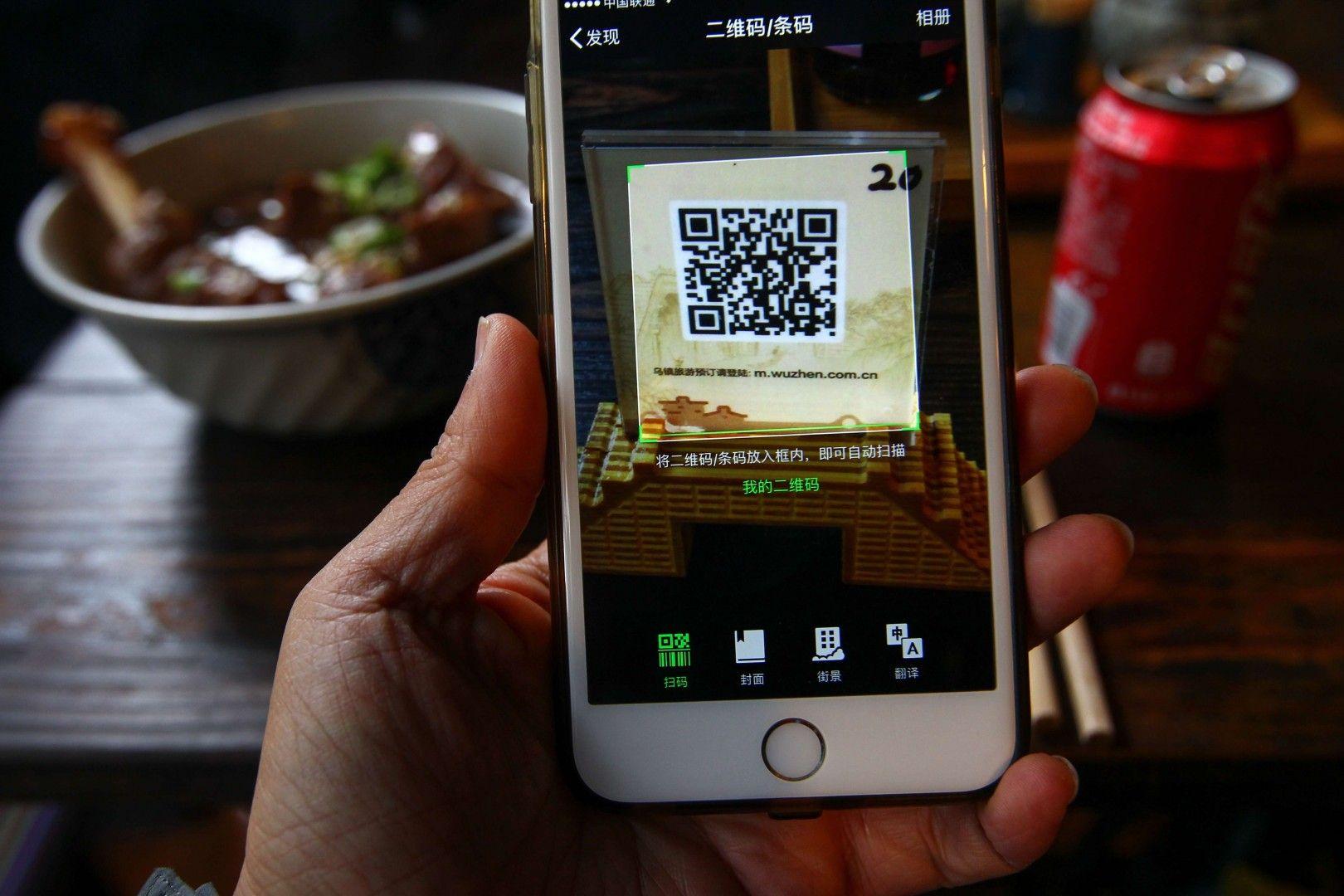
    Vice President of the Republic of Ghana, Dr Mahamadu Bawumia has revealed that Ghana is set to launch the Universal QR Code payment system in March this year, to reduce the handling of more cash in trade transactions.

    According to the Vice President of the Republic of Ghana, Dr Mahamadu Bawumia, Ghana will soon launch the Universal QR Code payment system next month in a bid to make Ghana cashless.

    The Vice President revealed this at the Government’s first-ever Town Hall Meeting which took place at the Kwame Nkrumah University of Science and Technology (KNUST), Kumasi in the Ashanti region

    He said: “Thanks to the Bank of Ghana, next month in March, Ghana will launch what we call, the Universal QR code payment system to make it possible for all retailers including the people who sell Kofi Brokeman and Waakye on the streets to receive payment from their customers directly on their mobile phones. Directly, without a point of sale device being necessary. This is a major transformation”

    Dr Bawumia emphasised that Ghana must take further advantage of the benefits of technology and digitisation in reaching for a major frontier of financial inclusion.

    According to Dr Bawumia, Ghana will be the first country in Africa to develop and use the Universal QR Code payment system.

    The Town Hall Meeting with the theme ‘Demonstrating Fulfillment of Our Promises’ outlined the Government’s achievements in three (3) years with a lot of focus on how the government is digitising the country.

  • ECG App: You can soon buy ECG Prepaid credit via your smartphone

    ECG App: You can soon buy ECG Prepaid credit via your smartphone

    Ghanaians who wish to buy prepaid credit from ECG will no longer need to visit a local vendor or join any long queues.

    The Vice President of Ghana, Dr Mahamudu Bawumia, at the first-ever Townhall meeting in Kumasi has revealed plans to make the purchase of ECG credit easy.

    According to the Vice President, there will soon be a mobile app for prepaid transactions so there will be no need to sleep in darkness when your credit runs out in the middle of the night.

    The new ECG app will make it very easy to buy credit any time of the day.

    He added: “Even if it is 2 am and you have run out of units, you [just] pick up your mobile phone, put in the digits and the meter will come on and all of it would go,”

    The ECG App is expected to be launched on February 18th 2020, although it is not yet clear if it will be compatible with all the current prepaid metres at launch.

    Dr Bawumia emphasized that the new ECG app is a game-changing move that would revolutionise purchasing of ECG prepaid units forever.

    “Not only will customers be able to buy for themselves, [but] you will also be able to buy units for someone else.”, he said.

    We at Mfidie.com can’t wait to see this App and of course review it.

  • 112: How to use Ghana’s new Emergency Hotline Number for Police, Fire, and Ambulance services

    112: How to use Ghana’s new Emergency Hotline Number for Police, Fire, and Ambulance services

    Today in Accra, the Government of Ghana distributed 307 ambulances to all the different constituencies in the country.

    In line with this distribution, the Government moved a step further to consolidate all the existing emergency numbers into one – the new 112 emergency hotline.

    What is an emergency number?

    An emergency number is usually a 3 digit easily memorable number that is provided to allow a caller access to local emergency services for assistance.

    In Ghana, it has been used to mainly reach the Police, Fire, and Ambulance services.

    Every country has its own emergency numbers and it is important to know the current one for Ghana and to be aware when it changes.

    What are the old emergency numbers for Ghana?

    191, 192 and 193 were dedicated to the Police, Fire, and Ambulance services of Ghana before the current move. Although 112 works for all of them, some of the services still maintain their old numbers.

    How to access the new emergency number for Ghana

    The emergency number for Ghana is 112. To access Police, Fire, and Ambulance services, just pick up your phone and dial 112.

    It is important to keep in mind that you can dial this code even when you don’t have call time on all the telecommunication networks in Ghana.

    The new emergency number for Ghana can also work from most phones even when they are locked.

    Conclusion

    Be sure not to dial the 112 emergency hotline for fun. Remember it has been put in place to save lives.