Author: Shepherd Yaw Morttey

  • Tecno Camon X and X Pro: Prices, Specs, Features & All you should know

    Tecno Camon X and X Pro: Prices, Specs, Features & All you should know

    The Tecno Camon X and Tecno Camon X Pro have been unveiled in Lagos Nigeria at the Tecno 2018 Global Spring Launch.

    The two phones are successors to the Tecno Camon CX which was released last year.

    The Tecno Camon Series is a family of camera-focused phones, but in recent times, they have also been upped to offer better productivity and the Camon X and Camon X Pro look to be towing the same line.

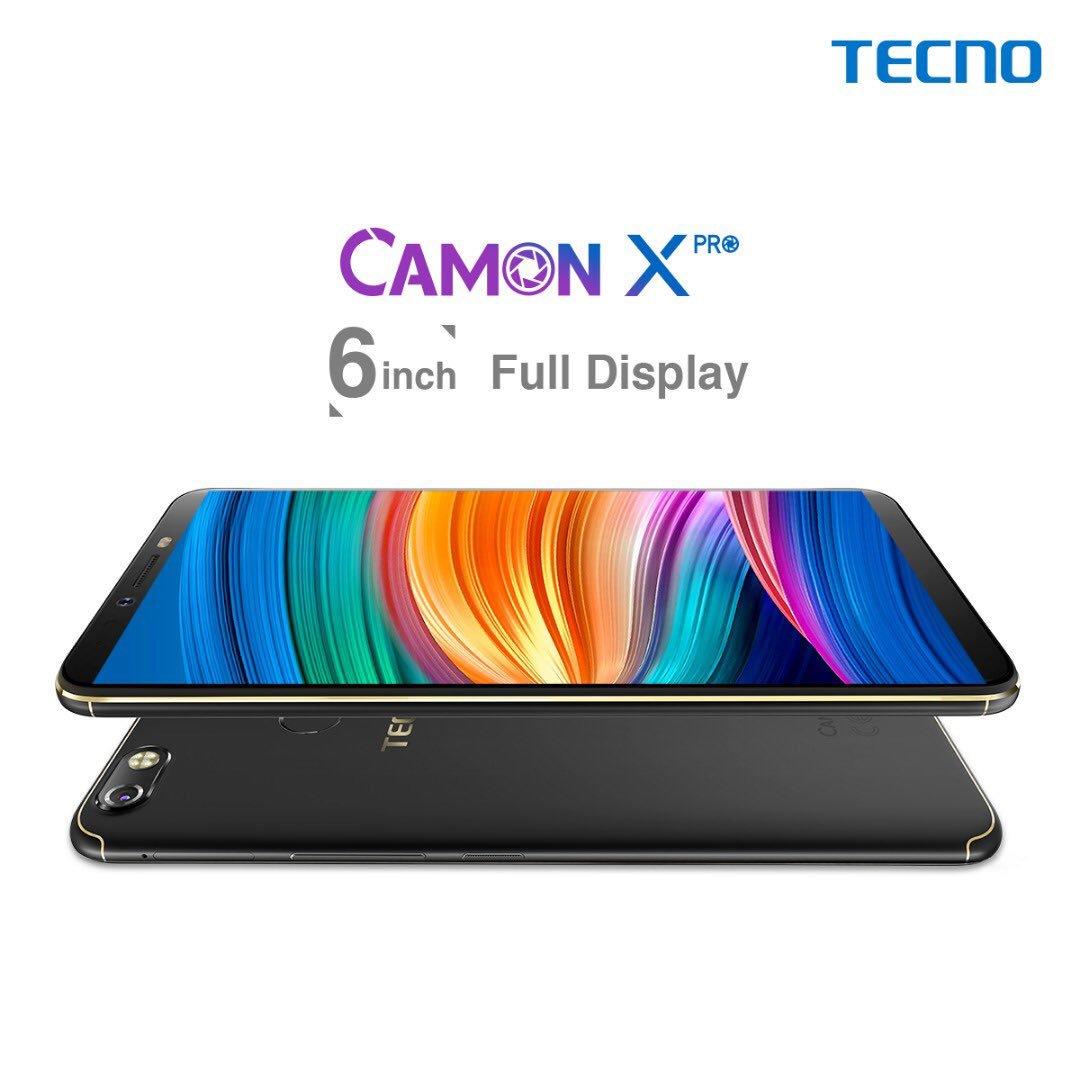
    The main differences between the Camon X and the Camon X Pro are the display and the megapixels for the front camera.

    The Camon X has a 6-inch Full Display and the Camon X Pro has a 6-inch FHD Display. Also, the front camera of the X is 20MP whereas the X Pro has 24MP, both of which take “clear selfie”.

    Tecno Camon X Specifications

    Display 6-inch HD+ 720x1440pixels,
    18:9 aspect ratio
    2.5D curved display
    RAM and Storage 3GB RAM; 16GB internal storage
    Processor 2.0GHz Octa-core processor
    Camera 16MP back camera with ring flash
    20MP front camera with dual flash
    Security Fingerprint Scanner, Face Scanner  Face ID)
    Battery 3750mAh
    Operating System Runs Android 8.1 Oreo
    Network Supports 4G networks

    Let’s now look at the specifications of the Camon X Pro.

    Tecno Camon X Pro Specifications

    Display 6-inch FHD,
    18:9 aspect ratio
    2.5D curved display
    RAM and Storage 4GB RAM; 64GB internal storage
    Processor 2.0GHz Octa-core processor, Helio P23 Processor
    Camera 16MP back camera with ring flash
    24MP front camera with dual flash
    Security Fingerprint Scanner, Face Scanner (Face ID)
    Battery 3750mAh
    Operating System Runs Android 8.1 Oreo
    Network Supports 4G networks

    Other Features of the Tecno Camon X and Camon X Pro

    Face Scanner or Facial Recognition (Face ID)

    The Tecno Camon X and X Pro will come with Facial Recognition for quick unlocking.

    Front Camera (Selfies) Features

    The front camera on both phones is one of the amazing “new” things Tecno has added.

    First, there is the  “4-in-1” mode. In this mode, the camera utilises 4 different small cells to balance colour and lighting and combines them into one picture. There is also the Bokeh effect mode (yes on the front camera) to place more focus on your face and blur out the background.

    The front camera also features an Intelligent adjustable flashlight and 3-HDR modes for portrait and group selfies.

    And the very surprising one: “AI-powered” selfie beautification. Tecno is taking things to a whole new “intelligent level” with AI beautification for selfies. With this, artificial intelligence will beautify your selfies.

    Performance and Processing Power

    The Tecno Camon X and X Pro are packed with the Mediatek Helio P23 MT6763T chip with Octa-core processor and 64-bit CPU architecture. The 8-cores of processor boasts of a speed of 2.0GHz with 16nm process technology as well. Both devices are powered by the ARM Mali-G71 MP2 graphics processor.

    Difference between Tecno Camon X and Tecno Camon X Pro

    Although both phones look very similar, there are four areas where they are different. These are:

    Feature Tecno Camon X
    Tecno Camon X Pro
    RAM 3 GB 4 GB
    Storage 16 GB 64 Gb
    Front Camera 20 Megapixels 24 Megapixels
    Display HD+ Screen FHD+ Screen

    Pricing and Availability of the Tecno Camon X and Camon X Pro

    Tecno Camon X and X Pro Price in Ghana

    Here are shops you can get the TECNO Camon X and Camon X Pro in Ghana:

    TECNO Camon X Price in Ghana

    Store Price Contact
    Mfidie Shop (Nationwide Delivery) GHS 710 0546090871
    Jumia Ghana (Nationwide Delivery) GHS 795 0544991140

    TECNO Camon X Pro Price in Ghana

    Store Price Contact
    Mfidie Shop (Nationwide Delivery) GHS 1199 0546090871
    Jumia Ghana (Nationwide Delivery) GHS 1299 0544991140

    However, when available, you can get free Data from MTN when you buy the devices.

    How to get Free Data on MTN after buying the Tecno Camon X or Camon X Pro in Ghana

    Compose an SMS with the words “MBS” without quotation marks. Send the composed SMS to MTN short code 151 and it will be processed for you. Having problems getting the data? Contact your seller.

    Tecno Camon X and X Pro Price in Kenya

    In Kenya, the Tecno Camon X costs Ksh 19,000 while the higher end Tecno Camon X Pro Coasts Ksh 22,999.

    Tecno Camon X and X Pro Price in Nigeria

    The retail prices for the Tecno Camon X  in Nigeria are 65,000 Naira.
  • A Flagship Comeback: 4 Reasons why I’m in love with the Nokia 8

    A Flagship Comeback: 4 Reasons why I’m in love with the Nokia 8

    It’s been a long while!

    What we’ve all been waiting for has finally come; what Nokia fans in Ghana and around the world have been clamouring for has come. Yes! A proper flagship from arguably the most iconic mobile phone brand – Nokia!

    My first phone was a Nokia, and among my friends, it’s difficult to find anyone who has not had a Nokia experience. For the past few weeks, I have had the Nokia 8 – a GHS 2,200 flagship from Nokia.

    In my last post, I went hands-on with the Nokia 8. The device features an aluminium unibody design with tapered edges, giving it the looks of a flagship. The polished look matches the device’s overall smooth feel.

    After 3 weeks of using the phone, here are 3 reasons why I’m totally in love with it.

    Nostalgia and the “Nokia Promise”

    For a Nokia phone, one would expect nothing less than durability and ease of use.

    The Nokia 8 delivers on both. during the time I’ve had it, it has dropped more than 5 times (I think it is a bit too slippery). Well, never once on those occasions did it restart, go off or hang. The screen is still intact and in very good condition.

    Also, it is very easy to adjust to this phone if you are coming from another android phone or from iOS. The back, home and menu keys are lined right below the screen respectively.

    Oh yeah, and did I forget to mention the startup tone? that good old Nokia tone. Still refreshing and satisfying.

    https://www.instagram.com/p/BgZRCWBlZQ1/?taken-by=mfidie

    Wonderful integration with the Google Assistant

    I have been using the Google Pixel 2 for a while before the Nokia 8. Before then, I’ve had other phones with the Google Assistant installed on them but none of them was as smooth as the Pixel 2.

    The Google Assistant is a virtual personal assistant developed by Google that is primarily available on mobile and smart home devices. It’s the equivalent of Siri on Apple Devices or Cortana on Windows Devices.

    Well with the Nokia 8, the integration with the Google Assistant is wonderful. On the same level with the Pixel 2. I have had a lot of fun using the Google Assistant on the Nokia 8.

    https://www.instagram.com/p/BgbDctjlirv/?taken-by=mfidie

    What’s more, some very great productivity too. With the Google Assistant, you can unlock your phone (although I prefer passwords).

    A Flagship-esque Performance

    When it comes to performance, you really see why the Nokia 8 is a flagship. The phone pulls off a 1440 x 2560 resolution on a 5.3-inch screen – a very sharp screen.

    The Nokia 8 is powered by a Snapdragon 835 and has 4GB of RAM, which provides enough power for even graphics and memory-intensive games and apps. Day to day use of the phone is no problem with the device opening and running all the numerous apps I had installed on it with ease.

    There is also the 64GB of storage and a microSD slot so you can add up to 256GB more storage if needed. Space, sorted!

    Battery. On paper, the battery of the Nokia 8 doesn’t seem interesting – a mere 3,090mAh. However, in use, it is a superpower.. With moderate use, the Nokia 8 easily lasted through until the next day (always connected to wifi). Heavy users needn’t worry about charging in the middle of the day, too, as the battery has proven that it can last throughout the day.

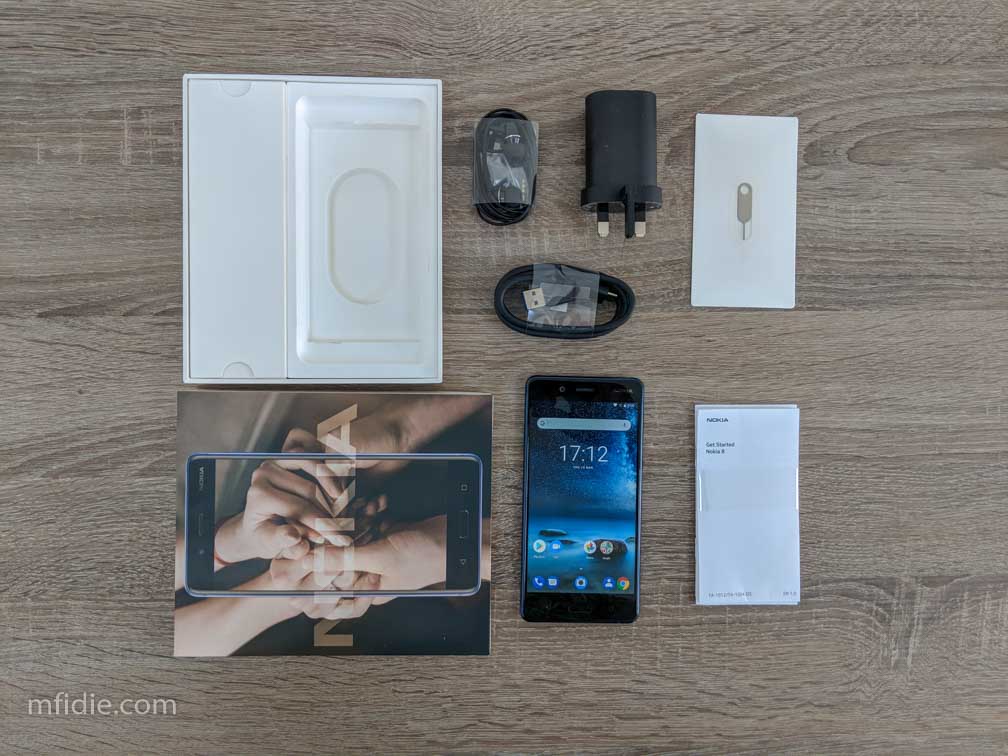
    The presence of the 3.5mm jack also meant that there were premium headsets in the box. I listened to couple of albums on Deezer and the audio was great.

    Pure Android, Latest Android versions, Latest Security Updates

    One thing that is taken for granted by some Android users and OEMs is security and latest software. Well, HMD Global’s Nokia 8 runs on Pure Android. No skins.

    This means that you will have the latest version of Android as and when Google Makes them available. When I had the phone, it was on Android 7.1.1. in just a few minutes, it seamlessly updated to Android 8.1.0 Oreo.

    https://www.instagram.com/p/Bg3VFm7n-k-/?taken-by=mfidie

    Considering the fact that big names like Samsung are just about now getting Android Oreo for the Galaxy 8, Nokia has done very well; an advantage pure android presents.


    To wrap it up, the Nokia 8 feels great and provides a sweet android experience. However, I would have wished it had the ability for fast charging and the back didn’t feel so slippery (I keep dropping it). Maybe soon, HMD Global will have some cases for it.

    Overall, it is good value for money, and a good comeback to begin with.

    The Nokia 8 is currently selling in Ghana for GHS 2,200. It’s truly a flagship

  • Heads Up! MTN to start giving flash SMS notifications on bundle usage

    Heads Up! MTN to start giving flash SMS notifications on bundle usage

    MTN Ghana has come under pressure in recent times over how “quickly” their bundle disappears. Last week, a friend told me how her 2GB of data just vanished in a day.

    Well, personally, I don’t believe data can just vanish, except in some rare scenarios where there have been genuine mistakes from telcos (some of which never really get solved), the secret to how fast your data is consumed lies in your browsing habits. We shared tips on how to prevent some apps from using all your data.

    For example, I asked this friend to check her data usage to see which apps were actually responsible for her loss. The result – WhatsApp had used over 2GB in just a few days.

    Since the introduction of the status feature, WhatsApp has been consuming a lot of data and lots of people don’t even realise. The truth is that a video status lasting for 30 seconds is averagely 20MB per the videos I post on my status. Watching just 5 of these videos will set you back around 100MB.

    Why all this explanation when we are talking about flash notification on bundle usage?

    Well, for starters, before this, MTN does not give indications as to when your bundle is getting finished. Networks like Vodafone and the then Airtel (now AirtelTigo) inform you when your bundle is being used. There are notifications for 50% usage, 90% usage, etc so you have a fair idea how much data you have remaining.

    These notifications help to keep a subscriber in check, hence the good news that MTN will send Class 0 Messages on bundle usage. A few people will ask: ‘What are flash notifications or Class 0 messages?”.

    What is a Flash SMS Notification?

    A message that appears on the recipient’s mobile screen directly. The recipient does not need to go to the mobile phone inbox to read the message, nor is the message allocated to the SMS inbox. Flash SMS is a Value Added Service feature to the standard SMS delivery and is most commonly used to immediately catch the recipients’ attention. Flash SMS Notification is also known as a Class 0 Message, mostly on Apple Devices.

    On the MTN Network, a typical example of an SMS Flash Notification is the call summary that one receives at the end of every call, detailing the call cost and duration.

    MTN Flash SMS Notification on Bundle Usage

    Although MTN has said that the feature will be active starting 3rd April, there is no real guideline as to how often notifications will roll out.

    Some users were, however, less than enthused about the feature.

    Update:

    The most recent message from MTN Ghana’s Facebook Page indicates that users will be able to reply with 1 to renew their bundle OR 2 to approve charging from their main account.

    The message read: “Y’ello! Please be informed that from 3rd April, 2018 you will be receiving prompts on your bundle usage. Kindly reply with 1 to renew your bundle OR 2 to approve charging from main account.”.

    However, it there is still the problem of notifications for those who use their mifi or devices that can not receive flash.

    What do you think about the feature? Will getting notifications as you use your bundle help you to properly manage and check your usage?


    Thank you for reading. Don’t forget to share this with your family and friends. For the latest tech news and reviews, follow Mfidie on Twitter, Facebook, Instagram and subscribe to our YouTube channel.
    If you want to be part of our team of writers or you want to Guest write, send a WhatsApp Message to 0242022161 or simply call. You can also fill the form here to join our team and we will contact you back.

  • On the way: Expected Specs of TECNO Camon X and X Pro

    On the way: Expected Specs of TECNO Camon X and X Pro

    The Camon series, TECNO’s’s camera-centric phones will see 2 new addition when the TECNO Camon X and TECNO Camon X Pro are launched in Lagos, Nigeria during the Tecno 2018 Global Spring Launch, scheduled to come off on April 5, 2018. The two phones are successors to the very popular TECNO Camon CX.

    TECNO has been teasing these new devices on social media for a while now, and it is now official that it is launching on April 5th.

    Expected Specs and Features of the TECNO Camon X and X Pro

    Software

    We expect both devices to run the latest version of Android – Android 8.0 or Android 8.1 (Oreo) with security patches up to at least February 2018. The HiOS 3.3 UI skin should be present on the two phones as well.

    Display

    Both devices are expected to be 6 inches and as shown on teaser images, we expect to see a Full-HD+ IPS Display. Oh, and don’t forget the Camon CM ushered in the 18:9 screen ratio for Tecno phones and the X and X Pro are not expected to be any different in that regard.

    Performance

    The TECNO Camon X and X Pro are expected to pack in them either an Helio P23 or a Snapdragon 430. However, the Helio seems more certain. When it comes to RAM and Storage, the Camon X will have a combination of 3GB Ram + 32GB Storage space while the Camon X Pro will be slightly higher with 4GB of RAM plus a whopping 128 GB of storage.

    Camera

    Oh yes, remember we said the Camon Series is a camera focused series? This means we expect a lot from the camera of the phone.

    Judging from other online publications, there has been a mention of a 60 MP Camera. I don’t see how that’s possible without a major redesign of the rear of the phone unless TECNO is using technology like that of the Pure View from Nokia.

    However, we expect that the rear camera of both phones will at least have a 12 + 20 MP Dual Rear Camera setup with quad-LED flash, interpolated. Another surprise will be with the front, where we expect to see a 8 MP Dual front Camera with dual LED flash.

    It is expected to have some more fancy stuff with the camera, like the Blink Tech, which allows photos to be taken once a person blinks at the camera.

    Other Specs

    The battery is expected to have an improvement with 4000mAh and fast charging compatible on both devices but you shouldn’t be surprised to see the usual 3000mAh as has been the case with earlier TECNO Camon phones.

    Other expected features

    60MP Camera? Well, that’s what is to be expected from a few sources, but I think the basic hardware will make that very difficult for now. However, April 5 is not so far away.

    Yes, there will be Facial Recognition for unlocking the phones.

    I have also heard talks about a built-in liquid cooling system for the TECNO Camon X and TECNO Camon X Pro. This is something I think is unlikely. TECNO, in my opinion, will focus on devices that don’t heat up too much than one that heats up so much that it needs a cooling system. However, the feature could be introduced also for marketing gains.

    Are you excited about the TECNO Camon X and X Pro? What will you like to see them offer? Leave a comment below.


    Thank you for reading. Don’t forget to share this with your family and friends. For the latest tech news and reviews, follow Mfidie on Twitter, Facebook, Instagram and subscribe to our YouTube channel.
    If you want to be part of our team of writers or you want to Guest write, send a WhatsApp Message to 0242022161 or simply call. You can also fill the form here to join our team and we will contact you back.

  • Download DenTymz App from PlayStore and Relive old High School days

    Download DenTymz App from PlayStore and Relive old High School days

    Which Senior High School did you attend?

    Ghanaians and essentially a lot of people all over the world pride themselves with the schools they attended. However, after school, most of the things that happened are mere memories, and reunions are very difficult most of the time. It’s life!

    What if all the fun you had or missed from back in the days can be brought to your doorstep? What if there is one place where you can have live feeds of high school events like the National Science and Maths Quiz, Milo games, Athletics events etc?

    Introducing DenTymz

    On DenTymz old students of every high school is on one platform, grouped into their schools hence users can have the privacy of sharing content among just their alma mater or share content so old students from other schools would see. Single-sex schools who had alliances can also see the alliance page in their navigation drawer.

    Speaking with Rudolf, founder of DenTymz, he said: “So the idea for DenTymz came about one evening, I was just singing “Gyama” from back in the day and it just hit me, after school how do we even relate? All we have are Alma mater facebook accounts and WhatsApp groups.  And these platforms are meant for the individual schools.”

    Features of DenTymz

    Grouped Postings

    Post into your school and it will be seen by all who completed the school as well as anyone who follows it.

    Post into your year group and it will be seen by only those who completed the school and from the same year group If your school has an alliance with another school such as in the case of some single-sex schools, you will get extra options to post to your alliance school or year group and the same logic applies.

    Follow Schools

    Follow other schools to view what alumni from those schools are sharing Alumni who follow your school will also see what you share if you post into your school.

    Easily Switch Feeds

    Switch between posts from your school and all schools you follow using the Home option from your navigation drawer Switching to your school will only show posts from your school Switch to your year group to see posts from only your year group If your school has an alliance with another school in the case of some single-sex schools.

    You will get extra options to navigate to your alliance school or alliance year group.

    Chat with your friends

    Users can also send chat requests to people they want to chat with and catch up on without leaving the App.

    Personality of the Week

    The app also has the “personality of the week” feature where notable people in our society who have made it through the struggle of school time share how they made it and what they are doing now. Users can also send chat requests to people they want to chat with and catch up on without leaving the App’s interface.

    Check out Screenshots from the DenTymz App:

    Download DenTymz

    Although in the beta phase, you can still download DenTymz from Google PlayStore. Follow DenTymz on Facebook.

  • Huawei P20, P20 Pro (2018): Full Specs, Price, Features & All info

    Huawei P20, P20 Pro (2018): Full Specs, Price, Features & All info

    For all of the Huawei lovers in Ghana, it’s all good news. Device manufacturer, Huawei has expanded its line-up earlier today by launching two new smartphones in an event in Paris.

    The company has announced Huawei P20 and the P20 Pro with major highlights of the smartphone being their camera capabilities.

    Following the lines of Apple’s iPhone X, Huawei P20 series smartphones sport a notch at the top of their 19:9 aspect ratio Full View displays as well as vertically aligned dual cameras at the back. Here is a look at what all the new Huawei smartphones have to offer.

    (more…)

  • MTN Content Manager: This MTN Shortcode may solve your problems

    MTN Content Manager: This MTN Shortcode may solve your problems

    MTN Ghana has a whole lot of shortcodes for services in Ghana. For a lot of people, it’s just experimentation to try out which services work or which ones are nice.

    The majority of people are mostly unimpressed with some of these services but are also unable to unsubscribe from them. Note that before now, the easiest way to stop a service was to send “STOP” to the shortcode that the service delivered messages or alerts on.

    There comes a problem, however – more often than not, unsubscribing or stopping a service does not seem to work. Sending stop to the shortcode does not give any feedback, and hence there are no results. And there is also the issue of receiving messages from real sender IDs and not shortcodes. In this way, users find it difficult to stop services.

    I have personally tried several times to unsubscribe from some services but failed. What’s more? The long waiting time to speak to an MTN agent via the call centre is something that puts me off. For me, it’s a joy that the MTN Content Manager is here, and it comes with a shortcode that is not so easy to remember, after all, that’s why there are shortcodes!

    What does the MTN Content Manager do?

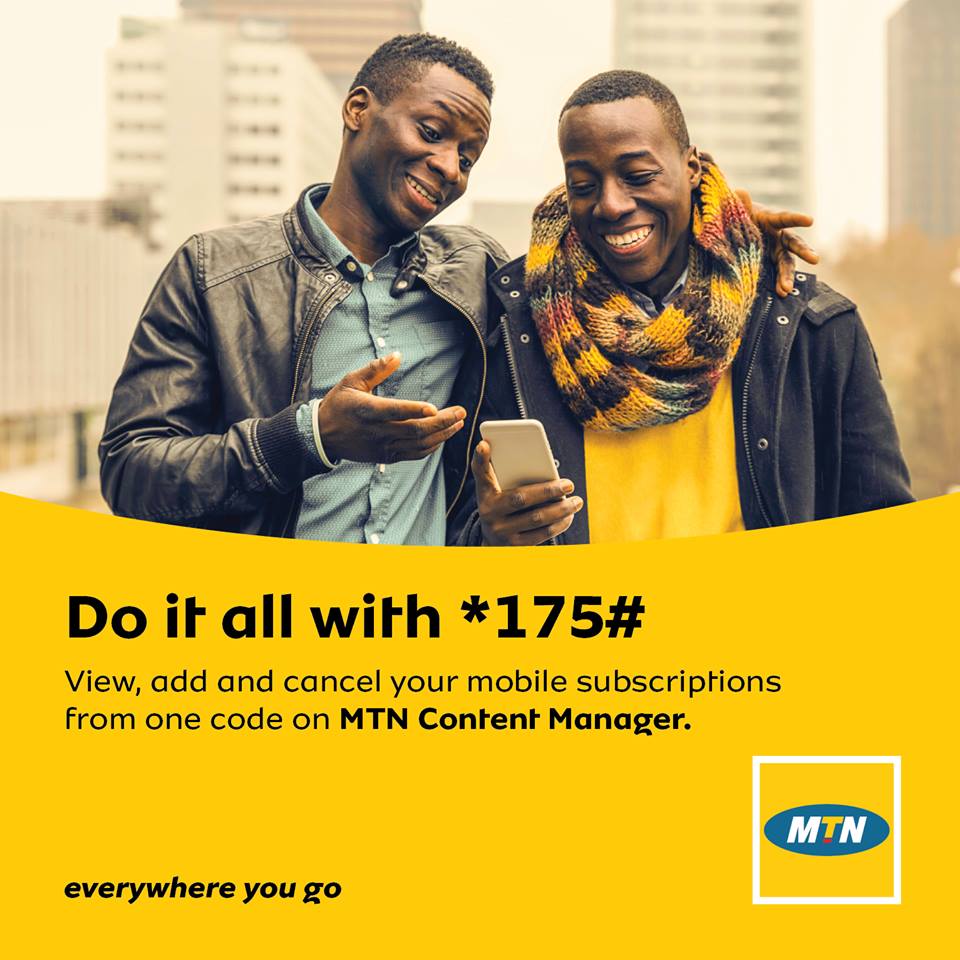
    The MTN Content manager is a portal that users can access by dialling *175# on their MTN phones. The portal, which runs via USSD enables MTN subscribers to view, add or cancel MTN Services and Subscriptions.

    How to unsubscribe from an MTN Service via the Content Manager

    • Dial *175# on your MTN Phone to access the dashboard.
    • Choose Option 1 (My Subscriptions)
    • A record of your current subscriptions will show up.
    • Choose the subscription you would want to stop
    • Select “stop”

    And that’s how to unsubscribe from services easily on MTN.

    Need help with an MTN Service? Leave a comment below.


    Thank You For Reading. Don’t Forget To Share This With Your Family And Friends. For The Latest Tech News And Reviews, Follow Mfidie On Twitter, Facebook, Instagram And Subscribe To Our YouTube Channel.
    If You Want To Be Part Of Our Team Of Writers Or You Want To Guest Write, Send A WhatsApp Message To 0242022161 Or Simply Call. You Can Also Fill The Form Here To Join Our Team And We Will Contact You Back.

  • How to download a copy of everything Facebook knows about you

    How to download a copy of everything Facebook knows about you

    After Cambridge Analytica released a report regarding the access of millions of Facebook user’s data, people around the world were shocked to learn how much of their information was stored on the social media network. For the lot in Ghana, it doesn’t seem to be a big issue.

    However, for those who are interested and are curious, there is a way to determine how much Facebook knows about you. Users can download and archive their own data from Facebook by going to their Facebook settings.

    Here are a few of the many things Facebook knows about you:

    • Your basic Information like your name and phone number
    • Your current and past relationships
    • Things you like and those you don’t like
    • What you look like, by using facial recognition algorithm
    • Every photo and video you’ve uploaded to Facebook with data on when you took the photo, where you took the photo, and your IP address when you uploaded it.
    • Every advert you have ever clicked on Facebook

    How to download all of your Facebook Data

    1. Go to Facebook.com/settings on your PC or click at the top right of any Facebook page and select Settings.
    2. Tap “Download a copy of your Facebook data.”
    3. Tap “Download Archive.”
    4. It might take a few minutes, but Facebook will alert you when your archive is ready.
    5. When it is, click “Download Archive” again, and a zip file will download to your computer.
    6. Browse through that archive by opening each file inside the folder.

    Again, what you’ll find is that this is an entire history of your life on Facebook. Need help? Leave a comment below.

  • Apple proposes 13 new emojis to represent people with disabilities

    Apple proposes 13 new emojis to represent people with disabilities

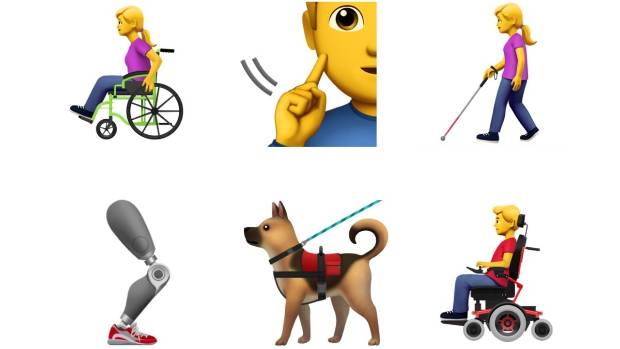
    Apple has outlined a series of emojis “to better represent individuals with disabilities,” according to a proposal submitted to the Unicode Consortium.

    People on social media have been cheering for what some called long overdue representation. Emojis with hearing aids and using sign language, wheelchairs and white canes are among the proposed options for iPhones.

    The proposal states that emojis “may not represent the experiences of those with disabilities,” but that diversifying emoji options “helps fill a significant gap and provides a more inclusive experience for all.” 

    One in seven people around the world has some type of disability, whether visible or not, according to the proposal.

    According to the submission, the new emojis focus on four main categories – blind and low vision, deaf and hard of hearing, physical and motor skills, and hidden disabilities.

    They include:

    • an ear with a hearing aid
    • a man and woman walking with a cane
    • a guide dog
    • a prosthetic arm
    • a prosthetic leg
    • a man and woman signing they are deaf
    • a service dog
    • a man and woman in a manual wheelchair and
    • a man and woman in a mechanical wheelchair.

    The move has been met with a lot of positive response on social media, with some people claiming it is long overdue.

    The proposal also included search data from Google for the included disabilities to showcase the relevance and need for the new emoji line.

    It wasn’t immediately clear when or if the proposed emojis would be approved.


    Thank You For Reading. Don’t Forget To Share This With Your Family And Friends. For The Latest Tech News And Reviews, Follow Mfidie On TwitterFacebookInstagram And Subscribe To Our YouTube Channel
    If You Want To Be Part Of Our Team Of Writers Or You Want To Guest Write, Send A WhatsApp Message To 0242022161 Or Simply Call. You Can Also Fill The Form Here To Join Our Team And We Will Contact You Back.

  • Standard Chartered Bank’s Cyber Security Summit 2018 organised in Accra

    Standard Chartered Bank’s Cyber Security Summit 2018 organised in Accra

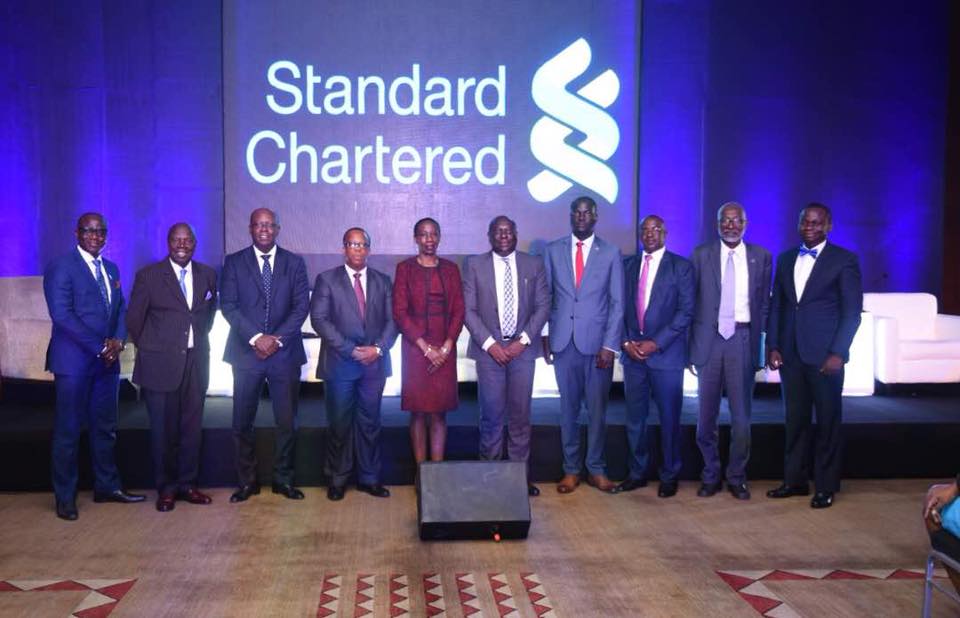
    Standard Chartered Bank Ghana has organised a Cyber Security Summit in Accra. The summit, which took place at the Mövenpick Ambassador Hotel, engaged top stakeholders in the banking and security sectors.

    Technologies such as big data analytics, the Internet of Things (IoT), the blockchain, and mobile computing are reinventing the way companies, especially those in the financial and banking sectors handle everything, from decision making to customer service. The automation of virtually all business processes and the increasing digital connectedness of the entire value chain create agility, but they also significantly raise cybersecurity risks and threat levels.

    The 3-hour event saw an educative and insightful panel discussion on cybersecurity issues at the government, institutional and end-user level which a focus on how to prevent and tackle the threats.

    In attendance were representatives of the Police and telecommunications networks, as well as key stakeholders in the financial and security sectors of the country. Also invited and in attendance were students of the University of Ghana Business School and Ashesi University students.

    The panel discussion was moderated by Bernard Avle. Panelists for the day were:

    • Alex Bram, Co-Founder at HubTel Ghana,
    • Prof. Nii Narku Quaynor, a scientist, and an engineer who has played an important role in the introduction and development of the Internet throughout Africa,
    • Sheikh Jobe, Chief Information Officer of Standard Chartered Bank, West Africa,
    • Hon. Vincent Sowah Odotei, Deputy Minister of Communication, and
    • Archie Hesse CEO of GhIPSS

    Professor Nii Narku Quaynor confessed that “Globally, we do not know how to create systems that are bug-free”. Therefore, there was the need to raise awareness of cyber crimes and put risk mitigation plans in place at the various level of application usage and management.

    Alex Bram of HubTel put forward that the first Cyber threat always comes from within an organisation. It was therefore imperative that when fighting against Cyber threats, start from within.

    The Deputy Minister of Communication, Hon. Vincent Sowah Odotei expressed Government’s commitment to fighting cybercrime and stressed on the fact that the government takes such threats seriously. According to him, the Government has put a lot in place to ensure that there is Cyber Security.

    Perhaps the biggest revelation and probably the most satisfying for a lot of the people in attendance and those who watched the live stream on Facebook was the revelation by Michael Mensah, the Head of ICT at the Bank of Ghana (BoG). In his speech, he said that the Bank of Ghana will soon require financial institutions in the country to publish their cybersecurity policies.

    Mr Mensah further hinted that a bill is expected to be passed by parliament soon and this will ultimately will help banks to “achieve both business and security-focused objectives as well as regulatory compliance in an efficient and effective way.”

    At the end of the summit, one thing was clear – there was the need to tackle cyber threats collectively, and as such all players in the cybersecurity space needs to come together to create viable solutions. Like Archie Hesse, the CEO of GhIPPS rightly put it: “Coming together to work on Cyber Security for the industry is something we should aim for.”


    Thank You For Reading. Don’t Forget To Share This With Your Family And Friends. For The Latest Tech News And Reviews, Follow Mfidie On Twitter, Facebook, Instagram And Subscribe To Our YouTube Channel.
    If You Want To Be Part Of Our Team Of Writers Or You Want To Guest Write, Send A WhatsApp Message To 0242022161 Or Simply Call. You Can Also Fill The Form Here To Join Our Team And We Will Contact You Back.