Category: FinTech

  • Move Secure: How To Use This Escrow to Avoid MoMo Fraud

    Move Secure: How To Use This Escrow to Avoid MoMo Fraud

    Mobile Money (MoMo) has become the preferred payment method for services by many Ghanaians across the country. This is mainly because of its easy-to-use feature which makes it ideal for both the young and old, literate and illiterate, and also those using feature “yam” phones and smartphones.

    Because of the high patronage of mobile money (MoMo) by Ghanaians, fraudsters have also taken advantage of this to rip people off the money in their wallets. This problem has been affecting both the educated and the uneducated in society.

    With just a few words from these fraudsters and the way they talk to you, you might end up falling victim to them and through the process lose your money to them. Unfortunately, most of the time, the money lost cannot be recovered and this might be very worrying, especially in these times that money is hard to come across.

    In response to these mobile money frauds and their related issues, an escrow service has been introduced by Nsano to help facilitate secure mobile money transactions and through the process eliminate the activities of fraudsters and scammers. Therefore, in this article, I am going to show you everything you need to know about Move Secure and how to use it to prevent you from being scammed on MoMo.

    What is an Escrow?

    According to Investopedia, an escrow is a legal concept describing a financial instrument whereby an asset or money is held by a third party on behalf of two other parties that are in the process of completing a transaction. The escrow account might include fees managed by agents who hold the funds or asset until receiving appropriate instructions or until the fulfillment of predetermined contractual obligations.

    To break it down into everyday English, an escrow simply represents a third party who receives goods or money from someone on behalf of two people. So, once the agreement by the two (2) parties is met, then the escrow will release the fund or good to the respective party.

    For example, Kofi is selling an iPhone 13 Pro Max for GHS 12,000 and Ama wants to buy it through an escrow. What happens is that Ama will send the money to the escrow (who is an unbiased third-party) and once the product is inspected and meets the agreement made by Kofi and Ama, then they will both contact the escrow for the money to be sent to Kofi. In case the product does not meet the criteria or Ama is dissatisfied, the money will then be sent back to Ama, and the iPhone 13 Pro Max will also be sent back to Kofi.

     That is exactly how move secure operates. Move Secure will hold the money in trust until both the vendor and the buyer confirm their satisfaction with the transaction. Otherwise, the buyer will get his or her money back.

    How To Use Move Secure So People Can’t Use MoMo to Fraud You

    There are two (2) main ways you can use Move Secure, i.e., on the mobile app or using the USSD.

    How To Use Move Secure Using USSD

    1. Dial *718# on your device
    2. Select option 2 (Move Secure)
    3. Select option 1 (Make Payments)
    4. Enter the merchant code or phone number you are paying the money to
    5. Select the network of the phone number (registered on mobile money)
    6. Enter the amount
    7. Enter the description of the product or service (max. 60 characters)
    8. The details will be shown to you. Press 1 to confirm or 2 to Cancel. You can also press 1# to go back or 0# to go Home
    9. A confirmation will be sent for you to authorize the payment.

    How To Use Move Secure Using The Mobile App

    1. Download the MoveGH app from the Google Play Store or the Apple App Store
    2. Once the installation is complete, open the app
    3. Click Next to read through the instructions or Skip to skip
    4. Tap on Sign up
    5. Enter your First name and Last name and press Next afterward
    6. Select your mobile network and enter your phone number, press Next afterward
    7. If you would like to add your email, enter it in the provided space or tap Skip
    8. Enter a PIN and confirm it
    9. Once the sign up is complete, log into your account and follow the screen prompt

    Conclusion

    In terms of disputes or conflict with the transaction, you can use the same procedure but instead of selecting payment, you must select dispute and follow the on-screen prompts. Move Secure was introduced to make sure the activities of fraudsters are minimalized gradually.

    In this article, we have talked about everything you need to know about Move Secure: the escrow which has come to combat fraud in mobile money transactions. The steps are very easy and straightforward thereby allowing everyone to be able to use them.

    Since many people are not aware of this, please share it with your friends and loved ones as you might be helping someone who needs this. Your comments and concerns are also welcome in the comments section below.
  • How To Open An Account With Ghana Commercial Bank Online

    How To Open An Account With Ghana Commercial Bank Online

    Generally, private companies are known to be performing very well than most government and state-owned institutions especially banks. In Ghana, this is very evident as many people prefer to work for private companies than to work for government agencies (except the forces).

    But one state-owned institution that has been able to stand the test of time and gradually give private institutions in the banking sector is the Ghana Commercial Bank or GCB for short. Many people in Ghana prefer to keep their money at the Ghana Commercial Bank than some other private banks and financial institutions.

    This could be attributed to the trust they have in the bank as a state-owned institution thereby making it difficult for it to be closed. You will remember that several financial institutions were shut down some few years ago for failing to meet the minimum capital requirement and some of their customers have still not been paid their money.

    Because of the stress that we sometimes go through to open bank accounts, most people prefer to open bank accounts online. Unfortunately, at the moment the Ghana Commercial Bank does not provide its prospective customers with an option to open a bank account online.

    I know you might be wondering why then the heading says how to open an account online, that is because whenever there is an available option, we are going to be the first to inform you. Instead of opening an account online, this article is going to give you the information you need to open an account with the Ghana Commercial Bank so that, whenever you are ready you will have all the required information for your account to be created for you in just a short time.

    Requirements When Opening An Account With Ghana Commercial Bank

    When opening an account with Ghana Commercial Bank, there are some requirements you must meet. Without these, your account cannot be created for you and so they are mandatory and should be held or met by each prospective customer.

    • Two (2) recent passport-sized photograph
    • Valid national photo identity (Passport, Driver’s License, or Voter ID)
    • Taxpayer Identification Number (TIN)
    • Proof of residence (Utility bill (water, electricity, or waste), tenancy agreement, employer’s reference letter)
    • Ghana Post GPS address
    • A minimum amount of GHS 80 as an initial deposit

    How To Open An Account With Ghana Commercial Bank

    1. Visit any of the Ghana Commercial Bank branches in all the 16 regions of Ghana
    2. Pick up an account opening form depending on the type of account you want to open (we will discuss this in the next paragraph)
    3. Fill in the forms with all the relevant information. These are usually your full name, next of kin, mobile phone number, email address (if any), occupation, etc
    4. Submit the forms together with the requirement listed above
    5. Wait for the teller to open the account for you
    6. Upon successful completion, an SMS will be sent to your phone (if you opted for it) and all the other information will be given to you by the teller or the person in charge.

    Types of Account At Ghana Commercial Bank

    There are different types of accounts that are classified under major headings and each type of account has its own forms. Basically, all these accounts fall under either current or savings accounts.

    Entities Account

    The entity account is primarily for companies and entities.

    • Limited Liability Companies (LLC)
    • Foreign Companies and Subsidiaries
    • Partnership
    • Sole Proprietor
    • Non-Government Organisations (NGOs)
    • Societies / Clubs / Associations / Trustees
    • Government Ministries, Departments, Agencies, and Authorities
    • Schools / Institutions

    Individual Account

    Just as the name suggests, this type of account is meant for an individual who wants to open an account and manage it himself or herself.

    • Individual account
    • Joint account
    • Trust account
    • Kidistar account
    • Executors account
    • Administrators account
    • Client account

    Link 2 Home

    This type of account is for people who live outside the shores of Ghana but like to keep money in their Ghanaian bank account. Anyone who is a Ghanaian but lives outside Ghana can go in for this type of account since it has several features which make it possible for you to manage while outside Ghana.

    Conclusion

    Although it is not possible to open an account with the Ghana Commercial Bank (GCB) online at the moment, this article has given you everything you need to know about the account opening process and the requirements you must meet before an account can be created for you.

    Ghana Commercial Bank has been in existence for over 68 years now and as such can be trusted as a haven to keep your money. In terms of accessibility, there is a Ghana Commercial Bank branch in almost every major town in all the 16 regions of Ghana. Therefore, if you have considered opening an account with Ghana Commercial Bank, I hope this article helps you decide on whether to move forward or not.

    Do you have any questions or contributions? Please feel free to leave it down in the comments section below and I will be glad to assist you.

    Can I open a bank account online?

    Yes, several banks such as Standard Chartered Bank and United Bank of Africa (UBA) allow you to create an account online for free with no initial deposit required.

    How can I create a GCB account online?

    Currently, there is no way you can open an account with GCB online. The only way you can open an account is by visiting any of the nearest branches nationwide.

  • How To Make Payments with GhQR Code

    How To Make Payments with GhQR Code

    Ghana is currently one of the leading countries driving the force for a cashless society in West Africa and the entire African continent at large. With the introduction of services like mobile money interoperability and the Ghana.GOV payment platforms, it is becoming obvious that we are gradually making a process in the quest to become a digitally cashless society.

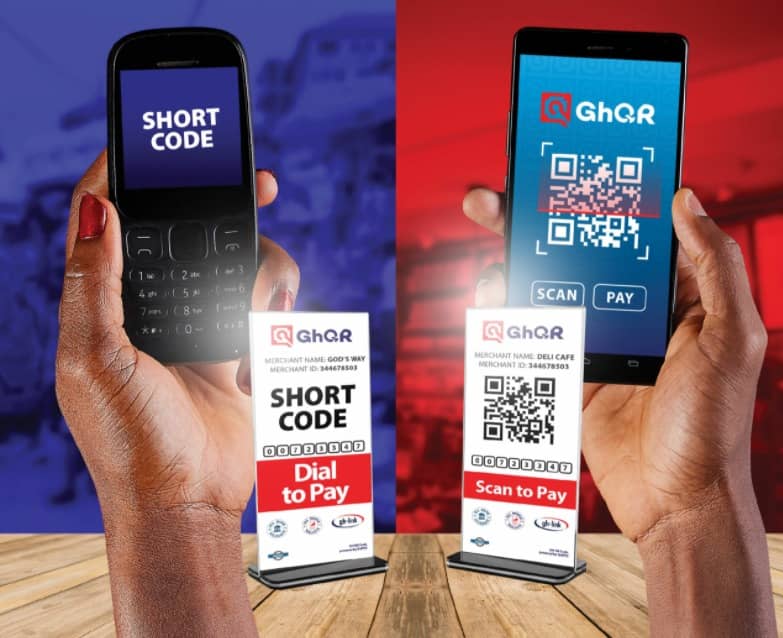
    Also added to the list is the GhQR code payment system which is going to serve both businesses and their consumers in Ghana. Unlike the traditional method of payment where the consumer had to pay for goods and services with physical money, the ghQR code payment system allows users to pay for services by using their smartphones.

    The payment can be made using a bank account, mobile money wallet, or even debit or credit cards. In terms of security, all payments made using the GhQR code are safe and protected by the Ghana Interbank Payment and Settlement Systems Limited (GhIPPS).

    GhIPPS is a subsidiary of the Bank of Ghana, and its core mandate is to implement and manage interoperable payment system infrastructures for banks and non-bank financial institutions in Ghana. Therefore, the GhQR code payment system was implemented by the Ghana Interbank Payment and Settlement Systems Limited (GhIPPS).

    What is a QR Code Payment System and How Does it Work?

    A QR code payment system is a payment system where a unique code is given to merchant (company or individual providing a service) to allow for quick payments into their account without the consumer or buyer having to go through the long process of entering the details of the merchant when making the payment.

    Simply put, a QR code is given to the merchant and whenever someone wants to make a payment, all that the person has to do is to scan the code, and then he or she can make the payment in a few minutes.

    Unlike most other QR codes, the ghQR code comes with a unique feature for persons who are not using smartphones, i.e., “yam”. People like that can simply use a USSD code to pay for their services to the merchant.

    To use the GhQR code, customers do not have to possess a bank account, they can also do so using their mobile money wallet if they have one. Merchants on the other hand are able to receive the payments made using the myGH QR payment system directly and securely into their bank accounts.

    How To Make Payment With GhQR Code

    There are two (2) ways you can make payments with the GhQR code. You can make your payments using the QR Code scanner or by using the mobile shortcode (USSD).

    How To Make Payment With GhQR Code Using The QR Code Scanner

    1. Download the myGH pay app from the Google Play Store or the Apple App Store
    2. After the installation of the app, login or sign up with your details
    3. Open the camera and point it towards the QR code displayed by the merchant
    4. A notification will be shown once the scanner recognizes the code in its database
    5. Tap on where you are asked to tap and finish the payment
    6. Follow the on-screen instructions to finish the payment with the required information
    7. Upon successful completion of the payment, both the customer and the merchant will receive a notification on their devices.

    How To Make Payment With ghQR Code Using The USSD

    1. Dial the appropriate USSD code displayed on the list by the merchant
    2. Follow the prompts to enter the required information
    3. Confirm the payment and enter your code to complete the transaction
    4. Upon successful completion of the payment, both the customer and the merchant will receive a notification on their devices.

    Conclusion

    Even in a world full of smartphones and devices, not everyone has access to some of these devices and the fact that they don’t doesn’t mean that they should be left out of the national cake. Therefore, since people with non-smart devices can also use the GhQR code payment system is very amazing.

    Depending on the amount you are paying and your mobile money service provider, some extra charges may apply. Therefore, make sure you have more than the exact amount in your wallet before you proceed to make the payment to prevent your transaction from failing.

    How does the GhQR work?

    Once you open the app and scan the QR code displayed by the merchant, you will be redirected to a page to complete the payment. Upon successful completion, both the buyer and the seller will receive a payment confirmation message.

    What is the meaning of GhQR?

    The Gh stands for Ghana and the QR also represents Quick Response. Therefore GhQR simply means Ghana Quick Response.

  • G-Money: How To Register And Manage Your Account For Maximum Security

    G-Money: How To Register And Manage Your Account For Maximum Security

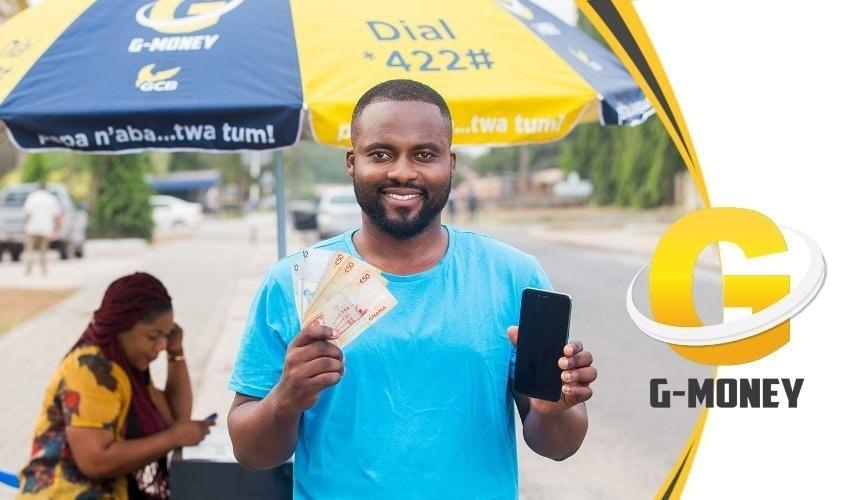
    G-money is GCB Bank’s product for the rapidly growing Mobile money market in Ghana.

    Launched in the early days of 2020, G-money is the best alternative Mobile money platform available in Ghana currently.

    The G-money platform can be used to send and receive cash from all mobile money platforms available in the Country. It can also be used to pay bills and pay for subscriptions as well.

    All banking services can be transacted on the G-money network and withdrawals can be done from G-money agents across the nation.

    As such, it is important for us to know how to register for an account on the G-money platform and how to secure our accounts as well.

    In this article, I shall lead you through the process of registering for a G-money account and the ways through which you can keep your account security on an ‘A’ level.

    How To Register For a G-money Account

    Registering for a G-money account is as simple as registering for any other Mobile Money service in Ghana currently.

    The service is open to anyone with Ghanaian identity and a registered Mobile Simcard. It works on any kind of network so long as it is Ghanaian.

    To register for the account, you need to follow the steps below:

    Visit any registered G-money agent or any branch of GCB Bank with a valid Ghanaian photo ID. It could be a voter’s ID, passport, Driver’s License or National ID. You’ll also be required to provide your name in full, your date of birth, your digital address, a registered phone number and an email address.

    Apart from the E-mail address, all other information mentioned above is very important and cannot be skipped in the registration process.

    Once the registration is done, you’ll receive a text message from your mobile operator indicating that you’ve been registered on the service.

    To access the account, you can dial *422#

    How To Secure Your G-Money Account

    Security is one thing we cannot joke with even in the least of all situations.

    When it comes to money and financial issues, security is a topmost priority for most people.

    This is not any different in the case of the G-money accounts. As an account holder and a subscriber to the platform, one needs to secure their account from security threats.

    The key to your G-money wallet is your Personal Identification Number (PIN). This is the code you use to authorize all transactions in your account.

    To secure your account completely, do the following:

    1. Keep your PIN in your head only. Do not share with anyone except you are 100% sure that you can trust them.
    2. Do not reply to any online survey asking you to enter your G-money PIN Code.
    3. Do not save your G-Money PIN on your mobile phone.
    4. Only authorize transactions you can actually confirm knowledge of.

    Conclusion

    The digitization of the world’s economy and the Ghanaian economy, in particular, is a forward trend which would only grow bigger and bigger by the days.

    Meaning, subsequently, all forms of digital payments available now would evolve into even better payment systems which would meet the demands of the moment.

    GCB Bank’s G-money is leading the pack for the new age of digital payments in Ghana.

    As important as the G-money service is to Business owners and the general Ghanaian populace, it is also important for users to secure their accounts from criminals.

    There have been several forms of criminal activities regarding the operation of Mobile Money services in Ghana. Most of which are fraudulent activities.

    Majority of these can only be perpetrated when the person has access to your PIN.

    I hope and believe that this article was instrumental in giving you all the security tips you need to know about your G-money wallet and how to register for an account as well.

    If you have any comments, reservations or questions regarding this article, kindly leave them in the comment box below or get in touch with us.

    Kindly do well to share the article with your friends and family.

  • How To Open a UBA Bank Account on Your Phone

    How To Open a UBA Bank Account on Your Phone

    In 2020, the coronavirus pandemic took the whole world by surprise. Most people had already laid out their plans for the year but just a few months into the year, all those plans got thrown into the trash. 

    In all this, one thing that most of us learned is the need for a mobile banking partner or service. Currently, in Ghana, there are over 10 banks that offer mobile banking services and one of the trusted banks that most people rely on is the United Bank for Africa (popularly known by many as UBA). 

    But unlike the rest, not all the banks in Ghana allow their prospective customers to create a bank account on their phones from the comfort of their homes. UBA on the other hand, allows users to open a bank account on their phones for free; and in this article, I am going to show you how to open a UBA bank account on your phone.

    Types of Accounts Available at UBA

    Before we get into the main reason for this article, you must know the various types of accounts that are available for UBA’s prospective customers. This way, you rest assured that you have chosen the right type of account for the right job.

    There are mainly five (5) types of accounts available at UBA. These are professional, student, self-employed, diaspora, mass retail, and business. All these five accounts are mainly classified under two main categories i.e. savings and business accounts. You can visit the UBA website to read about each type of account and its details.

    How To Open a UBA Account on Your Phone

    Opening a UBA account on your phone is straightforward. Also, there are several ways you can go about it but in this article, I am going to show the two (2) main ways you can go about it. You can do so by using the web, Messenger/WhatsApp.

    How To Open a UBA Account on Your Phone Using the Web 

    1. Open a web browser on your phone and visit www.ubagroup.com/open-a-uba-account-online/
    2. Click on OPEN ACCOUNT or OPEN A CURRENT ACCOUNT under the type of account you want to create (Savings Account or Business Account respectively) 
    3. On the welcome page, choose your country of residence and click Submit afterward
    4. Enter your name, gender, phone number, date of birth, email address, address, in the spaces provided
    5. Under Select a branch, choose a UBA branch that is closer to where you stay
    6. Upload your passport-sized photo, signature, and proof of residence in the spaces provided
    7. Afterward, tap on I agree to the terms and conditions and then Submit
    8. Upon successful completion, a congratulations message will be shown on the next page with your account name and account number

    How To Open a UBA Account on Your Phone Using Messenger or WhatsApp

    1. Send Hi to Leo on WhatsApp (+233577822822) or Messenger (search for UBA ChatBanking)
    2. Select option B (Account Opening)
    3. Enter your first name and last name after the question What is your first name? and What is your last name? respectively
    4. After the next question, enter your date of birth in the format DD/MM/YYYY
    5. Next, select your gender using A (Female) or B (Male)
    6. After the next question, enter your physical address (to receive communication materials from UBA)
    7. Enter your email address or type skip if you don’t have any
    8. The next step is to upload your passport photograph
    9. Choose the letter next to the type of account you want to open
    10. Enter the City or street name close to the nearest UBA branch
    11. Type the letter next to the UBA branch nearest to you
    12. Finally, download and read the terms and conditions for Account opening. If you agree with the terms, type Yes or No otherwise
    13. A congratulations message will be sent to you with your account number and the next steps.

    Conclusion

    Creating a bank account on your mobile phone has never been this easy. In just a few minutes, you can get a UBA account with your account details right on your phone without having to visit any UBA branch to join any queue. In this COVID-19 period, you and I can both agree that this is a good way to create a bank account.

    Even though most people are afraid of creating a bank account in Ghana due to the collapse of several banks some few years back, UBA was one of the banks which were able to meet the minimum capital requirement and as such, it is one of the trusted banks to do business with.

    Since it is an African (international) bank, UBA customers can use their accounts in almost every African country whenever they travel outside their country of residence. Therefore, if you are interested in transacting with UBA, then follow the steps outlined in this article to create your UBA account on your mobile phone for free. 

    How can I open a UBA account using USSD?

    To use the UBA USSD code for your account opening, dial *822# and follow the screen prompts.

    What can you do with the UBA transfer code?

    If you have a UBA account, you can use the shortcode *822# to buy airtime, or transfer money to a UBA account, your UBA Prepaid, or other bank accounts.

    How can I upgrade my UBA mobile account?

    You can visit any of the UBA branches spread throughout the country with your National ID to upgrade your mobile account to your preferred choice.

    Is the UBA Prepaid card for UBA customers only?

    No. You can visit any UBA account with your National ID and proof of residence and you will be issued a UBA prepaid card in less than two (2) hours.

  • MTN Mobile Money Down for customers across Ghana

    MTN Mobile Money Down for customers across Ghana

    Update: As at 22:01 GMT, MTN’s Mobile Money service seems to have been restored.

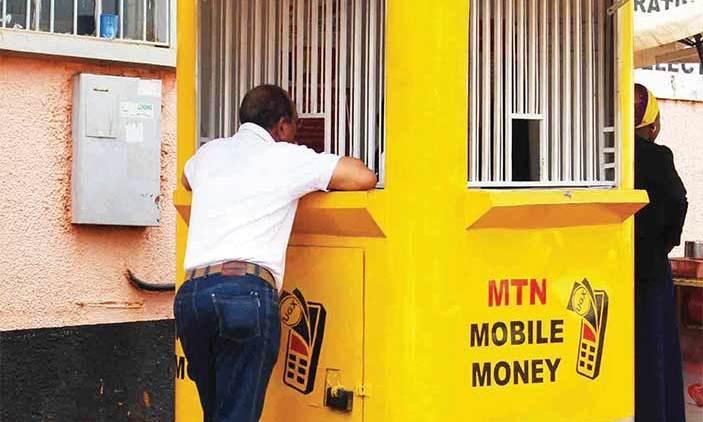
    A lot of customers on MTN Ghana’s Mobile Money service have complained about the service being down for them. Those who are trying to receive money or send are unable to do so as of 21:55 GMT on Tuesday, 19th October 2021.

    The MTN Mobile money outage was first reported to me via a friend around 21:32 GMT today. When using the usual *170# shortcode, I only receive some HTML responses.

    However, one Twitter user @MSBawoni seem to have experienced issues as early as 19:15 GMT.

    A lot of other users on social media platforms have also confirmed that they are having issues with MTN Mobile Money’s services.

    See some of the reactions below:

  • How To Buy Bitcoin Safely In Ghana

    How To Buy Bitcoin Safely In Ghana

    Buying bitcoin in Ghana has become relatively easier now as compared with the past, due to the numerous platforms available for selling and buying bitcoins.

    As we indicated in a previous article How To Withdraw Bitcoin Through Your MTN Mobile Money Account, there are several ways to buy and sell bitcoin in Ghana.

    In this article, we shall look at three ways of buying bitcoin in Ghana for all purposes.

    How To Buy Bitcoin Through Ecurrency4U.net

    Ecurrency4U.net promises to be the biggest and most successful crypto exchange platform in Ghana with millions of Ghana cedis worth of bitcoin exchanged so far.

    They have a huge stock of bitcoin and cash so they are your sure bet portal for selling huge volumes of bitcoin. The steps involved in selling on ecurrency4u.net are listed below.

    1. Visit the site and register for a user account.
    2. Login to your account
    3. Click ‘Buy Ecurrency’
    4. Select Bitcoin from the list.
    5. Select Your preferred mobile money platform as your payment method
    6. Enter the amount you want to buy in Dollars
    7. Enter the mobile money number you wish to pay with.
    8. Enter the name on the mobile money account
    9. Your order will be received upon successful entry of details. If you chose the automatic payment system, you’ll receive a popup on your phone, requiring you to confirm payment for the bitcoin. Kindly dial your pin code and confirm the transaction.
      If you choose to pay manually, kindly copy the number displayed on your screen and make a payment from your mobile money wallet to that number.
    10. In the case of manual payment, take note of your transaction ID as you’ll be required to type it to confirm payment.
    11. Once the payment is confirmed, the bitcoin will be transferred into your Ecurrency4u account instantly.

    How To Buy Through Remitano

    For you to be able to buy bitcoin from Remitano you need to, first of all, have an active remitano account. In the subsequent lines of this article, we shall cover:

    • How to register for remitano account
    • How to place buy order for bitcoin on remitano
    • How to make payment for bitcoin on remitano

    Register For A Remitano Account

    1. Visit Remitano.com and click Login/register
    2. Click on Google under “sign in with”
    3. Enter your email address and enter your email password
    4. You’ll be logged in to your account.
    5. Setup your account by editing your profile.

    Placing Buy Order For Bitcoin On Remitano

    1. Go to your remitano home page and click on ‘buy now
    2. From the homepage, you’ll see a list of sellers
    3. Locate the one you wish to buy from and click on buy now
    4. Enter the amount of coin you wish to buy from the seller and click ‘Buy BTC’ to open transaction window.

    Note: “Amount limits” is the minimum and maximum limit of bitcoin that the seller (ad creator) wants to trade. You can only trade within this limit.

    How To Make Payment For BTC On Remitano

    1. Copy the ad creator’s payment method details from the page, call them to verify their payment details and proceed to make payment to that number.
    2. The transaction will automatically switch to “Awaiting payment” mode.
    3. Click on ‘I have made payment‘ and type your Transaction ID into the box provided.
    4. Wait for the seller to confirm that they have received payment from you and then the bitcoin will be released to your wallet.

    How To Buy BTC On Payplux

    Using  Payplux to buy bitcoin in Ghana is one of the most convenient ways of acquiring BTC since it has a simple interface and requires less input.

    Look through the steps provided below to enable you to buy bitcoin using Payplux.

    Register For An Account

    To register for an account,

    1. Visit: Payplux.com and click on “Get started”
    2. Fill in the spaces provided for your phone number (Preferably your mobile money number), your email address, your full name and preferred password).
    3. Click on signup
    4. Check your email account for a link to confirm your email.

    Placing Order For Bitcoin

    To place an order for your bitcoin, you need to first of all access your newly created payplux account first.  After logging in to your payplux account, follow the steps below.

    1. Click on Buy & Sell in your account
    2. Click on Buy
    3. Select the coin you want to buy under the “Buying” tab
    4. Enter the amount to buy in USD (The rate is just below the box where you write the amount)

    The amount you have to pay will appear in a box just beneath that. 5. Click on Buy Bitcoin USD (… GHS)

    Making Payment For Bitcoin On Payplux

    1. Select your payment method (Mobile Money)
    2. Select the preferred network
    3. Enter the mobile number associated with the mobile money account.
    4. Click on ‘Pay Now’ to make payment
    5. Confirm the transaction on your phone when you receive a popup.
    6. The bitcoin will be released into your wallet upon successfully making payment.

    Conclusion 

    The above methods listed for buying bitcoin in Ghana are the ones we have tried and tested and are comfortable with. There are other options including buying from individuals directly. However, this comes at very high risk. Majority of the people who put up ads on social media claiming that they have bitcoin for sale at some very low rates are usually scammers and are only in for your money. In any case, only buy bitcoin from people you know and can trust. If you know of any other ways of buying bitcoin in Ghana, please let us know in the comment box. We would love to update our list based on your comment.

  • Free Mobile Money Transactions and the Cash-Lite Economy in Ghana

    Free Mobile Money Transactions and the Cash-Lite Economy in Ghana

    With the wide-spread use of mobile phone devices, the introduction of Mobile Money (MOMO) in Ghana since 2009 has had quite a significant impact on the Ghanaian economy by reducing unemployment to some extent, developing the payment ecosystem, providing a means of savings for people without access to banks, timely completion of financial transactions, among others.

    More than a decade down the line and the importance of mobile money to the economy cannot be underrated especially during this pandemic where the risk of fomite transmissions through paper money can be reduced by using cashless payment systems.
    In 2020 alone, the volume of mobile money transactions was worth GHS 571.8 billion according to the Deputy Bank of Ghana (BoG) Governor, Mrs. Elsie Awadzi, thus surpassing all other payment platforms.

    The telecommunication companies have mobile money services offered at a little fee per transaction, yet mobile money merchants who aim to maximize their profits have made it costly by introducing unapproved charges.

    They do not comply with the rules of transaction stated by the telephone companies and thereby, discouraging consumer patronage to some extent. This is somewhat due to the poor education of the customer base and the laxity of telcos in monitoring the actions of merchants and enforcing compliance.

    Wow! It’s free. Who would’ve imagined a charge-free mobile money transaction? I transferred a huge sum of money from my Vodafone Cash (VF-Cash) wallet and it incurred no charges. Interestingly, this is a cross-network transaction that I have always known to incur higher transaction rates than transactions on the same network.

    Kudos to the Government for the Mobile Money Interoperability (MMI) initiative and to Vodafone Ghana for making all VF-Cash transfers including those across the MMI platform free.

    This probably is a marketing strategy aimed at increasing the patronage of VF- Cash and thus, the customer base of Vodafone Ghana at large but ruminating on this makes me appreciate the reduction in financial burden on customers too.

    It’s already a year and counting since Vodafone Ghana waived charges on mobile money transfers to all networks yet with the profit motive of most businesses, other networks still charge fees.

    Other telcos should learn, emulate and have Vodafone’s innovation continued even post-Covid. Why?

    Aside from drastically reducing the financial burden on customers, and frustrating hard cash transactions within the pandemic, waiving charges on mobile money transactions will tend to make the service more appealing to the ordinary Ghanaian and effect a rise in patronage, and impacting the incidence of robberies and loss of one’s money.

    As unsafe as our communities and roads can be to move cash, mobile money provides a form of insurance to patrons since they do not have to worry about the risk of attacks by armed men on our highways. In cases of such attacks where mobile devices are lost, one could simply have their SIM cards replaced at almost no cost with their e-cash intact after meeting the requirements.

    As the world migrates to a digital economy, telecommunications companies must change their perspective from mobile money being a means of convenience to it being a necessary luxury, and hence, mobile money charges particularly on person to person (P2P) transactions should be phased out, or drastically reduced and applied increasingly on Person to Business (P2B), and Business to Business (B2B) transactions. It is worth noting that MTN has zero charges for transactions below GHS 100.00. However, more can be done.

    Telecommunication companies like other businesses are inclined to profit-making as they owe financial obligations to shareholders, employees, and the state.

    This could render phasing out charges on transactions an impossible feat but largely compensated for by considering how much revenue these telcos could be losing through the illegal practices of rogue merchants and developing robust measures to curb the illegality.

    That is not to disprove the loss of some revenue but as difficult as it might seem to sacrifice some percentage of the revenue generated from mobile money transactions, we learn from Vodafone that it is possible, and is a step in the right direction to reduce cash in circulation to some extent.

    Mobile money charges on cash withdrawals could have the rates revised to champion the course of a cash-lite economy.

    I believe this initiative can be taken up by the Government through the Bank of Ghana in the quest to develop a cash-lite economy, where a more effective and efficient monetary management of the economy can be done.
    Also, a proper national identification system aiding the registration of SIM cards would help reduce the incidence of money laundering through mobile money services since clients are known through the National Identification System.

    Telecommunication companies should develop robust measures in monitoring their merchants, thus, discouraging the dubious practices that their merchants use in ripping customers off. This would make the mobile money service appealing to many.

    Also, the Government and its regulatory agencies, particularly the Bank of Ghana, National Communications Authority, Economic and Organized Crime Office, etc. should force the hands of these telecommunication companies to work towards zero charges on mobile money transfers to champion the digital economy dream.

    Edmund Terkpernor,
    [email protected]
    8/20/2021

  • Mistakes to avoid when applying for online/MoMo loans in Ghana

    Mistakes to avoid when applying for online/MoMo loans in Ghana

    Loans aren’t always a bad idea if you go about it right. As a businessman, taking a loan could be one of the best decisions for it.

    The problem is that many business owners don’t know how to go about it when applying for a loan. While physical loan applications at banks are time-consuming and full of procedures and on top of that stressful, online applications are far easier.

    Technology has presented us with several online platforms to submit loan applications. Financial mistakes almost always end up costing you money, so I’ll discuss with you a few mistakes to avoid when next you apply for a loan online.

    Don’t settle for a high interest rate

    Fees, terms & conditions, and other extras are all well and good, but no matter how nice they sound, you should never settle for a high-interest rate. There’s just no need! And yet, it can be all too easy to lose sight of the rate you’re going to end up paying.

    When looking for a loan, consider what you’ll be using it for. Maybe you’ll be putting it towards getting your license to start a car business. Once you know what you’ll be spending it on, you can track down a loan that fits the bill and still offers a great rate.

    You don’t repay the loan on time

    The loan process doesn’t end once you’ve been given the money. At a given specific time, you’re going to have to pay the money back. It might sound simple, but you’ll be surprised at how the days will go by and easy it will be to forget that you have a loan to repay.

    This mistake is especially common if this is your first time applying for a loan. While a seemingly harmless mistake, but it could adversely affect your credit score and your chances of landing another loan in the future. 

    Mark payment dates in your calendar, throw a reminder on your phone, or better yet, set up an automatic transfer via online banking so that the payments take care of themselves. It’s that simple!

    Consider your budget

    What are you planning on using this money for – Paying off medical bills? A loan may help you out of a rough financial situation, but it also leaves you with outstanding debt and interest to repay.

    But it can be all too easy to get caught up in the loan pre-approval process and find that you haven’t asked – or answered – the most important question of all: will you be able to repay it. You shouldn’t take loans you can’t be able to pay back just because you can take the loan.

    Consider MTN quick loan; for instance, taking a loan as fast as that can offer you exciting possibilities to take care of whatever you’ve got.

    But borrowing more money than you can afford can quickly see your expenses getting out of hand, which is the last thing you want. Instead, check your budget, add the repayments, and run the numbers. If the application is successful, will you be struggling to keep your head above water? Or will you be able to manage it easily?

    Make such calculations and ask yourself those questions and decide if you need to take that loan.

    Ideally, any personal loan repayments shouldn’t come to more than 15-25% of your income. If it’s more than that, it might be time to consider other ways you can get the money together. Perhaps you could find ways to save a little cash. 

    Don’t apply for loans from multiple online sources

    As easy as taking a loan sounds, you shouldn’t take multiple ones at a time.

    Because even if you take them within a three-day space, it’s still going to be a problem for you when it’s time for you to pay. A business person might argue that the business that he’s going to operate with loans will pay off so he can pay back from loans on time.

    But that’s not true why because even if you’re a salary earner, taking two loans from two online platforms can be very hard on you when you pay back with your salary money. You might end not paying on time because you’ll be contemplating using the money on something else, and that’s going to attract penalties. For instance, there are a couple of online loan platforms in ghana, like Mtn quick loan, Fido money loans and Vodafone loans which was recently introduced.

    Taking loans from MTN quick loan is very simple; you have to follow a few prompts, and you’re done. The same applies to the other loan platforms, so the simplicity might tempt you to apply from all three agencies because you can, but that can cause serious financial problems soon.

    Thinking you can take the loan and refuse to pay

    Most people think because the loans are applied and not in person, they can run away with the money, but they’re wrong. This is because they apply for the loan with your details and these agencies have access to your details, which they can use to trace you.

    Some of these agencies online even make you add a guarantee’s number in the unlikely event that they don’t hear from you. And some people don’t inform the people whose details so when the time for the money comes, and the agencies start calling them, they’ll also be frustrated and give away your location.

    By then, you would’ve incurred a lot of penalties on top of the initial interest, which I’m not sure you thought of when you planned to run away with the money. So basic ideal thing you have to do is take a loan you can afford to pay and make payback at the right time to avoid penalties that you can avoid.

    Conclusion

    Ever since being introduced, online and Mobile Money loans have helped pay fees for students, starting a small scale business amongst others, but for some, it has become a devil to them rather than the angel it is.

    And that’s because they made some mistakes they could’ve avoided, so read through this piece of work and learn some mistakes to avoid when applying for online loans in Ghana.

  • Mobile Money Is Not Enough: Why you Need a Bank Account

    Mobile Money Is Not Enough: Why you Need a Bank Account

    The Mobile Money service is one that has come to stay especially amongst the Ghanaian citizenry.

    For the past eleven years, the mobile money industry has dominated the Ghanaian payment ecosystem with over 20 million people currently using the service in the country.

    In spite of the numerous advantages of the mobile money platform which includes payment of bills, instant money transfer, quick payments and purchase of airtime and data bundles, the Mobile Money service is not entirely a replacement for the traditional banking system.

    In this article, I shall give you reasons why you still need to have a bank account even if you have all the various mobile money platforms available in Ghana.

    The Banking system in itself is a major part of the global financial system and it has been for the past so many years.

    The introduction of the mobile money service was only to make banking easier and faster. Therefore, there are still instances where one needs to have an actual bank account to do some things.

    Transferring Huge Amounts Of Money

    Except you are a Mobile Money agent which also comes with its limitations, you can only send up to 5,000 cedis within every 24 hours on your mobile money account.

    This means if you wish to send money beyond this amount, maybe from 10,000 Cedis and above, the Mobile Money platform may not be a perfect option for you especially if you are not a registered merchant or agent.

    For this reason, you may have to fall back on the traditional banking system where you can send as much money as possible by depositing directly into the account of the recipient.

    This is one of the major reasons why you may not be able to use your mobile money entirely without periodically returning to the bricks and mortar banking halls once upon a long while.

    Seeking Huge Loans For Business Or Personal Needs

    The Mobile money system is a near-perfect replacement for the traditional banking system however, an oldie is always an oldie.

    With your Mobile Money, especially the MTN Mobile Money, users can borrow money from their wallets based on their transactions and how long they’ve been using their mobile money wallets.

    While this is true, an individual can only take up to 1,000 cedis per mobile money account at a time. This makes mobile money loans a short term loan for settling urgent issues.

    However, for those seeking to raise good capital for their businesses and some other personal needs, the need for the banking system is not even up for debate.

    They need to run back to their various banks for support in such situations since banks are able to give out loans to the tune of millions of cedis.

    Limits On Mobile Money Wallets

    Depending on the type of Mobile Money account you have, there are limits on the volume of money you can have in your wallet at any given time.

    For most people, the limit is pegged at 10,000 cedis while others have their limits pegged at 20,000 cedis and 50,000 cedis respectively.

    This means that if you intend saving money in your mobile money wallet, after some time, when your balance exceeds the limit, you would have to go back to your bank.

    So, Mobile Money is in essence, a temporary way of saving money for long-term goals.

    International Money Transfers

    While there are third party software and websites which enable people to send and receive money internationally using their mobile money wallets, it is largely impossible to do that directly from your mobile money wallet.

    For the sake of trust and security, using such third party applications for such money transfers may not always work especially when there are huge amounts of money involved.

    So, in such situations, the safest and most convenient solution is the bank for which you need to have a bank account.

    Conclusion

    In spite of all the good things that the mobile money service has brought to the Ghanaian population especially in terms of payments and money transfers, the Mobile Money platform is not a complete replacement for the old banking system.

    There are still reasons why you need to have bank accounts to supplement your mobile money wallets.

    I hope this article was helpful in opening your eyes to some of these reasons.

    If you have any questions, comments or suggestions regarding the content of this article, kindly let us know in the comment box below or contact us.

    Kindly do well to share this article with friends and family.