As mobile money becoming more popular and widely used by Ghanaians, fraudsters on the other hand, are finding new ways and ideas to steal money from mobile money subscribers.
Ttricks that MTN mobile money fraudsters use
Intentionally sending you a message that your mobile money account is locked
This is what they do, you will first receive a text message from a random number telling you your account is blocked and then within a few minutes you will receive a call from them.
Here is the trick, when this fraudster calls you, he will pretend to be a mobile money merchant and has mistakenly sent money to you which was supposed to be sent to someone.
Then the fraudster will continue saying he was afraid you might withdraw the money and that’s why he reported your number for them to block so that you will not be able to withdraw the money.
He will then ask you if you have seen a message like that, definitely you will confirm that you have received a message like that and after that this fraudster will tell you to hold on for him to call the mobile money customer care for them to unblock your number.
Within minutes you will hear this fraudster acting like he is calling the mobile money customer care, someone will pick acting like working in the mobile money office.
The fraudster will narrate the same story to his fraud partner on the phone pretending to be talking from the telco mobile money office.
What he will do is that this man pretending to be talking from the mobile money office will tell you to follow some steps in other to unblock your account.
If you follow the steps, you will later see your account drained as all the procedures they will take you through is not to unblock your account but for them to gain access to your mobile money account and drain it.
Send you a spammy message
This is another trick that these mobile money fraudsters use.
You will receive a message telling you that you have won a mobile phone, television or cash prize and to confirm or claim your gift call this number.
The fraudster will wait for you to call and if you do not call, he will call you and tell you before you can get what you won you need to follow some procedure.
What he will do is that he will tell you to dial some shortcodes and if you don’t hang up the call and stop following him, he will withdraw all the money in your account.
Calls you that your son or daughter has been admitted to the hospital and needs money for blood
I remember receiving such, call here is how they do it, you will receive a call and when you answer it, this man will tell you that your son has been involved in an accident and he has taken your child to the hospital.
He will continue saying your child is on the verge of dying and the doctor is saying your child needs blood urgently.
If he sees that he has gotten your full attention, then he will tell you he is giving the phone to the doctor.
When the supposed doctor collects the phone, he will tell you that you need to send a certain amount urgently for him to buy blood for your child or else your child might die.
What should you do when you receive a fraud MTN Mobile Money Call?
Maybe you might have a child and you might not be with him or her at that time, first tell the person on the phone that you will want to call him back.
If your child is in school, call to confirm that he or she is safe, call home to ask if your child is safe and if you find out your child is safe, please call the mobile money customer care and report the number
Conclusion
Fraudsters in Ghana and elsewhere are every day finding new tricks just to steal money from people, the best thing to do in other to be safe is to stop paying attention to spammy messages and calls.
A lot of Ghanaians nowadays rely on Mobile Money for almost all their financial transactions and it was no wonder that phase one of the Mobile Money Interoperability made it easy for people to transfer money from their wallets to their bank accounts. Indeed, Financial Technology in Ghana is advancing.
In this article, we will teach you how to transfer money from your mobile wallet (MTN, AirtelTigo, Vodafone) to any bank account supported on the Ghana Interbank Payment and Settlement Systems (GhIPSS) platform.
Follow the steps below and don’t forget to leave a comment should you face a problem or want to contribute further.
Transfer money from MTN Mobile Money wallet to bank account
Dial MTN Mobile Money shortcode: *170#
Select Transfer Money
Select Bank Account
Choose Wallet to Bank Account
Select Bank
Enter Account number
Enter amount
Enter your PIN to confirm
Wait for confirmation message complete the transaction
Send money from Vodafone Cash wallet to bank account
Dial Vodafone Cash shortcode: *110#
Select Send Money
Choose To Bank Account
Select the first letter of Bank name
Select the Bank name
Enter Account number
Enter amount
Enter your PIN to confirm and complete the transaction
Send money from AirtelTigo Money wallet to bank account
Dial AirtelTigo Money shortcode: *110#
Select Send Money
Choose Other Banks
Choose From Airtel Money Wallet
Select the Bank name
Enter Account number
Enter amount
Enter your secret PIN to complete the transaction
Send money from Tigo Cash wallet to bank account
Dial AirtelTigo Cash shortcode: *110#
Select Buy and Send Cash (To All Networks)
Choose To Other Banks
Choose From AirtelTigo Money Wallet
Select the Bank name
Enter Account number
Enter amount
Confirm the name of recipient by entering your PIN to complete the transaction
Getting access to a quick loan in Ghana these days is simple, easy, and less time-consuming. With the introduction of mobile money services and the advancement in security and cybercrime checks, many companies today don’t require collateral before even granting a loan to their customers.
Today, anyone can have access to a quick loan right from their account. The good part is that MTN, which is one of the leading players in the mobile money service here in Ghana has made viable partnerships so the masses can access loan facilities..
You can now easily get a loan from your mobile network provider depending on your credit risk. Apart from the MTN Qwik loan which is one of the popular mobile money loans out, there are other ways to obtain loans right from your mobile account and this article is going to cover that.
We will show you how to get access to mobile money loans in Ghana and also tell you other types of loans you can apply for. So without wasting further time, let’s nail the bot to the ground.
MTN Qwik Loan
Many of you might have already heard of the MTN Qwik Loan since is one of the most common types of mobile money loans in Ghana. The MTN Qwik loan is an initiative by afb Ghana and MTN Mobile Money providers to offer quick to subscribers of MTN mobile money service.
It’s a short-term, unsecured, cash loan paid into a subscriber’s MTN Mobile Money wallet. As far as you are a subscriber of the MTN MoMo, you can get access to the loan anytime and anywhere you want. At the initial stage, you may have a limit to the loan.
Thus, the providers can only give you the loan base on your MoMo transactions and also your commitment to the service. If you pay your loan on time, then your loan limit will be lifted and you can demand a loan of up to GHS 1,000 from this institution.
Of course, the loan comes with interest. Meaning when paying back your loan, you pay with an additional charge. So if you are ready to get the loan from MTN, you can follow the below steps.
As usual, you must be an MTN mobile money subscriber before continuing to demand the loan because it can only be granted using the service.
Dial *170#
Select option 5 that’s, financial service pic
Select option 3 for loan
Select option 1to register for the loan
Enter your mobile money pin for confirmation
Wait for confirmation
You will get an SMS once your application has been approved.
That’s all, you have successfully gotten the loan now you can withdraw the money from an MTN Mobile merchant or you can withdraw your mobile money at an ATM. But make sure you pay back in time and stand the chance of getting more from MTN.
Fido Loan
Another way to get a mobile money loan in Ghana is through the FIDO loan lending institution. FIDO Money Lending Limited (FIDO) is a financial institution based in Accra, licensed by the Bank of Ghana.
The institution provides fast and easy short-term loans, called FIDO Loans to its customers. To have access to the loan, you will need to pass through a one-time verification of your ID and Mobile Money account.
Just Like the MTN MoMo Qwik loan, FIDO does not also require collateral or guarantors before giving you the loan.
How Does Fido Loan Work?
Download the Fido App on the Google Play store for free
Apply by filling out the loan application in the app
Receive your money instantly
Repay on time and get a higher amount for your next loan
NB: You can get up to 200 GHS on your first loan application. Once you pay on time then you unlock the initial limit and now you can apply to be given up to 600 GHS.
Smartcash
As mentioned earlier, the MTN Qwik loan was in partnership with the AFB financial institution offering the loan to its subscribers. The smartcash loan is also another type of loan by afb.
This financial institution was formed in the year 2010 and since then, they have grown to cover a large portion of Ghana’s financial sector. They offer different types of loans including the Qwik loan, Smartcash loan, and the payroll loan.
The smartcash is a short-term loan of up to 30 days, with an easy to understand terms. Applicants can receive the cash within 24 hours of application and this loan also does not require security, collateral or a bank account.
The cash is paid directly to your mobile account or you can visit any of their nationwide branch for the loan. Visit their homepage for more information and also for the application portal.
MTN XpressLoan
Xpress Loan is a borrowing or credit service on the MTN Mobile Money platform that allows regular MoMo subscribers to access a loan/credit facility through their mobile phone in a few minutes.
Existing MTN Customers can use the loan service to access loans. There is no need for savings or paperwork and the money is sent directly into the subscriber/applicant’s MoMo account.
How to borrow money from MTN XpressLoan
To borrow money from XpressLoan, follow the following steps on your phone:
Dial *170#
Enter option 5 (Financial services)
Enter option 3 (Loans)
Enter option 2 ( XpressLoan)
Enter option 1 (Get a loan)
Enter your Mobile Money pin and hit submit
Enter option one ( View offers)
Enter the option for your preferred amount (There are usually options available between GHS 50 and GHS 1000)
Enter option 1 to confirm your repayment plan
Alright, the above mentioned are some of the mobile money or quick loan apps in Ghana that you can apply for today.
You should give any of them a try if you need a loan. Please let us know in the comment if you have any mobile money loan providers in Ghana that you think should also be listed but we’ve not listed here.
The introduction of MTN Mobile Money and other Mobile Money forms has actually positively affected lives across Ghana.
Even those in the deepest villages across Ghana can send and receive money without having to travel to and fro the big cities to access the bank.
While this technology has really eased things for the average Ghanaian, it also comes with its own challenges, one of which is the wrongful transfer of money to different accounts.
At one point or the other in the life of anyone using MTN Mobile Money, they mistakingly send money to different accounts while attempting to make payments or send money to relatives.
As painful as this situation sounds and is, it does not necessarily mean a death sentence.
There are remedies to this situation.
In this article, we shall look at ways of reversing a wrongful transfer on your MTN Mobile Money account.
How to reverse MTN Mobile Money transaction via Customer Care
As soon as you notice that you have sent an amount of money to a wrong number or person on your MTN mobile money account, you have to call MTN Customer care to reverse your transaction. To reverse your MTN Mobile Money transaction, do the following:
Call 100 within the first 15 days from the day you made the transaction.
Select your language
Select Mobile Money
Select Wrongful Mobile Money Transaction
Select ‘Speak to an Agent’
Explain your situation to the agent on the line.
Mention the original account you were sending the money to.
Mention the account you mistakingly sent the money to.
State the exact amount involved.
MTN would investigate the situation and send a reversal message to the person within 15 days.
Once the person approves, you should have the money back in your account.
How to do Person To Person Reversal
If you find the MTN agent or customer care approach to be too cumbersome or unyielding, you may want to try the Person to Person reversal method, although this is not recommended
So, for the person to Person reversal, it’s more about luck and how much you can convince people.
Find the number you wrongly transferred the money to in your momo transaction message.
Call the person and tell them exactly how much you sent to them and the actual number you were sending the money to. Be sure to be calm in your speech and do not act in any funny way to raise suspicions of fraud.
Ask them to check their mobile money accounts to confirm if the amount has been reflected in the account.
Once they confirm it with you, tell them to send the money back to you kindly. You can even offer them a tip from the total amount as an appreciation.
If done properly, the recipient of the money could send back your money to you as soon as they confirm that the money has truly been sent to their accounts mistakingly.
Conclusion
The best thing you can ever do is to ensure that you double-check your number and the name of the recipient when sending money to someone using MTN Mobile Money.
As easy as the article may have sounded, you have to realize that your ability to receive your money back when sent to a wrong number depends mainly on the recipient.
If the recipient is not someone of honour or a trustworthy person, they may withdraw the money and keep rejecting your calls.
So you have to be very careful when sending monies out.
Kindly share this article with friends and family.
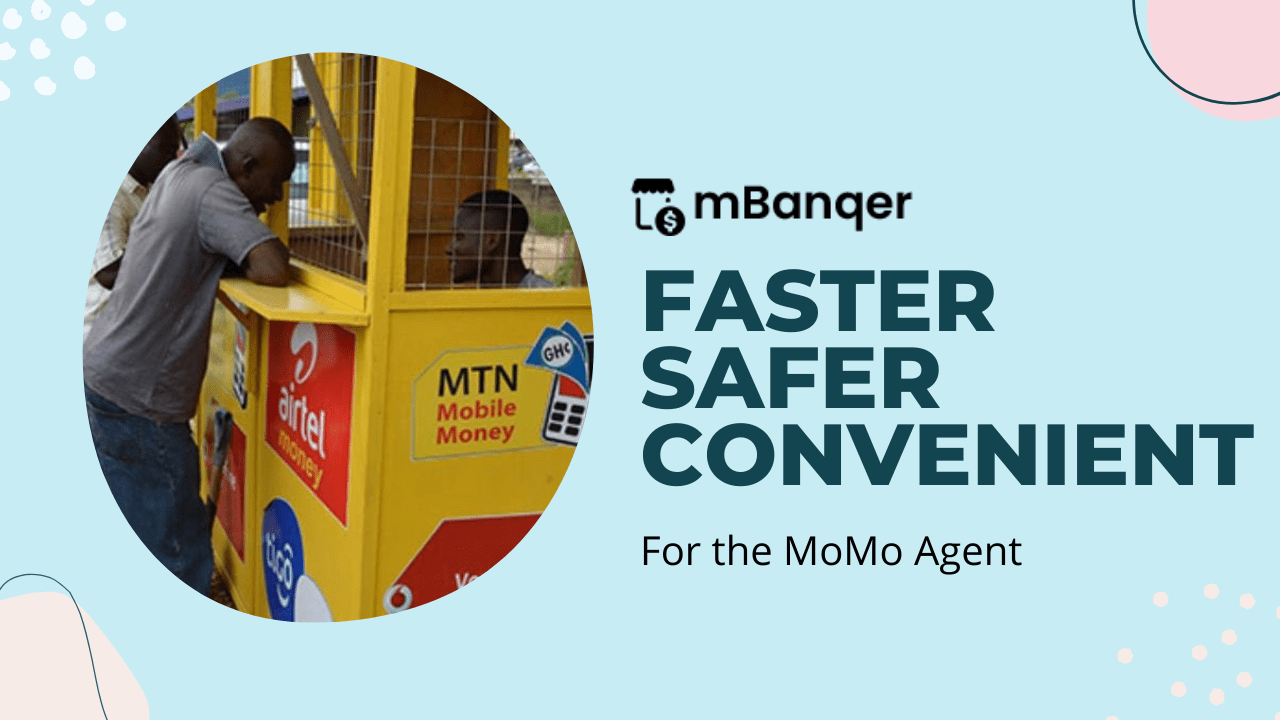
The mBanqer application has been designed with mobile money agents in mind to help them work faster and smarter. The application is not engineered to interfere with the income or commission of the agent. mBanqer does not interrupt the work of the mobile money service providers. But the numerous features can make it easy for agents to earn more profits in the long run.
The use of technology to accomplish tasks, in this case, financial transactions, with as little human interaction and effort as possible, has helped many businesses flourish. With mBanqer, the mobile money agent attempts a new way of transacting business that would profit them and their customers.
In this article, there are ways that the mBanqer application can help agents maximise their profit while on the application and some facts about mBanqer they need to know about. Whether you are an agent who has already downloaded the application or are contemplating, take the guide below to know how you can make some more money while on the app.
mBanqer Offers Financial Protection
We all know how important financial protection is to every business. It is one of the strongest foundations for a growing business. Without financial protection of any kind, business owners lose money and the trust of their customers.
mBanqer will not provide an insurance package for your business, but the application can detect when you are about to make a transaction to a fraudulent number. The application has the largest database of fraudsters in the country.
Protection against fraudsters means protecting the agent and their customers’ finances. If an agent loses money every step of the way, there is no way their finances can grow. To maximise revenue, profits need to constantly roll over, and that can only be done when the finances of the mobile money agent are protected. This is what mBanqer does.
The Automation Technology Allows Agents to Work Faster
With mBanqer, the agent does not need to be re-dialling USSD codes to perform transactions. All they have to do is readily enter the transaction details and confirm with their secret pin code.
They no longer need to keep analogue records of transactional details, nor do they switch between three or more phones to complete transactions. Everything has been engineered into one application that works very fast online and offline.
Since speed is essential in conducting businesses like these, mBanqer allows the agent to win because working faster boosts customer loyalty. The customer knows that whenever they make their way to the smart mobile money joint, they will get attended to in no time.
This will cause more people to patronise the smart agent’s service, and more customers mean more commission.
The Agents Get More Insight into Their Business
The agents that get accurate insight into their business can make more money than those who struggle to check their accounts at the end of the day. The graphical analytics feature that mBanqer comes with not only gives the agent a detailed overview of transactions that have been done within the day, weeks or month, but it also shows them how well their business is doing in certain areas.
The agent gets to know which transactions are doing better and which ones are not. With this information, he knows exactly where to invest more to make more profits.
For instance, if the cash-out transaction is doing better in the vicinity, the agent knows to keep more cash at hand so that customers will not be negatively affected. It also helps ease the frequency with which agents can restock their electronic cash and the cash at hand.
The agent can maximise profit if they can easily measure their business performance.
Outsourced Transactions
mBanqer is currently beta testing outsourced transactions, where agents can delegate transactions to mBanqer’s servers, allowing them to earn commissions for transactions they can’t perform themselves.
The feature is still being tried to discover any bugs or issues before it is introduced for general use. This feature will also allow agents to earn more profits at the end of the day.
Do More with Less Effort
Businesses that pay daily commission mean one thing, the agent needs to perform more transactions. Mobile money operators who situate their businesses in advantageous places have the flex of having numerous customer visit their shop every day.
Being able to serve all these people means more commission, and this is where mBanqer comes in. The agent gets to perform transactions both online and offline. The offline version works just as perfectly.
The agents get to work faster, and accuracy is not compromised at all. When switching between phones to complete transactions, it is easy to make mistakes, and then the agent has to start all over again. It can be difficult to do more transactions and build on commission at that pace.
As stated above, the mBanqer application was not developed to interfere with the agents’ finances. mBanqer never sees, accepts or records any sensitive pin code. All information is directly stored locally on the agent’s phone.
They do not deduct from the agents’ commission for using the application, nor do they breach the policy of the service providers. The application was designed only to make the agent’s work easier by providing the essential power tools.
Because of the competitive edge of the application in the mobile money business, it has been endorsed by the Mobile Money Agents Association of Ghana (MMAAG), which means that mBanqer is safe to use.
Takeaway
Mobile Money Agents should download the mbanqer application on the Google play store. Using the application is free and easy. The ultimate goal is always to work smarter and not harder. mBanqer is calling on all agents to choose smart technology today.
PayPal is one of the best platforms for online payment in Nigeria and everywhere in the world, especially if you’re working on the internet.
Paypal is accepted everywhere and almost everyone uses it to accept payment in eCommerce shops, on marketplaces, or even personal transactions and gifts; and with the pandemic, online payments have become more popular.
Freelancers, especially those in Nigeria and other African countries have relied heavily on PayPal (even though there are some PayPal alternatives) to receive payment for services they have rendered as a way to make money.
As the world becomes more and more connected, faster and easier transactions are needed now more than ever.
Even though you might not need PayPal yourself, someone who you do business with would need it in order to go through a transaction with you and that’s why in this 21st century it’s important that you get a working PayPal Account that is verified and that you can use to accept payments and make purchases and withdraw your money.
A lot of readers on this blog have asked for this particular article and we have spent the time to research the best working methods to register, set up, and fund a PayPal account and withdraw here in Nigeria.
Please remember that this tutorial is for a business account and you will be able to use it for all your PayPal transactions here in Nigeria and abroad. Please don’t choose the personal option else you won’t be able to change the phone number prefix to Nigeria.
At first, I didn’t know how to create a PayPal account so I followed a lot of tutorials online (even some paid ones) that put me through a lot of problems.
Such tiresome methods sometimes involve trying to get an international number and other things that were very difficult to lay hands on.
Now getting a PayPal account in Nigeria that you can receive payments and withdraw is easy, all you need is your valid phone number, your current address, and your legal full name.
This article has been well written and is therefore very long and I encourage you to read it to the end to go through the process in less than 9 minutes.
If you are ready, just continue reading as I teach you how to get a PayPal account in Nigeria and get it working for you. The good thing is that you never going to have issues as I have been using an account I created from this method for more than three years.
What is PayPal?
PayPal is the online wallet service of an American financial institution registered in the United States and several countries. The company is also registered in other countries including Canada, Luxemburg, Singapore, Spain, and the United Kingdom.
It serves a global marketplace and is by far the biggest internet wallet service.
In July 2014, Paypal blacklisted Nigeria and some other African countries due to the high number of credit card fraud that was originating from these countries.
Some of the countries on the list, like Nigeria, have had the ban level reduced but they still can not receive funds through their PayPal.
And that is why we have prepared this tutorial, to help you receive money and withdraw the money via PayPal.
Benefits of having a PayPal Account in Nigeria
Why do most people love to use PayPal and not any other payment method? Well, it is because PayPal has been around for a long time and is robust and very trusted.
Here are some benefits you can enjoy after opening a verified PayPal account in Nigeria.
Security of transactions
Disclosing your card details when carrying out financial transactions online comes with a lot of risks, this is where Paypal has an edge, with Paypal online merchants don’t see and ask for your credit card details to carry out transactions.
Paypal simply collects your credit card details just once, which is when you are signing up for a PayPal account, your card details are encrypted and secured, which simply allows you to trade online without fear of having your credit card details compromised or stolen.
Buying Online
Having a PayPal account gives you access to thousands of online store with just your email address and password as most online vendors accept Paypal as a method of payment which is one of merit you derive from owning a PayPal account, you can easily purchase whatever you need regardless of the location.
Flexible with more options and costs less
Paypal comes with a lot of flexibility as it supports various types of cards (Master cards, VISA cards, Debit cards, Credit cards, etc). you can simply add and verify any of your preferred electronic cards to your Paypal account, you can also add more than one card.
Paypal is also accepted on mobile sites and apps which simply allows you to pay with your tablet and smartphone with just a few clicks, you also don’t need a token to use Paypal.
Simple and Fast
With Paypal, you can send payment in exchange for goods, transfer funds, send money and pay bills in few moments which can be done anywhere and anytime, all you need is to simply login into your Paypal account with your email address and password.
What do you need to create a verified PayPal Account in Nigeria?
To create a PayPal account in Nigeria, you need 3 things (which you should already have as a Nigerian). These are:
An active phone number (I recommend MTN and 9Mobile; Glo and Airtel sometimes have issues receiving OTP from PayPal).
Full Name as it appears on a recognised National ID
A working email address (You should never have tried to use this address to register a PayPal account)
Once you have all these three things, you can start the registration process on your computer. If you want to use a mobile phone to do the registration, I recommend Google Chrome browser or Yandex browser.
Remember to choose “desktop mode” on your mobile browser if you are going to use a smartphone.
Steps to create a Verified PayPal account in Nigeria
Here are the steps to follow to create a PayPal account in Nigeria:
Visit the PayPal website from your Google Chrome browser
Choose to sign up for a PayPal business account
Enter your valid personal and business details
Confirm your PayPal account from your email
Sign in to your new PayPal account
Confirm your additional details and start using your PayPal account
Now, let’s break it down for you. Be sure to follow step by step.
Visit the PayPal website from your Google Chrome browser
Visit the PayPal Lesotho homepage (Since Nigeria PayPal is limited, you need an African country that has full access).
Choose to sign up for a PayPal business account
Click the “Sign Up” at the top right to be taken to the signup screen.
On the “Sign Up” screen, choose “Business Account”. The business account gives you more access and the chance to receive funds as well as send in a hassle-free manner.
Please don’t choose Personal Account.
Enter your valid personal and business details
On the next screen, enter your valid email address.
Click continue and then proceed to fill in all your relevant details like in the photo below. Take note of the following:
Name: Use the official name on your Government Approved ID Card. Although you will not be asked to verify it, you have to do this to be on the safer side.
Business Name: If you have a valid registered business, you can use that name. Otherwise, coin a new business name out of your name and use it.
At the phone number section, click on the Lesotho flag and select Nigeria, then enter your valid Nigeria phone number. This is very important so that you have full access to the account.
Postcode: Enter 00234
Business Address: Use your residential address if you have no business address.
Currency: You can choose any currency you want. It is advisable to choose the currency most of your transactions will be in, usually US Dollar.
Click on submit when done.
Important: After this, don’t continue to fill the form. Rather, wait for an email from PayPal.
Confirm your PayPal account from your email
Next, PayPal will send you an email to confirm that your details have been received. Once you receive this email, it means all the steps above have been successful.
Sign in to your new PayPal account
Next, you can log in to your new PayPal account and complete all the steps on the dashboard.
This includes confirming your email and giving additional information about your business.
Confirm your additional details and start using your PayPal account
Once all the processes are done, you can proceed to add additional information needed for the Customer Identification Process.
This helps to secure your account and prevents you from having issues with PayPal.
With the additional needed information, you can fill it just like in the photo below. Sole Proprietorship and Incorporation in Nigeria.
Once you are done, you will now have a fully functioning PayPal account in Nigeria. You can now receive money in your account and use those funds to make payments.
However, that is not enough.
We will teach you how to withdraw the money from your PayPal account.
How to fund your PayPal account in Nigeria
Funding your PayPal account is simply the method or means by which you can add money to your PayPal account.
If you are not receiving any funds into your PayPal wallet and you still need to use it to make a purchase, you will have to fund it.
Here are 3 ways by which you can fund your PayPal account here in Nigeria.
Transfer from friends
One of the easiest ways to fund your PayPal account all the time is to ask your friends that also have PayPal.
All you need to do is send the Naira equivalent of how much you want to be sent to your PayPal account to your friend and they will send you the funds when you give them your PayPal email.
Beware that there are some people who would want to take advantage of you, making this process very risky. The next method, however, involves dealing with your bank.
Fund from Debit Card
This is the safest means to fund your PayPal account in Nigeria. All you need to do is to contact your bank to get a debit card from them.
Make sure you have enough funds on the card to be loaded on your PayPal account and add the card to your account.
From there, you can fund your PayPal account.
I recommend you use banks that have a mobile app or good USSD platform so that you make bank transactions directly on your phone.
Buy from Online Exchanges
There are online exchanges in Nigeria that offer varying rates that you can buy and sell PayPal funds from.
You just need to do good background checks on them and read reviews about them too. Not all of them are genuine.
Therefore the card remains the best way to fund your PayPal account in Nigeria.
How to withdraw money from your PayPal in Nigeria
You need a UBA AfriCard Card to withdraw your Paypal funds.
Please note that this card can be the normal Naira Card and not a USD card.
In Nigeria, you can get a UBA AfriCard by walking to the nearest UBA Branch and requesting a card. It is also sometimes known as the UBA Prepaid Card.
Once you have linked your cards to your PayPal account, you can follow the steps below to withdraw your money:
On the next screen, click on “From” and choose your PayPal Balance
Then next, click on “To” and choose your linked Visa Card
Enter the amount and click on “Continue”
On the next screen, you will see a review of the transaction you are about to undertake. Click on “Transfer” to have the money sent instantly to your UBA AfriCard. Remember that although it is written 5 to 7 business days, the transfer is mostly instant and you can check your balance at any ATM or via your Mobile App. You may not receive any alert when you transfer from PayPal to your AfriCard.
Important information to note about Paypal in Nigeria and this tutorial
100% Working: This tutorial is 100% working. To be sure, we have used it to create about 5 different PayPal accounts for different individuals between August 2020 and January 2021. We also have testimonials from over 132 individuals who have used the tutorial in Nigeria.
No VPN: We didn’t mention the use of VPN in this tutorial because it is not needed. You don’t need a VPN to create a PayPal account in Nigeria if you follow our steps. In fact, you don’t need a VPN to even access the account. Never use a VPN with the account
No International Number: Forget the hassle of using an international number. This tutorial does not involve that.
Legality: You are advised to provide legal information about yourself when completing this tutorial. This is the only way you can access your PayPal account, should anything go wrong. The phone number is most important because it will be used to verify your identity should you lose your password.
Withdrawal charges: Anytime you withdraw from PayPal, you are charged $5. For this reason, it is best to keep your money there until it is substantial. As I said, the account is safe and you will not lose your money if you follow all the relevant steps.
Withdrawal tips: In order to make your PayPal account look even more legitimate, don’t withdraw exactly when the money hits your account. Wait for the next day to withdraw to your UBA AfriCard.
BezoMoney, Ghana’s leading fintech provider of out-of-the-box financial tools and solutions for young people and the unbanked has launched its new savings platform, BezoSusu.
The platform allows users to make deposits through their mobile money wallets or bank accounts, track and monitor the growth of their money and eventually reach set savings goals. BezoSusu is a part of Bezomoney’s growing portfolio of products and services tailor made to help mainly young people and the unbanked make smart money moves and earn their way to financial freedom.
With Bezosusu, customers who are keen to save, have access to a growing selection of features and benefits from the wider choice, safety and convenience offered by the platform. Some of these features include; automated daily and weekly deposits to your savings goal, Auto Lock function; track and monitor savings goal; and a whopping 9% interest per annum on savings. The platform also optimizes users’ saving options by allowing deposits via mobile mon ey.
Speaking on the Launch, The CEO, Mubarak Sumaila noted, “Ghana is lagging behind in providing financial products and services for the unbanked and today’s digitally savvy generation. This is a huge market, largely untapped and Bezomoney has positioned itself to disrupt this space and provide a safe, timely, easy to use innovative platform that allows you to grow your money with convenience. The arrival of Bezosusu brings an exciting innovation to this market. Essentially, Bezosusu can do for the savings market what PayPal did for the payments space.”
The platform is robust and has been built by Bezomoney’s world-class tech teams in Ghana and around the globe.
Dawuda Iddrisu, Chief Technology Officer at Bezomoney, explained; “With Bezosusu, we are offering a robust platform that is end-to-end encrypted and prioritizes the data security and privacy of our users. Our platform is super easy to use, intuitive and has a beautiful user interface for our users.”
We go all in to help our customers on their savings journey, whether it’s through heartfelt incentives, mouth-watering promos or our stellar customer support, Diana Osei, Co-Founder of the company expressed
The launch of Bezosusu is timely given the general post-pandemic climate with many people looking to save and make smarter money choices.
VP of Marketing, Emma Tandoh said, “With the launch of our Bezosusu platform, we are reaffirming our ambition to provide a new infrastructure for Africa’s growing savings business. We also plan to capitalize on additional partners and bring our vision of upward social mobility to all young people and the unbanked.”
“Of course, today’s launch of Bezosusu is just the beginning: We now plan to expand the product offering on the platform with additional features and benefits over time as we assess what users desire from time to time. Our digital and offline channels will primarily dominate our launch efforts but we intend to leave no stone unturned to stay visible and create maximum adoption for our product” remarked Head of Marketing, Adwoa A. Nyamesem.
The Bezosusu platform is the digital savings platform of choice and the new way to save, grow and secure your financial future. To sign up for a new account, users will have to visit app.bezosusu.com.
The rate of cashless transactions in Ghana has increased in previous times. Due to the availability of point of sales (POS) and ATMs in almost every part of the country, many people are now moving from carrying cash on themselves and are now adapting to the use of cashless mediums like mobile and cards.
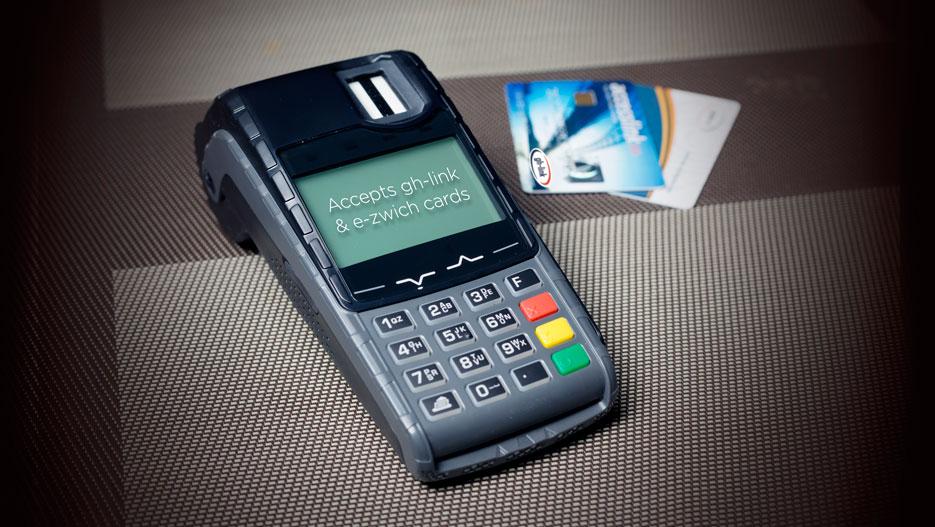
Among the most used cashless payment methods is the e-zwich card which is used all over the country. E-zwich is the brand name for the Ghana National Switch and Smart card payment system. This payment system is an innovative method for improving the accessibility to banking and retail services in Ghana.
With e-zwich, users are able to perform transactions using their card in the country and at some banks without having to create a bank account with the respective bank. Additionally, employers are able to pay their employee’s wages through their e-zwich cards.
Like all financial cards, there is always the need to check the balance you have on your e-zwich card. This process can sometimes be a little difficult but in this article, I am going to show you how to check your e-zwich account balance.
PS: Currently, there is no way you can check your e-zwich account balance online.
Features of E-Zwich Card
Electronic loading of funds
Biometric (fingerprint) identification
It is valid for ten (10) years
It is an account (one of the safest places to keep your money)
It can be used to receive salary and wage payments
The target customers are mass affluent
The cost of obtaining an e-zwich card in Ghana is free
Benefits of e-Zwich Card
Instant loading and transfer of funds using GPRS
It can do transactions at any bank in Ghana
You can deposit cash on it
You can use it to transfer cash
It can be used to receive your salary and wage payments
It can be used to make bill payments from any point of sale (POS) or ATM across the country
It is an easy payment method for paying for goods and services
It eliminates the risk and inconvenience of carrying cash
Because of the fingerprint identification, it is safe and secured
How To Check Your e-Zwich Account Balance
Visit any of the e-zwich accepted banks in the country with a valid national ID document
Ask the tellers that you want to check your e-zwich balance
The e-zwich teller will ask you for some details and confirm that you are indeed the owner of the e-zwich card
Your account balance will be checked for you for free
Conclusion
E-Zwich is one of the good payment methods that are available for Ghanaians at the moment. This is because unlike the other payment methods like debit and credit cards where you must create an account with a bank before you can be issued a card, you can get an e-zwich card from the selected banks without creating a bank account with them.
While spending with your e-zwich card, you have to check the balance you have in it. Or at the end of the month, you have to check to see if your employer has sent your salary. This process has been clearly explained in this article and once you follow them, you can check your e-zwich account balance.
Can you link your e-zwich to your bank account?
Yes, it is possible. All you have to do is to visit your bank and then ask any of the tellers to link it to your account. Or if your bank provides internet banking, you can log into your account and then link your e-zwich to your bank account.
Can I replace my e-zwich card?
Yes. If you misplace or lose your e-zwich card, you will be given a new e-zwich card. But before that, your financial institution will go through the biometric process and if all the details match the one in their records, your new card will be issued to you.
How do I become an e-zwich agent?
Before you can become an e-zwich agent, you need some documentations like valid company registration documents, valid national photo ID, etc. Also, there are some logistics requirements depending on the type of agent you want to become. If you have all these documents, you can proceed to your financial institution for your agent application form.
The biggest, first and most expensive cryptocurrency in the world is Bitcoin. Over the past decade and over, many people have grown to learn and discover the potency of this cryptocurrency asset.
As such, interest in this cryptocurrency asset has increased exponentially in recent times.
While many are just interested in knowing more about the world’s first cryptocurrency, many others are willing to cash in on the high-profit margins served by this multi-billion asset.
In this article, we shall look at how to buy and sell bitcoin in Ghana.
But, first off, let’s look at some uses of bitcoin and why you should have Bitcoin in the first place.
Uses Of Bitcoin
Bitcoin is just a digital currency like any other currency. What can you use bitcoin as a currency for?
Worry not. We shall discuss some of the most common uses of bitcoin here now.
Making Payments Internationally
The quickest way to make payments for goods and services or for sending money to family and friends anywhere in the world is through bitcoin.
Bitcoin is a digital currency which is universal. The same bitcoin someone has in Ghana is the same as what someone has in China in terms of identity.
The value also remains the same all over the world. You get to send any amount of money to anyone in the world by converting your fiat currency (National currency) into bitcoin and then you can transfer to the recipient’s wallet without the use of any third party.
For Trading Other Cryptocurrencies
Aside from Bitcoin, there are currently over five thousand other cryptocurrencies available.
Being the mother of all cryptocurrencies, most of these crypto-assets can only be purchased using Bitcoin as the means of trade.
So, for most other cryptocurrencies, you need to already have Bitcoin in your account before you can buy the other asset you wish to buy.
There are special platforms which enable you to exchange your Bitcoin for other cryptocurrency assets by buying from people willing to sell. These platforms are called exchangers.
Used For Crypto Trading
Crypto trading is a subset of Forex trading or foreign exchange trading.
With crypto trading, you can buy a crypto asset at a lower price and wait for it to increase in value compared with its pair then you sell it back for the other pair so you can make a profit.
So for example, if you are using Bitcoin and Ethereum as your pair, you can buy Ethereum when 50 Ethereums equal to 1 Bitcoin. Then you wait till the value increases to maybe 30 Ethereums equal to 1 bitcoin. Then you make a profit.
You can decide to trade every day of the week or you can decide to just follow news on the cryptomarket and trade based on speculations and current trending news.
For example, if you realise that Bitcoin is about to lose some value because of some bad news going against it, you can trade it in to buy a currency which is gradually gaining more value at the same time. It all depends on you.
How To Buy Bitcoin In Ghana
The main focus of this article is to teach you how to buy and sell bitcoin in Ghana and that’s what we shall look at under this sub-title.
To buy bitcoin in Ghana, there are several methods to use but the most reliable method for buying it currently is by purchasing from Ecurrency4U.net
How To Buy Bitcoin On Ecurrency4U.net
To buy your bitcoin using Ecurrency4U.net platform, you need to follow the following steps:
Visit the website to register a user account.
Log into your account
Click on ‘Buy Ecurrency’ from the tabs
Select Bitcoin from the list of currencies provided.
Select your preferred mobile wallet operator as your payment method
Enter in Dollars, the amount of bitcoin you wish to buy
Enter the mobile money number you wish to pay with
Enter the name on the mobile money account
If the details you entered are accurate enough, your order should be received in the system. There are two payment methods for mobile wallets. The automatic payment and the manual payment system.
If you chose the automatic payment in your process, the deduction should be automatically done. You’ll receive an authorisation notification on your phone and then you can enter your MOMO pin to authorise the withdrawal. Afterwards, the payment is successful and then you can get your bitcoin into your wallet instantly.
However, if you selected the manual payment method, you would have to copy the contact of the company from beneath the payments window and nanually send the money to that number. When you are done, type the transaction ID in the space provided on the site. Then, click ‘I have made payment’.
After buying your bitcoin and either using it for an investment or trading it, the next big thing you have to worry about is how to sell your bitcoin and earn some hard cyrrency.
There are numerous ways of selling bitcoin in Ghana, however the most trusted ways are; selling to Ecurrency4U.net and selling to individuals directly.
How To Sell Bitcoin To Individuals
To sell bitcoin to individuals, you first of all need to find someone who is interested in buying bitcoin then you discuss your rate with them.
Mostly, for this kind of sales, you have to reduce your rate a little bit to be lower than the market rate.
When you have someone you can sell to, follow the steps below:
Visit your bitcoin wallet
Go to ‘send BTC’
Enter the wallet address of the receiver
Enter the amount you are sending in Dollars
Click on ‘send’ to confirm the transaction.
Crosscheck the recipient’s address to ensure that it is not wrong.
Confirm the transaction.
Make sure to receive the money from the individual before you send the coin to them as this is largely irreversible.
How To Sell Bitcoin On Ecurrency4U
To sell your Bitcoin on Ecurrency4U.net, kindly follow the following steps judiciously.
Login to your Ecurrency4U.net account
Select ‘Sell Ecurrency’
Choose ‘Bitcoin’ from the list of currencies available.
Select your preferred mobile payment method. Eg. MTN Mobile Money
Enter the amount you wish to sell in Dollars. If you are not certain of the value in Dollar, just play around the numbers, you’ll see the equivalent in Cedis below.
Enter your mobile money number and the name on the account.
Click on ‘submit’ to have your order number. You would be redirected to the payment gateway of the Ecurrency you wish to sell. Then you can authorise it. You’ll receive your money in few minutes after authorising the payment.
You can also check out other ways to sell bitcoin in Ghana and get your money into your mobile money wallet.
Conclusion
Bitcoin is one of the most discussed financial topics in this twenty-first century and it is the world’s most used cryptocurrency.
While the systems operated by bitcoin is very complex and requires some level of learning and expertise to handle it, it is one of the safest and most convenient forms of digital currency on the internet today.
I hope this article was helpful to you in finding out how to use bitcoin, how to buy and how to sell it in Ghana. Kindly share your comments, reservations and questions with us in the comment box or contact us.
The dream of Ghana to become a digital society is gradually becoming evident. A few years back, cryptocurrencies like Bitcoin, Ethereum, and Dogecoin were only traded in the western part of the world.
Fast forward to 2021, the number of Ghanaians trading cryptocurrencies is mind-blowing as even some high school kids are now experts when it comes to trading cryptocurrencies. There is more to cryptocurrency trading in Ghana than just the buying and selling of it, where you buy, and sell is also important.
In Ghana, one of the main products or services that has helped the industry very much is Mobile Money. In just a few years, the number of Mobile Money (MoMo) users in Ghana has increased throughout the country and can be viewed as the biggest financial platform in Ghana. This claim was made very clear when the majority of Ghanaians complained about the introduction of the e-levy which is going to work more effectively on MoMo.
One of the trusted places or vendors to buy and sell Bitcoin from in Ghana is Yellow Card. Not only can they be trusted, but they also provide you with the luxury of using Mobile Money (MoMo) to do so. In this guide, we are going to show you how to buy and sell Bitcoin in Ghana using Mobile Money (MoMo); and the method we will discuss is the Yellow Card method.
What is Yellow Card?
Before we go into the details of how to buy or sell your Bitcoin, it is important we take a brief look at the vendor Yellow Card. Yellow Card is an American-based Bitcoin vendor that helps to buy and sell Bitcoin in 14 African countries.
Some of the countries include Ghana, Nigeria, Botswana, Cameroon, Gabon, DR Congo, Rwanda, South Africa, Uganda, Zambia, etc. Choosing to trade with Yellow Card as your Bitcoin “plug” in Ghana is one of the best decisions you could ever make. This is because, in terms of security and good rates, Yellow Card is one of the best in the country.
Apart from Bitcoin, you can also trade other cryptocurrencies like Ethereum and Tether on Yellow Card. With a good User Interface (UI), Yellow Card makes it simple for its users to buy and sell their Bitcoins in just some simple steps without having to make any complicated “techy” stuff.
How To Create A Yellow Card Account
There are two (2) main ways you can create an account on Yellow Card. You can use the mobile app or the web app.
How To Create A Yellow Card Account Using the Mobile App
Download the Yellow Card app from the Google Play Store or the Apple App Store
Tap on Get Started
Enter your phone number and referral code (if any) and tap Next
Verify your phone number by entering the OTP sent to you via SMS
Enter your email address and tap Next afterward
Create a password using the hints given and select Done
How To Create A Yellow Card Account Using the Web App
Visit the official Yellow Card website (YellowCard.io)
Click on Get Started in the top right corner of the screen
Click on the Sign Up button
Enter your first and last name and date of birth in the provided spaces
Enter your phone number, password, and email address in their respective spaces
If you have a referral code, enter it, and click Sign Up
How To Buy Bitcoin in Ghana Using Mobile Money
Open the Yellow Card mobile app or the web app
Make sure you have enough money in your wallet
Tap on the Bitcoin icon to begin your purchase
Enter the amount you want to buy in Ghana Cedis (GHS), United States Dollars (USD), or Bitcoin (BTC)
Confirm the transaction and wait for a confirmation notice
Upon successful confirmation, your Bitcoin will be added to your account
How To Sell Bitcoin in Ghana Using Mobile Money
Open the Yellow Card app on the mobile or on the web
Log into your account
Select Bitcoin and select the amount you want to sell
Confirm your transaction and wait for confirmation
Upon successful confirmation, your fiat balance will reflect the amount you have sold
In case you want to withdraw it into your Mobile Money (MoMo) account, select Withdraw and the Mobile Money
Follow the screen prompts and you will be able to withdraw your money through Mobile Money (MoMo)
Conclusion
Since Mobile Money is one of the biggest forms of transaction in Ghana, it is just right for users to be able to buy and sell Bitcoin with it. Yellow Card considering this has made it easier for Ghanaians to buy and sell Bitcoin using their Mobile Money wallets.
Using Yellow Card to buy and sell Bitcoin in Ghana is very simple and completely free to get started. We have shown you how you can create an account and start your cryptocurrency transactions using Yellow Card.
One thing you also need to note is that, once you refer someone to use Yellow Card, you earn a referral bonus of up to 20% of the trading fees. What this means is that every time the person(s) you invited using your unique code trade using Yellow Card, you also get something in your wallet. That’s cool right, so why don’t you get started now?
Can I use Mobile Money to buy Bitcoin?
Yes. With Yellow Card, you can buy and sell Bitcoin with your Mobile Money wallet in Ghana.
How do I sell Bitcoin on Yellow Card?
Open the Yellow Card app on mobile or on the web. Log into your account. Select Bitcoin and select the amount you want to sell. Confirm your transaction and wait for confirmation. Upon successful confirmation, your fiat balance will reflect the amount you have sold.
How do I withdraw Bitcoin to Mobile Money in Ghana?
Login to your Yellow Card account and tap Withdrawal on your dashboard. Select MoMo and select your preferred network provider. Next, input your MoMo number and the amount you want to withdraw. Tap Review & Confirm. Finally, input your transaction PIN and confirm the details.




![How to create a Verified Paypal Account in Nigeria for Free; [with Pictures]](https://cms.mfidie.com/wp-content/uploads/2021/01/paypal-nigeria-create-account-2021.jpg)


![How to Buy and Sell Bitcoin in Ghana [Complete 2022 Guide]](https://cms.mfidie.com/wp-content/uploads/2020/06/buy-and-sell-bitcoin-in-ghana.jpg)