Category: FinTech

  • How To Make Money From Your Whatsapp Status

    How To Make Money From Your Whatsapp Status

    Making money is one of the most discussed topics in the world today.

    Everywhere in the world, there are people always discussing ways of making money to support their chosen lifestyles.

    As interesting as the topic sounds though it is always difficult to come out with the right answers as there are numerous ways to make money today.

    If there is anything very depressing, however, it is the act of buying data regularly to stay active on social media without making any money back to purchase data in future.

    The most-used messaging platform in the world today is Whatsapp and its feature – Whatsapp Status is the most-used feature as well.

    With the amount of time and data people spend on Whatsapp and its attendant Whatsapp status daily, it is only genuine for people to be concerned about how to make some money through their Whatsapp Status.

    In this article, we shall provide you with somep practical ways of making money through your Whatsapp Status.

    Advertise People’s Products For Commisions

    One of the easiest and best ways of making money on your whatsapp status is by advertising other people’s products on your status for commissions.

    In order for you to attain some level of success with this option, you need to first of all build a loyal list of people who always view your status.

    Then, continue to post interesting videos and photos especially to keep more and more people watching your status daily.

    Once you are convinced about the number of people watching your status and you are certain that you can make some good money by selling to them, you can start the next step.

    The next step here is for you to contact individuals on your list or people on other platforms you belong to who sell products you think you can market to your status viewers easily.

    If you have students on your list, you should try products that are mostly appreciated by students. These could include beauty products, students’ food products and others.

    When you get the right person to partner with, you then discuss with them how much you can make on each item sold.

    Most times, you have to add your commission to the selling price when advertising. So if the product is 10 cedis, you can market it at 13 cedis. So your commission is 3 cedis.

    If you get someone who is interested and buys the product, you make 3 cedis off the sales.

    This particular method can give you good cash especially if you have workers on your list and you are able to sell cars, houses or electronic gadgets such as phones and laptops to them.

    The key here is that you have to market something that those viewing your status may be interested in.

    Use Whatsad Marketing

    Knowing how powerful the Whatsapp status can be, with over millions of individuals viewing photos and videos on WhatsApp status daily, a Ghanaian digital marketing company has developed a model for helping users of WhatsApp make money through their status by displaying ads on their status.

    The platform known as Whatsad works on pay per view structure.

    How Does Whatsad Work?

    As indicated earlier, Whatsad works on a pay per view structure where Publishers are paid for the views they receive on ads posted on their status every 24 hours.

    So, Advertisers (Individuals willing to market their business) contact Whatsad and register for an account on their platform. Then they pay Whatsad from 10 Cedis and above to advertise their products or services on the status of its marketers or publishers.

    When an individual registers as a Publisher or Marketer with Whatsad, they are given specific images or videos via the platform which they are supposed to share on their status.

    If by the end of the day, you get 50 views per ad on your status, you get paid 50 pesewas for each of those ads.

    However, you can only withdraw when you reach a threshold of 5 cedis on your account. You can withdraw through all mobile payment methods available.

    How To Use Whatsad As A Marketer

    Follow these steps to start using Whatsad as a marketer.

    1. Visit whatsadmarket.com or download the Whatsad Marketing App from Google PlayStore.
    2. Click on signin or login.
    3. Select Register.
    4. Enter your name, country, city, mobile money number, email address, and password..
    5. Click on register.
    6. Login to your account.
    7. Look under my ads tab.
    8. Select and download the ads available to you.
    9. Upload on your status and on social media.
    10. When you get over 50 views, take a screenshot and upload on the app or site to redeem your money.

    The more the number of ads you display on your status from Whatsad, the more you tend to make money.

    Conclusiom

    Making money on your WhatsApp status is not entirely difficult or gross. In fact, it is very easy to do, provided you know the people you have on your list and you keep them glued to your status all the time.

    The methods listed are not exhaustive, however; they are the tried and tested methods that seem to work. If you have any other methods, kindly do well to leave them in the comment box. Please don’t forget to share this post and follow for more updates.

  • Can You Use Telegram To Earn Bitcoin?

    Can You Use Telegram To Earn Bitcoin?

    Bitcoin has become a leading global trend – thanks to the massive price hike it has seen in the past 3 years.

    Now, everyone – irrespective of their age, nationality or gender has one way or the other heard of Bitcoin.

    Many people are now certain that Bitcoin is one of the fastest investment vehicles for quickly doubling one’s money.

    As usual, once something seems to be gaining attention, the space around it gets choked with fictionalized and fake information and programs.

    So now, it is difficult to identify and confirm true Bitcoin investments which promise you some good returns.

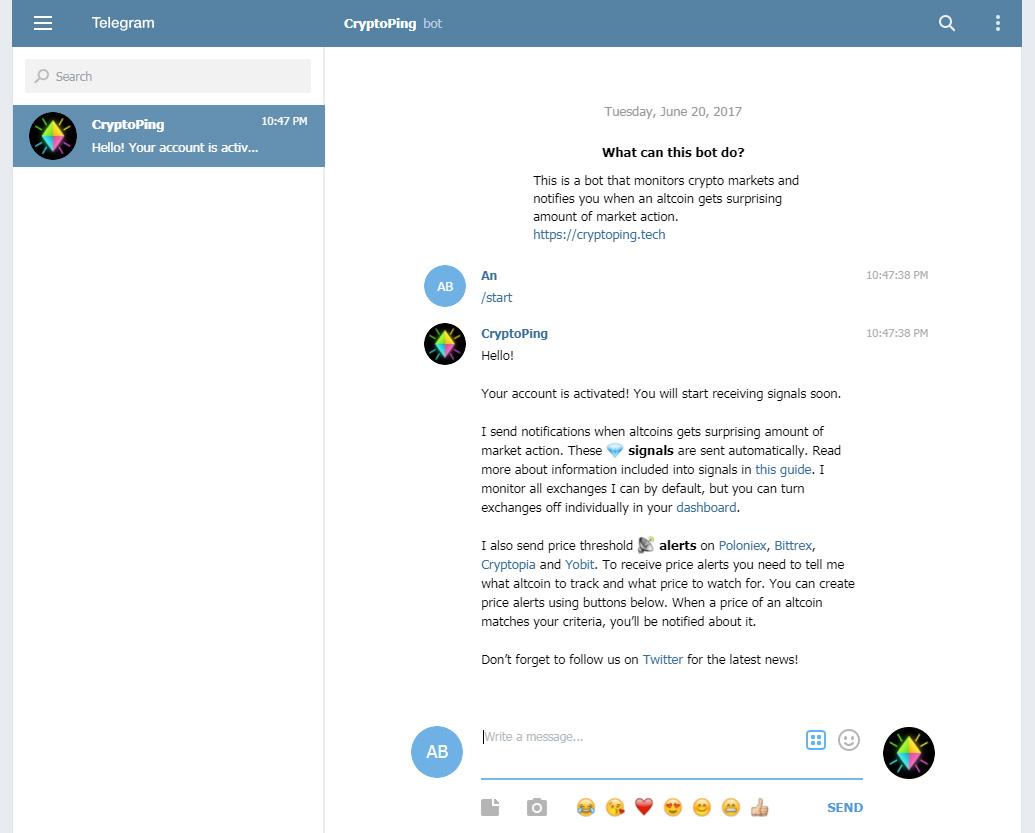
    One of the latest trends in the Bitcoin world is ‘Mining bitcoin through Telegram bots’. If you’re an active Telegram user, you’re likely to have come across adverts of that nature, promoting a Telegram bot Bitcoin Mining program.

    So, the big question is: can you earn bitcoin on Telegram through bots?

    Well, if this question is your main reason for being here, then you’ll definitely enjoy this article. And it’s very sure to give you satisfaction by the time you get to the final words.

    Sit tight and keep scrolling for more details on this.

    What Is Bitcoin Mining?

    Bitcoin mining is the process of confirming bitcoin transactions on the blockchain in order to earn some volume of bitcoin.

    Bitcoin operates on the principle of one-time usage. Meaning, every individual is expected to spend a certain bitcoin once only. This is to prevent the possibility of people creating copies of the digital currency and spending them as they wish.

    So, to prevent this, there are people (miners) who solve complex Mathematical problems (hashes) to confirm every single bitcoin transaction before it goes through finally.

    These miners use huge computers with high specifications to confirm and complete these transactions.

    It’s even impossible to use a personal computer to mine now, due to the difficulty of bitcoin mining. In fact, the difficulty level increases almost every two weeks.

    Within the last 9 years, the difficulty level has increased by over 1 trillion per cent.

    So you see? It’s not an easy thing. The devices used for mining cost from at least 3,000 GHS and above. The higher your device specs, the better your chances of earning any bitcoin.

    Can You Mine Bitcoin Using Telegram Bots?

    The simplest answer to this question is NO! You can never mine Bitcoin using Telegram bots.

    In fact, Telegram bots are not that powerful to even attempt confirming any order on the blockchain.

    It’ll take more than 200 years for you to even earn 0.00001 BTC using a telegram bot (that’s if it can even do so at all).

    So, no! You can’t mine bitcoin with a bot on any social media platform – including Telegram.

    Is Telegram Bot Mining Legit or a Scam?

    There is no volume of legitimacy in the claim that Telegram bots can be used to mine bitcoin.

    As such, this only leaves one result – it’s a scam! Need I add that it’s a big scam at that?

    Quite frankly, whenever you see such posts on Telegram asking you to invest in mining bots which offers you between 1% to 7% daily, just close your app and run as fast as you can.

    And oh, the screenshots you see attached to such posts? No. They aren’t what you think they are. It’s possibly the same person sending funds from one wallet to the other and trying to convince you that it’s a payment to a client account.

    If you give this a try, you’d realize that after making an initial payment to take part in the bot mining, more tricks will follow.

    When it’s time for you to receive your first payout, you’ll either be asked to send the link to about 10 different people and provide a screenshot. Or, you’ll be asked to do some other insane things.

    After these, when you finally think your Bitcoin wallet is about to boom, well, there’s one more trick. You’ll be asked to pay the transaction fee in advance before your BTC is sent to you.

    Another payment? Yes! Another one. And if you make this payment, you’ll keep making it over and over again until you’re drained. So just stay away!

    Conclusion

    Bitcoin is a great Goldmine founded by Satoshi Nakamoto. Many people have discovered how valuable this crypto asset is and are dying to gain some volume of it in their wallets.

    As is the case with most valuables, many unscrupulous people are also taking advantage of this to create some fake programs and products to dupe other people.

    One of such scams is the Bitcoin Telegram mining bot. It is completely fake and does not provide what it promises.

    If you ever come across it, your first move is to run away as fast as you can and stay in your lane.

    We hope you find this article helpful and that you’ll share it with your friends and family to keep them aware of this.

    If you have any comments, questions or reservations regarding this article, kindly let us know in the comment box below or get in touch with us.

  • How To Print Your MTN Mobile Money Statement

    How To Print Your MTN Mobile Money Statement

    Do you need your MTN Mobile Money statement for a specific purpose? Or do you want to have a hardcopy of your MTN Mobile Money Statement?

    Whatever your reasons for having to print your MTN Mobile Money statement maybe, then this article is going to fit you perfectly. This is because, in this article, I am going to show you how to print your MTN Mobile Money statement.

    MTN Mobile Money has taken over the fintech industry in Ghana by surprise. Unlike the olden days where people had to go to the bank to create bank accounts, most people now prefer to have a mobile money wallet than an actual bank account.

    For instance, when your relative outside decides to send you money through your mobile money wallet, you can receive it less than five (5) minutes.

    That is very fast and easy as compared to the other methods where you will need to submit your ID and reference code before your money will be withdrawn for you.

    Even on certain occasions where the money you are withdrawing is a little huge, the bank will interrogate you before the money will be released for you. Leading to delays in access to the money sent from abroad.

    What Is A MTN Mobile Money Statement?

    A mobile money statement is a document or file that shows the transactions the has been made on your MTN mobile money wallet. This includes the withdrawals you have made, the transfers, purchases, etc.

    Basically, every transaction that has been made on your wallet will be displayed on your statement. Also, if you are going for a travel visa, you can send your MTN Mobile Money statement as proof of your financial status.

    How To Print Your MTN Mobile Money Statement

    1. Dial *170# on your phone.
    2. Choose option 6 (My wallet).
    3. Select option 5 (Statements).
    4. Choose option 1 (Statement request).
    5. To subscribe to Monthly Statements, choose option 1.
    6. To request a statement immediately, choose option 2.
    7. Enter your current email address. (This is where the statement will be sent to).
    8. Re-enter your email address to confirm.
    9. Enter the start date of request using the format (Day Month Year, i.e. 01 02 2021). The duration cannot be more than two (2) years.
    10. Enter the end date of request using the format (Day Month Year, i.e. 01 02 2021).
    11. Authorize the payment of GHS 0.50 by entering your MTN MoMo PIN and then press 1 to confirm.
    12. A confirmation message will be sent to you via SMS.
    13. Finally, a pdf version of your statement will be sent to you via email.
    14. Copy it on a pen drive and then send it to the printing shop and your statement will be printed for you.

    Conclusion

    The MTN Mobile Money statement is a very important document. Once you get it, you can audit your statement to see whether there has been a suspicious transaction.

    If so, then you need to change your PIN ASAP and consult MTN for investigations to be done. Also, you can visit any MTN office nationwide and your printed statement will be given to you at a little fee.

  • How To Reverse Wrong Transactions On Vodafone Cash

    How To Reverse Wrong Transactions On Vodafone Cash

    Among all the African countries, Ghana is one of the leading countries in the FinTech sector. This is mainly as a result of the high number of mobile money services in the country.

    Due to the increase in the awareness of mobile money services, the majority of Ghanaians have now enrolled on the platform.

    Vodafone Cash is also one of the most used mobile money services in Ghana and as a result, there is a high chance of subscribers making some errors. Some of these errors are basic human errors that we can all make.

    For example, sending money to the wrong number as a result of some slight mistake in the inputting of the number. In situations like this, we turn to be frustrated and confused about the next steps we can take.

    Previously, that would have been all, once you make a mistake you can never get your money back. But currently, that is no more a thing to worry about.

    Vodafone Ghana, just like MTN Mobile Money, AirtelTigo Money have a way you can reverse wrong transactions. In this guide, I will show you exactly how to reverse wrong transactions on Vodafone Cash.

    How To Reverse Wrong Transactions On Vodafone Cash

    As soon as you realize you have made a wrong transaction, you need to follow the exact steps listed below.

    1. On your mobile phone, dial *110#
    2. Select option 6 (My Account) from the list of options.
    3. Choose option 7 (Self Service)
    4. Choose option 2 (Self Reversal) and wait for Vodafone to reverse the wrong transaction.

    Conclusion

    You can only reverse wrong transactions that were made from your Vodafone Cash account to another Vodafone cash. Once the recipient is not a Vodafone Cash user, there won’t any way possible for Vodafone to reverse the transaction for you.

    Also, before the money will be reversed into your account, there will be an investigation by Vodafone. Once the investigation concludes, Vodafone will deposit the money back into your account.

    Therefore, the period it will take for you to get your money back into your account depends on the time Vodafone Ghana finishes its investigations.

    I hope this article was helpful and that it served its intended purpose? If you have any questions or suggestions, feel free, and write them in the comments section below.

  • How To Reverse Wrong Transactions On AirtelTigo Money

    How To Reverse Wrong Transactions On AirtelTigo Money

    Have you made any wrong AirtelTigo Money (ATM) transaction you wish you reverse? No problem, I am going to show you step by step how you can reverse wrong transactions on AirtelTigo Money (ATM).

    AirtelTigo Money (ATM) has been in the fintech industry for quite some time now. The then Tigo cash was one of the first mobile money services that were launched in Ghana.

    After some years, the other networks followed and now almost all the network providers in Ghana have mobile money services. As a result, mobile money services are one of the most used financial platforms in Ghana.

    Due to the high number of active mobile money users, fraudsters and other unforeseen circumstances might lead us into making wrong transactions. When such things we end up frustrated and confused; especially when that is your last money.

    Because of such circumstances, AirtelTigo Money has rolled out a special option that allows users to reverse wrong transactions they made.  Once you request for reversal and your reason for applying is valid and reasonable, your money will be reimbursed in your wallet.

    How Does AirtelTigo Money Reverse Wrong Transactions?

    I have received this question from many people across the country and I would like to explain to you briefly how it works. Please note that the fact that you apply for a wrong transaction reversal doesn’t automatically guarantee that you will get your money back.

    Basically, the process for wrong transaction reversal begins as soon as you apply for it. Once you apply, your information will be sent directly to the AirtelTigo Money (ATM) reversal desk.

    After that, AirtelTigo will perform an audit/investigation on your account and the transaction history. This normally happens within a 30-day period (might vary depending on your account and the time you made the complaint).

    Finally, after the 30-day period and you are found to have made a wrong transaction, Airtel Tigo Money will pay the amount back into your account.

    How To Reverse Wrong Transactions On AirtelTigo Money (ATM)

    To reverse a wrong transaction on Airtel Tigo Money, you need to pay close attention to the steps listed below:

    Dial *110*8# on your phone.

    Select option 5 (My Transaction Reversal).

    Choose option 1 (AirtelTigo) to proceed with the process.

    Select option 1 for the last 5 transactions or 2 for other transactions.

    Once you are done with the process, AirtelTigo will investigate the transaction and get back to you in due time.

    Conclusion

    Before you decide to request a wrong reversal, you need to take note that, AirtelTigo will only refund claim of a wrong transaction that has been reported within 30 days of effecting the transaction. Also, a careful investigation has been conducted to establish the claim.

    Once you have understood the statement made above, you can then proceed with the transaction reversal. If you think your reason is genuine and valid, then expect to get back your money within the 30-day period.

    Please make sure to share this article with your friends and relatives and let them all be aware that they can reverse wrong transactions. Finally, make sure to subscribe to our newsletter to get new articles sent right into your email.

  • How to send cryptocurrency without creating a crypto account

    How to send cryptocurrency without creating a crypto account

    Do you want to send bitcoin and other cryptocurrencies without creating any cryptocurrency account?

    I’m sure you are here because you are interested and I am going to show you how to send cryptocurrencies without creating any cryptocurrency account.

    Cryptocurrencies are one of the most used digital currencies in the world. The most common among them are bitcoin, bitcoin cash and ethereum. The reason why they are used is because of the anonymity.

    This means that once you make a cryptocurrency transaction the location and name of the sender and the receiver cannot be traced. This has made it easier for a lot of people to make secured transactions online.

    Usually, before you can send cryptocurrency, you need to create a crypto account and then make a deposit using your credit or debit card or other payment methods. I was doing research online and found out a method that can be used to make crypto transactions without creating a crypto account.

    How to send cryptocurrency without creating a crypto account

    To send cryptocurrency without creating any crypto account:

    • Download the free Moolre mobile app from the Google Play Store or the Apple App Store, or visit the official Moolre website.
    • Once the app has finished its installation, create an account if it’s your first time or logs into your account with your email, password, and the four-digit passcode if you are an existing subscriber.
    • Click on the Pay Out option. Enter the required details. The required details are:

    The cryptocurrency address of the receiver.

    The amount you want to transfer to the receiver (Pay Out amount).

    The fees for the transaction will automatically be added for you to have a look before proceeding with the transaction.

    • Confirm your Pay-Out and tap on Submit to make the transaction.
    • Wait a while for all the confirmations to be made before you contact the person to check whether the transaction has been successful.
    Some of the most popular cryptocurrency coins

    How to deposit/top up your Moolre wallet

    Now that you know how to send cryptocurrency on Moolre, the next thing to learn is how to deposit money into your account before you make the transaction.

    To deposit or top up your Moolre wallet, you need to follow the steps that are listed below.

    • Open your Moolre mobile app or visit the official Moolre website.
    • Scroll through the options and tap on Top Up Wallet.
    • Select your preferred payment method. The available payment methods are Moolre, Bitcoin, AirtelTigo Money, Litecoin, MTN Mobile Money, Ethereum, Vodafone Cash, Bitcoin Cash, and Dashcoin. After that tap on Continue.
    • On the next window, visit your payment methods platform and make the payment to the mobile money number, agent ID, or crypto address provided.
    • Once you have made the transaction on your payment method’s platform, go back to Moolre and enter the transaction ID and the exact amount you transferred.
    • Finally, tap on Continue and wait for the transaction to reflect in your Moolre wallet.

    Conclusion

    I hope this article was helpful and that it served its purpose.

    Feel free to write your comments and suggestions in the comment section below and make sure to share with your friends and loved ones.

  • Can Africa have one financial platform?

    Can Africa have one financial platform?

    Well, the answer to this question is not an easy one. With all progressive cutting-edge technology we have around, sending money across Africa is expensive, difficult and in some cases, impossible depending on the countries you choose to send and receive money from.

    There has been a recent growth in innovative fintech platforms and services utilizing new ways to bridge the gaps in the financial network in Africa. One of such fintech platforms is “Waya” or “Waya Money” as it is sometimes called. 

    Waya is an African-based fintech company founded by Africans, built by Africans from over four different countries with an aim of making money transfers and payments simpler and easier. 

    Waya allows a person to exchange money from one part of Africa to the other through the best possible cost-effective route that guarantees instant transfers and payments without the need of an intermediary major currency like the dollar. Dealing with regulations from several central banks is a huge task as the rules are different from country to country. They work with various trusted partners including other fintechs, banks, payment processors, KYC vendors and telcos to ensure secure delivery of funds. Essentially, they do all the hard work behind the scenes so you do not have to. 

    Waya is currently in Ghana, Kenya, Nigeria, and expanding to Rwanda, South Africa, Uganda soon. You can download Waya on Playstore at www.bit.ly/WayamoneyApp or sign-up online at www.wayamoney.com

  • How to open an account with Moolre e-wallet

    How to open an account with Moolre e-wallet

    Thinking of opening an international e-wallet account from the comfort of your home? There are some many options available on the internet so which one should I select?

    Are you part of the people who are thinking about this right now? If you are then do not worry about it anymore. If you do not kindly continue reading and you will be interested in the time you are done reading this article.

    After reading several posts and several weeks of research, I have come across one of the best international e-wallet platforms that are available on the internet. In this article, I am going to share with you a simple guide on how to open an account on Moolre e-wallet.

    International e-wallet platforms are like banks where the money is kept and can be transferred between people. The people who perform these transactions could all be on this platform or one of them could be on it while the other (s) doesn’t.

    After reading several posts and doing research, I have come across one of the best international e-wallet platforms that are available on the internet. In this article, I am going to share with you a simple guide on how to open an account on Moolre e-wallet.

    What is Moolre?

    First of all, we need to know a brief about Moolre e-wallet. Moolre is an e-wallet platform that was established to help individuals store money on a safe and reliable e-wallet platform with several benefits.

    Unlike most e-wallet platforms, Moolre has its own currency, Moolre (MLR) which is equivalent to the United States Dollar (USD); meaning 1MLR = 1USD.

    Moolre has its headquarters stated in New York in the United States of America and Accra, Ghana. Some of the other benefits of having a Moolre account are stated under the benefits of having a Moolre account below.

    How to open an account with Moolre e-wallet

    Moolre e-wallet Sign Up page

    There are two (2) main ways of opening an account on Moolre. The first method is by using the mobile app and the other one is by using the official Moolre website.

    But, since all these two methods are almost the same I am going to discuss how to open the account once, without wasting much of your time.

    • To get started you first of all need to download the free Moolre mobile app from the Google Play Store or the Apple App Store. Or, visit the official Moolre website on your phone, tablet or computer.
    • Scroll down to the bottom part of the page and tap on “Sign Up Now”. Alternatively, you can tap on the three horizontal bars on the upper right corner of the screen and then tap on “Sign Up Now”.
    • Fill in the “Sign Up” page with the required details. The information that will be required is Username, Email, Phone number, and Password.
    • After filling in the required details, tap on “Sign Up”.
    • To increase the security of your account, secure your account by creating a four-digit passcode. After that verify your email and the phone number.

    Congratulations, you have successfully created your Moolre e-wallet account. Now you can make transactions on your account.

    What Are The Benefits of Having A Moolre Account?

    • First of all, you can send and receive money from abroad and other Moore users directly to your Moolre wallet within a short period of time.
    • Secondly, you can send and receive Bitcoin, Bitcoin Cash, Ethereum, and other currencies directly to your account.
    • To add the icing on the cake, because Moolre is run by a foreign company and trades in several currencies, once you deposit money to your account and the exchange rate changes it affects your money.
    • For example, if you deposit 5.67GHS today to your wallet and the exchange rate is 1MLR = 5.67GHS, as soon as the exchange rate increases your money will also increase. Meaning if the exchange rate increases from GHS5.67 to GHS6.00, your balance will also be GHS6.00.

    Conclusion

    There are several e-wallet platforms on the internet but Moolre has been trusted and used by many people, myself included.

    Interestingly, there are only a few people who know about it so make sure to share this article with your friends and loved ones and drop your comments below. 

  • How to Withdraw Money From Your MTN Mobile Money Wallet Using the My MTN Mobile App

    How to Withdraw Money From Your MTN Mobile Money Wallet Using the My MTN Mobile App

    Are you tired of using USSD to cashout money from your MTN mobile money wallet? Are you in the middle of something important that using USSD could interrupt what you’re doing? Don’t worry at all, I’ve got you covered.

    MTN has proved to Ghanaians and the world that they are indeed one of the best telecommunications networks in Ghana and the African continent at large. These range from mobile money to data offers and all the other amazing features they provide.

    But over the past years, one of the problems that have been faced by many Ghanaians is the inability to withdraw money from their MTN momo wallet using the internet. As such, MTN has introduced the feature that finally allows users to withdraw money from their wallets using the internet.

    Therefore, in this article, I am going to show you how to withdraw money from your MTN mobile money wallet using the My MTN Mobile app.

    How to Withdraw Money From Your MTN Mobile Money Wallet Using the My MTN Mobile App

    Withdrawing money from your MTN mobile money wallet using the My MTN Mobile app is similar to the traditional one we all know about (i.e. USSD); but in this case, you will use the internet.

    The steps involved in withdrawing money from your MTN mobile money wallet using the My MTN Mobile app are as follows:

    • First of all, download the free My MTN Mobile App from the Google Play Store or the Apple App Store.
    • After downloading the mobile app from you’re the Play Store or the App Store, you will be asked to enter your mobile number and then confirm it by entering the OTP (One Time Password) that will be sent to you via SMS.
    • Once you have confirmed the number, tap on MoMo at the lower right corner of the screen.
    • Enter your MTN mobile money PIN.
    • Enter the four-digit OTP (One Time Password) that will be sent to you via SMS.
    • Tap on Cashout and confirm your request again by tapping on Allow Cashout. Then tap on Done.
    • Once the merchant issues the command at his end, you will be asked to enter your PIN and then confirm your payment.

    Conclusion

    Finally, you have been able to withdraw money from your MTN mobile money wallet using the My MTN mobile app in less than 2 minutes. Isn’t it faster than the traditional method we use (USSD)?

    The introduction of this feature will help us especially iPhone users whose internet connection goes off when they using USSD to withdraw money from their MTN mobile money wallet.

    Was this helpful? Make sure to share and bring your comments and suggestions in the comments section below.

  • Sites and Apps That Can Help You Convert Dollars to Ghana Cedis

    Sites and Apps That Can Help You Convert Dollars to Ghana Cedis

    Do you want to convert some dollars to cedis or vice versa? Take a look at these top sites and apps that can help you convert dollars ($) to cedis (¢) on your mobile phone or computer.

    Converting dollars to cedis is very easy and fast in case you have a site or app that you can trust to give you the accurate and current exchange rate. The exchange rate is the amount of money you need to forgo to get another currency.

    For example, if the exchange rate of the dollar is GHS 5.20, it means that before you can get 1 dollar you need to forgo GHS 5.20. Exchange rates are not something that can be used for even 2 hours because they change at least every one hour.

    Therefore, to get the idea of the latest exchange rate on the international currency market, you need to have a reliable site or app.

    In this article, I’m going to show you some of the trusted and reliable sites and apps that can help you convert dollars to cedis or vice versa.

    Sites and Apps That Can Help You Convert Dollars to Ghana Cedis

    There are over a thousand and one sites and apps that can help you convert dollars to cedis but in this article, we are going to look at the once that I have tried before and recommend to you.

    Google

    If you have done conversion from one currency to the other then you have probably used Google search before. As the biggest search engine with over a billion searches every year, Google is one of the best currency converter sites in the world.

    Due to its broad users from all parts of the world, Google can convert from almost all the currencies in the world; as long as that currency is on the international currency market. Therefore, you can convert your dollar to cedis using this site.

    This site has one feature which makes it stand out from some of the other sites and apps, i.e. it gives you an exchange rate graph that shows you the previous exchange rates (past hours, weeks, and month).

    XE Currency

    XE Currency is one of the obvious choices when you think of currency conversion. XE Inc. started off as a website, but due to the number of viewers they had and the need to make it easily available, the introduced the mobile app also.

    The XE Currency is available for free to Android, iOS, and Windows users. Meaning no matter where you are or what device you’re using you can always convert your dollars to cedis or vice versa.

    XE Currency also has a user-friendly interface that helps you convert from all the major currencies in the world. Similar to Google, XE Currency also provides historic charts of the previous exchange rates.

    In addition, the app stores the most recent exchange rates offline and keeps track of world currencies and precious metals.

    CalConvert

    CalConvert is more than a currency converter because it also has a built-in calculator. The calculator has advanced mathematical functions, saves your calculation history, and allows you to convert hundreds of different units in addition to currency.

    CalConvert also has a website where you can perform all your exchange rate calculation and conversions.  Therefore, you can convert your dollars to cedis on either the free mobile app or website.

    In addition, the app has a 24-hour support feature that helps you chat with a customer service rep whenever the need arises.

    My Currency Converter

    My Currency Converter is one of the best currency converters in the world with a unique feature from all the other sites and websites. My Currency Converter will be a good choice for crypto traders.

    Apart from converting international currencies, My Currency Convert also supports cryptocurrencies (BitCoin, DogeCoin, and a host of others) that allows you to keep track of your money no matter where you are.

    The exchange rates in this app are updated automatically and convert all the rates to three decimal places; making it ideal for converting dollars to cedis.

    Conclusion

    Converting currencies is very easy, simple, and fast if you use the sites and apps recommended in this article. Interestingly, all the apps and sites listed in this article are free to use.

    Have you tried any other app or site that helped you convert your dollars to cedis? Feel free to write it down in the comments section below and I will add it to the list as soon as possible.

    Finally, make sure to share with your friends and loved ones.