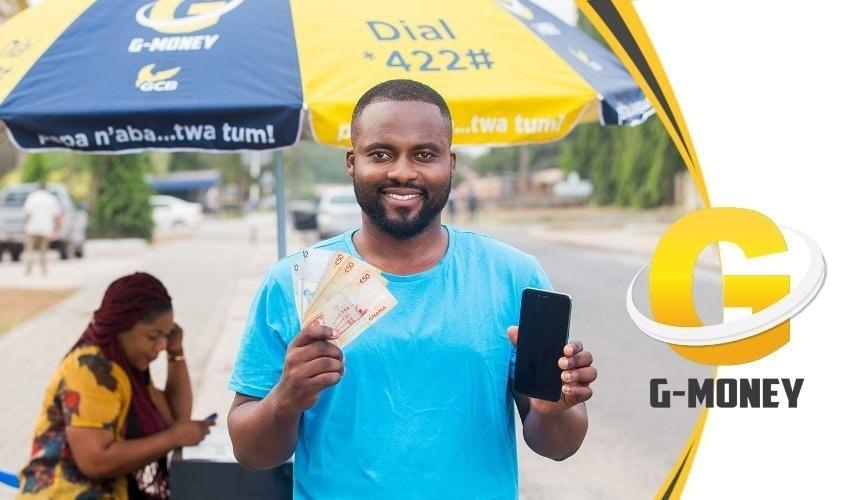
Category: FinTech

  • Cryptocurrencies That Are Likely To End The Year On a Good Note

    Cryptocurrencies That Are Likely To End The Year On a Good Note

    Thanks to an excruciating pain caused by the COVID-19 Pandemic, many financial instruments and economies are seeing a down-trend in their growth this year.

    With many businesses expected to shut down completely after the end of this unexpected global health problem, financial and economic instruments have become signs of doom and monetary destruction.

    Fortunately, the cryptocurrency market seems to be one of the least affected financial markets in these days of Coronavirus.

    Despite the fact that the market took a strong hit in the early days of the virus with the lead coin, bitcoin hitting a long-time low of around 4,000 USD, the story is different today.

    The current trends on the cryptocurrency market present a strong statement for everyone who believes in bitcoin and other alternative cryptocurrencies, especially in these disturbing moments.

    In this article, we shall look at some cryptocurrencies that are likely to complete the year on a good note, based on their performance this year and what they’ve been able to achieve in the preceding years.

    Bitcoin

    The mother of all cryptocurrencies is definitely set to break boundaries this year and make waves as it did in 2017.

    With demands for bitcoin getting higher and higher by the day and the need to reduce physical contacts with people all over the world reaching an all-time peak, bitcoin is set for a major rise.

    Since 2017, it has been observed that after the first half of the year and towards the end of the last quarter, demand for bitcoin becomes very high and just a few weeks into the Christmas festivities, the crypto asset sails to a year-to-date high.

    Coupling these two situations and the current price of bitcoin, we are sure to expect that bitcoin gets to an all-time high towards the end of this year.

    Forbes predicted earlier that bitcoin could end the year around 50,000 USD which currently looks more like a dream than a reality.

    We, on the other hand, thinks 20,000 USD as a new all-time high is a good bargain for the world’s most expensive and first cryptocurrency.

    Ripples (XRP)

    If you have any amount of money you do not intend to spend before the end of this year, the right place to invest that money is in Ripples.

    Ripples have a payment background which makes it more suitable for the situation in which the world finds itself.

    More interesting is the fact that Ripples has partnered with Moneygram to make sending and receiving funds very easy and affordable.

    Currently, Ripples is trading at around 0.20 USD. Now, anytime ripples drop this low to 0.20 USD and are able to beat the resistance above 0.25 USD, it goes for a major spike.

    Expectations are that as the demand for ripples grows towards the end of the year and it beats the resistance, steady growth in bitcoin price is likely to grow Ripples to 2 USD by the end of the year.

    So to anyone who may invest in Ripples at this point, they may be looking at a profit of 1.80 USD per coin. Which translates to 900% profit by the end of the year.

    So all things being equal and with this prediction coming to pass, anyone who invests 200 USD in Ripples at this point would be word 1,800 USD by the end of the year.

    Zcash

    This may not be a regular name to newbies in the cryptocurrency industry.

    Gurus in the industry, however, know how important this asset is to their portfolio.

    Once upon a time, the crypto world craved a perfectly secure and private asset which can harness the use of cryptocurrency privately without the possibility of it being traced back to the owner.

    Then came the answer by way of Zcash.

    With security and privacy becoming a top priority for businesses and individuals across the globe especially in this year, it is important to note that this may be the year for Zcash.

    For a coin priced at 45.81 USD at the time of writing this article, Zcash has very strong potentials that are likely to make it hit a projected end-of-year price nearing 100 USD.

    That’s to say we are projecting a more than 100% increase in the price of Zcash by the time this year ends.

    So, if you invest 500 USD in Zcash now, you are likely to have 1000 USD at the end of the year.

    Electroneum

    A year or two after its crazy hype and shout for max adoption, Electroneum has almost lost its glitz and glamour.

    Fortunately, Richard Ellis and his team seem to be doing lots of works behind the scenes. Following the coronavirus outbreak, Electroneum has seen some steady growth, currently trading at 0.008 USD per coin which has become a new high since 2018.

    Electroneum has made some major collaborations this year and is hoping to capitalize on that and its quest for global adoption to go crazy by the end of the year.

    If previous trends are anything to go by in addition to the current look of the charts, then Electroneum (ETN) could end this year as one of the biggest gainers.

    We expecting a year-closing price of around 0.30 USD per ETN coin.

    Which means, if you buy an electroneum coin now, by the end of this year, you should be expecting to make 0.292 USD per coin.
    This translates into 3,650% growth.

    Conclusion

    As I always say, investments are very risky whether it is an investment in cryptocurrencies or money funds.
    Therefore, you are the best person to decide which assets you want to invest in. We do not provide any form of financial advice to you in terms of investing or not investing.

    Prices given here in this article are purely based on speculations and trends from past years – which may be entirely wrong or right.

    However, the cryptocurrency market is definitely bound to experience some important growths by the end of this year.

    If you have other thoughts concerning this topic, kindly share them with us in the comment box below.

  • How to send money for free with MTN Mobile Money using this simple app

    How to send money for free with MTN Mobile Money using this simple app

    Mobile Money transactions in Ghana keep on growsing, and with a growing concern over Coronavirus and the threat, it posses via cash transactions, a lot more people have now switched to Mobile Money payments.

    In Ghana MTN Mobile Money, AirtelTigo Money and Vodafone Cash are the most used phone number susbscriber based Mobile Money Service.

    However, the charges associated with Mobile Money is something that discourages people from using it.

    Recently, daily transactions of up to GHS 100 were made free. Although Mobile Money providers are looking for ways to end that since they claim it is hurting their revenue.

    We have found a new way for you to send multiples of GHS 400 via your Mobile Money to other people without paying for any charges.

    This tutorial is very short and works. You will have to use an App called Waya App.

    How to use Waya App to send Mobile Money for free

    1. Download the Waya App on Android or iOS
    2. Register your account with your real details
    3. Choose Pay on the menu bar
    4. Choose Contact
    5. Select your Fund Source and choose “Add Mobile Money”
    6. Send up to GHS 400
    7. Confirm to make payment

    Kindly note that you only need to register your account once on the app. Once that is done, you can always open the app and send money to other Mobile Money users.

    Waya Money also makes it easy to send money from your Mobile Money account straight to another Mobile Money or Bank in Nigeria and Kenya.

    Have any other Mobile Money hacks to share with us? Send them to [email protected] and we will be in touch.

  • How to get & link UBA AfriCard or FAB Prepaid Card to PayPal in Ghana

    How to get & link UBA AfriCard or FAB Prepaid Card to PayPal in Ghana

    Ghana is blacklisted by PayPal and that’s why we go through a lot of steps to get a PayPal account.

    However, the good thing is that you don’t need to go through a lot of stress to withdraw your hard-earned money that is in your PayPal account.

    In fact, a lot of the people who will tell you it is difficult simply to want to take advantage of your quest to get your money fast and offer you very low rates for your money.

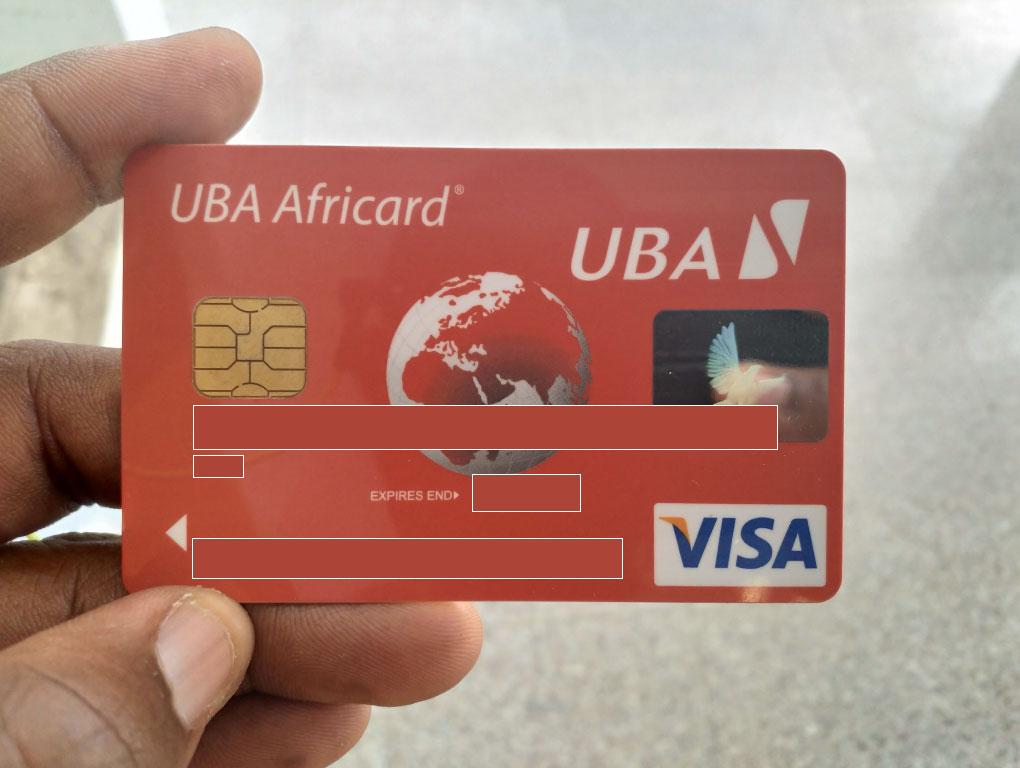
    I have been withdrawing money from my PayPal account since late 2017 when I first had my UBA AfriCard.

    Apart from that, it is now very easy to withdraw from PayPal because the First Atlantic Bank (FAB) Prepaid Card takes less than 5 minutes to get in any of their branches.

    To withdraw your money from PayPal in Ghana, you need the following:

    1. UBA AfriCard / First Atlantic Bank Prepaid Card / Access Bank Prepaid
    2. PayPal Account (You can learn how to create one here)

    Please note that you can link a wide variety of cards to your PayPal account but the three cards listed above are the only ones you can withdraw from.

    How to get First Atlantic Bank Prepaid Card for PayPal in Ghana

    Although we recommend using UBA AfriCard, you can also use the FAB Prepaid Card (which is easier to get) or the Access Bank Prepaid Card (same requirements as UBA AfriCard).

    To get an FAB Prepaid Card you need to take your valid ID Card and a minimum deposit of GHS 20 to the nearest First Atlantic Bank branch.

    They will walk you through the process at the bank and you should have your card in less than 30 minutes.

    How to get a UBA AfriCard in Ghana

    The UBA AfriCard is one of the best debit prepaid cards in Ghana and West Africa as a whole. It works with most ATMs, POS and online transactions.

    I have personally used the card in more than 3 countries and it still works perfectly well. And this is the same card that I got from UBA Ghana.

    When you walk to the UBA Bank branch for the AfriCard, you will be asked to provide the following details:

    • Tax Identification Number – TIN
    • Valid National ID
    • Initial Deposit – around GHS 50

    Once you have them, here is how to get your UBA AfriCard instantly:

    1. Walk to the nearest UBA Branch
    2. Ask at the enquiries desk that you will want to get a UBA AfriCard
    3. You may be encouraged to open a bank account there but this is not really important
    4. When getting the card, deposit GHS 50 on it
    5. After that, the Bank will get you the card and give you instructions on how to use it.

    Please note that the steps to get the UBA AfriCard is the same for getting a new Access Bank Prepaid Card.

    How to add your UBA AfriCard (or any other card) to your PayPal Account

    1. Log in to Paypal using this link: paypal.com/ls by using your email and password.
    2. In the notification area, at the top right-hand corner. Click on it, You will be requested to link a Credit Card (Master Card/Visa Card).
    3. You will be directed to a page to input your card details, in that case, input your UBA Visa Card Details or the details of the particular card you are using (FAB or Access Bank).
    4. Next, Click on the Continue tab after entering your Card details
    5. When done, a small fee will be debited from your Card by Paypal like a Dollar or so, then sent back again to confirm the authenticity of the Card
    6. After that, a page will appear where you will be asked to enter a confirmation page to fully verify your account
    7. Now, check your mobile phone or email, a text message confirmation of the Paypal transaction is sent to the mobile number you used in obtaining your Visa Card
    8. Now you get a combination of numbers and words. The numbers in front of the word CODE in the combination is what you will input in the verification field
    9. After you have entered the code, your account is all set up to start receiving and sending money even while in Ghana

    Conclusion

    If you need any help getting a UBA AfriCard or withdrawing your paypal funds here in Ghana, try to drop a question and we will get back to you on it.

  • How To Pay Your Ghana Water Bill Using Mobile Money

    How To Pay Your Ghana Water Bill Using Mobile Money

    Mobile Money platforms have become one of the most accessible financial systems in Ghana since its launch some ten years ago.

    Aside from sending money and receiving money from friends and family, the mobile money platform is mainly used for settling bills.

    Water bills are one of those bills that people tend to pay for using the mobile money platform.

    In times like this when the world is moving to online platforms and payments, it is important for people to identify how to capitalise on already existing online systems so as to reduce physical contacts with others.

    In this article, we shall look at how to pay your water bill using the various mobile money platforms.

    How To Pay Your Water Bill Using MTN Mobile Money

    To pay your water bill with your MTN Mobile Money, you may either use the shortcode system or the MTN Ghana App.

    Follow the steps below to pay your water bill using the MTN Mobile money platform.

    1. Dial *170#
    2. Select option 2 for Momo Pay and Bills.
    3. Select option 2 for Pay Bill
    4. Select Option 1 for Utilities.
    5. Select option 2 for Ghana Water.
    6. Enter your Account Number (Your Meter Number).
    7. Enter the amount you are paying.
    8. Enter your mobile money pin code.

    Your payment should go through after the final step.

    How To Pay Your Water Bill Using Vodafone Cash

    Vodafone cash is the second biggest mobile money platform in Ghana. Most people who are not on the MTN Mobile Money platform are usually on the Vodafone Cash platform.

    To make payment for your water bill using the Vodafone Cash platform, follow these steps.

    1. Dial *110#
    2. Select option 4 for ‘Make Payment’
    3. Select option 1 for Bill Payment
    4. Choose option 3 for utilities.
    5. Select option 1 for Ghana Water.
    6. Enter your Account Number or Meter Number
    7. Enter the amount you wish to pay.
    8. Enter your Vodafone cash PIN Code.

    How To Pay Your Water Bill Using AirtelTigo Cash

    Of all the various Mobile Money platforms, AirtelTigo has the simplest methods of paying your water bill. Check it out below:

    1. Dial *500#
    2. Select Option 3 for Pay Bills.
    3. Select ‘Ghana Water’
    4. Enter your amount.
    5. Enter your AirtelTigo cash PIN code.

    Conclusion

    Paying your bills with mobile money does not only provide convenience but also, it reduces the risks of physical contacts which is a threat to health and well-being in these times of COVID-19.

    Depending on the mobile money platform available to you, kindly follow the steps listed in this article in order to make payments for your water bill.

    Kindly note that these steps are the reviewed steps as most of the mobile money platforms have updated their systems.

    If you have any enquiries or comments regarding this article, do not hesitate to leave us a comment.

  • Waya Money – Solving cross-border payments across Africa

    Waya Money – Solving cross-border payments across Africa

    For as long as I can remember, sending money or making payment from one African country to another was a very difficult task; even when you used international banks across Africa.

    A simple task of making payment from Ghana to a country like Togo was quite difficult and frankly so expensive. If you owed a person 500 Ghana cedis in Togo, it was cheaper and faster to physically take a bus across the border to deliver the money in person than sending 500 Ghana cedis through a bank and paying almost 300 Ghana cedis in transfer charges and waiting for three (3) days for the person to receive the money.

    Now this problem that has hampered intercontinental trade and commerce in Africa for years is being solved by one of the newest and most innovative companies emerging in the fintech space called “Waya”.

    Waya via their platform “Waya Money” is here to ensure that payments and transfers across Africa are as simple and as instant as local mobile money transfers. 

    Waya through its financial technology is providing cross-border and cross-network payment and money transfer solutions for Africans through their interoperability platform that connects with banks, mobile money operators and other digital payments providers.

    Currently Waya allows people in Ghana to pay money to people and businesses in Nigeria and Kenya; those in Nigeria can also pay money to people and businesses in Ghana and Kenya; and people in Kenya can pay money directly to those in Ghana and Nigeria. Waya does not have a wallet, instead money is paid directly into a mobile money wallet or a bank account instantly or near real-time. If payment is not made within 30 mins, the money is returned to the sender without a charge or fee. 

    A person using Waya can simply transfer 5 Ghana cedis from their “momo wallet” to a bank account in Nigeria to make a payment. That sounds amazing right? 

    Download the Waya App

    To use Waya; you can download the app on play store by clicking on this link: https://bit.ly/wayapp1or search for “Waya” on Google Play store.

    For iOS users and for those who prefer the web app; simply click on this link: https://bit.ly/wayaweb1 to create an account and start making cross-border transfers to Ghana, Nigeria and Kenya.

    For Ghanaians: If you are currently a user in Ghana; you get to enjoy free money transfers from your Mobile money account to all networks in Ghana. 

    And although Waya is currently available in Ghana, Nigeria and Kenya; they are projected to be available in South Africa, Ivory Coast, Tanzania, Rwanda, Uganda, Liberia, Burkina Faso and Sierra Leone soon.

  • How To Use Mypaga.com Mobile Services To Transfer Money, Pay Bills & More

    How To Use Mypaga.com Mobile Services To Transfer Money, Pay Bills & More

    Paga is a name that is widely recognized both in Nigeria and in other African countries; it is a popular platform for mobile transactions, which allow its users to make payments, pay bills, transfer money and buy subscriptions by simply using their mobile phones. 

    Although Paga has been in existence for quite a long time. It was brought into Nigeria in 2009 by Tayo Oviosu and starts operation fully in 2011.

    Paga was founded in Nigeria to take advantage of the cash buildup in the system and also to create a platform that would make financial transaction and services available to all.

    The relationship between the Nigerian banks and the telecommunication services has been awesome over the years, and this has given rise to many financial platforms like Paga, where a layman could literarily perform almost all financial transaction on a mobile phone.

    With a platform like Paga, customers can easily deposit money, save money, transfer money, purchase prepaid phone credit, pay for a cable subscription, pay electricity bills and also make payments to retailers. It’s also possible to receive money sent through western union into your personal Paga account.

    We have a lot of Paga outlets across every nook and cranny of all cities in this country, I could particularly count up to hundreds of outlets in my city of residence; these outlets have Paga agents who serve as ATMs to people in their vicinity, the agent uses his or her mobile phone to process transactions with a token to be paid to him as service fee.

    Customers/users of Paga can be grouped into three different levels; level one customers are those that registered with a full name and a mobile number and are thereby limited to make a transaction of 50000 Naira or less daily; level two customers are those that registered with their full name, mobile number, full address and ID card details, these users could make a transaction of #200000 or less daily; level three customers could transact up to 5 million Naira per day and have two references and a credit check on file in addition to the information provided in level two.

    How to Open a Paga Account

    We have several ways of opening an account with Paga, we are going to be discussing four of them in this article.

    • Visit www.myPaga.com and click on the “get started” icon at the top right corner of the screen.
    • Visit any Paga outlets across the country and provide the agents with your personal information to get register.
    • You could also open an account on your mobile phone, just dial *242# and follow the instructions to register.
    • Download the Paga mobile application on google play store or IOS store, select “sign up” and follow the instructions to get started.
    • You could also upgrade your account to other levels using any of the methods above

    How to Perform Various Financial Transactions on Paga Platform 

    There are many methods that has been made available to perform various transactions on Paga, these transactions include sending money, requesting for money, withdrawing cash, paying bills and others.

    Explained below are the steps involved in performing financial transactions on Paga:

    How to Perform Paga Transactions Using the  Official Paga Website – myPaga.com

    • Go to http://www.myPaga.com/send.html
    • Sign in If you already have an existing account; you could simply signup of you’re new to the platform.
    • Link your bank account to your Paga account by simply using your ATM card, fill in the details required.
    • Deposit the amount you want to transfer to your Paga wallet.
    • Click on “send money” icon and fill in the transaction details, this includes the beneficiary’s mobile number, account number and the amount you want to send
    • Confirm the details you entered and enter your PIN to complete the transaction.

    How to Perform Paga Transactions Using the Official Mobile App

    • After you must have downloaded the application on google play store or IOS store, simply enter your account details if you have one, or sign up if you’re new to the platform.
    • Simply deposit the money needed for your transaction into your wallet; all you need to get this done is your ATM card details.
    • Various icons that denotes the various transaction services would be displayed on the first page.
    • Choose the icon that depicts the operation you want to perform
    • Enter your PIN to finalize your financial transaction.

    How to Perform Paga Transactions Using USSD

    • Enter *242# on your mobile phone
    • Your Paga account number will be made available at the right corner of your screen
    • Various options would be listed beneath your account number; these include, balance, send money, request money, pay bills, airtimes and so on.
    • Choose the option that applies to you and follow the Instructions that pops up
    • Input your password to finalize your transaction.

    Conclusion

    Aside the Banking transactions offered through the mobile payment application and websites, there is also a Paga checkpoint payment platform that business owners and merchants can integrate on their own websites; clients of these businesses also have the option of sending and receive payments through Paga mobile services and agent outlets.

    Many customers and business owners across the country are rapidly adapting to emerging inventions that are making financial services accessible to the growing population at almost no cost.

    There are certain measures that have been put in place by Paga to protect its users from been scammed; one of such measures is answering various security questions before accessing your Paga account on a new smartphone, there is also a personal PIN to be inputted by users before any transaction is finalized.

  • Comparing G-Money With Mobile Money in Ghana; Who Wins?

    Comparing G-Money With Mobile Money in Ghana; Who Wins?

    With the introduction of GCB Bank’s G-Money, the debate has been about which one is better between G-Money and Mobile Money services.

    The G-Money is obviously inspired by mobile money services and so it works on the same infrastructure as mobile money however, there are definitely some differences between the two e-wallets.

    In this article, we shall endeavour to compare the two wallets to see which one has more advantage over the other.

    Registration

    The Mobile Money service as it stands now only requires you to dial the shortcode on your phone and follow the prompts to register. Meaning, you can register from the comfort of your home.

    On the other hand, the G-Money requires that customers go to any GCB Bank branch or G-Money agent with a national ID card and your phone number to register. Which means you have to go to the bank to register for this service at all costs.

    For this particular feature, Mobile Money provides more convenience.

    Security

    Whereas the Mobile Money is backed by the various telecommunication networks in Ghana, the G-Money is backed by the GCB Bank which is a government-owned bank.

    As such, it is safe to say that in terms of security of funds and regulations, G-Money has the edge or advantage over the Mobile Money wallets.

    Sending Money

    In terms of sending money, both Mobile Money wallets and G-money seem to be on the same level. You can send money to any network or bank account via both Mobile Money platforms and G-Money platforms.

    You can as well send money to individuals who do not have accounts with either platform via payment vouchers.

    Who Can Use The Platform?

    For both platforms, anyone who has a registered Simcard can use the platform irrespective of their age, gender, or orientation.

    So, for this particular feature , it’s a tie for both e-wallets.

    How Many People Can Use The Same Account?

    Over here, there is a big gap. The Mobile Money platform allows only one person to use an account. So, if you have an account, only you can have access to and use that account except you give out your PIN CODE to someone else who can then have access to the account.

    However, G-Money, on the other hand, has a Group option which allows a user to add between three to two hundred members who share the same account.

    With this option, people looking to save money together for a purpose can do that from one point. Of the number of people listed above, one person is the group leader and another is the authorizer.

    So, on this particular feature, G-Money has the edge over Mobile Money.

    Conclusion

    Though both the Mobile Money platform and the G-Money platforms are good initiatives that are shaping the Ghanaian economy towards making it a cashless economy, we believe that based on the comparisons above, the G-Money has won this argument hands down.

    This debate may, however, be looked at from different angles, which may as well provide other results. You can share with us what you think about the debate and any opposing views you have regarding our judgement. We would love to read from you.

  • How To Shop Online in Ghana and pay with Bitcoin

    How To Shop Online in Ghana and pay with Bitcoin

    Bitcoin is the biggest and first cryptocurrency to be launched in the world. Over the past ten years, bitcoin has become widely accepted as a reliable payment method all over the world.

    So, just like Paypal and the rest, Bitcoin can also be used for online shopping and other online payments.

    Whereas there are many myths about bitcoin and its link with fraudulent activities or scam, bitcoin is a uniquely fast and reliable way of making payments both locally and international.

    In this article, we shall focus on how to use bitcoin to shop in Ghana or any other part of the world.

    First of all, certain shops accept bitcoin as payment methods. These are the only online shops from which you can purchase an item using bitcoin.

    How To Know If An E-commerce Store Accepts Bitcoin Payment

    As stated in the previous paragraph, the first thing you need to confirm before shopping online with bitcoin is for you to identify sites that accept bitcoin as a payment method.
    For you to confirm if a site accepts bitcoin as a payment method, you need to follow the steps below.

    1. Visit the e-commerce site.
    2. Go to payment methods under the FAQs column or help column
    3. Check through the list to see if you’ll find cryptocurrencies.
    4. If you see cryptocurrencies, check to see if you’ll find bitcoin or its logo there.

    If you do not see anything about bitcoin in the list of payment methods, then know that the site doesn’t accept bitcoin as a payment method.

    How To Fund Your Your Bitcoin Account Before Making Purchases

    Before anyone can use bitcoin for a transaction, the person must already have a safe bitcoin online wallet.

    Just like the banking system, you need an account where you can deposit money before spending on any goods or service.

    In the case of bitcoin, there are very few wallets that are reliable but I will recommend blockchain.

    So, to create your blockchain wallet, visit blockchain.com and follow the steps below:

    1. Click on ‘wallet’ button b. select signup’
    2. Fill the form with your email address, preferred password and name, accept terms and conditions and click on continue
    3. Click on ‘get started’ to see your account dashboard.
    4. Open your email account to confirm your email address.

    When you finally complete your account opening process, you need to send some bitcoin to your blockchain wallet.

    You can check out this article:

    How To Make Your Purchase With Bitcoin

    1. Visit the e-commerce site you wish to buy from.
    2. Login to your account or create a new account if you’re a new user.
    3. Select the items you wish to purchase and add them to your cart.
    4. Click on your cart and go to checkout.
    5. Fill in your shipping address and other vital information.
    6. Select ‘Bitcoin’ as your payment method.
    7. Copy the bitcoin address provided.

    Sending Your Payment

    Open a new tab and do the following:

    1. Go to your blockchain account
    2. Click on send
    3. Select bitcoin from the list of currencies
    4. Paste the receiver’s wallet address in the ‘To’ column.
    5. Enter the amount you want to send in dollars
    6. Write the reasons for the transfer in the ‘description’ box.
    7. Select your preferred fee and click on continue.
    8. You may be asked to enter a code for verification.

    When you’re done with sending your bitcoin, go back to the previous tab and confirm that you’ve sent it.  You may be required to paste the transaction ID.

    Conclusion

    As indicated in the beginning paragraph of this article, there are some e-commerce sites and businesses that accept bitcoin payments. Some of them include Microsoft, Pornhub, AT&T, Norwegian Air, Shopify, Overstock, Expedia and Newegg among others.

    Always remember to have more than enough bitcoin balance before making payments since bitcoin is very volatile and can hence reduce or increase within the next moment. Also, make sure that you buy from trusted websites with bitcoin since bitcoin sent is irreversible.

    Again, do not leave your blockchain login details on any site since this could be used to hack your account and steal all your bitcoin. If you have any reservations or additional comments, kindly let us know in the comment box beneath the post.

  • 3 Paypal Alternatives You Can Use To Send And Receive Money In Ghana

    3 Paypal Alternatives You Can Use To Send And Receive Money In Ghana

    While Paypal remains arguably the most-used payment methods for international transactions all over the world, its unavailability in some countries, especially in Africa, makes it difficult for people to transact businesses online.

    What most people do not know however is that there are other Softwares and platforms that provide users with the opportunity to send money to any part of the world from any part of the world.

    In this article, we shall look at three of those platforms that can be used to send and receive money internationally in Ghana.

    Transferwise

    Transferwise is a global financial technology (fintech) company which provides people with the opportunity to send money outside their jurisdiction while maintaining the real exchange rate at the time of sending and also with a very minimal cost.

    While sending an amount of 1, 000 British pounds, one gets to pay either 3.95 or 6.5 GBP as the charge and a mid-market exchange rate too. Also, Transferwise is trusted by over 6 million customers with over 13 physical offices across the world and over 5 billion euros sent every single month by users.

    Click below to read how to register and send money to any part of the world using Transferwise: Transferwise: How To Receive Money From Outside To Ghana

    Payoneer

    Payoneer is a perfect and even better substitute for Paypal since it provides the options of sending money overseas via bank transfer or to a debit or credit card directly.

    Monies sent to prepaid cards via Payoneer can be withdrawn directly from ATM machines which option is mostly not associated with Paypal.

    The least amount you can send to anyone using Payoneer is 20 Dollars.

    And Payoneer is available in all countries across the globe so you can easily send money to your friends across the world without worrying about how they’ll withdraw the money.

    World Remit

    This method is applicable to all nations throughout the world. It provides you with the opportunity to send money to over 150 countries in over 90 different currencies.

    Their fees are relatively low and vary based on the locations of transfer but largely range from 1.4% and above.

    Also, their service is very convenient and swift. Monies sent can be received within a few hours to 2 days upon transfer.

    Withdrawal methods are Bank transfer, Cash pickup, Mobile money, Airtime top, up Door-to-door, or WorldRemit Wallet. Note however that your withdrawal methods depend on your recipient country.

    Conclusion

    There are a thousand other payment methods that can be used in place of Paypal, to send money both locally and internationally.

    However, the above listed are the ones we have tried and tested and see to be effective for anyone hoping to send and receive money internationally in Ghana.

    If you have any other interesting platforms with more advantages, you can kindly share in the comment box beneath the post. We’d love to learn from you.

  • How to check Mobile Money Balance on MTN, Vodafone and AirtelTigo

    How to check Mobile Money Balance on MTN, Vodafone and AirtelTigo

    We all have been using mobile money in our daily to-do activities, either sending, receiving, withdrawing, paying bills and shopping.

    Some subscribers sometimes find it difficult in checking their account balances and due to this they always depend on messages they will receive anytime they transact money to check their account balance as that message comes with your balance left.

    This is not the right way as it will be very difficult to keep track of your account balance.

    Someone close to you knowing your password can use this to steal your money or make a transaction and then delete the message that comes afterwards, and if you don’t check your actual balance more often, you won’t find out that someone has stolen your money.

    This is the reason why you need to check your mobile money balance rather than depending on your transactions messages history to know your balance.

    In this article, I am going to take you through how to check MTN mobile money balance via USSD and app, how to check Vodafone cash balance and how to check AirtelTigo money balance.

    How To Check MTN Mobile Money Balance Via USSD

    1. On your phone dial *170#.
    2. Select 6: My Wallet.
    3. Enter 1: Check Balance.
    4. Type in your PIN  code to check your current balance.

    How To Check MTN Mobile Money Balance Via App

    1. Install MYMTN app from Google play store.
    2. The app will take you to your dashboard if you are connected to the internet using your MTN sim card.
    3. To check your mobile money balance select MoMo Service.
    4. Enter your MoMo PIN to continue,  the app will send you a code to type in, type in and you will be taken to your mobile money dashboard.
    5. On your dashboard select Wallet to see your account balance, on the app you can see all the mini statements of your transactions you have made.

    You can also request for account statement, that’s the last 50 transactions which includes the amount spent and total received on the app, you can also change your PIN on the app.

    How To Check Vodafone Cash

    1. Dial *110#.
    2. Select 7: My Account.
    3. Select 1: Main Balance.
    4. Type in your PIN to know your account balance.

    How To Check AirtelTigo Money Balance

    1. Dial *110#
    2. Select My Account.
    3. Select Check Balance
    4. Enter your PIN to see your account balance.

    Conclusion

    Depending on what wallet you use, there are various ways to check your mobile money balance. Follow the steps above and let us know if you have any questions.