Category: FinTech

  • How To Use Mypaga.com Mobile Services To Transfer Money, Pay Bills & More

    How To Use Mypaga.com Mobile Services To Transfer Money, Pay Bills & More

    Paga is a name that is widely recognized both in Nigeria and in other African countries; it is a popular platform for mobile transactions, which allow its users to make payments, pay bills, transfer money and buy subscriptions by simply using their mobile phones. 

    Although Paga has been in existence for quite a long time. It was brought into Nigeria in 2009 by Tayo Oviosu and starts operation fully in 2011.

    Paga was founded in Nigeria to take advantage of the cash buildup in the system and also to create a platform that would make financial transaction and services available to all.

    The relationship between the Nigerian banks and the telecommunication services has been awesome over the years, and this has given rise to many financial platforms like Paga, where a layman could literarily perform almost all financial transaction on a mobile phone.

    With a platform like Paga, customers can easily deposit money, save money, transfer money, purchase prepaid phone credit, pay for a cable subscription, pay electricity bills and also make payments to retailers. It’s also possible to receive money sent through western union into your personal Paga account.

    We have a lot of Paga outlets across every nook and cranny of all cities in this country, I could particularly count up to hundreds of outlets in my city of residence; these outlets have Paga agents who serve as ATMs to people in their vicinity, the agent uses his or her mobile phone to process transactions with a token to be paid to him as service fee.

    Customers/users of Paga can be grouped into three different levels; level one customers are those that registered with a full name and a mobile number and are thereby limited to make a transaction of 50000 Naira or less daily; level two customers are those that registered with their full name, mobile number, full address and ID card details, these users could make a transaction of #200000 or less daily; level three customers could transact up to 5 million Naira per day and have two references and a credit check on file in addition to the information provided in level two.

    How to Open a Paga Account

    We have several ways of opening an account with Paga, we are going to be discussing four of them in this article.

    • Visit www.myPaga.com and click on the “get started” icon at the top right corner of the screen.
    • Visit any Paga outlets across the country and provide the agents with your personal information to get register.
    • You could also open an account on your mobile phone, just dial *242# and follow the instructions to register.
    • Download the Paga mobile application on google play store or IOS store, select “sign up” and follow the instructions to get started.
    • You could also upgrade your account to other levels using any of the methods above

    How to Perform Various Financial Transactions on Paga Platform 

    There are many methods that has been made available to perform various transactions on Paga, these transactions include sending money, requesting for money, withdrawing cash, paying bills and others.

    Explained below are the steps involved in performing financial transactions on Paga:

    How to Perform Paga Transactions Using the  Official Paga Website – myPaga.com

    • Go to http://www.myPaga.com/send.html
    • Sign in If you already have an existing account; you could simply signup of you’re new to the platform.
    • Link your bank account to your Paga account by simply using your ATM card, fill in the details required.
    • Deposit the amount you want to transfer to your Paga wallet.
    • Click on “send money” icon and fill in the transaction details, this includes the beneficiary’s mobile number, account number and the amount you want to send
    • Confirm the details you entered and enter your PIN to complete the transaction.

    How to Perform Paga Transactions Using the Official Mobile App

    • After you must have downloaded the application on google play store or IOS store, simply enter your account details if you have one, or sign up if you’re new to the platform.
    • Simply deposit the money needed for your transaction into your wallet; all you need to get this done is your ATM card details.
    • Various icons that denotes the various transaction services would be displayed on the first page.
    • Choose the icon that depicts the operation you want to perform
    • Enter your PIN to finalize your financial transaction.

    How to Perform Paga Transactions Using USSD

    • Enter *242# on your mobile phone
    • Your Paga account number will be made available at the right corner of your screen
    • Various options would be listed beneath your account number; these include, balance, send money, request money, pay bills, airtimes and so on.
    • Choose the option that applies to you and follow the Instructions that pops up
    • Input your password to finalize your transaction.

    Conclusion

    Aside the Banking transactions offered through the mobile payment application and websites, there is also a Paga checkpoint payment platform that business owners and merchants can integrate on their own websites; clients of these businesses also have the option of sending and receive payments through Paga mobile services and agent outlets.

    Many customers and business owners across the country are rapidly adapting to emerging inventions that are making financial services accessible to the growing population at almost no cost.

    There are certain measures that have been put in place by Paga to protect its users from been scammed; one of such measures is answering various security questions before accessing your Paga account on a new smartphone, there is also a personal PIN to be inputted by users before any transaction is finalized.
  • Comparing G-Money With Mobile Money in Ghana; Who Wins?

    Comparing G-Money With Mobile Money in Ghana; Who Wins?

    With the introduction of GCB Bank’s G-Money, the debate has been about which one is better between G-Money and Mobile Money services.

    The G-Money is obviously inspired by mobile money services and so it works on the same infrastructure as mobile money however, there are definitely some differences between the two e-wallets.

    In this article, we shall endeavour to compare the two wallets to see which one has more advantage over the other.

    Registration

    The Mobile Money service as it stands now only requires you to dial the shortcode on your phone and follow the prompts to register. Meaning, you can register from the comfort of your home.

    On the other hand, the G-Money requires that customers go to any GCB Bank branch or G-Money agent with a national ID card and your phone number to register. Which means you have to go to the bank to register for this service at all costs.

    For this particular feature, Mobile Money provides more convenience.

    Security

    Whereas the Mobile Money is backed by the various telecommunication networks in Ghana, the G-Money is backed by the GCB Bank which is a government-owned bank.

    As such, it is safe to say that in terms of security of funds and regulations, G-Money has the edge or advantage over the Mobile Money wallets.

    Sending Money

    In terms of sending money, both Mobile Money wallets and G-money seem to be on the same level. You can send money to any network or bank account via both Mobile Money platforms and G-Money platforms.

    You can as well send money to individuals who do not have accounts with either platform via payment vouchers.

    Who Can Use The Platform?

    For both platforms, anyone who has a registered Simcard can use the platform irrespective of their age, gender, or orientation.

    So, for this particular feature , it’s a tie for both e-wallets.

    How Many People Can Use The Same Account?

    Over here, there is a big gap. The Mobile Money platform allows only one person to use an account. So, if you have an account, only you can have access to and use that account except you give out your PIN CODE to someone else who can then have access to the account.

    However, G-Money, on the other hand, has a Group option which allows a user to add between three to two hundred members who share the same account.

    With this option, people looking to save money together for a purpose can do that from one point. Of the number of people listed above, one person is the group leader and another is the authorizer.

    So, on this particular feature, G-Money has the edge over Mobile Money.

    Conclusion

    Though both the Mobile Money platform and the G-Money platforms are good initiatives that are shaping the Ghanaian economy towards making it a cashless economy, we believe that based on the comparisons above, the G-Money has won this argument hands down.

    This debate may, however, be looked at from different angles, which may as well provide other results. You can share with us what you think about the debate and any opposing views you have regarding our judgement. We would love to read from you.

  • How To Shop Online in Ghana and pay with Bitcoin

    How To Shop Online in Ghana and pay with Bitcoin

    Bitcoin is the biggest and first cryptocurrency to be launched in the world. Over the past ten years, bitcoin has become widely accepted as a reliable payment method all over the world.

    So, just like Paypal and the rest, Bitcoin can also be used for online shopping and other online payments.

    Whereas there are many myths about bitcoin and its link with fraudulent activities or scam, bitcoin is a uniquely fast and reliable way of making payments both locally and international.

    In this article, we shall focus on how to use bitcoin to shop in Ghana or any other part of the world.

    First of all, certain shops accept bitcoin as payment methods. These are the only online shops from which you can purchase an item using bitcoin.

    How To Know If An E-commerce Store Accepts Bitcoin Payment

    As stated in the previous paragraph, the first thing you need to confirm before shopping online with bitcoin is for you to identify sites that accept bitcoin as a payment method.
    For you to confirm if a site accepts bitcoin as a payment method, you need to follow the steps below.

    1. Visit the e-commerce site.
    2. Go to payment methods under the FAQs column or help column
    3. Check through the list to see if you’ll find cryptocurrencies.
    4. If you see cryptocurrencies, check to see if you’ll find bitcoin or its logo there.

    If you do not see anything about bitcoin in the list of payment methods, then know that the site doesn’t accept bitcoin as a payment method.

    How To Fund Your Your Bitcoin Account Before Making Purchases

    Before anyone can use bitcoin for a transaction, the person must already have a safe bitcoin online wallet.

    Just like the banking system, you need an account where you can deposit money before spending on any goods or service.

    In the case of bitcoin, there are very few wallets that are reliable but I will recommend blockchain.

    So, to create your blockchain wallet, visit blockchain.com and follow the steps below:

    1. Click on ‘wallet’ button b. select signup’
    2. Fill the form with your email address, preferred password and name, accept terms and conditions and click on continue
    3. Click on ‘get started’ to see your account dashboard.
    4. Open your email account to confirm your email address.

    When you finally complete your account opening process, you need to send some bitcoin to your blockchain wallet.

    You can check out this article:

    How To Make Your Purchase With Bitcoin

    1. Visit the e-commerce site you wish to buy from.
    2. Login to your account or create a new account if you’re a new user.
    3. Select the items you wish to purchase and add them to your cart.
    4. Click on your cart and go to checkout.
    5. Fill in your shipping address and other vital information.
    6. Select ‘Bitcoin’ as your payment method.
    7. Copy the bitcoin address provided.

    Sending Your Payment

    Open a new tab and do the following:

    1. Go to your blockchain account
    2. Click on send
    3. Select bitcoin from the list of currencies
    4. Paste the receiver’s wallet address in the ‘To’ column.
    5. Enter the amount you want to send in dollars
    6. Write the reasons for the transfer in the ‘description’ box.
    7. Select your preferred fee and click on continue.
    8. You may be asked to enter a code for verification.

    When you’re done with sending your bitcoin, go back to the previous tab and confirm that you’ve sent it.  You may be required to paste the transaction ID.

    Conclusion

    As indicated in the beginning paragraph of this article, there are some e-commerce sites and businesses that accept bitcoin payments. Some of them include Microsoft, Pornhub, AT&T, Norwegian Air, Shopify, Overstock, Expedia and Newegg among others.

    Always remember to have more than enough bitcoin balance before making payments since bitcoin is very volatile and can hence reduce or increase within the next moment. Also, make sure that you buy from trusted websites with bitcoin since bitcoin sent is irreversible.

    Again, do not leave your blockchain login details on any site since this could be used to hack your account and steal all your bitcoin. If you have any reservations or additional comments, kindly let us know in the comment box beneath the post.

  • 3 Paypal Alternatives You Can Use To Send And Receive Money In Ghana

    3 Paypal Alternatives You Can Use To Send And Receive Money In Ghana

    While Paypal remains arguably the most-used payment methods for international transactions all over the world, its unavailability in some countries, especially in Africa, makes it difficult for people to transact businesses online.

    What most people do not know however is that there are other Softwares and platforms that provide users with the opportunity to send money to any part of the world from any part of the world.

    In this article, we shall look at three of those platforms that can be used to send and receive money internationally in Ghana.

    Transferwise

    Transferwise is a global financial technology (fintech) company which provides people with the opportunity to send money outside their jurisdiction while maintaining the real exchange rate at the time of sending and also with a very minimal cost.

    While sending an amount of 1, 000 British pounds, one gets to pay either 3.95 or 6.5 GBP as the charge and a mid-market exchange rate too. Also, Transferwise is trusted by over 6 million customers with over 13 physical offices across the world and over 5 billion euros sent every single month by users.

    Click below to read how to register and send money to any part of the world using Transferwise: Transferwise: How To Receive Money From Outside To Ghana

    Payoneer

    Payoneer is a perfect and even better substitute for Paypal since it provides the options of sending money overseas via bank transfer or to a debit or credit card directly.

    Monies sent to prepaid cards via Payoneer can be withdrawn directly from ATM machines which option is mostly not associated with Paypal.

    The least amount you can send to anyone using Payoneer is 20 Dollars.

    And Payoneer is available in all countries across the globe so you can easily send money to your friends across the world without worrying about how they’ll withdraw the money.

    World Remit

    This method is applicable to all nations throughout the world. It provides you with the opportunity to send money to over 150 countries in over 90 different currencies.

    Their fees are relatively low and vary based on the locations of transfer but largely range from 1.4% and above.

    Also, their service is very convenient and swift. Monies sent can be received within a few hours to 2 days upon transfer.

    Withdrawal methods are Bank transfer, Cash pickup, Mobile money, Airtime top, up Door-to-door, or WorldRemit Wallet. Note however that your withdrawal methods depend on your recipient country.

    Conclusion

    There are a thousand other payment methods that can be used in place of Paypal, to send money both locally and internationally.

    However, the above listed are the ones we have tried and tested and see to be effective for anyone hoping to send and receive money internationally in Ghana.

    If you have any other interesting platforms with more advantages, you can kindly share in the comment box beneath the post. We’d love to learn from you.

  • How to check Mobile Money Balance on MTN, Vodafone and AirtelTigo

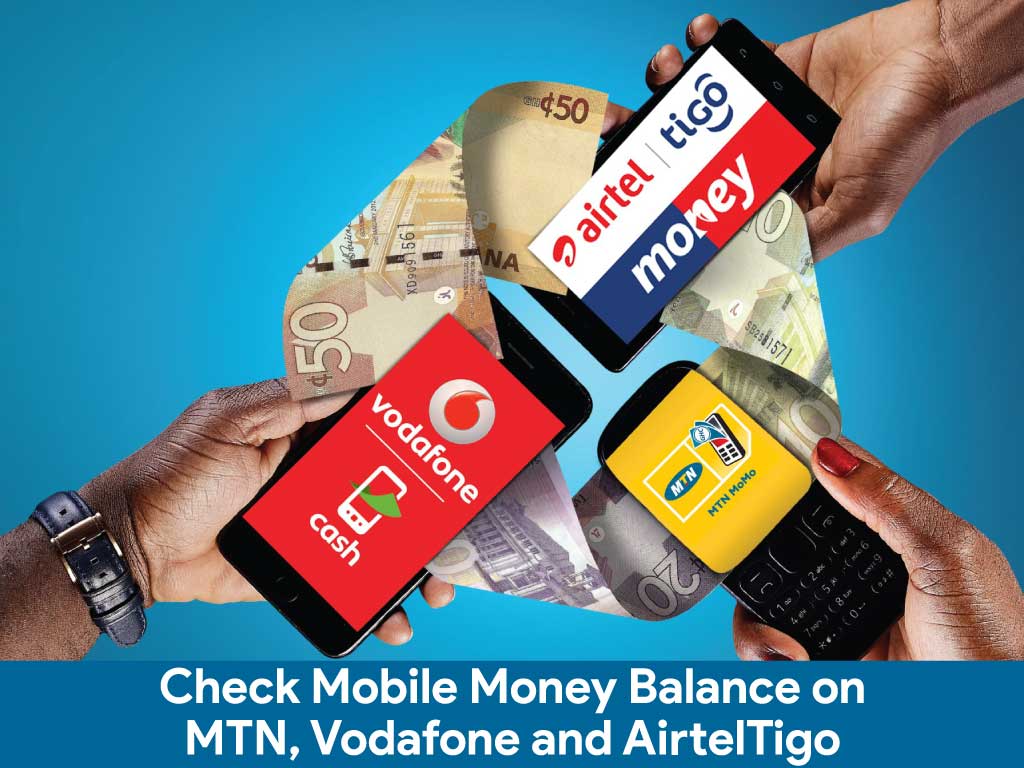
    How to check Mobile Money Balance on MTN, Vodafone and AirtelTigo

    We all have been using mobile money in our daily to-do activities, either sending, receiving, withdrawing, paying bills and shopping.

    Some subscribers sometimes find it difficult in checking their account balances and due to this they always depend on messages they will receive anytime they transact money to check their account balance as that message comes with your balance left.

    This is not the right way as it will be very difficult to keep track of your account balance.

    Someone close to you knowing your password can use this to steal your money or make a transaction and then delete the message that comes afterwards, and if you don’t check your actual balance more often, you won’t find out that someone has stolen your money.

    This is the reason why you need to check your mobile money balance rather than depending on your transactions messages history to know your balance.

    In this article, I am going to take you through how to check MTN mobile money balance via USSD and app, how to check Vodafone cash balance and how to check AirtelTigo money balance.

    How To Check MTN Mobile Money Balance Via USSD

    1. On your phone dial *170#.
    2. Select 6: My Wallet.
    3. Enter 1: Check Balance.
    4. Type in your PIN  code to check your current balance.

    How To Check MTN Mobile Money Balance Via App

    1. Install MYMTN app from Google play store.
    2. The app will take you to your dashboard if you are connected to the internet using your MTN sim card.
    3. To check your mobile money balance select MoMo Service.
    4. Enter your MoMo PIN to continue,  the app will send you a code to type in, type in and you will be taken to your mobile money dashboard.
    5. On your dashboard select Wallet to see your account balance, on the app you can see all the mini statements of your transactions you have made.

    You can also request for account statement, that’s the last 50 transactions which includes the amount spent and total received on the app, you can also change your PIN on the app.

    How To Check Vodafone Cash

    1. Dial *110#.
    2. Select 7: My Account.
    3. Select 1: Main Balance.
    4. Type in your PIN to know your account balance.

    How To Check AirtelTigo Money Balance

    1. Dial *110#
    2. Select My Account.
    3. Select Check Balance
    4. Enter your PIN to see your account balance.

    Conclusion

    Depending on what wallet you use, there are various ways to check your mobile money balance. Follow the steps above and let us know if you have any questions.

  • Ghana to launch universal QR code payment system in March 2020

    Ghana to launch universal QR code payment system in March 2020

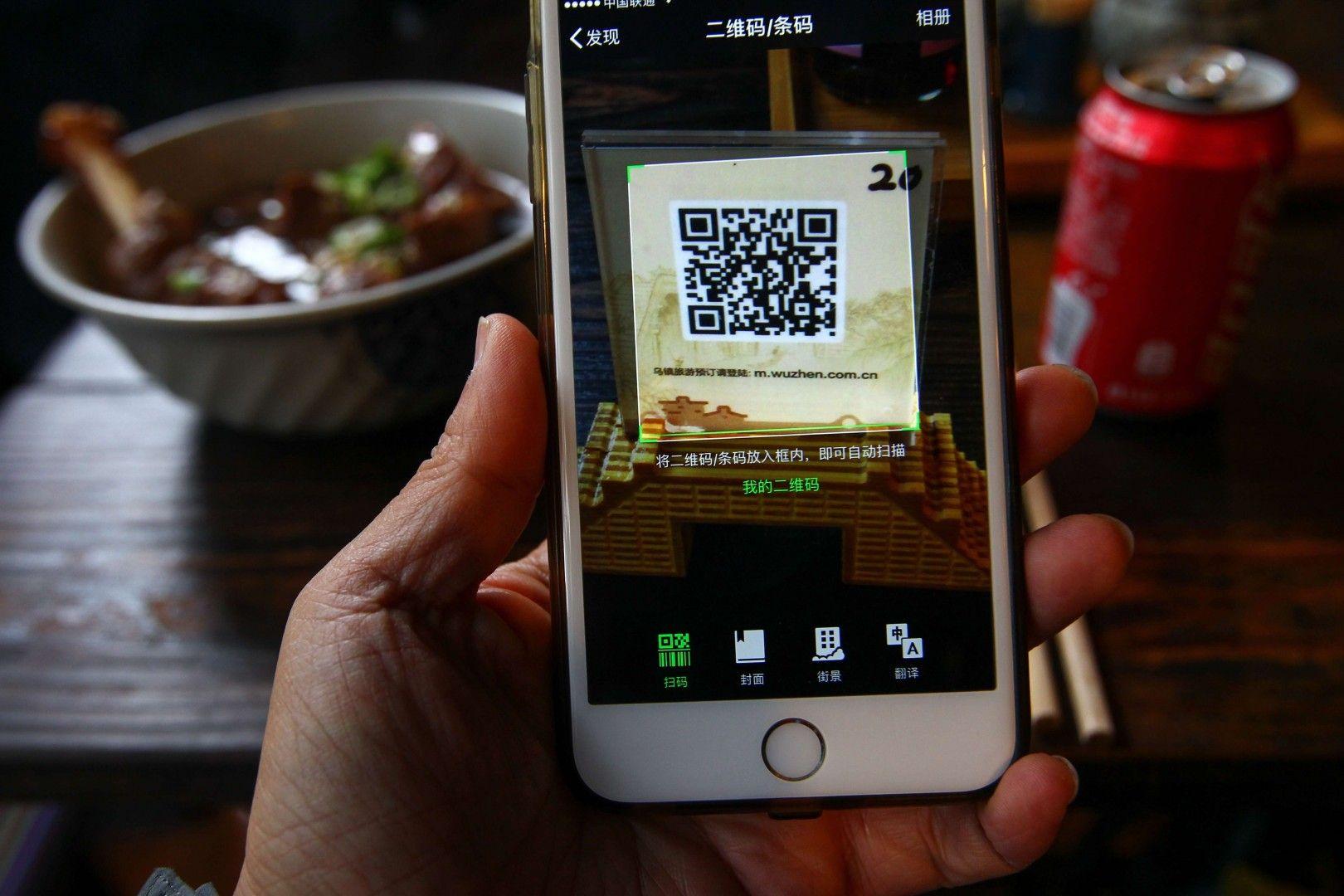
    Vice President of the Republic of Ghana, Dr Mahamadu Bawumia has revealed that Ghana is set to launch the Universal QR Code payment system in March this year, to reduce the handling of more cash in trade transactions.

    According to the Vice President of the Republic of Ghana, Dr Mahamadu Bawumia, Ghana will soon launch the Universal QR Code payment system next month in a bid to make Ghana cashless.

    The Vice President revealed this at the Government’s first-ever Town Hall Meeting which took place at the Kwame Nkrumah University of Science and Technology (KNUST), Kumasi in the Ashanti region

    He said: “Thanks to the Bank of Ghana, next month in March, Ghana will launch what we call, the Universal QR code payment system to make it possible for all retailers including the people who sell Kofi Brokeman and Waakye on the streets to receive payment from their customers directly on their mobile phones. Directly, without a point of sale device being necessary. This is a major transformation”

    Dr Bawumia emphasised that Ghana must take further advantage of the benefits of technology and digitisation in reaching for a major frontier of financial inclusion.

    According to Dr Bawumia, Ghana will be the first country in Africa to develop and use the Universal QR Code payment system.

    The Town Hall Meeting with the theme ‘Demonstrating Fulfillment of Our Promises’ outlined the Government’s achievements in three (3) years with a lot of focus on how the government is digitising the country.

  • How To Exchange Your Bitcoin For Mobile Money Through Remitano

    How To Exchange Your Bitcoin For Mobile Money Through Remitano

    Like Jumia, Jiji and tonaton, Remitano.com is the marketplace for all cryptocurrency dealers in Ghana.

    At Remitano, the platform available is an escrow service where buyers and sellers list their cryptocurrencies, their rates and the volume they need or have.

    As such, Remitano does not have direct control over the coins sold on its platform. The only thing they have control over is the sending and receiving of the coins involved.

    Exchanging bitcoin on Remitano is a bit tricky but it’s a lot better as there are a lot of orders for buy and sell at various rates from different people, so one could easily get a rate befitting their needs.

    So here is the process:

    Register For A Remitano Account

    1. Visit Remitano.com and click Login/register

    2. Click on Google under “sign in with”

    3. Enter your email address and enter your email password

    4. You’ll be logged in to your account.

    5. Setup your account by editing your profile.

    6. Deposit the BTC from your BTC holding account Into your Remitano wallet.

    Sell Your Coin To A Waiting Buyer

    1. click on sell now.

    2. From the homepage, you’ll see a list of buyers

    3. Locate the one you wish to sell to and click on sell

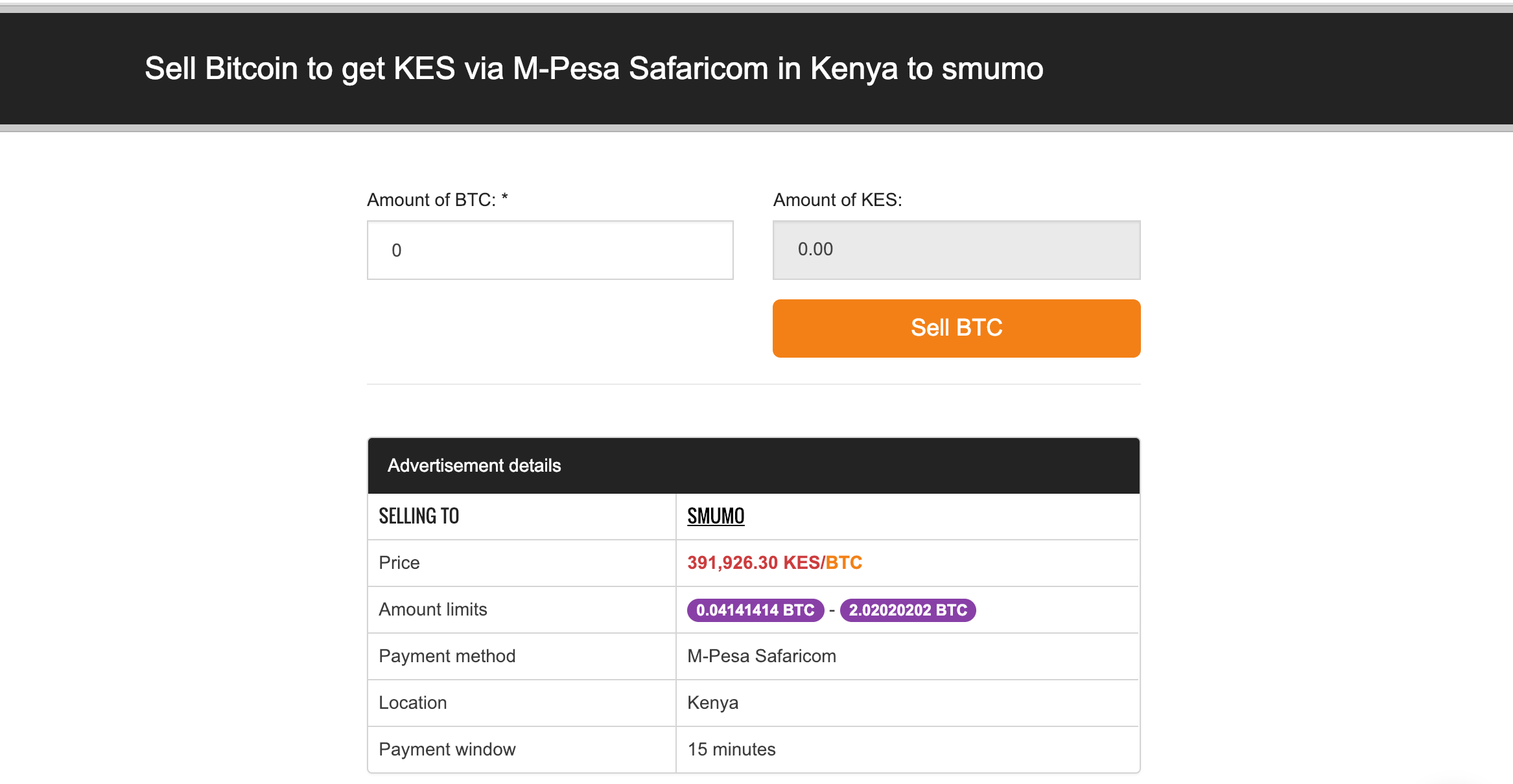
    4. Enter the amount of coin you wish to sell and click Sell BTC to open transaction window.

    Note: “Amount limits” is the minimum and maximum limit that the buyer (ad creator) wants to trade. You can only trade within this limit.

    5. Enter the payment details through which you want the buyer to make payments to you and click “Continue”.

    6. The transaction will automatically switch to “Awaiting payment” mode

    7. Wait for the buyer to pay you through the number you’ve provided. Then click on “I have received payment” to release the bitcoin to the buyer.

    Note: Do no confirm that you’ve received money from a buyer when you haven’t actually received the money in your account. Do well to verify any mobile money message received to be sure that it’s authentic before confirming receipt of the money. You can’t trust people with money these days. So just be careful.

    You can also check out other options here: How To Withdraw Bitcoin Through Your MTN Mobile Money Account

  • How To Withdraw Bitcoin To Mobile Money Account Through Payplux

    How To Withdraw Bitcoin To Mobile Money Account Through Payplux

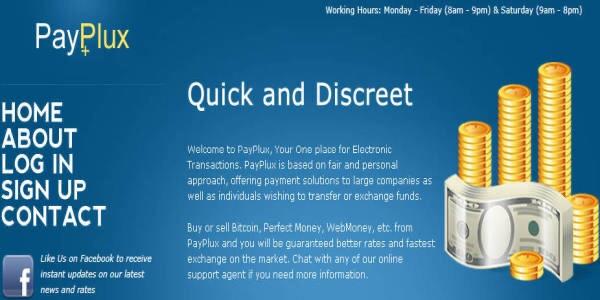
    Payplux.com is one of the most reliable cryptocurrency exchanges in Ghana.

    Withdrawing your bitcoin through mobile money on Payplux is way very easy.

    To do so, follow the following steps:

    Register For An Account

    To register for an account, visit: Payplux.com and click on “Get started”

    Fill in the spaces provided for your phone number (Preferably your mobile money number), your email address, your full name and preferred password).

    Click on signup and confirm your email.

    Trade Your Bitcoin For Ghana Cedis

    To be able to access the next step of the process, you need to login to your payplux account first.

    Click on Buy & Sell in your account

    Click on sell

    Select the coin you want to sell under the “Selling” tab

    Enter the amount to sell in USD (The rate is just below the box where you write the amount)

    The amount you’ll receive will appear in a box just beneath that.

    If you’re using a mobile device, you’ll see a summary of the transaction at the bottom of your page. If you’re using a PC, it’s on the right side.

    Click on Sell Bitcoin USD (… GHS)

    Select your payment method (Mobile Money)

    Select your network

    And indicate your mobile number

    Click on Pay Now to send bitcoin

    Follow the prompts

    Your order will be confirmed and processed

    You get the money in your mobile money account.

    You May Also Try: How To Exchange Your Bitcoin For Mobile Money Through Remitano


  • 2020 Week 3: Top 5 Cryptocurrencies

    2020 Week 3: Top 5 Cryptocurrencies

    The third week of 2020 seems to be a positive week for the crypto market. Majority of the top 100 cryptos in the world have made some positive gains in general towards the end of the week.

    As we prepare to begin the fourth week, here we bring you a brief analysis of how the top 5 cryptos performed throughout the week.

    1. Bitcoin (BTC)

    Bitcoin made an entry into the new week on Sunday, 12th January 2020 at 8,150.53 USD. Interestingly, that was the lowest point for bitcoin throughout the week.

    It rose steadily and reached its peak on Sunday morning at 9,090.79 USD. As of press time on Sunday 19th January 2020, bitcoin is trading at 8,707.63 USD.

    Having seen a growth of 11.53 per cent over the past one week and with a market capitalisation of 158.25 Billion USD, Bitcoin tops our list of the top 5 cryptocurrencies of the just ended week.

    2. Ethereum (ETH)

    Ethereum, the second most popular cryptocurrency just behind bitcoin is still leading as the second biggest crypto asset in the third week of 2020.

    The week for Ethereum started well compared to the previous week with an initial entry of 146.21 USD.

    Towards the end of the week on Saturday, Ethereum peaked at 174.80USD. Ethereum, however, had its lowest point for the week on Saturday with 146.01 USD.

    As of press time on Sunday, Ethereum sells at 166.97 USD. Though this sums up as a dip towards the end of the week, conclusively, Ethereum achieved a growth of 14.19 per cent over the past week. Its capitalisation stands at 18.254 Billion Dollars.

    3. RIPPLES (XRP)

    Still struggling at the top, Ripples started the week with 0.21USD and has been going on a smooth ride up the curve throughout the week. Its peak was 0.248USD which happened on Sunday afternoon. There was no other least price for the week aside from the entry point. So in all, XRP concluded the week at 0.234USD with a gain of 11.4 per cent and a market capitalisation of 10.268 Billion Dollars.

    4. Bitcoin Cash (BCH)

    Bitcoin cash has been enjoying some major rise in price from the beginning of the year. BCH entered the week at 266.68 USD. Its peak was on Saturday morning when it earned a price of 388.35 USD. The lowest point, however, was the entry point which means it’s seen positive growth. As at press time, BCH is selling at 338.21 USD on Sunday. Per mathematics, BCH has seen a growth of 26.82 Percent over the week. Its market capitalisation is pegged at 6.17 Billion Dollars.

    5. Bitcoin SV (BSV)

    Our fifth and final coin on the top five list of cryptocurrencies was Tether. Unfortunately, this week wasn’t a good one for the USD tether as it has had to move down a step further, thanks to the marvellous performance of Bitcoin SV (BSV).

    BSV started the week with 162.84 USD. Towards the end of Tuesday, BSH reached its peak price of the weak which stands at 422.74 USD.

    Its lowest pricing, however, has been the entry point. So no much trouble for this coin in terms of performance. As of press time today, Sunday 19th January 2020, BSH is selling at 257.32 USD.

    Having clocked an increase of 58.02 per cent and a market cap of 5.065 Billion Dollars, BSH is the final coin on our list for the week.

    Kindly check out our list of top 5 cryptocurrencies based on market capitalisation and percentage gains Nextweek Sunday.

    NB: We do not give advice on crypto investments. Like any other investment program, cryptocurrencies are very risky ventures to invest in. Please do seek the views of an expert before making a decision to invest in cryptocurrencies

  • 2020 Week 2: Top 5 Cryptocurrencies

    2020 Week 2: Top 5 Cryptocurrencies

    The second week of 2020 seems to be a positive week for the crypto market. Majority of the top 100 cryptos in the world have made some positive gains in general towards the end of the week.

    As we prepare to begin the third week, here we bring you a brief analysis of how the top 5 cryptos performed throughout the week.

    1. Bitcoin (BTC)

    Bitcoin made an entry into the new week on Sunday, 5th January 2020 at 7,561.30 USD. Interestingly, that was the lowest point for bitcoin throughout the week.

    It rose steadily and reached its peak on Wednesday morning at 8,346.00 USD. As of press time on Sunday 12th January 2020, bitcoin is trading at 8,150.53 USD.

    Having seen a growth of 7.8 per cent over the past one week and with a market capitalisation of 147.95 Billion USD, Bitcoin tops our list of the top 5 cryptocurrencies of the just ended week.

    2. Ethereum (ETH)

    Ethereum, the second most popular cryptocurrency just behind bitcoin is still leading as the second biggest crypto asset in the second week of 2020.

    The week for Ethereum started rather slowly with an initial entry of 136.17 USD. Towards the middle of the week on Wednesday, Ethereum peaked at 147.62 USD. However, right from Wednesday through to Friday, Ethereum has been on a negative parabolic movement and reaching its lowest point at 135.93 USD.

    But there is good news for holders. It looks like the weekend produced some magic as Ethereum sells at 146.2 USD as of press time today. Conclusively, Ethereum achieved a growth of 7.6 per cent over the past week. Its capitalisation stands at 15.92 Billion Dollars.

    3. RIPPLES (XRP)

    Ripples has been one of the worst-performing crypto assets among the top 10 towards the end of last year and this year. Many crypto gurus have predicted it as one of the coins to cause major shakeup in the industry this year. Well, we wait to see how that turns out.

    Still struggling at the top, Ripples started the week with 0.19 USD and has been going slightly up and down throughout the week. Its peak was 0.223 USD which happened on Tuesday. And the least was the entry point. So in all, XRP concluded the week at 0.213 USD with a gain of 12.1 per cent and a market capitalisation of 8.56 Billion Dollars.

    4. Bitcoin Cash (BCH)

    Bitcoin cash has been enjoying some major rise in price from the beginning of the year. BCH entered the week at 223.71 USD. Its peak was on Saturday when it earned a price of 270.45 USD.

    The lowest point, however, was the entry point which means it’s seen positive growth. As at press time, BCH is selling at 266.86 USD. Per mathematics, BCH has seen a growth of 19.28 Percent over the week. Its market capitalisation is pegged at 4.861 Billion Dollars.

    5. USD Tether (USDT)

    Tether is our last baby for the week. With steady pricing, Tether hardly loses or gains anything in the crypto market. However, its market capitalisation of 4.635 Billion Dollars puts it in the driving seat as the fifth and final crypto asset on our list for this weekend.

    Kindly check out our list of top 5 cryptocurrencies based on market capitalisation and percentage gains Next week Sunday.

    NB: We do not give advice on crypto investments. Like any other investment program, cryptocurrencies are very risky ventures to invest in. Please do seek the views of an expert before making a decision to invest in cryptocurrencies.