Category: Mobile Apps

87425

  • WhatsApp adds new stickers feature in the latest update; Update now

    WhatsApp adds new stickers feature in the latest update; Update now

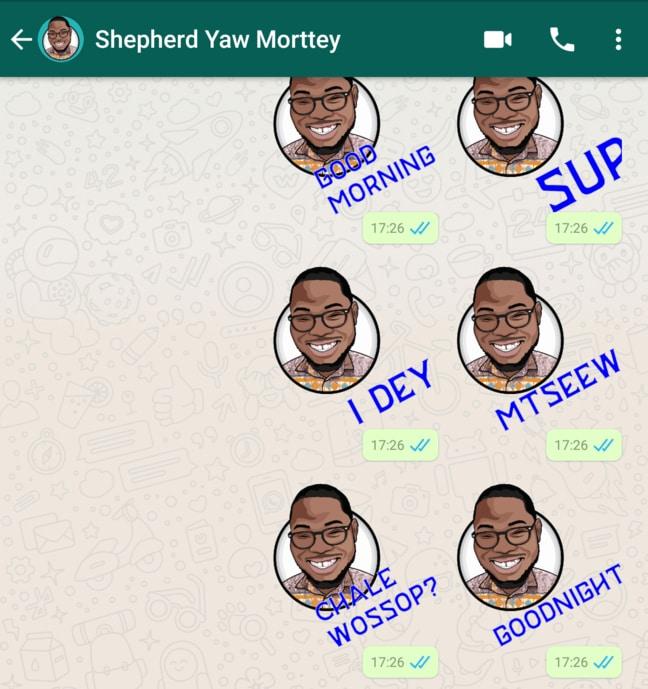
    WhatsApp does not seem to cool down when it comes to adding features and functionality. The latest feature to come to the instant messenger is stickers.

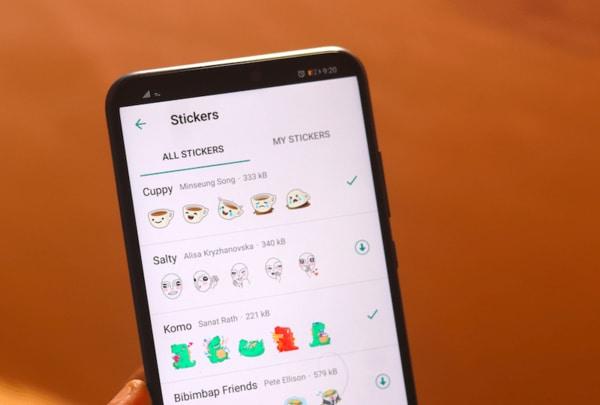
    WhatsApp has a Stickers Store in its app whereby users can download 12 new sticker packs for free. The Sticker feature can be accessed from WhatsApp Web as well once the app is updated to the latest beta version.

    How to enable Stickers in WhatsApp

    1. Join WhatsApp Beta program with this link: https://play.google.com/apps/testing/com.whatsapp
    2. Update your WhatsApp to the latest version or you can get the apk directly here.
    3. You will be able to use stickers now.

    How to use WhatsApp Stickers

    1. Open any chat or group.
    2. Next to the text input field, tap Emoji  > the sticker icon.
    3. To add sticker packs, tap the plus icon.
    4. In the Stickers popup that appears, tap the download icon next to the sticker pack you want to download. A green check mark will appear once the download is complete.
    5. Tap the back arrow icon.
    6. Find and tap the sticker you want to send.

    Additional options:

    • Tap the clock icon to view your recently used stickers.
    • Tap the star icon to view your favourite stickers.
      • To favourite a sticker, tap and hold the sticker, then tap ADD.
      • To unfavorite a sticker, tap the star icon to go to the favourites section. Tap and hold the sticker, then tap REMOVE.
    • If you tap the heart box icon, it’ll show a set of sticker category icons, where stickers are categorized based on the emoji displayed on the icons.
      • Example: Tapping the heart box icon will bring up any stickers containing hearts.
    • If you want more sticker options, tap the plus icon. Scroll to the bottom of the ALL STICKERS tab and tap GET MORE STICKERS. This will take you to Google Play Store, where you can download sticker apps.
    • To view the sticker packs you’ve downloaded, tap the plus icon > MY STICKERS tab. If you want to delete a specific sticker pack, tap Delete  > DELETE. To reorder your sticker packs, tap and drag the four-line icon next to a sticker pack.

  • WhatsApp Group Video Calls: How to enjoy the new feature on Android or iOS

    WhatsApp Group Video Calls: How to enjoy the new feature on Android or iOS

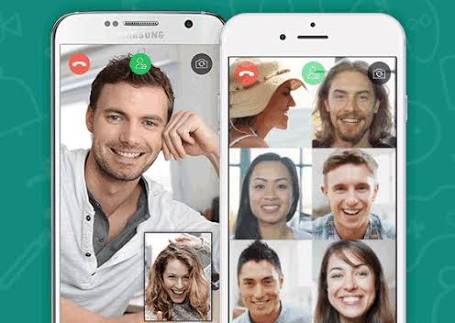
    Video calling has been available on WhatsApp for quite sometime, but what about if you want to video call multiple WhatsApp contacts at the same time? Well, WhatsApp Group Video Calling is now available to both Android and iOS users of the App.

    WhatsApp announced this on Monday via its blog post that it is making the much anticipated group video and audio calls available for all the users across the globe now.

    How to Enjoy the WhatsApp Group Video Calling

    (more…)

  • “Star Phone” App launched to ease communication with businesses in Ghana

    “Star Phone” App launched to ease communication with businesses in Ghana

    MTN Ghana Limited has partnered One Smart Star Ghana Limited to launch Star Phone Service, a global service, allowing companies and institutions to keep all communications links in one place.

    This is aimed at making communications with signed-up businesses and institutions easier for users and clients as solutions to customers having to deal with several phone numbers when the need arises.

    Launching the service, Mrs Ursula Owusu-Ekuful, the Minister for Communications, in a speech read on her behalf said she was proud that the country was the first country to launch the service in the West Africa sub-region.

    She said it was welcoming to have a one-stop mobile application platform that would host multiple numbers of an organisation and integrates all their available communication channels thus voice phone, website, email, social media platforms, SMS, location navigation, and fax.

    She said to drive the use of Information Communication Technology in business, investment was needed to build, develop, strengthen and make it accessible, adding that, “We welcome One Smart International into Ghana’s technology solutions industry…”

    The Star Phone Service according to Mrs Ameley Ampofo, the Acting Chief Marketing Officer of MTN Ghana, is a unique dial code and app that allows customers to contact businesses just by single dial or tap without having to deal with the lengthy 10 digits.

    She said MTN’s commitment to lead in the delivery of a bold new digital world to customers, was urging them, to continuously provide distinct customer experience to brighten the lives of customers.

    Mrs Ameley Ampofo noted: “We continue to invest in our network and infrastructure to ensure that customers live in this digital age enjoying all the benefits available to them without restrictions.”

    “This year alone, MTN is investing more than 144 million US dollars to expand the network. Our focus on building a solid and robust network is driven by our desire to deliver a uniquely distinct customer experience,” she added.

    Mr David Sussan, Co-Founder and Chief Executive Officer (CEO) of One Smart Star International, said the services were being made available to some selected national security services for free as part of its Corporate Social Responsibility.

    He said the services were currently being used by a fleet of international companies and institutions in 80 countries.

    It’s better to use one of these best free VPN services https://fixthephoto.com/best-free-vpn.html to keep your personal or corporate data private.

    He said the application was available for free download on Google play store – with app name, ‘Star Phone’ – where users could easily access and start communicating with various institutions and companies.

    Mr Cornelius Kakraba, the CEO of One Smart Star Ghana, said the company so far has more than 70 companies which have signed up in the country.

    Download Star Phone App

    To download the Star Phone App, click here

  • CodeXtra: This Ghana app connects you with IT Freelancers all over Africa

    CodeXtra: This Ghana app connects you with IT Freelancers all over Africa

    When it comes to freelancing in Ghana, only a handful of homegrown solutions are on the market. A lot of people resort to sites like UpWork which have not been carefully crafted for the Ghanaian.

    There are the other groups of people, who actually freelance, but don’t even call it as “freelancing”.

    Yes, freelancing in Ghana is somewhat sketchy. If you are self-employed, providing services for some different number of clients and getting paid, usually in the short run, you are most likely freelancing.

    CodeXtra was developed by a Ghanaian tech person and App developer, Ebenezer Narh-ngwah to connect persons in the IT space – Employers and Freelancers.

    For freelancers in the IT Space, CodeXtra gets you connected with potential clients and exposes your freelancing business with ease. Freelancers have the chance to showcase their portfolio and there is the wonderful option for more than one freelancer to connect and work together on a single project.

    And for Employers who need the services of these freelancers, you can use the CodeXtra Platform to find and select the best candidates for your project.

    Some popular requests from employers on the CodeXtra platform are the app and website development, Corporate and Personal Logo design as well as other Graphic Designing work and the designing and development of software applications.

    Payment for services is not done on the app. Rather, employer and freelancer bargain and the payment is made through their agreed means. This means that if agreed on, you could be making payments to the freelancers via means like Mobile Money.

    Download CodeXtra

    Hire, Connect and Share your experience with Freelancers in Africa by downloading the CodeXtra App from the google play store! Get the free app: https://goo.gl/g6wEQv

    The app currently has a 4.6 rating on the Google Play Store.

    When you download and use the app, don’t forget to rate and share your experience here with us.

  • UBA Ghana launches Mobile App and USSD Services

    UBA Ghana launches Mobile App and USSD Services

    United Bank for Africa (Ghana) Limited, in line with its strategy to drive the experience of “banking without boundaries” to its customers through digital innovation, has launched a new Mobile Banking application (formerly known as U-Mobile) and Unstructured Supplementary Service Data (USSD) code *822# at the Bank’s Head Office in Accra on 12th June, 2018. The two lifestyle products have been updated to bring a whole new banking experience to customers of the Pan African Bank.

    The new Mobile Banking App and USSD channels have been created with banking features that enable customers to operate a mini branch on their mobile devices, thus making banking more convenient, easy and accessible for all category of customers.

    UBA customers can register for these services to transfer money, buy airtime, check account balances, pay bills, transfer funds and conduct mobile money transfers amongst other functions with the new Mobile Banking App and USSD.

    “As a bank, co-creating with our customers remains part of our focus. Over the period, we have been informed by the taste and lifestyle of our customers and as such provided these two new solutions -Mobile Banking App and *822# to enhance their banking relationship with us and give our customers greater value”. We live in an age and time where people want a hustle-free way of banking, so we decided to introduce more features in our Mobile Banking App, which gives our customers greater value.” Said Abiola Bawuah – MD/CEO.

    With *822#, UBA Ghana advances in an industry trend which hopes to extend banking services to the less tech savvy customers, and customers who may not have the taste for internet banking, as well as the financially excluded persons” he continued.

    United Bank for Africa (Ghana) new Mobile Banking App demonstrates the Bank’s aim to provide unparalleled experience across all its channels It is in line with the bank’s vision to dominate Africa’s digital banking space. It comes with biometric log-in and facial recognition features for secure and personalized access. The application is now available for download on Apple Store and Google Play.

    The launch of these products demonstrates our culture of service excellence, strengthening the affinity with our existing customers while reinforcing the UBA brand as one to be associated with by the entire banking public.

  • WhatsApp group Video Call is now available for a few lucky people

    WhatsApp group Video Call is now available for a few lucky people

    The much-awaited video calling within WhatsApp group members (subject to a maximum of 4) is available for a few people. While it’s currently just work in progress, a limited number of people have been able to see the feature being beta tested on their devices.

    This is true for Android as well as iOS run devices. To be precise, the version of these OSs which are getting the beta-testing of group video calling is WhatsApp iOS build 2.18.52 and Android beta version 2.18.145+.

    It is also being reported that not all users with these OS versions are included for the test run. Unlike some beta-testing program where the users can opt for an invite-to-join basis, there is no such arrangement in this.

    If you are keen to know if your device has been included for the testing, you can check by making a video call to another person and see if the ‘add participant’ icon is showing up. If it does, you are lucky and can use the feature; else, you may have to wait. In any case, WhatsApp has promised this feature towards the end of this year.

    Apart from WhatsApp, Facebook, that owns and operates WhatsApp, is planning to provide this group video call facility on Instagram as well.

    As already informed, the feature as and when made available, will permit a maximum of 4 persons to be added to the group video call including the one who initiates the conversation.

    People who keep a close watch on happenings with WhatsApp remind the public that the messaging app had also indicated it is releasing new stickers for both the Android and iOS versions of the app.

    WhatsApp has also added new features such as giving admins more control, catching up with messages, Group description and more. As per these updates, which were rolled out earlier this month, group creators can no longer be removed from the group they started.

    How to get WhatsApp beta on Android

    Signing up for the beta test can be tricky, and it’s definitely not for everyone.

    Beta versions of apps are used for developers to test new features on a small number of users.

    That means the app might not work properly and may crash often.

    Still, if you’re dead set on receiving new features before everyone else, you can sign up.

    On Android:

    1. Open a web browser
    2. Go to the WhatsApp beta test page
    3. Log into your Google account (the one you use on your phone)
    4. Click Become A Tester
    5. Open the Google Play Store on your phone
    6. Find WhatsApp – the title should read WhatsApp Messenger (Beta)
    7. You should receive an update for the beta version of WhatsApp
  • Download Now: Google launches lightweight Go search app in Ghana

    Download Now: Google launches lightweight Go search app in Ghana

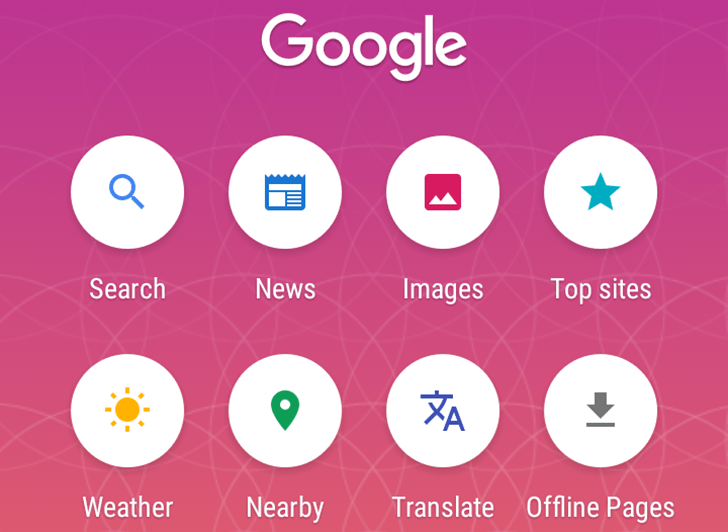
    Google has unveiled a new, lightweight search app aimed at emerging markets. The app, called Google Go, has been launched in 26 countries in sub-Saharan Africa, including Ghana, and is available for download immediately.

    Why Google Go?

    The app is meant to address the challenges often faces by users in emerging markets like Ghana: weak data connectivity, high data costs and low RAM and storage space on entry-level devices. It uses less than 5MB of storage on Android smartphones.

    (more…)

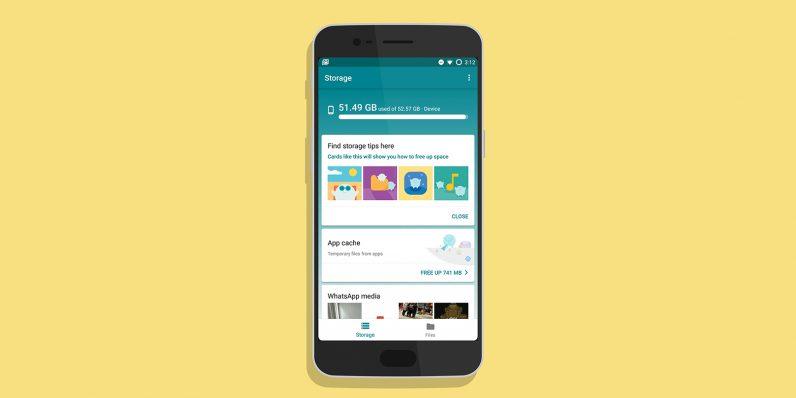
  • Files Go by Google – This app will help you free space on your Android

    Files Go by Google – This app will help you free space on your Android

    One app for all your storage needs? Well, this is it. It’s from Google and it contains no ads, just AI power.

    Google’s Files Go — the app that helps Android users free up space, find files quickly and share files offline with people close by is available.

    Similar to Apple’s AirDrop, Files Go also lets you transfer files directly between devices (at speeds up to 125Mbps) without it costing mobile data, so long as both devices have the app installed. And by using the company’s mobile vision technology, the app suggests which files users should delete like unused apps, duplicate files, low-resolution videos, and memes.

    Google says the average person is saving around 1GB of space by using it.

    The app intelligently monitors the apps you use and files that have been downloaded to your device and offers recommendations on content that can be deleted. It also has a nifty feature that automatically clears the cache, and Google built filters to target specific WhatsApp image forwards, which tend to clutter up a device over time.

    How to download and install Files Go by Google

    1. Open the Play Store from the app drawer Search for Files Go.or the home screen or click here.
    2. Hit the Install button on the Files Go card.

    How to use Files go by Google to clean up your Android device.

    After installing Files Go, you’ll need to give it usage access so it can monitor your app usage and offer suggestions for apps you can delete. Here’s how to get started with Files Go:

    1. Open Files Go from the app drawer or home screen.
    2. Hit the Continue button.
    3. Give Files Go access to photos, media, and files by hitting the Allow button.
    4. In the Find unused apps card, tap the Get started button.
    5. Hit the Go to settings button.
    6. Tap Files Go in the Apps with usage access screen.
    7. Toggle the button next to Permit usage access.
    8. Go back to the app to see cleanup suggestions. In the Temporary app files card, hit the Free up button to clear unused files.
    9. Select the button next to All items and hit Clear.

    One of Files Go’s strengths is its ability to find unused apps to free up space. Now that we’ve given the app access to monitor your phone usage, you’ll see periodic recommendations when it finds apps that you haven’t used in a long time. You’ll also get notifications to clear unused files or excessively large media content when you’re running low on storage.

    Share files with Files Go by Google

    Maybe you don’t need Xender.

    Well, It’s a bit hidden, but Files Go includes the ability to share files with nearby friends. It works in a lot of ways like Apple’s AirDrop feature or the popular Android App – Xender, by using a secure hotspot connection between two devices to transfer the file.

    Instead of being able to send files to random strangers, the recipient will have to approve the connection between the devices before anything can be sent or received.

    To use the file sharing feature, each person will need to visit the Files tab and select Send or Receive. After that, follow the prompts to complete the transfer.


    Thank you for reading. Don’t forget to share this with your family and friends.

    For the latest tech news and reviews, follow Mfidie on TwitterFacebook, Instagram and TelegramSubscribe to our YouTube channel here. To Subscribe via WhatsApp, send “News” to 0242022161
    If you want to be part of our team of bloggers or you want to Guest blog on this platform, send a WhatsApp Message to 0242022161 or simply call. You can also fill the form here to join our tech blogging team and we will contact you back.

  • Download DenTymz App from PlayStore and Relive old High School days

    Download DenTymz App from PlayStore and Relive old High School days

    Which Senior High School did you attend?

    Ghanaians and essentially a lot of people all over the world pride themselves with the schools they attended. However, after school, most of the things that happened are mere memories, and reunions are very difficult most of the time. It’s life!

    What if all the fun you had or missed from back in the days can be brought to your doorstep? What if there is one place where you can have live feeds of high school events like the National Science and Maths Quiz, Milo games, Athletics events etc?

    Introducing DenTymz

    On DenTymz old students of every high school is on one platform, grouped into their schools hence users can have the privacy of sharing content among just their alma mater or share content so old students from other schools would see. Single-sex schools who had alliances can also see the alliance page in their navigation drawer.

    Speaking with Rudolf, founder of DenTymz, he said: “So the idea for DenTymz came about one evening, I was just singing “Gyama” from back in the day and it just hit me, after school how do we even relate? All we have are Alma mater facebook accounts and WhatsApp groups.  And these platforms are meant for the individual schools.”

    Features of DenTymz

    Grouped Postings

    Post into your school and it will be seen by all who completed the school as well as anyone who follows it.

    Post into your year group and it will be seen by only those who completed the school and from the same year group If your school has an alliance with another school such as in the case of some single-sex schools, you will get extra options to post to your alliance school or year group and the same logic applies.

    Follow Schools

    Follow other schools to view what alumni from those schools are sharing Alumni who follow your school will also see what you share if you post into your school.

    Easily Switch Feeds

    Switch between posts from your school and all schools you follow using the Home option from your navigation drawer Switching to your school will only show posts from your school Switch to your year group to see posts from only your year group If your school has an alliance with another school in the case of some single-sex schools.

    You will get extra options to navigate to your alliance school or alliance year group.

    Chat with your friends

    Users can also send chat requests to people they want to chat with and catch up on without leaving the App.

    Personality of the Week

    The app also has the “personality of the week” feature where notable people in our society who have made it through the struggle of school time share how they made it and what they are doing now. Users can also send chat requests to people they want to chat with and catch up on without leaving the App’s interface.

    Check out Screenshots from the DenTymz App:

    Download DenTymz

    Although in the beta phase, you can still download DenTymz from Google PlayStore. Follow DenTymz on Facebook.

  • Track Anyone in Ghana with Xnspy WhatsApp Monitoring App

    Track Anyone in Ghana with Xnspy WhatsApp Monitoring App

    Do you think that checking the WhatsApp’s “online” status feature is the only way to monitor when a user is online? Think again, if you do not find any other trick to do so in Africa, then we have another solution which is far more effective than just tracking the online status.

    While some people may say that ‘online status’ feature is a flaw which can be used to keep a track of the user’s activity timings on the WhatsApp, there is no truth about it as the content of the messages cannot be read given that the WhatsApp is end-to-end encrypted.

    But what if you are given a smart way to check the content of the messages without even monitoring the online status? Xnspy is the best WhatsApp monitoring app in Africa that can track WhatsApp on any Android phone. Not only this, you can be given more than just WhatsApp messages information. So without any delay let me share how to do it.

    Setting up the Xnspy App

    Setting up the app is not complicated at all and you can easily set it up on an Android mobile if you have access to it once. To set up the app, you have to visit their website and follow these steps.

    1. The app is not available on the Google Play Store, you can go to their website to subscribe to the app.
    2. After subscribing, you will receive an e-mail within a few hours containing a download link, user credentials and some instructions to follow.
    3. Grab the phone you want to monitor and use the download link on its browser to download the app on the phone.
    4. After the app is finished downloading, install the app on the phone. The whole process of downloading and installation will not take longer than 10 minutes. And the app is smaller in size, it does not require more than 7MBs of space on the target Android phone.

    Monitoring the WhatsApp

    After successfully completing the above process you are now good to monitor the WhatsApp on the target Android phone. There are just a few steps to follow:

    1. Log into the Xnspy account by visiting their website and using the credentials previously sent to your email. You can also download the Dashboard app on your Android phone through Google Play Store to access your account and monitored information
    2. Once you have logged in you will see the main menu, this is called the Dashboard of your Xnspy account. On this page, you will find all the features that Xnspy can pull off on the left side of the page.
    3. On that list, click the option ‘Messenger’. Among the list of several messengers, you will see WhatsApp. Click on this options and the app will start showing you the WhatsApp information of the target phone.

    What can you monitor with WhatsApp monitoring app?

    WhatsApp has many features. It can be used to make calls, you can chat with the friends, and create groups of friends or peers to communicate. In addition to all this, you can share documents, videos, and pictures on the WhatsApp.

    With Xnspy, you will be able to monitor almost everything offered by the WhatsApp. Here we are listing the functions that it can perform:

    • You can view all the calls information made on the WhatsApp. This includes the contact name and the time of the call.
    • You can read all the chats and group chats on the monitored Android phone. It has all the time and dates information about those chats.
    • Besides all this, you can use the app to see the shared photos and multimedia on the WhatsApp account.
    • In the end, you can even see the deleted WhatsApp messages in your Xnspy account.

    Some key features of Xnspy

    Following are some of the key features of this app:

    • This app can be used on any Android phone in Africa or Ghana. It supports the latest Android Oreo 8.0 operating system. And it is also compatible with the previous versions of Android.
    • This app operates in stealth mode. Once you install it on the target phone, it disappears in the background.
    • Besides WhatsApp, it can track Facebook, Skype, Viber, and many other messengers.
    • It has more than 30 monitoring features to monitor an Android phone.
    • You do not need to root the Android mobile before installing the app.