Category: Mobile Apps

87425

  • Track Anyone in Ghana with Xnspy WhatsApp Monitoring App

    Track Anyone in Ghana with Xnspy WhatsApp Monitoring App

    Do you think that checking the WhatsApp’s “online” status feature is the only way to monitor when a user is online? Think again, if you do not find any other trick to do so in Africa, then we have another solution which is far more effective than just tracking the online status.

    While some people may say that ‘online status’ feature is a flaw which can be used to keep a track of the user’s activity timings on the WhatsApp, there is no truth about it as the content of the messages cannot be read given that the WhatsApp is end-to-end encrypted.

    But what if you are given a smart way to check the content of the messages without even monitoring the online status? Xnspy is the best WhatsApp monitoring app in Africa that can track WhatsApp on any Android phone. Not only this, you can be given more than just WhatsApp messages information. So without any delay let me share how to do it.

    Setting up the Xnspy App

    Setting up the app is not complicated at all and you can easily set it up on an Android mobile if you have access to it once. To set up the app, you have to visit their website and follow these steps.

    1. The app is not available on the Google Play Store, you can go to their website to subscribe to the app.
    2. After subscribing, you will receive an e-mail within a few hours containing a download link, user credentials and some instructions to follow.
    3. Grab the phone you want to monitor and use the download link on its browser to download the app on the phone.
    4. After the app is finished downloading, install the app on the phone. The whole process of downloading and installation will not take longer than 10 minutes. And the app is smaller in size, it does not require more than 7MBs of space on the target Android phone.

    Monitoring the WhatsApp

    After successfully completing the above process you are now good to monitor the WhatsApp on the target Android phone. There are just a few steps to follow:

    1. Log into the Xnspy account by visiting their website and using the credentials previously sent to your email. You can also download the Dashboard app on your Android phone through Google Play Store to access your account and monitored information
    2. Once you have logged in you will see the main menu, this is called the Dashboard of your Xnspy account. On this page, you will find all the features that Xnspy can pull off on the left side of the page.
    3. On that list, click the option ‘Messenger’. Among the list of several messengers, you will see WhatsApp. Click on this options and the app will start showing you the WhatsApp information of the target phone.

    What can you monitor with WhatsApp monitoring app?

    WhatsApp has many features. It can be used to make calls, you can chat with the friends, and create groups of friends or peers to communicate. In addition to all this, you can share documents, videos, and pictures on the WhatsApp.

    With Xnspy, you will be able to monitor almost everything offered by the WhatsApp. Here we are listing the functions that it can perform:

    • You can view all the calls information made on the WhatsApp. This includes the contact name and the time of the call.
    • You can read all the chats and group chats on the monitored Android phone. It has all the time and dates information about those chats.
    • Besides all this, you can use the app to see the shared photos and multimedia on the WhatsApp account.
    • In the end, you can even see the deleted WhatsApp messages in your Xnspy account.

    Some key features of Xnspy

    Following are some of the key features of this app:

    • This app can be used on any Android phone in Africa or Ghana. It supports the latest Android Oreo 8.0 operating system. And it is also compatible with the previous versions of Android.
    • This app operates in stealth mode. Once you install it on the target phone, it disappears in the background.
    • Besides WhatsApp, it can track Facebook, Skype, Viber, and many other messengers.
    • It has more than 30 monitoring features to monitor an Android phone.
    • You do not need to root the Android mobile before installing the app.
  • WhatsApp Business App Now available for download to all Businesses in Ghana

    WhatsApp Business App Now available for download to all Businesses in Ghana

    WhatsApp had been making serious moves to monetize the app by charging Large businesses in different countries for tools they can use to communicate with their customers. WhatsApp will also be offering a free app to small and medium-sized businesses as well.

    The enterprise solution provided by the app will allow companies to provide their customers with important notifications like delivery confirmation, flight times, and other updates.

    What to expect from WhatsApp Business in Ghana

    WhatsApp has announced that there won’t be any significant change for regular WhatsApp users. People can continue using their apps as though nothing changed. They’ll have full control of the messages they get with the ability to block anyone.

    Profile Setup

    With the new WhatsApp Business, users will be able to set up their company profile with details like location, contact, and website. You have to set these things to ensure your WhatsApp Business account is as official as it can get. By setting a few things in order, you can show customers that your WhatsApp account is a business account.

    Chat Migration

    If you want to, you can transfer your chats and conversations from your regular WhatsApp to the WhatsApp Business. If you choose not to migrate your chats, you’ll have to use a different number or lose all the chats from your previous number. Users cannot use the same number for two WhatsApp applications.

    Auto Replies

    The new app will also come with intelligent features like auto-replies and other automatic messages business owners can set to be sent when they are unavailable to respond to customers. Default messages can be set for specific responses before you take charge of the conversation yourself.

    Business Statistics and Analytics features

    The business users will be able to analyze their user base through statistical features embedded in the application. You can check your message stats and replies stats. These and other interactions will give you a complete picture of how your business is performing. These and other interactions will give you a complete picture of how your business is performing.

    Download WhatsApp Business App for your Business

    To download WhatsApp Business for Android, use this link.


    Thank You For Reading. Don’t Forget To Share This With Your Family And Friends. For The Latest Tech News And Reviews, Follow Mfidie On TwitterFacebookInstagram And Subscribe To Our YouTube Channel
    If You Want To Be Part Of Our Team Of Writers Or You Want To Guest Write, Send A WhatsApp Message To 0242022161 Or Simply Call. You Can Also Fill The Form Here To Join Our Team And We Will Contact You Back.

  • WhatsApp Update: New Group Features + More Power for Group Admins

    WhatsApp Update: New Group Features + More Power for Group Admins

    WhatsApp is always trying to implement new features to continue to stay relevant and be the number one chat application all around the world. We recently reported on some of the awesome features WhatsApp has released this year.

    This time, however, WhatsApp has eyes set on Groups and Group Admins, according to WABetaInfo.

    What improvements are in it for WhatsApp Group Admins and Participants?

    • WhatsApp will prevent the group creator to be deleted from the group by other administrators. This will help the group creator to have the full control of the group.
    • The administrators will be able to choose if other participants can modify the subject of the group, its icon and its description.
    • Group Participants can use a new Search feature to quickly search other participants.
    • Administrators will be able to remove more participants at once thanks to the Search feature in Group Info later.
    • Administrators will be able to disable the chat features in the group. This means that all participants won’t be able to send text messages, images, videos, GIFs, documents, voice messages or starting a new live location session in the group. They will be able to do nothing in the group, and a notification in the chat will appear informing participants that only admins can send messages to the group. Note however that the setting can only be changed once every 72 hours (although WhatsApp is expected to reduce this).

    Note:

    All these features for groups are disabled by default, so it’s normal if you don’t see them updating the app. You have to wait that WhatsApp will release all this in future.


    Thank you for reading. Don’t forget to share this with your family and friends. For the latest tech news and reviews, follow Mfidie on TwitterFacebook, Instagram and subscribe to our YouTube channel.
    If you want to be part of our team of writers or you want to Guest write, send a WhatsApp Message to 0242022161 or simply call. You can also fill the form here to join our team and we will contact you back.

  • Finally! Google Maps Now Shows Live Traffic for Ghana

    Finally! Google Maps Now Shows Live Traffic for Ghana

    Google Maps is one of the most useful smartphone apps for the everyday person.

    Staring this Month, one of the great features of Google Maps will be the ability to warn users in Ghana in real-time if there’s any traffic on their route and suggest alternative options so they don’t get stuck in traffic.

    How does Google Know What’s Happening on the roads in Ghana?

    Every time we use Google Maps and allow it to access our location, the app will also send location data back to its servers. That way, when our location is on a roadway, Google is able to analyze in real-time whether we’re actually moving or if we’re stuck in traffic.

    By pooling data from millions of users around the clock in Ghana, and matching them with days, time, season, etc  Google is also able to see and also predict when and where you can expect heavy traffic.

    Live traffic information for a place changes with day and time.
    Live traffic information for a place changes with day and time.

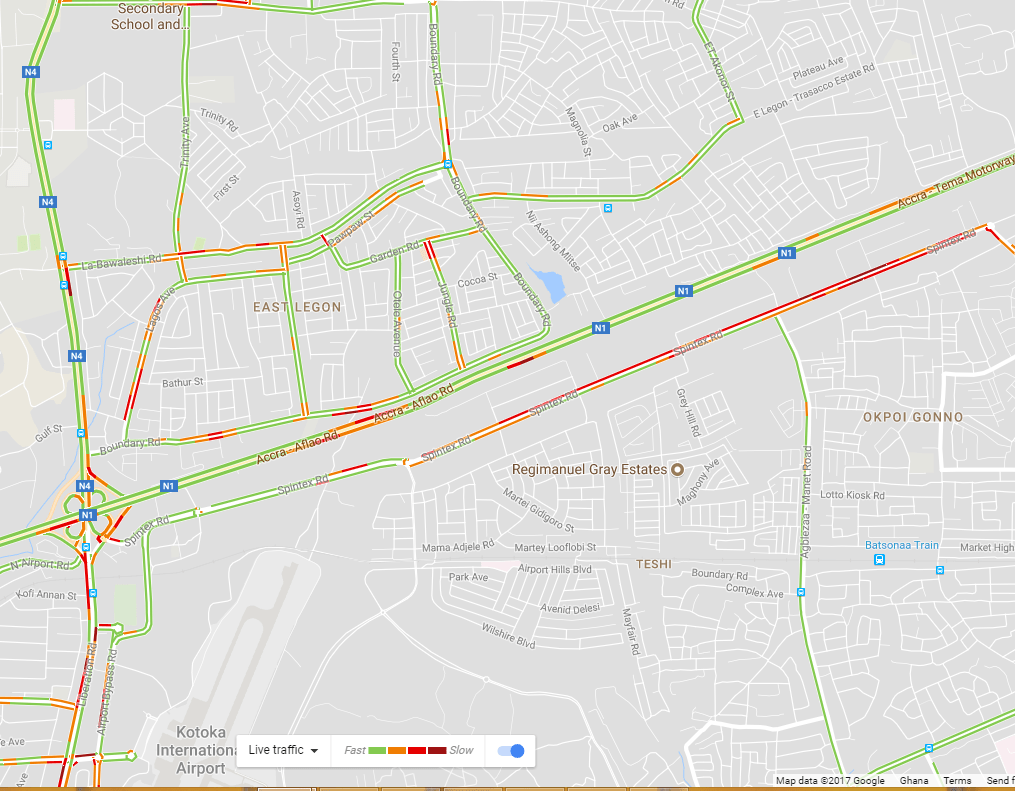
    What do the different colors like orange, red, and blue mean?

    The colors indicate the speed of traffic on the road.

    • Green means there are no traffic delays.
    • Orange means there’s a medium amount of traffic.
    • Red means there are traffic delays. Generally, the more red, the slower the speed of traffic on the road.

    How to use the Google Live Traffic in Ghana

    To use the feature, just open your Google Maps on Android or iOS. If you are on PC, just search “{Your location} + ‘Live Traffic’” on Google.

    Example: Search “East Legon Live Traffic” on Google

  • 4 Android Apps every Smartphone User should be Using

    4 Android Apps every Smartphone User should be Using

    Android smartphones and tablets have attracted the customers throughout the world and Ghana is no exception. The Android OS has become the need of modern day smartphones. Android has also become the lifeline of modern day phone owners. Various apps have been developed to bring ease of operation for the users on Android device.

    Most of these apps add functionality to your Android device and make it really easy for the users to access its exceptional features. But the question here is which app to install on your Android Smartphone.

    Facebook

    Facebook for Android is the official communication app of Facebook which allows you to communicate with your friends, family, and clients right from your smartphone. Not only this! You can also update your status and photos instantly from anywhere. With this App, you can send messages to anybody on your friends’ list anytime, and you can do real-time chat too. It also syncs your Phone contacts with Facebook friends and shows Facebook data in your Contact list.

    Google Chrome

    Google Chrome is one of the fastest, and one of the most popular browser app for Android phones. It allows you to search anything via voice commands, sync your data on other devices, translate anything and save up to 50% of data usage while you’re browsing. You can also use Incognito mode to browse secretly and anonymously.

    Google Play Music

    Google Play Music is one of best advert free android app to stream & download music right onto your Android device. You only need to search for the Music or Album terms and download or stream your desired music online. With this app, you can enjoy the high-quality mobile music playback experience. Additionally, the database of their tracks is very huge; since it contains more than 50,000 songs. You can locate your favorite track easily via this app. However, you need to remember streaming costs data.

    As smartphones become more powerful, so have the numerous streaming entertainment services. There are many options for Android users if they wish to stream movies and TV. Google Play, Netflix, and other similar apps present the widest range and exciting selection.

    All these apps are packed with wide range of features and will make sure that your smartphone turns out to be complete gadget box for you. So, install these must-have Android apps on your smartphone and make it a fully fledged device to use.

  • WhatsApp Update: WhatsApp introduces new Emoji Set

    WhatsApp Update: WhatsApp introduces new Emoji Set

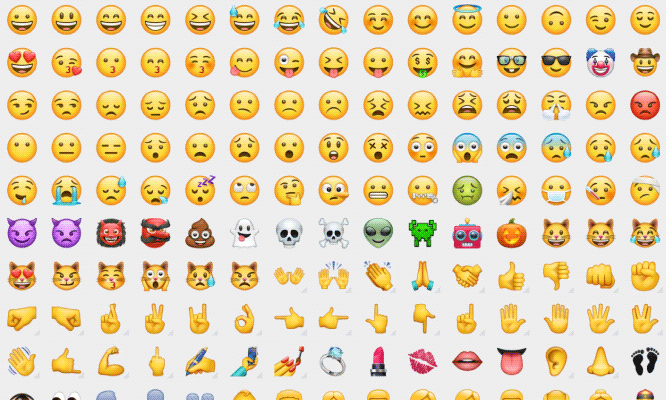
    WhatsApp has created its own range of emoji for its more than 1.2 billion users, shunning those created by Apple, Google and Samsung.

    The new icons, visible for the first time in a beta version of its Android app, are nearly identical to those created by Apple, which WhatsApp had previously used not only in its iOS app but also in its Android and Windows versions. Only a few small differences give away the update: for instance, the water pistol has turned orange, the ghost emoji no longer has lopsided eyes and the frying egg is now double-yolked.

    It’s not clear what prompted the update, and neither WhatsApp nor its owner Facebook has replied to a request for comment, but experts say it’s likely the app is following others including Facebook and Twitter in attempting to extricate itself from relying on third-parties for emoji design.’

    If you want to check out the new emojis, you need to be on the latest WhatsApp beta 2.17.364, which you can grab from APK Mirror or by joining the official Play Store beta program.


  • WhatsApp Recall: (Delete for Everyone): “Unsend” messages

    WhatsApp Recall: (Delete for Everyone): “Unsend” messages

    WhatsApp has come to stay and here at Mfidie.com, we make it a point to update you on the latest WhatsApp Updates. Today we look at the most interesting update to hit WhatsApp after the “status” update and the live location sharing. This one is known as the “Recall”,”Unsend” or “Delete for Everyone” feature. Simply put, it helps you to delete messages you sent by mistake (if you are fast enough).

    Why the Recall or Delete for Everyone Feature?

    Sometimes, when using WhatsApp or any other Instant Messaging Application for that matter, you may end up sending a message to a person who is not the intended recipient or sending the wrong message to the right person, which could lead to a long explanation.

    A solution to this problem is having the ability to recall a message that you send to the wrong recipient to save face or an explanation. WhatsApp has a solution to this and it is called Delete for Everyone, and was previously known as unsend or recall but it is available for a few Beta Users of the App.

    According to WABetaInfo, on the Android app (version 2.17.235), they were able to use the Recall feature. The feature is disabled by default by now which means we will have to wait for a server-side update later on when WhatsApp is done testing it on the beta channel.

    How does the WhatsApp Recall or Delete for Everyone Feature work on WhatsApp?

    In preparation for an eventual roll-out of the Recall feature, WhatsApp published a FAQ article detailing the yet-to-be-released feature which divulges interesting features about it. The FAQ is no longer available on WhatsApp’s site but here are some of the points in it.

    • You can only recall a message for up to 5 minutes after sending and once the five minutes are over you will not be able to recall a message.
    • Both you and your recipient must be using the latest version of WhatsApp for Android, iPhone or Windows Phone.
    • Recipients might see the message before you recall them or if the recall is not successful, so do it fast.
    • WhatsApp will notify you if a delete for everyone was not successful.
    • If the sender queries for a recall, you as the recipient will be notified with a “This message was deleted” message.

    How to perform “Delete for Everyone” (WhatsApp Recall) on Android, iOS and Windows

    • On Android, tap and hold the message, tap the delete button and hit “Delete for Everyone”.On iPhone and Windows Phone, just tap and hold the message to highlight it then tap recall.
    • On iPhone and Windows Phone, just tap and hold the message to highlight it then tap “Delete for Everyone”.

    A demonstration of the WhatsApp "Delete for Everyone" feature
    A demonstration of the WhatsApp “Delete for Everyone” feature

    Download WhatsApp Beta to get the feature now

    You can Download the WhatsApp Beta to get the feature now. Click on these:

    1. APK Mirror WhatsApp Beta Download
    2. APK Mirror WhatsApp Beta Download (1 Click)

    If the “1 Click” link does not work, use the first link.

    Have any questions? Leave a comment below and we will get to you.

  • 3 Apps to help any Student Achieve Success in Ghana

    3 Apps to help any Student Achieve Success in Ghana

    Mobile Applications are now a part of our everyday lives. Today, I take a look at what Apps students can use to enhance their studies and raise them to a higher pedestal. Just so you know, a smartphone is not just for WhatsApp.

    My Study Life

    My Study Life is one of the ideal apps to enhance study life.It was apparently designed to make learning easier and more convenient. My Study Life allows you to store your classes, homework and exams in the cloud making it available on any device, wherever you are. Download now.

    Benefits of Using My Study Life

    Unlike a paper planner or school diary, My Study Life integrates all areas of your academic life – see homework due and overdue for classes, classes which conflict with your exams and even add revision tasks for a specific exam.

    Free to use, also easy to use application. Far from your standard calendar, My Study Life is optimized to work for your school life right from the start with support for week and day rotation schedules. Add your classes and view them in a beautiful, instantly identifiable, familiar week view. It shapes you to be a serious student by all standard.

    My Study Life virtually synchronizes your data between devices, allowing you to use the app even when offline. This is cost effective.You can add a task on the move from your phone or tablet and it will be instantly available on the web app.

    Evernote

    Evernote was also developed by a student. It is very educative. It has tools that work simply amazing, just give it a try.

    Evernote is easily accessed by students due it organized the state. Just like an educational search engine, Evernote can be used to verify and recollect details of assignments saved. Unfortunately, some students app are unable to save audio or pdf in its archives. Well, Evernote does, you can store your project works regardless of its visual state.

    Do you want to compile some set of documents? bills and receipts? Then Evernote is what you need, you can compile a list of various document you have into classes of your choice, it could be business, educational or religious documents. You don’t need to keep erasing or deleting a particular error in copies of your document. You can just synchronize all in entirety, and synchronize command will take effect throughout all archives.

    The Evernote app is very popular among students worldwide.
    The Evernote app is very popular among students worldwide.

    You can still work alongside, as you still holding on to Evernote interchangeably. The interesting thing is that your data will still be same, you wouldn’t need to start all over again, this is time-saving. Evernote works like a rigorous platform. It can accommodate you and others at the same period. Group research work, topical discussions can be made. You only need to switch your options. That’s your choice.

    This is basically for teamwork. Organized your study groups and quiz yourselves. It could even be a competition. Learning goes on, anyhow and anyway. Simply the best study app ever. Keep your business letters and project works in safe hands, thus Evernote. You have every reason to rely on Evernote. It has a wide range of academic features suitable for your needs.

    Know that: It could be accessed by a person, fine. But more designed for teamwork. Very suitable for you and friends at a time. Download Evernote.

    Student Agenda

    Student agenda was also developed by a student. It was designed to facilitate one’s learning schedule and once the ability to student well under schedule. This is very discipline. You only need to find out how you study whether slow or fast and you’re good to go. Download the app now.

    Why you should use the Student Agenda App

    Highly recommended for average students and slow learners. You can now work with speed, accuracy and also diligently. It has simply manipulating features to choose from. Catch up with a task, work within the time range and bring out impressive results of work done.

    On Student Agenda, important information about tests, homework, appointments and timetable will always be available on your smartphone to checks and new schedulings, wherever you are. A very useful feature is the reminders, that will help you don’t forget important activities.

    The Student Agenda app can help every student plan and manage time more efficiently.
    The Student Agenda app can help every student plan and manage time more efficiently.

    These features are adequate for school, for college, for your day-to-day… The goal is to make student life more organized, managing appointments that can’t be forgotten.

    The app was developed to be simple and easy to use. To start, you can simply add your subjects and then your timetable.

    • Wonderful Features:
    • Simplicity and light weightiness;
    • Timetable;
    • Scheduling of events (exams, homework/tasks, activities and returning books to the library);
    • Timetable of the week

    Study life app, Student agenda and Evernote app are all available on PlayStore. Do yourself some good as a student. Education is a necessity.

  • Mula: Digital Service for ECG Prepaid Power Launches in Ghana

    Mula: Digital Service for ECG Prepaid Power Launches in Ghana

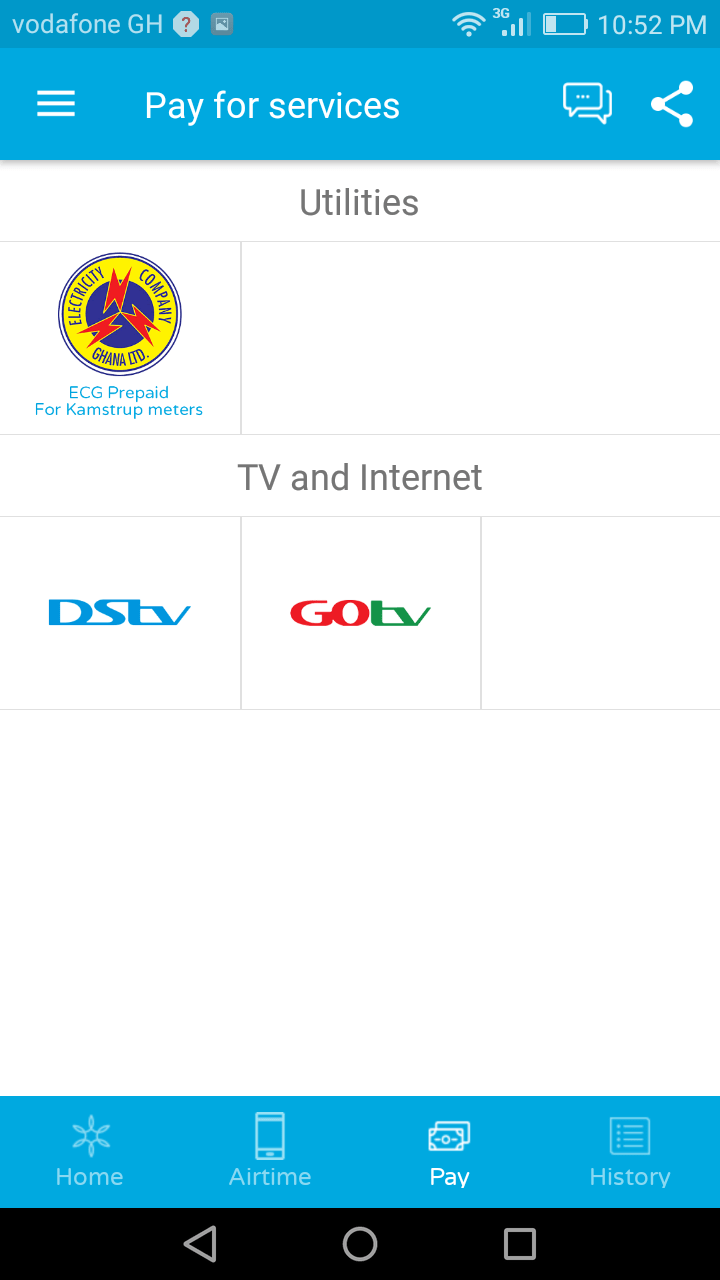
    Cellulant, a multinational payments company has launched Mula, a payments platform that has revolutionised payments in Ghana by providing the first digital payments service for ECG prepaid.

    Before the launch of the service, ECG customers needed to visit an agent nearby their home to buy power credit. This experience proved difficult and inconveniencing customers when power credit would run out sometimes in the middle of the night with no agent available to provide more credit.

    This new service, “Mula” has completely removed the need for the worry, stress and inconvenience by providing the ability to buy credit on their phone from any of their mobile money wallets.

    At the Launch of Mula App

    “Today customers are mobile and are always looking for better ways to integrate their daily activities. With the launch of Mula we aim to provide a better way for customers in Ghana to make payments.,” says Mr Albert Ngumba, Country Manager for Cellular Ghana. “We aim to transform how customers make payments in this country, providing solutions that are relevant to our customer’s daily lives. Mula is a secure, simple and convenient alternative for customers to pay their bills from their phones.”

    Mula was released to the public on Tuesday, 22nd August 2017 in Accra. Currently, customers can not only buy ECG prepaid power credit, but they can buy airtime from any of the networks, pay for DStv and GOtv subscriptions using their wallet of choices such as MTN Money, Tigo Cash and Airtel Money. Vodafone Cash will be available within the month.

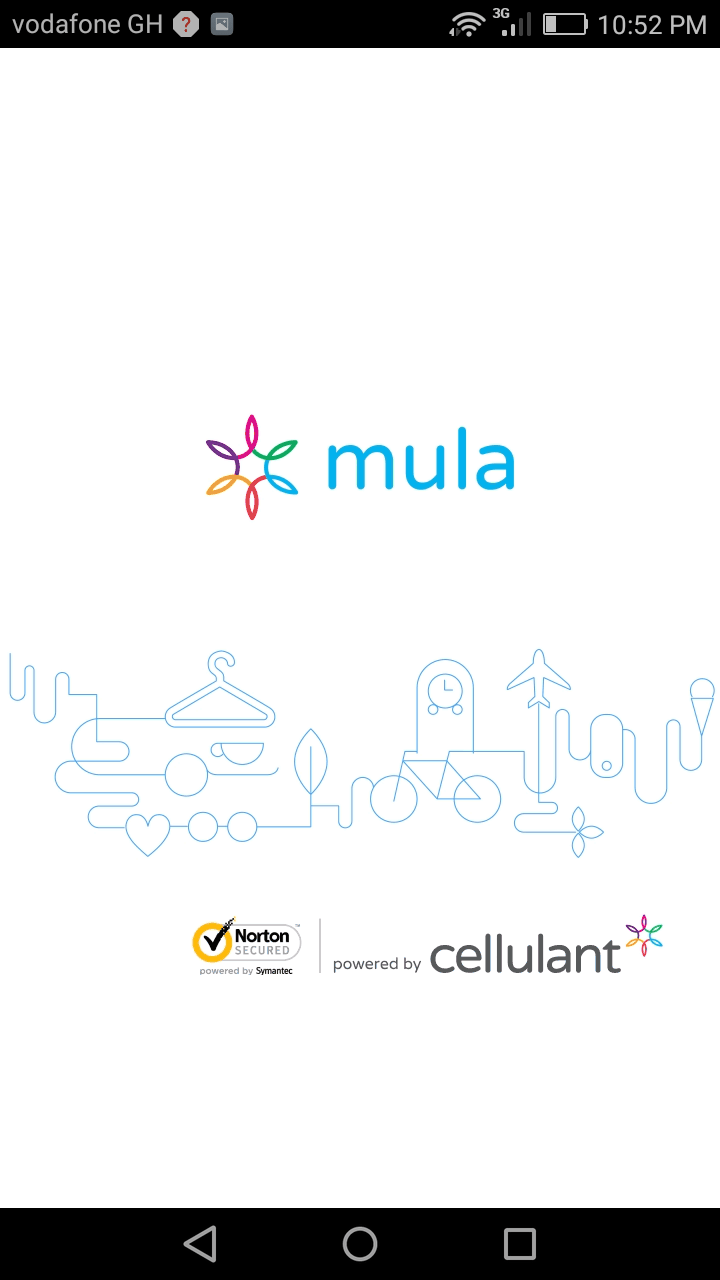
    The payment is available by dialling code *234# or downloading the application on the Google PlayStore.

    Mula: What is it?

    Mula is the payment platform of choice for Ghana’s growing mobile-first generation and the burgeoning internet users. Mula provides an easy, cashless and convenient payment solution for customers.

    For the ever evolving and forward-thinking Ghanaian looking for more freedom and control of their money, the Service presents five unique features for the consumers.

    ECG Customers can now:

    • Know their exact bill amount payable
    • Pay their bills with different payment options
    • Get bill reminders sent straight to their phones
    • Save all customer account numbers in one place
    • Buy airtime for different phone networks with one wallet

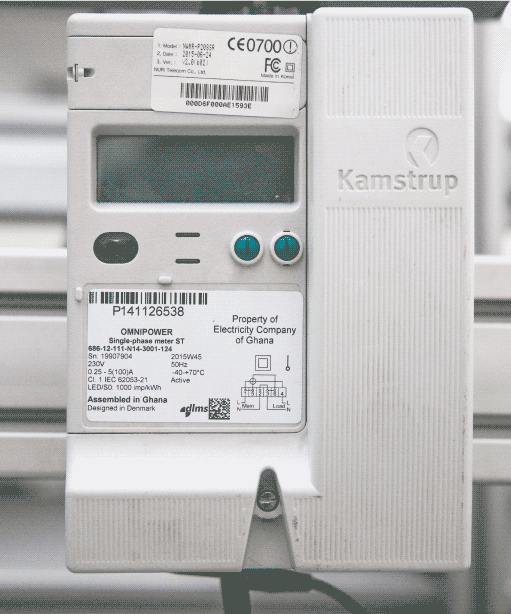
    Note: #Mula currently only works with Kamstrup meters. You also get GHS 5 anytime you buy power with Mula. Call +233540766734 for more info.

    About Cellulant

    Cellulant is a multinational payments company operating a one-stop payments ecosystem in Africa; connecting businesses and governments to the increasingly mobile consumers.

    Driven by the mission to build a world class business in Africa for Africa and by Africans; Cellulant now operates in 11 countries, with a growing workforce of 250 employees across the African continent. The company’s ecosystem connects over 95 banks, 30 Mobile Network Operators, 2 Government-backed e-Wallets and more than 600 blue chip companies.

    As of January 2017, roughly 12% of Africa’s mobile consumers can make payments using Cellulant’s services and products.

  • 3 Free Mobile Apps for Job-seekers in Ghana

    3 Free Mobile Apps for Job-seekers in Ghana

    Since 2014, there have been more mobile users than desktop users in the internet space. The increasing number of smartphone users in the global market has led to a tremendous increase in the number of apps that consumers use on their phones.

    Mobile Applications are now a part of our daily lives and it makes sense to use them for something as important as seeking for a job. In this post, I look at 3 Mobile Apps (Android and iOS) for Job Seekers in Ghana.

    3 Free Mobile Apps for Job Seekers in Ghana

    Glassdoor

    Glassdoor is my favourite off the list, no wonder it comes at number one. The first time I heard about Glassdoor was on KNUST campus in 2014. I installed the app (even though I was not seeking a job at the time) and realised it is one of the best online job search apps.
    Over time, Glassdoor has transformed from a simple fast and easy-to-use job search app. You can actually see the salaries that employing. companies pay currently, as well as reviews from other job seekers.

    The most recent version of Glassdoor also provides a “Know Your Worth” tool to reveal how your market value has trended over time, how your market value compares to typical workers in the same field, and also plot your current base pay. What’s more? You can follow companies to be notified about when they post new job offers.
    Download Glassdoor: Android or iOS

    LinkedIn Job Search

    We all have heard of LinkedIn, the professional social media site. Over the years, LinkedIn has been looking to more than just “network” professionals. LinkedIn has among other things become a hub for recruiters to directly post job offers. What’s nice about LinkedIn is that your profile most often than not is used as your CV for the application. LinkedIn has therefore expanded this capability of the platform.
    The LinkedIn Job Search App allows you to quickly find career opportunities wherever you want with location-based search. You also get automatic recommendations and notifications based on your job searches.

    With the app, you can apply to jobs at companies with your LinkedIn profile in just a few taps as well as save jobs you are interested in and resume searching on your schedule.
    Download LinkedIn Job Search: Android or iOS

    Tonaton and OLX Ghana Apps

    Relax! Tonaton and OLX Ghana are both classifieds websites within Ghana (obviously the biggest two). Among these classifieds, they have a plethora of jobs. It’s therefore fair to mention them at number 3. Before applying for jobs on any of these online classifieds, beware of scammers especially applications that usually ask for a down payment. Read our guide on how to stay safe on online classified sites.

    Download Tonaton: Android or iOS
    Download OLX Ghana: Android or iOS

    Do you know of any great job searching app for either iOS or Android that was not mentioned? Would you rely on an app to search for employment? Share with us below.