Author: Gabriel Agbobli

  • How To Share WhatsApp Group Link

    How To Share WhatsApp Group Link

    Within just a short time frame, WhatsApp has grown to become one of the most popular texts and voice messaging applications in the world. It has over 1 billion active users in 180 countries all over the world.

    One of the reasons why it is used by most people is that the data charges are very low as compared to the other social media platforms. Also, it saves the high cost that you would have paid when calling numbers outside your home country.

    With WhatsApp, people can chat you only when they have your mobile number. This is far different from Facebook, Instagram, Twitter, TikTok, and all the other social media platforms where people can just see you at random.

    Thus, the rate of spam messages on WhatsApp is very low when compared to its neighbours like Facebook, Instagram, Twitter, etc.

    WhatsApp groups are one of the interesting features we have on the WhatsApp apps. Here, you can chat with all your friends, family, or relatives in one place.

    Once the group is created, it’s only the Admin(s) who can be able to add new members to the group. By default, the Admin of a WhatsApp group is the person who created the group.

    But, you can also add new Admins to the group. Or in the case where the Admin exit the group, WhatsApp will automatically choose someone as the Admin.

    Can you imagine if the Admin needs to add 100 new members to the group? That will be very stressful right? 

    But that doesn’t have to happen, with just a simple WhatsApp, everyone who is interested in joining the group can join without any effort by the Admin to save their contact and then add them to the group.

    How To Share WhatsApp Group

    Here are the steps you need to follow to share a WhatsApp group link. You can share the link on WhatsApp, Facebook, SMS, Email, or any other method you might find helpful.

    1. First of all, open the WhatsApp app on your device.
    2. Scroll through and tap on the group whose link you will like to share.
    3. Once the chat opens, tap on the name of the group on the upper part of the screen.
    4. Scroll to the middle part of the screen and click on Invite to Group via Link below Add Participants
    5. Now, you choose whether to share the link or to copy the link to the clipboard.

    NOTE: Please note that only Admins can use the method shown above. If you are not an admin, ask your admin to follow the steps above and then share the link with you. Once you get it, then you can also share it with the person you want to invite to the group.

    Conclusion

    I hope this article was helpful and that it met your expectations. If you have any problems, questions, or concerns, please write them in the comments section below.

    Finally, make sure to share this article with your friends and loved ones as well.

  • Has 2020 Shown That Technology Is The Future of The World?

    Has 2020 Shown That Technology Is The Future of The World?

    31st December 2019 was just like any other 31st December Night in Ghana, Africa, and the world at large. In Ghana, 31st December is termed as “Church Reunion” by many people.

    This is because it is the day all those who haven’t been to church throughout the year decide to go and thank God for the year that has passed and usher themselves into the new year. In the evening of 31st December, we all went to church or bed anticipating the new year that was coming, 2020.

    Just a few weeks after we entered 2020, there was rumour spreading that there is a deadly disease wiping Chinese citizens and those living in China. Initially, we all taught it was just a joke and that it will vanish in a few weeks.

    Soon after that, we all heard that the disease has begun spreading to other parts of the world. This was when everyone became alert that the disease is real and that it was killing people.

    Somewhere in March, Ghana recorded its first two cases of the novel coronavirus (COVID-19). A few days later, the president announced the shutting down of schools and social gatherings in all parts of the country.

    During this period, we all taught we were just going to experience this for a few months and then things will get back to normal. But that didn’t happen, as you can see we are still living in the COVID-19 pandemic.

    Once schools closed and social gatherings were put on hold, the next thing that followed was the shutting down of borders; both sea and land, and the airports. Next, the almighty lockdown was imposed on some parts of the country.

    While businesses, schools, companies, churches, and others were closed down, one thing remained active, and that is technology. Below are some of the most common technologies that were used vibrantly throughout 2020:

    Online Learning/E-learning

    Because students especially those in the tertiary level and private institutions had already paid their school fees before schools were shut down, they all had to migrate to online learning. In the beginning, some schools were finding it difficult to cope but after some time they all picked up.

    Some schools already had e-learning systems so they didn’t actually suffer. Also, some schools didn’t have anything like that so they had to build e-learning systems and so they suffered a little.

    Through e-learning almost all public and private tertiary institutions were able to finish their syllabus and semester peacefully. This also made parents who were working from home a little bit relieved; all of which wouldn’t have been possible if not for technology.

    Remote Working

    Similar to the schools, businesses and other companies also had to close their offices and office complexes to reduce the risks to their workers. Once they shut down, they all adapted to the remote working system.

    With remote working, workers can do the normal work they would have done if they were at the office. This time around, with little or no supervision and also without risking the lives of themselves or their loved ones.

    Conferences are now done on Zoom, Microsoft Teams, Google Meet, and other video conferencing tools. Even with these tools, workers can be working and having the meeting at the same time; unlike the physical working that they would have had to move from one location to the other.

    E-commerce And Courier Services

    Shops and malls were only allowing a few buyers at the same time. Even with that, the risk of you contracting the virus was high because you didn’t know who had touched the product before you.

    Because of that, everyone migrated to e-commerce and courier services. With the e-commerce and courier services, all you had to do was to order the product and then get it delivered to you at your doorstep.

    The courier services were fast, a little bit cheap, and risk-free. Because of this, people didn’t have to risk their lives in long queues just to buy goods.

    Facebook Live Church Services

    As the Bible says, “the word of God is a lamp to our feet…” therefore, even though there was COVID-19, church services still had to continue. As a result, churches had to adopt the Facebook Live method of having church services.

    In terms of payment of offerings and tithes, mobile money and fintech services were used. Thus, pastors just had to prepare their sermon and then share it with their congregation on Facebook using the Facebook Live feature.

    Online Blogs And News Portals

    Finally, one of the services that were used a lot in 2020 was reading online blogs and news portals. This was as a result of the easy accessibility and the no-risk attached to it.

    Unlike the newspapers where they had to buy and read the news that happened the previous day, they were kept updated on the news portal and the online blogs. Although this caused financial loss to some of the newspaper agencies, they all migrated to the online services.

    Conclusion

    In conclusion, I want you to take a little time and reflect on the services I have listed above and ask yourself whether life in the pandemic would have been or worse without these technologies.

    After thinking about it, you will notice that without these technologies, life in the pandemic would have been very worse. Therefore 2020 has revealed to us that, technology is indeed the future of the world.

  • How To Reverse Wrong Transactions On AirtelTigo Money

    How To Reverse Wrong Transactions On AirtelTigo Money

    Have you made any wrong AirtelTigo Money (ATM) transaction you wish you reverse? No problem, I am going to show you step by step how you can reverse wrong transactions on AirtelTigo Money (ATM).

    AirtelTigo Money (ATM) has been in the fintech industry for quite some time now. The then Tigo cash was one of the first mobile money services that were launched in Ghana.

    After some years, the other networks followed and now almost all the network providers in Ghana have mobile money services. As a result, mobile money services are one of the most used financial platforms in Ghana.

    Due to the high number of active mobile money users, fraudsters and other unforeseen circumstances might lead us into making wrong transactions. When such things we end up frustrated and confused; especially when that is your last money.

    Because of such circumstances, AirtelTigo Money has rolled out a special option that allows users to reverse wrong transactions they made.  Once you request for reversal and your reason for applying is valid and reasonable, your money will be reimbursed in your wallet.

    How Does AirtelTigo Money Reverse Wrong Transactions?

    I have received this question from many people across the country and I would like to explain to you briefly how it works. Please note that the fact that you apply for a wrong transaction reversal doesn’t automatically guarantee that you will get your money back.

    Basically, the process for wrong transaction reversal begins as soon as you apply for it. Once you apply, your information will be sent directly to the AirtelTigo Money (ATM) reversal desk.

    After that, AirtelTigo will perform an audit/investigation on your account and the transaction history. This normally happens within a 30-day period (might vary depending on your account and the time you made the complaint).

    Finally, after the 30-day period and you are found to have made a wrong transaction, Airtel Tigo Money will pay the amount back into your account.

    How To Reverse Wrong Transactions On AirtelTigo Money (ATM)

    To reverse a wrong transaction on Airtel Tigo Money, you need to pay close attention to the steps listed below:

    Dial *110*8# on your phone.

    Select option 5 (My Transaction Reversal).

    Choose option 1 (AirtelTigo) to proceed with the process.

    Select option 1 for the last 5 transactions or 2 for other transactions.

    Once you are done with the process, AirtelTigo will investigate the transaction and get back to you in due time.

    Conclusion

    Before you decide to request a wrong reversal, you need to take note that, AirtelTigo will only refund claim of a wrong transaction that has been reported within 30 days of effecting the transaction. Also, a careful investigation has been conducted to establish the claim.

    Once you have understood the statement made above, you can then proceed with the transaction reversal. If you think your reason is genuine and valid, then expect to get back your money within the 30-day period.

    Please make sure to share this article with your friends and relatives and let them all be aware that they can reverse wrong transactions. Finally, make sure to subscribe to our newsletter to get new articles sent right into your email.

  • 5 Fact-Checking Tools For Checking Facts And Fake News

    5 Fact-Checking Tools For Checking Facts And Fake News

    Misinformation is one of the many problems we have with online news portals. Mostly, the reason why they give out fake news is as a result of them being eager to break the news first or just to drive attention to their news portal.

    These portals may see this as a normal thing but in actual sense, there are a lot of people who depend on these portals for their daily news stories.

    Instead of these portals to take their time, research, and then fact check the story before they bring it out, they all ignore these processes and write the news the way they heard.

    Due to the high rate of fake news in Ghana and the world at large, there are some online tools you can use to check facts and detect fake news.

    5 Fact-Checking Tools For Checking Facts And Fake News

    There are several fact-checking tools available on the internet. But, in this article, I am going to show you some 5 of them which have been tried and tested by many people all over the world.

    Google Fact Check

    Google as we all know is the biggest search engine in the world. As a result, almost everyone searches for their news and article from Google. This is the reason why Google has developed their personal fact-checking tool called Google Fact Check.

    Google Fact Check is a feature introduced to Google search results which indicate when a search result is deemed worthy of the label “fact check”. This is done by checking the criteria set by third-parties like PoliFact, Snopes, etc.

    What Google does is that they provide a link to these third-party sites and indicate whether that site deemed the information true or false. In addition to these third-party sites, Google also collaborates with all the top news companies in the world.

    International Fact-Checking Network (WhatsApp Number: +17272912606)

    WhatsApp is one of the leading social media platforms that is used daily. In Ghana alone, over 1 million people use WhatsApp daily. Also, WhatsApp is one of the most used means of sharing news in the world.

    Because of that, there is a fake checker bot on WhatsApp. The name of this company is International Fact-Checking Network; an umbrella organization for fact-checkers around the world.

    All you have to do is to save the WhatsApp number above and then follow the options that they provide. Since it is a chatbot, it will give you instructions on how to ask whether a certain news article is true or false.

    Fact Check Ghana

    Fact Check Ghana is Ghana’s own fact-checking tool that is used to check whether news or article is fake or genuine. This tool or site was developed by the Media Foundation for West Africa to combat the spread of fake news in Ghana.

    On this site, you can see controversial news stories that have been regarded as fake news and those that have been fact-checked. The ones that has been fact-checked, you will find fact-checked under the story or article.

    The categories on this website are Politics, Economy, Education, Health, and Monthly Round-ups. Also, you can listen to their podcast on SoundCloud (there is a link to the podcast on their website).

    GhanaFact

    GhanaFact is Ghana’s Independent Fact-checking platform for checking facts and detecting fake news.

    On this website, you will find fake news and those that have been fact-checked. The fake news has the prefix “FAKE” and those that have been fact-checked have the prefix “FACT-CHECKED”.

    If you have a claim you wish to submit for GhanaFact to check for you, you first of all click on the three horizontal lines on the homepage of GhanaFact and then click on “Submit a claim to check”. Or, send your claim to the WhatsApp number +233244499971 and they will fact-check the claim and get back to you as soon as possible.

    Dubawa

    The last fact-checking tool on our list is Dubawa. Dubawa is an international fact-checking tool created to help combat the spread of fake news in the world.

    Just like all the fact-checking tools on our list today, you can also check for facts and fake news on Dubawa. They played a major role in the combatting of fake news in the 2020 General Elections in Ghana.

    Head over to Dubawa and check your facts and let’s all help combat the spread of fake news in and out of Ghana.

  • How To Set Up An Apple Watch for Someone Who Doesn’t Have An iPhone

    How To Set Up An Apple Watch for Someone Who Doesn’t Have An iPhone

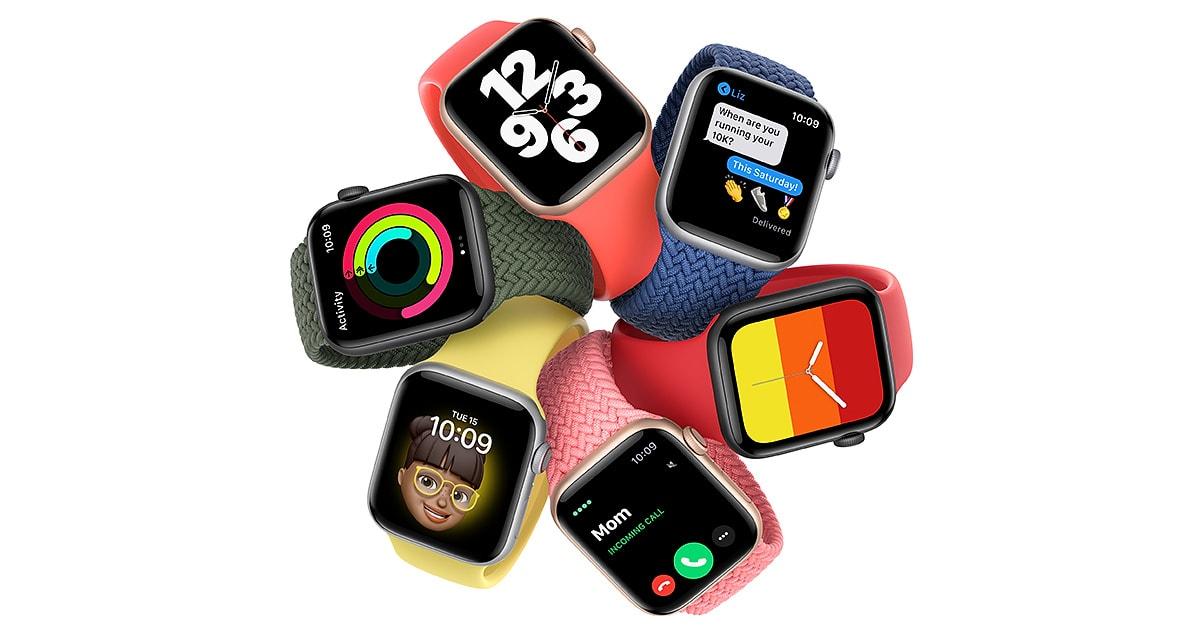
    Is it your hope to buy an Apple Watch sometime soon but you are wondering how you are going to use it without having an iPhone? Don’t worry because I know of the perfect way you can use your Apple Watch without you having an iPhone.

    Previously, Apple Watch could only be used by persons with iPhones. That is not the case anymore, now everyone can use an Apple Watch; whether you have an iPhone or not. This is as a result of the latest watchOS 7 and the iOS 14 releases.

    But, before you do this, you need to have a friend or relative who has an iPhone and for that matter an Apple ID. So in this guide, I am going to show you how to set up an Apple Watch for someone who doesn’t have an iPhone.

    Before you can do this, you need to make sure that your iPhone has or supports iOS 14. Otherwise, this is not going to be possible.

    With the introduction of iOS 14, Apple has added a lot of features that weren’t available on the previous iOS versions. Some of which include how you can actually hide the hidden photos album, and a whole lot of others.

    Another feature that was introduced in the watchOS 7 and iOS 14 is a feature called Family Setup that allows an iOS 14 user to set up an Apple Watch for their family relatives who doesn’t have an iPhone.

    Also, if the person you are setting up the Watch for is a student, you can add school time to limit the period within which he/she can use the watch. Once you set it up, the Watch can make and receive calls, send and receive messages, a variety of Apple Watch features.

    Some of which include Health, Activity, App Store, Emergency SOS, Fall Detection, and Noise Notifications.

    How To Set Up An Apple Watch For Someone Who Doesn’t Have An iPhone

    To set up an Apple Watch for someone who doesn’t have an iPhone, you need to follow the steps listed below:

    1. First of all, you need to update your iPhone to iOS 14 and your Apple Watch to watchOS 7. On your iPhone, go to Settings > General > Software Update. On the watch app on your iPhone, go to General > Software update.
    2. Once you have successfully updated your iOS and watchOS versions, you then have to pair the iPhone to your relative’s Apple Watch. To do this, all you need to do is to power up the Apple Watch, place it near your iPhone and Wait until you see Use your iPhone to set up this Apple Watch. When you get to the next screen choose Set Up for a Family Member.
    3. Follow the remaining steps to set up the Apple Watch. From here, you choose the orientation of the Digital Crown and which hand you will wear the watch on.
    4. Once you are done with the setup, you can customize the watch based on the person’s preferences. That’s all the Apple Watch is now set up for the person without the iPhone.

    Conclusion

    As easy as that, you can set up any number of Apple Watch for your relatives and family members who don’t have an iPhone.

    In the future when they get their own iPhone, you can visit the Watch app on your iPhone, select all watches, and then unpair it with your iPhone.

  • Vivo V20 (2020); Price, Specs, Features, Where To Buy & Best Deals

    Vivo V20 (2020); Price, Specs, Features, Where To Buy & Best Deals

    Vivo is one of the mobile phone manufacturers that are making waves in the industry. This year, they released the Vivo V20, the direct successor of the Vivo V19 which was also released earlier this year.

    Previously, mid-budget smartphones could not perform very as much were not considered the top mobile phones in the world.

    That narrative seems to be changing as brands like Vivo produces good and quality smartphones within the mid-budget range.

    The Vivo V20 has a 44MP Eye Autofocus that makes your photos neat and rich in depth. Because of that, you can use your Vivo V20 to take portraits and capture zoomed objects without losing your picture quality.

    The main front camera with AF can focus sharply from a 15cm distance, and zoom out to infinity. So whether you are capturing from a close or far range, the quality of your photo is always assured.

    Powered by a 4000mAh battery and a 33W fast charging, you can use your phone for a long period of time without worrying about charging.

    In terms of the display, the V20 has a 6.44-inch AMOLED FHD+ which brings colours to life. also, the screen has a resolution of 408ppi (pixels per inch).

    Vivo V20 Specs

    The new vivo V20 has a lot to offer. From a 6.44 inch display to a 44MP Selfie Camera, it’s surely worth the try without breaking your budget. If you want to know more about this smartphone, check down below the detailed vivo V20 spec.

    Vivo V20 Specs

    Vivo V20Specs
    Operating SystemAndroid 11, Funtouch 11
    Display6.44” AMOLED
    ChipsetQualcomm SM7125 Snapdragon 720G
    Memory8GB RAM
    Storage128 GB & 256 GB ROM
    Main CameraTriple Camera Setup –  64MP, f/1.9, 2.6mm (wide) 8MP, f/2.2, 16mm (ultra-wide) 2MP, f/2.4, (depth)
    Selfie CameraSingle 44MP, f/2.0 (wide)
    Battery4000mAh Li-po non-removable battery
    ConnectivityDual SIM SIM1: Support 4G, 3G SIM2: Support 4GB, 3G  
    Special FeaturesFingerprint sensor Accelerometer Gyro Proximity Compass 3.55mm headphone jack
    ColoursSunset Melody, Midnight Jazz, Moonlight Sonata

    What Will You Find In The Box of the Vivo V20?

    The Vivo V20 box contains the following:

    • 1 Vivo V20 Phone
    • 1 Clear case
    • Documents
    • 1 Eject tool
    • 1 USB Type-C Cable
    • 1 33W adapter
    • 1 Earphone

    Features of the Vivo V20

    Sleek Design

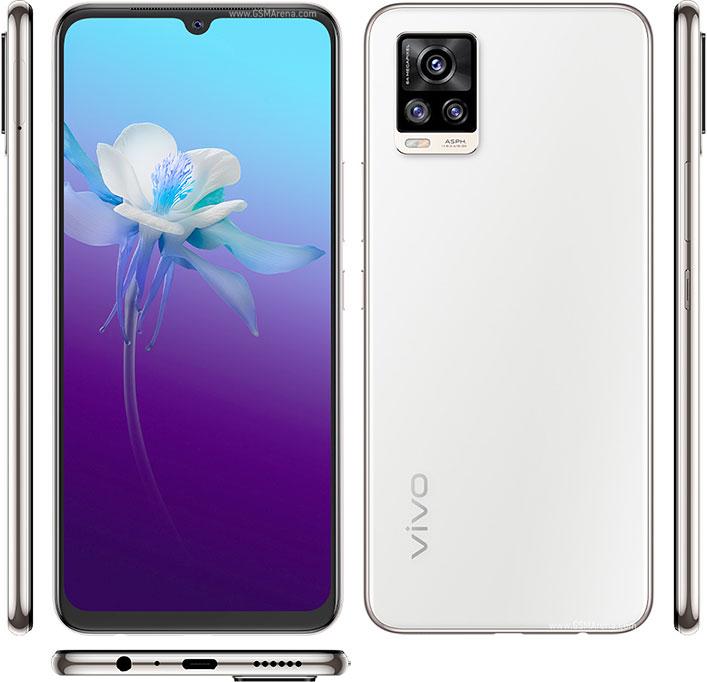
    The V20 has a very nice and attractive design as compared to some of the popular smartphones in the world. The back panel of the V20 has an AG Matte Glass back with Chemical etching makes the back of the phone resistant to scratches and thereby keeping your fingerprint sensor intact.

    Also at the back the Vivo V20 has a triple module camera and a flashlight under it. The main 64MP camera is on top of the 8MP wide-angle camera and the 2MP mono sensor.

    On the front, you will find the 6.44” Full HD+ AMOLED display with an aspect ratio of 20:9 and it also supports HDR. Also on the front, you will find the 44MP camera with an Eye Autofocus feature.

    On the ride side, you find the power and volume buttons. Also, the power button has a fine-textured finish. Both the volume and power buttons are easy to reach and as such, make it easy for you to use with one hand.

    At the bottom of the V20, you will find the 3.55 mm audio jack, USB Type-C port, speaker, and the primary microphone. Finally, on the left side, you have the SIM slot and the secondary microphone.

    In terms of sleekness, the Vivo V20 is one of the sleekest smartphones that was manufactured in 2020, with a thickness of 7.38mm. Adding to that, the V20 weighs as light as 171 grams; making it very easy to handle with one or both of your hands.

    Beautiful Colour Variations

    Mostly, the main reason why people buy a case (covering) for their phones is not to protect but make it beautiful. With the V20, even without a case, your phone will still, be as beautiful as you wish. With three colour variations, you will definitely find the colour you like.

    The Midnight Jazz is a mysterious colour, full of energy and composure, and confidence that makes you stand strong amidst the chaos.

    The Moonlight Sonata is like a full moonlight cascading on a serene ocean. This colour according to experts, guide you to the innermost part of your heart.

    Finally, the Sunset Melody is like a combination of two colours (beach sunset and a bright colour that sings a melody together).

    4000mAh Battery and 33W Fast Charging

    The Vivo V20 is powered by a 4000mAh battery with a 33W fast charging that enables it to charge your phone very fast within a short period of time.

    No matter what you use your mobile phone for, is it working, social media, playing games, streaming movies, doing zoom meetings, the 4000mAh Li-po battery got you covered.

    64MP Primary Camera + 44MP Eye Autofocus

    The camera department of the Vivo V20 has a triple camera layout at the back. This camera comprises of the 64MP primary camera with an f/1.9 aperture, an 8MP wide-angle camera with f/2.2 aperture and a 2MP depth camera with f/2.4 aperture.

    The front camera on the other end has a 44MP with f/2.0. Also, the camera has a 44MP eye Autofocus that captures beautiful portrait photos that focuses on you clearly.

    Price of Vivo V20 in Ghana

    The new Vivo V20 is selling at retail shops in Ghana for GHS 969. 

    Below is a list of shops in Ghana you can buy the Vivo V20 from:

    StorePriceContact
    Mfidie Store (Nationwide Delivery)GHS 2,2990546090871
    Franko Phones (No Delivery)GHS 2,299Contact Store
  • How To Sign Up For Apple Beta And Try Out New Software

    How To Sign Up For Apple Beta And Try Out New Software

    Apple is one of the leading software developers in the world. They develop applications for the Apple iPhone, Watch, iPad, Mac, and TV.

    In addition to that, they also develop software for the Apple iPhone, Watch, iPad, Mac, and TV.

    In their quest to develop quality software and apps, Apple has launched the Apple Beta to help individuals try out pre-release software on all the Apple devices and then share their feedback on this software.

    In this article, I am going to show you how the Apple Beta works, and how you can also join to test new software directly from Apple. But before we proceed, you need to have an Apple device before you can join the Apple Beta program.

    Apple is known to be releasing new software almost twice or more in a year. If you have ever wanted to be among the first people to try out any new Apple software, then this is your chance to do exactly that.

    What is the Apple Beta Software Program?

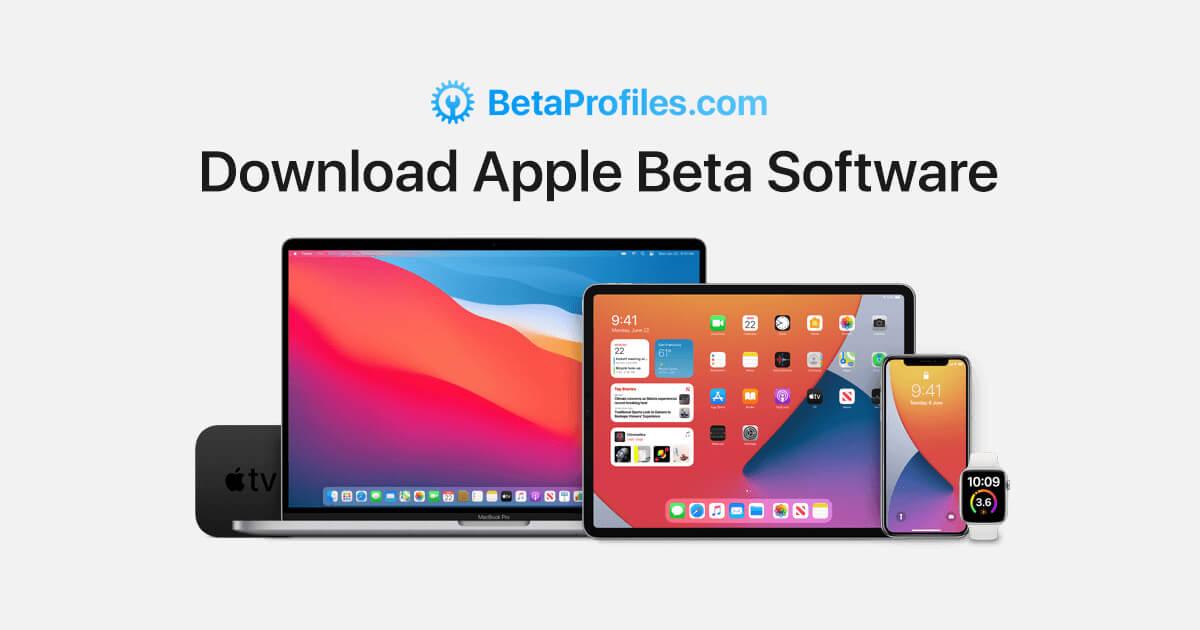
    The Apple Beta Software program is a program that was introduced by Apple Inc. for volunteers to download a beta version of the new operating system for their device and test it before it is officially released.

    The signing up process is completely free and accessible to everyone, everywhere. The software that are available include:

    • iOS
    • iPadOS
    • macOS
    • tvOS

    The whole idea behind this program is for you to install the pre-release software and use it on your device and then give your feedback to Apple using the built-in Feedback Assistant. The feedback includes (but not limited to) crashes or other behavioural challenges you encounter.

    There are two options available, the Public and the Developer. The only difference being that the Developer options have some technical options for the developers. The Developers are registered developers on Apple’s Developer Program and you can enroll on that for $99 every year.

    How To Sign Up For Apple Beta And Download Your Beta Software

    To sign up for the Apple Beta program, you need to be above 18 years and must have an Apple ID. Also, you need to have any of the Apple devices listed above. Finally, you need to accept the confidentiality agreement where you agree not to share any screenshot with anyone.

    Once you are done, follow the steps listed below:

    • Go to the Apple Beta program page and click the Sign Up icon.
    • Next, you’ll be asked to enter your Apple ID, after which you will reach the page for the Guide for Public Beta.
    • Select the device you use and then scroll down the Get Started section and click on the Enroll your device option.
    • Next, click on Download the Profile and wait for it to install.

    Whenever there’s new beta software, Apple will send you a notification for you to download and then give your feedback.

    At any point, if you decide to unenroll, you can visit the Unenroll page and then end your participation.

  • Infinix Note 8i (2020); Price, Specs, Features, Where To Buy & Best Deals

    Infinix Note 8i (2020); Price, Specs, Features, Where To Buy & Best Deals

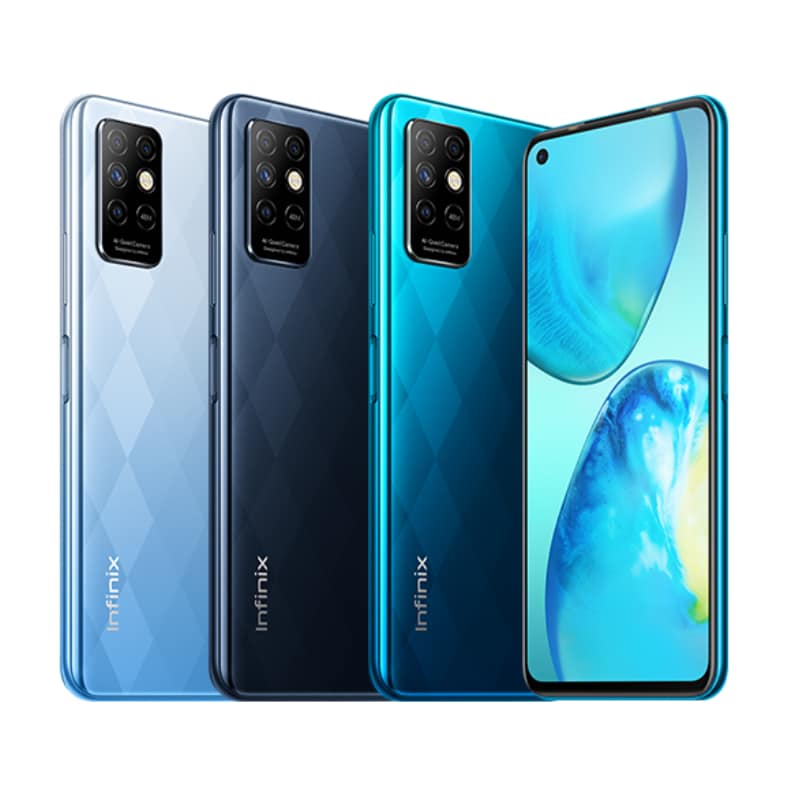
    Infinix Mobility has proved to the world that they didn’t come here to play and that they are in the mobile phone manufacturing industry to stay. The Note 8i was launched together with the Infinix Note 8 just a few weeks or months ago.

    While the COVID-19 pandemic has affected several industries in the world, the mobile phone manufacturing industry just keeps on blooming. Infinix Mobility is one of these companies that were not really hit by the pandemic.

    Why am I saying this? This is because, while other industries like the flight industry had to literally shut down, the mobile phone manufacturing companies kept on producing new phones.

    With an Helio G80 processor, the Infinix Note 8i is one of the best smartphones to use for your gaming in 2020. The chipset makes your gaming experience (both online and offline) smoother than you thought.

    In terms of camera, the Note 8i has a 48MP quad-camera layout that gives you incredible and beautiful photos. As most of you are already aware, Infinix smartphones have one of the best camera qualities in the world; and the Note 8i is not an exception.

    On the display end, you have a huge 6.78” HD display to watch your movies, read documents and articles, and to play your mobile games.

    All this amazing hardware is powered by a 5200mAh battery with a very long-lasting life span. In terms of security, you have the option to choose from fingerprint, FaceID, and other known security options available on most smartphones.

    Infinix Note 8i Specs

    Infinix Note 8iSpecs
    Operating SystemAndroid 10, XOS 7.1
    Display6.78 inches IPS LCD, 480 nits (peak)
    ChipsetMediatek Helio G80 (12nm)
    Memory8GB RAM
    Storage128 GB & 256 GB ROM
    Main CameraQuad Camera setup – 48MP (wide) + 2MP (macro) + 2MP (depth) + 2MP
    Selfie Camera8MP
    Battery5020mAh Li-Po non-removable
    ConnectivityDual SIM SIM1: Support 4G, 3G SIM2: Support 4G, 3G  
    Special FeaturesFingerprint sensor (side-mounted) Accelerometer Proximity Compass 3.5mm headphone jack
    ColoursGray, Blue, Green

    What Will You Find In The Box of the Infinix Note 8i?

    The Infinix Note 8i box contains the following:

    • 1 Infinix Note 8i
    • 1 18w power brick
    • 1 Type-C USB Cable
    • 1 Set of earphone
    • 1 SIM eject tool
    • 1 Plastic case
    • 1 Screen protector
    • 1 Warranty card
    • 1 User guide and information booklet

    Features of the Infinix Note 8i

    48MP Ultra Quad Cameras

    The back of the Infinix Note 8i houses the beautiful quad cameras. Each of these cameras has a special role they play in giving you the best photograph you want.

    Together as a single main camera unit, they capture everything into details with clarity, authenticity, and real-life beauty. You can now see the world differently in the eyes of Infinix Note 8i’s quad-camera.

    Built within the camera system is an eye-tracking focus feature that helps in delivering original photos that are based on exactly what the camera captures. Also, if you are wondering how you will take your nice photos at the evening parties and meetings, you have nothing to worry about.

    Due to the Ultra Night mode 2.0 that is featured on your device, you can take that photo you want at night and still get it as beautiful as you want it to be. Also featured on it are several filters that you can choose from when taking your photos.

    Finally, you have the portrait and super macro lenses that blur backgrounds and keeps the subject as the focus of the image. The super macro lens brings out every single close detail in every photo you take.

    High-Performance G80 Processor

    The Helio G80 processor is the processor that is used for the Infinix Note 8i. This processor has all-around excellent and more stable performance when compared to others.

    The chipset also delivers smooth gameplay of your favourite games, whether adventure, sports, or action you still feel the smoothness and quality. Even if you don’t like playing games, once you try playing games on the Note 8i, you will become addicted to it.

    6.78” HD Infinity-O Display

    The display of a phone is one thing you need to check out when you are buying a new phone. Some phones look good on the outside but the display sucks really bad.

    With a 6.78” HD display, you will never regret buying this type of phone with such display and resolution. The Infinix Note 8i has a screen resolution of 720 x 1640 pixels and a pixel density of 264ppi (pixels per inch).

    Finally, the Note 8i has a 480 nit peak brightness and a 1500:1 contrast ratio. These are just some of the few features of the Note 8i. Once you get the phone yourself, you will know that what I’m saying is true.

    Infinix Note 8i Price in Ghana

    Depending on the variant of the Note 8i you want, here are the prices:

    Infinix Note 8Price
    Infinix Note 8i (6GB RAM, 128GB Storage)GHS 999
    Infinix Note 8i (4GB RAM, 128GB Storage)GHS 919
    Infinix Note 8i (4GB RAM, 64GB Storage)GHS 829

    Here are shops you can buy the phone from:

    StoreContact
    Mfidie Store (Nationwide Delivery)0546090871
    Franko Phones (No Delivery)Contact Store
  • Redmi Note 9 (2020); Price, Specs, Features, Where To Buy & Best Deals

    Redmi Note 9 (2020); Price, Specs, Features, Where To Buy & Best Deals

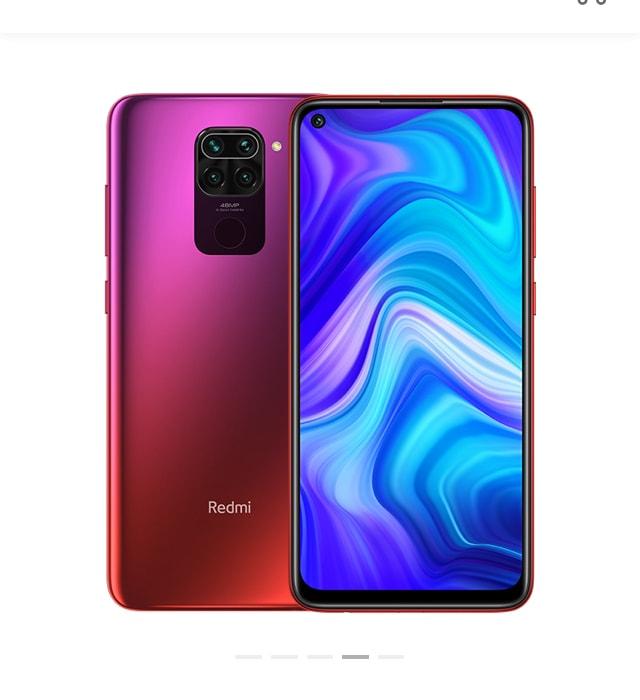
    Redmi, a subsidiary brand of the Chinese electronics company, Xiaomi has since its launch produced several smartphones for users around the world.

    This year (2020) also, they’ve added some new smartphones to their stock. One of such phones is the brand new Redmi Note 9. The Redmi Note 9 is the direct successor of the Redmi Note 8 Pro in the Redmi Note series.

    Powering the Note 9 is a 5020mAh fast-charging battery that allows you to power your battery within the shortest possible time. When you are going on a long trip, all you need to do is to charge your phone to the fullest capacity and you can use your phone for the rest of the trip.

    With a 48MP Quad camera array, the Redmi Note 9 captures photos that give you long-lasting memories. For those of you who love taking a lot of photos, Redmi Note 9 is not a bad choice.

    Protecting the screen of the Redmi Note 9 is a Corning Gorilla Glass 5 on the front. The rear camera on the other end is protected by P2i nano-coating technology and also has water-sealed ports to give the Note 9 a splash-proof-design.

    Redmi Note 9 Specs

    Redmi Note 9Specs
    Operating SystemAndroid 10 (MIUI 11)
    Display6.53” IPS LCD capacitive touchscreen
    ChipsetMTK Helio G85
    Memory3GB, 4GB RAM
    Storage64 GB ROM (for the 3GB RAM), 128 ROM GB (for the 4GB RAM) (expandable using micro SD)
    Main CameraQuad Camera Setup – 48MP (wide) f/1.79 + 8MP (ultra-wide) f/2.2 + 2MP (macro) f/2.4 + 2MP (depth) f/2.4
    Selfie Camera13MP f/2.25
    Battery5020mAh non-removable
    ConnectivityDual SIM SIM1: Support 4G, 3G SIM2: Support 4G, 3G  
    Special FeaturesFingerprint sensor (rear-mounted) Accelerometer Gyroscope IR Blaster Proximity Compass headphone jack present
    ColoursPolar White, Midnight Grey, Forest Green, Onyx Black

    What Will You Find In The Box of the Redmi Note 9?

    When you open the box of the Redmi Note 9, you will find the following:

    • 1 Redmi Note 9
    • 1 Power adapter
    • 1 Simple protective cover
    • USB Type-C cable
    • 1 SIM eject tool
    • 1 User guide
    • 1 Warranty card

    Features of the Redmi Note 9

    High-performance Helio G85

    Every time I hear that a new phone has been released, one of the things I look out for is the gaming experience and the processor. The Note 9 is equipped with a high-end octa-core processor that can clock a maximum speed of 2GHz.

    If you are a gamer or someone who loves playing games on your mobile phone, the Redmi Note 9 has a GPU frequency of 1000MHz that makes your gaming experience second to none. Being in sports, action, adventure, or any type of game, the Redmi Note 9 has you covered.

    48MP Quad Camera Arrangement + 13MP Selfie Camera

    At the back of the Redmi Note 9, you will find the beautiful quad-camera layout with a flashlight next to it. The primary 48MP sensor can take outstanding photos no matter the time of the day.

    The three remaining cameras, the wide-angle, macro, and depth respectively, always ensures your photo is as perfect as it could ever be. Although nothing is perfect, these three (3) cameras are made to assist the primary camera to deliver the beautiful result you wish for.

    Aside from these three sensors working together as a unit, they all have specific duties they perform. The 8MP ultra-wide sensor can now capture panoramic photos with a 118-degrees field of view. The 2MP depth sensor helps to achieve the right amount of depth of field to deliver a beautiful photo. Finally, with the 2MP Macro lens, you capture everything in detail.

    The front of the screen houses the 13MP front (selfie) camera. The selfie camera has several features that make it unique from some of the rest; these include adjust background blur, AI Beautify, Special effect, etc.

    Powerful 5020mAh Battery

    The battery powering the Redmi Note 9 is a massive 5020mAh battery with the mileage you’ve never seen in the Redmi Note series. Also, the battery has a fast-charging system and supports 9W wired reverse charging.

    The battery can last for 171 hours of non-stop music playback, 34 hours of calling, 14 hours of continuous navigation, and 12 hours of active gaming. This is very huge as compared to some of the leading smartphones in the world.

    6.53” FHD+ DotDisplay

    The Note 9 has one of the largest screen displays in the world (correct me if I’m wrong). Due to the notch-less DotDisplay design, you have a big-screen interface for what you may use it for.

    For gamers, photo lovers, and those who use their phones for meetings, you have enough space to do exactly that. All you have a clear view of what you are looking for as a result of the 2340 x 1080 pixels resolution and a pixel density of 395ppi (pixel per inch).

    Pricing and Availability of the Redmi Note 9

    Price of Redmi Note 9 in Ghana

    The new Redmi Note 9 is selling at retail shops in Ghana for GHS 1299. 

    Below is a list of shops in Ghana you can buy the Redmi Note 9 from:

    StorePriceContact
    Mfidie Store (Nationwide Delivery)GHS 12990546090871
    Franko Phones (No Delivery)GHS 1299Contact Store

    Price of Redmi Note 9 in Nigeria

    The new Redmi Note 9 is retailing in Nigeria starting at NGN 83,500. 

    Price of Redmi Note 9 in Kenya

    Redmi Note 9 is selling in Kenya for around 24,000 Kenyan Shillings. This is however subject to availability and local retail price changes.

  • MTN Midnight Bundle Packages; Price, Subscription, Details, Benefits And All You Need To Know

    MTN Midnight Bundle Packages; Price, Subscription, Details, Benefits And All You Need To Know

    If you are a night owl like myself then you know there is nothing more fun than surfing the internet at night.

    Although this sounds interesting, one of the worst things that could happen to you is running out of data bundle in the middle of the night.

    Lucky enough for you if you have airtime or money in your mobile money wallet; other than that, you are doomed. Because, where are you going to get airtime in the middle of the night?

    On the bright side, there is a special bundle that is made for night owls like yourself and me. This bundle is not only ideal for night owls but also comes with good data bundle bundles at a very cheap cost.

    What Is MTN Midnight Bundle?

    The MTN Midnight Bundle is a special type of data bundle that has been provided to MTN users to enjoy browsing the internet at a relatively cheaper cost.

    As the name suggests, this bundle works only at midnight; it starts at 12:00 midnight and ends at 5:00 am. Interestingly, this bundle does not expire, therefore if you are not able to exhaust your package, you can always use it when you have the time.

    What Are The Prices and Packages of The MTN Midnight Bundle?

    Just like all data bundles, the cost of the MTN midnight data bundle depends on the size of data you want. Below are some of the standard prices:

    • GHS 1 = 2.87GB
    • GHS 1.99 = 5.72GB
    • GHS 2.00 = 5.74GB

    Finally, there is this special hack that I have for you as a Christmas gift. When you are entering the amount you want to buy, enter GHS 2.99 and you will get 8.59GB.

    Who Can Subscribe For The MTN Midnight Bundle?

    The MTN midnight bundle is available for all registered MTN users. Simply put, as long as you have a registered MTN SIM that is functioning properly, you are good to go.

    Also, you buy this type of bundle using both airtime and MTN mobile money.

    How To Subscribe For MTN Midnight Bundle

    Enough of the plenty talk, lets jump right into the main reason for writing this article. Once you have enough airtime or money on your phone, you can follow the steps listed below to subscribe for the MTN Midnight bundle.

    How To Buy MTN Midnight Bundle Using Airtime

    1. Dial *138# on your phone.
    2. Select option 2 (Midnight Bundle).
    3. Select option 1 (Buy for Self) if you are buying for yourself or 2 (Buy for others) if you buying for someone.
    4. Choose option 1 (Flexi).
    5. Enter the amount you will like to buy (between 0.1 – 2.99).
    6. Details of the bundle you chose will be displayed, one they match what you chose, select option 1.
    7. Choose option 1 (Airtime).
    8. Once the transaction goes through successfully, a confirmation message will be sent to you via SMS.

    How To Buy MTN Midnight Bundle Using MTN Mobile Money (MoMo)

    1. Dial *138# on your phone.
    2. Select option 2 (Midnight Bundle).
    3. Select option 1 (Buy for Self) if you are buying for yourself or 2 (Buy for others) if you buying for someone.
    4. Choose option 1 (Flexi).
    5. Enter the amount you will like to buy (between 0.1 – 2.99).
    6. Details of the bundle you chose will be displayed, one they match what you chose, select option 1.
    7. Choose option 2 (Mobile Money).
    8. You’ll receive a  prompt to confirm your purchase. Enter your four (4) digit Mobile Money PIN and then choose option1 to confirm your purchase.
    9. Upon successful completion, a confirmation message will be sent to you via SMS.

    Can You Use MTN Midnight Bundle During The Day?

    The question about whether it is possible to use your midnight bundle during the day has been asked by a lot of people. The answer to this question is YES; there is a way you can use your midnight bundle during the day.

    But, this basically depends on the device you use and your luck. This is because some people try and it works perfectly but others try and it doesn’t.

    How To Use Your MTN Midnight Bundle During The Day

    To do this;

    1. First of all, you need to turn off automatic time update or Use Network Provider Time (depending on your device) in your settings.
    2. Once you have done that, you then change your time to 12:15 am.
    3. After that, restart your phone to see if the changes you made have been applied successfully.
    4. If it has, you can now enjoy your MTN Midnight Bundle during the day.

    NOTE: THIS METHOD MIGHT WORK OR MIGHT NOT WORK.

    What Are The Benefits Of Buying MTN Midnight Bundle?

    To wrap up, I would like to share a few of the numerous benefits you enjoy from the MTN Midnight Bundle.

    You enjoy huge internet data for a very cheap price.

    You have enough data to stream and download your movies, songs, books, applications, etc.

    You enjoy fast internet speed due to the low number of active users, and a whole lot of other benefits.

    With all these, you can now see that the midnight bundle is one of the cheapest and best internet data packages available for MTN users. Make good use of it and have fun surfing the internet at midnight.