Author: Emmanuel Boakye Yiadom

  • Safe Radiation Level For Phones And How To Check Your Phone’s Level

    Safe Radiation Level For Phones And How To Check Your Phone’s Level

    Mobile phone usage as of 2020 is 3.5 billion. Meaning 3.5 billion people use mobile phone devices. Looking at the figure shows that mobile phone usage has fast spread throughout the world.

    The whole world populace is projected at 7.7 billion. This shows that the rate of mobile phone users is 45.4%. This is huge right?

    In recent times, there has been a lot of public concerns about the use of Mobile phone. Medical researchers have raised a lot of concerns about the health risks associated with the use of mobile phones.

    It is very important to understand the health risks involved in the use of mobile phones before you advise yourself to use one.

    Health Concerns Related To The Use Of Mobile Phones

    Mobile phones use Radio Frequency (RF) radiation for communication. If the RF is high enough, it has a thermal effect raising body temperature.

    According to medical researches, if there are low levels of RF radiation generated by mobile phones, it could cause health problems such as headaches or head tumors.

    Radiation is a combination of electrical and magnetic energy that travels at the speed of light. It is also known as electromagnetic radiation (EMR).

    In terms of mobile phone usage, radiation has been classified into two groups. Ionizing Radiation (IR) and Non-ionizing radiation (NIR).

    Ionizing Radiation (IR)

    Ionizing radiation is said to be capable of causing changes in atoms or molecules in the body that can result in tissue damage such as cancer. Long exposure to your phone will expose you to long-term health risks.

    Non-Ionizing Radiation (NIR)

    This does not cause changes in atoms or molecules but can prompt the vibration of molecules leading to a rise in temperature and other health effects like headaches.

    Safe Radiation Level For Phones

    Specific Absorption Rate (SARS) is the measure of the amount of radiofrequency absorbed by the body when using a mobile phone.

    There has been an adoption of Safe radiation level for mobile phone to Radio Frequency which is 1.6 watts per kilogram (1.6 W/kg) Any mobile phone at or below the Specific Absorption rate (SARS) is safe to use.

    Any number above 1.6 W/kg is at risk. When you realize you are above the number, quickly change your device.

    How To Check Your Phone’s SARS Level

    You can check your device’s radiation level SARS by dialing the USSD code *#07#. If your SARS level shows below or equal to 1.6 W/kg then you are good to go.

    If your phone does not support the USSD code, check your phone’s user guide.

    SARS Of Popular Phone Brands

    • Iphone >> 1.59 W/kg
    • LG G2 >> 1.44 W/kg
    • LH G3 >> 0.99 W/kg
    • Samsung Galaxy Note 2 >> 0.42 W/kg
    • Samsung Galaxy Note 3 >> 1.07 W/kg

    iPhone 6 is said to have the lowest SARS with just 0..01.

    Conclusion

    With the mobile phone being one of the essential things we use in our daily life, the health risks are also increasing. You can check your SARS right and see if your phone is above or below the normal frequency.

  • How To Hide Photos From Your Phone’s Gallery

    How To Hide Photos From Your Phone’s Gallery

    Any photo you take with your phone goes straight to your gallery. All photos including personal ones you can’t afford any third party seeing. Some curious friends and family who want to always peep on our phone could find them easily.

    I remember personally some time ago I wanted to transfer some images from a friend’s phone to my device, in the process of scrolling her gallery to find the images, I bumped into her personal picture she had taken with her boyfriend.

    This was very embarrassing to her, that was a picture she couldn’t afford anyone seeing apart from her. I don’t think you can afford neither if you find yourself in such a situation.

    If you are looking and searching for how you could hide your personal images from your gallery then this post is for you.

    Two main mobile manufacturing giants, Samsung and LG, have built-in privacy options that can help you hide photos.

    Samsung

    If you are having or using a Samsung phone running Android Nougat 7 and above, you can make good use of Samsung’s Secure folder feature. This helps you keep files, images, and apps in a password-protected area.

    To access and set up the Secure folder as a first time user, go to Settings>>Lock screen and security>>Secure Folder. You would have to sign in with your Samsung account.

    After signing in, you would be asked to choose a preferred lock method. After setting your password, the Secured folder will be accessible on your Home and Apps screen. To hide photos in the secure folder, open the app, and Tap Add files.

    LG

    With LG users, there is a different approach. Go to Settings>> Fingerprints & Security>> Content lock. You will be prompted to secure the feature using a PIN, password, or fingerprint scan.

    To hide your personal images, go to the gallery. Select all the photos you want to hide and tap Menu>> More>> Lock. If you have an entire photo folder you want to lock, select the folder, and perform the same function.

    Since the content lock is not available for all devices, follow the below steps to hide photos from your phone’s gallery.

    Using File Manager To Hide Photos From The Gallery

    There are still options available to you if you don’t use Samsung or LG. Though this is somehow technical. Not every file manager is capable of performing this function, the few I will recommend that I have used personally is ES File Manager and X-plore file manager.

    If you already have any of them, Open the file manager. In my case, I am using Es File Manager in this article. Choose your phone storage or SD storage.

    Choose the options menu, that is, the three-dotted bar in the far right at the top corner. Select New, and choose Folder from the pop-up menu. Clear the already written words and type .emmarniprivatefolder and hit Ok.

    Note, you can replace the (emmarni) with your name or nickname or you can eliminate the name part and just go with .private folder. Always begin the name with a period (.) then the rest of the names.

    Now that you are done with the hard part, go to your photos folder and select all the necessary pictures you want to hide. Cut/Move all the selected photos to the newly created folder.

    Doing this will hide the selected images moved to the newly created folder from your gallery. This new folder can only be navigated by you in your file manager. No third party can view your personal images in your gallery.

    The hidden images will only be visible in your folder in the file manager.

    If you don’t want to pass through the technical part in hiding your photos from the gallery, there are still options available to you below.

    Using Third Party Apps To Hide Pictures From Gallery

    1. Vaulty – Vaulty is a leading app for hiding content. No wonder there are over a hundred thousand users with positive reviews in the Playstore. Vaulty has its own photo gallery. Any locked photos are only viewable within it. All the photos are password-protected.
    2. Keepsafe Vault – Keepsafe is Vaulty’s biggest competitor. It also makes all your hidden photos password-protected with encryption. It also comes with an on-screen icon hide feature. When enabled, no one who picks your phone will notice a third-party app used to hide your images.
    3. Hide Something – Hide something is also another alternative way you can use to hide your photos from the gallery. It also comes with built-in password protection and backs all photos to Google drive if allowed.

    Conclusion

    I have walked you through various alternative ways to hide your personal photos from your gallery. if you have Samsung or LG, you can stick to the device’s default feature to hide your contents from the gallery.

    If you are not on both devices, the alternate ways are available for you. Protect your photos with full control.

  • How To Find Out Everything That Was Done On Your Phone In Your Absence

    How To Find Out Everything That Was Done On Your Phone In Your Absence

    We live in a time where people are so concerned about our personal matters. Immediately you leave your phone behind, either your friend, family or girlfriend will start invading your personal stuff.

    By the time we come back to our phone, then all the personal stuff we wish nobody sees except us has been seen by other third party friends or family.

    I will use my case as a scenario, I left my phone around a friend some time ago, I left to get ourselves food for the afternoon, not realizing the bad intention of him, I left the phone where I was seated before going out.

    He took my phone and the first place He visited was my personal WhatsApp messages, that wasn’t all, He visited my messages, gallery, and even my recorded audio calls.

    I had not known all this until once there was a brawl between us. He started referring me to some of the personal stuff on my phone only I thought I knew.

    Since that moment, I embarked on a mission to research on how to find out everything that was done on your phone in your absence. That has brought you to this article.

    You might encounter such a problem as mine, but the interesting fact is, for you, since you have landed on this article, you will have a solution and know exactly what was done on your phone in your absence.

    Today in this article, I will share with you two steps in knowing what was done on your phone in your absence.

    Usage Statistics

    The first step I will talk about has to do with your usage statistics.

    • Open your call app
    • Dial *#*#4636#*#* and send.
    • A popup menu will appear with some options. Including the options is Usage Statistics
    • Choose the Usage statistics
    • A new window will appear with your phone’s statistics/history. This will show you all the apps that have been opened on your phone with the exact time opened.

    With this, you can then know which apps you opened personally and what you didn’t open by yourself.

    The second method I will talk about is Google Activities. Google syncs your data and usage statics to Google for advertisement purposes. Whatever it is you do on your device will automatically be sync to Google.

    Your search history, location, and applications you open will all be sync to Google. Without further ado, let’s delve into the next step.

    Google Activities

    • Locate and open your Chrome browser.
    • In the search bar type this: myactivity.google.com and hit send. This will send you to your synced data to Google. You will be able to view all your activities that took place on your device.

    You will notice the things you did on the device and didn’t do.

    Conclusion

    People will always be curious to know what we do on our phones. They will always try to access our personal stuff anytime we leave our phone behind.

    Once we know we can see exactly what they did whiles away, we will know what to do with them.

  • 5G Network Service: Countries That Are Already Enjoying

    5G Network Service: Countries That Are Already Enjoying

    The 5th Generation Mobile Network in short 5G is a new global standard network after 4G. 5G is designed to virtually connect everyone and everything together including machines, objects, and devices.

    5G is meant to produce higher multi-Gbps peak data speed, more reliability, massive network capacity, and uniform experience to its users. 5G is considered a game-changer of the 21st-century inheritance.

    Before 5G’s full implementation, many controversies have surrounded the service. many even speculate 5G is the cause of coronavirus(the deadly world pandemic.

    Many controversies over controversies. Some even say 5G is a population control network orchestrated by tech giants to control the world’s population.

    We are not focusing on the controversies surrounding 5G. We are going to focus on the good side of 5G in this article.

    5G technology is indeed a game-changer. Some countries have already started enjoying the service. Let’s look at some of the features of 5G.

    • Up to 10Gbps data rate -> 10 to 100x improvement over 4 and 4.5G networks
    • 1-milestone latency
    • 1000x bandwidth per unit area.
    • Up to 100x the number of connected devices per unit area
    • 99.999% availability
    • 100% coverage
    • 90% reduction in network energy usage.
    • Up to 10-year battery life for low IoT (Internet of Things) device.

    Why 5G is Fast?

    Why 5G is considered very fast and a game-changer? According to a principle of communication, the shorter the frequency the larger the bandwidth. 5G does just that.

    1-millisecond Latency

    5G offers extremely low latency rate, that is the delay between sending and receiving information. 4G offers 200 milliseconds but for 5G it goes down to 1 millisecond. That is a massive improvement.

    Countries that have rolled out 5G

    Some countries have already rolled out 5G service. Others have either partially rolled out the service but either way its all the same.

    • The United States of America – T-Mobile USA has rolled out 5G in 50 cities. AT&T has also made 5G available to its mobile network in 35 cities and 190 markets.
    • South Korea – As of January 2020, South Korea has rolled out 5G service to 85 cities.
    • Sweden and Estonia – Tested for 5G in December 2018. Although it is not commercially accessible but was speculated to be accessible by 2020.
    • Turkey
    • Japan – Japan has fully launched a 5G service. It was made possible on March 25, 2020
    • China
    • Germany
    • United Kingdom

    With many countries facing some challenges in implementing the 5G network, others are already enjoying this new form of network Technology.

    Though some of the countries mentioned above have not made the service commercially accessible to consumers, they are still working to achieve that aim by the end of 2020.

    The US for instance has not rolled out the 5G network in the whole country and even China, Germany, and the United Kingdom. Most of the countries are not fully rolled out.

    Conclusion

    Technology is fast advancing. 5G network is proof of how far technology will go. Sooner or later, 5G services will be accessible in most countries.

  • Telegram Features and How to meet new people in your area

    Telegram Features and How to meet new people in your area

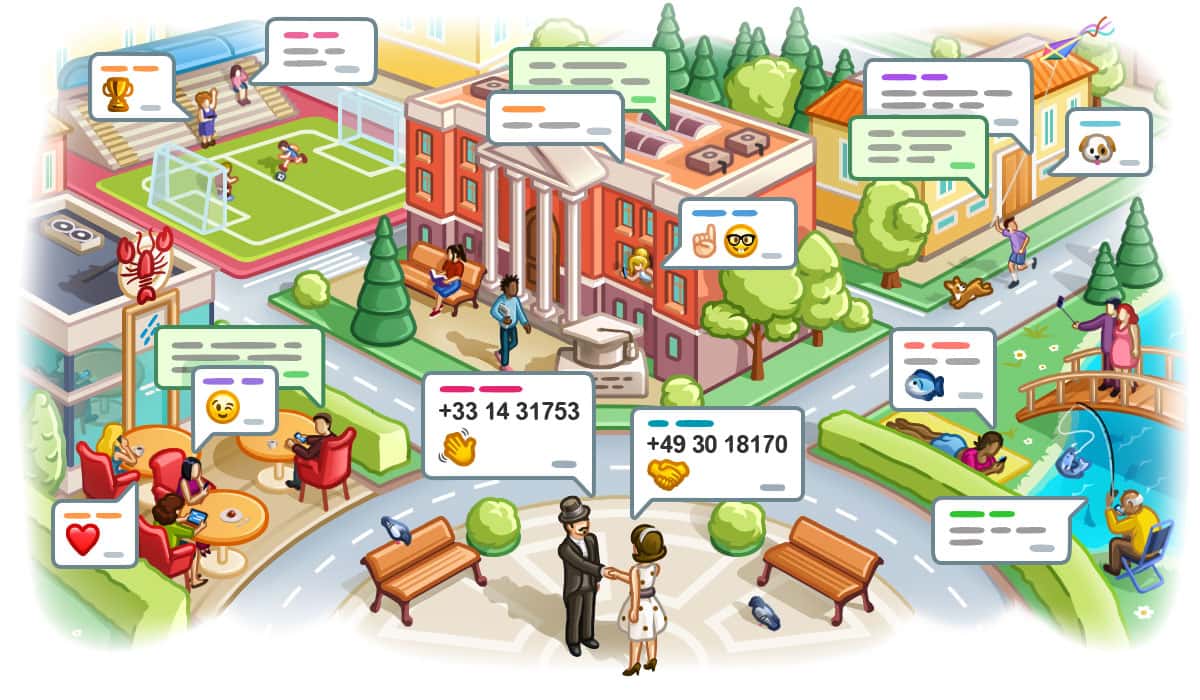
    Telegram is a cloud-based instant messaging and voice over IP service. Telegram client apps are available for Android, IOS, Windows phone, Windows, macOS, and Linux.

    Just like any other social network, Telegram is very popular due to its outstanding features it offers its users. To add to, telegram offers encrypted messages and can self destruct, something that is not available in WhatsApp.

    Let’s look at some of the most outstanding features of Telegram before we delve in deep to today’s lesson.

    Some Telegram Features you should know about

    Secret Chats

    Though all telegram chats are encrypted, default chats are still stored on telegram’s servers. For the full privacy, you can use the secrete chat option which uses client-to-client end encryption.

    Save Messages

    The save messages feature let’s you access your files on any device you log in to telegram. Telegram uses the save messages to store your files in cloud storage assigned personally to you.

    Proxy Server

    When you find yourself in a region where telegram is blocked, the proxy server feature is available for you. Though many people prefer using VPNs at the same time you can use telegram’s proxy server.

    Telegram Bots

    Bots adds useful functions into your chats. Bots can be used in telegram channels, groups and even personal chats. I have seen numerous channels that operate with bots without the admin’s presents. Bots are fun to work with. You can create your own personal bot and assign functions to it. It’s relevant to mention that you can enable comments in your Telegram channel by the bots. Having enough comments increases the channel’s visibility. You can also find the best place to buy Telegram comments.

    Multiple Profile Pictures

    Telegram allows you to upload multiple profile photos. While one will be used for what your contacts will see, they will have the option to scroll for more of your uploaded picture.

    More Than One Phone Number

    In the telegram, you can change your number and still move your groups, chats, and channels to your new number.

    How to use Telegram to meet new people around you

    In this article, I will show you how you Meet New People In Your Area With Telegram.

    Most at times, we want to sync our messaging apps to meet new friends from your exact location. We mostly get connected with people far away from our area.

    I have experience in that too, I remember after creating my Facebook, I was getting connected with people away from my geographical area which I was really pissed off.

    In telegram too, the same occurred. Meeting up of people I don’t even know. What if, you can meet new friends from your locality? Interesting Huh!

    Below are the steps to follow in telegram to meet new friends in your area.

    Telegram has added a new feature in June called People Nearby. This option allows you to meet people in your area.

    Navigate to contacts > People Nearby to see people using telegram in your area. Select make myself visible. This will display your profile pictures to people around you for easy identification.

    People will be able to find you and send you a message even if you close the app.

    Conclusion

    Meeting people in your locality is the best than meeting people you don’t know. Enable the People Nearby to find friends in your area. This article will show you exactly how to make use of this feature.

  • Car Tracking Device Companies In Ghana

    Car Tracking Device Companies In Ghana

    Car tracking device has been in the system for quite some time now. In an era where bad people (robbers) hijack and steal people’s cars has been on the increase in Ghana, many car owners have resort to tracking their cars.

    There are some reputable car tracking device companies that provide excellent services to their consumers.

    No need to worry if your car gets stolen or hijacked, once a tracking device is installed, there is nowhere in Ghana the car can be hidden.

    In this article, we are going to look at some of these reputable companies that provide excellent car tracking device.

    Tramigo

    Tramigo is a car tracking device company that assembles in Finland. They boast of 10 years of experience in vehicle tracking.

    Their newest tracking device in town is the Tramigo T24 track (Sixth generation) which is available nationwide.

    To learn more about Tramigo, you can visit www.tramigo.com for more in-depth information. To contact Tramigo, visit their contact page on https://www.tramigo.net/africa/ghana/contact.asp

    Cynex IT Solution And Consult

    Cynex is also another car tracking device company in Takoradi. Their address information is as follows.

    Address
    P. O. Box mc 2127, Takoradi, Takoradi, Ghana
    Phone Numbers
    0312026719
    Website – www.cynexitsgh.com

    Masstrack Technologies

    Masstrack is a car tracking device company in Accra. Their services include Real-time tracking, vehicle immobilizing, fuel monitoring, driver identification, Automatic passenger counting system, and many more.

    Address – Accra-Ghana, Accra
    Phone Number
    +233302435877
    +233206485957
    +233540396150
    Email – [email protected]
    Website – https://masstracktech.com/

    Manit Solutions

    Manit solutions is another car tracking device company located at Osu in Accra. Manit is one of the best in-car trackings. They offer reliable tracking service for both personal and corporate fleets of all sizes.

    Location/Address: Osu Forico Mall, Mission St. Accra, Ghana
    Phone Number
    +233-240162006
    +233-506346567
    Website – manitsol.com

    Global Royal Technologies Ltd

    Global Royal is a Ghanaian based company that specializes in GPS fleet management and vehicle tracking solutions.

    Location/Address: NO 475, AWOSHIE LAST STOP, Accra, Ghana
    Phone Number
    +233500551568
    +233500551567
    Email – [email protected]
    Website – http://globalroyaltechnologies.com/

    Supra Track

    Supra track specializes in providing Remote Engine management services in Ghana. They have twenty years of experience in the game. Below are the contact details to reach them.

    Location/Address: 447 Haatso – Atomic Road
    Haatso, Accra
    Phone Number
    +233 020 10 66 333
    +233 057 33 0 6633
    +233 026 666 99 55
    Website – https://supratrack.com/

    Global Trackers & Car Alarms Ltd

    Global Tracker Ltd is a global provider of GPS tracking/fleet management solutions for individuals, small, medium, and large-sized businesses. Their head office is based in the United Kingdom but has agents in Ghana and all over Africa

    Location/Address: Head Office: 47 Main Adjiringanor Road, East Legon. Accra – Ghana.
    Ashley Botwe Branch: Total Filling Station, Room 1
    1st Floor, Little Junction.
    Phone Number
    +233 200 011 290
    +233 302 511 840
    Website – http://glotrackers.com/

    Conclusion

    In a century where technology has advanced so well, tracking your car is just a step away. In the past times, robbers abscond with our vehicles and we get no hopes of finding it back.

    With many companies available with GPS tracking, one can just go for a GPS to be installed in their vehicle. Look into all the companies in this article and select one of your choice to get a GPS installed in your car.

  • How To Use Google Keep To Save Notes Forever

    How To Use Google Keep To Save Notes Forever

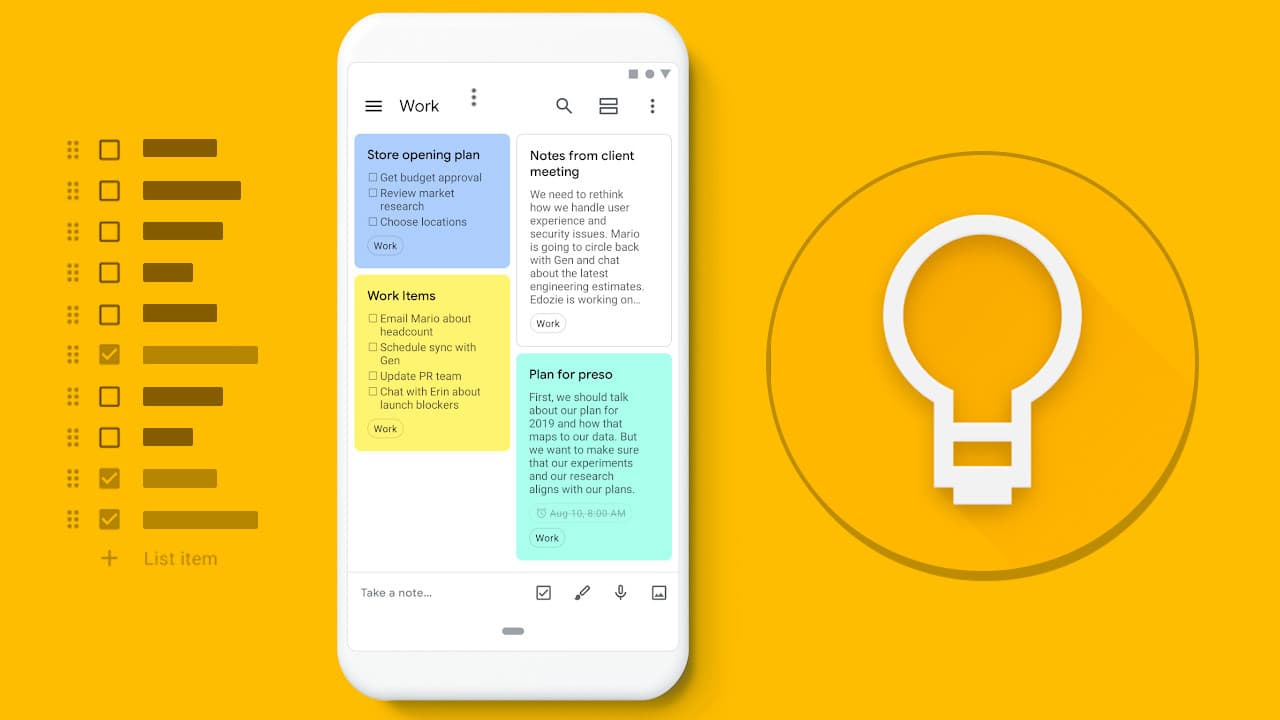
    Google keep is a note-taking service developed by Google. It can be accessed on the web and available for Android and IOS.

    Just as the name sounds, sometimes something crosses our mind while walking or even having a conversation, by the time we realize then we forget exactly what it was that crossed our mind.

    Google keep is available to solve that forgetfulness problem. Once something crosses your mind or you need to note something down for later, you can access Google Keep and jot them down.

    Anytime you need to cross-check what you wrote to Keep, you can access it and be in the know.

    Below are some highlighted features of Google Keep:

    Taking Voice Note

    Once you hit on the microphone icon to record voice notes, Google Voice automatically transcribes your audio. For example, when searching for a note you saved in Keep, whiles recording, Keep will transcribe your audio in the form of text. Interesting huh!

    Collaborate With Others

    When working on a project at the workplace and the project is broad that it exceeds the working hours, while at home, you can add team members in Keep and continue your project virtually.

    Set Reminders

    By setting reminders, Keep will remind you of tasks that you have set reminders for. For instance, when you saved a location and set a reminder for that specific location, once you get to that location, Keep will remind you of the location.

    Photos

    You can add photos to notes in Keep and add to texts. A mixture of texts and images makes Keep unique.

    Organize

    You can organize your notes in the form of lists or a grid. You can always drag and drop to rearrange your notes anytime.

    Keep is user-friendly. It has a lot of customization features that let you be in control

    With its a clean interface and easy use, it makes note-taking very interesting.

    Today, am going to show you how to use Google Keep to save notes on your android forever.

    As I already mentioned, Google keep is a product of Tech giant Google. Google keep works with your Gmail account.

    Just like a mobile phone, when your phone gets missing and it was configured with Google account, once you buy a new phone, all your synchronized files will be restored to your new phone.

    Google keep works in conjunction with your email account. It automatically Syncs your notes to cloud storage using your Google mail. The notes can be accessed anytime anywhere, by installing the app and logging in with the same email used for synchronization.

    To access your notes on your Laptop or PC, visit keep.google.com and sign in with your email account. All your notes will be accessed.

    Using your email account with keep on your android device will save your notes forever and can be accessed any day.

    Conclusion

    As humans it’s natural to forget things always, keep is there for us to remember and save notes important to us.

  • How To Remove Your Name From Truecaller So That People Can’t Track You

    How To Remove Your Name From Truecaller So That People Can’t Track You

    Truecaller is an application used to identify an unknown caller, likewise, it also shows your identity to other users. In a research made in 2020, the app has over 200 million users worldwide.

    Due to privacy theft, people uphold their privacy very well. There have been many occasions where people sue others for privacy theft. Many tech giants and software developers get sued when privacy of users is less secured.

    When it comes to privacy, it’s one thing people are sensitive to. Due to how Truecaller works, many people believe it violates their privacy.

    Once you install and register on the app, your information is made available to whoever you receive call and receive calls from.

    Most importantly, when a user installs Truecaller and registers, his/her contacts get synced to Truecaller so you on the other hand might not be registered on the app but once someone with your contact is on the app your information will be on Truecaller.

    This makes people believe Truecaller violates their privacy. If you also believe your privacy has been violated, the w steps will show you how to remove your name from Truecaller so that people can’t track you.

    Steps To Remove Your Name On true Caller (Android)

    1. Open the Truecaller app
    2. Login in to your account
    3. At the corner, tap on the people present and go to settings
    4. Choose about
    5. Select deactivate

    Steps To Remove Your Name On true Caller (IOS)

    • Open up the Truecaller app
    • Login to your account
    • Click on the gear icon
    • Select about Truecaller
    • Scroll down and tap on the Deactivate Truecaller option

    Once this is done, you have removed yourself from Truecaller. One more step to follow is that Truecaller has a database where it stores all of its user’s data and your data might still be present there.

    In order to completely erase all your data from Truecaller, you will need to visit their unlist page. Visit https://www.truecaller.com/unlisting, enter your registered mobile number with your country code.

    Choose a reason for unlisting yourself. Once done, verify the ‘Captcha’ and click on the ‘Unlist’ option.

    After performing all these steps, your information will successfully be removed from Truecaller permanently.

    In the near future, f you wish to showcase your information to others without feeling any guilt of privacy, you can register back to Truecaller.

    People have been using Truecaller to track others since it displays your information to anybody who want to access it.

    Conclusion

    As Truecaller can be advantageous to others in knowing and identifying new contacts and numbers, it can also be disadvantage to others in tracking you with your location address.

  • 5 Things You Didn’t Know You Can Do With Google Calendar

    5 Things You Didn’t Know You Can Do With Google Calendar

    Google calendar is a time management and scheduling calendar service developed by Google. It’s used for performing our day to day activities and also a reminder to our schedules.

    It comes in a web version and mobile version as an app. It helps you keep track of your events and also share your calendar with others.

    Once you have google account, you have access to google calendar.

    Just like a physical hard copy calendar pasted on walls to mark specific days and occasions, Google calendar likewise does the same.

    Many of us with smartphones have Google calendar installed as system app but yet do not make use of it.

    If I didn’t have google calendar I wouldn’t be able to write this article. Google calendar keeps me in tune, organized, and updated on everything going on with my day to day activities.

    Google calendar can make the most unorganized person very organized.

    I am going to share with you 5 things you didn’t know you can do with Google calendar.

    Offline Support

    Google calendar can be used offline. This is a cool feature because the calendar will not be limited if you don’t have an internet connection. Offline support here means it can be used without an internet connection or data.

    SMS Support

    Google calendar with the SMS support feature will send you events updates and occasions you have personally set to keep you in the know. Sometimes as humans we might forget setting things, with this SMS support there is no way an event will skip you.

    Search

    Sometimes our calendar might be filled with a lot of activities and scrolling by and by might be time-consuming. That’s when the Search becomes of use. You can use the search from the search bar to quickly find your set date for some events.

    Get Reminders

    Sometimes one may forget checking up their calendar regularly to avoid missing an important schedule or event. Setting reminders will keep you on the go. You don’t need to check, the calendar will send you reminders regularly.

    Video Call

    The video call option is available to help you set an event/meeting if it’s going to be on a video call. This is very useful whether to contact the person in a quiet surrounding. It can be accessed via Add>Event>Video Call.

    To Add to, Website Embed. This is a bonus thing you didn’t know about google calendar. Google calendar can be embedded on your website so your clients can book some time with you.

    Conclusion

    Forgetfulness is part of humans. As long as we are humans, it is natural to forget things in our everyday life. Having and making use of a calendar (Google calendar) will keep us on schedule and never miss an event or a meeting.

  • 4 ICT Skills You Need For Any Job In 2020

    4 ICT Skills You Need For Any Job In 2020

    The world that we live in is changing at an exciting pace. Innovations are generating new gadgets, more convenient services, and greater opportunities.

    In recent years, ICT’s impact on society has generated a hot topic.

    Everything surrounding us has to do with Information and Technology. We are in the Information era.

    ICT has become an integral part of our everyday life for many people. It has transformed the way young and old people communicate, network, access information, and work.

    Many industries and businesses have adopted the use of ICT to boost their work rate and production for an effective and successful business.

    To be precise, the introduction of ICT makes work easier and faster to be done.

    In this article, we are going to look at 5 skills one need for any job in 2020.

    MS Word and Google Docs

    Many businesses require the skill of MS Word and Google docs. In fact, there is no wide difference between the two. Google docs is an online cloud-based service which allows users to use various types of document online and has the same function as Ms. Word with a slight difference.

    Microsoft Word is part of the Microsoft Office Suite program from Microsoft. It can be used to manipulate, format, save, print, and share a text-based document.

    MS Word and Google Docs is a great tool for creating business documents.

    It is used to design business and school documents from scratch. You can also get started with professionally built-in templates.

    Many businesses require these skills so having a skill here will give you a plus for any job.

    Email Skills

    A study in 2019 indicated that the average business person sends approximately 43 business emails daily and receives 97 emails on average each day.

    Email skills are something that you absolutely need if you want to be as effective as possible in your professional life. Not just having the skill, but writing a clear, concise, and polished email.

    Features of a business Email includes the subject, introduction, body, call to action, and signature.

    Basic Social Media Management

    Apparently, there is no doubt social media rules now. Come to think of it, Facebook, Instagram, and Twitter have over 2 billion users on their platform.

    Businesses leverage their social media platforms to successfully drive their marketing objectives to increase their brand awareness and convert visitors to buyers.

    Having the skill as a social media manager will give you a plus to get any job as Social Media Management is essential to businesses.

    Project Management

    Project management is producing a complete project which complies with the client’s objective for perfect customer satisfaction.

    To many businesses, satisfying the customer is their major priority.

    Every customer is right, and any business operates solely because of customers, so when it comes to project managing, businesses don’t joke with it.

    Having a skill here will give you an advantage over others to secure you a job in 2020.

    Conclusion

    ICT is taking over the world at a faster pace. Don’t be left out to be part of this change.

    Secure a skill in these essential skills talked about in this article and acquire a basic skill in ICT to get a job.