Author: Emmanuel Boakye Yiadom

  • What Are Some Of The Best Antivirus For Android?

    What Are Some Of The Best Antivirus For Android?

    In a time like this where viruses and malware are rampant on the internet if you are not using one of the best anti-virus apps on your Android smartphone, then you are putting yourself at risk of infection from corrupted apps and other kinds of malware on the internet.

    The good news is that you are not limited in options. The best mobile antivirus app offers not only top-notch malware detection and prevention, but also a range of privacy and anti-theft features, and some of them are even free.

    Some of these apps have the feature to backup your contacts and other data, track your phone or tablet via GPS, snap a picture of a thief who has stolen your phone with the phone’s camera and can even track your phone’s location.

    Most of these security apps come in both a free and paid version. With the paid version, you get extra features for the app. Not all free antivirus apps are the same. When it comes to security, you should know why antivirus is necessary for an android phone.

    In this post, upon researches and personal tests, I will share with you some of the best antivirus software’s you can use, both paid and free.

    The Best Android Antivirus Apps

    Below are the top antivirus applications you can trust. It will be arranged from the best ratings in terms of performance and security.

    Bitdefender Mobile Security

    Bitdefender Mobile Security comes with a USD 15 price per year subscription. This is to say, it is not a freemium app. The software has nearly flawless malware protection, light performance impact, Android wear watch integration, a VPN client and a malicious-website blocker.

    It also has robust privacy-protection tools including an app lock, a Wi-Fi scanner, anti-theft features and data-breach notifications. The software offers a free 14-day trial period which after the 14-day trial you pay for the service.

    The VPN client gives you a free 200 MB data. If you want more data, you would have to subscribe for USD 7 monthly or USD 50 a year. Considering its features, the subscription fee (USD 15) per year, it’s worth the price.

    Avast Mobile Security

    Avast Mobile Security is one of the best Android antivirus apps, offering everything from a privacy adviser to a system optimizer and includes a customizable blacklist.

    Though Avast malware protection is useful, it’s far from perfect. Some features like the Anti-theft and call blocking feature didn’t seem to work at all when tested.

    The Avast Mobile Security app comes with a free version and a Pro version. The downside of the free version is the annoying ads and the constant nags to upgrade.

    The Pro version comes packed with a lot of features including the anti-theft, app lock and technical support.

    Kaspersky Mobile Antivirus

    This security app is known as Kaspersky Internet Security for Android. The application offers nearly-perfect malware protection, a small system impact and a call blocker that work fine.

    There are no ads in the free version, and not much nagging to upgrade to the paid plan. Free users get call filtering, anti-theft functions and a lot more.

    If you are just looking for malware protection, you can’t really leave Kaspersky Mobile Antivirus free tier behind.

    Alternatively, you can get other antivirus apps for android from the list below;

    1. Lookout Security and Antivirus
    2. McAfee Mobile Security
    3. Google Play Protect
    4. 360 Security

    Conclusion

    In the age where virus and malware are fast spreading on the internet, all you need is a powerful antivirus to secure your Android device. In this post, I have shared with you some of the powerful Android antivirus both paid and freemium you can get to secure your device.
  • Good Smartwatches To Use That Run On Android

    Good Smartwatches To Use That Run On Android

    The best Android smartwatch you can boast of is the one that comes with many great features, stylish, and also work well with your Android device. Upon tests carried out on some of the smartwatches, we will share with you some of the key ones that lives up to expectation.

    In this article, we have ranked the best smartwatches based on price, performance, design and how well the watch integrates with Android. Much like picking from the best smartphones under 600 GHS, you are spoiled with choice when it comes to buying a smartwatch to pair with it.

    Every watch on this list is a top choice for Android, and it works flawlessly in hand with it.

    The Best Smartwatches That Run On Android

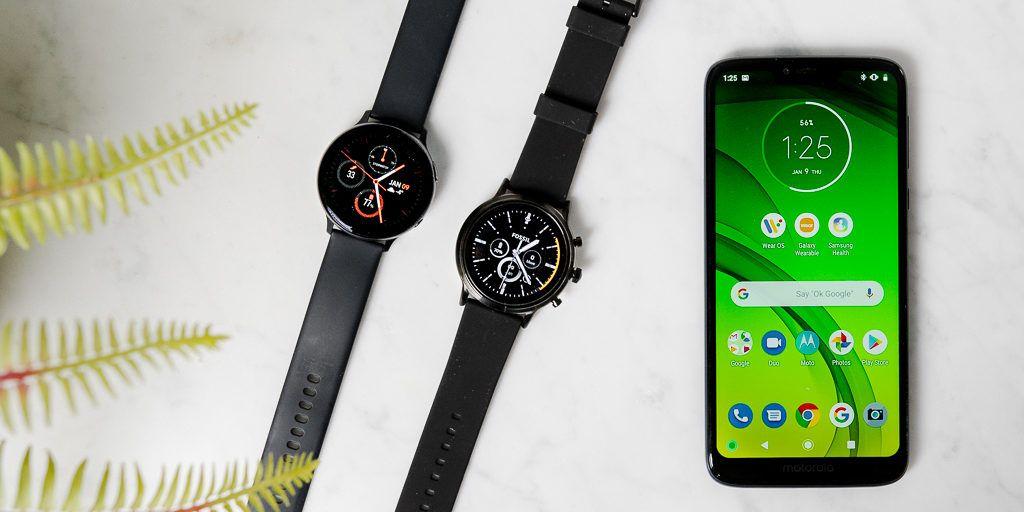
    Samsung Galaxy Watch 3

    The Samsung Galaxy Watch 3 is the best of the best smartwatch on our list. It’s the best smartwatch you can buy and it’s worth its price. It runs on the Tizen OS and is fully compatible with Android and IOS. It has a dual-core processor with 1.15 GHz and Onboard storage of 8 Gigabyte.

    The Samsung Galaxy Watch 3 compacts with modern-day design with top tier fitness features like GPS and Multi-port tracking. The only downside of the watch is that its a one-day battery watch when it comes to the long-lasting of the battery.

    Apart from its downside, the watch is top-notch for everyone considering the loving features of the watch. The Samsung Galaxy Watch 3 sells at USD 399.99.

    Samsung Galaxy Watch Active 2

    The Samsung Galaxy Watch Active 2 runs on Tizen OS just like the Samsung Galaxy Watch 3. It’s compatible with both Android and IOS. The watch has a dual-core processor with 1.15 GHZ and a battery duration around 2 days.

    The ‘Active’ branding means this is a smartwatch more suitable for workouts and fitness tracking. It’s waterproof so it can be suitable for running, swimming, cycling and among other sporting activities. The smartwatch sells for USD 199.

    Fossil Sport

    Fossil Sport comes with a Quad-core processor of 1.2 GHz and onboard storage of 4 gigabytes. It’s a wear OS and has a battery duration of 2 days. This watch is one of the first watches of the company that can keep pace with the likes of the Samsung Galaxy Watch and apple watch.

    It has a lightweight design with a lot of loving features suitable for a variety of exercise and also has a GPS and an accurate heart monitor included.

    Despite its sporty focus, the design still looks premium for all other activities. Its snapdragon wear 3100 chipset makes it one of the most powerful smartwatches in this list. The Fossil Sport sells for USD 139.99.

    Tic Watch E2

    This smartwatch comes with a Snapdragon Wear 2100 and onboard storage of 4 gigabytes. This is also a Wear OS with a battery duration of 2 days. The Tic Watch E2 is one of the cheapest devices from this list but has some fantastic features considering its price.

    The watch has its manufacturer to be the Chinese Mobvoi company. It has a working in-built GPS and a heart rate monitor. The Tic Watch E2 sells at USD 159.99

    Honor Magic Watch 2

    The Honor Magic Watch is a fitness-focused smartwatch. It comes with a Lite OS with onboard storage of 4 gigabytes. It has a battery duration of 7 days|14 days. It’s compatible with both Android and IOS and has a waterproof feature.

    The smartwatch is great if you want a ton of high-end fitness feature in a watch. The best part of this watch is its 2 weeks battery lifespan that is rare to find with most watches available. The Honor Magic Watch sells for USD 139.99. The price is worth it considering its features.

    Conclusion

    There are a lot of smartphones available on the market, which is sometimes difficult to choose from in terms of Quality. In this post, I have shared with you good smartwatches for Android you can go for.

    In future posts, this article will be updated to include later quality smartwatches being manufactured as time goes on. You can comment on your own choice of smartwatch which serves its purpose in the comment section.

  • Top 10 UC Browser Add-ons You Should Install Now

    Top 10 UC Browser Add-ons You Should Install Now

    Browser add-ons are extensions that give extra functionality to browsers. Most browsers of our time ads extra add-ons which you can download to perform certain functions.

    The UC Browser add-ons are plugins which enhances the performance of the browser and also adds extra features to the browser. The add-ons of UC browser cannot be run independently. You need the UC browser installed on your phone or computer before you can run them.

    In this post, I will show you, 10 add-ons you need to install on UC Browser. Without wasting much time, let’s kick the ball rolling.

    10 Uc Browser You Shoul To Install

    Find In Page

    You can use the “Find in Page” add-on to search for specific keywords within a webpage. Just click on the “Find in page” add-on from the add-on panel and type the keyword you want to find.

    This add-on is very useful if you want to navigate or find things in a website quickly. I personally use this add-on on UC Browser. It helps me find what I want quicker.

    Facebook Add-on

    Facebook Add-on for Uc Browser can greatly improve your experience when browsing/surfing Facebook. You will be familiar with the advanced features like Faster-browsing mode and Push notifications.

    Video Downloader

    When I installed this UC add-on, I no longer needed an external app to download videos from HTML5 websites like YouTube and the others. I just open my UC Browser, navigate to the video URL and click play.

    Once the video starts to play, you will see a download button at the right-hand side of the video.

    Save Page Add-on

    Most at times, we come across an important post or article from a website that we love to save and come back for reference. This add-on helps you save pages that are important for you and later get back to it.

    Speed Mode Add-on

    With this add-on, you can change webpage display between lite version, mobile version and desktop display. Below are the steps to follow to switch changes;

    • Click speed mode add-on
    • Switch the option
    • Refresh webpage

    Browse Faster Add-on

    As the name suggests, this add-on kills all running background applications eating your phone’s RAM leaving more space for the browser to browse in speed mode with no lags.

    Unzip Add-on

    With this add-on, you can easily extract all RAR and ZIP files immediately after downloading them or anytime you wish to unzip. Previously, I’d use File managers to unzip my files but with this add-on, there is no need for external File managers before you can unzip your files.

    Ads Block Add-On

    Some pop-up ads on most websites are quite annoying. I mean, with just a click on the URL to the websites, you will be introduced to numerous pop-under ads that can even freeze your device.

    With ad blocker add-on, you can block all these pop-under ads with no extra work. Just install the add-on and activate.

    Screenshot Add-on

    Who don’t love screenshots? Everybody does. This tool is very handy. I am quite familiar with this add-on because I use it all the time. I use it to screenshot important information I’d love to keep for future reference

    You can also take a screenshot of your current window and share with friends.

    Clipboard Manager

    We always meet new information on the web. I use this important add-on to store temporal links and files from websites.

    Conclusion

    Add-ons are essential features of most browsers to extends the browser functionality. In this article, we looked at 10 useful add-ons you can install to help your day to day activities.

  • Features To Look Out For When Buying An Android TV Box

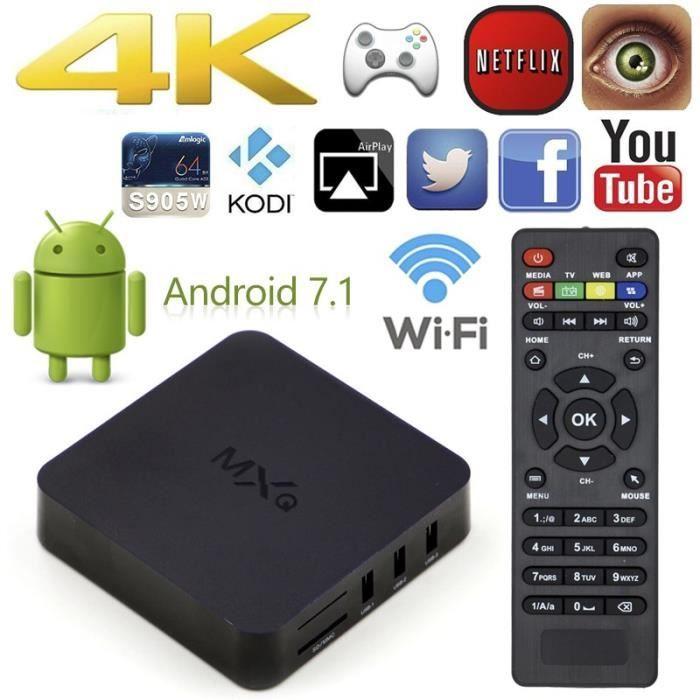
    Features To Look Out For When Buying An Android TV Box

    There are hundreds or fairly over thousands of Android TV Boxes out there on the market. Selecting the right one to buy may be difficult since you are faced with a lot of options.

    Lots of these TV boxes are substandard Chinese products, but there are others like the Nvidia Shield and the Mi Tv Box which are actually pretty solid.

    This is not to say, all TV Box produced in China is bad. As a matter of fact, there a lot of people who have used theirs for a year or more that still works great. Personally, I purchased one a year ago from eBay and it’s still working great.

    If you are in any way considering to buy a Tv Box, there are some features you should look out for. This post provides all the needed features you should look out for when buying a Tv Box. Below are the features;

    Reviews

    Before you buy any Tv Box, reading its reviews should be the first important thing to consider. You should always search for reviews of the particular Box from major shopping sites like Amazon or eBay to see what buyers are actually saying about the product.

    This will help you gather facts about the said Box and help you make an informed decision.

    Processing Power And Ram

    You can’t skip this process because Random Access Memory matters a whole lot. Manufacturers may tell you a particular TV Box has a quad-core processor, but it will shock you to realize the clock-speed is only 1.0 GHz.

    When choosing a TV Box, the least RAM you should go for its 2GB. For the processor, you should consider a 1.5 GHz quad-core CPU or higher.

    Storage Options

    Most of the Tv Box comes with 8GB internal out of which the Operating system takes half of it. If you want to keep a large number of downloads, then you have to go for high storage amount Box.

    Importantly, be sure the Box you are going for has support for external storage and be sure is not pegged at 32GB. Your TV box should be able to support at least 64GB microSD card.

    Available USB Ports

    This may sound unimportant to some, but trust me it’s not. Conveniently, your TV box should have at least 2 USB ports. I mean come to think of it, you are most likely going to get a wireless mouse right?

    The Bluetooth receiver already takes a port. So if you have just one USB slot, you cannot use your mouse. You should be able to insert your flash drive without the need to remove another peripheral. This is the reason you need two or more ports.

    Video Display

    Video display is an important feature for video lovers. To some of us, 4K is nothing but a term. If you are part of those who it matters to, be sure the Android Tv you are buying supports 4K videos.

    HDMI is the standard and should be included. Features like the dynamic refresh rate and H.265 support should also be considered.

    Operating System Version

    Do not buy an Android Tv box running Android 5.0 Lollipop. Many of them are still in the market, they will never be updated and you may miss out on apps requiring the most recent Android versions.

    Since these Chinese-made Boxes are hardly updated, you should consider choosing a Box with at least Android 7 or up.

    Google Play Support

    This is very important to consider. Unless you want to go through the hassle of installing GAPPS yourself. Make sure the box you are buying has Google Play.

    There are several more features to consider when buying an Android Box, but these are the few important once you should consider at first hand. There are loads of them out there but choosing the right one should not be difficult.

    Conclusion

    Choosing the best TV box to purchase is value for money. If you buy any Box because it’s too cheap, you would regret buying it. In this article, I share with you the features you should consider when choosing an Android TV Box.

  • How To Get A US Phone Number In Ghana

    How To Get A US Phone Number In Ghana

    Many people think and don’t know, you can get a US number in Ghana to use virtually even without being in the territories of the US. There are some websites verifications that demand a US number before you can be verified to use their services.

    Unfortunately, if you don’t have one, you lose access to the website because you were not verified. A clear example is using Paypal in Ghana. Since Ghana is not accepted by Paypal, there is no way you can create a verified Paypal account.

    Paypal demands you verify your phone number together with your mail before you can be fully active with the service. Since Ghana is not accepted, getting a US number to create the account and use for verification is the best step.

    Not only Paypal, but there are also other online services that do not accept registrations from Ghana and having a US number to receive test SMS and phone calls for verification can help you register on such sites.

    In this post, I will show you how you can get a virtual US number for free to use for verification at free cost. The number can also be used for WhatsApp verification and Facebook.

    Steps To Get A US Number For Free

    TextPlus

    Text plus is a great app for receiving free calls and text SMS from anywhere. Text plus offers free US number for a lifetime. With the free dummy US phone number assigned to you, it can be used to send/receive free calls and text messages from anywhere in the world.

    Follow below steps to get a free US number using Textplus.

    1. Firstly, download the Textplus Android/IOS app from the store.
    2. Open the app and signup. On the signup page, you need to enter these details > Your Name, DOB, Password, Email etc.
    3. After the signup process, what’s left is to set a free US number
    4. On your app dashboard, navigate to the menu icon, click on the button that says ‘Tap to get free Textplus Number ” to get your free US number.
    5. On the next section, you need to select any state and area code.
    6. Now click on Get a Custom Number
    7. That’s all. You have a working US number now.

    Google Voice

    Google Voice offers free second US number for all US citizens. This means, to get a free second US number by Google Voice, you need to be a native of the US. You will need to verify your account with a working US number.

    Without a working US number, your Google Voice number cannot be verified. When applying for the second number, you need to get a friend or family member in the US to verify with their working phone number. An SMS verification will be sent to the number.

    You then need to get the SMS number from your friend or family to verify your account.

    Below are the steps to follow to get a Google voice number.

    1. Type Google Voice in Google search and open the first link to visit the site.
    2. Sign in with your Gmail account
    3. Click on Get Google Voice and click continue. Note, Google voice can be accessed only with PC.
    4. Next, search any local US area and pick any number of your choice by entering the Area code
    5. Verify your Voice number by inserting a working US number for SMS verification
    6. After verification, your Google Voice number will be active. You can use to receive call and SMS for free.

    You can use the Google voice number for site verification like Paypal, WhatsApp and others.

    There were many applications and website offering the services of offering free US numbers, but as of the time writing this post, most of the services are not working. The ones that we found working with no issues are the ones listed here.

    Conclusion

    Getting a US number in Ghana is possible. In this post, I have provided you with the working steps to follow to get a free US number for your site verification.

  • How To Use The Flash Share App To Share Files On Android

    How To Use The Flash Share App To Share Files On Android

    File sharing in Android is something everyone is familiar with. We all share files from our phone and also receive files from other people devices too. In this article, we are going to learn about how to use the Flash Share application on Android to share files.

    Flash Share is a free Android app for sharing data between phones and to your computer. The app was developed by the “Xender” group and comes pre-installed in Techno and Infinix devices as “Flashshare”. Meanwhile, the app can be installed in other Android phones as Xender from the Playstore.

    Flash Share can be used to share all sort of data wirelessly from one phone to another at high speed. The app creates a Wi-Fi hotspot on the sending smartphone which the receiving phone connects to.

    The downside of this is, the wireless hotspot is unprotected since there is no password protection for the connection exposing your device to security risks. Always disconnect Flash Share as soon as you are done connecting.

    How To Share Files Between Smartphones

    As said earlier, Flash Share is a really powerful application for sharing files from your smartphone to another phone or PC wirelessly. The app uses Wi-Fi by default, but you can switch to the traditional slower Bluetooth wireless technology to share files.

    Below are the steps to follow to share apps between phones using Flash Share;

    • Click Connect Phone: Open the Flash Share app and tap “connect phone” option at the bottom menu. To share files, one person needs to create a group that the others can join.
    • Create a group: Now tap “create group” in the second view. Your phone starts waiting for other phones to join the newly created group. The app will wait until the second phone presumably from a friend connects. If no connection is made between 1-2 minutes, the app prompts you to disconnect. This is a security measure since the app creates a non-protected wireless hotspot.
    • Get second phone and tap connect phone: Open the Flash Share app on the second phone and tap “connect phone”, then tap join group. The app will show you the available device you can connect to. Simply tap on the sending phone connection. The two phones will now get connected.
    • Start Sharing Data: Now, the hard part is completed. Is time to start transferring the data between the two phones.
      To share an app. tap on any app from the app home screen shown in the Flash Share home screen. A menu will pop-up. Now tap send and the app will be sent to the receiving phone.

    Not only apps, but you can also send a different kind of data including, music, videos, PDF and a lot.

    Transferring files is super fast compared to the good old way peer-peer Bluetooth file transfer. We for instance were able to transfer a 100 MB file in 30 seconds.

    This means a large file size of 500 MB plus would take less than 5 mins to transfer.

    Conclusion

    Gone are the days when it will take forever to transfer large files between smartphones. With Flash Share, you are just some few minutes away to transfer data. In this article, I have shared the steps to follow to transfer data on your Android using the Flash Share app.

  • Best Ways To Download Facebook Videos On An Android Phone

    Best Ways To Download Facebook Videos On An Android Phone

    Facebook is the worlds biggest social media network with over 2 billion monthly active users, and it also has naturally become one of the biggest video sites over time. Facebook has so many features and Video is part of it.

    Apparently, Facebook has been lying about its metrics to get more advertisers with the hope to rival YouTube for the time people spend in watching stuff on their phones, tablets, laptops or TV.

    Unlike YouTube, Facebook doesn’t have an offline-view feature. This means you can’t download Facebook videos right on the go. In this article, we are going to look at the various ways you can follow to download Facebook videos for offline view.

    Below are the best ways to follow to download Facebook videos;

    Installing Third-Party Apps

    To download Facebook videos, you need to install third-party video downloader apps. There are different video downloading apps in the Play Store but we are going to look at the once we have personally tried and tested it’s working.

    Download Manager

    This video download manager can download all types of videos including Facebook video files quickly on your android device. It is capable to detect links from your browser automatically, so no need to copy and paste the links to the app.

    When browsing Facebook using the official Facebook app, you need to copy the video link to the Download Manager app.

    Advanced Download Manager

    This video downloader app has received a lot of reviews and ratings due to its well-organized platform and its ability to download all file types to phone.

    It is designed with a multi-threaded technology that makes every download process quicker.

    Get Them All

    Another video downloading software that has been designed by well-trained professionals and it has revolutionized the download process with unprecedented results.

    It allows easy downloading from hundreds of websites including Facebook.

    Video Downloader For Facebook

    This simple to use software facilitates faster video downloading and files can be directly copied to an external storage media like your hard disk or SD card. It supports a wide range of file formats along with various sharing sites.

    Downloading Over The Web

    Follow the steps to download Facebook videos from the web;

    1. Open the Facebook you want to download from the Facebook app or from the website.
    2. On the app, hit share and then tap copy link. On the website, copy the link in the URL bar, or just right-click and copy the video link
    3. Open fbdownload.net in your web browser.
    4. Paste the link where it asks you to, and then click on the download
    5. The next page that loads will ask you to choose the video quality of your choice.
    6. After that, the video will be downloaded and saved to your download folder or your saved files download folder equivalent.

    These are the best ways you can follow to download Facebook videos the easy way.

    Conclusion

    We all love videos. There are times you may be wondering how on earth can you download the video you just watched on Facebook. In this post, I took you through the best ways you can follow to download videos from Facebook. Leave a like if you enjoyed this post.

  • How Entrepreneurs Can Use The Google Primer App To Learn And Grow Their Business

    How Entrepreneurs Can Use The Google Primer App To Learn And Grow Their Business

    The current crisis in the world has led people to work from home and convert their rooms into their office spaces. Currently, the world is facing the coronavirus pandemic and so many people’s life has been affected adversely.

    Life has changed be it the professional front or personal front, and also the way of working. Though there is a crisis, the crisis can be seen as an opportunity in disguise.

    You can use this time of crisis to learn about different skills and expertise. This new skills can be acquired through an App provided by Google called Google Primer.

    In this article, I will take you through how you can use the Google Primer app to learn and grow your business and even mastering new skills.

    Why Skills Are Important

    Skills are extremely important and they prove to be much more valuable than a University or college degree. By gaining marks, you earn a degree and by learning and understanding the concept of any profession, niche or work, you earn a skill or build your talent.

    Skills help you understand the application of the niche of work you are trying to acquire/learn and that creates a better impact practically.

    Google Primer is an app that can help you learn different skills to help you in your line of work in the long-run.

    Why Did Google Primer Start

    Google Primer started in the year 2015 (in the US) and in 2018 (in India, Canada, Australia, Indonesia, and Latin America). the application started keeping in mind target audience who wish to learn about business, marketing and other digital strategies that would help them grow their business in a better way.

    What Is The Google Primer App About

    The app is about teaching digital marketing and other business skills to their users. The application is completely free on the Play Store so as the contents provided.

    The app consists of different skills from which the user can select and start learning at their own convenience. Each lesson in the app is not more than 5 minute and during the class, it gives great interactive and real-life scenarios for the user to understand the concept.

    Google Primer is part of the Grow with Google and Digital Unlocked initiative of the tech giant. Google redesigned the app in 2018 to make it more easily accessible to a large number of people and have a large audience.

    According to information researched from the official website of Google Primer, Google, partnered with marketing and business professionals in order to build the content for the app.

    Overview Of Courses In The Google Primer app

    Each course in the app lasts for a maximum of 5 mins and the course teaches you the basic concept of the skill you wish to learn. In addition to this, the course also accesses your knowledge once you finish learning.

    The app also provides a real-life scenario case and accordingly you need to answer them. The answers you provide will indicate how much you have understood about the particular course or not.

    The Google Primer app is meant for a great use for small and medium business owners and also entrepreneurs who are looking to market their products, services and their brand.

    The advantage of learning through Google Primer is that the entire course is simplified and short. For a basic understanding of marketing concepts and skills and other digital strategies used in business, this app is the best.

    Conclusion

    The Google Primer app can be used by entrepreneurs to learn basic digital or marketing skills in their niche. This is an opportunity for business owners to master on a particular field of work to take their business to a different level.

  • Best Jokes Apps For Android To Make You Laugh All Day

    Best Jokes Apps For Android To Make You Laugh All Day

    Telling or listening to a joke is a great icebreaker. You can ease the tension, make someone laugh, and create a whole lot of happy moods. There are so many jokes out there, and they are easy to find.

    There are a lot of Android apps available in the Play store that offer daily jokes to its users. I personally have exploited numerous of those apps, hence introducing them to you in this post.

    Basically, every website on the internet has jokes so it’s hard to not find them when you searching for them. Below are the best joke apps to make you laugh all day.

    9Gag

    9Gag is a general humour site with a lot of funny content. You can find memes, jokes, and fellow humour enthusiasts who are more enough cracking jokes of their own.

    The app is fairly simple to use with an interactive user-friendly interface. Simply, you will come by a lot of jokes to laugh your brains out.

    The fallout in this app is the obnoxious advertisement, but you will get used to it after a while. You can upgrade to the premium version to remove the ads.

    Dad Jokes

    This app is a minimal, simple app packed to the full with dad jokes. The app is completely comprised of one-liners and the controls are super easy to come by. There are plenty of jokes available in this app.

    The app allows you to add your own joke to its library and you can theme it to your own preference.

    Google Play Books

    One of the original methods of collecting jokes was through books. That tradition is still alive and well today. Most ebook markets have a metric ton of joke books, complete with user reviews so you can pick the best ones.

    Most ebook platforms let you download books for offline reading and they’re all fairly easy to use .

    Google Search

    Google Assistant and Google search are two more excellent joke apps. You can easily search for jokes and Google will provide them through search. In addition to, Google Assistant will flat tell you jokes if you ask it to.

    You can use the Google Search app to find the best joke out there to crack your ribs

    iFunny

    iFunny works a lot in similar ways like 9Gag. You enter the app and browse around for many jokes, memes, funny stories, and other humorous content. It has an easy user interface and there’s a fresh smattering of things every day.

    The app works pretty well most of the time although it has some bugs we hope the developers fix it sooner.

    Conclusion

    Boredom is something nobody likes to experience. Listening to jokes or reading jokes is the best experience to kill boredom. In this article, I have provided some of the best joke apps available on Android to make you laugh all day.

  • Here Are Sites You Can Use To Stream And Download Anime

    Here Are Sites You Can Use To Stream And Download Anime

    I love Anime and am sure you do too. Anime is incredibly famous across the world now. There are more and more people who are too addicted to anime and love to watch it besides everything else.

    Sometimes I sit to wonder why Anime is growing so much in popularity around the world while they are of Japanese origin? Since I began watching Anime, I began to realize how addictive it was.

    It’s something that gives you a break from reality and takes you into an imaginary world. They have excellent storylines which is why you will be addicted to them and find them even more engaging.

    Due to my love for Anime, I keep on exploring different sites from where I can stream or download anime. My findings on my research, is the reason am writing this post today. Before I start kicking the ball, my favourite anime I am addicted to is “Naruto”.

    Leave your favourite anime in the comments section of this post. Below are some of the best sites you download anime movies from.

    Best Sites You Can Download And Stream Animes

    There are so many websites available on the internet that can be used to stream and download anime. In this post, I have gathered the best websites you can download anime from at ease.

    9Anime.to

    This is the no1 and best anime site to watch HD English dubbed anime online. Basically, it’s very hard to find anime dubbed in English because not many sites provide it. So if you are a native English speaker, this site is the best for you.

    In case you want to download your favourite anime shows, you can download them in HD resolutions Videoder app. It’s capable of downloading all anime shows of your choice for free.

    GoGoAnime.io

    GoGoAnime is one of the popular sites available online for streaming and downloading anime shows. It’s popular due to its diversified content across the genre. Synonymous to 9anime, it is also a free site.

    It also lets you translate all the anime shows in Japanese language to your native English subtitles. GoGoAnime also has an app that you can download and stream your favourite anime shows. The application is available for both Android and iPhones in their respective stores.

    KissAnime.ru

    This website is the king of top anime streaming sites. This site has made available a wide variety of anime to its fans. Kissanime till date has the highest number of fans and rates high in popularity among anime sites.

    It is optimized to consume low-bandwidth and loads fully in almost 10 seconds. The site developers uploads anime series in a consistent manner in every possible quality similar to that of YouTube ranging from 240p to 1080p optimized for a wide variety of devices.

    AnimeSeason.com

    Anime season is one of the best when it comes to delivering a user-centric experience to its customers. It is one of those unique free anime sites which sorts their popular anime list based on user’s reviews.

    As said, the most popular anime would be the one with the most number of votes from the site’s visitors.

    AnimeFreak.Tv

    This website may not be among the prime contenders because of its unorganized website and plethora of ads it serves on the site. But still, the content on this site can’t be ignored.

    You can surf for the latest episode of your choice of anime show of your choice. Additionally, exclusive anime, which are not seen on other sites, can be streamed from this website absolutely free.

    These are the best anime sites you can download and stream anime from. To add more spice to the food, I will add to bonus sites I found to be quite good to the list.

    Movieshaven.xyz

    Movieshaven is a site I bumped into that I loved. The design and simplicity of the site make me like it very well. Movieshaven is a multi-movie site. It offers download services for all genres of movies.

    They have a lot of anime movies in their genre. The site provides one-click download to all of the movies available.

    Lightdl.xyz

    Lightdl is one of the popular sites in Ghana. The site provides multi-movie download services to its visitors at free of charge. One downside of this website is the numerous pop-up ads it serves it, users.

    Apart from the downside, the website has a nice design and a lot of anime shows for download.

    Conclusion

    Anime lovers always find it difficult to download or stream anime shows from websites. In this article, I have shared with you the best sites you can stream and download anime shows from.