Author: Emmanuel Boakye Yiadom

  • How To Run Google Apps In Google Chrome

    How To Run Google Apps In Google Chrome

    Did you know you can run Android Apps in your Google Chrome browser?. In 2015, Google launched a tool called ARC Welder, which is designed for developers to test their applications in Google Chrome so that the applications can be ported to Chrome OS.

    ARC Welder’s main focus is to make it easy for developers to create more apps for Chrome OS, but Welder can be used to run more Android apps in Chrome.

    It’s very easy to run Android apps in Chrome using ARC Welder, this post will show you how easy it is. You should note that not all apps can run smoothly on Chrome so you would have to test various apps and see what works best for you.

    Installing ARC Welder

    First of all, you need to install the ARC Welder application from the Chrome web store. After installation, you will be able to run ARC Welder from the Chrome apps page.

    One thing about ARC Welder is, you can run it on all your devices that support Chrome and Chrome apps. All desktop operating systems are supported including, Windows 10, macOS, Chrome OS, and Linux.

    From our tests, the tool runs well on all the operating system mentioned so you don’t need to switch to a particular OS before you can use.

    Find Android APK’s

    The ARC Welder is designed to run APK’s, so you will have to search, find, and download the preferred app you want to run. The restriction is, you can’t download the app from the Google Play store so you would have to use a third-party source for your downloads.

    APK Mirror is a third-party site that hosts many android apps. I would recommend APK Mirror as your main APK download source because of its nice design and user-friendly features.

    Older versions of many applications can be downloaded to run with ARC Welder if the current updates don’t work. Alternatively, AndroidAPKsFree can be used for APK downloads if what you search for on APK Mirror is not available.

    Running The Apk In ARC Welder

    After downloading your APK, launch ARC Welder from Chrome and choose a directory for ARC to write temporary files. After this, click to find and add the APK you want to run. This will bring you to a page of configuration options. Leave the options at the default settings.

    Click ‘test’ to launch the app. Note that, ARC Welder can only run one app at a time. You will have to close the current app in the section before opening another.

    We made some tests on a couple of apps and found out some apps worked perfectly while others crush indefinitely when launched. Some key Android apps like Gmail, Maps, and Facebook crash immediately whiles YouTube loads fine at startup but crushes later as it doesn’t have access to Google Play Services.

    Instagram and Snapchat both don’t work at all. Other apps that worked perfectly with ARC Welder are Twitter, Speedtest.net, Accuweather, Slack, and others.

    Games don’t work at all since ARC is not designed to run games in the Chrome browser. You can personally test different APKs and you will definitely find more apps that work perfectly for you.

    Conclusion

    Running apps in browsers have not been easy to come by. In this article, we looked at how you can run Android apps in Google Chrome. No need to install the apps on your Operating System, you can just run them straight in your browser.

  • Websites Like Pinterest That You Can Use To Explore Photos

    Websites Like Pinterest That You Can Use To Explore Photos

    Pinterest is a visual bookmarking site that deals with photos. With its visual representation, the website is used by many to showcase their business to reach more consumers.

    Pinterest is user-friendly and has a simple design, you can browse the images you like, following categories that you prefer, and bookmark the photos that you like into an organized folder.

    Just like any other social media, Pinterest is as addictive as Facebook. You will just browse a few pictures but before you realize, you will spend about three hours there.

    There are many websites that offer the same services like Pinterest. In this article, we are going to look at Pinterest alternatives that we can use to explore photos. Keep on following.

    Mamby

    Mamby is a social platform that rewards its users. Mamby has everything that Pinterest offers but has an advanced algorithm that shows you content based on your interests.

    With just a few minutes of browsing, the intelligent algorithm of the website will learn your habits and wants and will start to display images and videos accordingly.

    If you post your own videos and images on the website, you will be rewarded with cryptocurrency. This is the only social platform that rewards its users by paying them in bitcoins for the number of likes and views their posts have.

    FoodGawker

    Just like Pinterest, this is solely dedicated to Food. Just as its name is, you gawk at food here. This is a social site, dedicated to sharing and viewing pictures of food. You can get great ideas of recipes and can even share your own dishes for others to see.

    Before your post is accepted, editors of the site need to review and approve it. This is done to ensure that all images posted there are food-related.

    We Heart It

    This is another Pinterest alternative. It is mostly described as the teen version of Pinterest because of the demographics of users who frequent the site. It mainly consists of young, teens and college girls.

    The site has gained a lot of popularity over time due to the target audience it attracts. Compared to Pinterest, this site lacks the pin option, and the like is substituted for the love button. This allows you to express your feelings for a particular photo.

    The Heart Button which is an additional feature of the site can be installed, which will allow you to submit images that you find online to your feed.

    Design Inspiration

    This is a Pinterest alternative for Designers. As the name suggests, Design Inspiration is a website where designers go to find inspiration for their projects. You can also share your creativity on this website.

    It offers dynamic search capabilities and also allows you to save all your favorite items to your collections so you can return later and use it for your own work.

    If you are a designer, then you can check this website for your design ideas.

    Conclusion

    In this article, we focused on some of the alternatives of Pinterest you can visit to explore more photos. If you are the photography type or a designer, these resources will be of great benefit to you.

  • The Best Websites To Learn Ethical Hacking From

    The Best Websites To Learn Ethical Hacking From

    With the increasing need of cyber-security experts by all industries operating online in our tech world now in this age of constant threats and security breaches by hackers, having even the most basic knowledge in cyber-security is more important than ever.

    With constant threats and security breaches perpetrated by hackers, the internet is half-filled with bad guys waiting and ready to attack businesses and even you.

    Having basic or advanced knowledge in cyber-security, you can easily increase the security and privacy of your life as well as others. With basic knowledge, you will know the complexity and specifics behind an attack and how these bad guys work.

    There is an increasing need for Information Security professionals and having a basic or advanced knowledge will land you a career in a company.

    Learning Cyber-Security is becoming a necessity in recent times just to browse the internet today. The good news is, there are many ways to learn.

    If you are looking forward to securing yourself, learn hacking or grab yourself a job in the Cyber-Security space, then this post provides us with the best websites to learn ethical hacking or programming from.

    Cybrary

    Cybrary offers a wide range of courses and classes regarding everything about Cyber Security from basic networking to advanced penetration testing.

    The websites is filled with dozens of in-depth courses taught by professionals in the industry. They offer certification classes that award certificate in a certain field after successful completion of the course study.

    Some popular courses offered at Cybrary,

    • Ethical Hacking
    • Penetration testing
    • Cryptography
    • Forensics
    • Social Engineering
    • Post Exploitation
    • Malware Analysis and Reverse Engineering
    • Dozens Of Certification courses.

    Both advanced professionals and newbies can add up to their skills with the vast courses offered freely on cybrary.

    Security Tube

    Fellow security researcher and a trusted professional in the security industry Vivek Ramachandran created Security Tube in 2008. As the name sounds, Security Tube is the Youtube for Ethical Hacking and Information Security.

    The website offers everything from basic penetration testing in a variety of fields to full Ethical hacking tools. Security Tube is packed with full security courses.

    Most of the courses offered are taught by Vivek himself and other 100 several security researchers. After providing free security courses for more than 7 years, Vivek started to offer additional in-depth security classes at his premium site, Pentester Academy.

    All courses on SecurityTube are free for lifetime access.

    Havard/Edx

    Most people believe you need to be accepted in most prestigious colleges before you can enrol in their classes. That is totally wrong. Edx comes packed with a large catalogue of free college-level courses you can enrol in.

    Edx compiles college-level courses from top institutions and makes them publicly available online for free. If you want to be certified in the college courses you enrol on Edx, you can enrol in their $100 – $200+ range on Edx.

    Being certified on completion will show employers you are properly certified and you have taken the college-level course and have successfully completed.

    One popular college course on Edx is the Introduction To Computer Science. This course is packed with several hours of content, lab activities and fun exercises.

    SANS Cyber Aces

    The Sans Institute is a company that specializes in Cybersecurity training and Information Security. The SANS Institute is one of the best Information Security Training in the world, offering dozens of high-priced classes every year.

    The SANS Cyber Aces is a free Information Security initiative developed by the SANS Institute that offers high-value classes.

    Not everybody can afford $4000 for a four-day cyber-security course hence launching the SANS Cyber Aces.

    These are few but the best online sites to learn Ethical hacking as a beginner or professional.

    Conclusion

    With the high demand of Cyber-Security Experts, it’s not too late to start learning Cyber-Security in 2020. With the free resources provided in this post, you are more than ready to begin your journey on Internet Security.

  • Here are Different Styles To Format Your Whatsapp Text

    Here are Different Styles To Format Your Whatsapp Text

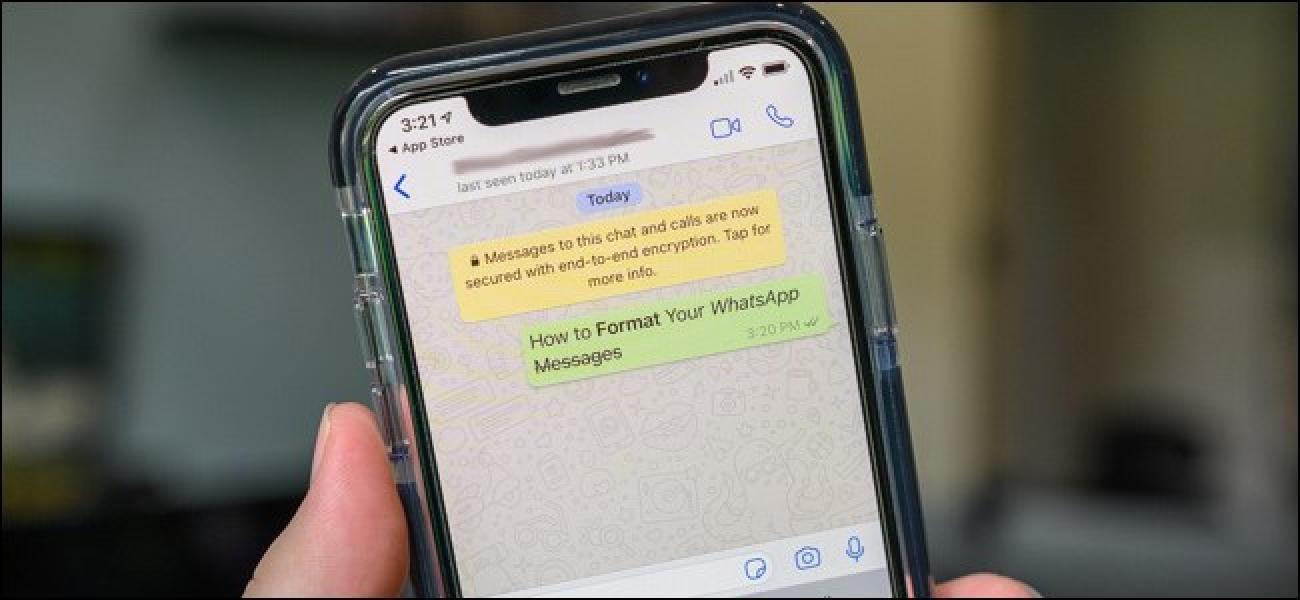
    Text formatting in WhatsApp makes our texts stand out in all angles. Have you ever been typing a message in WhatsApp and wished you could use bold or italics to emphasize your point? Or maybe want to add some fun to your messages when chatting with friends or family.

    Formatting of texts can be done right inside chats. It’s possible to format texts and change its appearance in WhatsApp chats. You can change styles inside WhatsApp without leaving the app, or you can even extend changes to the fonts and styles by using third-party apps and websites.

    In this tutorial, I will take you through how you can make your text stand out when chatting inside WhatsApp.

    Formatting Texts Inside WhatsApp

    To begin, open WhatsApp and navigate to the chat you want to begin with. In this tutorial, I am going to use “Good Morning” as a text example. When in your chats, after typing any message, symbols can be added to the beginning and end of the text to make it stand out the way you want.

    At the moment you add the second symbol to the end of the word or message, the changes reflect right immediately before you click on send. Below are some of the text formats you can use in your WhatsApp chats.

    • Italicize – To italics your texts, place an underscore on either side of the text you want to change. For example _Good morning_. This will change the text to Good morning and the effect will take place immediately.
    • Bold – Change plain text to bold by adding asterisk before and after the text. See example, *Good morning*. This will change the text to Good morning.
    • Strikethrough – This is used if you want to say something without really saying it, you can go with the strikethrough by adding a tilde on both sides o the text. For example ~Good morning~. This will change to Good morning.
    • Monospace – Programmers or coders may want to send a line of code for others to copy, if you are a coder then the monospace will help you. Monospace can be added to your texts by surrounding your texts with three backticks at the beginning and end of your text. For example, “`Good morning ` “. This will transform into Good morning.

    Making Changes To Font Styles With Generative Websites

    If you you to add even more styles to your WhatsApp messages, you can copy texts from generative websites like igfonts.io, Lingojam, and Yaytext.

    On Lingojam, follow below steps,

    • Open your browser and enter the site.
    • Begin typing your text and watch the site show up different font and styles.
    • After you are done typing, select from the options the site provided.
    • Highlight and copy the text you want.
    • Now, paste the text you copied into your WhatsApp message.

    Use Third-Party Apps

    If you are the type that hates copying from your browser and pasting, you can make use of a third-party app to format your texts on WhatsApp.

    Three good apps I have come across personally that do not allow you to copy and paste but rather send texts directly are, Textility Copy Anywhere, Fonts For WhatsApp and Chat styles.

    All apps works in similar ways. Below is how you can work with Textility.

    • Open the app and type your message.
    • Scroll to find and choose your preferred font.
    • Click the WhatsApp icon at the end of the box
    • Go to WhatsApp and navigate to your chat and send the message by clicking on the text.

    Conclusion

    As already said, formatting your WhatsApp text makes it stand out and unique. In this article, I have taken you through different styles you can do to format your WhatsApp text.

  • How To Protect Your Computer From Ransomware Attack

    How To Protect Your Computer From Ransomware Attack

    Ransomware is a form of computer malware that infects your computer and takes control over it by displaying messages demanding a fee to be paid before your system will be restored to normalcy.

    Ransomware is a criminal moneymaking scheme that can be installed by a click on a link in your email, instant messages or websites. After installing unaware, it will prevent you from accessing your files by encrypting them so you can’t access them.

    Daily backup to secured cloud storage or external hard drive is your best defence. To prevent being hold captive by Ransomware, avoid opening suspicious links or attachments sent from both known and unknown accounts, and avoid visiting unsecured websites.

    In this article, we are going to look at the best ways to protect your computer from a ransomware attack. If you are still with me, keep on following.

    Ways To Protect Yourself From Ransomware Attack

    1. Backing Up your Files Regularly

    • Invest in a removable storage drive. Investing in a removable storage device is the most effective way to back up your files. You only should connect your hard drive to your computer when you need to back up your files from your personal computer and it should be offline. Once the backup is done, unplug the external case and go back to using your device normally. Once there is a ransomware attack, you can restore your files back from your removable storage.
    • Store your files with a secured cloud-storage service. Many popular secured cloud service is around to back up your files. Few of the well-known ones are Dropbox, Carbonite, and Onenote. You will be able to restore your files hijacked during a ransomware attack if you have secured cloud storage. You have to make sure your cloud storage allows you to access earlier versions of your files, so you can recover them as at before the attack.
    • Backup your files regularly. This is a secured way of maintaining your files if there should be an attack. It should be some sort of tradition, always back up your files to an external hard drive or cloud storage services regularly.

    2. Securing Your System

    • Install a dedicated ransomware blocker software. Even if there is an antivirus program on your computer, install a dedicated ransomware blocker software as an addition to it. There are few free ransomware blocker software around but the two best known as at writing this article are Cybereason RansomFree and Malwarebytes Anti-Ransomware. Alternate paid versions include Bitdefender Antivirus Plus and Webroot SecureAnywhere Antivirus.
    • Update your security software regularly. All these software’s will not be effective without updating your operating system’s security suit. Inculcate the habit of running updates whenever they are offered from your operating system to avoid any attacks.
    • Install a pop-up ad blocker. Most malware’s are embedded inside advertisements served from unsecured websites. Once you open those ads or pop-ups, the ransomware executes at the background leaving your computer hijacked. To be safe, install ad-blockers inside your web browsers to keep popups from displaying when you visit unsecured websites.
    • Keep your browsers up to date. Regularly install updates from your browser whenever it’s available. These updates fix patches that were left open and could attract malware easily.

    3. Adopting Safer Internet Practices

    • Avoid opening suspicious emails and links. Ransomware is mostly spread through malicious links or attachments sent via mails. Do not open attachments and links from emails you are not familiar with. Always verify the address of the sender before opening attachments and links. If possible, contact the sender and be sure of the source of the link or attachment before opening.
    • Check the file extension before opening attachments. Always check the file extension (.doc, .docx, .pdf) and etc before opening attachments. After checking, right-click and select scan for malware and wait after scan before opening. Always avoid opening executable files (.exe) since they can run a ransomware application.
    • Restrain yourself from visiting unprotected websites. There is a lot of harm in visiting unprotected websites. Many viruses are shared from these websites and visiting them puts you at great risk.
    • Disconnect immediately after opening a suspicious link. When you realise you have clicked on a suspicious file but is in the process of executing and the ransomware interface has not appeared, quickly disconnect from your network to stop the process. If you act quickly, you might be able to stop the ransomware attack before it finishes.

    Conclusion

    Being held captive on your own computer virtually without being able to do anything is a feeling you would not love to experience. The ransomware virus is still spreading and affecting millions worldwide.

    In this article, I have shared practicable ways you can adhere to keep you away from being attacked by ransomware.

  • How To Use Less Data When Watching Youtube

    How To Use Less Data When Watching Youtube

    With no doubts, YouTube is the World’s most favourite video streaming platform, but it sure consumes much data if you allow it. Using DSL or Fibre internet at home or workplace might let you care less about the data usage, but for mobile users, you would have to count every megabyte.

    With mobile users, YouTube streaming consumes much data. The good news is that there are more than enough ways you can use YouTube with its mobile app to cut down the data usage without causing much harm to the video quality.

    If you need to cut down the amount of data YouTube consumes, then keep on following. In this article, am going to show more than one way to follow to have better usage of your data when using YouTube.

    Lowering The Video Quality

    By default, YouTube streams videos by the best quality your connection can handle. When using faster internet connections like 4G and 5G, YouTube will stream full HD videos with no difficulty at all.

    This HQ video will then clear out your mobile data within a short time leaving you hanging.

    To leverage your data usage, consider lowering the video quality manually. Lowering the video quality to a minimum one will help you reduce the data usage when streaming videos on YouTube.

    You can change the video quality by tapping on the video playing, the controls will appear on top of the video. Then tap on the three dots menu icon at the top right corner. The first option should be Quality.

    Pick a quality that suits the type of content you are watching. For example, if it’s a talking-head video, you can choose a quality of 240 or 360p. In general, you can set quality to 480p which will be Ok for all forms of video contents.

    Download Your Videos Conveniently

    Did you know that the YouTube app offers you the option to download videos in your own convenience? This is not available to all regions though, but the regions allowed, regular users on YouTube can download videos on their app when on WiFi and then watch it on mobile data without consuming any.

    When the download feature is not available in your region, there is always an option. You can pay for the YouTube premium account subscriptions which have the download feature. Downloading the videos saves much data than streaming the videos with ads. For YouTube ads, there are numerous ways of blocking them.

    Alternatively, YouTube Go is also available in some regions. This app is purposely made to run on low-end devices and use fewer data. The download feature was added to the core of the app. You can have both YouTube app and the YouTube Go installed at the same time, and use the Go for your downloads.

    Restrict HD Streaming On Mobile

    HD streaming can be restricted from the YouTube app. Within the settings of your YouTube app, tap on your profile icon at the top right on the homepage. In the settings panel, Enable Play HD on WiFi only. This will restrict YouTube from playing High-Quality videos from the app.

    These are the few methods you can use to reduce data usage when streaming YouTube.

    Conclusion

    YouTube streaming is the world’s most preferred streaming services, but our data cap does not follow suit. Before we finish a video, our data cap will already be out. In this post, I share with you ways you cut the amount of data usage when streaming from YouTube.

  • 6 Tools For Finding And Deleting Duplicate Files On Windows

    6 Tools For Finding And Deleting Duplicate Files On Windows

    There are so many ways available to free up storage space on your computer but not all are effective as we want. Duplicated files take up much space on our storage space and finding them has not been easy.

    Windows do not make it easy to deal with duplicated files all by itself, but there are other external tools that can help identify and delete the duplicate files.

    PowerShell scripts or batch files can be used to find and delete duplicated files, but not all people are tech-savvy, and also most people don’t prefer using the command prompt and prefer something that does not involve using it.

    Without the use of third party software, Windows File Explorer can be used to find and delete duplicate files by searching for a specific file. This option is not helpful if you don’t know the files that are duplicates.

    Alternatively, powerful File explorers like Total Commander and the popular CCleaner have options to find duplicate files and delete them but they mostly don’t effectively free the maximum space we need.

    In this post, I will show you 6 alternate tools you can use to find and delete duplicate files to free up disk space.

    CloneSPy

    CloneSpy is a software that helps you free up disk space by detecting and deleting duplicate files from your system’s storage. With CloneSpy you can detect files which,

    • are duplicates
    • are duplicates and have the same file name
    • have the same file name

    CloneSpy gives you a complete mechanism for identifying duplicate and same file names which should be deleted.

    Duplicate Cleaner Free

    Duplicate cleaner is a software that helps you organize the contents of your hard drive and also identifying and deleting useless duplicate files.

    Features :

    • Find Duplicate files by content quickly
    • cleans hard drive for faster performance
    • Fast scanning and accurate duplicate comparison
    • Deep scans music and locate duplicate music formats

    Wise Duplicate Finder

    This software helps you compare file name, file size and identify duplicate files for deletion. Features are as follows,

    • Manage any type of duplicates
    • Find empty files
    • Delete duplicate copies manually or automatically.
    • Backup and restore.

    Dupscout

    This is a duplicate file finder software allowing one to search and delete duplicate files. Below are the features of Dupscout,

    • Search for duplicate files
    • Save reports
    • Replace duplicates with links
    • Delete or move duplicate files to another location

    Advanced Duplicate File Finder

    Easy to use software to find and delete duplicate files eating up disk space from our computer. This software was designed purposely for processing, searching, identifying and deleting duplicate and void files scattered across your device storage.

    The software has a user-friendly interface that everyone can cope with.

    Fast Duplicate File Finder

    This is another software that performs the same function of finding duplicate files. All software has similar features with just some slight difference. Below are the features of Fast Duplicate File Finder.

    • Finds duplicate files in folders, hard drives, or entire disk space.
    • Fast binary comparison algorithm
    • Automatically locate duplicate files in Windows File Explorer.

    There are many other features of all mentioned programs here but wrote the few important once.

    Conclusion

    Duplicate files cost excess storage loss to our hard drive. Sometimes people go on to delete important stuff to free up space which sometimes affects us, meanwhile duplicate files and junks are the cause of the storage loss.

    In this article, we looked at some of the powerful software that identifies and delete duplicate files to free up disk space.

  • Computer Tips and Tricks Everyone Should Know

    Computer Tips and Tricks Everyone Should Know

    Most computer geeks may consider themselves high enough learning new tricks, but there are always new ways to increase or sharpen your skills on the Computer. By the end of this post, I bet regardless of your skills with the computer, you will learn something new.

    You can also share these tips and tricks to all your non-tech savvy’s family and friends to help them become better computer users as well.

    General Tricks

    1. Restore Closed Tabs – Accidentally we can close tabs when working on our browsers. Don’t be bothered. Reopen the close tabs by pressing Ctrl + Shift + T. For MAC users press Cmd + Shift + T.
    2. Window snapping and multiple monitors control – Press Win + Arrow keys to cause a window to quickly snap to each side of the monitors. You can also press Shift + Window key + Arrows to jump to the other monitor. In the same way, pressing Windows + P will let you quickly set up a second display or projector.
    3. Password Protected Files – It’s very necessary to protect some important personal files. A simple way by protecting these files is to create an encrypted archive. The chances are you already have these software 7-zip, and WinRAR installed on your PC. Open any of the software you have and create a new archive. Select or encrypt the files and set a password on them.
    4. Undo – Almost any action can be undone. Ctrl + Z is the ultimate hotkey to undo anything. Undo doesn’t happen in typing only. If you mistakenly delete a file or folder and hit the Ctrl + Z, the action will be undone. (Ctrl + Y is used for redo).
    5. Handy Youtube keyboard shortcuts – Generally, the Spacebar is the hotkey used to pause and play videos on Youtube. Let me introduce you to these, try using K for pausing whiles J and L are used for backward/forward 10 seconds. M can be used to mute videos.
    6. Easily extract images from a word document (.docx) – Simply change the file extension .docx to .zip and open the file. The pictures will be available in a directory.

    Typing Tricks

    1. Paste the plain text copied – When you copy text from external sources, programs will include any formatting that comes with it. To paste it as plain text, press Ctrl + Shift + V instead of the traditional Ctrl + V, this will paste unformatted text. MAC users, press Cmd + Shift + V
    2. Delete an entire word – Instead of deleting letter by letter, press Ctrl + Backspace to delete an entire word behind the curser.
    3. Emoji Keyboard ?- If you are addicted to emoji, Desktop Operating System supports it natively just like Android and IOS mobiles do. Press Windows key + . (period), an emoji panel will popup for you to use your favourite emoji. MAC users press Cmd + Control + Spacebar.
    4. Sub and Superscript – If you need to make sub or exponential text , press Ctrl + = for subscript and Ctrl + Shift + = for superscript.

    Keyboard Shortcut

    1. Open Task manager directly – Press Ctrl + Shift + Esc to open the task manager directly.
    2. Cycle through opened windows – Press and hold Alt + Tab to cycle through opened windows. Alt + Shift + Tab will cycle backwards. Mac users should press Cmd + Tab.
    3. Close current program – Alt + F4 closes the current program running
    4. Minimize all windows at once – Sometimes there will be more applications opened, cycling through and using the traditional way of minimizing delays time. Simply press Windows key + D to minimize everything at once.

    These are some few tricks to add up to your skill. This post will be updated in the new future to include more tips and tricks.

    Conclusion

    Using these tips and tricks on a daily basis will most certainly make your time on the computer more productive and enjoyable, or at least more practically. If you learnt something new today, you can leave a comment.

  • Top 6 Tech Pranks You Should Know

    Top 6 Tech Pranks You Should Know

    Pranks are entertaining. They are one of the few things in life that if not all, most people enjoy doing. There is probably once in your life that you have pranked someone or you’ve been pranked.

    How was the feeling? Though sometimes we get angry with pranks, the entertaining factor of it cannot be over-looked. If you are a tech-savvy person, there are few tech pranks you can play on your victim’s computer.

    Flip The Computer Display Upside Down

    This is a prank that will keep your victim busy 24/7 working on something he is confused about fixing. I nearly got slapped by my dad when I played this prank on him. Care to try?

    • On Windows – Press Ctrl + Alt + Down Arrow key from the keyboard navigation keys. ( The same combination with the Up arrow will return the Desktop to normalcy ). If for some reasons the keys do not work for you, right-click on the Desktop>Display Settings and change the screen orientation.
    • On Mac – Press and hold Command + Option, whiles holding the keys, go to System Preferences. Navigate to Display whiles still holding the keys, A new menu called Rotation should appear, you can flip the display and press ok to maintain it or you can select Undo to keep your default settings.

    Switch The Keyboard Layout To DVORAK

    The default keyboard layout is QWERTY, but if you want to mess up somebody, this is an alternative. It’s easy but entertaining, all you have to do is enable the DVORAK alternative keyboard layout that most average people are not familiar with.

    Go to the Control Panel > Region and Language > Keyboards > Change Keyboards, then select the Add button and choose the DVORAK layout. After this, use the drop-down above to set the default.

    Set A Cracked Screen Wallpaper

    I received slaps the last time I scared the hell out of someone I pranked. Dare to try? Simple pranks can have just as much impact as complicated once.

    Changing wallpaper is super easy to set up. To make this prank more entertaining, take a screenshot of the victim’s screen and add the cracked glass effect on top of it.

    Move Desktop Icons, Take A screenshot, Set as a Wallpaper

    Take a screenshot of your victim’s current desktop, set it as the desktop wallpaper, then hide the icons and taskbar. Everything will look normal at first glance, but nothing will happen when the mouse is moved around on a click.

    Alternatively, you can take a screenshot of their desktop and set it as a wallpaper. Move some icons around on the desktop and take another screenshot. Repeat the steps until you have scattered icons on the desktop and take another screenshot. Set it as wallpaper and the taskbar and icons.

    Plug A Wireless Mouse/Keyboard And Control A Computer From Afar

    Sound simple and easy but very entertaining. If you are in an office setting with a desktop PC’s, you can just plug a wireless mouse or keyboard receiver at the back of your victims’ computer and control it from your desk.

    The victim will be surprised to see the mouse moving on its own, or the computer typing by itself. To make it interesting, you can type some weird or scary messages on the screen.

    Block Mouse Sensor With A Post-it

    A victim’s mouse sensor can be blocked with a Post-it without their knowledge. Doing this, the mouse will never work leaving the victim frustrated. Until you tell them the reason, they will think their mouse has stopped working all of a sudden or it’s faulty.

    Conclusion

    Pranks in its own way are entertaining and everyone loves to do. Tech pranks are more entertaining and surprising. In this article we looked at the top six pranks you should be familiar with. In the near future, the post will be updated to include a lot more pranks.

  • Working From Home Effectively: Do’s and Don’ts

    Working From Home Effectively: Do’s and Don’ts

    In a blink, the span of life has taken a new twist due to the unforeseen outbreak of the novel Covid-19. Due to this, Local and state government across the world have taken unprecedented steps to slow down the spread of the virus through stay-at-home orders.

    In the wake of technology advancement in our time, at any other period in time, such drastic measures would have certainly crushed down the economy of any country in all of its facets but fortunately, technology is on our side.

    In appreciation to Computers and the internet, now millions of people can effectively work from home while complying with social distancing virtually. Many industries would have faced more dire consequences if not for the technology tools at our disposal.

    Many people now find their selves working from home and it has been challenging to some. In this article, we are going to look at some Dos and Don’ts working from home.

    The DOs In Working From Home

    • Set up a dedicated workspace – Working at home has become part of our daily life. There is still no vaccine for the Novel corona-virus, thus businesses still operate from home and this is not ending anytime soon. I have seen countless photos of people using their kitchen as their workspace at home. A kitchen is a busy place for most families and the odds are you aren’t going to be much productive using the place. A dedicated home office is an ideal place to be productive. Set up space in your bedroom or garage for your workspace.
    • Set boundaries with yourself and family – There are a lot of distractions from families and even yourself personally when at home. Time has changed and now your work is going to proceed from home. You need to set boundaries for families and your self. Schedule time for your work and eliminate any distractions that will keep you unproductive.
    • Invest in accessories that will make your job easier or comfortable – For productivity, your old accessories might need a little maintenance as it has advanced from personal usage to a business purpose. If possible, change old accessories to suit a business-standard.
    • Repurpose old hardware with minimal investment – Breathe new life into a tired system. Consider topping up your RAM and hard drive since you are going to use your personal system to work from home. Keeping old hardware may reduce your work effort or productivity.

    The Don’ts In Working From Home

    • Don’t bother getting dressed to impress – If your job is the one that does not demand video calling, no need to bother the cloth to put on. You can even work with Pajamas on. If it’s the type that demand video calling, you can put on a casual top and you will be good to go. You can check from the image below.
    • Don’t justify you need a new computer or expensive furniture if it isn’t absolutely necessary – Think of what your job actually requires you to do. You don’t need a new computer or furniture’s if your job specification is an online marketer or social media advertiser. You are working virtually from home so expensive furniture is not necessary.
    • You don’t need a faster ISP broadband connection before you can work from home – Many have it in mind, to work from home one need faster broadband. If you have a faster network its a bonus, but you can work from home with any network package. You don’t need a top-tier connection, the mid-range connection is ok to work from home.

    Conclusion

    Working from home is the norm of our lives now. Its something many people are adjusting to due to the unforeseen novel coronavirus that hit the world.

    In this article, I share with you some of the dos and don’ts of working from home effectively.