Category: Guides

  • Audacity: How to easily get started with the audio editing software

    Audacity: How to easily get started with the audio editing software

    Across the board, Audacity is an open-source software, which means that anybody may contribute to its development.

    The editing program was created by two brilliant computer scientists at Carnegie Mellon University and released in 1999. Since then, the program has persuaded several audio editors, owing to its superior sound recording and editing capabilities.

    Audacity works by allowing you to record audio from any external source. That means you can easily record your voice using your smartphone or any other device with a microphone and then edit your sound using Audacity’s fantastic plugins.

    What is the best way to get started with Audacity?

    Audacity may seem challenging to use at first, but after working with it for a time, you will discover that it is not the most challenging sound editing program to use.

    Here’s what you should do to get the most out of the program. More fun, if so, as previously said, the program is available on all principal distributions, including PC, Mac, and Linux. Take note, though, that 32-bit Windows users will be left out since the program is only available in 64-bit versions.

    Before you do anything further, check sure you have the software installed on your device by visiting their website. Don’t be deceived by the OLD school interface when you first open the program; there’s a lot you can do with Audacity.

    What distinguishes Audacity from other audio editing software?

    • Many audio file types are supported, including MP3, MP2, AIFF, FLAC, and WAV
    • When editing audio, the ability to adjust the speed of the audio is available
    • Support for audio playback and live recording on a computer
    • It aids in noise reduction
    • User presets for effect settings may be saved and loaded
    • Cassette tapes and LPs may be converted to digital tracks

    What is the best way to record with Audacity?

    Audacity’s recording feature is handy. Imagine Audacity without the ability to record whatever music you choose; how awkward right would that be?

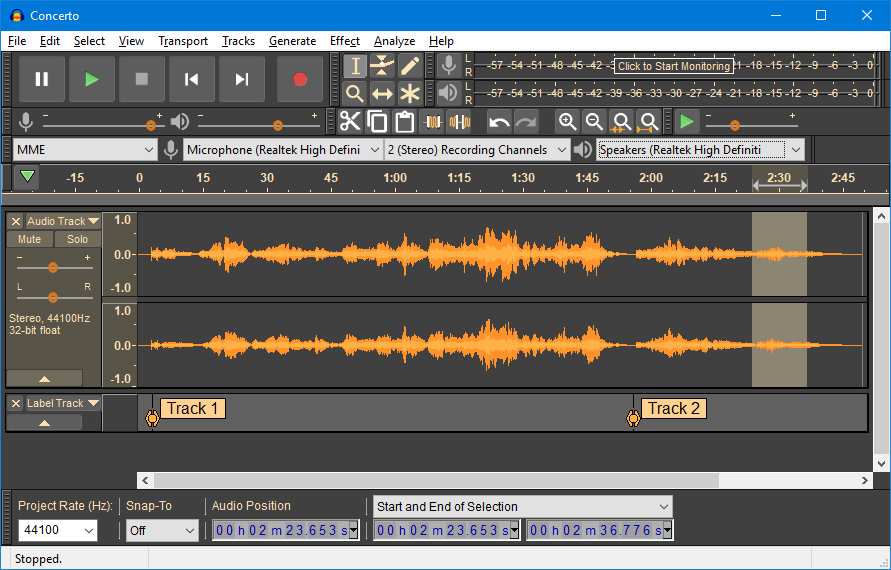
    When it comes to recording, the software is incredibly user-friendly since it enables you to pick what you want to capture. Is there a sound from your computer, the surroundings, your microphone, or something else? The program also provides you with various choices for starting the recording.

    It may be triggered by programming it or by playing a sound. In the latter situation, extended silences while recording may be avoided. After you’ve finished recording, you may boost the sound level by amplifying it. This option calculates the amplification for you and prevents clipping.

    You may save your file in WAV format, which doesn’t support compression, or in other formats like MP3 or AIFF.

    What is the best way to edit with Audacity?

    What happens once you’ve recorded your voice? It’s time to focus on your sound by honing your editing skills to get the outcomes you want.

    Don’t worry if you’ve never edited anything before; Audacity will do all it can to assist you in figuring things out. For example, many plugins, such as LADSPA, LV2, Nyquist, VST, and Audio Unit, will make your editing job more straightforward and quicker.

    Using libraries like FFmpeg, you may import and export your file types and create new effects.

    How can I get FFmpeg to work with Audacity?

    The FFmpeg library, licensed under the LGPL, enables you to import and export various audio formats, including AAC, AC3, ALR, and WMA.

    It also can import audio from a variety of video formats. Audacity does not directly integrate FFmpeg due to the software’s patent, but here’s how you can get it installed on your machine.

    On Windows, you can grab the FFMpeg library here. Ensure you get the 64-bit version of FFMpeg since Audacity does not support the 32-bit version.

    After you’ve finished downloading, go to Edit, then Preferences, and finally Libraries. Locate where you got your FFmpeg Library and follow the remainder of the instructions, as the program will assist you through the process.

    Go to this FFmpeg download page if you’re using a Mac. Click the link “FFmpeg 64bit osx. pkg” under the about FFmpeg 64-bit section and save the file. Double-click “FFmpeg 64bit osx. pkg” in your Downloads folder after the download is complete.

    Follow the procedures until the FFmpeg file is installed. /Library/Application Support/audacity/libs/ contains the system library 55.64bit.dylib. You may attempt to open AAC, AC3, ALR, or WMA files after restarting Audacity. It’s that easy.

    How can I use Audacity to create tracks?

    You may have to combine various songs. You are mixing an interview with background music, for example. Here’s some advice on adequately adjusting them so you can obtain the sound you desire.

    You’ll need one or two tracks open in the Audacity GUI to get started. As a track, you may utilize a previously recorded sound. On the way, you may also use an imported sound. Click “File,” “Import,” “Audio,” and “Open” in the latter scenario.

    If there is already an open track, the sound you choose is put underneath it in a new track. On each track, you may change the sampling rate. This frequency represents the number of digital samples taken each second to portray the waveform. The better the sample quality, the more sampling there will be, and the larger the file.

    What is the best way to get rid of background noise in Audacity?

    Nobody enjoys listening to audio with distracting background noises because they are inconvenient to use. If you run into difficulty using the audacity program, you don’t have to be stumped as to what to do. To do so, go to the “Effects” section of Audacity and choose the “Noise Reduction” effect. This option works exceptionally well when the noise is considerably different from what you wish to maintain and your noise sample is as clean as possible. In this scenario, establishing a noise profile is relatively simple.

    Conclusion

    If you want to be the most refined audio editor, audio should be on your list. The program will still manage all projects pretty simple for people who wish to spend more than an hour. Even if your PC has limited RAM, the software will stay stable throughout the editing process. We also like that it supports various file formats and that you may record in 16-bit or 24-bit audio. Users may edit audio by cutting, copying, pasting, duplicating, trimming, or arranging numerous clips on the same track.

  • Vodafone Kasatenten: How to Enjoy Free Call After the 1st Minute

    Vodafone Kasatenten: How to Enjoy Free Call After the 1st Minute

    Vodafone has in these past years proved to care for their customers by providing several offers for them. Some of these offers range from data offers, SMS offers, and other voice packages and now Kasatenten.

    As a result of the impact of the coronavirus pandemic, most people are now at home and use more data and call credits. Most of the people use them to work from home and also call their friends and loved ones.

    Many telecommunication networks have introduced several packages as a relief for their customers in this COVID-19 pandemic era.

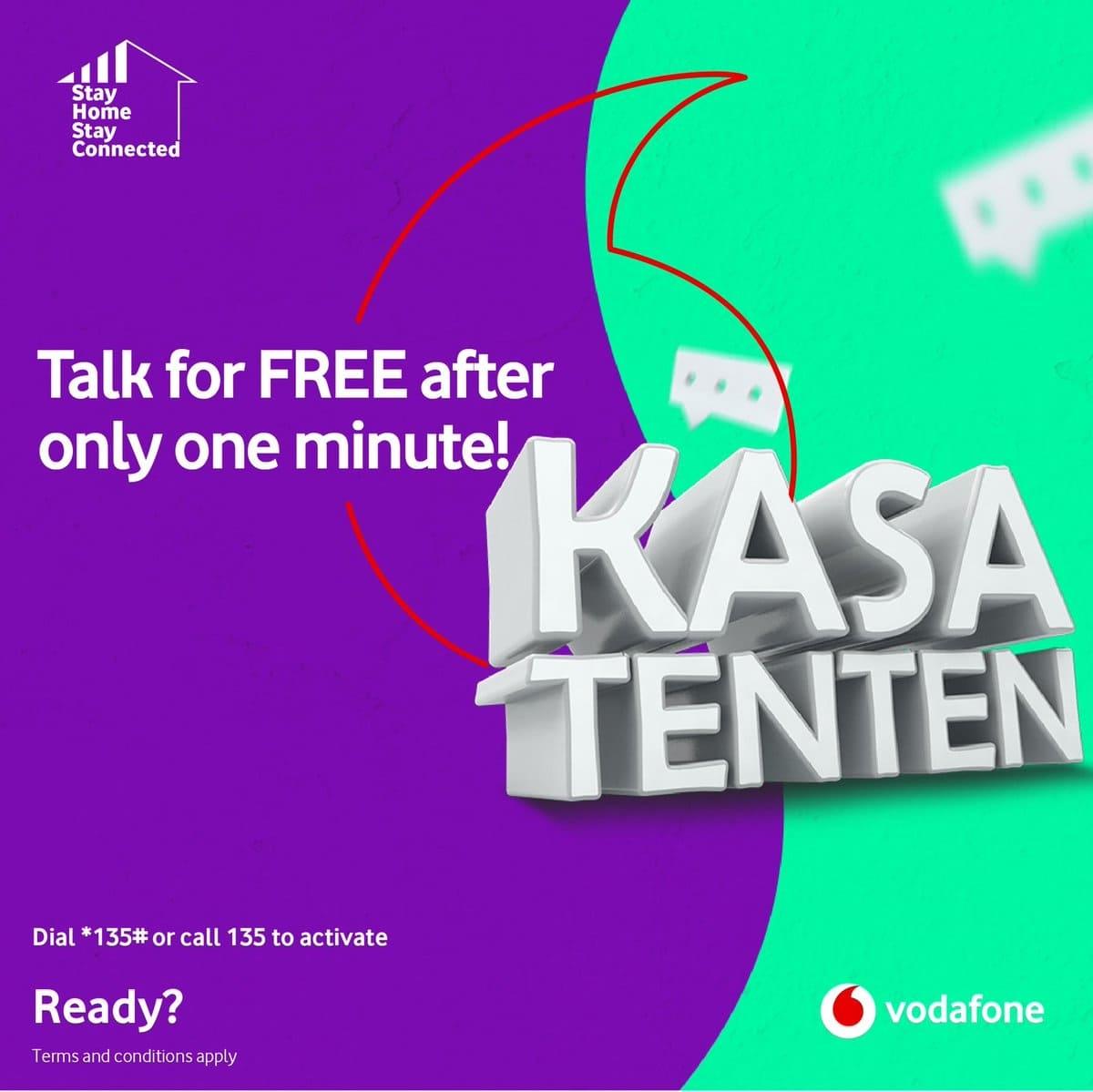
    In view of this, Vodafone Ghana has also introduced the Vodafone Kasatenten offer to help its customers who use the call service to enjoy free calls after the first minute of their regular calls. They just need to pay for the first minute and the rest is free.

     What is Vodafone Kasatenten?

    The Vodafone Kasatenten offer which literally translates “talk for long” is a call package which was introduced recently by Vodafone, that allows subscribed customers to talk to their relatives and loved ones throughout the day; whether day or night.

    The only requirement is to pay for the first minute and enjoy the remaining minutes for free.

    After you register for the Kasatenten offer, the cost of the first minute for each call you make is GH¢ 0.30 (30 pesewas) after which you enjoy the rest for free.

    When you make on-net calls (calls to Vodafone numbers), you enjoy up to a maximum of an hour (60 minutes) worth of free call credit. Meaning, you will be allowed to talk to a Vodafone customer for a maximum of 60 minutes when you register for the offer and the preceding minutes will be charged from your primary mobile credit at normal charges.

    Also, when you make off-net calls (calls to other networks), you enjoy up to 5 minutes worth of free call credit after paying for the first minute. Likewise, with the off-net calls also, any other minute after the 5 minutes will be charged at normal call rates.

    How to Subscribe to the Vodafone Kasatenten Offer and Enjoy Free Call After The First Minute

    The subscription process is a four (4) stage process. The steps are:

    • Dial *135#
    • Select “Activate Kasatenten” (option 1)
    • Press “1” to confirm
    • A confirmation screen be shown and a confirmation SMS will be sent to you via SMS

    Now let’s take each step one after the other and explain briefly.

    Dial *135#

    As with all mobile packages/offers, you need a shortcode or USSD to activate it and with the Kasatenten package, the shortcode is *135#.

    Regardless of your mobile phone type, you can dial the short code *135# and send.

    Select “Activate Kasatenten” (option 1)

    After dialling the shortcode, a welcome screen will show with “Welcome to Vodafone Kasatenten. Pay for the first minute and the rest of the call is FREE.

    A menu with three (3) options will show up, you need to select option 1 i.e. Activate Kasatenten. The remaining options are not relevant in this context.

    Press “1” to confirm

    Once you select the option 1 from the welcome menu, a confirmation menu will be shown for you to confirm your subscriptions.

    In case you agree to the terms that will be shown, then Press 1 on your phone and send. Otherwise, press 2 to cancel the subscription.

    Please note that at this moment you haven’t subscribed yet and therefore any cancellation is not going to cost you anything.

    A confirmation screen be shown and a confirmation message will be sent via SMS

    When you’re done with your selection and you decide to continue, after pressing ‘1’ a confirmation screen will be shown indicating whether your subscription was successful or not.

    Additionally, a confirmation message will be sent to you via SMS.

    What Are The Limitations?

    As the famous Chinese “yin-yang” symbol portrays, there’s no good without a bit of bad in it. Likewise, the Vodafone Kasa Tenten offer has its own limitations.

    When you subscribe for the Kasa Tenten offer, you cannot subscribe to any other bundle hence, cannot enjoy the benefits of other bundles.

    But, you can subscribe to the Kasatenten Offer and still activate data, SMS and IDD packages without any interruptions.

    Who is eligible for Kasatenten?

    The Kasatenten offer is available to all new and old customers of Vodafone. Therefore, if you are not on Vodafone but interested in the Kasatenten Offer, you can visit any Vodafone office, outlet or vendor nationwide with a valid National ID to buy a new sim card and enjoy this offer.

    Conclusion

    The introduction of the Vodafone Kasatenten is not the first of its kind in Ghana though, but it’s the first time Vodafone is bringing such offer onboard. It replicates MTN’s Nkomode Offer.

    Considering the cost of call credits nowadays, the introduction of this offer is a good one, as it’s going to reduce the burden on other networks. The only concern people have raised is the fact that the period for the off-net calls is shorter and should be extended.

    We’re all waiting for a response from Vodafone Ghana but until then, we have to enjoy what we have at the moment.

  • How To Watch AFCON 2021 Online For Free

    How To Watch AFCON 2021 Online For Free

    The Africa Cup of Nations, also known as the African Cup of Nations, is Africa’s most prestigious football (soccer) competition. National teams compete in it, organized by the Confédération Africaine de Football (CAF). The competition format has evolved, with teams increasing from three in 1957 to 24, after several expansions, in 2019. Growing participation also resulted in the addition of qualifying rounds in 1968, when CAF decided to hold the tournament on a biennial basis.

    It is no longer news that AFCON 2021 has started in January 2022 with Cameroon as the host country for the 24 other countries. Cable TV providers such as DStv, Startimes, and others aren’t helping matters by charging exorbitant fees for the full bouquet where you can watch AFCON 2021 live football matches. Some people subscribe to cable television’s solely to watch live football matches.

    Interestingly, there are a couple of ways you can enjoy the AFCON 2021, streaming it at the comfort of your home without having to visit a viewing and end up paying for it. Many people in this day and age are unaware that they can now watch live football matches on their smartphone or PC while on the go. Others may be aware of this, but there is the issue of good internet data bundles to stream those matches.

    How to Watch AFCON 2021 Matches on HESGOAL Website using Mobile or a Computer

    This is the simplest method, as it does not require a third-party application. For streaming live AFCON 2021 matches on websites using your mobile phone or Computer, kindly take the following procedure; 

    • Go to the HesGoal website using a good browser on your smartphone or PC (I recommend Chrome or Firefox browser).
    • In the left line, you’ll see all of the Live Matches currently being played, along with a picture of the tournament. (For example, AFCON, EURO, COPA AMERICA and so on)
    • Choose the game you want to watch (that’s AFCON 2021) and wait for it to load.
    • ‘Boom!’ You’re watching the game live.

    How to Watch AFCON 2021 Matches on MOBDRO Mobile App

    Kindly take the following procedures to stream the ongoing AFCON 2021 World cup live;

    • Download and install the Mobdro Apk file from the Mobdro website.
    • Launch the Mobdro app and look for “Bein.”
    • You should see Bein 1, Bein 2, up to Bein 10. Depending on the league, they all show live football matches.
    • Click on the channel you want to watch and wait for it to load.

    There are other channels on the Mobdro App that show everything from news to movies to cartoons. You are free to go exploring if you so desire.

    How to Watch AFCON 2021 Matches on MOBDRO using Computer 

    To be able to use the Mobdro App on a computer. You’d have to use a piece of software called BlueStacks App Player. This is the same app we used to upload photos to Instagram from PC and download and use WhatsApp on PC.

    • First and foremost, you must download the BlueStacks app.
    • Install, launch, and follow the tutorial in the BlueStacks App. You are free to skip it if you prefer.
    • Tap the Arrow Button after selecting your preferred language.
    • Sign in with your Google Account. By clicking OK, you confirm that you have read and agree to the terms of service.
    • Enter your name and check or uncheck the boxes that apply to you. (Some apps will be personalized with your name.)
    • Minimize the BlueStacks App Player.
    • Now, go to the Mobdro website and get the Mobdro Apk file.
    • Locate and Right-Click on the Mobdro Apk File. Select the Open with BlueStacks App option.
    • Following the app’s successful installation, open and Navigate to the Apps section of the BlueStacks app.
    • Have fun with the Mobdro app.

    It is important to note that your network speed determines the smoothness of your live stream, and that should not be an issue now that all African networks are generally 4G operating on capable.

    Conclusion

    You can never miss any of the AFCON 2021 football matches now that you know about the Hesgoal website and Mobdro and how you can get it installed on your mobile or computer device. The good thing is that you can conveniently use your smartphone even when you are on the go or stuck in traffic. Then when you are at home, you can use your computer system and enjoy watching the AFCON 2021 match without going to a viewing centre.

  • How To Stop Facebook From Announcing Your Birthday To Friends

    How To Stop Facebook From Announcing Your Birthday To Friends

    For some of us, Facebook serves as a reminder to us. For example, when friends birth date approaches, Facebook serves a notice to alert us of it. The same way, when it’s our birthday, Facebook alerts our friends. Aside from this, when a friend writes something on their wall or post, Facebook notifies us.

    In this post, we are going to look at how you can stop Facebook from announcing your birthday to friends. This can be annoying to some, people prefer to keep some part of their private life personal and away from friends.

    If not about personal life, at times when Facebook announces our birthday we receive lots of messages on our wall and inbox. If you have a thousand friends, you are going to need to reply most of the messages in your inbox and wall which seems tedious if you are a busy person.

    This and many other reasons will be good enough to have Facebook not announce your birthday. Aside these, it’s somehow beneficial to some of us. Most at times, friends do forget our birthdays but when they see the notifications they quickly remember and wish us.

    How To Stop Facebook From Notifying Friends About Your Birthday (Facebook App)

    1. Navigate your profile and tap edit profile
    2. Scroll down and navigate to Basic info and tap edit
    3. Scroll down to Basic info and tap edit
    4. Tap the audience selector beside Birthday and set to Only Me
    5. In the Birth Year option, set to Only me.

    How To Stop Facebook From Notifying Friends About Your Birthday (Computer)

    1. Go to your timeline and click on About
    2. On the left panel, select Contact and Basic Info
    3. On your Birthday and Birth Year, set the audience selector to only me.

    After performing this, your birthday should no longer appear on your profile and all your friends will no longer receive notification from Facebook when it’s your Birthday.

    Turn Off Birthday Notifications

    If you are fed up with the daily dose of Facebook birthday notifications, you can easily turn them off. What you should note is, if you are the type that forgets things easily, you are going to miss many birthday reminders including your close friends.

    If you remember things easily and you can recall your close friends birthday at any time and you are ok with turning this feature off, then follow the below steps.

    1. Open Facebook on your computer then tap the Down arrow in the far right toolbar.
    2. From the sidebar, click on notifications. Then click on the Edit option next to the On Facebook option.
    3. Navigate to the Birthday option and from the drop-down box, choose the OFF option. Turning this off will disable the birthday push notifications.

    Conclusion

    Sometimes these notifications from Facebook floods our timeline. In this post, I have shown you how you can stop Facebook from announcing your birthdate to friends.

    Not only this but has also shown you how to turn off birthday notifications.

  • AirtelTigo Customer Care Number; Social Media & How To Reach Them

    AirtelTigo Customer Care Number; Social Media & How To Reach Them

    The downfall of many businesses is the poor quality of customer care service they provide for their customers and prospective customers. Because of this, it is very essential for every company to focus more attention on their customer care services rather than just selling their products to them.

    If you continue selling to your customers without looking at their needs and challenges through customer care, you will end up losing all your customers. Since AirtelTigo is one of the biggest telecommunications networks in Ghana and has a fair share of the market, they have seen the need to provide customer care services for their customers.

    A customer care service representative acts as a liaison, provide product/services information, answer questions, and resolve any emerging problems that customers might face with accuracy and efficiency. The main goal is to provide customers with information to enable their smooth usage of the network.

    In this article, we are going to show you everything you need to know about the AirtelTigo customer care number; their social media, and how to reach them.

    What is The Meaning of Customer Care?

    According to an article written by Blake Morgan, a senior contributor on Forbes, “customer care means how well customers are taken care of while they interact with a brand. She further added that customer care is actually caring for customers, listening to their needs, and finding the right solution, and sometimes involves building an emotional connection with the customer “on a professional basis”.

    What this simply means is that the customer care department of any company is tasked with the sole purpose of making sure that customers are cared for. This means whenever a customer calls the customer care number, his or her worries must be resolved at the end of the call. Without this, the company is likely to fall into a pit.

    AirtelTigo Customer Care Number & Social Media

    In relation to AirtelTigo, the customer care department is the department that is in charge of making sure that every customer’s troubles or worries are resolved for them whenever they reach them for such assistance or inquiry.

    There are several platforms you can interact with AirtelTigo customer care. You can mainly reach them via phone or on all the major social media platforms. Below are the exact details of each platform.

    • Phone: 100 / 0260000100
    • Email: [email protected]
    • Facebook: AirtelTigo Ghana
    • Instagram: @airteltigoghana
    • Twitter: @airteltigoghana
    • WhatsApp: 0277551000

    How To Reach AirtelTigo Customer Care

    The customer care unit of AirtelTigo can be reached on all the platforms and the usernames and numbers provided above. To make sure that you are interacting with the right account. Be on the lookout for verified accounts on Facebook and Instagram. On Twitter, however, it has not been verified yet, but the number of followers and the handle should show you that this is the official account.

    To reach them on social media, all you have to do is to send them a direct message with your query or issue and then wait for them to reply to you back within 24 hours or less.

    If you want to reach them via email, send them an email with a good subject (for example ISSUE WITH MOBILE MONEY) and make sure that your query is concise, precise, and easy to understand. Likewise, it takes up to 24 hours for them to reply to you.

    Finally, you can call them on either of the two (2) numbers, select the suitable language and follow the voice prompts and you will have the chance to talk to a customer care agent directly. To enable a smooth call, you must not put your phone on the loudspeaker.

    Conclusion

    After the merger between Airtel and Tigo some few years back, the newly merged company has done well in terms of the performance and rewards through promos, etc. however, there are some downfalls and shortcomings that only customers have experienced.

    Therefore, it has become necessary for them to provide customer care through several mediums; and this article has provided you with everything you need to know about them and how to reach them as well.

    Have you ever interacted with AirtelTigo customer care, feel free to let us know your experience in the comments section below?

    How do I contact AirtelTigo customer care?

    You can contact AirtelTigo customer care on phone via 100 or 0260000100 or via email at [email protected] or on all the other social media platforms and their respective handles listed in this article.

    How do I check my AirtelTigo SIM registration?

    Dial *404# to register your SIM card to your Ghana card. Afterward, dial *400# to check the registration details of your SIM card.

  • Melcom Ghana Fridges: Models, Prices, Specifications and More

    Melcom Ghana Fridges: Models, Prices, Specifications and More

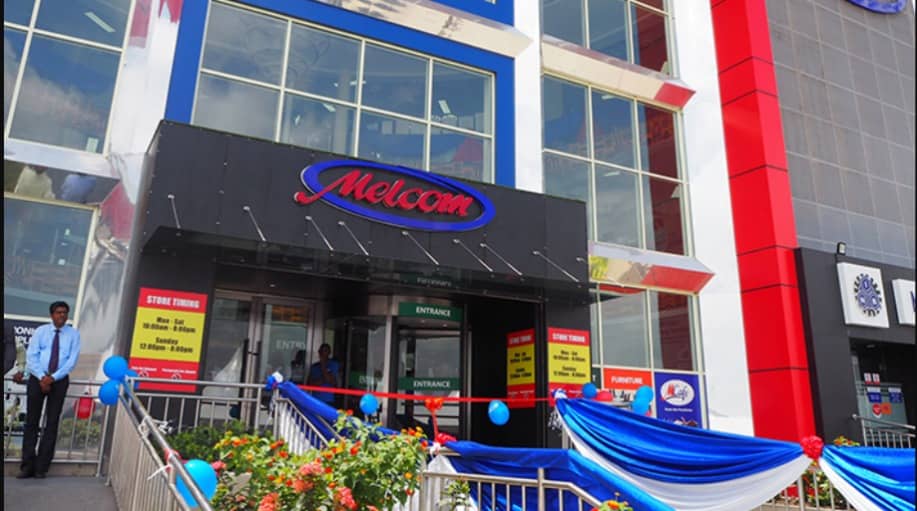
    Do you need a fridge from a trusted electronic shop in Ghana? Why not try shopping at any of the Melcom shops in Ghana.

    There are several electronic shops in Ghana that deal in the sales of mobile phones, television sets, air conditioners, washing machines, fridges, kettles, etc. One of the leading electronic shops in Ghana is Melcom.

    Unlike some of the other electronic shops in Ghana, Melcom is a chain of retail department stores. What this means is that there are several brands and stores located inside Melcom, making it an ideal place to find anything you need in terms of electronic devices and fridges.

    Melcom Ghana has been providing Ghanaian consumers with quality and affordable electronic devices for some years now. When it comes to fridges, Melcom Ghana has carefully selected the best fridges from some of the best brands in the world.

    You will find almost every type and brand of fridge at Melcom Ghana, if you don’t find it there then it means the fridge does not exist or is yet to be shipped to Ghana. In this article, we are going to discuss everything you must know about Melcom Ghana fridges, the models, prices, specifications, and more.

    Models of Melcom Ghana Fridges: Their Features and Specifications

    Whenever you visit any of the Melcom Ghana branches across the country, there are several models of fridges available for you to choose from. These fridges are selected from some of the leading names when it comes to the manufacture of fridges in the world.

    Basically, the models of fridge available at Melcom Ghana comes from brands like Icona London, Samsung, Bruhm, Nasco, Akai, Midea, LG, etc. Now, let’s look at each brand and some of the fridge models available at Melcom Ghana.

    Dzire Fridge Double Door 182L

    The Dzire double door fridge is a good choice for people looking to buy a standard-sized fridge for their everyday home activities. This model of fridge is also ideal for persons who have small supermarkets where drinks and water are sold. The specs are as follows.

    BRANDDzire
    MODEL NAMEDzire Double Door Fridge
    NET CAPACITY182 Litres
    COLORSilver
    ENERGY SAVINGYes
    • Below are the features of the Dzire Double Door fridge.
    • Efficient cooling
    • Strong compressor
    • Low noise
    • Spacious interior
    • External handles
    • Lock and key system
    • Vegetables and fruit crisper
    • Toughened glass shelves
    • Interior light
    • Fashionable design

    LG Double Door Fridge 333L Silver

    The LG Double door fridge is a 333L capacity fridge that comes with both a fridge and a freezer. This fridge has a steady, even cooling temperature no matter the type of weather and the time of the day. The cooling system is 35% quicker than conventional cooling systems and also has the ability to reduce significantly the gap between the inner part and the door compartments.

    BRANDLG
    MODEL NAMELG Double Door 333L Fridge
    NET CAPACITY209L
    COLORSilver
    COLOUR SYSTEMNo frost cooling system

    The features are:

    • Nature fresh
    • Linear cooling
    • Doorcooling+
    • Inverter Linear compressor
    • Smart diagnosis
    • No frost cooling system

    Dzire Double Door Chest Freezer 560L

    Dzire Double Door Chest Freezer 560L is a very spacious chest freezer that can be used for both domestic and commercial purposes. It is an energy-efficient freezer that comes with amazing features like cyclopentane insulation, a triple-coated wire basket, etc.

    BRANDDzire
    MODEL NAMEDzire Double Door Chest Freezer 560L
    NET WEIGHT66 kilograms
    NET CAPACITY560 Litres
    COLORWhite
    ENERGY EFFICIENTYes

    It also has the following features.

    • Energy-efficient compressor
    • Multi-temperature control settings
    • Quick and deep freezing
    • Cyclopentane Insulation
    • External condenser
    • Low noise
    • Triple coated wire basket
    • Lock and key
    • Unique drainage design
    • Easy grip door handles

    Ocean Double Door Fridge 207L

    Ocean is one of the leading fridge manufacturers in the world and their double door fridge is a good option for people with simple and sizeable fridges for their homes or shops. The 207L fridge comes with recessed handles, spacious interior, interior light, etc. The specs of this fridge are as follows.

    BRANDOcean
    MODEL NAMEOcean Double Door Fridge 207L
    NET CAPACITY270 Litres
    COLORSilver

    In terms of the features, below are some of the features that come with this model of fridge.

    • Recessed handles
    • Toughened glass shelves
    • Interior light
    • Fruit and Vegetable Crisper
    • Lock and key system
    • Eco-friendly
    • Efficiency in cooling
    • Spacious interior

    Samsung Single Door Fridge 176L

    The Samsung Single Door Fridge 176L is a stunning, arched crown of the new range of Samsung fridges. With a tempered glass shelve, you rest assured that your food is kept safe no matter the weight as long as it is not overweight. Also, it has an anti-fungal door gasket which makes it impossible for fungi and bacteria to enter your fridge together with a recess door handle. Below are the specs.

    BRANDSamsung
    MODEL NAMESamsung Single Door Fridge 176L
    NET CAPACITY176 Litres
    COLORBlackish silver
    ENERGY EFFICIENTYes
    COOLING TYPEDirect cooling
    COMPRESSORAc

    There are several other models of fridges available at Melcom Ghana. To get the detailed list of available fridges you can walk into any of their showrooms nationwide or visit their official website.

    Melcom Ghana Fridges Prices

    Model of FridgePricePromo price
    Dzire double door fridge 182LGHS 1899GHS 1499
    LG double door 333L fridgeGHS 4299GHS 3599
    Dzire double door chest freezer 560LGHS 4499GHS 3799
    Ocean Double Door Fridge 207LGHS 2099GHS 1849
    Samsung Single Door Fridge 176LGHS 1799GHS 1449
    Bruhm Chest Freezer Single Door 251LGHS 2349GHS 1949
    Midea Chest Freezer 290L Single Door WhiteGHS 24992199
    Bruhm Double Door 132LGHS 1749GHS 1749
    Nasco Chest Freezer 490LGHS 3999GHS 3999
    Akai Double Door Fridge 333L Frost Free InoxGHS 3999GHS 2799
    Akai Chest Freezer Single Door 100LGHS 1399GHS 1229
    Akai Chest Freezer 560L Double DoorGHS 5299GHS 4699
    Nasco Double Door Fridge 82LGHS 1099GHS 899
    Akai Side By Side Refrigerator 521LGHS 5999GHS 5199
    Samsung Double Door Refrigerator 384LGHS 5299GHS 4699
    Midea Single Door Refrigerator 93LGHS 999GHS 799
    Dzire Single Door Fridge 93LGHS 979GHS 899

    Conclusion

    Melcom Ghana has several fridges in stock. These fridges vary from one model to another and price.

    This article has shown everything you need to know about the fridges available at Melcom Ghana and their prices together with some specifications. Read through them and use this as a guide for buying your fridge from Melcom Ghana.

  • Hisense Fridges in Ghana: Models, Prices, Specifications and More

    Hisense Fridges in Ghana: Models, Prices, Specifications and More

    In our day-to-day activities, we all make use of electronic products. From the mobile phones we use, the televisions we watch, the radios we listen to, the fans and air conditioners, and even the fridges we use at our homes, these are all electronic devices that make life easier.

    Because electronic devices are important, choosing the right brand for yourself is very necessary. This is because the electronic device you buy is supposed to come and make your life easier and not the other way round, therefore buying an inferior product will only make your life worse.

    Among these electronic devices, one of the most important devices is fridges and freezers. Fridges and freezers are what keep your food and foodstuff fresh for you so that whenever you need it you will be able to get use it while it’s still fresh, providing there is electricity.

    Although fridges and freezers are very important, they are also considered as one of the electronic devices that consumes more electricity. Because of that, when buying fridges and freezers most people lookout for the ones that are energy efficient.

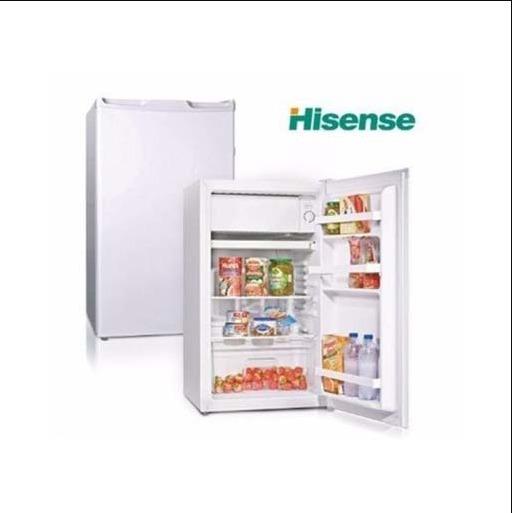
    Well, that shouldn’t be your problem again when you go to the market because when it comes to quality, affordable, and energy-efficient fridges in Ghana, Hisense is one of the most reliable brands. So, in this article, we are going to discuss everything you need to know about Hisense fridges in Ghana in terms of the available models, prices, specifications, etc.

    Models of Hisense Fridges in Ghana and Their Specifications

    Hisense Ghana is a subsidiary of the global Hisense brand, therefore there are several models of fridges they have in stock. This vast category of fridges is there to make it easy for every Ghanaian no matter your budget or needs to be able to find the right fridge. Below are the various models of Hisense fridges in Ghana.

    Hisense Cross Door Inverter Side-by-Side and Lower Drawer Refrigerator 536L

    This model of Hisense fridge is an energy-efficient fridge that has multi-airflow, a fashionable handle design, a water dispenser, LED, folded cook rack, alarm, and some other amazing features. Below are the specs of the Hisense Cross Door Inverter Side-by-Side and Lower Drawer Refrigerator 536L.

    ColourSilver
    Total Net Capacity536 litres
    Net Fridge Capacity417 litres
    Net Freezer Capacity119 litres
    Net Dimensions (W I D I H mm)914 x 850 x 1776
    Loading Capacity (40H.C.)36

    Hisense 264L Refrigerator

    The Hisense 264L refrigerator is an environmentally friendly fridge that also saves energy. Some of the amazing features include mechanical temperature control technology, reversible door, big freezer capacity, low noise, broad climate design, and adjusted fridge legs. Below are the specs of this model of Hisense fridge.

    ColourSilver
    Total Net Capacity264 litres
    Net Fridge Capacity198 litres
    Net Freezer Capacity66 litres
    Net Dimensions (W I D I H mm)554 x 558 x 1800
    Loading Capacity (40H.C.)105

    Hisense Freezer 170L Electronic Control With Adjustable Thermostat Upright Freezer

    This model of Hisense fridge is affordable and comes with amazing features like electronic control adjustable thermostat, super freeze, alarm, broad climate design, low noise, adjustable leg, four-star freezer design, etc. Below are the specs.

    ColourSilver
    Total Net Capacity170 litres
    Net Freezer Capacity170 litres
    Net Dimensions (W I D I H mm)554 x 551 x 1440
    Loading Capacity (40H.C.)136

    Hisense 660L Deep Freezer (Silver)

    The Hisense 660L deep freezer is an energy-efficient deep freezer that comes with several amazing features making it ideal for the average Ghanaian consumer. Below are the detailed features of the Hisense 660L deep freezer.

    • Energy efficient
    • Fast freeze
    • Mechanical temperature control with adjustable
    • Thermostat
    • Water disposal device
    • Cut off power function
    • Over-temperature alarm function
    • Power indicator function
    • Lock and Key
    • R600a gas
    • Grip handle and double door lid

    Hisense 328L Display Fridge – Single Door White

    This type of Hisense fridge gives you the chance to clearly see everything that is in the fridge and hence its name display fridge. The detailed features are as follows.

    • Energy efficient
    • 5 adjustable shelves
    • Forced air-ventilation for anti-condensation
    • Defrost water self-evaporating
    • Recessed handle
    • Lock and key
    • R600a gas

    Prices of Hisense Fridges in Ghana

    Model of FridgePrice
    249L Double Door with DispenserGHS 1550
    215L Double door fridgeGHS 950
    50L Single Door FridgeGHS 950
    130L Table Top FridgeGHS 550
    150L Single DoorGHS 950
    260L Chest FreezerGHS 1100
    440L Cross Door FridgeGHS 3500
    150L Table Top FridgeGHS 890

    Conclusion

    When it comes to buying fridge in Ghana, there are some important things you look out for like the energy efficiency, the space you get, and more importantly the price. Almost all these requirements are met by the various models of Hisense Ghana fridges.

    Another thing that makes Hisense fridges different from the rest is that it comes with 5 years warranty and after-sales service. This means that once you buy a product from Hisense, during the first five years any issue you encounter with the device can be sent to any of their showrooms or where you bought it exactly.

    How much is Hisense fridge in Ghana?

    The average price range for Hisense fridges in Ghana is from GHS 500 – GHS 8,000. The price of the fridge depends on some factors like the features, the space, and its energy efficiency.

    Is Hisense a good brand fridge?

    Yes. Hisense has several fridges all of which meet the standard by the Ghanaian market making it a good brand to buy from. Also, all their fridges come with 5 years warranty and aftersales services.

    Which country is Hisense from?

    Hisense originates from Qingdao in the Shandong Province in China, but its products are manufactured in different countries around the world.

  • Best Ways To Customize iOS 15 on Your iPhone

    Best Ways To Customize iOS 15 on Your iPhone

    Are you bored of your iPhone running iOS 15 having the same look as all the other devices around? Do you want to add some flavour to how your iOS 15 device looks? Continue reading to find out more about iOS 15 customization.

    For a long time, Apple users, especially iPhone users always lost the debate when it came to customization. But after the launch of the iOS 14 in 2020, Apple has now given its users some options when it comes to customizing their devices.

    Since the launch of the iOS 14 in 2020 brought several customization features, many of us taught that the launch of the iOS 15 will also add several customization options but that didn’t happen. Aside from this not happening, it is still possible to customize iOS 15 on your iPhone to make it look more personal than the default.

    To help you do that, this article is going to walk you through some of the best ways to customize iOS 15 on your iPhone. Interestingly, all the methods used in this article are free and do not involve the use of third-party apps or platforms.

    Best Ways To Customize iOS 15 on Your iPhone

    Create and customize your widgets

    Widgets are very useful on iPhones since they help you to gain access to apps and content that you would have had to go through a long process to access. Some of these include news headlines, calendar appointments, the weather, stock market updates, the battery percentage of your device and other connected accessories, etc.

    Widgets have been on Android devices for quite some time now, but they became available on iPhones last year when iOS 14 was launched. On iOS 14, users were able to add and remove widgets, change their layout and size, and move them anywhere on the home screen.

    On iOS 15 however, you can add different kinds of widgets and choose what content you wish to see on each widget.

    To add and edit widget on iOS 15 on your iPhone follow the steps below

    1. Swipe all the way to the left of your screen until you see the widget screen
    2. Swipe down the screen and tap the Edit button
    3. Tap on the minus sign next to the already existing widgets to remove them and tap Done once you are done
    4. You can follow the same procedure to add widgets. This time around instead of tapping on the minus icon you will rather tap on the plus icon

    Once all the widgets are added, you can drag and drop each widget to wherever you want. This will make it easier to check for things like the weather, stock market details, etc. If you want to add a widget to your home screen, tap and hold on to the widget and then drag it to your preferred location on your home screen to make it more easily accessible.

    Move the address bar in Safari from the bottom to the top or vice versa

    Almost every browser in the world has its address bar at the top of the screen and not the bottom. On iOS 15 however, the address bar is located at the bottom of the screen by default giving you more screen space and easy accessibility of buttons.

    This may not be liked by everyone so, if you wish, you can also reverse it back to the top of the screen. To bring back the address bar to the top, open the Safari browser on your iPhone, tap on the Aa button. A new menu will pop up, tap on Show Top Address Bar and the address bar will come back to the top.

    In case you don’t know which one you like you can try both and choose the one that best suits you. Personally, I prefer the bottom address bar and I would love to hear your favourite in the comments section.

    Change the app icons on your iPhone

    By default, every app on the Apple App Store has a unique logo and once the app is installed on an iPhone, it also has an app icon. This is usually the logo of the app installed on the iPhone.

    Before iOS 14 and iOS 15, users were restricted to the default app icons provided but now it is possible to change them to your preference. There are two ways you can change the app icons on your iPhone, you can do so by using a third-party app or using the Shortcuts app.

    How to change the app icons on your iPhone using a third-party app

    1. Download the third-party app from the App Store
    2. Open the app and tap on the icon pack you want, and then press Install
    3. When given a prompt, select Allow
    4. Once the download is complete, open the Settings app on your iPhone
    5. Tap on Profile Downloaded and then tap Install in the Install Profile Page
    6. Enter your iPhone’s passcode
    7. Select Install and then Done
    8. Your app icon has successfully been customized

    Conclusion

    iPhone users unlike Android users are limited when it comes to customizing their devices but gradually, they are making headway. This guide explained some of the best ways to customize iOS 15 on your iPhone in detail.

    Currently, the customizations available are not many but it is our hope that as time goes on, newer updates will be made making it possible to do more customizations on your iPhone. If you know of any other best way to customize iOS 15 you can share them in the comments section below and I will have a look at it.

    How do I customize my iPhone with iOS 15?

    You can customize your iPhone by changing the app icons, editing, and moving widgets, etc. How to do all of these has been explained above.

    How do you focus on iOS 15?

    To focus on iOS 15, open the Settings app and tap on Focus just above Screen Time. Select which focus you want to turn on and toggle it on or off.

    Does alarm work in focus?

    Yes, your alarm will work even when focus is turned on. But only the default iOS alarm will work, no other third-party alarms will work.

  • How To Find And Delete Google Reviews You Have Left

    How To Find And Delete Google Reviews You Have Left

    Google Reviews are a very important thing people look for when deciding on whether to make a purchase on the goods or services provided by businesses. Google Reviews were launched by Google to help users give a clear description of what their experience(s) was or were at a particular location.

    This way, potential customers or people who would like to use a business’s products or services are given an idea of what they experienced when they did use the product or service offered by the respective business. Through this trust is built and businesses with good reviews begin to see an increase in their sales and revenue.

    As human beings, we are likely to make a mistake occasionally, but this should not affect us for the rest of our lives. Once a mistake is made, lessons are learned from it and future decisions are well thought about. Businesses also make mistakes, but as time goes on, they improve on their services. So, a review you left about a business yesterday might not be the same as today.

    In our modern technological world, some people leave negative or false Google Reviews which are not the true representation of the respective business. If you are one of such people or you have made a mistake with a Google review before, this article is going to walk you through the steps on how to find and delete Google Reviews you have left.

    What Are Google Reviews and Why Are They Important?

    Google reviews are comments that are left by people who have visited a particular place or used a product or service offered a particular business on Google.

    Below are some of the reasons why Google reviews are very important.

    1. Google reviews help improve local search ranking

    There are several businesses that provide the same products or services in a locality. For example, in your neighbourhood alone you can get more than five (5) restaurants or “chop bars” that provide the same types of cuisines at almost the same price range.

    To help a business come up when people search for the services they provide, Google factors in the reviews that have been left by people. A business with good reviews will be ranked above the one which has bad reviews. This helps you to save money that would have otherwise been paid to people to help rank your business. For better rankings, you can still contact them.

    2. Google reviews helps to gain trust and credibility

    When good reviews are left under your business, more people are likely to trust that the products and services you render are genuine and authentic. As a result, you will gain trust and credibility from people online and this will help to increase your sales and revenue. When a prospective customer considers doing business or not, the driving force will be the reviews you have and if you have good reviews then you will be considered by the person.

    3. Google reviews helps to know how your products or services are seen by your customers

    Except for people who leave fake reviews of businesses, Google reviews will help you to know how well people are patronizing your services or products. Through the reviews, you get feedback on how well you are doing, where you are falling short, and how you can improve on these issues.

    How To Find and Delete Google Reviews You Have Left

    1. Open Gmail on your device
    2. Sign in to your Gmail account with your Gmail and password
    3. Visit maps.google.com
    4. Click on the three lines at the top left corner of the search bar
    5. Click on Your contributions
    6. Click on the REVIEWS tab
    7. Scroll through the reviews you have left to find the one you want to delete
    8. Next to that review, click on the three dots to the right of it
    9. Click Delete review to completely delete the review or Edit review to make changes to the review without deleting it completely.
    10. Upon completion, the review will be deleted, and no one will be able to see that review again. Unless the person took a screenshot of your review.

    Conclusion

    Google reviews are meant to give a true reflection of how a business is and the experience people have had with them. But sometimes due to some reasons most people leave false reviews or make mistakes when it comes to leaving reviews on Google.

    This guide has explained everything about Google review, its importance, and how to delete reviews you have left in the past. Although the process is self-explanatory, if you find it difficult or get stuck during the process, you can let me know in the comments section below and I will attend to you.

    How do I delete a Google review I have left?

    Go to maps.google.com, click on the menu icon, navigate to your contributions. Click on Your Contributions and then Reviews. From there locate the review you want to delete and click the three dots next to it and then select Delete Review.

    How do I find my Google Reviews?

    Open the Google Maps app, and search for your business. Tap on the REVIEWS tab in the middle and you will find all the Google Reviews you have for your business.

    Can I delete my Google review?

    Yes. Go to maps.google.com, select click on the menu icon, navigate to your contributions. Click on Your Contributions and then Reviews. From there locate the review you want to delete and click the three dots next to it and then select Delete Review.

    Why can’t I delete my Google review?

    As a business owner, you can only flag a review and then fill the forms for Google to investigate the claim for you. However, if you are the one who left the review then you can follow the steps above to delete your review.

  • Best Ways To Approach A Lady Online For A Positive Response

    Best Ways To Approach A Lady Online For A Positive Response

    Have you been trying to approach a lady online for a long time but do not know how to approach her to get a positive response? If this is you, then continue reading to find out some of the best ways to approach a lady online for a positive response.

    Approaching ladies not only online but also in-person can feel perplexing and a bit scary but in reality, it is very easy as long as you know how to go about it. Unlike approaching a lady in person where you can ask her a question for her to reply or decline to reply to you face-to-face, approaching a lady online can be easy but yielding a positive response is sometimes where the problem lies.

    Due to the high number of boys who text beautiful ladies daily especially on Instagram, getting a lady to give a positive response to your message online can sometimes be challenging. Therefore, you must know what to do and what not to do if you want to get a positive response from her and that is exactly what this article is going to show you.

    Best Ways To Approach A Lady Online For A Positive Response

    How to get the convo started

    The first step of approaching a lady online to get her attention is how to get the conversation started. This is what is going to determine whether the lady replies to your message or ignores it. Because of that, you need to choose your words very carefully.

    There is a saying which says girls like to be complimented when having a conversation with them. This saying is true, but this shouldn’t be a reason to over-compliment a lady.  The choice of words you use to compliment her should be very simple but intriguing. Do not use any big words you learned from the dictionary or online, use something that can be easily understood by her.

    Start your conversation with something formal like a normal hello message. Do not look hungry with some words like “I saw you in my dreams yesterday”, “you smell like a rose flower” or all those “wild” words. Some ladies may like such words but that is not the right way to go because it gives a certain impression about you and besides, ladies get these kinds of messages often.

    Instead, use something cool like you have a nice smile, your photos are cute, nice profile, etc. But before that, start with your name and ask how she’s doing, and most importantly use correct grammar.

    Get to know her

    One thing ladies like is a guy they know and a guy who knows them. Instead of flooding her DM with “I love you” messages and those proposal messages, you must get to know her first.

    For starters, you can ask about her name, what she likes, and some basic things every friend must know about their friends. When asking for this information, do not make it look like you are interrogating her but make it look more fun and livelier.

    If the lady is the lively and vibe type, by the time you are done knowing her, she will also get to know you more. From there, then you and she can become friends since you both know something about each other.

    Disappear for a day or two

    Once you guys are done knowing yourselves and you’ve now become friends, you disappear for a day or two (2); were disappearing in this context means going offline. As a guy, you shouldn’t always be online when you get a new female friend online.

    Even though ladies like attention, if a guy is always online replying to their text, they begin to feel that you have nothing serious doing with your life. So, you can intentionally go offline for a day or two, and when you come back make sure to reply to all the messages she sent. When asked, you can tell her you were busy with school or work.

    She will understand you and get to know that you were busy that is why you were not able to reply to her messages. This way, whenever you are offline for some time, she will know that you are busy doing something important.

    Do not text her frequently

    Ladies they say like attention, but they also hate guys who are always in their DM with several messages. Sending her messages is not bad but you should do so at a normal frequency.

    If you are always sending her messages, she will get fed up with you very quickly and that might cause her to lose interest in chatting with you. You should put yourself in her shoes and make sure you are not sending messages frequently than you are supposed to.

    Show her that you cherish her messages and communications

    Apart from attention, ladies like guys who are happy whenever they chat with them. This will go a long way to help your relationship with her. Just a simple thanks for calling today can go a long way.

    When you are busy, try and make time to check up on her and let her be aware that you are a bit busy now, but you will check up back on her later. Make her feel that you cherish the moments you spend together with her online either via text or calls. You can also tell her that you miss her if it’s a while since you guys chat.

    Flirt with her

    The main tool or skill to keep your online communication going is flirting. Flirting simply means to behave as though sexually attracted to someone, but playfully rather than with serious intentions. Some simple flirting messages are “What would you say if I asked you out?” or “What’s your type of guy?”.

    You should not use strong sexually explicit words in your flirts. Just some simple jokes or memes will be able to do the job. Either way, you must be careful of the choice of jokes or memes you use since one meme can ruin the vibe between both of you.

    Ask her out on a date

    Finally, after making the first step and getting a positive response from her, the next thing you need to do is to take her out on a date. Taking her out on a date does not necessarily mean taking her to an expensive restaurant or hotel.

    The place you take her out on the date should be somewhere that she likes. That is why it is very important to get to know her before you ask her out on a date. You can take her to the beach, zoo, aquarium, cinema, planetarium, or any other place that meets her interest.

    During the date, you can get to know more about yourselves, and you can take it from there. Try to make it simple, but more importantly it should be fun for both of you, but especially her.

    Conclusion

    Approaching ladies can sometimes be very difficult whether it is online of face-to-face but once you know how to go about it, it is very easy and fun. In the article, I have explained some of the best ways you can approach a lady online to get a positive response.

    These methods are not the only ones in the world, but they have been tried and tested by many people. If you have any other tips apart from the ones in this article, you can add them in the comments section below and I will add it to the list. Ladies are especially welcome since they know what they want from guys when they approach them online.

    How can I flirt with a lady online?

    You can flirt with a lady online by teasing her with some funny but interesting stuff. Do not sound sexually explicit or creepy because this can send the lady away.

    What is a good first message for online dating?

    The recommended first message for online dating is to greet with a hello, ask how he/she is doing, and then tell him/her your name. Do not write a long essay as a first message. Ladies will automatically ignore you if you send them a long essay and your grammar is incorrect.

    How can I get closer to a girl on chat?

    To get closer to a girl on chat, be patient with her, do not put pressure on her to reply or talk about herself, be sincere with her, and do not use fake images on your profile.