Category: Guides

  • How To Get Approved For MTN QwikLoan And Other Online Loans Faster

    How To Get Approved For MTN QwikLoan And Other Online Loans Faster

    Traditionally, in Ghana, borrowing money has always been a hectic and bureaucratic process. The lending institutions, for instance, will request proof of collateral during the process.

    Fortunately, with the introduction of MTN Mobile Money and Qwik loan, it is easier, faster and convenient to borrow money. Before you can get money from MTN Qwikloan, you need to know the application procedure to access the loan, the requirements, and the borrowing terms.

    With these in mind, it will be easier and faster to get the loan. Knowing the requirements will also help you know the repayment terms to avoid listed as a defaulter leading to disqualification to re-apply.

    Since the service is virtual, it is easier to know whether you are eligible for the credit and if not, the steps you can take to qualify for the loan. You can access the Qwikloan and all other MTN services by using these MTN Shortcodes.

    How To Qualify For MTN QwikLoan

    The QwikLoan is a loan service offered by MTN and thus has it’s own guidelines regarding who qualifies for the loan and who doesn’t. The platform relies on your MTN registration details and therefore, to borrow money using the platform, your mobile number must be under your name.

    To qualify for the loan, you must follow below steps;

    • Be 18 years and above
    • Have an MTN Ghana sim card
    • You must have used the MTN services for more than three (3) months or 90 days.
    • Be an active user of MTN Mobile Money services and have an active e-wallet.
    • Must have a good credit score, if you used the QwikLoan services before.

    After submitting your application for the QwikLoan, MTN will take some time to evaluate your request. If your loan request is successful, you will get an SMS confirming the loan amount and the repayment period. A 6.9% interest rate will be included in your confirmation SMS.

    However, if your loan request was not successful, you should evaluate some few things. First, if you have a pending loan repayment, it is advisable to pay before requesting a new loan. Secondly, make sure your mobile money number is active.

    How Much You Can Borrow With MTN QwikLoan

    There is a set limit for MTN QwikLoan for first-time borrowers. In most cases, you can only borrow GHS 20 or GHS 50. However, if you are already a subsequent borrower of the service and your loan score is high, you have a chance of getting the GHS 1000 limit.

    If you fail to pay your loan on time, it affects your credit score, thus disqualification from the service. In order to regain your score and applying again, you need to consistently use the service for more than three months.

    This process applies to all other online loan lenders. All other loaners have their own requirements and procedures but all are similar.

    When you are able to pass through all their requirements, you will get your loan faster.

    To get more from online loans in Ghana, do the following:

    • Always keep money in your MoMo account balance. Don’t withdraw frequently. And accept all payments through Mobile money.
    • When you borrow the first time, pay before time and don’t borrow immediately after paying.
    • Make all your credit and bundle purchases via Mobile Money
    • Link a bank account to your Mobile Money account even if there is no money in it.

    How To Apply For MTN QwikLoan

    The process of applying for MTN Qwikloan is not hefty. Follow the procedures below to get a loan.

    1. Dial *170# on your mobile handset
    2. Select option 5 which is Financial services
    3. Choose option 3, Loans
    4. Select option 1, QwikLoan
    5. Choose option 1, Get Loan
    6. Enter your Mobile Money pin to advance to the next option
    7. Enter your Loan amount and press send

    At this moment, if you qualify for the Loan, you will receive an SMS shortly with your Loan amount sent to your MOMO account.

    https://mfidie.com/4-apps-you-can-use-to-access-loans-in-ghana/

    Conclusion

    MTN QwikLoan and other online loan services have redefined banking in a more innovative way. No need to get a guarantor and stand in long queues in banks passing through hefty procedures just to access soft loans.

    With MTN QwikLoans and other online loan services, all you need is your mobile device and passing through their requirements, you are a step ahead to access soft loans.

  • How to send Money from MoMo to any Bank Account in Ghana

    How to send Money from MoMo to any Bank Account in Ghana

    A lot of Ghanaians nowadays rely on Mobile Money for almost all their financial transactions and it was no wonder that phase one of the Mobile Money Interoperability made it easy for people to transfer money from their wallets to their bank accounts. Indeed, Financial Technology in Ghana is advancing.

    In this article, we will teach you how to transfer money from your mobile wallet (MTN, AirtelTigo, Vodafone) to any bank account supported on the Ghana Interbank Payment and Settlement Systems (GhIPSS) platform.

    Follow the steps below and don’t forget to leave a comment should you face a problem or want to contribute further.

    Transfer money from MTN Mobile Money wallet to bank account

    1. Dial MTN Mobile Money shortcode: *170#
    2. Select Transfer Money
    3. Select Bank Account
    4. Choose Wallet to Bank Account
    5. Select Bank
    6. Enter Account number
    7. Enter amount
    8. Enter your PIN to confirm
    9. Wait for confirmation message complete the transaction

    Send money from Vodafone Cash wallet to bank account

    1. Dial Vodafone Cash shortcode: *110#
    2. Select Send Money
    3. Choose To Bank Account
    4. Select the first letter of Bank name
    5. Select the Bank name
    6. Enter Account number
    7. Enter amount
    8. Enter your PIN to confirm and complete the transaction

    Send money from AirtelTigo Money wallet to bank account

    1. Dial AirtelTigo Money shortcode: *110#
    2. Select Send Money
    3. Choose Other Banks
    4. Choose From Airtel Money Wallet
    5. Select the Bank name
    6. Enter Account number
    7. Enter amount
    8. Enter your secret PIN to complete the transaction

    Send money from Tigo Cash wallet to bank account

    1. Dial AirtelTigo Cash shortcode: *110#
    2. Select Buy and Send Cash (To All Networks)
    3. Choose To Other Banks
    4. Choose From AirtelTigo Money Wallet
    5. Select the Bank name
    6. Enter Account number
    7. Enter amount
    8. Confirm the name of recipient by entering your PIN to complete the transaction
  • How to Cancel Brazzers Account and Subscription

    How to Cancel Brazzers Account and Subscription

    It’s possible to cancel your Brazzers account and subscription at any time, and it will immediately prevent you from receiving any further updates to their site or the network.

    However, your billing information will still be stored on their servers until you request that it be removed from the system by contacting their customer service department.

    This article will help you understand how to cancel a brazzers account and subscription, as well as how to clear your billing information from their servers so that you can sign up again if necessary in the future.

    About Brazzers

    Brazzers is one of the most popular adult entertainment websites in the world. It offers a wide variety of content, including videos, pictures, and live cams.

    Brazzers also has a membership program that gives users access to exclusive content. If you’re not interested in Brazzers anymore, here’s how you can cancel your account and subscription.

    Why did you join brazzers?

    Why you joined Brazzers should be a question to answer by yourself. On a one on one chat with a brazzers user and as to why he cancelled his account, he said, “I joined brazzers because I wanted to watch porn. However, after joining, I found that the videos were low quality and the selection was poor. Additionally, the site was difficult to navigate and I was constantly bombarded with ads. As a result, I decided to cancel my account.

    How to end your brazzers subscription

    If you’re interested in cancelling your Brazzers subscription, follow the steps below:

    1. Visit the Brazzers website and log in to your account.
    2. Hover over your username in the top right-hand corner of the screen and click My Account from the drop-down menu.
    3. Scroll down to the bottom of the page and click on Cancel Membership.
    4. Follow the prompts to confirm your cancellation.
    5. Once completed, your subscription will be cancelled immediately.
    6. Head back to the My Account page to verify that your membership has been cancelled successfully.

    How to clear your billing information from brazzers servers

    1. Visit the Brazzers website and log in to your account.
    2. Click on the My Account tab at the top of the page.
    3. Scroll down to the Billing Information section and click on the Cancel Subscription button.
    4. Enter your password to confirm that you want to cancel your subscription.
    5. Click on the Submit button to finalize your cancellation.
    6. Check your email for a confirmation message from Brazzers, which will contain instructions for cancelling all future subscriptions as well as checking for any past recurring charges made by you or any other person with access to your account information.
    7. If there are any outstanding charges, they will be cancelled automatically once they become due, but it is important to keep an eye out for them and make sure they are not renewed by someone else who has access to your credit card information if possible.

    How to cancel your brazzers account

    If you’re interested in cancelling your Brazzers account, there are only a few steps you need to follow.

    1. Log into your account on the Brazzers website.
    2. Click on the My Account tab and then select Billing Information.
    3. From there, you will be able to see your current subscription status and will be given the option to cancel.
    4. You can either choose to cancel your account or cancel your subscription.
    5. Make sure that you have all of the billing information at hand before you start the cancellation process.
    6. Once you’ve finished, make sure that it says Account Cancelled next to Subscription Status.

    Can you get back your brazzers account after cancellation?

    It’s possible to get your account back after cancellation, but it takes some effort. One thing you need to do is find an email address of the person who cancelled your account or someone who has access to the company’s customer service.

    Then, you can reach out through email and explain what happened with the details from their end of the story. They might be able to help you out.

    Conclusion

    There are two ways to cancel your Brazzers account: through the website or through customer service. If you cancel through the website, you’ll need to log in and navigate to the Billing Info page.

    From there, you can click on the Cancel Membership button. If you cancel through customer service, you’ll need to call their customer service. Once you’ve cancelled your account, your subscription will be automatically cancelled and you will no longer be charged.

  • 3 Best Sites To Make Genuine Money In Ghana

    3 Best Sites To Make Genuine Money In Ghana

    Everyone wants to make money on the internet but only a few are really making it. Money is something which is difficult to come by these days especially on the internet. With a lot of scams and crap websites online, many people fears to venture into a certain aspect of the online business.

    When you talk to people about online dealings, the first thing that comes to their mind is what if I get scammed? Yeah, is normal to think of that because every individual today is risk-averse.

    Because of the activities of some unscrupulous people on the internet, it’s hard to see people especially the average person to trust the online making money process.

    A reader from one of my blogs asked me to show him some sites that they can make some cool cash from in Ghana and this has gotten my attention the fact that people are now trying to make money from their own effort.

    If you are on this page it means you are ready also on a look for these sites that you can make some cash from and this post I will be highlighting these site for you and show you how to go about it.

    3 sites to make cash from in Ghana

    1. 15ghana.com
    2. Jumia.com
    3. Facebook

    The above listed are some of the sites you can make money genuinely from Ghana using your god gifted skills and other experience you had. These sites cannot make you rich overnight but can at least bring you some passive income as times goes on. Are you still here with me? If yes then let’s dig deep and see how to use these sites to make some cash in Ghana

    15ghana.com

    If you are a newbie to the internet making money opportunity, you may not know what freelancing is, but if you are already into this kind of dealings then by know should know or you should come by this keyword freelance. Freelancing is a term used to describe the act of doing peoples job on their behalf for a reward. the person who does another person job is called a freelancer. Freelancers get paid to do some jobs that they are good at.

    There is a lot of freelancing platform that brings clients closer to freelancers and 15 Ghana is one of those sites. 15ghana.com is a Ghanaian based freelancing company that brings freelancer from Ghana and African at large to their prospective clients.

    Anyone can become a freelancer on this platform. If you are good at something, or you have skills that you think people will be looking for, you can go to the 15 Ghana platform a create a gig for those skills.

    A gig is more or less like a job. In the freelancing business that’s how we call a gig. The whole freelancing concept works this way: there will be three parties to the transaction. First, If you have skills say” in graphic design, all you need to do is to head to 15ghana.com and create an account. It is free to create an account on the platform.

    Once you create an account, the next thing is to create a job the job will be like this: I will do _____ .for; then you add your price. For examples let’s say I’m good at content writing. So I will go and create a job with the title: “I will write an SEO friendly content for your blog publication for GHS 25”. Now I will publish this job on the platform.

    The next step is for the platform owners to review the job and then approve it. Once the job is approved then it will be displayed on their homepage and anyone who is in need of the job will order and pay for it. Once it ordered your job is to write the article and deliver. After delivering of the job, the client will need to write a review on the job expressing his satisfaction or dissatisfaction of the work. After a positive review on the job, then the 15ghana team will then pay you using your mobile money details on your account.

    Jumia.com

    Jumia is one of the popular online shopping platforms in Ghana today. Everyone knows about this e-commerce platform because of their improved services and also their ability to satisfy customers with the best products. Many know this e-commerce giant to be into only selling of goods, but what they don’t know is the fact that you can also make some decent amount of cash from this shopping site.

    Like the other big brands such as Amazon and eBay, Jumia has an associated programme known as affiliate account. With this, you can make money by bringing customers to purchase products on the Jumia shop.

    How to make money on Jumia

    First, you need to make sure you are 18year and above. Now the next thing is to go to the Jumia site and head towards the footer section of the site. There you will see a section where it says become an affiliate.

    Here you click on it and you will be taken to a page where you have to create an affiliate account. After successfully creating of the account you will now be given a specific link that you have to promote. Make sure to use the link well and promote it to all your social media.

    With this, if customers should use one of your links to purchase a product on the Jumia site, you get paid a commission. I have made a lot of cash using this process and I believe you can also do so.  You can run Facebook ads for the affiliate link in other to get more commission. We will look at that in upcoming posit but for now, this is what you need to know.

    Facebook.com

    Facebook is a number one leading social media site that even a 15-year boy knows about today. Facebook is created to serve as a platform where family and friends can socialize by exchanging pictures and text.

    But today Facebook has grown fully to even pass the stage of being a social media platform to a money-making platform. What people don’t know is the fact that normal people just like me and you are making a lot of cash using the Facebook platform. They do that by leverage other people’s time and money.

    How to make money on Facebook

    Companies and some individuals need exposures to their products and service. They are always on a look for people who can help with this demand. Internet marketer’s who are familiar with the Facebook platform and other social media advertisement uses their skills to get these companies what they want.

    They reached out to these companies with an offer to give them the maximum exposure they need. These companies and individuals will then pay for the service and then the influencer will promote the companies product on their fan pages on the Facebook platform. Some may even have to run Facebook ads for their clients.

    You can read more on how to run Facebook ads for a client and have much understanding how all this work then you can begin to promote a local business within your locality in return for a reward.

    Wrapping up

    Making money online as a Ghanaian can be difficult if you are just starting but as you keep on pushing, you will be able to overcome all the obstacles and hopefully you will start to make all the cash you need.

    The above-listed sites are some of the sites you can make money from. I will encourage you to give them a try because reading this without taking action can never get you nowhere so go ahead and them a try and also read more on them to have much understanding on how the platforms work. Thanks for reading and see you in the next post.
  • How to add your Ghana Card to your MTN SIM/Number online

    How to add your Ghana Card to your MTN SIM/Number online

    A lot of MTN Customers have still not linked their SIM Cards with their Ghana Cards. With this tutorial, we will teach you the simplest method to add your Ghana Card details to your Voice and Data SIM as well as to your Turbonet SIM.

    MTN Ghana has already warned severally that they will block all unregistered SIM Cards by the end of this month. It is therefore important that we all add the cards to our number so we can continue to stay in touch with family and friends.

    First of all, you need to have a valid Ghana Card for this process to work for you. If you still have not applied or received your card, do well to follow up promptly.

    Ghanaians who have never applied can pay GHS 250 at the Premium Office to have the card done for them on the same day.

    The good thing about this method is that MTN Ghana has been encouraging subscribers to do it, hence we know that those who go through the method will not have their SIM Cards blocked.

    How to add your Ghana Card Details to your MTN Number

    Follow the steps below to link your Ghana Card and MTN SIM online:

    1. Visit the MTN Ghana SIM Registration Update portal – https://simregistrationportal.mtn.com.gh
    2. Agree to MTN’s Terms of Service and Privacy Policy
    3. Enter your MTN Number and press proceed. Eg: 055XXXXXXX or 024XXXXXXXXX
    4. Wait for MTN Ghana to send you the OTP Code (For a data SIM, eg Turbonet, provide an alternative number for OTP)
    5. Enter the OTP Code (6 digits numeric code sent via SMS)
    6. Check and update your first name(s), last, and Ghana Card number in the right format
    7. Click next and upload the front and back of your Ghana Card
    8. You’ll be presented with a summary of the information provided. Click confirm.
    9. Success. Your information is successfully received to link your Ghana Card and MTN SIM. You will receive an SMS after validation.

    Please keep in mind that the information provided on this portal will still need to be validated. It is only after that validation that your SIM will be considered “registered”.

    This means that you need to use the correct details to enable the SIM to be successfully registered.

    If you have any issues with this process, feel free to contact MTN Customer care on 100. We also have a list of beneficial MTN Ghana shortcodes you should definitely check out.

  • How to Find an Item You Lost in an Uber, Bolt or Yango

    How to Find an Item You Lost in an Uber, Bolt or Yango

    It can be extremely frustrating to lose an item in an Uber, Bolt or Yango car, whether it’s your wallet, phone or any other valuable item. Some drivers don’t have the same standards of service as traditional taxi services, and there’s no way to know exactly where they’re going when you get in the car.

    Fortunately, there are many ways to find your missing item even if the driver says they don’t have it or the police refuse to help you.

    In this article we will show you the steps you need to take to find your lost items.

    How to recover a lost item from a Bolt ride

    It’s always a bummer when you realize you’ve left something behind in an Uber, Bolt or Yango. But don’t worry, there are a few things you can do to try and recover your lost item.

    1. Contact Bolt driver

    When drop off, you gave a 24 hours open window on the app in which you can contact the driver. Thus, use that to get to the driver who picked you up.

    Its best to talk in a nice questionable tone rather than provocative in order to make it easier for both parties. Seeking to recover your lost item in a provocative tone my anger the driver and will not help you recover your lost item.

    To find your driver’s details after a trip,

    1. On the app, locate the Main menu.
    2. Tap on Ride history;
    3. Choose the ride that you lost the item in.
    4. Tap the Call button.

    2. Contact Bolt support team

    If it gets difficult getting to the driver or you found out your item is lost after 24 hours, the next best option is to contact bolt support team through the app.

    1. Now, visit the app and locate the contact support team tab.
    2. Click on it and lodge in your complain by providing the drivers details and also describe your lost item.

    You can also decide to contact the support team via their email address at [email protected]. Go straight to the point and give a clear explanation when contacting them via email.

    In your message, include your rider details (registration phone number and email) as well as any details that you might remember from the trip.

    3. Visit any walk-in centre

    You can also visit bolt walk-in centres which are open every Monday to Friday between 9am and 3 pm.

    How to recover a lost item from an Uber ride

    1. Contact Uber driver

    Calling your driver to connect is the best way to retrieve an item you may have left in an Uber vehicle. Also, note that, if you get through with the driver, talk politely and not rashly since that will not help in retrieving your lost items.

    To contact your driver using the Uber app,

    • Log into your Uber app.
    • Tap on the Menu (☰) at the top left corner of the app.
    • Tap on ‘Your Trips’
    • Select the trip on which you lost your item.
    • Scroll down and select ‘I lost an item’
    • Tap on ‘Contact my driver about a lost item’
    • Scroll down and enter your contact number 
    • Click on Submit & you will get a callback from the driver in a few seconds.

    2. Contact Uber support team

    If you are unable to connect with your driver after several attempts,

    1. On the app, tap on ‘I couldn’t reach my driver about a lost item’.
    2. Provide the required details and the Uber support team will get back to you within 24 hours.

    How to recover a lost item from a Yango ride

    1. Contact Yango driver

    If less than 24 hours has passed after boarding the Yango ride, contact the driver with the steps below.

    1. Visit the app and go through your history and call the driver.
    2. You can find the call button in the History section. It is enabled for 24 hours after your ride.

    2. Contact Yango support team

    If it has been more than 24 hours you found out your item is lost or you were unable to contact the driver,

    1. Lodge a complain to the support center on the app.
    2. Describe the item you left in the car whiles making the complain and they will get back to you in a short time.

    You can also click here to lodge your complaint.

  • How To Stop Telegram From Notifying You When New Contacts Join

    How To Stop Telegram From Notifying You When New Contacts Join

    Telegram is a messaging app launched in 2013 by the brothers Nikolai and Pavel Durov. Just like Whatsapp, Facebook, Instagram etc.

    Telegram is a cloud-based instant messaging and voice-over IP service.

    As of April 2022 Telegram has over five hundred million (500), active monthly users

    Many people enjoy using telegram because of the wonderful features it offers to its users. Like WhatsApp, Telegram has also the ability to show a friend’s status online and attach and share photos, videos, location, contacts and documents. 

    Telegram’s distinctive feature is security. Telegram’s security is something they boast of because it surely delivers its users the security needed.

    Apart from security, Telegram has other nice features you should know about.

    1. Multiple Accounts: Users can create two or more accounts right in their app without the hustle
    2. Telegram Bots/ Inline Bots: telegram also has bots/inline bots to perform many actions for the user.
    3. Stickers: telegram also has nice stickers to include in chats.
    4. Secret chats: secrete chats are protected with end-end encryption technology.
    5. Gif: users can create their own wonderful gif from scratch
    6. Personal Storage

    App notifications is sometimes annoying thus the coming up of this article. Aside messages and group messages notifications.

    Telegram notifies its users whenever a new contact registers on the messaging app. This somehow is very annoying to some users.

    In this article, I will show you how to deactivate this feature if you are part of the annoyed users of this notification feature.

    This tutorial works with the main Telegram app, not the Telegram X App.

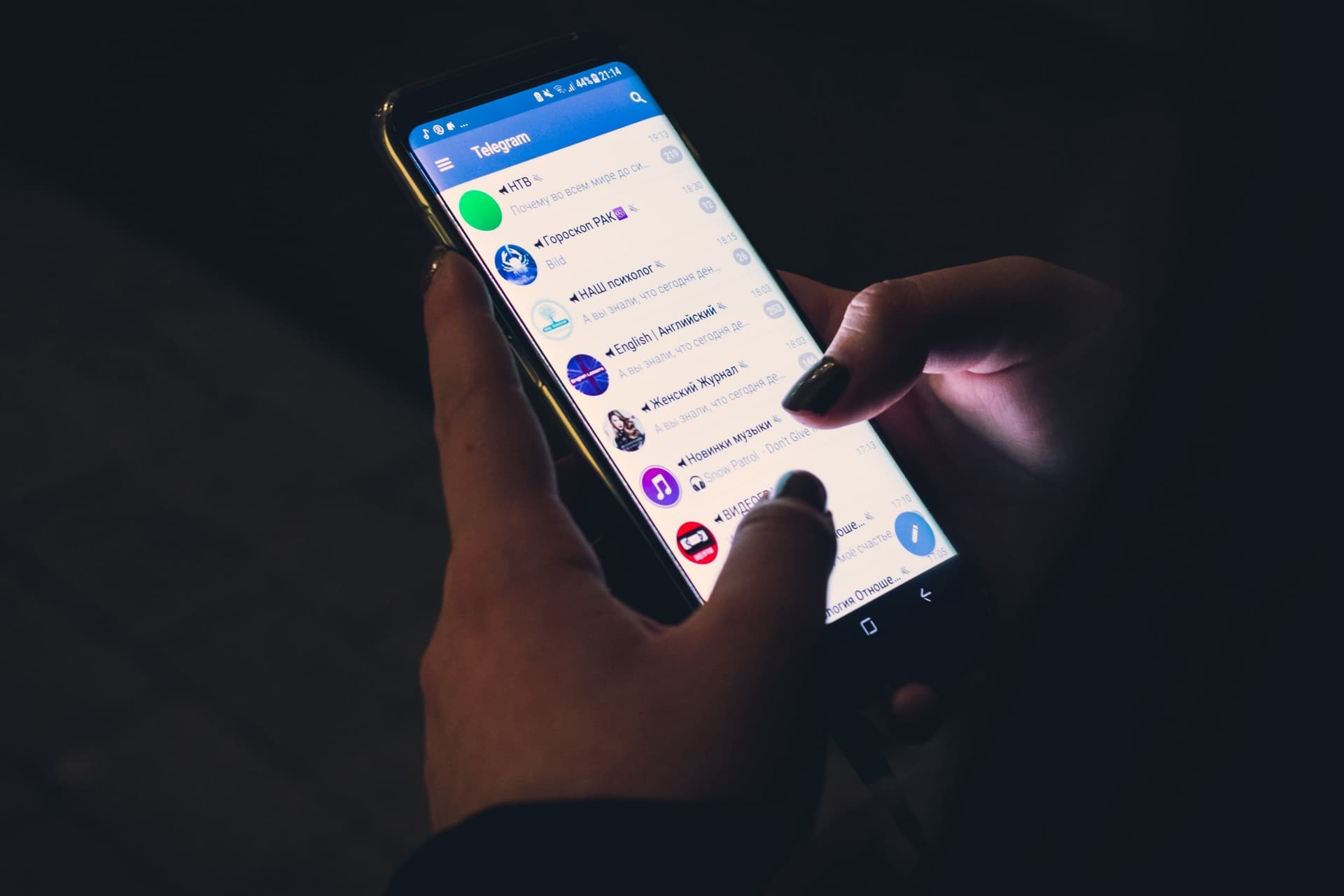
    How To Stop Telegram From Notifying You When New Contacts Join

    1. Firstly, tap on the Menu bar/Options panel on the far left of your application. A window will appear with options to choose from.
    2. Select Settings from the menu and choose Notifications and Sounds. Under “events” uncheck the option contact joined telegram. The annoying contact notification will no more work after disabling the contact joined telegram option.

    Disabling this service will stop the push notification you receive, but once your contact is synced you will receive this notification in the app. To permanently disable the notification, navigate to privacy and security settings and delete synced contacts which will prevent future ones from being created. Note: Disabling the synced contacts will ruin what your chats look like.

    Telegram said that the toggle only disables the push notification but you will still get those notifications in-app if you’ve synced your contacts.

    Every time one of your contacts joins Telegram, you will still get the notification of them joining the app hence the need to delete synced contacts.

    From the look of things, Telegram has no proper way of dealing with the issue than deleting synced contacts.

    Note that deleting synced contacts will change the look of your chats (numbers only appearing without names).

    Conclusion

    Till there is an official fix by Telegram for this notification feature, this is the only known fix for the annoying contact join notification. In this article, we looked at how to deactivate the annoying contact joined notification.

  • How to link your Ghana Card and Bank Account in Ghana [All Banks, 2022]

    How to link your Ghana Card and Bank Account in Ghana [All Banks, 2022]

    Starting from the 1st of July 2022, no Bank Account in Ghana would be able to fully function or make transactions if it is not linked with a Ghana Card.

    Initially, Banks in Ghana required that customers walked into their branches to complete the bank linking; but with most customers unable to visit the branches, and with the deadline fast approaching, most banks have developed online platforms to collect customers’ Ghana Card details.

    We hope the banks do take the data privacy of all customers serious.

    In this article, we have provided the links that you would use to let your Bank have your Ghana Card details as well as the steps to follow. If you face any problems, call your Bank via their customer care line. Remember never to share your pin/password with anyone online or offline, not even a Bank’s representative.

    Ghana Banks and their Ghana Card Linking Websites

    Here is a list of the banks in Ghana that offer an online linkage for Ghana Card. Find your bank below, click the link and link your Ghana Card.

    Always make sure that there is an “HTTPS” in the address bar when you open the site.

    BankGhana Card Link
    Access Bank (Ghana) Limitedhttps://apps.ghana.accessbankplc.com/accountopening/GhanaCard
    Zenith Bank Ghana Limitedhttps://apps2.zenithbank.com.gh/ghanacard/
    Prudential Bank Ghanahttps://digispace.prudentialbank.com.gh/
    Republic BankN/A
    Guarantee Trust (GT) Bankhttps://ghanacard.gtbghana.com/
    Ecobank Ghanahttps://myghanacardupdate.ecobank.com/portal/
    Fidelity Bank Limitedhttps://dpfbgl101.myfidelitybank.net:4017/cus-update
    Stanbic Bank Ghana Limitedhttps://e.stanbic.com.gh:8002/self.serviceRequest/welcome
    Cal Bankhttps://calweb.caleservice.net/customerupdate
    Consolidated Bank Ghana (CBG) Limitedhttps://cu.apps.cbg.com.gh/home/ghanacardupdate
    United Bank For Africa (Ghana) LtdNA / Call 0800833833
    National Investment BankNA / Chat at https://www.nib-ghana.com/
    ARB Apex Bank LimitedN/A
    FBNBank Ghana Limitedhttps://bit.ly/fbnbankgh
    Agricultural Development BankN/A
    GCB Bank Limitedhttps://epay.gcbltd.com:200/
    Standard Chatered Bank Ghana LimitedUsing the SC Mobile App

    How to link your Ghana Card and Bank Account online

    1. First, visit the Ghana Card link page of your bank using the URL above
    2. Enter your Bank Account Number
    3. Enter your date of birth
    4. Upload the front of your Ghana Card
    5. Upload the Back of your Ghana Card
    6. Wait for an email saying you have successfully linked your Ghana Card and Bank Account
  • Electronic Signatures: What are they And How Do They Work?

    Electronic Signatures: What are they And How Do They Work?

    If you have been following up with developments in the tech industry, you can testify that technology is evolving faster than expected. Signatures are always beneficial when submitting your official documents, either for a job or an official function.

    When creating your electronic signature, many challenges can come up, especially if you are not conversant with how computers work. In this article,  we present you with everything that you need to know about electronic signatures, especially in a world where everything is becoming digital.

    In this Blog Post, we clarify what an electronic signature is, its benefits and drawbacks, and how to safeguard them straightforwardly.

    History of electronic signatures

    First, remember that an electronic signature, also known as a digital signature, does not have the same visual look as a handwritten signature. In its present form, a digital signature is a series of characters that combine letters and numbers that appear on a message, PDF, or application unique to a particular profession.

    Electronic signatures became formally recognized by law in Europe. They have the same value as a handwritten signature during a two-party agreement. The statute n° 2000-230, promulgated on March 13, 2000, and the ordinance n° 2001-272, promulgated on March 30, 2001. The creation of specialized organizations to provide digital certificates certifying the validity of different electronic signatures follows.

    These certificates are similar to identification cards in that they include all of the private and public information required to produce an electronic signature. There is, however, one issue: each government administers its electronic certificates on its manner. Fortunately, as of July 1, 2016, a new European rule simplifies matters, allowing the European Union to harmonize its multiple electronic signature standards. As a result, document management in the EU has been streamlined. Non-EU nations, on the other hand, are not subject to the same rules.

    Do not confuse a digital signature with the digitized signature created, say, using a pen on a tablet. Our primary focus on this article is only the Electronic signatures.

    What is an electronic signature?

    An electronic signature system necessitates the use of cryptography for computer security. The action is invisible to the user, who must process his document using a specified program or equipment. An electronic signature enables various functions, proving to be much more successful than a handwritten signature in authenticating the signatory, ensuring the document’s integrity, and Ensuring non-repudiation, which means the document’s issuer cannot deny sending it.

    How does an Electronic Signature work in detail?

    Now, let’s look at how an electronic signature works. We’ll use the example as an example. Let’s say there is an entity one which is Mfidie.com company which wants to deliver a work contract in Pdf format to another entity, let us say me(Joseph), for example.

    The way this work is that Mfidie.com will generate a hash() of the contract to ensure data integrity. This process entails creating a fingerprint of numbers and letters unique to the document. The hash is then modified by even the tiniest change to the text.

    Take Note: hashes are two keys provided by the digital certificate: one private and one public. The private key will encrypt the hash, resulting in a well-known electronic signature. The public key is then used to send the whole package to the receiver.

    Back to our article, so um, Mfidie.com will decode the hash of the contract using the public key once it receives it. The company’s software recalculates the hash once it has been decoded. If it is identical to the original, the recipient will be informed of its legitimacy and the signer’s identity. Of course, if the hash fails to stick, the receiver will be aware that the document was altered before delivery.

    What are the Best Softwares to create Electronic signatures?

    Suppose you want to stand out from the larger group and enter business Contracts immediately. These are the best electronic signature software to make work easier for you.

    • KeepSolid Sign
    • GetAccept
    • DocuSign
    • HelloSign
    • SignRequest
    • SignWell
    • Adobe Sign
    • Signeasy

    Benefits of Electronic Signature in Today’s Society

    The electronic signature is anticipated to expand at an increasing rate in all industries of societies. In this regard, it has several benefits, such as not requiring paper or ink. A signed document may also be sent in a matter of seconds. No more spending time scanning papers!

    Electronic signatures, which enable the integrity of a document to be verified, also provide data security. It is probably simpler to falsify a paper document than an electronically encrypted document.

    Disadvantages  of Electronic Signature in Today’s Society

    Nonetheless, the electronic signature is not without flaws. Even if it is restricted, there is still a possibility that hackers may get a user’s private key. A hacker may, after that, manipulate any document that has been electronically signed without the recipient being aware of it. The same is true if the certificate is stolen since certain malware targets them.

  • How to Get/Download the Transcript of A YouTube Video

    How to Get/Download the Transcript of A YouTube Video

    Are you interested in getting a transcript of a YouTube video? This article will surely take you through the A-Z steps you need to follow to achieve this.

    Before we proceed, let’s discuss what video transcription means.

    What Is Video Transcription?

    This is the representation of spoken content of videos in a textual form.

    This process is actually done by humans who are known transcriptionists. A YouTube video transcript involves the conversion of videos into text content in audio form.

    A YouTube transcription is accessible to people who do not hear properly or hear. This is not only limited to people who have a hearing disability; instead, it is also accessible to those who cannot watch the video due to their environment.

    There are different ways to download the transcript of a YouTube video. We are going to discuss that in this article.

     Let us get started.

    How can you get a transcript of a YouTube video?

    To download a transcript from YouTube is a little bit easy. These transcripts are available in closed captioning for videos. You can automatically get the transcript for most videos using Google’s speech recognition software. The Google speech software makes it easier for the videos to be translated into transcripts. A machine cannot perfectly give you a transcript of any audio file or video. An automated transcript depends on the clarity of audio, conciseness of the speaker, and some other factors.

    There are different processes you can use to carry out this transcription task.

    Free Captioning Tool

    The steps you should take to get a transcript of a YouTube video using the free captioning tool are:

    • Log into a YouTube channel and then tap to open the video.
    • Tap on more options on the icon below the video.
    • Choose the open transcript from the menu below.
    • Once this is done, tap on “open transcript”.
    • Copy and paste the text line that pops up.
    • Edit the transcript using any editor of your choice.
    • Following the above-listed steps can help you download a transcript of a YouTube video. If you follow this process, you will get automatic or manually captioned videos.

    Google Docs Transcription

    It is also possible for you to get a transcript of a video without any available transcript. The Google document already has the voice typing features built-in. This feature automatically types whatever it hears as it listens to any voice or audio.

    To carry out this process, follow the steps listed below;

    • Ensure that whatever device you are using is directly listening to the audio.
    • Firstly, open Google Docs.
    • Tap on start a new document.
    • Below the tools, tap on voice typing.
    • Go to your YouTube videos.
    • Choose any video of your choice, and then open it.
    • Allow the video to play with the sound.
    • Tap on the Google Docs microphone.

    If you successfully carry out these steps, Google Docs will type whatever it hears automatically. Please remember that if the audio recordings have some noise from the background, it can affect the accuracy of the typing.

    Sometimes, the tools can stop its transcription while typing. When this happens, you need to tap on voice typing so it can restart.

    Although the automatic transcription of speech to text services has been of great help, the fact remains that it cannot fit up to the human level of accuracy. Sometimes after you must have used Google Docs to transcript a YouTube video, there will still be a need for you to edit the typed words for accuracy.

    Type studio

    For a successful YouTube transcription, you also need to decide on the kind of transcription format you want to use. Another online video editor that can help you get a transcript of your YouTube video is Type studio.

    To carry out this transcription process using the type studio editor, follow the steps.

    • Signing up first to type studio.
    • Copy and paste the YouTube URL to your clipboard.
    • After pasting the YouTube URL in the field, tap on “enter”.
    • You also need to choose the language for easy transcription; this editor site supports about +30 languages which you can quickly transcribe your video into.
    • Type studio now begins to transcribe your YouTube videos into text automatically.
    • Lastly, you can now export the transcript to your clipboard or export it as a file.

    From Youtube

    Do you know that you can get a transcription directly from YouTube? To do this, simply follow the steps below;

    • On your YouTube video, you will find about 3 dots below the menu on the video.
    • Tap on it and see an option named “open” transcript.
    • Click on the open transcript option.
    • Remove the timestamps by disabling them. You can enable it if you want it exported with the transcriptions.
    • Then copy the transcript and paste it into a notepad.
    • Save it on the notepad.