Category: Guides

  • How to Stream on Twitch with Ps4

    How to Stream on Twitch with Ps4

    Streaming on twitch with ps4 is getting more and more popular everyday, but many streamers struggle to figure out how to do it, or find the best way to get set up for streaming on twitch with ps4.

    With that in mind, I have put together a comprehensive guide to help you start streaming on twitch with ps4 and connect with many gamers outside the world and also to make sure your viewers are happy and engaged.

    What is twitch stream

    Twitch is a live streaming platform for gamers where you can watch or broadcast live gameplay. It’s a great way to connect with other gamers and build a community around your favorite games.

    If you’re interested in streaming on Twitch, here’s a quick guide on how to get started.

    How to set up a twitch channel

    Before you can start streaming on Twitch, you need to set up a channel. If you already have a channel with twitch, then this section is not for you but if you don’t, then let’s go through the registration process step by step.

    How to Create a Twitch account

    1. Visit https://www.twitch.tv/
    2. Click on ‘Sign Up’.
    3. Fill in the information required by the platform.
    4. Accept the terms and conditions.
    5. Click on ‘Sign Up’ and Twitch will email you to the address you added to verify your account.
    6. Look into the email you used to register and verify your account by clicking on the email or by inserting the code you have received.
    7. Congrats! You now have a twitch accout.

    Connecting your twitch account to your PS4 console

    1. To do this, log in to your Twitch account and click on the Channel tab. Then, click on the Edit Panels button.
    2. In the Edit Panels window, click on the Add a Panel button.
    3. In the Add a Panel window, select the Info panel type. Give it a name and then fill out the other info as needed.
    4. Once that’s done, click on Save Changes at the bottom of the window.
    5. Next, under Advanced Settings, scroll down until you see Stream Key then copy it and save it somewhere.

    Now, let’s connect the Twitch account to our PS4 for broadcast. There are two ways to live stream to Twitch from the PS4. You can use the PS4’s built-in broadcast capabilities, or you can use a capture card. Usage of capture card isn’t that common as most users prefer using the PS4 broadcast.

    How to Stream on Twitch with the PS4 broadcast feature

    If you’re a PS4 owner and you want to start streaming your gameplay on Twitch, you’re in luck. The PS4 has a built-in feature that lets you broadcast your gameplay to the world. Here’s how to do it:

    1. From the main menu on your PS4, go to Settings > Remote Play Connection Settings.
    2. Make sure the box next to Enable Remote Play is checked, then click OK
    3. Press the Home button on your controller, scroll down to Broadcast Gameplay using PlayStation(R) App or Share Play from here and select Yes or No.
    4. On a computer connected to the same Wi-Fi network as your PS4, download and install the Sony(R) PlayStation(R) App for Windows PC/Mac, iOS (iPhone/iPad), Android devices (smartphones/tablets).
    5. Open the app and sign in with your PSN ID.
    6. Select Live from the app’s main screen, which will show all of your active streams or allow you to create a new one by pressing the blue icon at top right of screen.
    7. Choose Add Live Gameplay.
    8. Select PlayStation as Device.
    9. Choose Twitch.
    10. Type in a name for your broadcast.
    11. Select Game.
    12. Click Start Broadcasting
    13. You should now be live on Twitch!

    How to Stream on Twitch with a PS4 and capture card

    In order to stream on Twitch with a PS4, you’ll need a capture card. A capture card is a device that captures the video and audio output of your PS4 and converts it into a format that can be streamed online.

    There are many different types of capture cards available, but we recommend the Elgato HD60 S. It’s compatible with Windows or Mac computers and will work for any console you want to stream from.

    It also has an HDMI cable included in the box so you don’t have to worry about purchasing one separately.

    1. Simply connect the HDMI cable from your PS4 to the back of the Elgato HD60 S and use a USB connection to plug in the other end.
    2. Once connected, open up OBS (a free program) and add a source called Elgato Game Capture.
    3. Next, go over to Settings at the top right corner of OBS and select Basic Streaming Settings.
    4. For streaming resolution: you can use 720p 30fps. For encoding: you use H264
    5. Click Apply then OK and hit Start Recording on the bottom left side of OBS.
    6. You’re now ready to start broadcasting.

    Conclusion

    If you followed the above steps, congrats! Your Playstation 4 is now fully setup for streaming.

  • Passion Air Ghana: Flight Prices and How to Make a Reservation

    Passion Air Ghana: Flight Prices and How to Make a Reservation

    If you’re looking to make a flight reservation in Ghana, Passion Air has great prices, and an easy-to-use website that makes it simple to book your flights.

    While you may have been nervous to book before, we’ve made the process much easier by providing step-by-step instructions on how to make a flight reservation in Ghana with Passion Air, whether you’re flying out of Sunyani Airport or Accra Airport.

    About Passion Air Ghana

    Passion Air is a domestic airline based in Ghana that flies to ten destinations within the country. It was founded in 2010 and its main base is at Kotoka International Airport in Accra. The airline currently has a fleet of five aircraft.

    Why Fly With Passion Air Ghana?

    Passion Air Ghana is one of the leading airlines in the country. The company has been operational for over 10 years and has a strong reputation. Passion Air flies to many destinations, both domestic and international, making it a great option for travelers.

    The airline also offers competitive prices, making it a great option for budget-minded travelers. When flying with Passion Air, you can be sure that you’re getting a good value for your money.

    How to book a flight with Passion Air Ghana online

    1. Visit www.flypassionair.com
    2. Select your departing airport from the booking section.
    3. In the next section, select your arriving airport. The place you are travelling to. Eg. Kumasi airport, Takoradi airport, etc.
    4. Select your departure date. The exact day you will be travelling.
    5. Now, Select the number of people travelling. If its only you, select one and if its not only you, select the exact number of people boarding.
    6. Select one way or round trip depending on the type of trip you prefer.
    7. Click on the “Flight Search” button to get the next available flight depending on your departure date.
    8. When done, a confirmation code will be sent to the phone number used in the contact information of the passenger when registering. If you used an email address, a confirmation email will be sent which includes a unique confirmation code, flight number, date and time of travel, departure and destination details, total cost, to make a reservation.

    Making a Reservation

    At this stage, you are almost about to complete your bookings and make payment.

    1. You will see the available tickets and departure times and then, you choose the one that fits your preferred time and click continue.
    2. The next page is about the passenger information and you are required to enter your correct personal details. When done, click continue.
    3. You can chose to select a preferred seat which will cost you an additional GHS5 or move to the next page for any available seat to be given to you and you save your GHS5.
    4. On the payment section, you select your preferred payment method. Either with credit/debit card, Mobile Money (MTN, AirtelTigo, Vodafone), or you can choose to pay when you are going to board the flight.
    5. Confirm your payment. Congratulations! You have successfully booked a flight with passion Air using their website.

    How to book a flight with Passion Air Ghana using their mobile app

    You may want to book a flight with passion Air using their mobile app instead of their website. Below is a step by step guide on how to successfully book a flight with passion Air Ghana using the mobile app.

    1. Download the PASSION AIR app on Google Play Store or App Store.
    2. Launch the app, register and tap on Book a Flight.
    3. Select either One Way or Round Trip depending on the type you want.
    4. Select your departure airport and arrival airport.
    5. Choose departure date.
    6. Choose the number of people boarding the flight.
    7. Click on the Search Flight button.
    8. Select your prefered time and type of ticket.
    9. Enter your personal details and that of those you are travelling with if you are flying with more than one person.
    10. Selecting your prefered seat is an option which will increase an extra GHS5. You can decide not to choose and you will save yourself GHS5.
    11. Glance through to confirm your details and tap on CONTINUE.
    12. Select your prefered payment method. Credit card/debit card or Mobile Money (MTN, Tigo, Vodafone).
    13. Confirm your payment method. Congratulations! You have successfully booked a flight with passion Air using the mobile app.

    Passion Air Ghana Flight Ticket Prices

    Passion Air flight ticket price from Accra to Kumasi – Kumasi to Accra.

    Ticket pricing from Accra to Kumasi and Kumasi to Accra ranges from GHS179.00 to GHS400 for one person (adult). The price depends on the type of ticket, time and day.

    Passion Air flight ticket price from Accra to Takoradi – Takoradi to Accra.

    Ticket pricing from Accra to Takoradi and Takoradi to Accra ranges from GHS199.00 to GHS349 for one person (adult). The price depends on the type of ticket, time and day.

    Passion Air flight ticket price from Accra to Tamale – Tamale to Accra.

    Ticket pricing from Accra to Tamale and Tamale to Accra ranges from GHS350.00 to GHS390 for one person (adult). The price depends on the type of ticket, time and day.

  • How to take a Screenshot on a Mac with these Easy Steps

    How to take a Screenshot on a Mac with these Easy Steps

    Taking screenshots of your work on your Mac can be really handy, whether you want to capture something that’s happening on your screen or need to save something you’re working on.

    There are tons of different ways to do this, depending on the exact thing you want to screenshot and how you want to use it later.

    Below are quick steps on how to take a screenshot on a Mac in the most common situations.

    1. Open the app you want to capture

    Open the app you want to capture. For example, open Safari and go to the website you want to capture. Or open the document, file, or image you want to capture.

    To do this, click on the app’s icon in the Dock. If you can’t find the app in the Dock, click on Launch pad in the Dock, and then click on the app’s icon.

    2. Press Shift + Command + 3

    When you’re ready to capture your screen, use one of these methods:

    I. Press Command-Shift-3: Hold down these three keys together (Command-Shift-3) until you hear the camera shutter sound.

    II. Hold down Command-Shift while clicking anywhere on your screen: Press these two keys at the same time (Command-Shift) while dragging your mouse to the length your want to capture on your screen. When your are set, leave all keys and you’ll see that part of your screen dim briefly before it returns to normal.

    NB: By default, screenshots are saved on your desktop with the name ”Screen Shot [date][time].png.” You can now use it for whatever you want to use for or move it to anywhere you want move it to.

  • How to Report Mobile Money Fraud As a Mobile Money Agent

    How to Report Mobile Money Fraud As a Mobile Money Agent

    Mobile money fraud or mobile money scam is one of the most dreadful things that can ever happen to a Mobile money agent. Your money transfers may be safe and secure, but there are different kinds of fraud that you should report to your financial institution, mobile network operator and even the police.

    In this article, we look at how to report mobile money fraud as a Mobile money agent or user so that the perpetrators can be held accountable.

    What is mobile money?

    Mobile money is a way to send, receive, and store money using a mobile device. In some countries, it’s the primary form of financial transaction.

    Fraudsters will often target mobile money users because they know that many people are not familiar with how the system works. As a result, it’s important for mobile money agents to know how to spot and report fraud.

    What are the types of scams to look out for?

    When it comes to mobile money scams, there are a few things to look out for. One type of scam is when someone tries to get you to send them money by promising something in return, such as a prize or inheritance.

    Another type of scam is when someone tries to get access to your account by pretending to be from your mobile money provider. They may try to do this by asking for your login information or security code.

    To prevent this from happening, make sure that you never share any personal information about your account and keep your PIN secret. If you suspect that someone is trying to steal your identity and withdraw money from your account, contact the mobile network provider immediately and file a complaint.

    How can you prevent yourself from being scammed?

    As a mobile money agent or user, you are uniquely positioned to help prevent mobile money fraud by being aware of the potential for fraud and taking steps to protect yourself and your customers.

    When you suspect that there is fraudulent activity on your account, contact your network provider immediately. You should also be vigilant in examining all transactions on your phone. If anything seems out of place or suspicious, contact your network provider immediately.

    What should you do if you have been scammed

    If you have been scammed, the first thing you should do is contact your mobile money provider and let them know what happened.

    They will be able to investigate the situation and help you get your money back if possible. You should also file a police report so that the authorities are aware of the situation and can take action against the person who scammed you.

    Finally, be sure to warn your friends and family about the scam so that they can avoid becoming victims themselves. Mobile phone technology has revolutionized the way we pay for things but with it comes new risks.

    How to report mobile money fraud as an agent

    MTN MoMo fraud report

    MTN has various communication you can report fraud cases but the problem is how fast you can be since the faster you are able to report, the higher chances of getting your money back. To report MTN MoMo fraud,

    1. Send an SMS to 1515 with every needed details of your complain to make it easier for MTN to replicate faster. Information such as the number involved, how it happened, when it happened and the date of the incident must all be provided.

    2. You can also make your fraud complain by calling the MTN Ghana customer care number which is 100. Choose your preferred language and follow all the necessary prompts till you are connected to an agent and then you lodge all your complaints.

    3. If all above proves difficult for you, then as fast as you can, run to the nearest MTN customer care office and make your complaint to any of the agents available to assist you. Show all the necessary information to back your claims and get the needed assistance from them.

    AirtelTigo fraud report

    Similar to the MTN report, you can follow option 2 and option 3 procedures by either calling the Airteltigo Ghana customer care number which is also 100 or you run to the nearest airteltigo office to lodge your complaint.
    Vodafone fraud report

    Similar to the MTN report, you can follow the same procedure for option 2 and option 3 by either calling the Vodafone Ghana customer care number which is also 100 or you run to the nearest airteltigo office to lodge your complaint.

  • How to Factory Reset an iPhone

    How to Factory Reset an iPhone

    One of the most challenging things about having an iPhone, iPad or iPod touch is the fact that you can’t just go in and change its factory settings.

    For the average user, that might be fine, but if you’re trying to sell your device to someone else or return it to Apple because it’s no longer working, you may need to factory reset it before doing so.

    In this article, i will show you how to factory reset an iPhone in different ways.

    Why do people reset their iPhones?

    There are a few reasons why people might want to reset their iPhones. Maybe they’re experiencing glitches and hope a reset will fix the problem.

    Maybe they’re selling their phone and want to delete all their personal data. Or maybe they just want to start fresh with a clean slate.

    Whatever the reason, below is a step-by-step guide to resetting your iPhone.

    How to factory reset your iPhone

    1. Reset with the home button

    1. Power off your iPhone by holding down the power button for a few seconds.
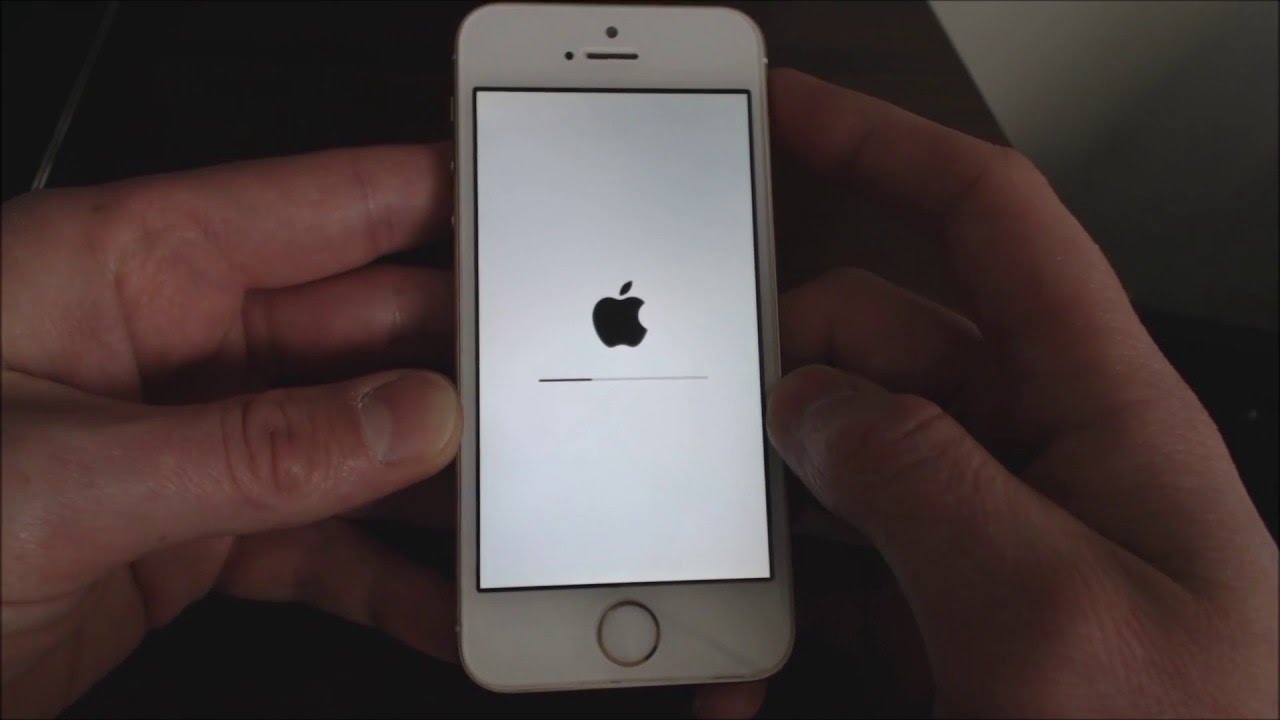
    2. Once it’s turned off, press and hold the home button for about 10 seconds. You should see the Apple logo appear on the screen.
    3. Once the Apple logo appears, release the home button and wait for your iPhone to restart. It may take a minute or two for it to boot up completely.

    2. Reset without the Home button

    If your Home button isn’t working, you can still factory reset your iPhone without it. Here’s how;

    1. Press and hold the sleep/wake and volume down buttons simultaneously for about 15 seconds.
    2. You’ll see a large Apple logo on the screen with the words Erasing all content and settings.
    3. When the phone has finished erasing everything, you’ll be prompted to enter your passcode. IIt will then restart like normal and ask if you want to set up as new or restore from backup.
    4. Choose whichever option is appropriate for you and follow the next instructions to complete the reset.

    3. Reset with settings

    1. Go to Settings > General > Reset > Erase All Content and Settings. Your phone will restart once the process is complete.
    2. You can also choose what content to delete by going through these steps: Settings > General > Reset > Erase Data (not recommended) or Settings > General > Reset> Erase All Content and Settings (all content).
    3. You may need to enter your passcode if you have one set up.

    4. Reset with iTunes

    1. Connect your iPhone to your computer using a Lightning cable, and launch iTunes.
    2. Once your device appears in iTunes, click on it in the sidebar.
    3. Click the Restore iPhone button in the Summary pane.
    4. A popup will appear asking you to confirm that you want to restore your iPhone to its factory settings. Click Restore to continue.
    5. Once the process is complete, your iPhone will restart and be wiped of all its data and settings. You will need to set up your phone as if it were new.
    6. After setting up your phone’s basic information, sync with iTunes to restore any media from backup.
    7. Once synced, you can re-enable iCloud and other services by going to Settings > Your Name > iCloud or Settings > Your Name > Privacy.
  • How to Contact Sportybet in Ghana

    How to Contact Sportybet in Ghana

    There are many reasons why you may need to contact sportybet in ghana to solve your issues. If this is the case, you may be looking for ways to contact sportybet in ghana as soon as possible because you are in dire need of solutions to your problem immediately.

    In this article, we will talk about some ways you use to reach sportybet Ghana to make your complaints.

    About sportybet Ghana

    Sportybet, as one of the leading online casinos in Ghana, has set up an exceptional online gaming facility for its customers and players.

    Sportsbook betting and casino games are mainly what this online casino provides to its users and bettors respectively. Sportybet offers its services and products through their website and sportybet mobile app.

    How to contact sportybet in Ghana

    Online gaming has alot at stake and as a better, you may have encountered an issue with your account but since its an online service, you now don’t know how to contact any customer agent to support you unlike the counter thay has direct support.

    Well, you don’t need to panic as there as ways to do so even when you are online. Below are some ways you can use to contact sportybet Ghana.

    Sportybet Ghana office

    Sportybet has their head office in Accra Ghana. However, they also have various shops across the country.

    Sportybet Ghana contact number

    Phone number: 0540134222

    Telephone: 1800138238

    Sportybet Ghana live support

    You can chat with a live support agent and make all your needed claims by;

    1. Visiting https://www.sportybet.com/gh/m/me/
    2. Click on 24/7 customer service.
    3. Live support chat will open for you, then you choose your request.
    4. Start chatting with live support agent and make your complaints and you will be assisted.

    Sportybet Ghana email address

    Aside live support or contact number, you can also reach sportybet Ghana via their email address on [email protected]

    Sportybet Ghana website link

    You may want to visit sportybet Ghana but might be fumbling on recalling their url. To visit sportybet Ghana,

    1. Open your web browser on your phone or laptop.
    2. In the search bar, type in sportybet.com.gh
    3. The sportybet Ghana website will open for you to surf through.

    Sportybet Ghana social media handles

    Facebook: www.facebook.com/sportybetgh
    Twitter: www.twitter.com/sportybetgh

    Conclusion

    You don’t need to stress on how to contact sportybet Ghana online when you find yourself fumbling online. The contact details above can serve as your guide.

  • How to Check Your Vodafone Number

    How to Check Your Vodafone Number

    Want to check your Vodafone number balance? This guide will show you how to check your Vodafone number, whether it’s online, ussd or via the app, so you can make sure you’re getting the most out of your contract.

    What is a mobile phone number?

    A mobile phone number is on a small chip mostly found in cellular phones to enable to phone make calls and also access Internet.

    Your mobile phone number is used as a key to access a variety of online and offline services. It’s often used by banks, businesses, and individuals to keep track of who you are and when you use their services.

    About Vodafone

    Vodafone is a multinational telecommunications company, founded in 1984 and based in Newbury, Berkshire. Its primary business is the provision of mobile communications services and network solutions to carriers, businesses and organizations.

    How to check your Vodafone number

    There are various ways and methods to check your airtel number in Ghana. If you are having a new or an old sim card and you instantly need the number of that sim card, then follow any of the methods below:

    Using USSD code

    1. Open your phone’s dial pad.
    2. Dial *127# and Press “OK”
    3. A message containing your sim number will appear on your phone screen in less than a minute.

    Check using the Vodafone app

    If you have a smartphone, another simple method is to:

    1. Go to the Google Play Store and download the Vodafone app.
    2. Install it on your phone and sign up.
    3. Use the credentials you created when you signed up to log into your account.
    4. Once you have logged in, you will see your number and all of the package details on the screen.

    Contacting the customer centre

    1. Go to the dial pad on your phone.
    2. Dial 100 and make the call from your number. Reply with your preferred language.
    3. Follow the voice prompts to speak to their agents.
    4. Write down your number and save it.

    Through SMS or calls

    1. Get the phone digits of a friend near you with the SIM whose digits you want to know.
    2. Call or text your friend’s mobile numbers.
    3. On their phone’s call log or messages, you will view your mobile number.
    4. For you not to forget the digits again, write them down or save them in your phonebook.

    New Shortcodes every Vodafone Customer must know

    Table below shows new shortcodes for Vodafone customers to take note of so whenever they want to use their services, they can turn to.

    ShortcodesServices
    100Call centre
    *119*Number# SendCall me back
    600Porting
    175050 Number reservation (Text #book+space+the number to 175)
    1080Access code for fixed prepaid lines
    *150#Roaming enquiry
    *151#VIS (Vodafone Information Service)
    *124#Account balance
    *134*PINReload
    *484*1#Reseller balance
    *142#Swipe card service menu access
    *126#To check bundle information
    *127#To know a mobile number
    *127*11#General news
    ##21# or ##002#Deactivate from VF Mini pack
    *5888#Vodafone X
    *556#Vodafone Vim offers
    *7070#Vodafone Supreme
    *565#Number For Life
    *530#Made For Me
    *533#Yendi Agoro
    558Register Vodafone Cash by sending register to shortcode
    *510#Agent Application Code
    *591#Vodafone Cash Agent Helpline
    *480#Vodafone Unlimited Offers
    *110#Vodafone Cash
    *566#Super Hour
    *543#Vodafone Good Morning
    *200#Vodafone Red offer
    *400#To check for your sim registration
    *474#Micro payment
    *900#FBB bill payment and balance info
    *404#Deactivating from VF Mini Pack
    *313#Vodafone live radio
    *145#Agent Sim registration
    *700#Vodafone mobile internet (Packages, bundles and more)
    *505#SOS credit

    Conclusion

    If you are an Airtel customer, then it is worth knowing how to verify your phone number. Knowing your number makes it easier to access various services on the go without finding yourself wanted.

  • How To Hide Your Phone Number When Making Calls On MTN

    How To Hide Your Phone Number When Making Calls On MTN

    MTN has a lot to offer its customers, talking of various low priced data bundles that do not expire and also low calling rates, one of them which is “MTN free after one”, allows you to make a call and only pay for the first minute — then the rest of the call will be free and aside from that MTN will dash you free 50MB to be used within that day.

    This makes MTN my favourite as they have the perfect bundles and call rate for each and everyone whether rich or poor.

    Have you ever received a call that when you check to find out who is calling you all that you can see is an unknown number?

    How do you feel receiving such a call? And when you pick the call to find out who that person is, how do you feel afterwards?

    I remember the first time I received such call, it was a friend of mine who called me and this guy was bragging on not being in this country and is using his new country number to call me that is why it is showing unknown number.

    Well at the beginning I believed him until I found out he has not travelled anywhere and is actually in this country and even in my city.

    I don’t know about you maybe you have received such call you have been wondering if it is possible to call someone and hide your number, the answer to your question is yes, you can do that on MTN.

    If you also want to make a call and then hide your number to prank your friends and loved ones then this article is for you as in this article I am going to guide you on how to make a call and hide your number using MTN,

    So without wasting much time lets get started.

    How To Hide Your Phone Number When Making Calls On MTN

    Now it is easy to hide and unhide your number when making calls, this service from MTN allows you to call someone with a service called MTN CLIR/SO. This offer costs GHS2 every month.

    To activate the Caller Hide ID on your MTN line, follow the steps below:

    1. Dial 1333
    2. Set a new pin code
    3. Confirm the pin code
    4. Create a new SMS and type clir<Space>activate<space>pin
    5. Send the to 1333
    6. The Caller Hide feature will be activated

    So After Activating How Do You Hide Your Number Before Making A Call?

    To hide your number dial *67 before a number to call to hide your number. Eg: *67024419419

    MTN regularly updates the processes for a lot of their services. Be sure to check out a list of their most recent shortcodes if the above does not work for you, or call customer care on 100.

    Conclusion

    MTN has made it easy to call someone and hide your number, there are a lot of reasons you would want to do that, maybe to tell somebody something and you don’t want that person to know your number also to prank your friends as stated earlier and many more.

    In this article, we went through how to hide and unhide your number when making calls using MTN.

  • How to spot a fake TECNO, Infinix or itel Phone or check their originality

    How to spot a fake TECNO, Infinix or itel Phone or check their originality

    With everyday phone companies bringing in news phones for its users to buy, some phones have become popular because of its quality and the people love using it due to its features, taking Infinix, TECNO, Itel and Samsung for example, when you are in Ghana, these phones are the most used phones.

    There are also a lot of people or companies that instead of creating a new phone they will rather create a refurbish of the phone that is top-selling and then sell it to people making them think they are buying the original phones.

    There have been cases of people buying new phones and instead of them to use the phone to their satisfactory, they will start complaining about the phone lagging, battery dying early and also network not been so good.

    Even me, I mostly receive such reports from my friends when they decide to buy a new phone and end up buying a fake phone.

    It’s sad to save up money for a phone and then you finally go for that phone only later to find out you didn’t buy the original type and you cant also return it for a refund because you didn’t buy it from the original companies office.

    In this article I am going to enlighten you on how to check the originality of your phone.

    With these tests, you will know how spot fake phones, that is how to know when you have bought a proper Infinix, itel or TECNO phone.

    How To Spot A Fake TECNO Phone

    When you get yourself a new Tecno phone and you want to check the originality of this phone.

    Tecno has made it easy for people to check the originality of their device. To do this visit a website (http://gc.tecno-mobile.com/index) specially created by Tecno to check the originality of their product. On this website, you will be asked to input your IMEI and your VC number and then Tecno will let you know if your phone is genuine or it is fake. 

    You can also do the same by battery originality.

    How To Spot A Fake Infinix Phone

    Infinix has become very popular nowadays and what mostly sparked about Infinix popularity is when they made Shatta Wale their brand ambassador for the Infinix Hot 8 phones, they recorded the highest selling of phones within a period.

    Infinix also got their users at heart and has also created a platform to check whether the phone you are using is original or fake

    To check the originality of your Infinix phone, 

    Visit the Infinix Verification Tool website (http://gc.infinixmobility.com/)

    Now type in your IMEI number and your VC number 

    Now hit Submit and then wait for the results.

    How To Spot A Fake itel Phone

    Yes, you can also check if your Itel is original or fake, by logging in to the Itel Verification Tool website (https://www.itel-life.com/global/support/genuine-phone-check/) and inserting your IMEI and VC number.

    Now, wait for some seconds whiles the website pull up the results, after the results you will get to know if your phone is original or it is fake.

    Wondering how to find your IMEI and VC number?

    To find your IMEI number dial *#06#

    And to find your VC number you will have to check on your battery or the back of the phone.

    Conclusion

    Buying a new phone only to go home and find out it is a fake phone is one of the most painful things ever to happen to anybody, in this article we went through how to check if your new or old phone is original or fake and we believe this will help people anytime they are about to buy a new phone.

  • How to shop directly from Amazon and have it delivered in Ghana

    How to shop directly from Amazon and have it delivered in Ghana

    If you have ever wanted to buy something from an online shop in the USA, then you probably have come across Amazon. The e-commerce site is big, with millions of products and thousands of sellers from all over the world.

    It’s one of the preferred shopping options for people who need to shop online from the USA, directly to their home or office here in Ghana.

    For a long time, if you wanted to buy something from Amazon and have it delivered to you in Ghana, you either had to rely on a contact in the USA – usually unreliable with a lot of questions, due to fraud.

    There were also third party services that used like Ahonya and FlyCrates, who don’t even handle customs or estimate the cost.

    The good news, however, is that you can now shop online from the USA via Amazon and have it delivered to you.

    Some of the products listed even have Amazon free shipping to Ghana.

    Let’s go through the process of buying from Amazon and receiving it in Ghana.

    How to buy from Amazon and ship to Ghana

    Time needed: 15 minutes

    Follow the easy steps below to purchase products from the Amazon store online and have it delivered to you here in Ghana.

    1. Create an Account or Sign in

      The first step to buying from Amazon is to create an account – for those who already don’t have one. You can visit the official Amazon site to sign up for a new account.
      If you have an account already, you will have to sign in.

    2. Find the product you want to purchase

      Amazon has more than 12 million products listed on their website. However, searching for the product you want to buy is very easy as their search is very effective. Use the search bar at the top of the site and type in your desired product.
      Then, on the results page, look at the options that come up. Be sure that the product ships to Ghana (highlighted in the image below) before proceeding.

    3. Confirm product details and proceed to buy

      Once you find the product you want and see that it ships to Ghana, you can check the right side of the page and see how much the product will cost as well as how much the shipping fees will be.
      You also get an estimate of when it will be available in Ghana.
      Be sure to verify that you are okay with all of those details before proceeding.
      Once you are satisfied, click on “buy now”.

    4. Complete your Amazon Profile Shipping Details

      Next, you will be required to enter your shipping details. This is where you will receive your product in Ghana. You can choose to use a P. O. Box or use your actual residential or work address.
      Also, include your valid phone number for when the people to deliver want to reach you. Once that is done, proceed to payment.

    5. Add a Payment Method

      Amazon accepts different payment methods. You can either use your Debit Card or use a PayPal account if you have created one already.

    6. Verify all details and place order

      On the next page, you need to make sure that all the details submitted are correct and that you have enough money in your card or PayPal.
      Once you are sure of that, you are good to go. Place the order. You will receive details on your shopping order via email.

    7. Track and wait to receive your product in Ghana

      Once the order is placed, you can wait to receive the product here in Ghana. If you used a P. O. Box, you should go to the post office to check it.
      However, if you used a residential or work address for delivery, you should wait for a phone call – after you have tracked the package to be sure it is in Ghana.

    So that’s how to purchase products from Amazon and have them delivered to you right here in Accra, Kumasi or any of the cities in Ghana.

    As pointed out by one of our readers, it is important to note that due to the COVID-19 pandemic, shipping costs have increased. Therefore, if it is not urgent, it might be worth waiting and monitoring shipping costs.