Category: Guides

  • Top Tips And Checklist For Computer Maintenance

    Top Tips And Checklist For Computer Maintenance

    Taking care of the computer seems to be a bit difficult, and it is easier to find someone close that can help you maintain your computer.

    There are lots of tips and checklists that can help you maintain your computer, and we are here to provide you with these top tips which can help you maintain your computer without stress. Before we proceed, let’s talk about maintaining a computer.

    What does computer maintenance mean?

    Computer maintenance means preserving laptops or computers so that they won’t develop faults quickly.

    Maintaining a computer or laptop implies regular cleaning of the computer, updating the hard drives, and taking necessary precautions to prevent viruses. If you consistently clean your computer, it will help prolong its shelf life.

    This will also help you save money that you will spend on replacing damaged parts of the computer.

    Your computers are already prone to overheating and having dust, so following these steps will help reduce risk by making your computer work effectively. This article will guide you through the steps you should take weekly, daily, or monthly to keep it functioning.

    How to do proper computer maintenance

    Dust the keyboard properly.

     Do you know that your keyboard can be filthy if it is not maintained? It’s good you dust your keyboard at least every week. It would be best if you did not do this with a soaked cloth instead of a damp cloth.

    Wipe your computer screen

    Sometimes you might discover that your monitor or laptop screen has fingerprints on it or any other stain may be on it. To keep your screen clean, wipe it at least once every week. Do not apply pressure on the screen while cleaning, so you don’t get it damaged. It’s also possible for your computer to come with microfiber for cleaning.

    Wipe dust and particles away from your mouse

    It is also crucial for you to dust your mouse regularly, just like your keyboard. You can also use alcohol by soaking a little of it on a cloth and then using it to wipe the mouse. While brushing the mouse, unplug it from the socket, then place it upside down to easily remove dirt.

    Reboot your computer often.

     For new computers, rebooting is vital because it helps refresh the system resources. An old computer doesn’t really require rebooting. It’s better you power off the device. You also need to maintain your hard drive, which is the most essential part of computer maintenance for durability.

    Defragging your hard drive

    This process is vital in maintaining your computer; defragging your hard drive once a month is excellent. While doing this, it breaks the files in your device into smaller bits.

    Disk cleaning

    You can free up your hard drive disk space, which can be done by running a disk clean-up. While carrying out this task, note that it will only clean temporary and extra language files.

    Install computer updates

    You should also keep your computer updated once a month. This needs to be done to keep your device applications running, and these updates are needed so your computer will last long.

    Clear up the files in your browser

    Clearing up the browser files can create some space in your device memory.

    Removing unwanted files from your computer also depends on the kind of browser you use. For instance, if you use a Google Chrome browser, choose cleaning browser data from the option. This way, you will be able to clean the browser history.

    Tidy up your devices cables

    To keep your hardware, you also need to tidy up your cables organized. You can have many cables for different devices that can get damaged if not taken care of properly. Ensure you keep them neat, arranged, and safe so they won’t get damaged and then malfunction.

    Since we have discussed the top list of maintaining your computer. Below is a table of the checklist you should follow consecutively.

    Checklist for maintenance of your device

    Computer Maintenance taskDailyWeeklyMonthlyEvery 3 to 6 months
    Rebooting your device-   
    Data backup   
    Configure your start-up   
    Update antivirus   
    Major computer update   
    Change your password   
    Dust your keyboard   
    Clear your trash   
    Delete temporary internet files   
    Move the files to cloud   

    Final Thoughts

    Now you know the importance of maintaining your computers and the top list you should follow. Ensure you carry out all that is required to keep your device in good shape for long.

  • WhatsApp View Once: How To Send Disappearing Photos and Videos

    WhatsApp View Once: How To Send Disappearing Photos and Videos

    Do you know that you can send disappearing photos and videos on WhatsApp? 

    Many people use WhatsApp, but not everyone knows about this feature. To enjoy this feature, you need to update your WhatsApp to the latest version.

    This feature is available to all WhatsApp users all over the world. This “view once” feature comes with the latest version of WhatsApp.

    “View once” is a new feature like Snapchat snaps that allows you to send disappearing photos and videos. This feature allows you to view an image or video just once, as the name suggests. WhatsApp is one of the primarily used chat apps in the world, and it has an estimate of about two billion users that communicate with each other through this platform. The steps required to send disappearing photos and videos using an iOS differ from a desktop.

    If you have your WhatsApp already updated and you are interested to know how this new feature works, we will guide you through the steps to take.

    Let’s get started.

    How to send disappearing photos and videos on WhatsApp

    1. Update Your WhatsApp Account: To update your WhatsApp, visit the play store or Apple store app. After checking for the available updates, then click on them.
    2. Choose a photo or video: If you want to send a disappearing photo or video, you first have to open the chat you’ve had with any of your contacts. To attach any images to a message, you can click on the camera icon and then take a picture. You can also select a photo from your Gallery.
    3. Select the View Icon: When you observe your WhatsApp features correctly, tap on the icon beside the text field by the left. Once you do so, you will see a pop-up informing you that the image has been viewed.
    4. Tap on the icon so that your photo and videos can be viewed: The disappearing pictures or videos you post can be recorded by viewers. They can quickly screen record the videos also.

    Any picture sent using this feature can’t be forwarded or saved automatically by the recipient. Those with the blue-tick read receipts have access to the feature that will enable them to know if the picture or video has been opened.

    It is also possible to view an unopened picture or video from the WhatsApp chats backed up.

    Please note that there is no reminder or notification to senders if the recipient or viewers take a screenshot or screen record of your pictures.

    Another thing you should know is that your contacts can view your photos or videos once, and they can be stored on their WhatsApp servers for some weeks after being sent.

    You can also send disappearing photos and videos even as a first-time user on WhatsApp. The feature that enables you to send disappearing photos and videos is available to only users using the most recent version of WhatsApp on their device.

    The “view once” feature is slightly different from WhatsApp’s regular pictures or videos. The moment you send the photo or video, it will be tagged as view once.

    Conclusion

    You should try sending photos and videos that disappear after being opened through view once on WhatsApp. This is a new feature alert for all users, giving you more control over your chat privacy.

    This new feature is helpful for all users. This will help you share your photos with your contacts.

    WhatsApp now allows you to post messages that will disappear after some days. One primary purpose of this feature is to give users control over their privacy.

  • How To Bypass “YouTube Content Not Available in Your country” Error

    How To Bypass “YouTube Content Not Available in Your country” Error

    YouTube, a subsidiary of Google Inc. is the biggest video creation and sharing platform in the world. Unlike other video streaming platforms, YouTube is completely free of charge for both video creators and those of us who go there to watch videos.

    However, not everyone in the world can access YouTube and its’ amazing content. This is usually a result of the restriction placed on citizens and residents of some countries like China, Vietnam, and some other Middle East countries where citizens cannot access video streaming services freely.

    Also, some other YouTube videos are made only for some countries. This is a result of geo-restrictions that limit YouTube’s access to some specific countries.

    Have you ever clicked on a video on YouTube that displayed “YouTube content not available in your country”? If you have, then you probably know how frustrating and annoying it is.

    But, today is your lucky day because, in this article, I am going to show you how to bypass “YouTube content not available in your country” error.

    How To Bypass “YouTube Content Not Available in Your Country” Error

    Bypassing a YouTube content restriction can be very easier than you thought. As you need to do is to have an active internet connection and you are good to go.

    Using VPNs

    To bypass the “YouTube content not available in your country” error, one of the best methods is by using a Virtual Private Network (VPN). A VPN is one of the most reliable ways of spoofing your location and IP address.

    The VPN will use encryption to hide your real location from YouTube and might also protect your internet traffic, depending on the VPN server you choose.

    Once you subscribe to a VPN client or use you to connect to a free VPN server, you can almost access anything on the internet without showing your real location. Only the VPN servers or clients will be able to see your real location.

    Choose from the available VPN clients in the world. Subscribe to their free or paid packages and then connect to the VPN.

    We recommend that you get Surfshark VPN for this purpose and more.

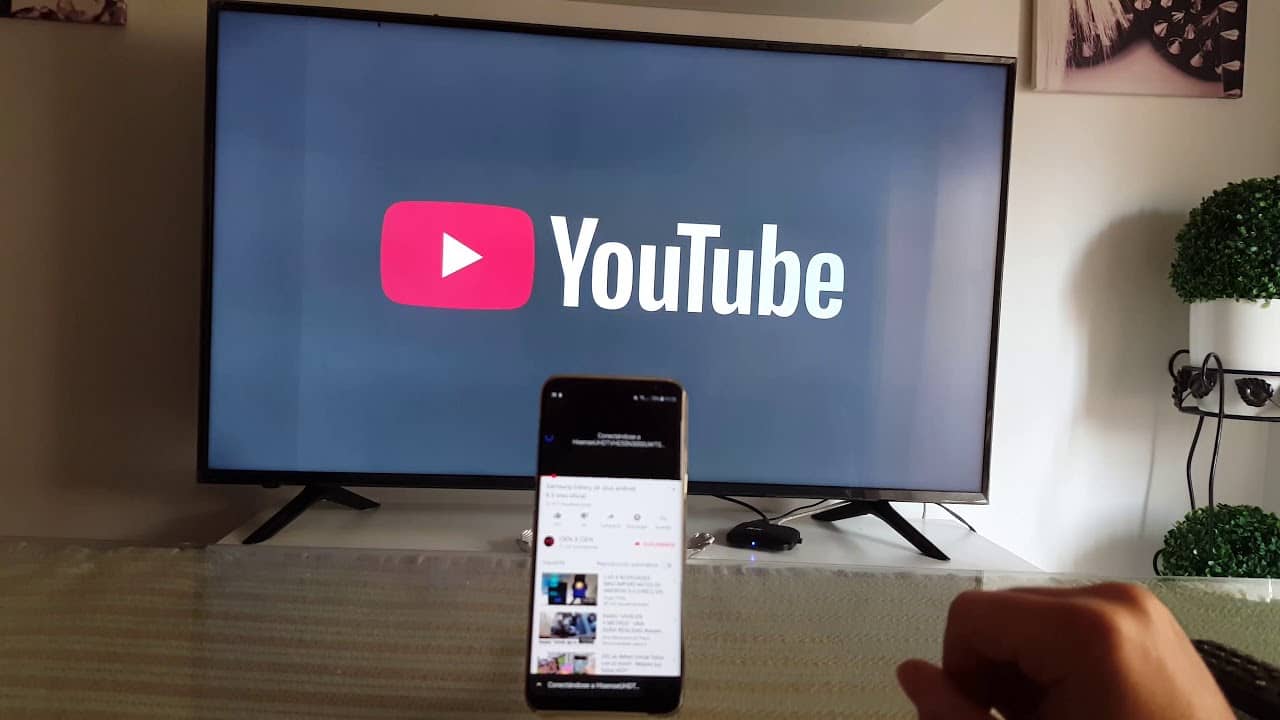
    Afterward, open YouTube and enjoy that video that had the “YouTube content not available in your country”.

    Using Proxy

    Apart from using a VPN to bypass “YouTube Content Not Available in Your Country” error, you can also use a proxy. A proxy is a computer in a remote location that acts as the mediator between your computer and the internet.

    The proxy will receive all your requests and then route them through its servers. This will tell the internet that the request is originating from the proxy’s location.

    Similar to VPN, the Proxy server will also hide your real IP address from YouTube. This way, you will be able to access the video that had the “YouTube Content Not Available in Your Country”.

    Some of the most popular proxy servers are ProxySite, FilterBypass, unblockvideos.com, etc. To wrap up with proxies, some of the proxies are paid and others are free. You can Google free proxies and choose the one you like.

    Conclusion

     As you can see from the article, bypassing a YouTube video not available in your country is not that difficult. The methods I explained in this article are straightforward and self-explanatory.

    All you have to do is to read this article carefully and you can watch almost every YouTube video, wherever you are in the world.

    Do you know of any other method you can use to bypass “YouTube Content Not Available in Your Country”? If you do, please feel free to write it in the comments section below and I will make sure to add it to this article.

    Thanks for reading this article, make sure to follow us on our social media platforms to get first-hand tech stories as soon as they get published.

  • How to Send and Receive Tips with Twitter Jar

    How to Send and Receive Tips with Twitter Jar

    Twitter Tips make it easy for users to send or receive tips from followers.

    Twitter first released this tips jar to all iPhone users before Android users. It was released in May 2021, and a third-party payment service carries out the payment.

    What Is the Twitter Tips Jar Feature?

    The Twitter Tip Jar is a new feature on Twitter that you can use to send money to one another, and it is available for all users on Twitter. Despite all that is happening in the economy, many individuals still make profits through social media platforms.

    There’s an advantage of Tip jars on Twitter which can help you send or receive bitcoin, cash, and India Rupees ( Indian Users). If you have a favourite Twitter user to whom you want to send some money, you can use the Twitter Tips. This platform has been made so that it is pleasant to all its users, and this feature is made so users can support each other or appreciate one another financially.

    You must be itching to know how you can send and receive tip jars on your Twitter page.

    Firstly, before you start using tip jars, some requirements are needed and steps you should follow. 

    1. You must be up to the age of 18 and above.
    2. You must agree to the terms and conditions of Twitter’s general tipping.
    3. You should know if the recipient has the Tips feature enabled on their Twitter account.
    4. Once you are sure that the recipient is enabled, you will see the Tips icon after the Follow button, like a cash icon.
    5. On this Tips icon, you will see the payment options the recipient has permitted on their account.
    6. The receiver should have an account with the payment platform you choose to send the money through.

    For you to make use of the tips jar on your Twitter page, you need to do the following;

    • You need to log into your Twitter account.
    • From the profile icon on your Twitter menu, click on the tips icon.
    • Accept the terms before you can be allowed to use the tips jar.

    You must update your Twitter account before who you can successfully use the tips jar on the menu. Through this feature, you can show love to one another by sending money beyond retweets, follows, and likes.

    With this new feature on Twitter, you can now easily tip your tweeters which is now a way of complimenting one another. Twitter will not take any charges for sending or receiving tips. Presently not everyone uses Twitter can send money using the tips jar, except those who use it in English on iOS. Gradually every Twitter user will have access to the Tips jar features on their profile.

    You can set up your Tips jar by simply clicking on the Edit profile to enable this feature. It also gives you different payment options which you can choose from. These payment options are what users can use to send or receive Tips;

    • PayPal
    • Venmo
    • Cash App
    • PicPay
    • Razorpay
    • Bandcamp

    Whatsoever amount you send to the recipient is delivered to them without any charges, although the payment platform may deduct money for transactions.

    Conclusion

    Using this new feature on Twitter is not limited a particular location as you might be thinking. Every Twitter user who has access to the Tips Jar feature can send funds to anyone. The good thing about this is that you can tip your favourite journalist through the payment platform on Tips Jar.

    The Twitter company believes that the number of this feature users will increase, making it fun and interacting. It is also another medium the company can encourage kindness and positivity among users.

    This platform is excellent because you can easily extend your love to people you don’t know just by sending them Tips. This feature is simply the best!

  • Twitter Spaces: How to start and grow your Audience

    Twitter Spaces: How to start and grow your Audience

    There are many social media platforms today, and they have different functions but can serve the same purpose.

    One amongst all that we would discuss is Twitter.

    The Twitter platform has been functioning for some years now. A unique feature of this social media platform is the Twitter Space.

    What Are Twitter Spaces?

    Twitter Spaces is a new function on Twitter which permits users to enjoy live audio chats. This is done on the Twitter app, and many individuals have enjoyed using it ever since it was launched. This feature enables users to join a conversation as though it is real, and you can easily invite users to a chat for conversation.

    Twitter has one of the most significant number of users. If you are thinking of starting your business on this platform is not a bad idea. Reaching a wide range of people on Twitter is possible, and it will profit you.

    Now you might be thinking, how can you use Twitter Spaces to grow your business? What steps should you take to help you get lots of audience on your Twitter Space?

    There are many possibilities for marketers to sell their products on Twitter Space. This feature permits you to reach lots of people and communicate with them, and it also allows you to decide who will be a part of the conversation.

    Now that you know about the Twitter Space let’s talk about how you can start and grow your audience.

    Let’s begin.

    Get Started by Opening a Twitter Space Account

    Before you can grow your audience on Twitter Space, you need to open a Twitter account. To run a Twitter Space, it’s paramount for you to have at least about 600 real followers on your Twitter account.

    Without having a large number of followers on your Twitter account, you won’t be able to use the benefits of the Twitter Space features.

    Create awareness of Your Twitter Space on Your Twitter Page and Other Platforms

    Opening a Twitter Space account is not enough, and you also have to create awareness of the Twitter Space on another platform. When you successfully open the account, it becomes easy for you to reach millions of people globally at the same time.

    Once this is done, you will gradually get lots of audiences on your platform.

    Always talk about Trending news and Interesting Topics

    Lots of social media users love trending news. If you can get this information continually updated on your Twitter Space, you will get many audiences.

    With Twitter Space, you can eat hear from the audience by hosting sessions that will allow them to talk.

    The multi-speaker function on the Twitter Space can make it easy for you to interact freely with your audience. In doing so, you can hear different opinions and their ideas on whatever is discussed. This will help you grow your audience and business in the long run.

    Sharing of Videos or Resource

    This is another way of keeping your audience busy and making your Twitter Space forum lively. You can post videos, articles, or any other resources which will interest your audience.

    After every session with your audience, remember to close every session.

    Ensure you get Feedback from Your Audience

    You can never predict or conclude if your audience loves your product. For this reason, you should create sessions for questions and answers with them.

    You can ask for feedback from your customers if you are into business. This feedback from customers who frequently use your products can help increase your sales on Twitter Space. As a business owner, the feedback or insights you get from your customers will boost your sales, and this is one of the best ways to grow your audience without stressing yourself.

    Twitter Space will help give you a platform to listen to your audience, know their minds, and help you serve them better.

    Conclusion

    With the unique functions in Twitter Spaces, you will take your Twitter marketing strategy to another phase.

    Now that you have an idea of how Twitter Space works, you can start yours right away with fascinating topics!

  • What to look out for when buying a UK used iPhone in Nigeria

    What to look out for when buying a UK used iPhone in Nigeria

    Have you been longing to get an iPhone?

    If you are an iPhone lover, this will help you know in detail all you have to look out for before you buy one.

    In this present time, iPhone has become the most preferred phone than other products. For a typical Nigerian who is thinking of getting an iPhone, you should buy a UK-used phone.

    Before you purchase an iPhone, it is good you get the one that is not beyond your budget.

    In the Nigeria market, UK used phones are most common. The brand new in hones are more expensive than the UK used ones, this is why many Nigerians go for it.

    When you hear of UK used products, it’s clear that they have been used in the United Kingdom before it is being sent to Nigeria.

    Although, there are lots of fake iPhones in the market. For this reason, we are here to help you with tips so you don’t fall victim of buying a fake product. While considering buying a UK used iPhone, you need to conclude on the type of iPhone you want. When you don’t decide on this first, making a choice can be difficult, especially when you get to the iPhone store.

    After you must have decided on the type of iPhone device you want, here are things you should look out for…

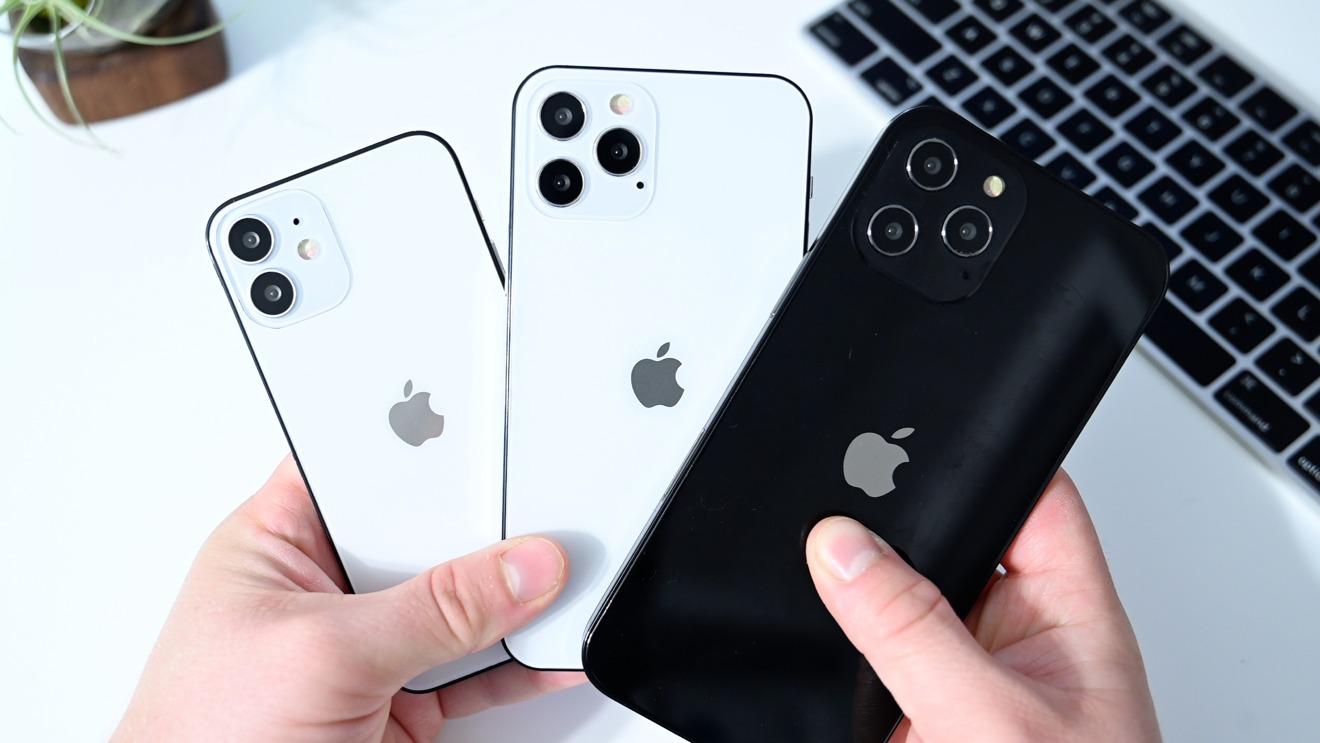
    Check the body of the iPhone if it still looks new

    UK used iPhones are usually as new as the brand new ones. Do not ignore this because the phone is cheap.

    Don’t buy any phone with scratches on it, or that looks over used. Your phones will always represent you always when you go out. Also ensure there are no damages on the phone screen.

    Ensure the iPhone is not duplicated

    There are many fake iPhone products today in the market. You need to be careful while planning on getting one.

    Another question is how do you know a fake iPhone? Whatever kind of phone you intend buying, make a research on the features. This will help your detect the type you should buy.

    Check the iCloud of the iPhone inorder to detect of it is locked

    Some of this devices could be stolen, so it is a must for you to check the iCloud. The Apple incorporation site has all the information about iPhone. All iPhone devices has an IMEI number which can help you detect if it is locked. You can make use of this websites https://www.icloud.com to verify if the device is locked You can also verify the ESN or MEID Numbers using same website.

    It is also possible for you to detect this using the Apple Activation Lock Status Tool.

    Go through the Phone Camera

    The iPhone camera is one of the most important feature that you need to go through before purchasing one. The camera is very nice, it has good picture and video quality. You should ensure that the camera is working perfectly fine. The picture quality of a UK used iPhone and brand new are of same quality.

    Check the Network Carrier of the iPhone

    The truth is that not all iPhones can carry all networks, and some of these devices are restricted to some network carrier.

    An iPhone can only work with a particular network when it is locked.

    Go through the 3D and touch ID feature

    3D features of an iPhone differs from the ID feature. This features makes it easy for you to operate your iPhone, and you can either use the soft or hard feature while operating it.

    It is also crucial that you know how to operate an iPhone using both features.

    Test all functions of the iPhone before you pay for it. You must check the duration of the device battery, the headphone and charging ports, WiFi connection, Bluetooth, GPS, and all the phone button. You should also test the speaker quality of the device. To be sure of the speaker quality, try making a call with the phone, that way you will know the sound quality.

     When you do all these listed, you won’t fall victim to buying a stolen phone device.

  • The best photo editing software in 2022

    The best photo editing software in 2022

    What image editing software do you use on your laptop or PC? There are several types of this software available on the internet that make image editing simpler.

    For professional photographers, selecting the finest software to utilize throughout the editing process is a simple chore. On the other hand, immature photographers have difficulty locating the finest editing software.

    In this post, we’ve compiled a list of the finest Photo editing tools for 2022. Let us get started.

    Photoshop Elements

    Many photo editors consider Adobe Photoshop Elements the most well-known editing program. The program features Sensei artificial intelligence for speedy data processing.

    There is also a streamlined interface that eliminates all complicated functionality required by experts, such as colorimetric profile management, support for complex layers, and so on.

    From the start, the program allows the user to see a list of the photographs, videos, and audio to which they have access. It’s divided into three sections: Quick, Guided, and Expert.

    The first offers you access to basic settings like exposure, lighting, white balance, and color tint. To change them, you don’t need to know anything about them: a preview mechanism tells you how the alteration will affect the picture.

    Photoshop Elements is unquestionably a great program, as comprehensive as it is enjoyable to use.

    Affinity Photo

    The program is truly devoted to image manipulation. The software may be used right after purchase, and there is no need to subscribe.

    As a result, the Photo persona includes traditional retouching tools and layer management. On the other hand, Liquify The Tone Mapping persona manages dynamic ranges and HDR. Finally, Export is used to export your work in all of its formats.

    It is only through using it that you will fully appreciate Affinity Photo’s remarkable power and adaptability. It can import documents in Adobe PSD format and may be modified with additional tools such as brushes, model brushes, etc.

    Anthropics Technologies

    Smart Photo Editor provides an outstanding selection of tools to increase the output of your picture, which is very useful for beginner photographers. The program has an extensive library of settings and retouching, continually updated with presets and effects from users who share their work.

    One of Smart Photo Editor’s assets is its reliance on a community actively sharing its products, or more precisely, the effects made by the program. These are made freely accessible to the public and are classified using a labeling system that makes it easy to find them.

    Some are more effective than others, and it is up to you to fine-tune them to your preferences. The program is available for both Mac and Windows.

    PhotoDirector 365

    The program gives you the option of starting in full version or Express mode when you first run it. The Express mode, it’s assumed, provides a completely automatic operation and is intended for consumers who don’t want to worry about technical details.

    We may also use the “express layer templates” in Express mode to make much more significant adjustments, such as automated frame generation, text insertion, colorimetric changes, and so on. Finally, AI style effects are very complex filters that alter the image’s style (such as turning a photo into an oil painting, for example).

    The complete model inherits all of the functionality of the Express mode while also adding a slew of new features, beginning with a cataloger. It enables the generation of tags and stars, which may be used to create dynamic collections, a chronological categorization of photographs, or even classic albums, in addition to importing a tree structure.

    Luminar AI

    The program logically opens on the catalog, which is pretty primitive since it only enables importing photos or folders when it is first launched.

    Following the process, we go via a reasonably traditional tree structure to choose the picture we want to edit. It is possible to manually construct albums using Lumina AI, allowing you to produce your photographs in separate folders.

    The Templates area gives you access to templates that include a variety of filters that enable both beginners and experienced editors to enhance their samples. Aside from the retouching tools, we like how the history system allows us to cancel one or more adjustments until we return to the original picture.

    If you are unfamiliar with how to use the program, there are a lot of tutorials and instructional videos available online. Luminar AI is compatible with both Mac OS X and Windows.

    PaintShop Pro 2021

    This Software comes with a home screen that allows us to choose the workspace that is most suited to the job at hand. Only express retouching is available in Photography, while Essential Elements presents the standard techniques in a tidy interface.

    You may use the built-in cataloger to move around the hard disk’s folder tree or import photos into its catalog. Only the Windows version of PaintShop Pro 2021 Ultimate is available.

  • How To change The Instagram App Icon On Android And iOS

    How To change The Instagram App Icon On Android And iOS

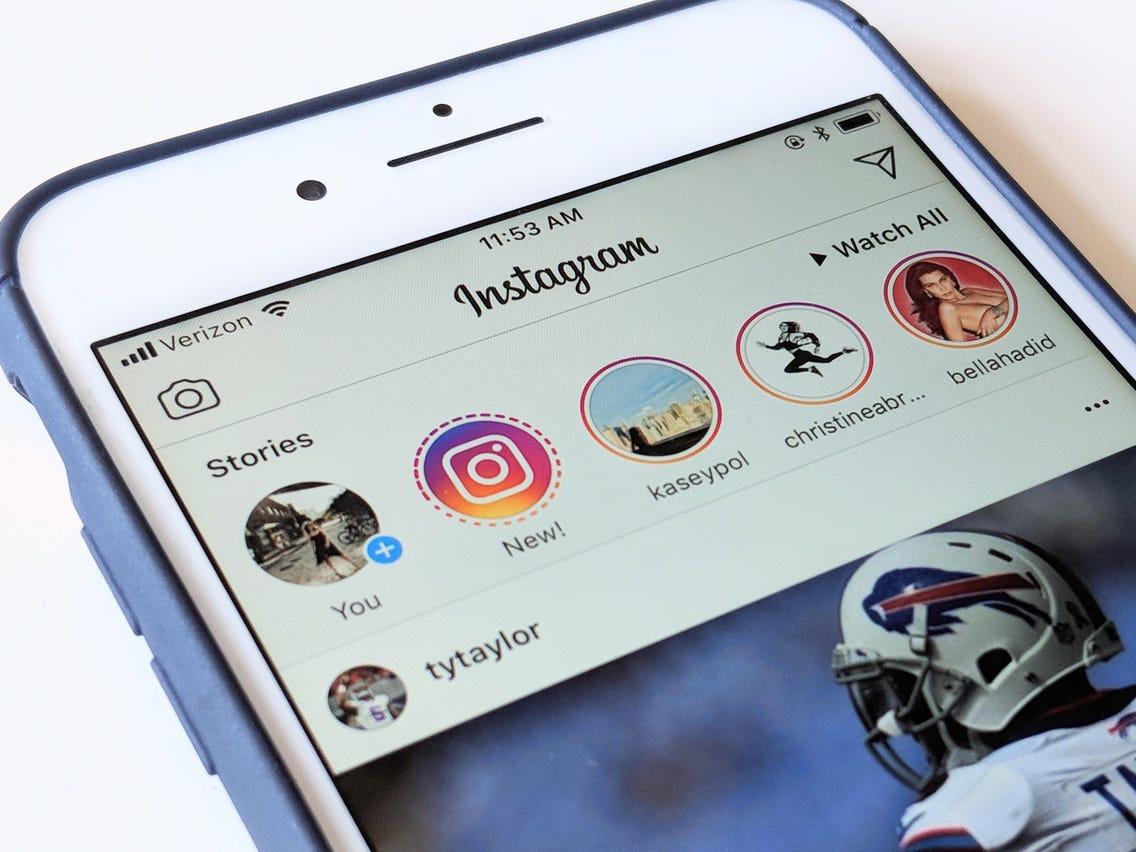
    Ever wondered if you can actually change the icon of any application on your smartphone? Well, Instagram may be just about the first application to give you that freedom and extra customization.

    So, here is the trick. Instagram is 10 years old in 2020. So, in order to create a wonderful experience for its users, the world’s second-biggest social media platform has decided to give its users the ability to change the app icon from the current one to any classic one from the past ten years.

    And wait till you hear the even more awesome part. You can take your Instagram experience to the next level; just visit the best site to buy Instagram likes PayPal.

    What this means is that you can use the Instagram icon used in 2015 as the icon for your Instagram app presently. Wonderful, right?

    So, the big question is; how can you set this up? Do you need to install a different app altogether? Do you need to download the icon image separately?

    Well, this article seeks to answer all your questions while providing you with the right steps for changing your Instagram icon on both iPhone and Android.

    But before we move on to look at the steps, let’s take a look at few facts about this new Instagram feature.

    • There are a total of 13 Instagram icons you can choose from.
    • This feature won’t work on any version of the Instagram app that is not the latest.
    • You can change the icon within the Instagram app itself.

    How To Change Your Instagram Icon On Android And Iphone

    The steps for changing your Instagram Icon on both Android and iPhone are the same. So just follow the steps below on both devices to change your Instagram Icon.

    1. Download the latest version of the Instagram application from your Google Playstore (for Android) and Appstore (for iPhone).
    2. Open your updated Instagram app and select the ‘Profile’ icon.
    3. Click on the Menu button and select ‘Settings’ from the list of options that comes up.
    4. Drag the whole page down until you see a group of emojis appearing on top of the page.
    5. A new page would automatically appear, where you can see a list of Instagram icons.
    6. Select the new icon you want to use on your phone.

    Once you are done selecting the new icon, it should appear on your home screen instantly.

    In the case of iPhone users, the icon changes completely to the new one whereas, in the case of android users, they get a shortcut to Instagram with the new logo selected.

    Easy and interesting, right? Yes, just as I promised in the introduction.

    Conclusion

    Creativity and uniqueness are what creates buzz on and about social media these days. In order to give users the chance to be more creative and feel free to use their personal styles, Instagram has introduced a feature to enable users to change their Instagram icons. This is particularly to celebrate the photo-sharing app’s 10 years anniversary.

    In this article, we spoke about how to capitalize on this new feature to change your Instagram app icon on both iPhones and Android phones.

    I hope the content of this article suffices your interest in changing your Instagram app icon. If you have any questions, comments or reservations, kindly share them with us via the comment box or get in touch with us.

    Please do well to share this article with your friends and relatives. Let them also feel the new social media buzz.

  • The Best VPN services in 2022

    The Best VPN services in 2022

    Many individuals have turned to working from or running their enterprises via the internet as the globe sees fast technological advancements.

    A VPN would be great in this case to keep you anonymous online and protect you from data regulation by different ISPs (internet service providers)

    The VPN market is vast and saturated, making it difficult to determine which VPNs best fit your needs. In this post, we’ll go over all you need to know about VPNs to help you make a more innovative download or buy choice.

    What is a virtual private network (VPN)?

    A VPN is a kind of technology that helps you to remain anonymous online by encrypting your data as it travels between your devices and the internet.

    Once you’ve connected to your preferred VPN, the program will automatically modify your original IP address and assign a false one, making it hard for anybody, even your ISP, to determine whether you’re dead or alive.

    This means that once your IP address is tunneled to a private tunnel, no one can see what you use the internet for.

    Benefits of Using a VPN

    • Get Around Geo-Restricted Content
    • Anonymity may be used to provide safety.
    • Secure Remote Work Connection
    • Save money on eCommerce that is based on a region.

    The disadvantages of using a VPN

    • Connection Speeds Are comparatively slower
    • Setup is difficult.
    • Connections that have been dropped

    In 2022, which VPNs should I use?

    Express VPN

    The number one VPN that you should download is ExpressVPN.You’ll be able to connect to over 3,000 servers in 160 locations across 94 countries when you use the VPN.

    It protects you while you’re online by using IKEv2, OpenVPN, and L2TP/IPsec.For Windows, Mac, Android, iOS, and Linux, Express VPN is straightforward to use and set up.

    The company provides a premium plan, and you can still take advantage of the 30-day money-back guarantee, which acts as a free trial.

    NordVPN

    In today’s world, one of the greatest VPNs that an infant may simply recommend to you is Probably. For all of the advantages mentioned above.

    The VPN service provider understands how to deliver all its promises without you having to worry about anything. The service encrypts your data using the AES-256 protocol. The platform presently has over 5,000 users in 60 countries, ensuring that you are fully protected.

    Nord VPN is compatible with all major operating systems, and the service also offers a 30-day money-back guarantee, which begins the day you sign up.

    Surfshark VPN

    Despite all of the exciting features available on its platform, Surfshark is a little cheaper than Express and Nord VPN.

    WireGuard, in addition to OpenVPN UDP and TCP and IKEv2 protocols, is used by the service to keep your online identity safe.

    It has over 3200 servers in 65 countries and is available on Windows, Mac, Linux, Android, and iOS. Surfshark provides a 30-day money-back guarantee, so you can give it a try before committing for a more extended amount of time.

    Proton VPN

    If you want to watch more stuff that isn’t accessible in your location, ProtonVPN is the most incredible option above the others.

    However, it is not streaming that distinguishes ProtonVPN.To protect your data, the service employs OpenVPN, WireGuard, and IKEv2.

    There are almost 2000 servers in the service. ProtonVPN is a beautiful alternative for individuals who value privacy and is available on all major operating systems.

    After registering on the site, you will be granted a free trial period of up to 30 days.

    Private Internet Access (PIA)

    This VPN service is relatively unknown, yet it is still one of the most available solid today.

    PIA uses WireGuard, OpenVPN, and IPsec to provide high levels of transparency and security to our clients. IT has over 30000 servers in more than 75 countries.

    If you’re looking for the fastest VPN for Windows, Android, Linux, Mac, and iOS, PIA is the one to go with. They provide a free trial period of up to 30 days with a money-back guarantee.

    CyberGhost VPN

    The service offers over 7,000 servers in 90 countries and applications for Windows, Mac, iOS, and Android, torrent support, and quick live chat assistance.

    When you require a server, the services will always propose the most exemplary server for you. The company employs the WireGuard, IKEv2, and OpenVPN UDP protocols to safeguard your data online.

    You’ll need this VPN since it’s proven to be the finest, and it comes with a 45-day money-back guarantee and reasonable price options for anybody who wants to use it regularly.

    Windscribe VPN

    Windscribe VPN is one of the best VPN services in this category. They employ the OpenVPN and WireGuard protocols and have 110 locations in more than 60 countries.

    There is a free and a premium plan available. The free portion tier restricts you to ten places but provides a significant monthly data allocation of 2GB-10GB.

    If you’re ready to go a step further, the premium plan begins at only $9 per month. Windows, Mac, Android, iOS, and Linux users may use WindScribe VPN.

    How to Setup a VPN on Your Device

    As you can see, most of the VPNs covered in this article are compatible with all significant OS systems. The software may be easily obtained through the OS’s respective stores, or you can go to the VPNs’ websites and download them.

    After downloading them, all you have to do is click on install and follow the on-screen instructions, which are incredibly simple.

    Your VPN will constantly attempt to suggest the best servers, protocols utilized, and the location you want to go to. However, if you are a more advanced user, you may manually configure them.

    Conclusion

    A virtual private network is advantageous in several ways. It shields you from all of the harmful behaviors that the internet can offer you since all of your data is routed via an encrypted virtual tunnel at the end of the day.

    When picking a VPN, remember that not all services are created equal and have various characteristics. However, a VPN connection will not protect you against hacker assaults, Trojans, viruses, or other malware.

    As a result, you should be cautious about what you download from the internet into your device.

  • The Best Internet browsers in 2022

    The Best Internet browsers in 2022

    What web browser do you use every morning to check, read news, stream music and videos, do an online search, or even read your emails?

    Browsers have become an essential feature in our devices today since they function as a portal via which we may access any online service. Microsft’s internet explorer dominated the market in the early days when everything was shown in HTML without any cascading style sheets.

    On the other hand, Google Chrome now controls the entire internet browser industry. What if I told you that many browsers have improved their privacy and performance today? We’ll compare them in this article.

    Google Chrome

    Since its inception in 2008, Google Chrome has managed to play a deft hand. Chrome’s popularity was built on speed, innovation, and openness back then.

    They introduced a Webkit-based rendering engine and a high-performance JavaScript runtime engine when they joined the browser market. Google Chrome has a market share of 66.12 percent as of 2022.

    The browser supports multiple user profiles, making it possible to share a computer within a family. Above all, if you’ve connected the accounts, you may sync your Android’s chrome data and access it from any of your devices.

    Features of Google Chrome

    • The vast ecosystem of extensions from the Chrome Web Store caters to the distinct demands of each individual.
    • Outstanding performance
    • It’s easy to use and enjoyable.
    • Safe browser

    Firefox

    Firefox is without a doubt one of the most innovative browsers available today. During its first debut in 2002, the browser was dubbed Phoenix before being renamed Firefox.

    The browser is open source, which means that anybody may contribute to the project, one of its key advantages. Since the introduction of Google Chrome, its market share has decreased from 30% in the 2000s to less than 4% now.

    Once you enable the synchronization feature, opening an account with Firefox is completely free. It will track your history from one computer to the next.

    Features of Mozilla Firefox

    • For all purposes, support for the well-known add-ons
    • For PCs with a multi-touch touchpad, enable pinch-to-zoom
    • The picture-in-Picture mode has been improved to play thumbnail videos at the bottom of a web page
    • Tools for thwarting internet ad trackers.
    • There is no data gathering.

    Brave

    Brave is not only quick and easy to use, but it also has a unique attitude when it comes to remunerating online publishers with the well-known BAT, the cryptocurrency gathered by users when surfing with so-called acceptable adverts.

    Brendan Eich, a co-founder of Firefox, released the browser in 2016.

    Brave has a user interface that is quite similar to Google Chrome. You may select to import data and preferences from different browsers. It’s worth noting that, unlike other browsers, there’s no need to register a user account here.

    Brave Features

    • It respects the privacy of its users
    • The user interface is well-designed, and the ergonomics are excellent
    • The most rapid product on the market

    Microsoft Edge

    The new Microsoft Edge is fantastic news for customers, mainly Windows 11.

    It’s not that previous versions of Windows and below don’t have it, but its ease of use and fluidity make it a viable option for you to consider.

    Following the collapse of Internet Explorer, Microsoft released Edge in 2015, which can operate on mobile devices. Edge provides a data sync option if you have many PCs and want a unified experience, but you’ll need a Microsoft account.

    Features of Microsoft Edge

    • Correct performance
    • The web browser is lighter, quicker, and more contemporary
    • The Windows/Microsoft environment is integrated

    Opera

    Based on the open-source Chromium project, Opera attempts to differentiate itself from Chrome and other browsers by providing an accessible and limitless VPN service.

    It’s now reliable, robust, simple to use, and packed with features and customization possibilities. In 2013, the firm accepted the Chromium project, which allowed publisher Opera Software to be incredibly creative in introducing a wide range of functionality.

    Features of Opera

    • dependable and effective
    • Rapid Flows
    • Enhanced security via the use of appropriate encryption methods
    • Support for social media platforms including Twitter, WhatsApp, Instagram, and Messenger
    • Support for Ethereum programming interfaces for crypto-wallets

    Vivaldi

    Vivaldi is a pervasive and full browser that may seem laborious and hard to approach and alter at first look due to its vast number of native features and customization tools geared mainly towards power users allergic to Google.

    However, due to extensive optimization work and various options, the program is now available to everyone, allowing you to bypass Google’s privacy policies while still enjoying the advantages of Chrome. Vivaldi on Android is also a great complement to the desktop version, which nowadays harkens back to the glory days of Opera.

    Safari

    Safari, Apple’s web browser, illustrates its efforts to provide the most outstanding software for its devices. The browser is quick, has a simple interface, and may be customized to some extent.

    Chrome extensions, tab previews for advanced users, and fast translations from the menu bar are all supported. The disadvantage of Safari is that it can only be installed on Apple devices.

    Features of Safari

    • Provides a privacy report that is free of errors
    • Extensions are supported
    • Tab previews are shown

    Conclusion

    A fantastic browser can meet all of your requirements. That is to say; browsers should be simple to use, quick, and respectful of your privacy.

    They should also keep trackers, hackers, and internet eavesdroppers at bay. Finally, we’ve compiled a list of all the browsers that will work with all of your devices. It’s all up to you.