Category: Guides

  • How To Identify Fake and Scam Facebook Pages

    How To Identify Fake and Scam Facebook Pages

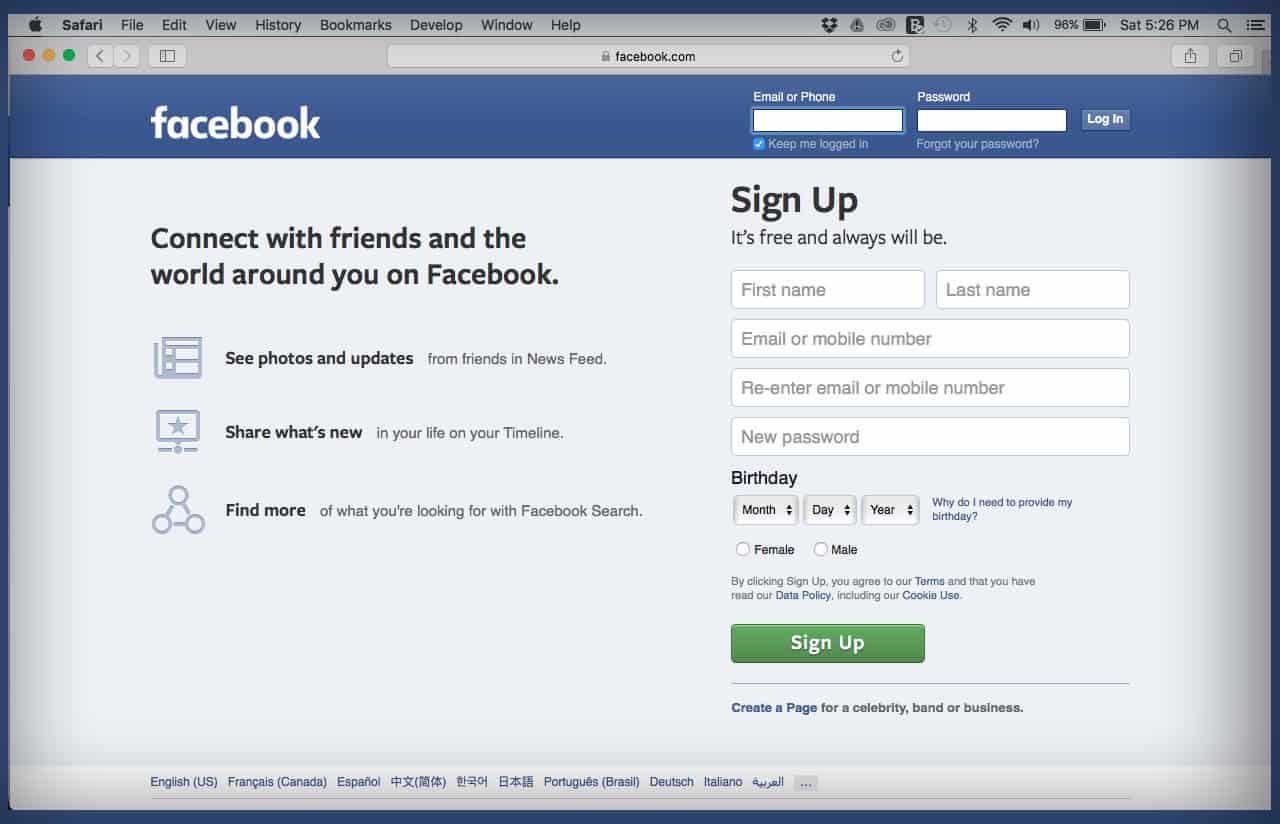
    How many times haven’t you come across a Facebook page bearing the name of a celebrity or big company asking you to do something for a giveaway?

    How many times haven’t you heard of people getting scammed on Facebook by impersonators?

    The numbers are numerous. But, you probably would still fall victim in such instances. Because you don’t know how to spot a Fake or scam Facebook page.

    Perhaps, you think you know just how to spot them. But how much do you know about them?

    Well, in this article, we take a quick look at some ways to identify and fish out fake Facebook pages.

    Remember, the focus is on Facebook pages and not Facebook accounts or profiles.

    What’s a Fake Facebook Page?

    A fake Facebook page is usually a page created by scammers or unscrupulous people pretending to be other people or companies on the social media platform.

    This is done mostly by scammers or bloggers. The end goal of such pages is either to build trust with unsuspecting people and defraud them of their hard-earned cash in the case of scammers.

    On the part of bloggers, they do this to get more followers for the page and then share their blog posts there to reach a wider audience.

    Either ways, Facebook’s community rules stand against this.

    How To Identify a Fake Facebook Page

    There are some few ways to spot and fish out a scam or fake Facebook page. A few of them are explicated below.

    Unverified Pages

    The first way to spot a fake Facebook page is by checking if the page is verified.

    A verified Facebook page carries a blue tick right in front of the page name.

    Facebook provides room for big companies and celebrities as well as media organizations to be verified with the blue tick.

    Therefore if you see a page bearing the name of a big company or celebrity and has lots of followers without a blue tick, you should think twice when dealing with them.

    Note however that, page verification is done manually. You’ll have to apply for your page to be verified.

    So, if the page owners are not aware of the verification bit, then their page may not be verified.

    To be sure, you can search for pages with the exact name. If you see more than one page with one being verified, there’s a possibility that the rest are fake. Especially if they all have the same logo.

    Check for altered names

    The next step is for you to take a closer look at the page name to confirm if there’s an alteration.

    Mostly, these fake pages are created in the names of known brands or celebrities.

    So, to confirm if the page is legitimate, you should take a closer look at the name.

    Facebook makes it impossible for a page to bear the exact name of an existing one.

    So, if the brand already has an existing legitimate page on Facebook, then the scammers can’t create theirs with the same name.

    They’ll therefore usually add some special alterations to change the name of the page.

    For example; if the original page’s name is VIRGIN AIRLINE, the fake page may bear the name VIRGN AIRLINE or VIRGIN AIRLINE. or VIRGIN AIRLIN or VIGIN AIRLINE.

    Now, these scammers are so smart that they usually change very tiny details about the name so if you don’t take a closer look, you may never know.

    And no, don’t worry about checking the profile picture. It is not a strong point. Many pages can have the same profile pic so that won’t help with the differentiation.

    Pages asking for donations

    one common trait of fake or scam pages is their rampant request for donations.

    It’s just logical that a successful man like Alinko Dango wouldn’t be on Facebook asking you to donate to support a charity cause he is undertaking.

    It’s not impossible for celebrities to undertake such causes but you’ll have to take a closer look at the request, the details as well as the previous factors listed above.

    For example; if you see a call for donation on an officially verified Facebook page belonging to John Dramani Mahama for a noble cause, it’s more likely to be real than if the same thing is posted on a poorly organized Facebook page bearing a similar name.

    If it sounds too good to be true, then it really is

    The final check on this list is facts and posts on these pages.

    If you see anything that sounds abnormal or too good to be true on any of these pages, then it really is fake.

    You should employ logical judgements in such cases. For instance, if the page is asking you to send your bank details and contact so that they can send you some amount of money, you ought to think twice.

    What have you done to deserve that?

    Also, if they’re selling something at an abnormally cheaper rate, you should ask yourself why their price is way cheaper than everyone?

    You should also ask yourself why they insist on payment before delivery.

    There are so many things these pages post which should raise a red flag for you.

    If you observe carefully, you’ll see some of these things and advise yourself appropriately.

    Also, check out How To Stop Websites And Apps From Posting On Your Facebook Timeline

    Conclusion

    Facebook is the world’s leading social media platform with over 2 Billion active monthly users.

    Due to the number of people available on the platform, it provides a comfortable breeding ground for scammers and unscrupulous people to ply their trade with ease.

    Fake Facebook pages are becoming rampant and they are forming the basis for the majority of the scam activities on the platform.

    In this article, we looked at some ways to spot fake Facebook pages.

    We hope you loved the content of this article and that you’ll share it with friends and relatives.

    Kindly share your comments, reservations and comments with us in the comment box below or get in touch with us.

  • Things To Look Out For Before Buying a Pendrive

    Things To Look Out For Before Buying a Pendrive

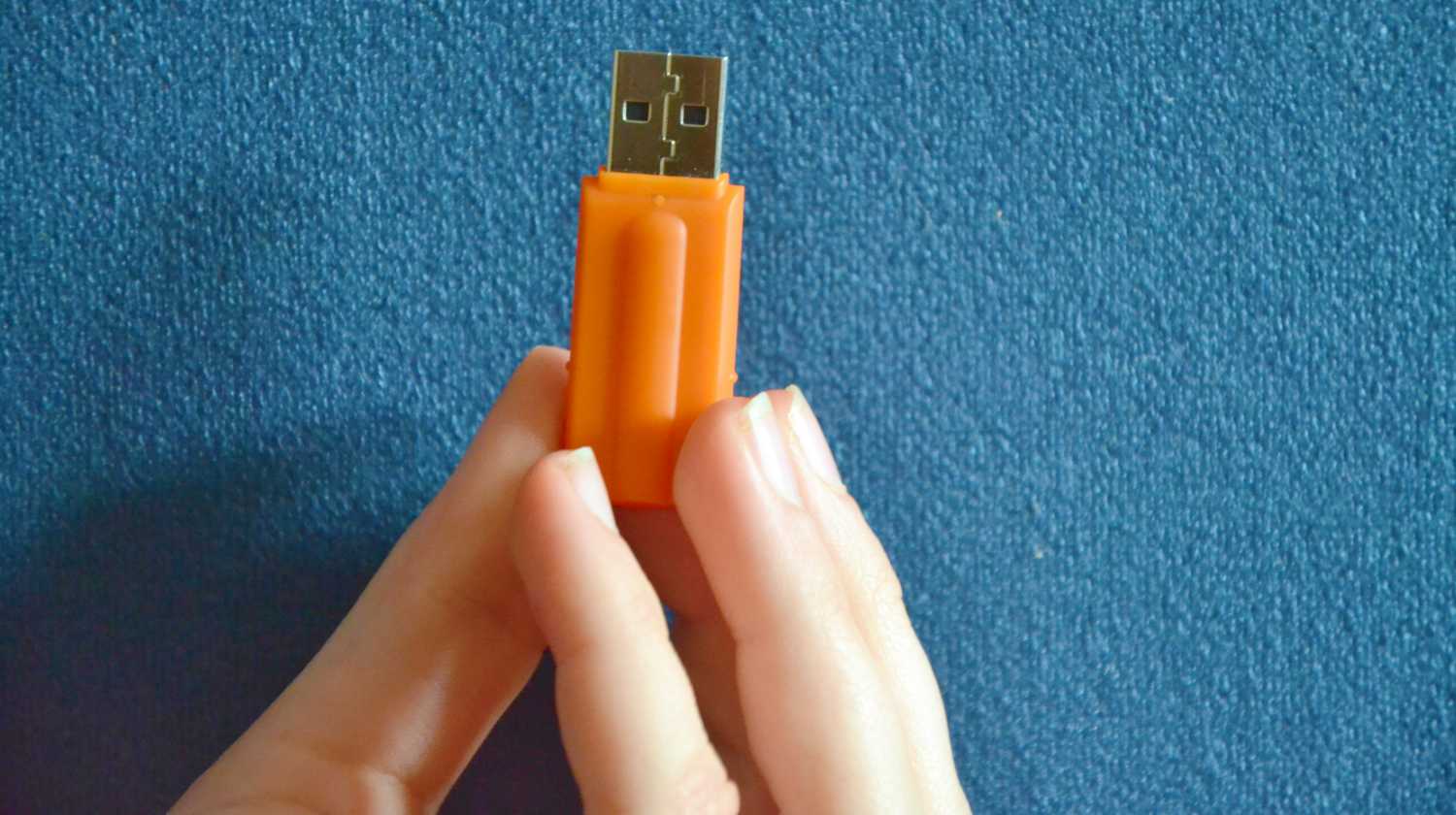
    For one reason or the other, anyone who has lived after 1998 has ever come across a pen drive and possibly used one before.

    Pen drives were introduced in 1998 to ease the frustration associated with using CDs and Floppy disks as alternative data storages to the hard disk.

    Frankly, since the introduction of pen drives or flash drives, data storage has become a lot easier and faster.

    But, when purchasing your Pendrive, there are a few things you need to know. For most people, they just check the storage capacity written on the drives and then they issue payment.

    It’s understandable. But sincerely, this could be just about the perfect way to throw away money – most times.

    In this article, we shall take you through some few things to look out for when buying a pen drive.

    We also wrote about Things To Look Out For When Buying a Memory Card.

    Transfer Speed

    Depending on the volume of data that you want to store on your pen drive and how fast you need that to be done, you should consider speed when buying the drive.

    There are basically two types of pen drives – based on speed. There’s the 2.0 drive and the 3.0 drive.

    The latter is faster than the former. With the 2.0, it can process data at 60 MB per seconds while the 3.0 can process data at about 640 MB per seconds.

    Now, the catch is that you should also consider the capacity of the computer you’re using your pen drive in.

    Most modern computers support USB 3.0 which means they are suitable to be used with pen drives with 3.0 speed.

    However, older machines only support 2.0. So if you have such machines, you should only go for pen drives at 2.0 speed.

    One thing to note is that if you use a 3.0-speed pen drive in a computer that supports 2.0, the pen drive speed will automatically reduce to 2.0.

    Why You Want To Buy The Pendrive

    More than anything else, you should have a reason for buying a pendrive.


    And that reason should form an integral part of your decision-making process regarding which drive you should buy.

    Reasons for buying the drive could range from gifting it to someone, retrieving and storing some data, as an extra storage space and so on.

    Now, the reason for buying the pen drive will give you a fair idea of the kind of pen drive to buy, the volume and what have you.

    Obviously, if you’re buying to gift someone, you might want something fancy and based on how much space the person may require, you’d know which drive to buy for them.

    The Storage Capacity

    Rightly so, the most important thing people look out for when buying a pen drive is the storage capacity.

    Let’s be real, you can’t buy a pendrive without knowing its capacity.

    What you need the Pendrive for will determine the storage capacity you go for.

    If you want to transfer a folder of high-quality movies from one machine to the other, then you’re probably looking at some hundreds of GB.

    Presently, there are pen drives which can carry data of up to 1TB. But you have to be careful with the type of pen drive you buy. Especially if it comes with such huge storage capacity.

    Brand

    There are numerous pen drives on the market presently. Some are original and tend to last longer.

    Meanwhile, there are some which are simply ‘Rip-offs’. You buy them and they start messing up in a few weeks.

    You can’t even return them to the shop where you bought them because they come with no warranty.

    Now, to prevent the frustration which comes with this situation, it’s always best to buy pen drives from brands you know and can trust.

    There are quite a good number of known tech brands which deal in the production of pen drives.

    You should look out for those brands and purchase their Pendrive. If you see a Pendrive bearing a name you can’t pronounce or a name that is wrongly spelt, you might as well just move away.

    You are more likely to face issues with a Pendrive bearing misspelt names than you would with a drive bearing a known name.

    That said, you ought to be the judge. To find out which brand you want to buy from.

    Conclusion

    A pendrive serves different purposes for different people.

    However, one thing remains for sure – we all need pen drives at one point or the other.

    But acquiring a Pendrive shouldn’t just be as simple as walking into a drinking spot and buying your favourite beer.

    There are lots of things you should know and check when buying a Pendrive.

    In this article, we spoke about some of these things which should be considered carefully when deciding on buying a Pendrive.

    We hope that you found the content of this article very helpful and resourceful.

    Share all your comments, questions and reservations about the article with us in the comment box below. Also, feel free to get in touch with us.

    Please do well to share this with your friends and relatives as well.

  • How To Register Your MTN SIM Card In Ghana

    How To Register Your MTN SIM Card In Ghana

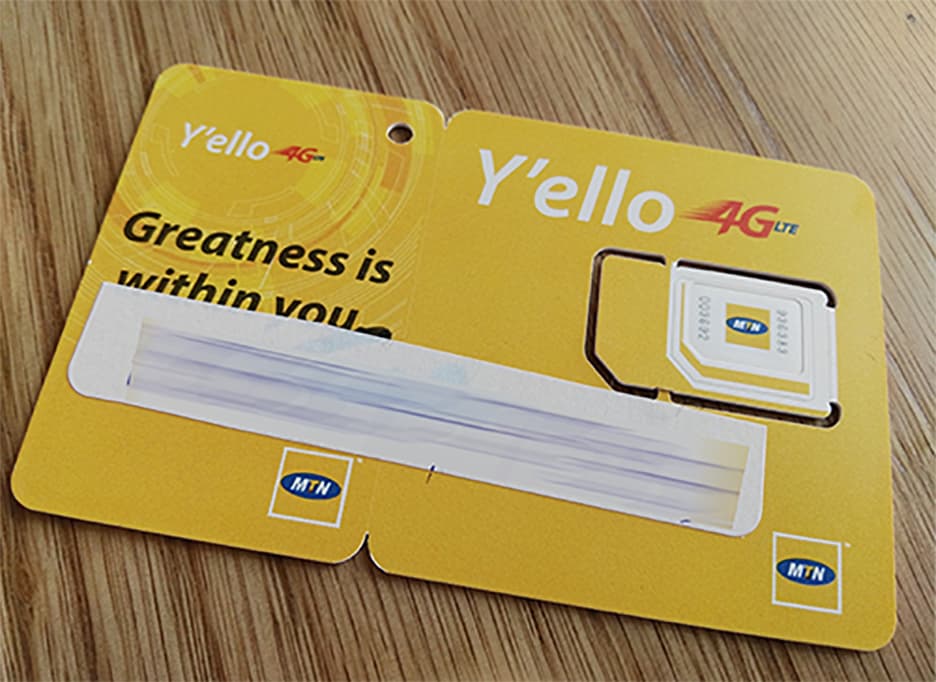
    Whenever you purchase a new MTN SIM card from the trusted dealers in Ghana, your SIM will be registered for you. But on certain occasions, you might not be able to register your SIM at that particular moment.

    If such a thing happens, then you have to go home and register the new MTN SIM yourself. In view of that, I have written this article to show you how to register your MTN SIM card in Ghana.

    MTN Ghana is known to be one of (if not) the biggest and most used telecommunication platform in Ghana. MTN (formerly Areeba) has been in the telecommunication business in Ghana for more than two (2).

    After they rebranded from Areeba to MTN, most Ghanaians were of the view that this business was going to collapse soon. Over two (2) decades on, Ghanaians have now realized that MTN Ghana has gained market in Ghana and has indeed come to stay for good.

    Almost every village in Ghana has now been connected to the MTN Ghana network. Thus, it is no news that MTN is the biggest telecommunication platform in Ghana.

    In terms of mobile money, even uneducated Ghanaians from both the rural and urban areas are now active on MTN Mobile Money. In my village alone, somewhere in the Eastern Region of Ghana, there are more than ten (10) MTN Mobile Money (MoMo) operators.

    Now enough of the plenty talk, let’s now jump into the main reason for this article and is how to register your MTN SIM in Ghana.

    How to Register Your MTN SIM Card in Ghana

    In Ghana, before you can use a SIM card, you first need to get it registered with its respective network provider. For instance, you cannot register your MTN SIM card with Vodafone or vice versa. Otherwise, the SIM card is not going to function until you have done due diligence.

    1. Visit any MTN authorized vendor or office in the country
    2. Give your SIM card to the merchant
    3. Provide the merchant with your ID document
    4. In a few minutes, the merchant will register your SIM card for and get you registered on the MTN Ghana subscriber’s database
    5. Upon successful completion, the merchant will hand over your registered SIM and ID document to you
    6. Afterward, insert the SIM card into your mobile phone and enjoy all the MTN Ghana services

    Requirements For Registering Your MTN SIM Card in Ghana

    Before you can register your MTN SIM card in Ghana, there are some requirements you need to meet. If you fail to meet any of these requirements, your SIM cannot be registered for you.

    Below are some of the requirements when registering your MTN SIM card in Ghana:

    • National Photo Identification Card (Ghana Card, Voter’s ID, Driver’s License, or Ghana Passport)
    • A new MTN SIM card
    • Your address of residence (you can include the Ghana Post GPS code (GE-XXX-XXXX))

    How To Check Your MTN SIM Card Details in Ghana

    After registering your MTN SIM card at the vendor or the office, you can check to see if the details used matches the correct info.

    This is very important because if not taken note of, it could affect you whenever you visit any of the MTN offices to require some information about your account. For instance, if your mobile money account is locked, MTN cannot be able to unlock it for you,

    To do so, all you need to do is to dial *400# on any mobile device, be it Android, iPhone, or Yam.

    You will then see your FULLNAME (FIRST NAME, LAST NAME), ID TYPE, Last four digits of your ID, and your Day and the month of birth.

    Additionally, a message with the same information above will be sent to you via SMS.

    If the information provided is incorrect, you can update it online here or you can visit any MTN Ghana office nationwide with the ID you used to register the SIM card.

    Conclusion

    The entire process of registering an MTN SIM card in Ghana is very simple, and quick.

    Currently, there is no way you can register your MTN SIM card yourself. You can only do so by visiting any of the MTN vendors or offices nationwide.

    The cost of MTN SIM cards in Ghana is GHS 3.00 and if a vendor tries to sell it to you at a cost more than that, you can visit any other vendor.

    Also, the cost of registering your SIM in Ghana is free and as such, you shouldn’t pay any amount when registering your account.

  • How To Delete Read-Only Contacts on Your Infinix & Tecno Phones

    How To Delete Read-Only Contacts on Your Infinix & Tecno Phones

    Do you know how to delete read-only contacts on your phone? That’s just a rhetorical question because I know the answer you have to this question is NO; otherwise, you wouldn’t have been here.

    Deleting read-only contacts has been found out to be very difficult. In that regard, I have decided to show you how to delete read-only contacts on your phone.

    A read-only contact is an in-app contact that is added through an external Android app like Facebook, Viber, WhatsApp, or Facebook Messenger. These secondary apps store the contacts temporarily on the phone’s storage by connecting the contacts from the phone’s contact list.

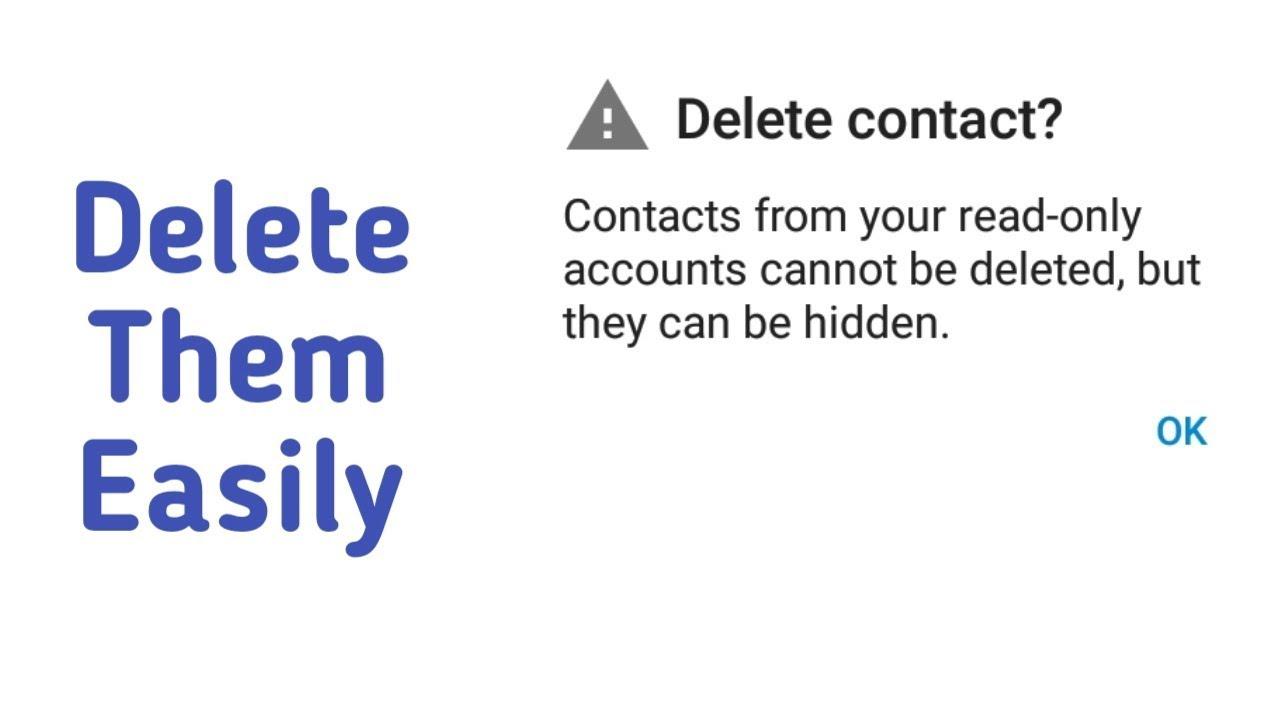
    One main problem with read-only contacts is that they can’t be deleted from your Android device. As soon as you try to delete the read-only contact, an error message will be displayed, i.e. Contacts from your read-only accounts cannot be deleted.

    Unfortunately, these contacts will always appear in your Address book but you can’t delete them. As a result, I am going to show you a way around how to delete a read-only contact on your phone.

    How To Delete Read-Only Contacts on Your Phone Online

    1. Go to contacts.google.com on your web browser
    2. Log in with your Google account email and password (this is because all contacts on your Android device is saved to Google by default)
    3. A complete list of all your last saved contacts will be displayed here
    4. Locate that particular read-only contact you wish to delete from your phone
    5. Mark it to select it and then click the More tab and then click on Delete
    6. After you have successfully deleted it, go to Settings >> Account >> Google
    7. Enable sync, and wait for the read-only contact to be deleted

    How To Delete Read-Only Contacts From WhatsApp

    1. Go to contacts.google.com on your web browser
    2. Log in with your Google account email and password (this is because all contacts on your Android device is saved to Google by default)
    3. A complete list of all your last saved contacts will be displayed here
    4. Locate that particular read-only contact you wish to delete from your phone
    5. Mark it to select it and then click the More tab and then click on Delete
    6. After you have successfully deleted it, go to Settings >> Account >> Google
    7. Enable sync, and wait for the read-only contact to be deleted
    8. If you have a WhatsApp tab opened, close it and open it again
    9. If it doesn’t work, restart your phone, and then the read-only contact will be deleted from your WhatsApp contact list.

    How To Delete Read-Only Contacts On Android 9 “Pie” and Android 8 “Oreo”

    1. Open the Contacts app on your device
    2. Choose the read-only contact you wish to delete from your phone
    3. Open the menu
    4. Tap on View Linked contacts
    5. Tap on Unlink and then confirm your decision by a tap on Unlink
    6. Tap on the contacts you wish to delete
    7. Open the menu and then tap Delete >> Delete

    Conclusion

    Deleting a read-only contact on your Android device is one of the trickiest things to do. If you don’t have the required skill, you will never be able to do it.

    Many people have tried it for a long time now and have never been able to do it. People even have to pay techies and other IT geeks to get these contacts deleted for them.

    Because of that, I have explained two (2) steps you can choose from if you want to delete a read-only contact on your phone. You have to read both of the methods and choose the one that works best for you.

    I hope this article was helpful, leave behind all comments concerning this article in the comments section below and I will attend to you within the shortest possible time.

    Finally, I would like you to share this article with all your friends and loved ones, and then subscribe to our newsletters to get all our latest articles right in your email inbox.

  • How To Download a Movie Using Torrent

    How To Download a Movie Using Torrent

    Are you a movie freak looking for places to download a movie on your laptop or PC? Read on to find out one of the ways to download a movie on your laptop or PC.

    Downloading a movie on your laptop or PC can be very difficult if you are not able to find the right website.

    If you don’t take care, you will end up downloading the movie together with a virus which will end up compromising your device either partly or completely.

    In order not to download a virus on your device as a movie, one of the best and safest ways to download a movie on your laptop is by using a torrent.

    What is a Torrent?

    Before we jump into the main reason for this article, let us briefly look at what at all a torrent is. You might have heard of the word torrent somewhere but did not understand what it meant.

    Whenever you hear of the word torrent in any tech article or world, it simply refers to a computer file containing metadata that holds various information. Usually, files that have the torrent format has the extension .torrent

    Although a torrent file is a file holding various information, it does not contain the final or actual contents to be distributed. For example, a torrent movie file will not have the video and the sound that you need to be able to watch the movie.

    As such, the information will be used by a BitTorrent client or software for the final distribution. The software will allow you to easily download the file to your laptop or PC.

    Some of the most popular BitTorrent software include uTorrent, qBittorrent, Vuze, Deluge, BitTorrent, Transmission (ideal for Mac and Linux), BiglyBT, etc.

    How To Download A Movie Using Torrent

    1. Download and Install torrent software on your PC or laptop
    2. Visit a torrent movie site
    3. Search for the movie you want to download
    4. Download the torrent file. Usually, it will be Download or Get this torrent or something similar
    5. Drag and drop the torrent file into the BitTorrent software
    6. Click on Add or OK, or something similar
    7. Wait for the torrent file (s) to begin the download
    8. After the download, let the torrent seed completely
    9. Open the file on your media player and enjoy your movie

    How Does A Torrent Work?

    As stated earlier, a torrent file is an initiator to the downloading of the actual movie. So, before you can get the actual movie, you need to, first of all, get the corresponding file (.torrent).

    Once you get the link, you will need a BitTorrent software to open the file. Once the BitTorrent client scans the file, it will then locate the seeders sharing the corresponding file.

    It does so by connecting to a list of defined trackers and attempt a direct connection. Upon successful connection, the final/actual content will then begin to transfer.

    The downloads are done in fragments or pieces of the actual content. After the download, the pieces will be reassembled to form one actual file.

    Top Movie Torrent Sites

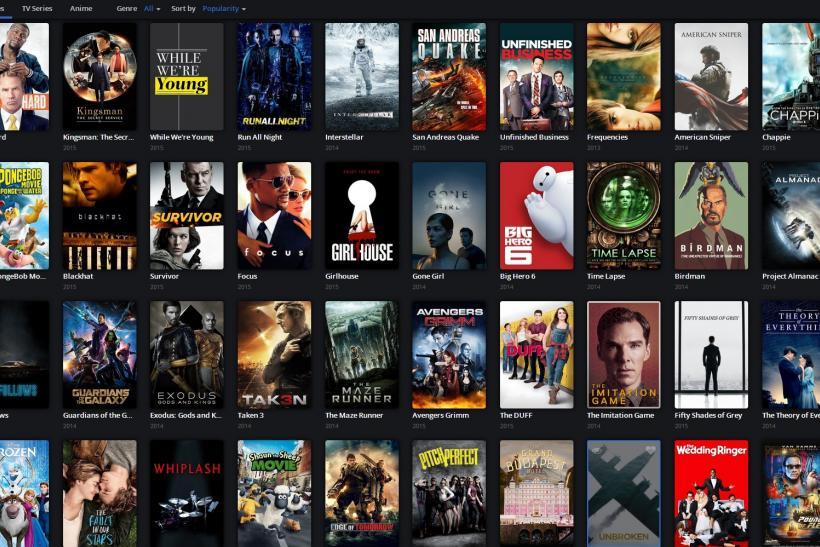
    There are many torrent sites available on the internet for you. But below is a list of some of the best movie torrent sites

    • The Pirate Bay
    • Kickass
    • Rarbg
    • YIFY
    • EzTV
    • Zoogle
    • Lime Torrents
    • Torlock

    Conclusion

    Downloading a movie using torrent as stated in the introduction is one of the safest and best ways to download movies on your laptop or PC. Some of the torrent sites are not secured and some of them also has copyrighted files.

    Therefore, I urge you to make sure that the torrent site you are visiting is very secured. You can do so, by reading reviews from people who have used the site before.

    Also, you need to be aware that most of these torrent sites show pornographic ads so you might want to view them in a safe environment, away from children. Or you can turn on ads blocking on your browser.

  • Windows 10 Sound Equalizers You Can Use Today

    Windows 10 Sound Equalizers You Can Use Today

    One of the best ways to relax and have your alone time is by listening to some cool music. To make the most out of your music listening experience, you need to enhance the audio to suit your preference.

    Some people like their music to have more bass than the treble and vice versa. To be able to do this, you need to have a sound equalizer installed on your PC or any device at all.

    There are over a thousand Windows 10 sound equalizers available on the internet. But not all these sound equalizers can perform their functions.

    Some of these equalizers will up ruining your music listening experience worsen than what you had before installing them.

    As a result, I have written this article to show you some of the best Windows 10 sound equalizers you can use today.

    Windows 10 Sound Equalizers You Can Use Today

    Windows 10 has several sound equalizers that are available to be downloaded. But as I stated earlier, some of these equalizers will end up messing up your music.

    Hence the need for us to look for some of the best Windows 10 sound equalizers for you. So after doing my research, in no particular order, here are the top Windows 10 sound equalizers you can use today.

    Equalizer APO

    The first Windows 10 sound equalizer on the list is Equalizer APO. It is one of the best, customizable, and completely free-featured sound equalizers in the world.

    Unlike other sound equalizers, Equalizer APO operates ONLY as an Audio Processing Object (APO). And because of that, if you use audios with APIs like WASAPI or ASIO, it is not going to work.

    Featured in the Equalizer APO software are unlimited filters, 3D sound support, multi-channel use, and interestingly, very low CPU usage. You can tweak the settings to improve your audio quality.

    FXSound

    The FXSound software is a 2-in-1 equalizer software. The software has two (2) main tools, i.e. the equalizer, and the real-time audio processing.

    The equalizer has 10 bands that can go from 110Hz to 15KHz. Some of the other features of the equalizer include ambiance, surround sound, dynamic boost, customizable sliders for fidelity, and bass boost.

    All these features have specific roles they take. For example, the main role of the dynamic boost is to increase the loudness by increasing the dynamic range. Also, the ambiance is to add extra stereo depth to the sound, and so on.

    On the other side, the real-time processing feature is used when you are streaming or listening to an audio file on the web. Unlike the others, FXSound comes with a 7-day free trial, after which you be asked to pay a one-time fee of $49.99.

    Due to the cost involved, this sound equalizer is ideal for persons who often use equalizers in their line of work. For example, DJs, presenters, music producers, musicians, vloggers, etc.

    DFX Audio Enhancer

    Not everyone is a pro when it comes to tweaking sound settings on your computers. Therefore, for those of us who have little idea of equalizing, the best software to use is the DFX Audio Enhancer.

    The DFX Audio Enhancer has 10 band equalizers with a ton of featured presets. Also, DFX Audio Enhancer has the dynamic boosts whose main role is to increase the loudness of the sound by increasing the dynamic range

    Voicemeeter Banana

    Voicemeeter Banana is the best equalizer for persons who work a lot with microphones, hence the name voicemeeter. If you are a YouTuber or podcaster, then the best sound equalizer on the internet for you is voicemeeter.

    Voicemeeter Banana has an advanced audio mixer that gives you the authority to control all your computer’s audio for all kinds of recording or streaming. If you record with your PC, you can use the voicemeeter banana software to tweak the audio settings.

    You can equalize both the input and the output sound levels of your audio. Whether you are recording or speaking with people over the internet, you can make the necessary equalizing.

    With Voicemeeter Banana, you can choose to donate an amount to them to promote the app or you can go ahead and download the app for free.

  • Vodafone Cash Pay Small Small: How To Buy A Mobile Device And Pay in Installments

    Vodafone Cash Pay Small Small: How To Buy A Mobile Device And Pay in Installments

    In Ghana, buying a new mobile device from the top shops is very expensive. As a result, most Ghanaians chose to buy the home used edition from the street hawkers.

    One of the main reasons why this happens in Ghana is the lack of a credit system for people to buy products and pay later. Sadly, even acquiring a loan in Ghana for non-public sector workers is very difficult and even if possible demands a lot of going back and forth to the bank.

    As a way of reducing the burden on their customers, Vodafone Cash has a system called Vodafone Cash Pay Small Small. This way launched to help their users to acquire their dream mobile device by paying in monthly installments.

    What is Vodafone Cash Pay Small Small?

    Vodafone Cash Pay Small Small is a convenient payment from Vodafone Cash that allows subscribed customers to acquire products and services from registered partners by paying in agreed installments (monthly).

    In simple terms, once you register for Vodafone Cash Pay Small Small, you will be able to acquire products (mobile phone, tablet, laptop) from their registered shops and pay in monthly installments.

    How Does Vodafone Cash Pay Small Small Work?

    First of all, you will visit the Vodafone Cash website to see the product ID and prices for each shop. Afterward, you will make the first payment on the day you decide to register for the Vodafone Cash Pay Small Small service.

    Once the payment is successful, you will be given a unique reference code that you will use to check how much you have paid so far and also use it when making payments. After that, you will be required to pay the agreed monthly charge the next month.

    For example, if you made your first payment on 1st December, you will be required to make the next payment on the 1st of January. The subscriber will be responsible for making the agreed payments from their Vodafone Cash wallet for their monthly payments to the partner.

    On the last day, you make your payment based on the agreed monthly installment, a pick-up code will be sent to you by Vodafone Cash. You will then present the code together with a National ID for your product.

    You will only be given the device after you have made the full payment. In case you chose to cancel the purchase, 10% of the amount you have made so far will be deducted and the remaining 90% will be made available to your Vodafone Cash wallet in five (5) working days.

    Finally, the tenor of each item is determined by the partner shop on the signup platform. Therefore, once the tenor is chosen it can never be changed.

    How To Register For Vodafone Cash Pay Small Small

    1. Dial *110#
    2. Select option 4 (Make Payments)
    3. Choose option 6 (Pay Small Small (PaySS))
    4. Select option 1 (Subscribe)
    5. Enter the PaySS code of the item from the vendor’s shop
    6. Choose the period you wish to use to pay the full amount (3 months, 6 months, 9 months, or 12 months)
    7. A brief of the product will be given with the agreed monthly installment fee, press 1 to confirm
    8. Press 1 to pay your first monthly charge
    9. Enter your Vodafone Cash PIN to confirm the payment
    10. Upon successful completion, the product brief and reference code will be sent to you via SMS

    How To Pay Off Your Installment Before The Agreed Last Day

    1. Dial *110#
    2. Select option 4 (Make Payments)
    3. Choose option 6 (Pay Small Small (PaySS))
    4. Select option 2 (Check Subscription and Payoff)
    5. Enter the payment reference code
    6. A piece of detailed information will be given and then you will be given the option to pay off the remaining amount.

    Who Are The Partner Shops?

    • Electroland
    • iPlace
    • Novotech
    • Sunseekers Tour
    • Appliance Republic

    Conclusion

    With the introduction of this amazing feature by Vodafone Cash, subscribed users can be able to get their dream device in just a few months. Although you can only receive the device after the agreed period, it is worth trying.

    The only thing you need to do is to be committed and pay the money in the exact agreed period and then you will get your brand new device in no time. Make sure to share this with all the Vodafone numbers on your contact list now.

  • How To Insert A Word Document Into Another Word Document

    How To Insert A Word Document Into Another Word Document

    Do you want to insert a word document into another word document? Do you need the content of a word file in another word document?

    Is this even possible? The answer is a big YES, it is possible and it has been done severally. And in this article, I am going to show you how to insert a word document into another word document.

    For several years now, Microsoft Word has been the most used word processing software in the world. Even though there are several other alternatives to MS Word, people continue to use it.

    One of the main reasons why people love using it has an easy User Interface (UI) and can be used by everyone; techies and non-techies alike.

    Aside from the fact that it is used by most people, most people are also not aware of some of the basic tips of MS Word. One of such easy to do tips is how to insert a word document into another document.

    By default, you can easily insert the content of a previously created word document into a new or different Word document. All you have to do is to go click on someone or two (2) tabs and you are good to go.

    Because this is very simple and quick, this is article is going to be short and straight to the point. I am going to hit the nail on the head with the hammer without beating around the bush.

    How To Insert A Word Document Into Another Word Document

    1. Open the Word document you wish to insert the other Word document into.
    2. Click on where you wish to insert the content of the first document.
    3. Click on the Insert tab and then select the arrow next to Object.
    4. Choose Text from File.
    5. Next, locate the file you wish to insert and then double click on it.

    Conclusion

    That’s all that is required to insert a word document into another word document. You can do this at any time and at anywhere you are.

    NOTE: If you want to also insert the header and the footer, make sure you insert the text from the file in a new section so that the header and the footer are applied to only those pages.

    I hope this article was helpful? Feel free to write down all your comments in the comment section below and I will attend to them as soon as possible.

  • The Best Places You Can Buy MTN Turbonet From Right Now

    The Best Places You Can Buy MTN Turbonet From Right Now

    Do you want to buy an MTN Turbonet in Ghana? Are you looking for a place to buy an MTN Turbonet in Ghana?

    If you want to buy an MTN Turbonet in Ghana, then this article is going to be very helpful. This is because, in this article, I am going to show you some of the best places you can buy MTN Turbonet from.

    MTN Ghana’s Turbonet was introduced a few years ago to solve some of the internet challenges facing many Ghanaians. Especially, those in the corporate sector, and small startup businesses.

    After its release, the demand for the Turbonet was very high but after some months, the demand began to decline.

    In this COVID-19 era where most businesses are now working remotely and teaching is now being done online, the demand for the MTN Turbonet has begun to increase again. As such, I decided to write this article to guide you on some places where you can buy the MTN Turbonet.

    Best Places You Can Buy MTN Turbonet From

    There are many places you can buy the MTN Turbonet from in Ghana. Though the places to get the device are many, the authentic places to get the device are few.

    Some of the shops and retailer sells fake Turbonets instead of the original. Below are some of the best places you can get the MTN Turbonet from.

    All MTN Service Centers Nationwide

    The first place to get the MTN Turbonet on our list today is all MTN Service Centers nationwide. MTN is known to be one of (if not) the biggest telecommunication company in Ghana.

    As such, there are users of MTN in almost every part of the country. As such, MTN Ghana Limited has service centers and offices in all the 16 regions in Ghana.

    In Accra alone, there are more than 100 MTN service centers and offices spread throughout the city. So, you can locate any of the several MTN service centers in the country to buy your MTN Turbonet.

    Hubtel Ghana

    Hubtel Ghana is one of the biggest E-Commerce company in Ghana is located at 63 Hotel Road, Kokomlemle, Accra. Hubtel has an online e-commerce website where they sell all electronic devices at very cheap and affordable price.

    MTN Turbonet, being one of the most demanded electronic devices in Ghana is also sold by Hubtel Ghana. At Hubtel, they connect you with the shops that sell these products to help you easily purchase your product without any fear.

    All you have to do is to visit their official website and make a purchase for your MTN Turbonet. In case you face any challenges while making your purchase, you can call them toll-free on 0800 222 081 or via WhatsApp on 024 243 8050.

    Jiji Ghana

    Jiji Ghana (formerly Olx Ghana) is one of the best places to buy an MTN Turbonet from. Jiji is a platform that allows people who are selling products to advertise their products either for free or a charge.

    On this platform, you can view several people who are selling the MTN Turbonet and the prices they are selling it for. You can scroll through them and choose the one you want.

    Afterward, you have to schedule a meet with the seller, test the product, and then make your purchase. This platform is very good but can be sometimes used by fraudsters to extort money from people.

    Therefore, you need to schedule a meet with the seller and carefully scrutinize the product before you make payment.

    Conclusion

    Quality access to the internet in Ghana was very difficult in Ghana a few years ago but now, due to devices like the MTN Turbonet, access to the internet is very easy.

    If you are someone who works from home or does virtual learning, then I would recommend that you get yourself an MTN Turbonet.

    This way, you can get a dedicated internet connection for your work or studies without worrying about your phone disruptions, especially when using a personal hotspot on your phone.

    Do you know of any other place you can buy the MTN Turbonet from? If so, then I would like you to write it in the comments section below and I will check it out and add it to this list.

  • How To Track Your Sleep On Apple Watch

    How To Track Your Sleep On Apple Watch

    Are you wondering how your sleep cycle is going? Do you have a hard time sleeping and was wondering about your sleep cycle? If so, then you can do so with your Apple Watch’s built-in sleep tracker.

    In this article, I will be showing you how to track your sleep on your Apple Watch without installing any third-party apps.

    Previously, tracking your sleep and sleep cycle wouldn’t have been possible unless you use a third-party app. But with the release of the Apple watchOS 7, Apple introduced a new built-in sleep tracker.

    Although the Apple Watch’s sleep tracker can get the job done, it doesn’t have all the needed features to track your sleep.

    So, if you really want to know the details of your sleep then you can go ahead and download a third-party app. But basically, the Apple Watch can perform this task very well.

    All you have to do is to wear your watch when you are going to sleep and it will go ahead and monitor your sleep, the duration of your sleep and how deep you sleep during this period.

    The apps will automatically transfer the chart to your iPhone that you have connected to your Apple Watch. This way, you can view your sleeping cycle and pattern the next morning and then make your own analysis of it.

    How To Track Your Sleep On Apple Watch

    Before you can track your sleep on Apple Watch, you need to make sure that your Watch has watchOS 7. Also, your connected iPhone must be an iPhone 6s or later and running iOS14. You can update your iOS if it doesn’t meet the requirements.

    Also, you need to power your battery before you go to bed. (You don’t want your watch to go off in the middle of the night). Afterward, you can follow the steps below to track your sleep on your Apple Watch.

    1. On your iPhone, open the Watch app.
    2. Scroll through and then tap on Sleep.
    3. Toggle the switch next to Track Sleep with Apple Watch to start monitoring your sleep.

    How To Set Up Sleep On Your iPhone

    After turning on the Track Sleep with Apple Watch, you need to set up the sleep and sleep goals on your iPhone. Follow the steps below to do that:

    1. Open the Health app on your iPhone.
    2. Under Set Up Sleep, tap on Get Started >> Next.
    3. Follow the prompts to establish your sleep goals, bedtime and wake-up times, sleep mode, track sleep with Apple Watch.

    Conclusion

    Because the Apple Watch has a tracker, you need to make sure that your Apple Watch is worn comfortably. If you choose to wear it loose, it will track more movements than normal in your sleep.

    Also, make sure that you have turned on charging reminders so that you will not forget to charge your watch before bedtime.

    The sleep chart is a complete one and it tracks the times you wake up during your sleep. You can even set up a reminder for your Watch to wake you up whenever it’s time to wake up.