Category: Mobile Apps

87425

  • Top 5 Online Food Delivery Apps In Ghana

    Top 5 Online Food Delivery Apps In Ghana

    Food is one of the basic necessities of life, if not the most basic of them all.

    Whoever you are or wherever you are, your body requires that you eat at least once or twice a day to stay healthy.

    While some have the time to cook their food at home, others have to buy from outside either because they have limited time to cook or for other reasons.

    Even for those who prefer to cook their food at home, once a while they are made to eat food from outside.

    Interestingly, you don’t have to go to that restaurant or food vending shop to purchase your favourite meals anymore.

    Thanks to Berners Lee’s internet, you can order your food online from the comfort of your bed and get it delivered to you in a few minutes.

    In this article, we shall look at the top 5 food delivery apps in Ghana.

    Jumia Food

    Jumia Ghana is undoubtedly a strong force in the online shopping and delivery space.

    Their food app allows individuals to shop food from various restaurants and get them delivered right to their homes.

    Jumia food app also allows the purchase and delivery of some non-alcoholic and alcoholic drinks as well as ice creams.

    Delivery fee for Jumia food deliveries vary from location to location and restaurant to restaurant.

    You can download the app on your android device or for your iPhone.

    KFC Delivery

    As Ghana’s biggest chicken and rice dishes restaurant, KFC offers a simple and friendly application for receiving orders and deliveries via its KFC Delivery app.

    The app which is a trademark product of KFC only delivers food from KFC restaurants across the country, prioritizing the restaurant closest to the customer who places an order.

    The makes use of customer’s GPS location to help connect them with a KFC branch that is closest to them.

    Delivery for this app also varies based on the location of the recipient.

    You can download the KFC app on your android devices or for iOS.

    Uber Eats

    Uber knows just where you go and your preferred restaurant and bar destinations so rest assured that they have the perfect solution for your food delivery problems.

    Uber Eats is a subsidiary of the Uber Transport company. They use machine learning and artificial intelligence to identify restaurants that are within a one-kilometre radius or less from your location to give you options of restaurants where you can purchase your food.

    With a wide variety of restaurants and bars on their list, Uber Eats gives you the best selection of restaurants from which you can get that delicious meal delivered right at your doorstep.

    What are you waiting for?

    Get the Uber Eats app for Android and iOS

    Homechow Ghana

    Looking for an app that offers you over 5,000 restaurants in Accra and Kumasi?

    Homechow is the solution to your search term.

    With over 500,000 meals curated from over 5,000 restaurants across Ghana’s cities, Homechow offers a wide range of dishes and restaurants to individuals seeking to purchase food online.

    Be it breakfast, lunch or supper, homechow has just the right solution for you.

    Get the Android App or the iOS App to enjoy their services.

    Edziban Food Delivery

    Last but not least on our list here is Edziban Food delivery.

    With Edziban, food delivery and placing orders have been made a lot easier.

    With just some few steps, you can finish up with your order placement and await your delivery bike to arrive in very few minutes.

    Edziban covers over 500 restaurants spread across the length and breadth of Accra which offer excellent local and continental dishes.

    You can download their app on the Google playstore.

    For iOS users, unfortunately, the app is not available on the apple store presently. Hopefully, it gets listed there in the near future.

    Conclusion

    Ordering for foods and services is becoming increasingly easier with the adoption of technology by many businesses and enterprises.

    Today, the food industry has also received its bite of the wonders of technology so one doesn’t need to be physically present at a restaurant to place order.

    Right from the comfort of your homes, you can place an order for any food of your choice and before you know it, your food is right at your doorstep.

    I hope this article and the list of apps captured in it help you to reduce the time spent on travelling all the way to nearby restaurants to order your favourite meal.

    If you have any additions, comments or reservations regarding this article, kindly mention them in the comment box below.

    You may also kindly share with your friends and relatives.

  • How to add any place to Google Maps in Ghana

    How to add any place to Google Maps in Ghana

    Google Maps is one of the most popular applications on the Android platform. It’s not surprising that Google (who literally “own” android) will push the app to users, especially as Google feels it is an important component of every smartphone.

    Well, I think maps are important and I use them frequently. Over the years, Google Maps has seen tremendous change and improvements, making it continually useful.

    One advantage of adding a place to Google Maps is that it can be found on all services that utilise Google Maps’ API. These services include Uber, Taxify and even the GhanaPostGPS.

    Generally, maps are very incomplete if they are not able to tell what can be found at the specific places and Google – in the quest to make maps reliable, gives users the option to add places to their maps (with verification).

    Here in Ghana, a lot of places cannot be found on the map but with this feature of Google Maps, you can add all your favourite public places to help others.

    The ability to add or remove places from Google Maps was only available to “Map Makers”. Map Makers would soon close and be moved to Google Maps. Hurray!

    How to add a Place to Google Maps

    Check that you have GPS enabled in your settings.

    For the best results, set the GPS settings to high accuracy. This can be done by going to your android Phone’s Settings > Location and Security. When this is done, open the Google Maps application (it should be the updated version), then tap on the menu button (three horizontal lines)

    "Check

    You should be near the place you want to add to the maps.

    Zoom in to the blue dot. That represents your current location. As in step one, click the menu button and then Click on “Add a missing place”.

    A new menu comes up where you fill the details of the place. In this Tutorial, I add Access Bank, Airport Branch to Google Maps. In order to get the street address, tap the “current location” sign.

    It should automatically update to where you are. Alternatively, tap on “Mark Location on Map” and map the appropriate location.

    You should be near the place you want to add to the maps. Zoom in to the blue dot. That represents your current location. As in step one, click the menu button and then Click on "Add a missing place". A new menu comes up where you fill the details of the place. In this Tutorial, I add Access Bank, Airport Branch to Google Maps. In order to get the street address, tap the "current location" sign. It should automatically update to where you are. Alternatively, tap on "Mark Location on Map" and map the appropriate location.
    You should be near the place you want to add to the maps. Zoom in to the blue dot. That represents your current location. As in step one, click the menu button and then Click on “Add a missing place”. A new menu comes up where you fill the details of the place. In this Tutorial, I add Access Bank, Airport Branch to Google Maps. In order to get the street address, tap the “current location” sign. It should automatically update to where you are. Alternatively, tap on “Mark Location on Map” and map the appropriate location.

    Fill all details including category and the hours open.

    To get the place you are adding verified, it is always best to add a photo, which you can capture straight from Google Maps or by selecting a photo from your gallery.

    Adding a photo helps Google prove that the location being added is a real one.

    Fill all details including category and the hours open. To get the place you are adding verified, it is always best to add a photo, which you can capture straight from Google Maps or by selecting a photo from your gallery.
    Fill all details including category and the hours open. To get the place you are adding verified, it is always best to add a photo, which you can capture straight from Google Maps or by selecting a photo from your gallery.

    When you are done, submit by tapping the submit button.

    If you did everything right, you should receive a notification on-screen saying “Thank you for Improving Google Maps”.

    You should also receive an email when Google verifies that you have actually added a genuine place.

    Sometimes, Google may run its own verification so the email you receive will only state that your entry is under review.

    When you are done, submit by tapping the submit button. If you did everything right, you should receive a notification on screen saying "Thank you for Improving Google Maps". You should also receive an email when Google verifies that you have actually added a genuine place.
    When you are done, submit by tapping the submit button. If you did everything right, you should receive a notification on-screen saying “Thank you for Improving Google Maps”. You should also receive an email when Google verifies that you have actually added a genuine place.

    What else can you do in Google Maps?

    Well, let us know in the comment box how you have been using Google Maps and if you intend to add any places soon.

    Don’t forget to check out all the Businesses and Locations that are not allowed to be added on Google Maps.

  • Why I stopped Using Opera Mini and I don’t regret it

    Why I stopped Using Opera Mini and I don’t regret it

    Way back in 2009, when I had just acquired my first “true” mobile phone – the Nokia Xpress Music 5130c-2 – I was among the happiest people on earth.

    I was using MTN then and internet bundle was much of an issue as it was pretty much expensive.

    That Nokia phone, and those of it’s kind, are what we now refer to as “feature phones”. Yes, It lacked a mind to be smart.

    The phone also runs on Java and any application that had to be installed had to be a java application.

    We used to browse through the then-popular waptrick.com just to find some useful applications or games to download and play.

    Opera Mini browser during those days was my best browser and I remember personally installing and recommending it for a lot of people.

    We used Opera mini for basically everything – News, Facebook, wallpaper search and the likes.

    On a feature phone like the Xpress Music, Opera Mini was the best because it loaded pages very fast in a city where 3G access was very limited even on MTN at the time.

    Opera mini also did not use a lot of data bundle and this made it a browser favourite for a lot of people. Honestly, I can’t think of any other browser around the time that posed any threat to Opera Mini – maybe UC Browser.

    Fast Forward to 2020, where the standard is a smartphone with at least 4G internet access and huge data plans.

    Is Opera Mini really useful now? My answer – NO!

    When I had my first true smartphone – the Samsung Galaxy S4, Opera Mini browser was one of the first applications I downloaded from the then Android Store.

    Still got love for feature phones and even “yams”.

    After all, I had a relationship with the browser that has had my back for all these years. However, with each passing day, I became more and more disappointed in the application – it had not changed much.

    All Opera Mini knew was speed, sacrificing other very relevant functionalities.

    It’s very surprising that a lot of Ghanaians still use the Opera Mini Browser

    Opera Mini remains one of the most popular browsers in Ghana. In fact, just last month, over 30% of the visits to Mfidie.com came from the browser.

    But why don’t I like it anymore?

    Firstly, Opera Mini works very badly with JavaScript and I doubt you will be able to comment on this post if you use the browser.

    Opera mini also makes copying text from a website a nasty experience. The text is not wrapped effectively and if you do copy from within the browser and paste elsewhere, you would spend a lot of time “editing” the text to look just right.

    Opera mini essentially limits the functionalities of websites and may even make a perfectly good looking website look so dumb.

    Not a browser you can enjoy right now – Even on the Galaxy S4, released in 2013.

    Personally, as a publisher, Opera Mini is fast becoming a nemesis. I rely heavily on Google Ads and Opera Mini by default blocks every kind of Google Ad.

    The browser is so aggressive at blocking ads that even image ads are sometimes caught. If 30% of my visitors are not seeing my ads, that’s huge. I take solace in the fact that all these people reading on Mfidie.com still get all the information they need.

    Mfidie.com currently has a publishing agreement with Opera Mini’s sister app – Opera News, where our own Ads are blocked by default, and Opera places their ads, but revenue is shared. Maybe Opera can look at implementing that inside of Opera Mini.

    And for everyday internet surfers, if you are using Opera Mini, you are definitely using it because of one or both of these reasons – speed and data savings.

    I stopped using Opera Mini because a fast browser that does not deliver quality does not quite make the cut for me.

    I discovered an old acquaintance – UC Browser. This browser delivered almost the same speed as Opera Mini as well as better functionality. I was able to do almost all that I wanted to do on any website of my choice.

    Again, I think Opera Mini is not for your smartphone – we’ve moved past that level.

    There’s a reason why there is a real Opera Browser on the Play Store (without the mini).

    Maybe look at your browser choices. After all, if you have been able to stay in a relationship with Opera Mini, then you can love almost any other browser.

    What do you think of Opera Mini? Do you still use it? Leave a comment below.


    The first version of this article was published in 2017.

  • 5 Video Conferencing Apps Similar To Zoom

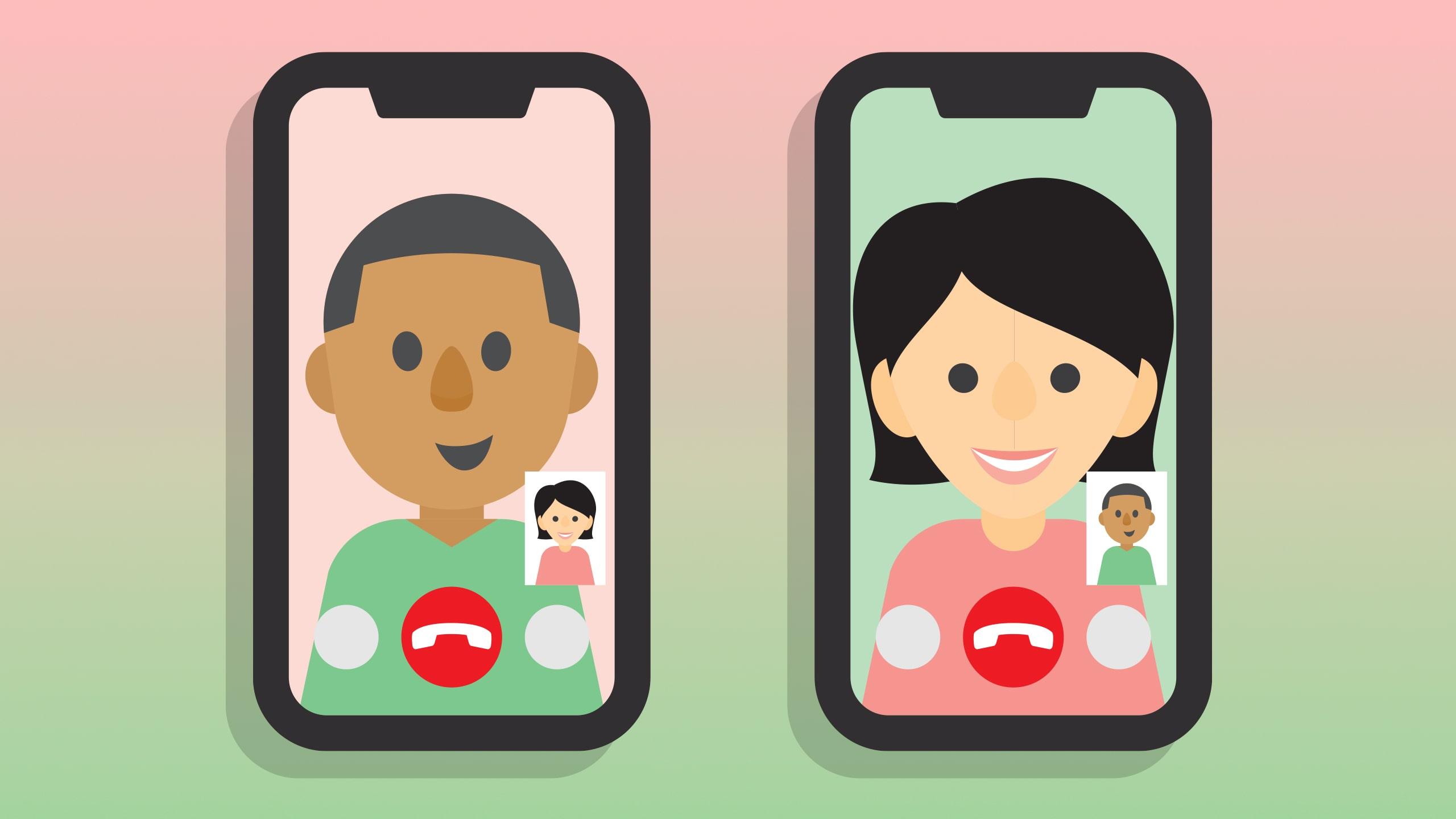
    5 Video Conferencing Apps Similar To Zoom

    Once upon a bad time, the whole world comes to a standstill due to a pandemic that shook the very core of our lives.

    The whole world and indeed everything in it turns to an online space where there is little physical contact between people – a step towards easing the impact of the pandemic.

    One of the many online platforms that have seen a surge in users since the start of the pandemic is Zoom – a video-conferencing application.

    One question that has lingered on many minds is what other video conferencing apps are there aside Zoom – which has become a name associated with video conferencing worldwide.

    In this article, we shall look at five other applications that are suitable for video conferencing.

    Google Meet

    Google is a global brand known for top quality and simplicity when it comes to products for making communication effective.

    Google Meet is google’s competitive product for the video conferencing market.

    Google meet works as a platform for hosting scheduled meetings with a team of people.

    For those who are already acquainted with Google Hangouts, Google meets is an advanced form of Hangouts, specifically for businesses.

    Skype For Businesses

    Occupying the second spot on our list of five video conferencing apps that one can use aside Zoom is Skype For Businesses.

    Skype is the world’s first and most-used video conferencing platform before the prominence of Zoom.

    Skype, a product of Bill Gate’s Microsoft Inc, allows users to host video chats and conferences for people up to 250 at a time.

    Users are made to pay 2USD per month for the service provided by Skype For Businesses.

    Go To Meeting

    If the stress of having to write down major points while hosting a major video conference is a headache to you, then Go To Meeting may be the right application for you.

    GO TO Meeting is a video conferencing and audio conferencing platform which hosts conferences for up to 150 participants at once

    With cloud recording enabled on this application, meetings are automatically recorded for users to go back to watch and make notes for report preparation and any other purpose.

    For groups of up to 10 members, Go To Meeting charges about 14 USD per month while larger groups are required to pay 29USD per month to keep using the platform.

    Appear. In

    Appear In is one of the simplest yet fantastic video conferencing applications on the internet today.

    It comes with several features similar to Zoom and the other platforms listed above. It also comes with an anonymous feature which enables users to join video chats as anonymous people.

    Though this platform is generally free of charge, users may have to pay a one-time amount of 100 USD to host people up to 150 in a single conference.

    Blue Jeans

    Finally, we have Blue Jeans. A growing brand in online communications.

    BlueJeans video conferencing is a product of Verizon, a long-standing name in the technology world.

    Blue Jeans’ video conferencing platform provides users with the opportunity to hold mini-conferences over the internet or major conferences for up to 100 participants.

    Pricing for BlueJeans video conferencing ranges from 9.99 USD per month for group meetings of up to 50 people, 13.99 USD per month for group meetings of up to 75 participants and a custom price for group meetings of up to 100 participants.

    Conclusion

    If you find Zoom a bit too complicated to be used for your video conferencing works, then you may want to consider any of our five apps listed in this article.

    Video conferencing has come to stay with us and many people will be required to use it for interviews, auditions and online conferences from now on. So you need to acquaint yourself with these platforms.

    If you know of any other video conferencing platforms that have not been listed here, kindly let us know in the comment box.

  • Top ranking apps in Ghana

    Top ranking apps in Ghana

    The past few decades have been absolutely game-changing for the entire world. The way we lived for centuries was completely changed following the spread of digital technologies across the globe. Today, everyone owns a smartphone and other smart devices, such as smartwatches, television sets, and even smart coffee machines or fridges. The influence of technology on our daily lives is huge and it is only getting bigger each and every day. 

    What we are witnessing now truly is a major technological transformation, driven by decades of innovation and novelty. There are more research universities and technological hubs working on digital solutions than ever before. The process of digital transformation is what really sets trends in the 21st century. Technology has become a sector that attracts millions of people around the world. 

    The wave of mass and rapid digitalization has affected industries from some of the oldest to newly emerged ones. For instance, the financial industry has seen a massive change from the early 2000s. Today, practically all mainstream financial transactions happen through the web, in a matter of seconds. Every commercial bank offers a mobile or a web platform to its customers, providing efficient and convenient services. 

    The entertainment industry is also almost completely dependent on technology and its advancements. Every type of entertainment from streaming services to games and literature are available for smartphones. Buying a physical book is quite a last century trend when one can easily purchase an online version for just a fraction of the original price. 

    As a result of the increasing popularity of eBooks, a growing number of educational institutions have started refusing the use of physical books. On one hand, this makes the learning process more convenient for students while on the other hand, it helps in the fight against climate change by reducing the use of paper. 

    The era of the internet in Ghana 

    Just like all across the world, Ghana is also seeing a vast increase in the number of internet users. Smartphones are becoming mainstream in the country while companies are starting to target gadget owners and internet surfers. In general, the continent of Africa is considered a frontrunner when it comes to utilizing the full potential of digital technologies. Innovation in technology is particularly thriving as African startups managed to raise a whopping $1.34 billion in investments throughout 2019. 

    Despite being one of the leading nations in the region, Ghana still falls behind in terms of internet penetration. Countries like Ethiopia, Kenya, and South Africa show much better results Yet, the country is developing fast. So what are people in Ghana downloading on their smartphones? What apps are most popular in the country? 

    Messaging apps

    Messaging is an inseparable part of our daily lives in the 21st century. We no longer need to send pigeons to the other side of the city in order to have our message delivered. Instead, a countless number of messaging apps for different devices offer fast and convenient services. These apps are extremely popular everywhere around the world. However, their individual popularity differs from a country to another. For instance, Russia has its own messaging app that is not widely used elsewhere while Americans often prefer Snapchat over other options. 

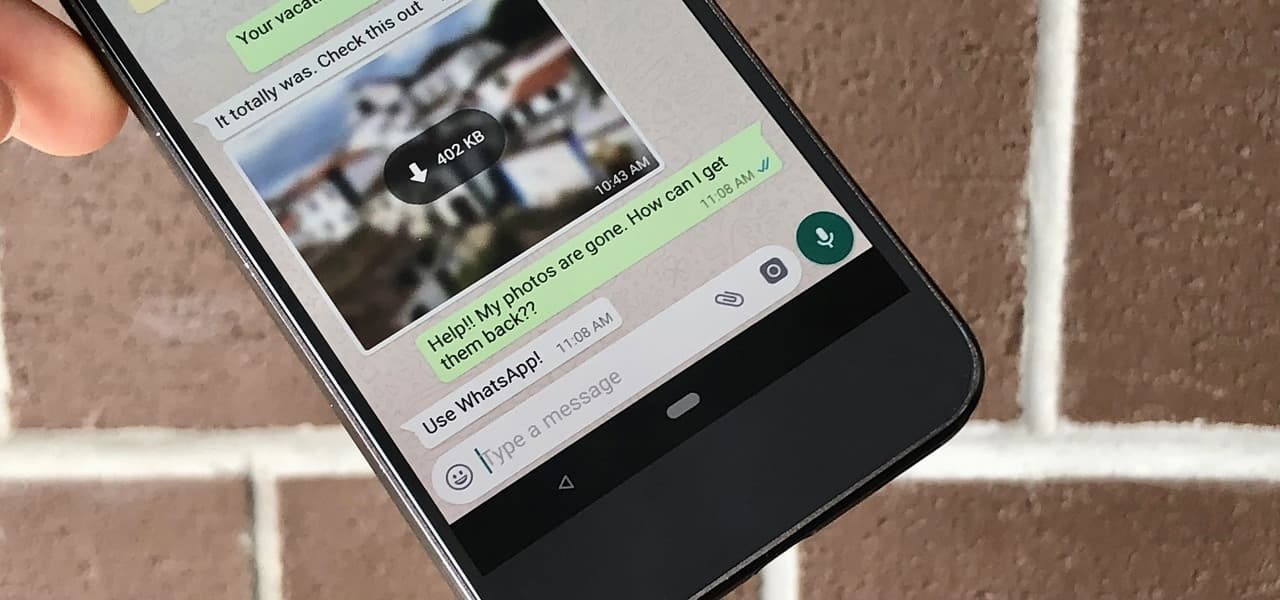
    In Ghana, the choice of people turns out to be WhatsApp. The app has over 1.6 billion users globally, making it one of the most popular of its kind. The app ranks first on the Android chart while being the fourth most popular iPhone application. 

    Online gambling platforms 

    The gambling industry has changed to its very core, becoming highly digitalized throughout the past decade. Online casinos now have bigger revenues than physical venues as a growing number of people prefer playing from home. Amid the coronavirus pandemic, the number of players has skyrocketed all across the globe, including Ghana. 

    There are no local gambling platforms in the country and that is why locals enjoy the services of foreign operators. Some of the Canadian companies have targeted western Africa in efforts to attract users from the region. More and more new online casinos from Canada appear on the market of Ghana, making it quite well-saturated. Canadian casinos have always been particularly interested in attracting overseas users amid the low domestic demand in the country. 

    In the charts, many of the leading gambling platforms have recently started to appear. The pandemic has boosted the sector as an unprecedented number of people stay at home. No one knows if the popularity of online gambling will drop after the health emergency but for now, the picture remains optimistic.

    Social media: Instagram 

    Social media is driving the world with almost every major company present on different platforms. They are undoubtedly the best way to reach big audiences. Some of the leading social media platforms have billions of users, making them the greatest space for marketing and promotions. 

    In Ghana, a skyrocketing number of people, particularly the youth are using social media networks. Instagram is of big popularity, ranking at the top of the list. Its rival Facebook is ahead, but this correlation is quite understandable. Facebook has space for more types of content including text, long videos, and events. On the other hand, Instagram is almost solely focused on photography and videography. 

    Video conferencing: Zoom 

    Not long ago, Skype was an absolutely legendary software. Hundreds of millions of people were astonished by the innovation of facetime calls through Skype in the early 2000s. However, years later, it has lost its glory to other, more advanced, and innovative apps. 

    Zoom has been around for a few years. It offers great services for those who need video conferencing for different purposes. It supports calls with hundreds of people in it, offers virtual backgrounds and educational modes. 

    In early 2020, due to the global health emergency and the high number of people staying at home, Zoom gained more popularity than ever before. It made international headlines and increased the number of users tenfold. It is now being used by some of the leading educational institutions and companies all around the world. 

    Ghana is not an exception as Zoom made it to the top of the chart in May 2020. The app is gaining even more momentum each and every day as more people around the country see its benefits. It is worth noting that Skype is not even among the top 50 most popular apps in Ghana for this period. 

  • 6 Apps You Can Use Without Internet Connection

    6 Apps You Can Use Without Internet Connection

    Your smartphone is not completely useless without an internet connection. While it is true that many of your favorite apps require an internet connection to work, it will excite you to know that there are a couple of applications you can use without the internet. This doesn’t include mobile banking apps.

    We will be discussing six of these apps in this article.

    Youtube

    This is an app that can serve as a great company during your trips.

    It has a feature that lets you download audio and video content for your viewing pleasure in the absence of the internet.

    This feature is not available to all, you can use it if you are in Africa, Asia, the Caribbeans, or the middle-east.

    To access this anywhere else, you need to be on the premium plan.

    To save video for offline viewing, open the Youtube app on your smartphone and tap the “Download” button.

    The video will be downloaded and you can access it from the “Library” section of the app.

    Google Drive

    This is a great app that allows you to store your documents, pictures or videos in cloud storage. It allows up to 15GB of storage.

    Another great feature of the app is that you can work with two or more people simultaneously on a document. It allows for effective collaboration.

    To enable this feature, click on the 3-dots at the top right corner of the document you want to access offline, select “Make available offline” and you can access this document without an internet connection.

    Netflix

    Netflix is one of the most popular movie streaming platforms in the world.

    You can download movies on the mobile app for offline viewing.

    You can only download select movies and the app is available for both Android and iOS users.

    Ensure you are running the latest update of the application.

    Google Podcast

    If you are a fan of podcasts, Google podcast is a must-have app for you.

    You can download your favorite shows for you to enjoy without the internet.

    It automatically deletes shows you have completed to free up space.

    Another great feature of the app is auto-download. It can save shows you’ve bookmarked are available.

    To enable this, go to Settings, select Auto-Download and choose the shows it should apply to.

    Spotify

    This is top music streaming app available to both Android and iOS users. As a premium user, you can save your favorite songs, albums, and podcasts for offline viewing.

    You can save up to 10,000 songs in your library.

    To download, go to the playlist, or podcast you want to download and tap to Download

    After downloading the songs you want to listen to offline, next, you need to enable “Offline mode”.
    From “Settings” on the app, tap “Playback” and switch on “Offline”.

    Pocket

    Pocket lets you read offline. With the app, you can save your favorite content for offline reading. It is also available as a Chrome extension.

    When you find the contents you want to save, share it with Pocket and it will be stored on your account.

    Before going offline, you need to sync Pocket and you can come back to read your saved contents even without an internet connection.

    Conclusion

    There you have it; six apps you can use without an internet connection. They come in handy. Share with us other apps you use without an internet connection.

  • How To Hide Your Whatsapp Online Status On Android And iOS

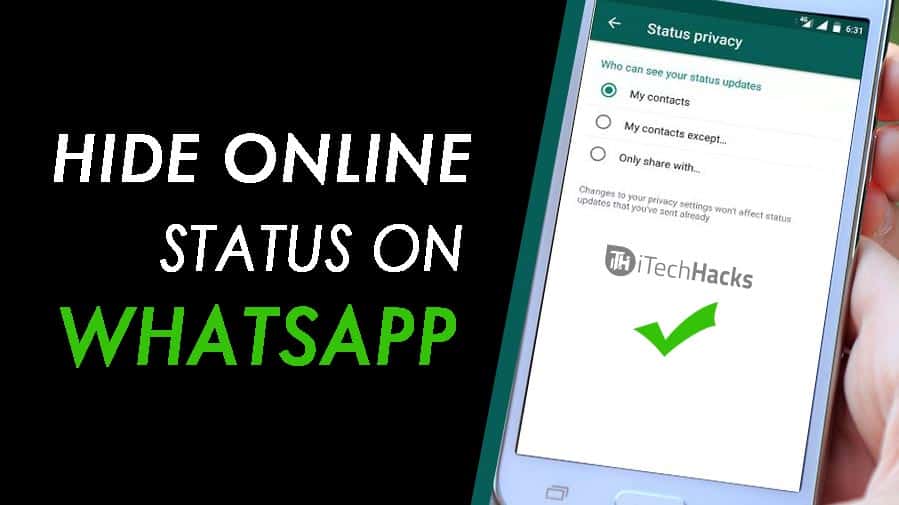
    How To Hide Your Whatsapp Online Status On Android And iOS

    Security and privacy are two terms that go hand in hand especially as far as the internet is concerned.

    The WhatsApp instant messaging platform is undoubtedly the biggest instant messaging platform in the world with millions of users active every moment.

    While Whatsapp has so many advantages that come at absolutely no cost, some people could actually abuse some of its functionalities in trying to track your actions.

    One of the features of WhatsApp which can be used against you by others is your online presence (online status.)

    In this article, we shall focus on how to turn off your online status on both Android and IOS devices.

    How To Turn off Your Online Status On Your Android Device

    To turn off this feature, you have to launch the Whatsapp application and follow the instruction below:

    1. Click on the three dots on the top right corner of your WhatsApp chat page.
    2. Click on Settings in the list that appears next.
    3. From the settings menu, look through and select Account.
    4. Click ‘Privacy’ in the next list that appears.
    5. From the popup list, select ‘Last Seen’
    6. From the popup list that appears next, select ‘Nobody’.

    NB: You can select my contacts in order to decide which people from your contact list should not see your online status.

    How To Turn Off Your Online Status on IOS Device

    Turning off your whatsapp online status on Iphone or any other IOS device is quite different from the method we’ve seen under the previous heading.

    In order to put this feature off, follow the steps below:

    1. Launch your WhatsApp application
    2. On the chats page, select ‘Settings’ on the right bottom corner.
    3. Select ‘Account’ from the list that appears on the next page.
    4. On the next page, select ‘Privacy’.
    5. From the next list, select ‘Last seen’
    6. A popup list would appear for you. Select ‘Nobody’ from the list

    Conclusion

    Turning off your whatsapp status generally prevents people from identifying when you are online and when you are offline. At all times, when people check your account, they see no sign of you being online. This protects you from those who may be spying on you. However, this setting is a double-edged knife. For as long as people do not get to see your online status, you do not get to see theirs either. Meaning if you set your online status to ‘Nobody’, you shall also see nobody’s online status. So if you wish to see some people’s status and keep others in the dark, then you may want to use the ‘My Contacts’ option when you get to the last phase of the steps listed above. That way, you can select those whom you wish to share your online status with.

    If you have any reservations or questions regarding this post, please do not forget to let us know in the comment box below the post. We are more than happy to be of help to you.

  • How To Recover Deleted Facebook Messages

    How To Recover Deleted Facebook Messages

    Once upon a while, we all make that grievous mistake of deleting a Facebook message or chat altogether.

    In such situations, there are few things you may want to consider. The first one is obviously to ask the other person to send back the messages you’ve lost since they still have it intact.

    The second option you may be considering is for them to take a screenshot of the chat and send to you.

    While the options above may work in some situations, what happens when you don’t want the person to know that you have lost the chat?

    In this article, we shall teach you how to recover a lost Facebook message or chat.

    Follow us keenly as we take a deep dive into this all-important topic.

    Check For Mistakenly Archived Chats

    It is not uncommon for you to mistakenly archive a whole chat especially when you are using the mobile application for Facebook messenger.

    In order to confirm that your messages are not archived but rather permanently deleted, kindly follow the steps below:

    1. Open your facebook messenger on either mobile device or PC.
    2. In the search bar on top of the messenger interface, enter the name of the person you had the chat with.
    3. If the name appears in the search results, then it means you possibly archived the chat and that you didn’t delete it altogether.
    4. To restore the chat, Click on the chat and select ‘Unarchive’
    5. The message should be restored to the primary chats list.
    6. However, if this option doesn’t provide the results expected, then you need to read the next subtitle.

    How To Recover Permanently Deleted Facebook Messages

    If your messages are permanently deleted, then you have a bit of a challenge but that shouldn’t be so much of a worry to you. We have you covered with this solution which requires just some few clicks.

    1. Visit your Facebook account on a desktop or laptop computer.
    2. Go to settings.
    3. Select ‘General Account Settings’.
    4. Select ‘Your Facebook Information’ from the list of items on the left panel.
    5. Select ‘Download your information’ from the list on the right panel.
    6. Uncheck all other file types listed there and select ‘Messages’ only.
    7. Click on ‘Create file’
    8. It will take a while for the files to be made available depending on the volume of messages you have.
    9. When the file is ready, you’ll receive a notification and then you can download it.
    10. You may be required to enter your password in order to download the file.

    Once you download the file, you can open it in your browser to have full access to all your messages including the ones that were deleted.

    Conclusion

    Facebook is one of the most useful social media platforms available presently and it has the largest number of users. The fact that you can recover deleted messages gives Facebook an extra feature for which you should consider it as your number one social media platform.

    You need to understand however that it is important for you to access your facebook profile from a previously known IP Address or Device in order for you to successfully recover your messages using the steps listed above.

    I hope this article was helpful in helping you resolving your problem. If you have any comments or any other ways of solving this problem, let us know. We’d be glad to hear from you.

  • 3 Apps That Can Help You Identify Who Unfollowed You On Instagram

    3 Apps That Can Help You Identify Who Unfollowed You On Instagram

    One annoying this about Instagram is the painful reduction in followers from time to time.

    Considering how difficult it is to build a sizeable following on Instagram, losing followers frequently could be a very painful experience for users of the photo-sharing app.

    One of the main reasons people follow others on Instagram is so that they could get a follow back or maybe see their newest photos they post on Instagram.

    After getting the follow back, most people try to be smart by unfollowing some of the accounts they had earlier followed so that they could reduce the accounts they follow as compared with the accounts that follow them.

    An account with more followers than it follows has more power and authority than an account with fewer followers.

    In this article, we shall focus on 3 apps you could use to identify those who unfollow you on Instagram so you could also unfollow them or take any other step.

    Followers Assistant

    Followers Assistant
    Followers Assistant

    Searching for an application which can help you grow your Instagram following with just a few clicks?

    Well, then this application is meant for you. Primarily, the Followers Assistant App is meant to help grow your Instagram following.

    It provides you with a comprehensive data of those who followed and unfollowed you within a given period.

    You then have the option of either unfollow those who unfollowed you or follow those who followed you.

    Followers

    followers App
    followers app

    This application is very easy to use and provides users with the ability to see their new followers, those who have unfollowed them in recent times as well as people who blocked them within recent times.

    The Followers App also allows users to identify their comments that have been deleted in recent times. It also provides users with the list of their most viewed and liked posts on Instagram.

    However, this app comes with premium packages from 1.99$ upwards to unlock some of its features.

    You can download on both iOS and Android.

    Unfollowers On Instagram

    Unfollowers App
    Unfollowers App

    This app is very similar to the other ones described above as they all perform similar functions.

    However, the Unfollowers On Instagram app is primarily aimed at helping users discover those who unfollowed them on the photo-sharing app.

    One thing about this app, however, is that it doesn’t have a much beautiful user interface as compared with the earlier ones.

    It, however, provides other options such as likes, views and reactions over specific periods. It also provides data on comments that have been deleted. All these come at a small fee of 2 $.

    Conclusion

    Gaining followers on Instagram is no joke. Most times, it is a ‘follow for follow’ way of generating followers that help people grow their account.

    SidesMedia is a fantastic service for TikTok & Instagram growth service that claims to provide real TikTok & Instagram followers with a high retention rate.

    As such, when you lose followers under some tricky condition, it becomes a concern. The apps discussed above are some of the best apps that can help you track unfollows and many other hidden stats on your Instagram account.

    Since these apps are third-party applications, you need to read and understand their terms and conditions before using them. If you know of any other applications that serve the same purpose, kindly name them in the comment box below.

  • How to download and use the COVID-19 Tracker App in Ghana

    How to download and use the COVID-19 Tracker App in Ghana

    Ghana’s Ministry of Communications in partnership with iQuent Technologies Ascend Digital Solution has launched the GH COVID-19 Tracker App.

    Although the app is not available on the Stores, the ministry has stated that it will be available in the Google Play Store and the App Store later this week.

    According to the Vice President, the app will help to track telephone numbers that are apparently or recently have been in certain countries around the world. The Ghana immigration service will use this information to determining who to provide an extra layer of screening.

    The COVID-19 Tracker app is also said to be useful in quarantine reliability to assess if certain individuals who are required to self-quarantine are actually doing that as a measure to flatten the curve of COVID-19 cases in Ghana.

    The Tracker App this is yet another weapon yet deployed to fight the novel Coronavirus.

    Ghana is one of the few countries in the world to deploy such an app and it will give the Government advance information and allow the responsible institutions to respond quickly to COVID-19 related issues.

    Dr Bawumia said: “If you look at the current spread of the pandemic, it suggests that the virus has a mind of all. It will, therefore, require innovative ideas such as the application of technology to deal with this fundamental. If Ghana hopes to flatten the curve or to stop the surgeon numbers of people being infected.”

    How to download the COVID-19 Tracker App in Ghana

    1. Visit the official COVID-19 Tracker App (25 MB) – ghcovid19.com
    2. Accept the Terms & Conditions to download and use GH COVID-19 Tracker App
    3. Click on the blue “download” text to download the app for your Android Phone
    4. You will see the file downloading status on your phone
    5. When you click on “INSTALL”, you may be prompted to allow installation from unknown sources on your device.
    6. Allow the installation and wait for the COVID-19 Tracker App to install
    7. Your app will then be successfully installed

    If the video above does not work, you can watch a recap of the launch of the COVID-19 Tracker app in Ghana here.

    COVID-19 Tracker USSD option for Feature Phones

    All those who don’t have a smartphone can access the USSD platform by dialling *769#.

    Remember, the best strategy in fighting the pandemic is to stay at home and observe all the World Health Organizations and the Ghana health service protocols such as covering the mouth when coughing and sneezing as well as regularly washing your hands with and soap under running water.

    Stay home stay safe. Download the app.